

Page 1
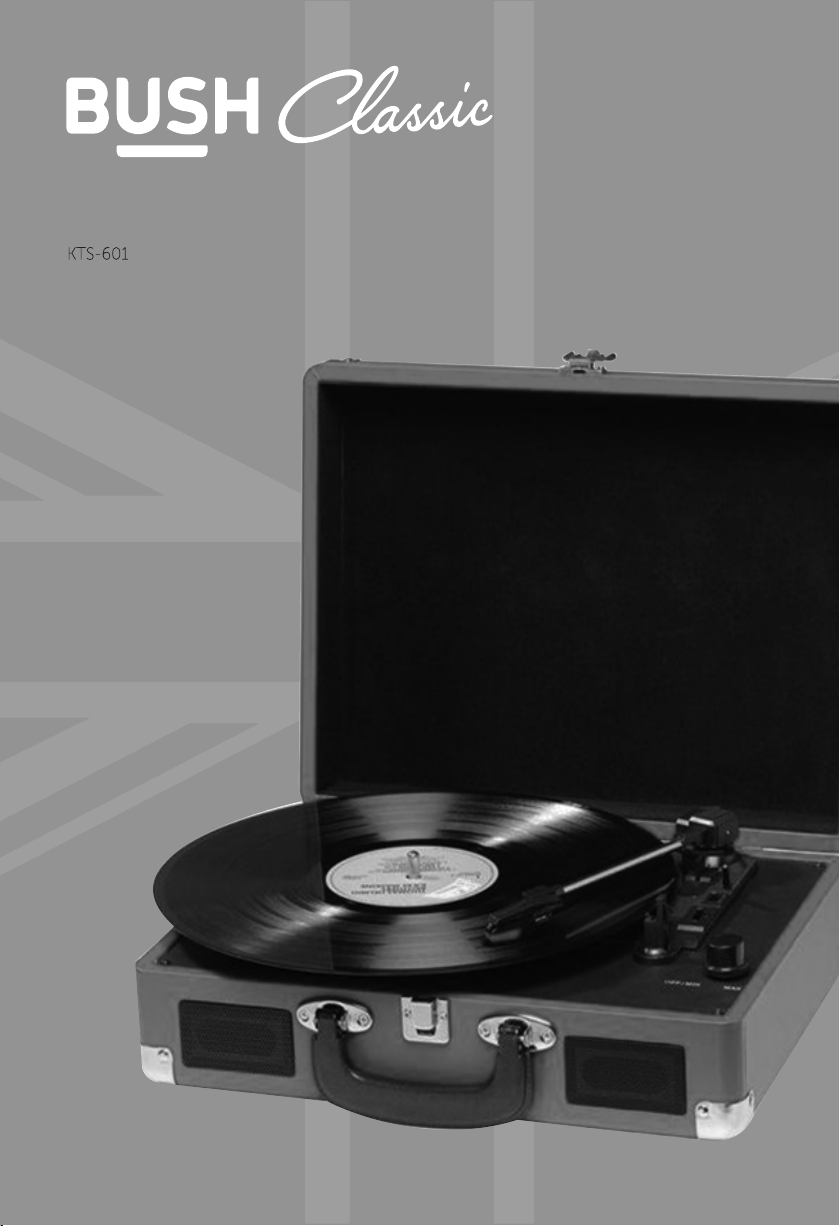
Instruction Manual
Page 2

You’ll soon be enjoying your new Turntable.
It all begins her
e, with your instructions. Don’t worry, there’s
nothing too technical coming up. Just simple, step-by-step
guidance to get you up and running quickly. Sound good? Then
let’s get started.
Help and Guidance
’re here to help you get the most from your Turntable. Should you require
We
any guidance, a simple solution can often be found online at:
www.argos-support.co.uk
If you still require further assistance, call one of our experts on 0345 604 0105
Classic P
ortable Turntable | Instruction Manual
2
Page 3

fety information
Sa
1
Page 4
Safety information
Important - Please read these instructions fully before
installing or operating
Power source
CAUTION: TO REDUCE THE RISK OF ELECTRIC SHOCK, DO NOT REMOVE ANY COVER. NO USER-SERVICEABLE .
PARTS INSIDE, REFER ANY SERVICING TO QUALIFIED SERVICE PERSONNEL .
·Please read this owner’s guide
·Please take the time to follow the instructions in
this owner’s guide carefully It will help you set up .
and operate your system properly and enjoy all of its
advanced features .
·Please save this owner’s guide for future reference .
·The product label is located on the back of the
product.
·Heed all warnings - on the product and in the owner’s
guide.
·Do not use this apparatus near water or moisture .
·Do not use this product near a bathtub, washbowl,
kitchen sink, and laundry tub, in a wet basement,
near a swimming pool, or anywhere else that water or
moisture is present .
·Only use attachments/accessories specified by the
manufacturer .
·Unplug this apparatus during lightning storms or
when unused for long periods of time - to prevent
damage to this product .
·Refer all servicing to qualified service personnel
·Servicing is required when the apparatus has
been damaged in any way: such as liquid has been
spilled or objects have fallen into the apparatus; the
apparatus has been exposed to rain or moisture, does
not operate normally, or has been dropped -
·Do not attempt to service this product yourself.
·Opening or removing covers may expose you to
dangerous voltages or other hazards .
·To prevent risk of fire or electric shock, avoid
overloading wall outlets, extension cords, or integral
convenience receptacles.
·Use suitable power sources - Plug the product into a
suitable power source, as described in the operating
instructions or as marked on the product .
The mains plug is used as the disconnect device, the
disconnect device shall remain readily accessible.
This symbol means that this unit is double
insulated . An earth connection is not required.
This product complies with European low
voltage (2006/95/EC) and electromagnetic
compatibility (2004/108/EC) directives .
Disposal information
WEEE marking “Information for the consumer”
Disposal of your old product Your product is
designed and manufactured with high quality
materials and components, which can be
recycled and reused. When this crossed out wheeled bin
symbol is attached to a product it means the product is
covered by the European Directive 2002/96/EC.
Please make yourself aware of the local collection
system for electrical and electronic products. Please act
according to your local rules and do not dispose of your
old products with your normal household waste. The
correct disposal of your old product will help prevent
potential negative consequences for the environment
and human health.
CAUTION
RISK OF ELECTRIC SHOCK!
DO NO T OPEN!
Classic Portable Turntable | Instruction Manual
4
Page 5
Contents
Page Contents
Warnings ...........................................................................................................................................................................................5
Box contents and features
Set up and operating the turntable
Replacing the stylus ..................................................................................................................................................................... 8
Precautions ....................................................................................................................................................................................8
Specifications .................................................................................................................................................................................8
Guarantee ................................................................................................................................................................................10-13
Warnings
arning
W
1. No naked flame sources, such as lighted candles, should be placed on or near this equipment.
2. Do not place the product in enclosed bookcases or racks without proper ventilation.
3. The mains adaptor is used as the disconnect device and must be easily reached to unplug.
4. Always use the power adaptor supplied if it needs to be replaced make sure the replacement has the
same rating.
5. The ventilation should not be impeded by covering the ventilation openings with items, such as
newspapers, table-cloths, curtains, etc.
6. Do not expose to dripping or splashed fluids. Objects filled with liquids, such as vases, must not be
placed on or near this equipment.
8. The unit should not be exposed to direct sunlight, very high or low temperature, moisture, vibrations or
placed in dusty environment.
9. Do not use abrasives, benzene, thinner or other solvents to clean the surface of the unit. To clean, wipe
with clean soft cloth it and a mild detergent solution.
10. Never attempt to insert wires, pins or other such objects into the vents or opening of the unit.
11. Do not disassemble or modify the turntable - apart from the stylus which can be replaced, there are no
other user serviceable parts.
12. If the turntable is damaged in anyway or malfunctions do not use. Consult a qualified service engineer.
13. Switch o the mains socket the power adaptor is connected to when the turntable is not in use.
14. Do not dispose of this product with household waste at the end of its life cycle; hand it over to a
collection centre for the recycling of electrical and electronic appliances. By recycling, some of
the materials can be reused. You are making an important contribution to protect our environment.
Please check with your Local Authority or recycling advice.
D
isposal of your old appliance:
1. When this crossed-out wheeled bin symbol is attached to a product, it means the
product is covered by the European Directive.
2. All electrical and electronic products should be disposed of
separately from household waste at an appropriate recycling point/centre.
3. The correct disposal of your old appliance will help prevent potential negative
consequences for the environment and human health.
4. For more detailed information about disposal of your old appliance, please
contact your local authority or the shop where you purchased the product.
Classic Portable Turntable | Instruction Manual
5
Page 6

Box contents and features
Box Contents
1 x Turntable with attache case housing
1 x 3 Pin mains to 9V 0.8A plug-in power adaptor
1 x 2 Phono to 3.5mm jack AUX IN lead
1 x User guide
1 x Spare stylus
1. Lock catch
2. Dust cover
3. Adapter - Use this when playing 45rpm records with cut out centres.
4. Tone arm lift
5. Auto stop control
6. Speed selection - Three speed for choice: 33.3, 45, 78 rpm.
7. LED power indicator
8. Power switch / Volume control
9. Headphone jack
10. Tone arm
11. Speaker
12. Cartridge
13. Carrying handle
14. Aux in
15. Line out R channel
16. Line out L channel
17. DC power jack
Classic Portable Turntable | Instruction Manual
6
Page 7

Features
- 33,45,78 RPM selectable speed turntable
- AUX IN for connecting other audio sources
- Headphone socket - can also be used for AUX OUT
- Built-in stereo speakers
- Portable attache case design
- Precision diamond stylus
Set up and operating the turntable
1. Remove all packaging from the unit.
2. Ensure that the security latch is closed so that the tone arm is not free to move.
3. Ensure unit is on a solid level surface, away from sources of heat,sunlight, etc.
4. Plug the jack plug from the power adaptor into the DC IN socket on the back of the
turntable case then plug the power adaptor into a three pin mains socket and switch the
socket on.
5. Remove the protective stylus guard from the tone arm cartridge by gently pulling
it forwards.
6. Carefully place a record/disc on the platter/turntable.
7. Turn the
8. Select the correct speed for the disc you want to play.
9. Release the security clip.
10. Lift the tone arm and place the stylus at the start of the record.
11. Turn the volume control knob clockwise to increase the volume or anti clockwise to
reduce the volume.
Tone Arm Lift
Please use Tone Arm Lift-up/Lift-down everytime start palys the Vinyl or stop palying Vinyl
Auto stop function
When the auto stop switch is in the ‘on’ position the turntable will automatically stop spinning
keep turning until the tone arm is lifted and returned to the rest position.
Using AUX IN
You can use the AUX IN 2 Phono to 3.5mm jack AUX IN lead supplied to connect other audio
sources such as a smartphone or tablet to the AUX IN sockets (15 & 16) on the back of the unit.
Switch on the turntable and play the audio from your device. Adjust the volume on the device
and turntable to get the best results.
Headphone socket
You can use the headphone socket to connect headphones to the turntable or to connect via
the 2 Phono to 3.5mm RCA Jack lead supplied to a Hi Fi system if you want a bit more volume or
want to record the disc playing.
Classic Portable Turntable | Instruction Manual
7
Page 8

Replacing the Stylus
A
Locating pins
C B
Removing the stylus from the cartridge
1. Place a screwdriver between the top of the red stylus shell and the black holder and push
downwards in the direction “A” as shown above left
2. Remove the stylus shell by pulling it forwards and pushing downwards.
(inside)
Locating pins
(inside)
Replacing the stylus
1. Hold the tip of the red stylus shell and insert it by pushing in direction “B” as above
2. Push the stylus shell upwards in the direction “C” until it locks
into position.
Precautions
•
when playing LPs in the future.
• Do not place unit on top of or near loudspeakers as acoustic feedback can occur.
• Do not play badly worn or chipped records.
•
• Clean the unit with a soft, damp lint free cloth, never use chemicals or harsh abrasives.
• Use a good quality record cleaner for optimum results.
• Always secure the tone arm with the security clip before moving the unit.
Specifications
Mains adaptor
Input: 100-240V~50/60Hz
Output: 9 V 0.8A
Turntable
Speeds:
33,45,78 RPM
Classic Portable Turntable | Instruction Manual
8
Page 9

roduct support
P
2
Page 10

Product support
Help is always at hand
User instructions
Troubleshooting
In the unlikely event of difficulties with your appliance please follow the trouble shooting guide below.
If the problem persists, visit the technical support website: www.argos-support.co.uk
Problem Reason(s) Solution(s)
No power
No sound when connected to
a home stereo system
No sound when connected to
a computer
The start or stop position is
not accurate
• Power cable not connected to
wall socket
• Power socket is not switched on
• The power saving mode is
activated.
• Volume is too low
• The RCA cables are not connected
correctly.
• The stereo system is not set to the
correct input mode.
• The device was not recognised
when connected.
• The software playthorugh option
was not ticked.
• The recording level bar was not
clicked.
• The tone arm alignment is not set
correctly.
• Make sure the plug is connected
• Switch the power on
• See ’Mains connection’ page 5 for
details.
• Increase the volume
• Check the connections.
• Check which input you connected the
RCA cables to and switch to that input
mode on your stereo system.
• Re-boot the computer and try again.
• See page 7 ‘Setting up the device on a
computer section 5’ for details.
• See page 7 ‘Setting the recording
levels section 2’ for details.
• See page 6 for instructions on
alignment.
Recordings made through a
computer are distorted
The stylus is skating across
the record
The record is playing too fast
or too slow.
• The input levels are too high • Adjust the input levels. See page 7
• The counter weight is not set
correctly.
• The pitch adjustment needs fine
tuning.
‘Setting the recording levels’.
• Adjust the counterweight. See page 4
‘Installing the counter weight’.
• Increase or decrease the pitch adjust
control. See page 5 ‘Pitch adjust’.
Classic Portable Turntable | Instruction Manual
10
Page 11

Product support
Help is always at hand
Help and assistance
If you require any technical guidance or find that your <enter product name> is not
operating as intended, a simple solution can often be found in the Troubleshooting
section of these instructions or online at www.argos-support.co.uk
If you still require further assistance, call one of our experts on 0345 604 0105 . To help
give us give you a fast and efficient service please have the following information ready:
You can find these
Model Ref.
Serial number
on the rating plate - a
small information
panel (usually a sticker
or metal plate) on the
rear of your product.
Date of purchase
Local call rates applies*
Lines open 8am-
7pm Monday to Saturday and
This will be shown on
your receipt
10am-4pm Sunday.
*Calls to Argos enquiry lines may attract a charge and set up fee from residential lines depending on
your call plan/tari. Mobile and other providers costs may vary, see www.bt.com/pricing for details.
For security and training purposes, telephone calls to and from customer service centres may be
recorded and monitored. Calls from Republic of Ireland will attract international call charges.
Classic Portable Turntable | Instruction Manual
11
Page 12

Pr
oduct support
Help is al
isposal
D
he s
ymbol on the product or its packaging indicates that this product may not be treated
as household waste. Instead it should be handed over to the applicable collection point for
the recycling of electrical and electronic equipment.. By ensuring this product is disposed of
correctly, you will help prevent potential negative consequences for the environment and
humanhealth,which chould otherwise be caused by inappropriate waste handling of this
product.. For more detailed information about recycling this products ,please contact
product was purchased.
ways at hand
lassic Portable Turntable | Instruction Manual
C
12
Page 13

Pr
oduct support
Help is al
Thank y
Don’t forget to register it with us today so we can provide you with our best possible after-sales service and
useful updates.
ways at hand
Call us no
ou for choosing Bush. Your new product is guaranteed against faults and breakdowns for 12 months.
w and activate your 12 month guarantee
www.bushr
egistration.co.uk
FREEPHONE*
0800 597 8548
Lines are open 8am - 8pm, 365 da
oduct is guaranteed for twelve months from the date of original purchase. Any defect that arises due to
This pr
faulty materials or workmanship will be repaired free of charge (or if applicable the product will be replaced or the
purchase price refunded) where possible during this period by the dealer from who your purchased the unit.
The guar
• The guar
• The product must be correctly installed and
• It must be used solely for domestic purposes. The
antee does not cover accidental damage,
misuse, cabinet parts, knobs or consumable items.
operated in accordance with the instructions
contained in the manual.
guarantee will be rendered invalid if the product is
antee is subject to the following provisions:
Importan
ou provide us with information about another person,
If y
you confirm that they have appointed you to act for
them, to consent to the processing of their personal
data including sensitive personal data and that you have
informed them of our identity and the purposes (as
set out in the Important Data Privacy notice displayed
overleaf) for which their personal data will be processed.
You are entitled to ask for a copy of the information
we hold about you (for which we may charge a small
fee) and to have any inaccuracies in your information
corrected.
ys a year. *Calls may be recorded and monitored.
Your Bush Guar
antee
re-sold or has been damaged by inexpert repair.
• Specifications are subject to change without
notice.
• Bush disclaim any liability for loss or damage arising
from the breakdown of the product.
• This guarantee is in addition to and does not
diminish your statutory or legal rights.
t Data Protection Information
For quality control and training purposes, we may
monitor or record your communications with us.
If your personal details change, if you change your mind
about any of your marketing preferences or if you have
any queries about how we use your information, please
let us know by contacting our Data Protection
, Domestic & General, Leicester House
Officer
ester Street, Bedworth, Warwickshire
17 Leic
CV12 8JP.
C
lassic Portable Turntable | Instruction Manual
13
Page 14

Page 15

Page 16

ontact:
C
www
.argos-support.co.uk
Helpline: 0345 604 0105
 Loading...