

Page 1
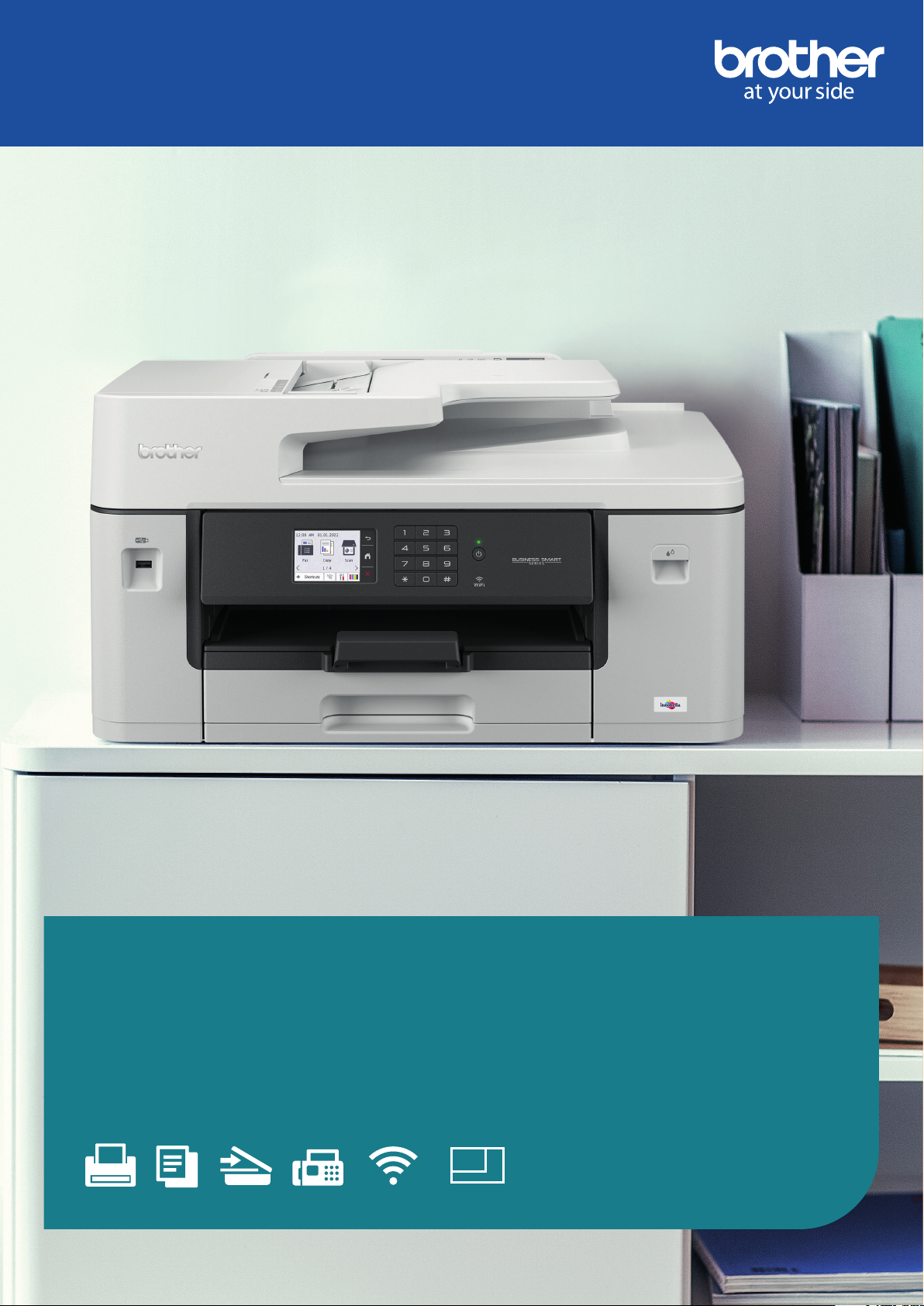
Professional A3 inkjet
wireless all-in-one printer
MFC-J6540DW
PRINT COPY SCAN FAX WIRELESS
A4/A3 PRINT
www.brother.co.uk/mfc-j6540dw
Page 2
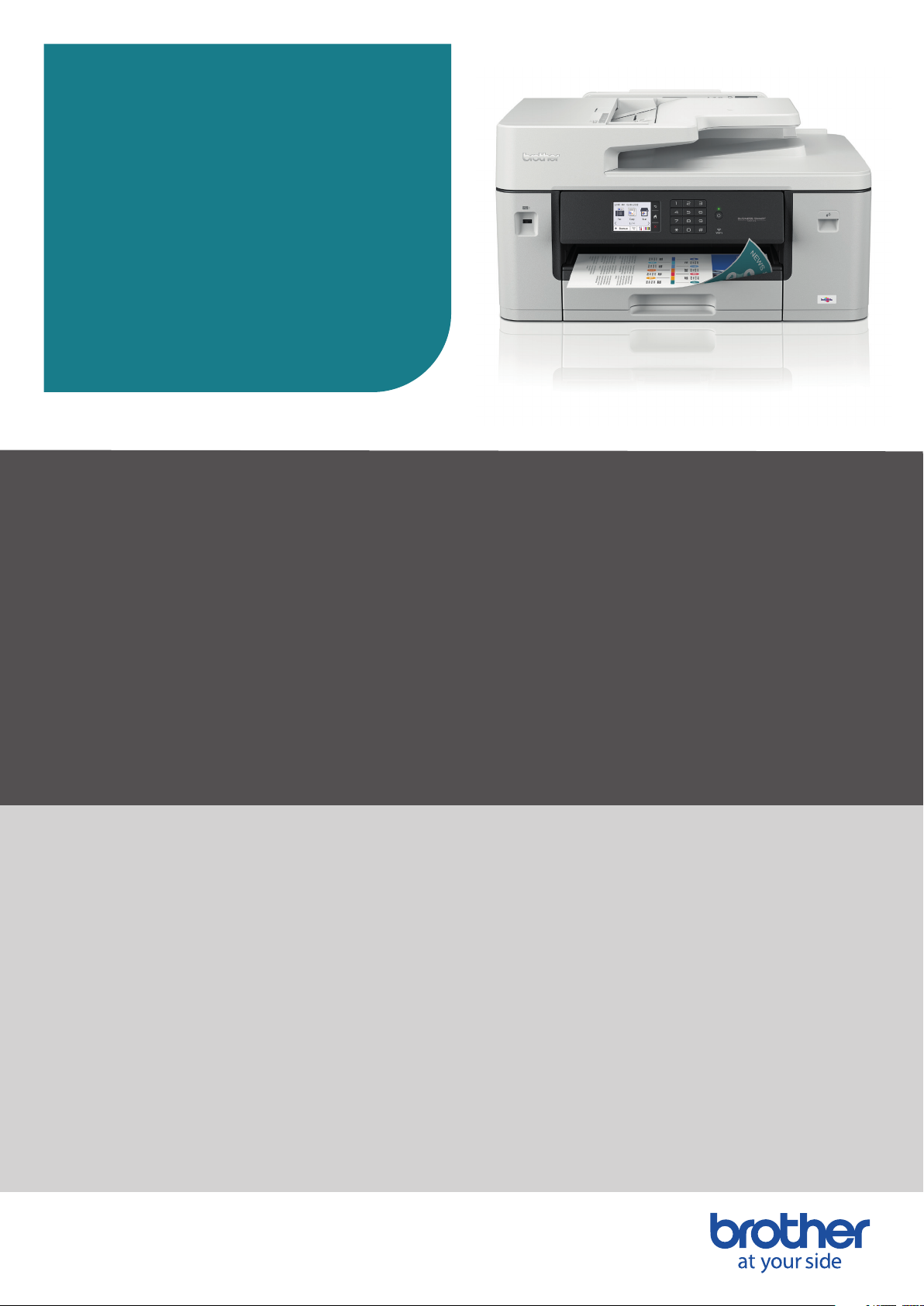
Versatile, cost-eective and
connected A3/A4 print, scan and copy
The professional A3/A4 MFC-J6540DW all-in-one
printer is built to last, meeting the needs of demanding
small oces and business workgroups. A3 print option
enables you to produce a variety of A3, as well as A4
colour documents, while experiencing high quality
prints, fast print speeds and low running costs. This
all-in-one device oers print, copy, scan and fax
functionality.
Print from your workstation, in a meeting room, or from
your mobile device with wireless connectivity.
MFC-J6540DW
Key features:
• Up to 28ipm print speed
9
• Automatic 2-sided A3 print
• 1-sided A3 scan, copy and fax
• 6.8cm colour touchscreen
• Wired and wireless connectivity
• 1 x 250 sheet paper trays
2
• 1 sheet manual feed slot
• 50 sheet A3 automatic document feeder (ADF)
• Optional high-yield inks: BK 3,000 pages and C/M/Y 1,500 pages
2
1
• In-box inks: 550 pages CMYK
Professional versatile A3 printing2
This professional A3 printer offers you the ability to print not only in A4, but to also print your
reports, presentations, marketing materials or training documents in A3.
The enclosed paper tray will also hold up to 250 A3 sheets. Using the 50 sheet ADF, you can leave
your multi-page document to scan, while you focus on other tasks and the 6.8cm easy to navigate
LCD colour touchscreen, you’re sure to work faster.
Ultra-fast, durable, precision printing
Through years of meticulous engineering design, our patented MAXIDRIVE print chip redefines
printing technology. Ink droplets are ejected into 40 micrometer thick film generating pressure
that travels through 1,680 individual chambers across a single print chip, delivering ultra-fast,
durable, precision printing.
MFC-J6540DW I Page 2
Page 3
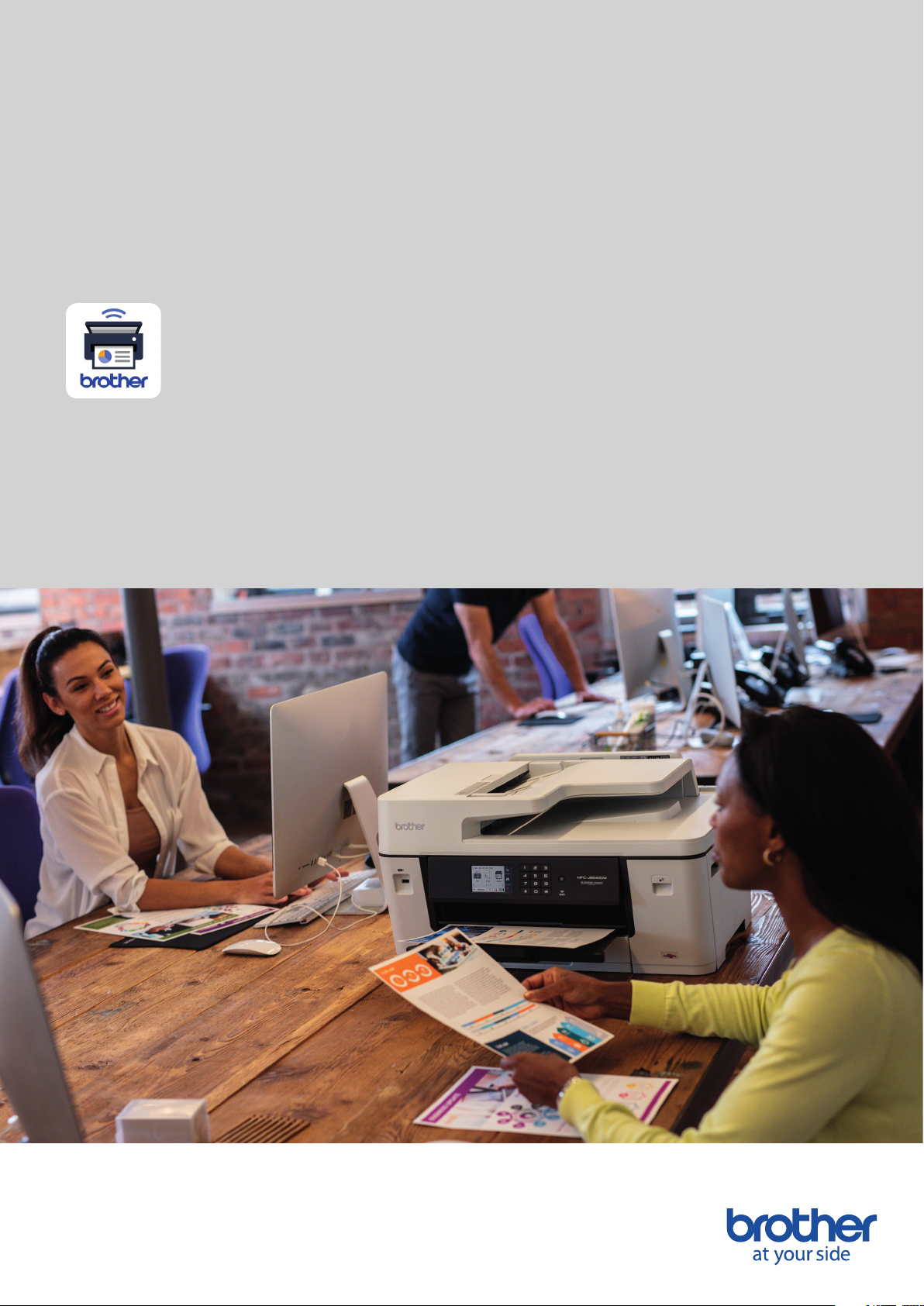
When quality and performance work together
Our most advanced colour printing technology is guaranteed to make the right impression when it
counts, with vibrant, professional colour prints and accurate digital documents. The robust design
and long-life components provide confidence your device keeps on performing without interruption.
Print from anywhere, any time
Thanks to the remote print function on the Brother Mobile Connect app, you can send prints jobs
from anywhere – allowing you to get on with the rest of your day. You can even set up notifications
that’ll let you know when the job is completed.
Brother Mobile Connect
Mobile Connect is the app that let’s you personalise your frequently used printer functions unlocking
a revolutionary way of printing. As well as sending a print job from anywhere, there is whole host of
useful scan features – scan data directly to your mobile device or check your scan history for files.
If you’re worried about running out of supplies simply check ink levels and order replacement
supplies direct to your door.
MFC-J6540DW I Page 3
Page 4

General
Technology
Inkjet
Local interface
Hi-Speed USB 2.0
Wireless network
2.4GHz and 5GHz support
Print
Memory
256MB
Control panel
6.8cm colour
touchscreen LCD
Print speed (A4)
1-sided: 28ipm/ppm
mono and colour
2-sided: 21ipm/ppm
mono and colour
9
Print (A3)
1-sided: Yes
2-sided: Yes
Wired network
Fast ethernet
First print out time
4.6 seconds colour and
4.4 seconds mono
10
Quiet mode
A mode to reduce the
printing noise
Mobile print
Print from your mobile devices to
your Brother printer
Resolution
Up to 1200 x 4800dpi
(horizontal and vertical)
Printer functions
Printer driver
N-up printing
Reduce up to 2, 4, 9 or
16 pages into just one page
Poster printing
Enlarge a single page into a
poster using 4 or 9 pages
3
4
Windows
Windows 10
(32 and 64 bit editions)
Windows 8
(32 and 64 bit editions)
Windows 7
(32 and 64 bit editions)
Windows Server
2019, 2016, 2012, 2012R2
and 2008R2
Windows Server 2008
(32 and 64 bit editions)
Watermark printing
Watermark your documents
with predefined text or with your
own user-defined messages
ID printing
Add identification to your printed
documents (date and time,
short custom message or
PC username)
4
4
macOS
10.14.6/10.15.x/11
Linux
CUPS, LPD/LPRng
(i686 and x86_64)
PCL driver
Generic PCL XL driver
ChromeOS
Supports native
ChromeOS printing
Booklet printing
Print documents in A5 booklet
format using automatic or
manual 2-sided print
Print profiles
Store your favourite driver
settings as profiles to easily
recall them
4
3
PostScript universal
printer driver
Driver for Windows that enables
you to print to any network or
locally connected Brother ink
printer
MFC-J6540DW I Page 4
Page 5

Paper handling
Paper input
2
Standard tray
250 sheets
Manual feed slot
1 sheet
ADF
50 sheets
Paper output
2
100 sheets A4 | 50 sheets A3
Envelope printing
Yes from manual feed slot tray
and standard tray
Media sizes
Standard tray
A4, LTR, EXE, A3, LGR,
LGL, Folio, A5, A6, Photo
(10 x 15cm), Indexcard
(13 x 20cm), Photo-L
(9 x 13cm), Photo-2L
(13 x 18cm), Com-10, DL
Envelope, Monarch, C5,
Mexico Legal, India Legal
Manual feed slot
A4, LTR, EXE, A3, LGR, LGL,
Folio, A5, A6, Photo (10 x
15cm), Indexcard (13 x 20cm),
Photo-L (9 x 13cm),
Photo-2L (13 x 18cm),
Com-10, DL Envelope, Monarch,
C5, Mexico Legal, India Legal
ADF
Width: 105 to 297.0 mm
Length: 148 to 431.8 mm
Media type and weights
Standard tray
Plain, inkjet, glossy, recycled
64-220g/m
Manual feed slot
Plain, inkjet, glossy, recycled
64-220g/m2 (260g/m2 with
Brother BP71 glossy paper only)
ADF
Plain and recycled paper
64-120g/m
Auto 2-sided
Plain, recycled
64-120g/m
2
2
2
Mobile and web
connectivity
Brother mobile connect5
(Android)
Print from, scan to, send faxes,
preview received faxes, preview
copies and check the machine
status from an Android device
Brother mobile connect
(iPad / iPhone)
Print from, scan to, send faxes,
preview received faxes, preview
copies and check the machine
status from an iPad / iPhone
5
Scanner glass
Width: up to 297.0 mm
Length: up to 431.8 mm
Auto 2-sided
A4, LTR, A3, LGR, LGL, Folio,
Mexico Legal, India Legal,
EXE, A5
Apple AirPrint
Print from and scan to most
common file types from any
AirPrint enabled application
Brother print service
5
plugin
Print from an Android devices
without a dedicated app.
Mopria™
Print most common file types
from Mopria™ supported
Android devices
5
Brother apps8
Print creative center, scan to
mobile, scan to searchable
PDF, enlarge text copy, fax
forward to cloud/e-mail, scan to
PowerPoint, scan to Excel, scan
to Word, Easy scan to e-mail
Web connect
Print from and scan to without
using a PC on Box, Dropbox,
Evernote, OneDrive, Google
DriveTM OneNote
8
MFC-J6540DW I Page 5
Page 6

Copy
Copy speed (A4)
1-sided: 25ipm/ppm mono and
16ipm/ppm colour
11
Copy (A3)
1-sided: Yes
First copy out time
5.0 seconds mono and
6.0 seconds colour
11
Resolution
Up to 600 x 600dpi
Multi-copying/stack/sort
Makes up to 999 copies of each
page / stacks or sorts
Enlargement/reduction
Ratio
Reduce or Increase document
sizes from 25% to 400% in 1%
increments
N in 1 copying
Allows the user to compress
2 or 4 pages on to a single
A4 sheet
2 in 1 ID copying
Allows the user to copy both
sides of an ID card to a single
A4 sheet
Grey scale
256 shades of grey
(8 bit for each colour)
Enlarge text copy
Makes reading copied
documents easier if the size of
the text on the original
document is small
8
Scan
Scanner
functions
Scanner type
Contact Image Sensor (CIS)
Colour and mono
scanning
Yes
Scan speed (A4)
1-sided: 25ipm
mono and colour
12
Scan to e-mail
Scan and share documents via
e-mail server
Scan to OCR
Scan documents directly
into your word processing
application for instant editing
Scan speed (A3)
1-sided: 13ipm/ppm mono
and colour
12
Scan resolution from ADF
600 x 600dpi (mono)
300 x 600dpi (colour)
Scan resolution from
scanner glass
1200 x 2400dpi (mono)
1200 x 1200dpi (colour)
Scan to network folder4
Scan documents to a nominated
folder on your network without
using a Windows PC
Scan to FTP
Scan documents directly to a
FTP server
Interpolated scan
resolution
Up to 19200 x 19200dpi
Colour depth
48 bit colour processing (input)
24 bit colour processing (output)
Grey scale
16 bit colour processing (input)
8 bit colour processing (output)
Scan to Microsoft Office
Scan to Word (.docx),
PowerPoint (.pptx), Excel (.xlsx)
for Microsoft Office
Scan to SharePoint
Scan documents directly into
SharePoint (On-premise)
4
Scan to image
Scan into your preferred image
editing software
Scan to file
Scan to a file on your computer
MFC-J6540DW I Page 6
Scan profile
Create up to 5 preset network,
FTP profiles for an easy way to
store multiple scan settings
3
Scan to searchable PDF
Scan documents to searchable
PDF files
Auto deskew
Yes
Base colour removal
Yes
3
3
7
Page 7

Scanner drivers
Windows
TWAIN and WIA
Windows 10
(32 and 64 bit editions)
Windows 8.1
(32 and 64 bit editions)
Windows 7
(32 and 64 bit editions)
Windows Server 2008
R2/2012/2012 R2/2016/2019
(64 bit editions)
Linux5
SANE (32 and 64 bit editions)
Fax
Fleet management
tools
Fax modem
33600bps (Super G3)
PC-fax send
and receive
Send and receive faxes directly
from your PC
4&8
3&8
Memory transmission
Up to 150 pages
(ITU-T Test Chart, standard
resolution, JBIG)
Out of paper reception
Up to 150 pages (ITU-T Test
Chart, standard resolution,
JBIG)
Unattended installer
Ability to centrally deploy and
customise our drivers and
software
MSI installer
Modular installers that can
be distributed through
On-premise Active Directory
4
4
®
Distinctive ring detection
(UK and Denmark only)
An external service that allows
two or more telephone numbers
shared on a single fixed line and
use different ring tones
Error correction mode
(ECM)
Detect line errors during fax
transmission and resend the
page(s) of the document that
had an error (recipient machines
must share this feature for it to
work)
BRAdmin
LAN/WAN management
software
4&5
Embedded web server
Web based print management
software embedded onto the
device
Auto reduction
When receiving a single page
document longer than A4
(297mm) the fax machine will
automatically reduce the
message to fit onto a single
A4 sheet
Broadcasting
Send the same fax message up
to 250 locations
Grey scale
256 shades (8 bit) of grey are
available for faxing
Driver deployment
Wizard
Easily create print drivers for
hassle free deployment over
your network
4&5
Software
Brother iPrint&Scan
desktop
Print from, scan to, send faxes,
preview received faxes, preview
copies and check the machine
status from Windows or
macOS PC
3&5
MFC-J6540DW I Page 7
Page 8

Security and
network
Wired network
10Base-T/100Base-TX
Wired network security
APOP, SMTP-AUTH, SSL/TLS
(IPPS, HTTPS, FTPS, SMTP,
POP3, IMAP4), SNMP v3
802.1x (EAP-MD5, EAP-FAST,
PEAP, EAP-TLS, EAP-TTLS),
Kerberos, IPsec
Wireless network
2.4GHz: IEEE 802.11 b/g/n
(Infrastructure Mode)
IEEE 802.11 g/n
(Wi-Fi Direct)
5GHz: IEEE 802.11 a/n
(Infrastructure Mode)
IEEE 802.11 a/n (Wi-Fi Direct)
Wireless network security
WEP 64/128 bit, WPA-PSK
(TKIP/AES), WPA2-PSK (TKIP/
AES), WPA3-SAE (AES)
*Wi-Fi Direct supports
WPA2-PSK (AES) only.
APOP, SMTP-AUTH, SSL/TLS
(IPPS, HTTPS, FTPS, SMTP,
POP3, IMAP4), SNMP v3,
802.1x (EAP-FAST, PEAP,
EAP-TLS, EAP-TTLS), Kerberos,
IPsec
Wi-Fi DirectTM
Print wirelessly without having
to go through a wireless access
point (both automatic and
manual methods supported)
Wireless setup support
Wi-Fi Protected Setup (WPS)
Wireless applications
Vertical Pairing
IPv4
ARP, RARP, BOOTP, DHCP,
APIPA(Auto IP), WINS/NetBIOS
name resolution, DNS Resolver,
mDNS, LLMNR responder,
LPR/LPD, Custom Raw Port/
Port9100, IPP, FTP Client ,FTP
Server, SNMPv1/v2c/v3, TFTP
server, POP3/IMAP4/SMTP
Client, ICMP, Web Services
(Print/Scan), CIFS Client, SNTP
Client, LDAP, HTTP Server
IPv6
NDP, RA, mDNS, LLMNR
Responder, DNS Resolver,
LPR/LPD, Custom Raw Port/
Port9100, IPP, FTP Client, FTP
Server, SNMPv1/v2c/v3, TFTP
server, Web Services (Print/
Scan), POP3/IMAP4, SMTP
Client, CIFS Client, SNTP Client,
LDAP, ICMPv6, HTTP Server
IP Filter
Restrict which network users
can or cannot access the device
over the network (IPv4 only)
E-mail notifications
Automatically have the device
send e-mail alerts when it
requires attention, such as when
the ink is low or needs replacing
E-mail reports
Receive usage reports on a
regular basis via e-mail
Secure function lock 3.0
Restrict access to individual or
groups of users over a network.
Can be used with PC user login
names for up to 100 users
Supplies and
accessories
Address book
Standard yield cartridges
LC422BK - 550 pages
LC422C - 550 pages
LC422M - 550 pages
LC422Y - 550 pages
LC422VAL- 4 x 550 pages
Note: product is shipped with LC422 standard cartridges
1
High yield cartridges
LC422XLBK - 3,000 pages
LC422XLC - 1,500 pages
LC422XLM - 1,500 pages
LC422XLY - 1,500 pages
LC422XLVAL- 3,000 pages BK, 1,500 pages CMY
LDAP
The ability to connect to an
external LDAP enabled address
book, like Microsoft Exchange
1
13
MFC-J6540DW I Page 8
Page 9

Dimensions
and weights
With carton (WxDxH)
681 x 561 x 423mm - 22.6kg
Without carton (WxDxH)
576 x 477 x 305mm - 19.8kg
Duty cycle
Environment
Recommended monthly
250 to 2,500 pages monthly print volume
Power consumption
Copying: approx. 29W
Ready: approx. 5.0W
Sleep: approx. 0.9W
Power off: approx 0.03W
Sound pressure
PC printing (colour/mono):
approx. 50.0dB(A)
6
Sound power
Mono: 6.54B(A)
Colour: 6.54B(A)
TEC value
0.17 kWh/week
Ink save mode
This reduces the ink usage and
helps to reduce the total cost of
printer ownership
GS mark
Yes
MFC-J6540DW I Page 9
Page 10

1 Approx. declared yield value in accordance with ISO/IEC 24711
2 Capacity calculated with 80g/m² paper
3 Windows and macOS only
4 Windows only
5 Optional download
6 Duty cycles can be used to compare designed durability between like Brother products
For maximum printer life, it is best to choose a printer with a duty cycle that far exceeds your print requirements
7 Requires Brother Software
8 Must be web connected
9 Print speeds based on ISO/IEC 24734 (www.brother.com/rd/printspeed)
10 FPOT (First Print Out Time) based on ISO/IEC 17629
11 Copy speeds ESAT based on ISO/IEC 24735
12 Scan speeds based on ISO/IEC 17991
13 The first time you install a set of ink cartridges the machine will use an amount of ink to fill the delivery tubes for high quality printouts.
This process will only happen once. The amount of ink remaining1 will be a minimum of 358 pages BK and 358 pages CMY
CD3668
Working with you for a better environment
At Brother, our green initiative is simple. We strive to take responsibility,
act respectfully and try to make a positive dierence to help build a
society where sustainable development can be achieved. We call this
approach Brother Earth.
www.brotherearth.com
MFC-J6540DW I Page 10
All specifications correct at the time of All specifications correct at the time of
printing and are subject to change. printing and are subject to change.
Brother is a registered trademark of Brother Brother is a registered trademark of Brother
Industries Ltd. Brand product names are Industries Ltd. Brand product names are
registered trademarks or trademarks of their registered trademarks or trademarks of their
respective companies.respective companies.
 Loading...