

Page 1
DIGITRONIC INDICATOR INSTRUCTIONS
Digitronic Indicator 405 Series
Please carefully review these instructions to ensure proper and accurate use of your Digitronic Indicator.
Features
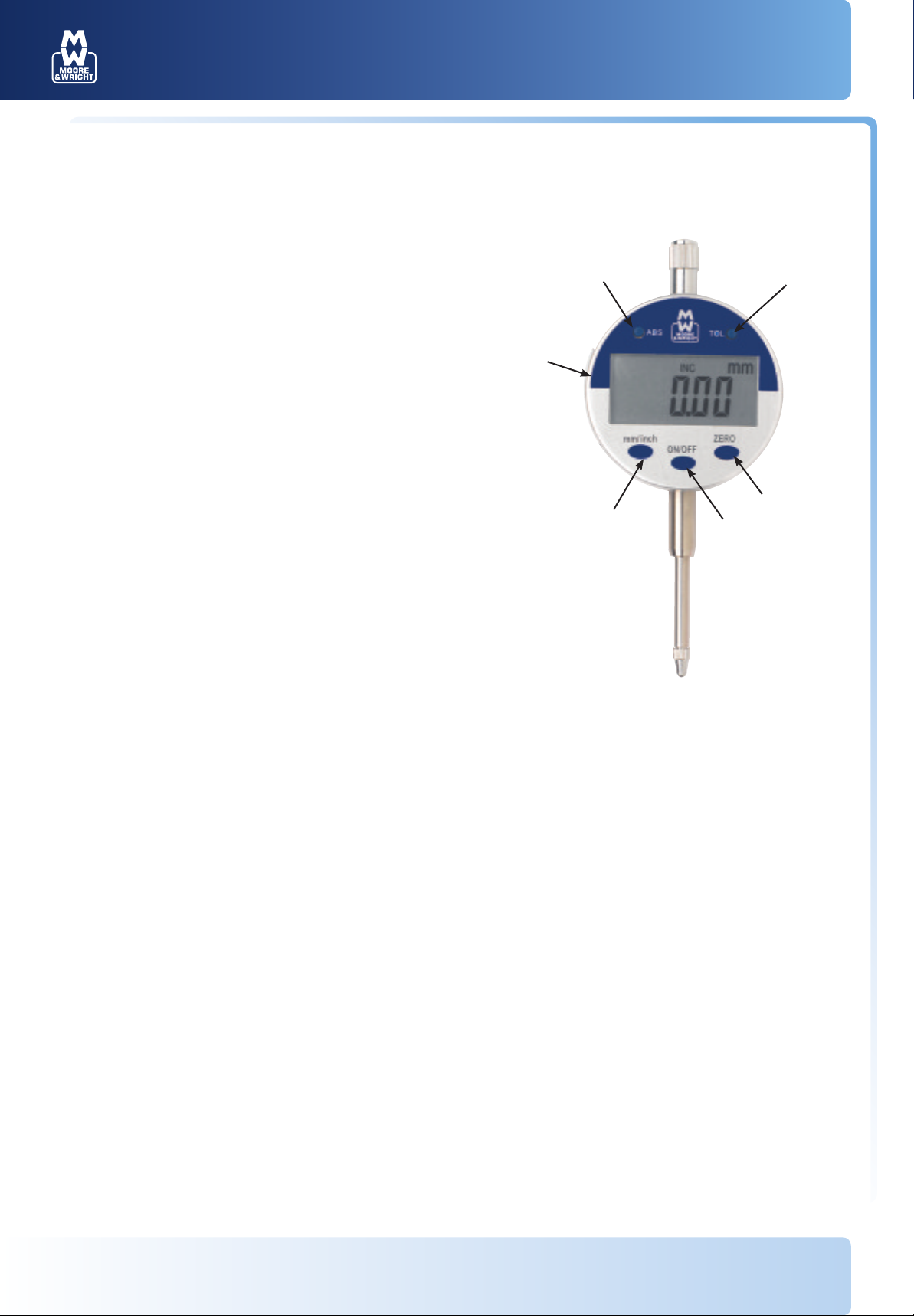
1. ON/OFF
2. Floating ZERO
3. Absolute/Incremental readings
4. Direct mm-in conversion
5. Tolerance indicators
6. Battery cover
3
6
5
2
4
1
Operation
• To turn the indicator on or off press ON/OFF (1) momentarily
• To ZERO the indicator at any location press ZERO (2). This can be used in either ABS or INC
• Press mm/in (4) to display readings in either inch or metric
• Press ABS (3) to toggle between Absolute and Incremental reading. ZERO may be set at any location in either mode
• Tolerance indicators may be activated by pressing TOL (5) one time. "s" will appear in the display. Displace the spindle so the maximum
allowed reading is displayed and press TOL (5) once more. "t" will appear in the display. Displace the spindle so the minimum allowed
reading is displayed and press TOL (5) once more. "OK" will be shown in the display while your readings are between the two allowed
readings. Once either of these settings has been exceeded "OK" will flash indicating an out of tolerance measurement. To exit TOL (5) mode
depress ZERO (2). To reset tolerances depress TOL (5) and input the max and min readings
Maintenance
• Avoid contact with liquids and excessive humidity.
• If the instrument requires cleaning, use only isopropyl alcohol and
a soft cloth.
• Battery is low when the display flashes. To replace the battery, use
a small screwdriver to open the side battery compartment (6). Use 1
CR2032 battery.
Specifications
Measuring range: 0-1"/0-25mm
0-.5"/0-12.5mm
Resolution: 0.0005"/0.01mm
Accuracy: 0.001"/0.03mm
Repeatability: 0.0005"/0.01mm
Display: LCD (11.0 mm high)
Maximum measuring speed: 1.5m per second
Battery: 3V, type CR2032 Lithium
Battery life: Approx. 1 year
For more information visit www.moore-and-wright.com Partners in Precision
 Loading...