

Page 1
CAUTION
CAUTION
CAUTION
Assembly Manual
CAUTION
CAUTION
CAUTION
WA RNING
!
Page 8 / 8
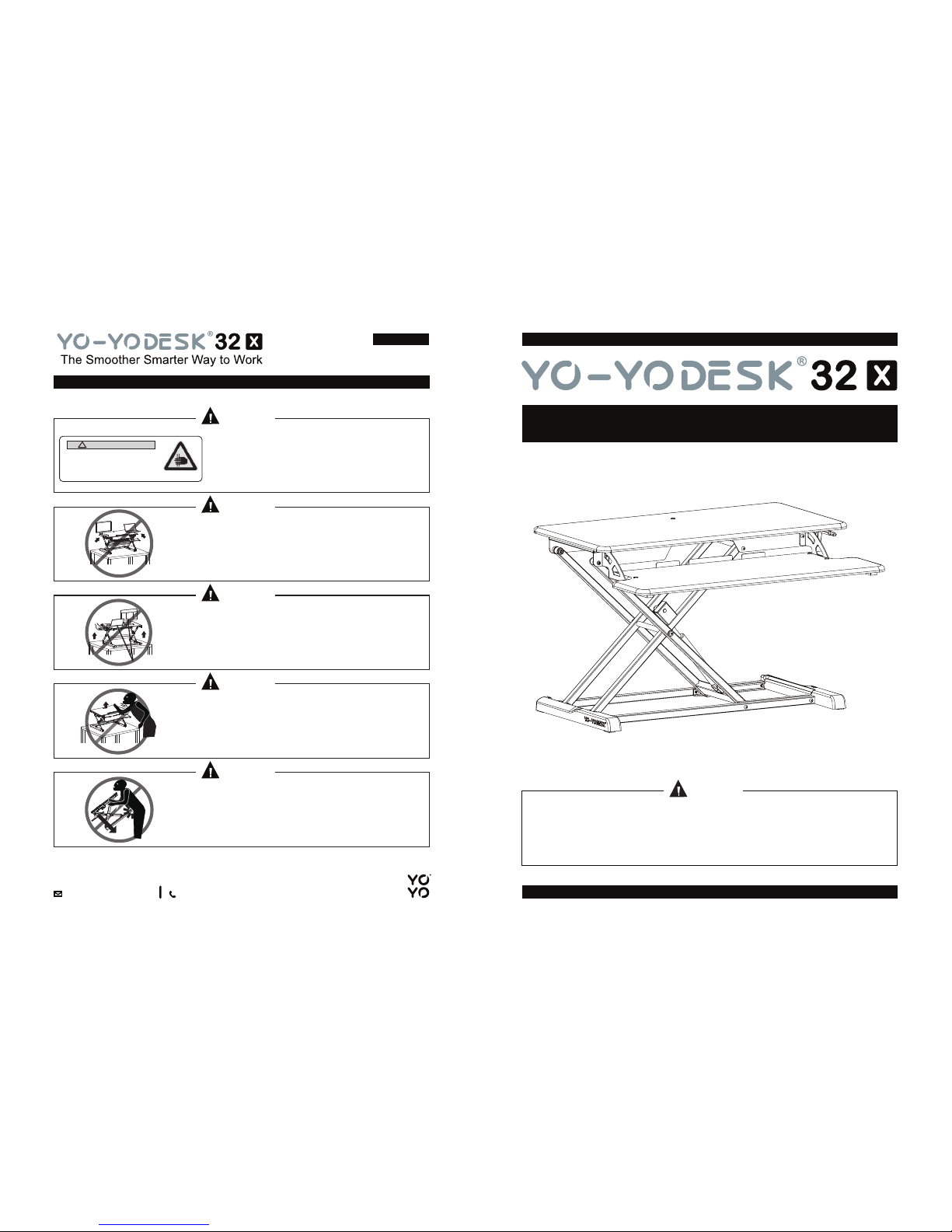
Do not place your hand near the strut.
Strut's angle will change during the
desktop lifts and it may hurt you.
Hands Pinching
Please read all instructions carefully before using this product. Retain this
manual for future reference. The specifications of this product may vary slightly
from the illustrations and are subject to change without notice.
Please don’t put your hands on the supporting
bars, as they move during adjustment and
may cause injury.
Please make sure that all equipment is fully on top of
the Yo-Yo Desk
®
, not hanging over the edges, as it
may fall and cause harm/get damaged.
When using the adhesive Cable Ties, make sure
that you leave enough length in the cable to allow
for the full range of height adjustment, otherwise
your equipment may get damaged.
When first using your desk, please carefully set it to
its maximum height, to check that you can raise the
desk without causing damage to your equipment or
yourself.
Please ask someone to assist you when lifting the
desk to prevent causing harm or injury.
Copyright © 2018 Yo-Yo Desk® Inc. All rights reserved Copyright © 2018 Yo-Yo Desk® Inc. All rights reserved
1-800-768-9936
Page 2
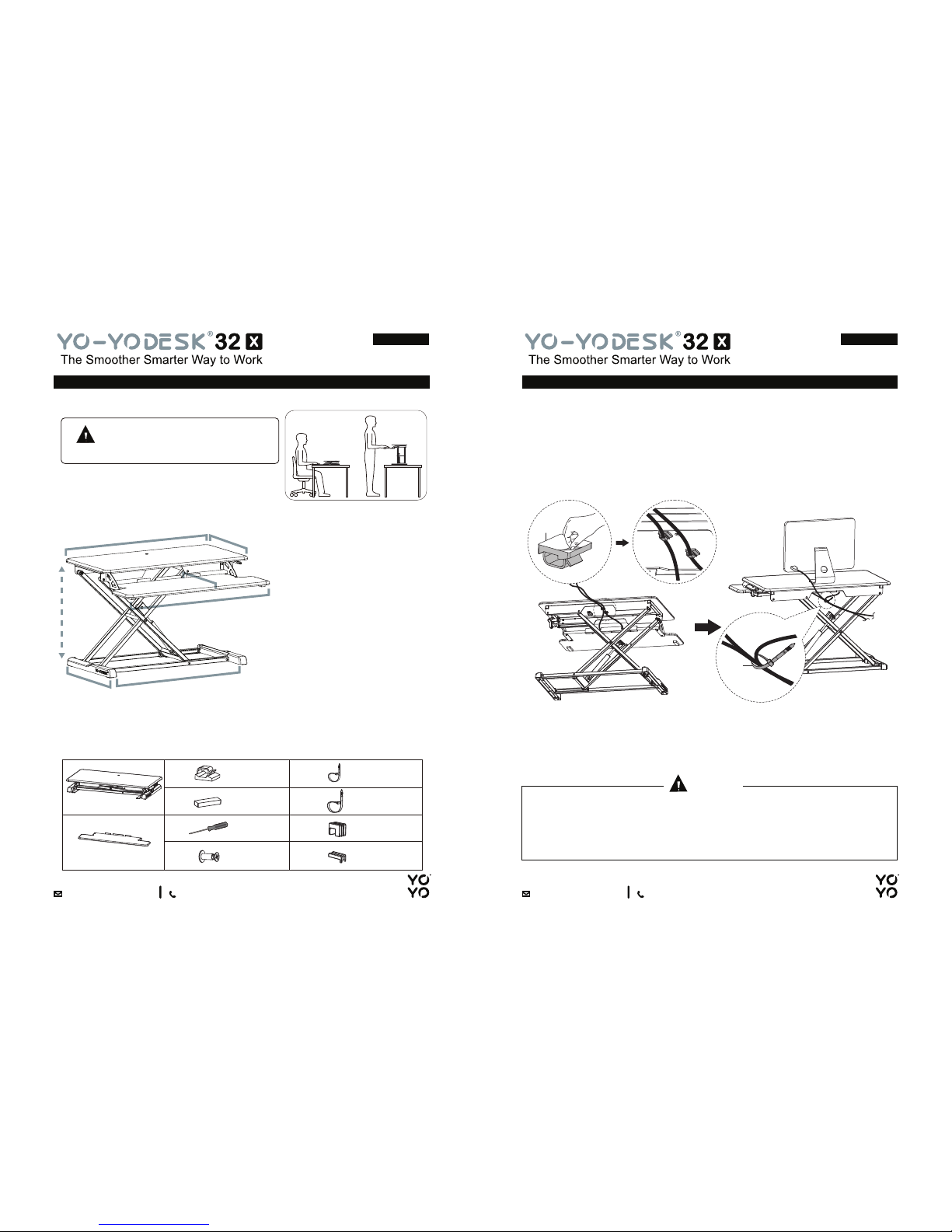
When using the adhesive Cable Ties, make sure that you leave enough length
in the cable to allow for the full range of height adjustment, otherwise your
equipment may get damaged.
ASSEMBLY STEP 5TECHNICAL DATA
You will find the following items inside your package, please check them.
If there are any tools or components missing, please contact customer
services on 1-800-768-9936.
ASSEMBLY K IT
CAUTION
Page 2 / 8 Page 7 / 8
A
A
B
Maximum 33lbs
WEIGHT TOLERANCE LEVEL
B
Maximum 4lbs
The Desktop and Keyboard Tray have a
defined weight tolerance level. Do not
exceed the maximum bearing weight.
WARNING
Keyboard Pads
Cable
Management
Clip
2 x
3 x
1 x
4 x
2 x
2 x
1 x
Keyboard Tray 1 x
Desktop & Frame1 x
Screwdriver
Screws & Caps
(4 each)
Cable Tie
(small size)
Cable Tie
(large size)
Frame Protector (A)
Frame Protector (B)
A
B
C
D
E
F
G
H
I
J
Use the Cable Management Clips & Cable Ties to manage the cables.
max
19.9 inches
min
4.3 inches
30 inches
16.1 inches
31.3 inches
11.8 inches
31.5 inches
15.7 inches
5 x
1-800-768-9936
1-800-768-9936
G
C
Page 3
ASSEMBLY STEP 1ASSEMBLY STEP 4
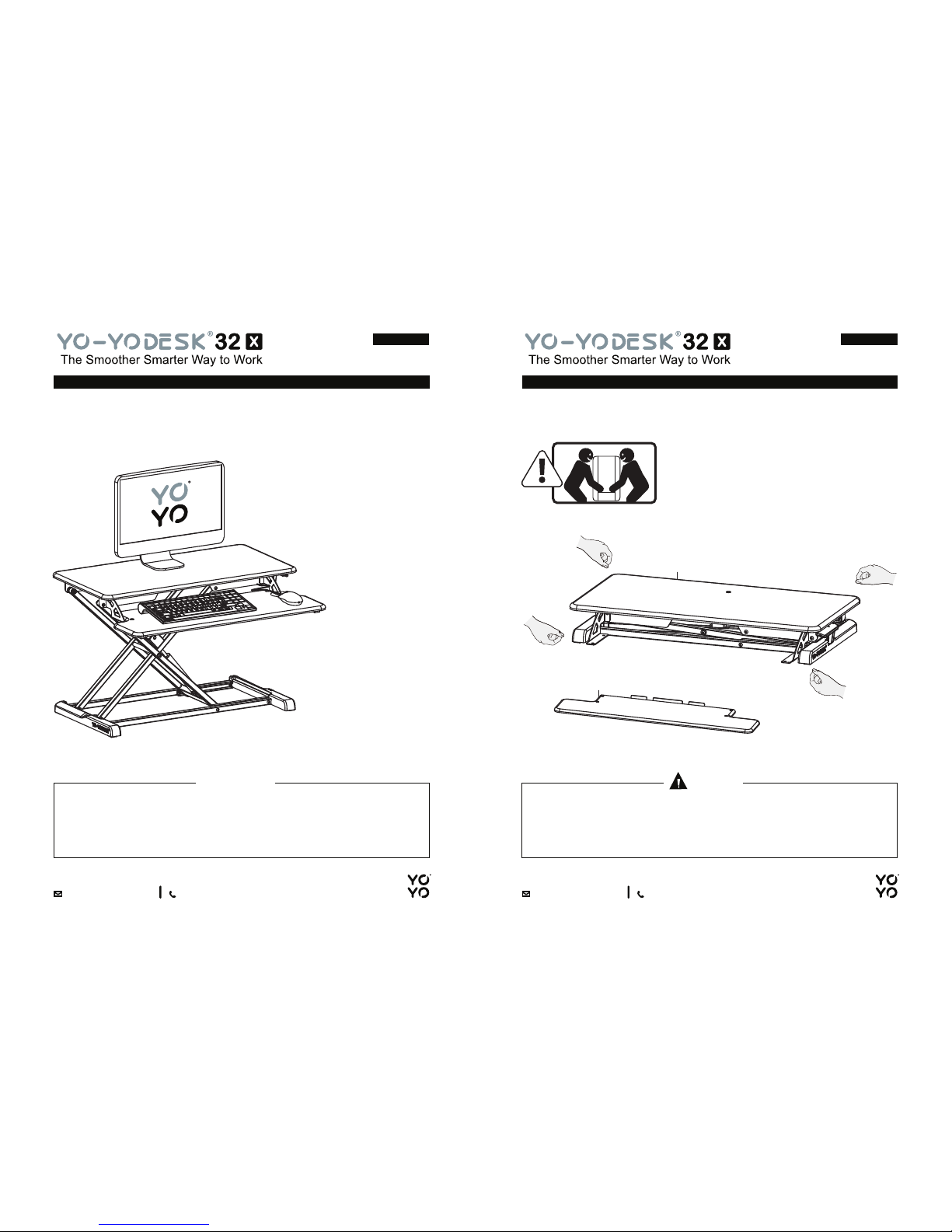
Please make sure that all equipment is fully on top of the Yo-Yo Desk®. It
should not hang over the edges, as this may result in a fall and cause
harm/get damaged.
Please put your equipment on top of the Yo-Yo Desk
®
. Please take the Yo-Yo Desk® out of the packaging, and place it on your table/desk.
CAUTION
Please place the Yo-Yo Desk® on a surface suitable t o hold the entire base
of the Yo-Yo Desk
®
otherwise y ou may cause damage when operating the
Yo-Yo Desk
®
.
CAUTION
Page 6 / 8 Page 3 / 8
+
1-800-768-9936
1-800-768-9936
A
B
Page 4
ASSEMBLY STEP 2
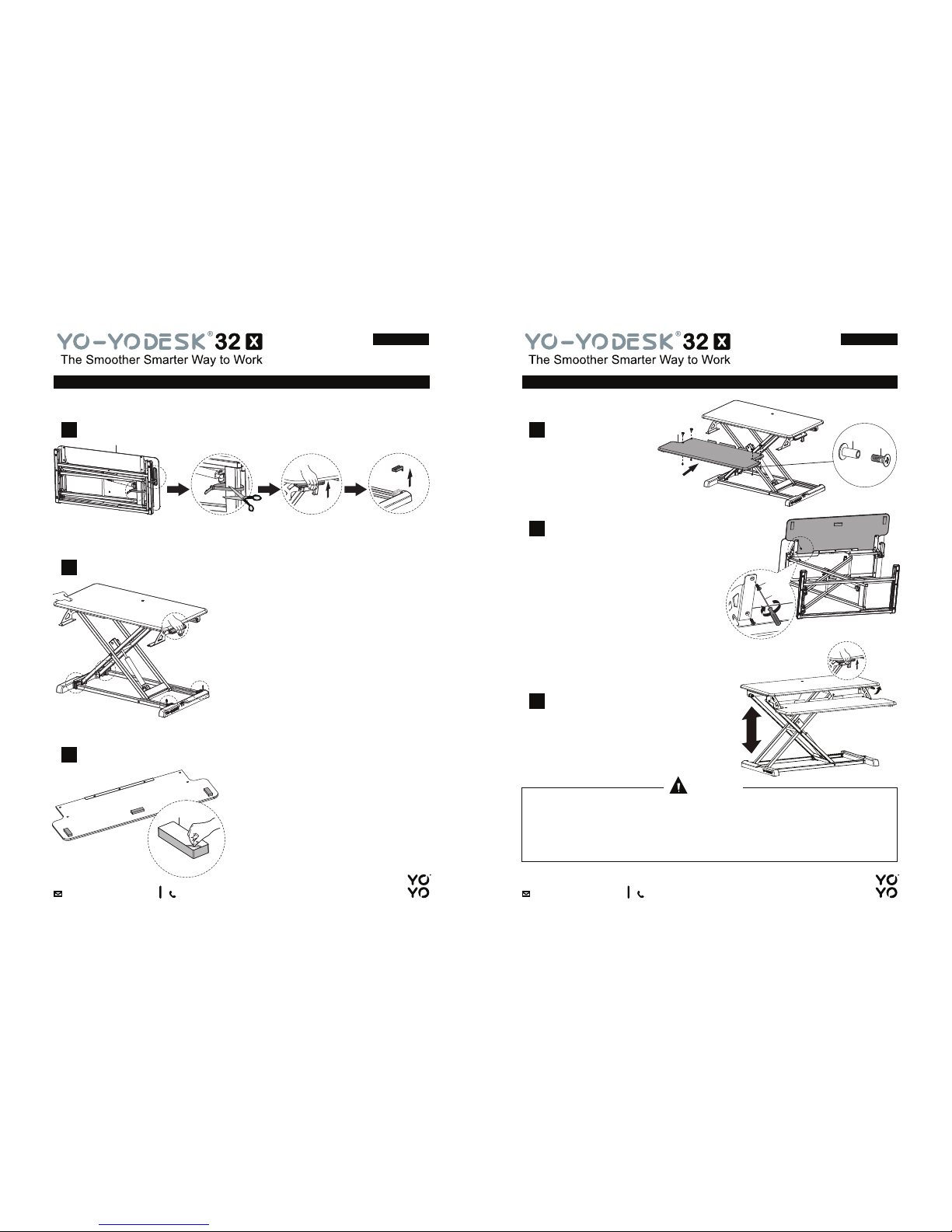
Please don’t place your hands on the supporting bars, as they move during
adjustment, and may cause injury.
CAUTION
Page 4 / 8 Page 5 / 8
ASSEMBLY STEP 3
Place the Keyboard Tray
onto the keyboard rack.
1
Put the screw cap on top of the
Keyboard Tray, place your finger on
top of the Screw Cap while you are
tightening each screw through the
bottom with the use of a Philips
screwdriver. Do one at a time.
2
Adjust the desk to your appropriate
sitting/standing heights, by LIFTING
THE LEVER (on the right side).
3
Cut the plastic strip locks and remove the Frame Protectors (see picture).
1
Press the lever on the right side and the desk will rise.
2
Attach the Keyboard Pads onto the Keyboard Tray (see picture for location).
3
1-800-768-9936
1-800-768-9936
A
D
B
F1
F2
F2
E
 Loading...