

Page 1

SCR200E-VM-W3G Version: 1.0
Page | 1 of 3
Payment Express® SCR200E-VM
Hardware Guide
Page 2

SCR200E-VM-W3G Version: 1.0
DOCUMENT REVISION INFORMATION
Version
Revision Information
0.1
Initial version
RELATED DOCUMENTS
Version
Document Title
1.6.60
Payment Express SCR200 Serial Communications – SCR Serial Message Specification
Page 3

SCR200E-VM-W3G Version: 1.0
COPYRIGHT
© Copyright 2016, Payment Express Limited
33 Wilkinson Road, Ellerslie
PO Box 8400
Auckland, 1150
New Zealand
www.paymentexpress.com
All rights are reserved. No part of this work may be reproduced or copied in any form or by any means, electronic or
mechanical, including photocopying, without the express written permission of Payment Express Limited.
PROPRIETY NOTICE
The information described in this document is proprietary and confidential to Payment Express Limited. Any unauthorised
use of this material is expressly prohibited except as authorised by Payment Express Limited in writing.
Page 4
SCR200E-VM-W3G Version: 1.0
Page | 1 of 10
SCR200E-VM HARDWARE GUIDE
HARDWARE OVERVIEW
3G Connectivity Supported - Requires model SCR200E-VM-3G (AB0051)
Rear Mount Design
Secure crypto MCU designed for POS applications
Hardware accelerated encryption (Triple DES, RSA and AES) and a CRC engine
Dedicated tamper grid and removal switch monitor
Combined magnetic stripe card and ICC card reader interface
SAM interfaces
RJ-45 RS-232 serial ports x4
Coin Shutter
PHYSICAL LINK INTERFACE
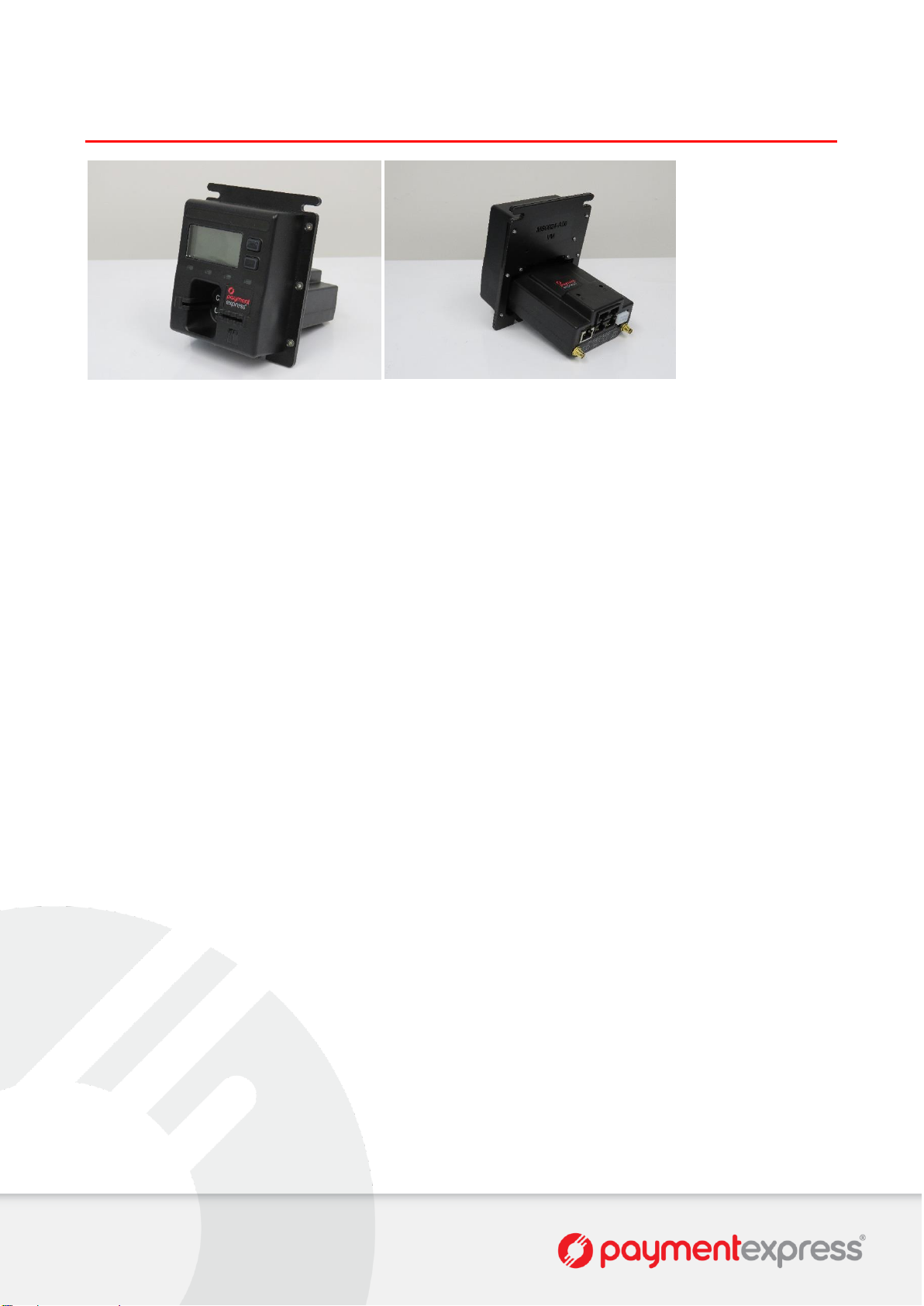
Please refer to the above photo (SCR200E-VM Rear) for reference.
Connection with the customer equipment is via the RJ45 port labelled “HOST”.
Connection with the SKP unit is via the RJ45 port labelled “SKP”.
Connection with the BRF unit is via the RJ45 port labelled “BRF”.
Port labelled “AUX” reserved for future use.
POWER REQUIREMENTS
The device accepts DC regulated from +5V to +45V. SELV (Safety Extra Low Voltage)
When idle (no card inserted), power of 100mW is drawn and when active 600mW is drawn (1000mW max).
STANDARDS COMPLIANCE
EMV Level 1 & 2
EMV (online and offline)
PCI PTS v3
o SRED (Secure Reading and Exchange of Data)
o ICCR (Integrated Circuit Card Reader)
o MSR (Magnetic Stripe Reader)
PCI PA-DSS
APCA / CECS
Payments NZ Certified
IP34
ADDITIONAL COMMENTS
This device complies with Part 15 of the FCC Rules. Operation is subject to the following two conditions:
1. This device may not cause harmful interference, and
2. This device must accept any interference received, including interference that may cause undesired operation.
Changes or modifications not expressly approved by the party responsible for compliance could void the user’s authority
to operate the equipment.
SCR200E-VM Front View
SCR200E-VM Rear View
Page 5

SCR200E-VM-W3G Version: 1.0
Page | 2 of 10
SCR200E-VM DIMENSIONS
Page 6
SCR200E-VM-W3G Version: 1.0
Page | 3 of 10
SCR200E-VM WLAN/3G CELLULAR CONNECTION
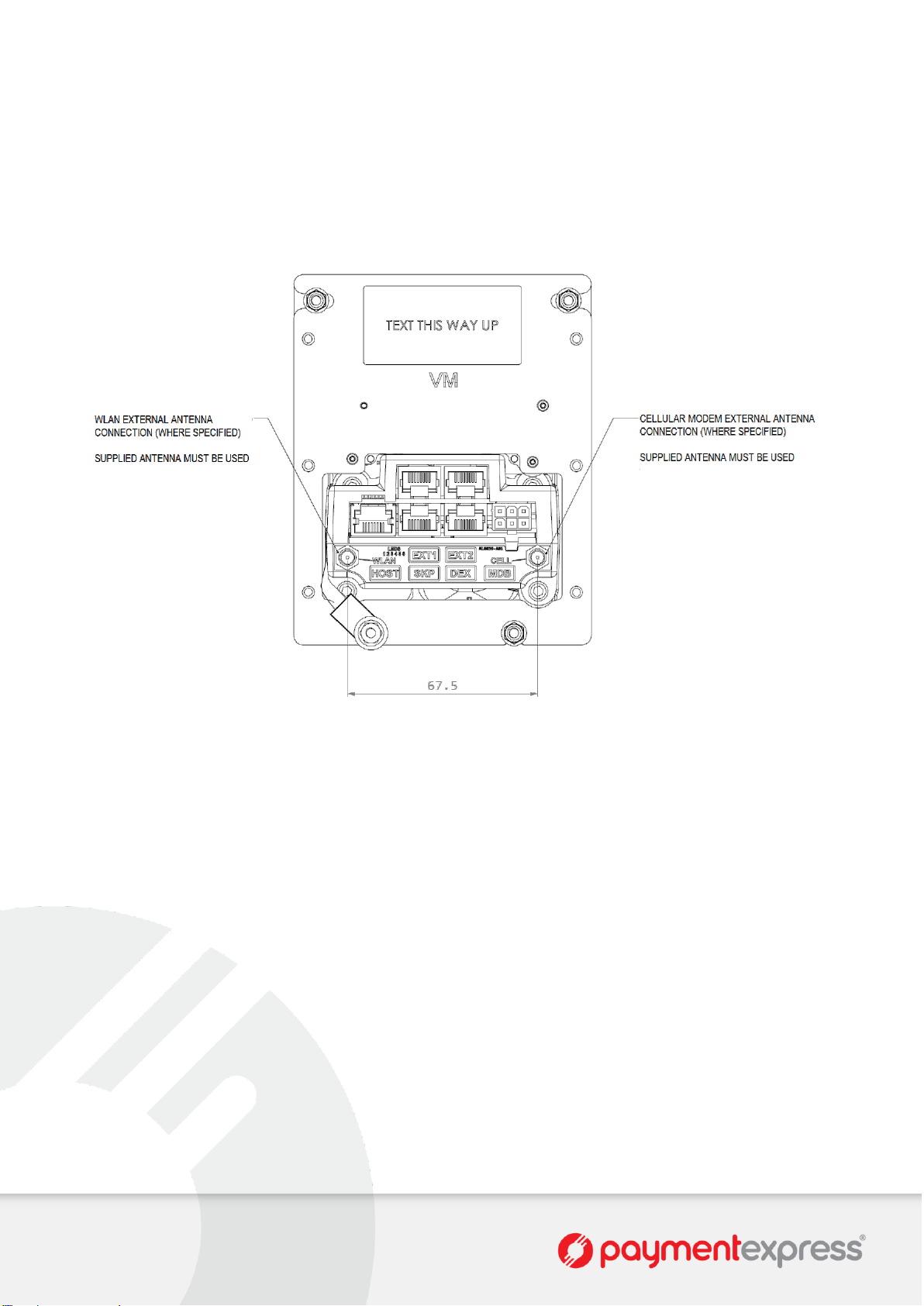
3G cellular connectivity is supported on the model SCR200E-VM. The supplied antenna must be used.
Please note that WLAN connectivity is not yet implemented. Please consult with your Payment Express Sales
Representative to discuss if WLAN connectivity is required.
Page 7
SCR200E-VM-W3G Version: 1.0
Page | 4 of 10
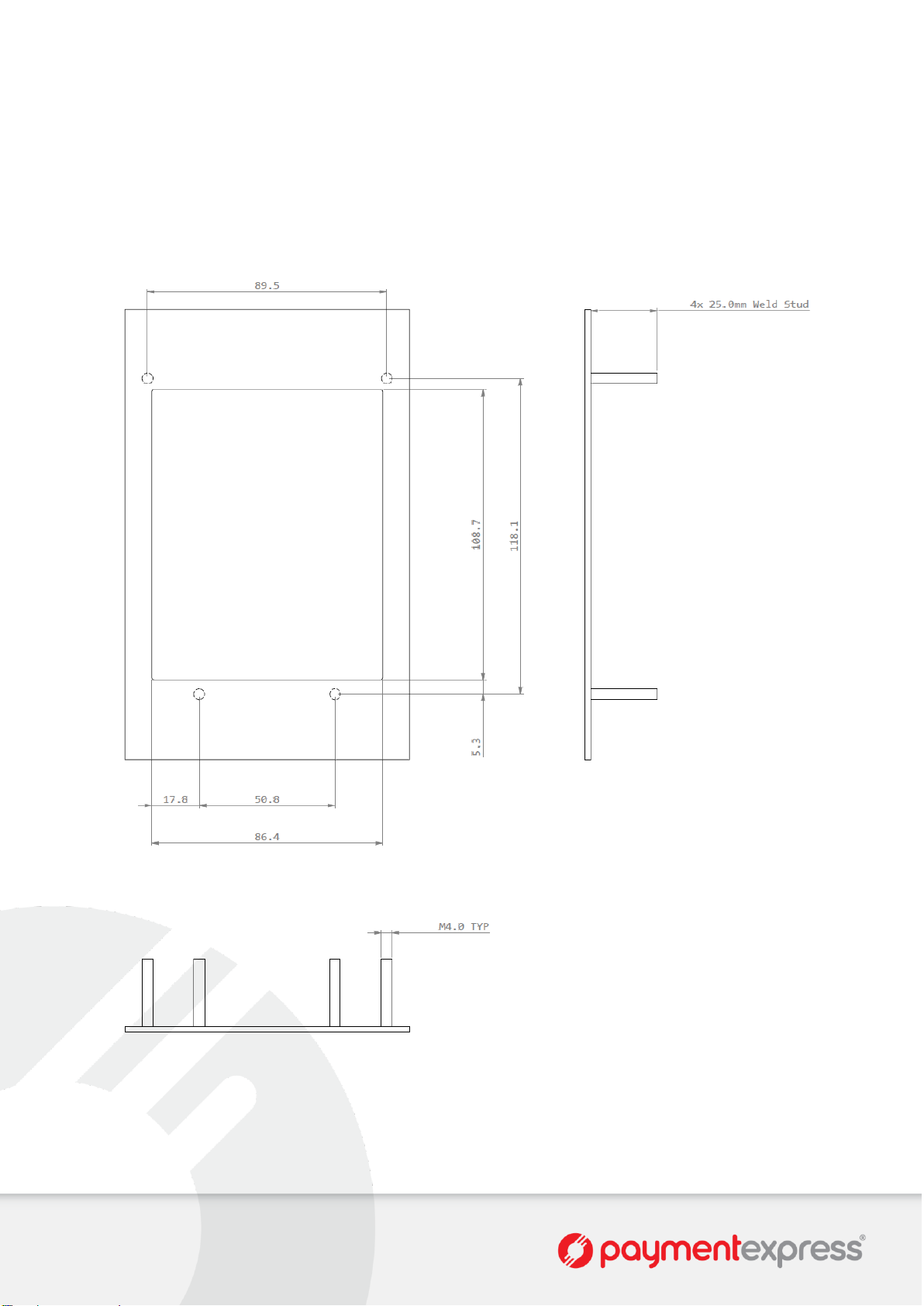
SCR200E-VM MACHINE FACE & CUT-OUT DIMENTIONS
Recommended cut out dimensions for customer equipment.
Please note that this plate is not supplied by Payment Express Hardware and is the responsibility of the customer to
arrange their selected mounting method. All non-dimensioned lengths are subject to individual customer machine fronts.
Page 8
SCR200E-VM-W3G Version: 1.0
Page | 5 of 10
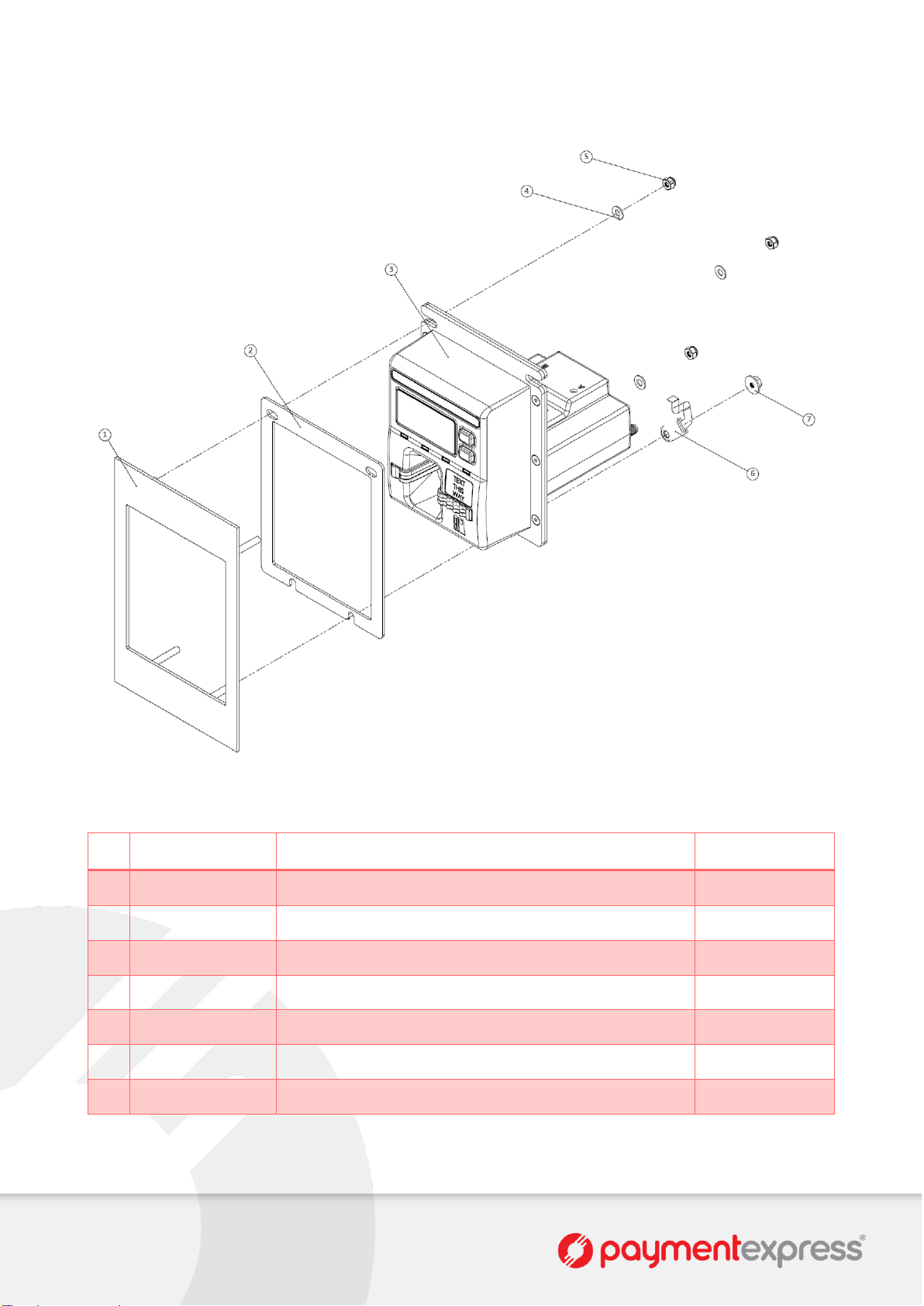
SCR200E-VM INSTALLATION
#
PX Product Code
Description
Default Quantity
1
-
Machine Mounting Plate (Customer Equipment)
1
2
MG0028
SCR Front Mount Zinc Bezel Mounting Gasket
1 3 AB0071
SCR200E-VM-W3G
1
4
MF0025
M4 Washer x 0.8mm Flat OD 9.0mm
3
5
MF0077
M4 Nut Nyloc
3 6 AB0015
M4 SEC with FPC Connector
1
7
MF0099
M4 Nut Flange OD 12mm
1
Page 9
SCR200E-VM-W3G Version: 1.0
Page | 6 of 10
INSTALLATION STEPS
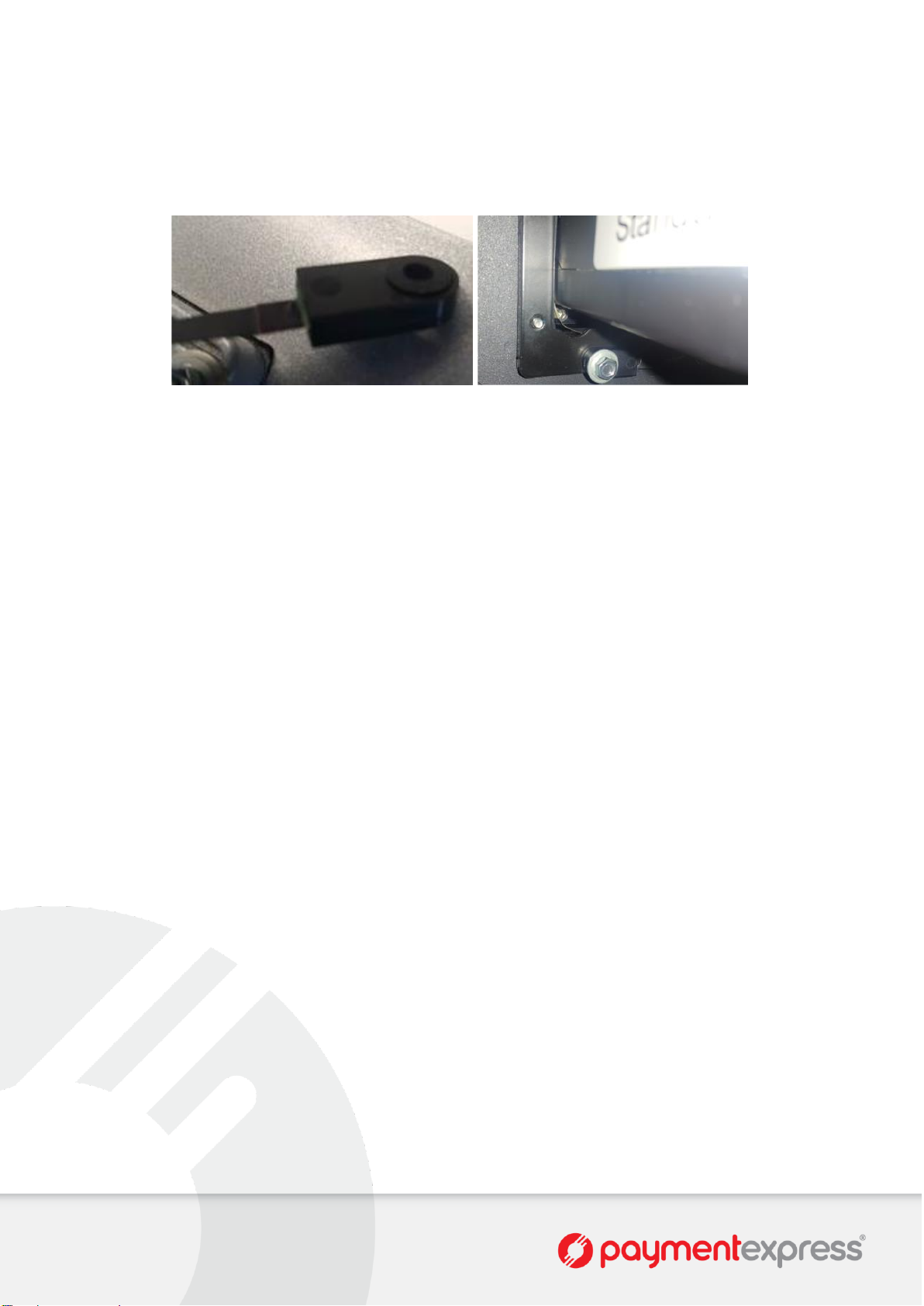
1. Mount SCR200E-VM (3) to Machine Mounting Plate (1). Tighten screws until Mounting Gasket (2) is fully
compressed.
Ensure M4 SEC (6) is mounted with silicone facing the M4 Flange Nut (7).
2. Connect cabling as appropriate.
MDB Port → MDB
HOST Port → Host Application (customer application specific).
SKP Port → SKP200E Device
3. The device now needs to be activated before it can be used. Activation is done via a dual control process. Refer
to Activation section of this document for more information.
Page 10
SCR200E-VM-W3G Version: 1.0
Page | 7 of 10
SECURE ACCEPTANCE
The SCR200E-VM is a secure device therefore before any units are installed the customer must check the following.
SERIAL NUMBERS
Each unit has its own unique serial number. Upon receiving the unit, the customer must check to ensure that the serial
number on the box matches the serial number on the unit.
Any discrepancies need to be reported to Payment Express (see contact details at the end of this document).
SIGN OF TAMPERING
Customers need to check each unit for signs of tampering.
This should include:
1. Checking for foreign looking objects on the units.
2. Checking for tooling marks on the units.
3. Check SCR LED.
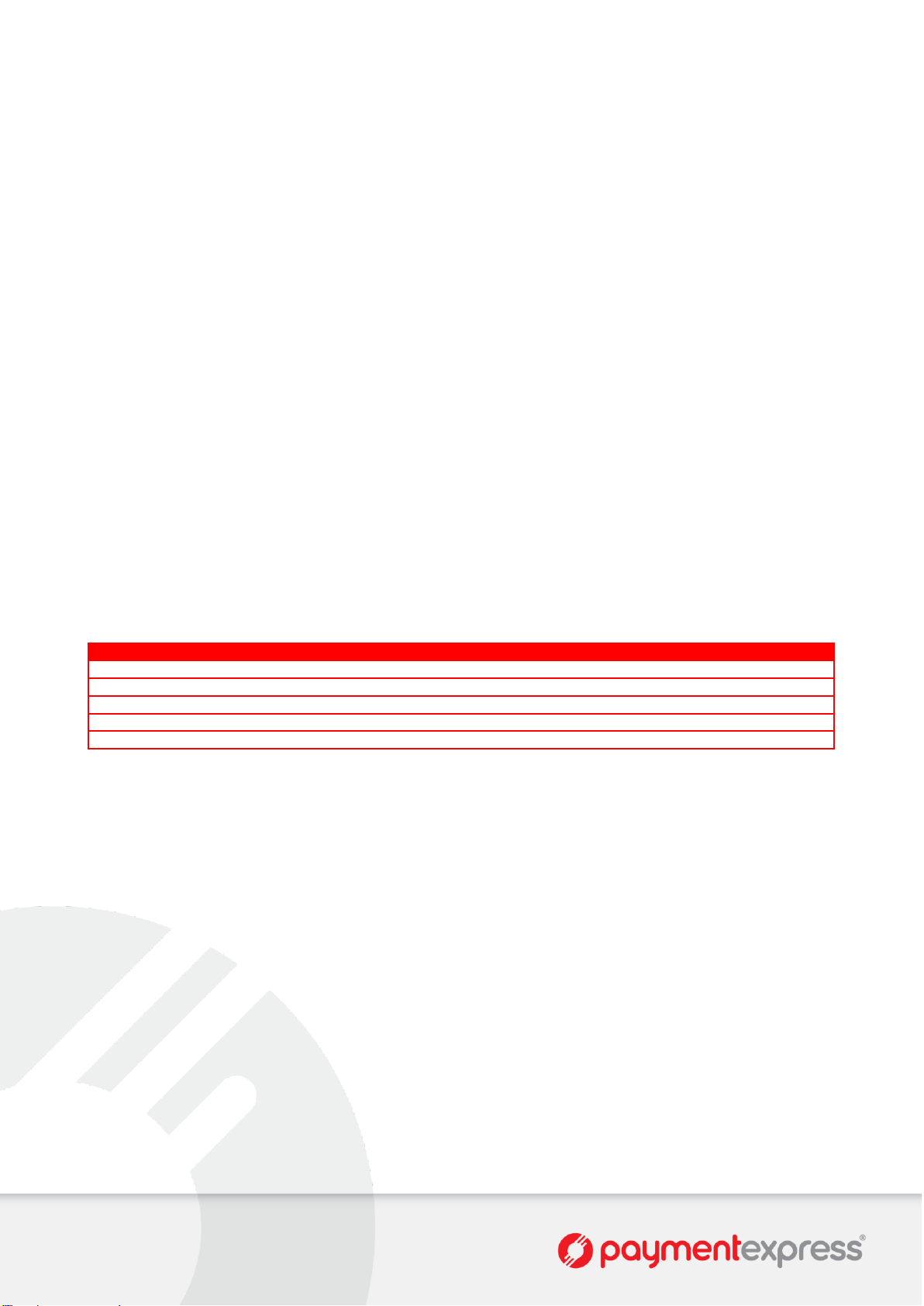
The SCR uses its status LED to indicate working status. Under normal conditions, the status LED is turned on
when SCR is powered on and is turned off shortly (less than a second) when the hardware initialization and
self-check is done. When the status LED flashes continuously, an error condition has occurred. Different error
conditions are indicated by the colour and flashing frequency of the status LED. The following are the meaning
of status LED:
Colour
Frequency
Category
Description
Red 1 Unrecoverable
Internal non-volatile memory corrupted
Red 2 Unrecoverable
Self integrity check failed
Red 3 Unrecoverable
Grid tampered. KEK lost
Red 4 Unrecoverable
End of life (DUKPT keys exhausted)
Red+Green
1-5
Recoverable
Fatal runtime error
Any signs of tamper or concerns need to be reported to Payment Express (see appendix 10.1 for contact numbers).
Page 11

SCR200E-VM-W3G Version: 1.0
Page | 8 of 10
ACTIVATION
The SCR200E-VM solution requires activation before the devices can begin processing. Activation is required for initial
installations and re-installations. Activation is done via a dual control process.
AUTHORISED CUSTOMER AGENTS
Prior to the installation process beginning two or more customer agents are authorised by Payment Express for the
activation of devices. The customer agents are trusted individuals nominated by the customer.
Once the customer agents are established, Payment Express will issue a unique login (username/password) to each
customer agent. These logins are used to access the Payment Express website required for the dual control Activation
process.
ACTIVATION PROCESS
Two authorised customer agents must be available for the Activation process to begin.
1. Log on to Payment Express
Two of the authorised customer agents start separate sessions to log on to the Payment Express website using
their individual logins.
2. Identify Terminal(s)
Once logged in, the terminals available for installation are displayed.
3. Authorise Terminal(s)
Both of the customer agents will authorise the terminal(s) for installation via the Payment Express website. This
authorisation will require a password.
When both agents approve a terminal for installation the host terminal information will enter into the “Ready for
Installation” state pending communications from the terminal. This “Ready for Installation” state will revert to a
“Removed” state if physical installation and communication with the terminal do not occur within 24 hours. The
agents will need to start the Activation process again if this occurs.
For audit purposes, a record will be created in the Payment Express host database for all state changes
(including the login used and a timestamp).
Utilizing the 24 hour window, authorised customer agents can choose to begin the Activation process at the
time of physical installation or initiate the Activation process prior to the physical installation if they know the
physical installation will be done within the next 24 hours.
4. Physical Installation
Within the 24 hour window, the installation technician will physically install the SCR200E/SKP200E/BRF210 into
their mountings. The devices must be connected to communications and the secure channel established to the
SCR200E.
5. Terminal Logon
The installation technician will trigger a transaction via the vendor’s point of sale which will fail with a removal
detection error code (W0). The terminal firmware will automatically force a logon, upon which the terminal state
is then updated.
6. Ready State (Activation Process Complete)
The terminal and key pad are now authorised for processing transactions. The installation technician should run
another test transaction (using a valid payment card) to confirm correct operation. This transaction should
successfully process.
Page 12

SCR200E-VM-W3G Version: 1.0
Page | 9 of 10
MAINTENANCE
TRADEOUTS & DEACTIVATION PROCESS
In the event that the SCR/SKP/BRF units need to be swapped out or deactivated, please follow instructions below.
1. Call Payment Express Support to log a ticket (see appendix 10.1 for contact numbers). Please provide the
following information.
Serial Number of SCR200E or SKP200E or BRF210.
Brief description of fault / reason for deactivation.
Contact Name.
Contact Phone Number.
Shipping Address (for replacement if needed).
2. Physically remove the device(s). At next communication with the host the device will be marked as removed.
3. Ship the device(s) back to Payment Express.
MAINTENANCE CARDS
The card reader slot should be checked on a regular basis. This is to ensure that nothing is lodged inside the card reader
slot that may prevent successful card reads or pose a security threat.
The card reader slot can be checked by using a standard maintenance card or standard credit card to ensure smooth
insert & remove operation.
Page 13
SCR200E-VM-W3G Version: 1.0
Page | 10 of 10
CONTACT PAYMENT EXPRESS
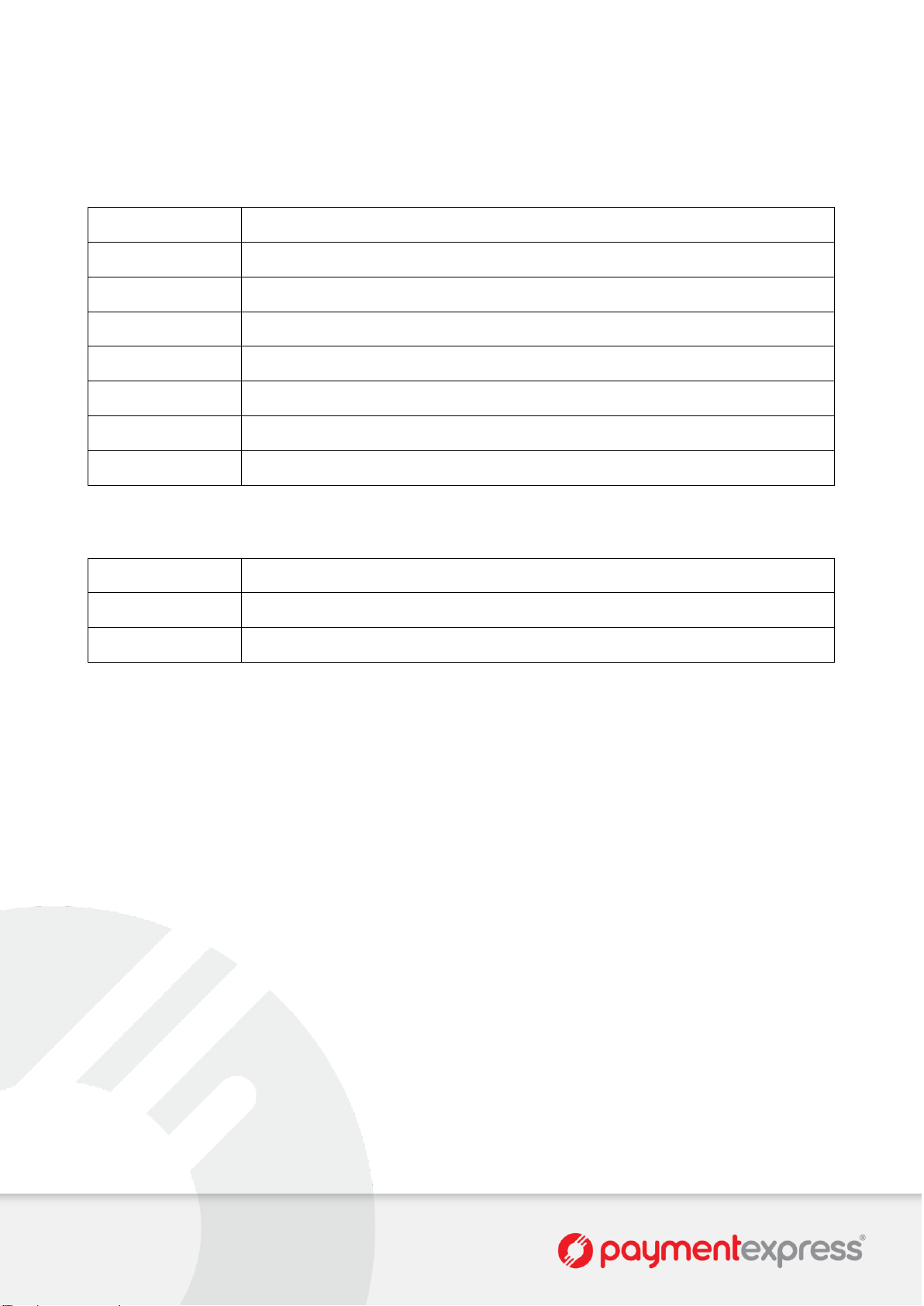
PHONE
International
+64 9 309 4693
Australia
1 800 006 254 or +61 2 8268 7700
Hong Kong
+852 3 678 6766
New Zealand
0800 PAYMENT (729 6368) or 09 309 4693
Singapore
+65 3 158 1353
South Africa
+27 10 500 8784
United Kingdom
+44 (0) 20 3176 5551
USA
+1 310 670 7299
E-MAIL
Sales
Support
Dev Support
 Loading...