

Page 1
IMPORTANT:
WELLS MFG. PROPRIETARY INFORMATION
TECHNICAL CONTENT OF THIS MANUAL IS DESIGNED FOR
WELLS MANUFACTURING COMPANY
2 ERIK CIRCLE, P. O. Box 280
Verdi, NV 89439
Customer Service (775) 345-0444 Ext.502
fax: (775) 345-0569
www.wellsbloomfield.com
SERVICE
INSTRUCTIONS
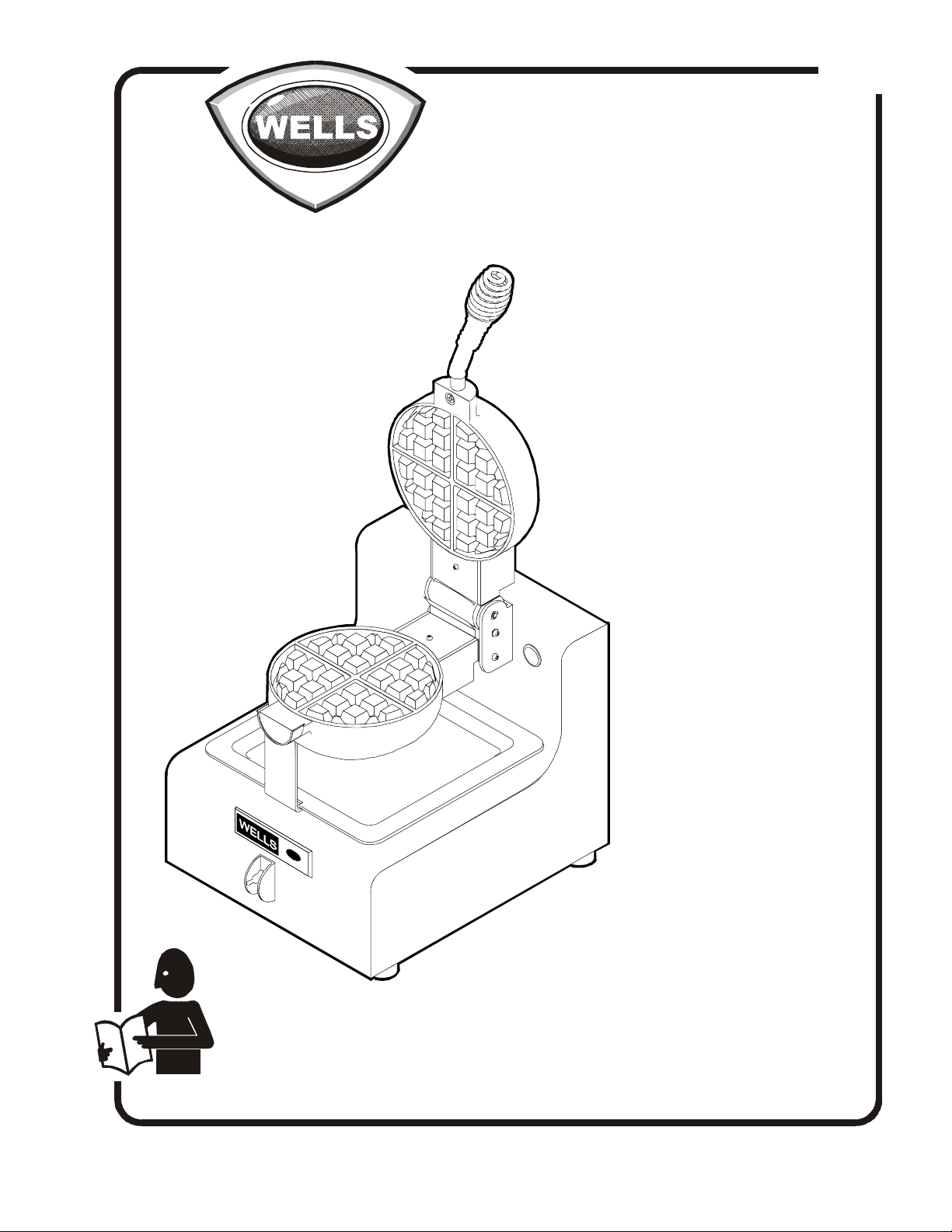
BELGIAN
211
for
WAFFLE
BAKERS
Model
BWB-1S
USE BY QUALIFIED PROFESSIONAL TECHNICIANS ONLY
Part No. 502972 Rev. A S211 111000 cps
Page 2
GENERAL SAFETY PROCEDURES
Knowledge of proper procedures is essential to the safe operation of electrically energized
equipment. In accordance with generally accepted product safety labeling guidelines for
potential hazards, the following signal words and symbols are used throughout this manual.
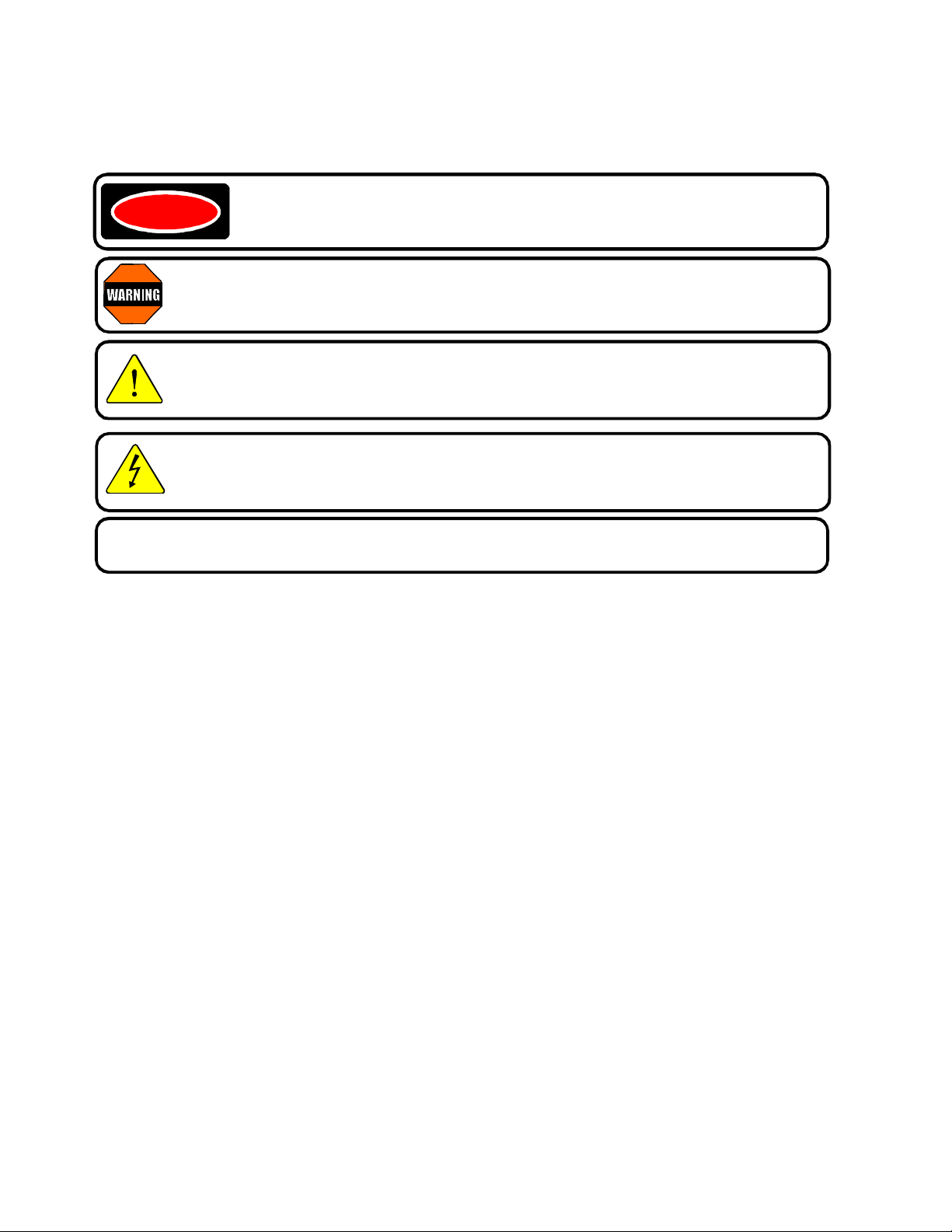
DANGER - Danger is used to indicate the presence of a hazard which will
DANGER
WARNING - Warning is used to indicate the presence of a hazard which can cause
personal injury and possibly death, or major property damage, in the event the statement is ignored.
CAUTION - Caution is used to indicate the presence of a hazard which will or can
cause minor personal injury, or property damage in the event the statement is ignored.
CAUTION - Used to indicate the presence of an electrical hazard which will or can
cause personal injury, or property damage in the event the statement is ignored.
cause severe personal injury, death, or substantial property damage in the
event the statement is ignored.
NOTE - Note is used to notify personnel of installation, operation or maintenance informa-
tion which is important, but not hazard related.
WAFFLE BAKER PRECAUTIONS
AND GENERAL INFORMATION
1. This waffle baker is intended for use to bake food products for human consumption. No other use is
recommended or authorized by the manufacturer or its agents.
2. Service technicians must be familiar with the appliance use, limitations and associated hazards.
Operating instructions and warnings must be read and understood by all service personnel.
3. This piece of equipment is made in the USA and has American sizes on hardware.
4. This manual supplements the Installation, Operation and Maintenance (IOM) manual p/n 45257 for
this equipment. Refer to the IOM for normal operational procedures. Any trouble shooting guides,
component views, wiring diagrams or parts lists included in this manual are intended for use by
qualified technical personnel only.
xi
Page 3

TABLE OF CONTENTS
General Safety Procedures Inside Cover
Specifications 1
Features and Operating Controls 2
Servicing Precautions for This Equipment 3
Troubleshooting 4
Servicing Instructions 6
Wiring Diagrams 11
Parts Breakdown 12
DIMENSIONS
Wide 10-1/8”
Deep 14”
High 10-9/16”
ELECTRICAL
Voltage 120 VAC 1Ø
Amperage 7.5 Amp
Wattage 900 W
Cord NEMA 5-15P
GENERAL SPECIFICATIONS
1
Page 4
FEATURES AND OPERATING CONTROLS
.1
9
2847827481039
17
48
19
BACK VIEW
43
73
42
16
18
75
66
41
BOTTOM GRID
wiring cover removed shown in “open” position
RIGHT SIDE VIEW
20
40
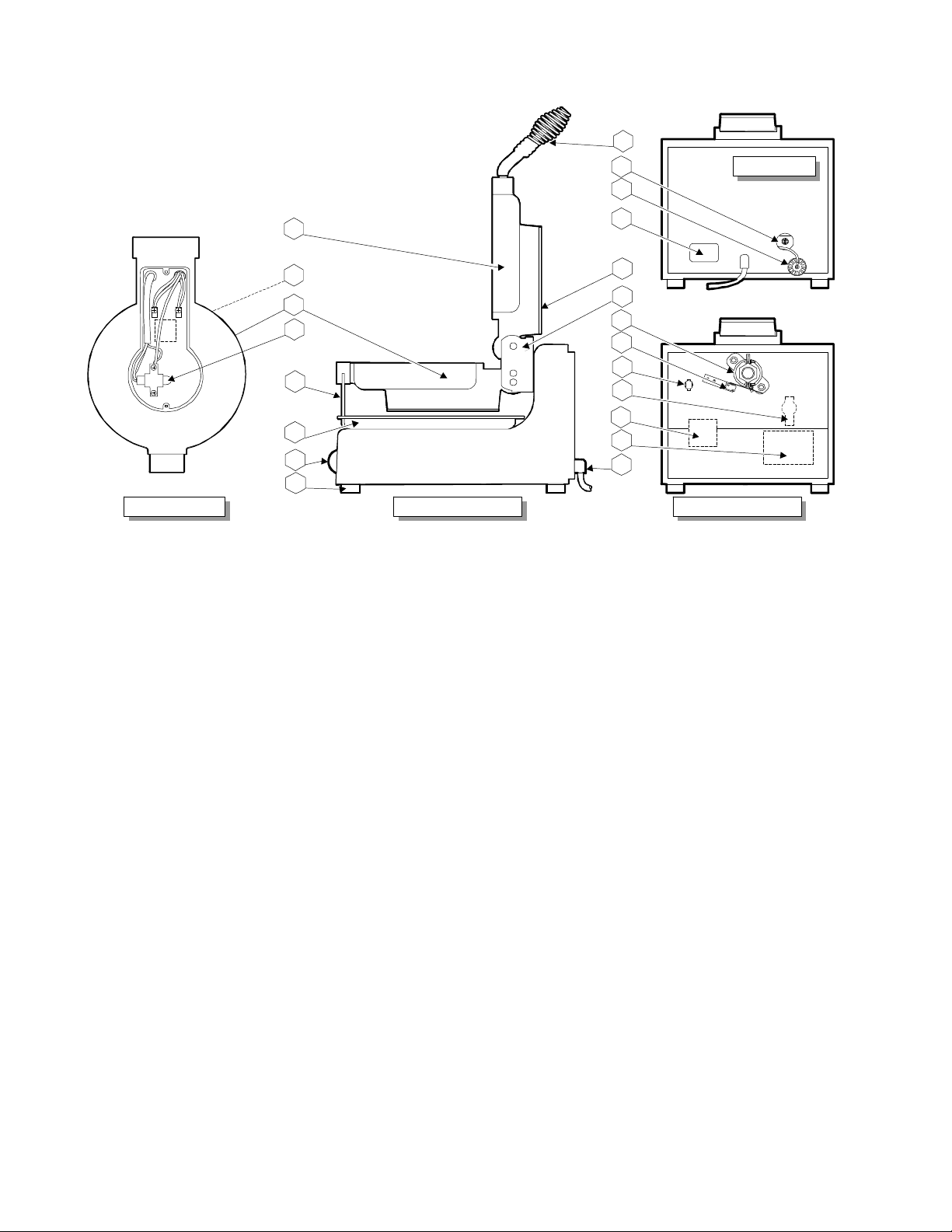
8. POWER CORD 115VAC NEMA 5-15P
9. DATA PLATE Specifies power requirements
10. MICRO SWITCH Initiates timer
16. TEMPERATURE PROBE Thermistor temperature sensor
2
1
INTERIOR VIEW
back panel removed
3
4
5
6
17. HANDLE ASSY Used to raise / lower / rotate grids
18. SUPPORT BRACKET Supports front of grids
19. HOLE PLUG Allows access to timer adjustment
20. WIRING COVER Protect wiring in grids
27. TEMP. CONTROLLER In concert with thermistor, controls temperature of grids
28. INDICATOR LIGHT Lit during timed cook cycle
39. BEARING ASSY Supports back of grids; allows grids to rotate
40. PIVOT ASSY Holds grids in alignment; allows grids to rotate
41. RUBBER FEET Provide necessary non-slip support for waffle baker
42. BOTTOM GRID Cooking element; holds temperature probe
43. TOP GRID Cooking element
47. BUZZER Sounds momentarily at end of cook cycle
48. TIMER Audio alarm - warns operator of end of cook cycle
66. POWER SWITCH Energizes the Waffle Baker
(73.) (HI-LIMIT THERMOSTAT) Eliminated on later models. See page 11.
75. DRIP TRAY Catches excess waffle batter for easier clean-up
2
Page 5
PRECAUTIONS FOR SERVICING THIS EQUIPMENT
GROUND
Disconnect electrical power to equipment prior to performing cleaning or other service.
In order to avoid electrical shock, injury and/or equipment damage, use appropriate
precautions whenever electrical power must be restored for adjusting, calibrating or
taking voltage measurements.
Ensure that input power matches the nameplate data for voltage and phase.
Input power circuit must meet or exceed the nameplate power requirements.
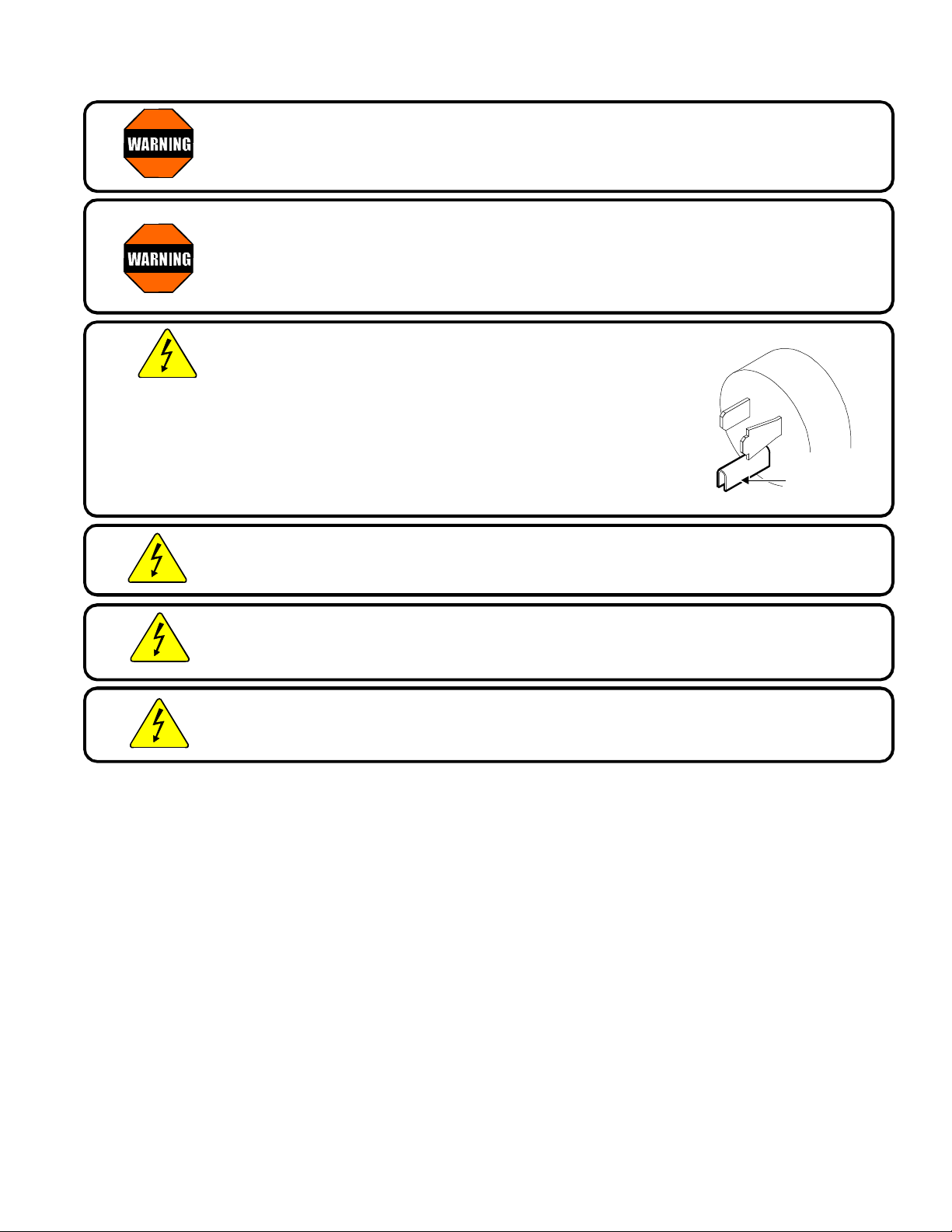
Equipment is equipped with the proper electrical plug for the specific power
requirements of the unit. DO NOT alter the power cord or plug. Never cut off a ground
prong, or twist a prong, to allow the plug to fit an existing receptacle.
CAUTION: This Wells Waffle Baker is equipped with a three-
prong electrical plug. The three-prong plug is part of a system
that will protect you in the event of an electrical wiring failure.
Be sure the three-prong plug is plugged into a matching and
properly grounded three-prong receptacle. DO NOT cut or
break off the ground prong of this plug.
OPERATING AN APPLIANCE WITHOUT PROPER GROUNDING
CAN RESULT IN SERIOUS PERSONAL INJUR Y
PRONG
CAUTION: Test electrical receptacle for proper polarity. For the safety of personnel,
it is important that electrical ground and electrical neutral are maintained as designed
by the factory.
CAUTION: DO NOT plug in or energize this appliance until Installation
Instructions are read and followed. Injury to the operator and damage to the Waffle
Baker may occur if these instructions are not followed.
CAUTION: Never submerge electrical equipment in water.
Avoid contaminating electrical components with water when cleaning cooking surfaces
or cabinet.
IMPORTANT: Never use a wire brush or metal scraper on aluminum components. Use a soft
bristle, fiber brush to clean grids.
Data sheets and text in this manual are representative of current production models as of
November, 2000. Specifications, Model Numbers, Product Numbers and data are subject to
change at any time without notice.
Whenever servicing is required to correct electrical or temperature complaints, always refer service
to a Wells Factory Authorized Service Agency.
Refer to Wells Form #37000 for a complete listing of factory authorized service agency locations.
3
Page 6

TROUBLE SHOOTING
test points are terminals
CAUTION: ELECTRIC SHOCK HAZARD
Live electrical circuits are exposed
during troubleshooting procedures
CAUTION: BURN HAZARD
Equipment surfaces will be hot
during troubleshooting procedures
B. TEMPERATURE CHECKS
1. Desired baking temperature is 390ºF ±5ºF (200ºC ±3ºC).
2. Turn the power switch ON and allow the Waffle Baker to heat for
a minimum of 30 minutes. Insert a pyrometer of known accuracy
betwen the grids and allow the readings to stabilize.
3. Temperature may be adjusted by removing the back panel,
and turning the dial on the temp controller:
CW to decrease temperature; CCW to increase temperature.
NOTE: Manufacturer’s calibration point (390ºF) is indicated by a black dot on the face of the dial.
A. ELECTRICAL TEST POINTS
390ºF
CALIBRATION
POINT
TP1
TP3
ELEMENT / GRID
bottom shown - top similar
TP2
TP4
TEMPERATURE CONTROLLER
test points are terminals
TIMER MODULE
B. AMPERAGE AND RESISTANCE CHECKS
1. Amperage may be checked with an inductive amperage tester (Amprobe™ or similar) by encircling
wire #4 at temperature controller terminal 2. Total amperage is 7.5 Amps with the waffle baker in
the pre-heat mode.
2. The heating element is integral with the Grid casting.
Disconnect wire #7 to #8 from temperature controller to check resistance of both grids at once.
Resistance from # 7 to #8 is 16Ω (cold) ± 1Ω. A reading of 32.0Ω indicates one defective element
or a broken element jumper wire.
Data for one element: 450 Watts, 3.8 Amps
Resistance of one element TP1 to TP2, (wires disconnected) is 32.0Ω (cold) ± 1Ω.
4
Page 7

D. VOLTAGE CHECKS
NOTE: Resistance of the temperature probe is typically 5 megohm at room temperature, with
resistance decreasing as temperature rises. A shorted temperature probe will cause a runaway
condition, and an open probe will cause a continuous OFF condition.
1. Voltage between temperature controller terminals 2 & 3 will be 120V any time the power switch
(item 66) is turned ON. Absence of 120V indicates power switch OFF or defective, or a wiring or
connector problem.
2. Voltage between TP1 and TP2 will be 120V when the unit is calling for heat. Absence of 120V,
when heating is required, indicates:
a.) Power switch defective or OFF; or,
b.) Temperature controller defective or open temperature probe; or,
c.) Wiring or connector problem
3. Voltage between TP1 and TP2 will be 120V when the unit is calling for heat. Failure to heat
when 120V is present indicates that the element being tested is defective.
4. Voltage between temperature controller terminals 1 & 3 will be 120V when the thermostat is
calling for heat. Absence of 120V, when heating is required, indicates:
a.) Power switch defective or OFF; or,
b.) Temperature controller defective, or
c.) Shorted temperature probe or probe wiring shorted (check between terminals 4 & 5); or,
d.) Wiring or connector problem
5. TP3 and TP4 are found only on waffle bakers equipped with a hi-limit thermostat. The hi-limit
thermostat should be removed and bypassed to increase the reliability of the waffle baker.
NOTE: Newer waffle bakers do not use a hi-limit thermostat. Existing hi-limit thermostats may
be safely removed and bypassed without affecting the UL approval. See page 11.
6. Voltage between timer terminals 2 & 3 is 120V any time the power switch is ON. Absence of 120V
indicates:
a.) power switch defective or OFF; or,
b.) a wiring or connector problem
7. Voltage between timer terminals 5 & 6 is 0V when the microswitch (item 10) is activated. Any
voltage other than 0V indicates a defective microswitch, or a wiring or connector problem.
8. Voltage between timer terminals 1 & 2 is 120V during the cook cycle. Absence of 120V indicates
a defective timer module.
9. An indicator light NOT lit when reading a voltage between timer terminals 1 & 2 is 120V indicates:
a.) loose or defective wiring to the indicator light; or,
b.) defective indicator light
10. Voltage between timer terminals 2 & 4 is momentarily 120V at the end of the cook cycle.
Absence of 120V indicates a defective timer module.
5
Page 8

SWITCH
SEAL
BOTTOM
SERVICING INSTRUCTIONS
CABINET
SUPPORT BRACKET
TRADEMARK PLATE
RETAINER
A. CABINET ASSEMBLY
SEAL
INDICATOR
GUARD
ON/OFF PLATE
PANEL
RUBBER FOOT
1. Insert the trademark plate from the front. From the rear of the cabinet, slide retainers over the
trademark plate pins. Using a deep socket, tap the retainers down until they are flush with the
cabinet surface.
2. Attach wires 1, 2, 3 & 4 to the switch. Thread one nut onto the switch shaft approximately 1/2”, then
slide the switch seal over the switch shaft. Insert the switch from the rear of the cabinet. Slide the
guard, then the on/off plate over the switch shaft. Thread on and tighten the second nut.
3. Work the seal over the body of the indicator light, then press the indicator into the cabinet until it
pops securely into place.
4. Install the support bracket.
5. Screw four rubber feet into the bottom panel, then install the bottom panel onto the cabinet.
6
Page 9

HOLE PLUG
TEMPERATURE
ALL GROUND
ADJUSTMENT
WIRES
CONNECT TO
THIS STUD
BUZZER
TIMER
TIMER BRACKET
PC BOARD STANDOFF
ASSEMBLY
POWER
CORD
STRAIN
RELIEF
THERMAL
MASTIC
HEAT SINK
BACK
PANEL
FOAM
TAPE
CONTROLLER
MODULE
B. BACK PANEL ASSEMBLY
1. Apply foam tape to the back panel flange - inside surfaces for the right, left and bottom; outside
surface for the top.
2. Insert the power cord into the strain relief, then install the strain relief from the outside of the back
panel.
3. From the outside, thread the ground wire of the hole plug assembly thru the large hole in the back
panel. Tap the hole plug into place.
4. Press the adjustment module onto pin 6 of the temperature controller and secure it with a dab of
silicone sealant. Press the wire lead of the adjustment module onto pin 2. Coat both faces of the
heat sink with thermal mastic (heat transfer compound). Slide the heat sink, then the
temperature controller over the stud closest to the data plate embossing. The adjustment module
should be oriented down and toward the outside.
5. Insert four printed circuit board standoffs into the timer bracket. Push them until the button head is
flush against the inside surface. Slide the bracket over the stud closest to the large hole, then
secure with two screws from the bottom.
6. Slide the buzzer over the same stud as the timer bracket.
7. Lightly thread the nut onto the stud to retain the buzzer. Upon wiring the unit, after all ground wires
have been attached to this stud, tighten the nut securely to ensure a positive chassis ground
connection.
7
Page 10

C. TOP GRID
687
TEMP
PROBE
PROBE
RETAINER
GRID
1. Prepare grid casting by applying a small amount of
anti-sieze paste to all threaded holes.
2. Feed wires 5, 6 & 20 thru the right feed-thru hole.
Attach wires 5 & 6 to the element terminals. Attach
wire 20 to the center-most boss at the front of the
casting.
3. Pull the wires back until they have only a small
amount of slack. Seal both sides of both feed-thru
holes with hi-temperature silicone sealant.
4. Install the grid cover.
D. BOTTOM GRID
1. Prepare grid casting by applying a small amount of
anti-sieze paste to all threaded holes.
2. Set the grids waffle-side down, and with the rear
portions touching. This positions the grids properly
for later assembly.
3. Feed the temperature probe leads and wire 10 thru
the hi-temp tubing, then thru the left feed-thru hole.
4. Feed wires 5, 6, & 20 (from top grid) and wires
7 & 8 thru the right feed-thru hole. Attach wires
5 & 8 to one element terminal, and wires 6 & 7
to the other element terminal.
5. Set the temperature probe between the two screw
bosseswith its round nose pointing to the right.
Slide the retainer over the probe. Install the screws
with wires 10 & 20 attached to the center-most screw
boss.
6. Route wires as shown. Pull the wires and hi-temp
tubing back until they have only a small amount of
slack. Seal both sides of both feed-thru holes with
hi-temperaturesilicone sealant.
7. Install the grid cover.
HI-
TEMP
TUBING
see page 11
5
20
10
8
Page 11

E. GRID ASSEMBLY
BOTTOM GRID HINGE
TEFLON DRIP GUIDE
HANDLE
ASSEMBLY
1. Turn and position the grids so that the waffle-sides are facing each other. Thread the hi-temp tubing
thru the shaft of the pivot housing. Attach the pivot housing to the bottom grid with screws (bottom
hole) and screws with washers (middle hole). Use anti-sieze paste on the screw threads, but do
not tighten the screws yet.
2. Insert the pivot shaft thru the pivot housing and top
grid, making sure wires 5, 6 & 20 are routed between
the pivot shaft and the body of the top grid casting.
Secure the pivot shaft with “C” clips on each end.
3. Verify that the top and bottom grids match at the
mating surfaces, then tighten the screws securing
the pivot housing to the bottom grid.
4. Thread the brass bushing over hi-temp tubing and the
shaft of the pivot housing. Press the bushing all the
way against the face of the pivot housing.
5. Install the handle asembly in the top grid. Use
Loctite on the screw threads
6. Install the top grid wiring cover, then the teflon drip
guide and bottom grid wiring cover. Use anti-sieze
paste on the screw threads.
7. The top grid should pivot smoothly. Gently bend the
upper lip of the bottom grid wiring cover until the gap
between wiring covers is maintained thru the entire
swing of the top grid, and the top grid closes
completely on the bottom grid.
TOP GRID HINGE
WIRING COVER
WIRING COVER
9
Page 12

F. PIVOT BEARING ASSEMBLY
1.
2. Looking into the back panel, turn the bearing until the set screws are at the 10:00 and 2:00 position.
3. Thread the wires of the grid assembly thru the pivot bearing from the outside, then insert the pivot
4. If not already present, assemble the support
4. Rotate the grid assembly to the COOK position.
5. Using Loctite on the threads, assemble the
The pivot bearing may be out of alignment as it comes from the box. Tap the collar of the bearing
with a plastic hammer until the axis of the bearing is perpendicular to the base. Attach the pivot
bearing to the inside of the cabinet. The zerk fitting points downward. Use Loctite on the threads.
Assemble the actuator to the pivot bearing. The set screws will protrude thru the holes on the
actuator halves. The long arm of the actuator should point down, with the screws pointing left.
housing shaft into the pivot bearing. Thread the actuator nut on the pivot housing shaft using
Loctite on the threads. Tighten the pivot nut until the grid assembly rotates freely, but latches
securely into the detent.
bracket to the cabinet. Make sure the front of
the grid assembly rides smoothly in the support.
Make sure the long arm of the actuator points
straight down, then tighten the set screws.
microswitch to the switch saddle. Install the
switch assembly into the cabinet. Adjust the
position of the microswitch until a single CLICK is
heard from the microswitch as the long arm of the actuator contacts the microswitch arm and the
grid assembly rotates into the cook position detent.
10
Page 13

G. BYPASS HI-LIMIT THERMOSTAT
1
2
3
45N.C.
N.O.
CONNECTOR (2)
TEMPERATURE
437812
TEMP.
SENSOR
LOWER
HEATING
ELEMENT
HEATING
ELEMENT
5
MICRO
SWITCH
719CERAMIC
WIRE NUT
1. The hi-limit thermostat in this Belgian Waffle Baker has been found to be unnecessary. Wells
BWB-1S has been tested and approved by UL for use without the hi-limit thermosat.
2. All units requiring service, whether in or out of warranty, should have the hi-limit thermostat
bypassed.
3. With the power cord unplugged, remove wires
7 & 19 from the hi-limit thermostat (located in the
bottom grid).
7
4. Cut the push-on terminals from wires 7 & 19, as
close to the terminals as possible.
5. Remove 1/2” of insulation from the ends of wires
7 & 19. Connect the wires together using a ceramic
wire nut of the appropriate size.
6. Plug the waffle baker in, and test for proper
operation.
HI-LIMIT
THERMOSTAT
19
white
black
green
POWER CORD
11
16
10
INDICATOR
LIGHT
1
14
WIRING DIAGRAM
POWER
SWITCH
17
TIMER
6
5
4
15
9
13
COM
1
2
2 3
BUZZER
L1
L2
CONTROLLER
20
6
UPPER
VOLTS AMPS 1Ø
120 7.5 50/60 Hz
11
p/n 44867 Rev.D
Page 14

PARTS BREAKDOWN
REF DESCRIPTION PART
# #
1 BOTTOM PANEL
2 BACK PANEL
3 WRAP, CABINET ASSEMBLY
5 SWITCH SADDLE
6 TRADEMARK PLATE
7 RETAINER, TRADEMARK (pk 10) 51038
8 CORD, 125v 15a NEMA 5-15p 55539
9 DATA PLATE
10 SWITCH MICRO 120V 15A 64887
12 STRAIN RELIEF 51217
15 RETAINER RING (pk 10) 50222
16 PROBE, THERMISTOR, BWB-1S 64872
17 HANDLE ASSY BWB-1S 62257
18 BRACKET, FRONT SUPPORT BWB-1S 62028
19 HOLE PLUG ASSY 61064
20 COVER, BWB-1S 62029
21 ACTUATOR
22 SPACER, BWB-1S 62035
23 PIN PIVOT UPPER HINGE, BWB-1S 62018
24 COVER, WIRING, UPPER BWB-1S 62023
25 COVER, WIRING, LOWER BWB-1S 62031
27 CONTROLLER,TEMPERATURE BWB-1S 64276
28 LIGHT, INDICATOR RED 60758
31 POP RIVET, 1/16 1/8
32 SLEEVING, HI-TEMP (8.5") 64201
39 BEARING, BWB-1S 62232
40 HOUSING ASSY, PIVOT 62006
41 RUBBER FEET, (pk 4) 21657
42 GRID & ELEMENT, LOWER BWB-1S 62007
43 GRID & ELEMENT, UPPER BWB-1S 62008
44 NUT, PIVOT HOUSING
45 TIMER BRACKET
46 STANDOFF, PC BOARD BWB-1S 63565
47 BUZZER 60529
48 TIMER, ELECTRONIC, BWB-1S 63179
50 LABEL, DO NOT IMMERSE
62 SEAL, O-RING, SIGNAL LIGHT 64890
64 ON-OFF PLATE 53192
65 SWITCH GUARD
66 SWITCH, TOGGLE W/SEAL 64904
67 HOLDER, PROBE BWB-1S 64885
75 DRIP TRAY, BWB-1S 21107
76 FOAM TAPE
77 HEAT TRANSFER COMPOUND (THERMAL MASTIC) 66160
78 HEAT SINK 502900
79 TEFLON DRIP GUIDE 503523
NOT SHOWN:
WIRING DIAGRAM BWB-1S 44876
WIRESET BWB-1S (OVER HEATED OR RUNAWAY TEMP DAMAGE) 64917
ELEMENT JUMPER WIRESET ONLY 502863
12
Page 15

20
66
274619
128319767778
67
16
42
79
25
BWB-1S BELGIAN WAFFLE BAKER
EXPLODED VIEW
21 44 5
32
39
22
10
65
64
24
40
43
17
20
18
2
76
23
50
15
3
7
6
47
45
48
62
28
41
1
75
13
Page 16

IMPORTANT:
TECHNICAL CONTENT OF THIS MANUAL IS DESIGNED FOR
USE BY QUALIFIED PROFESSIONAL TECHNICIANS ONLY
WELLS MFG. PROPRIETARY INFORMATION
WELLS MANUFACTURING COMPANY
2 ERIK CIRCLE, P. O. Box 280
Verdi, NV 89439
Service Parts Dept. (888) 492-2782
fax: (888) 492-2783
wservice@ellsbloomfield.com
 Loading...