

Page 1
Electronic Bench Scales
Instruction manual
Model :
CD564
Page 2
Telephone Helpline: 0845 146 2887 (United Kingdom)
Setup
1. Position the appliance on a flat, stable surface.
2. Adjust the feet of the appliance to make it level, use a spirit level if necessary.
Note: It is important that the scales are level to ensure accuracy.
UK
Operation
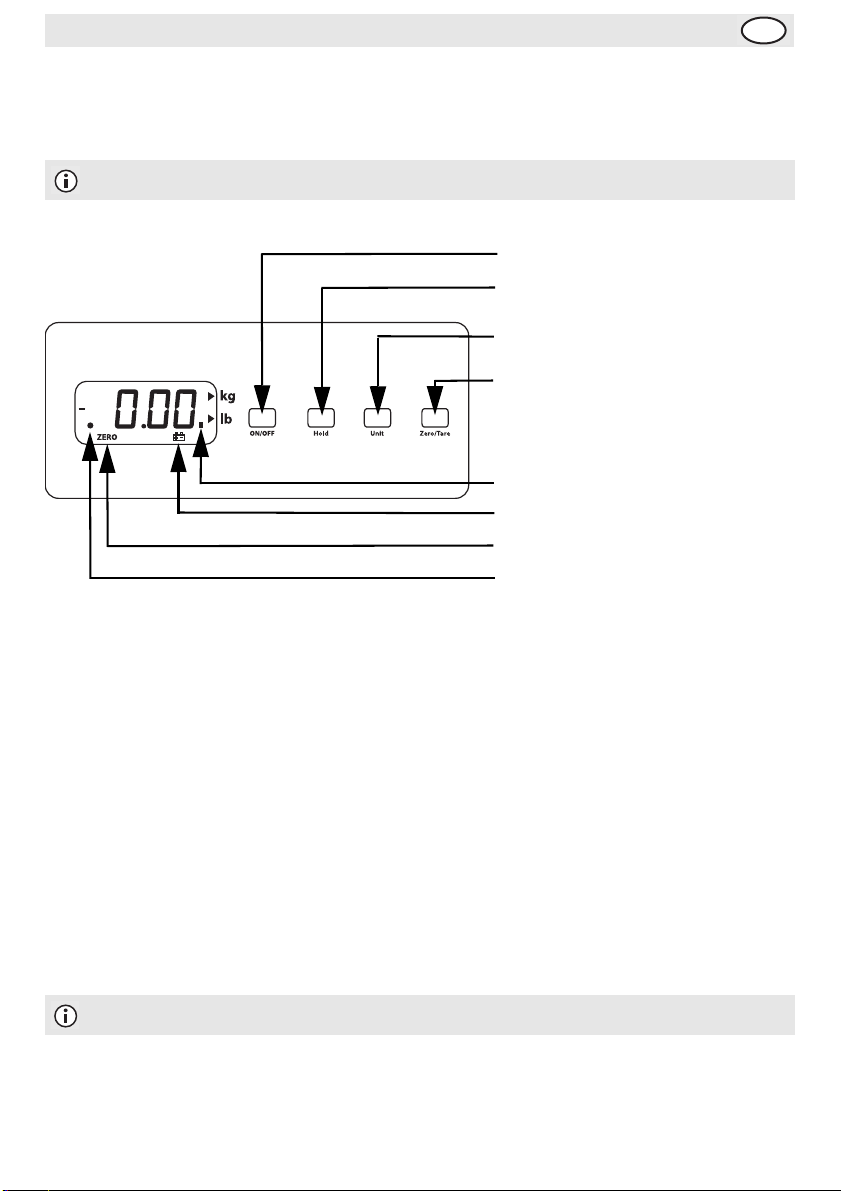
Press to turn ON or OFF
Press to HOLD reading
Press to alternate between Metric (kg)
and Imperial (lb)
Press to Tare (set the scales to zero).
Stable reading indicator.
Low battery indicator.
ZERO indicator.
Hold indicator.
Features
To enter the features mode;
• Press the ON/OFF button such that the scales are switched OFF.
• Press and hold the HOLD button then press the ON/OFF button whilst keeping the HOLD button
depressed. Release both buttons, the display should show either “A_ON” or “A_OFF”.
To allow the scales to switch off automatically;
• Press the ZERO/TARE button and the display will cycle between “A_ON” (automatic switch off is On)
and “A_OFF” (automatic switch off is Off).
To have the display backlight On;
• Press the HOLD button, the display should show either “L_ON” or “L_OFF”.
• Press the ZERO/TARE button and the display will cycle between “L_ON” (backlight On) and “L_OFF”
(backlight Off).
Note: The HOLD button will cycle between the Auto Switch Off and Backlight functions.
Once complete, Press the ON/OFF button to save the settings.
1
Page 3

Telephone Helpline: 0845 146 2887 (United Kingdom)
UK
Cleaning, Care & Maintenance
• Remove the batteries (if fitted) and/or unplug the adaptor before cleaning or if the scales are to be left
unused for an extended period of time.
• Clean the weighing tray with warm, soapy water.
• Dry thoroughly after washing.
• Do not immerse the scales in water.
• Always unplug the adaptor when not in use to prevent over heating.
Calibration
Calibration requires an accurate 30kg weight.
• Press the ON/OFF button such that the scales are switched OFF.
• Press and Hold the ZERO/TARE button then press the ON/OFF button whilst keeping the ZERO/TARE
button depressed. Release both buttons, the display should show a four digit value.
• Wait for the Stable reading indicator to be displayed then press the UNIT button. “Save0” should be
displayed.
• Place a 30kg weight on the scales and wait for the Stable reading indicator to be displayed. Press the
UNIT button and “Save1” should be displayed.
• Calibration is complete, remove the weight and Press the ON/OFF button to save the settings.
• If the calibration does not appear accurate repeat the process ensuring that the scales are placed on a
level surface.
Technical Specifications
Model Power
CD564
9V Adaptor
or
6 x 1.5V AA Batteries
Weigh Pan
Dimensions
310 x 300mm 20g (1oz) 30kg (66lbs) 10g (0.5oz)
Minimum
Weight
Maximum
Weight
Measuring
Increments
Compliance
The WEEE logo on this product or its documentation indicates that the product must
not be disposed of as household waste. To help prevent possible harm to human
health and/or the environment, the product must be disposed of in an approved and
environmentally safe recycling process. For further information on how to dispose of
this product correctly, contact the product supplier, or the local authority responsible
for waste disposal in your area.
WEIGHSTATION parts have undergone strict product testing in order to comply with
regulatory standards and specifications set by international, independent, and federal
authorities.
WEIGHSTATION products have been approved to carry the following symbol:
All rights reserved. No part of these instructions may be produced or transmitted in any form or by any
means, electronic, mechanical, photocopying, recording or otherwi se, without the prior written permission of WEIGHSTATION.Every
effort is made to ensure all details are correct at the time of going to press, however, WEIGHSTATION reserve the right to change
specifications without notice
2
Page 4
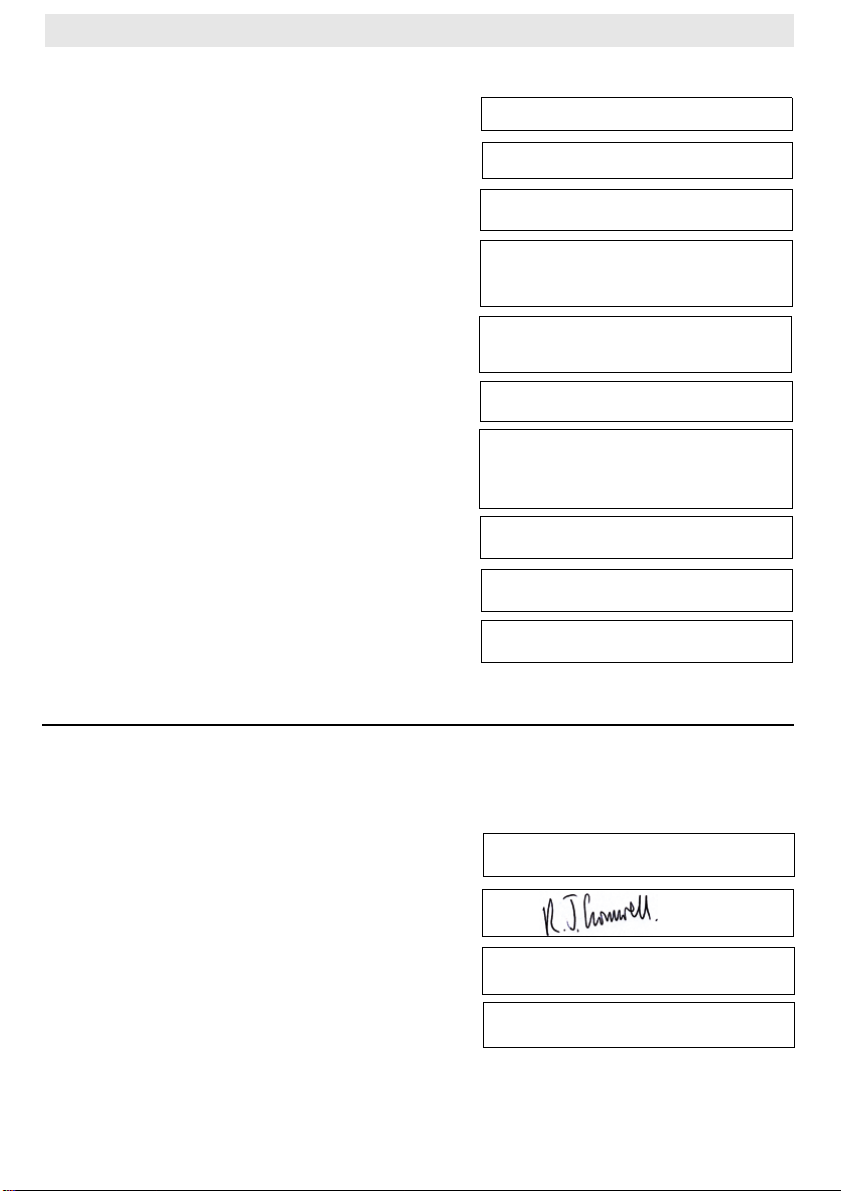
DECLARATION OF CONFORMITY
Equipment Type
Electronic Bench Scales
Model CD564
Year of Manufacture
Application of Council Directive(s) EMC Directive 89/336/EEC
LVD Directive 2006/95/EC
EN 60950-1:2001,
Standards
Producers Name
Producers Address
EN 61558-2-6:1997
WEIGHSTATION
Fourth Way
Avonmouth
Bristol
BS11 8TB
United Kingdom
Serial Number
Calibrated by
Date
I, the undersigned, hereby declare that the equipment specified above conforms to the above
Directive(s) and Standard(s).
Date 18/12/2008
Signature
Full Name
Richard Cromwell
Position Marketing Director
Page 5

• Notes •
Page 6

• Notes •
Page 7

• Notes •
Page 8

CD564_UK_A5_v2
 Loading...