

Page 1
XC40
OWNER'S MANUAL
Page 2

Page 3

VÄLKOMMEN!
We hope your Volvo will give you many years of happy motoring.
The vehicle is designed for the safety and comfort of you and your
passengers. Volvo strives to design one of the world's safest passenger vehicles. Your Volvo is also designed to meet applicable
safety and environmental requirements.
To increase your enjoyment of your Volvo, we recommend that you
read the instructions and maintenance information contained in this
owner's manual. The owner's manual is also available as a mobile
app (Volvo Manual) and on Volvo Cars support page
(support.volvocars.com).
We also encourage everyone to always use seat belts in this and
other vehicles. You should also not drive if you are under the influence of alcohol or medicines or if your ability to drive is for some
other reason impaired.
Page 4

2
OWNER'S INFORMATION
Owner's information
16
Owner's Manual in the center display
17
Navigate in the Owner's Manual
in the center display
18
Owner's manual in mobile devices
20
Volvo Cars support site
21
Using the Owner's Manual
21
The Owner's Manual and the environment
23
YOUR VOLVO
Contacting Volvo
26
Volvo ID
26
Creating and registering a Volvo ID
27
Drive-E ‒ purer driving pleasure
28
IntelliSafe – driver support and safety
29
Sensus - connection and entertainment
30
Software Updates
33
Data recording
33
Terms & Conditions for Services
35
Customer Privacy Policy
35
Important information on accessories and extra equipment
35
Accessory installation
36
Connecting equipment to the
vehicle's data link connector
37
Technician certification
38
Viewing the Vehicle Identification
Number (VIN)
38
Volvo Structural Parts Statement
39
Driver distraction
39
SAFETY
Safety
42
Safety during pregnancy
43
Occupant safety
43
Reporting safety defects
44
Recall information
45
Whiplash Protection System
46
Seat belts
47
Buckling and unbuckling seat belts
48
Seat belt tensioners
50
Resetting the electric seat belt
tensioners*
51
Door and seat belt reminders
51
Airbags
52
Driver/passenger-side airbags
53
Occupant Classification System
56
Side airbags
60
Inflatable curtain
61
Safety mode
62
Starting and moving the vehicle
when it is in safety mode
62
Child safety
63
Child restraints
65
Infant seats
67
Convertible seats
70
Booster cushions
72
TABLE OF CONTENTS
Page 5

3
Top tether anchors
73
Lower child seat attachment points
74
ISOFIXLATCH lower anchors
75
DISPLAYS AND VOICE
CONTROL
Instruments and controls in lefthand drive vehicles
78
Instrument panel
80
Instrument panel settings
82
Fuel gauge
83
Trip computer
83
Displaying trip data in the instrument panel
84
Resetting the trip odometer
85
Displaying trip statistics in the
center display
86
Trip statistics settings
86
Date and time
87
Ambient temperature sensor
88
Indicator symbols in the instrument panel
88
Warning symbols in the instrument panel
91
Instrument panel licenses
92
App menu in instrument panel
97
Handling the App menu in the
instrument panel
97
Messages in the instrument panel
98
Handling messages in the instrument panel
100
Handling messages saved from
the instrument panel
101
Center display overview
103
Handling the center display
105
Activating and deactivating the
center display
108
Navigating in the center display's
views
108
Handling tiles in the center display
112
Function view in the center display
115
Moving apps and buttons in the
center display
117
Symbols in the center display status bar
117
Using the center display keyboard
119
Changing keyboard language in
the center display
122
Entering characters, letters and
words by hand in the center display
122
Changing the appearance of the
center display
124
Turning off and adjusting the volume of the center display system
sounds
124
Changing system units of measurement
125
Changing system language
125
Changing settings in the center
display's Top view
125
Page 6

4
Opening contextual setting in the
center display
126
Resetting user data when the
vehicle changes owners
127
Resetting center display settings
127
Table of settings in the center display
128
Driver profiles
129
Selecting a driver profile
130
Changing a driver profile's name
130
Protecting a driver profile
131
Linking a remote key to a driver profile
131
Resetting driver profile settings
133
Messages in the center display
133
Handling messages in the center
display
134
Handling messages saved from
the center display
134
Voice Control
135
Use voice recognition
136
Voice control for cellular phones
138
Voice control for radio and media
138
Voice control settings
139
LIGHTING
Lighting control and panel
142
Adjusting light functions via the
center display
143
Parking lights
144
Daytime running lights
144
Low beams
145
Using high beam
146
Active high beam
147
Using turn signals
148
Active Bending Lights*
148
Front fog lights/corner illumination*
149
Rear fog light
150
Brake lights
151
Emergency brake lights
151
Hazard warning flashers
151
Using home safe lighting
152
Welcome Light
152
Interior Lighting
152
Adjusting interior lighting
154
WINDOWS, GLASS AND
MIRRORS
Windows, glass and mirrors
156
Pinch protection for windows and
sun curtains
156
Reset procedure for pinch protection
156
Power windows
157
Operating the power windows
157
Rearview/door mirrors
159
Adjusting the rearview mirror dimming function
159
Adjusting the door mirrors
160
Panoramic roof*
161
Operating the panoramic roof*
162
Auto closing the panoramic roof*
sun curtain
165
Wiper blades and washer fluid
165
Using the windshield wipers
166
Using the rain sensor
167
Using the rain sensor's memory
function
168
Using the windshield and headlight washers
168
Using the rear window wiper/washer
169
Using automatic rear window
wiping when backing up
170
Page 7

5
SEATS AND STEERING WHEEL
Manual front seats
174
Power* front seats
175
Adjusting the power* front seats
175
Using stored positions for seats
and mirrors
176
Adjusting* front seat cushion length
177
Adjusting front seat lumbar support*
178
Folding down the rear seat backrests
178
Adjusting the rear seat head restraints
180
Steering wheel controls and horn
181
Adjusting the steering wheel
182
CLIMATE CONTROL
Climate
184
Climate zones
184
Climate control sensors
185
Perceived temperature
185
Climate control system voice
commands
186
Air quality
187
Clean Zone*
187
Clean Zone Interior Package*
188
Interior Air Quality System*
188
Activating and deactivating the air
quality sensor*
189
Passenger compartment air filter
189
Air distribution
190
Adjusting air distribution
191
Opening, closing and directing air
vents
191
Air distribution options
192
Climate system controls
195
Activating and deactivating power
front seats*
197
Activating and deactivating the
heated front seat*
197
Activating and deactivating the
heated rear seats*
197
Activating and deactivating the
heated steering wheel*
198
Activating and deactivating automatic steering wheel heating*
198
Activating auto climate control
198
Activating and deactivating recirculation
199
Activating and deactivating the
recirculation timer setting
200
Activating and deactivating max
defroster
200
Activating and deactivating the
heated rear window and door mirrors
201
Automatically activating and deactivating the heated rear window
and door mirrors
202
Setting the blower speed for the
front seats
202
Setting the temperature for the
front seats
203
Synchronize temperature
204
Activating and deactivating air
conditioning
205
Parking climate*
205
Preconditioning*
206
Starting and stopping preconditioning*
206
Preconditioning timer*
207
Adding and editing timer settings
for preconditioning*
207
Page 8

6
Activating and deactivating preconditioning timer*
208
Deleting preconditioning timer
settings*
209
Climate comfort retaining function*
209
Starting and switching off the climate retaining function when parking*
210
Parking climate symbols and messages*
211
KEY, LOCKS AND ALARM
Lock indication
214
Lock confirmation settings
215
Remote key
216
Locking and unlocking using the
remote key
218
Settings for remote and inside
door unlock
219
Unlocking the tailgate using the
remote key
219
Remote key range
220
Replacing the remote key's battery
220
Ordering additional remote keys
224
Detachable key blade
224
Locking and unlocking with
detachable key blade
225
Electronic immobilizer
227
Start and lock system type designations
228
Keyless and touch-sensitive surfaces*
229
Keyless locking and unlocking*
230
Keyless unlock settings*
231
Keyless tailgate unlock*
231
Antenna locations for the start
and lock system
232
Locking and unlocking from inside
the vehicle
233
Unlocking the tailgate from inside
the vehicle
234
Activating and deactivating child
safety locks
234
Automatic locking when driving
236
Opening and closing the power
tailgate*
236
Setting a maximum height for the
power tailgate*
239
Foot movement tailgate operation*
240
Private Locking
241
Activating and deactivating private locking
241
Alarm
242
Arming and disarming the alarm
243
Page 9

7
DRIVER SUPPORT
Driver support systems
246
Speed-dependent steering wheel
resistance
246
Electronic Stability Control
247
Electronic Stability Control in
sport mode
248
Activating or deactivating Sport
mode for Electronic Stability Control
249
Electronic Stability Control symbols and messages
250
Stability system
251
Cruise control
251
Selecting and activating cruise control
252
Deactivating cruise control
253
Cruise control standby mode
254
Adaptive Cruise Control*
254
Adaptive Cruise Control* controls
and display
256
Selecting and activating Adaptive
Cruise Control*
257
Deactivating Adaptive Cruise Control*
258
Adaptive Cruise Control* standby
mode
259
Adaptive Cruise Control* limitations
260
Switching between cruise control
and Adaptive Cruise Control* in
the center display
261
Symbols and messages for Adaptive Cruise Control*
262
Pilot Assist*
264
Pilot Assist* controls and display
266
Selecting and activating Pilot Assist*
267
Deactivating Pilot Assist*
268
Pilot Assist* standby mode
269
Temporarily deactivating steering
assistance with Pilot Assist*
270
Pilot Assist* limitations
270
Pilot Assist* symbols and messages
272
Collision risk warning from driver
support
273
Switching target vehicles with
driver support
274
Adjusting set speed for driver support
275
Setting time interval to the vehicle
ahead
276
Auto-hold braking with driver support
277
Drive mode for driver support
278
Passing assistance
279
Using passing assistance
279
Radar sensor
280
Radar sensor type approval
281
Camera
283
Camera/radar sensor limitations
284
Recommended camera and radar
sensor maintenance
288
City Safety™
289
City Safety sub-functions
290
Setting a warning distance for
City Safety
292
Detecting obstacles with City Safety
293
City Safety in crossing traffic
295
Limitations of City Safety in crossing traffic
296
Automatic braking during delayed
evasive maneuvers with City Safety
296
City Safety braking for oncoming
vehicles
297
City Safety limitations
298
City Safety messages
301
Rear Collision Warning*
302
Rear Collision Warning* limitations
302
BLIS*
303
Activating or deactivating BLIS
304
BLIS limitations
305
BLIS messages
306
Cross Traffic Alert*
307
Activating or deactivating Cross
Traffic Alert*
308
Cross Traffic Alert* limitations
308
Page 10

8
Cross Traffic Alert* messages
310
Road Sign Information*
311
Activating or deactivating Road
Sign Information*
312
Road Sign Information* display
312
Road Sign Information and
Sensus Navigation*
313
Speed limit and speed camera
warnings from Road Sign Information*
313
Activating or deactivating warnings from Road Sign Information*
314
Road Sign Information* limitations
315
Driver Alert Control
316
Activating or deactivating Driver
Alert Control
317
Selecting guidance to a rest area if
the Driver Alert Control warning
has been given
317
Driver Alert Control limitations
318
Lane Keeping Aid
318
Activating or deactivating Lane
Keeping Aid
320
Selecting type of assistance for
Lane Keeping Aid
320
Lane Keeping Aid limitations
321
Lane Keeping Aid symbols and
messages
322
Lane Keeping Aid display
324
Steering assistance at risk of collision
325
Activating or deactivating steering
assistance during collision risks
326
Run-Off Mitigation with steering
assistance
326
Steering assistance during collision risks from oncoming traffic
327
Steering assistance during collision risks from behind*
328
Steering assistance during collision risks limitations
329
Symbols and messages for steering assistance during collision risks
330
Park Assist*
331
Park Assist front, rear and sides*
332
Activating or deactivating Park Assist*
333
Park Assist limitations
333
Park Assist symbols and messages
335
Park Assist Camera*
336
Location and field of vision of Park
Assist Cameras*
337
Park Assist Camera trajectory lines*
339
Park Assist sensor field
341
Activating Park Assist Camera
342
Park Assist Camera symbols and
messages
344
Park Assist Pilot*
345
Types of parking with Park Assist
Pilot*
346
Using Park Assist Pilot*
347
Leaving a parallel parking space
with Park Assist Pilot*
350
Park Assist Pilot* limitations
350
Park Assist Pilot* messages
353
Page 11

9
STARTING AND DRIVING
Starting the vehicle
356
Switching off the vehicle
358
Ignition modes
358
Selecting ignition mode
360
Brake functions
360
Brakes
361
Brake Assist System
362
Braking on wet roads
362
Braking on salted roads
363
Maintenance of the brake system
363
Parking brake
363
Activating and deactivating the
parking brake
364
Settings for automatically activating the parking brake
365
Parking on a hill
366
Parking brake malfunction
366
Auto-hold brakes
367
Activating and deactivating Autohold at a standstill
368
Hill Start Assist
368
Braking assist after a collision
369
Transmission
369
Automatic transmission
369
Gear selector positions for automatic transmissions
370
Using the steering wheel paddles*
to shift
372
Shiftlock
374
The kickdown function
374
All Wheel Drive (AWD)*
375
Drive modes*
375
Changing drive mode*
377
Eco drive mode
378
Activating and deactivating Eco
drive mode using the function button
380
Start/Stop function
380
Driving with the Start/Stop function
380
Deactivating the Start/Stop function
382
Conditions for the Start/Stop function
382
Leveling control* and suspension
384
Low Speed Control*
385
Activating and deactivating Low
Speed Control* using the function
button
385
Hill Descent Control*
386
Activating and deactivating Hill
Descent Control* using the function button
387
Economical driving
388
Preparing for a long trip
389
Winter driving
389
Driving through standing water
390
Opening/closing the fuel filler door
391
Refueling
391
Fuel
392
Octane rating
393
Emission controls
395
Overheating of engine and transmission
395
Battery drain
396
Jump starting using another battery
397
Detachable towbar*
399
Driving with a trailer
400
Trailer Stability Assist*
402
Checking trailer lights
403
Towing using a towline
404
Attaching and removing the towing eyelet
405
Recovery
407
HomeLink®*
408
Programming HomeLink®*
409
Using HomeLink®*
411
Type approval for HomeLink®*
411
Compass*
412
Activating and deactivating the
compass*
412
Page 12

10
Calibrating the compass*
413
AUDIO, MEDIA AND INTERNET
Audio, media and Internet
416
Sound settings
416
Sound experience*
417
Apps
417
Download apps
418
Updating apps
419
Deleting apps
420
Radio
420
Starting the radio
421
Changing waveband and radio station
421
Searching for a radio station
422
Storing radio channels in the
Radio favorites app
423
Radio settings
423
RBDS
424
HD Radio™
424
Activating and deactivating the HD
Radio™
426
HD Radio™ sub-channels
426
HD Radio™ limitations
427
SiriusXM® Satellite radio*
428
Using SiriusXM® Satellite radio*
429
Settings for SiriusXM® Satellite radio*
430
SiriusXM Travel Link®*
432
SiriusXM Travel Link®* - Weather
433
SiriusXM Travel Link®* - Notifications
434
SiriusXM Travel Link®* - Fuel
435
SiriusXM Travel Link®* - Sports
436
Media player
437
Playing media
438
Controlling and changing media
439
Media searches
440
Gracenote
®
441
Video
441
Playing video
442
Playing DivX®
442
Video settings
442
Streaming media via Bluetooth
®
443
Connecting a device via Bluetooth
®
443
Playing media via the USB port
443
Connecting a device via the USB port
444
Technical specifications for USB
devices
444
Compatible file formats for media
445
Apple® CarPlay®*
446
Using Apple® CarPlay®*
447
Settings for Apple® CarPlay®*
449
Tips for using Apple® CarPlay®*
449
Android Auto*
450
Page 13

11
Using Android Auto*
451
Settings for Android Auto*
452
Tips for using Android Auto*
452
Phone
453
Connecting a phone to the car via
Bluetooth for the first time
454
Connecting a phone to the car via
Bluetooth automatically
456
Connecting a phone to the car via
Bluetooth manually
456
Disconnecting a Bluetooth-connected phone
456
Switch between phones connected via Bluetooth
457
Disconnecting Bluetooth-connected devices
457
Handling phone calls
457
Handling text messages
458
Text message settings
459
Managing the phone book
460
Phone settings
460
Settings for Bluetooth devices
461
Wireless phone charger*
461
Using the wireless phone charger*
462
Internet-connected vehicle*
462
Connecting the vehicle to the
Internet via a Bluetooth-connected
phone
463
Connecting the vehicle to the
Internet via a phone (Wi-Fi)
464
Connecting the vehicle to the
Internet via vehicle modem (SIM card)
465
Vehicle modem settings
466
Sharing Internet from the vehicle
via Wi-Fi hotspot (tethering)
466
No or poor Internet connection
467
Deleting Wi-Fi networks
468
Wi-Fi technology and security
468
Terms of use and data sharing
469
Activating and deactivating data
sharing
469
Data sharing for services
470
Hard disk storage space
471
License agreement for audio and
media
472
WHEELS AND TIRES
Tires
484
Tire direction of rotation
486
Tread wear indicator
487
Tire terminology
487
Tire sidewall designations
488
Uniform Tire Quality Grading
490
Checking tire pressure
491
Adjusting tire pressure
492
Recommended tire pressure
493
Tire pressure monitoring system*
493
Saving a new inflation pressure in
the monitoring system*
495
Viewing tire pressure status in the
center display*
496
Action when warned of low tire
pressure
497
When changing wheels
498
Tool kit
498
Jack*
499
Wheel bolts
499
Removing a wheel
500
Installing a wheel
502
Spare wheel
503
Handling spare tires
504
Snow tires
505
Page 14

12
Snow chains
506
Tire sealing system
507
Using the tire sealing system
508
Inflate tires with the compressor
included in the tire sealing system
512
Determining the vehicle's permitted weight
513
LOADING, STORAGE AND
PASSENGER COMPARTMENT
Passenger compartment interior
516
Tunnel console
517
Electrical outlets
518
Using the electrical outlets
518
Using the glove compartment
519
Sun visors
521
Cargo compartment
521
Loading recommendations
521
Roof loads and load carriers
522
Grocery bag holders
523
Load anchoring eyelets
524
Rear seat ski hatch*
524
Folding up the cargo compartment
floor
524
Removing the folding cargo compartment floor*
525
Installing and removing the cargo net*
526
Removing and storing the parcel shelf
528
MAINTENANCE AND SERVICE
Volvo's service program
532
Data transfer between vehicle and
workshop over Wi-Fi
534
Download Center
535
Handling system updates via
Download Center
535
Vehicle status
536
Scheduling service and repairs
537
Sending vehicle information to the
workshop
538
Hoisting the vehicle
539
Climate control system service
541
Opening and closing the hood
541
Engine compartment overview
543
Engine oil
544
Checking and filling engine oil
545
Refilling coolant
546
Replacing bulbs
547
Location of exterior lights
548
Replacing rear turn signal bulbs
549
Replacing the brake light bulb
550
Replacing the rear fog light bulb
551
Bulb specifications
552
Start battery
553
Support battery
557
Page 15

13
Battery symbols
558
Battery recycling
559
Fuses and fuseboxes
559
Replacing fuses
560
Fuses in the engine compartment
561
Fuses under the left front seat
566
Cleaning the interior
572
Cleaning the center display
572
Cleaning fabric upholstery and
ceiling liner
573
Cleaning the seat belt
574
Cleaning floor mats and inlay mats
574
Cleaning leather upholstery*
575
Cleaning the leather steering wheel
575
Cleaning interior plastic, metal and
wood surfaces
576
Cleaning the exterior
577
Polishing and waxing
577
Hand washing
578
Automatic car washes
579
High-pressure washing
581
Cleaning the wiper blades
581
Cleaning exterior plastic, rubber
and trim components
582
Cleaning rims
583
Corrosion protection
583
Paintwork
584
Touching up minor paint damage
584
Color codes
585
Changing rear window wipers
586
Replacing windshield wiper blades
587
Putting the wiper blades in service
position
588
Filling washer fluid
589
SPECIFICATIONS
Type designations
592
Dimensions
595
Weights
597
Towing capacity and tongue weight
598
Engine specifications
599
Engine oil specifications
600
Coolant specifications
601
Transmission fluid specifications
601
Brake fluid specifications
601
Fuel tank volume
602
Air conditioning specifications
602
Approved tire pressure
604
Page 16

14
INDEX
Index 605
Page 17

OWNER'S INFORMATION
Page 18
OWNER'S INFORMATION
16
Owner's information
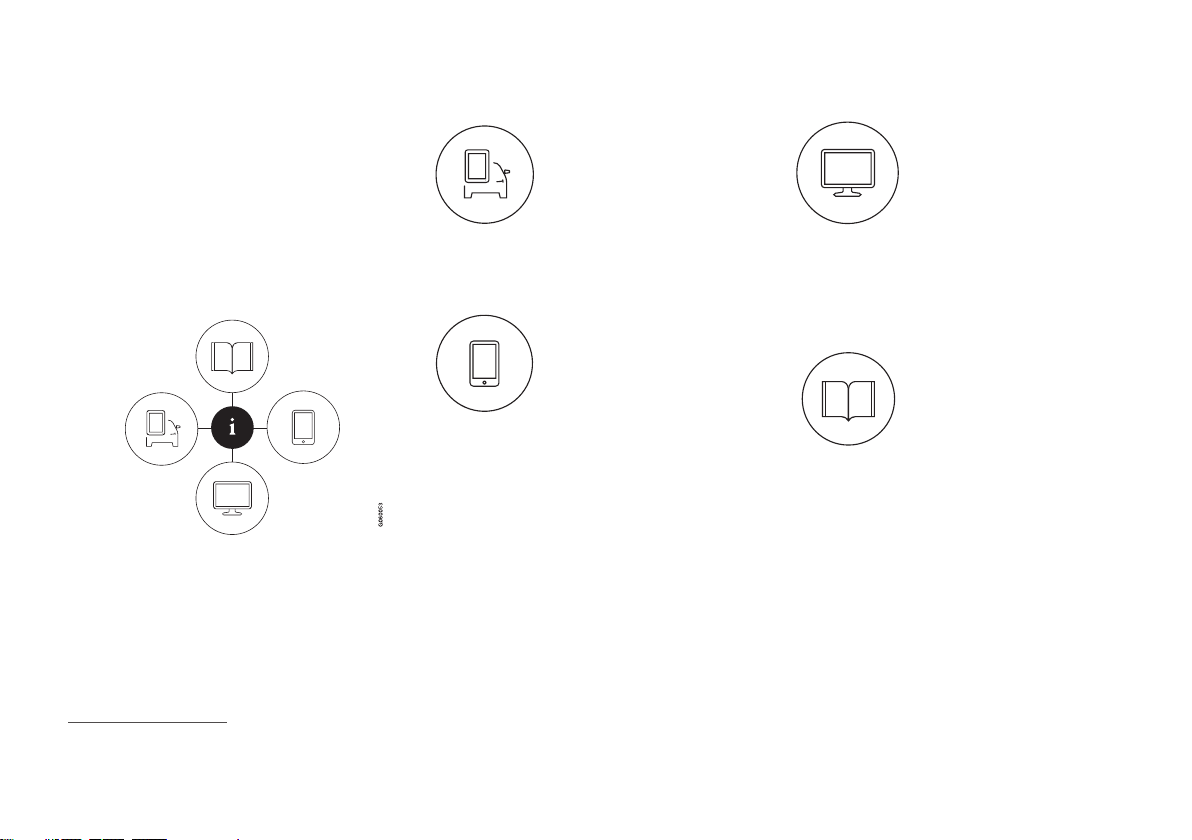
Owner's information is available in several
different formats, both digital and printed.
The Owner's Manual is available on the vehicle's center display, as a mobile app and on
Volvo Cars' support website. There is also a
Quick Guide in the glove compartment, as
well as a supplement to the Owner's Manual
containing information about e.g. fuses, specifications, etc. A printed Owner's Manual can
be ordered.
Vehicle's center display
1
In the center display, pull
down Top view and tap
Owner's manual. This gives
you access to visual navigation with exterior and interior
images of the vehicle. The
information is searchable and
is divided into categories.
Mobile app
In App Store or Google Play,
search for "Volvo Manual".
Download the app to your
smartphone or tablet and
select your vehicle model.
The app contains instructive
videos and offers visual navigation, including exterior and interior images
of the vehicle. The contents are searchable
and the sections are designed to be easy to
navigate.
Volvo Cars support site
Go to support.volvocars.com
and select your country.
Owner's Manuals are available here for viewing online
and in PDF format. The support site also contains
instructive videos and additional information and assistance concerning
your vehicle and owning a Volvo. The website
is available on most markets.
Printed information
The glove compartment con-
tains a printed supplement to
the Owner's Manual1, which
contains information on fuses
and specifications as well as
a summary of important and
practical information.
There is also a printed Quick Guide with useful
information about the most commonly used
features and functions in your vehicle.
Other printed information may also be provided in the vehicle, depending on equipment
level, market, etc.
A printed Owner's Manual and accompanying
supplement can also be ordered. Contact a
Volvo retailer to order.
1
For markets without Owner's Manuals in the center display, a complete printed manual is provided along with the vehicle.
Page 19

OWNER'S INFORMATION
}}
17
CAUTION
The driver is always responsible for operating the vehicle in a safe manner and adhering to all applicable laws and regulations. It
is also important that the vehicle is operated, maintained and serviced according to
Volvo's recommendations provided in the
owner's information.
If the information in the center display differs from the printed information, the printed information always takes precedence.
NOTE
Changing languages in the center display
could mean that certain owner's information will not comply with national or local
laws and regulations. Do not change to a
language you do not speak well, as it can
be difficult to find your way back through
the menu.
Related information
•
Owner's Manual in the center display
(p. 17)
•
Owner's manual in mobile devices
(p. 20)
•
Volvo Cars support site (p. 21)
•
Using the Owner's Manual (p. 21)
Owner's Manual in the center display
A digital version of the Owner's Manual is
available in the vehicle's center display2.
The digital Owner's Manual can be accessed
from Top view and in certain cases, the contextual Owner's Manual can also be accessed
from Top view.
NOTE
The digital Owner's Manual is not available
during driving.
OWNER'S MANUAL
Top view with button for Owner's Manual.
To open the Owner's Manual, pull down Top
view in the center display and tap
Owner's
manual.
The information in the Owner's Manual can be
accessed directly via the Owner's Manual
start page or via its Top menu.
2
Available in most markets.
Page 20
||
OWNER'S INFORMATION
18
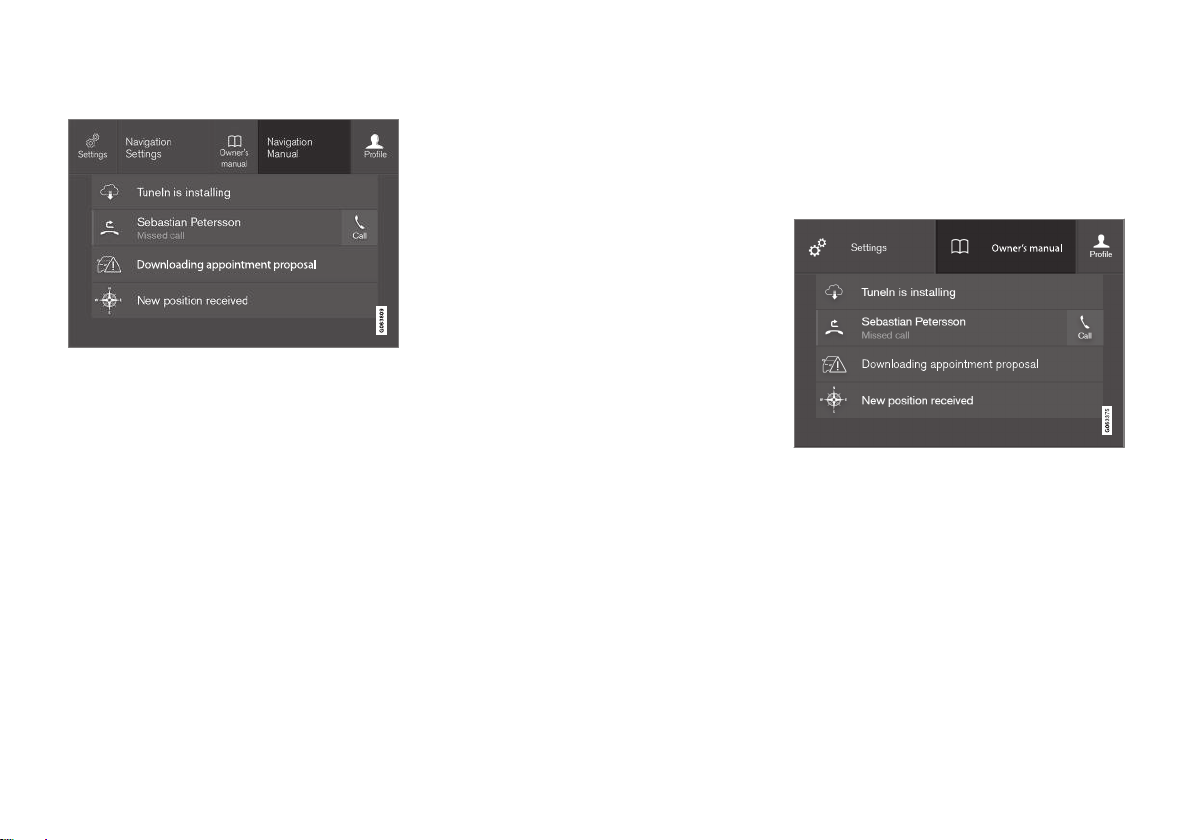
Contextual Owner's Manual
Top view with button for contextual Owner's Manual.
The contextual Owner's Manual is a shortcut
to an article in the Owner's Manual describing
the active function displayed on the screen.
When a contextual Owner's Manual is available, it will be shown to the right of
Owner's
manual in Top view.
Tap the contextual Owner's Manual to open
an article in the Owner's Manual related to the
information displayed on the screen.
For example, tap
Navigation Manual to open
an article related to navigation.
Certain apps in the vehicle only. For downloa-
ded third-party apps, it is e.g. not possible to
access app-specific articles.
Related information
•
Navigate in the Owner's Manual in the
center display (p. 18)
•
Navigating in the center display's views
(p. 108)
•
Download apps (p. 418)
Navigate in the Owner's Manual in the center display
The digital Owner's Manual can be accessed
from the center display's Top view. The contents are searchable and the sections are
designed to be easy to navigate.
The Owner's Manual is accessed from Top view.
–
To open the Owner's Manual, pull down
Top view in the center display and tap
Owner's manual.
There are a number of ways to find information in the Owner's Manual. The options can
be accessed from the Owner's Manual start
page and from the Top menu.
Page 21
OWNER'S INFORMATION
}}
19
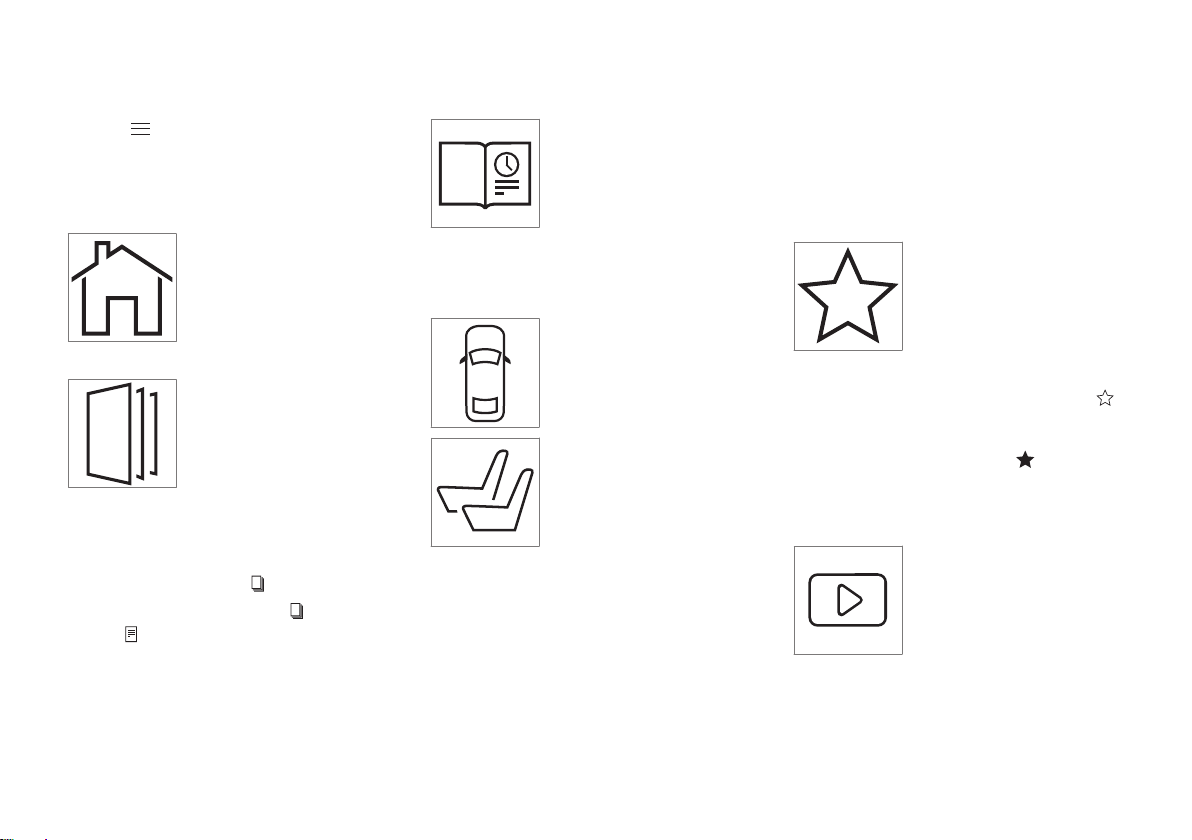
Opening the menu in the Top menu
–
Tap in the upper list in the Owner's
Manual.
> A menu will open, displaying different
options for finding information:
Start page
Tap the symbol to return to
the Owner's Manual start
page.
Categories
The articles in the Owner's
Manual are structured into
main and sub-categories. The
same article may appear in
several relevant categories in
order to help make them easier to find.
1.
Tap
Categories.
> The main categories are listed.
2.
Tap a main category (
).
>
A list of sub-categories (
) and articles
(
) will appear.
3. Tap an article to open it.
To go back, tap the left arrow.
Quick Guide
Tap the symbol to go to a
page with links to a selection
of useful articles about the
vehicle's more commonly
used features and functions.
The articles can also be
accessed via categories, but
have been collected here for quicker access.
Tap an article to read it in its entirety.
Exterior and interior hotspots
Exterior and interior over-
views of the vehicle. Hot-
spots are provided for certain
functions, components, etc.
Tap a hotspot to come to a
relevant article.
1.
Press
Exterior or Interior.
> Exterior or interior images of the vehicle
are shown with hotspots. The hotspots
lead to articles about the corresponding
function, component, etc. Swipe the
screen horizontally to scroll between
the images.
2. Tap a hotspot.
> The title of a relevant article will be dis-
played.
3. Tap the title to open the article.
To go back, tap the left arrow.
Favorites
Tap the symbol to go to articles saved as favorites. Tap
an article to read it in its
entirety.
Saving or deleting favorite articles
Save an article as a favorite by tapping the
at the upper right when the article is open.
When an article has been saved as a favorite,
the star symbol will be filled in:
.
To remove an article from the list of favorites,
tap its star again.
Video
Tap the symbol to go to brief
instructive videos for various
functions in the vehicle.
Page 22
||
OWNER'S INFORMATION
20
Information
Tap the symbol for information about the current version
of the Owner's Manual in
your vehicle and other useful
information.
Using the search function in the Top menu
1.
Tap in the Owner's Manual upper
menu. A keyboard will appear at the bottom of the screen.
2. Enter a search word, e.g. "seat belt".
> Suggested articles and categories will
be displayed as characters are entered.
3. Tap the article or category to read it.
Related information
•
Owner's Manual in the center display
(p. 17)
•
Using the center display keyboard
(p. 119)
•
Using the Owner's Manual (p. 21)
Owner's manual in mobile devices
The Owner's Manual is available as a mobile
app3 and can be downloaded from the App
Store and Google Play. The app is adapted for
both smartphones and tablets.
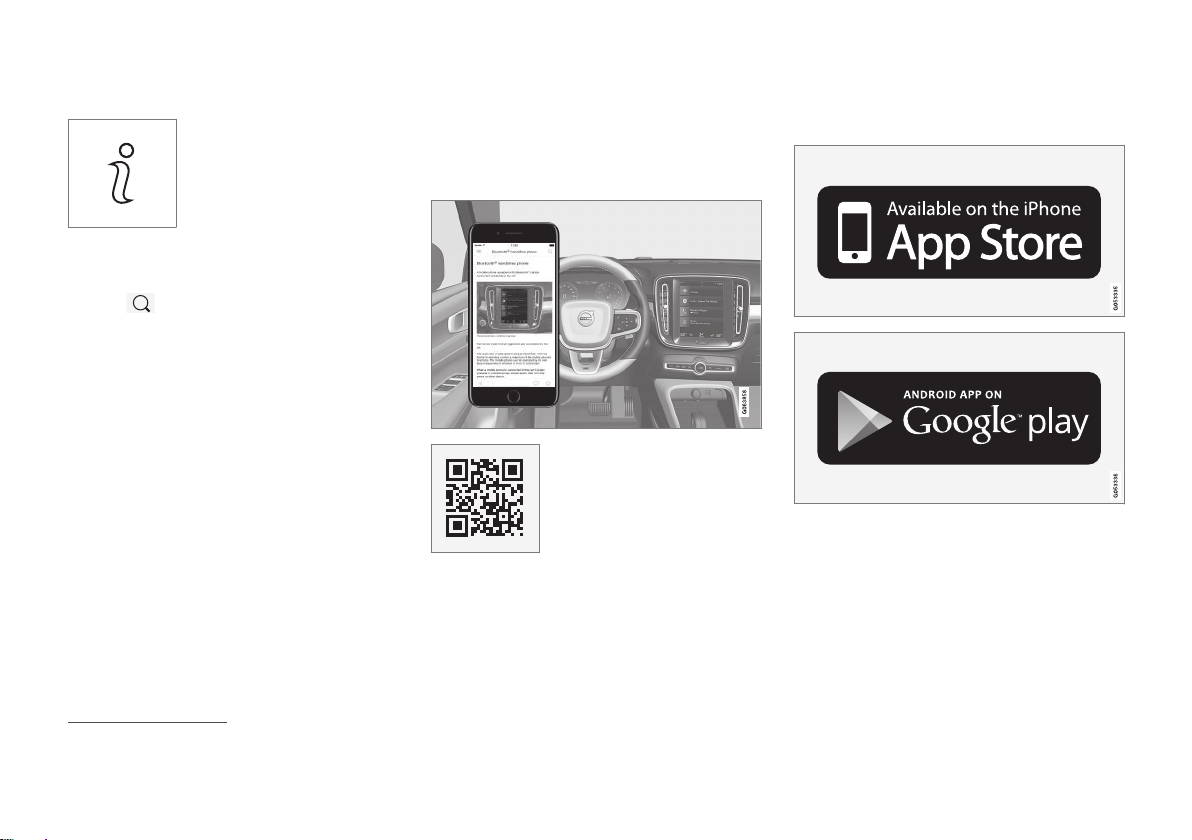
The Owner's Manual can be
downloaded as a mobile app
from the App Store or Google
Play. This QR code will take
you directly to the app. You
can also search for "Volvo
manual" in the App Store or
Google Play.
The app contains videos and exterior/interior
images of the vehicle. These images contain
hotspots for various functions, components,
etc., which lead directly to related information.
The contents are searchable and the sections
are designed to be easy to navigate.
The mobile app is available on both App Store and
Google Play.
Related information
•
Using the Owner's Manual (p. 21)
3
Certain mobile devices.
Page 23

OWNER'S INFORMATION
}}
* Option/accessory.
21
Volvo Cars support site
Volvo Cars' website and support site contain
additional information about your vehicle.
Online support
Go to support.volvocars.com to visit the site.
The support site is available in most markets.
The site contains support for e.g. Internetbased services and functions, Volvo On Call,
the navigation system* and apps. Videos and
step-by-step instructions explain various procedures, such as how to connect the vehicle
to the Internet via a cellular phone.
Downloadable information
Maps
For vehicles equipped with Sensus Navigation
maps can be downloaded from the support
site.
Mobile apps
Beginning with model year 2014, the Owner's
Manual is available as an app for certain Volvo
models. The Volvo On Call app can also be
downloaded from the support site.
Owner's manuals in PDF format
Owner's Manuals are available for downloading in PDF format. Select the vehicle model
and year to download the desired manual.
Contact
Contact information for customer support and
your nearest Volvo retailer are available on the
support site.
Related information
•
Contacting Volvo (p. 26)
•
Volvo ID (p. 26)
Using the Owner's Manual
To get to know your new vehicle, read the
Owner's Manual before driving it for the first
time.
Reading your Owner's Manual is a way to
familiarize yourself with new features and
functions, get advice on how to handle your
vehicle in different situations, and to learn how
to take advantage of everything your Volvo has
to offer. Pay particular attention to the safety
warnings provided in the Owner's Manual.
The intention of this owner's information is to
explain all of the possible features, functions,
options and accessories included in a Volvo
vehicle. It is not intended as an indication or
guarantee that all of these features, functions
and options are included in every vehicle.
Some terminology used may not exactly
match terminology used in sales, marketing
and advertising materials.
Volvo continuously works to develop and
improve our products. Modifications can mean
that information, descriptions and illustrations
in the Owner's Manual differ from the equipment in the vehicle. We reserve the right to
make changes without prior notice.
Do not remove this manual from the vehicle. If
a problem should occur, you will not have the
necessary information on where and how to
get professional assistance.
© Volvo Car Corporation
Page 24
||
OWNER'S INFORMATION
* Option/accessory.
22
Option/accessory
In addition to standard equipment, the
Owner's Manual also describes options (factory-installed equipment) and certain accessories (extra retrofitted equipment).
All, at the time of publication known, options
and accessories are marked with an asterisk:
*.
The equipment described in the Owner's Manual is not available in all vehicles. Vehicles may
be equipped differently depending on market
requirements and national or local laws and
regulations.
For more information on which equipment is
standard and which is an option or accessory,
please contact your Volvo retailer.
Decals
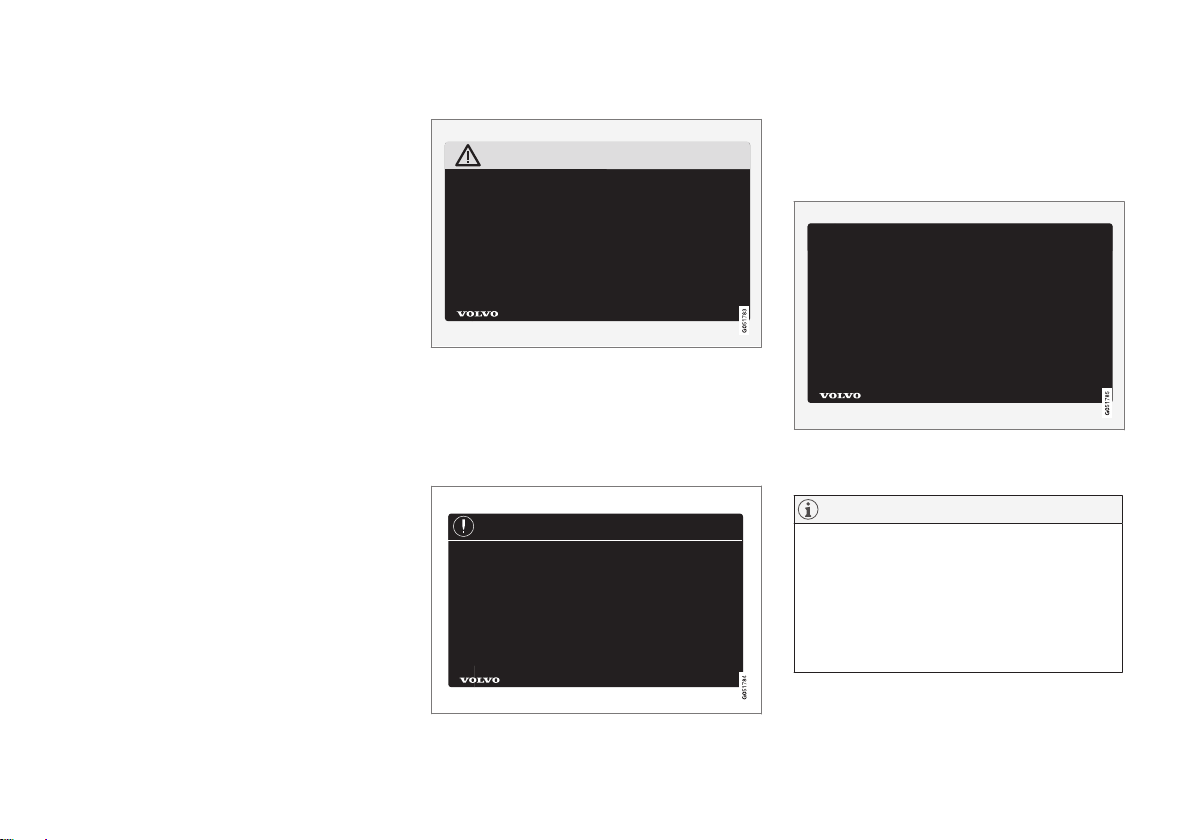
There are various types of decals affixed in the
vehicle to communicate important information
in a clear manner. The importance of these
decals is explained as follows, in descending
order of importance.
Risk of injury
Black ISO symbols on a yellow warning field,
white text/image on a black message field.
Used to indicate potential danger. Ignoring a
warning of this type could result in serious
injury or death.
Risk of damage
White ISO symbols and white text/image on a
black or blue warning field and message field.
Used to indicate potential danger. Ignoring a
warning of this type could result in damage.
Information
White ISO symbols and white text/image on a
black message field.
NOTE
The decals shown in the Owner's Manual
do not claim to be exact reproductions of
those found in the vehicle. The purpose is
to show approximately how they look and
about where they are located. The information that applies for your vehicle in particular is found on the decal on the vehicle.
Page 25
OWNER'S INFORMATION
23
Illustrations, images and video clips
Illustrations, images and video clips used in
the Owner's Manual are sometimes generic
and are intended to provide an overview or an
example of a certain function or feature. They
may vary depending on equipment level and
market and may differ from the appearance of
your vehicle.
Related information
•
Owner's Manual in the center display
(p. 17)
•
Owner's manual in mobile devices (p. 20)
•
Volvo Cars support site (p. 21)
The Owner's Manual and the environment
The Owner's Manual is printed on paper from
responsibly managed forests.
The Forest Stewardship Council (FSC)® symbol certifies that the paper pulp in the printed
Owner's Manual comes from FSC®-certified
forests or other responsibly managed sources.
Related information
•
Drive-E ‒ purer driving pleasure (p. 28)
Page 26

Page 27

YOUR VOLVO
Page 28
YOUR VOLVO
26
Contacting Volvo
Use the following contact information if you
would like to get in touch with Volvo in the
United States or Canada.
In the USA:
Volvo Car USA, LLC
Customer Care Center
1 Volvo Drive,
P.O. Box 914
Rockleigh, New Jersey 07647
18004581552
www.volvocars.com/us
In Canada:
Volvo Car Canada Ltd.
Customer Care Centre
9130 Leslie Street, Suite 101
Richmond Hill, Ontario L4B 0B9
18006638255
www.volvocars.com/ca
Volvo ID
Volvo ID is a personal ID that gives you
access to a range of services using a single
username and password.
NOTE
The available services can vary over time
and depend on equipment level and market.
Examples of services:
•
Volvo On Call-app - check your vehicle
using your phone. You can check fuel
level, find the nearest gas station and lock
the vehicle remotely.
•
Send to Car – send addresses from online
map services directly to the vehicle.
•
Send a request for service and repairs
directly from the vehicle. The booking will
then be completed via email.
NOTE
If the username/password for a service
(e.g. Volvo On Call) is changed, the change
will also automatically be applied to other
services.
The creation of a Volvo ID is initiated through
the Volvo On Call app or from the vehicle and
then completed by email.
When a Volvo ID is registered in the vehicle,
additional services are available. Multiple
Volvo IDs can be used for the same vehicle,
and multiple vehicles can be linked to the
same Volvo ID.
Related information
•
Creating and registering a Volvo ID
(p. 27)
•
Scheduling service and repairs (p. 537)
Page 29
YOUR VOLVO
* Option/accessory.
27
Creating and registering a Volvo ID
A Volvo ID can be created in two ways. If your
Volvo ID was created with the Volvo On Call
app, the Volvo IDmust also be registered to
the vehicle to enable access to the Volvo ID
services.
Creating a Volvo ID with the Volvo ID app
1. Download the Volvo ID app from
Download Center in the center display's
App view.
2. Start the app and register a personal email
address.
3. Follow the instructions that will be sent
automatically to this email address.
> A Volvo ID has now been created and is
automatically registered to the vehicle.
The Volvo ID services can now be used.
Creating a Volvo ID using the Volvo On Call
app
1
1. Download the latest version of the Volvo
On Call app to your phone, via e.g. App
Store, Windows Phone or Google Play.
2. Choose to create a Volvo ID.
3. The website for creating a Volvo ID will
open. Fill in the requested information.
4. Check the box to accept the terms and
conditions.
5. Press the button to create your Volvo ID.
6. An email will be sent to the address you
have provided. Confirm that the address is
correct.
> Your Volvo ID is now ready to be used.
Registering your Volvo ID to the vehicle
If your Volvo ID was created using the Volvo
On Call app, follow these steps to register the
ID to the vehicle:
1. If you have not already done so, download
the Volvo ID app from
Download Center
in the center display's App view.
NOTE
To download apps the vehicle must be
connected to the internet.
2. Start the app and enter your Volvo ID/
email address.
3. Follow the instructions that will be automatically sent to the email address connected to your Volvo ID.
> Your Volvo ID has now been registered
to the vehicle. The Volvo ID services
can now be used.
Related information
•
Volvo ID (p. 26)
•
Download apps (p. 418)
•
Handling system updates via Download
Center (p. 535)
•
Internet-connected vehicle* (p. 462)
1
Vehicles with Volvo On Call.
Page 30

YOUR VOLVO
* Option/accessory.
28
Drive-E ‒ purer driving pleasure
Volvo is committed to the well-being of its
customers. As a natural part of this commitment, we care about the environment in
which we all live. Concern for the environment means an everyday involvement in
reducing our environmental impact.
Volvo's environmental activities are based on a
holistic view, which means we consider the
overall environmental impact of a product
throughout its complete life cycle. In this context, design, production, product use, and
recycling are all important considerations. In
production, Volvo has partly or completely
phased out several chemicals including CFCs,
lead chromates, asbestos, and cadmium; and
reduced the number of chemicals used in our
plants 50% since 1991.
Volvo was the first in the world to introduce
into production a three-way catalytic converter
with a Lambda sond, now called the heated
oxygen sensor, in 1976. The current version of
this highly efficient system reduces emissions
of harmful substances (CO, HC, NOx) from the
exhaust pipe by approximately 95 - 99% and
the search to eliminate the remaining emissions continues. Volvo is the only automobile
manufacturer to offer CFC-free retrofit kits for
the air conditioning system of all models as far
back as the 1975 model 240. Advanced electronic engine controls and cleaner fuels are
bringing us closer to our goal. In addition to
continuous environmental refinement of conventional gasoline-powered internal combustion engines, Volvo is actively looking at
advanced technology alternative-fuel vehicles.
When you drive a Volvo, you become our partner in the work to lessen the vehicle's impact
on the environment. To reduce your vehicle's
environmental impact, you can:
•
Maintain proper air pressure in your tires.
Tests have shown decreased fuel economy with improperly inflated tires.
•
Follow the recommended maintenance
schedule in your Warranty and Service
Records Information booklet.
•
Drive at a constant speed whenever possible.
•
See a trained and qualified Volvo service
technician as soon as possible for inspection if the check engine (malfunction indicator) light illuminates, or stays on after
the vehicle has started.
•
Properly dispose of any vehicle-related
waste such as used motor oil, used batteries, brake pads, etc.
•
When cleaning your vehicle, please use
genuine Volvo car care products. All Volvo
car care products are formulated to be
environmentally friendly.
Related information
•
Economical driving (p. 388)
•
Starting and stopping preconditioning*
(p. 206)
•
The Owner's Manual and the environment
(p. 23)
•
Air quality (p. 187)
Page 31
YOUR VOLVO
* Option/accessory.
29
IntelliSafe – driver support and safety
IntelliSafe is Volvo Cars' philosophy regarding
vehicle safety. IntelliSafe consists of a number of systems2 that are designed to help
make driving safer, prevent accidents and
protect passengers and other road users.
WARNING
The functions are supplementary aids –
they cannot manage all situations in all
conditions.
The driver is always responsible for ensuring that the vehicle is driven in a safe manner and in accordance with applicable traffic rules and regulations.
Support
IntelliSafe has the following functions
designed to help the driver operate the vehicle
more safely.
•
Active high beam
•
Tunnel detection
•
Pilot Assist
•
*Cross Traffic Alert
•
*Blind Spot Information
•
Park Assist*
•
Park Assist Pilot*
•
Park Assist Camera*
•
Road Sign Information*
•
Electronic Stability Control
•
Roll Stability Control
•
Cruise control
•
Adaptive Cruise Control*
•
Rear Collision Warning
•
Driver Alert Control
•
All Wheel Drive (AWD)
3
Prevention
IntelliSafe has the following functions
designed to help the driver prevent accidents.
•
City Safety
•
Distance Alert*
•
Lane Keeping Aid
•
Collision Avoid. Assistance
Protection
IntelliSafe has the following interacting functions to help protect the driver and passengers
in certain situations in the event of an accident.
•
Whiplash Protection System
•
Seat belt with seat belt tensioner
•
Airbags
NOTE
Read the individual parts about each system to fully understand the functions and
be notified of important warnings.
Related information
•
Active high beam (p. 147)
•
Safety (p. 42)
•
Driver support systems (p. 246)
2
Some of these systems are standard, while others are options. This may vary depending on market, vehicle model and model year.
3
All Wheel Drive
Page 32
YOUR VOLVO
* Option/accessory.
30
Sensus - connection and entertainment
Sensus makes it possible to use apps and
turn your vehicle into a Wi-Fi hotspot.
This is Sensus
Sensus provides an intelligent interface and
Internet connection to the digital world. An
intuitive navigation structure offers access to
relevant assistance, information and entertainment when it is needed, without distracting
the driver.
Sensus includes all of the solutions in the vehicle related to entertainment, Internet connection and navigation*, and serves as the user
interface between the driver and the vehicle.
Sensus is what makes communication
between you, the vehicle and the world
around you possible.
Information when it's needed, where it's needed
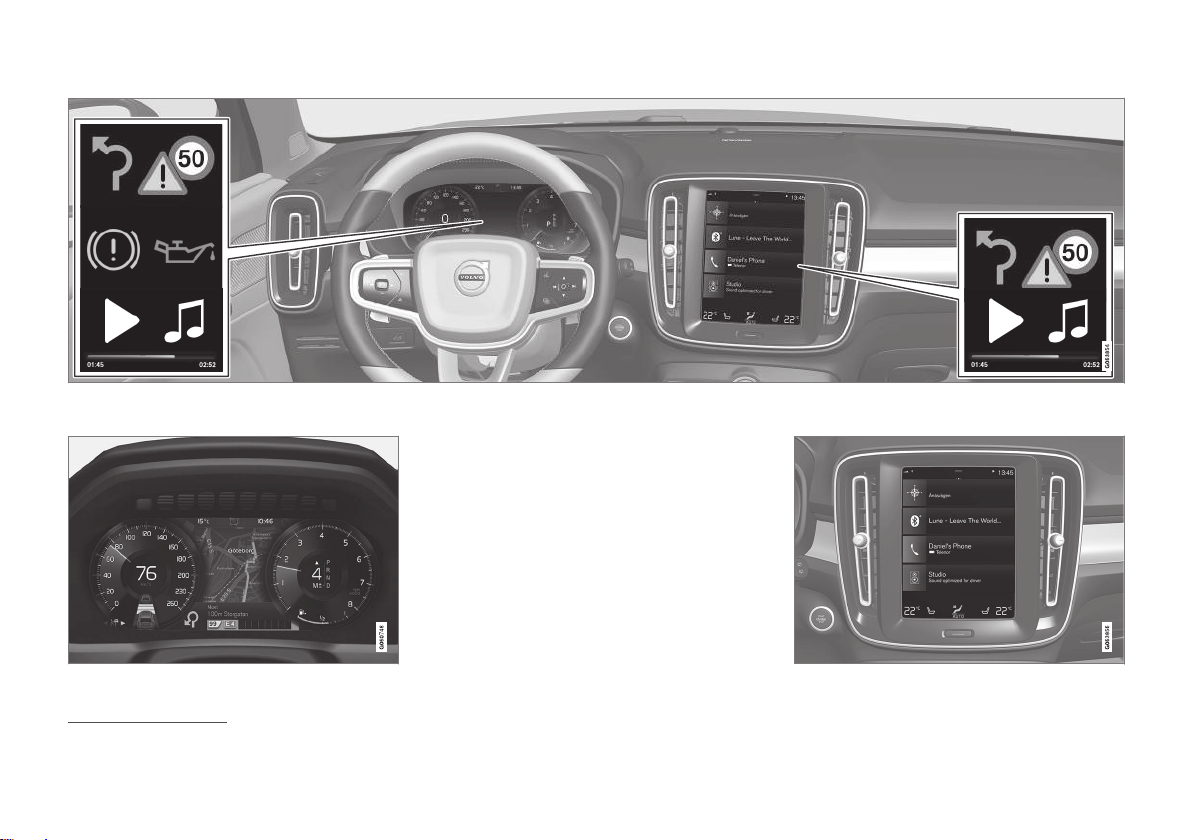
The vehicle's displays present the right information at the right time. Information is presented in different displays depending on how
it should be prioritized by the driver.
Page 33
YOUR VOLVO
}}
31
Different types of information are shown in different displays depending on how the information should be prioritized.
Instrument panel
Instrument panel4.
The instrument panel displays information
such as speed, incoming phone calls or the
track currently playing. It is controlled using
the steering wheel keypads.
Center display
4
The illustration is generic - details may vary according to vehicle model.
Page 34

||
YOUR VOLVO
* Option/accessory.
32
Many of the vehicle's main functions are controlled from the center display, a touchscreen
that reacts to taps and other gestures. This
minimizes the number of physical buttons and
controls needed in the vehicle. The screen can
also be operated while wearing gloves.
The center display is used to control e.g. the
climate and entertainment systems and to
adjust the power seats*. The information presented in the center display can be handled by
the driver or, in some situations, by a passenger.
Voice control system
The voice control system enables the driver to control certain vehicle functions without
taking their hands off the
wheel. The system can
understand natural speech.
Use voice commands to e.g.
play a song, make a phone call, increase the
temperature in the passenger compartment or
have a text message read aloud.
Related information
•
Instrument panel (p. 80)
•
Center display overview (p. 103)
•
Voice Control (p. 135)
•
Internet-connected vehicle* (p. 462)
•
Sharing Internet from the vehicle via Wi-Fi
hotspot (tethering) (p. 466)
Page 35
YOUR VOLVO
}}
33
Software Updates
So that you as a Volvo customer shall have
the best possible experience from your car,
Volvo is continuously developing the systems
in the cars and the services that you are
offered.
You can update the software in your Volvo to
the latest version when your car is serviced at
an authorized Volvo dealer. With the latest
software update, you can take advantage of
available improvements, including those that
came with previous software updates.
For more information about released updates
and answers to frequently asked questions,
please go to support.volvocars.com.
NOTE
Functionality after updating may vary
depending on market, model, model year
and options.
Related information
•
Sensus - connection and entertainment
(p. 30)
•
Handling system updates via Download
Center (p. 535)
Data recording
As part of Volvo's commitment to safety and
quality, certain information is recorded regarding vehicle operation, functionality and incidents.
US market only:
EDR
This vehicle is equipped with an "Event Data
Recorder" (EDR). The main purpose of an EDR
is to record, in certain crash or near crash-like
situations, such as an air bag deployment or
hitting a road obstacle, data that will assist in
understanding how a vehicle's systems
performed. The EDR is designed to record
data related to vehicle dynamics and safety
systems for a short period of time, typically 30
seconds or less. The EDR in this vehicle is
designed to record such data as:
•
How various systems in your vehicle were
operating;
•
Whether or not the driver and passenger
safety belts were buckled/fastened;
•
How far (if at all) the driver was
depressing the accelerator and/or brake
pedal; and,
•
How fast the vehicle was traveling.
These data can help provide a better
understanding of the circumstances in which
crashes and injuries occur. NOTE: EDR data
are recorded by your vehicle only if a non-
trivial crash situation occurs; no data are
recorded by the EDR under normal driving
conditions and no personal data (e.g., name,
gender, age, and crash location) are recorded.
However, other parties, such as law
enforcement, could combine the EDR data
with the type of personally identifying data
routinely acquired during a crash investigation.
To read data recorded by an EDR, special
equipment is required, and access to the
vehicle or the EDR is needed. In addition to
the vehicle manufacturer, other parties, such
as law enforcement, that have the special
equipment, can read the information if they
have access to the vehicle or the EDR.
ASDR
This vehicle is equipped with an Active Safety
Data Recorder (ASDR). This data recorder can
record information related to the usage of the
car, functional errors and active safety
actuations (e.g. auto brake). The information
saved is used by technicians for service and
maintenance to diagnose and repair possible
faults that has occurred in the vehicle and to
fulfil certain legal requirements. The registered
data can also, in congregated form, be used
for research- and product development –
purposes to continuously improve the safety
and quality of Volvo Cars. For more
information contact your local Volvo retailer.
Page 36

||
YOUR VOLVO
34
Canadian market only:
This vehicle is equipped with an “Event Data
Recorder” (EDR). The main purpose of the
EDR is to register and record data in traffic
accidents or accident-like situations, e.g. if an
airbag deploys or if the vehicle hits an obstacle
in the road. This data is recorded in order to
help understand how the vehicle's systems
perform in these types of situations. The EDR
is designed to record data related to vehicle
dynamics and safety systems for a short
period of time, usually 30 seconds or less.
The EDR in this vehicle is designed to record
data in traffic accidents or accident-like situations such as:
•
How the various systems in the vehicle
performed;
•
Whether the driver and passenger seat
belts were tightened/buckled;
•
The driver's use of the accelerator/brake
pedal;
•
How fast the vehicle was moving.
This data can help provide a better understanding of the circumstances in which traffic
accidents and injuries occur. The EDR records
data only if a non-trivial accident situation
occurs. EDR does not record any data during
normal driving conditions. The system also
never registers data on who is driving the vehicle or the geographical location of the acci-
dent or near-accident. However, other parties,
such as law enforcement, could combine the
EDR data with the type of personally identifiable information that is routinely acquired during an accident investigation. Special equipment and access to either the vehicle or the
EDR is required to read this recorded data.
In addition to the EDR, the vehicle is equipped
with a number of computers that continuously
control and monitor the vehicle's performance.
These computers may record data during normal driving conditions, particularly if they
detect a fault relating to the vehicle's operation and functionality or upon activation of the
vehicle's active driver support functions (e.g.
City Safety or the auto-brake function).
Some of this recorded data is required by
technicians performing service and maintenance in order to diagnose and rectify any
faults that may have occurred in the vehicle.
The recorded information is also needed to
enable Volvo to fulfill legal and other regulatory requirements. Information registered in
the vehicle is stored in its computers until the
vehicle is serviced or repaired.
In addition to the above, the recorded information may be used in aggregated form for
research and product development purposes
in order to continuously improve the safety
and quality of Volvo vehicles.
Volvo will not provide this information to any
third parties without the vehicle owner's consent. However, national legislation and regulations may require Volvo to disclose this type of
information to law enforcement or other
authorities that can claim a legal right to the
information. Special technical equipment,
which Volvo and workshops that have entered
agreements with Volvo have access to, is
required to read and interpret the recorded
data. Volvo is responsible for ensuring that
information provided to Volvo in conjunction
with service and maintenance is stored and
handled securely and in compliance with
applicable legal requirements. For more information, please contact a Volvo retailer.
Related information
•
Contacting Volvo (p. 26)
•
Volvo Structural Parts Statement (p. 39)
Page 37

YOUR VOLVO
}}
35
Terms & Conditions for Services
Volvo offers services that help enhance the
vehicle's safety and comfort.
These services comprise everything from
assistance in emergencies to navigation and
various maintenance services.
Before using the services, it is important to
read support information about terms and
conditions for the services at
www.volvocars.com.
Related information
•
Customer Privacy Policy (p. 35)
Customer Privacy Policy
Volvo respects and safeguards the personal
privacy of everyone who visits our websites.
This policy refers to the handling of customer
data and personal information. The purpose is
to give current, past and potential customers a
general understanding of:
•
The circumstances in which we collect
and process your personal data.
•
The types of personal data we collect.
•
Why we collect your personal data.
•
How we process your personal data.
For more information on the policy, search for
support information on www.volvocars.com.
Related information
•
Terms of use and data sharing (p. 469)
•
Terms & Conditions for Services (p. 35)
•
Data recording (p. 33)
Important information on accessories and extra equipment
Incorrectly connected or installed accessories
or extra equipment may have an adverse
effect on the vehicle's electronics.
We strongly recommend that Volvo owners
use only genuine, Volvo-approved accessories,
and that accessory installations be performed
only by a trained and qualified Volvo service
technician. Certain accessories only work
when the associated software is installed in
the vehicle's computer system.
The equipment described in the Owner's Manual is not available in all vehicles. Vehicles may
be equipped differently depending on market
requirements and national or local laws and
regulations.
Optional or accessory equipment may not be
available in all countries or markets. Please
note that some vehicles may be equipped differently, depending on special legal requirements. For more information on which equipment is standard and which is an option or
accessory, please contact your Volvo retailer.
Page 38
||
YOUR VOLVO
36
NOTE
Do not export your Volvo to another country before investigating that country's
applicable safety and exhaust emission
requirements. In some cases it may be difficult or impossible to comply with these
requirements. Modifications to the emission control system(s) may render your
Volvo not certifiable for legal operation in
the U.S., Canada and other countries.
WARNING
CALIFORNIA proposition 65
Engine exhaust, some of its constituents,
and certain vehicle components contain or
emit chemicals known to the state of California to cause cancer, and birth defects or
other reproductive harm. In addition, certain fluids contained in vehicles and certain
products of component wear contain or
emit chemicals known to the State of California to cause cancer, and birth defects or
other reproductive harm.
WARNING
Certain components of this vehicle such as
air bag modules, seat belt tensioners,
adaptive steering columns, and button cell
batteries may contain Perchlorate material.
Special handling may apply for service or
vehicle end of life disposal.
See www.dtsc.ca.gov/hazardouswaste/
perchlorate.
WARNING
The driver is always responsible for operating the vehicle in a safe manner and for
complying with current statutes and regulations.
It is also essential to maintain and service
the vehicle according to Volvo's recommendations as stated in the owner's information and the service and warranty booklet.
If the on-board information differs from the
printed owner's manual, the printed information always takes precedence.
Related information
•
Accessory installation (p. 36)
•
Connecting equipment to the vehicle's
data link connector (p. 37)
•
Using the Owner's Manual (p. 21)
Accessory installation
We strongly recommend that Volvo owners
use only genuine, Volvo-approved accessories, and that accessory installations be performed only by a trained and qualified Volvo
service technician. Certain accessories only
work when the associated software is installed in the vehicle's computer system.
•
Genuine Volvo accessories are tested to
ensure compatibility with the performance, safety, and emission systems in your
vehicle. Additionally, a trained and qualified Volvo service technician knows where
accessories may and may not be safely
installed in your Volvo. In all cases, please
consult a trained and qualified Volvo service technician before installing any accessory in or on your vehicle.
•
Accessories that have not been approved
by Volvo may or may not be specifically
tested for compatibility with your vehicle.
•
Any of your vehicle's performance and
safety systems could be adversely affected if you install accessories that Volvo
has not tested, or if you allow accessories
to be installed by someone unfamiliar with
your vehicle.
•
Damage caused by unapproved or
improperly installed accessories may not
be covered by your new vehicle warranty.
See your Warranty and Service Records
Information booklet for more warranty
Page 39
YOUR VOLVO
}}
37
information. Volvo assumes no responsibility for death, injury, or expenses that
may result from the installation of nongenuine accessories.
Related information
•
Important information on accessories and
extra equipment (p. 35)
Connecting equipment to the vehicle's data link connector
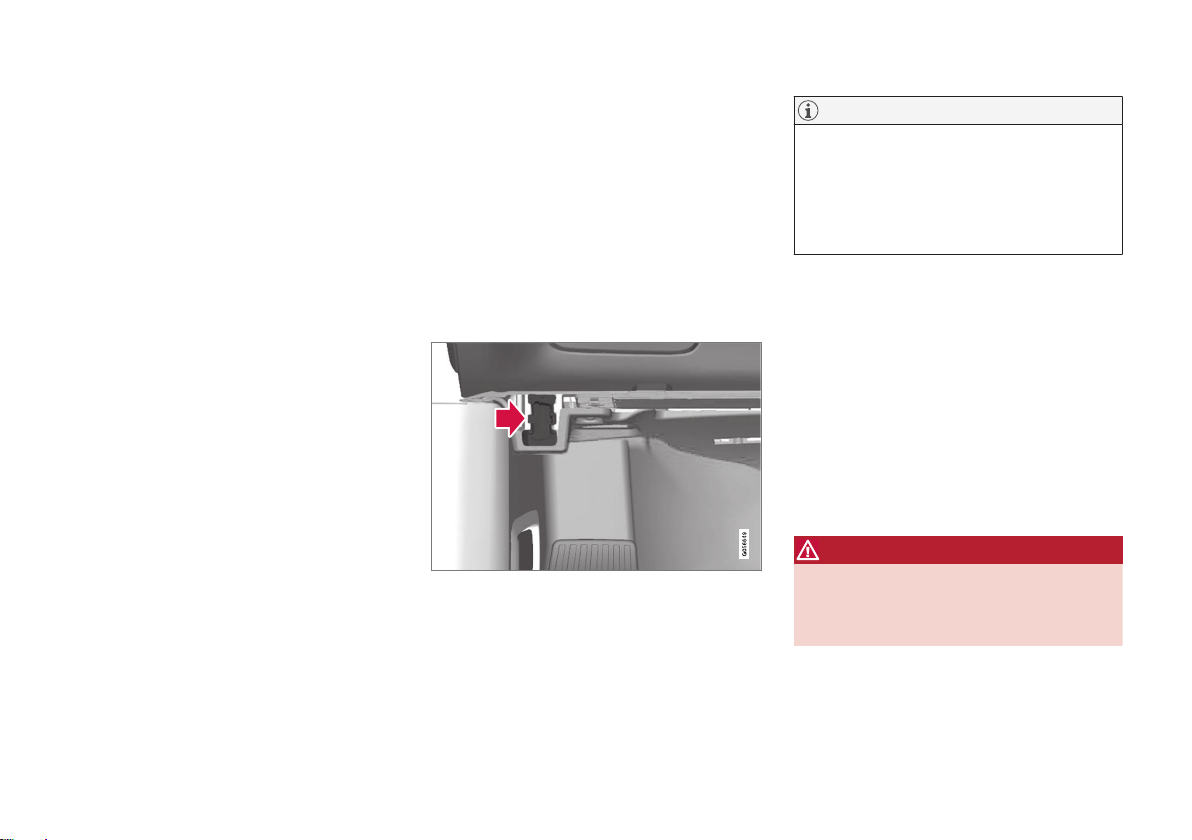
Incorrectly connected or installed software or
diagnostic tools may have an adverse effect
on the vehicle's electronics.
We strongly recommend that Volvo owners
use only genuine, Volvo-approved accessories,
and that accessory installations be performed
only by a trained and qualified Volvo service
technician. Certain accessories only work
when the associated software is installed in
the vehicle's computer system.
On-board Diagnostic (OBDII) socket under the dashboard on the driver's side.
NOTE
Volvo Cars takes no responsibility for the
consequences of connecting non-authorized equipment to the On-board
Diagnostic (OBDII) socket. This socket
should only be used by a trained and qualified Volvo service technician.
Type approval
USA
FCC ID: 2AGKKACUII06
This device complies with part 15 of the FCC
rules. Operation is subject to the following
two conditions:
(1) This device may not cause harmful interference, and
(2) this device must accept any interference
received, including interference that may
cause undesired operation.
WARNING
Changes or modifications not expressly
approved by the party responsible for compliance could void the user's authority to
operate the equipment.
Page 40
||
YOUR VOLVO
38
Canada
IC: 20839ACUII06
This device complies with Industry Canada
license-exempt RSS standards. Operation is
subject to the following two conditions:
(1) This device may not cause interference, and
(2) this device must accept any interference
received, including interference that may
cause undesired operation.
Related information
•
Important information on accessories and
extra equipment (p. 35)
Technician certification
In addition to Volvo factory training, Volvo
supports certification by the National Institute for Automotive Service Excellence
(A.S.E.).
Certified technicians have demonstrated a
high degree of competence in specific areas.
Besides passing exams, each technician must
also have worked in the field for two or more
years before a certificate is issued. These professional technicians are best able to analyze
vehicle problems and perform the necessary
maintenance procedures to keep your Volvo at
peak operating condition.
Viewing the Vehicle Identification Number (VIN)
When contacting a Volvo retailer, about e.g.
your Volvo On Call subscription, your Vehicle
Identification Number (VIN5) may be needed.
1.
Tap
Settings in the Top view in the center
display.
2. Proceed to
System System
Information
Vehicle Identification
Number
.
> The vehicle identification number will
be displayed.
The VIN can also be found on the first page of
the Warranty and Service Records Information
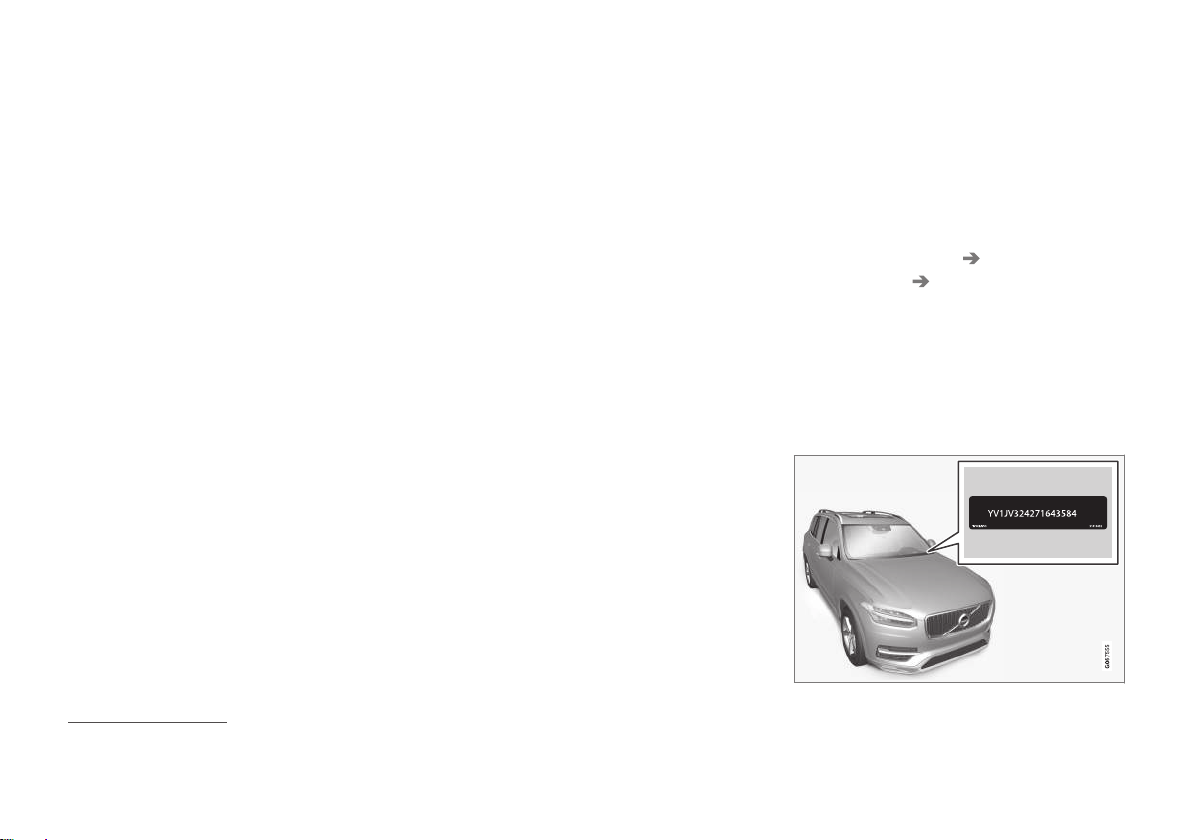
booklet, on your registration card, or by looking at the dashboard through the windshield.
The VIN has a similar location on all models.
5
Vehicle Identification Number
Page 41

YOUR VOLVO
}}
39
Volvo Structural Parts Statement
Volvo is one of the leading companies for car
safety.
Volvo engineers and manufactures vehicles
designed to help protect vehicle occupants in
the event of a collision.
Volvos are designed to absorb the impact of a
collision. This energy absorption system
including, but not limited to, structural components such as bumper reinforcement bars,
bumper energy absorbers, frames, rails, fender
aprons, A-pillars, B-pillars and body panels
must work together to maintain cabin integrity
and protect the vehicle occupants.
The supplemental restraint system including
but not limited to air bags, side curtain air
bags, and deployment sensors work together
with the above components to provide proper
timing for air bag deployment.
Due to the above, Volvo Car USA does not
support the use of aftermarket, alternative or
anything other than original Volvo parts for
collision repair.
Volvo Car USA also recommends using Volvoapproved replacement glass. The use of aftermarket glass, particularly a windshield, can
have an adverse effect on collision avoidance
and advanced lighting systems.
In addition Volvo does not support the use or
re-use of structural components from an existing vehicle that has been previously damaged.
Although these parts may appear equivalent, it
is difficult to tell if the parts have been previously replaced with non-OE parts or if the part
has been damaged as a result of a prior collision. The quality of these used parts may also
have been affected due to environmental
exposure.
Related information
•
Data recording (p. 33)
Driver distraction
A driver has a responsibility to do everything
possible to ensure his or her own safety and
the safety of passengers in the vehicle and
others sharing the roadway. Part of this
responsibility is avoiding distractions, including performing activities that are not directly
related to controlling the vehicle in the driving
environment.
Your new Volvo is, or can be, equipped with
feature-rich entertainment and communication systems. These include hands-free cellular
telephones, navigation systems, and multipurpose audio systems. You may also own other
portable electronic devices for your own convenience. When used properly and safely, they
enrich the driving experience. Improperly used,
any of these could cause a distraction.
For all of these systems, we want to provide
the following warning that reflects the strong
Volvo concern for your safety. Never use these
devices or any feature of your vehicle in a way
that distracts you from the task of driving
safely. Distraction can lead to a serious accident. In addition to this general warning, we
offer the following guidance regarding specific
new features that may be found in your vehicle:
Page 42

||
YOUR VOLVO
40
WARNING
•
Never use a hand-held cellular telephone while driving. Some jurisdictions
prohibit cellular telephone use by a
driver while the vehicle is moving.
•
If your vehicle is equipped with a navigation system, set and make changes
to your travel itinerary only with the
vehicle parked.
•
Never program your audio system
while the vehicle is moving. Program
radio presets with the vehicle parked,
and use your programmed presets to
make radio use quicker and simpler.
•
Never use portable computers or personal digital assistants while the vehicle is moving.
Related information
•
Audio, media and Internet (p. 416)
Page 43

SAFETY
Page 44
SAFETY
42
Safety
The vehicle is equipped with a number of
safety systems that work together to help
protect the vehicle's driver and passengers in
the event of an accident.
The vehicle is equipped with a number of sensors that may react in the event of an accident
and activate different safety systems, such as
the airbag system and seat belt tensioners.
Depending on the specific conditions of the
accident, e.g. collisions at certain angles, overturning or swerving, the systems react differently to help provide good protection.
There are also mechanical safety systems
such as the Whiplash Protection System. The
vehicle is also built so that a large part of the
force of a collision is distributed to the vehicle's members, pillars, floor, roof and other
parts of the body.
After an accident, the vehicle's safety mode
may be activated if any important function in
the vehicle has been damaged.
Warning symbol in the instrument panel
The warning symbol in the instrument panel illuminates when the
vehicle's electrical system is in igni-
tion mode II. The symbol will go out
after approx. 6 seconds if no faults are
detected in the vehicle's safety systems.
WARNING
If the warning symbol remains illuminated
or switches on while driving and the message
SRS airbag Service urgent Drive to
workshop is displayed in the instrument
panel, this indicates that something in the
safety system is not functioning properly.
Volvo recommends contacting an authorized Volvo workshop for repairs as soon as
possible.
WARNING
Never attempt to alter or repair any of the
vehicle's safety systems yourself. Incorrectly performed repairs to any system
could impair function and lead to serious
injury. Volvo recommends contacting an
authorized Volvo workshop.
If this dedicated warning symbol is
not functioning, the general warning
symbol will illuminate instead and
the same message will be displayed
in the instrument panel.
Related information
•
Safety during pregnancy (p. 43)
•
Occupant safety (p. 43)
•
Reporting safety defects (p. 44)
•
Recall information (p. 45)
•
Seat belts (p. 47)
•
Airbags (p. 52)
•
Whiplash Protection System (p. 46)
•
Safety mode (p. 62)
•
Child safety (p. 63)
Page 45
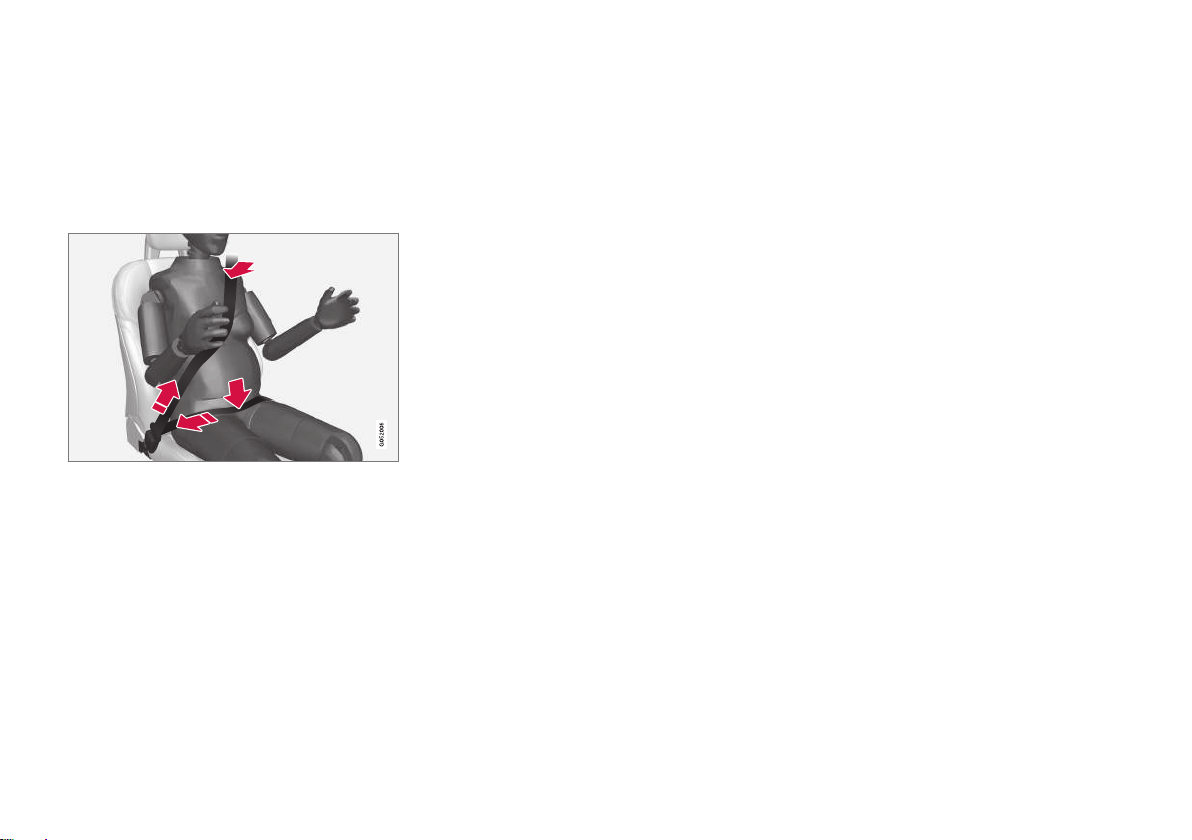
SAFETY
}}
* Option/accessory.
43
Safety during pregnancy
It is important that seat belts are worn correctly during pregnancy and that pregnant
drivers adjust their seating position accordingly.
Seat belt
The seat belt should fit closely against the
shoulder, with the diagonal section between
the breasts and to the side of the stomach.
The lap section of the seat belt should lie flat
over the thighs and as far as possible under
the stomach. Never let it ride upward. Remove
unnecessary slack and make sure the seat belt
fits as close as possible to the body. Make
sure there are no twists in the seat belt.
Seating position
As pregnancy progresses, pregnant drivers
should adjust the seat and steering wheel to a
position that allows them to retain full control
of the vehicle (which means they should be
able to easily reach the steering wheel and
foot pedals). Try to maintain as much distance
as possible between the stomach and the
steering wheel.
Related information
•
Safety (p. 42)
•
Seat belts (p. 47)
•
Manual front seats (p. 174)
•
Power* front seats (p. 175)
Occupant safety
Safety is Volvo's cornerstone.
Volvo's concern for safety
Our concern for safety dates back to 1927
when the first Volvo rolled off the production
line. Three-point seat belts (a Volvo invention),
safety cages, and energy-absorbing impact
zones were designed into Volvo vehicles long
before it was fashionable or required by government regulation.
We will not compromise our commitment to
safety. We continue to seek out new safety
features and to refine those already in our
vehicles. You can help. We would appreciate
hearing your suggestions about improving
automobile safety. We also want to know if
you ever have a safety concern with your vehicle. Call us in the U.S. at: 18004581552 or
in Canada at: 18006638255.
Page 46

||
SAFETY
44
Occupant safety reminders
How safely you drive doesn't depend on how
old you are but rather on:
•
How well you see.
•
Your ability to concentrate.
•
How quickly you make decisions under
stress to avoid an accident.
The following suggestions are intended to
help you cope with the ever changing traffic
environment.
•
Never drink and drive.
•
If you are taking any medication, consult
your physician about its potential effects
on your driving abilities.
•
Take a driver-retraining course.
•
Have your eyes checked regularly.
•
Keep your windshield and headlights
clean.
•
Replace wiper blades when they start to
leave streaks.
•
Take into account the traffic, road, and
weather conditions, particularly with
regard to stopping distance.
•
Never text while driving.
•
Refrain from using or minimize the use of
a cell phone while driving.
Related information
•
Safety (p. 42)
•
Reporting safety defects (p. 44)
•
Recall information (p. 45)
Reporting safety defects
The following information will help you report
any perceived safety-related defects in your
vehicle.
Reporting safety defects in the U.S.
If you believe that your vehicle has a
defect which could cause a crash or
could cause injury or death, you
should immediately inform the
National Highway Traffic Safety
Administration (NHTSA) in addition
to notifying Volvo Car USA, LLC. If
NHTSA receives similar complaints,
it may open an investigation, and if it
finds that a safety defect exists in a
group of vehicles, it may order a
recall and remedy campaign. However, NHTSA cannot become
involved in individual problems
between you, your retailer, or Volvo
Car USA, LLC. To contact NHTSA,
you may either call the Auto Safety
Hotline tollfree at
18883274236
Page 47

SAFETY
}}
45
(TTY: 18004249153) or write to:
NHTSA, U.S. Department of Transportation, Washington D.C. 20590.
You can also obtain other information about motor vehicle safety from
http://www.safercar.gov, where you
can also enter your vehicle's VIN
(Vehicle Identification Number) to
see if it has any open recalls.
Volvo strongly recommends that if
your vehicle is covered under a service campaign, safety or emission
recall or similar action, it should be
completed as soon as possible.
Please check with your local retailer
or Volvo Car USA, LLC if your vehicle
is covered under these conditions.
NHTSA can be reached at:
Internet:
http://www.nhtsa.gov
Telephone:
1888DASH2DOT
(18883274236).
Reporting safety defects in Canada
If you believe your vehicle has a defect that
could cause a crash or could cause injury or
death, you should immediately inform Transport Canada in addition to notifying Volvo Car
Canada Ltd.
Transport Canada can be contacted at:
18003330510
Teletypewriter (TTY): 613 9904500
Fax: 18199943372
Mailing Address: Transport Canada - Road
Safety, 80 rue Noël, Gatineau, (Quebec) J8Z
0A1
Related information
•
Safety (p. 42)
•
Occupant safety (p. 43)
•
Recall information (p. 45)
•
Viewing the Vehicle Identification Number
(VIN) (p. 38)
Recall information
On our website, click the "Owner" tab in the
upper left-hand side of the screen and then
click on the heading "Recall Information".
Enter the vehicle identification number (VIN),
which can be found at the bottom of the windshield. If your vehicle has any open Recalls,
they will be displayed on this page.
You can also enter the Vehicle Identification
Number in the search field on the National
Highway Traffic Safety Administration's
(NHTSA) website at: www.nhtsa.gov.
Volvo customers in Canada
For any questions regarding open recalls for
your vehicle, please contact your authorized
Volvo retailer. If your retailer is unable to
answer your questions, please contact Volvo
Customer Relations at 8006638255, Monday through Friday, 8:30 A.M. to 5:00 P.M.
EST or volvocars.com/ca. You may also write
us at:
Volvo Car Canada Ltd.
Customer Care Centre
9130 Leslie Street, Suite 101
Richmond Hill, Ontario L4B 0B9
www.tc.gc.ca
Page 48
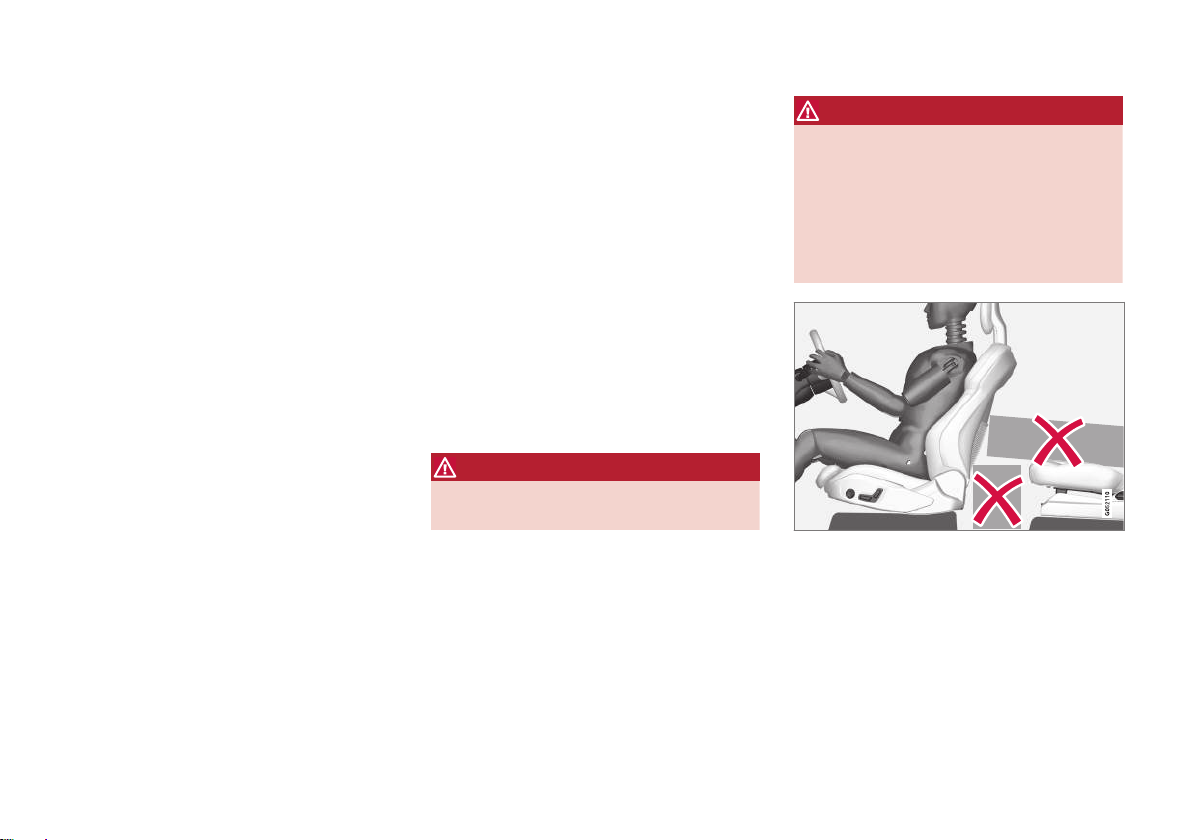
||
SAFETY
46
Related information
•
Safety (p. 42)
•
Reporting safety defects (p. 44)
•
Occupant safety (p. 43)
Whiplash Protection System
The Whiplash Protection System (WHIPS) is
designed to help reduce the risk of whiplashtype injuries. The system consists of energy
absorbing backrests and seat cushions as
well as specially designed head restraints in
the front seats.
WHIPS is activated in the event of a rear-end
collision and adapted to the angle and speed
of the collision and to the characteristics of
the colliding vehicle.
When WHIPS is activated, the front seat
backrests move rearward and the seat cushions move downward to change the seating
positions of the driver and front seat passenger. This movement helps absorb some of the
forces that could result in whiplash.
WARNING
WHIPS is a supplement to the seat belt.
Always wear your seat belt.
WARNING
Do not attempt to alter or repair the seat or
WHIPS on your own. Volvo recommends
contacting an authorized Volvo workshop.
If the front seats have been subjected to
severe stress, e.g. in a collision, the seats
must be replaced. Even if the seats appear
undamaged, some of their protective properties may have been lost.
Do not place any objects on the floor behind or under
the front seats or on the rear seat that could prevent
WHIPS from functioning correctly.
Page 49

SAFETY
}}
* Option/accessory.
47
WARNING
Do not squeeze box-like cargo between the
rear seat cushion and the front seat backrest.
If the rear seat backrests are folded down,
cargo must be secured to prevent it from
sliding forward against the front seat backrests in the event of a collision.
WARNING
If a rear seat backrest is folded down or if a
rear-facing child restraint is being used in
the rear seat, the seat in front must be
moved forward so that it does not come
into contact with the backrest or child
restraint.
Seating position
For WHIPS to provide good protection, the
driver and passenger must be seated correctly
and the system's function must not be impeded in any way.
Set the front seat to the correct seating position before starting to drive.
The driver and the front seat passenger should
sit in the center of the seat with their heads as
close as possible to the head restraints.
Related information
•
Safety (p. 42)
•
Manual front seats (p. 174)
•
Power* front seats (p. 175)
•
Rear Collision Warning* (p. 302)
Seat belts
Seat belts should always be worn by all occupants in your vehicle. Children should be
properly restrained using an infant seat,
adjustable child seat or booster cushion as
determined by age, weight and height.
Most states and provinces make it mandatory
for occupants of a vehicle to use seat belts.
Seat belt maintenance
Check periodically that the seat belts are in
good condition. Use water and a mild detergent for cleaning. Check the seat belt mechanism's function as follows: attach the seat belt
and pull rapidly on the strap.
Page 50
||
SAFETY
48
WARNING
•
Never repair the belt yourself. Repairs
should only be performed by a trained
and qualified Volvo service technician.
•
Any device used to induce slack into
the shoulder belt portion of the threepoint belt system will have a detrimental effect on the amount of protection
available in the event of a collision.
•
The seat back should not be tilted too
far back. The shoulder belt must be
taut in order to function properly.
•
Do not use any type of child restraint in
the front passenger seat. We recommend that children who have outgrown
these devices sit in the rear seat with
the seat belt properly fastened.
Related information
•
Safety (p. 42)
•
Seat belt tensioners (p. 50)
•
Buckling and unbuckling seat belts
(p. 48)
•
Door and seat belt reminders (p. 51)
Buckling and unbuckling seat belts
Make sure that all passengers have buckled
their seat belts before starting to drive.
Buckling seat belts
1. Pull out the belt slowly and make sure it is
not twisted or damaged.
NOTE
The seat belt is equipped with a seat belt
retractor that will lock up in the following
situations:
•
if the belt is pulled out too quickly.
•
during braking and acceleration.
•
if the vehicle is leaning excessively.
•
when driving in turns.
•
if the automatic locking retractor/emergency locking retractor (ALRELR) is
activated. Each seat belt (except for the
driver's) is equipped with an ALR function, which is designed to keep the seat
belt taut when installing a child
restraint. ALR is activated when the seat
belt is pulled out as far as possible. If
this is done, a sound from the seat belt
retractor will be audible, which is normal. The seat belt can now only be fed
into the retractor, not pulled out. This
function is automatically disabled when
the seat belt is unbuckled and fully
retracted.
Page 51
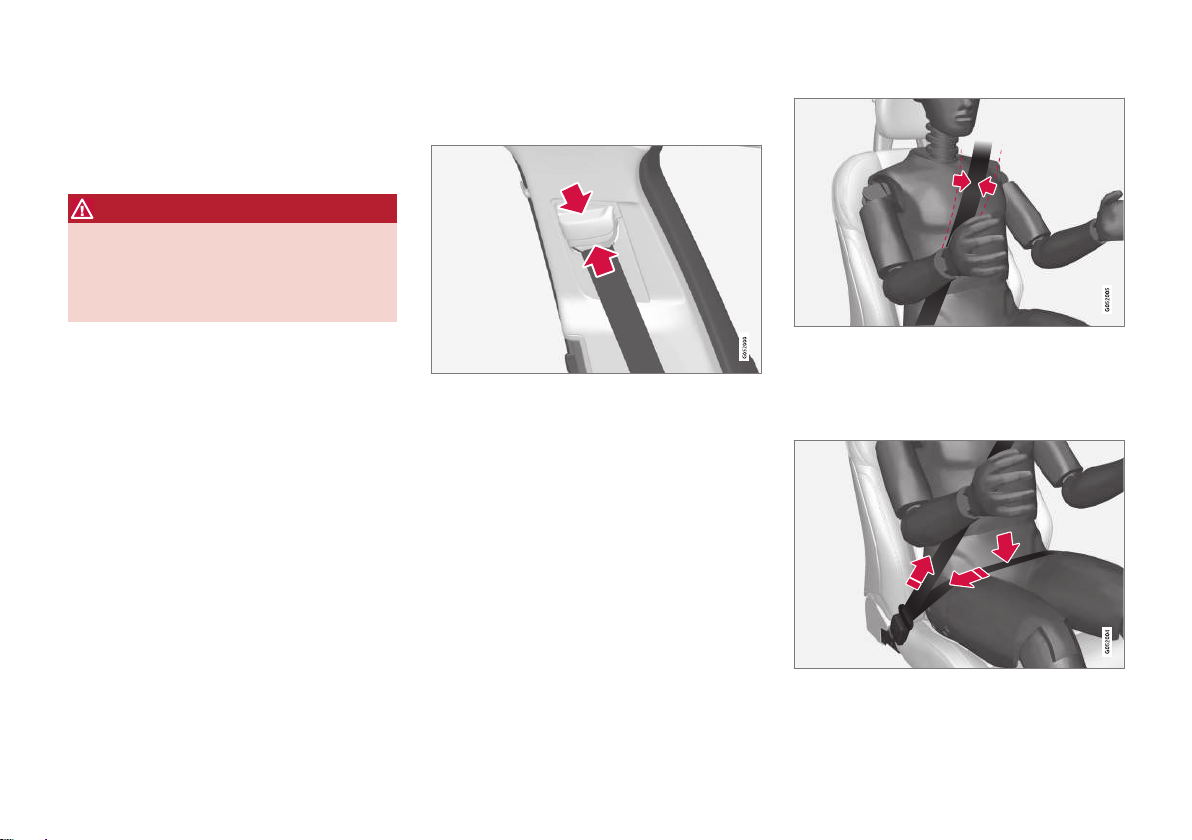
SAFETY
}}
49
2. Buckle the seat belt by pushing the latch
plate into the receptacle.
> A distinct "click" indicates that the belt
is locked into place.
WARNING
Always insert the seat belt latch plate into
the belt buckle on the correct side. Failure
to do so could cause the seat belts and belt
buckles to malfunction in a collision. There
is a risk of serious injury.
3. The height of the seat belts in the front
seats can be adjusted.
Press the button on the seat belt holder
and move the belt up or down.
Position the belt as high as possible without it chafing against the neck.
The belt should be positioned closely over the shoulder (against the collarbone, not down over the arm).
4. Tighten the lap section of the seat belt
over the hips by pulling the diagonal section upward toward the shoulder.
The lap section of the seat belt should be positioned
low on the hips (not against the abdomen).
Page 52

||
SAFETY
* Option/accessory.
50
WARNING
Never use a seat belt for more than one
occupant. Never wear the shoulder portion
of the belt under the arm, behind the back
or otherwise out of position. Such use
could cause injury in the event of an accident. As seat belts lose much of their
strength when exposed to violent stretching, they should be replaced after any collision, even if they appear to be undamaged.
WARNING
Do not use clips or fasten the belts around
hooks or other parts of the interior. This will
prevent the seat belt from fitting properly.
WARNING
Never damage the seat belts and never
insert any foreign objects into the belt
buckle. This may cause the seat belts and
belt buckles to malfunction in a collision.
There is a risk of serious injury.
Unbuckling seat belts
1. Press the red button on the seat belt
receptacle and make sure the seat belt
retracts fully into the retractor slot.
2. If it does not fully retract, guide the belt
manually into the slot and make sure it
does not hang loose.
Related information
•
Seat belts (p. 47)
•
Seat belt tensioners (p. 50)
•
Door and seat belt reminders (p. 51)
Seat belt tensioners
The vehicle is equipped with standard and
electric* seat belt tensioners that can help
tension the seat belt in a critical situation or
collision.
Standard seat belt tensioners
The seat belts on the front seats and rear outboard seats are equipped with standard seat
belt tensioners.
In a collision of sufficiently violent force, the
seat belt tensioners will tension the seat belts
in order to more effectively restrain the occupants.
Electric seat belt tensioners*
The driver's and front passenger's seat belts
are equipped with electric seat belt tensioners.
The seat belt tensioners interact and can be
activated in conjunction with the City Safety
and Rear Collision Warning driver support systems. In critical situations, such as if the vehicle brakes suddenly, begins to skid or runs off
the road (e.g if the vehicle rolls into a ditch,
lifts off the ground or hits an obstacle in the
road), or if there is a risk of collision, the seat
belts can be pulled taut by the seat belt tensioner's electric motor.
The electric seat belt tensioner helps to position the occupant more effectively in the seat,
which reduces the risk of the occupant striking the interior of the passenger compartment
Page 53
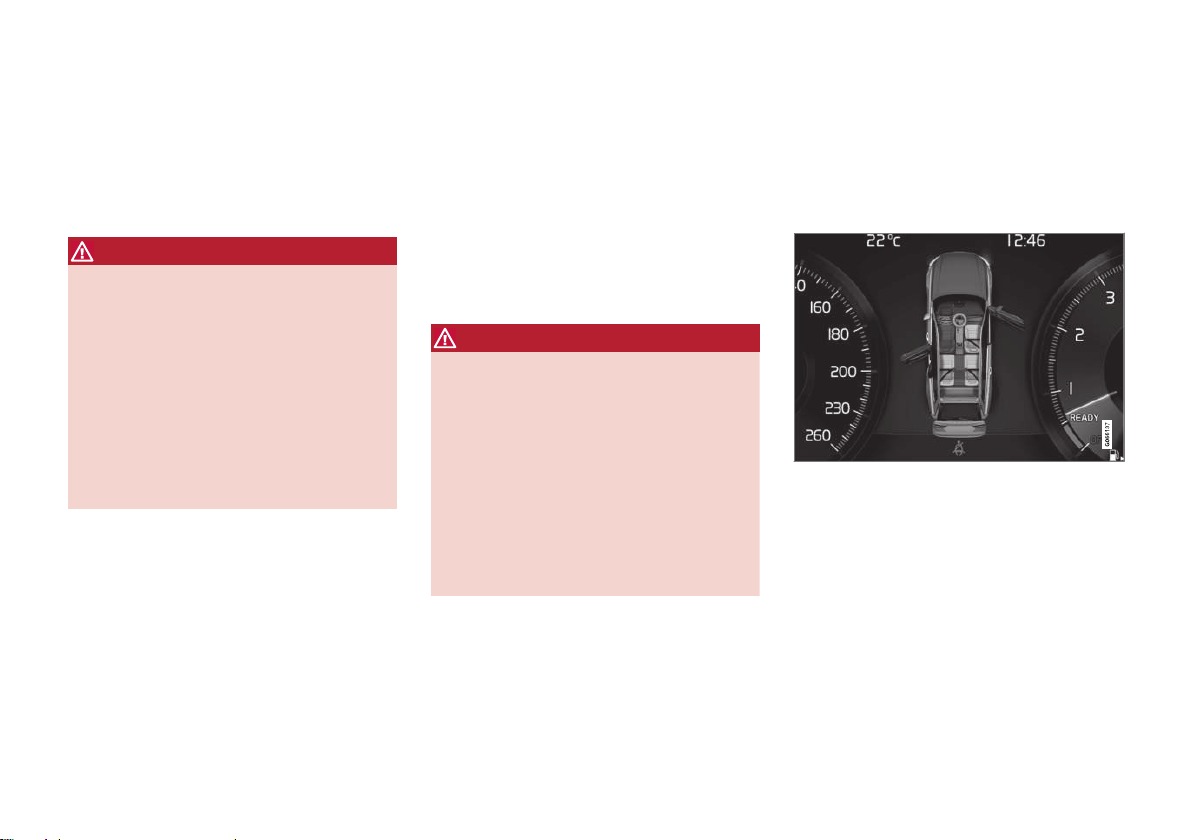
SAFETY
}}
* Option/accessory.
51
and improves the effect of other safety systems such as the airbags.
When a critical situation has passed, the seat
belt and the electric seat belt tensioner are
reset automatically. However, they can also be
reset manually.
WARNING
Never attempt to alter or repair the seat
belt on your own. Volvo recommends contacting an authorized Volvo workshop.
If the seat belt has been exposed to
extreme forces, e.g. in conjunction with a
collision, the entire seat belt must be
replaced. Even if the seat belt appears
undamaged, some of its protective properties may have been lost. Also replace the
seat belt if it is worn or damaged. The new
seat belt must be type approved and
intended for the same seating position as
the replaced seat belt.
Related information
•
Seat belts (p. 47)
•
Buckling and unbuckling seat belts (p. 48)
•
Resetting the electric seat belt tensioners*
(p. 51)
•
City Safety™ (p. 289)
•
Rear Collision Warning* (p. 302)
Resetting the electric seat belt tensioners*
The electric seat belt tensioners are designed
to be reset automatically, but if the seat belt
remains taut it can be reset manually.
1. Stop the vehicle in a safe location.
2. Unbuckle the seat belt and then rebuckle
it.
> The seat belt and the electric seat belt
tensioner will be reset.
WARNING
Never attempt to alter or repair the seat
belt on your own. Volvo recommends contacting an authorized Volvo workshop.
If the seat belt has been exposed to
extreme forces, e.g. in conjunction with a
collision, the entire seat belt must be
replaced. Even if the seat belt appears
undamaged, some of its protective properties may have been lost. Also replace the
seat belt if it is worn or damaged. The new
seat belt must be type approved and
intended for the same seating position as
the replaced seat belt.
Related information
•
Seat belt tensioners (p. 50)
•
Seat belts (p. 47)
Door and seat belt reminders
This system is intended to remind occupants
to buckle their seat belts and to alert the
driver if a door, hood or other opening (trunk,
sunroof, etc.) is open.
Graphics in the instrument panel
Graphics in the instrument panel with various types
of warnings. The warning colors for the doors/tailgate vary depending on the vehicle's speed.
The instrument panel graphic shows the seats
where seat belts are buckled and not buckled.
The same graphic also indicates if the hood,
tailgate or any door is open.
Confirm the graphic by briefly pressing the O
button on the right-side steering wheel keypad.
Page 54
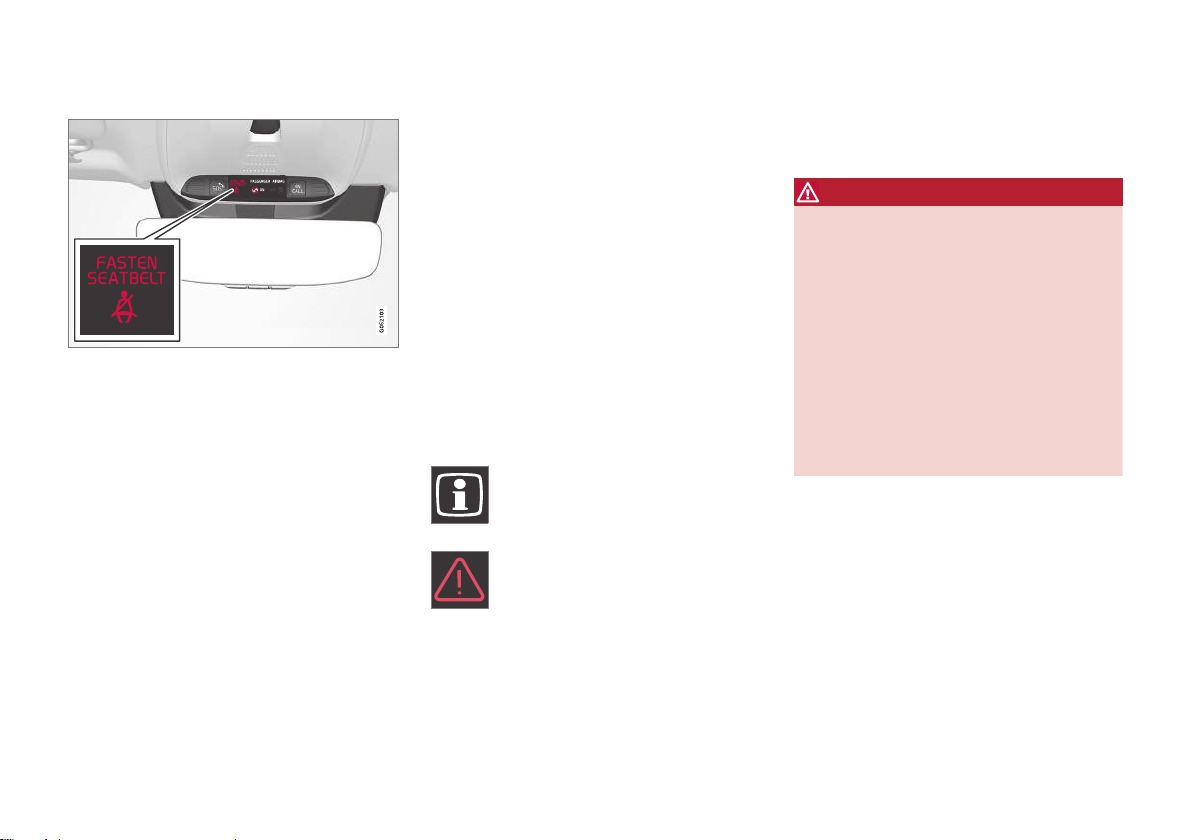
||
SAFETY
52
Seat belt reminder
Reminder light in ceiling console.
A seat belt reminder light illuminates in the
ceiling console and a warning symbol is displayed in the instrument panel.
The audible reminder varies depending on the
vehicle's speed, driving time and distance
driven.
A seat belt status graphic in the instrument
panel indicates when the driver's or a passenger's seat belt is buckled or unbuckled.
Child seats are not included in the seat belt
reminder system.
Front seats
An audible signal and an indicator light remind
unbuckled occupants to fasten their seat
belts.
Rear seat
The rear seat belt reminder has two functions:
•
To indicate which seat belts are buckled in
the rear seats. This will also be displayed
in an instrument panel graphic.
•
To provide audio and visual reminders if
any seat belt in the rear seat is removed
while the vehicle is in motion. The
reminder will stop when the seat belt has
been rebuckled.
Door/hood/tailgate and fuel filler door reminder
If the hood, tailgate, fuel filler door or any door
is not properly closed, this will be indicated by
a graphic in the instrument panel. Stop the
vehicle safely and close the open door, hood,
etc.
If the vehicle is moving at a speed
under approx. 10 km/h (6 mph), the
information symbol will illuminate in
the instrument panel.
If the vehicle is moving at a speed
above approx. 10 km/h (6 mph), the
warning symbol will illuminate in the
instrument panel.
Related information
•
Seat belts (p. 47)
•
Buckling and unbuckling seat belts (p. 48)
Airbags
The vehicle is equipped with airbags and
inflatable curtains for the driver and passengers.
WARNING
•
If the airbag warning light stays on
after the engine has started or if it illuminates while you are driving, have the
vehicle inspected by a trained and
qualified Volvo service technician as
soon as possible.
•
Never attempt to alter or repair any of
the vehicle's safety systems yourself.
Incorrectly performed repairs to any
system could impair function and lead
to serious injury. All work on these systems should be performed by a trained
and qualified Volvo service technician.
Page 55
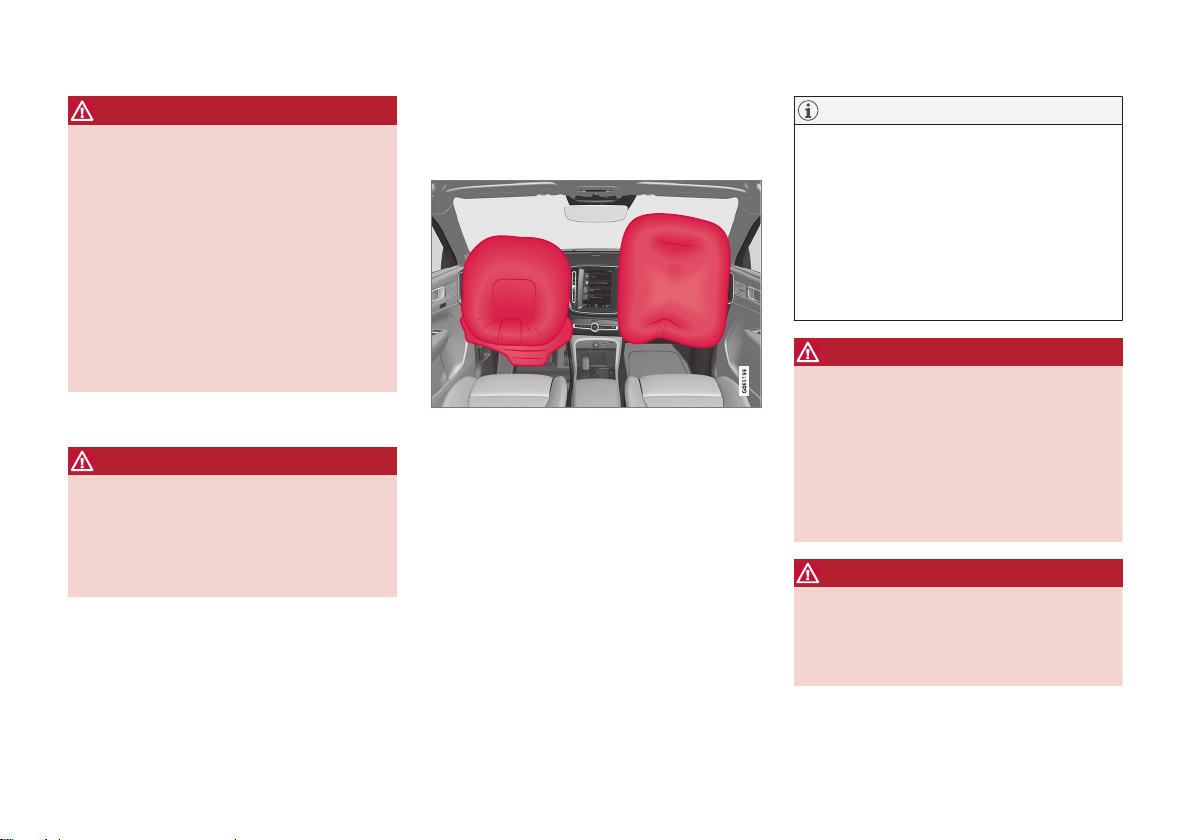
SAFETY
}}
53
WARNING
If your vehicle has become water-damaged
in any way (e.g., soaked floor mats/standing water on the floor of the vehicle), do
not attempt to start the engine. This may
cause airbag deployment, which could
result in serious injury. Volvo recommends
towing the vehicle directly to an authorized
Volvo workshop.
Before attempting to tow the vehicle:
1. Switch off the ignition for at least 10
minutes and disconnect the battery.
2. Follow the instructions for manually
overriding the shiftlock system.
Deployed airbags
WARNING
If any of the airbags have deployed:
•
Do not attempt to drive the vehicle.
Have it towed to an authorized workshop.
•
If necessary, seek medical attention.
Related information
•
Safety (p. 42)
•
Driver/passenger-side airbags (p. 53)
•
Side airbags (p. 60)
•
Inflatable curtain (p. 61)
Driver/passenger-side airbags
As a supplement to the seat belts, the vehicle
is equipped with driver and passenger side
front airbags.
Driver/passenger side front airbags.
In a frontal collision, the airbags help protect
the driver's and passenger's head, neck, face
and chest and the driver's knees and legs.
A collision of a sufficiently violent force will
trigger the sensors and one or more airbags
will inflate. The airbag helps cushion the initial
impact of the collision for the passenger. The
airbag deflates when compressed by the collision. A small amount of powder will also be
released from the airbag. This may appear to
be smoke and is normal. The entire process,
from inflation to deflation of the airbag, occurs
within tenths of a second.
NOTE
The sensors react differently depending on
the circumstances of the accident and
whether or not the seat belt is used. This
applies to all belt positions.
There may therefore be accident situations
in which only one (or none) of the airbags
are deployed. The sensors monitor the
impact of the collision and react accordingly to deploy one, several or no airbags.
WARNING
The seat belt and the airbag work together.
If the seat belt is not used or is used incorrectly, the airbag may not provide the
intended protection in a collision.
To help prevent injury in the event the airbag is deployed, passengers should sit as
upright as possible, with their feet on the
floor and their backs against the seat backrest.
WARNING
Volvo recommends contacting an authorized Volvo workshop for repairs. Incorrectly
performed repairs to the airbag system
could impair function and lead to serious
injury.
Page 56

||
SAFETY
54
The front airbag system
The front airbag system includes gas generators surrounded by the airbags, and deceleration sensors that activate the gas generators,
causing the airbags to be inflated with nitrogen gas.
As the movement of the seats' occupants
compresses the airbags, some of the gas is
expelled at a controlled rate to provide better
cushioning. The belt tensioners minimize slack
in the seat belts and are activated for occupants wearing their seat belts. The entire process, from inflation to deflation of the airbag,
occurs within tenths of a second.
The location of the front airbags is indicated
by SRS AIRBAG embossed on the steering
wheel pad and above the glove compartment,
and by decals on both sun visors and on the
front and far right side of the dash.
The driver's side front airbag is folded and
located in the steering wheel hub.
The knee airbag is folded on the underside of
the dashboard on the driver's side. The text
AIRBAG is embossed on the panel.
The passenger's side front airbag is folded
behind a panel located above the glove compartment.
WARNING
•
The airbags in the vehicle are designed
to be a SUPPLEMENT to-not a
replacement for-the three-point seat
belts. For maximum protection, wear
seat belts at all times. Be aware that no
system can prevent all possible injuries
that may occur in an accident.
•
Never drive with your hands on the
steering wheel pad/airbag housing.
•
The front airbags are designed to help
prevent serious injury. Deployment
occurs very quickly and with considerable force. During normal deployment
and depending on variables such as
seating position, one may experience
abrasions, bruises, swellings, or other
injuries as a result of deployment of
one or both of the airbags.
•
When installing any accessory equipment, make sure that the front airbag
system is not damaged. Any interference in the system could cause malfunction.
Front airbag deployment
•
The front airbags are designed to deploy
during certain frontal or front-angular collisions, impacts, or decelerations, depending on the crash severity, angle, speed and
object impacted. The airbags may also
deploy in certain non-frontal collisions
where rapid deceleration occurs.
•
The airbag system's sensors, which trigger
the front airbags, are designed to determine if the collision is powerful enough to
activate the belt tensioners and/or the airbags.
However, not all frontal collisions activate the
front airbags.
•
If the collision involves a nonrigid object
(e.g., a snow drift or bush), or a rigid, fixed
object at a low speed, the front airbags
will not necessarily deploy.
•
Front airbags do not normally deploy in a
side impact collision, in a collision from
the rear or in a rollover situation.
•
The amount of damage to the bodywork
does not reliably indicate if the airbags
should have deployed or not.
Page 57
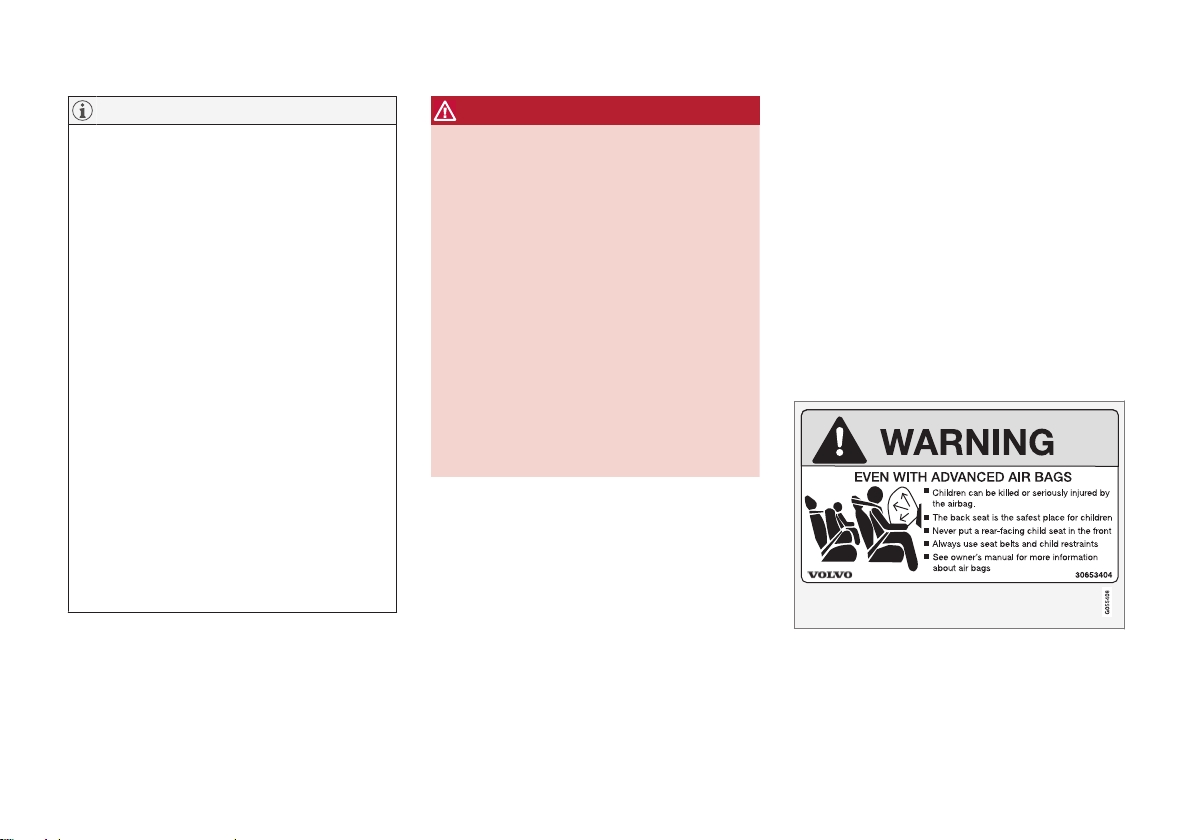
SAFETY
}}
55
NOTE
•
Deployment of front airbags occurs
only one time during an accident. In a
collision where deployment occurs, the
airbags and seat belt tensioners activate. Some noise occurs and a small
amount of powder is released. The
release of the powder may appear as
smoke-like matter. This is a normal
characteristic and does not indicate
fire.
•
Volvo's front airbags use special sensors that are integrated with the front
seat buckles. The point at which the
airbag deploys is determined by
whether or not the seat belt is being
used, as well as the severity of the collision.
•
Collisions can occur where only one of
the airbags deploys. If the impact is
less severe, but severe enough to present a clear injury risk, the airbags are
triggered at partial capacity. If the
impact is more severe, the airbags are
triggered at full capacity.
WARNING
•
Do not use child safety seats or child
booster cushions/backrests in the front
passenger's seat. We also recommend
that occupants under 140 cm (4 feet
7 inches) in height who have outgrown
these devices sit in the rear seat with
the seat belt fastened. See also the
Occupant Classification System information.
•
Never drive with the airbags deployed.
The fact that they hang out can impair
the steering of your vehicle. Other
safety systems can also be damaged.
•
The smoke and dust formed when the
airbags are deployed can cause skin
and eye irritation in the event of prolonged exposure.
Should you have questions about any component in the SRS system, please contact a
trained and qualified Volvo service technician
or Volvo customer support:
In the United States
Volvo Car USA, LLC
Customer Care Center
1 Volvo Drive
P.O. Box 914
Rockleigh, New Jersey 07647
18004581552
www.volvocars.com/us
In Canada
Volvo Car Canada Ltd.
Customer Care Centre
9130 Leslie Street, Suite 101
Richmond Hill, Ontario L4B 0B9
18006638255
www.volvocars.com/ca
Airbag decals
Airbag decal on the outside of both sun visors.
Page 58
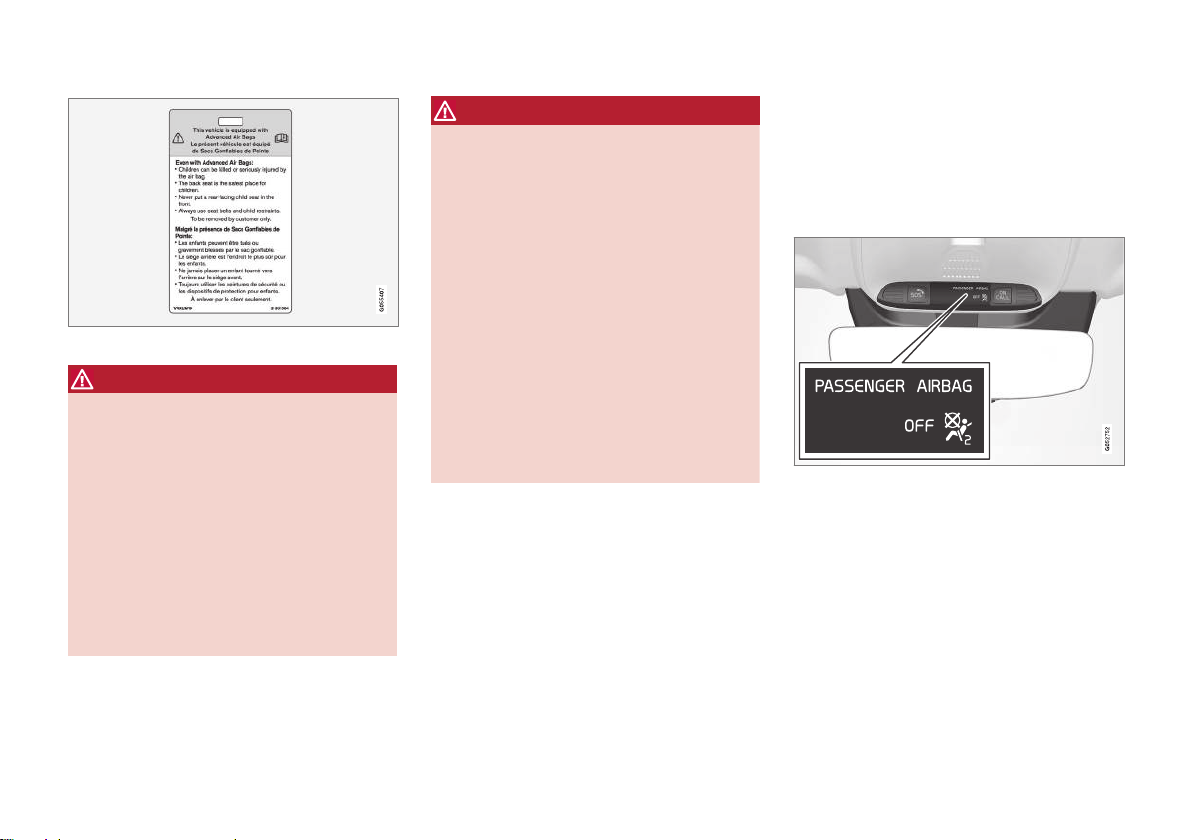
||
SAFETY
56
Passenger's side airbag decal.
WARNING
•
Children must never be allowed in the
front passenger's seat.
•
Occupants in the front passenger's
seat must never sit on the edge of the
seat, sit leaning toward the instrument
panel or otherwise sit out of position.
•
The occupant's back must be as
upright as comfort allows and be
against the seat back with the seat belt
properly fastened.
•
Feet must be on the floor, e.g., not on
the dash, seat or out of the window.
WARNING
•
No objects or accessory equipment,
e.g. dashboard covers, may be placed
on, attached to, or installed near the air
bag cover (the area above the glove
compartment) or the area affected by
airbag deployment.
•
There should be no loose articles, such
as coffee cups on the floor, seat, or
dashboard area.
•
Never try to open the airbag cover on
the steering wheel or the passenger's
side dashboard. This should only be
done by a trained and qualified Volvo
service technician.
•
Failure to follow these instructions can
result in injury to the vehicle's occupants.
Related information
•
Airbags (p. 52)
•
Occupant Classification System (p. 56)
Occupant Classification System
The Occupant Classification System (OCS) is
designed to meet the regulatory requirements of Federal Motor Vehicle Safety
Standard (FMVSS) 208 and is designed to
disable (will not inflate) the passenger's side
front airbag under certain conditions.
OCS indicator light.
The front passenger-side airbag is either enabled or disabled depending on the classification of the passenger in the front passenger
seat.
Volvo follows NHTSA's recommendations and
recommends that ALL children up to and
including 12 years of age sit in the rear seat
and are restrained in a suitable manner appropriate to their height and weight. This is
strongly recommended for children in rear-facing child seats.
Page 59
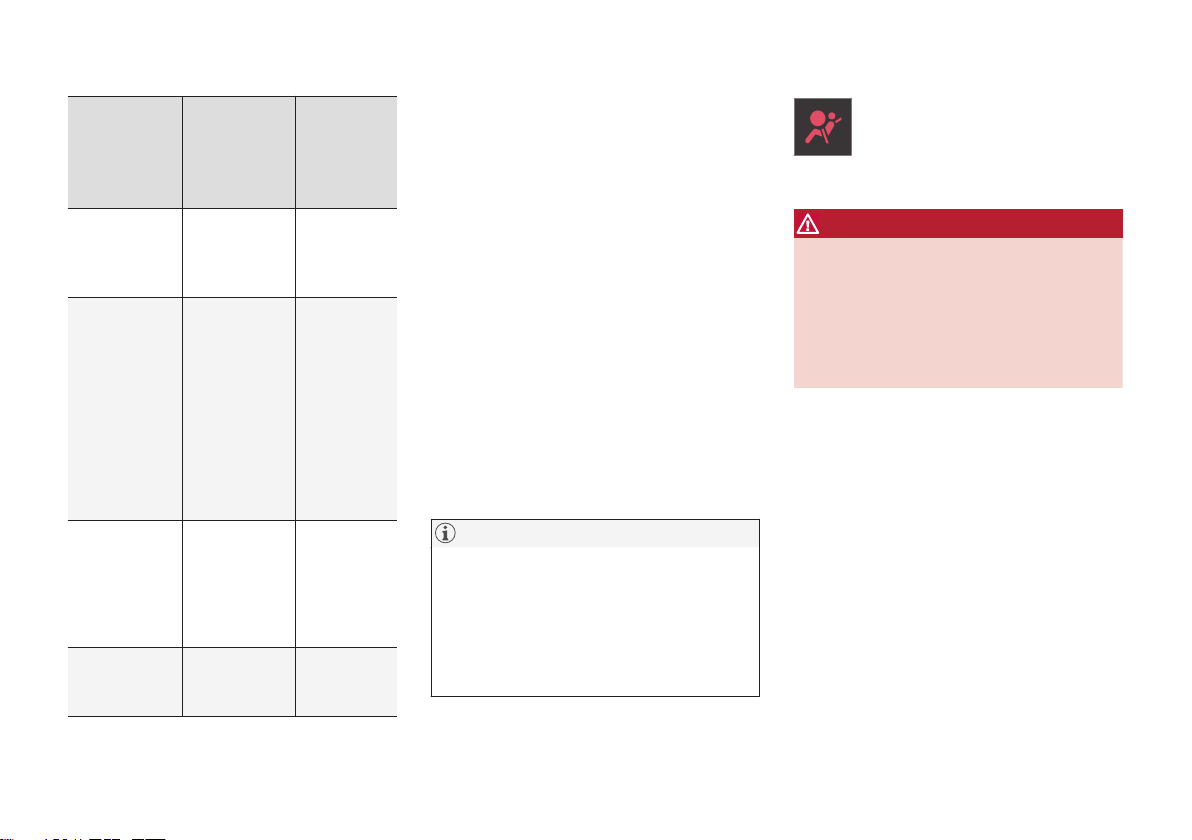
SAFETY
}}
57
Classification of passengers in
front passenger seat
OCS indicator light status
Passenger's side
front airbag status
The passenger is classified as an
adult.
OCS indicator light is
not lit.
Enabled
The passenger is classified as a
small child in
a front-facing
child seat.
The OCS
indicator
light is lit or
not lit
depending
on several
parameters
that determine the
most suitable
status.
Enabled or
disabled
depending
on several
parameters
that determine the
most suitable status.
The passenger is classified as a
small child in
a rear-facing
child seat.
OCS indicator light is lit.
Disabled
The passenger seat is
empty.
OCS indicator light is lit.
Disabled
Occupant Classification System function
OCS works in combination with sensors in the
front passenger seat. The sensors are
intended to detect the presence, and classification of, an occupant sitting correctly and
determine whether the front passenger airbag
should be enabled (able to be deployed) or
disabled (cannot be deployed).
The OCS uses an indicator light with the text
PASSENGER AIRBAG OFF, which will illu-
minate and stay on to remind you that the
passenger's side front airbag is disabled. The
PASSENGER AIRBAG OFF indicator light is
located in the ceiling console near the bracket
for the rearview mirror.
Always pay attention that the status of the
indicator light shows the correct classification
both before and while driving when the front
passenger seat is occupied.
NOTE
When the ignition is switched on, the OCS
indicator light will illuminate for several
seconds while the system performs a selfdiagnostic test. The indicator light will then
go out or remain illuminated, depending on
the classification of the passenger in the
front passenger seat.
If a malfunction is detected in the
system, the OCS indicator light will
remain illuminated and the SRS
warning symbol will be shown in the
instrument panel along with a text message.
WARNING
If a fault in the system is detected and indicated as described, be aware that the passenger's side front airbag will not deploy in
the event of a collision. If this occurs, have
the airbag system and Occupant Classification System checked by a workshop as
soon as possible. Volvo recommends contacting an authorized Volvo workshop.
Classification of adult
To help ensure accurate classification when a
person of adult size is sitting in the front passenger seat, the passenger must:
•
be wearing their seat belt
•
sit normally in the seat, in the center of the
seat cushion
•
sit upright in the seat with their shoulders
against the backrest
•
have their legs comfortably extended with
their feet on the floor.
Page 60
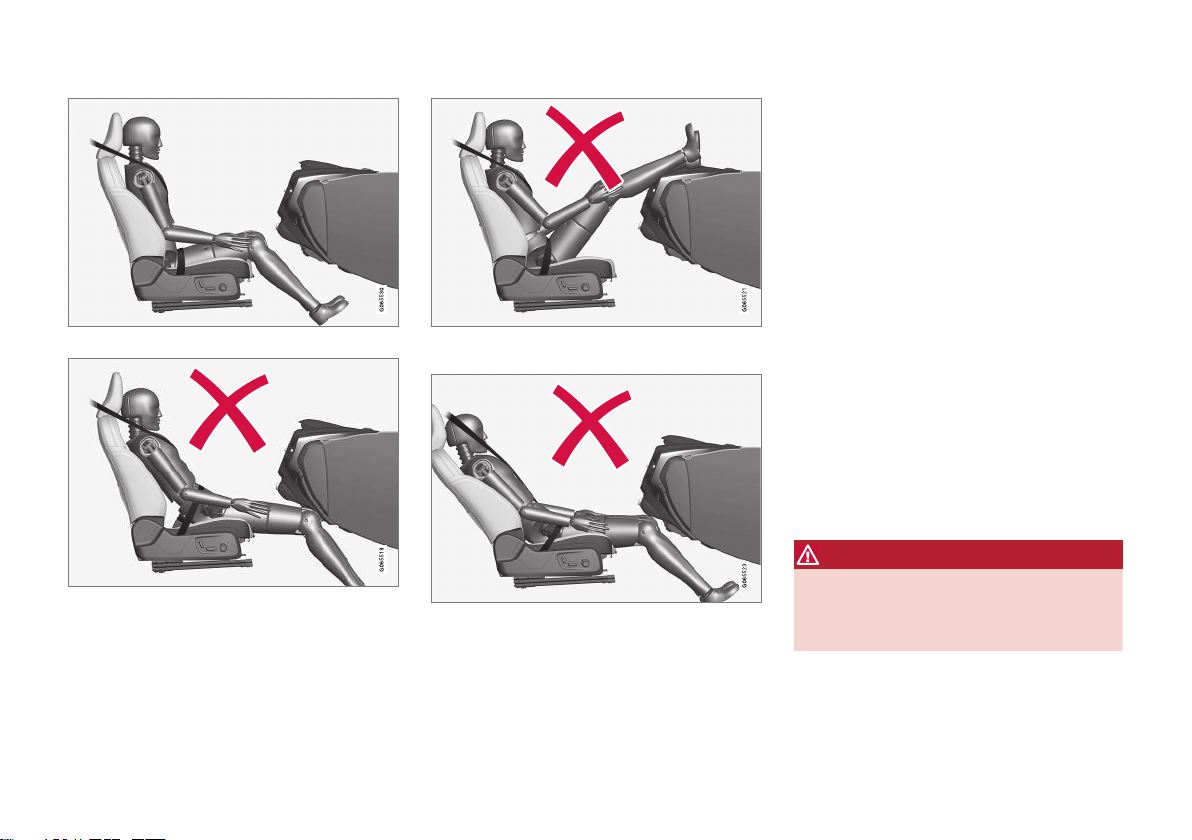
||
SAFETY
58
Correct seating position.
Example of incorrect seating position - the passenger
must not have slid forward on the seat cushion.
Example of incorrect seating position - the passenger
must be seated with their feet on the floor.
Example of incorrect seating position - the passenger
must not fold the backrest to a lying position.
Remember the following when an adult sits in
the front passenger seat:
•
The passenger must never get up from the
seat cushion using the armrest in the door
or center console, by pushing their feet
against the floor or by pushing against the
backrest.
•
The passenger must never sit on the side
of the seat cushion, slide forward on the
seat cushion or fold the backrest to a lying
position.
•
The passenger must never wear wet or
thick clothing, e.g. ski wear or padded garments.
•
Never place any objects between the passenger and the seat cushion, e.g. pillows,
heating blankets or ordinary blankets, seat
liners or mats.
•
Never place a radio transmitter (e.g. hunting radio or walkie-talkie) or device that is
being charged (e.g. cellular phone, tablet
or computer) on the seat cushion. Never
let anyone sitting on the passenger seat
use a radio transmitter or device that is
being charged.
WARNING
Failure to follow the above instructions
could adversely affect the Occupant Classification System functions and result in
death or serious injury.
If a person of adult size is sitting in the front
passenger's seat, but the OCS indicator lamp
Page 61

SAFETY
}}
59
is on, it is possible that the person isn't sitting
properly in the seat.
If this occurs, turn off the vehicle and ask the
person to follow the above instructions for
accurate classification. Restart the vehicle and
have the person remain in this position for
about two minutes. This will allow the system
to detect that person and enable the passenger's frontal airbag.
If the OCS indicator lamp remains on even
after this, the person should be advised to ride
in the rear seat.
This may indicate restrictions in the OCS classification ability, e.g. that the person is too
light to be classified as an adult. It does not
need to indicate an OCS error.
Classification of child
Volvo follows NHTSA's recommendations and
recommends that ALL children up to and
including 12 years of age sit in the rear seat.
This is strongly recommended for children in
rear-facing child seats.
If a child in a child restraint is placed in the
front passenger seat, the child restraint must
be installed according to the manufacturer's
instructions to help ensure accurate classification.
Remember the following if a child in a child
seat sits in the front passenger seat:
•
Never place any items or accessories on
the passenger seat, between the child
seat and the seat cushion or near to the
seat cushion.
•
Never place a radio transmitter (e.g. hunting radio or walkie-talkie) or device that is
being charged (e.g. cellular phone, tablet
or computer) on the seat cushion. Never
let anyone sitting on the passenger seat
use a radio transmitter or device that is
being charged.
•
Never place wet clothing or fluids on the
passenger seat.
•
Always correctly position the child seat so
that the entire lower section of the child
seat rests against the seat cushion.
•
Always place a front-facing child seat as
far back as possible against the seat back.
WARNING
Failure to follow the above instructions
could adversely affect the Occupant Classification System functions and result in
death or serious injury.
Modifications
If you are considering modifying your vehicle
in any way to accommodate a disability, for
example by altering or adapting the driver's or
front passenger's seat(s) and/or airbag systems, please contact Volvo at:
In the United States
Volvo Car USA, LLC
Customer Care Center
1 Volvo Drive
P.O. Box 914
Rockleigh, New Jersey 07647
18004581552
In Canada
Volvo Car Canada Ltd.
Customer Care Centre
9130 Leslie Street, Suite 101
Richmond Hill, Ontario L4B 0B9
18006638255
WARNING
Never attempt to open, remove or repair
any components in the OCS system. Volvo
recommends contacting an authorized
Volvo workshop. Incorrectly performed
repairs to the OCS system could impair
function and lead to serious injury.
The front passenger's seat should not be
modified in any way. This could affect the
function of the OCS system.
Page 62
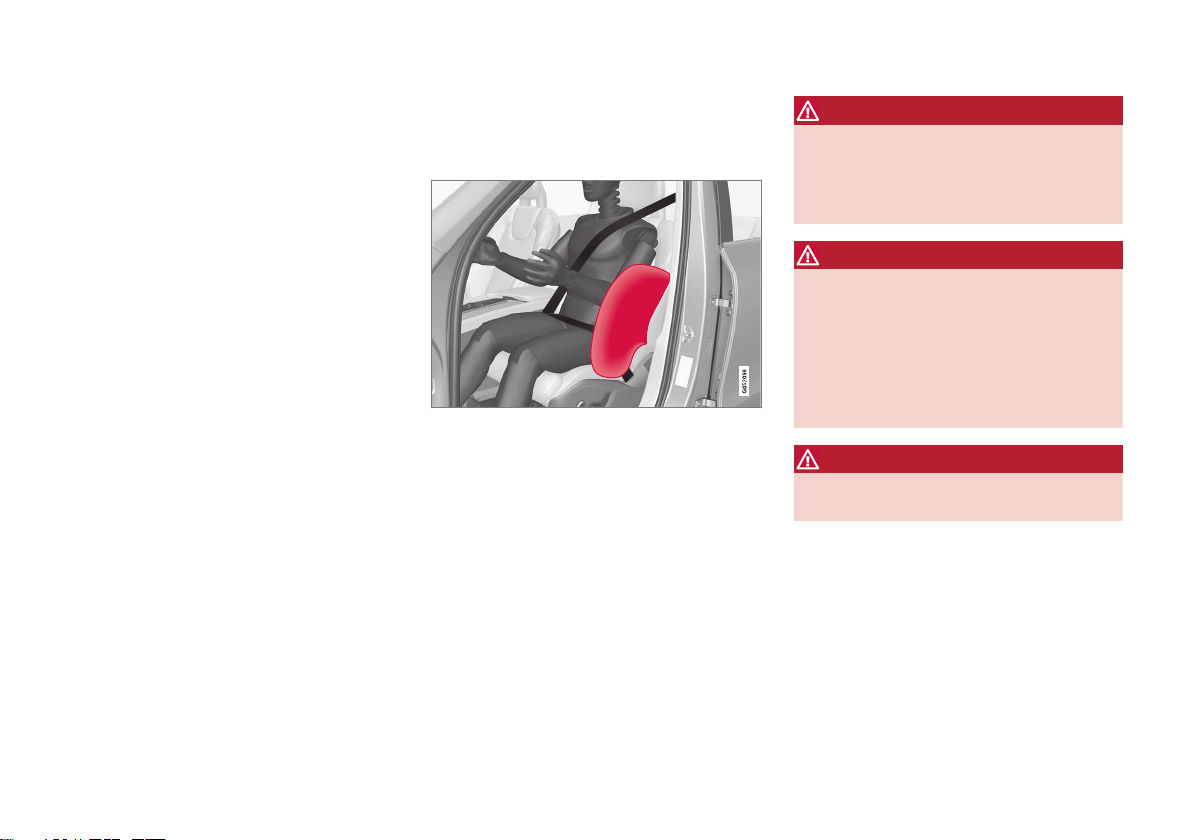
||
SAFETY
60
Related information
•
Driver/passenger-side airbags (p. 53)
Side airbags
The side airbags, on the driver's and passenger sides, protect the chest and hip in a collision.
The side airbags are located in the front seats'
outer backrest frames and help protect the
driver and front seat passenger.
A collision of a sufficiently violent force will
trigger the sensors and one or more side airbags will inflate. The side airbags inflate
between the seat occupant and the door panel
to help cushion the initial impact of the collision. The airbag deflates when compressed by
the collision. The side airbags are normally
only deployed on the side of the vehicle
impacted by the collision.
WARNING
Volvo recommends contacting an authorized Volvo workshop for repairs. Incorrectly
performed repairs to the side airbag system could impair function and lead to serious injury.
WARNING
Do not place any objects in the area
between the outer edges of the seats and
the door panels, as this could impair the
function of the side airbags.
Volvo recommends only using seat covers
approved by Volvo. Other seat covers could
prevent the side airbags from functioning
properly.
WARNING
The side airbag is a supplement to the seat
belt. Always wear your seat belt.
Related information
•
Airbags (p. 52)
Page 63
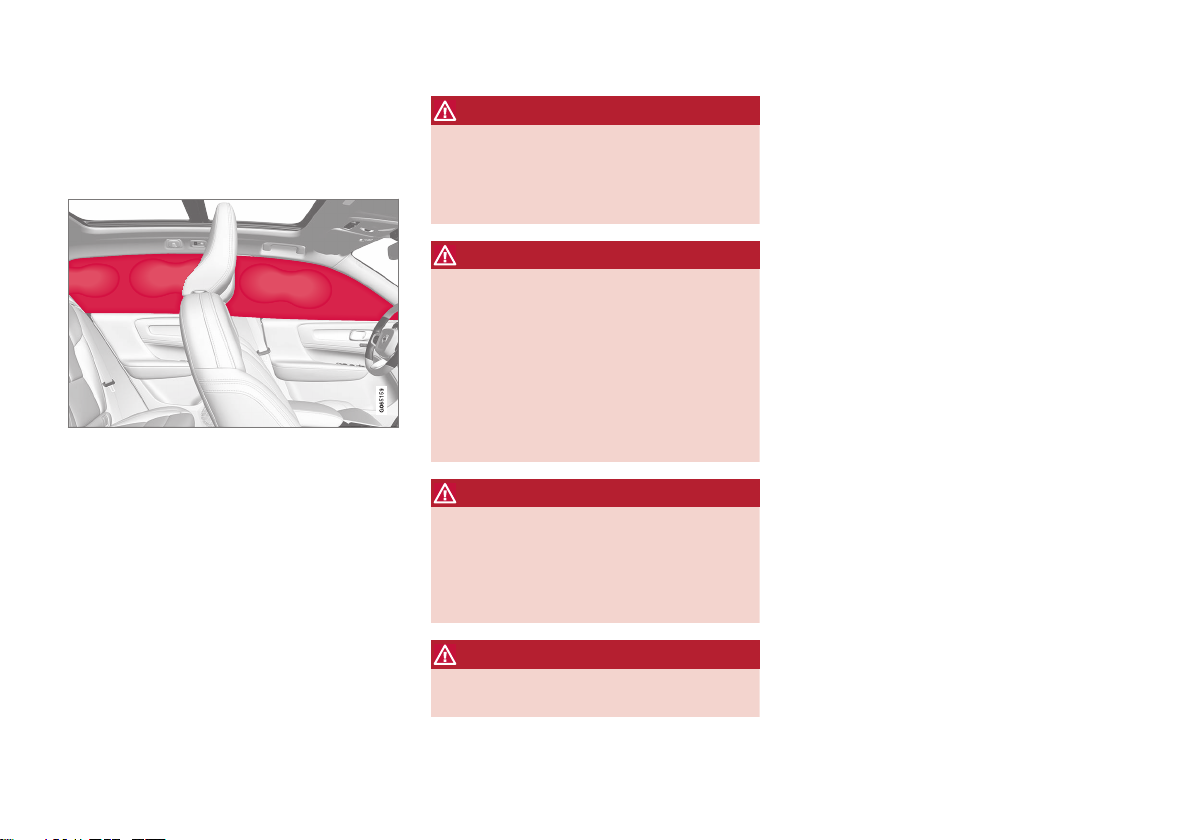
SAFETY
61
Inflatable curtain
The inflatable curtain, Inflatable Curtain (IC),
helps to prevent the driver and passengers
from striking their heads on the inside of the
vehicle during a collision.
The inflatable curtains are installed along both
sides of the inside of the roof and help protect
occupants in the vehicle's outer seats. IC
AIRBAG is embossed on the panels.
A collision of a sufficiently violent force will
trigger the sensors and the inflatable curtain
will inflate.
WARNING
Volvo recommends contacting an authorized Volvo workshop for repair. Incorrectly
performed repairs to the inflatable curtain
system could impair function and lead to
serious injury.
WARNING
Never hang or attach heavy objects in the
handle in the ceiling. The hooks are only
intended for lightweight garments (not for
hard objects such as umbrellas).
Never screw or mount anything to the vehicle's headlining, door pillars or side panels.
This could impair the intended protective
properties. Volvo recommends only using
Volvo original parts that are approved for
placement in these areas.
WARNING
If objects are loaded higher than the upper
edge of the side windows, leave a 10 cm
(4 in.) space between the objects and the
window. Objects placed closer to this
could impede the function of the inflatable
curtain concealed inside the headlining.
WARNING
The inflatable curtain is a supplement to
the seat belt. Always wear your seat belt.
Related information
•
Airbags (p. 52)
Page 64
SAFETY
62
Safety mode
Safety mode is a feature that is triggered
after a collision if there is potential damage to
an important function in the vehicle, such as
the fuel lines, sensors for one of the safety
systems, the brake system, etc.
If the vehicle has been involved in a collision,
the text
Safety mode See Owner's manual
may appear in the instrument panel along with
the warning symbol if the panel is undamaged
and the vehicle's electrical system is intact.
The message indicates that one or more of the
vehicle's functions may be reduced.
WARNING
Never attempt to restart the vehicle if you
smell fuel fumes when the message
Safety
mode See Owner's manual is displayed
in the instrument panel. Leave the vehicle
immediately.
If safety mode has been set, it may be possible to reset the system in order to start and
move the vehicle a short distance, for example, if it is blocking traffic.
WARNING
Never attempt to perform repairs or reset
electrical components on your own after
the vehicle has been in safety mode. This
could result in injury or prevent the vehicle
from functioning properly. Volvo recommends having the vehicle inspected and
reset to normal operating status by an
authorized Volvo workshop after
Safety
mode See Owner's manual has been dis-
played.
WARNING
When the vehicle is in safety mode, it
should not be towed behind another vehicle. It should be towed from the site on a
tow truck. Volvo recommends towing the
vehicle directly to an authorized Volvo
workshop.
Related information
•
Safety (p. 42)
•
Starting and moving the vehicle when it is
in safety mode (p. 62)
•
Recovery (p. 407)
Starting and moving the vehicle when it is in safety mode
If safety mode has been set, it may be possible to reset the system in order to start and
move the vehicle a short distance, for example, if it is blocking traffic.
Starting the vehicle when it is in safety mode
1. Check the vehicle for damage, particularly
for fuel leakage. Make sure you do not
detect any gasoline fumes.
If the damage to the vehicle is minor and
there is no fuel leakage/fumes, you may
attempt to start the engine.
WARNING
Never attempt to restart the vehicle if you
smell fuel fumes when the message
Safety
mode See Owner's manual is displayed
in the instrument panel. Leave the vehicle
immediately.
2. Switch off the ignition.
Page 65
SAFETY
}}
63
3. Then try to start the vehicle.
> The vehicle's electrical system will per-
form a system check and then attempt
to reset to normal operating mode.
CAUTION
If the message Safety mode See
Owner's manual is still displayed, the
vehicle should not be driven or towed
behind another vehicle. If the vehicle needs
to be moved, it must be towed on a tow
truck. Even if no damage is apparent, there
may be hidden damage that could make
the vehicle impossible to control.
Moving the vehicle when it is in safety mode
1.
If the message
Normal mode The
vehicle is now in normal mode is dis-
played after attempting to start the
engine, the vehicle may be moved carefully from its present position if, for example, it is blocking traffic.
2. Do not move the vehicle farther than absolutely necessary.
WARNING
When the vehicle is in safety mode, it
should not be towed behind another vehicle. It should be towed from the site on a
tow truck. Volvo recommends towing the
vehicle directly to an authorized Volvo
workshop.
Related information
•
Safety mode (p. 62)
•
Starting the vehicle (p. 356)
•
Recovery (p. 407)
Child safety
Children should always be seated safely
when traveling in the vehicle.
General information
Volvo recommends the proper use of restraint
systems for all occupants including children.
Remember that, regardless of age and size, a
child should always be properly restrained in a
vehicle.
Your vehicle is also equipped with ISOFIX
LATCH attachments, which make it more convenient to install child seats.
Some restraint systems for children are
designed to be secured in the vehicle by lap
belts or the lap portion of a lap-shoulder belt.
Such child restraint systems can help protect
children in vehicles in the event of an accident
only if they are used properly. However, children could be endangered in a crash if the
child restraints are not properly secured in the
vehicle. Failure to follow the installation
instructions for your child restraint can result
in your child striking the vehicle's interior in a
sudden stop.
Holding a child in your arms is NOT a suitable
substitute for a child restraint system. In an
accident, a child held in a person's arms can
be crushed between the vehicle's interior and
an unrestrained person. The child could also
be injured by striking the interior, or by being
Page 66
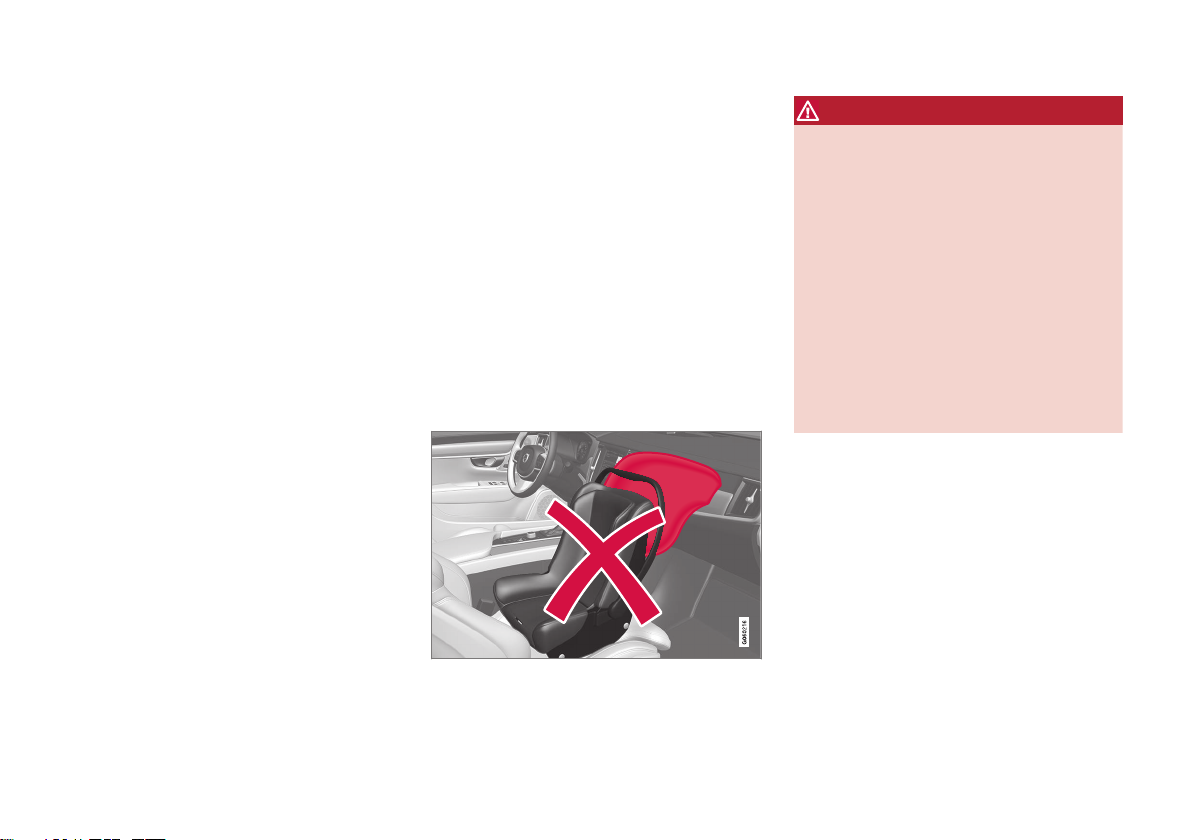
||
SAFETY
64
ejected from the vehicle during a sudden
maneuver or impact. The same can also happen if the infant or child rides unrestrained on
the seat. Other occupants should also be
properly restrained to help reduce the chance
of injuring or increasing the injury of a child.
All states and provinces have legislation governing how and where children should be carried in a vehicle. Find out the regulations existing in your state or province. Recent accident
statistics have shown that children are safer in
rear seating positions than front seating positions when properly restrained. A child
restraint system can help protect a child in a
vehicle. Here's what to look for when selecting
a child restraint system:
It should have a label certifying that it meets
applicable Federal Motor Vehicle Safety
Standards (FMVSS 213) - or in Canada,
CMVSS 213.
Make sure the child restraint system is
approved for the child's height, weight and
development - the label required by the standard or regulation, or instructions for infant
restraints, typically provide this information.
In using any child restraint system, we urge
you to carefully look over the instructions that
are provided with the restraint. Be sure you
understand them and can use the device properly and safely in this vehicle. A misused child
restraint system can result in increased inju-
ries for both the infant or child and other occupants in the vehicle.
When a child has outgrown the child safety
seat, you should use the rear seat with the
standard seat belt fastened. The best way to
help protect the child here is to place the child
on a cushion so that the seat belt is properly
located on the hips. Legislation in your state or
province may mandate the use of a child seat
or cushion in combination with the seat belt,
depending on the child's age and/or size.
Please check local regulations.
A specially designed and tested booster cushion and backrest can be obtained from your
Volvo retailer. See also the article "Integrated
booster cushion."
WARNING
•
Do not use child safety seats or child
booster cushions/backrests in the front
passenger's seat. We also recommend
that children under 140 cm (4 feet
7 inches) in height who have outgrown
these devices sit in the rear seat with
the seat belt fastened.
•
On hot days, the temperature in the
vehicle interior can rise very quickly.
Exposure to these high temperatures
for even a short period of time can
cause heat-related injury or death.
Small children are particularly at risk.
Never leave children unattended in a
vehicle.
Child seats should always be registered.
Volvo's recommendations
Why does Volvo believe that no child should
sit in the front seat of a vehicle? It's quite simple really. A front airbag is a very powerful
device designed, by law, to help protect an
adult.
Because of the size of the airbag and its speed
of inflation, a child should never be placed in
the front seat, even if he or she is properly belted or strapped into a child safety seat. Volvo
has been an innovator in the field of safety
since it was founded. And we have no inten-
Page 67
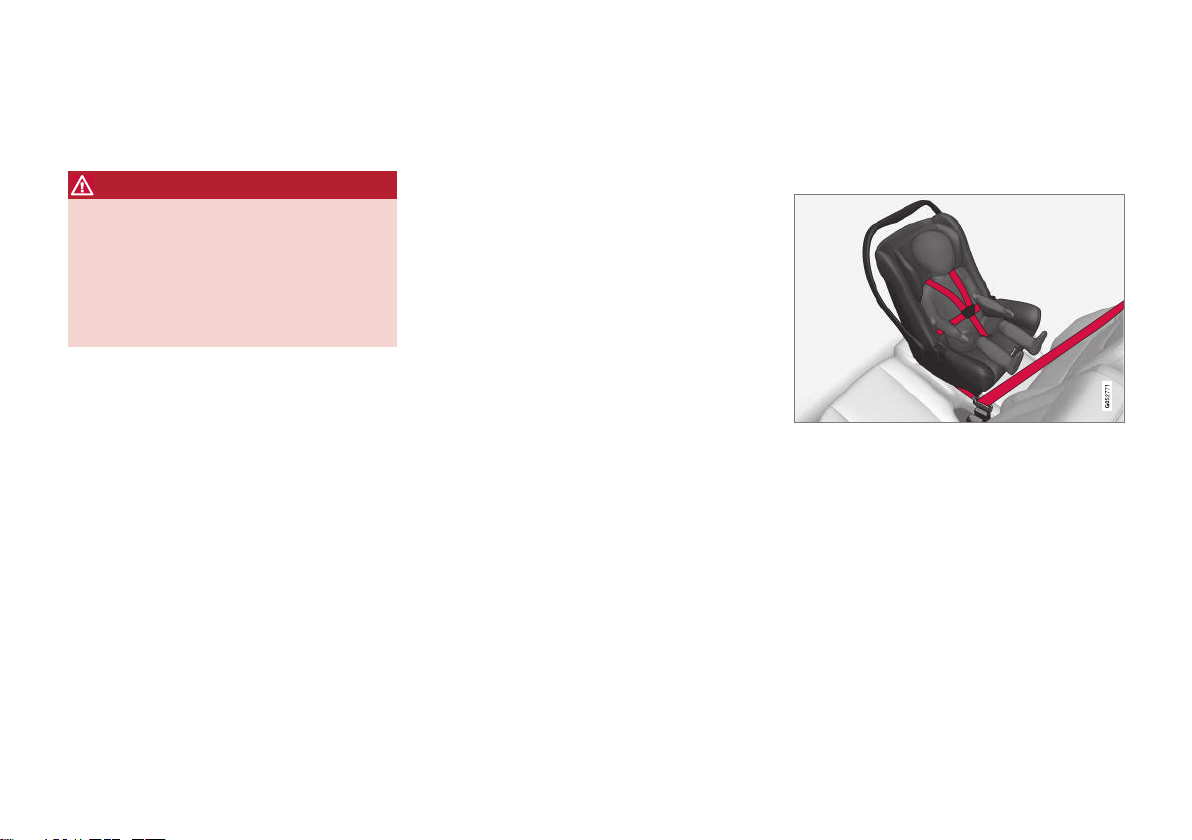
SAFETY
}}
65
tion of resting on our laurels. But we need
your help. Please remember to put your children in the back seat, and buckle them up.
WARNING
A child restraint should never be reused if:
•
The vehicle has been involved in a collision, no matter how minor
•
Its history is unknown
•
It is older than the manufacturer's expiration date
Volvo has some very specific recommendations
•
Always wear your seat belt.
•
Airbags are a SUPPLEMENTAL safety
device which, when used with a threepoint seat belt can help reduce serious
injuries during certain types of accidents.
Volvo recommends that you do not disconnect the airbag system in your vehicle.
•
Volvo strongly recommends that everyone
in the vehicle be properly restrained.
•
Volvo follows NHTSA's recommendations
and recommends that ALL children up to
and including 12 years of age sit in the rear
seat. This is strongly recommended for
children in rear-facing child seats.
•
Drive safely!
Related information
•
Safety (p. 42)
•
Child restraints (p. 65)
•
Activating and deactivating child safety
locks (p. 234)
Child restraints
Suitable child restraints should always be
used when children travel in the vehicle.
Child restraint systems
Infant seat
There are three main types of child restraint
systems: infant seats, convertible seats and
booster cushions. They are classified according to the child's age and size.
The child restraint should be secured using a
three-point seat belt, ISOFIXLATCH anchors
or top tether anchors.
Page 68
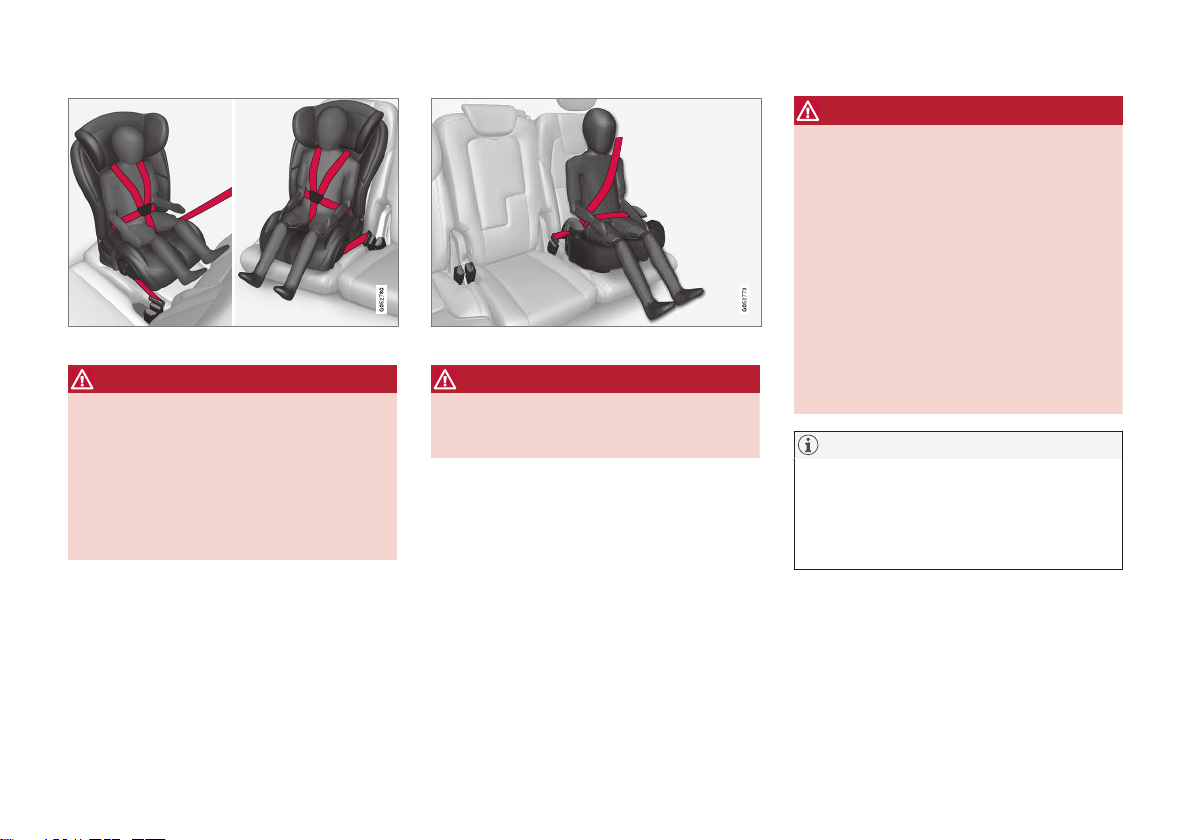
||
SAFETY
66
Convertible seat
WARNING
A child seat should never be used in the
front passenger seat of any vehicle with a
front passenger airbag - not even if the
"Passenger airbag off" symbol near the
rear-view mirror is illuminated. If the
severity of an accident were to cause the
airbag to inflate, this could lead to serious
injury or death to a child seated in this
position.
Booster cushion
WARNING
Always refer to the child restraint manufacturer's instructions for detailed information
on securing the restraint.
WARNING
•
When not in use, keep the child
restraint system secured or remove it
from the passenger compartment to
help prevent it from injuring passengers in the event of a sudden stop or
collision.
•
A small child's head represents a considerable part of its total weight and its
neck is still very weak. Volvo recommends that children up to age 4 travel,
properly restrained, facing rearward. In
addition, Volvo recommends that children should ride rearward facing, properly restrained, as long as possible.
NOTE
Prolonged installation and use of the child
restraint may damage the vehicle's interior.
Volvo recommends using the kick guard
accessory to help protect the vehicle's
interior.
Automatic Locking Retractor/
Emergency Locking Retractor (ALR
ELR)
To make child seat installation easier, each
seat belt (except for the driver's belt) is equipped with a locking mechanism to help keep
the seat belt taut.
Page 69
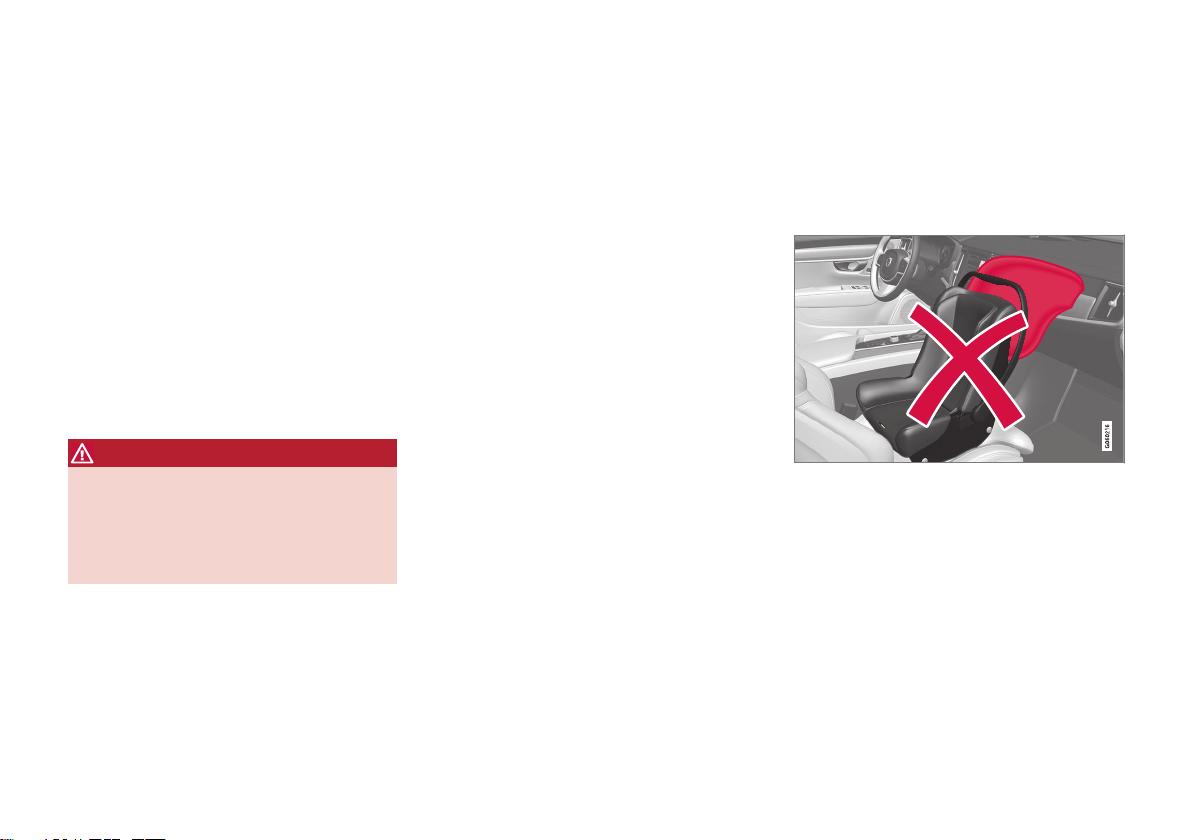
SAFETY
}}
67
When attaching the seat belt to a child seat:
1. Attach the seat belt to the child seat
according to the child seat manufacturer's
instructions.
2. Pull the seat belt out as far as possible.
3. Insert the seat belt latch plate into the
buckle (lock) in the usual way.
4. Release the seat belt and pull it taut
around the child seat.
A sound from the seat belt retractor will be
audible at this time and is normal. The belt will
now be locked in place. This function is automatically disabled when the seat belt is
unlocked and the belt is fully retracted.
WARNING
Do not use child safety seats or child
booster cushions/backrests in the front
passenger's seat. We also recommend that
children who have outgrown these devices
sit in the rear seat with the seat belt properly fastened.
Child restraint registration and recalls
Child restraints could be recalled for safety
reasons. You must register your child restraint
to be reached in a recall. To stay informed
about child safety seat recalls, be sure to fill
out and return the registration card that
comes with new child restraints.
Child restraint recall information is readily
available in both the U.S. and Canada. For
recall information in the U.S., call the U.S.
Government's Auto Safety Hotline at
18004249393 or go to http://wwwodi.nhtsa.dot.gov/cars/problems/recalls/
register/childseat/index.cfm. In Canada, visit
Transport Canada's Child Safety website at
http://www.tc.gc.ca/roadsafety/childsafety/
menu.htm.
Related information
•
Child safety (p. 63)
•
Infant seats (p. 67)
•
Convertible seats (p. 70)
•
Booster cushions (p. 72)
•
Top tether anchors (p. 73)
•
Lower child seat attachment points
(p. 74)
•
ISOFIXLATCH lower anchors (p. 75)
Infant seats
Suitable child restraints should always be
used when children (depending on their age/
size) are seated in the vehicle.
Securing an infant seat with a seat belt
Do not place the infant seat in the front passenger's
seat.
1. Place the infant seat in the rear seat of the
vehicle.
2. Attach the seat belt to the infant seat
according to the child restraint manufacturer's instructions.
Page 70
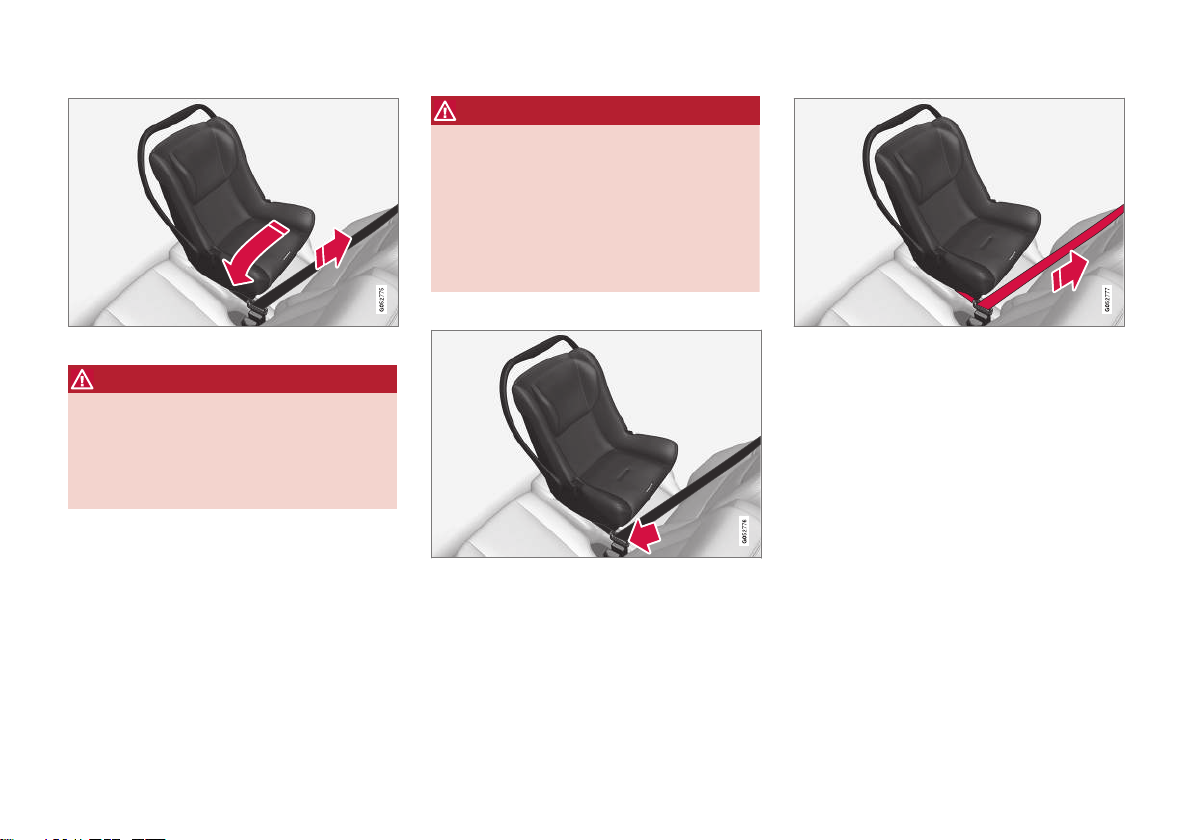
||
SAFETY
68
Route the seat belt through the infant seat.
WARNING
•
An infant seat must be in the rear-facing
position only.
•
The infant seat should not be positioned
behind the driver's seat unless there is
adequate space for safe installation.
WARNING
A child seat should never be used in the
front passenger seat of any vehicle with a
front passenger airbag - not even if the
"Passenger airbag off" symbol near the
rear-view mirror is illuminated. If the
severity of an accident were to cause the
airbag to inflate, this could lead to serious
injury or death to a child seated in this
position.
3.
Fasten the seat belt.
Fasten the seat belt by inserting the latch
plate into the buckle (lock) until a distinct
click is audible.
Pull out the shoulder section of the seat belt.
4. Pull the shoulder section of the seat belt
out as far as possible to activate the belt's
automatic locking function.
Page 71
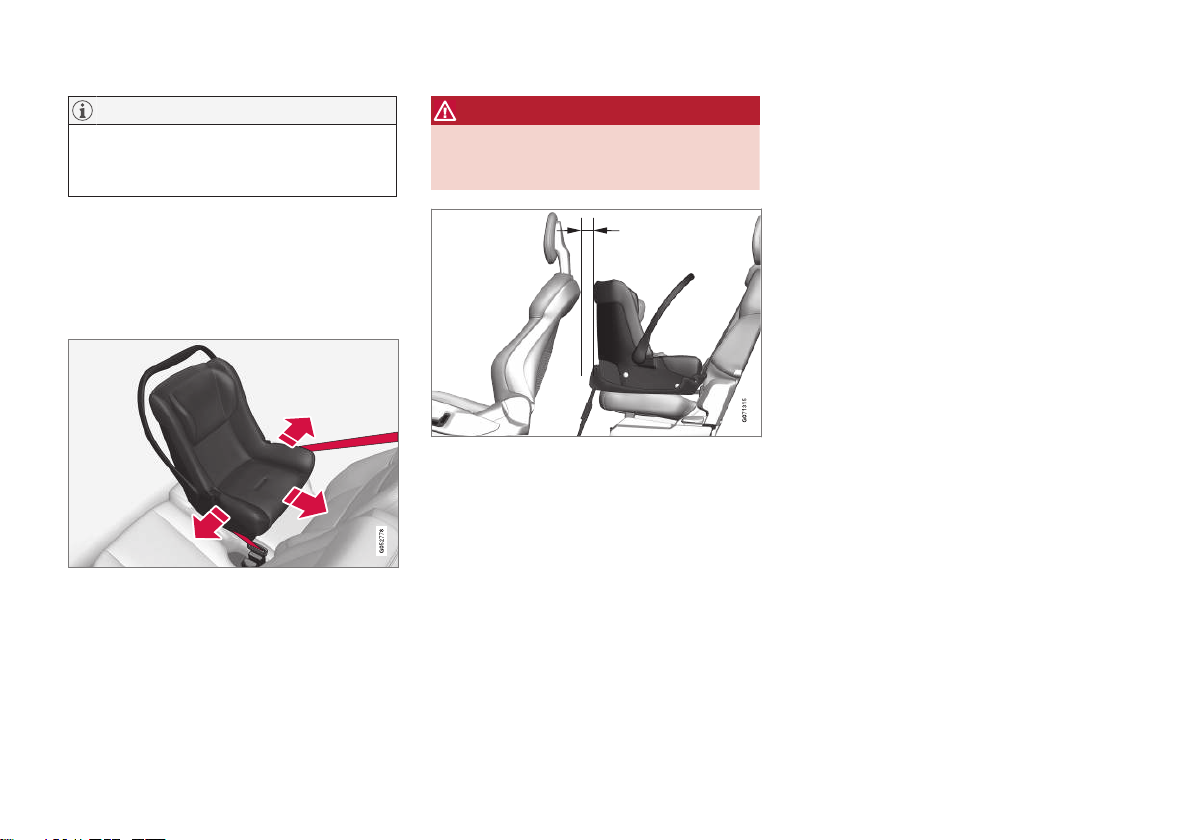
SAFETY
69
NOTE
The locking retractor will automatically
release when the seat belt is unbuckled
and allowed to retract fully.
5. Press the infant seat firmly in place, let the
seat belt retract and pull it taut. A sound
from the seat belt retractor's automatic
locking function will be audible at this time
and is normal. The seat belt should now be
locked in place.
Check that the infant seat is properly secured.
6. Press and pull the infant seat along the
direction of the seat belt to check that it is
properly held in place by the seat belt.
WARNING
It should not be possible to move the child
restraint more than 2.5 cm (1 in.) in any
direction along the seat belt path.
When installing infant seats in the rear seat, Volvo
recommends maintaining a distance of at least
50 mm (2 inches) from the front-most part of the
infant seat to the rearmost part of the seat in front.
The infant seat can be removed by unbuckling
the seat belt and letting it retract completely.
Related information
•
Child restraints (p. 65)
•
Convertible seats (p. 70)
•
Booster cushions (p. 72)
•
Top tether anchors (p. 73)
•
Lower child seat attachment points
(p. 74)
•
ISOFIXLATCH lower anchors (p. 75)
Page 72
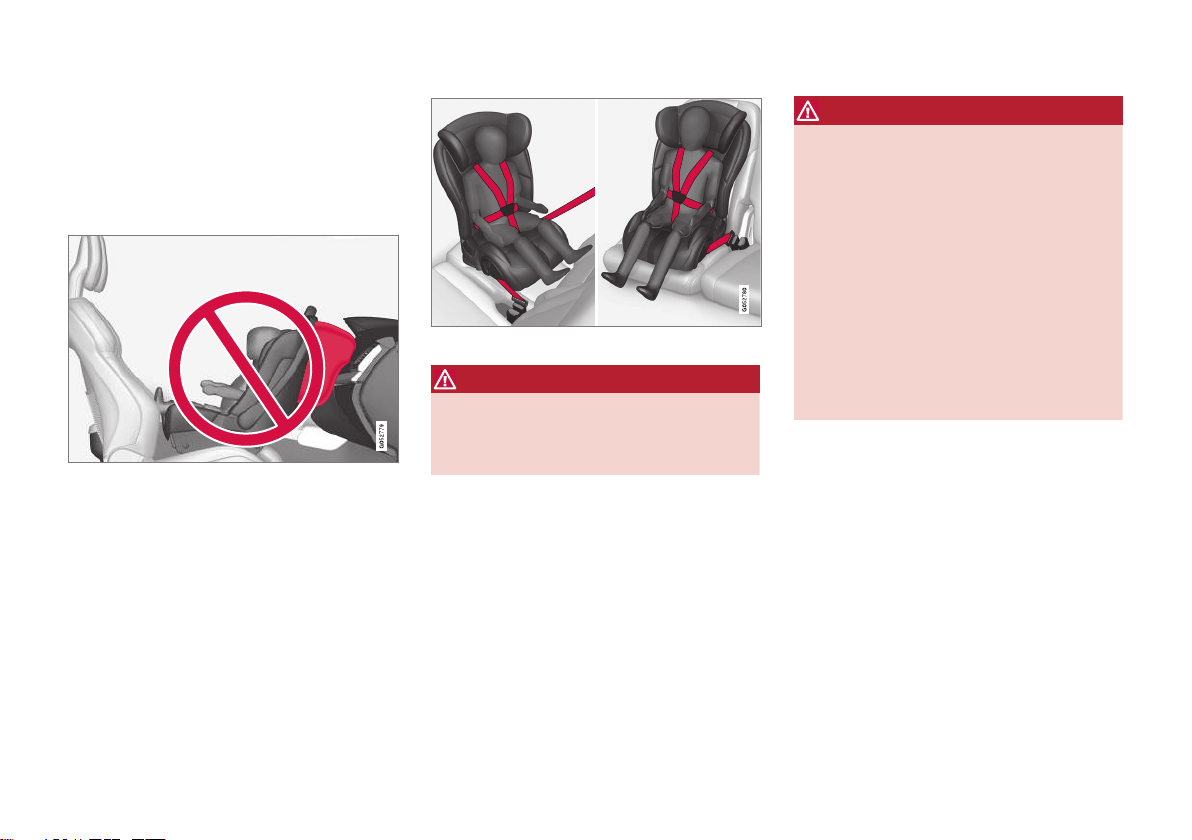
SAFETY
70
Convertible seats
Suitable child restraints should always be
used when children (depending on their age/
size) are seated in the vehicle.
Securing a convertible seat with a seat belt
Do not place the convertible seat in the front passenger's seat.
Convertible seats can be used in either a forward or rearward-facing position, depending
on the age and size of the child.
Route the seat belt through the convertible seat.
WARNING
Always use a convertible seat that is suitable for the child's age and size. See the
convertible seat manufacturer's recommendations.
1. Place the convertible seat in the rear seat
of the vehicle.
WARNING
•
A small child's head represents a considerable part of its total weight and its
neck is still very weak. Volvo recommends that children up to age 4 travel,
properly restrained, facing rearward. In
addition, Volvo recommends that children should ride rearward facing, properly restrained, as long as possible.
•
Convertible child seats should be installed in the rear seat only.
•
A rear-facing convertible seat should not
be positioned behind the driver's seat
unless there is adequate space for safe
installation.
2. Attach the seat belt to the convertible seat
according to the child restraint manufacturer's instructions.
Page 73
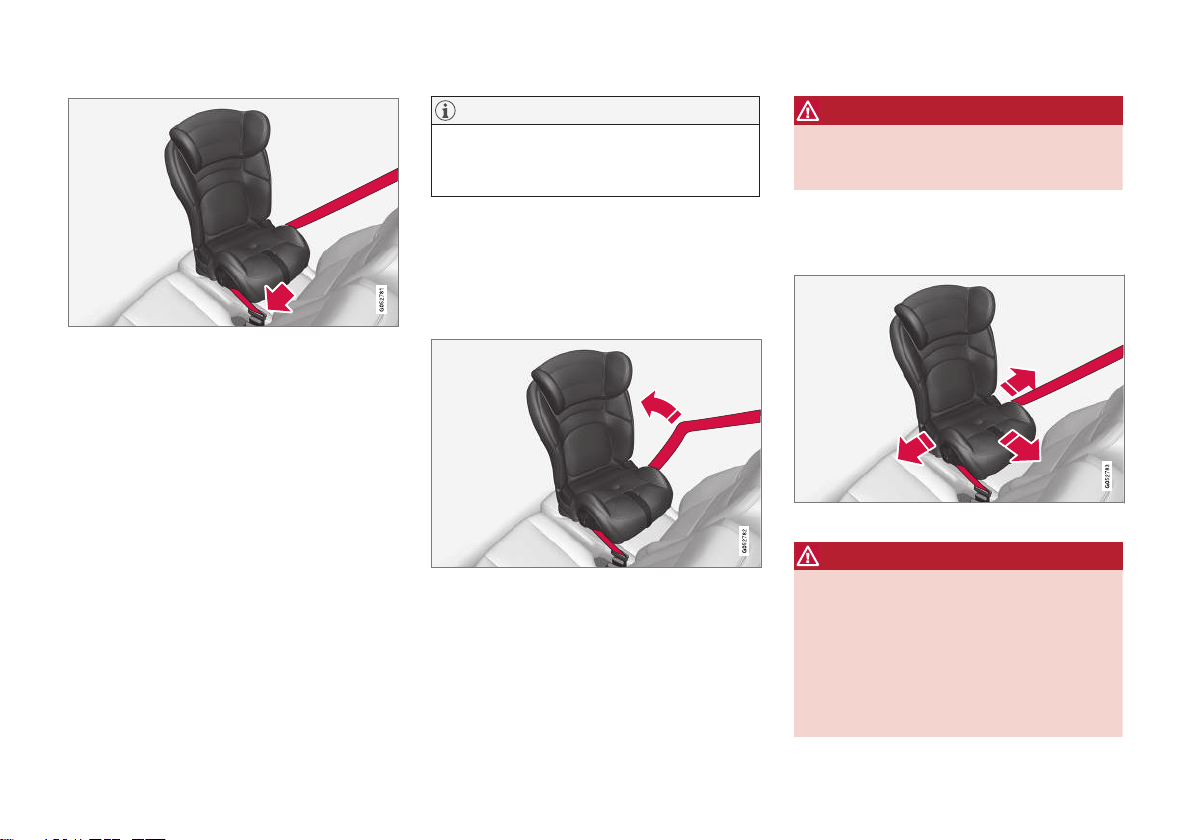
SAFETY
}}
71
Fasten the seat belt.
3. Fasten the seat belt by inserting the latch
plate into the buckle (lock) until a distinct
click is audible.
4. Pull the shoulder section of the seat belt
out as far as possible to activate the belt's
automatic locking function.
NOTE
The locking retractor will automatically
release when the seat belt is unbuckled
and allowed to retract fully.
5. Press the convertible seat firmly in place,
let the seat belt retract and pull it taut. A
sound from the seat belt retractor's automatic locking function will be audible at
this time and is normal. The seat belt
should now be locked in place.
Pull out the shoulder section of the seat belt.
6. Push and pull the convertible seat along
the seat belt path to ensure that it is held
securely in place by the seat belt.
WARNING
It should not be possible to move the child
restraint more than 2.5 cm (1 in.) in any
direction along the seat belt path.
The convertible seat can be removed by
unbuckling the seat belt and letting it retract
completely.
Ensure that the convertible seat is securely in place.
WARNING
A child seat should never be used in the
front passenger seat of any vehicle with a
front passenger airbag - not even if the
"Passenger airbag off" symbol near the
rear-view mirror is illuminated. If the
severity of an accident were to cause the
airbag to inflate, this could lead to serious
injury or death to a child seated in this
position.
Page 74
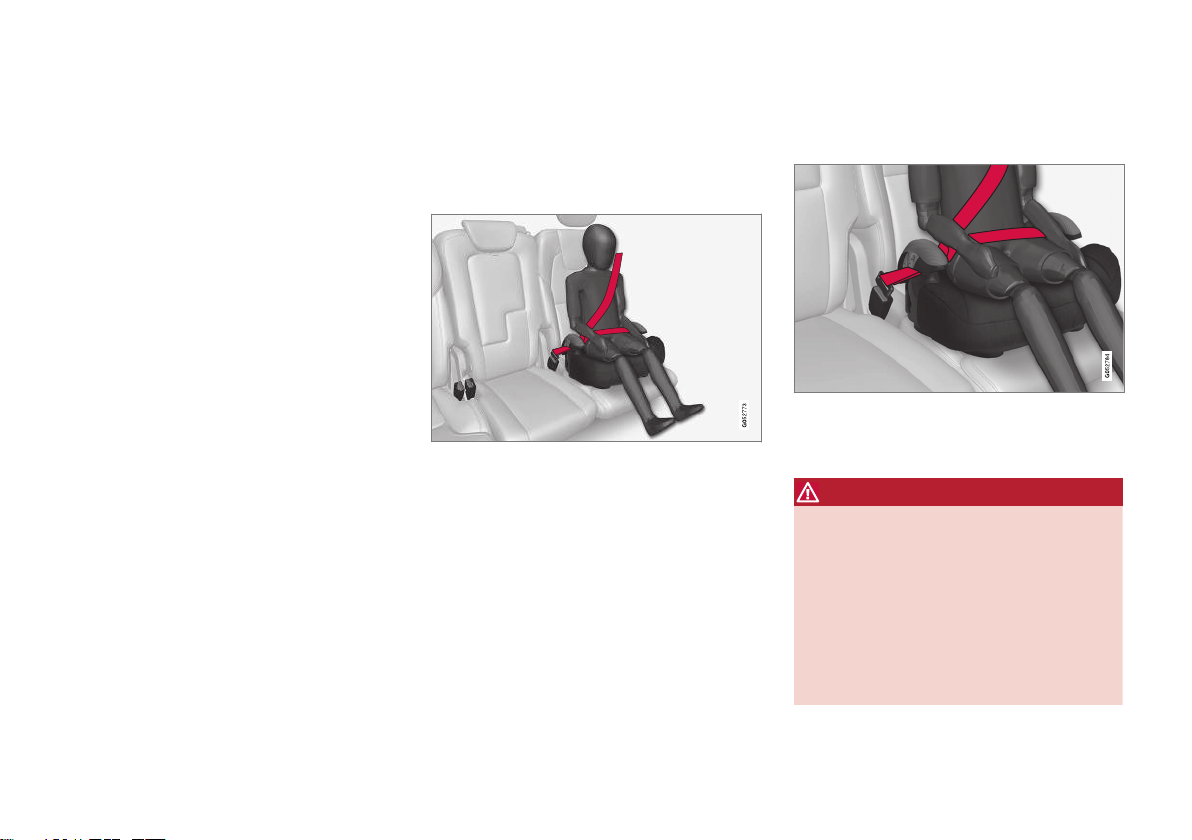
||
SAFETY
72
Related information
•
Child restraints (p. 65)
•
Infant seats (p. 67)
•
Booster cushions (p. 72)
•
Top tether anchors (p. 73)
•
Lower child seat attachment points
(p. 74)
•
ISOFIXLATCH lower anchors (p. 75)
Booster cushions
Suitable child restraints should always be
used when children (depending on their age/
size) are seated in the vehicle.
Securing a booster cushion
Position the child correctly on the booster cushion.
Booster cushions are recommended for children who have outgrown convertible seats.
1. Place the booster cushion in the rear seat
of the vehicle.
2. With the child properly seated on the
booster cushion, attach the seat belt to or
around the cushion according to the manufacturer's instructions.
3. Fasten the seat belt by inserting the latch
plate into the buckle (lock) until a distinct
click is audible.
Positioning the seat belt.
4. Ensure that the seat belt is pulled taut and
fits snugly around the child.
WARNING
•
The hip section of the three-point seat
belt must fit snugly across the child's
hips, not across the stomach.
•
The shoulder section of the three-point
seat belt should be positioned across
the chest and shoulder.
•
The shoulder belt must never be placed
behind the child's back or under the
arm.
Page 75
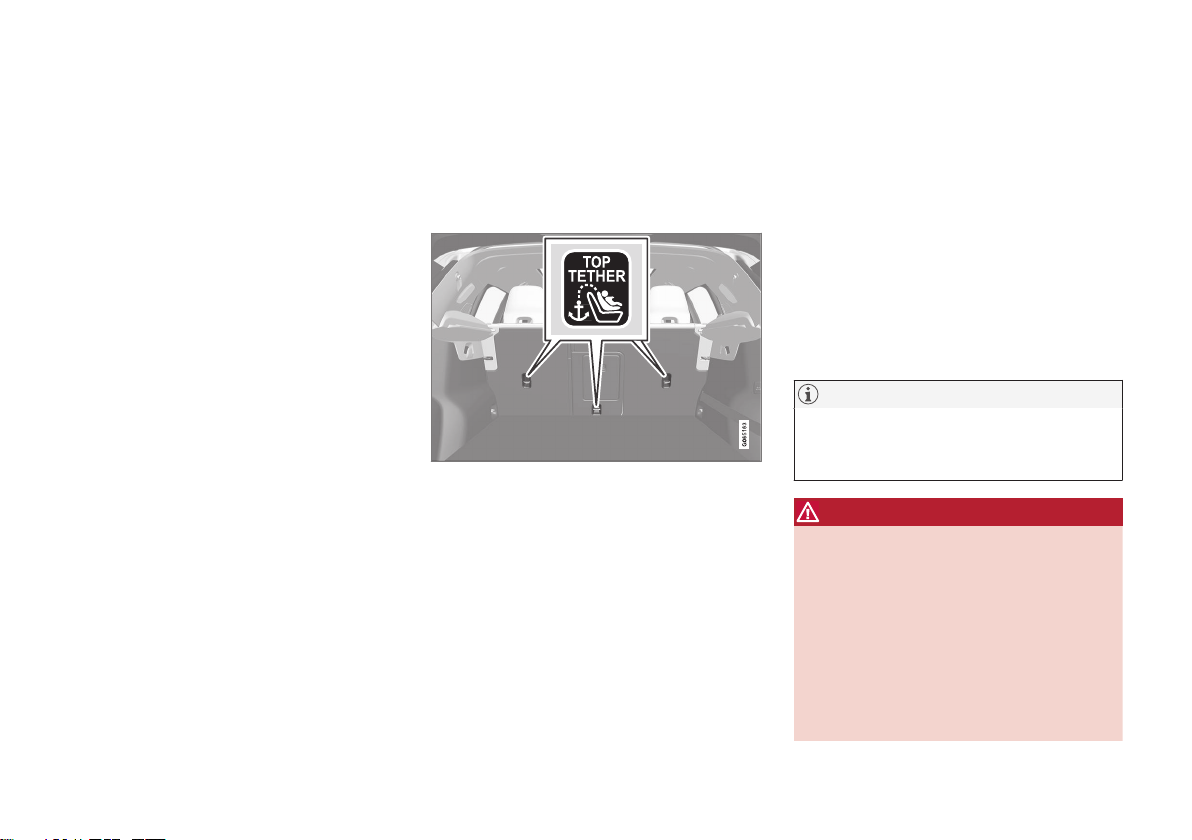
SAFETY
}}}}
73
Related information
•
Child restraints (p. 65)
•
Convertible seats (p. 70)
•
Infant seats (p. 67)
•
Top tether anchors (p. 73)
•
Lower child seat attachment points
(p. 74)
•
ISOFIXLATCH lower anchors (p. 75)
Top tether anchors
Your Volvo is equipped with child restraint
top tether anchorages for all three seating
positions in the rear seat. They are located on
the rear side of the backrests.
Child restraint anchorages
Top tether anchors and symbols on the rear side of
the rear seat backrests. There is no symbol for the
center anchor position.
Securing a child seat
1. Place the child restraint on the rear seat.
2. Route the top tether strap under the head
restraint and attach it to the anchor.
3. Attach the strap for the lower tether
anchors in the lower ISOFIXLATCH
attachment points. If the child restraint is
not equipped with straps for the lower
tether anchors, or if the child restraint is
used on the center seating position, follow
the instructions for attaching a child
restraint using the automatic locking seat
belt.
4. Firmly tension all straps.
Refer also to the child seat manufacturer's
instructions for information on securing the
child seat.
NOTE
If the vehicle is equipped with a parcel
shelf, this must be removed before a child
seat can be attached in the tether anchors.
WARNING
•
Always refer to the recommendations
made by the child restraint manufacturer.
•
Volvo recommends that the top tether
anchors be used when installing a forward-facing child restraint.
•
Never route a top tether strap over the
top of the head restraint. The strap
should be routed beneath the head
restraint.
Page 76
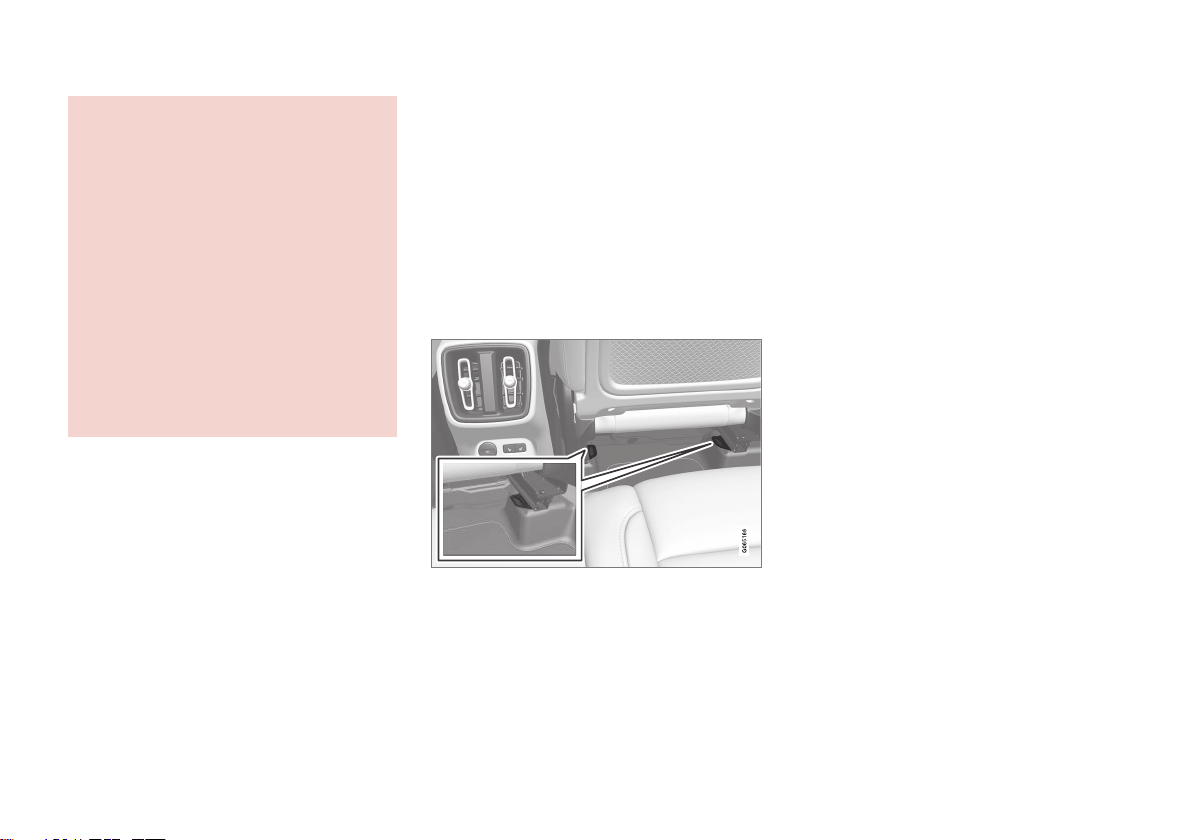
||
SAFETY
74
•
Child restraint anchorages are
designed to withstand only those loads
imposed by correctly fitted child
restraints. Under no circumstances are
they to be used for adult seat belts or
harnesses. The anchorages are not able
to withstand excessive forces on them
in the event of collision if full harness
seat belts or adult seat belts are installed to them. An adult who uses a belt
anchored in a child restraint anchorage
runs a great risk of suffering severe
injuries should a collision occur.
•
Do not install rear speakers that require
the removal of the top tether anchors
or interfere with the proper use of the
top tether strap.
Related information
•
Child restraints (p. 65)
•
Lower child seat attachment points
(p. 74)
•
ISOFIXLATCH lower anchors (p. 75)
Lower child seat attachment points
The rear seats are equipped with lower child
seat attachment points.
The lower child seat attachment points are
intended for use with certain rear-facing child
restraints.
Always follow the manufacturer's installation
instructions when attaching a child seat to the
lower child seat attachment points.
Location of child seat attachment points
Location of child seat attachment points in the rear
seat.
The child seat attachment points in the rear
seat are located on the rear section of the
front seat floor rails.
Related information
•
Child restraints (p. 65)
•
Top tether anchors (p. 73)
•
ISOFIXLATCH lower anchors (p. 75)
Page 77
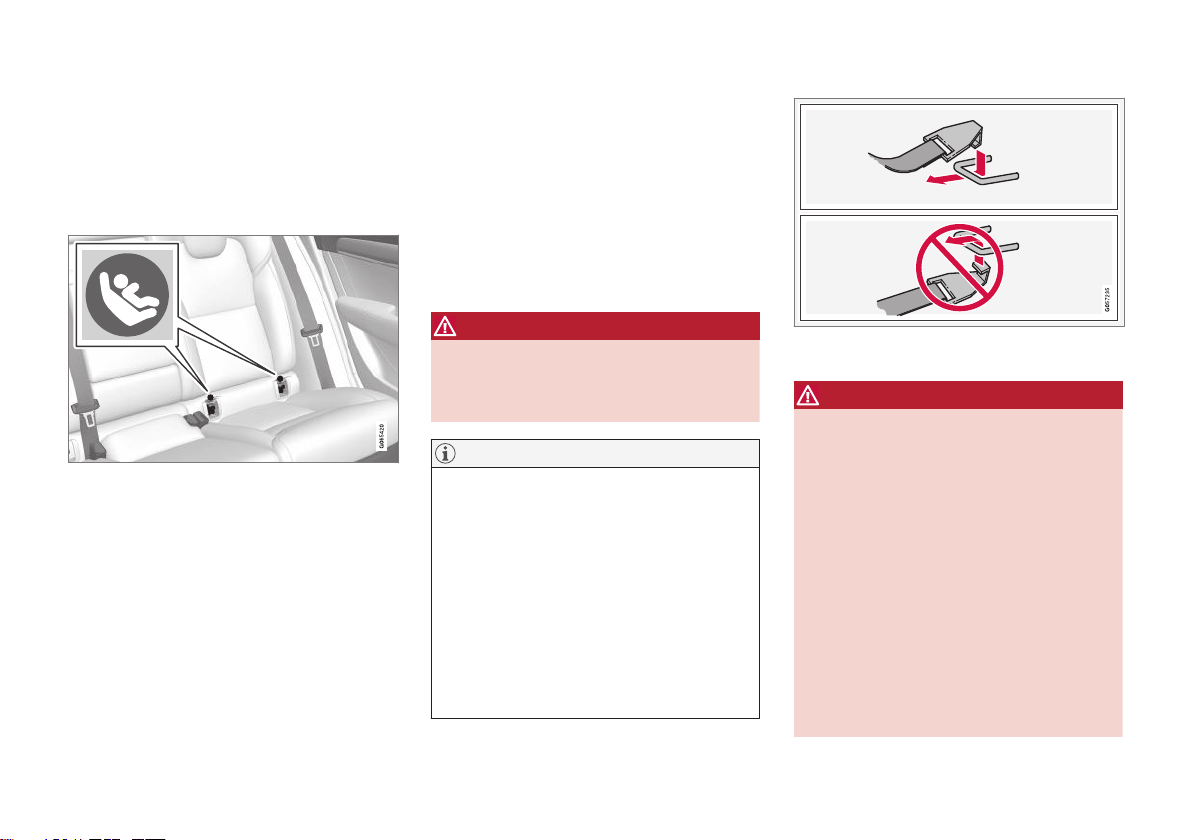
SAFETY
}}
75
ISOFIXLATCH lower anchors
Lower anchors for ISOFIXLATCH-equipped
child seats are located in the rear, outboard
seats, hidden below the backrest cushions.
Using the ISOFIXLATCH lower child
seat anchors
Location of the ISOFIXLATCH anchors
Symbols on the seat back upholstery mark the
ISOFIXLATCH anchor positions as shown. To
access the anchors, kneel on the seat cushion
and locate the anchors by feel. Always follow
your child seat manufacturer's installation
instructions, and use both ISOFIXLATCH
lower anchors and top tethers whenever possible.
To access the anchors
1. Put the child restraint in position.
2. Kneel on the child restraint to press down
the seat cushion and locate the anchors
by feel.
3. Fasten the attachment on the child
restraint's lower straps to the ISOFIX
LATCH lower anchors.
4. Firmly tension the lower child seat straps
according to the manufacturer's instructions.
WARNING
Volvo's ISOFIXLATCH anchors conform to
FMVSSCMVSS standards. Always refer
to the child restraint system's manual for
weight and size ratings.
NOTE
•
The rear center seat is not equipped
with ISOFIXLATCH lower tether
anchors. If a child restraint is used in
this seat, attach the restraint's upper
anchor strap (if equipped with these)
to the top tether anchor point for this
strap and secure the child restraint
with the vehicle's center seat belt.
•
Always follow your child seat manufacturer's installation instructions, and use
both ISOFIXLATCH lower anchors
and top tethers whenever possible.
Fasten the attachment correctly to the ISOFIX
LATCH lower anchors.
WARNING
•
Be sure to fasten the attachment correctly to the anchor (see the illustration). If the attachment is not correctly
fastened, the child restraint may not be
properly secured in the event of a collision.
•
The ISOFIXLATCH lower child
restraint anchors are only intended for
use with child seats positioned in the
outboard seating positions. These
anchors are not certified for use with
any child restraint that is positioned in
the center seating position. When
securing a child restraint in the center
seating position, use only the vehicle's
center seat belt.
Page 78

||
SAFETY
76
Related information
•
Child restraints (p. 65)
•
Top tether anchors (p. 73)
•
ISOFIXLATCH lower anchors (p. 75)
Page 79

DISPLAYS AND VOICE CONTROL
Page 80
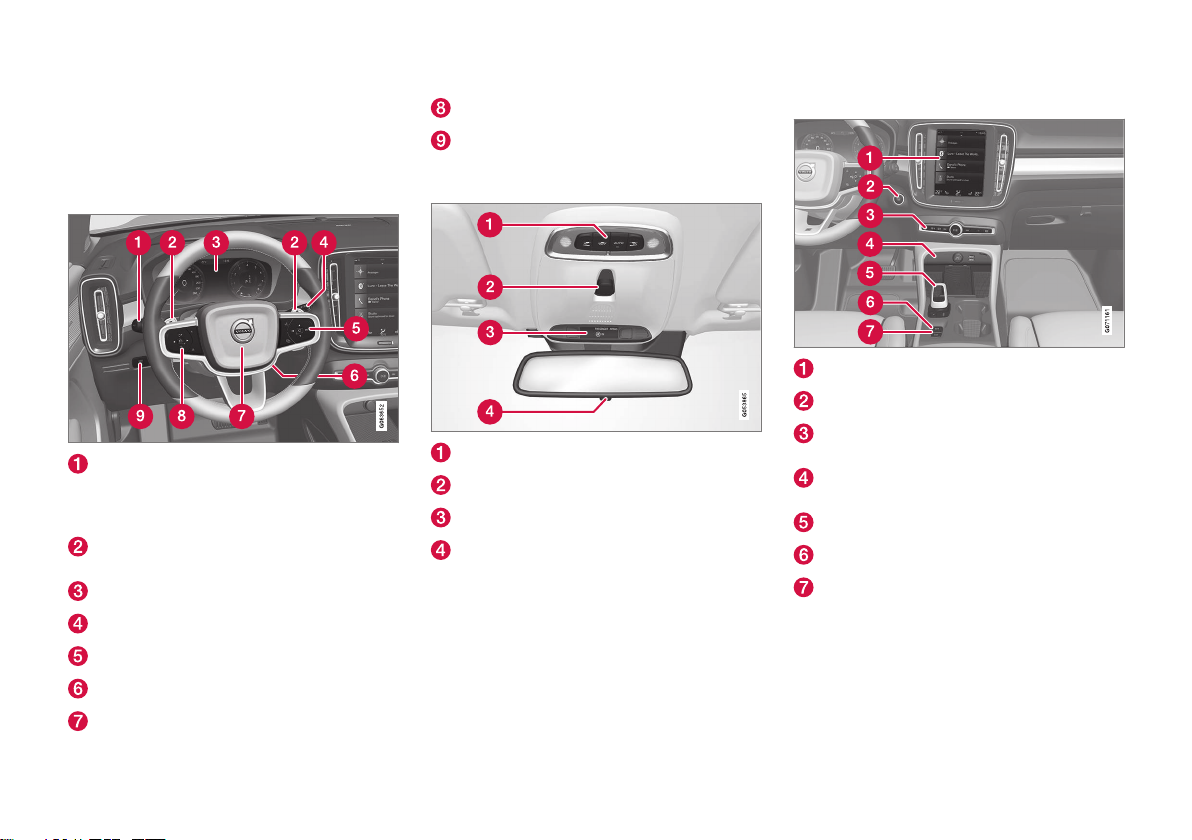
DISPLAYS AND VOICE CONTROL
* Option/accessory.
78
Instruments and controls in lefthand drive vehicles
The overviews show the location of the vehicle's displays and controls.
Steering wheel and dashboard
Parking lights, daytime running lights, low
beams, high beams, turn signals, front fog
lights/cornering illumination*, rear fog
light, trip computer reset
Steering wheel paddles* for manual shifting of automatic transmission
Instrument panel
Wipers and washers, rain sensor*
Right-side steering wheel keypad
Steering wheel adjustment
Horn
Left-side steering wheel keypad
Display lighting, unlocking/locking*/closing* the trunk lid/tailgate
Ceiling console
Front reading lights and courtesy lighting
Panoramic roof*
Ceiling console display ON CALL button
HomeLink®*
Center and tunnel console
Center display
Start button
Hazard warning flashers, defrosting,
media, drive mode button*
Electrical outlet, USB port, wireless phone
charger*
Gear selector
Parking brake
Auto-hold brakes
Page 81
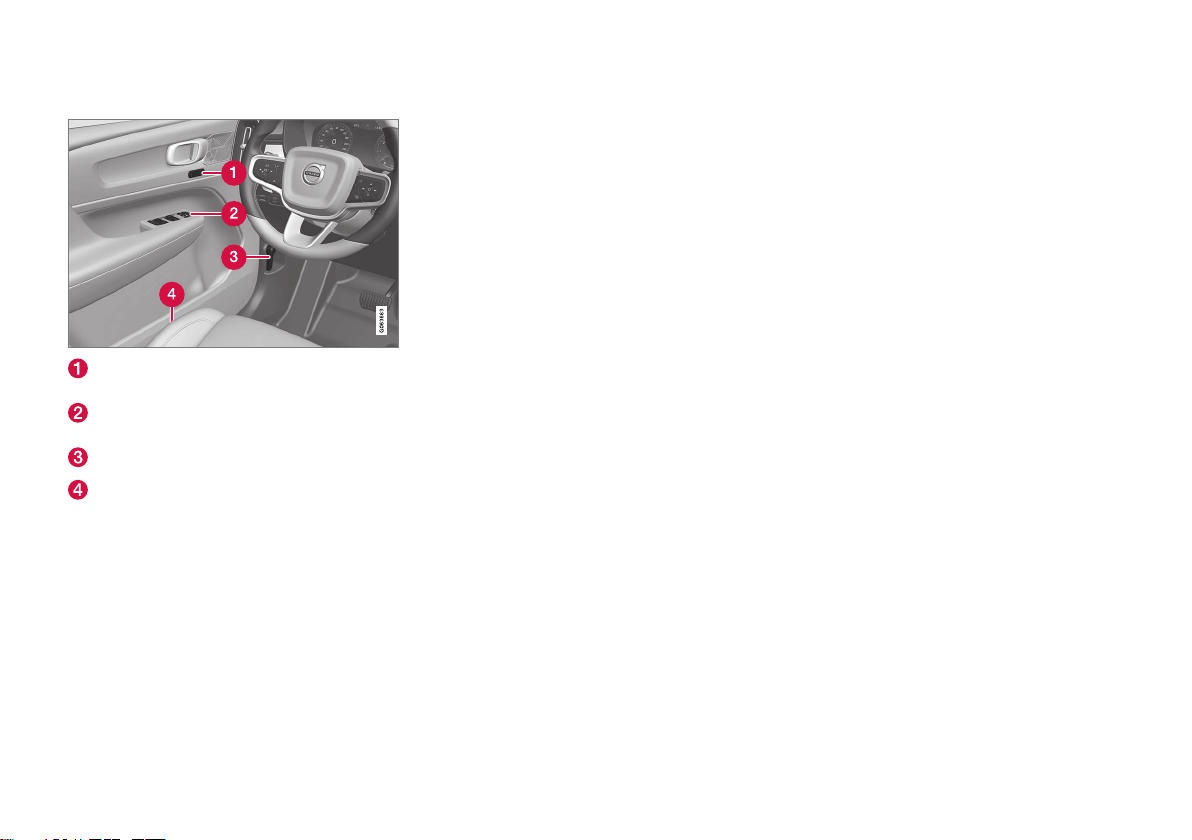
DISPLAYS AND VOICE CONTROL
* Option/accessory.
79
Driver's door
Memory for power front seat*, door mirror
settings
Central locking, power windows, door mirrors, electric child safety locks*
Hood open
Controls for front seat
Related information
•
Manual front seats (p. 174)
•
Adjusting the power* front seats (p. 175)
•
Adjusting the steering wheel (p. 182)
•
Lighting control and panel (p. 142)
•
Starting the vehicle (p. 356)
•
Instrument panel (p. 80)
•
Center display overview (p. 103)
•
Transmission (p. 369)
Page 82
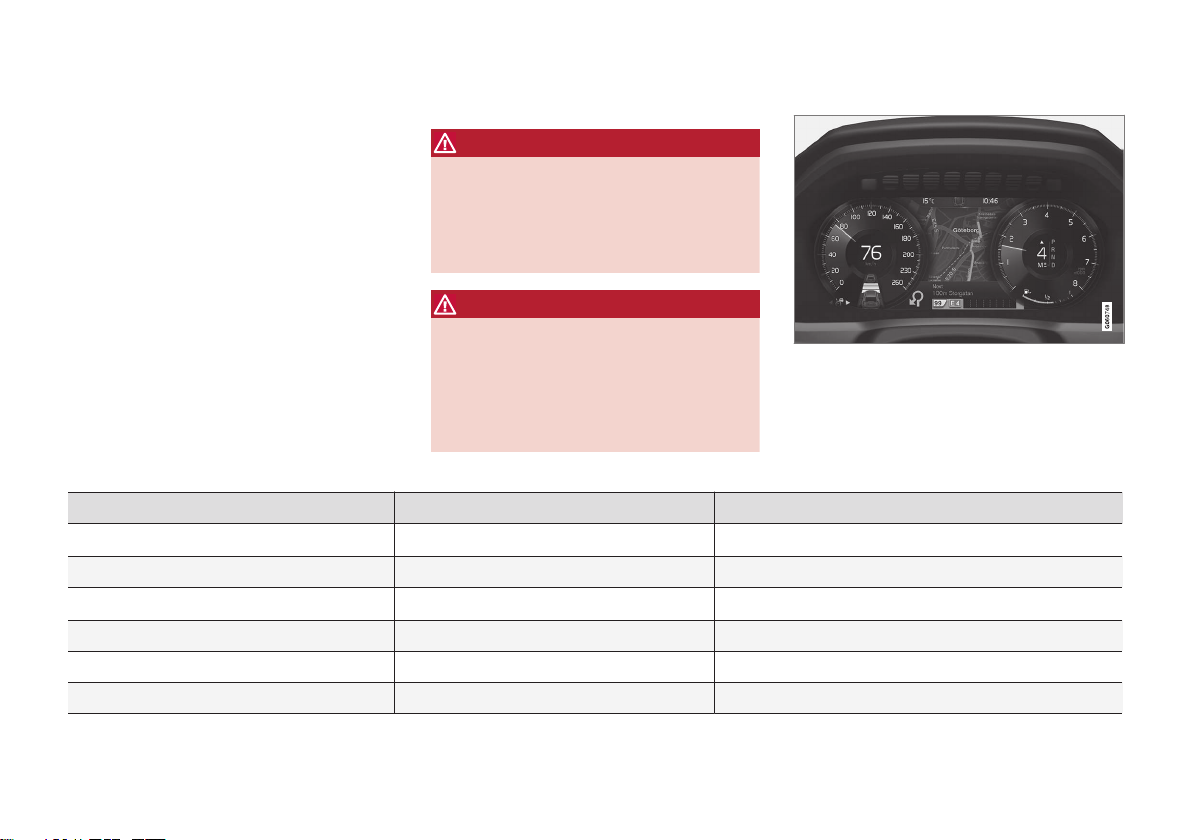
DISPLAYS AND VOICE CONTROL
* Option/accessory.
80
Instrument panel
The instrument panel displays information
related to the vehicle and driving.
The instrument panel contains gauges, indicators and monitoring and warning symbols.
What is shown in the instrument panel varies
depending on the equipment, settings and
functions currently active.
The instrument panel is activated as soon as a
door is opened, i.e. in ignition mode 0. The
panel will power down after a short period of
time if it is not used. To reactivate it, do one of
the following:
•
Depress the brake pedal.
•
Activate ignition mode I.
•
Open one of the doors.
WARNING
If the instrument panel turns off, does not
activate when the ignition is switched on,
or part/all of the panel cannot be read, do
not drive the vehicle. Consult a workshop
immediately. Volvo recommends an
authorized Volvo workshop.
WARNING
If the instrument panel is not functioning
properly, information about brakes, airbags
or other safety-related systems may not be
displayed. The driver will then not be able
to check the status of the vehicle systems
or receive relevant warnings and information.
The illustration is generic - details may vary according to vehicle model.
Location in the instrument panel:
Left side In the center Right side
Speedometer Indicator and warning symbols
Tachometer/ECO gauge
A
Trip odometer Ambient temperature sensor Gear indicator
Odometer
B
Clock Drive Mode
Cruise control/speed limiter information Message (also graphics in some cases) Fuel gauge
Road sign information*
Door and seat belt status Start/Stop function status
– Media player Distance to empty tank
Page 83
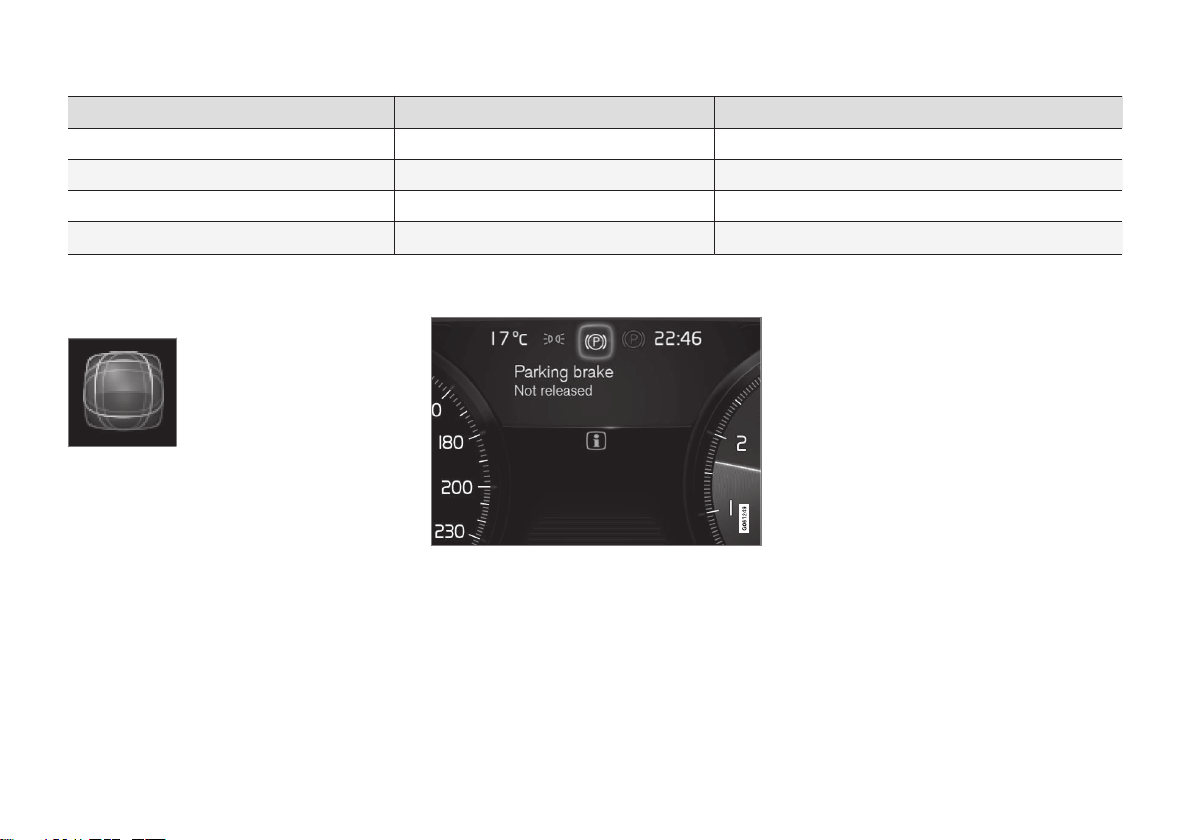
DISPLAYS AND VOICE CONTROL
* Option/accessory.
81
Left side In the center Right side
–
Navigation system map*
Current fuel consumption
– Phone App menu (activated using steering wheel keypad)
– Voice Control –
–
Compass
A
–
A
Depends on selected drive mode.
B
Total distance.
Dynamic symbol
Dynamic symbol in basic
mode.
In the center of the instrument panel is a
dynamic symbol that changes appearance
according to the type of message displayed.
The severity of the control or warning symbol
is indicated by a red or amber-colored marking
around the symbol.
Example with indicator symbol.
An animation may be used to change the symbol into a graphic image to depict the location
of a problem or to clarify information.
Related information
•
Instrument panel settings (p. 82)
•
Warning symbols in the instrument panel
(p. 91)
•
Indicator symbols in the instrument panel
(p. 88)
•
Trip computer (p. 83)
•
Messages in the instrument panel
(p. 98)
•
Handling the App menu in the instrument
panel (p. 97)
•
Drive modes* (p. 375)
Page 84
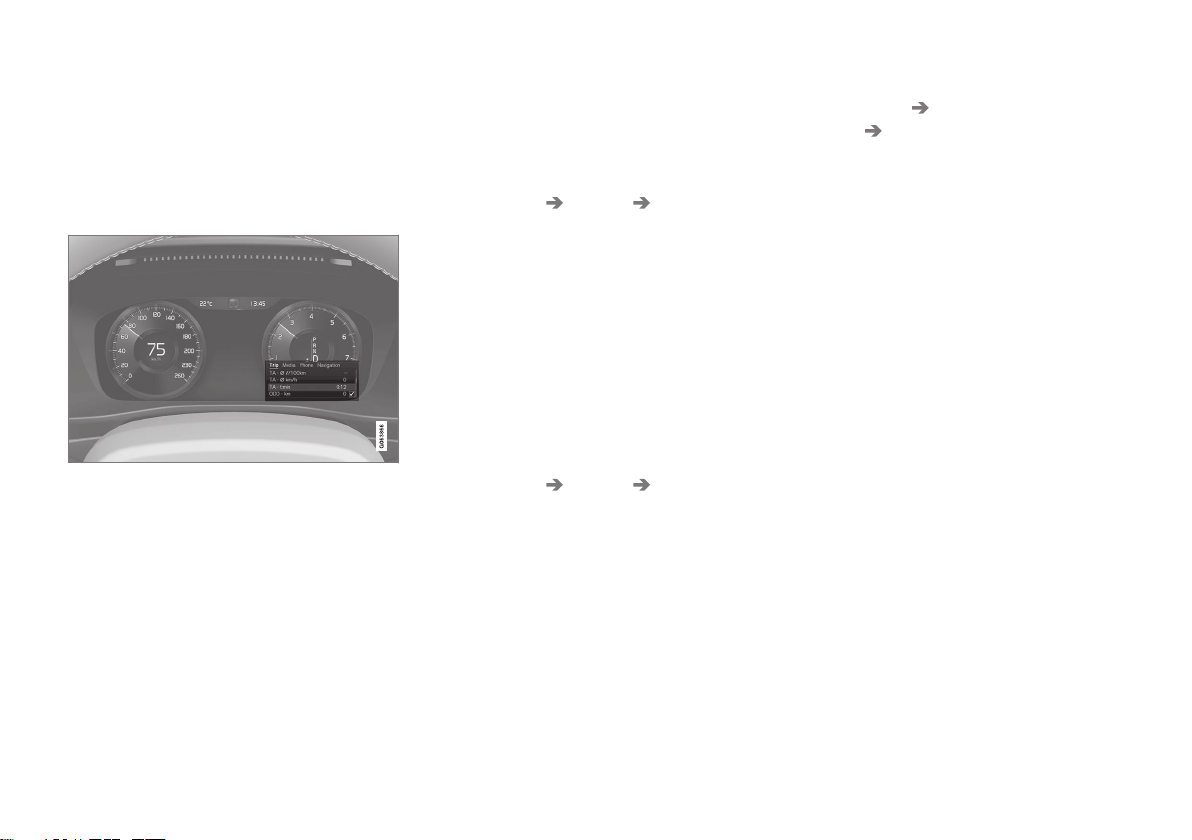
DISPLAYS AND VOICE CONTROL
* Option/accessory.
82
Instrument panel settings
Display settings for the instrument panel can
be set via the instrument panel's app menu
and via the center display's Settings menu.
Settings via instrument panel's app menu
The illustration is generic - details may vary according to vehicle model.
The app menu will open and can be controlled
using the right-side steering wheel keypad.
The app menu can be used to set what information will be displayed in the instrument
panel
•
trip computer
•
media player
•
phone
•
navigation system*.
Settings via center display
Selecting type of information
1.
Tap
Settings in the center display's Top
view.
2. Tap
My Car Displays Driver Display
Information
.
3. Select a background:
•
Show no information in the
background
•
Show information for current
playing media
•
Show navigation even if no route is
set
Select theme
1.
Tap
Settings in the center display's Top
view.
2. Tap
My Car Displays Display
Themes
.
3. Select a theme (appearance) for the
instrument panel:
•
Glass
•
Minimalistic
•
Performance
•
Chrome Rings
Select language
1.
Tap
Settings in the center display's Top
view.
2. Tap
System System Languages and
Units
System Language to select lan-
guage.
> A change made here will affect the lan-
guage in all displays.
The settings are personal and saved automatically in the active driver profile.
Related information
•
Instrument panel (p. 80)
•
Handling the App menu in the instrument
panel (p. 97)
•
Changing settings in the center display's
Top view (p. 125)
Page 85
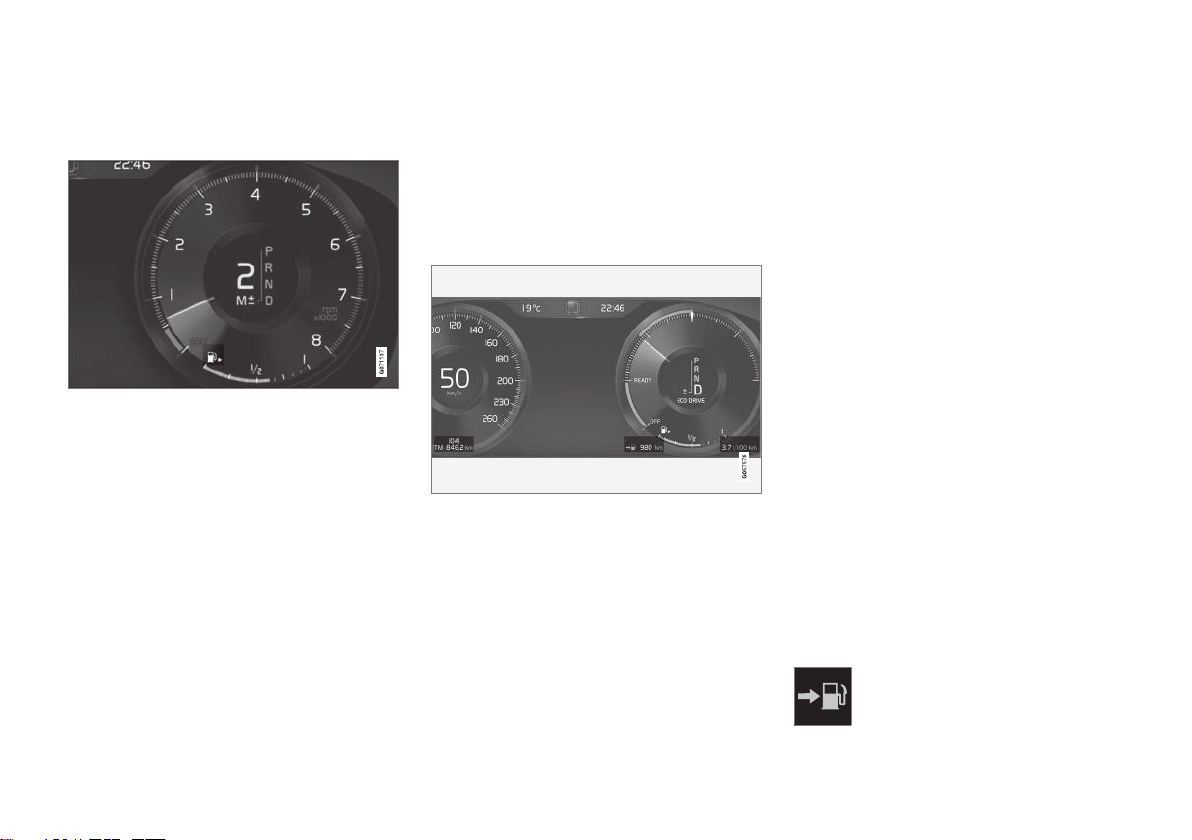
DISPLAYS AND VOICE CONTROL
}}
83
Fuel gauge
The fuel gauge in the instrument panel shows
the fuel level in the tank.
The illustration is generic - details may vary according to vehicle model.
The beige area in the fuel gauge indicates the
amount of fuel left in the tank.
When the fuel level is low and it is time to
refuel, the fuel pump symbol will illuminate
with an amber-colored light. The trip computer
also indicates the approximate distance driven
on the fuel remaining in the tank.
Related information
•
Instrument panel (p. 80)
•
Refueling (p. 391)
•
Fuel tank volume (p. 602)
Trip computer
The vehicle's trip computer registers data
while driving such as mileage, fuel consumption and average speed.
To help promote fuel-efficient driving, data is
recorded on both current and average fuel
consumption. Data from the trip computer can
be displayed in the instrument panel.
Example of trip computer information in the instrument panel. The illustration is generic - details may
vary according to vehicle model.
The trip computer includes the following
gauges:
•
Trip odometer
•
Odometer
•
Current fuel consumption
•
Distance to empty tank
•
Tourist - alternative speedometer
Unit standards for distance, speed, etc. can be
changed via system settings in the center display.
Trip odometer
There are two trip odometers: TM and TA.
TM can be reset manually and TA is reset
automatically if the vehicle is not used for four
hours.
During a drive, the trip odometer registers
data on:
•
Mileage
•
Driving time
•
Average speed
•
Average fuel consumption
The readings since the trip odometer's last
reset are displayed.
Odometer
The odometer records the vehicle's total mileage. This reading cannot be reset.
Current fuel consumption
This gauge shows the vehicle's fuel consumption at that moment. The reading is updated
about once a second.
Distance to empty tank
The trip computer calculates the distance that can be driven on the fuel
remaining in the tank.
Page 86
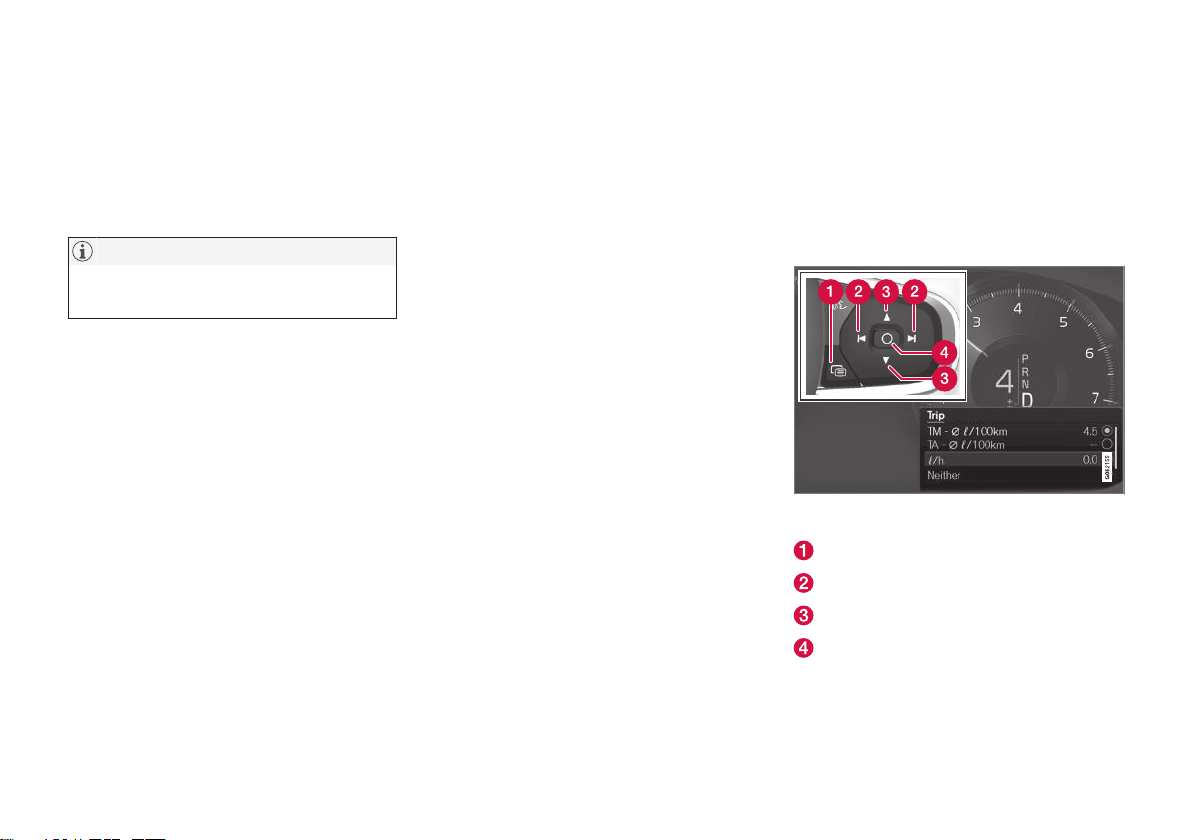
||
DISPLAYS AND VOICE CONTROL
84
This calculation is based on average fuel consumption during the last 30 km (20 miles)
and the amount of fuel remaining in the tank.
When the gauge displays "----", there is not
enough fuel remaining to calculate the remaining mileage. Refuel as soon as possible.
NOTE
The information will change based on your
driving style.
An economical driving style will generally
increase how far you can drive on a certain
amount of fuel.
Tourist - alternative speedometer
The alternative digital speedometer makes it
easier to drive in countries where speed limit
signs are shown in a different measurement
unit than the one shown in the vehicle's
gauges.
When used, the digital speed is displayed in
the opposite unit to that shown in the analog
speedometer. If mph is used in the analog
speedometer, the equivalent speed in km/h
will be shown in the digital speedometer.
Related information
•
Displaying trip data in the instrument
panel (p. 84)
•
Resetting the trip odometer (p. 85)
•
Displaying trip statistics in the center display (p. 86)
•
Instrument panel (p. 80)
•
Changing system units of measurement
(p. 125)
Displaying trip data in the instrument panel
Data recorded and calculated by the trip
computer can be displayed on the instrument
panel.
This data is stored in a trip computer app. You
can choose which information the instrument
panel will display in the app menu.
Open and navigate in the app menu1 using the righthand steering wheel keypad.
App menu
Left/right
Up/down
Confirm
Page 87
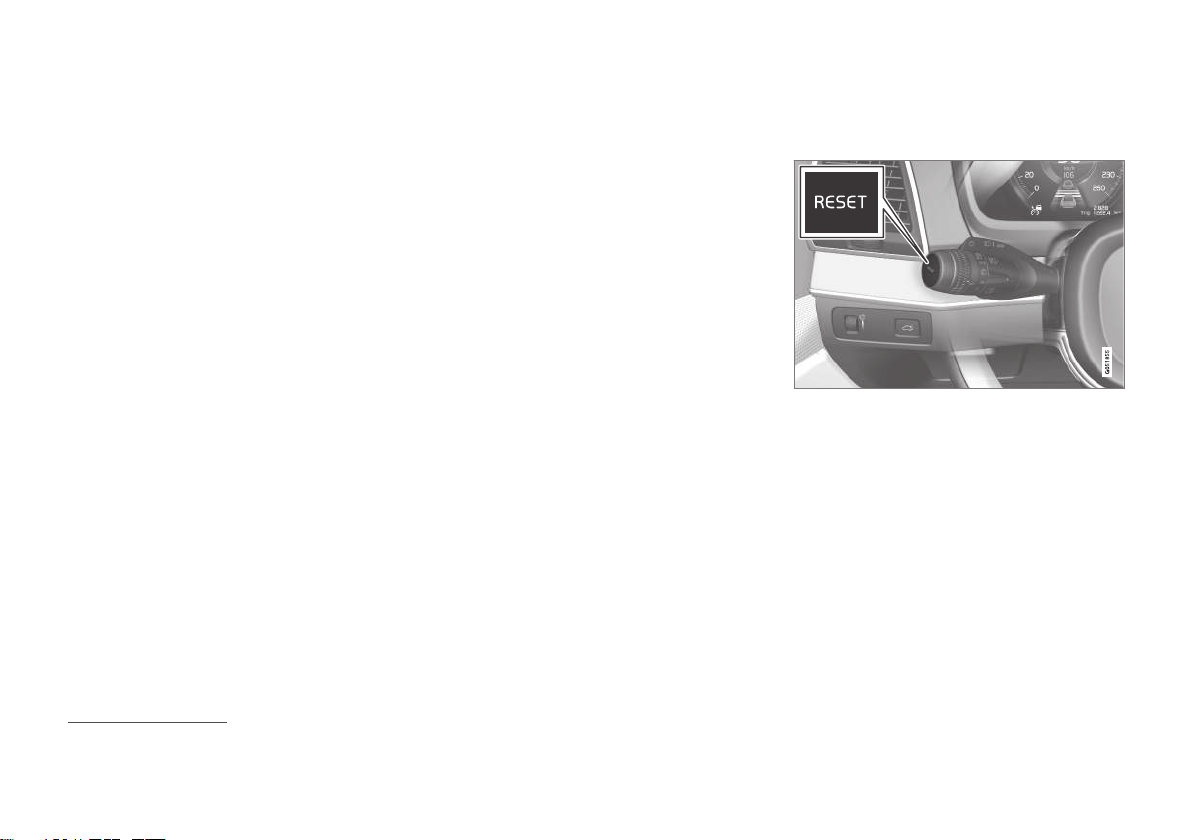
DISPLAYS AND VOICE CONTROL
85
1. Open the app menu in the instrument
panel by pressing (1).
(The App menu cannot be opened while
there is an unacknowledged message in
the instrument panel. The message must
be acknowledged by pressing the O button (4) before the App menu can be
opened).
2. Navigate to the trip computer app by moving left or right using (2).
> The top four menu rows show meas-
ured values for trip odometer TM. The
next four menu rows show measured
values for trip odometer TA. Scroll up or
down in the list using (3).
3. Scroll down to the option buttons to
choose which information to show in the
instrument panel:
•
Odometer
•
Distance to empty tank
•
Tourist (alternative speedometer)
•
Mileage for trip odometer TM, TA or no
display of mileage
•
Current fuel consumption, average fuel
consumption for TM or TA, or no display of fuel consumption
Select or clear a selection using the O button (4). The change will apply immediately.
Related information
•
Trip computer (p. 83)
•
Resetting the trip odometer (p. 85)
Resetting the trip odometer
Resetting the trip odometer using the leftside steering wheel lever.
–
Reset all information in trip odometer TM
(i.e. mileage, average fuel consumption,
average speed and driving time) by pressing and holding the RESET button on the
left-hand steering wheel lever.
Tapping the RESET button only resets the
distance driven.
The TA trip odometer can not be manually
reset. It resets automatically if the vehicle is
not used for four hours or more.
Related information
•
Trip computer (p. 83)
1
The illustration is generic - details may vary according to vehicle model.
Page 88
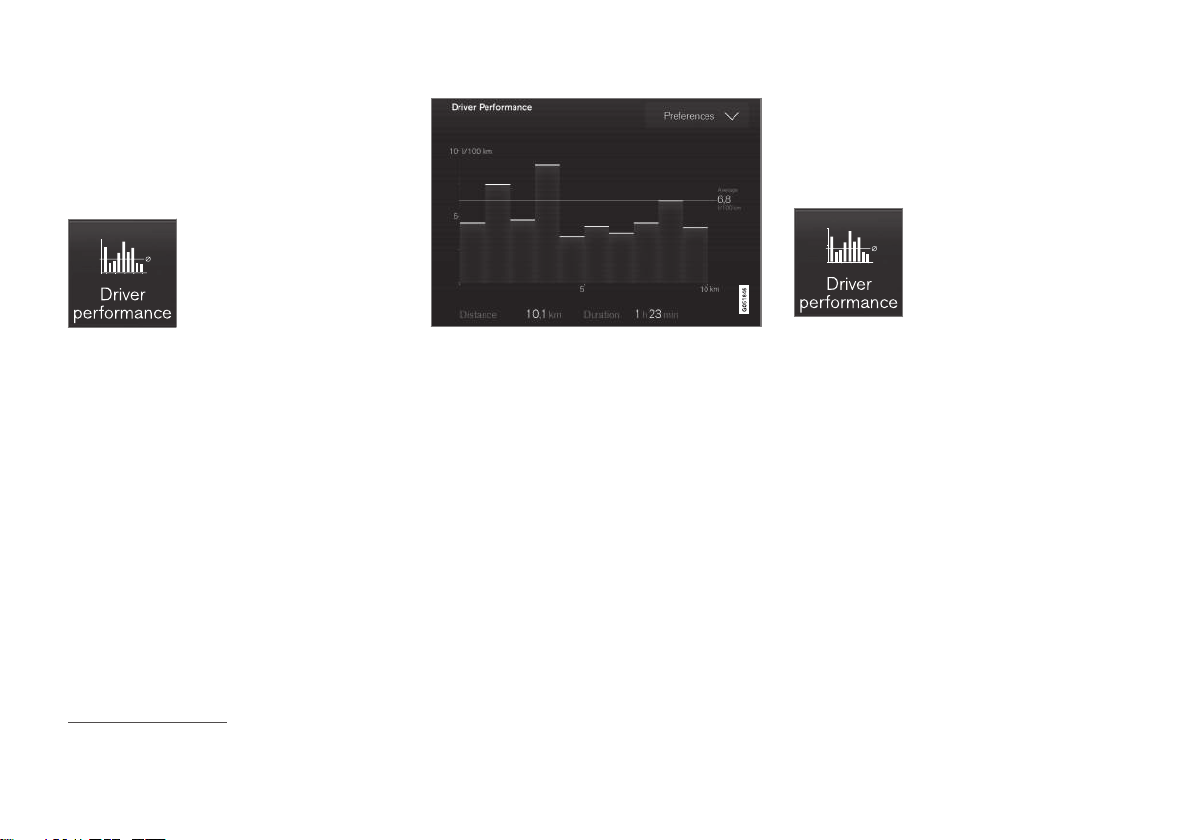
DISPLAYS AND VOICE CONTROL
86
Displaying trip statistics in the center display
Trip computer statistics can be displayed
graphically in the center display, providing an
overview that facilitates more fuel-efficient
driving.
Open the Driver
performance app in the App
view to display trip statistics.
Each bar in the graph repre-
sents a driving distance of 1
kilometers, 10 kilometers or
100 kilometers (or miles). The bars are added
from the right as you drive. The bar at the far
right shows the data for the current trip.
Average fuel consumption and total driving
time are calculated from the most recent reset
of the trip statistics.
Trip computer statistics2.
Related information
•
Trip statistics settings (p. 86)
•
Trip computer (p. 83)
Trip statistics settings
Trip statistics settings can be reset or
adjusted.
1.
Open the
Driver performance app in the
App view to display trip statistics.
2.
Tap
Preferences to
•
change the graph scale. Select 1, 10 or
100 km/miles for the bar.
•
reset data after each trip. Performed
when the vehicle remains stationary for
more than 4 hours.
•
reset data for current trip.
Trip statistics, calculated average consumption, and total driving time are
always reset simultaneously.
Unit standards for distance, speed, etc. can be
changed via system settings in the center display.
2
The illustration is generic - details may vary according to vehicle model.
Page 89
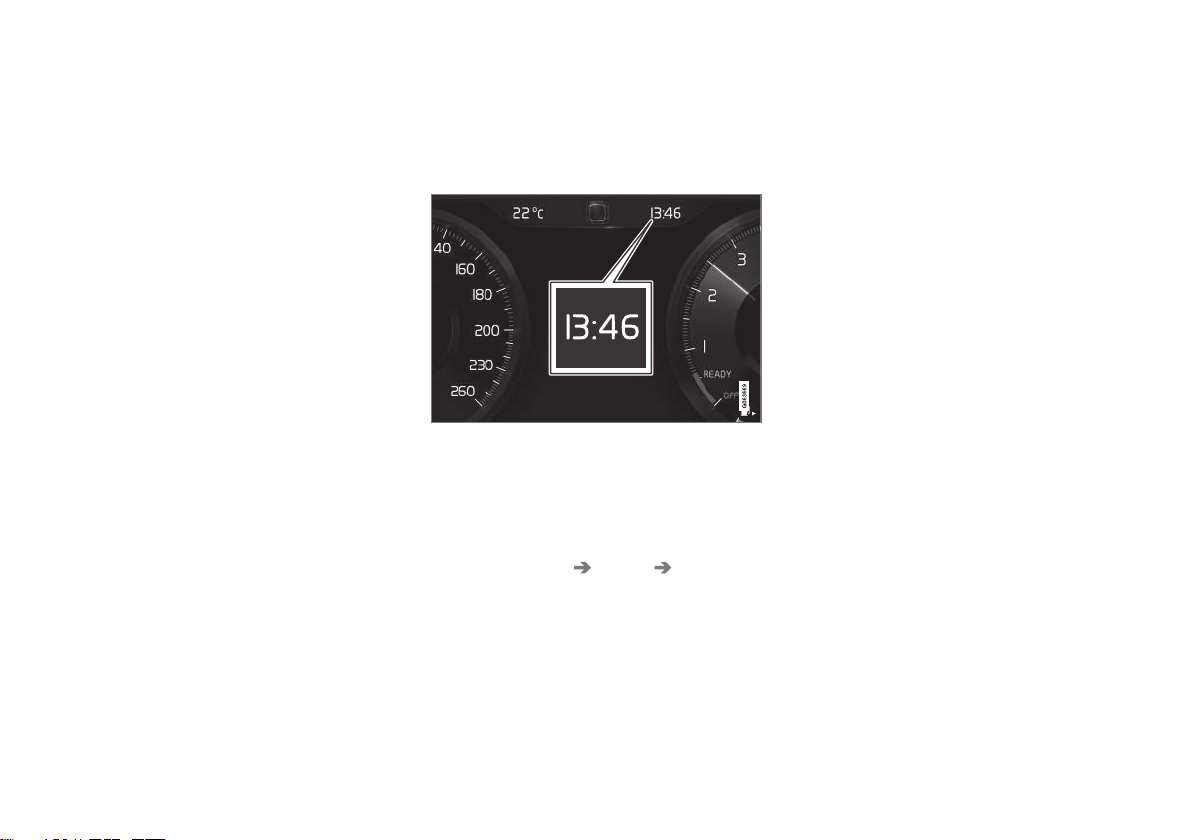
DISPLAYS AND VOICE CONTROL
87
Related information
•
Displaying trip statistics in the center display (p. 86)
•
Trip computer (p. 83)
•
Resetting the trip odometer (p. 85)
Date and time
The clock is displayed in both the instrument
panel and the center display.
Location of clock
Certain messages and other information may
obscure the clock in the instrument panel.
In the center display, the clock is located on
the upper right-hand side in the status bar.
Settings for date and time
–
Select Settings System Date and
Time
in the center display's Top view to
change settings for time and date format.
Adjust the date and time by tapping the
up or down arrows on the touchscreen.
Automatic time for vehicles with GPS
When the vehicle is equipped with a navigation system,
Auto Time is also available. The
time zone will then be automatically set to the
vehicle's location. In some navigation systems,
the current location must also be set to determine the correct time zone. If
Auto Time is
not selected, the time and date can be
adjusted using the up and down arrows on the
touchscreen.
Daylight savings time
In some countries, the Auto Daylight Saving
Time setting can be selected to automatically
change to daylight savings time. For other
countries, the Daylight Saving Time setting
can be selected manually.
Related information
•
Instrument panel (p. 80)
•
Changing settings in the center display's
Top view (p. 125)
Page 90
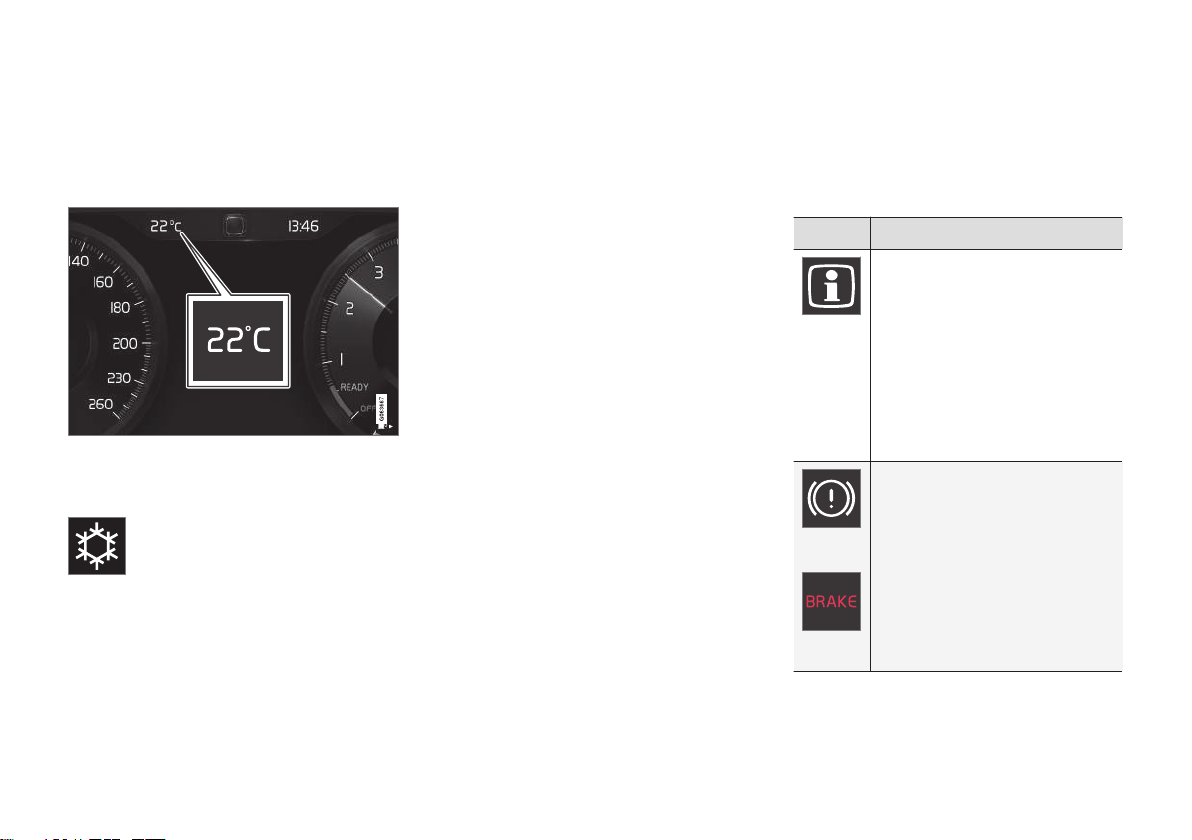
DISPLAYS AND VOICE CONTROL
88
Ambient temperature sensor
The ambient temperature is shown in the
instrument panel.
The sensor detects the temperature outside
the vehicle.
If the vehicle has been stationary, the sensor
reading may be higher than the actual temperature.
When the ambient temperature is
between –5 °C and +2 °C (23 °F
and 36 °F), a snowflake symbol will
illuminate to alert the driver of the
risk of slippery conditions.
Change the measurement standard for the
temperature sensor etc. via system settings in
the center display's Top view.
Related information
•
Instrument panel (p. 80)
•
Changing system units of measurement
(p. 125)
Indicator symbols in the instrument panel
The indicator symbols alert the driver that a
function has been activated, that a system is
running, or that a fault or error may have
occurred.
Symbol Meaning
Information, see the message
in the display
The information symbol illuminates and a message is displayed
in the instrument panel if one of
the vehicle's systems requires
the driver's attention. The information symbol may also illuminate in combination with other
symbols.
A
B
Fault in brake system
This symbol illuminates if there is
a problem with the parking
brake.
Page 91
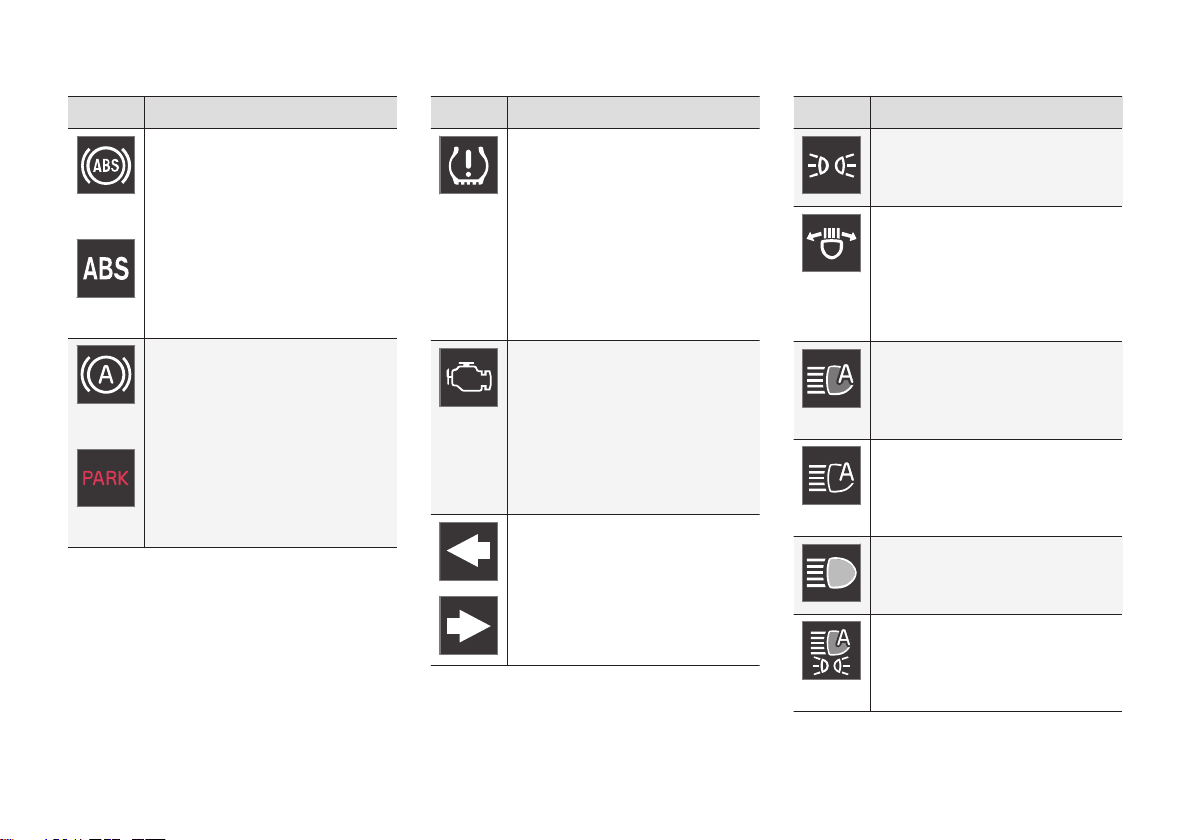
DISPLAYS AND VOICE CONTROL
}}
89
Symbol Meaning
A
B
Fault in ABS system
If this symbol is illuminated, the
ABS system is malfunctioning.
The vehicle's regular brakes will
still work, but without the ABS
function.
A
B
Auto-brake on
This symbol illuminates when the
function is activated and the
brakes or parking brakes are
being used. The brakes hold the
vehicle at a standstill after it has
stopped.
Symbol Meaning
Tire pressure system
This symbol illuminates to indicate low tire pressure. If there is
a fault in the tire pressure system, the symbol will first flash for
approximately 1 minute and then
glow steadily. This may occur if
the system cannot detect or alert
the driver of low tire pressure as
intended.
Emission control system
If this symbol illuminates after
starting the engine, it could indicate a fault in the vehicle's emission control system. Have the
vehicle checked by a workshop.
Volvo recommends contacting
an authorized Volvo workshop.
Left/right turn signals
The symbol will flash when the
turn signals are in use.
Symbol Meaning
Parking lights
This symbol illuminates when the
parking lights are on.
Fault in headlight system
This symbol illuminates if a fault
has been detected in the ABL
(Active Bending Lights) function
or another fault in the headlight
system.
Active high beams on
This symbol lights up in blue
when the active high beams are
on.
Active high beams off
This symbol lights up in white
when the active high beams are
off.
High beams on
This symbol illuminates when the
high beams are on or flashed.
Active high beams on
This symbol lights up in blue
when the active high beams are
on. Parking lights are on.
Page 92
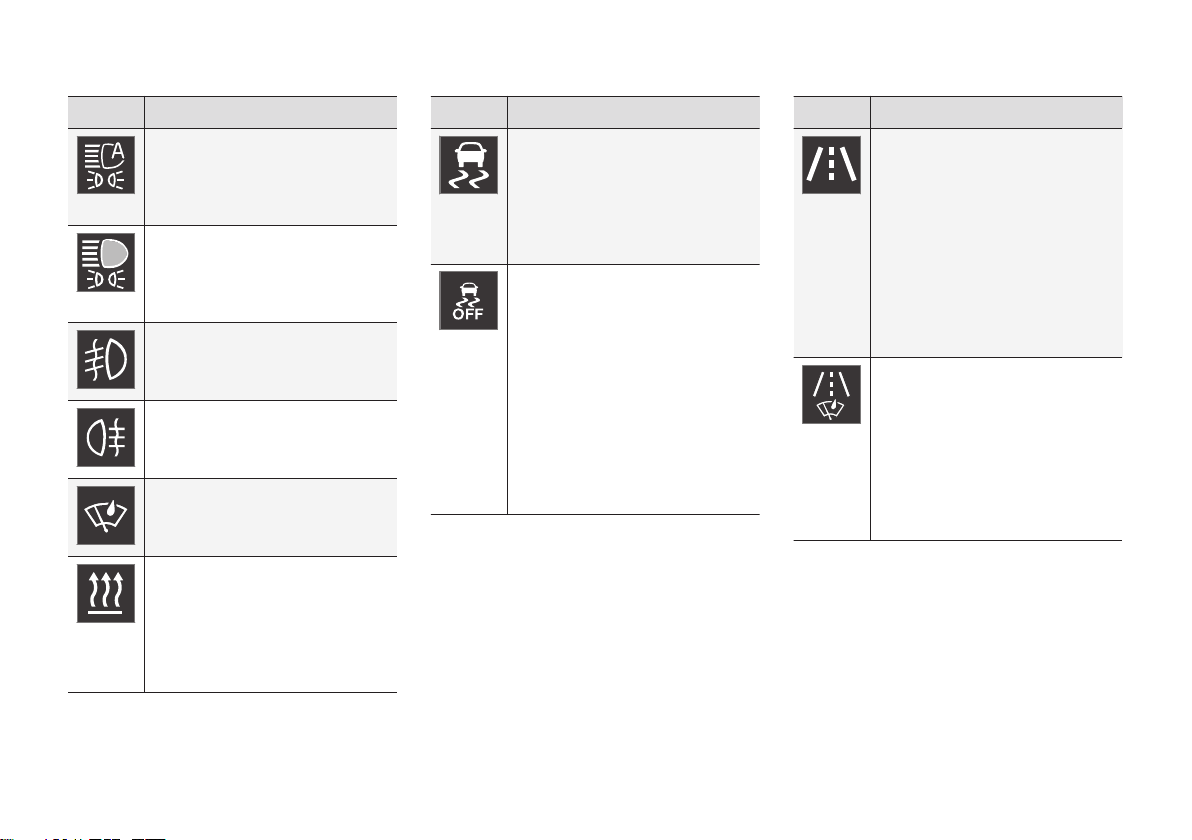
||
DISPLAYS AND VOICE CONTROL
90
Symbol Meaning
Active high beams off
This symbol lights up in white
when the active high beams are
off. Parking lights are on.
High beams on
This symbol illuminates when the
high beams and parking lights
are on.
Front fog lights on
This symbol illuminates when the
front fog lights are on.
Rear fog light on
This symbol illuminates when the
rear fog light is on.
Rain sensor on
This symbol illuminates when the
rain sensor is on.
Preconditioning on
This symbol illuminates when the
engine block/passenger compartment heater or air conditioning are preconditioning the vehicle.
Symbol Meaning
Stability system
This symbol flashes when the
stability system is actively working to stabilize the vehicle. If the
symbol glows steadily, there is a
fault in the system.
Stability system, Sport mode
This symbol illuminates when
Sport mode is activated. Sport
mode offers a more active driving
experience. If the system detects
that accelerator pedal, steering
wheel and cornering movements
are more active than in normal
driving, it allows a certain level of
controlled lateral movement of
the rear wheels before intervening and stabilizing the vehicle.
Symbol Meaning
Lane Keeping Aid
White symbol: Lane Keeping Aid
is on and lane marker lines are
detected.
Gray symbol: Lane Keeping Aid
is on but no lane marker lines are
detected.
Amber-colored symbol: Lane
Keeping Aid is alerting/intervening.
Lane Keeping Aid and rain sensor
White symbol: Lane Keeping Aid
is on and lane marker lines are
detected. The rain sensor is on.
Gray symbol: Lane Keeping Aid
is on but no lane marker lines are
detected. The rain sensor is on.
A
Canadian models.
B
US models.
Related information
•
Instrument panel (p. 80)
•
Warning symbols in the instrument panel
(p. 91)
Page 93
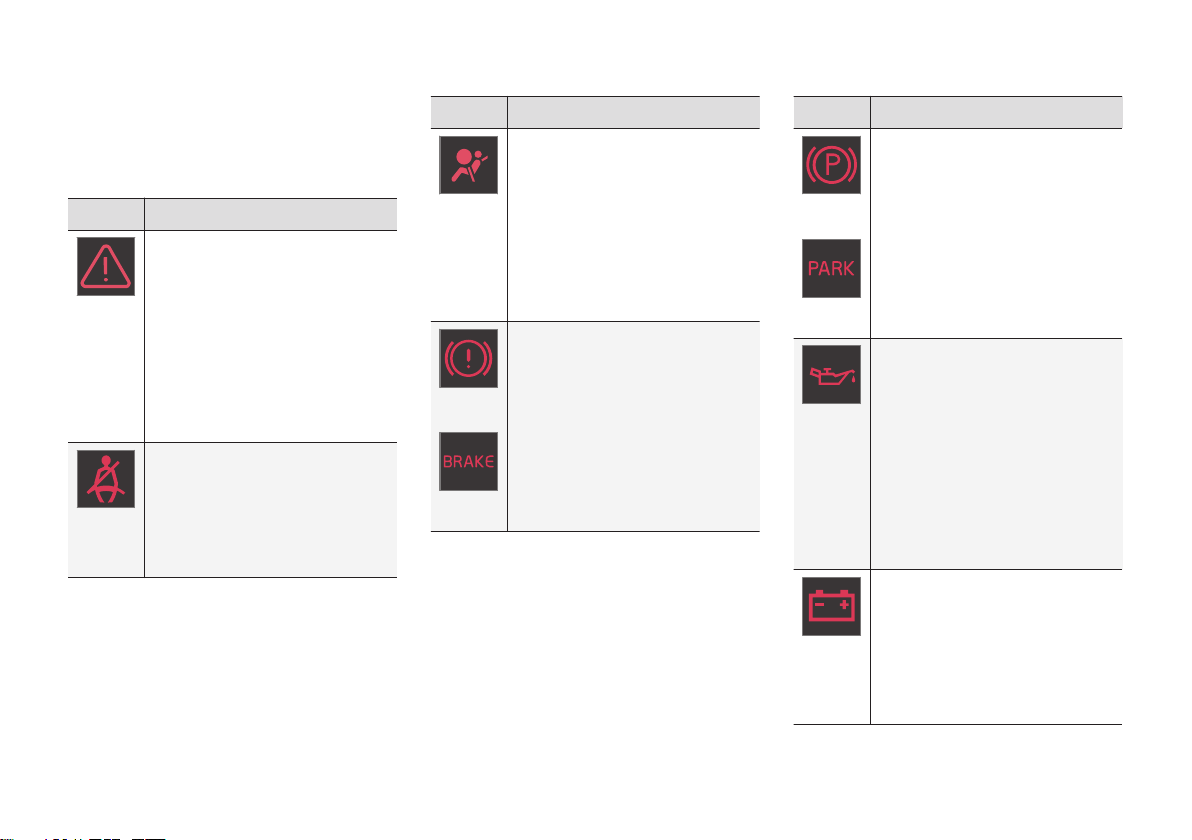
DISPLAYS AND VOICE CONTROL
}}
91
Warning symbols in the instrument panel
The warning symbols alert the driver that an
important function is activated or that a serious fault or error has occurred.
Symbol Meaning
WARNING
The red warning symbol illuminates to indicate that a fault has
been detected that could affect
safety or driveability. An explanatory message will be simultaneously displayed in the instrument
panel. The warning symbol may
also illuminate in combination
with other symbols.
Seat belt reminder
This symbol will glow steadily or
flash if the driver or front seat
passenger has not fastened their
seat belt or if anyone in the rear
seat has removed their seat belt.
Symbol Meaning
Airbags
If this symbol remains illuminated or comes on while driving,
a fault has been detected in one
of the vehicle's safety systems.
Read the message in the instrument panel. Volvo recommends
contacting an authorized Volvo
workshop.
A
B
Fault in brake system
If this symbol illuminates, the
brake fluid level may be too low.
Contact your nearest authorized
workshop to have the brake fluid
level checked and adjusted.
Symbol Meaning
A
B
Parking brake on
This symbol glows steadily when
the parking brake is applied.
A flashing symbol indicates that
a fault has occurred. Read the
message in the instrument panel.
Low oil pressure
If this symbol illuminates while
driving when the engine oil pressure is too low. Stop the engine
immediately and check the
engine oil level. Add oil if necessary. If the symbol illuminates
and the oil level is normal, contact a workshop. Volvo recommends contacting an authorized
Volvo workshop.
Generator not charging
This symbol illuminates during
driving if a fault is detected in the
electrical system. Contact a
workshop. Volvo recommends
contacting an authorized Volvo
workshop.
Page 94
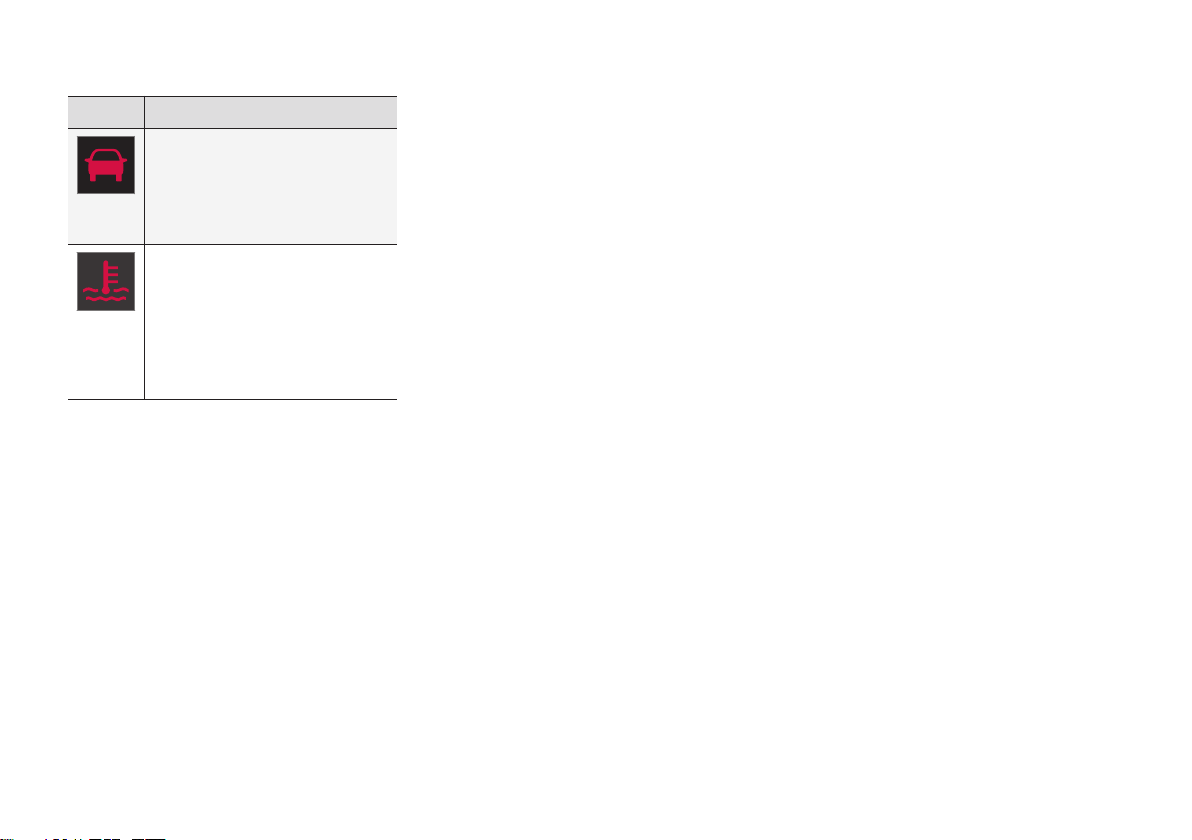
||
DISPLAYS AND VOICE CONTROL
92
Symbol Meaning
Collision risk
City Safety warns the driver if
there is a risk of a collision with
another vehicle, pedestrian,
cyclist or large animal.
High engine temperature
The symbol will illuminate while
driving when the engine temperature is too high. An explanatory message will be simultaneously displayed in the instrument
panel.
A
Canadian models.
B
US models.
Related information
•
Indicator symbols in the instrument panel
(p. 88)
•
Instrument panel (p. 80)
Instrument panel licenses
A license is an agreement on the right to conduct a certain activity or the right to use
someone else's right according to terms and
conditions specified in the agreement. The
following text is Volvo's agreement with the
manufacturer or developer.
Freetype Project License
3rd Party Software Disclaimers and License
Agreements Confidential ID 0600004004
39 / 75 Revision 06.00A, 20150609
2006-Jan-27 Copyright 19962002, 2006
by David Turner, Robert Wilhelm, and Werner
Lemberg.
Introduction
The FreeType Project is distributed in several
archive packages; some of them may contain,
in addition to the FreeType font engine,
various tools and contributions which rely on,
or relate to, the FreeType Project. This license
applies to all files found in such packages, and
which do not fall under their own explicit
license. The license affects thus the FreeType
font engine, the test programs, documentation
and makefiles, at the very least. This license
was inspired by the BSD, Artistic, and IJG
(Independent JPEG Group) licenses, which all
encourage inclusion and use of free software
in commercial and freeware products alike. As
a consequence, its main points are that: o We
don't promise that this software works.
However, we will be interested in any kind of
bug reports. (`as is' distribution) o You can use
this software for whatever you want, in parts
or full form, without having to pay us. (`royaltyfree' usage) o You may not pretend that you
wrote this software. If you use it, or only parts
of it, in a program, you must acknowledge
somewhere in your documentation that you
have used the FreeType code. (`credits') We
specifically permit and encourage the
inclusion of this software, with or without
modifications, in commercial products. We
disclaim all warranties covering The FreeType
Project and assume no liability related to The
FreeType Project. Finally, many people asked
us for a preferred form for a credit/disclaimer
to use in compliance with this license. We
thus encourage you to use the following text:
"Portions of this software are copyright ©
2013 The FreeType Project
(www.freetype.org). All rights reserved."
Page 95

DISPLAYS AND VOICE CONTROL
}}
93
Legal Terms
0. Definitions – Throughout this license, the
terms `package', `FreeType Project', and
`FreeType archive' refer to the set of files
originally distributed by the authors (David
Turner, Robert Wilhelm, and Werner Lemberg)
as the `FreeType Project', be they named as
alpha, beta or final release. `You' refers to the
licensee, or person using the project, where
`using' is a generic term including compiling
the project's source code as well as linking it
to form a `program' or `executable'. This
program is referred to as `a program using the
FreeType engine'. This license applies to all
files distributed in the original FreeType
Project, including all source code, binaries and
documentation, unless otherwise stated in the
file in its original, unmodified form as
distributed in the original archive. If you are
unsure whether or not a particular file is
covered by this license, you must contact us
to verify this. The FreeType Project is
copyright (C) 19962000 by David Turner,
Robert Wilhelm, and Werner Lemberg. All
rights reserved except as specified below.
1. No Warranty – THE FREETYPE PROJECT
IS PROVIDED `AS IS' WITHOUT WARRANTY
OF ANY KIND, EITHER EXPRESS OR
IMPLIED, INCLUDING, BUT NOT LIMITED
TO, WARRANTIES OF MERCHANTABILITY
AND FITNESS FOR A PARTICULAR
PURPOSE. IN NO EVENT WILL ANY OF THE
AUTHORS OR COPYRIGHT HOLDERS BE
LIABLE FOR ANY DAMAGES CAUSED BY
THE USE OR THE INABILITY TO USE, OF
THE FREETYPE PROJECT. '
2. Redistribution – This license grants a
worldwide, royalty-free, perpetual and
irrevocable right and license to use, execute,
perform, compile, display, copy, create
derivative works of, distribute and sublicense
the FreeType Project (in both source and
object code forms) and derivative works
thereof for any purpose; and to authorize
others to exercise some or all of the rights
granted herein, subject to the following
conditions: o Redistribution of source code
must retain this license file (`FTL.TXT')
unaltered; any additions, deletions or changes
to the original files must be clearly indicated in
accompanying documentation. The copyright
notices of the unaltered, original files must be
preserved in all copies of source files. o
Redistribution in binary form must provide a
disclaimer that states that the software is
based in part of the work of the FreeType
Team, in the distribution documentation. We
also encourage you to put an URL to the
FreeType web page in your documentation,
though this isn't mandatory. These conditions
apply to any software derived from or based
on the FreeType Project, not just the
unmodified files. If you use our work, you must
acknowledge us. However, no fee need be
paid to us.
3. Advertising – Neither the FreeType authors
and contributors nor you shall use the name of
the other for commercial, advertising, or
promotional purposes without specific prior
written permission. We suggest, but do not
require, that you use one or more of the
following phrases to refer to this software in
your documentation or advertising materials:
`FreeType Project', `FreeType Engine',
`FreeType library', or `FreeType Distribution'.
As you have not signed this license, you are
not required to accept it. However, as the
FreeType Project is copyrighted material, only
this license, or another one contracted with
the authors, grants you the right to use,
distribute, and modify it. Therefore, by using,
distributing, or modifying the FreeType
Project, you indicate that you understand and
accept all the terms of this license.
4. Contacts – There are two mailing lists
related to FreeType: o [email protected].
Discusses general use and applications of
FreeType, as well as future and wanted
additions to the library and distribution. If you
are looking for support, start in this list if you
haven't found anything to help you in the
documentation. o freetype[email protected]. Discusses bugs, as well
as engine internals, design issues, specific
Page 96

||
DISPLAYS AND VOICE CONTROL
94
licenses, porting, etc. Our home page can be
found at http://www.freetype.org
HarfBuzz / UCDN License
•
Copyright © 2010,2011,2012 Google, Inc.
•
Copyright © 2012 Mozilla Foundation
•
Copyright © 2011 Codethink Limited
•
Copyright © 2008,2010 Nokia
Corporation and/or its subsidiary(-ies)
•
Copyright © 2009 Keith Stribley
•
Copyright © 2009 Martin Hosken and SIL
International
•
Copyright © 2007 Chris Wilson
•
Copyright © 2006 Behdad Esfahbod
•
Copyright © 2005 David Turner
•
Copyright ©
2004,2007,2008,2009,2010 Red Hat,
Inc.
•
Copyright © 19982004 David Turner and
Werner Lemberg
For full copyright notices consult the individual
files in the package. Permission is hereby
granted, without written agreement and
without license or royalty fees, to use, copy,
modify, and distribute this software and its
documentation for any purpose, provided that
the above copyright notice and the following
two paragraphs appear in all copies of this
software. IN NO EVENT SHALL THE
COPYRIGHT HOLDER BE LIABLE TO ANY
PARTY FOR DIRECT, INDIRECT, SPECIAL,
INCIDENTAL, OR CONSEQUENTIAL
DAMAGES ARISING OUT OF THE USE OF
THIS SOFTWARE AND ITS
DOCUMENTATION, EVEN IF THE
COPYRIGHT HOLDER HAS BEEN ADVISED
OF THE POSSIBILITY OF SUCH DAMAGE.
THE COPYRIGHT HOLDER SPECIFICALLY
DISCLAIMS ANY WARRANTIES,
INCLUDING, BUT NOT LIMITED TO, THE
IMPLIED WARRANTIES OF
MERCHANTABILITY AND FITNESS FOR A
PARTICULAR PURPOSE. THE SOFTWARE
PROVIDED HEREUNDER IS ON AN "AS IS"
BASIS, AND THE COPYRIGHT HOLDER HAS
NO OBLIGATION TO PROVIDE
MAINTENANCE, SUPPORT, UPDATES,
ENHANCEMENTS, OR MODIFICATIONS.
Libunibreak License
This library is released under an open-source
licence, the zlib/libpng licence. Please check
the file LICENCE for details. Apart from using
the algorithm, part of the code is derived from
the data provided under http://
www.unicode.org/Public. And the Unicode
Terms of Use may apply: URL:http://
www.unicode.org/copyright.html
LICENSE:
•
Copyright (C) 20082012 Wu Yongwei
<wuyongwei at gmail dot com>
•
Copyright (C) 2012 Tom Hacohen <tom
dot hacohen at samsung dot com>
This software is provided 'as-is', without any
express or implied warranty. In no event will
the author be held liable for any damages
arising from the use of this software.
Permission is granted to anyone to use this
software for any purpose, including
commercial applications, and to alter it and
redistribute it freely, subject to the following
restrictions:
1. The origin of this software must not be
misrepresented; you must not claim that
you wrote the original software. If you use
this software in a product, an
acknowledgement in the product
documentation would be appreciated but
is not required.
2. Altered source versions must be plainly
marked as such, and must not be
misrepresented as being the original
software.
3. This notice may not be removed or altered
from any source distribution.
Page 97

DISPLAYS AND VOICE CONTROL
}}
95
Unicode Inc. License Agreement
EXHIBIT 1 UNICODE, INC. LICENSE
AGREEMENT - DATA FILES AND
SOFTWARE Unicode Data Files include all
data files under the directories http://
www.unicode.org/Public/, http://
www.unicode.org/reports/, and http://
www.unicode.org/cldr/data/ . Unicode
Software includes any source code published
in the Unicode Standard or under the
directories http://www.unicode.org/Public/,
http://www.unicode.org/reports/, and http://
www.unicode.org/cldr/data/. NOTICE TO
USER: Carefully read the following legal
agreement. BY DOWNLOADING,
INSTALLING, COPYING OR OTHERWISE
USING UNICODE INC.'S DATA FILES ("DATA
FILES"), ANDOR SOFTWARE
("SOFTWARE"), YOU UNEQUIVOCALLY
ACCEPT, AND AGREE TO BE BOUND BY,
ALL OF THE TERMS AND CONDITIONS OF
THIS AGREEMENT. IF YOU DO NOT AGREE,
DO NOT DOWNLOAD, INSTALL, COPY,
DISTRIBUTE OR USE THE DATA FILES OR
SOFTWARE. COPYRIGHT AND
PERMISSION NOTICE Copyright ©
19912010 Unicode, Inc. All rights reserved.
Distributed under the Terms of Use in http://
www.unicode.org/copyright.html. Permission
is hereby granted, free of charge, to any
person obtaining a copy of the Unicode data
files and any associated documentation (the
"Data Files") or Unicode software and any
associated documentation (the "Software") to
deal in the Data Files or Software without
restriction, including without limitation the
rights to use, copy, modify, merge, publish,
distribute, and/or sell copies of the Data Files
or Software, and to permit persons to whom
the Data Files or Software are furnished to do
so, provided that (a) the above copyright
notice(s) and this permission notice appear
with all copies of the Data Files or Software,
(b) both the above copyright notice(s) and this
permission notice appear in associated
documentation, and (c) there is clear notice in
each modified Data File or in the Software as
well as in the documentation associated with
the Data File(s) or Software that the data or
software has been modified. THE DATA FILES
AND SOFTWARE ARE PROVIDED "AS IS",
WITHOUT WARRANTY OF ANY KIND,
EXPRESS OR IMPLIED, INCLUDING BUT
NOT LIMITED TO THE WARRANTIES OF
MERCHANTABILITY, FITNESS FOR A
PARTICULAR PURPOSE AND
NONINFRINGEMENT OF THIRD PARTY
RIGHTS. IN NO EVENT SHALL THE
COPYRIGHT HOLDER OR HOLDERS
INCLUDED IN THIS NOTICE BE LIABLE FOR
ANY CLAIM, OR ANY SPECIAL INDIRECT OR
CONSEQUENTIAL DAMAGES, OR ANY
DAMAGES WHATSOEVER RESULTING
FROM LOSS OF USE, DATA OR PROFITS,
WHETHER IN AN ACTION OF CONTRACT,
NEGLIGENCE OR OTHER TORTIOUS
ACTION, ARISING OUT OF OR IN
CONNECTION WITH THE USE OR
PERFORMANCE OF THE DATA FILES OR
SOFTWARE. Except as contained in this
notice, the name of a copyright holder shall
not be used in advertising or otherwise to
promote the sale, use or other dealings in
these Data Files or Software without prior
written authorization of the copyright holder.
Page 98

||
DISPLAYS AND VOICE CONTROL
96
ZLIB Data Compression Library License Agreement
(C) 19952010 Jean-loup Gailly and Mark
Adler This software is provided 'as-is', without
any express or implied warranty. In no event
will the authors be held liable for any damages
arising from the use of this software.
Permission is granted to anyone to use this
software for any purpose, including
commercial applications, and to alter it and
redistribute it freely, subject to the following
restrictions:
1. The origin of this software must not be
misrepresented; you must not claim that
you wrote the original software. If you use
this software in a product, an
acknowledgment in the product
documentation would be appreciated but
is not required.
2. Altered source versions must be plainly
marked as such, and must not be
misrepresented as being the original
software.
3. This notice may not be removed or altered
from any source distribution.
Jean-loup Gailly Mark Adler [email protected]
[email protected] If you use the zlib
library in a product, we would appreciate *not*
receiving lengthy legal documents to sign. The
sources are provided for free but without
warranty of any kind. The library has been
entirely written by Jean-loup Gailly and Mark
Adler; it does not include third-party code. If
you redistribute modified sources, we would
appreciate that you include in the file
ChangeLog history information documenting
your changes. Please read the FAQ for more
information on the distribution of modified
source versions.
GLEW License (Modified BSD License)
The OpenGL Extension Wrangler Library
•
Copyright (C) 20022008, Milan Ikits
<milan.ikits@ieee org>
•
Copyright (C) 20022008, Marcelo E.
Magallon <[email protected]>
•
Copyright (C) 2002, Lev Povalahev
All rights reserved.
Redistribution and use in source and binary
forms, with or without modification, are
permitted provided that the following
conditions are met: Redistributions of source
code must retain the above copyright notice,
this list of conditions and the following
disclaimer. * Redistributions in binary form
must reproduce the above copyright notice,
this list of conditions and the following
disclaimer in the documentation and/or other
materials provided with the distribution. * The
name of the author may be used to endorse or
promote products derived from this software
without specific prior written permission. THIS
SOFTWARE IS PROVIDED BY THE
COPYRIGHT HOLDERS AND
CONTRIBUTORS "AS IS" AND ANY
EXPRESS OR IMPLIED WARRANTIES,
INCLUDING, BUT NOT LIMITED TO, THE
IMPLIED WARRANTIES OF
MERCHANTABILITY AND FITNESS FOR A
PARTICULAR PURPOSE ARE DISCLAIMED.
IN NO EVENT SHALL THE COPYRIGHT
OWNER OR CONTRIBUTORS BE LIABLE
FOR ANY DIRECT, INDIRECT, INCIDENTAL,
SPECIAL, EXEMPLARY, OR
CONSEQUENTIAL DAMAGES (INCLUDING,
BUT NOT LIMITED TO, PROCUREMENT OF
SUBSTITUTE GOODS OR SERVICES; LOSS
OF USE, DATA, OR PROFITS; OR BUSINESS
INTERRUPTION) HOWEVER CAUSED AND
ON ANY THEORY OF LIABILITY, WHETHER
IN CONTRACT, STRICT LIABILITY, OR TORT
(INCLUDING NEGLIGENCE OR
OTHERWISE) ARISING IN ANY WAY OUT
OF THE USE OF THIS SOFTWARE, EVEN IF
ADVISED OF THE POSSIBILITY OF SUCH
DAMAGE.
Related information
•
Instrument panel (p. 80)
Page 99
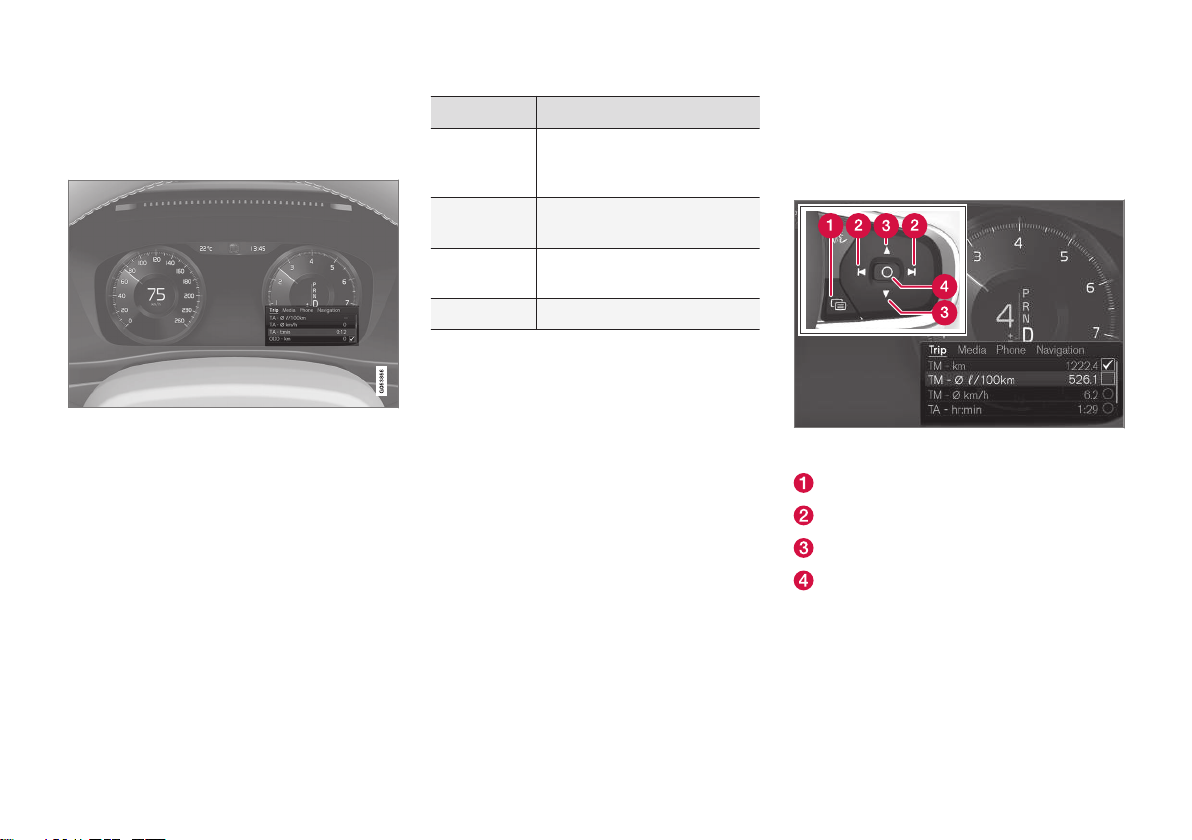
DISPLAYS AND VOICE CONTROL
}}
97
App menu in instrument panel
The application menu (App menu) in the
instrument panel provides quick access to
commonly used functions for certain apps.
The illustration is generic.
The App menu in the instrument panel can be
used instead of the center display and is then
controlled using the right-side steering wheel
keypad. The app menu makes it easier to
switch between different apps or functions
within the apps without having to let go of the
steering wheel.
App menu functions
Different apps provide access to different
types of functions. The following apps and
their functions can be controlled from the App
menu:
App Functions
Trip computer
Select a trip odometer,
change instrument panel display settings, etc.
Media
player
Select active source for
media player.
Phone Call a contact from the call
list.
Navigation Guide to destination, etc.
Related information
•
Instrument panel (p. 80)
•
Center display overview (p. 103)
•
Handling the App menu in the instrument
panel (p. 97)
Handling the App menu in the instrument panel
The App (application) menu in the instrument
panel is controlled using the right-side steering wheel keypad.
App menu and right-side steering wheel keypad. The
illustration is generic.
Open/close
Left/right
Up/down
Confirm
Page 100
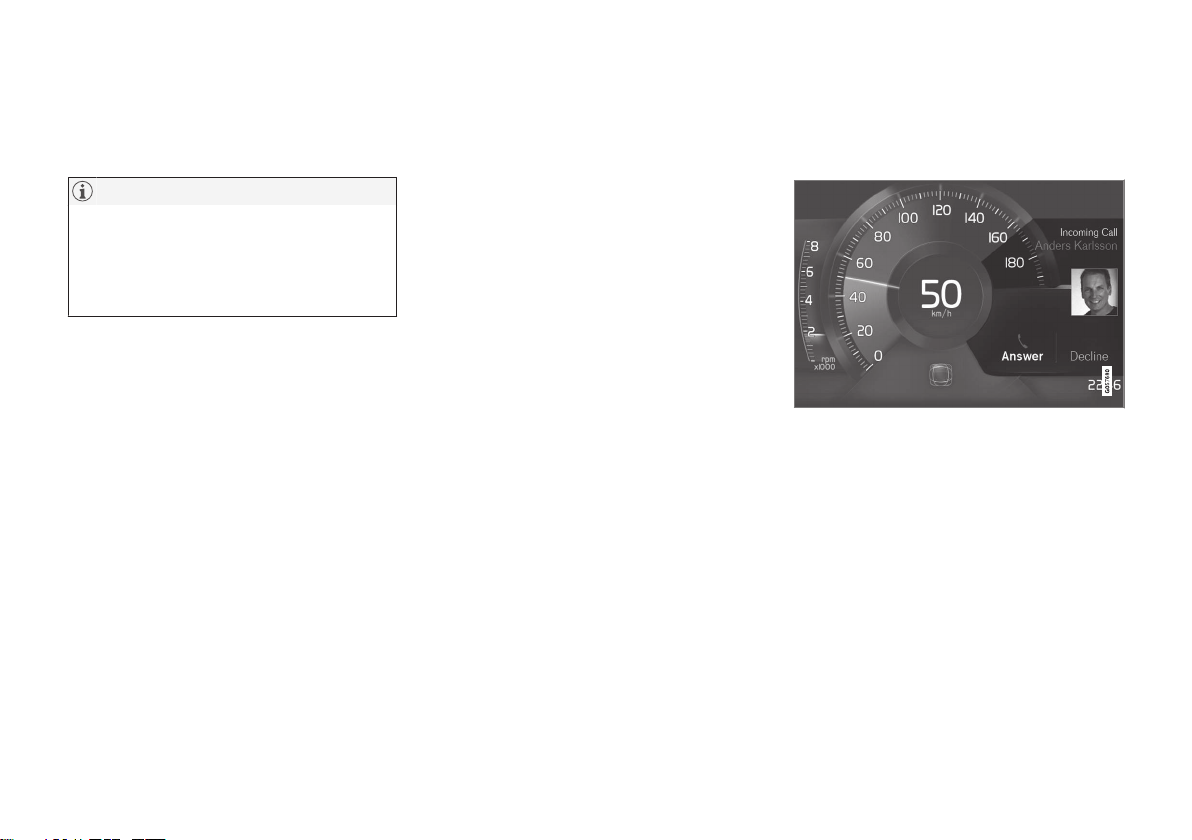
||
DISPLAYS AND VOICE CONTROL
98
Opening and closing the app menu
–
Tap open/close (1).
> The App men opens/closes.
NOTE
The App menu cannot be opened while
there is an unacknowledged message in
the instrument panel. The message must
be acknowledged before the App menu
can be opened.
The App menu turns off automatically after a
period of inactivity or after certain selections
are made.
Navigating and making selections in the App menu
1. Navigate between apps by tapping left or
right (2).
> Functions for the previous/next app will
be shown in the App menu.
2. Scroll through the functions for the
selected app using the up or down arrows
(3).
3. Confirm or make a selection for the function by pressing confirm (4).
> The function will be activated and, for
some selections, the App menu will
then close.
The next time the App menu is opened, the
functions for the most recently selected app
will be displayed automatically.
Related information
•
App menu in instrument panel (p. 97)
•
Messages in the instrument panel
(p. 98)
Messages in the instrument panel
The instrument panel shows messages in
certain circumstances to inform or assist the
driver.
Example of message in an 8-inch instrument panel.
The illustration is generic - details may vary according to vehicle model.
 Loading...