

Page 1
Page 2
Main Features
● Integrated universal dock for iPod charges & plays your favorite
iPod music
● Digital FM radio with 9-stations preset memory (9 FM)
● Digital clock with independent alarm & snooze/sleep timers
● Wake to your iPod, radio, or buzzer
● Powerful, full-range stereo speakers
● 3.5mm audio AUX in jack connected to any portable audio device
● Battery operation:6 x “AA/LR06” batteries (not included)
Controls at glance
Front View
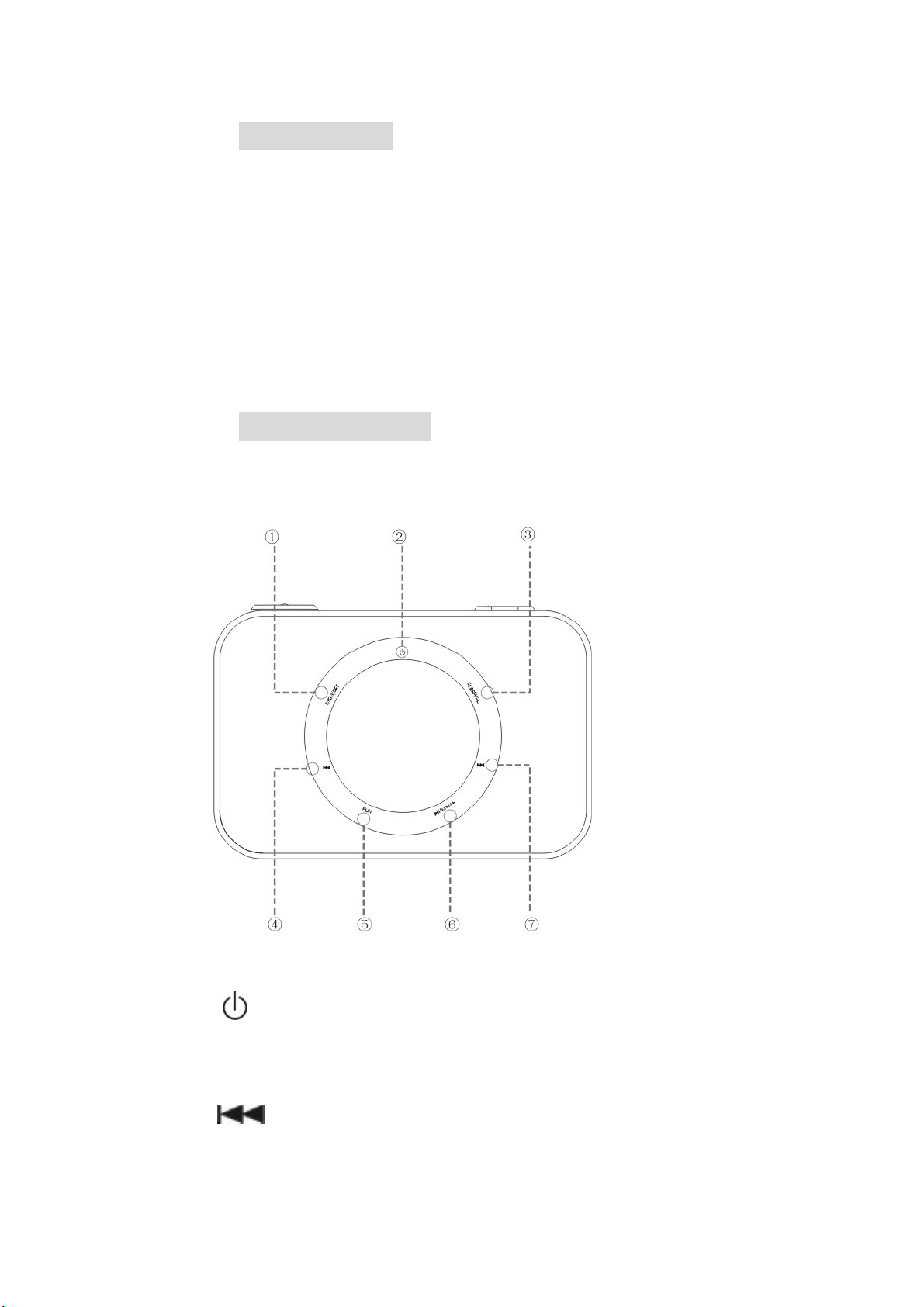
1. MEM/SET:memory saving channel/Clock setting
2. The power on or off
SLEEP/AL:Set the sleep timer /Set the alarm timer
3.
4. Skip to the previous track
5.
FUN:Switching function(iPod to FM to AUX)
Page 3
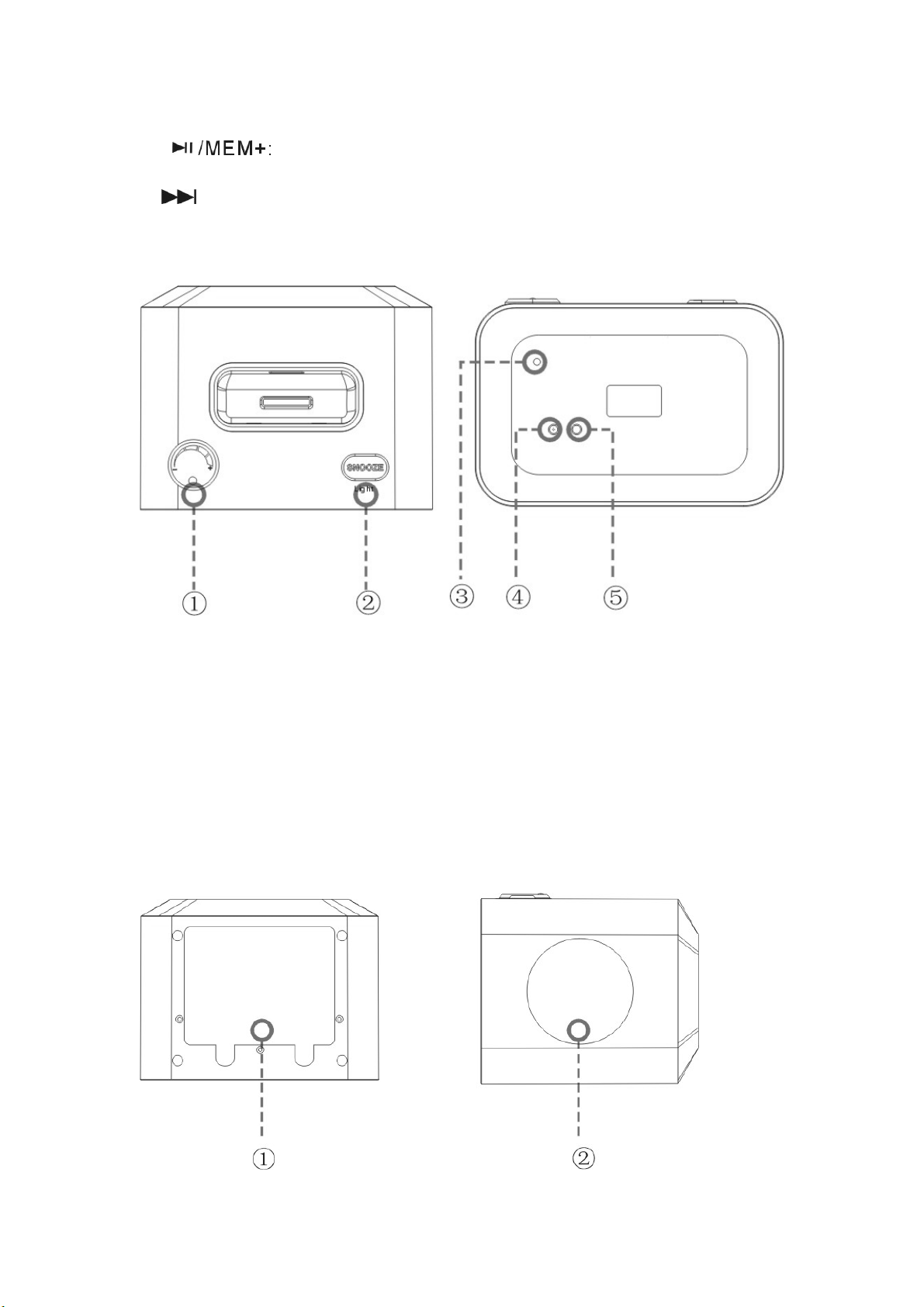
6. Playing mode/increasing saving chanel
7. Skip to the next track
Top view Rear view
1.VOLUME KNOB:Increase volume level Decrease volume level
2.SNOOZE/LIGHT: For snoozing function/ Brightness control
3.FM antenna lead
4..Power input jack
5. 3.5mm auxiliary input jack
BOTTOM VIEW SIDE VIEW
Page 4

1.The battery compartment on the bottom
(the time keeping batteries style: 1.5VAA/LR06 *6)
2.Built-in quality speaker
Changing the Function Mode
To change the function mode of the player, press“FUN”
The LCD Display will indicate the current function mode
The available functions are:
iPod: Play an iPod connected to the iPod dock.
RADIO: Listen to FM radio broadcasts.
AUX: Play music from an audio device connected to the AUX in jack.
Radio mode:
radioTo enter Radio mode, press“FUN”until the LCD screen displays FM ICON
Overview of Radio Controls:
For a complete description of all of the features, settings, and controls
One. Time setting up
1. TO connect the power ,in standby mode. Press the button "SET/MEM" for one
second to enter the options "12 or 24 hours system", then press "SKIP -/+" to choose
12 hours or 24 hours system, after that, press "SET/MEM" again to confirm the enter
into the time setting up.
2.In the time setting mode, first for hours setting up, likewise press the key "SKIP -/+"
to choose the preset hours, after that, press "SET/MEM" to confirm, then do the same
for minutes setting, after that, press “SET/MEM” to confirm to enter into the setting
up for Monday, Tuesday, ….till Sunday.
3. After entering the setting up from Monday to Sunday, press "SKIP -/+" to choose
MON, TUE, WED, THU, FRI, SAT, SUN, then press "SET/MEM" again to come
back to the time display state..
Two. Alarm clock setting up
TO connect the power ,in standby mode.in the time state, press "SLEEP/ALARM" for
one second to enter the time setting up, the first step is to set up hours, likewise, press
"SKIP-/+" to choose, after that, press "SLEEP/ALARM" to confirm. The second step
is to enter the minute setting up, press "SKIP-/+" to choose, after that, press
"SLEEP/ALARM" to confirm. The last step is to enter into the setting up for Monday,
Tuesday,… till Sunday, do the same way as for minute setting up, finally enter into the
alarm time, power on for iPOd or power on for radio, press "SKIP-/+" to choose and
press "SLEEP/ALARM" to confirm,
Page 5
Press "Sleep/Alarm" again to cancel the setting up for alarm time, power on for iPod
or power on for Radio.
Three. Sleep timer setting up
In the ipod/AUX /FM State press Sleep/AL key in the unit to select (90 .
60..30..15..10..5..OFF decreasing you want sleep time.
Four . Snooze function
When the alarm or ipod or FM ring in start alarm state, press
the Snooze button, the alarm OR IPOD OR FM stopped, then
re-arming OR Ring of the 5 minutes delayed, then if the "SNOOZE"
button, and then re-arming or ring of the 5 minutes delayed.
Press POWER ON / OFF key, to cancel of alarm Snooze function.
Five . In the FM RADIO state,
press "SKIP-/+" to S the memory stations, press "SET/MEM" to save the station
when wanted, press "PLAY/M+" to choose the memory channels, then press
"SET/MEM" to confirm.
For optimal volume control and audio fidelity, set the volume level on
the iPod to approximately 80%, and then adjust the volume to the desired
level with the Mi19A controls.
Specification
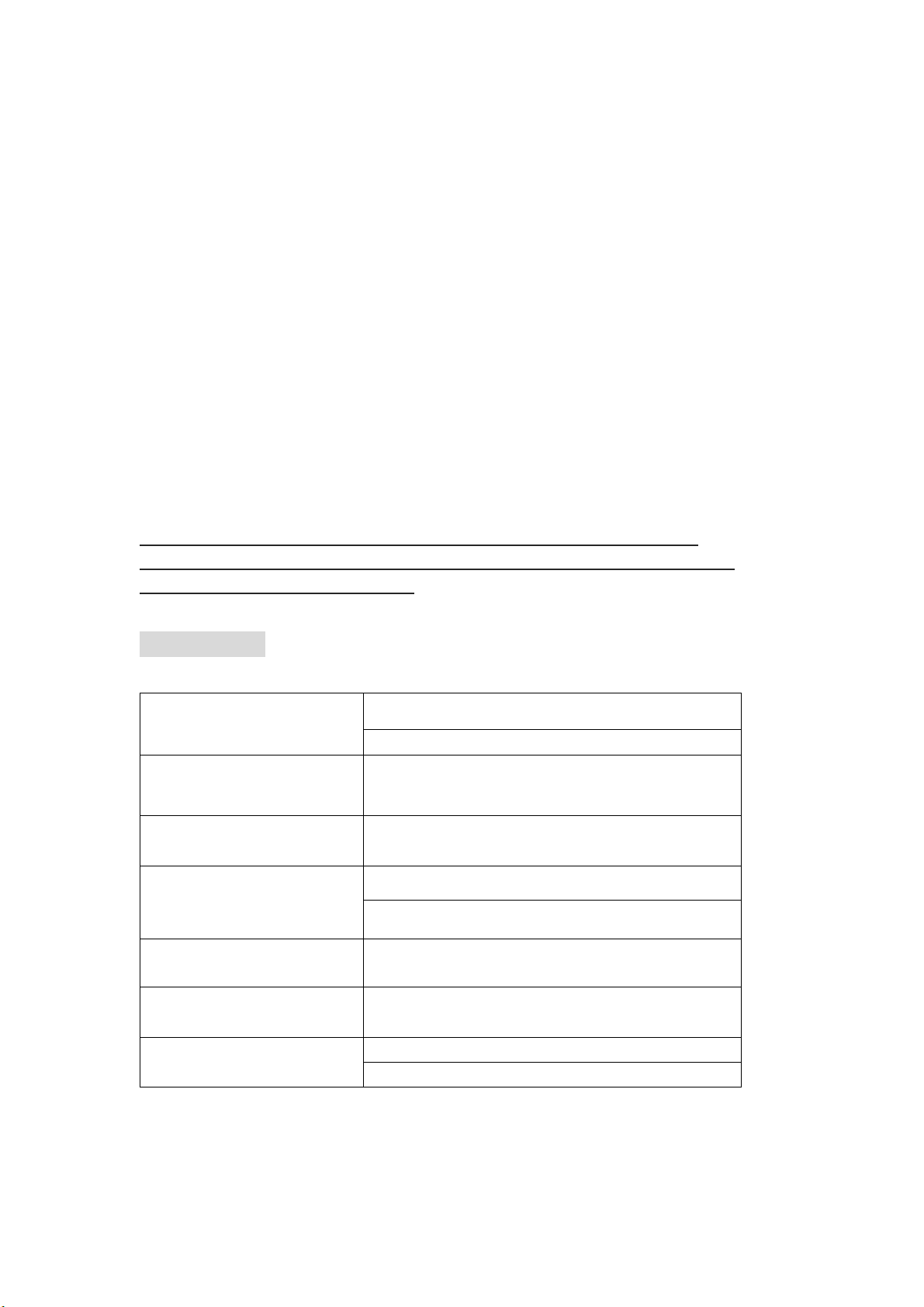
Power Supply DC 9V AC 100-240v adapter
6X"AA/LR06" BATTERIES (OPTIONAL)
Tuning System FM 76.0~90.0MHz
Tuning Sensitivity : FM<18dB
Frequency Response: 70~5kHz (FM)
20Hz-20kHz(aux in)
S/N Ratio : >40dB
Audio Output STEREO SPEAKER(1.5Wx2)
Audio Input iPod Dock
3.5mm Auxiliary Line in
Specifications and manual are subject to change without notice.
Page 6

 Loading...