

Page 1
Vicon Active Wand
User Guide
Electronic Calibration Device
Page 2
Active Wand
User Guide
Introduction
pairs
03
11
02
06
10
12
07
04
01
09
12
05
B
A
08
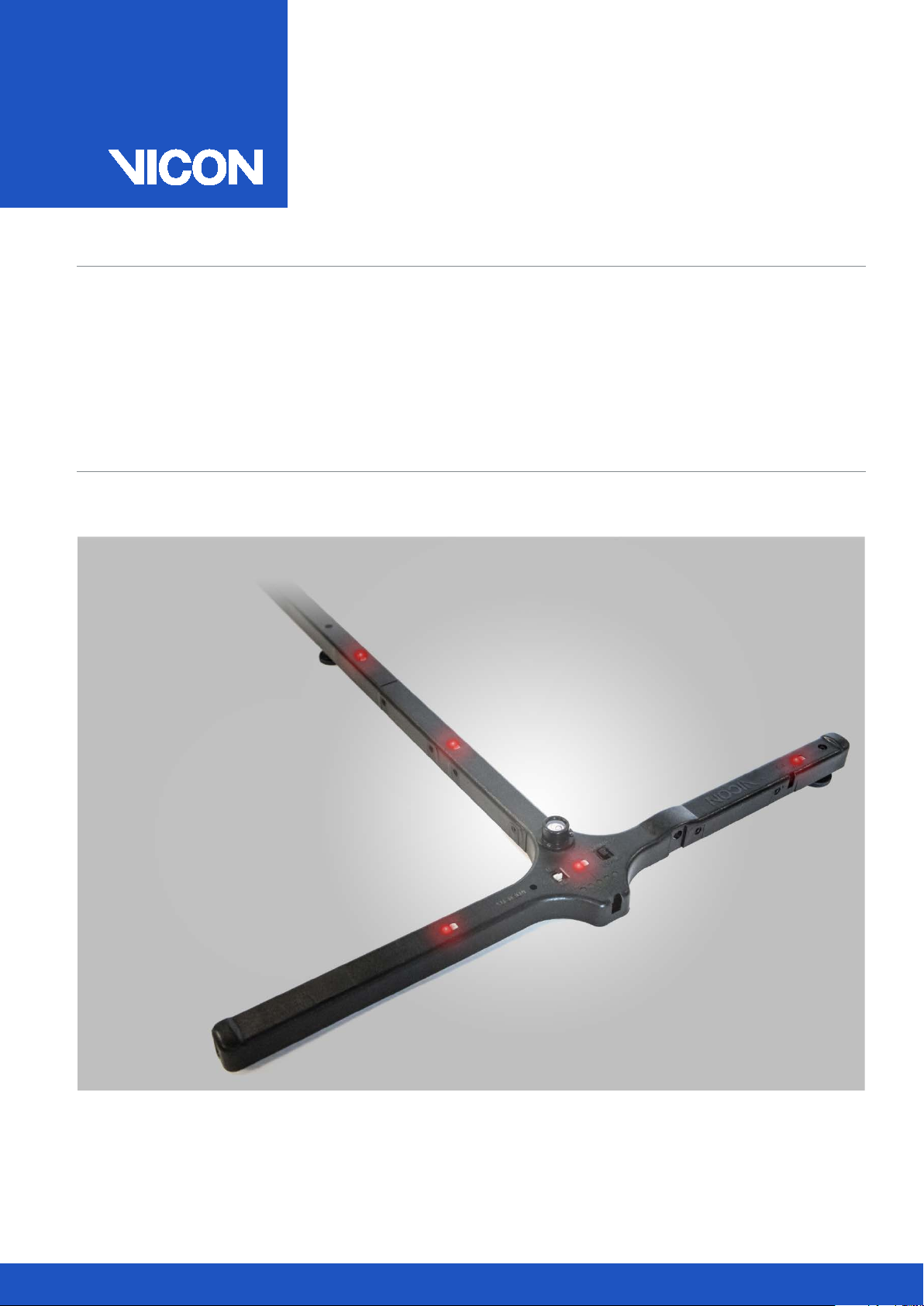
The Vicon Active Wand is an electronic motion
capture calibration device that contains five
of LEDs. The Active Wand is used to calibrate
both optical and reference video cameras. As
some reference video cameras do not have
strobes, the LEDs in the Active Wand make it
easier to identify and locate markers from
the reference video camera images.
2 Active Wand v2
Page 3
Active Wand
User Guide
Key Benefits
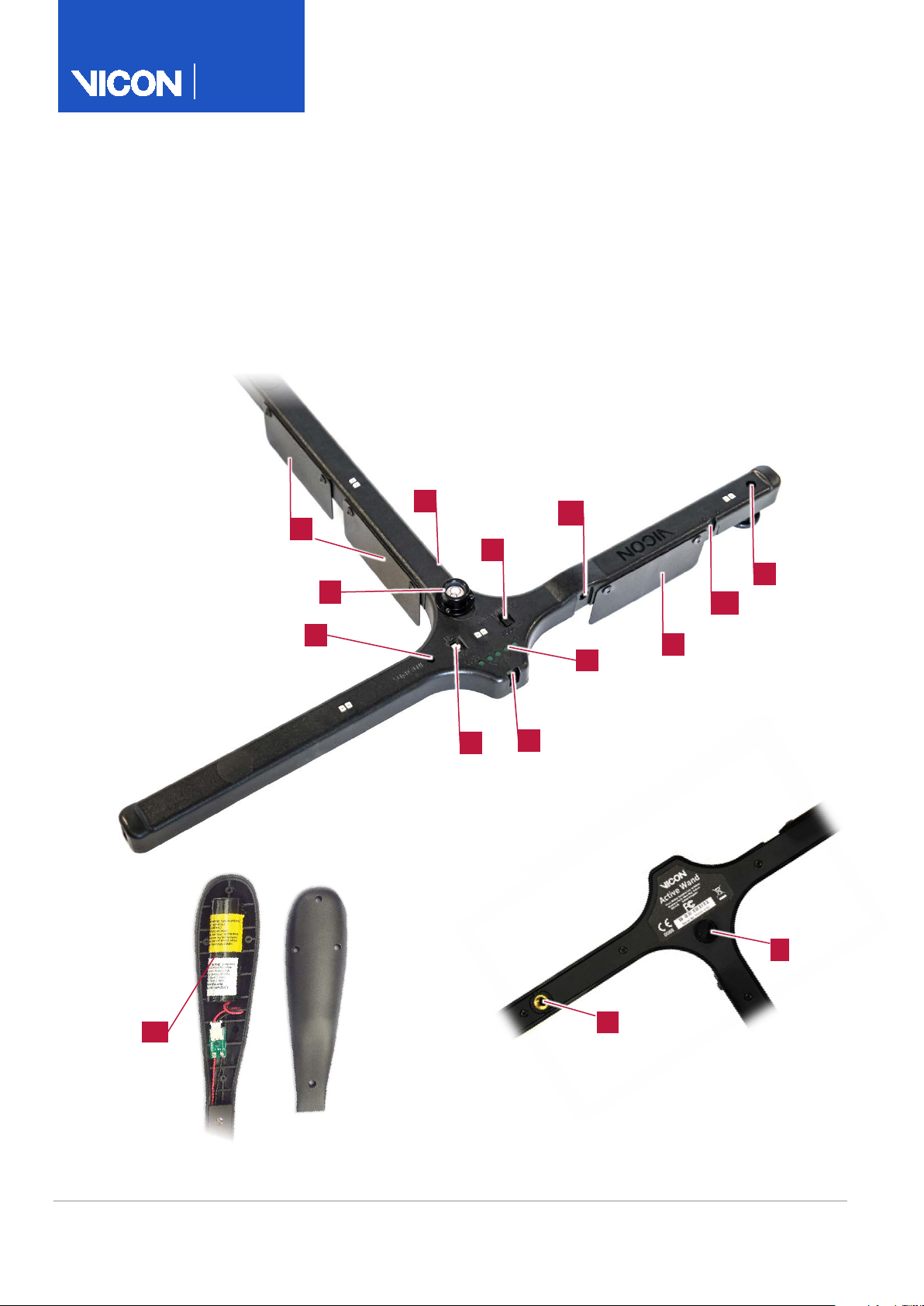
Active Wand controls and indicators
01
On/Off switch
02
LED Mode switch –
Strobe/Continuous mode
03
Intensity adjustment screw
04
Battery charge indicator LEDs
05
Bubble level
06
Battery charger connection
07
Camera strobe sensor
08
NIR On/Off switch
(Switches on/off NIR LEDs on NIR
wands or IR LEDs on IR wands)
09
Handle/Battery holder
10
Active Wand level screws
11
Tripod attachment
12
Forceplate alignment guides x 3
(can be fitted as shown or as
appropriate for your requirements)
Active Wand to lie level you may
need to change the position of the
pivot screws from the default to
the alternative position .
Using the Active Wand
You should u
whenever possible. However,
following cases,
may give better results:
To
1.
2.
3.
Charging the Active Wand battery
green battery charge indicator
10
A
B
Accurate
Robust
Easier to calibrate video cameras
For quality calibration, ensure the
NIR switch, which is ON by default, is
set correctly. If your system has:
NIR (Near Infra Red) or IR (Infra
Red) strobes, ensure the switch is
set to ON.
VR (Visible Red) strobes, set the
switch to OFF.
A mixture of NIR or IR and VR
strobes, ensure the NIR switch is
set to ON. (For pre S Edition
cameras, contact Vicon Support.)
Tip: If the floor is uneven, adjust the
level screws and check the
bubble level to ensure the wand is
level. If you are using a small or
sunken force plate, to enable the
se Strobe mode
in the
Continuous mode
In large volumes, if the camera’s
strobes are not bright enough to
activate the wand’s sensor
In cases of high light pollution, for
example, in direct sunlight
To calibrate camcorders
prepare the Active Wand for use:
Turn on the Active Wand.
If necessary, move the LED Mode
switch to Strobe mode.
The LEDs begin to flash.
Note: When in Strobe mode, the
Active Wand will not sync to
camera rates less than 50Hz.
Place the Active Wand in the
capture volume where it is visible
by the Vicon cameras.
When the LEDs appear to stop
flashing, the Active Wand is
synchronized to the cameras.
For further information, see your
software documentation.
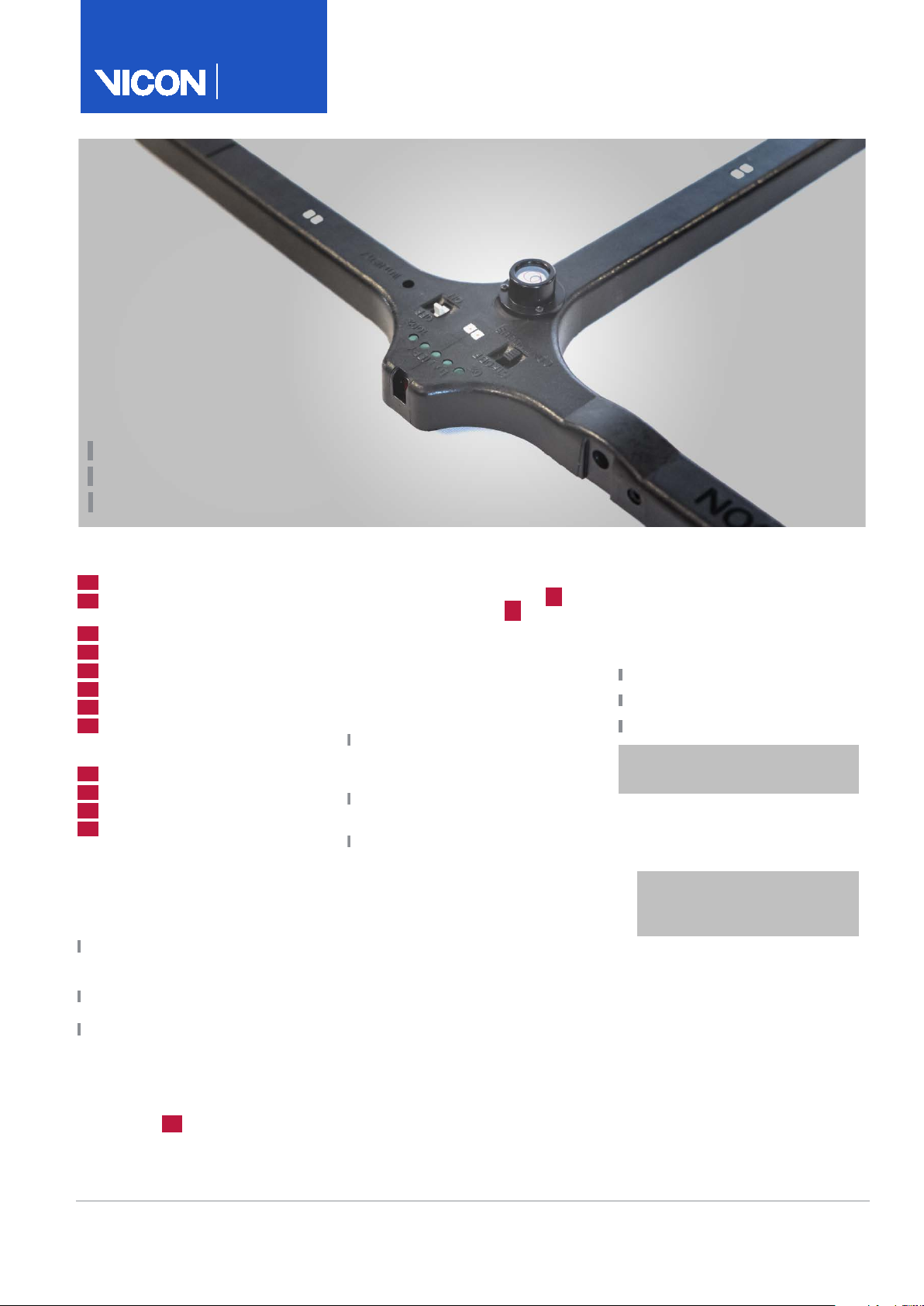
When you turn on the Active Wand,
the battery charge indicator LEDs
illuminate for approximately five
seconds to indicate the amount of
charge in the battery:
Five green LEDs: Fully charged
One green LED: Recharge needed
No LEDs: Fully depleted (flat)
Warning: Before charging the
battery, turn off the Active Wand.
To charge the battery:
1. Plug in the supplied Active Wand
battery charger.
Caution: To prevent damage
to the Active Wand, use only
the supplied charger.
2. Insert the charger connector into
the Active Wand and leave it to
charge.
Note: A full recharge takes
approximately four hours.
3. When the battery is fully charged,
indicated by five green LEDs,
detach the charger.
The
LEDs remain illuminated for about
10 seconds.
February 2019 3
Page 4
Active Wand
User Guide
Replacing the Active Wand battery
Denver
7388 S. Revere Parkway, Suite 901
Centennial, CO 80112 USA
T: +1 303 799 8686
F: +1 303 799 8690
Los Angeles
3750 S. Robertson Blv
Culver City, L
T: +1
F: +1 310 388 3200
Oxford
Unit 6, Oxford Industrial Park
Mead Road, Yarnton
T: +44 (0) 1865
F: +44 (0) 1865 240527
Vicon Motion Systems
UK registered no. 1801446
01
02
01
02
© Copyright 2011
Oxford Metrics plc. Other product and company names herein may be the trademarks of their respective owners. Vicon Motion Systems is an Oxford Metrics plc company.
Note: To order additional batteries, email [email protected]. Due to current
shipping regulations, which do not permit shipment of lone lithium ion
batteries, you will be asked to return your wand
new battery before
Warning: Before replacing the
battery, turn off the Active Wand.
– 2019 Vicon Motion Systems Limited. All rights reserved. Vicon® is a registered trademark of Oxford Metrics plc. Vicon Active Wand™ is a trademark of
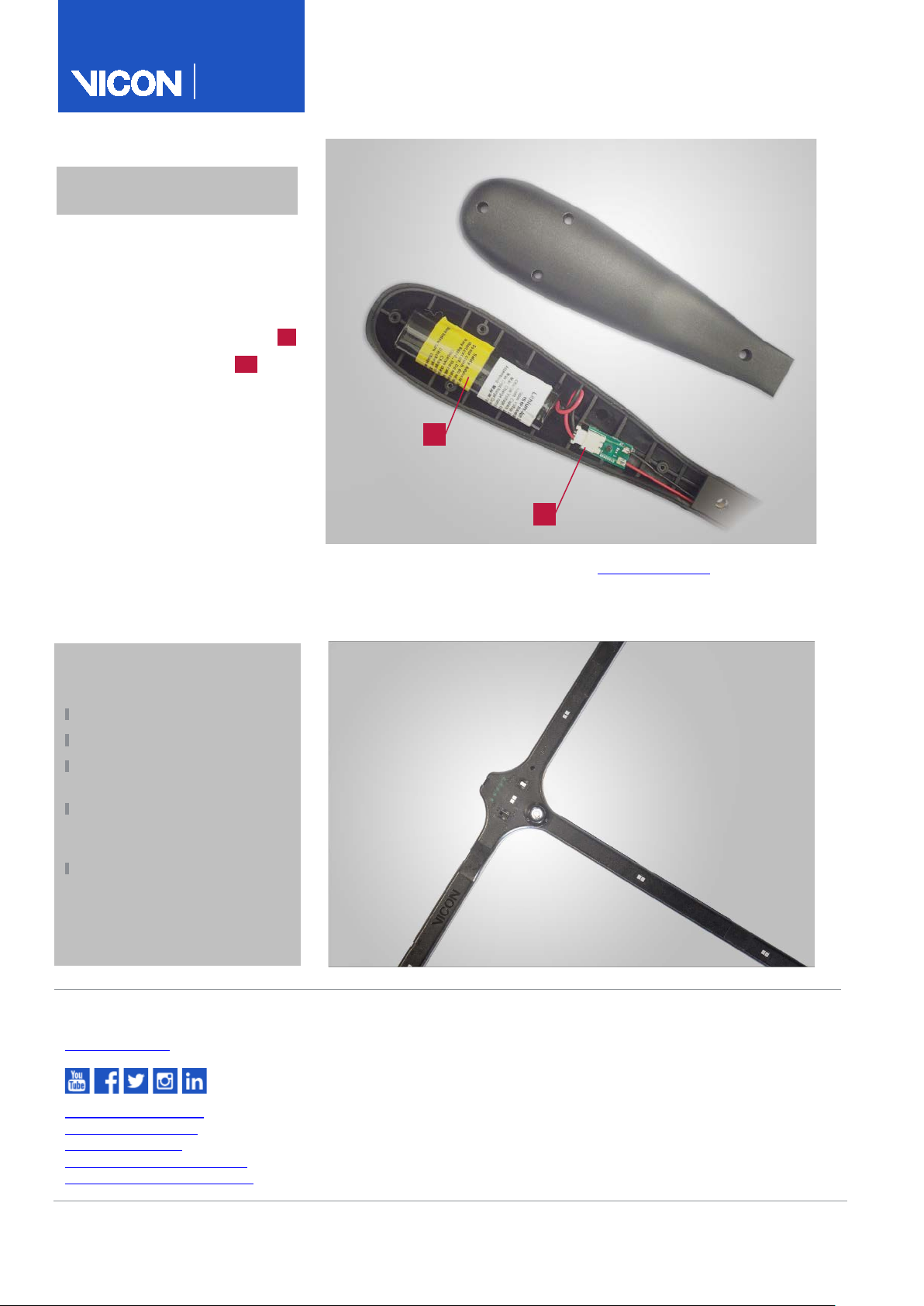
To replace the Active Wand battery:
1. Remove the screws from the
Active Wand handle.
2. To reveal the battery, detach the
back of the handle.
3. Unplug the battery connector ..
4. Remove the old battery ..
5. Place the new battery into the
battery holder.
6. Attach the battery connector.
7. Replace the Active Wand handle
and screws.
8. Turn on the Active Wand and run it
in Continuous mode until the
battery is flat, then fully recharge
it (see page 3).
This enables the Active Wand to
calculate the battery life.
. Vicon will then fit a
shipping your wand back to you.
Warning: This product contains a
lithium ion battery.
Do not incinerate the battery.
Do not disassemble the battery.
Do not short the battery
terminals.
Do not expose the product or
the battery to high
temperatures (140°F/60°C).
As the battery is subject to
shipping regulations, use only
the original packaging to ship
the unit. For further shipping
instructions, contact Vicon.
Contacts
For further information:
youtube.com/c/vicon
facebook.com/vicon
twitter.com/vicon
instagram.com/viconmocap
linkedin.com/company/vicon
4 Active Wand v2
310 437 4499
d, Suite 100
A, CA 90232, USA
, OX5 1QU, UK
,
261800
 Loading...