

Page 1
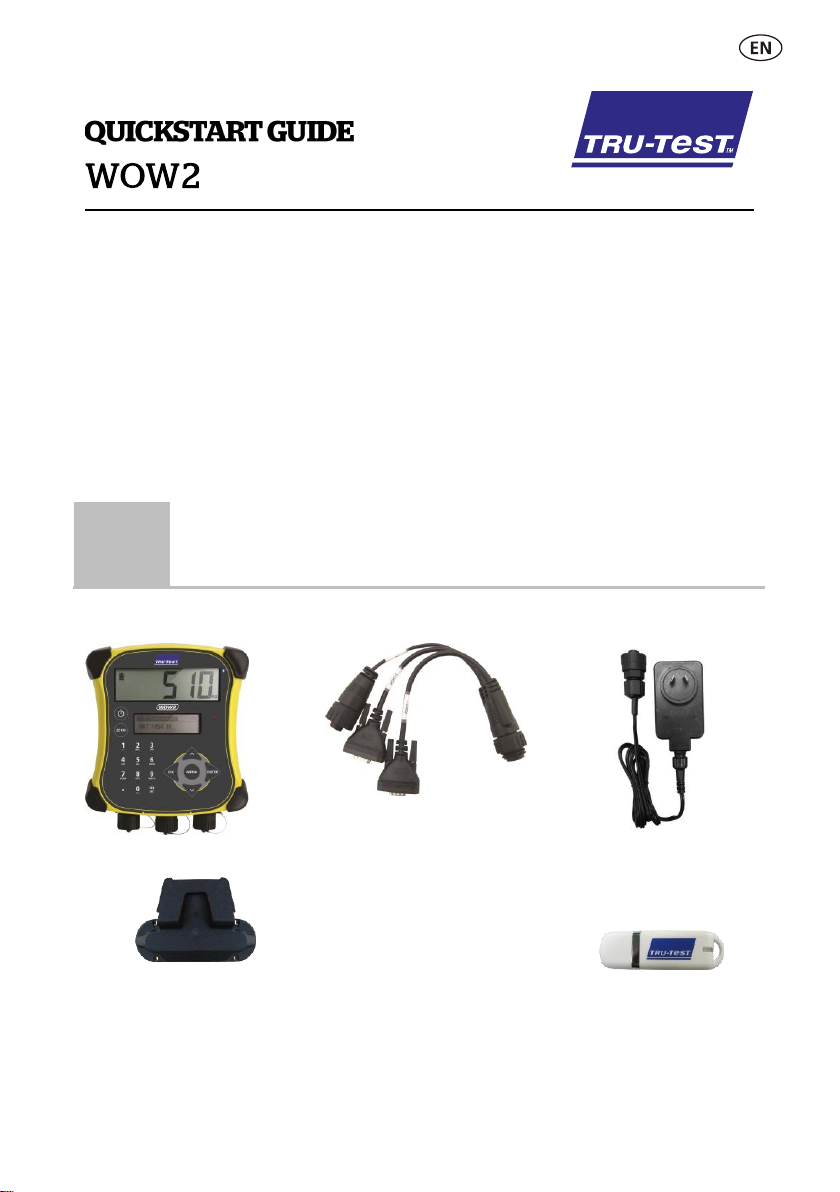
This guide takes you through your first use of the WOW2 (Walk Over Weighing,
1
Unpacking the box
WOW2 weigh scale indicator
Serial adaptor
This cable is for connecting the
indicator to the EID panel reader
and for connection to a PC
together with the USB-DB9
adaptor and the serial cable.
Mains power adaptor
Power plugs for different regions
are included.
Bracket mounting kit
USB flash drive
The flash drive contains Data Link
software and reference
information.
generation 2) weigh scale indicator.
Contents
Unpacking the box .................................. 1
Getting around ........................................ 2
Installing ................................................. 3
Setting up the indicator ........................... 4
Recording information ............................. 4
Maintenance and servicing ...................... 5
Compliance ............................................. 6
For further information, view the reference
information on the supplied USB flash drive or
visit www.tru-test.com
Check that you have all of these items. If anything is missing, contact your supplier.
1
Page 2
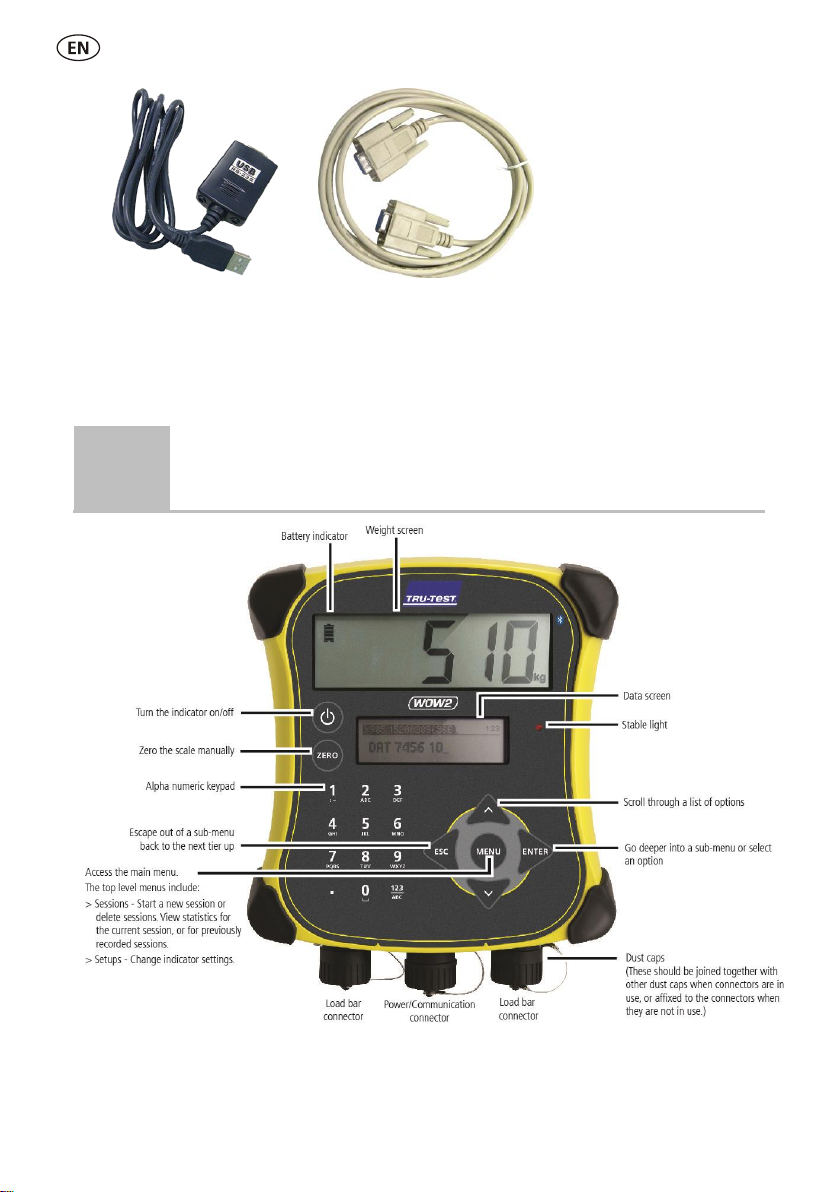
USB-DB9 adaptor
For a connection to a PC together
with the serial adaptor and the
serial cable.
Serial cable
For a connection to a PC together
with the serial adaptor and the
USB-DB9 adaptor.
2
Getting around
2
Page 3
3
Installing
The indicator is part of a Walk Over Weighing (WOW) system, specifically designed
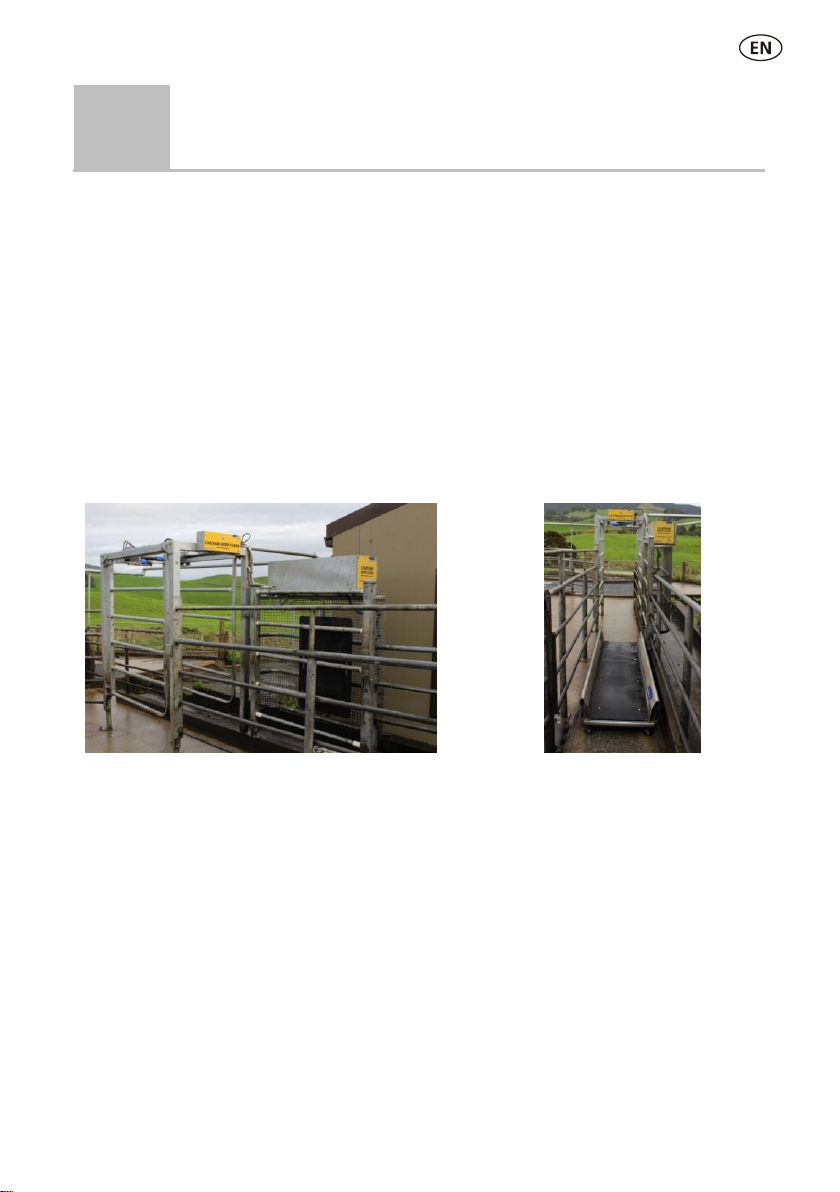
This installation includes an auto drafter. An EID panel reader
and antenna have been installed at the end of platform.
The WOW platform has load
bars beneath.
for dairy and other applications where cattle are regularly weighed.
The WOW system typically includes a WOW platform, load bars, an EID panel reader
and antenna. It may also include an auto drafter. The indicator needs to be used with
third party management software which can analyse and present weight trend
information. Technical integrators should contact Tru-Test for further information.
The
WOW2 Integration Guide
into a WOW system. This document is only available to installers and technical
integrators.
provides more detail about integrating the indicator
A typical dairy installation
Connecting the indicator to an EID panel reader
Typically, the indicator will be connected to an EID panel reader using the cables
supplied (as shown in the picture above). Alternatively, the connection may be made
®
.
Bluetooth
via
Bluetooth
Connecting via
1. First, switch on the indicator.
2. Then, switch on the EID panel reader.
For further instructions on pairing the EID panel reader, see the EID panel reader
user manual.
3
Page 4

4
Setting up the indicator
5
Recording information
Ensure that the indicator is displaying 0.0. If not, press .
If the indicator is not displaying 0.0 between animals or there are problems
with inaccurate or unstable weights, make sure that the bars are firmly
secured to the concrete floor and free from stones or dirt and that the load
bars are properly connected to the indicator.
If required, you can localise the indicator.
Changing the indicator setup
To change the way the indicator is set up:
Press , scroll down
Apply the following settings:
1. Set the Date and Time to today’s date and time.
2. Set Weight Units to kg.
3. Set Language to English.
Depending on the way your WOW system has been set up, information may be
streamed directly to the third party management software, or it may be recorded to
the indicator and transferred to the software at set times. The procedure for weighing
animals remains the same, whichever method is used.
to Setups and press .
Weighing an animal
Allow animals to file over the platform.
Weights and EIDs will be captured automatically.
4
Page 5
6
Maintenance and servicing
Updating your software
This symbol on the product or its packaging indicates that this product (and its battery) must not
be disposed of with other waste. Instead, it is your responsibility to dispose of your waste
equipment by handing it over to a designated collection point for the recycling of waste electrical
and electronic equipment. The separate collection and recycling of your waste equipment at the
time of disposal will help conserve natural resources and ensure that it is recycled in a manner
that protects human health and the environment. For more information about where you can
drop off your waste equipment for recycling, please contact your local city recycling office or the
dealer from whom you purchased the product.
We recommend that you regularly update the indicator software so that you keep up
with the latest features and improvements.
To update the indicator's software:
1. Connect the indicator to a PC using the cable supplied.
2. Launch Data Link on your PC.
3. Click Tools / Updates.
4. Follow the step-by-step instructions.
For more information, see the Data Link help.
Caring for the indicator
Do not leave the indicator or load bars submerged in water. Store the indicator in a
cool, dry place.
Wipe the indicator using a damp cloth, warm water and soap. Other cleaners may
damage the case.
Fit the dust caps when there are no cables connected to the indicator. This will
prevent moisture and dirt from entering the connectors.
Europe - Instructions for disposal of product
This product incorporates both a lithium-ion phosphate (IFpR27/66) rechargeable battery
For instructions on how to dismantle this product for recycling, email [email protected]
5
Page 6

7
Compliance
Datamars Limited hereby declares that the WOW2 indicator is in compliance with the essential requirements and other
relevant provisions of Directive 2014/53/EU. The declaration of conformity may be consulted at
http://livestock.tru-test.com/en/compliance
FCC notice
This device complies with part 15 of the FCC Rules. Operation is subject to the following two conditions: (1) This device may not cause
harmful interference, and (2) this device must accept any interference received, including interference that may cause undesired
operation.
This equipment has been tested and found to comply with the limits for a Class B digital device, pursuant to part 15 of the FCC Rules.
These limits are designed to provide reasonable protection against harmful interference in a residential installation.
This equipment generates, uses and can radiate radio frequency energy and, if not installed and used in accordance with the
instructions, may cause harmful interference to radio communications. However, there is no guarantee that interference will not occur
in a particular installation. If this equipment does cause harmful interference to radio or television reception, which can be determined
by turning the equipment off and on, the user is encouraged to try to correct the interference by one or more of the following
measures:
- Reorient or relocate the receiving antenna.
- Increase the separation between the equipment and receiver.
- Connect the equipment into an outlet on a circuit different from that to which the receiver is connected.
- Consult the dealer or an experienced radio/ TV technician for help.
- Any changes or modifications not expressly approved by Datamars could void the user's authority to operate the equipment
Responsible party in the USA
This product is supplied by:
Datamars Inc
528 Grant Road
Mineral Wells
Texas 76067
UNITED STATES
Toll free: 800 874 8494
Industry Canada notice
This device complies with Industry Canada licence-exempt RSS standard(s). Operation is subject to the following two conditions:
(1) this device may not cause interference, and
(2) this device must accept any interference, including interference that may cause undesired operation of the device.
EU declaration of conformity
The
SA and its subsidiaries is under license. Other trademarks and trade names are those of their respective holders.
All trademarks with an * are neither owned by nor licensed to Datamars SA and belong to their respective owners.
6
®
Bluetooth
word mark and logos are registered trademarks owned by Bluetooth SIG, Inc. and any use of such marks by Datamars
© Datamars Limited, 2015-2019. All rights reserved.
829827 Issue 2 01/2019
 Loading...