

Page 1
Quick Installation Guide
TV-IR500
1.01
Page 2

Table of Contents
English 1
1. Before You Start
2. Hardware Installation 2
3. Power-over-Ethernet Installation for TV-IP512P/TV-IP512WN 4
Troubleshooting 5
1
Version 07.29.2009
Page 3
1. Before You Start
Package Contents
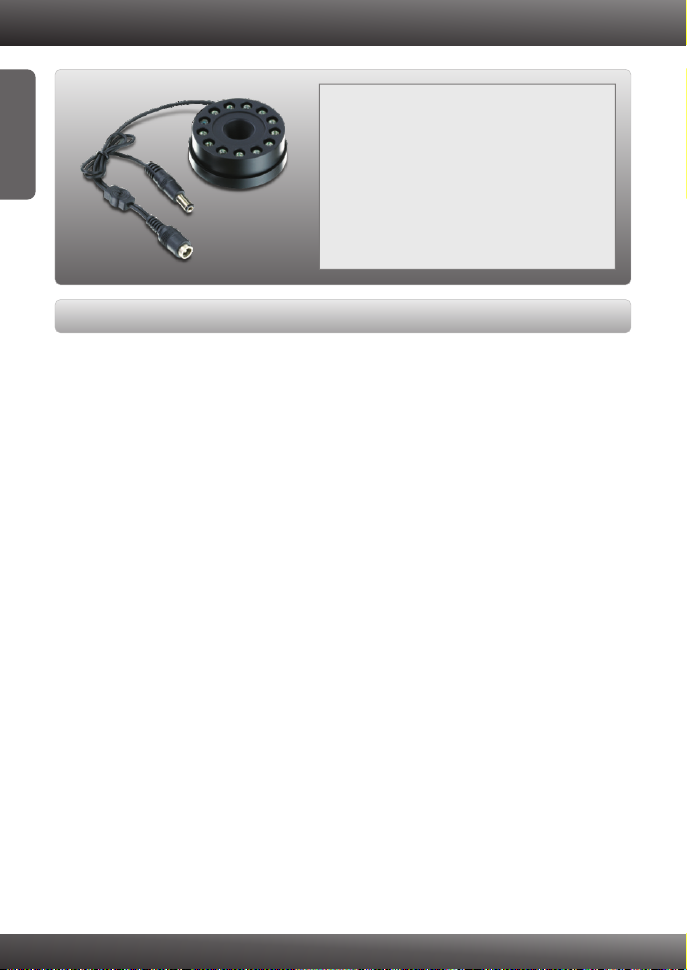
?TV-IR500
ENGLISH
System Requirements
?IP Camera with CS-Mount type connector (TV-IP512WN, TV-IP512P)
?AC Power Adapter (12V DC)*
?Allen Wrench (1.5mm)
?VGA Resolution: 800 x 600 or above
?Splitter (e.g. TPE-102S)(Optional)*
?PoE Switch (TPE-224WS) (Optional)*
*Note:
1. A separate 12V DC power adapter is necessary if the power adapter on your IP
camera is less than 12V (e.g. 5V, 9V)
2. If you are using the TV-IP512P/TV-IP512WN, please verify the hardware
version. The hardware version of the TV-IP512P/TV-IP512WN must be V1.1R
or newer in order to work properly with the IR lens.
3. No splitter is necessary to use the PoE feature of the TV-IP512P. However, if
you would like to use IR lens and PoE feature together, you will need to add a
splitter to provide all necessary power to the IR lens and IP Camera
1
Page 4
2. Hardware Installation
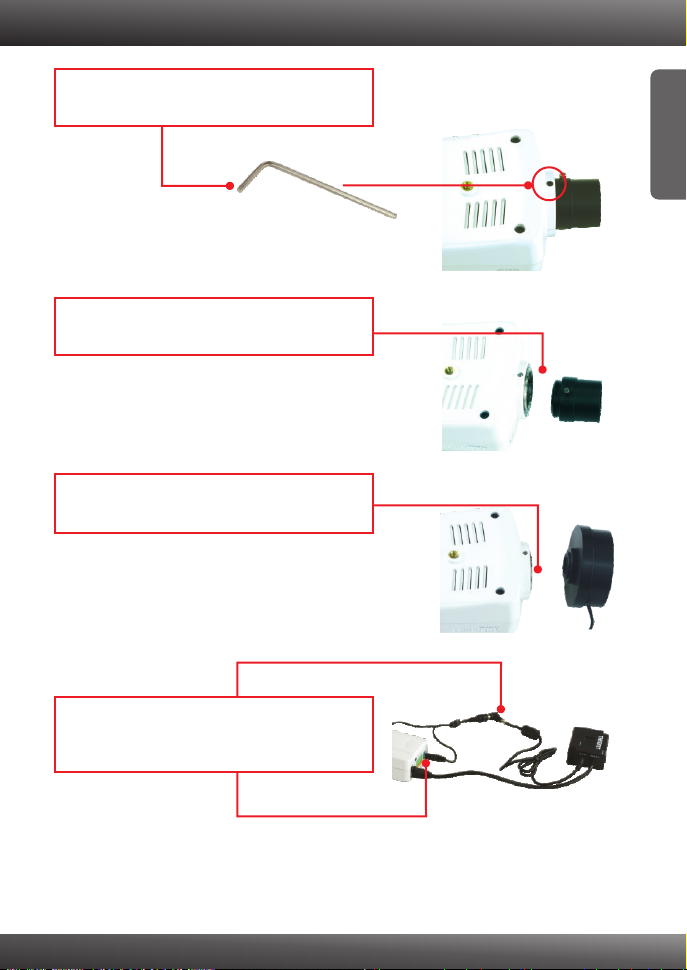
1. Using an Allen wrench, turn the set screw
counter-clockwise to loosen the lens.
2. Turn the lens counter-clockwise unit to remove
it from the IP Camera.
3. Insert the TV-IR500 into the camera. Turn the
TV-IR500 clockwise to secure the lens.
ENGLISH
4. Insert the male power plug to the IP camera
and the female power plug to the IP camera's
power adapter.
2
Page 5
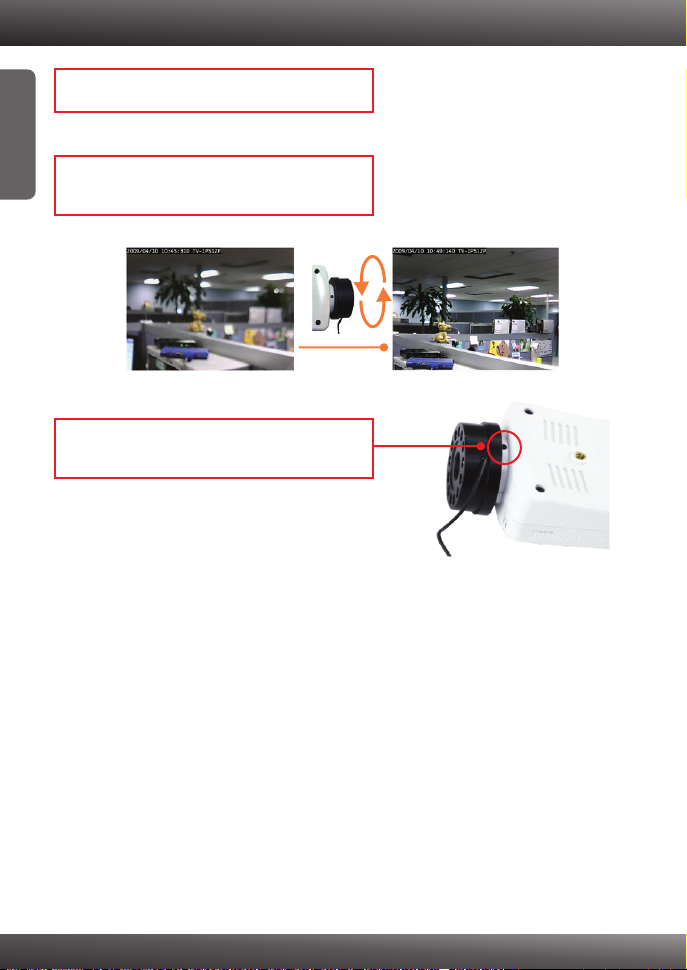
5. Plug the power adapter into a power outlet.
ENGLISH
6. Log in to your IP camera and adjust the lens as
necessary.
7. Using an Allen wrench, turn the set screw
clockwise to tighten the lens.
3
Page 6
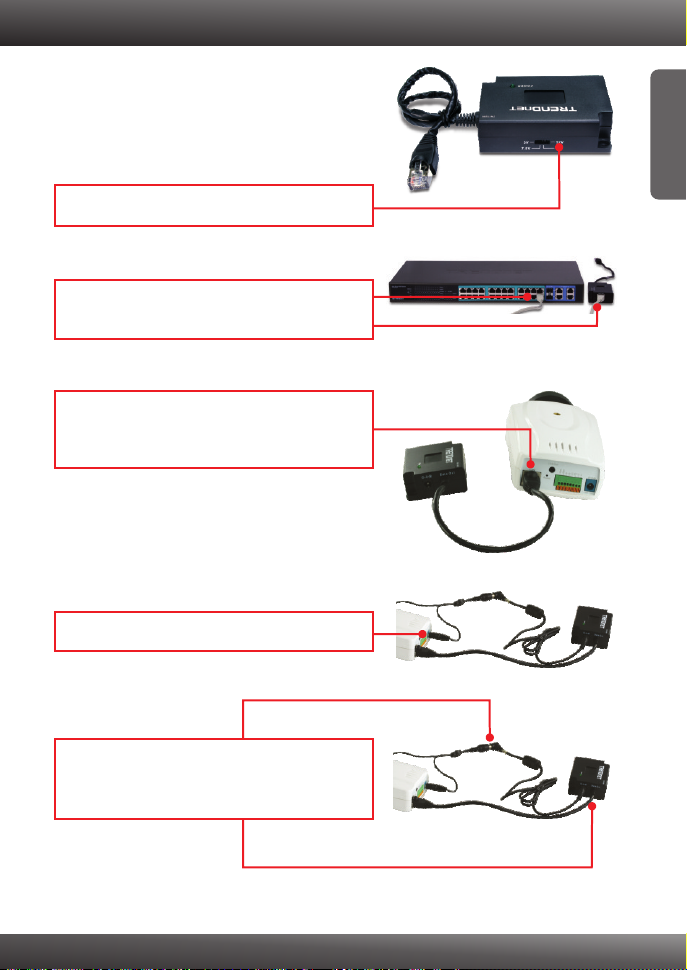
3. Power-over-Ethernet Installation for TV-IP512P/TV-IP512WN
1. Select 12V for the voltage.
2. Connect an Ethernet cable from a PoE switch
to the DATA-IN port on the TPE-102S.
3. Connect the built-in Ethernet cable on the TPE-
102S to the TV-IP512P/TV-IP512WN's LAN
port.
ENGLISH
4. Insert the male power plug to the IP camera.
5. Connect the provided 2.0mm jumper cable to
the female power connector and to the TPE102S.
4
Page 7

Troubleshooting
Will this work with the TV-IP201/P/W?
The TV-IR500 is a CS mount type lens, which is compatible with the TV
IP201/P/W. However the TV-IR500 will require a separate 12V DC power source.
The TV-IP201/P/W requires 5V DC power source and will not provide adequate
power for the TV-IR500. You will need to connect the TV-IP201/W/P's power
adapter directly to the IP camera and a separate 12V DC power adapter to the TVIR500.
How far will I be able toview video at night?
You will be able to view video up to 10 meters (32.8ft) in a low light environment.
If you still encounter problems or have any questions regarding the TV-IR500, please
contact TRENDnet's Technical Support Department.
5
Page 8

Product Warranty Registration
Please take a moment to register your product online.
Go to TRENDnet’s website at http://www.trendnet.com/register
Copyright ©2009. All Rights Reserved. TRENDnet.
 Loading...