

Page 1
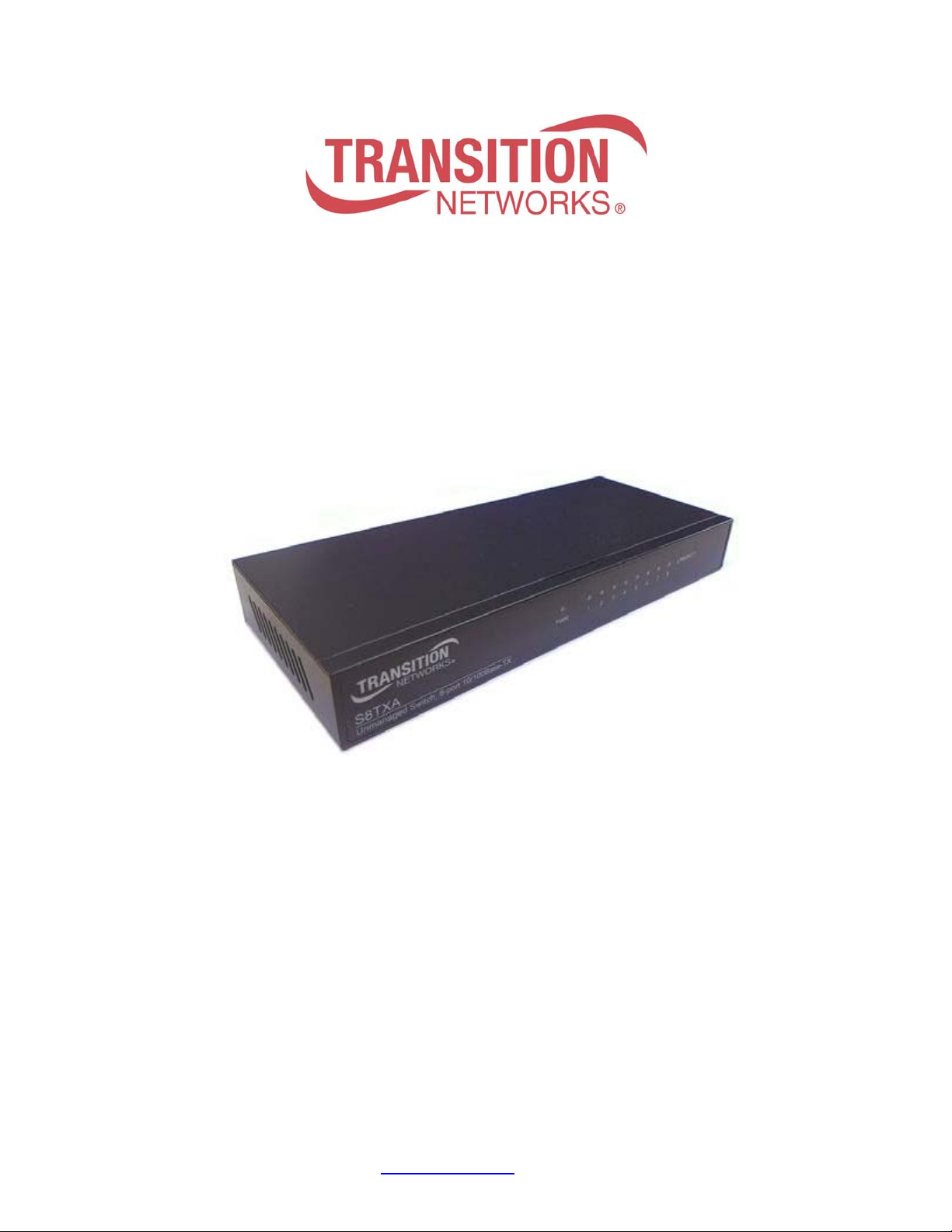
Transition Networks S8TXA User Guide
S8TXA
8-Port 10/100BASE-TX
Compact Switch
User Guide
33673 Rev. A
33673 Rev. A www.transition.com Page 1 of 9
Page 2

Transition Networks S8TXA User Guide
Rev.
Date
Description
A
12/10/15
Initial release.
Regulatory Approvals
FCC Warning
This Equipment has been tested and found to comply with the limits for a Class A digital device, pursuant to Part
15 of the FCC rules. These limits are designed to provide reasonable protection against harmful interference in a
residential installation. This equipment generates uses and can radiate radio frequency energy and, if not installed
and used in accordance with the instructions, may cause harmful interference to radio communications. However,
there is no guarantee that interference will not occur in a particular installation. If this equipment does
cause harmful interference to radio or television reception, which can be determined by turning the equipment off
and on, the user is encouraged to try to correct the interference by one or more of the following measures:
Reorient or relocate the receiving antenna.
Increase the separation between the equipment and receiver.
Connect the equipment into an outlet on a circuit different from that to which the receiver is connected.
Consult the dealer or an experienced radio/TV technician for help.
CE Mark Warning
This is a class A product. In a domestic environment this product may cause radio interference in which case the
user may be required to take adequate measures.
S8TXA - 8-Port 10/100BASE-TX Compact Switch User Guide, 33673 Rev. A
Record of Revisions
To Contact Transition Networks
For prompt response when calling for service information, please have the following information ready:
Product serial number and revision
Date of purchase
Vendor or place of purchase
You can reach Transition Networks technical support v ia E -mail at [email protected]
Transition Networks
10900 Red Circle Drive
Minnetonka, MN 55344
United States of America
Telephone: +1.800.526.9267
Fax: +1.952.941.2322
http://www.transition.com
info@ Transition.com
© Copyright 2015 Transition Networks. All rights reserved.
33673 Rev. A www.transition.com Page 2 of 9
Page 3

Transition Networks S8TXA User Guide
Contents
Regulatory Approvals ..............................................................................................................................................2
Record of Revisions .................................................................................................................................................2
1. Introduction ...........................................................................................................................................................4
Features ..................................................................................................................................................................4
Package Contents ...................................................................................................................................................4
2. Hardware Description ..........................................................................................................................................5
Front Panel ..............................................................................................................................................................5
Rear Panel ..............................................................................................................................................................5
LED Indicators .........................................................................................................................................................6
LED Indicator Descriptions ..................................................................................................................................6
3. Quick Installation ..................................................................................................................................................7
Power On ................................................................................................................................................................7
4. Technical Specifications ......................................................................................................................................8
33673 Rev. A www.transition.com Page 3 of 9
Page 4
Transition Networks S8TXA User Guide
1. Introduction
The S8TXA 8-Ports Fast Ethernet Switch offers auto-negotiation 10/100 Base-T Fast Ethernet that can
significantly improve your network backbone performance. The S8TXA features Auto MDI/MDIX function for each
port. Besides, it also features a store-and-forward switching and can auto-learn and store source address on a 2K
MAC address table. This Switch is fit into any enterprise level network to act as an exit to the backbone switch.
Features
• Complies with IEEE 802.3, 802.3u, standards
• IEEE802.3x flow control for full duplex and back pressure flow control for half duplex
• Supports Auto-Negotiat ion auto MD I/ MDI-X crossover detecting and auto correction
• IEEE802.3az energy efficient Ethernet function
• 1.6 Gbps back-plane
• 2K MAC address table
• Switching fabric: 1.6Gbps
• Support 9Kbytes Jumbo Frame
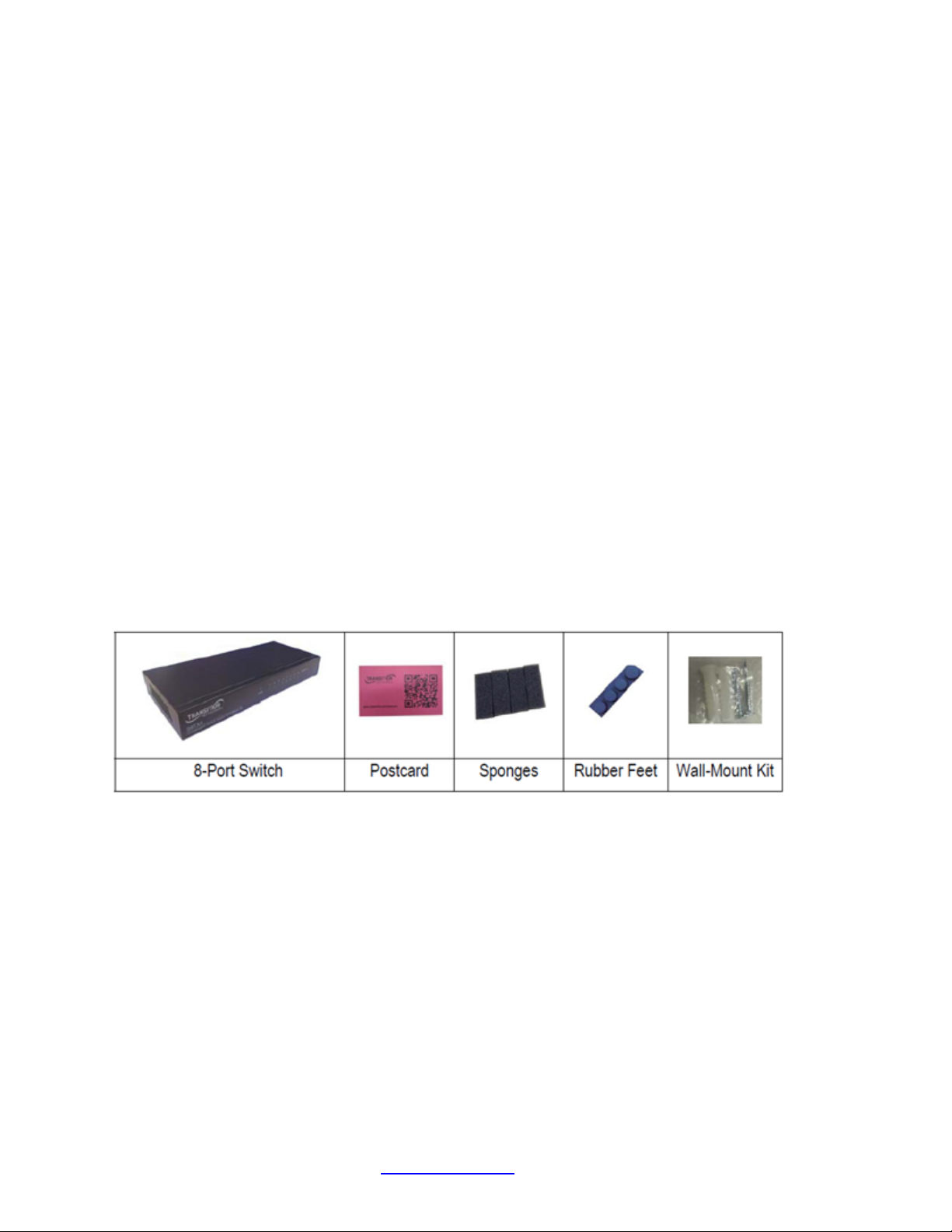
Package Contents
□ One S8TXA Switch
□ One Documentation Postcard
□ Four Sponges
□ Four Rubber Feet
□ One Wall-Mount Kit
Compare the contents of your S8TXA package with the checklist above. If any item is missing or damaged,
contact your local dealer for service. Please save the package materials for possible future use.
33673 Rev. A www.transition.com Page 4 of 9
Page 5
Transition Networks S8TXA User Guide
2. Hardware Description
This Section describes the hardware of the S8TXA switch.
The S8TXA physic al dim ens ions are193mm x 84mm x 26 mm (L x W x H).
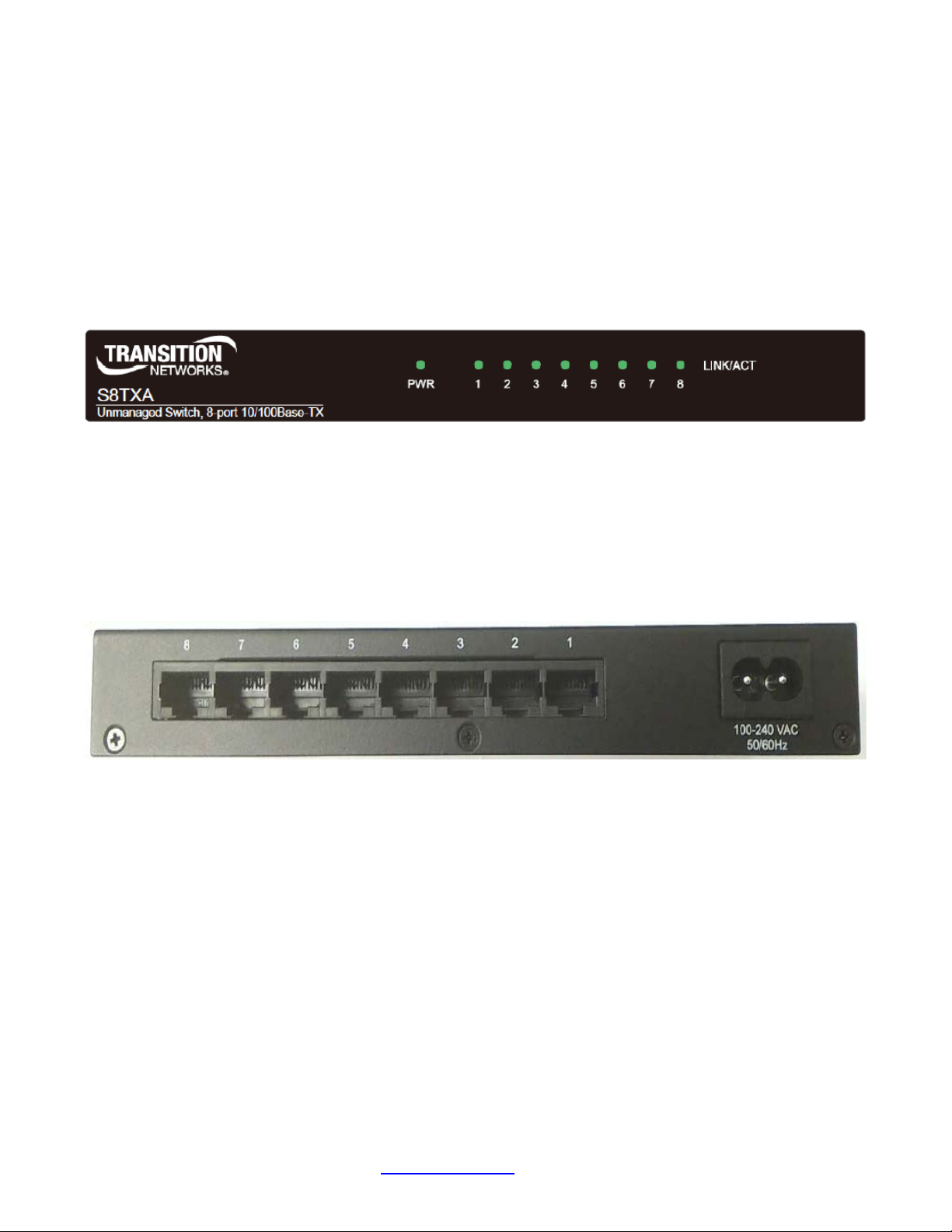
Front Panel
The front panel of the S8TXA front panel includes LED-indicators (Link/Activity) for each Fast Ethernet port and
power LED-indicator for unit, as shown below.
S8TXA Front Panel
Rear Panel
The rear panel of the 8-port Fast Ethernet Switch consists of eight auto-negotiation 10/100 Mbps Ethernet RJ-45
connectors (support Automatic MDI/MDIX function).
RJ-45 Ports (Auto MDI/MDIX): 8 port auto-negotiation 10/100/1000 Mbps Ethernet RJ-45 connectors.
Auto MDI/MDIX means that you can connect to another Switch or workstation without c ha ng ing non -crossover or
crossover cabling.
S8TXA Rear Panel
33673 Rev. A www.transition.com Page 5 of 9
Page 6
Transition Networks S8TXA User Guide
LED Indicators
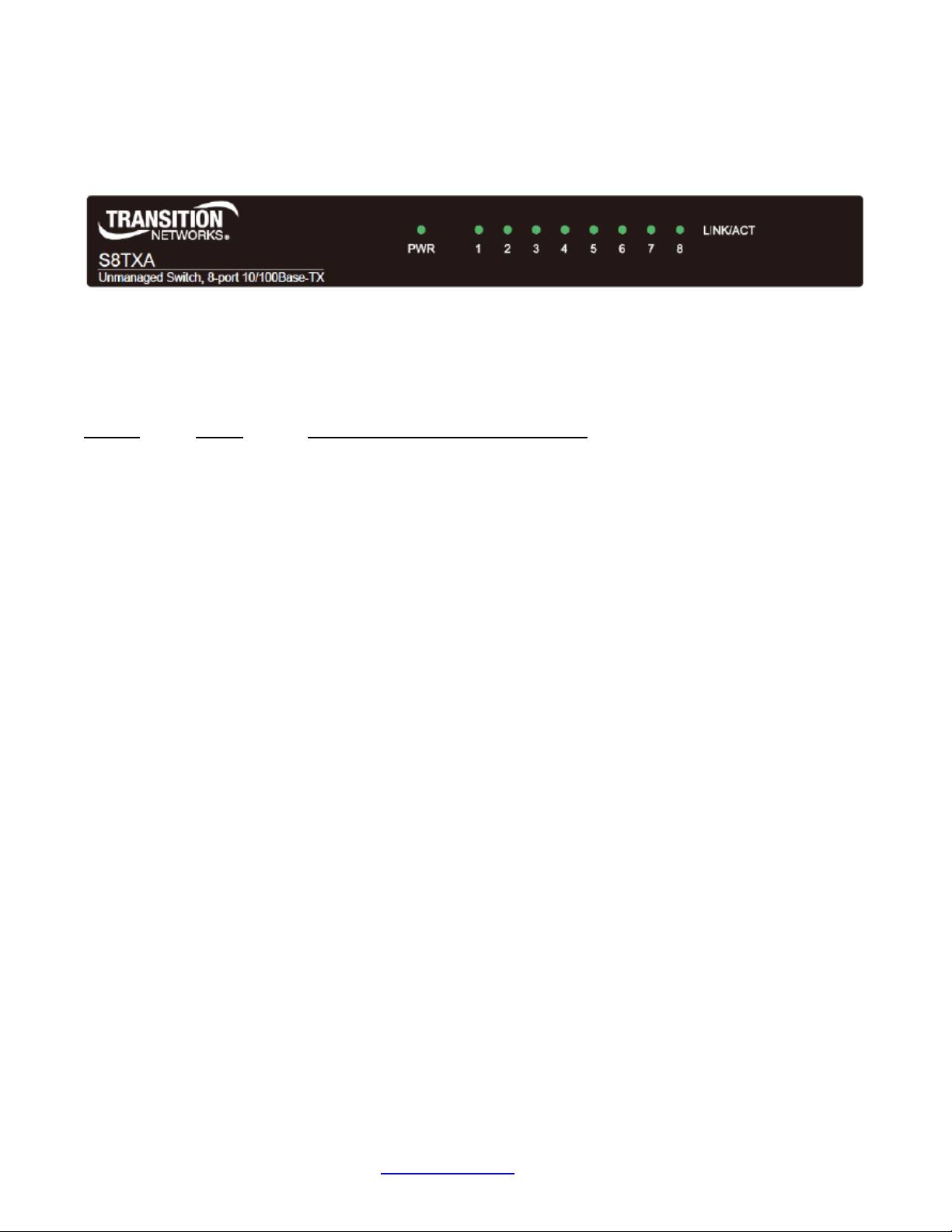
The LED Indicators give a real-time indication of system operating statuses. There is one LED indicator
(LNK/ACT) for each Fast Ethernet port and one Power LED for the device, as shown below.
S8TXA LED Indicators
LED Indicator Descriptions
The following table provides descriptions of LEDs status and their meaning.
LED Status Description
PWR Green Power On.
Off Power is not connected.
LINK/ACT Orange The port is operating at the speed of 100Mbps.
Blinking The port is receiving or transmitting data.
Off No device attached or in 10Mbps mode
33673 Rev. A www.transition.com Page 6 of 9
Page 7

Transition Networks S8TXA User Guide
3. Quick Installation
• The 8-Port Switch should be plac ed in a well -ventilated room with proper temperature and humidity.
• Do not place the unit near water.
• The maximum distance between the ports to the standard network interface is 100 meters.
• For desktop installation, ensure the surface is clean, smooth, level and sturdy. Apply self-adhesive rubber
feet to the bottom of the switch near the corners.
• For wall installation, place two screws securely into the wall. Slide the cross recesses on the bottom of the
8-Port Switch onto the screws.
• For mounting the 8-Port switch on a metal surface, install magnets as shown in instructions and apply to
surface.
• Visually check that the power cord is not damaged. Plug the female end of the cord into the rear of the 8-
Port Switch and the male end (power converter) into a power outlet.
• Do not plug a phone jack connector into any RJ-45 port. This may cause damage. Use only twisted-pair
cables with RJ-45 connectors that conform to FCC standards.
Power On
Connect the cord of power to the power socket on the rear panel of the Switch.
The other side of power cord connects to the power outlet.
Check the power (PWR LED) indicator on the upper panel to see if power is properly supplied.
33673 Rev. A www.transition.com Page 7 of 9
Page 8

Transition Networks S8TXA User Guide
IEEE 802.3 10BASE-T Ethernet
IEEE 802.3x Flow Control and Back-pressure
Protocol
CSMA/CD
Technology
Store and Forward switching architecture
14,880 pps for 10Mbps
148,800 pps for 100Mbps
Connectors
RJ-45; Auto-MDIX on all ports
MAC Address
2K Mac address table
Memory Buffer
128K bytes mem or y buffer
Jumbo Frame
Supports 9K bytes packet size
Backplane
1.6Gbps
10BASE-T: 2-pair UTP/STP Cat. 3, 4, 5 cable
EIA/TIA-568 100-ohm (100m)
Per port: Link/Activity
Per unit: Power
Power Supply
AC 110~240V, 50/60Hz
Power Consumption
1.72 Watt (maximum)
Operation Temperature
0 deg. C to 40 deg. C (32 deg. F to 104 deg. F)
Operation Humidity
10% to 95% (Non-condensing)
Dimensions
193mm x 84mm x 26 mm (L x W x H)
EMI
Compliance with FCC Class B, CE
Warranty
Limited Lifetime Warranty
4. Technical Specifications
The following table provides the Switch technical specifications.
Standards
Transfer Rate
Network Cable
LEDs
IEEE 802.3u 100BASE-TX Fast Ethernet
EIA/TIA-568 100-ohm (100m)
100BASE-TX: 2-pair UTP/STP CAT. 5 cable
33673 Rev. A www.transition.com Page 8 of 9
Page 9

Transition Networks S8TXA User Guide
Transition Networks
10900 Red Circle Drive
Minnetonka, MN 55344
United States of America
Telephone: +1.800.526.9267
Fax: +1.952.941.2322
http://www.transition.com
info@ Transition.com
© Copyright 2015 Transition Networks. All rights reserved.
S8TXA - 8-Port 10/100BASE-TX Compact Switch User Guide, 33673 Rev. A
33673 Rev. A www.transition.com Page 9 of 9
 Loading...