

Page 1
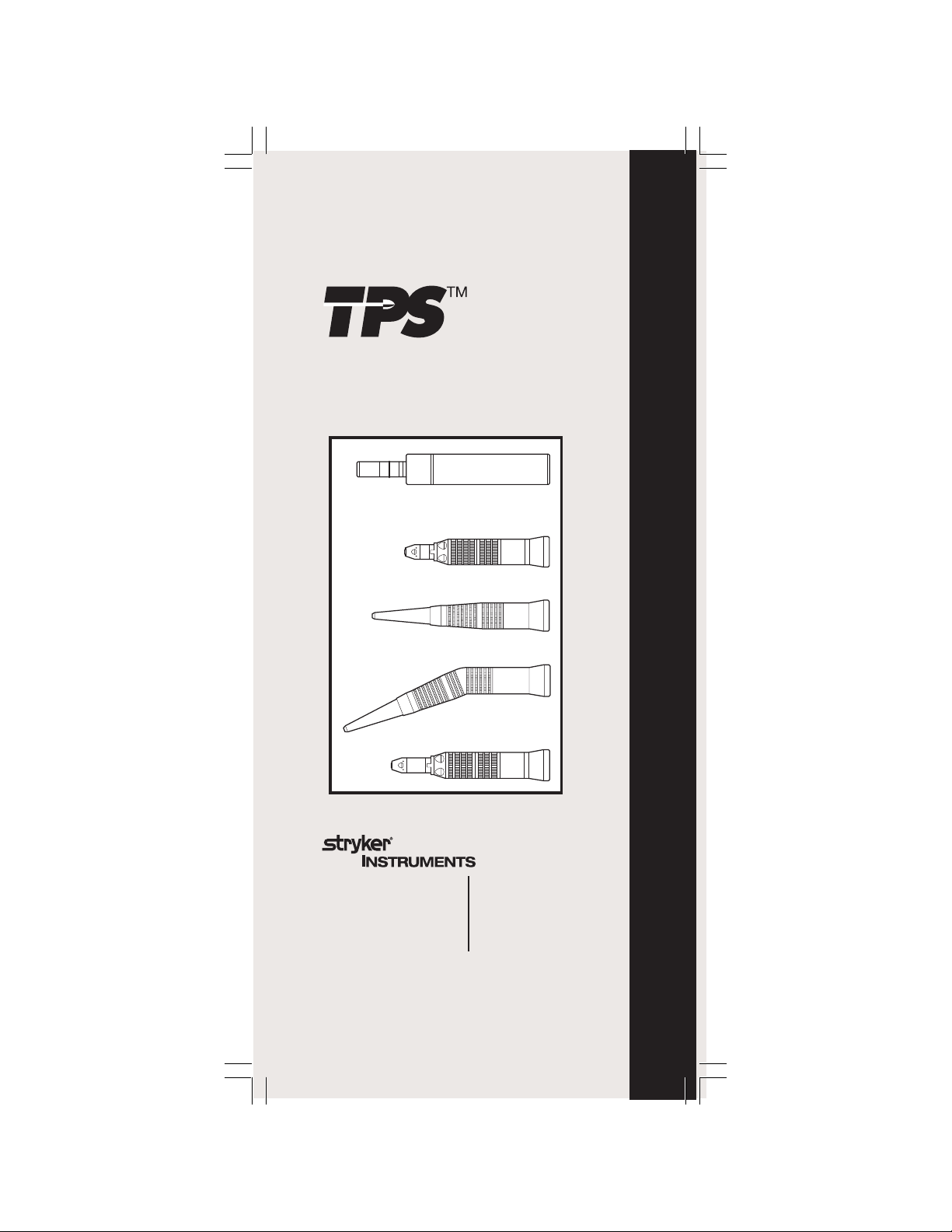
MicroDrill
REF 5100-15
Use only Stryker attachments:
• 5100-15-40 Straight Attachment
• 5100-15-41 Long Straight Attachment
5100-15-700 Rev-E
2/05
TPS MicroDrill 5100-15, Angled & Straight Attachments
• 5100-15-42 Angled Attachment
• 5100-15-43 4:1 Straight Attachment
US Patent: 6,752,816
Stryker Instruments
4100 E. Milham
Kalamazoo, Michigan
(USA) 49001
269-323-7700
1-800-253-3210
European Equivalent 5100-15-713 Rev-D
Japanese Equivalent 5100-15-723 Rev-D
N. Euro Equivalent 5100-15-732 Rev-C
European Authorized Rep:
RA/QA Manager
Stryker France
ZAC Satolas Green Pusignan
AV. de Satolas Green
69881 MEYZIEU Cedex
France
1
Page 2
IMPORTANT INFORMATION:
File in your maintenance records
TPS MicroDrill REF 5100-15
For use with the Total Performance System. When used in
conjunction with its companion attachments, the MicroDrill
is intended for surgical procedures involving drilling, reaming, cutting bone and hard tissue.
read and understand its instructions and review the important User/Patient Safety information provided in the TPS
Console instruction booklet. Familiarization with the Total
Performance System prior to use is important. If you have
any questions, contact your Stryker Instruments representative or Stryker Customer Service at 1-800-253-3210.
ries should be operated and inspected for damage. Do not use
if damage is apparent.
Important Information
Refer to your TPS Cleaning, Maintenance,
and Sterilization Recommendations for
instrument care information.
User/Patient Safety
WARNING: Before using any TPS component,
WARNING: Prior to use, handpiece and accesso-
operating periods may cause the body and distal end of the
MicroDrill to overheat such that it becomes uncomfortable
to hold and/or causes burn injury to the patient.
WARNING: Heavy sideloads and/or long
Cutting Accessory Information:
Use only Stryker approved accessories. A
complete list of cutting accessories is available form
your Stryker sales representative.
ments are designed for use with the TPS MicroDrill. Other
attachments with E-type connectors may fit but are not in-
TPS MicroDrill 5100-15, Angled & Straight Attachments
tended for use with this handpiece. If other attachments
are used, they may cause tissue damage to patient and/or
injury to O.R. staff, delay surgery if not functioning optimally, or cause damage to handpiece. NEVER modify any
accessory to fit the handpiece.
Use only Stryker part number series: 277; 1607;
WARNING: Only Stryker TPS MicroDrill Attach-
5300-10; and 5300-20.
Use Stryker Irrigation Clips REF 5100-15-541 and
5100-15-542.
2
Page 3
Instructions
NOTE: The MicroDrill can be operated with the TPS
Footswitch or the TPS Universal Handswitch.
Assembly:
WARNING: DO NOT attach any component
while the motor is running.
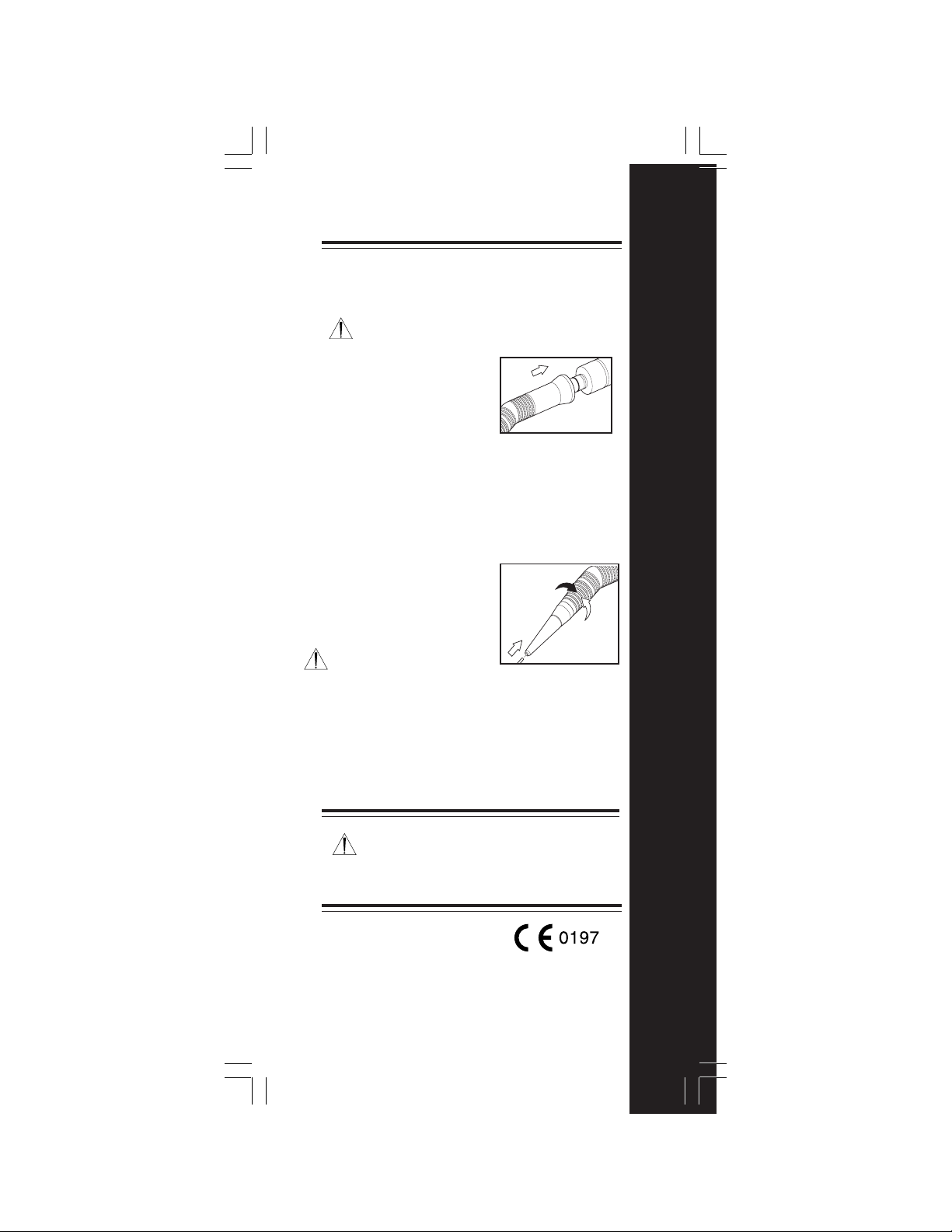
1. Push the attachment onto the
handpiece with a twisting
motion. The attachment is
secure when it "snaps" into the
connector. Figure 1.
NOTE: Make sure the
attachment is pressed on as far
as possible before running the MicroDrill. You may
notice a small gap between the attachment and
MicroDrill even when the attachment is properly seated.
The gap is caused by the antirotation pin and will not
hinder the function of the MicroDrill or attachment. The
gap should not be wider than 0.025 in. (0.65 mm).
2. To insert a bur, rotate the lock collar counterclockwise
and insert the bur with a
twisting motion. Rotate the lock
collar clockwise to align the
dots and lock the bur in place.
Give the bur a gentle tug to
ensure it is secure. Figure 2.
WARNING: Burn injury may
occur due to friction between
the bur and attachment if the bur is not fully locked in
the attachment.
Disassembly:
1. Rotate the lock collar counterclockwise to release the
bur and pull the bur straight out of the handpiece.
2. Grasp the attachment and pull to remove from handpiece.
Figure 1
lock
unlock
Figure 2
TPS MicroDrill 5100-15, Angled & Straight Attachments
Duty Cycle
Cycle Time = 20 seconds on/20 seconds off
Cycle Frequency = 10 times
Break Between Cycles = 30 minutes
Specifications
MicroDrill (REF 5100-15)
Size: 4.8 in [123mm] Long
Weight: .29 lbs [.13 Kg]
Speed: 50,000 RPM
.78 in [20mm] Diameter
3
Page 4
Troubleshooting
Problem
Attachment difficult to attach or release
from the handpiece.
Cause Solution
Connectors require Attach and detach the
a breaking-in period. attachment repeatedly until
Build-up of debris
inside attachment.
Problem
Attachment does not retain bur.
Cause Solution
Lock collar not fully Rotate collar counterclockwise.
engaged. Reinsert bur. Rotate collar fully
Problem
Handpiece will not run.
Cause Solution
Attachment lock collar Rotate collar fully clockwise.
not fully engaged.
Problem
Excess vibration.
Cause Solution
Build-up of debris
inside attachment.
Problem
Attachment becomes hot.
Cause Solution
Build-up of debris
inside attachment.
Attachment bearings
need lubrication.
Problem
Cause Solution
Lock collar not turned Rotate collar fully counterclockwise.
fully to release bur.
Problem
Cause Solution
Lock collar not fully Rotate collar counterclockwise.
engaged. Reinsert bur. Rotate collar fully
TPS MicroDrill 5100-15, Angled & Straight Attachments
Attachment not Reinstall attachment.
properly attached Make sure connection is flush
to handpiece. to handpiece.
Bur will not disengage from attachment.
Bur seizes in attachment.
connectors function smoothly.
See below.
clockwise. Gently tug bur to
ensure it is secure.
See below.
See below.
See below.
clockwise. Gently tug bur to
ensure it is secure.
*See the
TPS Cleaning, Maintenance & Sterilization
Recommendations
debris from attachments.
for instructions on lubricating and removing
4
 Loading...