

Page 1
1
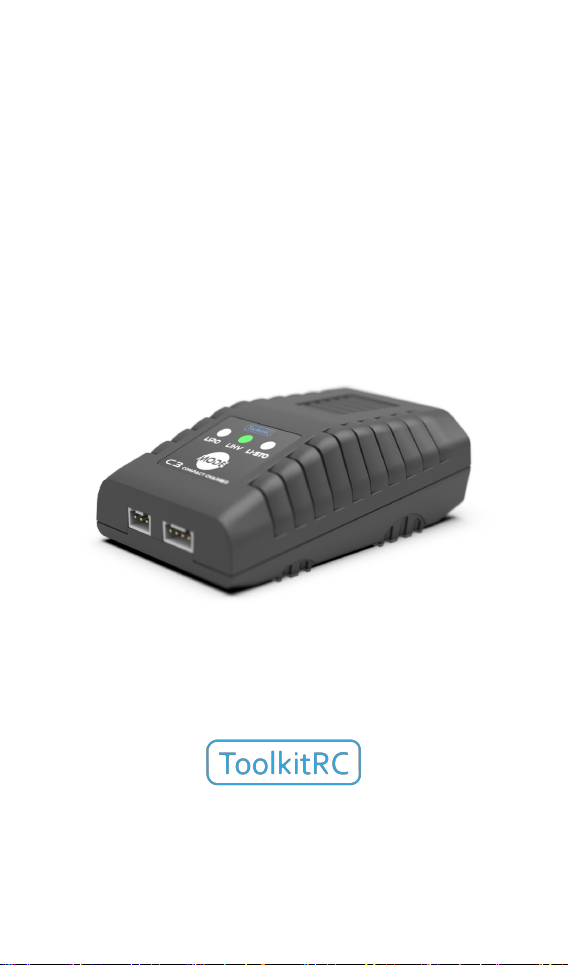
C3
Manual V1.0
2022.12
www.toolkitrc.com
ToolkitRC Technology (Shenzhen) Co. Ltd
@ToolkitRC 2022
Page 2

2
Introduction
Tips
Important
Information
Thank you for purchasing the C3 balance charger,
please read this manual carefully before use.
Key Points
Further information
To ensure you have the best experience with this
product, please to stay up to date with news,
information and firmware updates for your charger; this
information could be found at www.toolkitrc.com/C3
@ToolkitRC 2022
Page 3

3
Safety
1. C3 allows input voltage of AC 100-240V. Ensure the
charger is only connected to a suitable AC power outlet.
2. Do not use this product in hot, humid, flammable or
explosive environments.
3. Please do not use this charger without supervision.
Never leave charging batteries unattended.
4. When not using this product, please unplug the input
power.
@ToolkitRC 2022
Page 4

4
Contents
Introduction......................................................... 2
Key Points
Further information............................................ 2
Safety.....................................................................3
Contents
C3 Layout............................................................. 6
Quick start............................................................ 7
Charging settings
Specification.......................................................10
.............................................................2
............................................................... 4
................................................8
@ToolkitRC 2022
Page 5

5
Product description
The C3 is a compact balance charger; despite the
small size, the C3 has a maximum output of 25W!
Featuring an intuitive user interface and a LED display,
the C3 is a capable, bring-anywhere charger!
Charge and balance management of LiPo, LiHV,
2-3S batteries.
Voltage input AC 100-240V.
Charging current: 2.2A @2S,1.5A@3S
Charging accuracy: <0.01V.
Balance current: 200mA.
LED State display.
Balancer Plug and Play.
@ToolkitRC 2022
Page 6
6
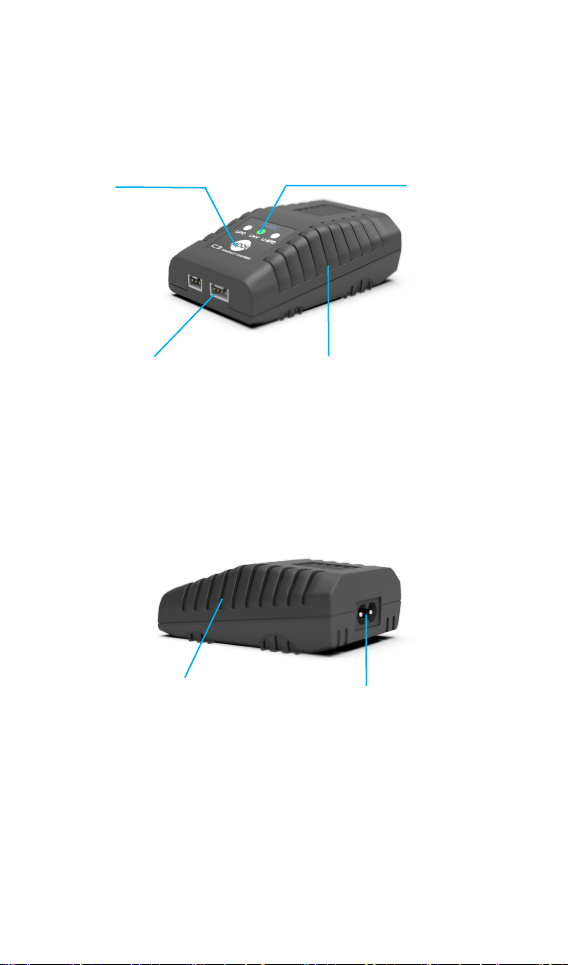
C3 Layout
LED
Mode Key
Heat dissipation vents
Heat dissipation vents
AC Input
Charge port
Front
Back
@ToolkitRC 2022
Page 7

7
Quick start
1,Connect the C3 to a suitable AC 100-240V to power
outlet.
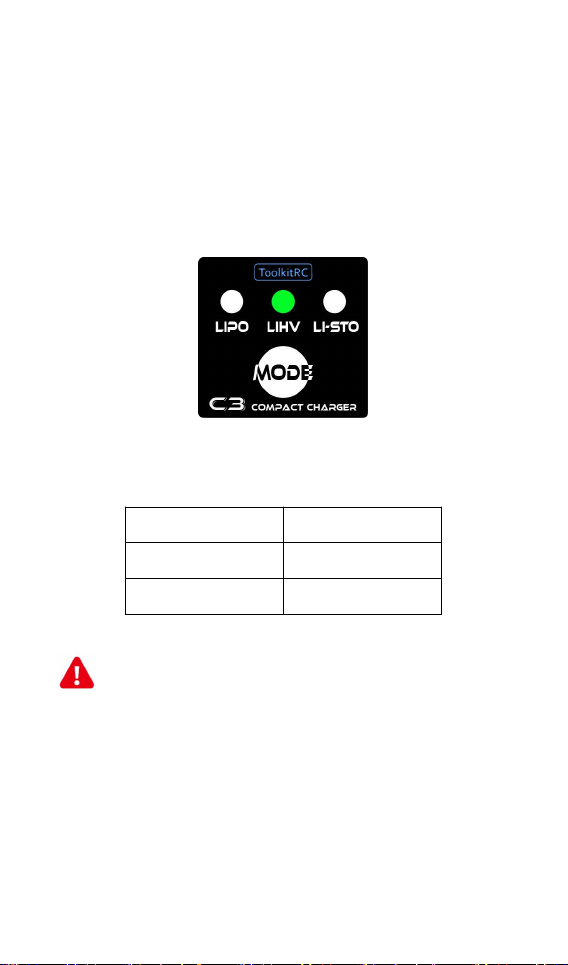
2,After booting up, the LED shown below:
3,Short press [MODE] key to select the battery type.
4,Connect battery to balance port, when voltage
match, the C3 will automatically start charging.
@ToolkitRC 2022
Page 8
8
Charging settings
4.20V
Lipo
4.35V
LiHv
3.85V
Lipo-Storage
Important:
1, Ensure the correct battery type has been
1,Battery type setting
Press [MODE] key to select battery type, When the
battery is connected, it is recognized that the battery is
normal and starts charging, and the indicator LED turns
red. The indicator turns green after full charge
Different battery chemistries have different cutoff
voltages. Please refer to the following table as reference,
and verify with your battery manual:
===================================
selected prior to charging. An incorrect choice may
damage the battery and/or become a fire hazard.
Please use caution.
2, Do not use this product to charge non-compatible
battery chemistries.
===================================
@ToolkitRC 2022
Page 9

9
===================================
Nomenclature:
1, Lipo: Often referred to as a lithium polymer
battery, a battery with a nominal voltage of 3.70V and
4.20V when fully charged.
2, LiHV: Often referred to as a high-voltage lithium
battery, a battery with a nominal voltage of 3.85V and
4.35V when fully charged.
3, Li-Storage: It is often called storage charging, and the
battery voltage remains at 3.85V after charging and
discharging
===================================
@ToolkitRC 2022
Page 10

10
Specification
Charge
Input
AC 100-240V MAX 25W
type
LiPo LiHv LipoStorage 2-3S
Charging
power
2.2A@2S 1.5A@3S
Balance
current
MAX 200mA @4.20V
Charging
accuracy
<0.01V @4.20V
Display
LED
Green:Stanby/Full RED:Charging
Product
Size
91*58*30mm
Weight
100g
Individu
al
packing
Size
95*64*58 mm
Weight
160g
@ToolkitRC 2022
 Loading...