

Page 1
SPEECH DIALLER Installation Manual
Operators Manual
Voice & Text Dialler
THANK YOU FOR VOTING TEXECOM
Intelligent Security & Fire Ltd
Page 2

Speech Dialler Operators Manual
2 INS233-2
Contents
Overview......................................................................................................................3
Introduction .............................................................................................................. 3
Speech Dialler Layout.............................................................................................. 6
Function Keys........................................................................................................... 6
1. Programming .......................................................................................................7
Accessing the Programming Menu ......................................................................... 7
Contact Details......................................................................................................... 8
Voice Messages ..................................................................................................... 11
Text Messages ....................................................................................................... 12
Sending and Abort Options ................................................................................... 13
Test Options........................................................................................................... 14
Call Log .................................................................................................................. 18
Output Options....................................................................................................... 19
Configuration Options............................................................................................ 20
Exit Programming Menu ........................................................................................ 26
2. Operation ...........................................................................................................27
Acknowledging Voice Message Calls.................................................................... 27
Aborting a Call........................................................................................................ 27
Recording and Playing a Memo Locally................................................................ 28
Using the Remote Access Feature ........................................................................ 29
Using the Quick Text Feature ................................................................................ 33
Text Editing Keys.................................................................................................... 34
3. Installation Records...........................................................................................35
Intelligent Security & Fire Ltd
Page 3
Speech Dialler Operators Manual
INS233-2 3
Overview
Introduction
Alarm Control Panel
Telephone
Auxiliary
Input
Telephone
Network
Speech Dialler
Intruder (3)
PA (2)
Fire (1)
Aux (4)
Contact 1
SMS
Service
Centre
Mobile
Network
or
Contact 2
or
Contact 3
or
Contact 4
or
Contact 5
or
Contact 6
or
Contact 7
or
Contact 8
or
4
ghi
2
abc
3
def
7
pqrs
5
jkl
8
tuv
0
6
mno
9
wxyz
1
.....Ready.....
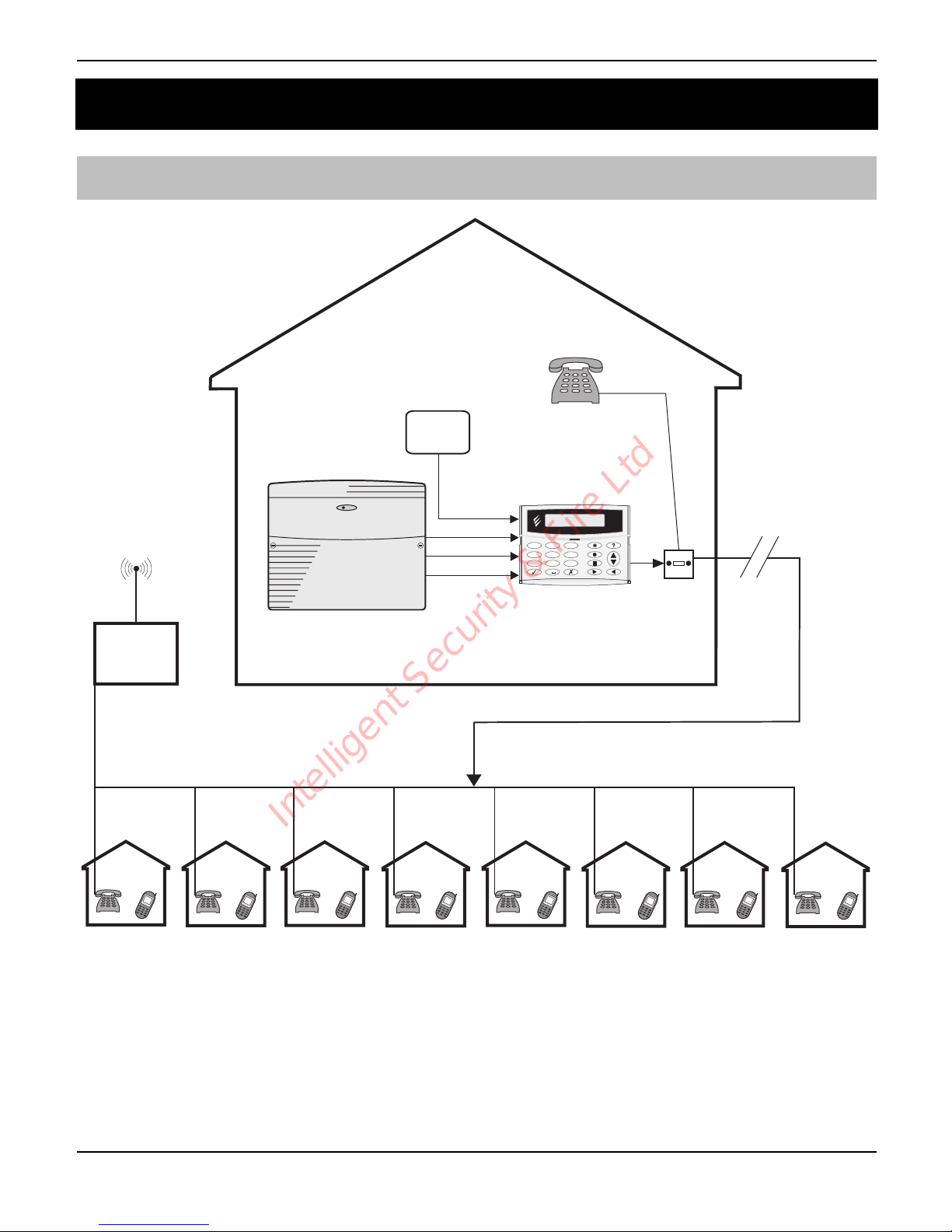
The Speech Dialler provides a means of communicating alarm information from an
alarm control panel to a standard or mobile telephone. The unit is normally connected
to an alarm control panel, which provides the necessary power and battery backup.
The unit is also connected to a standard telephone line and behaves like another
extension to the telephone and does not affect its normal operation or that of any
other extension fitted.
Intelligent Security & Fire Ltd
Page 4

Speech Dialler Operators Manual
4 INS233-2
Inputs: The dialler has four trigger inputs; each input can be assigned a voice
message and/or a text message (Speech & Text only). The trigger inputs are normally
connected to the alarm control panel communicator outputs or bell output. Other
devices such as smoke detectors or temperature sensors can be directly connected
to the trigger inputs. The polarity of the trigger inputs can be programmed as either
+ve or -ve applied.
Contacts: Up to 8 contacts may be stored in the unit; each contact can be assigned a
name, telephone number, message type and acknowledgment type.
The unit must NOT be used to call the Police via the Emergency Services
phone numbers.
Voice Messages: The dialler has a built-in microphone and speaker so that audio
messages can be recorded and replayed directly from the unit. Up to four separate
voice messages can be stored; each message can be up to 32 seconds long.
Message 1 is related to trigger input 1; message 2 is related to trigger input 2 and so
on. Voice messages should therefore be recorded to reflect the type of alarm that is
connected to the trigger input, e.g. if input 1 is connected to the “Fire” output on the
alarm/fire control panel then message 1 should state that there is a fire alarm at the
premises.
Text Messages: The Speech & Text model can also send text messages to mobile
telephones using the SMS text service (Short Message Service). The unit does this by
calling a SMS service centre, which takes the text message from the dialler and
forwards it to the contact’s mobile telephone. The unit can store up to four 32character “alarm” messages and one common “site details” message. When the unit
sends a text message it appends the “alarm” message to the “site details” message.
The “site details” message would normally hold the name or details of the premises
being protected.
Acknowledgement: On receiving a voice message call from the dialler the contact
person answering the call can acknowledge it at any time by pressing number [8] key
on their telephone. If the voice message is not acknowledged then it is repeated ten
times, after which the dialler abandons the call and dials the next available contact.
Each contact can be configured to either acknowledge the call only or acknowledge
and stop the dialling sequence, i.e., after pressing the [8] key on their telephone the
call is acknowledged and no more contacts are dialled.
Call-Abort: The dialler has several call-abort options, which include restoring the
trigger input or by entering the operator’s passcode. When the unit is aborted it
immediately shuts down and returns to its normal standby mode.
"
Intelligent Security & Fire Ltd
Page 5

Speech Dialler Operators Manual
INS233-2 5
Outputs: The dialler has two programmable outputs that can be used to indicate the
status of the unit. The outputs can also be programmed for “remote control”, this
allows you to remotely turn outputs on and off with a touch-tone telephone.
Listen-In Mode: When activated the listen-in mode switches the internal and remote
microphones onto the telephone line so that you can hear activity at the protected
site. The listen-in mode can be activated by the contact at the time of receiving a voice
message or by dialling the protected site and using the Remote Access feature.
Talkback Mode: When activated the talkback mode switches the internal loudspeaker
onto the telephone line so that you can talk to the protected site. The talkback mode
can be activated by the contact at the time of receiving a voice message or by dialling
the protected site and using the Remote Access feature.
Memo: The memo feature allows you to record up to 32 seconds of audio which can
then be played back. This feature can be accessed locally at the unit or by dialling the
protected site and using the Remote Access feature. When a new memo is recorded
the unit will indicate it on the display and optionally give a beep. The memo feature
can also be programmed to automatically record when a trigger input is activated.
Remote Access: If enabled the dialler can be accessed remotely by dialling into the
unit with a touch-tone telephone. Once connected you can turn on and off the two
outputs, activate the listen-in or talkback mode, listen to the memo, or record a new
memo.
Remote UDL: The unit can be remotely programmed using Wintex Upload/Download
software.
Context Sensitive Help: When programming or operating the dialler you can press
the help key and the unit will scroll the relevant information on the display.
Speech Dialler Models: Two versions of the Speech Dialler are available:
• Speech & Text: This model supports both speech and text messages.
• Speech Only: This model only supports speech messages.
ST
Throughout the manual this symbol indicates that the feature or option is only
available on the Speech & Text model.
Intelligent Security & Fire Ltd
Page 6
Speech Dialler Operators Manual
6 INS233-2
Speech Dialler Layout
4
ghi
2
abc
3
def
7
pqrs
5
jkl
8
tuv
0
6
mno
9
wxyz
1
.....READY......
1
2
#
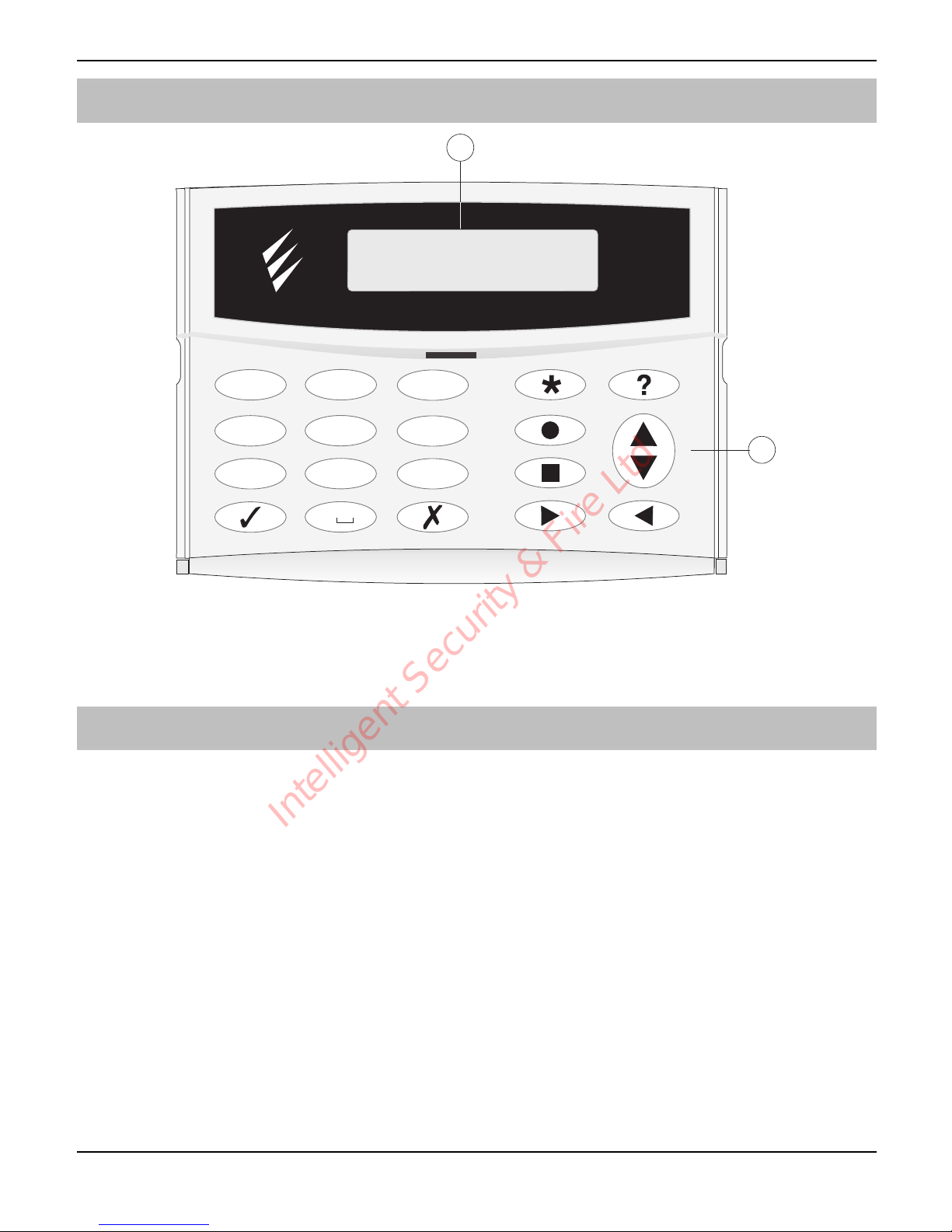
32 Character backlit LCD display
$
Keyboard
Function Keys
!"
Accept/Yes key
#"
Cancel/No key
$"
Special function key
%"
Record key
&"
Stop key
'"
Play key
("
Help key
)"
Scroll up/down key
*"
Back key
Intelligent Security & Fire Ltd
Page 7
Speech Dialler Operators Manual
INS233-2 7
1. Programming
Accessing the Programming Menu
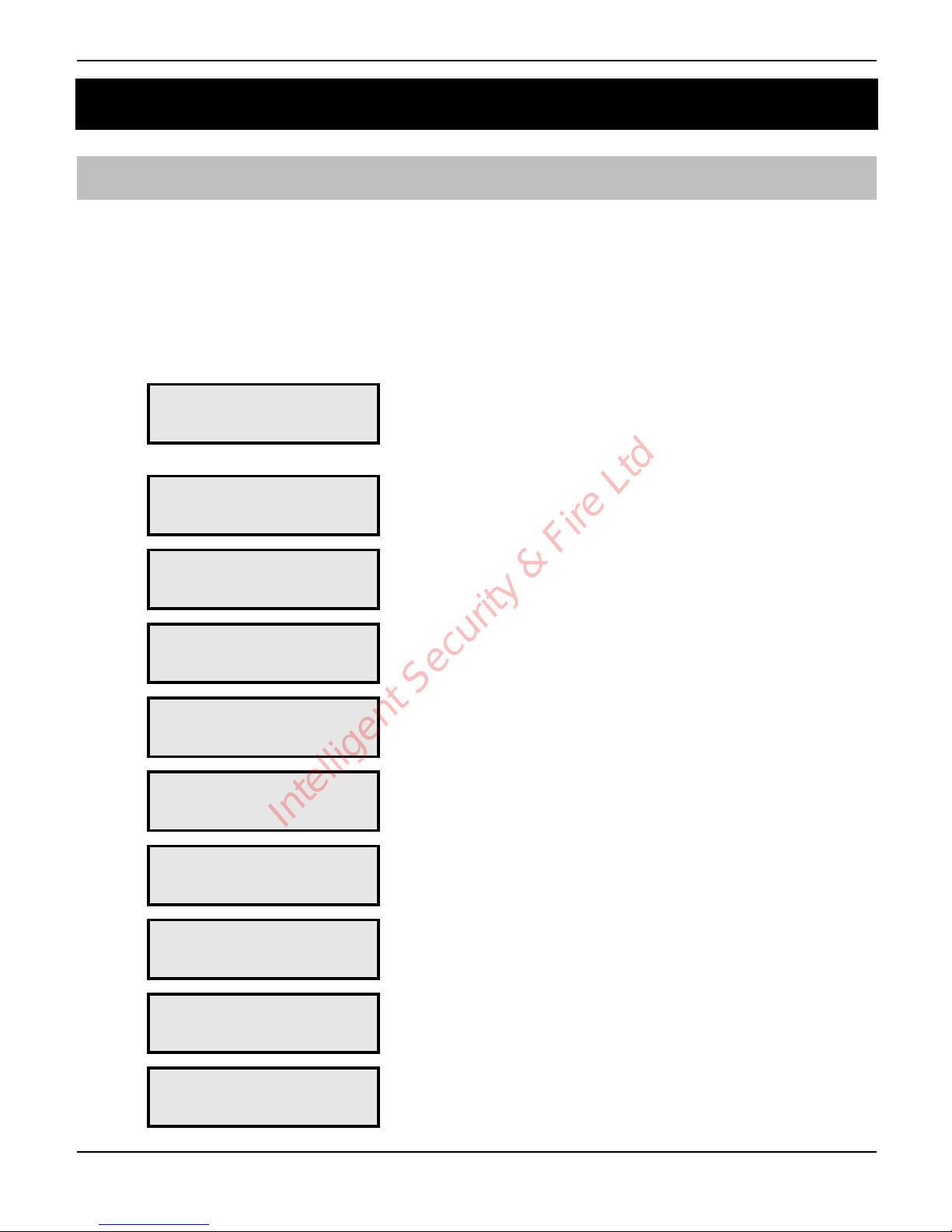
When the Speech Dialler is in its normal standby mode the display shows
“!!!!!"#$%&!!!!!”. To access the programming menu you must enter the
operator’s passcode (default 1234). After entering the passcode the first menu option
is displayed, you can scroll up and down through the menu options using the scroll
key or jump to a menu by pressing the relevant “hot-key”, e.g., to select the Call Log
menu press 6.
!!!!!"#$%&!!!!!'
'
Enter passcode +,-. to
access the programming menu.
+"
()*'+,'-./.0+12'
3,4+50+'%.+56/7
Contact name, telephone number
and type
Page 8
,"
()*'+,'-./.0+12'
8,60.'9.775:.7'
Record and play voice messages Page 11
-"
()*'+,'-./.0+12'
;.<+'9.775:.7'
Program text messages Page 12
."
()*'+,'-./.0+12'
-.4=64:'>?+6,47'
Sending and abort options Page 13
/"
()*'+,'-./.0+12'
;.7+'>?+6,47'
Dialling and input tests Page 14
0"
()*'+,'-./.0+12'
35//'@,:'
View call log Page 18
1"
()*'+,'-./.0+12'
>A+?A+'>?+6,47'
Program output types Page 19
2"
()*'+,'-./.0+12'
3,4B6:AC5+6,4'
Configuration options Page 20
3"
()*'+,'#DE;12'
FC,:C5GG64:'9.4A'
Exit programming menu Page 25
Intelligent Security & Fire Ltd
Page 8
Speech Dialler Operators Manual
8 INS233-2
Contact Details
The Speech Dialler can store up to 8 contacts; each contact is assigned the following
parameters:
Name
Up to 16 characters can be assigned to the contact name.
Telephone Number
This is the telephone number of the contact (up to 24 digits). When programming the
contact’s telephone number the $ key can be used to insert the following command
characters:
H Star: Inserts a * in the telephone number.
I Hash: Inserts a # in the telephone number.
J Pause: If the unit is connected to an internal telephone system you normally have
to dial a number to get an external line wait a couple of seconds then dial the
actual number. The pause command can be used to insert a 3 second delay,
e.g., 9,0161 123456.
K 1 Minute Wait: The unit will look for dial tone up to one minute.
% 5 Minute Wait: The unit will look for dial tone up to five minutes.
Contact Type
The contact type can be programmed to one of the following options:
1 Voice Only: The Speech Dialler dials the contact telephone number and plays
the relevant voice message.
2
ST
Voice or Text: The Speech Dialler dials the contact’s telephone number and
plays the relevant voice message. If the voice message is not acknowledged by
the contact the Speech Dialler dials the SMS service centre and attempts to relay
the relevant text message to the contact’s telephone number.
3
ST
Text or Voice: The Speech Dialler dials the SMS service centre and attempts
to relay the relevant text message to the contact’s telephone number. If the SMS
service centre is busy the Speech Dialler dials the contact’s telephone number
and plays the relevant voice message.
4
ST
Text Only: The Speech Dialler dials the SMS service centre and relays the
relevant text message to the contact’s telephone number.
Contact types 2, 3 & 4 should only be used for mobile telephone numbers.
"
Intelligent Security & Fire Ltd
Page 9

Speech Dialler Operators Manual
INS233-2 9
Acknowledgment Type
The Acknowledgment type can be programmed to one of the following options:
1 Acknowledge Only: When the message type is a voice message the person
receiving the call should press the number [8] key on their telephone to
acknowledge the call. Once the call has been acknowledged the Speech Dialler
will not attempt to dial that contact again. If the message type is a text message
the SMS service centre automatically acknowledges it. The unit will then contact
the next available person.
2 Remote Access: When the message type is a voice message the person
receiving the call should press the number [8] or [*] key on their telephone to
acknowledge the call. If the [*] key is used the contact will enter the remote
access menu of the Speech Dialler which allows them to listen-in etc, see page
30 for more details.
3 Rem & Stop Calls: When the message type is a voice message the person
receiving the call should press the number [8] or [*] key on their telephone to
acknowledge the call. If the [*] key is used the contact will enter the remote
access menu. Once the call has been acknowledged by the contact the Speech
Dialler will hang-up and return to its normal standby mode. If the message type is
a text message the SMS service centre automatically acknowledges it and the
Speech Dialler returns to its normal standby mode.
4 Stop Calls: When the message type is a voice message the person receiving the
call should press the number [8] key on their telephone to acknowledge the call.
Once the call has been acknowledged by the contact the unit will hang-up and
return to its normal standby mode. If the message type is a text message the
SMS service centre automatically acknowledges it and the unit returns to its
normal standby mode.
Dial Attempts
The dial attempts option controls how many times the Speech Dialler will attempt to relay
the message to the contact. The number attempts can be programmed from 1 to 9.
! To Add/Change Contact Details:
1
From the main menu press ) or + to
select the Contact Details menu:
()*'+,'-./.0+12'
3,4+50+'%.+56/7'
2
Press ! to select:
3,4+50+'L'M5G.'N'
'
Intelligent Security & Fire Ltd
Page 10
Speech Dialler Operators Manual
10 INS233-2
3
Press ) or + - 2 to select the required
contact, e.g.,
-:
3,4+50+'O'M5G.'N'
'
4
Press # to edit name:
3,4+50+'L'M5G.'N'
P'
5
Use the text editing keys (see page 33) to enter
the contact’s name. Press
! to accept.
3,4+50+'L'M5G.'N'
;,G'
6
Press ! to select the next option. The
contact’s telephone is displayed:
;./!O'N'
'
7
Press # to edit telephone number:
;./!O'N'P'
'
8
Use keys 4 - 3 to enter the number, e.g.,
0161 1234567:
The
$ key can be used to insert special
command characters: H'I'J.
Press
! to accept.
;./!O'N'QLRLLSOT'
URV'
9
Press ! to select the next option. The
contact type is displayed:
3,4+50+'O';W?.'N'
8,60.'>4/W'
10
Press # to change the contact type, e.g.,
##:
3,4+50+'O';W?.'N'
;.<+',C'8,60.'
11
Press ! to select the next option. The
contact’s Acknowledgment type is displayed:
3,4+50+'O'$0X!'N'
$0X4,Y/.=:.'>4/W
12
Press # to change the Acknowledgment
type, e.g.,
#:
3,4+50+'O'$0X!'N'
".G,+.'$00.77'
13
Press ! to select the next option. The
contact’s Dial attempts is displayed:
3,4+50+'O'%65/'N'
''''O';6G.7'
14
Press # to change the contact’s Dial
attempts, e.g.,
##:
3,4+50+'O'%65/'N'
''''U';6G.7'
15
Repeat steps 3 - 14 for other contacts or press
* to exit this menu.
Intelligent Security & Fire Ltd
Page 11
Speech Dialler Operators Manual
INS233-2 11
Voice Messages
The Speech Dialler has four voice messages; each message can be up to 32 seconds
long. The unit has an internal microphone and loudspeaker, which are used to record
and playback the voice messages. Messages should be recorded to reflect the type of
alarm that is being triggered, e.g., if “trigger input 1” is connected to a smoke alarm
then “message 1” should state that there is a fire alarm at the premises.
! To Record and Playback a Voice Message:
1
From the main menu press ) or , to
select the Voice Messages menu:
()*'+,'-./.0+12'
8,60.'9.775:.7'
2
Press ! to select:
9.775:.'L'
Z[F/5WJ'\[".0,C=
3
Press ) or + - . to select the required
voice message, e.g.,
-:
9.775:.'O'
Z[F/5WJ'\[".0,C=
4
Press % to start recording. Speak clearly at
the unit. The display will show how much time
has elapsed:
".0,C=64:'O12'
-F#$]'M>K!!!QU!U'
5
Press & to stop recording:
9.775:.'O'
Z[F/5WJ'\[".0,C=
6
To listen to the message press '. The
message is played back through the internal
loudspeaker:
9.775:.'O'
F/5W64:!!!!!OQ!U'
7
Press & to stop playback:
9.775:.'O'
Z[F/5WJ'\[".0,C=
8
Repeat steps 3 - 7 for other voice messages or
press
* to exit this menu.
Intelligent Security & Fire Ltd
Page 12
Speech Dialler Operators Manual
12 INS233-2
Text Messages
ST
The Speech & Text model can send text messages to mobile telephones using the
SMS text service (Short Message Service). The unit does this by calling a SMS service
centre, which takes the message from the Speech Dialler and forwards it to the
contact’s mobile telephone. The unit can store up to four 32-character “Alarm”
messages and one common “Site Details” message. When the unit sends a text
message it appends the “Alarm” message to the “Site Details” message. The “Site
Details” message would normally hold the name or details of the premises being
protected.
This menu also allows you to program a 32-character banner message. The banner
message is displayed on LCD when unit is either in the “Ready” or “Disabled” mode.
The banner message is NOT sent as part of the text message to mobile telephones.
! To Add/Change Text Messages:
1
From the main menu press ) or - to
select the Text Messages menu:
()*'+,'-./.0+12'
;.<+'9.775:.7'
2
Press ! to select:
;.<+'9.775:.'L'N'
9.775:.'L'2'^6C.
3
Press ) or + - ."to select the alarm
messages, press
/ to select the site details
message or press
0 to select the banner
message, e.g.,
/. The message is scrolled
across the bottom line of the display:
-6+.'%.+56/7'N'
H'&,AC';.<.0,G'-
4
Press # to edit the message:
P'&,AC';.<.0,G'?..0_'%65//.C''
5
Use the text editing keys (see page 33) to enter
the text message:
;.<.0,G'@+=J'`C5
=Y,,='3,AC+P'
6
Press ! to accept:
-6+.'%.+56/7'N'
;.<.0,G'@+=J'`C5
7
Repeat steps 3 - 6 for other messages or press
* to exit this menu.
Intelligent Security & Fire Ltd
Page 13
Speech Dialler Operators Manual
INS233-2 13
Sending and Abort Options
Sending Options
Each input can be programmed to send a message to specific contacts, e.g., Input 1
could be programmed to send message 1 to all eight contacts, whereas Input 2 could
be programmed to send message 2 to contacts 2 and 7.
If an input is programmed so that it does not report to any contact, the unit will play
the message through the loudspeaker when the input is triggered. This feature could
be used to annunciate some form of activity whilst you are present at the premises.
Call Abort
When a call is aborted the Speech Dialler immediately hangs-up and returns to its
normal standby mode. Each trigger input can be programmed to one of the following
options:
1 Nothing: The selected trigger input cannot be aborted.
2 Passcode Only: The selected trigger input can only be aborted by entering the
operators passcode into the Speech Dialler.
3 Code or Restore: The selected trigger input can be aborted by either entering
the operators passcode into the Speech Dialler or by restoring the trigger input to
its normal healthy condition.
4 Restore Only: The selected trigger input can only be aborted by restoring the
trigger input to its normal healthy condition.
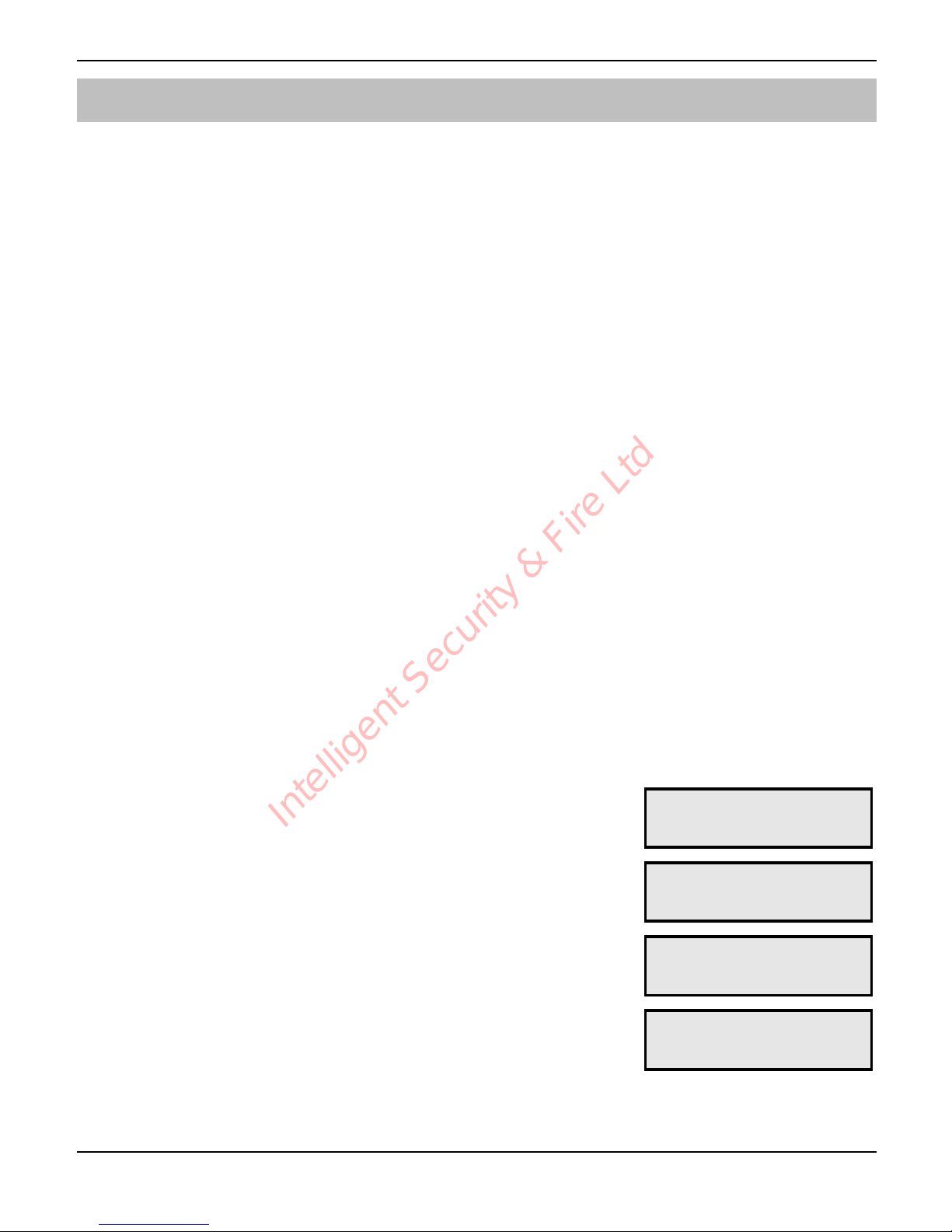
! To Change the Sending and Abort Options:
1
From the main menu press ) or . to
select the Sending Options menu:
()*'+,'-./.0+12'
-.4=64:'>?+6,47'
2
Press ! to select:
E4?A+'L'-.4=7'+,'
3,4+50+'LHHHHHHH
3
Press ) to select the required input:
E4?A+'S'-.4=7'+,'
3,4+50+'HSHHHHHH
4
Press + - 2 to toggle the Contacts, e.g.,
+-.. The top line will display the
contact name as each key is pressed:
E4?A+'S'-.4=7'+,'
3,4+50+'LSOTHHHH
Intelligent Security & Fire Ltd
Page 14
Speech Dialler Operators Manual
14 INS233-2
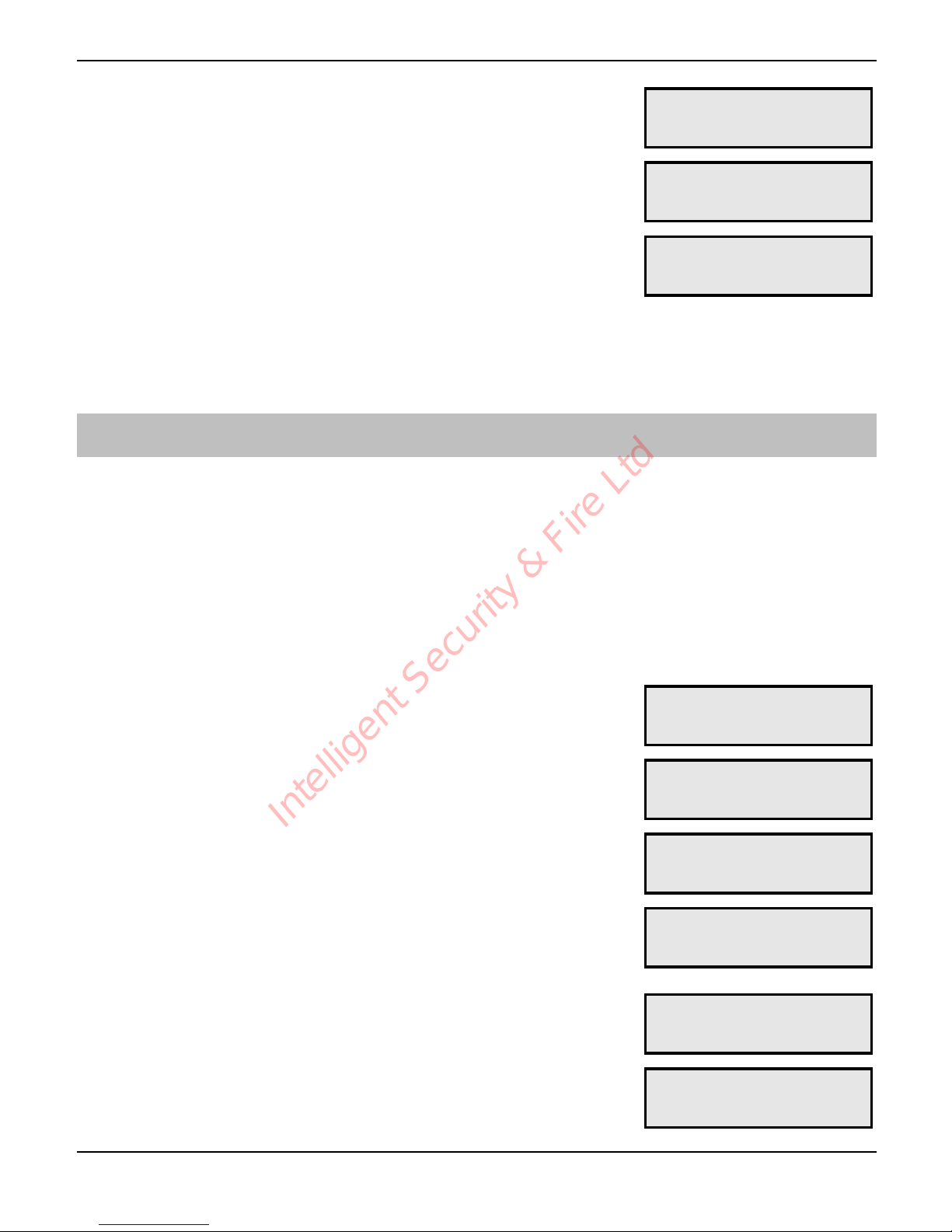
5
Press ! to select the next option:
E4?A+'L'$a,C+'`W'
M,+_64:'
6
Press # to change option, e.g., ##:
E4?A+'L'$a,C+'`W'
3,=.',C'".7+,C.'
7
Press ! to select the next option:
E4?A+'S'-.4=7'+,'
3,4+50+'LSOTHHHH
8
Repeat steps 3 - 7 for other contacts or press
* to exit this menu.
Test Options
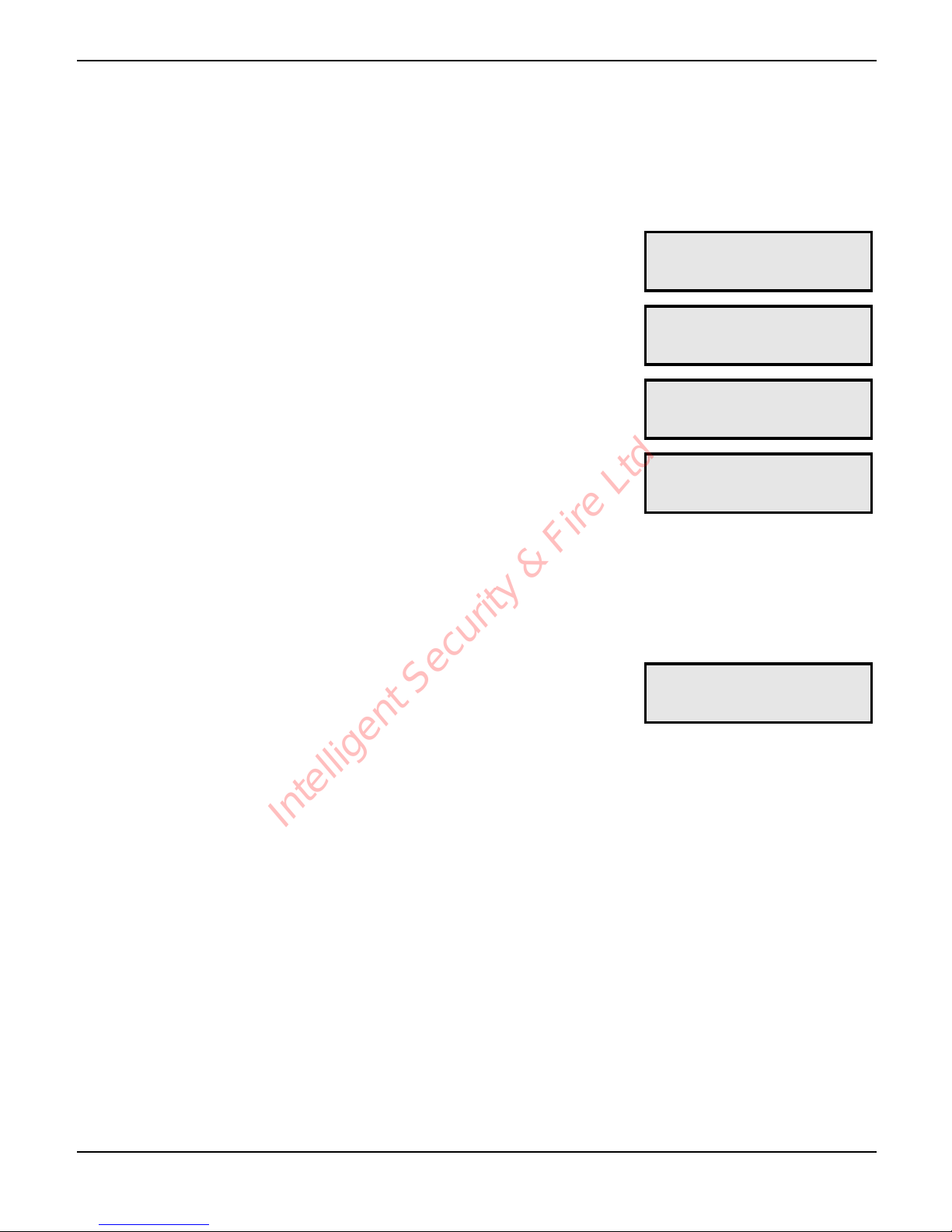
This menu option has three test menus that allow you to test the operation of the
Speech Dialler.
Test Voice Messages
This menu allows you to test the voice messages through to the various contacts. The
unit will call the selected contacts and play the selected voice message.
! To Test Voice Messages:
1
From the main menu press ) or / to
select the Test Options menu:
()*'+,'-./.0+12'
;.7+'>?+6,47'
2
Press ! to select:
()*'+,';.7+12'
8,60.'9.775:.7
3
Press ! to select:
-.4='8,60.'L'+,'
3,4+50+'LHHHHHHH
3
Press ) to select the required Voice
Message. The bottom line shows the contacts
that will be called:
-.4='8,60.'O'+,'
3,4+50+'HHOHHHHH
4
Press + - 2 to toggle the contact
numbers, e.g.,
+,.:
-.4='8,60.'O'+,'
3,4+50+'LSOTHHHH
5
Press ! to start the test. To cancel the test at
any time press
"# or"&:
35//64:'MAGa.C'L'
K56+'%65/';,4.'
Intelligent Security & Fire Ltd
Page 15
Speech Dialler Operators Manual
INS233-2 15
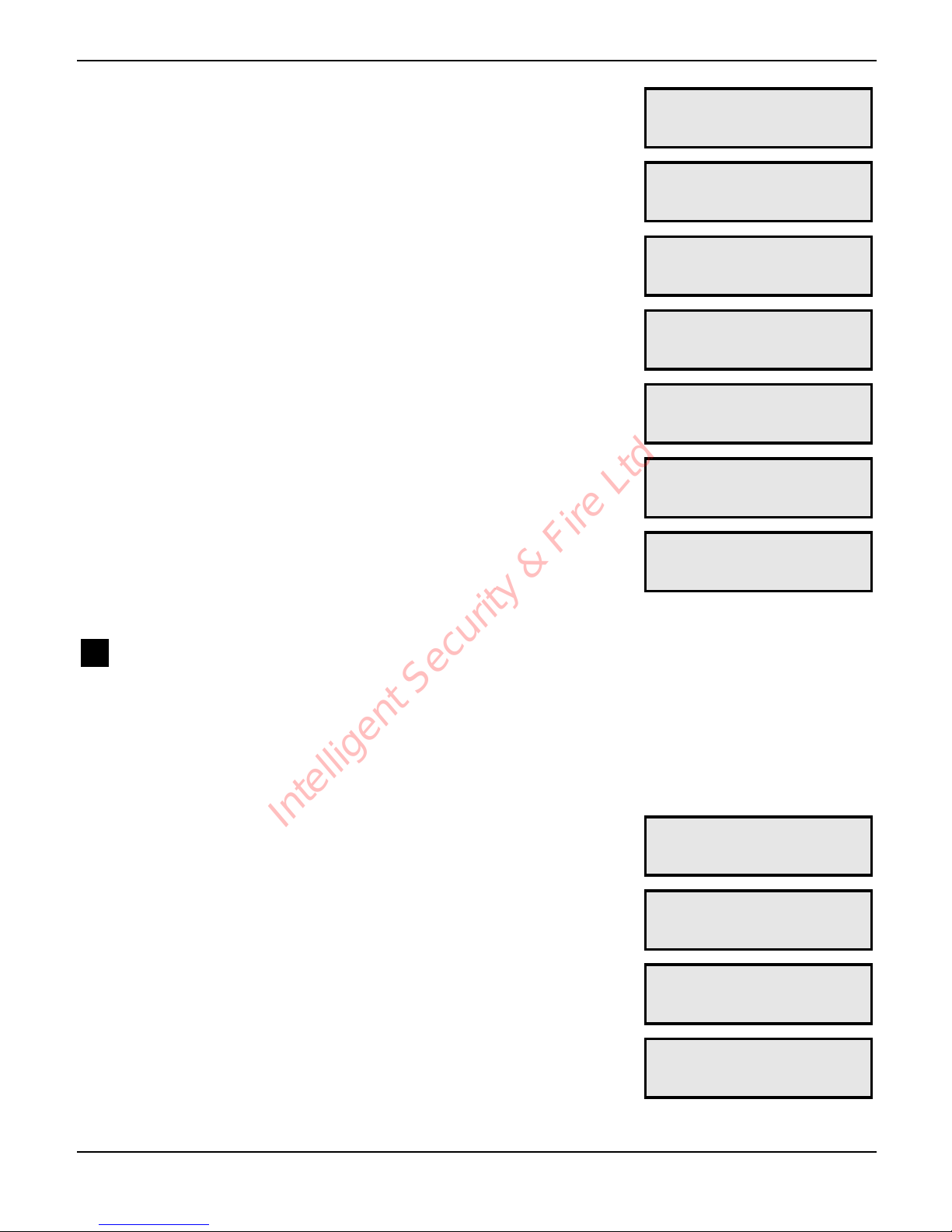
Dialling the contact’s telephone number:
35//64:'MAGa.C'L'
%65//64:'MAGa.C'
Waiting for answer:
35//64:'MAGa.C'L'
K56+'$47Y.C'
Ringing detected:
35//64:'MAGa.C'L'
"64:64:'
Contact has answered the call and unit is
playing the voice message:
35//64:'MAGa.C'L'
F/5W64:'9.775:.'
Contact has acknowledged the call by pressing
the number [8] key on their telephone:
35//64:'MAGa.C'L'
$0X'".0.6b.='
Test Call finished:
35//'^6467_.='
E=/.J'-A00.77BA/
6
Repeat steps 3 - 5 for other messages or press
* to exit this menu.
-.4='8,60.'O'+,'
3,4+50+'HHOHHHHH
ST Test Text Messages
This test menu allows you to test the text messages through to the various contacts
mobile telephones. The unit will call the SMS service center and relay the selected
message to the selected contacts mobile telephone.
! To Test Text Messages:
1
From the main menu press ) or / to
select the Test Options menu:
()*'+,'-./.0+12'
;.7+'>?+6,47'
2
Press ! to select:
()*'+,';.7+12'
8,60.'9.775:.7
3
Use ) or press , to select the Test Text
Messages menu:
()*'+,';.7+12'
;.<+'9.775:.7
3
Press ! to select:
-.4=';.<+'L'+,'
3,4+50+'LSOTHHHH
Intelligent Security & Fire Ltd
Page 16
Speech Dialler Operators Manual
16 INS233-2
4
Press ) to select the required Text Message.
The bottom line shows the contacts that will be
called:
-.4=';.<+'O'+,'
3,4+50+'LSOTHHHH
5
Press + - 2 to toggle the contact
numbers, e.g.,
,-.:
-.4=';.<+'O'+,'
3,4+50+'LHHHHHHH
6
Press ! to start the test. To cancel the test at
any time press
"# or"&:
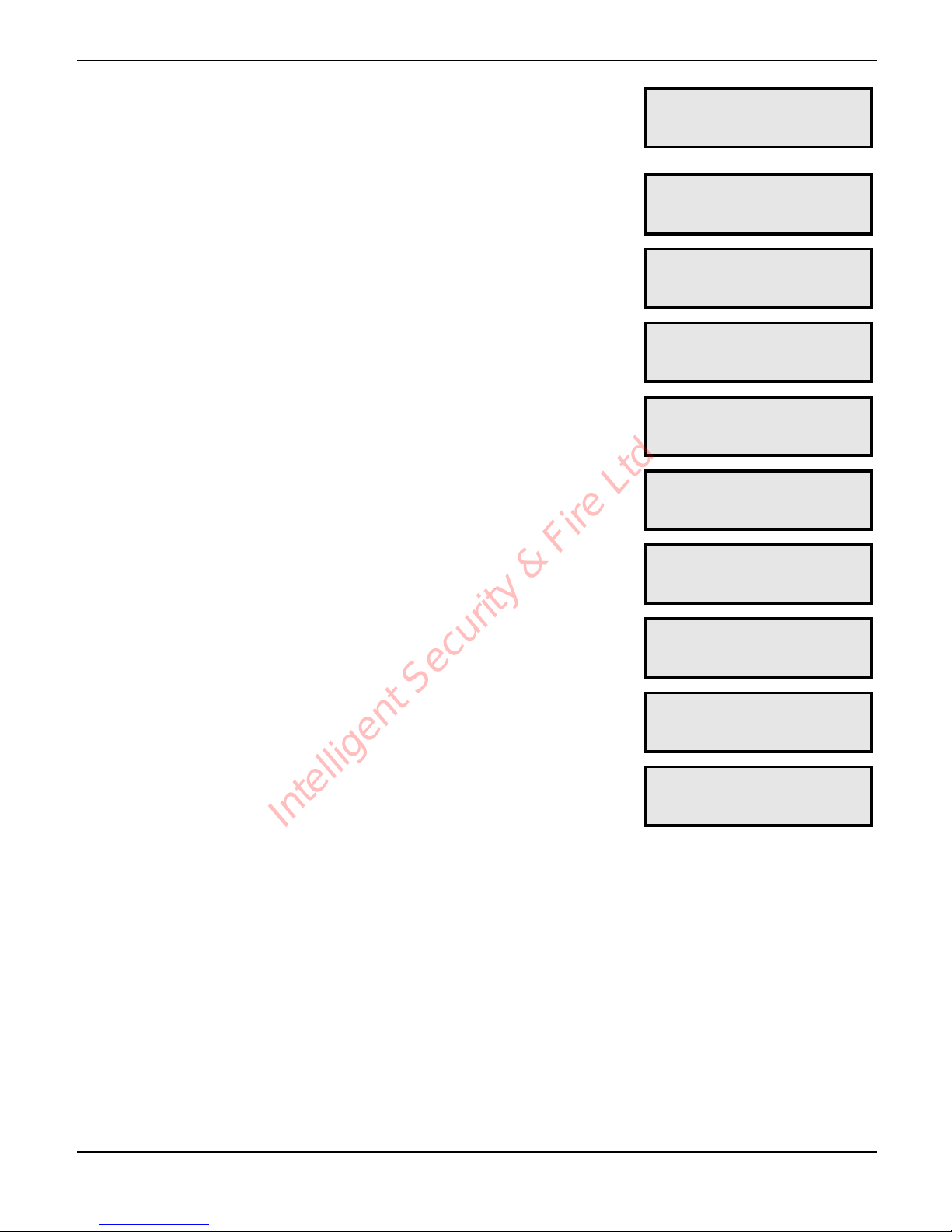
35//64:'MAGa.C'L'
K56+'%65/';,4.'
Dialling SMS Service Centre:
35//64:'MAGa.C'L'
9,=.G'%65//64:'
Waiting to connect with SMS Service Centre:
35//64:'MAGa.C'L'
K56+64:'3,44.0+!
Connected with SMS Service Centre:
35//64:'MAGa.C'L'
3,44.0+.=!!!!!!!
Sending text message to SMS Service Centre:
35//64:'MAGa.C'L'
-.4=64:';.<+!!!!
Message received by SMS Service Centre:
35//64:'MAGa.C'L'
$0X'".0.6b.='
Test Call finished:
35//'^6467_.='
E=/.J'-A00.77BA/
7
Repeat steps 3 – 6 for other messages or press
* to exit this menu.
-.4=';.<+'O'+,'
3,4+50+'LSOTHHHH
Intelligent Security & Fire Ltd
Page 17
Speech Dialler Operators Manual
INS233-2 17
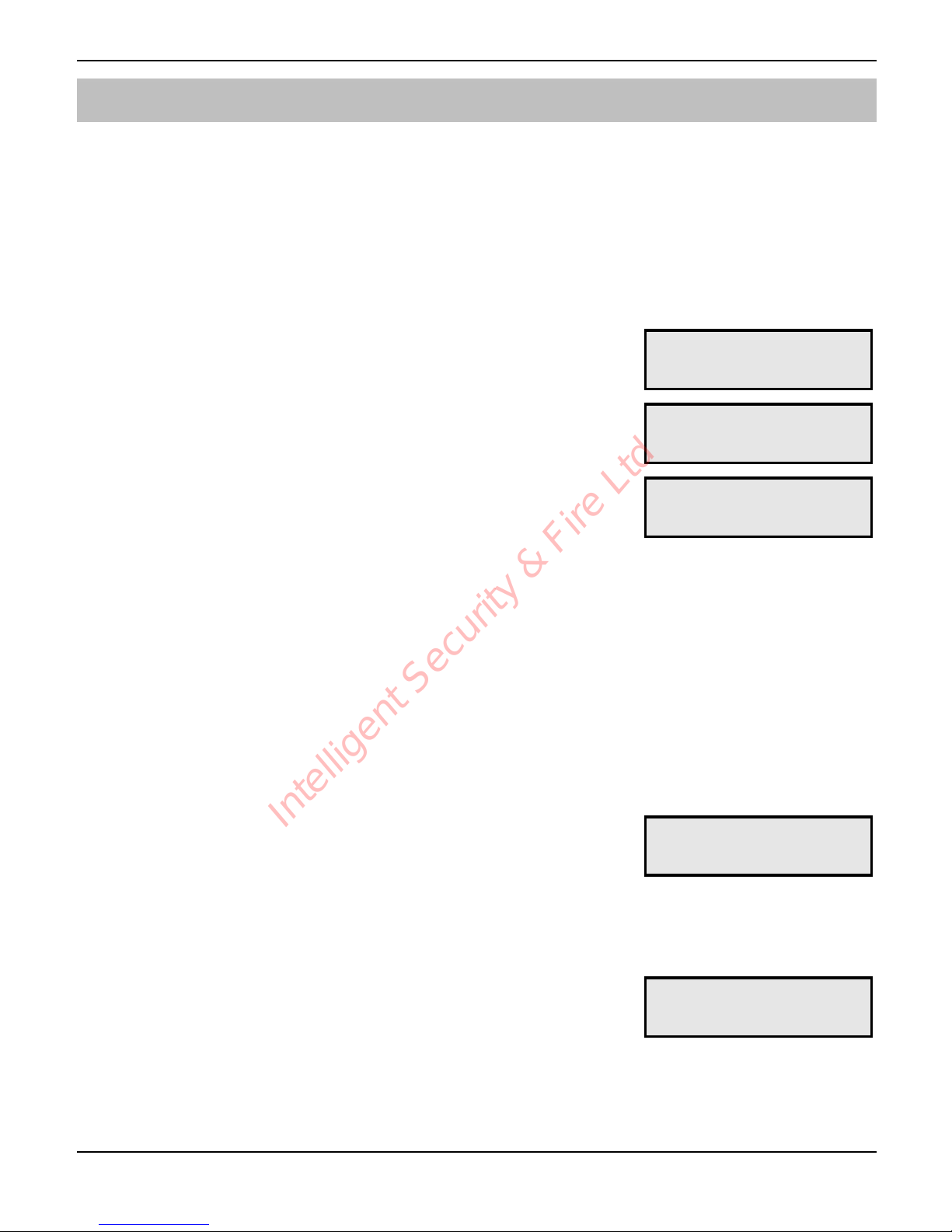
Test Input Status
This test menu allows you to view and test the trigger inputs. When the input is
triggered the unit will dial the relevant contacts and send the appropriate message.
! To Test the Trigger Inputs:
1
From the main menu press ) or / to
select the Test Options menu:
()*'+,'-./.0+12'
;.7+'>?+6,47'
2
Press ! to select:
()*'+,';.7+12'
8,60.'9.775:.7
3
Use ) or press - to select the Test Input
Status menu:
()*'+,';.7+12'
E4?A+'-+5+A7
3
Press ! to select. The ()* on the top line of
the display indicates whether the trigger inputs
are enabled, or disabled (D*. To enable the
trigger inputs press
!, to disable them press
#. The bottom line shows the actual status of
each input () = Healthy, D = Active). The
trigger polarity is also shown on the bottom line
(2* = -ve applied, (c* = +ve applied:
E4?A+71'LSOT'()*'
-+5+A71'))))'(2*
4
If the trigger inputs are enabled, activating them
will cause the unit call the relevant contacts.
Pressing
+ - . in this menu will simulate
an active condition on trigger inputs 1 - 4 and
will cause the unit call the relevant contacts.
Once triggered the display will show the
progress of the test call. To cancel the test at
any time press
"# or"&.
E4?A+71'LSOT'()*'
-+5+A71'))))'(2*
5
Press * to exit this menu.
Intelligent Security & Fire Ltd
Page 18
Speech Dialler Operators Manual
18 INS233-2
Call Log
The Speech Dialler has a 64 event Call Log that records the inputs that were triggered
and the contacts that were called. The log can be viewed in two modes - basic and
enhanced. In the basic mode the display shows all the event information in one
display. In the enhanced mode the display scrolls the event information in descriptive
text.
! To View the Call Log:
1
From the main menu press ) or 0 to
select the Call Log menu:
()*'+,'-./.0+12'
35//'@,:'
2
Press ! to select. The display shows the
most recent event:
(QL*'E4?A+'L'
L)SC
3
Use ) to scroll backwards and forwards
through the call log:
The top line shows the event number (QS* and
the input triggered. The bottom line shows the
contacts that were called and the response of
the unit:
(QS*'E4?A+'S'
L)S7
L) = Called contact 1, call acknowledged.
S< = Called contact 2, call NOT acknowledged.
S7 = Called contact 2, call acknowledged and stopped.
SA = Called contact 1, call aborted by user code.
OC = Called contact 3, call aborted by restore of trigger input.
4
To view the log in the enhanced mode press
$. The bottom line will now scroll a full
description of the event:
%65//.='3,4+50+'L'd'S'J'+_.'05//'
Y57'50X4,Y/.=:.='aW'LJ'+_.'05//'Y57
50X4,Y/.=:.='d'7+,??.='aW'0,4+50+'S'
(QS*'E4?A+'S'
%65//.='3,4+50+'
5
Press the $ to return to the normal display
mode. Press
* to exit this menu.
(QS*'E4?A+'S'
L)S7'
Intelligent Security & Fire Ltd
Page 19

Speech Dialler Operators Manual
INS233-2 19
Output Options
The Speech Dialler has two programmable outputs that can be used for a wide variety
of functions. Each output can be programmed to one of the following functions:
1 Phone Line Fault: This output type will activate (switched –ve) when the
telephone line connected to the unit has a fault (disconnected or no line voltage).
2 Line in Use: This output type activates when the Speech Dialler is using the
telephone line.
3 Call Active: This output type activates when the Speech Dialler is active, i.e. after
the unit has been triggered. The output deactivates once the unit has dialed all its
contacts or the call is aborted.
4 Call Successful: This output type activates when the Speech Dialler has
delivered its message successfully. The output deactivates when the unit is next
triggered.
5 Call Failed: This output type activates when the Speech Dialler fails to deliver its
message. The output deactivates when the unit is next triggered.
6 Remote Ctrl 1: This output type can be remotely turned on and off by a touch-
tone telephone.
7 Remote Ctrl 2: This output type can be remotely turned on and off by a touch-
tone telephone.
8 Memo Waiting: This output type activates when the Speech Dialler has a memo
waiting and deactivates once the memo has been played.
9 Memo Waiting (P): This output type pulses on and off when the Speech Dialler
has a memo waiting and deactivates once the memo has been played.
10 Remote Access: This output activates when the Speech Dialler is being
accessed remotely with a touch-tone telephone.
11 Phone Line Flt +: This output type will activate (switched +ve) when the
telephone line connected to the unit has a fault (disconnected or no line voltage).
Intelligent Security & Fire Ltd
Page 20
Speech Dialler Operators Manual
20 INS233-2
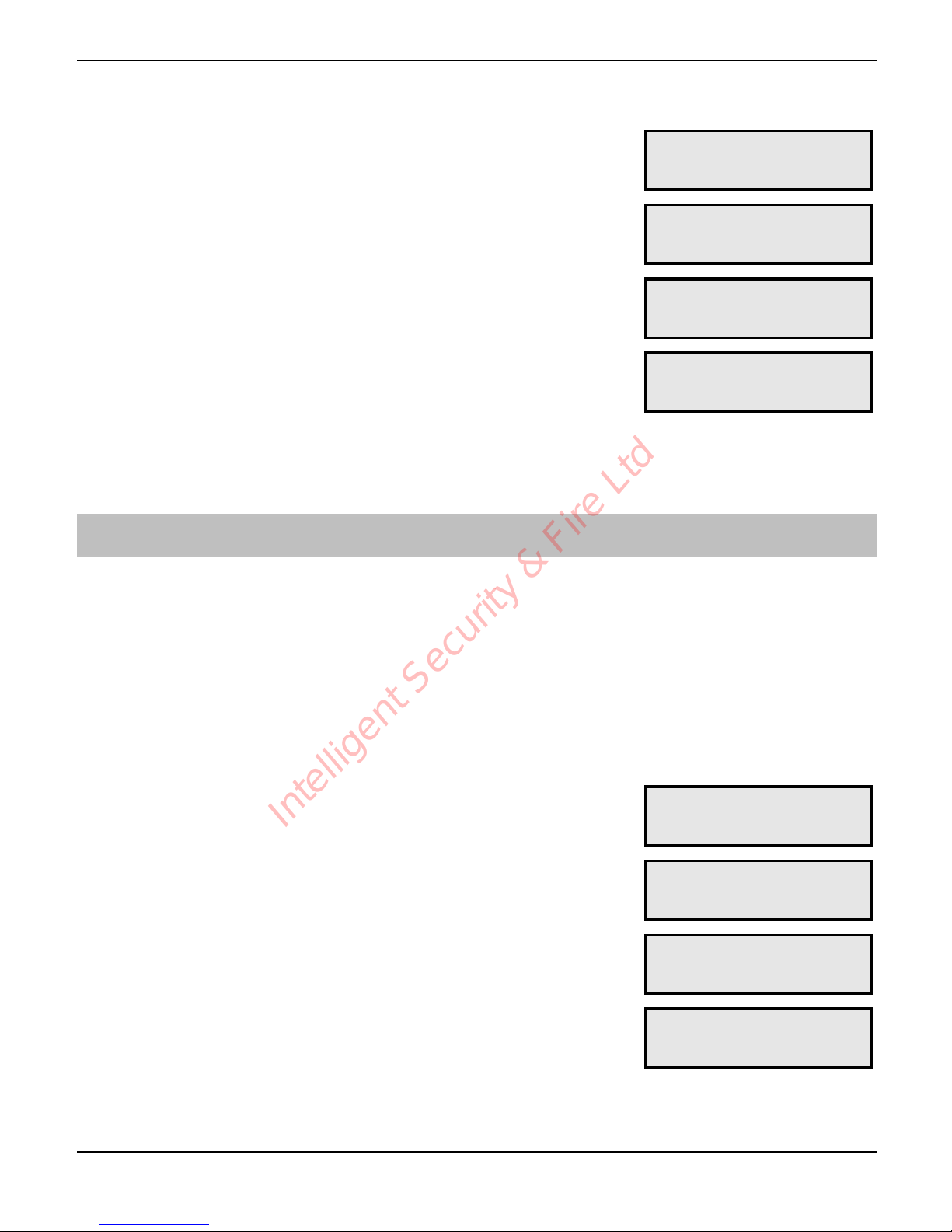
! To Program Outputs 1 and 2:
1
From the main menu press ) or 1 to
select the Output Options menu:
()*'+,'-./.0+12'
>A+?A+'>?+6,47'
2
Press ! to select:
>A+?A+'L'
F_,4.'@64.'^5A/+
3
Use ) or press + - , to select the
required output, e.g.
,:
>A+?A+'S'
35//'-A00.77BA/
4
Press # to change the output type, e.g.,
##:
>A+?A+'S'
".G,+.'3+C/'L'
5
Repeat steps 3 and 4 for the other output or
press
* to exit this menu.
Configuration Options
This section covers the various setup and configuration options:
Passcode
The Speech Dialler is protected by a 4 digit operator’s passcode; the passcode must
be used to gain access to the programming menus. The operator’s passcode is also
used for aborting calls and maybe required when using the Remote Access feature.
! To Change the Operators Passcode:
1
From the main menu press ) or 2 to
select the Configuration menu:
()*'+,'-./.0+12'
3,4B6:AC5+6,4'
2
Press ! to select:
()*'+,'-./.0+12'
F5770,=.
3
Press ! to select:
>@%'3>%#N'LSOT'
M#K'3>%#N'LSOT
4
Enter the new passcode, e.g., /0
12:
>@%'3>%#N'LSOT'
M#K'3>%#N'URVe'
5
Press ! to accept. Press * to exit this
menu.
Intelligent Security & Fire Ltd
Page 21
Speech Dialler Operators Manual
INS233-2 21
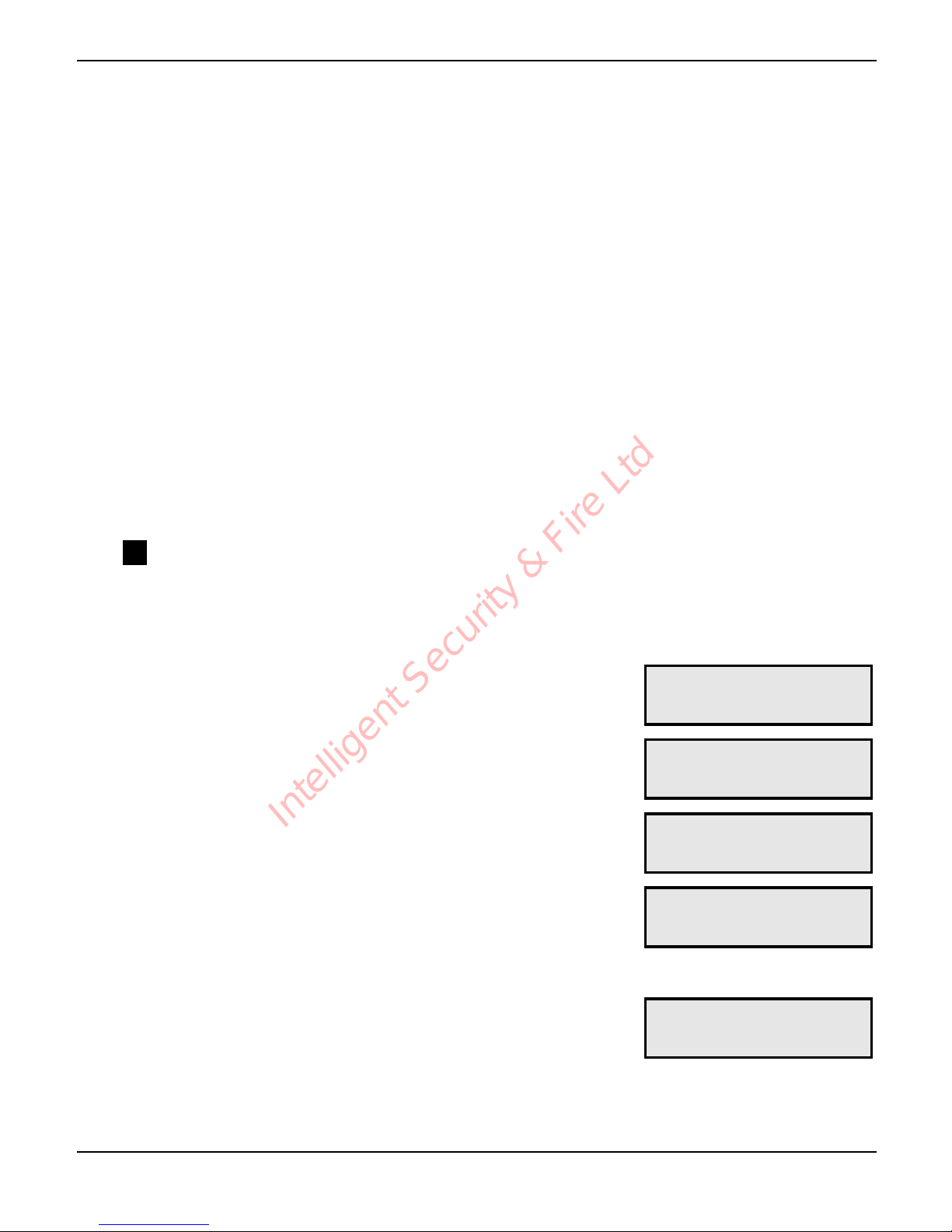
Dialling Options
The following dialing options are available:
1 Blind Dialling: If enabled (`) the Speech Dialler will not wait for dial tone when
dialling out. If disabled (H) the Speech Dialler will wait for dial tone before dialling
the contact’s telephone number.
2 Pulse Dialling: If enabled (F) the Speech Dialler will use the older pulse format
when dialling out. If disabled (H) the Speech Dialler will use DTMF format when
dialling out.
3 Pulse After 3: If enabled (O) the Speech Dialler will switch to the older pulse
format when the unit has failed to communicate after 3 attempts. If disabled (H)
the Speech Dialler will always use DTMF format when dialling out.
4 Use 7,E,1 Data: If enabled (V) the Speech Dialler will communicate with the SMS
service centre using 7 data bits, even parity and 1 stop bit. If disabled (H) the
Speech Dialler will communicate with the SMS service centre using 8 data bits,
no parity and 1 stop. See page 23 for further details.
5
ST
Quick Text: If enabled (f) you can use the Speech Dialler to send an SMS
message to one of the contacts. See page 33 for further details.
! To Change the Dialling Options:
1
From the main menu press ) or 2 to
select the Configuration menu:
()*'+,'-./.0+12'
3,4B6:AC5+6,4'
2
Press ! to select:
()*'+,'-./.0+12'
F5770,=.
3
Use ) or press , to select the Dialling
Options menu:
()*'+,'-./.0+12'
%65//64:'>?+6,47
4
Press ! to select. The top line of the display
will show the description for the option the
cursor (N) is pointing at. The bottom line shows
which options are enabled:
`/64='%65//64:'
NH'H'H'H'H'
5
Press + - . to enable/disable options,
e.g., press
, to enable Pulse Dialling:
FA/7.'%65//64:'
'HNF'H'H'H'
6
Press ! to accept and exit this menu.
Intelligent Security & Fire Ltd
Page 22
Speech Dialler Operators Manual
22 INS233-2
Ring Count
When calling into the Speech Dialler to use the Remote Access feature the unit will
answer the incoming call after a specified number of rings. If the ring count is set to
zero the Remote Access feature is disabled. The Speech Dialler also can be
configured to use answer defeat, see configuration options on page 24.
! To Change the Ring Count:
1
From the main menu press ) or 2 to
select the Configuration menu:
()*'+,'-./.0+12'
3,4B6:AC5+6,4'
2
Press ! to select:
()*'+,'-./.0+12'
F5770,=.
3
Use ) or press - to select the Ring Count
menu:
()*'+,'-./.0+12'
"64:'3,A4+
4
Press ! to select. The display will show the
current setting:
$47Y.C'35//'
$B+.C'U'"64:7'
5
Press # to change the ring count setting,
e.g., press
##:
$47Y.C'35//'
$B+.C'V'"64:7'
6
Press ! to accept and exit this menu.
Intelligent Security & Fire Ltd
Page 23
Speech Dialler Operators Manual
INS233-2 23
ST SMS Centre No.
When Speech Dialler sends a text message, it sends it via a SMS service centre. The
Speech Dialler defaults to using the O
2
SMS service centre. Listed below are other
service centres that can be used:
Service Provider Telephone No. Protocol
O2 - UK +44 (0)7860 980480 8,N,1
T-Mobile - UK +44 (0)7958 879889 7,E,1
Vodafone Mobiles - UK +44 (0)7785 499993 8,N,1
Proximus - Belgium +32 (0)475 161621 8,N,1
If you are calling a SMS service centre in a different country you need to
make sure that the contact’s mobile telephone number has the international
country code, e.g., if the contact’s UK mobile number is 07801 123 456 it
needs to be entered as 447801 123 456.
The protocol used by each service centre may vary from one provider to
another, please make sure that the Speech Dialler protocol is configured
correctly, see page 21.
! To Change the SMS Centre Number:
1
From the main menu press ) or 2 to
select the Configuration menu:
()*'+,'-./.0+12'
3,4B6:AC5+6,4'
2
Press ! to select:
()*'+,'-./.0+12'
F5770,=.
3
Use ) or press . to select the SMS
Service Centre menu:
()*'+,'-./.0+12'
-9-'3.4+C.'M,!
4
Press ! to select. The display will show the
current setting:
-9-'M,!NQVeRQgeQ'
TeQ'
5
Enter the required number:
-9-'M,!NQVgUeeVg'
eeg'
6
Press ! to accept and exit this menu.
"
Intelligent Security & Fire Ltd
Page 24

Speech Dialler Operators Manual
24 INS233-2
Miscellaneous Options
The following miscellaneous configuration options are available:
1 + Triggers: If enabled (c) the Speech Dialler trigger inputs are configured for
positive applied connections. If disabled (H) the Speech Dialler trigger inputs are
configured for negative applied connections.
2 Answer Defeat: If enabled ($) the Speech Dialler will use the answer defeat
feature, which operates as follows: To obtain remote access the caller must dial
the unit and wait for the line to ring several times (but not more than the number
of rings programmed for the Ring Count, see page 22). The caller must then
hang up the call and redial the unit within 60 seconds, the Speech Dialler will then
answer the incoming call and allow the caller the remote access feature, see
page 29. If disabled (H) the Speech Dialler will answer all incoming calls after the
number of rings programmed for the Ring Count, see page 22.
3 Flash on MEMO: If enabled (^) the Speech Dialler will flash the display backlight
on and off when memo message is waiting. If disabled (H) the Speech Dialler will
not flash the display backlight.
4 Beep on MEMO: If enabled (`) the Speech Dialler will beep every minute when
memo message is waiting. If disabled (H) the Speech Dialler will not beep.
5 Auto Record: If enabled (") the Speech Dialler will automatically record a 32
second memo message when any trigger input is activated. If disabled (H) the
Speech Dialler will not automatically record a memo message.
6 Slow Down Help: If enabled (-) the Speech Dialler will scroll the help detail at a
slower speed on the display. If disabled (H) the Speech Dialler will scroll the help
at the normal speed.
7 Rem. Access Code: If enabled (3) the Speech Dialler requires the operators
passcode to be entered before Remote Access is allowed. If disabled (H) the
operator’s passcode is not required.
8 Extended Record: If enabled (D) the recording time for each message is
increased to 38 seconds, however the quality of the recording is reduced slightly.
If disabled (H) the recording time for each message is 32 seconds.
Intelligent Security & Fire Ltd
Page 25
Speech Dialler Operators Manual
INS233-2 25
! To Change the Miscellaneous Configuration Options:
1
From the main menu press ) or 2 to
select the Configuration menu:
()*'+,'-./.0+12'
3,4B6:AC5+6,4'
2
Press ! to select:
()*'+,'-./.0+12'
F5770,=.
3
Use ) or press / to select the
Miscellaneous menu:
()*'+,'-./.0+12'
9670.//54.,A7
4
Press ! to select. The top line of the display
will show the description for the option the
cursor (N) is pointing at. The bottom line shows
which options are enabled:
c';C6::.C7'
NH'$'^';'H'H'H'H
5
Press + - 1 to enable/disable options,
e.g., press
/ to enable Auto Record:
$A+,'".0,C='
'H'$'^';N"'H'H'H
6
Press ! to accept and exit this menu.
Language
This option allows you to change the language of the Speech Dialler.
! To Change the Language:
1
From the main menu press ) or 2 to
select the Configuration menu:
()*'+,'-./.0+12'
3,4B6:AC5+6,4'
2
Press ! to select:
()*'+,'-./.0+12'
F5770,=.
3
Use ) or press 0 to select the Language
menu:
()*'+,'-./.0+12'
@54:A5:.
4
Press ! to select. The display will show the
current language setting:
@54:A5:.12'
#4:/67_'
5
Use ) to select the required language:
E=6,G512'
#7?54,/'
6
Press ! to accept and exit this menu.
Intelligent Security & Fire Ltd
Page 26
Speech Dialler Operators Manual
26 INS233-2
Exit Programming Menu
When you exit the programming menu you can exit and leave the Speech Dialler in
one of two modes:
Ready Mode
This mode is the normal operating mode of the Speech Dialler.
Disabled Mode
This mode disables the Speech Dialler’s trigger inputs and therefore the unit will not
call out in the event of an alarm.
! To Exit the Programming Menu:
1
From the main menu press ) or 3 to
select the EXIT Programming Menu. Or keep
pressing the
* key:
()*'+,'#DE;12'
FC,:C5GG64:'9.4A
2
Press ! to select:
)[".5=W'G,=.'
<[%675a/.='G,=.
3
Press ! to exit to the Ready mode or # to
exit to the Disabled mode, e.g., press
! to
exit to the Ready mode:
!!!!!"#$%&!!!!!!'
'
4
The selected operating mode is alternatively
shown on the top and bottom line of the
display:
'
!!!!!"#$%&!!!!!!
Intelligent Security & Fire Ltd
Page 27

Speech Dialler Operators Manual
INS233-2 27
2. Operation
Acknowledging Voice Message Calls
It is important that the contacts that are going to receive voice message calls from the
Speech Dialler are fully aware of the correct acknowledgment procedure. If a contact
fails to acknowledge a voice call the unit may dial them again. The correct procedure
is as follows:
! How to Acknowledge a Voice Message:
1
When the telephone rings, answer the call as normal.
2
Listen to the voice message. The message is repeated 10 times in total.
3
When you have understood the message acknowledge it at any time by
pressing the number [8] key on your telephone. You will hear an
acknowledgment tone from the Speech Dialler and then the unit will hang
up.
4
Now take the necessary action in response to the alarm.
Aborting a Call
If the Speech Dialler is accidentally triggered or you want to stop the calling sequence
then one of the following methods can be used:
Entering the Operator’s Passcode
To abort the call sequence, enter your passcode. The display will show “Call aborted”.
Restoring the Trigger Input
To abort the call sequence, restore the trigger input back to its normal condition.
Normally this is simple matter of resetting the alarm control panel.
The abort methods that can be used depends on how each trigger input is
configured, see page 13.
Intelligent Security & Fire Ltd
Page 28
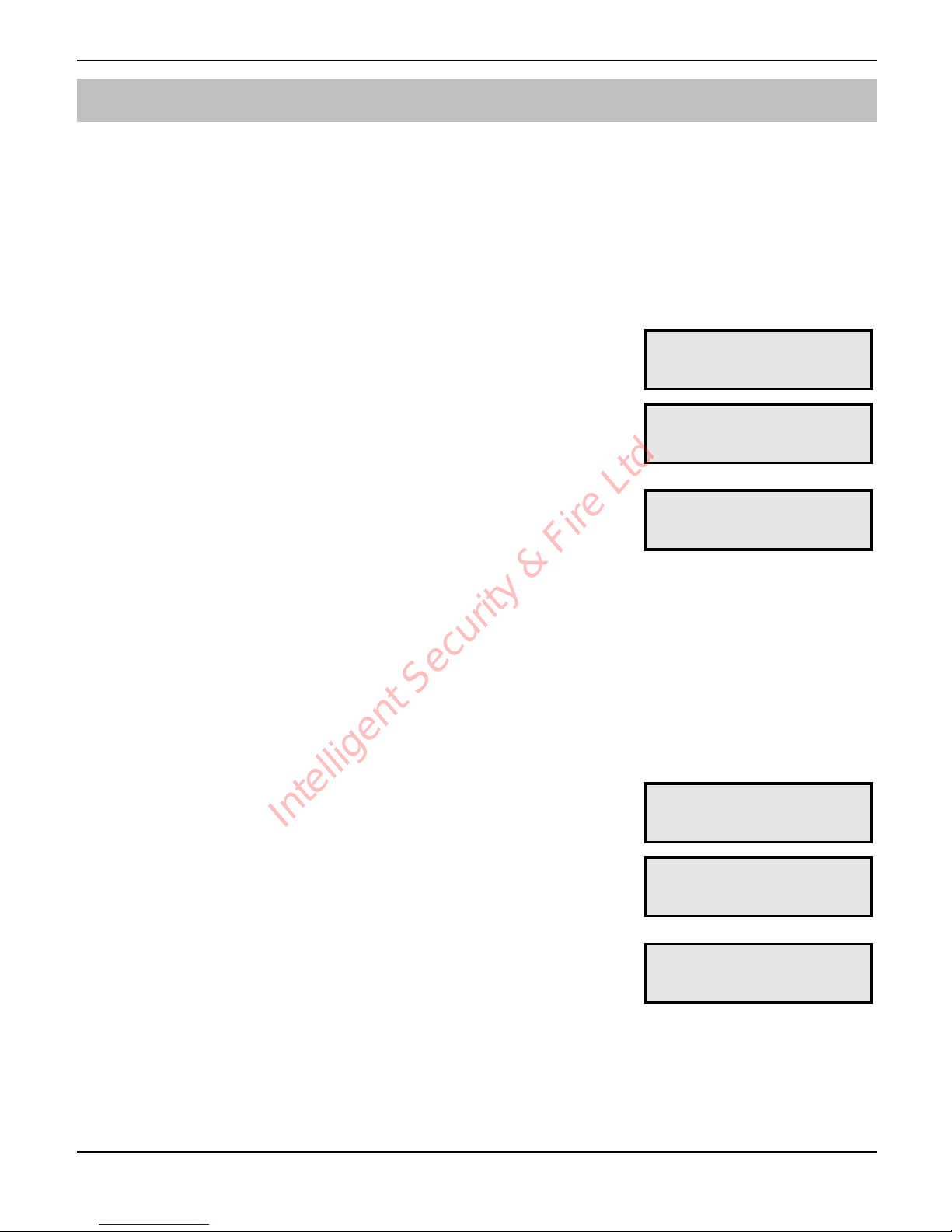
Speech Dialler Operators Manual
28 INS233-2
Recording and Playing a Memo Locally
The Speech Dialler has a 32 second memo message, which can be recorded locally
at the unit. Once recorded the display will indicate that there is a memo message
waiting. You could use this feature to leave a message for a member of your family as
you are leaving the premises. When they arrive home they would see/hear that there
is memo message waiting and can they play it back.
! To Record a Memo Message:
1
Ensure the unit is in its normal “Ready” or
“Disabled” mode:
!!!!!"#$%&!!!!!!'
''
2
Press % to record the memo. Speak clearly
at the unit. The display will show how much
time has elapsed:
".0,C=64:'9#9>12
-F#$]'M>K!!!QU!g
3
Press & to stop recording, the display will
indicate that there is a memo waiting:
The Speech Dialler can also be programmed to
either flash the display backlight or beep when
a memo message is waiting, see page 24.
H'9#9>'K$E;EMh'H'
FC.77'Z'+,'_.5C!
4
If you have not played back the memo message you can add to already
recorded message by pressing
%.
! To Playback a Memo Message:
1
The display will normally indicate that you have
a message waiting:
H'9#9>'K$E;EMh'H'
FC.77'Z'+,'_.5C!
2
Press ' to playback the message:
Press
& to stop to cancel playback at any
time.
F/5W64:'9#9>12'
F/5W64:!!!!!OQ!O
3
Once the memo message has been played the
unit will revert to showing the normal “Ready”
or “Disabled” mode:
If you want to listen to the message again press
'.
!!!!!"#$%&!!!!!!'
''
Intelligent Security & Fire Ltd
Page 29

Speech Dialler Operators Manual
INS233-2 29
Using the Remote Access Feature
The Remote Access feature can by accessed by one of the following methods:
Dial in for Remote Access
This method requires you to call into the Speech Dialler in order to select the Remote
Access menu. If the “Rem. Access Code” option is enabled (see page 24) you will
need to enter the operator’s passcode in order to use the Remote Access menu.
! To Dial in for Remote Access (Answer Defeat OFF):
1
Dial the Speech Dialler using a touch-tone telephone.
2
The Speech Dialler will answer your call after the programmed number of
rings (see page 22).
3
You will hear a series of high pitched beeps, press the [*] key on your
telephone whilst the beeps are playing. You will hear a short beep.
4
If required, enter the operator’s passcode on your telephone, you will
hear an acceptance tone. The Remote Access menu is now selected; see
the Remote Access menu on next page.
! To Dial in for Remote Access (Answer Defeat ON):
1
Dial the Speech Dialler using a touch-tone telephone.
2
Allow the telephone line to ring two or three times then hang up the call.
3
Wait approximately 10 seconds then redial the Speech Dialler.
4
The Speech Dialler will answer your call after the first ring.
5
You will hear a series of high pitched beeps, press the [*] key on your
telephone whilst the beeps are playing. You will hear a short beep.
6
If required, enter the operator’s passcode on your telephone, you will
hear an acceptance tone. The Remote Access menu is now selected; see
the Remote Access menu on next page.
Intelligent Security & Fire Ltd
Page 30
Speech Dialler Operators Manual
30 INS233-2
Acknowledge Call and Select Remote Access Mode
If the Speech Dialler has been triggered and is reporting a voice message to a
contact, the contact can (if programmed, see page 9) acknowledge the call and select
the Remote Access mode.
! To Acknowledge a Call and Select Remote Access Mode:
1
When the telephone rings, answer the call as normal.
2
Listen to the voice message. The message is repeated 10 times in total.
3
When you have understood the message acknowledge it at any time by
pressing the [*] key on your telephone. You will hear an
acknowledgment tone from the Speech Dialler and then the unit will
automatically select the Remote Access menu, see the Remote Access
menu below.
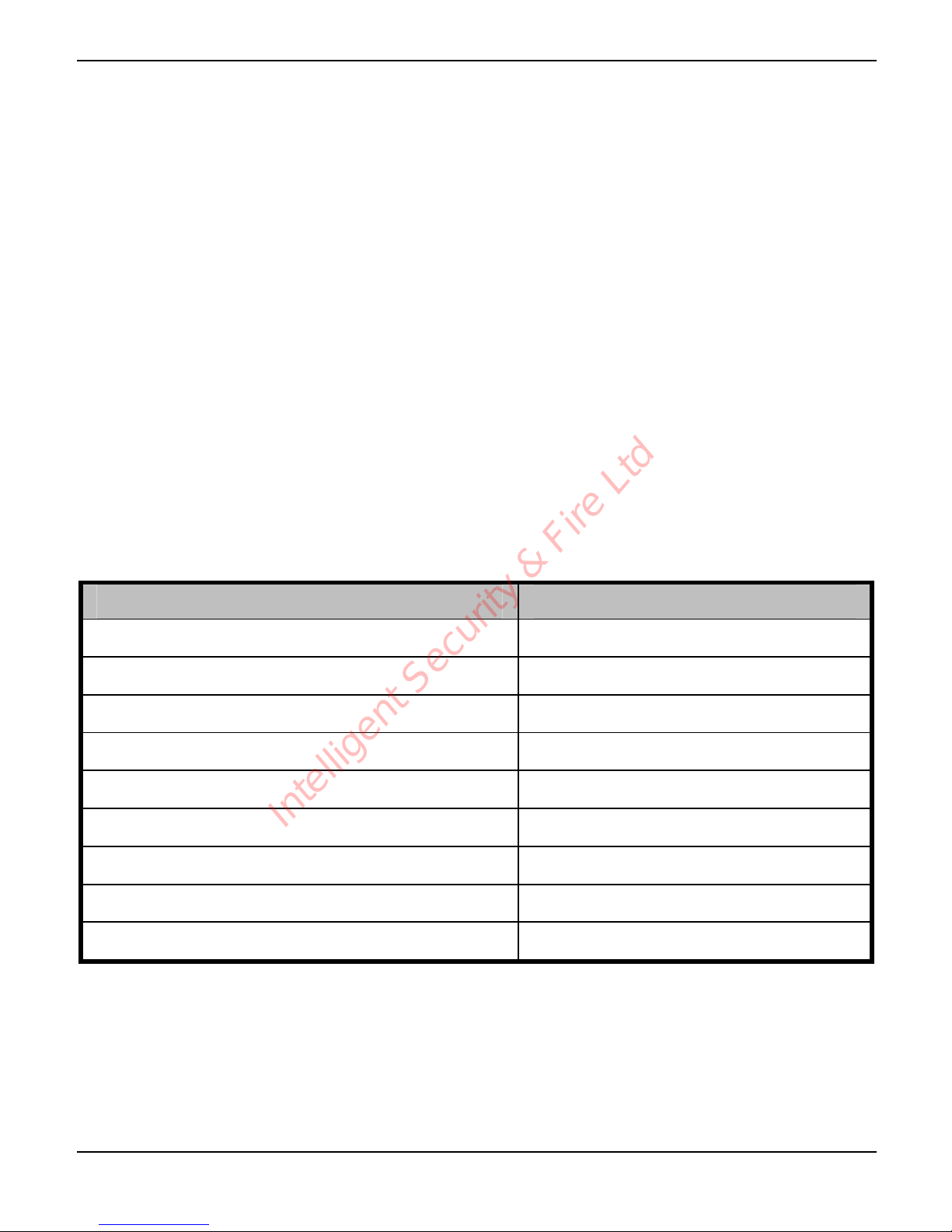
The Remote Access Menu
The following commands can be selected from the Remote Access menu:
Function Key Sequence
Toggle Remote Control Output 1 [*][1]
Toggle Remote Control Output 2 [*][2]
Listen-in/Talkback Mode [*][3] to select [3] to toggle
Play Voice Messages 1 – 4 [9] followed by [1] - [4]
Record Voice Messages 1 – 4 [*][9] followed by [1] - [4]
Playback Memo [0]
Record Memo [*][0]
Stop Recording/Playback [0] or any key
Quit Remote Access Menu and Hang-up [#]
If after 30 seconds no command has been selected then Speech Dialler will
hang-up the call. Once a command has been selected the unit remains
online for 3 minutes or until the quit remote access command is used (#).
"
Intelligent Security & Fire Ltd
Page 31

Speech Dialler Operators Manual
INS233-2 31
Toggle Remote Control Outputs
This Remote Access command allows you to either switch on or off the Remote
Control Outputs.
! To Toggle the Remote Control Outputs:
1
Establish a Remote Access connection with the Speech Dialler.
2
Press [*] [1] on your telephone to toggle Remote Control Output 1 or [*]
[2] to toggle Remote Control Output 2. You will hear one high pitched
beep when Output 1 is switched on and two for Output 2. You will hear
one low pitched beep when Output 1 is switched off and two for Output 2.
3
Use your telephone to select other Remote Access commands or press
[#] to hang-up the connection with the Speech Dialler.
Listen-in & Talkback Mode
These Remote Access commands allow you to listen-in and talk to the remote site
using your telephone handset.
! To Select Listen-in/Talkback Mode:
1
Establish a Remote Access connection with the Speech Dialler.
2
Press [*][3] on your telephone. You can now listen into the premises.
3
Press [3] on your telephone to switch between the Listen-in and Talkback
mode. The Listen-in/Talkback mode can also be toggled at site by
pressing
*.
4
When finished press [0] on your telephone to cancel Talkback mode.
5
Use your telephone to select other Remote Access commands or press
[#] to hang-up the connection with the Speech Dialler.
Intelligent Security & Fire Ltd
Page 32

Speech Dialler Operators Manual
32 INS233-2
Record/Play Voice Messages
These Remote Access commands allow you to record and playback voice messages
1 - 4 through your telephone handset.
These commands are only available if the “Rem. Access Code” option is
enabled (see page 24).
! To Record/Play a Voice Message:
1
Establish a Remote Access connection with the Speech Dialler.
2
To record a Voice Message press [*][9] followed by the message
number [1] – [4] on your telephone. You will hear a short beep. Talk
clearly into your telephone handset.
3
Press [0] on your telephone to stop the recording mode.
4
To play a voice message press [9] followed by the message number [1]
– [4] on your telephone. The selected message is played back through
your telephone handset.
5
Press [0] on your telephone If you want to cancel playback mode or wait
until the message has finished playing.
6
Use your telephone to select other Remote Access commands or press
[#] to hang-up the connection with the Speech Dialler.
Record/Playback Memo
These Remote Access commands allow you to record and playback the memo
message through your telephone handset.
! To Record/Playback a Memo:
1
Establish a Remote Access connection with the Speech Dialler.
2
To record the memo press [*][0] on your telephone. You will hear a short
beep. Talk clearly into your telephone handset.
3
Press [0] on your telephone to stop the recording mode.
4
To play the memo press [0] on your telephone. The memo message is
played back through your telephone handset.
"
Intelligent Security & Fire Ltd
Page 33
Speech Dialler Operators Manual
INS233-2 33
5
Press [0] on your telephone If you want to cancel playback mode or wait
until the memo has finished playing.
4
Use your telephone to select other Remote Access commands or press
[#] to hang-up the connection with the Speech Dialler.
Using the Quick Text Feature
ST
If the Quick Text feature is enabled (see page 24) you can use the Speech Dialler
to send a SMS message to one of the contacts.
! To Send a SMS Message:
1
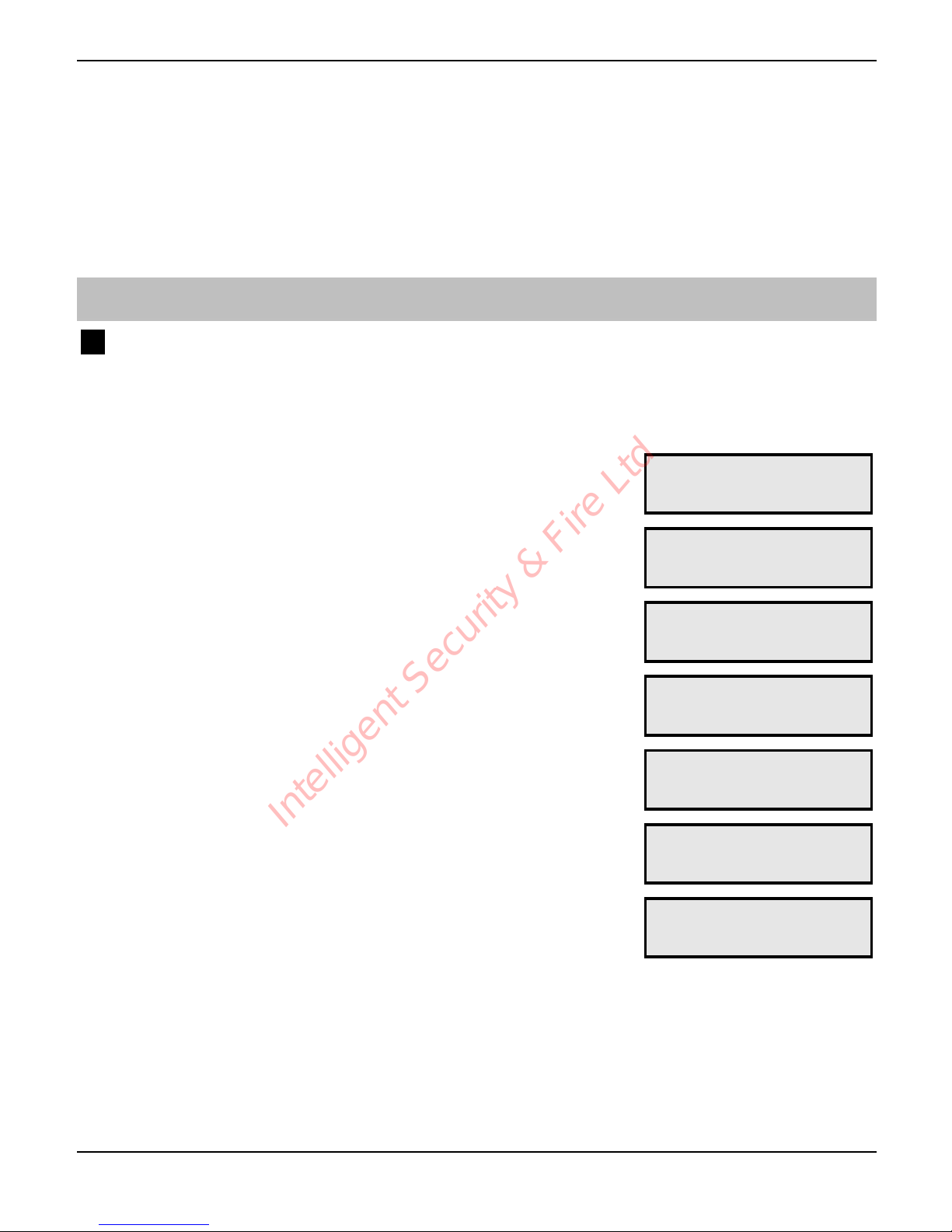
Ensure the unit is in its normal “Ready” or
“Disabled” mode:
!!!!!"#$%&!!!!!!'
''
2
Press $ the bottom line of the display will
show the last message that was sent:
)'+,'7.4=';.<+'N
F/.57.'05//'i,G.
3
Press # to edit the message:
P/.57.'05//'i,G.
''
4
Use the text editing keys (see page 33) to enter
the text message:
i5??W'`6C+_=5WP'
'
5
Press ! to accept, the display will show the
new message:
)'+,'7.4=';.<+'N
i5??W'`6C+_=5W'
6
Press ! to send message, the display will
show:
-.4='G.775:.'+,'
3,4+50+'HHHHHHHH
7
Press + - 2 to select the contacts that will
receive the message, e.g.,
+:
-.4='G.775:.'+,'
3,4+50+'LHHHHHHH
8
Press ! to send message to the selected contacts. The display will
show the progress of the call and will return to the normal “ready” mode
once finished.
Intelligent Security & Fire Ltd
Page 34
Speech Dialler Operators Manual
34 INS233-2
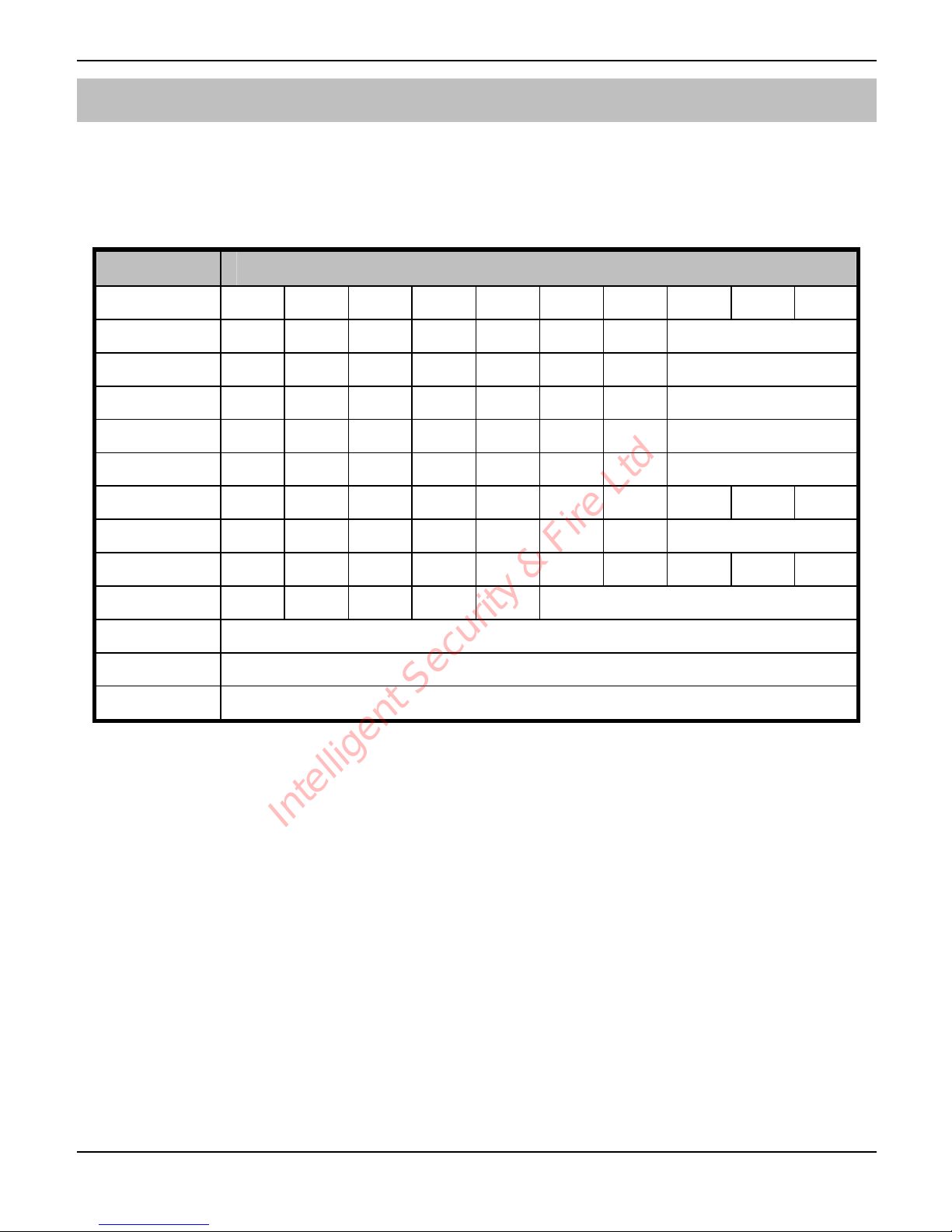
Text Editing Keys
Text is programmed in a similar way to mobile phones. Characters are selected by
pressing the corresponding key the appropriate number of times (to select a
character on the same key, wait for the cursor to automatically advance). The table
below shows the keys to use and the characters that are assigned to them:
Key Characters
+"
!' J' j' k' L' l' m' 2' d' n'
,"
5' a' 0' S' $' `' 3' '
-"
=' .' B' O' %' #' ^' '
."
:' _' 6' T' h' i' E' '
/"
o' X' /' U' p' ]' @' '
0"
G' 4' ,' R' 9' M' >' '
1"
?' q' C' 7' V' F' f' "' -' '
2"
+' A' b' e' ;' r' 8' '
3"
Y' <' W' s' g' K' D' &' t' '
4"
' Q'J'I'H' '
)"
Move cursor left and right
#"
Delete Character
!"
Accept text
Intelligent Security & Fire Ltd
Page 35
Speech Dialler Operators Manual
INS233-2 35
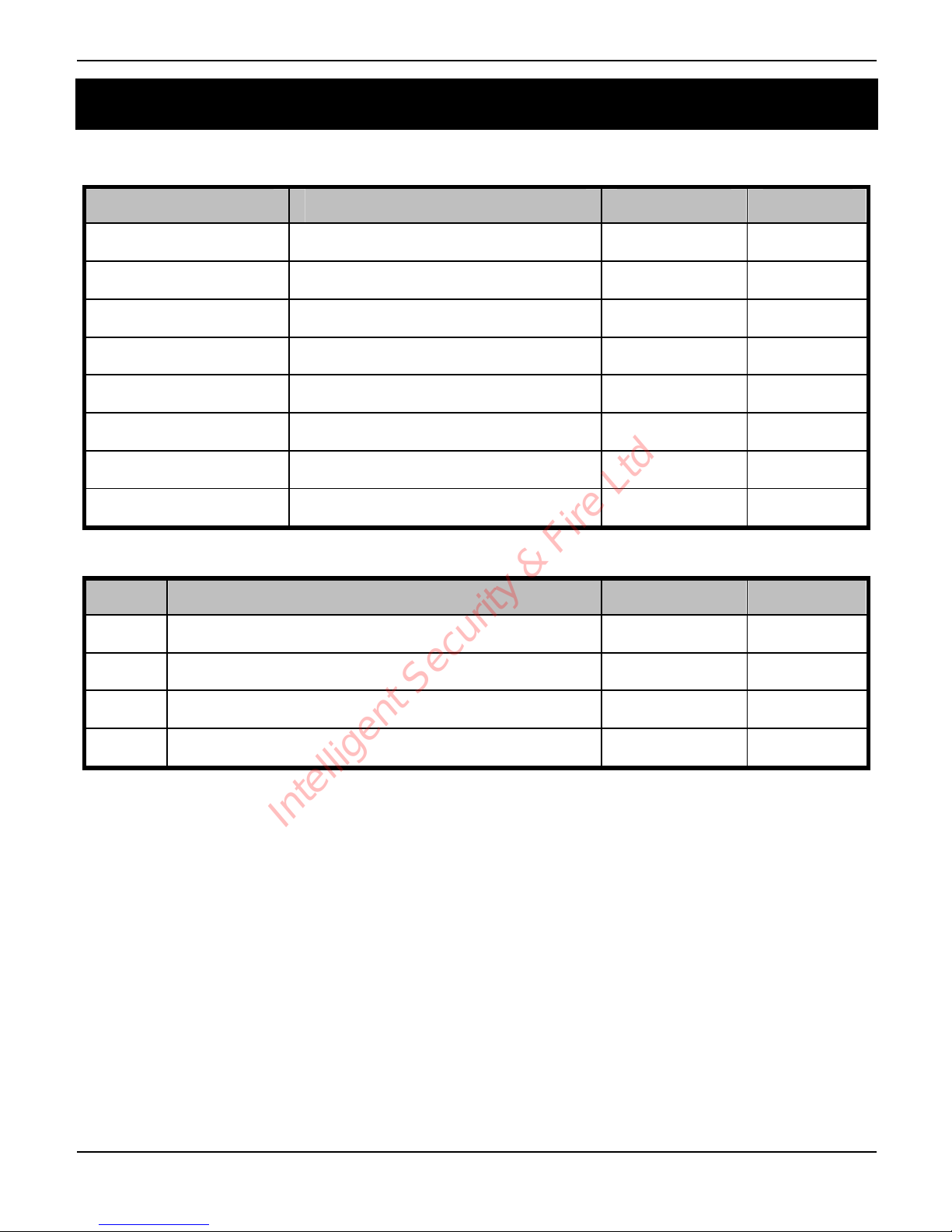
3. Installation Records
Contacts
Name Tel Number Type Attempts
Trigger Inputs
Input Message Sends To Abort By
1
2
3
4
Installer Details
Installation Company: _______________________________________________________
Address: _______________________________________________________
_______________________________________________________
_______________________________________________________
_______________________________________________________
Telephone: _______________________________________________________
Fax: _______________________________________________________
Email: _______________________________________________________
Intelligent Security & Fire Ltd
Page 36

Texecom Limited, Bradwood Court, St. Crispin Way, Haslingden,
Lancashire BB4 4PW, England.
Speech Dialler is a Trademark of Texecom Ltd.
The Speech Dialler is protected by UK and/or International Registered
Design. Registered Design Number: 2089016
© TEXECOM LTD. 2000 - 2003
INS233-2
Intelligent Security & Fire Ltd
 Loading...