

Page 1

1
Telenor Smart
3G (ZTE V816W)
Quick Start Guide
Page 2
2
Getting to Know Your
Phone
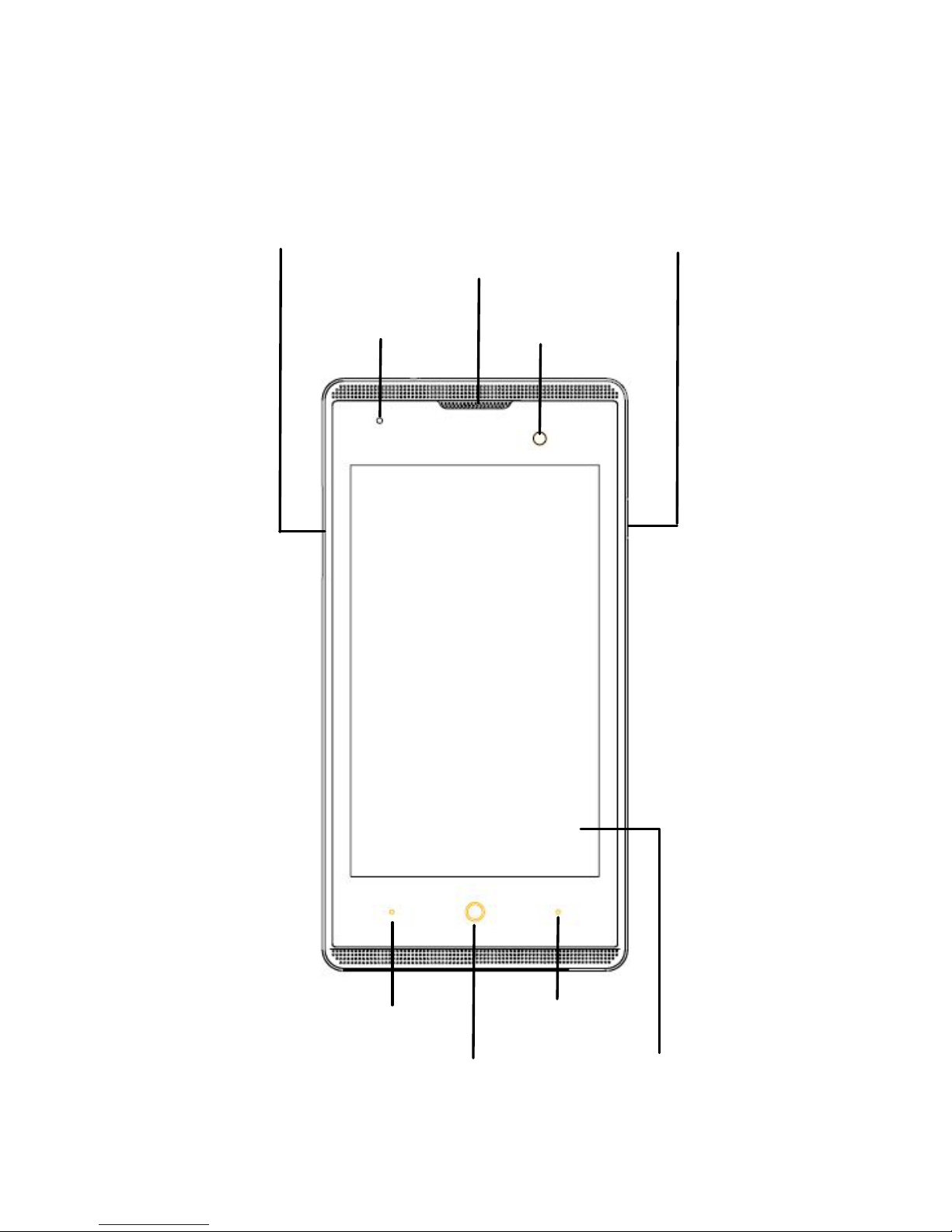
Touc
h Screen
Power Key
Menu Key
Indicator
Volume Key
Home Key
Back Key
Front Camera
E arpiece
Page 3
3
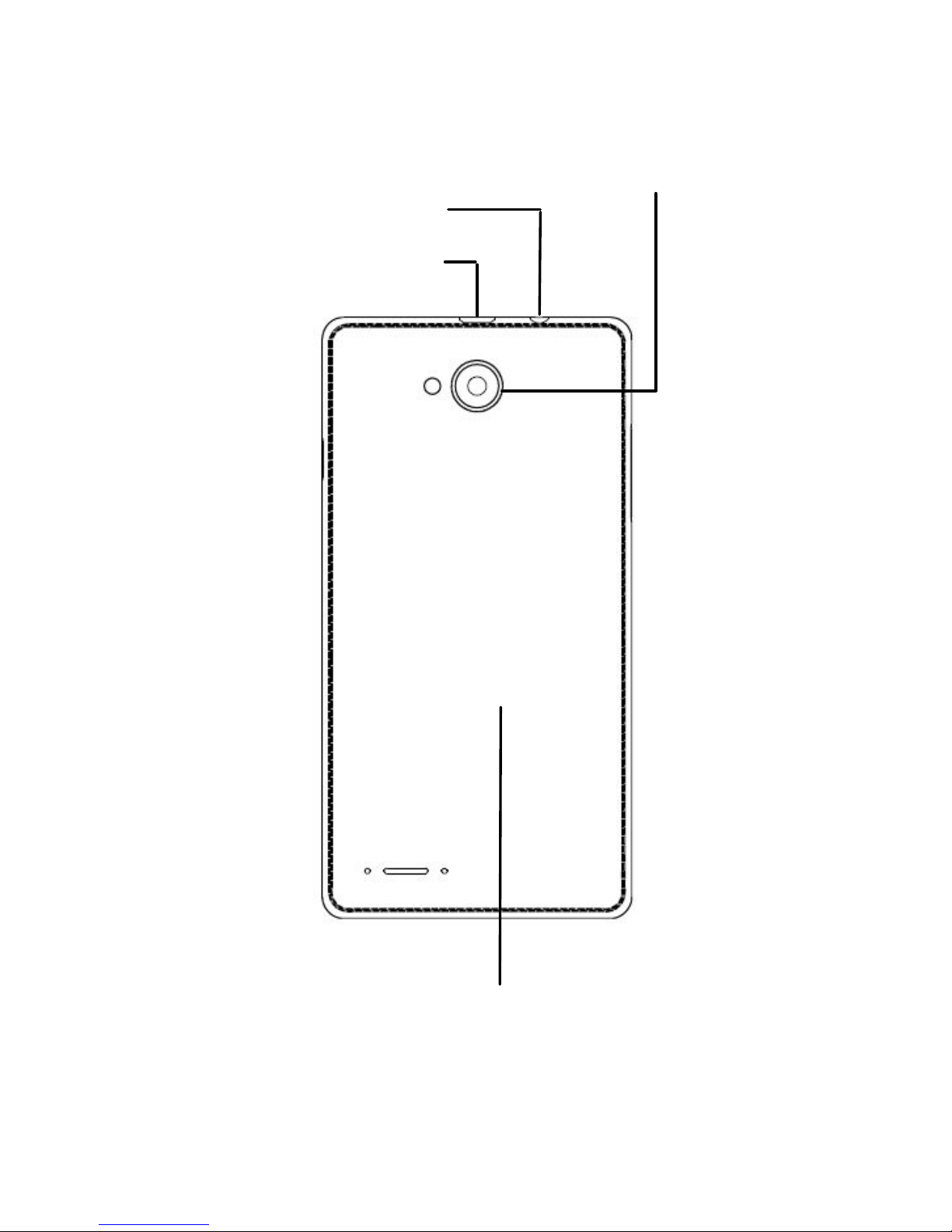
Charging/
USB Jack
Headset Jack
Back Cover
Camera
Page 4

4
Power Key
Press and hold to power on,
select phone modes, turn on/off
airplane mode, reboot your
phone, or power off.
Press to turn off or on the
screen display.
Home Key
Touch to return to the home
screen from any application or
screen.
Menu Key
Touch to get the options for the
current screen.
Touch and hold to see recently
used applications.
Back Key
Touch to go to the previous
screen.
Volume Key
Press or hold to turn the volume
up or down.
Page 5
5
Starting Up
This phone microSDHC slot is under
the battery and the microSDHC
cannot be moved when it’s power
on,so you can cut out the part about
inserting microSDHC
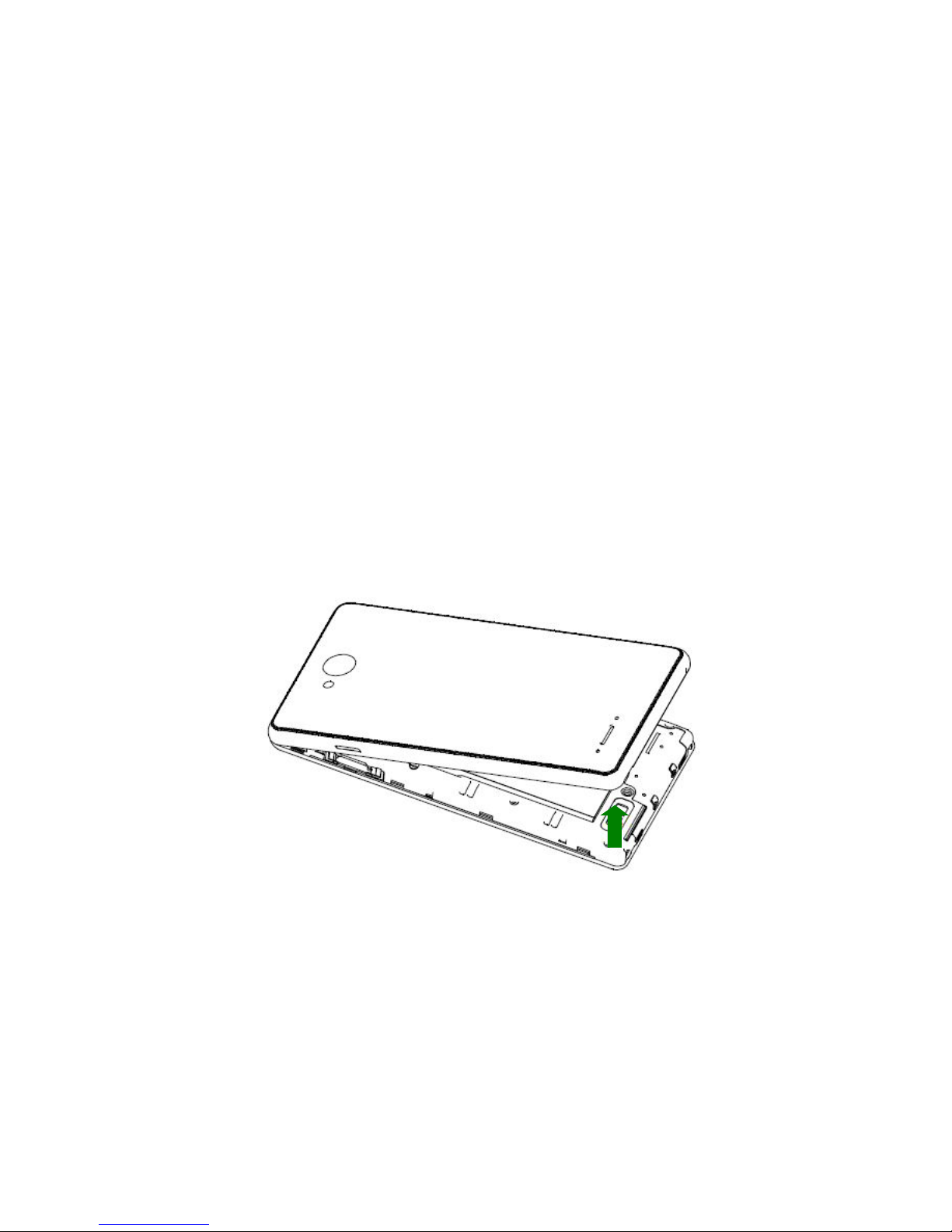
1.
Place your finger in the slot at
the bottom of the back cover to
lift and remove the cover.
Page 6
6
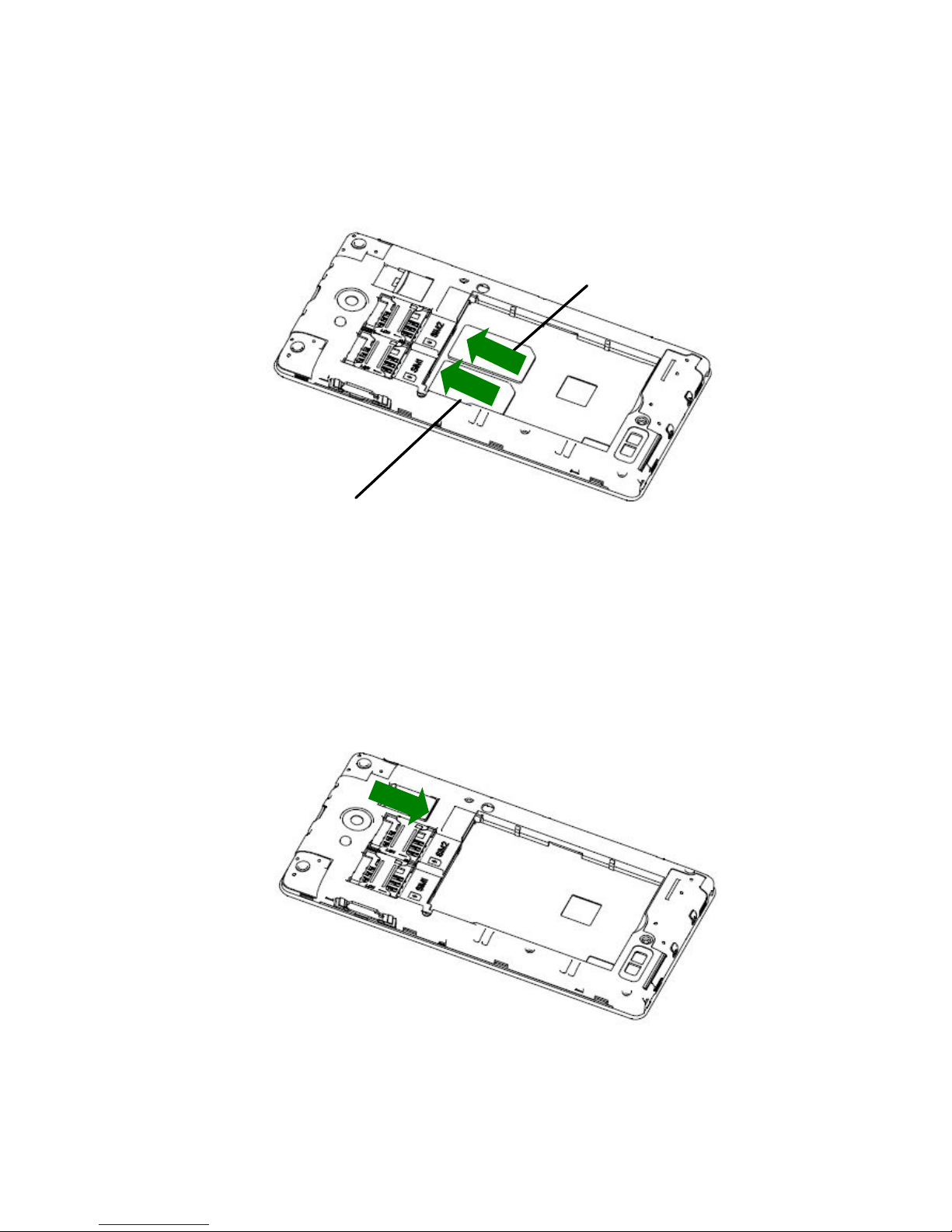
2.
Hold the SIM card with its cut
corner oriented as shown and
slip it into the card holder.
3.
Hold your microSDHC card with
the metal contacts facing down
and slide it into the microSDHC
card slot.
WCDMA
GSM
Page 7
7
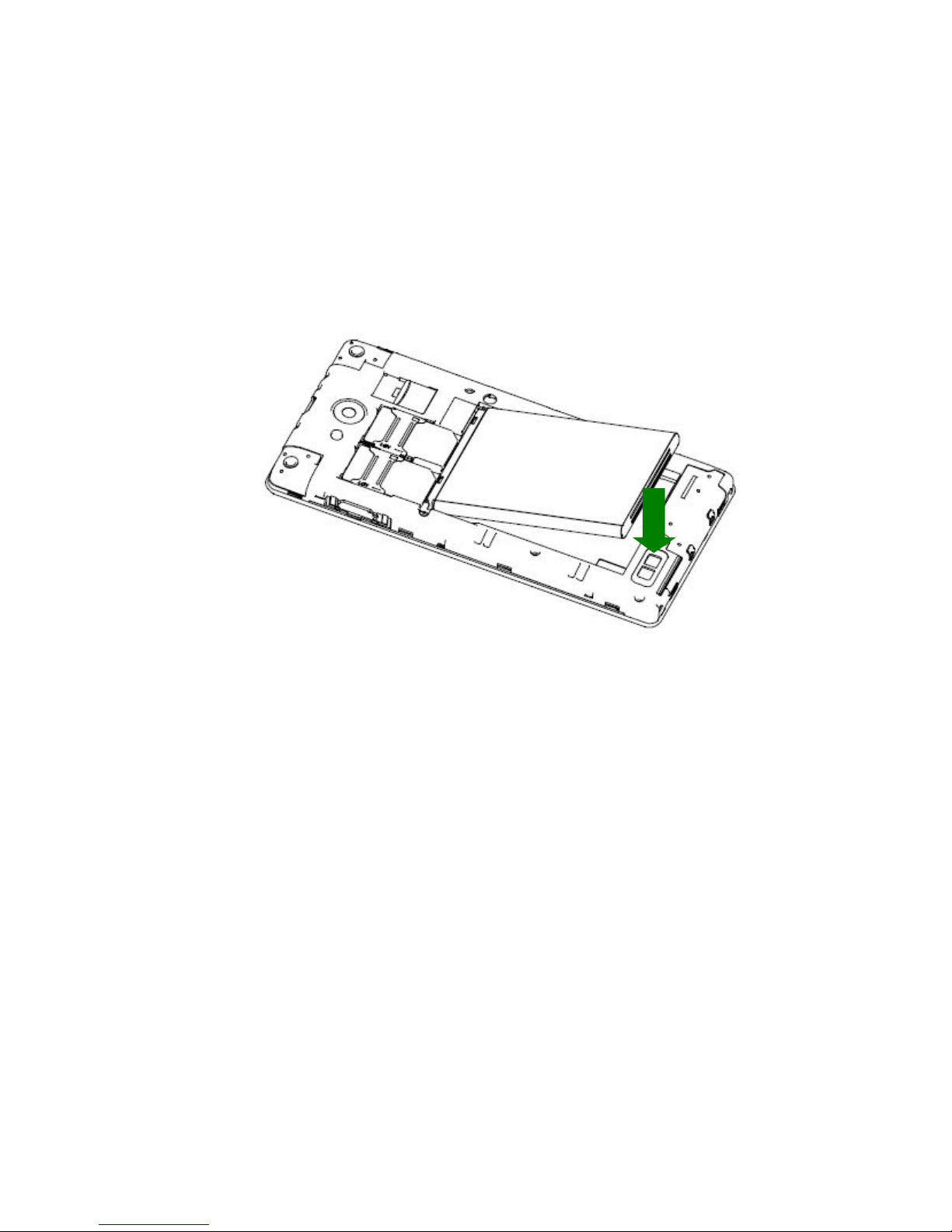
4.
Align the connectors on the
phone and the battery and slide
the battery into the
compartment. Then gently
press the battery down until it is
secured.
5.
Align the back cover with the
back of the phone and press the
cover back into place. Make
sure all the tabs are secure and
there are no gaps around the
cover.
Page 8
8
Charging the Battery
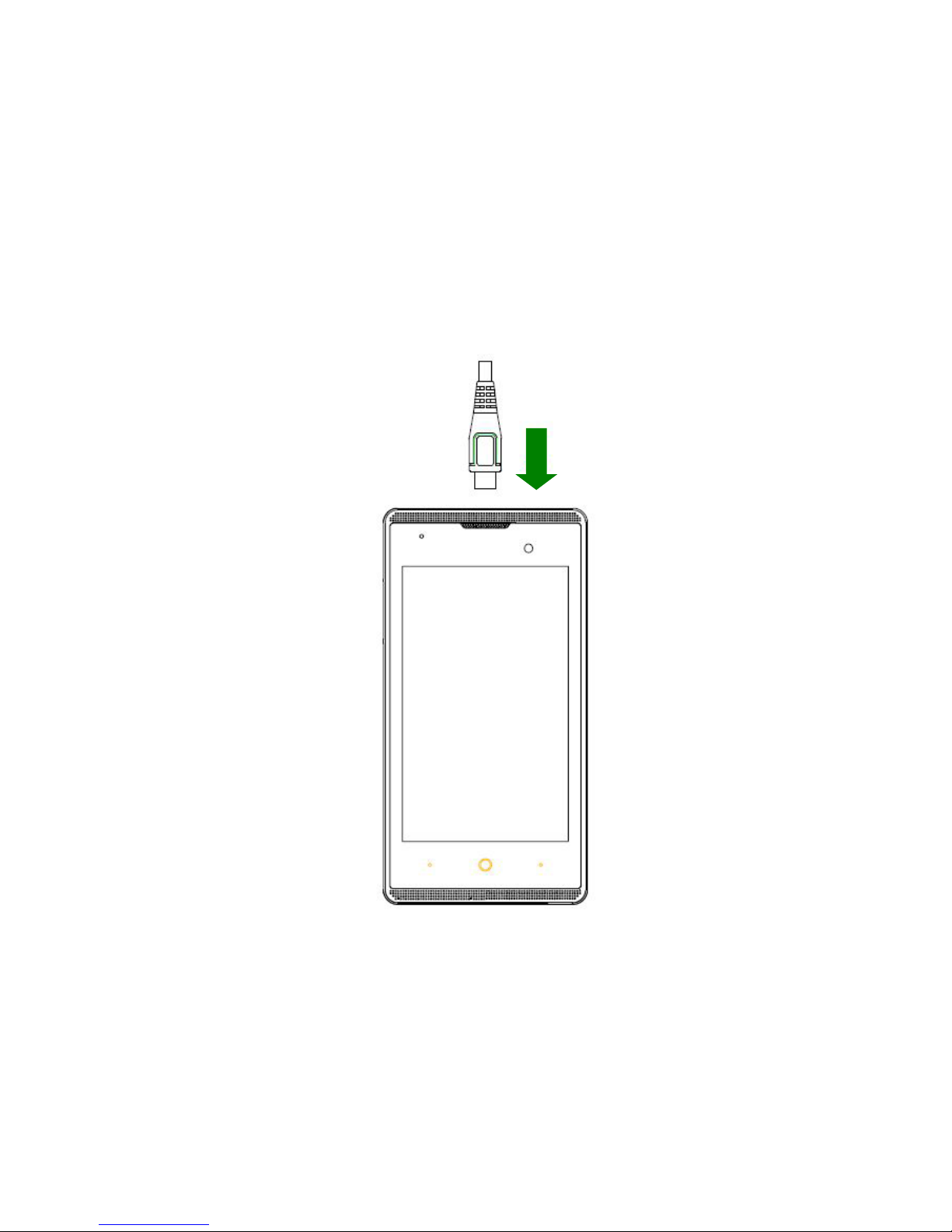
1.
Connect the adapter to the
charging jack. Ensure that the
adapter is inserted with the
correct orientation. Do not force
the connector into the charging
jack.
2.
Connect the charger to a
standard AC power outlet.
3.
Disconnect the charger when
the battery is fully charged.
Page 9

9
Powering On/Off Your
Phone
Make sure the battery is charged
before powering on.
Press and hold the Power Key
to turn on your phone.
To turn it off, press and hold the
Power Key to open the options
menu. Touch Power off > OK.
Page 10
10
Product Safety
Information
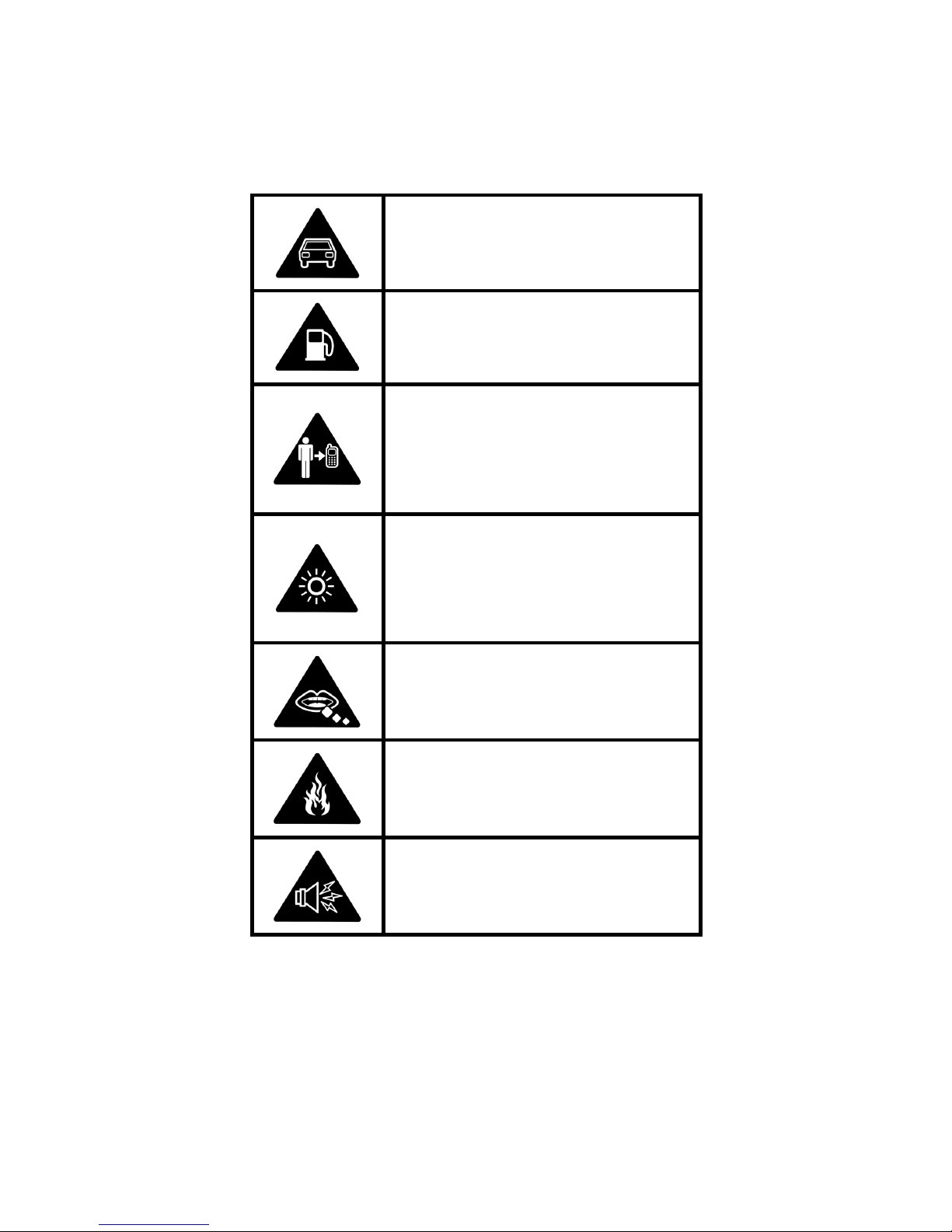
Do not use hand-held
while driving
Do not use while
re-fuelling
For body-worn
operation maintain a
separation of 15 mm
This device may
produce a bright or
flashing light
Small parts may cause
a choking hazard
Do not dispose of it in
a fire
This device may
produce a loud sound
Page 11
11
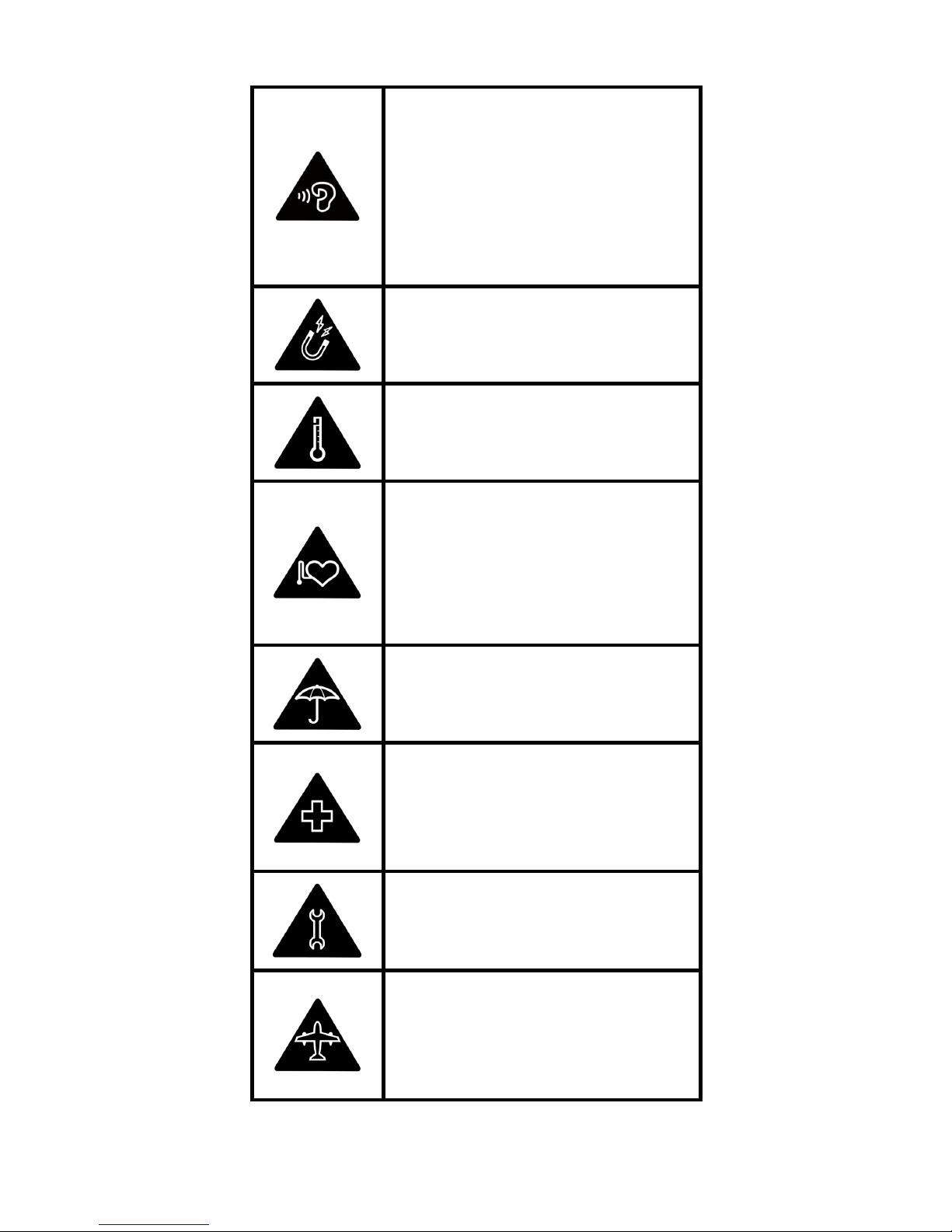
To prevent possible
hearing damage, do
not listen at high
volume levels for long
periods.
Avoid contact with
magnetic media
Avoid Extreme
Temperatures
Keep away from
pacemakers and other
personal medical
devices
Avoid any contact with
liquid, keep it dry
Switch off when
instructed in hospitals
and medical facilities
Do not attempt to
disassemble
Switch off when
instructed in aircrafts
and airports
Page 12
12
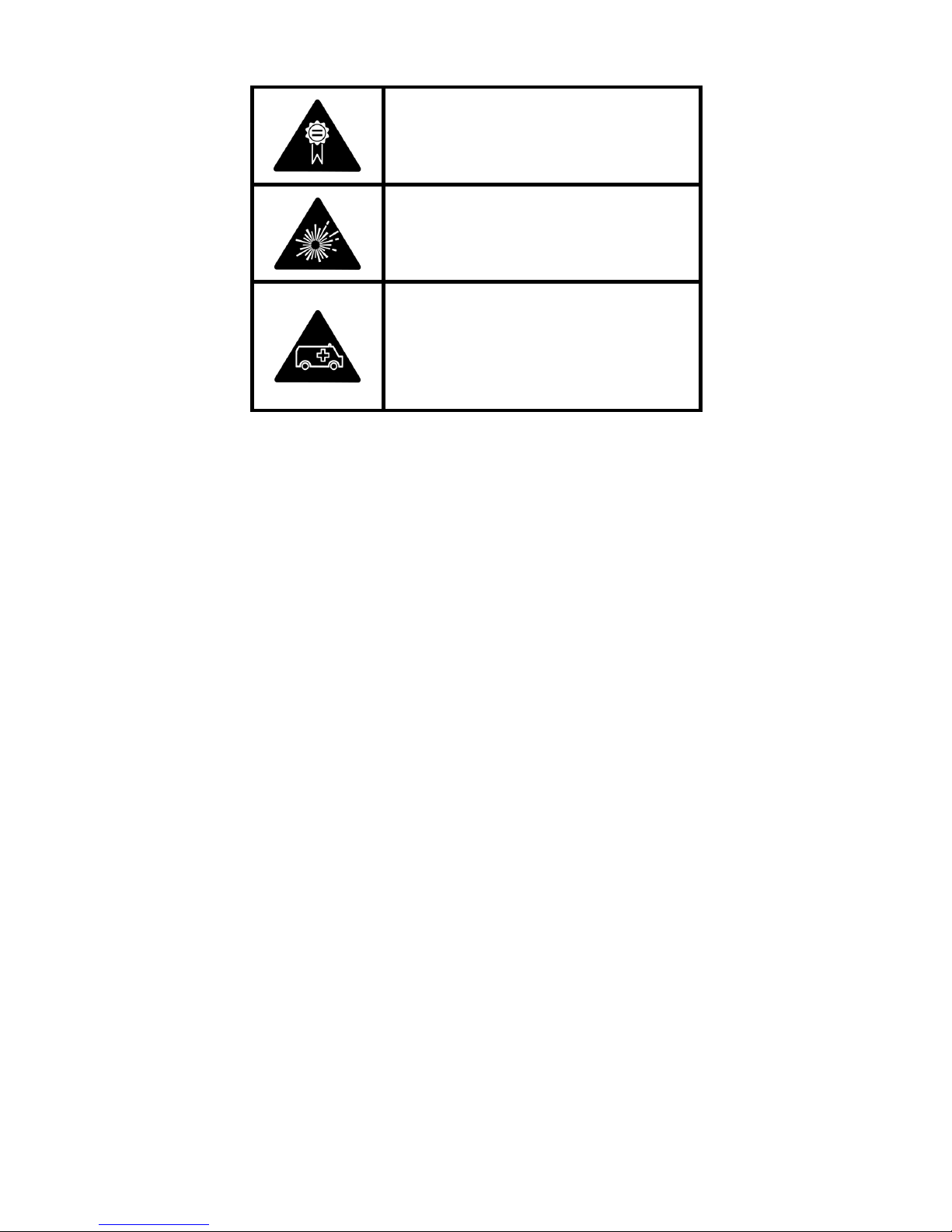
Only use approved
accessories
Switch off in explosive
environments
Do not rely on this
device for emergency
communications
 Loading...