

Page 1
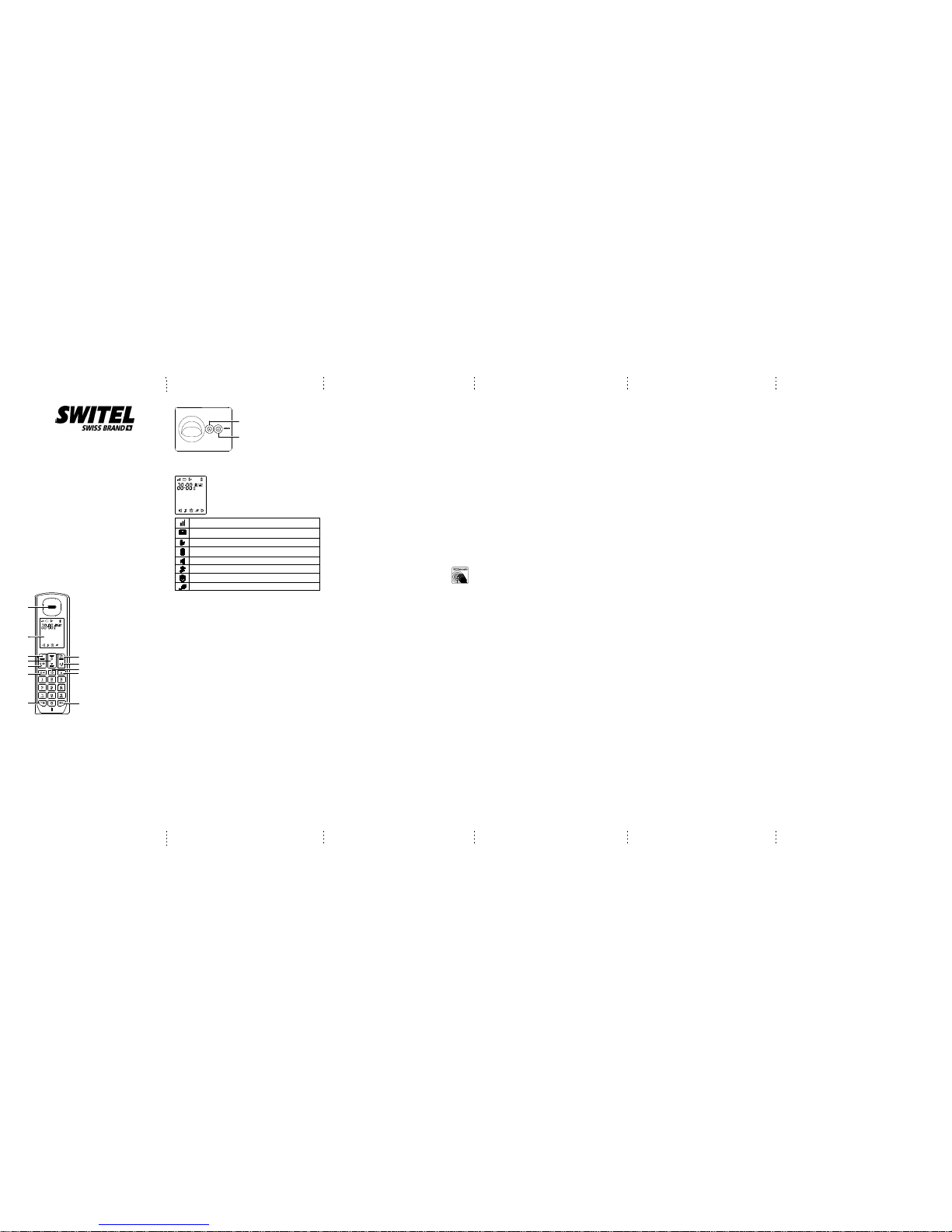
A
B
C
D
E
F
H
I
J
K
L
G
A
B
Cordless DECT/GAP telephone
DC55x
Operating Instructions
Unpacking yourphone
Inthe boxyou willfind:
-the cordlesshandset (twohandsets witha Twinsystem,three witha Triplesystem and
fourwith aQuad system).
-the baseunit
-two rechargeablebattery cellsfor eachhandset.
-a batterycompartment coverfor eachhandset.
-a telephoneline cablefor thebase unit.
-a mainspower adapterfor thebase unit.
-charger pods,each withan poweradapter, formultihandsetsystem.
-an operatinginstruction
**Keep yoursales receiptas itis yourguarantee.
Charging batteriesfor thefirsttime
Beforeyou startto useyour telephonemake surethatal lbatteriesare fullycharged for
16hours.
Important note:
This telephoneisnot designedfor Emergencycalls whenthe mainspower fails.
ForEmergency callsyou shouldhave abasic phonethat operateswithout mainspower,
connectedto yourline sothat youcan makecalls duringa powerfailure.
Phone FunctionKeys
ETALK /SPEAKER
-Make oraccept acall
FDELETE /INTERCOM
-Press todelete thelast numberorletter entered.
-Press toinitiate anintercomcall ortransfer acall.
G*/ TONE/KEYLOCKButton
-Long pressto activateor deactivatekeylock
HMENU/OK/MUT EButton
-Press toshow menu.
-Press toselect anitem, ortosave anentry orsetting.
-Press tomute acall,press againto resumeconversation.
IEND Button
-During acall, presstohang up.
-During programming,press tocanceland exitwithoutmaking changes.
-Press andhold toturnt hehandseton oroff.
JPHONEBOOK Button
-Press toaccess thephonebook.
KREDIAL Button
-Press toreview rediallist.
L#/PAUSE/RI NGEROFFButto n
-Press andhold toturnt heringeroff.
-Press andhold toadda dialingpause whendialing
orentering numbersinto phonebook.
AEarpeace
BLC Display
CR Button
-Flash theline
DNavigatio nButton
-Up toincrease volumeorview theCall log
-Down todecrease volume.
Basic Basestation
APAGE Button
-Press topage allsystemhandsets
BDND (DoNot Disturb)
-Press toturn DNDmode onoroff
LCDd isplayitems
-Displays whenthe telephonebaseis withinreception range.
-Flashes whenthe telephonebaseis outof range
-Displays whenthere isanew voicemail message.Availableonly ifyou havesubscribedto voice
mailservice fromyour telephoneserviceprovider.)
-Displays whenthere arenewcalls
-Scrolls toindicate batterychargingwhen handsetis inthet elephonebaseor charger.
-Flashes andempty whenbattery levelislow
-Speakerphone isin use
-Displays whenthe ringeristurned off
-Displays whenthe alarmisset.
-Energy savingmode isactivated
Introduction
CAUTION:W henusingtelephone equipment,there arebasic safetyinstructions that
shouldal waysbefollowed. Referto theImportant safetyinstructionssection inthis user’s
guidefor moreinformation.
IMPORTANT:Si ncecordlessphones operateon electricity,you aresuggested tohave
atleast onephone inyour homethat isnot cordless,in caseofpower outage.
Important InstallationGuidelines
Avoidsources ofnoise andheat, suchas motors,fluorescentl ighting,microwaveovens,
heatingappli ancesanddirect sunlight.
Avoidareas ofexcessive dust,moisture andlow temperature.
Avoidother cordlesstelephones orpersonal computers.
Neverinstall telephonewiri ngduringa lightningstorm.
Neverinstall telephonejacks inwet locationsunless thejack isspecifically designedfor
wetlocations.
Nevertouch non-insulatedtelephone wiresor terminals,unless thetelephone linehas
beendisconnected atthe networkinterface.
Usecaution wheninstalling ormodifying telephonelines.
Telephone baseand chargerinstallation
1.Plug thesmaller endof thepower adapterinto thepower jackatthe bottomof the
telephonebase.
2.Plug oneend ofthe telephoneline intothe jackat thebottomof thetelephone base.
3.Plugthe otherend ofthe telephoneline intoa telephonewall jack.
4.Plugthe largerend ofthe poweradapter intoan electricaloutlet not
controlledby awall switch.Ifyou haveDSL highspeed Internetservice, aDSL filteris
required(not included).Contact yourDSL serviceprovider formore informationabout
DSLfilter.
CAUTION:Use onlythe poweradaptor thatcame withthis unit.(Telephone
base:TENPAO-S003IV0600050or ESL-IA5060G(6Vdc/500mA),charger:
TENPAO-S003IV0600015or ESL-IA1560G(6Vdc/150mA).Using otherpower adapters
maydamage theunit. Contactyour localdistributor ifyou needtoorder replacementfor
thepower adapters.
Yourphone’s basestation issupplied withan energy-efficientswitching powersupply
(Input100~240 VAC,Output 6VDC,500 mA).The adaptorinput powerwithout loadis
approx.0.14 W.The averageefficiency isapprox. 69.12%.
Theel ectricalconsumptionof thebase is:
-in operationmode (idle/call):approx. 0.53/ 0.67W
-during chargingof thehandset: approx.1.03 W
Thechargi ngstation(s)supplied witha telephoneset is(are) equippedwith an
energy-efficientswitching powersupply (Input100~240 VAC,Output 6VDC,150 mA).
Thezero loadis approx.0.14 W.The averageefficiency isapprox. 69.14%.The
chargingstation hasthe followingpower consumptionlevels:
-without ahandset: Approx.0.14 W
-whil echargingthe handset:Approx. 0.66W
Telephone jackrequirements
Touse thisphone, youneed aRJ11Ctype modulartelephone jack,which mightlook like
theone picturedhere, installedin yourhome. Ifyou donot haveamodular jack,call your
local phonecompanyto findout howto haveone installed.
CAUTION:
1.Useonly thepower adapterthat camewith thisunit. Usingotherpower adaptersmay
damagethe unit.
2.Toprevent fireor electricalshock hazard,do notexposethis productto rainor
moisture.
Batteryi nstallation
Foroptimum batteryperformance, chargethe batteryfor16 hoursbefore firstuse.
1.Makesure thebattery compartmentcover isnotattached withthe handset.
2.Insertthe AAArechargeable batteriesin thebattery compartment,matching the+/polaritymarkings.
3.Alignthe coveragainst thebattery compartmentand slideit upwardsuntil itclicks into
place.
4.Chargethe handsetby placingit inthe telephonebase orcharger.The lighton the
handsetis onwhen charging.
CAUTION:
1.Toreduce therisk offire orpersonal injury,useonly themodel (HIGHPOWER- HRF
AAA400or SANIK-SN AAA40H,400mA 1.2VNi-MH) whichis compatiblewith thisunit.
2.If thehandset willnot beused foran extendedperiod oftime,unplug thebatteries and
removethem fromthe handsetto preventpossible leakage.
Batterysafety -CAUTION
ONLYuse therechargeable batteriessupplied withthe handset.DO NOTuse
non-rechargeablebatteries -they mayexplode andcause damageto yourtelephone.
ECO Mode
Bothin Callmode aswell asin Standbymode, theradiation isreduced considerablyas
comparedto standard,cordless DECTtelephones.
Advanced settings
Dialingmode
Tochange thedialing mode:
1.%.
2.+/-:ADV SETTING-> %.
3.+/-:DIAL MODE-> %.
4.+/-:Select thedesired setting-> %.
Reset
This featureall owsyouto restoreall systemsettings, exceptthe answeringsystem
messagesand phonebook,to defaultsettings. Thisfeature couldbe useful,forexample,
ifyou haveforgotten thesecurity codeto accessthe answeringsystemremotely.
1.%.
2.+/-:ADV SETTING-> %.
3.+/-:RESET ->%.
4.%.
NOTE:Al lsettingsunder theANS SYSTEM,BLOCK LIST,PROGRAM DND,CLOCK&
ALARM,SETTINGS, HANDSETTONES, BASETONES andADV SETTINGmenus in
thehandset willbe restoredto defaultsettings, theredial listand calllog willalso be
cleared.
Recalltime
This settingal lowsyouto choosebetween SHORT,MEDIUMor LONGto accommodate
thesetting ofyour telephoneservice providerfor usingcustomer callingservice, suchas
call waiting.
Tochange therecall time:
1.%.
2.+/-:ADV SETTING-> %.
3.+/-:RECALL TIME-> %.
4.+/-:Select thedesired setting-> %.
Registeringa handset
Thetelephone systemcan supportup toa totalof 5cordless handsets.Handsetsthat
wereincl udedwithyour mainbase arepre-registered.
Toadd orre-register ahandset:
1.Pressand holdL onthe basefor 5seconds untila beepsounds.
2.%when handsetdisplays REGISTERYOUR HANDSET.
3.Enterthe PIN(default: 0000)-> %.
Abeep soundson thehandset whenthe registrationis successful.
NOTES:
1.Anerror tonewill soundif theregistration isnot successful.
Deregisteringa handset
1.%.
2.+/-:ADV SETTING-> %.
3.+/-:DEREGISTER ->%.
4.Enterthe PIN(default: 0000)-> %.
5.+/-:select thedesired handset-> %.
Handset options
Ringervo lume
Youcan setthe handsetringer volumefromlevel 1to level5 orturn theringer off.
1.%.
2.+/-:HANDSET TONES-> %.
3.+/-:RING VOLUME-> %.
4.+/-:select thedesired setting-> %.
NOTE:Press andhold the# keyto switchthe ringerbetween onand offwhen the
handsetis inidle mode.The Gicon displayson thescreen whenringer offfeatureis
activated.
Ringermelod y
Youcan selectfrom 10ringer tones.
1.%.
2.+/-:HANDSET TONES-> %.
3.+/-:RING MELODY-> %.
4.+/-:select thedesired setting-> %.
Keyton e
Thehandset canbe programmedto emita tonewith eachkeypress. Tochange thekey
tonesetting:
1.%.
2.+/-:HANDSET TONES-> %.
3.+/-:KEY BEEP-> %.
4.+/-:ON orOFF ->%.
Displaylanguag e
Tochange thedisplay language:
1.%.
2.+/-:SETTINGS ->%.
3.+/-:LANGUAGE ->%.
4.+/-:select thedesired setting-> %.
Equalizer
This featureall owsyouto changethe balanceof theaudio ofthe handsettobest suit
yourhearing.
1.%.
2.+/-:SETTINGS ->%.
3.+/-:EQUALIZER ->%.
4.+/-:select fromNATURAL, BASSor TREBLE.
5.%.
Energy save
This featureenables thehandset tooperate inenergy savingmode. Withthis feature
turnedon, thehandset willautomatically turnthe handsetbacklight off.
1.%.
2.+/-:SETTINGS ->%.
3.+/-:ENERGY SAVE-> %.
4.+/-:ON orOFF ->%.
NOTE:W henENERGYSAVE isturned on,the Iicon showson thehandsetscreen.
Blocklist
Youcan programtelephone numbersinto theblock listsothat thetelephone silences
whena callis receivedfrom oneof theblocked numbers.The handsetshows BLOCK
LISTwhen theprogrammed numberscall andwill notrecord thenumber inthe callerID
history.
To adda newentry
1.%.
2.+/-:BLOCK LIST-> %.
3.%again ->ADD NEW.
4.Enterthe desirednumber ->%.
To viewthelist
1.%.
2.+/-:BLOCK LIST-> %.
3.+/-to browsethrough theblock list.
To editanen try
1.%.
2.+/-:BLOCK LIST-> %.
3.+/-:select thedesired entry-> %.
4.+/-:EDIT CONTACT-> %twice.
5.Editthe numberby usingthe (key toerase andbackspace,then enternew
numbersusing thedial padkeys andpress %.
To deleteanen try
1.%.
2.+/-:BLOCK LIST-> %.
3.+/-:select thedesired entry-> %.
4.+/-:DELETE ENTRY-> %3 timesto confirm.
To deleteallentries
1.%.
2.+/-:BLOCK LIST-> %.
3.+/-:select anyentry ->%.
4.+/-:DELETE ALL-> %twice toconfirm.
Don otdisturb
WhenDO NOT DISTURB(DND)mode isactivated, allincoming callswill besilent. This
featureonly silencesthe ringer,the incomingnumber,if youhave subscribedto thecaller
IDservice fromyour telephoneservice provider,will berecorded inthe callerID history
asnormal.
GlobalDND
Whengl obalDNDi sactivated,all systemhandsets andthe telephonebase willbe silent
whenthere isan incomingcall. Pressthe DNDbutton onthe telephonebase toturnthis
featureon oroff.
Handset DND
Youcan programindividual handsetto silenceduring predeterminedtime frames.This
settingis independentto eachhandset andonly silencesthe ringerof thehandset
programmed.Toprogram theDND timeforindi vidualhandset
1.%.
2.+/-:PROGRAM DND-> %.
3.+/-:select thedesired option-> %.
ONET IME:The telephonesilences onceduring theset time.
DAILY:The telephonesilences dailyduring theset time.
OFF: TurnDNDoff (settingscompleted).
4.Enterthe desiredstart time.select %.
5.Enterthe desiredstop time.select %.
NOTES:W henglobal DNDisturned on,individual handsetwill continueto bein DND
modeeven afterthe setDND timeon thehandsetends.
Clock andalarm
Dateand time
Youcan setthe dateand timeofthe telephonesystem asfollows.
1.%.
2.+/-:CLOCK &ALARM ->%.
3.%again: SETDATE/TIME.
4.Enterthe currentmonth, dayand year.
5.%.
6.Enterthe currenthour andminute. +/-select AMor PM->%.
Timeformat
Thedi splayformatof timecan eitherbe selectedas 12hour or24 hour.To changeyour
setting:
1.%.
2.+/-:CLOCK &ALARM ->%.
3.+/-:SET FORMAT-> %.
4.%again ->TIME FORMAT.
5.+/-:select thedesired setting(12 HOURSor 24HOURS) ->%.
Dateformat
Thedi splayformatof datecan eitherbe selectedas Month/DayorDay/Month. To
changeyour setting:
1.%.
2.+/-:CLOCK &ALARM ->%.
3.+/-:SET FORMAT-> %.
4.+/-:DATE FORMAT-> %.
5.+/-:select thedesired setting(MM/DD orDD/MM) ->%.
Alarm
Theal armcanbe programmedto soundonce ordaily forone minute.The alarmsetting
isi ndependenttoeach handset.
1.%.
2.+/-:CLOCK &ALARM ->%.
3.+/-:ALARM ->%.
4.+/-:select thedesired alarmoption ->%.
OFF: Turnalarmoff (settingscompleted).
ONCE:The alarmsounds onceat theset time.
DAILY:The alarmsounds dailyat thesettime.
5.Enterthe desiredhour andminute ->+/- selectAM orPM.
6.%.
Alarmtone
Youcan selectfrom 3alarm melodies.
1.%.
2.+/-:CLOCK &ALARM ->%.
3.+/-:ALARM TONE-> %.
4.+/-:select thedesired alarmtone ->%.
Telephone operation
Makea call
1.Press$.
2.Dialthe phonenumber afteryou hearthe dialtone.
Prediala call
1.Dialthe phonenumber usingthe dialpad keys.If youmake anerrorwhi ledialing, you
canpress del/intto erasethe lastdigit entered.
2.Press$.
Answer acall
Press$ toanswer anincoming call.
Whenthere isan incomingcall, thescreen anddial padbacklight willbe on.
NOTE: Thescreenshows theelapsed timeas youtalk (inhours, minutesand seconds).
End acall
Press& orplace thehandset inthe telephonebase orcharger toenda call.
Speakerphone
Anytimeduring acall, press$ toswitch betweenspeakerphone andnormal handset
use.When thespeakerphone isactive, thehandset screenshows F.
NOTE: Usingthespeakerphone willdrai nthebattery fasterthan thenormal handset
use.
Volumeco ntrol
Youcan adjustthe volumeof thehandsetor speakerphoneanytime duringa call.
Onthe handset,press +to increaseor -to decreasethe volume.
NOTE: Onlythel isteningvolumecan beadjusted.
Makea callusing theredial memory
Thel asttentelephone numberspreviously dialedare storedin theredial list(up to24
digitseach).
1.Pressredial.
2.+/-:select thedesired phonenumber ->$ todial.
Savea numberfro mthered iallistto thephonebo ok
1.Redial.
2.+/-:select thedesired phonenumber ->%.
3.+/-:SAVE NUMBER-> %.
4.Enterthe nameby usingthe dialpad andthen press%.
5.Editthe numberby usingthe dialpad ifnecessary, andthenpress %.
Deletenumb erfromth erediallist
1.Redial.
2.+/-:select thedesired phonenumber ->%.
3.+/-:DELETE ->% twiceto deletethe selectednumber.
-OR+/-:DELETE ALL-> %twice todelete allnumbers.
Mute
Themute functionallows youto turnoff themicrophonewhi leona call.You canhear the
otherparty butthe otherparty cannothear you.
1.Press% duringa call.
2.Press% againto resumeconversation.
NOTE: Thescreenshows MUTEON whenmute featureis activated.
Callwaiting orcall waitingwith callerID service
Touse callwaiting, youmust subscribeto callwaiting servicefrom yourtelephone
serviceprovi der.This featureallows youto receivecalls whileyou arealready talkingon
thephone. Youwill heara callwaiting alerttone whenthere isasecond incomingcall .If
yousubscribe toboth callerID andcall waitingwith callerID services,the secondcaller’s
informationis displayedafter youhear thecall waitingalert tone.
1.Pressflash toanswer thesecond incomingcall.
2.Pressflash toswitch betweencalls.
Voicemail service
TheB iconflashes onthe screenwhen youhave receiveda newvoice mailmessage
fromyour serviceprovider.
IMPORTANT:Voice mailservice isdifferent fromthe answeringsystem.In orderto use
thevoice mailservice, youmust subscribeto itfrom yourtelephone serviceprovider.
Usingmu ltiplehan dsets
Thesystem allowsa maximumof twohandsets tohave aconversationwi thanoutside
call atatime. Ifa handsetis alreadyon acall andyou wouldlike tojoin thecall, press
&on anotherhandset.
Thecal lwill notbeterminated untilall handsetshang up.
Handset page
Youcan locatea misplacedhandset bypaging it.
1.Press$ onthe telephonebase. Allregistered handsetsbeep forone minute.
2.Press$ onthe telephonebase orpress &on anyhandset tostoppaging.
Page 2

Intercom(o nlyapplicablefor modelswith multiplehandsets)
Thesystem allowsan intercomcall betweentwo handsetsregistered tothe same
telephonebase.
Toinitiate anintercom call:
1.Press(.
Ifyour telephonesystem hasonly twohandsets registered,thei ntercomcallwil lbe
automaticallydirected tothe othersystem handset.
Ifyour telephonesystem hasmore thantwo handsetsregistered,enter thehandset
numberyou wantto callby usingthe dialpad 1-5.
2.Press$ toanswer theintercom callon theother handset.
3.Toend theintercom call,press &.
NOTES:
1)Thei ntercomcallcan becanceled beforeit isanswered bypressing &or (on
theoriginating handset.
2)Ifthe handsetbeing calleddoes notanswer withinone minute,the pagingwill be
canceled.
To answeran incomingcalld uringintercom
Youwill hearan alerttone whenyou receivean incomingcall duringintercom.
Press$ toanswer theincoming calland endthe intercom.
Press( toanswer theincoming calland putthe intercomonhol d.Pressand hold
(to switchbetween intercomand theincoming call.
Pressand hold( toconference withboth theincoming calland theintercom.
To initiatean intercomdu ringacall
Youcan intercomwith anothersystem handsetduringa call,or inviteanother system
handsetto join.
1.Press( duringa call.
Ifyour telephonesystem hasonly twohandsets registered,thei ntercomcallwil lbe
automaticallydirected tothe othersystem handset.
Ifyour telephonesystem hasmore thantwo handsetsregistered,you willneed toenter
thehandset numberyou wantto intercomto byusing thedialpad 1-5.The callis placed
onhold whilethe intercomis establishedwith theother handset.
2.Press$ toanswer theintercom onthe otherhandset.
NOTE: Theintercomcall canbe canceledbefore itis answeredby pressingdel/int on
theoriginating handset.
3.Youcan choosefrom oneof thefollowingoptions forthis intercomcall.
Pressand hold( toconnect bothhandsets tothecall .
Press( onthe originatinghandset toalternate betweenthei ntercomand thecall.
Press& oneither handsetto terminatethe intercomonthat handset.The callwill
continueon theother handset.
Push totalk(PTT )(onlyap plicableformod elswithmultiple handsets)
Youcan directlybroadcast messagesto thespeakerphoneof anyregistered handsetin
thesystem. Ifyour telephonesystem hasmorethan twohandsets:
1.Press+/- toselect thehandset youwant tobroadcastthe messageto, or
selectALL HANDSETto broadcastto allhandsets andthen press%.
2.PRESSAND HOLD[PTT] TOTALK showson thescreen whentheconnection isset
betweenthe initiatinghandset andthe destinationhandset.
3.Pressand holdthe ?button oneither handsetto startthebroadcast.
NOTE:Connection setbetween handsetslasts for30 minutesafter itisestabli shed,or
30minutes afterthe lastbroadcast. Youwil lneedto performthe aboveoperation againif
youwant toinitiate aPTT toanother systemhandset orafterthe 30-minutetime out.
Phonebook
Add aphonebook record
1.%.
2.+/-:PHONEBOO K->%.
3.%-> ADDNEW.
4.Enterthe name(max. 14character). Pressthekey tothe correspondingcharacter to
display thecorrectletter. Seethe charactertable formoreinformation.
5.%.
6.Enterthe number(max. 20digits). Ifyou needapause betweendigits, pressand hold
the# untila Pappears inthe display.This willinsert a3-second pausein thedialing
sequence.
7.%.
NOTES:
1.Thephonebook isshared byall handsets.Changes madeto thephonebook onany
onehandset applyto all.
2.Thedirectory canstore upto 100entries withup to20 digitsforeach telephone
numberand 14characters foreach name.
Charactertab le
Usethe dialpad andthe chartbelow toenter aname (upto14 characters).Each press
ofa particularkey displaysthe characterin thefollowing order:
Dialpad key Characterby numberof keypresses
1 2 3 4 5 6
1 space 1 _ < > ?
2 A B C 2
3 D E F 3
4 G H I 4
5 J K L 5
6 M N O 6
7 P Q R S 7
8 T U V 8
9 W X Y Z 9
0 0 - / ||| # +
NOTE: Press(to correctan error.
To view/calla phonebook record
Recordsare storedalphabetically inthe phonebook. Tosearch thephonebook:
1.).
NOTE: Youcan alsoaccess thephonebook bypressing %and selecting
PHONEBOOK.
2.+/-.
3.$to callthe displayedentry.
To searchap honebookentry alphabetically
1.).
2.Press+/- toscroll toany entry.
3.Pressthe dialpad key(0-9) thatcorresponds tothe firstletterof theentry youare
looking for.The closestmatch inalphabetical orderwill appear.Youcan thenpress
+/-to viewthe nextentry.
4.%to viewthe phonenumber.
-OR$to callthe displayedentry.
Chaind ialing
This featureall owsyouto initiatea dialingsequence fromnumbers storedin the
phonebookwhil eyouare ona call.This featureis usefulif youwish toaccess another
numbers(such asbank accountinformation oraccess code)from thephonebook.
Toaccess anumber inthe phonebookwhile ona call:
1.).
2.+/-to locatethe desiredentry.
3.$to dialthe number.
Edita phonebook entry
1.).
2.+/-:locate adesired entry-> %.
3.+/-:EDIT CONTACT-> %twice.
4.Editthe nameby usingthe del/intkey toerase andbackspace,then enternew
charactersusing thedial padkeys andpress %.
5.Editthe numberby usingthe del/intkey toerase andbackspace,then enternew
numbersusing thedial padkeys andpress %.
Deletea phonebook entry
1.).
2.+/-:locate thedesired entry-> %.
3.+/-:DELETE ENTRY.
4.%3 timesto confirm.
Deleteall phonebook entries
1.)
2.+/-:select anyentry ->%
2.+/-:DELETE ALL.
3.%twice toconfirm.
CallerID
UsingCal lerIDservice
IMPORTANT:To usethe Caller-IDcapabilities ofthis telephonesystem, youmust
subscribeto Caller-IDservices fromyour serviceprovider. Checkwith yourtelephone
serviceprovi derfordetails. Yourtelephone storescaller IDmemoryfor the40 most
recentcalls. Eachentry holdsup to20 digitsfor thetelephone numberand14 characters
forthe name.
Review/callfrom thecall log
Ascall sarereceived andstored, thedisplay isupdated tolet youknow newcalls have
beenreceived. Toscroll throughthe callerID records:
1.+.
2.-to viewfrom themost recentcalls, or+ tovi ewtheoldest calls.
3.Whenthe desiredrecord isdisplayed, press$ tocall.
Savea numberto thep honebook
1.+.
2.+/-:locate thedesired record-> %.
3.%:COPY TOPHBK.
4.Enterthe nameby usingthe dialpad keysif necessary-> %.
5.Editthe numberby usingthe dialpad keysif necessary-> %.
Deletecaller IDrecord
1.+.
2.+/-:locate thedesired record-> %.
3.+/-:DELETE todelete theselected record-> %twice.
-OR+/-:DELETE ALLto deleteall records-> %twice.
Troubleshooting guide
Ifyour telephonesystem isnot operatingproperly, firsttrythis generalreset procedures:
1.Unplugall poweradapters fromthe poweroutlets.
2.Disconnectthe telephoneline cordfrom thebase ormodular jack.
3.Removethe batterycompartment coversand unplugall handsetbatterypacks.
4.Aftera fewminutes, re-installall handsetbattery packs,making surethatthe
connectorsare snugand thewires arenot pinchedbefore replacingall battery
compartmentcovers.
5.Plugthe poweradapters forthe baseand anychargers backinto theirpoweroutlets.
Besure notto useoutlets thatare controlledby wallswitches ortimers.
6.Placeall handsetsin thetelephone baseor chargersto chargewithout interruptionfor
atleast 30minutes beforeuse.
7.Plugthe linecord intothe telephonebase ormodular jackand verifyoperation.
GeneralPro ductCare
Avoiddropping thehandset, aswell asother roughtreatment tothephone. Cleanthe
phoneonly witha drysoft cloth.Never usecleaning agents,paint thinner,abrasive
powder,alcohol, orother chemicalproducts toclean theunit.Doi ngsowil ldamagethe
unit.Retain theoriginal packagingin caseyou needto shipthe phoneat alater date.
Important SafetyInstructions
Someof thefollowing informationmay notapply toyour particularproduct;however,
whenusing telephoneequipment, basicsafety precautionsshould alwaysbe followedto
reducethe riskof fire,electric shockand injuryto persons,including thefollowing:
1.Readand understandall instructions.
2.Follow allwarnings andinstructionsmarked onthe product.
3.Unplugthis productfrom thewall outletbefore cleaning.Do notuse liquidcleaners or
aerosolcl eaners.Usea dampcloth forcleaning.
4.Telephonesshould notbe usedwhile youare ina bathtub,showeror pool.Immersion
ofthe telephoneor handsetin watercould causean electricalshock.
5.Slotsand openingsin thecabinet backor bottomare providedfor ventilation,toprotect
itfrom overheating.Do notblock orcover theseopenings. Donotbl ocktheopenings by
placing theproducton abed, sofa,rug, orother similarsurface.Do notplace thisproduct
ina built-ini nstallationunless properventilationi sprovided.
6.Onlyoperate thisproduct fromthe typeof powersource indicatedonthe markinglabel.
Ifyou arenot sureof thetype ofpowersuppl ytoyour home,consult yourdealer orlocal
powercompany.
7.Plugthe adapterinto aneasily accessibleelectrical outletnear theequipment.
8.Donot allowanything torest onthe powercord. Donotl ocatethisproduct wherethe
cordwil lbeabused bypersons walkingon it.
9.Donot overloadwall outletsand extensioncords asthis canresult inthe riskof fireor
electricshock.
10.Never pushobjects ofany kindinto thisproduct throughcabinet slotsasthey may
touchdangerous voltagepoints orshort outparts thatcould resultin ariskof fireor
electricshock.
11.Never spillliquid ofany kindon theproduct.
12.Toreduce therisk ofelectric shock,do notdisassemblethis product.Opening or
removingcovers mayexpose youto dangerousvoltages orother risks.Incorrect
reassemblycan causeelectric shockwhen theappliance issubsequently used.
13.Do notexpose theproduct toextreme temperaturessuch asareas neara hot
radiator,stove orin ahot car.Donot placeproduct uponother consumerelectronic
productssuch as;computer monitors,power amplifiers,etc.
14.Do notplace lightedcandles, cigarettes,cigars, etc.,on ornearthe telephone.
15.Never touchuninsulated telephonewires orterminals unlessthe telephoneline has
beendisconnected atthe networkinterface.
16.Never installor modifytelephone wiringduring alightning storm.
17.Never installjacks ortelephones inwet locations.
18.Use cautionwhen installingor modifyingtelephone linesto preventelectrical shock
and/orfire.
19.Under thefollowing conditions,unplug thisproduct fromthe walloutlet andrefer
servicing toqualifiedservi cepersonnel:
A.Thepower supplycord orplug isdamaged orfrayed.
B.Theproduct hasbeen exposedto rainor water.
C.Theproduct doesnot operatenormally byfollowing theoperating instructions.
D.Theproduct’s cabinethas beendamaged.
E.Theproduct exhibitsa distinctchange inperformance.
20.Avoid usinga telephoneduring anelectrical-storm. Theremay bea remoterisk of
electricshock fromlightning.
21.Do notuse thetelephone toreport agas leakin thevicinity oftheleak.
22.Do notplace thisproduct onan unstablecart, stand,ortable. Theproduct mayfall,
causingseri ousdamageto theproduct.
23.Only useattachments/accessories specifiedby themanufacturer.
24.Unplug thisapparatus duringlightning stormsor whenunused forlong periodsof
time.
IFYOUR PRODUCTUT ILIZESBATTERIES, THEFOLLOWING ADDITIONAL
PRECAUTIONSSHO ULDBEOBSERVED:
1.Useonly thetype andsize battery(ies)specified inthe user’smanual.
2.Donot usethis productif thebattery dooris removedormissing.
3.Replacebatteries thatappear tobe swollenor havedamaged wiring.
4.Donot disposeof thebattery(ies) infire. Theymay explode.Check withlocal codesfor
possible specialdisposal instructions.
5.Donot openor mutilatethe battery(ies).Released electrolyteis corrosiveand may
causedamage tothe eyesor skin.It maybe toxicifswall owed.
6.Exercisecare inhandling battery(ies)in ordernot toshort outthe battery(ies)with
conductingmaterials suchas rings,bracelets, andkeys. Thebattery(ies) orconductor
mayoverheat andcause burns.
7.Donot attemptto rechargethe battery(ies)provided withoridentified foruse withthis
productthat arenot rechargeable.The battery(ies)may leakcorrosive electrolyteor
explode.
8.Donot attemptto rejuvenatethe battery(ies)provided withoridentified foruse withthis
productby heatingthem. Suddenrelease ofthe battery(ies)electrolyte mayoccur
causingburns orirritation toeyes orskin.
9.Whenreplaci ngbattery(ies),all batteriesshould bereplaced atthe sametime. Mixing
freshand dischargedbatteries couldincrease internalcell pressureand rupturethe
dischargedbattery(ies). (Appliesto productsemploying morethan oneseparately
replaceable primarybattery.)
10.When insertingbattery(ies) intothis product,the properpolarity ordirection mustbe
observed.Reverse insertionof battery(ies)may resultin leakageor explosion.
11.When insertingbattery(ies) intothis product,do nottwistor pinchthe wiresor allow
wiresto becomepinched inbattery door.
12.If storingover 30days, removebattery(ies) fromthisproduct becausethe battery(ies)
couldl eakanddamage theproduct.
13.Discard “dead”battery(ies) assoon aspossible since“dead” batteriesare morelikely
toleak ina product.
14.Do notstore thisproduct, orthe battery(ies)provided withoridentified foruse with
thisproduct, inhigh-temperature areas.Batteries thatare storedina freezeror
refrigeratorfor thepurpose ofextending shelflife shouldbe protectedfromcondensation
duringstorage anddefrosting. Batteriesshould bestabilized atroom temperatureprior to
useafter coldstorage.
15.If yourproduct usesrechargeable battery(ies),charge thebattery(ies)onl yin
accordancewith theinstructions andlimitation specifiedin theuser’s guide.
16.Battery safetyprecautions
Donot burn,disassemble, mutilate,or puncture.Like otherbatteriesof thistype, toxic
materialscould bereleased whichmight causeinjury topersons orproperty damage.
Toreduce therisk offire orpersonal injury,useonly thesupplied batteryor replacement
battery.
Keepbatteries outof thereach ofchildren.
Removebatteries ifstoring over30 days.
Useonly thesupplied rechargeablebattery orreplacement battery.
In Caseof Problems
ServiceHotline
Shouldprobl emsarisewith thetelephone, pleaserefer tothe followinginformation first.
Inthe caseof technicalproblems, youcan contactour hotlineservice, Tel.0900 001675
withinSwi tzerland(Swisscomfees attime ofgoing toprint: CHF2.60/min).In thecase of
claimsunder theterms ofguarantee, pleasecontact yoursales outlet.Thereis a2 year
periodof guarantee.
Problemsan dsolutions
Problems Solutions
Noconnection tobase
stationpossible
- Check thatthe handsethas beenregistered onthe base
stationwith thecorrect PINcode.
Thesystem nolonger
responds
- Reset allthe functionsto theirdefault settings.
- Disconnect thepower adapterplug brieflyfrom thepower
socket.
Notelephone calls
possible
- The telephoneis notconnected properlyor isdefective.
Only usethetelephone connectioncable supplied.
- Test whetherthe telephoneconnection isin orderby
usinganother telephone.
- The poweradaptor plugis notplugged inor thereis a
completepower failure.
- The rechargeablebatteries areempty ordefective.
- The handsetis toofar fromthe basestation.
- The wrongdiall ingmodeis set.
Connectionis disturbed
orcut off
- The handsetis toofar fromthe basestation.
- The basestation isin anunsuitable location.
Thebatteries areempty
withina shorttime
- The batteriesare emptyor defective.
- Place thehandset inthe basestation properly.Clean the
contactsurfaces onthe handsetand basestation witha
soft,dry cloth.
- Place thehandset inthe basestation for16 hours.
Thecal lernumberdisplay(CLIP) doesnot
function
- The callernumber display(CLIP) isa supplementary
serviceoffered byyour telephonenetwork provider.Contactyour networkprovider forfurther information.
- The callerhas suppressedthe transmissionof their
phonenumber.
Declarationof Conformity
This devicefulfils therequirementsstipulated inthe EUdirective: 1999/5/EC
directiveon radioequipment andtelecommunications terminalequipment and
themutual recognitionof theirconformity. Conformitywiththe abovementioned
directivei sconfirmedby theCE markon thedevice.Tovi ewthecomplete
Declarationof Conformity,please referto thefreedownload available onour
website atwww.switel.com.
Guarantee
SWITELequi pmentisproduced andtested accordingto thelatest productionmethods.
Thei mplementationof carefullychosen materialsand highlydeveloped technologies
ensuretrouble-free functioningand along servicelife. Theterms ofguarantee donot
applywhere thecause ofequipment malfunctionis thefault ofthetelephone network
operatoror anyinterposed privatebranch extensionsystem. Theterms ofguaranteedo
notapply tothe batteriesor powerpacks usedin theproducts.T heperiodof guarantee
is24 monthsfrom thedate ofpurchase.All deficienciesrelated tomaterial or
manufacturingerrors withinthe periodof guaranteewill beredressed freeof charge.
Rightsto claimsunder theterms ofguarantee areannulled followingtampering bythe
purchaseror thirdparties. Damagecaused asthe resultof improperhandling or
operation,normal wearand tear,incorrect positioningor storage,improperconnection or
installation orActsof Godand otherexternal influencesare excludedfrom thetermsof
guarantee.In thecase ofcomplaints, wereserve therightto repairdefect parts,replace
themor replacethe entiredevice. Replacedparts ordevices becomeour property.
Rightsto compensationin thecase ofdamage areexcluded wherethere isnoevi dence
ofintent orgross negligenceby themanufacturer.Ifyour devicedoes showsigns ofa
defectwithin theperiod ofguarantee, pleasecontact thesales outletwhereyou
purchasedthe SWITELdevice, producingthe purchasereceipt asevidence. Allclaims
underthe termsof guaranteein accordancewith thisagreement canonlybe assertedat
thesales outlet.No claimsunder theterms ofguarantee canbeasserted aftera period
oftwo yearsfrom thedate ofpurchase andhand-overof theproduct.
Disposal
Inorder todispose ofyour device,take itto acollection pointprovided byyour
local publicwasteauthorities (e.g.recycling centre).According tolaws onthe
disposal ofelectronicand electricaldevices, ownersare obligedto disposeof
oldelectron icandelectrical devicesin aseparate wastecontainer. The
symbolindi catesthatthe devicemust notbe disposedof innormal domestic
waste!
Batteriesrepresent ahazard tohealth andth eenvironment!
Neveropen, damageor swallowbatteries orallow themto pollutethe
environment.They maycontain toxic,ecologically hazardousheavy metals.You
arelegal lyobliged todisposeof powerpacks andbatteries atthe pointof sale
orin thecorresponding containersat collectionpoints providedby localpublic
wasteauthorities. Disposalis freeof charge.The symbolsindicate thatthe
batteriesmust notbe disposedof innormal domesticwaste andthatthey must
bebrought tocollection pointsprovided bylocal publicwaste authorities.
Packaging materialsmust bedisposed ofaccording tolocal regulations.
 Loading...