

Page 1
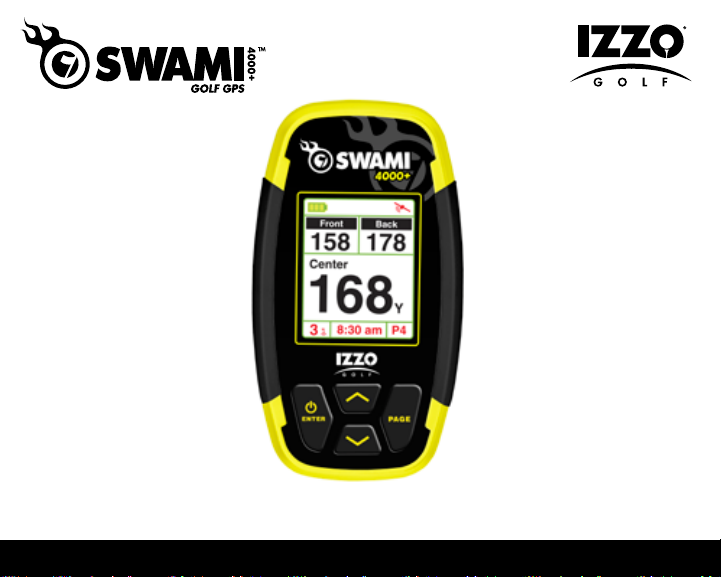
User Manual
Page 2

TABLE OF CONTENTS
Warranty Information ..........................................................................................................2
1. General Description of Hardware ..................................................................................3
1.1 Screen Display Description .............................................................................3
1.2 Basic Specications ........................................................................................4
1.3 Accessories List ..............................................................................................5
1.4 Attaching Belt Clip ...........................................................................................6
1.5 Charging Instructions ......................................................................................6
2. Getting Started ................................................................................................................7
2.1 Start Menu ......................................................................................................7
2.2 Power Off ........................................................................................................7
3. Using Swami on the Course ...........................................................................................8
3.1 Course Selection ..............................................................................................8
3.2 Play Mode .......................................................................................................8
3.3 Hazard Screen........... ......................................................................................9
3.4 Shot Distance ..................................................................................................9
3.5 Editing Green Distances .................................................................................10
4. Swami Settings ..............................................................................................................11
4.1 Backlight Control ...........................................................................................11
4.2 Unit - Meter/Yard ............................................................................................12
4.3 Language ......................................................................................................12
4.4 Time Format ..................................................................................................13
4.5 Set Time ........................................................................................................13
4.6 Daylight Saving Time ...................................................................................14
4.7 Model Info .....................................................................................................14
1
Table of Contents
Page 3

Caution ...............................................................................................................................15
About GPS .........................................................................................................................16
Using Conditions ...............................................................................................................16
Questions & Answers ........................................................................................................17
Registration Card ...............................................................................................................18
Thank You for Choosing Swami 4000+
Compact design and a user friendly interface allow the Swami 4000+ to be your best
electronic caddie, which can help you to play more strategically and manage shot distances
more efciently. In order to ensure the best performance of the product and maximize its
service life, please read these instructions before using your Swami 4000+.
Warranty / Return Policy
The SWAMI 4000+ is warranted to be free from defects for up to (1) year from your
purchase date. Software updates are free of charge. IZZO will replace any defective unit
within the warranty period. Please call Swami Support at 800-777-7899 to request a Return
Authorization. All defective product must be returned to:
IZZO Golf
1635 Commons Parkway
Macedon, NY 14502
Please include a note with your Name, Address, Phone # and the Return Authorization #.
Your replacement SWAMI 4000+ will be shipped once we receive and diagnose the
returned unit.
Table of Contents / Warranty
2
Page 4
1. General Description of Hardware
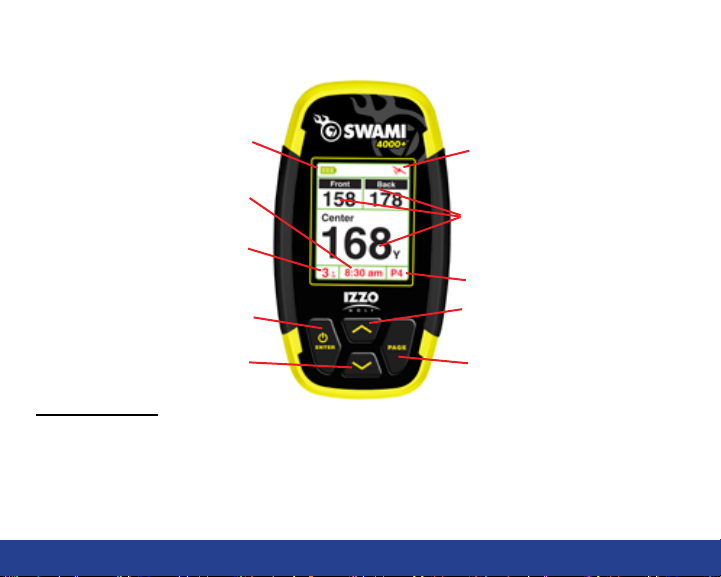
1.1 Screen Display Description
Battery Level
Time
Hole Number
Enter / Power Key
Down Key
Satellite Signal
Distance to the Front, Center
and Back of the Green
Hole Par
Up Key
Page Key
Key Description:
• Enter / Power Key: Hold to power on, press to select options.
• Page Key: Press to toggle between distances to Green or Hazards in Play Mode
• Up Key: Scroll Up
• Down Key: Scroll Down
3
General Description of Hardware
Page 5
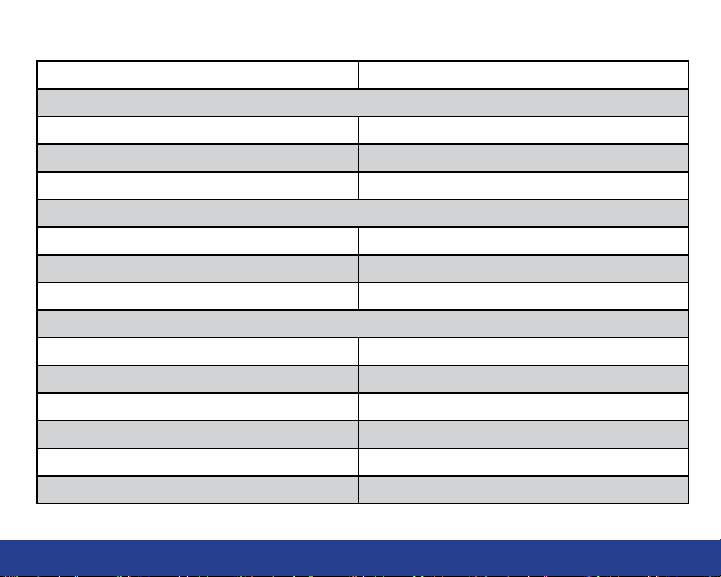
1.2BasicSpecications
Number of courses stored 30,000+ Worldwide
Satellite Location Time
Hot Start
Warm Start
Cold Start
Power
Battery Type Rechargeable Lithium Battery (1100mAh)
Duration of Full Charge About 8-10 hours
Charging Time About 4-5 hours
Interface
USB interface, accessible to computer Ye s
Dimensions Length 3.8” x Width 2” x Thickness 0.8”
Weight About 3.17 oz
Display Size 1.8 Inches
Water Resistant Yes, IPX6
Operation Temperature Limits 32°F to 130°F
(last used less than 1 hour) < 30 seconds
(last used less than a few hours) < 1 minute
(rst time use or rarely used) < 3 minutes
General Description of Hardware
4
Page 6
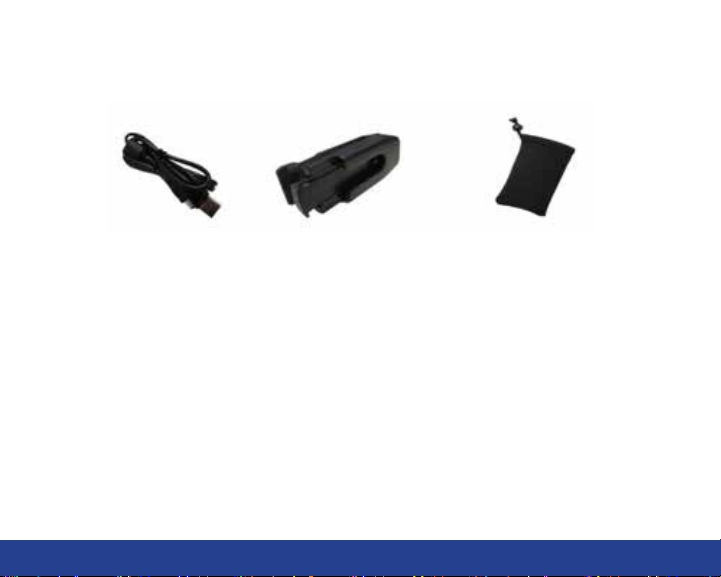
1.3 Accessories List
Please conrm that your Swami 4000+ package contains the following items:
USB Cable Belt Clip Protective Case
* If any item is missing, please contact IZZO Golf.
IZZO Golf
1635 Commons Parkway
Macedon, NY 14502
www.swamigps.com
1-800-777-7899
5
General Description of Hardware
Page 7

1.4 Attaching Belt Clip
• Attach black gear shaped piece to the back of the Swami 4000+ using one of the
included screws (other screw is a spare). Do not over tighten or threads will be
stripped and the connection will become loose.
• Once attached, slide black gear shaped piece into the slot on the front of the belt clip
until it clicks and locks into place.
• To remove the Swami 4000+ from the belt clip, push down on the release button
located on the top of the belt clip.
1.5 Charging Instructions
• Insert one end of the USB cable into the connection port under the back rubber cover
on the back of the device. Then insert the other end of the cable into a USB port or
AC adapter (not included).
• The Swami 4000+ needs about 4-5 hours to charge a fully depleted battery.
• The battery can be charged before being completely drained, but please do not
charge it excessively.
• The most efcient charging method is to charge the battery while the device is
powered off.
• While unit is powered off the screen display will show a battery icon with bars
pulsating. When the bars stop pulsating, unit is fully charged.
General Description of Hardware
6
Page 8
2. Getting Started
2.1 Start Menu
PLAY
SETTINGS
POWER OFF
2.2 Power Off
PLAY
SETTINGS
POWER OFF
7
Getting Started
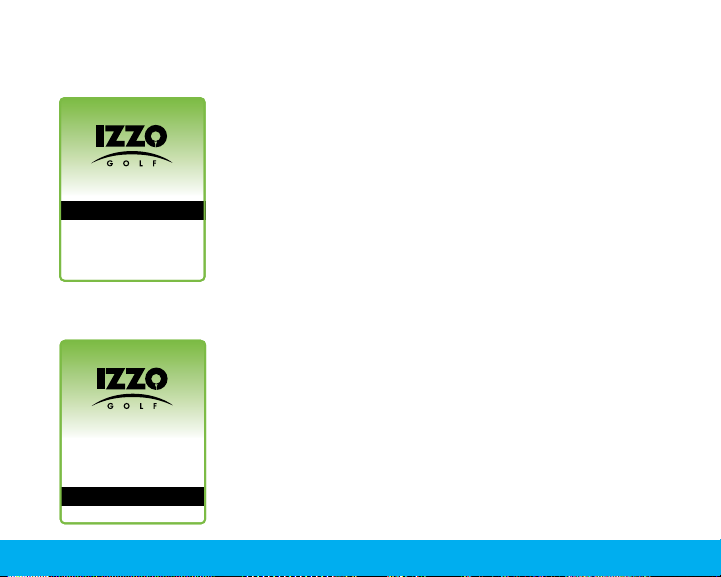
Press and hold [Enter] key for 3 seconds until the power is on.
Three options will show on the Start Menu: Play, Settings and
Power Off. You can scroll up or down by pressing the [Up] and
[
Down] keys. To select desired option, press the [Enter] key.
To return to the Start Menu screen at any time, press and hold
[
Enter] for a few seconds.
To turn the unit off, use the [Up] and [Down] keys to select
Power Off then press and release the [Enter
] key
.
Page 9
3. Using Swami on the Course
3.1 Course Recognition
River Run Gc
Brookwood Country Cl
Green Island Gc
Pineway Gc
3.2 Play Mode
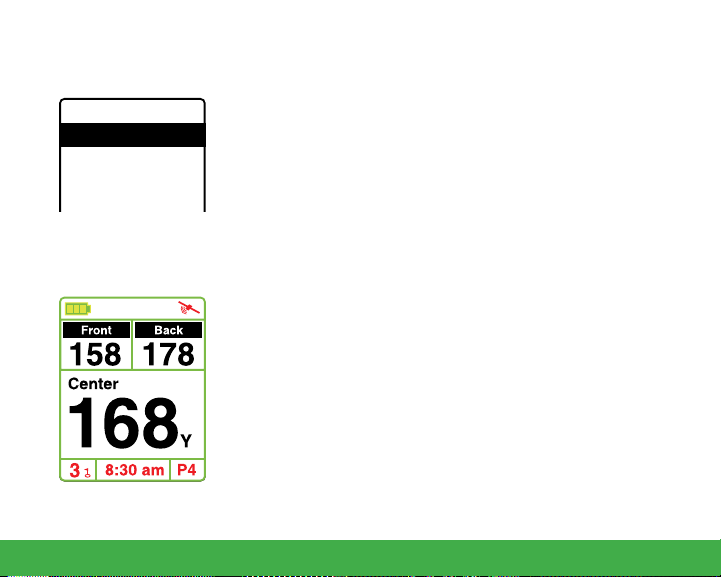
After you turn on your unit, select the Play option from the
Start Menu and press [Enter]. The Swami 4000+ will search
for surrounding courses that the device supports. When the
device has found the courses, it will list them. Use the [Up]
and [Down] keys to select your golf course, then press the
[
Enter] key.
(Note: First time use may take several minutes to locate the satellite, please
reference Satellite Location Time in the Basic Specications chart on page 4).
Press the [Up] and [Down] keys if you need to change the hole
number. Play Mode will now display the distance to the Front,
Center and Back edge of the green for the current hole.
Auto Hole Advance*: Swami 4000+ will automatically switch
to the next hole without the use of the [Up] and [Down] keys.
*This feature will only work if the Swami is physically brought onto
the putting green for each hole. The Swami recognizes that you have
nished your current hole and will switch to the next hole automatically.
If the Swami is not brought onto the putting surface, user will need to
manually switch to next hole.
Using Swami on the Course
8
Page 10
3.3 Hazard Screen
3.4 Shot Distance
Shot Distance
287
Center
9
Using Swami on the Course
127
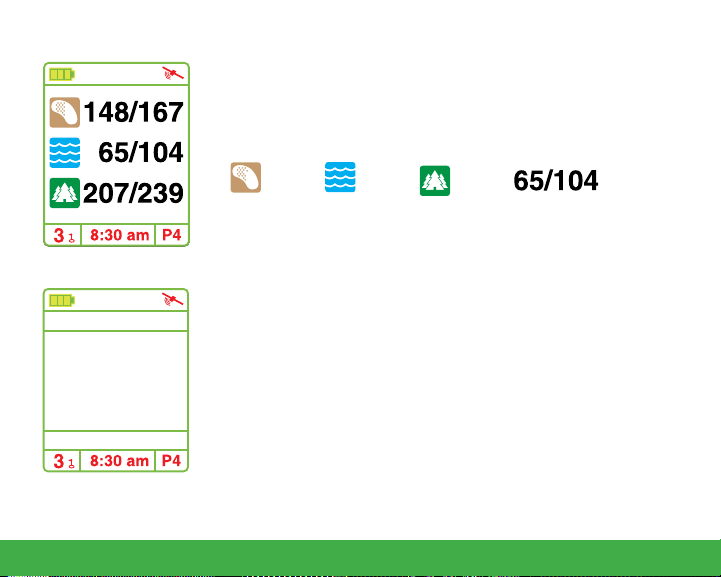
Hazard Screen will display layup and carry distances to bunkers,
water hazards, and doglegs. While in Play Mode, press the [Page]
key to access the Hazard Screen. To return to Play Mode screen
(distances to green) Press [Page] again.
Bunker Water Dogleg Distance to
Layup/Carry
Shot Distance Mode allows the user to measure the distance of
each shot. While at the Play Mode screen, press [Enter] to access
Shot Distance Mode.
After hitting a shot, hold the [Page] key for several seconds to set
the starting point (value will be reset to 0). As you travel to your
ball, the distance from your starting position will begin to calculate
YD
and will be displayed on the screen. Press [Enter] to hold (pause)
the calculation.
To start a new measurement, press the [Enter] key to release from
hold (pause). Then press and hold the [Page] key to reset the
value to 0.
Page 11
3.5 Editing Front, Center & Back Green Locations
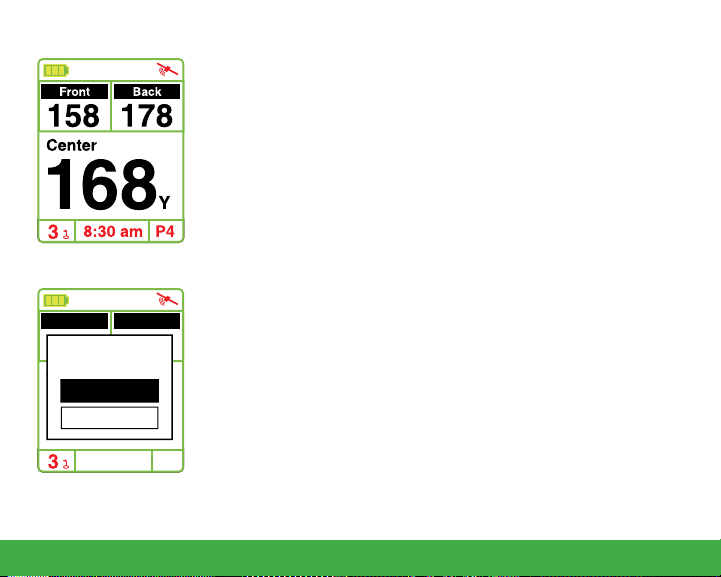
To make changes to the Swami 4000+ green distances, you must
be on the hole you would like to edit. To begin, press and hold the
[
Page] key for 3 seconds while on the Play Mode screen. The top
of the screen will read “Map” while editing the green distances.
1. Use the [Up] and [Down] keys to select the Front, Center or
Back of green. (Note: The yardage of the front, center or back
of the green will begin blinking when selected).
2. Next, stand with the Swami 4000+ at the point of new green
location. (Example: If you are editing the front of the green,
stand with the Swami 4000+ at the point you wish to mark as
Map
Front Back
158 178
Map New Front?
Center
OK
Cancel
168
8:30 am
P4
the new front of the green).
3. Press [Enter] key while standing at the new position of the
green. A pop up message asking “Map New Front?” will
appear.Then press [Enter] to select “OK” conrming the
new location.
The new location where the GPS unit is located should read
“0” yards. (Example: If you edited the front of the green, you
are now standing 0 yards between you and the front of the
green). This change will be saved on your Swami 4000+ for
future use.
Using Swami on the Course
10
Page 12
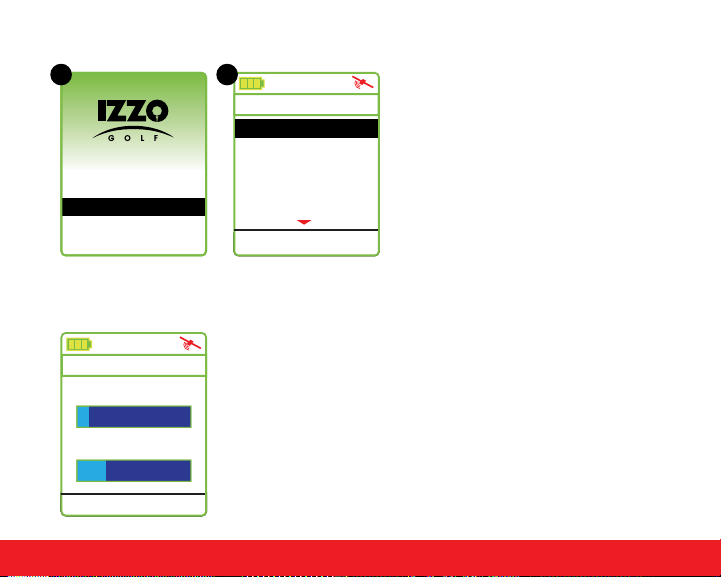
4. Swami Settings
A B
PLAY
SETTINGS
POWER OFF
4.1 Backlight Control
Backlight Value
Backlight Setting:
10 min
Power Off Setting:
30 min
3:48 pm
11
Swami Settings
From the (A) Start Menu, use the
[Up]
Settings
Backlight Control
Meter/Yard
Language
Time Format 12 H
Time Set
Y
and [Down] keys to select
Settings and press [Enter] key
to access (B) Settings Menu.
4:21 pm
The Swami 4000+ features auto backlight and power off
function to save power. If you don’t touch any key for a specic
time period, the screen will turn dark automatically. Select the
Backlight Control option on the Settings Menu and press the
[
Enter] key. Use the [Up] key to edit the backlight duration. Use
the [Down] key to edit the power off duration. To return to the
Settings Menu screen, press the [Enter] key.
Page 13
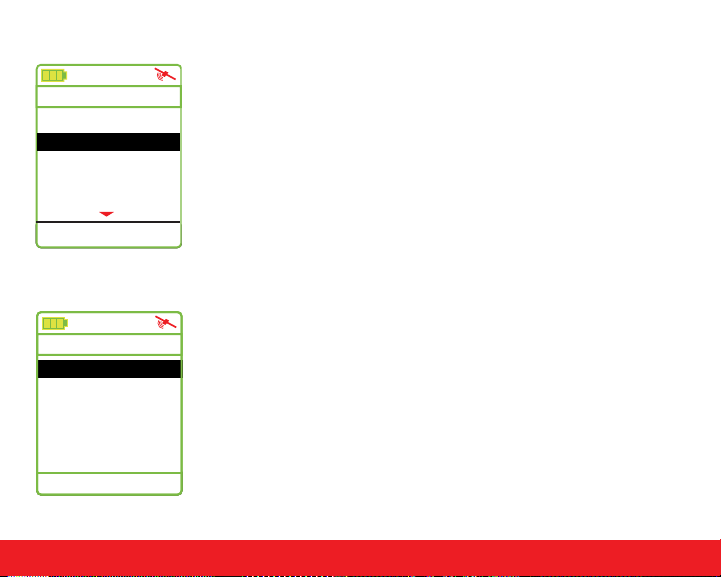
4.2 Unit - Meter/Yard
Settings
Backlight Control
Meter/Yard
Language
Time Format 12 H
Time Set
Y
4:21 pm
4.3 Language
Language
English
French
German
Spanish
4:21 pm
The Swami 4000+ allows users to change the unit of measure
between yards or meters. Select the Meter/Yard option on the
Settings Menu then press [Enter] to change the unit of measure.
(Note: Y = Yard and M = Meter). When desired option is selected,
press and hold [Enter] key for a few seconds to return to the
Start Menu.
To change the language of the device, select the Language
option in the Settings Menu. Use the [Up] and [Down] keys
and scroll to the desired language, then press the [Enter] key to
select it.
The following languages are available:
(English, French, German, Spanish).
Swami Settings
12
Page 14
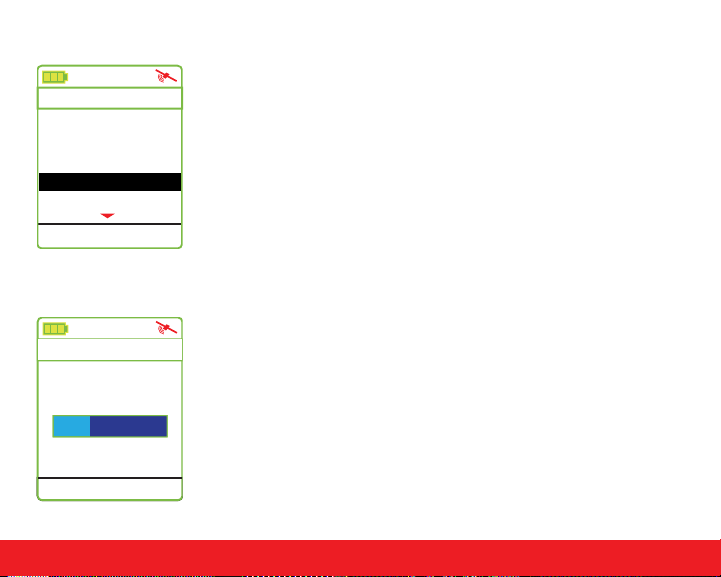
4.4 Time Format
Settings
Backlight Control
Meter/Yard Y
Language
Time Format 12 H
Time Set
4:21 pm
4.5 Time Set
Timezone Set
03:45 pm
UTC Offset:
-4
3:45 pm
13
Swami Settings
The Swami 4000+ provides two Time Format options. You can
choose from 12 Hour or 24 Hour. To edit, use the [Up] and [Down]
keys to select Time Format from the Settings Menu. Press the
[
Enter] key to change between 12H and 24H. Press and hold the
[
Enter] key to return to the Start Menu.
The Swami 4000+ will set the time automatically according to your
location and relevant data of GPS satellites; but you can manually
adjust the time by hour. Select Time Set from the Settings Menu.
You can increase or reduce the time with the [Up] and [Down]
keys. Press [Enter] when nished.
Page 15
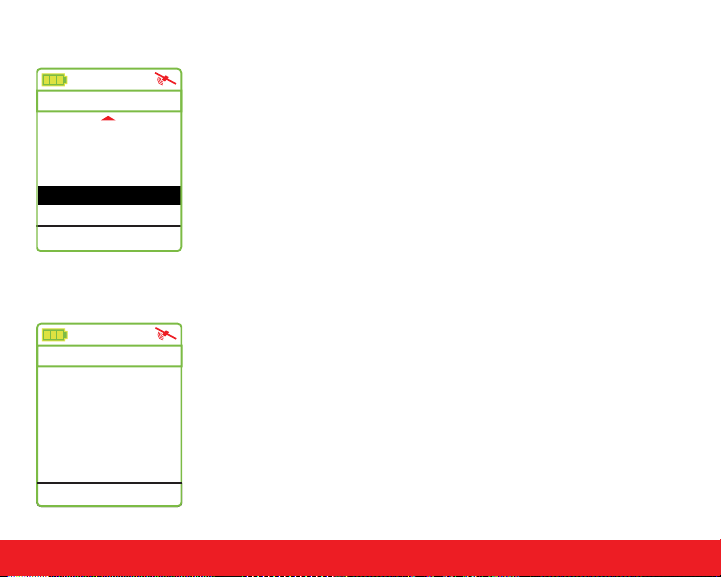
4.6 Daylight Saving Time
The Swami 4000+ allows the user to toggle Daylight Saving Time
Settings
Language
Time Format 12 H
Time Set
Daylight Saving On
Model Info
4:21 pm
feature On or Off. To edit, use the [Up] and [Down] keys to select
Daylight Saving from the Settings Menu. Press the [Enter] key
to change between On or Off. Press and hold the [Enter] key to
return to the Start Menu.
4.7 Model Info
To view the Swami 4000+ model information, select Model Info
Model Info
Model:
Memory:
Version:
Brand:
S/N:
3:45 pm
HD7591
256M-C45
06.04.05.02
5912000000002
from the Settings Menu screen. There you can view the
(Model Number, Memory, Version, Brand and Serial number) of the
unit. To return to the Settings Menu screen, press the [Enter] key.
IZZO
Swami Settings
14
Page 16

CAUTION
Global Position System (GPS) was developed and is managed by the United States
Department of Defense (DOD) which is responsible for its normal operation and position
precision control; the U.S. is entitled to affect function or position precision of the whole
system without prior notication or announcement based on its political considerations
or safety of national defense.
In order to use the SWAMI 4000+ correctly and safely, you must be aware of the following
information prior to operating the device:
• The SWAMI 4000+ was only designed for the purpose of leisure and recreation
and is not applicable for industrial or special measurement.
• The SWAMI 4000+ is only an auxiliary device. IZZO Golf will not accept any legal
liability for accidents due to mistaken operation, or any use of the SWAMI 4000+
for measurement.
• Please do not try to dissemble the SWAMI 4000+ or repair any part of the
device discreetly.
• Please do not store the SWAMI 4000+ in places exposed to direct sunlight
or in extremely high temperatures.
15
Caution
Page 17

About GPS
Global Position System (GPS) is a satellite system developed by the U.S. Department of
Defense. GPS consists of 32 satellites that circle the earth and are 11,000 miles away from
the ground. These satellites make two circles of the earth per day and emit signals of extremely low power which will be received and recorded by 5 ground stations. These ground
stations will use precise time signals to conrm accurate positions of each
satellite. Your GPS receiver can receive signals sent out by these satellites. An accurate
latitude and longitude location can be determined when xed upon at least 4 satellites.
WAAS (Wide Area Augmentation System) can enhance the precision of GPS. It was
designed by the Federal Aviation Administration and is mainly used to enhance precision
of GPS on an airplane. WAAS has extra ground stations in select positions which can work
together with a master console to improve accuracy of satellite signals and reduce errors to
about 3 yards.
Using Conditions
As Swami 4000+ uses GPS, it is available only in the places that can receive satellite
signals, excluding places indoor or in water.
About GPS / Using Conditions
16
Page 18
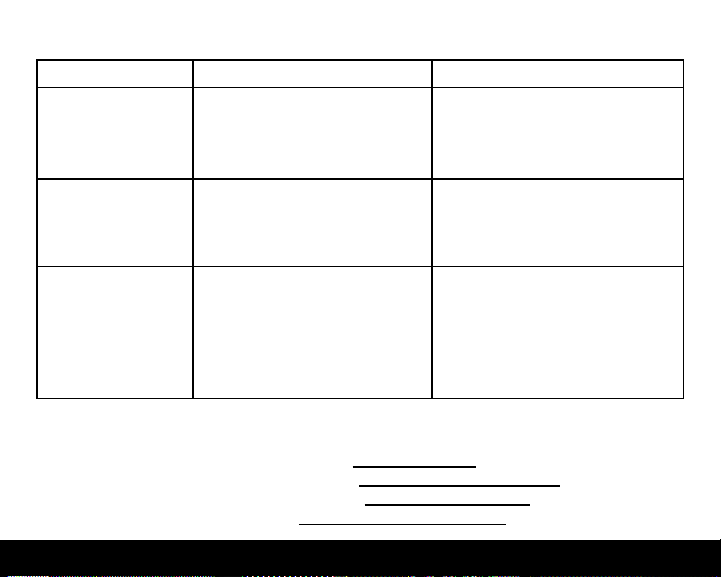
QUESTIONS & ANSWERS
Situations Possible Problems Solutions
The device cannot
be started
A. Battery voltage is too low.
B. You didn’t press and hold
the [Enter] key for 3 seconds.
A. Charge the battery.
B. Press and hold the [Enter]
key until the power is on.
The device will not
power off
The device cannot
detect satellites
If you have any other questions or concerns, please contact:
U.S. and Canada: 1-800-777-7899 or email [email protected]
U.K. and Ireland: +44 1342 836376 or email [email protected]
Continental Europe: +31 77478294 or email [email protected]
Australia: +61 3 5277 3977 or emailjared@golmports.com.au
A. Holding down the [Enter
key instead of pressing and
releasing the [Enter] key.
A. Time for accessing satellite
signal is not enough.
B. The device is being
started indoors.
]
A. Press and release the [Enter]
key to select Power Off option.
A. Check whether the satellite
icon keeps blinking; if it stops
blinking, the satellite location has
been xed.
B. Keep the device in an open
space without obstructions.
17
Page 19

REGISTER YOUR SWAMI 4000+
FILL OUT THE INFORMATION BELOW OR GO TO
WWW.SWAMIGPS.COM/REGISTRATION
Name: _____________________________________________
ADDRESS: __________________________________________
___________________________________________________
Email: _____________________________________________
Phone: ( ) ________________________________
Date purchased: ________ /_________ /_______________
Page 20

Mail to: IZZO Golf
1635 Commons Parkway
Macedon, NY 14502-9191
[ Please place inside envelope ]
 Loading...