

Page 1

www.sven.fi
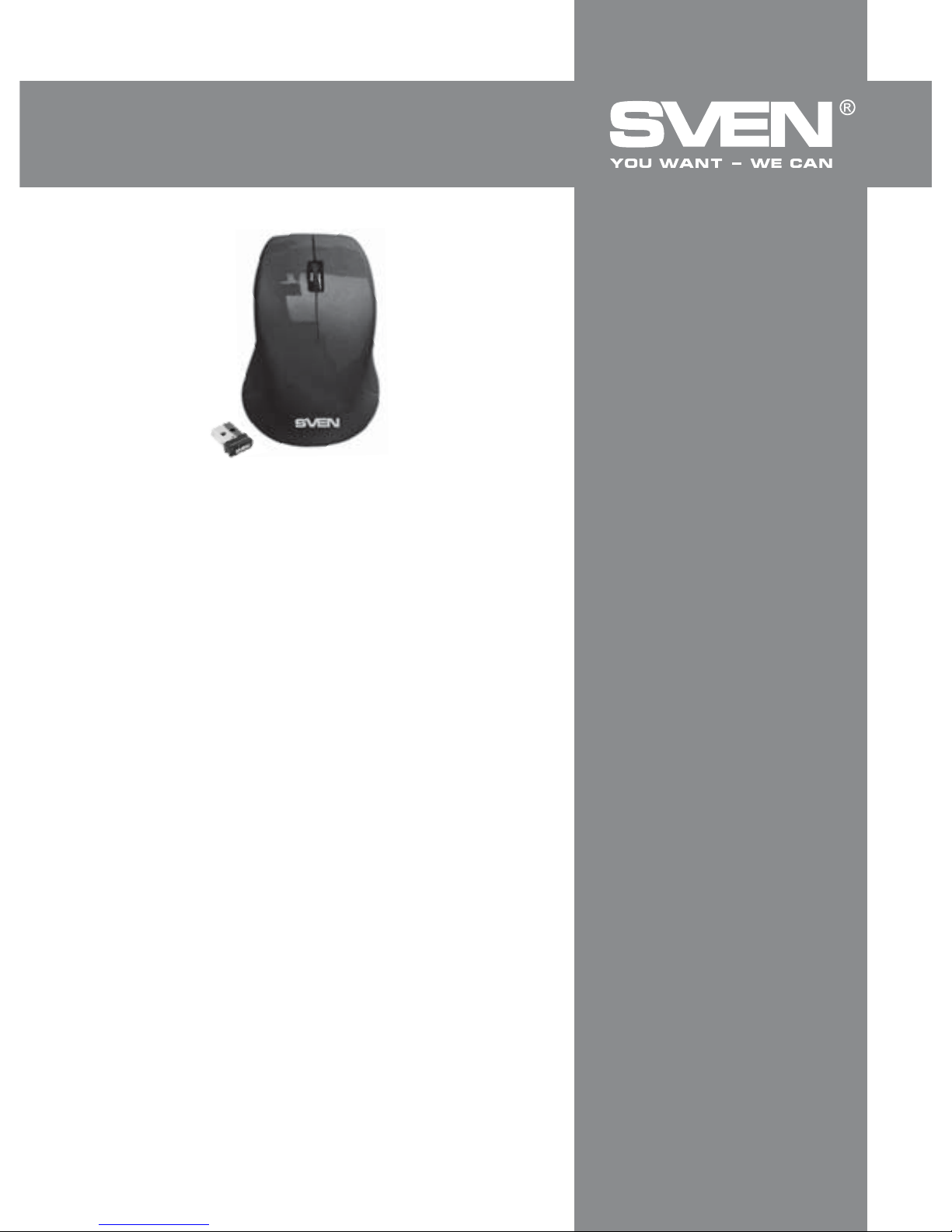
Wireless Optical Mouse
USER’S MANUAL
RX-610
Wireless
Page 2

ENG
1
User’s Manual
2
2
2
3
3
6
6
Congratulations on your purchase of the Sven mouse!
Please read this Operation Manual before using the unit and retain this
Operation Manual in a safe place for future reference.
COPYRIGHT
© 2014. SVEN PTE. LTD. Version 1.0 (V 1.0).
This Manual and information contained in it are copyrighted. All rights
reserved.
TRADEMARKS
All trademarks are the property of their legal holders.
NOTICE OF RESPONSIBILITY RESTRICTION
Despite the exerted efforts to make this Manual more exact, some discrepancies may occur. The information of this Manual is given on “as is”
terms. The author and the publisher do not bear any liability to a person or an
organization for loss or damages which have arisen from the information
contained in the given Manual.
CONTENTS
1. SPECIAL FEATURES ..................................................
2. PACKAGE CONTENTS ................................................
3. SYSTEM REQUIREMENTS ..........................................
4. DESCRIPTION .........................................................
5. INSTALLATION .........................................................
6. TROUBLESHOOTING ................................................
7. TECHNICAL SPECIFICATIONS ......................................
Technical support is on www.sven.fi
RX-610
Wireless
Page 3

ENG
2
Wireless Optical Mouse
Standby mode 0.1 — 0.12 mА 3 mА
Motionless 0.5 — 0.55 mА 8 mА
During work 4.8 — 6 mА 10 mА
1. SPECIAL FEATURES
• RF2.4GHz USB nano receiver (range – up to 10 m)
• High-precision optical technology
• Operates practically on any surface
• High speed operation
• Resolution 1200 dpi
• USB interface
• Attractive glossy surface
• 2 AAA Alkaline type batteries
• Drivers installation is not required for Windows XP/Vista/7/8
• Energy saving system increases battery life up to 6 months (see
comparison table)
2. PACKAGE CONTENTS
• Optical mouse — 1 рс
• 2.4 GHz USB nano receiver — 1 рс
• AAA type batteries — 2 рсs
• User’s manual — 1 рс
• Warranty card — 1 рс
3. SYSTEM REQUIREMENTS
• Windows XP/Vista/7/8 or higher, Mac OS 10.4 or higher, Linux
• Free USB port
Sleep mode 0.03 — 0.05 mА 0.15 mА
Operating mode
Other mice
RX-610 Wireless
Page 4
ENG
3
User’s Manual
b
c
d
d
e
a
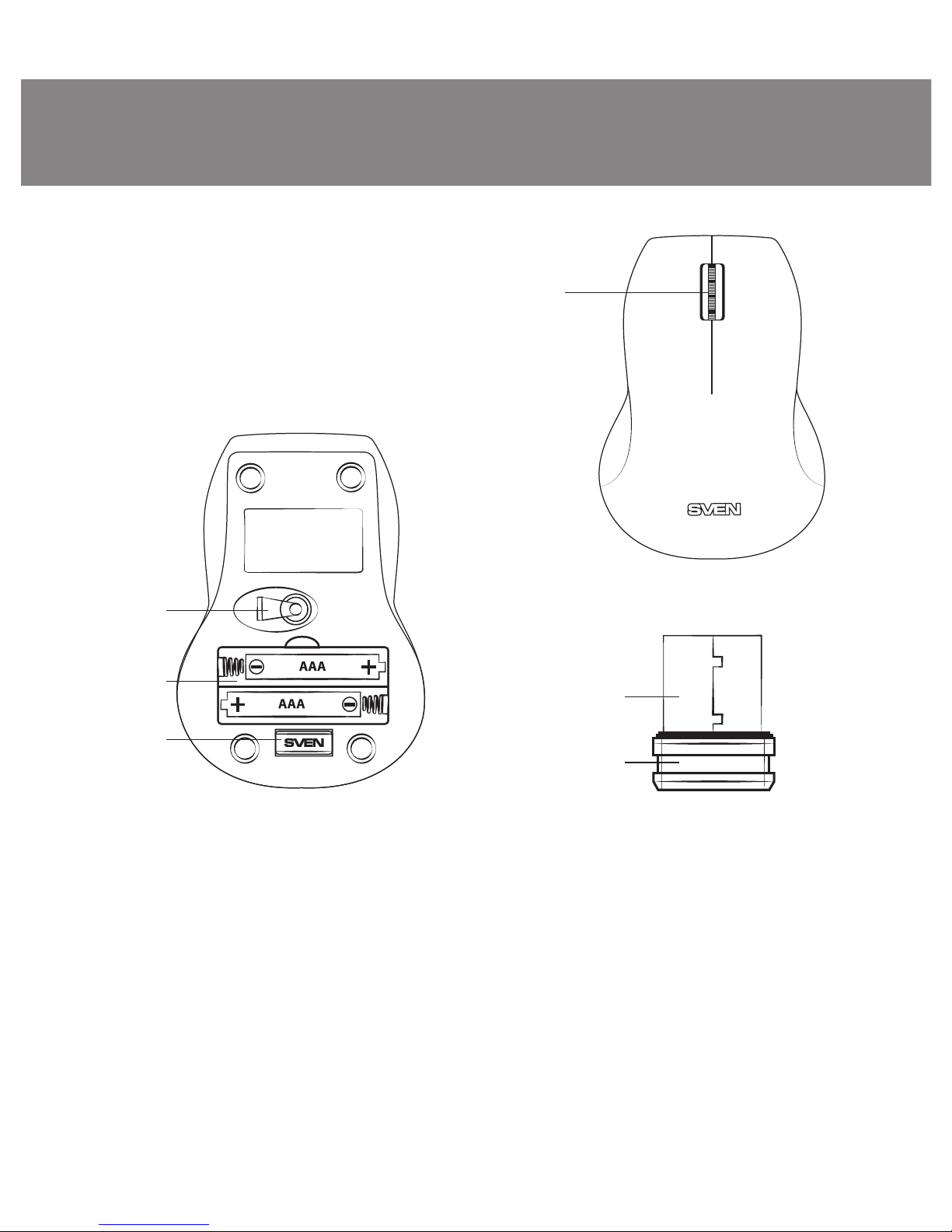
4. DESCRIPTION
a Scroll wheel
b Optical sensor
c Battery compartment
d Nano receiver
e Connector USB
Fig. 1. Top view
Fig. 2. Bottom view Fig. 3. Nano receiver
5. INSTALLATION
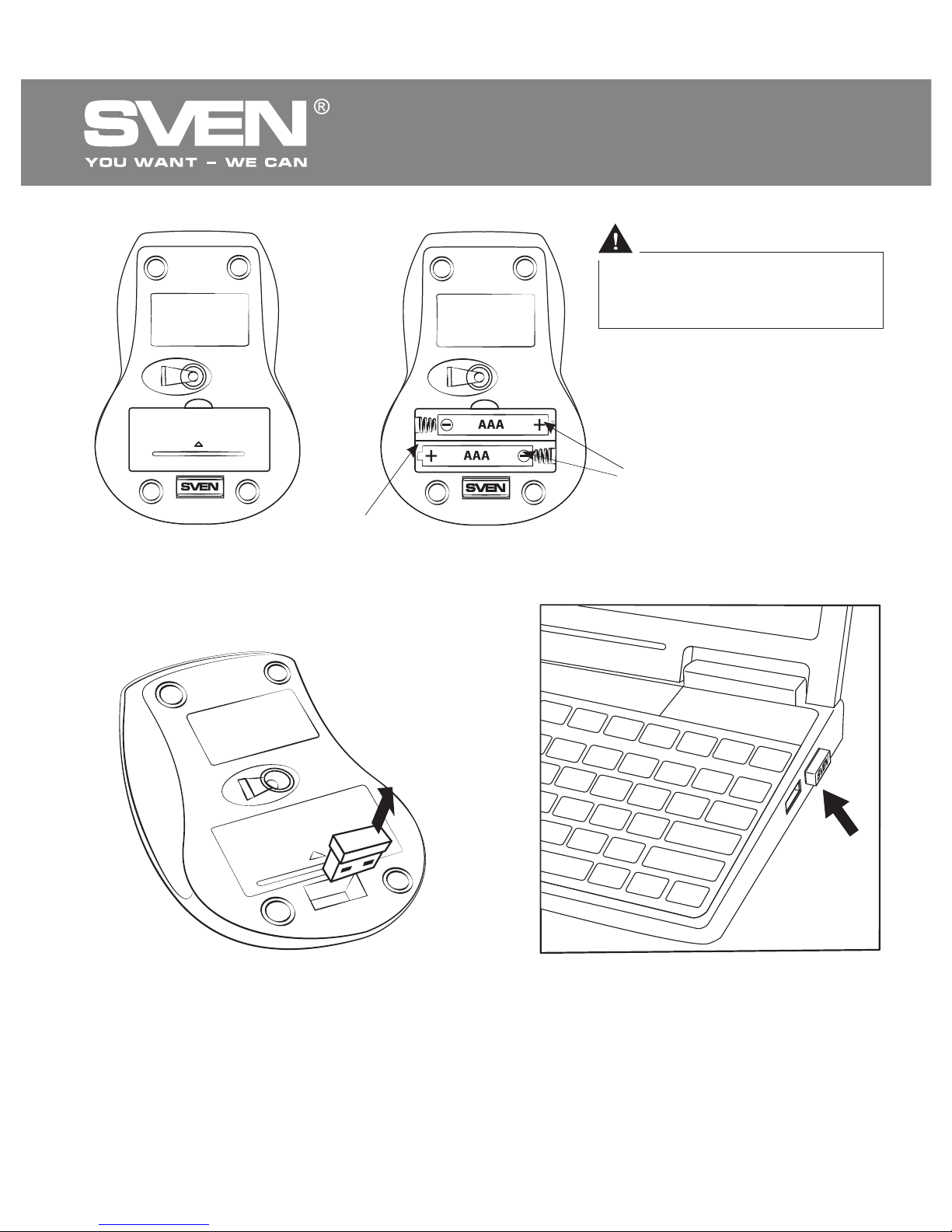
• Open the cover of the mouse battery compartment c, insert two AAA
type batteries into the battery compartment matching polarity, and close the
cover of the battery compartment (see Fig. 4).
• Pull out the nano receiver d from the mouse (Fig. 5) and connect it to a
free PC USB port without switching off the PC (Fig. 6). To activate the
mouse, press any button of the mouse or turn the scroll wheel. If the mouse
has been connected correctly, it will turn on automatically.
RX-610
Wireless
Page 5
ENG
4
Improper installation of
batteries can result in failure
of the mouse!
Fig. 6. Receiver connection
Fig. 6. Receiver connectionFig. 5. Extraction of the receiver
from the mouse case
2 × AAA type batteries
Battery
compartment
SVEN
Battery cover
Wireless Optical Mouse
Page 6
ENG
5
User’s Manual
SVEN
This device meets highest standards of energy conservation.
During long pauses in operation the mouse enters economical
Sleep mode. To enter working mode just press any button or turn
the scroll wheel.
Important
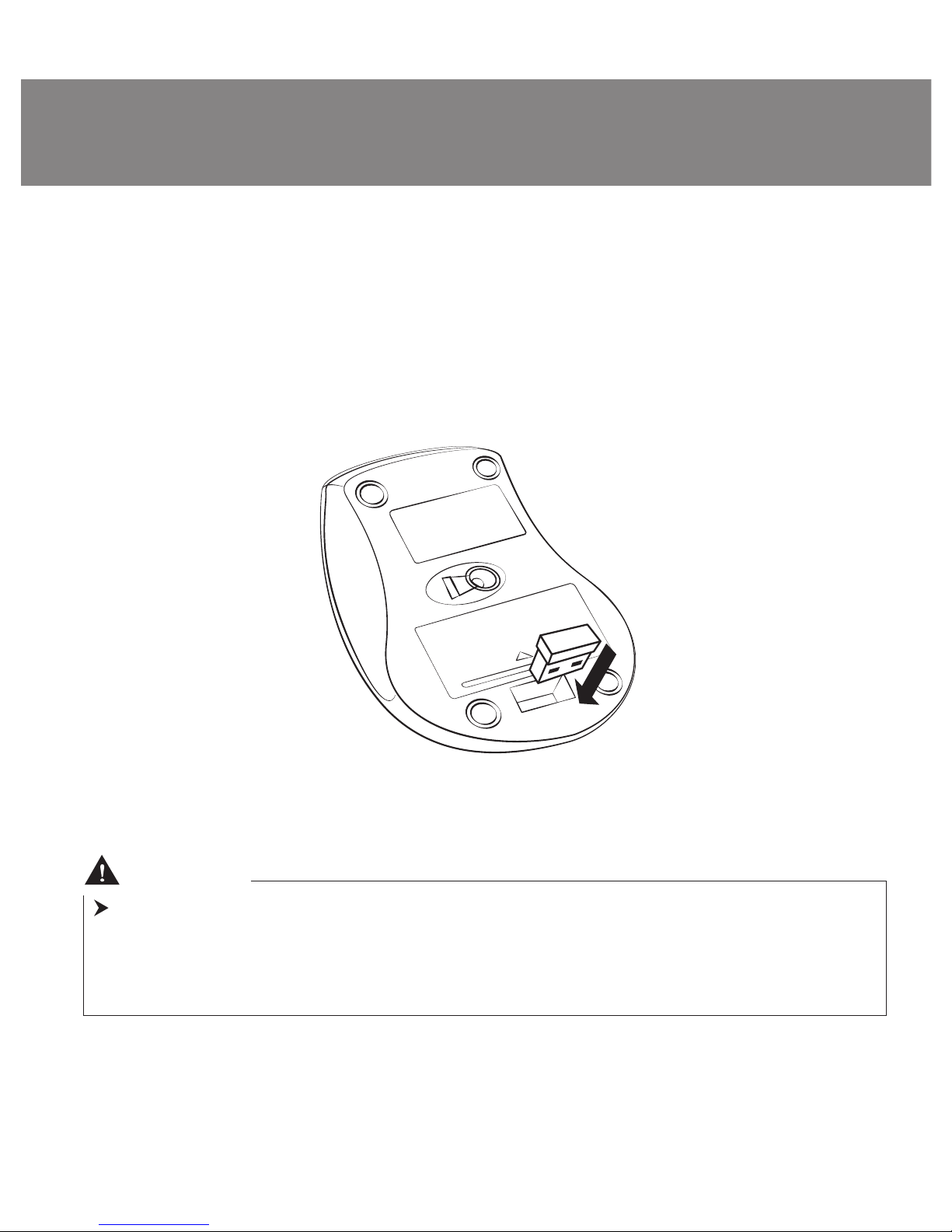
• After finishing work, the receiver can be pulled out from the PC USB port
and inserted back into the mouse (Fig. 7).
• Do not place the receiver in a metal confined space (table drawer, box,
safe), as metal screen does not transmit radio signals.
• If the batteries run down, the mouse works fy fits. It means that batteries
should be replaced with new ones, as it is shown in Fig. 4. Always install only
identical new batteries.
Fig. 7. Fitting the receiver
into the mouse case
RX-610
Wireless
Page 7
ENG
6
Notes:
• Technical specifications given in this table are supplemental information and cannot give occasion to claims.
• Technical specifications are subject to change without notice due to
the improvement of SVEN production.
7.
TECHNICAL SPECIFICATIONS
Parameter
OS required
Type of mouse
Resolution, dpi
Q-ty of buttons
Interface
Dimensions, mm
Weight, g
Value
Windows XP/Vista/7/8
Wireless 2.4 GHz
1200
2 + 1 (scroll wheel)
USB
70 × 42 × 108
60
6. TROUBLESHOOTING
Solution
1. Make sure that the nano receiver has been
inserted into a USB port and its distance to
the mouse is less than 10 m.
2. Check whether the batteries have been
installed correctly.
3. Check if the batteries have run down,
replace the batteries with new ones if
necessary.
4. Address nearest authorized service center.
Problem
The mouse does not work.
Wireless Optical Mouse
Page 8
Модель:
RX-610 Wireless
Импортер в России: ООО «СКАНДИТРЕЛ», 111024,
РФ, г. Москва, ул. Авиамоторная, д. 65, стр. 1.
Уполномоченная организация в России:
ООО «РТ-Ф», 105082, г. Москва, ул. Фридриха
Энгельса, д. 75, стр. 5.
Условия гарантийного обслуживания смотрите
в гарантийном талоне или на сайте www.sven.fi.
Гарантийный срок: 12 мес. Срок службы: 2 года.
Производитель: «СВЕН ПТЕ. Лимитед»,
176 Джу Чиат Роуд, № 02-02, Сингапур, 427447.
Произведено под контролем «Свен Скандинавия
Лимитед», 48310, Финляндия, Котка,
Котолахдентие, 15. Сделано в Китае.
Manufacturer: SVEN PTE. LTD, 176 Joo Chiat Road,
№ 02-02, Singapore, 427447. Produced under the
control of Oy Sven Scandinavia Ltd. 15, Kotolahdentie,
Kotka, Finland, 48310. Made in China.
® Registered Trademark of Oy SVEN
Scandinavia Ltd. Finland.
RX-610
Wireless
Wireless Optical Mouse
 Loading...