

Page 1
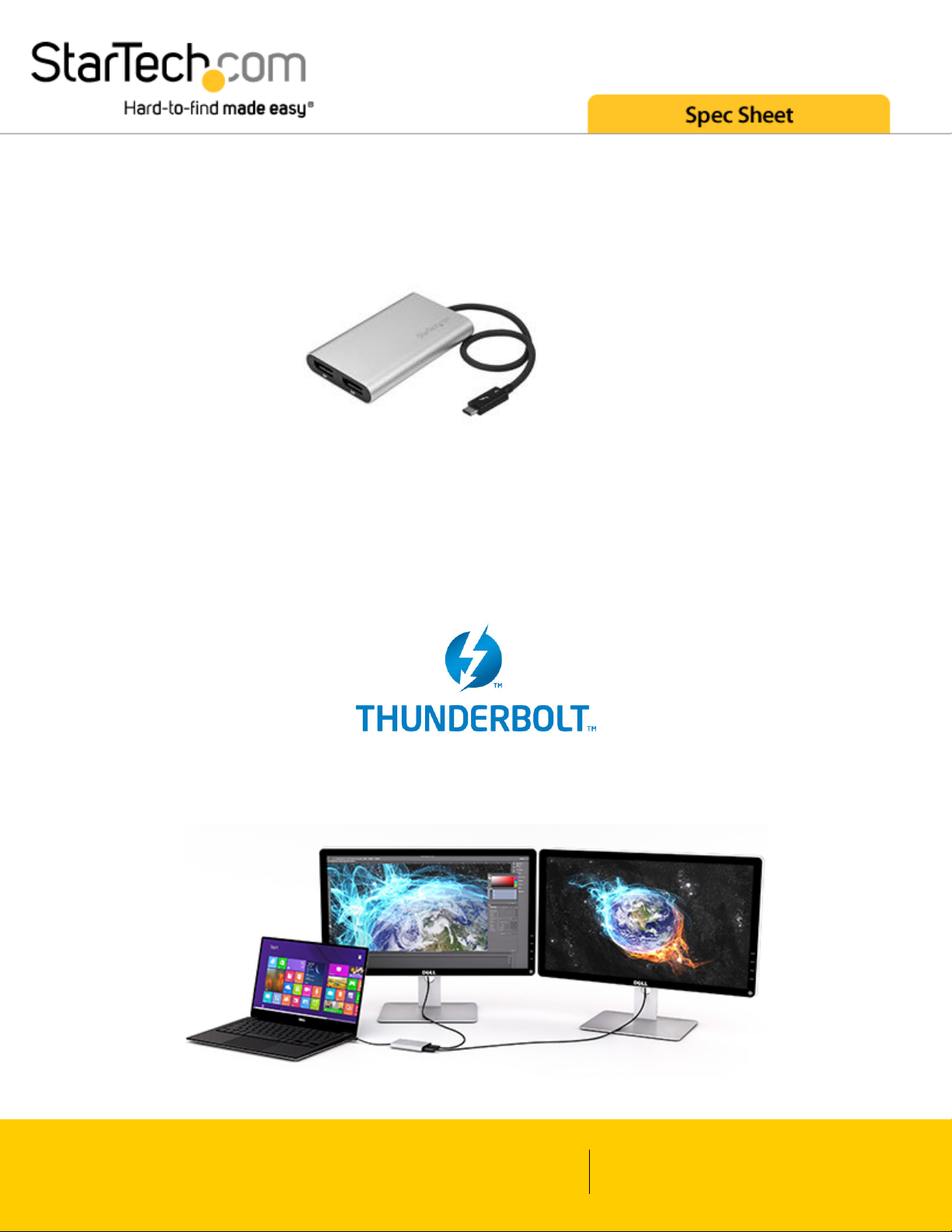
Thunderbolt 3 to Dual DisplayPort Adapter - 4k 60 Hz
StarTech ID: TB32DP2
This high-performance Thunderbolt™ 3 adapter lets you add two 4K 60 Hz DisplayPort monitors to a computer
through a single Thunderbolt 3 port (USB-C™), or it can be used to connect your Thunderbolt 3 port to a 5K 60
Hz display using two DP cables. The Thunderbolt video adapter is compatible with computer systems that
support Thunderbolt 3, such as models of Dell™ Precision and Dell XPS.
Connect two UHD 4K displays to your computer at 60Hz resolution
www.startech.com
1 800 265 1844
Page 2
With an unprecedented 40Gbps of throughput, Thunderbolt 3 enables you to achieve the previously impossible
feat of using a single port on your laptop to output dual 4K resolution at 60Hz to two independent displays. This
performance enables you to run the most resource-demanding applications imaginable on two independent
displays. You can output independent content to each display at resolutions of up to 4096 x 2160p @ 60Hz,
which is perfect for editing 4K video or performing other Ultra HD tasks such as creating CAD drawings or
reviewing medical imagery.
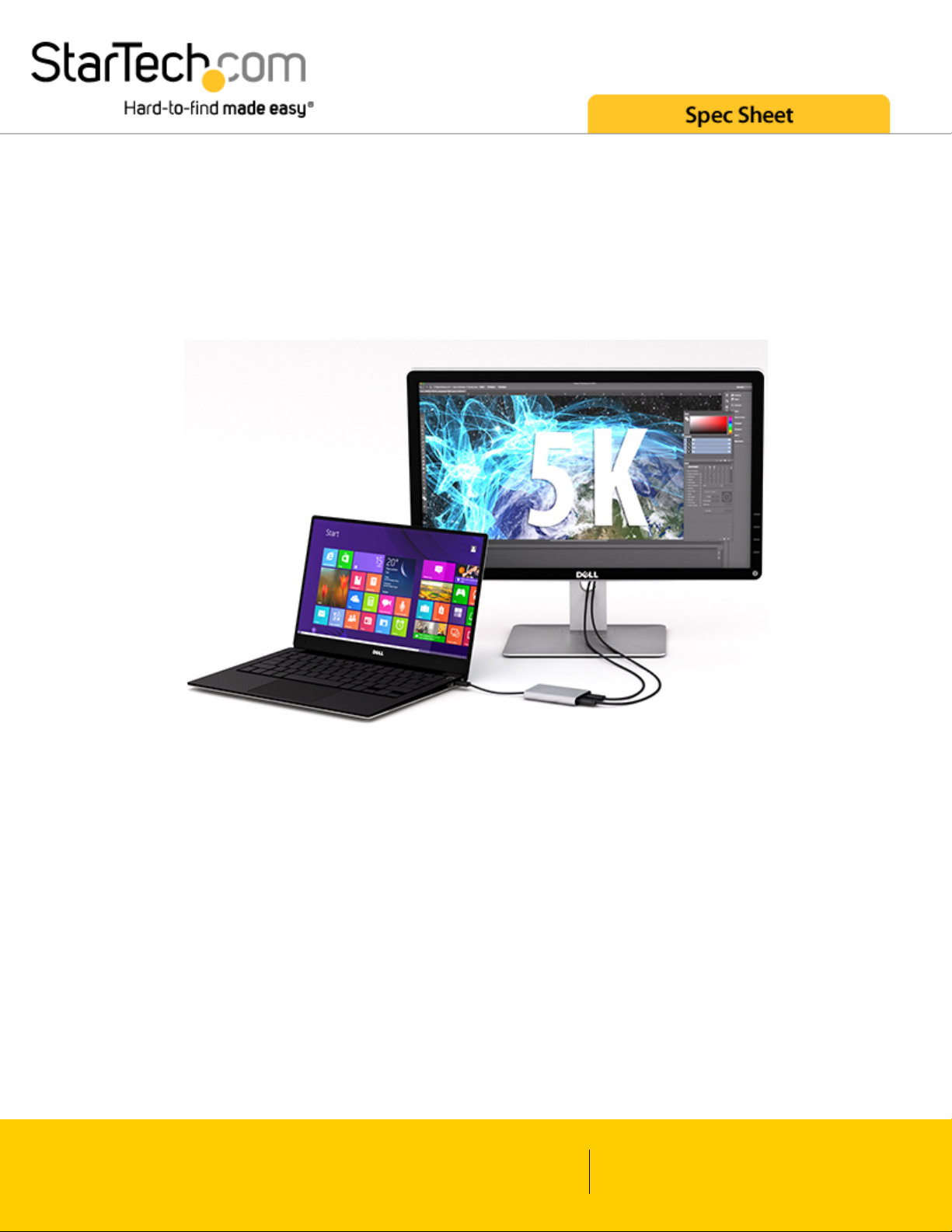
Connect a 5K display to your computer at 60 Hz resolution
For added versatility, the Thunderbolt 3 adapter can be used to connect two DisplayPort channels to a single 5K
display. Using a Thunderbolt 3 adapter is the only way to connect a 5K display to computers that don’t have
multiple DP or Thunderbolt 3 ports, such as your Dell Precision 15 3000 Series workstation.
Supports dual 4K displays to work more efficiently
Functioning as an external 2-port graphics adapter with audio support, this is a compact and convenient
alternative to a laptop dock, when you don’t need full docking capability.
With two UHD 4K displays, you can work more efficiently from your laptop, so you can accomplish more in the
same amount of time. Plus, with each display delivering 4K performance, you can have four times the screen
space compared to 1080p. Creative professionals can be more productive with the freedom to edit 4K video on
one display, while previewing raw video playback on the second 4K display.
Won't drain system resources
www.startech.com
1 800 265 1844
Page 3
This adapter helps to keep your system running at peak performance. Unlike USB external video solutions,
Thunderbolt 3 lets you run Ultra HD 4K resolution at 60Hz on both displays without draining system resources.
Because it’s backward compatible with your high-definition 1080p displays, this is a great accessory for home,
office or other desktop workspace applications.
The TB32DP2 is backed by a 2-year StarTech.com warranty and free lifetime technical support.
Your computer’s Thunderbolt 3 ports might not function properly until you update one or more of the following on your computer:
BIOS
Thunderbolt firmware
Thunderbolt 3 controller drivers
Thunderbolt 3 software
The required updates will vary depending on your computer.
For an up-to-date list of affected computers and instructions, visit http://thunderbolttechnology.net/updates. If your manufacturer isn’t listed
on the Thunderbolt website, contact your manufacturer.
Note: If you're using a video adapter to connect this device to a monitor other than DisplayPort, such as HDMI or VGA, an active video
adapter is required.
Applications
Connect your computer to two 4K monitors
Use your Thunderbolt 3 computer to connect to a 5K display
Design high-resolution, graphic-intensive content, such as CAD drawings and Photoshop graphic images
Create and Edit 4K video while using resource intensive software
Multitask by previewing your raw output content on a second 4K display
Connect to different systems with 4K or 1080p displays for hot desking in BOYD office applications
Use one screen for reference data such as websites, while composing 4K content on your other screen
Span a spreadsheet or worksheet across multiple displays to avoid side-scrolling
Use your Thunderbolt 3 computer to connect to a 5K display
Access panoramic views that are built into software applications, while viewing helpful tutorial content on
your laptop monitor
Connect your Dell XPS or Dell Precision to two external DP monitors
www.startech.com
1 800 265 1844
Page 4

Features
Connect two UHD 4K 60 Hz displays to your computer through a single Thunderbolt 3 portWork more
efficiently from your laptop by multitasking on two 4K displays
Add a 5K 60 Hz display to your computer by connecting two DP cables to a single Thunderbolt 3 port
Thunderbolt Certified
Run resource demanding applications on 4K displays at 60 Hz without draining system resources
Backward compatible with lower resolutions like high-definition 1920x1200 and 1080p
No external power adapter required
www.startech.com
1 800 265 1844
Page 5

Technical Specifications
Warranty 2 Years
Audio Yes
Output Signal DisplayPort
Maximum Data
Transfer Rate
40 Gbps
Maximum Digital
Resolutions
Dual monitor: 4K @ 60 Hz
Supported
Resolutions
4096x2160
3840x2160
2560x1600
1920x1200
1920x1080
1280x720
Note: The adapter can support 5120×2880 (5K) when both DP outputs are connected to
single monitor that supports 5K
Connector A 1 - Thunderbolt™ 3 USB-C (24-pin) Male Input
Connector B 2 - DisplayPort (20 pin) Latching Female Output
Product Height 1 in [26 mm]
Product Length 8.7 in [220 mm]
Product Weight 17.6 oz [500 g]
Product Width 3.1 in [80 mm]
Shipping (Package)
Weight
0.4 lb [0.2 kg]
Included in Package 1 - Thunderbolt 3 to dual DP adapter
Type and Rate Thunderbolt 3 - 40 Gbit/s
www.startech.com
1 800 265 1844
Page 6
Certifications, Reports and Compatibility
www.startech.com
1 800 265 1844
 Loading...