

Page 1
Help Guide
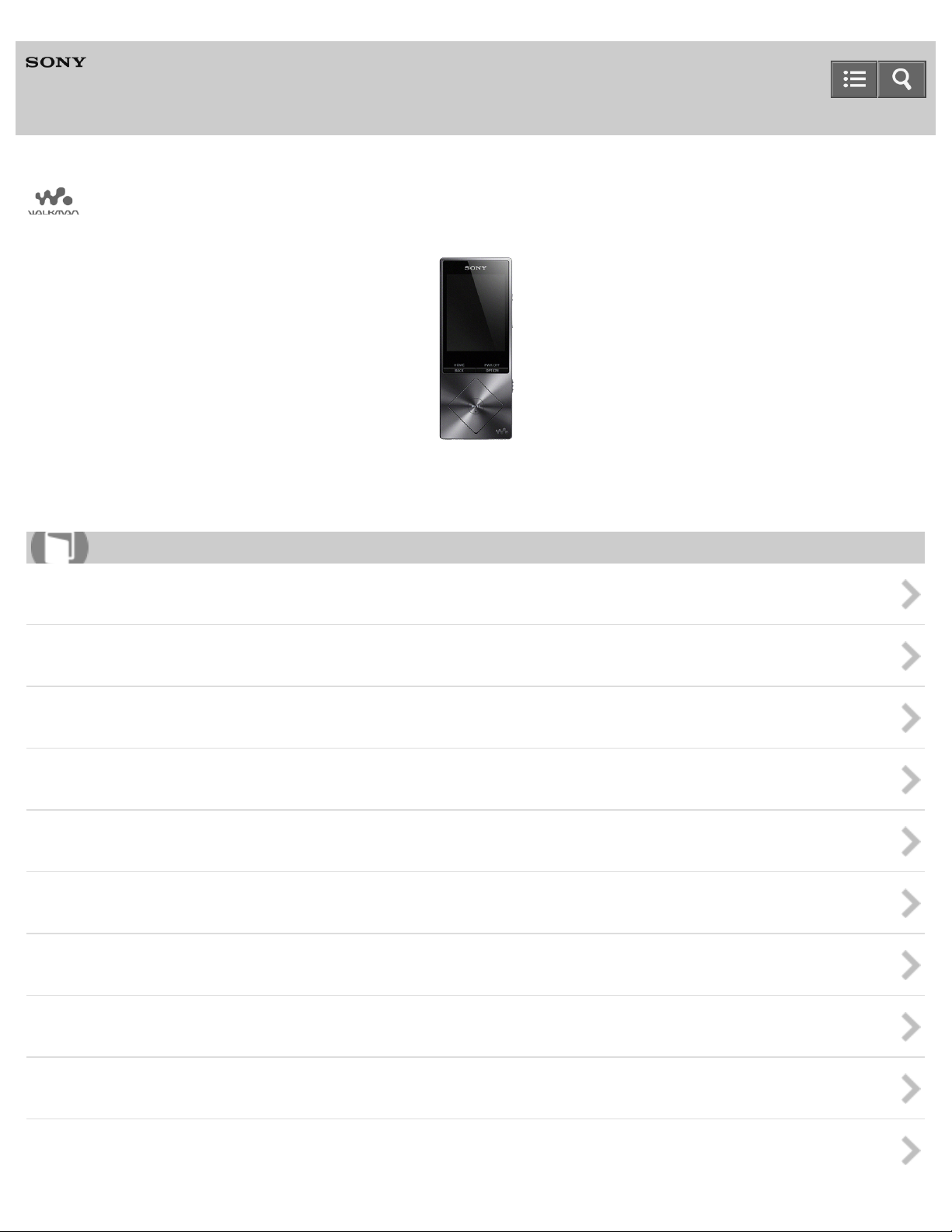
Digital Media Player
NW-A25/A25HN/A26HN/A27HN
Use this manual when you have troubles or when you need to know how to use your WALKMAN®.
How to Use
Getting Started
Basic Operations
Transferring/Deleting Content
Music
Photos/Videos/Podcasts
FM Radio
microSD Card
Noise Canceling
Bluetooth
NFC
Page 2
Settings
Announcement
Specifications
Troubleshooting
Troubleshooting
Q&A
List of Topics
How to Use
Troubleshooting
4-573 -951-11(1)
Copyright 2015 Sony Corporation
Page 3

Table Of Contents
TOC-1
Help Guide NW-A25/A25HN/A26HN/A27HN i..................................................................................
Getting Started 1...............................................................................................................................
Customer registration website 100..............................................................................................
Before Use 28..............................................................................................................................
Before first use 101................................................................................................................
Walkman instruction manuals 103.........................................................................................
How to use the operating explanations 104...........................................................................
Enjoying Using Your Walkman 29...............................................................................................
3 steps to listening to music 105............................................................................................
Various ways to enjoy using your Walkman 107...................................................................
Parts and Controls 30..................................................................................................................
Parts and controls 108...........................................................................................................
Changing the earbuds 110....................................................................................................
Attaching the clip 111............................................................................................................
Power/Charging 31......................................................................................................................
Turning the power on 112......................................................................................................
Turning the power off 113......................................................................................................
Using the HOLD switch 114...................................................................................................
Charging the battery 115.......................................................................................................
Charging in the battery care mode 116.................................................................................
Extending the battery life 117................................................................................................
Notes on charging the battery 118.........................................................................................
Basic Operations 2............................................................................................................................
Transferring/Deleting Content 3........................................................................................................
Operation Flow for Transferring Content to Your Walkman 38...................................................
Preparing content using a Windows computer 145...............................................................
Preparing content using a Mac computer 146.......................................................................
Installing Media Go 39.................................................................................................................
About Media Go 147..............................................................................................................
Installing Media Go 148.........................................................................................................
Installing Content Transfer 40.....................................................................................................
About Content Transfer 149..................................................................................................
Installing Content Transfer 150..............................................................................................
Importing Content to the Software 41..........................................................................................
Importing and transferring content from media using Media Go 151.....................................
Importing content on your Windows computer into Media Go 153........................................
Importing podcasts into Media Go 154..................................................................................
Transferring Content to Your Walkman 42..................................................................................
Page 4

Transferring content using Media Go 155.............................................................................
TOC-2
Transferring iTunes content using Media Go 156..................................................................
Transferring content using Content Transfer 157..................................................................
Transferring content using Explorer 158................................................................................
Transferring content using the Finder 160.............................................................................
Notes for transferring content such as music from your computer 162.................................
Deleting Content from Your Walkman 43....................................................................................
Deleting content from your Walkman using Media Go 164...................................................
Deleting content from your Walkman using Content Transfer 165........................................
Deleting content received from a Bluetooth connection 166.................................................
Deleting content from your Walkman using Explorer 167......................................................
Deleting content from your Walkman using the Finder 168...................................................
Operating with Media Go 44........................................................................................................
Playing live albums with no gaps in between songs 169.......................................................
Deleting content imported to Media Go 170..........................................................................
Inputting the lyrics information using Media Go 171..............................................................
Music 4..............................................................................................................................................
Playing Music 45.........................................................................................................................
Deleting songs 183......................................................................................................................
Using Bookmarks 47...................................................................................................................
Displaying Lyrics 48.....................................................................................................................
SensMe™ Channels 49.................................................................................................................
Music Settings 50........................................................................................................................
Photos/Videos/Podcasts 5.................................................................................................................
Viewing Photos 52.......................................................................................................................
Watching Videos 53.....................................................................................................................
Playing Podcasts 54....................................................................................................................
Photo Settings 55........................................................................................................................
Video Settings 56........................................................................................................................
FM Radio 6........................................................................................................................................
Listening to FM Radio 57.............................................................................................................
FM Radio Settings 58..................................................................................................................
microSD Card 59...............................................................................................................................
Inserting a microSD card 124......................................................................................................
Removing a microSD card 126....................................................................................................
Selecting the memory to use 128................................................................................................
Formatting a microSD card 123...................................................................................................
Notes on microSD cards 129.......................................................................................................
Noise Canceling 8.............................................................................................................................
Using the Noise Canceling Function 60......................................................................................
Page 5

Noise Canceling Settings 61.......................................................................................................
TOC-3
Bluetooth 9........................................................................................................................................
What Is the Bluetooth Function? 62............................................................................................
Connecting with Bluetooth Audio Devices 63..............................................................................
Listening to sound using a Bluetooth audio device 268..............................................................
Sending/Receiving Content via a Bluetooth Connection 65........................................................
Information of Bluetooth Audio Devices 66.................................................................................
Bluetooth Settings 67..................................................................................................................
Notes on the Bluetooth function 286...........................................................................................
NFC 10..............................................................................................................................................
What is the NFC function? 288....................................................................................................
Connecting with One Touch (NFC) 70........................................................................................
Making a Bluetooth connection using the NFC function 265.................................................
Settings 11.........................................................................................................................................
Music Settings 71........................................................................................................................
Photo Settings 73........................................................................................................................
Video Settings 74........................................................................................................................
FM Radio Settings 75..................................................................................................................
Noise Canceling Settings 76.......................................................................................................
Bluetooth Settings 77..................................................................................................................
Alarm/Sleep Timer Settings 78....................................................................................................
Selecting Headphones 79...........................................................................................................
Common Settings 80...................................................................................................................
Language Settings 82..................................................................................................................
Announcement 12.............................................................................................................................
Precautions 83.............................................................................................................................
Customer support website 307....................................................................................................
Specifications 85...............................................................................................................................
Specifications 308.......................................................................................................................
Battery life 310.............................................................................................................................
Maximum recordable number of songs and time (Approx.) 312..................................................
Maximum recordable time of videos (Approx.) 314.....................................................................
Supported formats 315................................................................................................................
System requirements 318............................................................................................................
Contents 319...............................................................................................................................
Troubleshooting 14............................................................................................................................
What Can I Do to Solve a Problem? 86.......................................................................................
Q&A 15..............................................................................................................................................
Operation 87................................................................................................................................
Sound 88.....................................................................................................................................
Page 6

Power 89.....................................................................................................................................
TOC-4
Connection to a Computer 90......................................................................................................
Displaying/Playing/Deleting Content 91......................................................................................
FM Radio 93................................................................................................................................
Bluetooth 94................................................................................................................................
NFC 95........................................................................................................................................
Noise Canceling 96.....................................................................................................................
microSD Card 97.........................................................................................................................
Other 98.......................................................................................................................................
Message 99.................................................................................................................................
How to Use 16...................................................................................................................................
Troubleshooting 24............................................................................................................................
Page 7
Help Guide
1
How to Use
Digital Media Player
NW-A25/A25HN/A26HN/A27HN
Getting Started
Customer Registration Website
Before Use
Enjoying Using Your Walkman
Parts and Controls
Power/Charging
Initial Settings
4-573 -951-11(1)
Copyright 2015 Sony Corporation
Page 8
Help Guide
2
How to Use
Digital Media Player
NW-A25/A25HN/A26HN/A27HN
Basic Operations
microSD Card
Home Menu/Option Menu
Connecting Your Walkman to Your Computer
Initializing/Updating
Using the Contents
4-573 -951-11(1)
Copyright 2015 Sony Corporation
Page 9
Help Guide
3
How to Use
Digital Media Player
NW-A25/A25HN/A26HN/A27HN
Transferring/Deleting Content
Operation Flow for Transferring Content to Your Walkman
Installing Media Go
Installing Content Transfer
Importing Content to the Software
Transferring Content to Your Walkman
Deleting Content from Your Walkman
Operating with Media Go
4-573 -951-11(1)
Copyright 2015 Sony Corporation
Page 10
Help Guide
4
How to Use
Digital Media Player
NW-A25/A25HN/A26HN/A27HN
Music
Playing Music
Deleting Songs
Using Bookmarks
Displaying Lyrics
SensMe™ Channels
Music Settings
4-573 -951-11(1)
Copyright 2015 Sony Corporation
Page 11
Help Guide
5
How to Use
Digital Media Player
NW-A25/A25HN/A26HN/A27HN
Photos/Videos/Podcasts
Viewing Photos
Watching Videos
Playing Podcasts
Photo Settings
Video Settings
4-573 -951-11(1)
Copyright 2015 Sony Corporation
Page 12
Help Guide
6
How to Use
Digital Media Player
NW-A25/A25HN/A26HN/A27HN
FM Radio
Listening to FM Radio
FM Radio Settings
4-573 -951-11(1)
Copyright 2015 Sony Corporation
Page 13
Help Guide
7
How to Use
Digital Media Player
NW-A25/A25HN/A26HN/A27HN
microSD Card
microSD Card
4-573 -951-11(1)
Copyright 2015 Sony Corporation
Page 14
Help Guide
8
How to Use
Digital Media Player
NW-A25/A25HN/A26HN/A27HN
Noise Canceling
Using the Noise Canceling Function
Noise Canceling Settings
4-573 -951-11(1)
Copyright 2015 Sony Corporation
Page 15
Help Guide
9
How to Use
Digital Media Player
NW-A25/A25HN/A26HN/A27HN
Bluetooth
What Is the Bluetooth Function?
Connecting with Bluetooth Audio Devices
Listening to Sound Using a Bluetooth Audio Device
Sending/Receiving Content via a Bluetooth Connection
Information of Bluetooth Audio Devices
Bluetooth Settings
Notes on the Bluetooth Function
4-573 -951-11(1)
Copyright 2015 Sony Corporation
Page 16
Help Guide
10
How to Use
Digital Media Player
NW-A25/A25HN/A26HN/A27HN
NFC
What Is the NFC Function?
Connecting with One Touch (NFC)
4-573 -951-11(1)
Copyright 2015 Sony Corporation
Page 17
Help Guide
11
How to Use
Digital Media Player
NW-A25/A25HN/A26HN/A27HN
Settings
Music Settings
Photo Settings
Video Settings
FM Radio Settings
Noise Canceling Settings
Bluetooth Settings
Alarm/Sleep Timer Settings
Selecting Headphones
Common Settings
Language Settings
4-573 -951-11(1)
Copyright 2015 Sony Corporation
Page 18
Help Guide
12
How to Use
Digital Media Player
NW-A25/A25HN/A26HN/A27HN
Announcement
Precautions
Customer Support Website
4-573 -951-11(1)
Copyright 2015 Sony Corporation
Page 19
Help Guide
13
How to Use
Digital Media Player
NW-A25/A25HN/A26HN/A27HN
Specifications
Specifications
4-573 -951-11(1)
Copyright 2015 Sony Corporation
Page 20
Help Guide
14
Troubleshooting
Digital Media Player
NW-A25/A25HN/A26HN/A27HN
Troubleshooting
What Can I Do to Solve a Problem?
4-573 -951-11(1)
Copyright 2015 Sony Corporation
Page 21
Help Guide
15
Troubleshooting
Digital Media Player
NW-A25/A25HN/A26HN/A27HN
Q&A
Operation
Sound
Power
Connection to a Computer
Displaying/Playing/Deleting Content
FM Radio
Bluetooth
NFC
Noise Canceling
microSD Card
Other
Message
4-573 -951-11(1)
Copyright 2015 Sony Corporation
Page 22
Help Guide
16
List of Topics
Digital Media Player
NW-A25/A25HN/A26HN/A27HN
How to Use
Ge tt ing St arte d
Cust om e r Re gist ra tion We bsit e
Customer registration website
Be fore U se
Before first use
Walkman instruction manuals
How to use the operating explanations
Enjoying U sing Y our Walk ma n
3 steps to listening to music
Various ways to enjoy using your Walkman
Pa rt s a nd Cont rols
Parts and controls
Changing the earbuds
Attaching the clip
Pow e r/Cha rging
Turning the power on
Turning the power off
Using the HOLD switch
Charging the battery
Charging in the battery care mode
Extending the battery life
Notes on charging the battery
Init ia l Se tt ings
Selecting the display language
Setting the date and time
Setting the date display format
Setting the time display format
Formatting a microSD card
Ba sic Ope ra tions
mic roSD Ca rd
Page 23

Inserting a microSD card
Removing a microSD card
17
Selecting the memory to use
Formatting a microSD card
Notes on microSD cards
Hom e M enu/Opt ion Me nu
Home menu
How to use the Home menu
How to use the option menu
List of icons displayed in the information area
Conne c ting Y our Wa lk ma n to Y our Com put er
Connecting to a computer
Notes on connecting your Walkman to a computer
Init ia lizing/U pda t ing
Restarting your Walkman
Resetting to the factory settings
Formatting memory
Updating the system software of your Walkman
Displaying your Walkman information
Using the Cont ent s
Changing the earbuds
Attaching the clip
Tra nsfe rring/De le ting Cont ent
Ope ra tion Flow for T ra nsferring Cont e nt t o Your Wa lk ma n
Preparing content using a Windows computer
Preparing content using a Mac computer
Inst a lling Me dia Go
About Media Go
Installing Media Go
Inst a lling Cont ent T ra nsfer
About Content Transfer
Installing Content Transfer
Im porting Cont ent to t he Softw a re
Importing and transferring content from media using Media Go
Importing content on your Windows computer into Media Go
Importing podcasts into Media Go
Tra nsfe rring Conte nt t o Y our Walk man
Transferring content using Media Go
Transferring iTunes content using Media Go
Transferring content using Content Transfer
Page 24

Transferring content using Explorer
Transferring content using the Finder
18
Notes for transferring content such as music from your computer
De le ting Cont e nt from Y our Wa lk ma n
Deleting content from your Walkman using Media Go
Deleting content from your Walkman using Content Transfer
Deleting content received from a Bluetooth connection
Deleting content from your Walkman using Explorer
Deleting content from your Walkman using the Finder
Ope ra ting w ith M e dia Go
Playing live albums with no gaps in between songs
Deleting content imported to Media Go
Inputting the lyrics information using Media Go
Music
Pla ying M usic
Preparing music
Playing music
Browsing the music list screen
Volume operation (Only for countries/areas complying with European and Korean Directives)
Browsing the music playback screen
Music playback operations
Searching for songs
Playing playlist songs
Choosing an album from the cover art images
De le ting Songs
Deleting songs
Using Book ma rk s
What is the bookmark function?
Adding a song to a bookmark list
Changing the default bookmark list
Changing the order of bookmarked songs
Removing songs from a bookmark list
Displaying Lyric s
What is the Display Lyrics function?
Adding lyrics to songs
Making lyrics information in a text file
Displaying lyrics
Se nsM e™ Cha nne ls
What is SensMe™ Channels?
Playing songs using SensMe™ Channels
Page 25

Analyzing songs on your Walkman
Music Se tt ings
19
Shuffle playback
Repeat playback
Setting the playback range
Upscaling compressed audio to quality almost that of High-Resolution Audio
Enjoying various sound quality
Setting the sound quality easily with a single operation
Customizing sound quality settings
Presetting your equalizer settings
Moderating the differences in volume level between songs
Optimizing the sound characteristics
Selecting the album display format
Phot os/V ide os/Podc ast s
Vie w ing Photos
Preparing photos
Viewing photos
Browsing the photo screen
Operations on the photo screen
Deleting photos
Wa tc hing V ideos
Preparing videos
Watching videos
Browsing the video playback screen
Operations on the video playback screen
Searching for videos
Browsing scenes from thumbnails
Deleting videos
Pla ying Podca st s
What is a podcast?
Preparing podcasts
Playing podcasts
Browsing the podcast playback screen
Operations for audio podcast playback
Operations for video podcast playback
Deleting podcast episodes
Phot o Se tt ings
Selecting how the photo list is displayed
Vide o Set tings
Displaying a video to match the screen size
Page 26

Playing only the sound of a video
Playing videos continually
20
Changing the order of videos
FM Ra dio
List ening t o FM Ra dio
Listening to FM radio
Browsing the FM radio screen
FM radio operations
Presetting broadcast stations automatically
Presetting broadcast stations manually
Deleting preset broadcast stations
FM Ra dio Se ttings
Changing the FM radio scan sensitivity
Setting monaural/auto for FM radio
mic roSD Ca rd
mic roSD Ca rd
Inserting a microSD card
Removing a microSD card
Selecting the memory to use
Formatting a microSD card
Notes on microSD cards
Noise Ca nc eling
Using the N oise Canc eling Func tion
What is noise canceling?
Noise canceling compatible headphones
Selecting headphones
Using noise canceling
Reducing noise to create a quiet environment
Notes for using the noise canceling function
Noise Canc eling Se t tings
Selecting a noise canceling environment
Adjusting noise canceling
Blue toot h
Wha t I s t he Blue toot h Func t ion?
What is the Bluetooth function?
What can your Walkman do with the Bluetooth function?
What is pairing?
Page 27

Conne c ting w it h Blue toot h Audio De vic es
Steps to use Bluetooth connection
21
Pairing and connecting with a Bluetooth audio device
Connecting with a paired Bluetooth audio device
Making a Bluetooth connection using the NFC function
Disconnecting a Bluetooth audio device
List ening t o Sound U sing a Blue t oot h Audio Devic e
Listening to sound using a Bluetooth audio device
Se nding/Re ce iving Cont ent via a Blue t oot h Conne ct ion
Steps to transfer content via a Bluetooth connection
Sending content via a Bluetooth connection
Receiving content via a Bluetooth connection
Playing content received via a Bluetooth connection
Deleting content received via a Bluetooth connection
Entering a passkey to make a Bluetooth connection
Inform at ion of Bluet oot h Audio De vice s
Displaying the pairing information of Bluetooth audio devices
Deleting the pairing information of Bluetooth audio devices
Blue toot h Se ttings
Setting automatic Bluetooth connection at startup
Setting wireless playback quality
Setting sound effects during a Bluetooth connection
Displaying Bluetooth information on your Walkman
Not es on t he Bluet oot h Func tion
Notes on the Bluetooth function
NFC
Wha t I s t he N FC Func tion?
What is the NFC function?
Conne c ting w it h One T ouc h (N FC)
Making a Bluetooth connection using the NFC function
Se tt ings
Music Se tt ings
Shuffle playback
Repeat playback
Setting the playback range
Upscaling compressed audio to quality almost that of High-Resolution Audio
Setting the sound quality easily with a single operation
Customizing sound quality settings
Presetting your equalizer settings
Page 28

Moderating the differences in volume level between songs
Changing the default bookmark list
22
Selecting the album display format
Displaying lyrics
Phot o Se tt ings
Selecting how the photo list is displayed
Vide o Set tings
Displaying a video to match the screen size
Playing only the sound of a video
Playing videos continually
Changing the order of videos
FM Ra dio Se ttings
Changing the FM radio scan sensitivity
Setting monaural/auto for FM radio
Noise Canc eling Se t tings
Selecting a noise canceling environment
Adjusting noise canceling
Blue toot h Se ttings
Setting automatic Bluetooth connection at startup
Setting wireless playback quality
Setting sound effects during a Bluetooth connection
Displaying Bluetooth information on your Walkman
Deleting content received via a Bluetooth connection
Ala rm /Slee p T im er Set tings
Setting the alarm to on/off
Setting the alarm time
Setting a song as the alarm sound
Setting the sleep timer
Se le ct ing H e adphone s
Selecting headphones
Optimizing the sound characteristics
Com mon Se tt ings
Displaying your Walkman information
Limiting the volume
Setting the operation sound
Setting the screen off timer
Adjusting the screen brightness
Setting a photo as wallpaper
Setting the date and time
Setting the date display format
Setting the time display format
Page 29

Charging in the battery care mode
Resetting to the factory settings
23
Formatting memory
Rebuilding the library manually
Using USB connection mode
La ngua ge Se tt ings
Selecting the display language
Announc eme nt
Pre ca ut ions
Notes on handling your Walkman
Notes on headphones
Notes on the software
Maintenance of your Walkman
Cust om e r Support We bsit e
Customer support website
Spe cific a tions
Spe cific at ions
Specifications
Battery life
Maximum recordable number of songs and time (Approx.)
Maximum recordable time of videos (Approx.)
Supported formats
System requirements
Contents
4-573 -951-11(1)
Copyright 2015 Sony Corporation
Page 30
Help Guide
24
List of Topics
Digital Media Player
NW-A25/A25HN/A26HN/A27HN
Troubleshooting
Troubleshoot ing
Wha t Can I Do t o Solve a Problem ?
What can I do to solve a problem?
Customer support website
Q& A
Ope ra tion
Your Walkman does not operate or the power does not turn on.
Your Walkman does not work properly.
Your Walkman power turns off or on automatically.
You want your Walkman screen to stay on longer before it turns off automatically.
The date and time have been reset.
A drink (water, coffee, etc.) was spilled on your Walkman, or the Walkman was washed in the washing machine.
The earbuds supplied with the headphones are missing.
You want to back up the content such as music stored on your Walkman.
You want to find the product name (model name) of your Walkman.
An alarm (beep) is heard and the message [Check the volume level] is displayed.
Sound
There is no sound.
Content such as music suddenly stops during playback.
Noise is generated.
Volume cannot be turned up, or the volume remains low when the playback volume is turned up.
Sound can only be heard from one side of the headphones.
Sound is interrupted or skips.
Sound is interrupted between songs.
The sound effect settings do not seem to have any effect.
Pow e r
You cannot charge your Walkman.
How long is the life of the built-in rechargeable battery?
The rechargeable battery needs to be replaced.
The battery life is short.
How long is the standard battery duration?
Page 31

How long does it take to charge the battery?
You cannot hear sound from the Bluetooth audio device.
25
The battery runs out fast when you turn on the battery care mode.
Conne c tion t o a Com put er
The computer does not recognize your Walkman.
The computer does not recognize a microSD card inserted in your Walkman.
Even if you use “Safely Remove Hardware” on the computer, [Connected USB (Storage in use: system storage)] or [Connected
USB (Storage in use: SD card)] remains displayed on your Walkman screen.
You cannot install software to your computer.
The progress bar on the install screen does not proceed while installing the software.
Your Walkman is not recognized by Media Go.
Content such as music cannot be transferred from the computer to your Walkman.
Displaying/Pla ying/De le ting Cont ent
You cannot play content such as music transferred to your Walkman.
Songs are not played back in the expected order.
Content such as music suddenly stops during playback.
Playback progresses to the next album when repeat playback is set.
Songs are only played within a limited range such as within one album.
You cannot stop playback.
Songs are not displayed in the order they were transferred in.
Sound is interrupted between songs.
The content such as music is displayed repeatedly.
The same song is displayed repeatedly in an album.
Thumbnails such as cover art are not displayed.
Lyrics are not displayed.
[ □ ] is displayed in the screen.
[Unknown] is displayed for the album name or artist name.
You cannot delete content such as music using the Walkman functions.
You cannot play a podcast episode.
You cannot continually play podcast episodes.
You cannot register podcasts to a bookmark list.
You cannot find your desired channel.
[Morning] is always displayed for the time-based channel.
Unsuitable songs for selected time-based channels are played.
Audio podcasts are not played by SensMe™ Channels.
FM Ra dio
You cannot hear FM radio broadcasts.
There is a lot of noise in an FM radio broadcast and the sound quality is poor.
Blue toot h
Pairing cannot be done.
You cannot connect via the Bluetooth function.
The screen to enter the passkey appears when pairing with a Bluetooth device.
Page 32

You cannot operate your Walkman from a Bluetooth audio device.
26
Sound skips or noise is generated during a Bluetooth connection.
Sound effects do not seem to have any effect when listening to sound via a Bluetooth audio device.
Video sound is delayed when listening to sound via a Bluetooth audio device.
You cannot display or delete content such as music received using the Bluetooth function.
The cover art of a song received using the Bluetooth function is not displayed.
NFC
You cannot connect with one touch (NFC).
Noise Canc eling
The noise canceling function is not effective.
You want to use the noise canceling function with headphones other than noise canceling headphones compatible with your
Walkman.
mic roSD Ca rd
Your Walkman does not recognize a microSD card that is inserted.
The computer does not recognize a microSD card inserted in your Walkman.
Ot he r
Your Walkman gets warm.
Me ssa ge
Message list
4-573 -951-11(1)
Copyright 2015 Sony Corporation
Page 33
Help Guide
27
How to Use
Digital Media Player
NW-A25/A25HN/A26HN/A27HN
Customer Registration Website
Customer registration website
View information on websites where you can register your Walkman.
4-573 -951-11(1)
Copyright 2015 Sony Corporation
Page 34
Help Guide
28
How to Use
Digital Media Player
NW-A25/A25HN/A26HN/A27HN
Before Use
Before first use
Be sure to read this manual before you use your Walkman for the first time.
Walkman instruction manuals
There are a wide variety of instruction manuals available in addition to this Help Guide.
How to use the operating explanations
This section explains how the operating explanations are written in this Help Guide.
4-573 -951-11(1)
Copyright 2015 Sony Corporation
Page 35
Help Guide
29
How to Use
Digital Media Player
NW-A25/A25HN/A26HN/A27HN
Enjoying Using Your Walkman
3 steps to listening to music
This section explains how you can start enjoying using your Walkman after purchase in three simple steps.
Various ways to enjoy using your Walkman
Your Walkman can do more than simply play back music. Get to know more about various ways you can enjoy using the
Walkman.
4-573 -951-11(1)
Copyright 2015 Sony Corporation
Page 36
Help Guide
30
How to Use
Digital Media Player
NW-A25/A25HN/A26HN/A27HN
Parts and Controls
Parts and controls
This section introduces the functions of buttons, jacks, and other parts of your Walkman.
Changing the earbuds
You can change the earbuds if the initially installed earbuds do not fit your ears correctly.
Attaching the clip
Using the clip may reduce noise from the cord rubbing against your clothes.
4-573 -951-11(1)
Copyright 2015 Sony Corporation
Page 37
Help Guide
31
How to Use
Digital Media Player
NW-A25/A25HN/A26HN/A27HN
Power/Charging
Turning the power on
Turn on the power to start your Walkman.
Turning the power off
Turn off the power when not using your Walkman.
Using the HOLD switch
You can use the HOLD switch to prevent the buttons from being pressed and operated accidentally.
Charging the battery
Charge your Walkman by connecting it to a computer.
Charging in the battery care mode
In the [Battery Care] mode, your Walkman stops charging at about 90 % of the full charge, reducing deterioration of the
battery.
Extending the battery life
This section introduces various ways to reduce battery consumption such as frequently turning the power off and changing
various settings.
Notes on charging the battery
This section contains various notes about charging your Walkman.
4-573 -951-11(1)
Copyright 2015 Sony Corporation
Page 38
Help Guide
32
How to Use
Digital Media Player
NW-A25/A25HN/A26HN/A27HN
Initial Settings
Selecting the display language
This section explains how to set the language for menus and messages.
Setting the date and time
Set the date and time when you purchase a new Walkman, or if you have not used your Walkman for a prolonged period and
the date and time have been reset.
Setting the date display format
You can change the date format for displaying the current date.
Setting the time display format
You can change the time format for displaying the current time.
Formatting a microSD card
Format a microSD card (not supplied) and delete all data stored on it. The folder structure is also reset to its default status.
4-573 -951-11(1)
Copyright 2015 Sony Corporation
Page 39
Help Guide
33
How to Use
Digital Media Player
NW-A25/A25HN/A26HN/A27HN
microSD Card
Inserting a microSD card
This section explains how to insert a microSD card into your Walkman.
Removing a microSD card
This section explains how to remove a microSD card from your Walkman.
Selecting the memory to use
Select the memory to use from [System Storage] or [SD Card].
Formatting a microSD card
Format a microSD card (not supplied) and delete all data stored on it. The folder structure is also reset to its default status.
Notes on microSD cards
This section contains notes on microSD cards.
4-573 -951-11(1)
Copyright 2015 Sony Corporation
Page 40
Help Guide
34
How to Use
Digital Media Player
NW-A25/A25HN/A26HN/A27HN
Home Menu/Option Menu
Home menu
View the list of items in the Home menu.
How to use the Home menu
This section explains the basic operations of the Home menu, which is the starting point of each function.
How to use the option menu
Display the option menu to change the settings of each function.
List of icons displayed in the information area
A list of the icons displayed on your Walkman is shown.
4-573 -951-11(1)
Copyright 2015 Sony Corporation
Page 41
Help Guide
35
How to Use
Digital Media Player
NW-A25/A25HN/A26HN/A27HN
Connecting Your Walkman to Your Computer
Connecting to a computer
Connect your Walkman to a computer via USB to charge the Walkman or transfer data.
Notes on connecting your Walkman to a computer
This section contains notes on connecting your Walkman to a computer.
4-573 -951-11(1)
Copyright 2015 Sony Corporation
Page 42
Help Guide
36
How to Use
Digital Media Player
NW-A25/A25HN/A26HN/A27HN
Initializing/Updating
Restarting your Walkman
Restart your Walkman if operations become unstable.
Resetting to the factory settings
Reset your Walkman to the default settings.
Formatting memory
Initialize your Walkman by formatting the memory.
Updating the system software of your Walkman
Add new features to your Walkman by installing the latest system software.
Displaying your Walkman information
Display information on your Walkman, such as the model name and system software version.
4-573 -951-11(1)
Copyright 2015 Sony Corporation
Page 43
Help Guide
37
How to Use
Digital Media Player
NW-A25/A25HN/A26HN/A27HN
Using the Contents
Changing the earbuds
You can change the earbuds if the initially installed earbuds do not fit your ears correctly.
Attaching the clip
Using the clip may reduce noise from the cord rubbing against your clothes.
4-573 -951-11(1)
Copyright 2015 Sony Corporation
Page 44
Help Guide
38
How to Use
Digital Media Player
NW-A25/A25HN/A26HN/A27HN
Operation Flow for Transferring Content to Your Walkman
Preparing content using a Windows computer
Installing the latest version of Media Go, available on the Internet, enables you to import CDs, download and manage content
from online music services, and transfer them to the Walkman.
Preparing content using a Mac computer
Installing the latest version of Content Transfer, available on the Internet, enables you to transfer content to the Walkman.
4-573 -951-11(1)
Copyright 2015 Sony Corporation
Page 45
Help Guide
39
How to Use
Digital Media Player
NW-A25/A25HN/A26HN/A27HN
Installing Media Go
About Media Go
Media Go is software that allows you to import various content to your Windows computer, manage the content and transfer it
to your Walkman.
Installing Media Go
Connect your Walkman to your Windows computer and install Media Go.
4-573 -951-11(1)
Copyright 2015 Sony Corporation
Page 46
Help Guide
40
How to Use
Digital Media Player
NW-A25/A25HN/A26HN/A27HN
Installing Content Transfer
About Content Transfer
Content Transfer is software that allows you to transfer content managed with iTunes or the Finder to your Walkman.
Installing Content Transfer
Connect your Walkman to your Mac computer and install Content Transfer.
4-573 -951-11(1)
Copyright 2015 Sony Corporation
Page 47
Help Guide
41
How to Use
Digital Media Player
NW-A25/A25HN/A26HN/A27HN
Importing Content to the Software
Importing and transferring content from media using Media Go
This section explains how to import and transfer music from CDs using Media Go.
Importing content on your Windows computer into Media Go
You can organize a wide range of content such as music that you have already imported to your Windows computer using
other software together using Media Go.
Importing podcasts into Media Go
Media Go has a wide range of podcast functions, and you can use Media Go to manage your podcast subscriptions.
4-573 -951-11(1)
Copyright 2015 Sony Corporation
Page 48
Help Guide
42
How to Use
Digital Media Player
NW-A25/A25HN/A26HN/A27HN
Transferring Content to Your Walkman
Transferring content using Media Go
Use Media Go to transfer content or playlists that are also managed on your computer to your Walkman.
Transferring iTunes content using Media Go
Use Media Go to transfer content on your computer or managed with iTunes to your Walkman.
Transferring content using Content Transfer
Use Content Transfer to transfer content or playlists on your Mac computer or managed with iTunes to your Walkman.
Transferring content using Explorer
Use drag -and-drop in Windows Explorer to directly transfer content to your Walkman.
Transferring content using the Finder
Use drag -and-drop in the Finder to directly transfer content to your Walkman.
Notes for transferring content such as music from your computer
When transferring files and folders to your Walkman by drag -and-drop, you need to make sure that the default folder names
remain unchanged and the hierarchy is correct.
4-573 -951-11(1)
Copyright 2015 Sony Corporation
Page 49
Help Guide
43
How to Use
Digital Media Player
NW-A25/A25HN/A26HN/A27HN
Deleting Content from Your Walkman
Deleting content from your Walkman using Media Go
Use Media Go to delete content stored on your Walkman.
Deleting content from your Walkman using Content Transfer
Use Content Transfer to delete content stored on your Walkman.
Deleting content received from a Bluetooth connection
You can delete content received from a Bluetooth connection using your Walkman.
Deleting content from your Walkman using Explorer
Use Windows Explorer to delete content stored on your Walkman.
Deleting content from your Walkman using the Finder
Use the Finder to delete content stored on your Walkman.
4-573 -951-11(1)
Copyright 2015 Sony Corporation
Page 50
Help Guide
44
How to Use
Digital Media Player
NW-A25/A25HN/A26HN/A27HN
Operating with Media Go
Playing live albums with no gaps in between songs
Songs that are recorded continuously on a live or concert album can be played with no gaps in between the songs on your
Walkman.
Deleting content imported to Media Go
Use Media Go to delete content imported to Media Go.
Inputting the lyrics information using Media Go
Input lyrics information using Media Go and display lyrics when playing songs on your Walkman.
4-573 -951-11(1)
Copyright 2015 Sony Corporation
Page 51
4-573 -951-11(1)
Help Guide
45
How to Use
Digital Media Player
NW-A25/A25HN/A26HN/A27HN
Playing Music
Preparing music
You need to transfer music from your computer to your Walkman in order to listen to music on the Walkman.
Playing music
Play music that you transferred from your computer to your Walkman.
Browsing the music list screen
View the song list or album list screen.
Volume operation (Only for countries/areas complying with European and Korean Directives)
An alarm (beep) and a warning [Check the volume level] are meant to protect your ears when you turn the volume up to a level
that is harmful for your ears for the first time.
Browsing the music playback screen
This section explains how to browse the information on the music playback screen.
Music playback operations
Use various operations on the music playback screen.
Searching for songs
You can search for songs using various categories including album, artist, genre and bookmarks.
Playing playlist songs
Playlists (lists of songs to play) created using Media Go can be transferred and played on your Walkman.
Choosing an album from the cover art images
You can choose an album from the cover art images in the music playback screen by registering jacket photos using Media
Go.
Page 52
Help Guide
46
How to Use
Digital Media Player
NW-A25/A25HN/A26HN/A27HN
Deleting Songs
Deleting songs
Delete songs transferred to your Walkman.
4-573 -951-11(1)
Copyright 2015 Sony Corporation
Page 53
Help Guide
47
How to Use
Digital Media Player
NW-A25/A25HN/A26HN/A27HN
Using Bookmarks
What is the bookmark function?
The bookmark function is a useful function that allows you to play just your favorite songs, or rearrange the order in which
songs are played.
Adding a song to a bookmark list
You can add songs to bookmark lists.
Changing the default bookmark list
You can change the bookmark list that is set as the default bookmark list.
Changing the order of bookmarked songs
You can change the order of songs that are registered to a bookmark.
Removing songs from a bookmark list
You can remove one or all songs from a bookmark list.
4-573 -951-11(1)
Copyright 2015 Sony Corporation
Page 54
Help Guide
48
How to Use
Digital Media Player
NW-A25/A25HN/A26HN/A27HN
Displaying Lyrics
What is the Display Lyrics function?
The lyrics are scrolled automatically when you play songs on your Walkman.
Adding lyrics to songs
The preparation that is necessary for displaying lyrics is explained.
Making lyrics information in a text file
You can also make lyrics information in a text file.
Displaying lyrics
The lyrics information added to the song is displayed on your Walkman as the song progresses.
4-573 -951-11(1)
Copyright 2015 Sony Corporation
Page 55
Help Guide
49
How to Use
Digital Media Player
NW-A25/A25HN/A26HN/A27HN
SensMe™ Channels
What is SensMe™ Channels?
SensMe™ Channels is a function that automatically groups songs by theme, and plays them. Play songs according to your
mood, current activity, the time of day, etc.
Playing songs using SensMe™ Channels
Play songs to fit your mood, current activity, the time of day, etc., by selecting a particular channel.
Analyzing songs on your Walkman
Songs that have not been analyzed yet can be analyzed on your Walkman.
4-573 -951-11(1)
Copyright 2015 Sony Corporation
Page 56
Help Guide
50
How to Use
Digital Media Player
NW-A25/A25HN/A26HN/A27HN
Music Settings
Shuffle playback
Play songs in random order.
Repeat playback
Play songs repeatedly.
Setting the playback range
Set the playback range.
Upscaling compressed audio to quality almost that of High-Resolution Audio
The [DSEE HX] function upscales the audio file to quality almost that of High-Resolution Audio quality and reproduces the
clear high-range sound that is often lost.
Enjoying various sound quality
Enjoy music with either the optimum or your desired sound quality settings.
Setting the sound quality easily with a single operation
The [ClearAudio+] function allows you to easily enjoy the audio you are listening to with the optimum sound quality settings.
Customizing sound quality settings
You can use various functions to set the desired sound quality.
Presetting your equalizer settings
You can preset the values of CLEAR BASS and the 5 band equalizer as custom settings.
Moderating the differences in volume level between songs
This function prevents large differences in volume level from occurring when continually playing songs that are recorded at
different levels.
Optimizing the sound characteristics
The [Clear Phase™ ] function optimizes the sound characteristics for the headphones you use. The compatible headphones for
Page 57

this product are MDR-NW750N/MDR-NW750NE.
51
Selecting the album display format
Select the album list display format. The cover art registered in Media Go is displayed in the album list.
4-573 -951-11(1)
Copyright 2015 Sony Corporation
Page 58
Help Guide
52
How to Use
Digital Media Player
NW-A25/A25HN/A26HN/A27HN
Viewing Photos
Preparing photos
You need to transfer photos onto your Walkman from your computer in order to view them on the Walkman.
Viewing photos
You can view photos that you have transferred onto your Walkman.
Browsing the photo screen
This section explains how to view the information displayed on the photo screen.
Operations on the photo screen
You can display the next/previous photo and consecutively display photos in the photo screen.
Deleting photos
You can delete photos that have been transferred onto your Walkman.
4-573 -951-11(1)
Copyright 2015 Sony Corporation
Page 59
Help Guide
53
How to Use
Digital Media Player
NW-A25/A25HN/A26HN/A27HN
Watching Videos
Preparing videos
You need to transfer videos onto your Walkman from your computer in order to view them on the Walkman.
Watching videos
You can watch videos that you have transferred onto your Walkman.
Browsing the video playback screen
This section explains how to view the information displayed on the video playback screen.
Operations on the video playback screen
You can use operations such as playback, fast forward and fast rewind on the video playback screen.
Searching for videos
You can quickly search for and play the desired video from the video playback screen or list screen.
Browsing scenes from thumbnails
You can display thumbnails as a guide for selecting a scene or chapter to play.
Deleting videos
You can delete videos that have been transferred onto your Walkman.
4-573 -951-11(1)
Copyright 2015 Sony Corporation
Page 60
Help Guide
54
How to Use
Digital Media Player
NW-A25/A25HN/A26HN/A27HN
Playing Podcasts
What is a podcast?
A podcast is an audio or video file that is published on the Internet, and is downloaded for playback by using RSS. Software
such as Media Go can be used to register podcasts, download episodes, and transfer the episodes onto your Walkman.
Preparing podcasts
You need to transfer podcasts onto your Walkman from your computer in order to enjoy them on the Walkman.
Playing podcasts
You can play podcast episodes that have been transferred onto your Walkman.
Browsing the podcast playback screen
This section explains how to view the information displayed on the podcast playback screen.
Operations for audio podcast playback
You can use operations such as playback, fast forward and fast rewind on the audio podcast screen.
Operations for video podcast playback
You can use operations such as playback, fast forward and fast rewind on the video podcast screen.
Deleting podcast episodes
You can delete podcast episodes that have been transferred onto your Walkman.
4-573 -951-11(1)
Copyright 2015 Sony Corporation
Page 61
Help Guide
55
How to Use
Digital Media Player
NW-A25/A25HN/A26HN/A27HN
Photo Settings
Selecting how the photo list is displayed
You can select how the photo list is displayed.
4-573 -951-11(1)
Copyright 2015 Sony Corporation
Page 62
Help Guide
56
How to Use
Digital Media Player
NW-A25/A25HN/A26HN/A27HN
Video Settings
Displaying a video to match the screen size
You can change the size of a video being played to match the screen size.
Playing only the sound of a video
You can turn off the video screen, allowing you to enjoy only the sound of a video.
Playing videos continually
You can play videos in the order of the video list.
Changing the order of videos
You can change the order in which videos are displayed in the video list.
4-573 -951-11(1)
Copyright 2015 Sony Corporation
Page 63
Help Guide
57
How to Use
Digital Media Player
NW-A25/A25HN/A26HN/A27HN
Listening to FM Radio
Listening to FM radio
Listen to FM radio on your Walkman.
Browsing the FM radio screen
This section explains how to browse the information on the FM radio screen.
FM radio operations
Select the desired frequency or preset number on the FM radio screen.
Presetting broadcast stations automatically
You can search for and automatically preset up to 30 receivable FM broadcast stations in your area.
Presetting broadcast stations manually
You can manually preset receivable FM broadcast stations.
Deleting preset broadcast stations
You can delete preset FM broadcast stations.
4-573 -951-11(1)
Copyright 2015 Sony Corporation
Page 64
Help Guide
58
How to Use
Digital Media Player
NW-A25/A25HN/A26HN/A27HN
FM Radio Settings
Changing the FM radio scan sensitivity
You can change the scan sensitivity if the FM radio reception sensitivity is too strong, causing many unwanted broadcast
stations to be received.
Setting monaural/auto for FM radio
You can change this setting if noise occurs during FM reception.
4-573 -951-11(1)
Copyright 2015 Sony Corporation
Page 65
Help Guide
59
How to Use
Digital Media Player
NW-A25/A25HN/A26HN/A27HN
microSD Card
Inserting a microSD card
This section explains how to insert a microSD card into your Walkman.
Removing a microSD card
This section explains how to remove a microSD card from your Walkman.
Selecting the memory to use
Select the memory to use from [System Storage] or [SD Card].
Formatting a microSD card
Format a microSD card (not supplied) and delete all data stored on it. The folder structure is also reset to its default status.
Notes on microSD cards
This section contains notes on microSD cards.
4-573 -951-11(1)
Copyright 2015 Sony Corporation
Page 66
Help Guide
60
How to Use
Digital Media Player
NW-A25/A25HN/A26HN/A27HN
Using the Noise Canceling Function
What is noise canceling?
The noise canceling function can reduce unwanted ambient noise, allowing you to enjoy music at a low volume.
Noise canceling compatible headphones
You can check which headphones are compatible with the noise canceling function.
Selecting headphones
The effect of the noise canceling function or the [Clear Phase™ ] function is optimized by selecting the compatible
headphones.
Using noise canceling
You can use the noise canceling function.
Reducing noise to create a quiet environment
You can use the noise canceling effects to reduce external noise even when music or other content is not being played back.
Notes for using the noise canceling function
This section contains notes on the noise canceling function.
4-573 -951-11(1)
Copyright 2015 Sony Corporation
Page 67
Help Guide
61
How to Use
Digital Media Player
NW-A25/A25HN/A26HN/A27HN
Noise Canceling Settings
Selecting a noise canceling environment
By selecting the type of ambient noise, you can apply the most effective noise canceling function for your current environment.
Adjusting noise canceling
You can adjust the sensitivity of the microphone for noise canceling adjustment if you feel that the noise canceling effects are
insufficient.
4-573 -951-11(1)
Copyright 2015 Sony Corporation
Page 68
Help Guide
62
How to Use
Digital Media Player
NW-A25/A25HN/A26HN/A27HN
What Is the Bluetooth Function?
What is the Bluetooth function?
The Bluetooth function is based on short-range wireless technology used in devices such as headphones and mini stereo
music systems to connect digital devices.
What can your Walkman do with the Bluetooth function?
You can listen to music and send/receive files wirelessly.
What is pairing?
The registration between Bluetooth devices is called “pairing.” Once the devices are paired, you can easily connect your
Walkman to the Bluetooth device from the next time onwards using a simple operation.
4-573 -951-11(1)
Copyright 2015 Sony Corporation
Page 69
Help Guide
63
How to Use
Digital Media Player
NW-A25/A25HN/A26HN/A27HN
Connecting with Bluetooth Audio Devices
Steps to use Bluetooth connection
Steps to listen to music stored on your Walkman using the other Bluetooth audio device.
Pairing and connecting with a Bluetooth audio device
To connect with a Bluetooth audio device for the first time, your Walkman needs to be paired with it.
Connecting with a paired Bluetooth audio device
Connect your Walkman to a Bluetooth audio device if they are paired but not connected with each other.
Making a Bluetooth connection using the NFC function
You can pair and connect to a Bluetooth audio device that has the NFC function simply by touching your Walkman to the
device.
Disconnecting a Bluetooth audio device
End the connection between your Walkman and a Bluetooth audio device.
4-573 -951-11(1)
Copyright 2015 Sony Corporation
Page 70
Help Guide
64
How to Use
Digital Media Player
NW-A25/A25HN/A26HN/A27HN
Listening to Sound Using a Bluetooth Audio Device
Listening to sound using a Bluetooth audio device
Once paired and connected, you can listen to sound from your Walkman wirelessly through the Bluetooth audio device.
4-573 -951-11(1)
Copyright 2015 Sony Corporation
Page 71
Help Guide
65
How to Use
Digital Media Player
NW-A25/A25HN/A26HN/A27HN
Sending/Receiving Content via a Bluetooth Connection
Steps to transfer content via a Bluetooth connection
You can transfer content to/from another Bluetooth device. Pairing in advance is not necessary.
Sending content via a Bluetooth connection
You can send content stored on your Walkman to another device via a Bluetooth connection.
Receiving content via a Bluetooth connection
Your Walkman can receive content from a Bluetooth device via a Bluetooth connection.
Playing content received via a Bluetooth connection
You can play content transferred via a Bluetooth connection on your Walkman.
Deleting content received via a Bluetooth connection
You can delete content received by your Walkman via a Bluetooth connection.
Entering a passkey to make a Bluetooth connection
When the screen to enter the passkey is displayed while pairing, check and enter the passkey of the other Bluetooth device.
4-573 -951-11(1)
Copyright 2015 Sony Corporation
Page 72
Help Guide
66
How to Use
Digital Media Player
NW-A25/A25HN/A26HN/A27HN
Information of Bluetooth Audio Devices
Displaying the pairing information of Bluetooth audio devices
Once paired, you can display the pairing information of the connected Bluetooth audio device such as the model name, BD
address, and the profile when connected.
Deleting the pairing information of Bluetooth audio devices
You can delete the pairing information of Bluetooth audio devices.
4-573 -951-11(1)
Copyright 2015 Sony Corporation
Page 73
Help Guide
67
How to Use
Digital Media Player
NW-A25/A25HN/A26HN/A27HN
Bluetooth Settings
Setting automatic Bluetooth connection at startup
You can set your Walkman to connect to a Bluetooth audio device automatically at startup.
Setting wireless playback quality
You can set the stability or the sound quality for a Bluetooth connection.
Setting sound effects during a Bluetooth connection
You can select whether or not to apply sound effects such as [Equalizer] and [Dynamic Normalizer] when you send content
from your Walkman to a Bluetooth audio device.
Displaying Bluetooth information on your Walkman
Display Bluetooth information such as Bluetooth version and profile.
4-573 -951-11(1)
Copyright 2015 Sony Corporation
Page 74
Help Guide
68
How to Use
Digital Media Player
NW-A25/A25HN/A26HN/A27HN
Notes on the Bluetooth Function
Notes on the Bluetooth function
This section contains notes for using Bluetooth connections.
Copyright 2015 Sony Corporation
4-573 -951-11(1)
Page 75
Help Guide
69
How to Use
Digital Media Player
NW-A25/A25HN/A26HN/A27HN
What Is the NFC Function?
What is the NFC function?
This function enables easy data communication between various devices, such as mobile phones and IC tags, simply by
touching the devices together.
4-573 -951-11(1)
Copyright 2015 Sony Corporation
Page 76
Help Guide
70
How to Use
Digital Media Player
NW-A25/A25HN/A26HN/A27HN
Connecting with One Touch (NFC)
Making a Bluetooth connection using the NFC function
You can pair and connect to a Bluetooth audio device that has the NFC function simply by touching your Walkman to the
device.
4-573 -951-11(1)
Copyright 2015 Sony Corporation
Page 77
Help Guide
71
How to Use
Digital Media Player
NW-A25/A25HN/A26HN/A27HN
Music Settings
Shuffle playback
Play songs in random order.
Repeat playback
Play songs repeatedly.
Setting the playback range
Set the playback range.
Upscaling compressed audio to quality almost that of High-Resolution Audio
The [DSEE HX] function upscales the audio file to quality almost that of High-Resolution Audio quality and reproduces the
clear high-range sound that is often lost.
Setting the sound quality easily with a single operation
The [ClearAudio+] function allows you to easily enjoy the audio you are listening to with the optimum sound quality settings.
Customizing sound quality settings
You can use various functions to set the desired sound quality.
Presetting your equalizer settings
You can preset the values of CLEAR BASS and the 5 band equalizer as custom settings.
Moderating the differences in volume level between songs
This function prevents large differences in volume level from occurring when continually playing songs that are recorded at
different levels.
Changing the default bookmark list
You can change the bookmark list that is set as the default bookmark list.
Selecting the album display format
Select the album list display format. The cover art registered in Media Go is displayed in the album list.
Page 78

Displaying lyrics
72
The lyrics information added to the song is displayed on your Walkman as the song progresses.
4-573 -951-11(1)
Copyright 2015 Sony Corporation
Page 79
Help Guide
73
How to Use
Digital Media Player
NW-A25/A25HN/A26HN/A27HN
Photo Settings
Selecting how the photo list is displayed
You can select how the photo list is displayed.
4-573 -951-11(1)
Copyright 2015 Sony Corporation
Page 80
Help Guide
74
How to Use
Digital Media Player
NW-A25/A25HN/A26HN/A27HN
Video Settings
Displaying a video to match the screen size
You can change the size of a video being played to match the screen size.
Playing only the sound of a video
You can turn off the video screen, allowing you to enjoy only the sound of a video.
Playing videos continually
You can play videos in the order of the video list.
Changing the order of videos
You can change the order in which videos are displayed in the video list.
4-573 -951-11(1)
Copyright 2015 Sony Corporation
Page 81
Help Guide
75
How to Use
Digital Media Player
NW-A25/A25HN/A26HN/A27HN
FM Radio Settings
Changing the FM radio scan sensitivity
You can change the scan sensitivity if the FM radio reception sensitivity is too strong, causing many unwanted broadcast
stations to be received.
Setting monaural/auto for FM radio
You can change this setting if noise occurs during FM reception.
4-573 -951-11(1)
Copyright 2015 Sony Corporation
Page 82
Help Guide
76
How to Use
Digital Media Player
NW-A25/A25HN/A26HN/A27HN
Noise Canceling Settings
Selecting a noise canceling environment
By selecting the type of ambient noise, you can apply the most effective noise canceling function for your current environment.
Adjusting noise canceling
You can adjust the sensitivity of the microphone for noise canceling adjustment if you feel that the noise canceling effects are
insufficient.
4-573 -951-11(1)
Copyright 2015 Sony Corporation
Page 83
Help Guide
77
How to Use
Digital Media Player
NW-A25/A25HN/A26HN/A27HN
Bluetooth Settings
Setting automatic Bluetooth connection at startup
You can set your Walkman to connect to a Bluetooth audio device automatically at startup.
Setting wireless playback quality
You can set the stability or the sound quality for a Bluetooth connection.
Setting sound effects during a Bluetooth connection
You can select whether or not to apply sound effects such as [Equalizer] and [Dynamic Normalizer] when you send content
from your Walkman to a Bluetooth audio device.
Displaying Bluetooth information on your Walkman
Display Bluetooth information such as Bluetooth version and profile.
Deleting content received via a Bluetooth connection
You can delete content received by your Walkman via a Bluetooth connection.
4-573 -951-11(1)
Copyright 2015 Sony Corporation
Page 84
Help Guide
78
How to Use
Digital Media Player
NW-A25/A25HN/A26HN/A27HN
Alarm/Sleep Timer Settings
Setting the alarm to on/off
You can set the alarm function to on or off.
Setting the alarm time
You can set the time at which the alarm sounds, repeat settings and alarm sound settings.
Setting a song as the alarm sound
You can select a song from those transferred to your Walkman as the alarm sound.
Setting the sleep timer
You can change the set time of the sleep timer. Your Walkman power switches off automatically at the set time.
4-573 -951-11(1)
Copyright 2015 Sony Corporation
Page 85
Help Guide
79
How to Use
Digital Media Player
NW-A25/A25HN/A26HN/A27HN
Selecting Headphones
Selecting headphones
The effect of the noise canceling function or the [Clear Phase™ ] function is optimized by selecting the compatible
headphones.
Optimizing the sound characteristics
The [Clear Phase™ ] function optimizes the sound characteristics for the headphones you use. The compatible headphones for
this product are MDR-NW750N/MDR-NW750NE.
4-573 -951-11(1)
Copyright 2015 Sony Corporation
Page 86
Help Guide
80
How to Use
Digital Media Player
NW-A25/A25HN/A26HN/A27HN
Common Settings
Displaying your Walkman information
Display information on your Walkman, such as the model name and system software version.
Limiting the volume
You can use AVLS (Automatic Volume Limiter System) to limit the maximum volume.
Setting the operation sound
You can change the operation sounds of your Walkman.
Setting the screen off timer
You can set the time after which the screen is turned off when there are no operations. You can preserve battery power by
setting this to a shorter time.
Adjusting the screen brightness
You can set the screen brightness to one of five levels. You can preserve battery power by setting this to a lower level.
Setting a photo as wallpaper
You can set your desired photo as the wallpaper.
Setting the date and time
Set the date and time when you purchase a new Walkman, or if you have not used your Walkman for a prolonged period and
the date and time have been reset.
Setting the date display format
You can change the date format for displaying the current date.
Setting the time display format
You can change the time format for displaying the current time.
Charging in the battery care mode
In the [Battery Care] mode, your Walkman stops charging at about 90 % of the full charge, reducing deterioration of the
Page 87
battery.
81
Resetting to the factory settings
Reset your Walkman to the default settings.
Formatting memory
Initialize your Walkman by formatting the memory.
Rebuilding the library manually
Rebuild the library of your Walkman to add content stored in [System Storage] or [SD Card] to the library again.
Using USB connection mode
Set your Walkman to USB connection mode (connection standby state) to allow your Walkman to connect via USB more
reliably.
4-573 -951-11(1)
Copyright 2015 Sony Corporation
Page 88
Help Guide
82
How to Use
Digital Media Player
NW-A25/A25HN/A26HN/A27HN
Language Settings
Selecting the display language
This section explains how to set the language for menus and messages.
4-573 -951-11(1)
Copyright 2015 Sony Corporation
Page 89
Help Guide
83
How to Use
Digital Media Player
NW-A25/A25HN/A26HN/A27HN
Precautions
Notes on handling your Walkman
Important information for using your Walkman is explained.
Notes on headphones
Important notes for the headphones are explained.
Notes on the software
Important notes for the software are explained.
Maintenance of your Walkman
Important notes for cleaning your Walkman are explained.
Copyright 2015 Sony Corporation
4-573 -951-11(1)
Page 90
Help Guide
84
How to Use
Digital Media Player
NW-A25/A25HN/A26HN/A27HN
Customer Support Website
Customer support website
Visit the customer support website if you have any questions or issues with your Walkman.
4-573 -951-11(1)
Copyright 2015 Sony Corporation
Page 91
Help Guide
85
How to Use
Digital Media Player
NW-A25/A25HN/A26HN/A27HN
Specifications
Specifications
Details on the Walkman specifications (size, weight, and memory size, etc.) are shown.
Battery life
The battery life when content is played continuously at the default settings is explained.
Maximum recordable number of songs and time (Approx.)
The maximum recordable number of songs and time are explained.
Maximum recordable time of videos (Approx.)
The maximum recordable time of videos is explained.
Supported formats
The file formats that are supported by your Walkman are explained.
System requirements
Details on the system requirements needed to use your Walkman (the operating system version and memory size, etc.) are
shown.
Contents
A list of the supplied items with your Walkman is shown.
4-573 -951-11(1)
Copyright 2015 Sony Corporation
Page 92
Help Guide
86
Troubleshooting
Digital Media Player
NW-A25/A25HN/A26HN/A27HN
What Can I Do to Solve a Problem?
What can I do to solve a problem?
This section contains solutions for when your Walkman does not function as expected or if a problem occurs during operation.
Customer support website
Visit the customer support website if you have any questions or issues with your Walkman.
4-573 -951-11(1)
Copyright 2015 Sony Corporation
Page 93
Help Guide
87
Troubleshooting
Digital Media Player
NW-A25/A25HN/A26HN/A27HN
Operation
Your Walkman does not operate or the power does not turn on.
Your Walkman does not work properly.
Your Walkman power turns off or on automatically.
You want your Walkman screen to stay on longer before it turns off automatically.
The date and time have been reset.
A drink (water, coffee, etc.) was spilled on your Walkman, or the Walkman was washed in the washing machine.
The earbuds supplied with the headphones are missing.
You want to back up the content such as music stored on your Walkman.
You want to find the product name (model name) of your Walkman.
An alarm (beep) is heard and the message [Check the volume level] is displayed.
4-573 -951-11(1)
Copyright 2015 Sony Corporation
Page 94
Help Guide
88
Troubleshooting
Digital Media Player
NW-A25/A25HN/A26HN/A27HN
Sound
There is no sound.
Content such as music suddenly stops during playback.
Noise is generated.
Volume cannot be turned up, or the volume remains low when the playback volume is turned up.
Sound can only be heard from one side of the headphones.
Sound is interrupted or skips.
Sound is interrupted between songs.
The sound effect settings do not seem to have any effect.
4-573 -951-11(1)
Copyright 2015 Sony Corporation
Page 95
Help Guide
89
Troubleshooting
Digital Media Player
NW-A25/A25HN/A26HN/A27HN
Power
You cannot charge your Walkman.
How long is the life of the built-in rechargeable battery?
The rechargeable battery needs to be replaced.
The battery life is short.
How long is the standard battery duration?
How long does it take to charge the battery?
The battery runs out fast when you turn on the battery care mode.
4-573 -951-11(1)
Copyright 2015 Sony Corporation
Page 96
Help Guide
90
Troubleshooting
Digital Media Player
NW-A25/A25HN/A26HN/A27HN
Connection to a Computer
The computer does not recognize your Walkman.
The computer does not recognize a microSD card inserted in your Walkman.
Even if you use “Safely Remove Hardware” on the computer, [Connected USB (Storage in use: system
storage)] or [Connected USB (Storage in use: SD card)] remains displayed on your Walkman screen.
You cannot install software to your computer.
The progress bar on the install screen does not proceed while installing the software.
Your Walkman is not recognized by Media Go.
Content such as music cannot be transferred from the computer to your Walkman.
4-573 -951-11(1)
Copyright 2015 Sony Corporation
Page 97
Help Guide
91
Troubleshooting
Digital Media Player
NW-A25/A25HN/A26HN/A27HN
Displaying/Playing/Deleting Content
You cannot play content such as music transferred to your Walkman.
Songs are not played back in the expected order.
Content such as music suddenly stops during playback.
Playback progresses to the next album when repeat playback is set.
Songs are only played within a limited range such as within one album.
You cannot stop playback.
Songs are not displayed in the order they were transferred in.
Sound is interrupted between songs.
The content such as music is displayed repeatedly.
The same song is displayed repeatedly in an album.
Thumbnails such as cover art are not displayed.
Lyrics are not displayed.
[ □ ] is displayed in the screen.
[Unknown] is displayed for the album name or artist name.
Page 98
You cannot delete content such as music using the Walkman functions.
92
You cannot play a podcast episode.
You cannot continually play podcast episodes.
You cannot register podcasts to a bookmark list.
You cannot find your desired channel.
[Morning] is always displayed for the time-based channel.
Unsuitable songs for selected time-based channels are played.
Audio podcasts are not played by SensMe™ Channels.
4-573 -951-11(1)
Copyright 2015 Sony Corporation
Page 99
Help Guide
93
Troubleshooting
Digital Media Player
NW-A25/A25HN/A26HN/A27HN
FM Radio
You cannot hear FM radio broadcasts.
There is a lot of noise in an FM radio broadcast and the sound quality is poor.
4-573 -951-11(1)
Copyright 2015 Sony Corporation
Page 100
Help Guide
94
Troubleshooting
Digital Media Player
NW-A25/A25HN/A26HN/A27HN
Bluetooth
Pairing cannot be done.
You cannot connect via the Bluetooth function.
The screen to enter the passkey appears when pairing with a Bluetooth device.
You cannot hear sound from the Bluetooth audio device.
You cannot operate your Walkman from a Bluetooth audio device.
Sound skips or noise is generated during a Bluetooth connection.
Sound effects do not seem to have any effect when listening to sound via a Bluetooth audio device.
Video sound is delayed when listening to sound via a Bluetooth audio device.
You cannot display or delete content such as music received using the Bluetooth function.
The cover art of a song received using the Bluetooth function is not displayed.
4-573 -951-11(1)
Copyright 2015 Sony Corporation
 Loading...