

Page 1

MBR-100_Wilbur_UG_P3A_EN.fm Page 1 Friday, March 16, 2007 4:12
P
Bluetooth
™
Music
Receiver MBR-100
English
Language
Language
Language
Page 2

MBR-100_Wilbur_UG_P3A_EN.fm Page 2 Friday, March 16, 2007 4:12
P
Bluetooth™
O
Music Receiver
MBR-100
User Guide
User Guide
User Guide
User Guide
FCC statement
This device complies with Part 15 of the FCC rules. Operation is
subject to the following two conditions: (1) This device may not cause
harmful interference, and (2) This device must accept any interference
received, including interference that may cause undesired operation.
Sony Ericsson MBR-100
This manual is published by Sony Ericsson Mobile Communications
AB, without any warranty. Improvements and changes to this manual
necessitated by typographical errors, inaccuracies of current
information, or improvements to programs and/or equipment, may be
made by Sony Ericsson Mobile Communications AB at any time and
without notice. Such changes will, however, be incorporated into new
editions of this manual. All rights reserved.
©Sony Ericsson Mobile Communications AB, 2007
Publication number: LZT 108 9089/x P3A
Some of the services in this manual are not supported by all networks.
This also applies to the GSM International Emergency Number 112.
Contact your network operator or service provider if you are in doubt
whether you can use a particular service or not.
Bluetooth is a trademark or registered trademark of Bluetooth SIG Inc.
This product is leadfree and halogenfree.
Page 3

MBR-100_Wilbur_UG_P3A_EN.fm Page 3 Friday, March 16, 2007 4:12
P
Introduction
P
Introduction
Introduction
Introduction
Bluetooth™ Music Receiver MBR-100
With the Bluetooth™ Music Receiver MBR-100 you can
enjoy wireless stereo audio from a phone or other device
to your own home stereo equipment. Your phone or other
device should support the following Bluetooth profiles:
• Bluetooth Advanced Audio Distribution.
• Bluetooth Audio/Video Remote Control.
Bluetooth™ Music Receiver MBR-100
With the Bluetooth™ Music Receiver MBR-100 you can
enjoy wireless stereo audio from a phone or other device
to your own home stereo equipment. Your phone or other
device should support the following Bluetooth profiles:
• Bluetooth Advanced Audio Distribution.
• Bluetooth Audio/Video Remote Control.
Bluetooth™ Music Receiver MBR-100
With the Bluetooth™ Music Receiver MBR-100 you can
enjoy wireless stereo audio from a phone or other device
to your own home stereo equipment. Your phone or other
device should support the following Bluetooth profiles:
• Bluetooth Advanced Audio Distribution.
• Bluetooth Audio/Video Remote Control.
Bluetooth™ Music Receiver MBR-100
With the Bluetooth™ Music Receiver MBR-100 you can
enjoy wireless stereo audio from a phone or other device
Page 4

MBR-100_Wilbur_UG_P3A_EN.fm Page 4 Friday, March 16, 2007 4:12
P
to your own home stereo equipment. Your phone or
other device should support the following
Bluetooth profiles:
• Bluetooth Advanced Audio Distribution.
• Bluetooth Audio/Video Remote Control.
Q
Page 5

MBR-100_Wilbur_UG_P3A_EN.fm Page 5 Friday, March 16, 2007 4:12
P
Overview
Overview
Overview
Overview
Indicator light
Indicator light
Indicator light
Indicator light
Power key
Power key
Power key
Power key
Stereo cable connector
Stereo cable connector
Stereo cable connector
Stereo cable connector
Stereo cable
Stereo cable
Stereo cable
Stereo cable
R
Charging connector
Charging connector
Charging connector
Charging connector
Page 6

MBR-100_Wilbur_UG_P3A_EN.fm Page 6 Friday, March 16, 2007 4:12
P
User guide symbols
User guide symbols
User guide symbols
User guide symbols
Press and release
Press and release
Press and release
Press and release
Steady red light
Steady red light
Steady red light
Steady red light
Red flash
Red flash
Red flash
Red flash
Press and hold
Press and hold
Press and hold
Press and hold
Steady green light
Steady green light
Steady green light
Steady green light
Green flash
Green flash
Green flash
Green flash
S
Page 7

MBR-100_Wilbur_UG_P3A_EN.fm Page 7 Friday, March 16, 2007 4:12
P
Charging
Charging
Charging
Charging
First time use: Charge approximately 8 hours.
First time use: Charge approximately 8 hours.
First time use: Charge approximately 8 hours.
First time use: Charge approximately 8 hours.
Charging
Charging
Charging
Charging
Battery needs charging
Battery needs charging
Battery needs charging
Battery needs charging
Fully charged
Fully charged
Fully charged
Fully charged
T
Page 8

MBR-100_Wilbur_UG_P3A_EN.fm Page 8 Friday, March 16, 2007 4:12
P
Adding the music receiver to your phone
U
Adding the music receiver to your phone
Adding the music receiver to your phone
Adding the music receiver to your phone
20 cm
Before you can use your Bluetooth music receiver with
your phone it has to be added once to your phone.
Follow the instructions from the phone User guide on
how to turn on Bluetooth in your phone.
1. Turn on Bluetooth in your phone.
2. Turn on Bluetooth visibility in your phone. This makes
your phone visible to other Bluetooth devices.
3. Prepare the music receiver according to page 13.
Page 9

MBR-100_Wilbur_UG_P3A_EN.fm Page 9 Friday, March 16, 2007 4:12
P
4. Prepare your phone according to the phone User
V
guide on how to add a Bluetooth device. Enter
the music receiver passcode (0000).
After you have added the music receiver to your phone, it
will automatically connect to your phone as soon as it is
turned on and within range.
The music receiver flashes green when successfully added
The music receiver flashes green when successfully added
The music receiver flashes green when successfully added
The music receiver flashes green when successfully added
Before you can use your Bluetooth music receiver with
your phone it has to be added once to your phone.
Follow the instructions from the phone User guide on
how to turn on Bluetooth in your phone.
1. Turn on Bluetooth in your phone.
2. Turn on Bluetooth visibility in your phone. This makes
your phone visible to other Bluetooth devices.
3. Prepare the music receiver according to page 13.
Page 10
MBR-100_Wilbur_UG_P3A_EN.fm Page 10 Friday, March 16, 2007 4:12
4. Prepare your phone according to the phone User
NM
guide on how to add a Bluetooth device. Enter
the music receiver passcode (0000).
After you have added the music receiver to your phone, it
will automatically connect to your phone as soon as it is
turned on and within range.
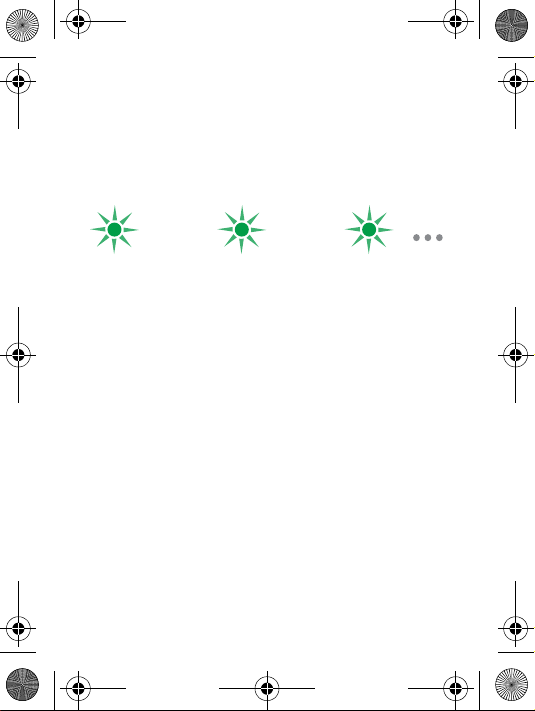
The music receiver flashes green when successfully added
The music receiver flashes green when successfully added
The music receiver flashes green when successfully added
The music receiver flashes green when successfully added
Before you can use your Bluetooth music receiver with
your phone it has to be added once to your phone.
Follow the instructions from the phone User guide on
how to turn on Bluetooth in your phone.
1. Turn on Bluetooth in your phone.
2. Turn on Bluetooth visibility in your phone. This makes
your phone visible to other Bluetooth devices.
3. Prepare the music receiver according to page 13.
Page 11
MBR-100_Wilbur_UG_P3A_EN.fm Page 11 Friday, March 16, 2007 4:12
4. Prepare your phone according to the phone User
NN
guide on how to add a Bluetooth device. Enter
the music receiver passcode (0000).
After you have added the music receiver to your phone, it
will automatically connect to your phone as soon as it is
turned on and within range.
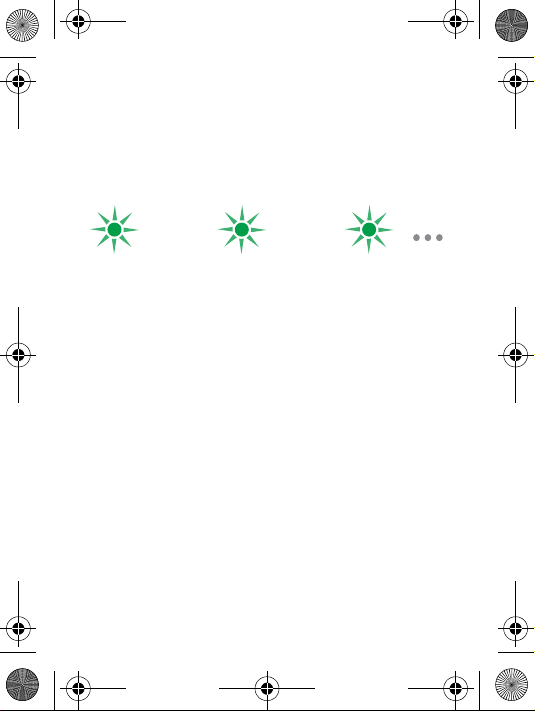
The music receiver flashes green when successfully added
The music receiver flashes green when successfully added
The music receiver flashes green when successfully added
The music receiver flashes green when successfully added
Before you can use your Bluetooth music receiver with
your phone it has to be added once to your phone.
Follow the instructions from the phone User guide on
how to turn on Bluetooth in your phone.
1. Turn on Bluetooth in your phone.
2. Turn on Bluetooth visibility in your phone. This makes
your phone visible to other Bluetooth devices.
3. Prepare the music receiver according to page 13.
Page 12
MBR-100_Wilbur_UG_P3A_EN.fm Page 12 Friday, March 16, 2007 4:12
4. Prepare your phone according to the phone User
NO
guide on how to add a Bluetooth device. Enter
the music receiver passcode (0000).
After you have added the music receiver to your phone, it
will automatically connect to your phone as soon as it is
turned on and within range.
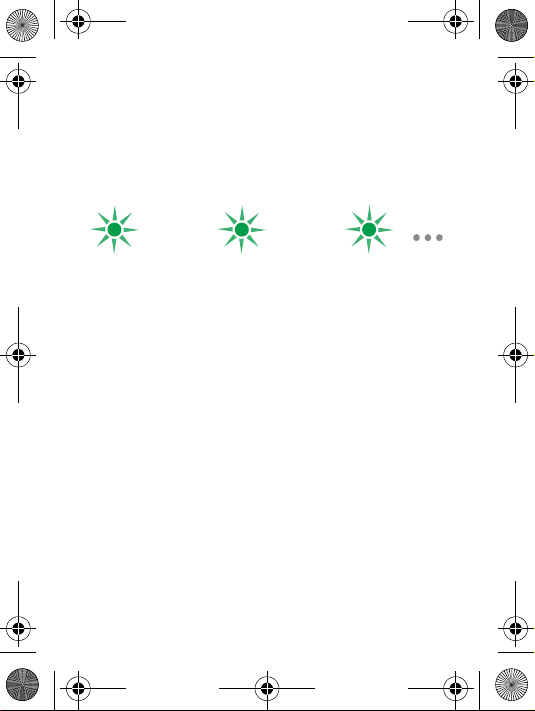
The music receiver flashes green when successfully added
The music receiver flashes green when successfully added
The music receiver flashes green when successfully added
The music receiver flashes green when successfully added
Page 13
MBR-100_Wilbur_UG_P3A_EN.fm Page 13 Friday, March 16, 2007 4:12
Preparing the music receiver
Preparing the music receiver
Preparing the music receiver
Preparing the music receiver
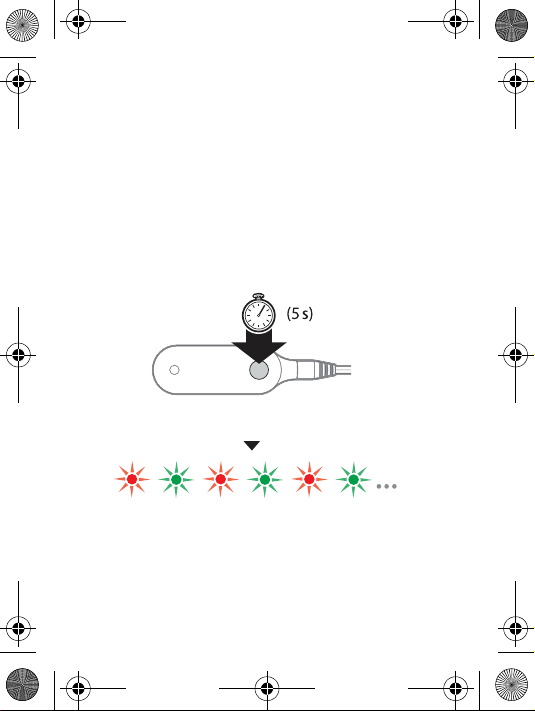
Make sure the music receiver is turned off (see p.17).
Make sure the music receiver is turned off (see p.17).
Make sure the music receiver is turned off (see p.17).
Make sure the music receiver is turned off (see p.17).
Make sure the indicator light flashes red/green
Make sure the indicator light flashes red/green
Make sure the indicator light flashes red/green
Make sure the indicator light flashes red/green
NP
Page 14
MBR-100_Wilbur_UG_P3A_EN.fm Page 14 Friday, March 16, 2007 4:12
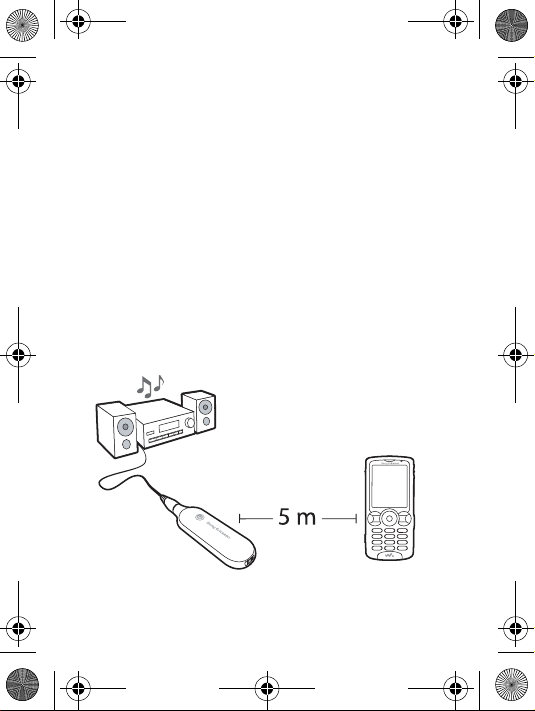
Range
NQ
Range
Range
Range
Note: Objects, walls and a greater distance than 5 metres
can affect the sound.
Note: Objects, walls and a greater distance than 5 metres
can affect the sound.
Note: Objects, walls and a greater distance than 5 metres
can affect the sound.
Note: Objects, walls and a greater distance than 5 metres
can affect the sound.
Page 15
MBR-100_Wilbur_UG_P3A_EN.fm Page 15 Friday, March 16, 2007 4:12
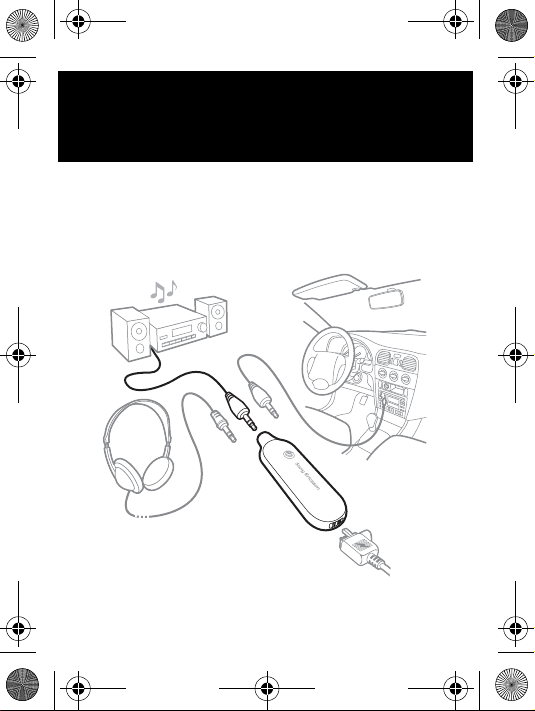
Connecting to music equipment
Connecting to music equipment
Connecting to music equipment
Connecting to music equipment
NR
Page 16
MBR-100_Wilbur_UG_P3A_EN.fm Page 16 Friday, March 16, 2007 4:12
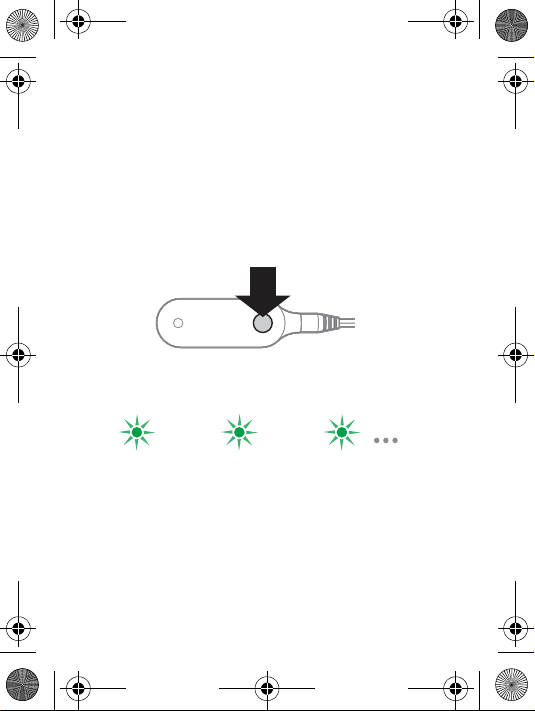
Turning the music receiver on
Turning the music receiver on
Turning the music receiver on
Turning the music receiver on
Indicator light when the music receiver is on
Indicator light when the music receiver is on
Indicator light when the music receiver is on
Indicator light when the music receiver is on
NS
Page 17
MBR-100_Wilbur_UG_P3A_EN.fm Page 17 Friday, March 16, 2007 4:12
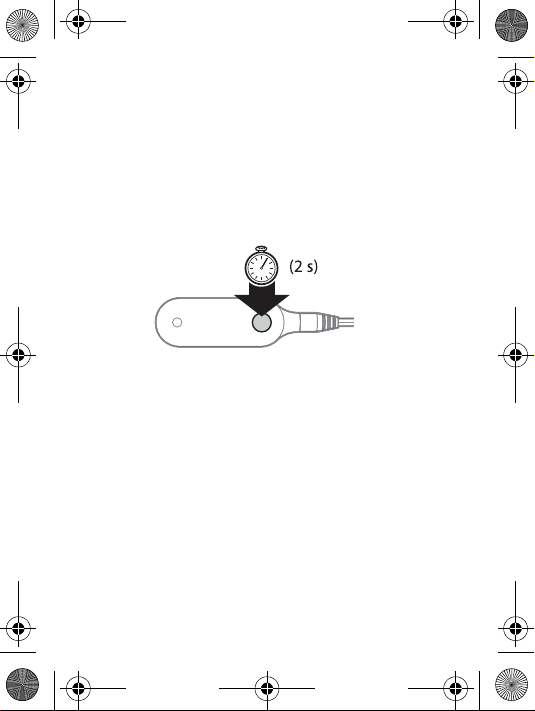
Turning the music receiver off
Turning the music receiver off
Turning the music receiver off
Turning the music receiver off
The indicator light is turned off
The indicator light is turned off
The indicator light is turned off
The indicator light is turned off
NT
Page 18
MBR-100_Wilbur_UG_P3A_EN.fm Page 18 Friday, March 16, 2007 4:12
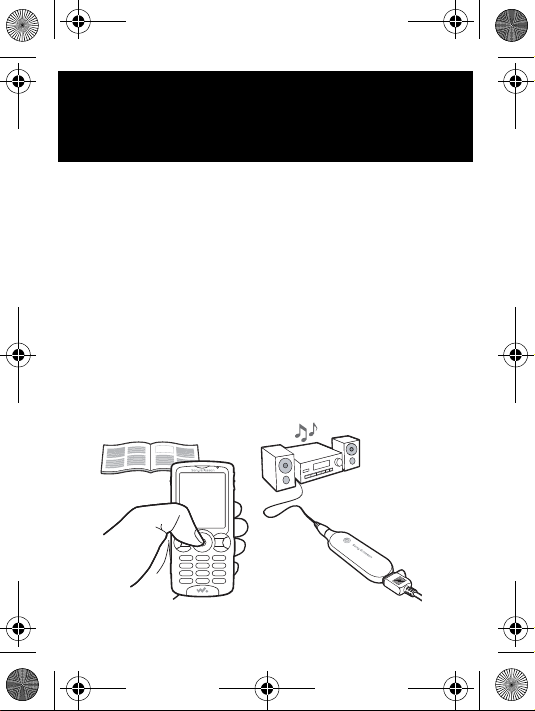
Listening to music
Listening to music
Listening to music
Listening to music
Start the media player in your phone to listen to music. If
needed, follow the instructions from the phone User
guide to select the music receiver.
Start the media player in your phone to listen to music. If
needed, follow the instructions from the phone User
guide to select the music receiver.
Start the media player in your phone to listen to music. If
needed, follow the instructions from the phone User
guide to select the music receiver.
Start the media player in your phone to listen to music. If
needed, follow the instructions from the phone User
guide to select the music receiver.
NU
Page 19
MBR-100_Wilbur_UG_P3A_EN.fm Page 19 Friday, March 16, 2007 4:12
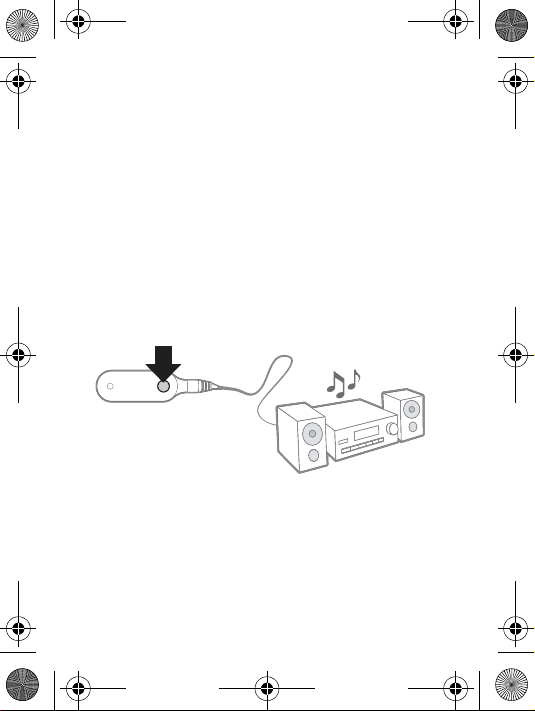
Reconnecting (listening to music)
Reconnecting (listening to music)
Reconnecting (listening to music)
Reconnecting (listening to music)
Press to reconnect if no sound is received.
Press to reconnect if no sound is received.
Press to reconnect if no sound is received.
Press to reconnect if no sound is received.
NV
Page 20
MBR-100_Wilbur_UG_P3A_EN.fm Page 20 Friday, March 16, 2007 4:12
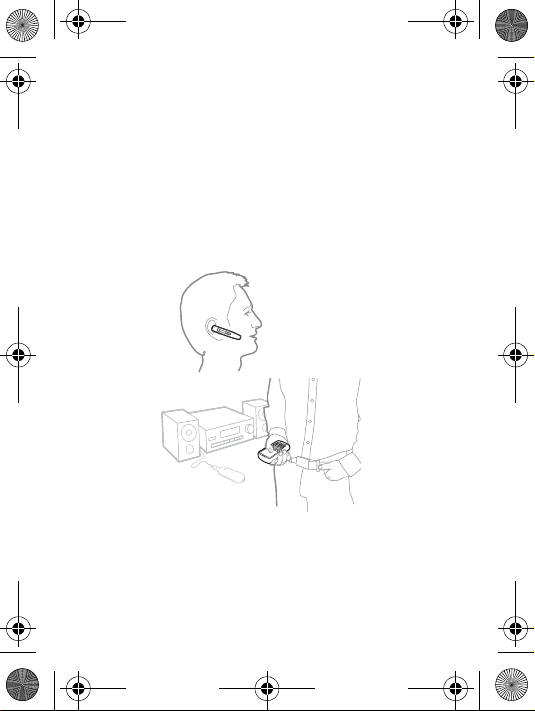
Making or receiving calls
Making or receiving calls
Making or receiving calls
Making or receiving calls
Use your phone or a headset for call functions.
Use your phone or a headset for call functions.
Use your phone or a headset for call functions.
Use your phone or a headset for call functions.
When you make a call or receive a call, the music automatically
pauses.
When you make a call or receive a call, the music automatically
pauses.
When you make a call or receive a call, the music automatically
pauses.
When you make a call or receive a call, the music automatically
pauses.
OM
Page 21
MBR-100_Wilbur_UG_P3A_EN.fm Page 21 Friday, March 16, 2007 4:12
Adjusting volume
Adjusting volume
Adjusting volume
Adjusting volume
Adjust the volume on your music equipment, or follow
the instructions from the phone User guide to adjust the
volume with your phone.
Note: Your phone or device must support the Bluetooth
Audio/Video Remote Control profile.
Adjust the volume on your music equipment, or follow
the instructions from the phone User guide to adjust the
volume with your phone.
Note: Your phone or device must support the Bluetooth
Audio/Video Remote Control profile.
Adjust the volume on your music equipment, or follow
the instructions from the phone User guide to adjust the
volume with your phone.
Note: Your phone or device must support the Bluetooth
Audio/Video Remote Control profile.
Adjust the volume on your music equipment, or follow
the instructions from the phone User guide to adjust the
volume with your phone.
Note: Your phone or device must support the Bluetooth
Audio/Video Remote Control profile.
ON
Page 22
MBR-100_Wilbur_UG_P3A_EN.fm Page 22 Friday, March 16, 2007 4:12
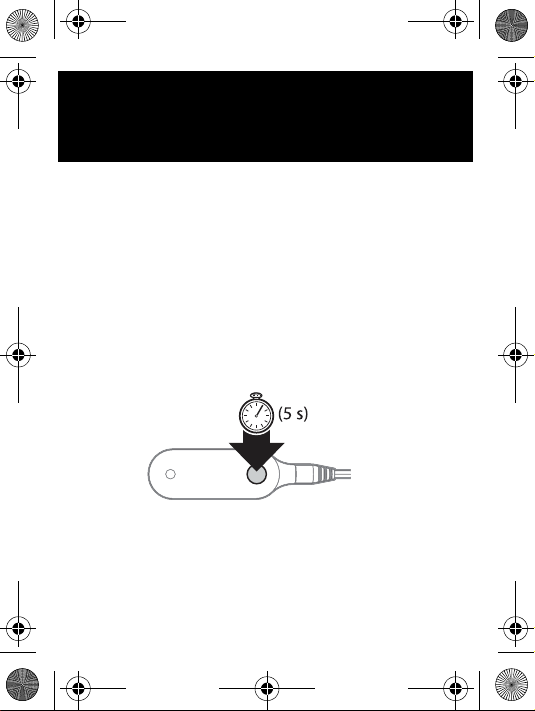
Master reset
Master reset
Master reset
Master reset
Make sure you have prepared the music receiver
according to page 13.
Make sure you have prepared the music receiver
according to page 13.
Make sure you have prepared the music receiver
according to page 13.
Make sure you have prepared the music receiver
according to page 13.
OO
Page 23
MBR-100_Wilbur_UG_P3A_EN.fm Page 23 Friday, March 16, 2007 4:12
Troubleshooting
Troubleshooting
Troubleshooting
Troubleshooting
No connection between music receiver and phone
Make sure the music receiver is charged and within
range of your phone. Check or redo the Bluetooth
settings in the phone. Try to pair the music receiver
again (see page 8).
For more information on Bluetooth and pairing, go to
пппKлзеуЙкбЕллзеKЕзгLдЙ~ке~Дзмн.
The music receiver is automatically switched off
• The battery is too low. The indicator light on the music
receiver flashes red and you hear a low beep.
• The music receiver switches off if you do not add it to
your phone within 10 minutes.
The music receiver does not connect to my music
source
Make sure your device is available, and supports
Bluetooth Advanced Audio Distribution profile.
The sound is interrupted
Make sure the music receiver is charged and within
range of your phone. Try to reconnect to the phone (see
page 19).
The remote control functions do not work
Make sure your device supports Bluetooth Audio/Video
Remote Control profile.
OP
Page 24
MBR-100_Wilbur_UG_P3A_EN.fm Page 24 Friday, March 16, 2007 4:12
Unexpected behaviour
Reset the music receiver (see page 22).
Battery capacity
A battery that has been infrequently used, or a new one,
could have reduced capacity. You may need to recharge
it a number of times.
No connection between music receiver and phone
Make sure the music receiver is charged and within
range of your phone. Check or redo the Bluetooth
settings in the phone. Try to pair the music receiver
again (see page 8).
For more information on Bluetooth and pairing, go to
пппKлзеуЙкбЕллзеKЕзгLдЙ~ке~Дзмн.
The music receiver is automatically switched off
• The battery is too low. The indicator light on the music
receiver flashes red and you hear a low beep.
• The music receiver switches off if you do not add it to
your phone within 10 minutes.
The music receiver does not connect to my music
source
Make sure your device is available, and supports
Bluetooth Advanced Audio Distribution profile.
The sound is interrupted
Make sure the music receiver is charged and within
range of your phone. Try to reconnect to the phone (see
page 19).
OQ
Page 25
MBR-100_Wilbur_UG_P3A_EN.fm Page 25 Friday, March 16, 2007 4:12
The remote control functions do not work
Make sure your device supports Bluetooth Audio/
Video Remote Control profile.
Unexpected behaviour
Reset the music receiver (see page 22).
Battery capacity
A battery that has been infrequently used, or a new one,
could have reduced capacity. You may need to recharge
it a number of times.
No connection between music receiver and phone
Make sure the music receiver is charged and within
range of your phone. Check or redo the Bluetooth
settings in the phone. Try to pair the music receiver
again (see page 8).
For more information on Bluetooth and pairing, go to
пппKлзеуЙкбЕллзеKЕзгLдЙ~ке~Дзмн.
The music receiver is automatically switched off
• The battery is too low. The indicator light on the music
receiver flashes red and you hear a low beep.
• The music receiver switches off if you do not add it to
your phone within 10 minutes.
The music receiver does not connect to my music
source
Make sure your device is available, and supports
Bluetooth Advanced Audio Distribution profile.
OR
Page 26
MBR-100_Wilbur_UG_P3A_EN.fm Page 26 Friday, March 16, 2007 4:12
The sound is interrupted
Make sure the music receiver is charged and
within range of your phone. Try to reconnect to the
phone (see page 19).
The remote control functions do not work
Make sure your device supports Bluetooth Audio/Video
Remote Control profile.
Unexpected behaviour
Reset the music receiver (see page 22).
Battery capacity
A battery that has been infrequently used, or a new one,
could have reduced capacity. You may need to recharge
it a number of times.
No connection between music receiver and phone
Make sure the music receiver is charged and within
range of your phone. Check or redo the Bluetooth
settings in the phone. Try to pair the music receiver
again (see page 8).
For more information on Bluetooth and pairing, go to
пппKлзеуЙкбЕллзеKЕзгLдЙ~ке~Дзмн.
The music receiver is automatically switched off
• The battery is too low. The indicator light on the music
receiver flashes red and you hear a low beep.
• The music receiver switches off if you do not add it to
your phone within 10 minutes.
OS
Page 27
MBR-100_Wilbur_UG_P3A_EN.fm Page 27 Friday, March 16, 2007 4:12
The music receiver does not connect to my music
source
Make sure your device is available, and supports
Bluetooth Advanced Audio Distribution profile.
The sound is interrupted
Make sure the music receiver is charged and within
range of your phone. Try to reconnect to the phone (see
page 19).
The remote control functions do not work
Make sure your device supports Bluetooth Audio/Video
Remote Control profile.
Unexpected behaviour
Reset the music receiver (see page 22).
Battery capacity
A battery that has been infrequently used, or a new one,
could have reduced capacity. You may need to recharge
it a number of times.
пппKлзеуЙкбЕллзеKЕзгLлмййзкнL
OT
Page 28
MBR-100_Wilbur_UG_P3A_EN.fm Page 28 Friday, March 16, 2007 4:12
Page 29
MBR-100_Wilbur_UG_P3A_EN.fm Page 29 Friday, March 16, 2007 4:12
Declaration of conformity
We, Sony Ericsson Mobile Communications AB of
Nya Vattentornet
SE-221 88 Lund, Sweden
declare under our sole responsibility that our product
Sony Ericsson type DGA-0002002
and in combination with our accessories, to which this
declaration relates is in conformity with the appropriate
standards EN 300 328, EN 301 489-17 and EN 60950
following the provisions of Radio Equipment and
Telecommunication Terminal Equipment directive
1999/5/EC with requirements covering EMC directive
89/336/EEC and Low Voltage directive 73/23/EEC.
Lund, February 2007
Jacob Sten, Head of Product Business Unit Accessories
We fulfill the R&TTE Directive.
We fulfill the R&TTE Directive.
We fulfill the R&TTE Directive.
We fulfill the R&TTE Directive.
Page 30
MBR-100_Wilbur_UG_P3A_EN.fm Page 30 Friday, March 16, 2007 4:12
MBR-100
SOK-MBR-100
пппKлзеуЙкбЕллзеKЕзг
pзеу=bкбЕллзе=jзДбдЙ=`зггмебЕ~нбзел=^_
pbJOON=UU=iмеЗI=pпЙЗЙе
iwq=NMU=VMUVLñ=mP^
mкбенЙЗ=бе=uuuu
 Loading...