

SOMFY RTS series, Telis Soliris RTS Pure, Centralis RTS, Telis RTS Pure, Telis RTS Patio User Manual
...Page 1
user guide
Instruction booklet for Somfy
automatic controls for awnings
Page 2

Tested under the most rigorous conditions,
Somfy motors and controls are guaranteed for
5 years from the date of installation.
This booklet contains information on your
automatic awning.
Please take the time to complete your warranty registration
form. This will ensure that you receive comprehensive after
sales services for a period of 5 years and covers the Somfy
motor and controls products used with your awning.
Warranty
year
Page 3

Table of contents
Types of installation p 4-5
Manual functions p 6-8
Adjusting controls p 9
Resetting the awning p 10-11
Auto/Manual configuration p 12-13
Automatic mode p 14-16
Sensor adjustment p 17
Lighting control p 18
Trouble shooting p 19
Page 4
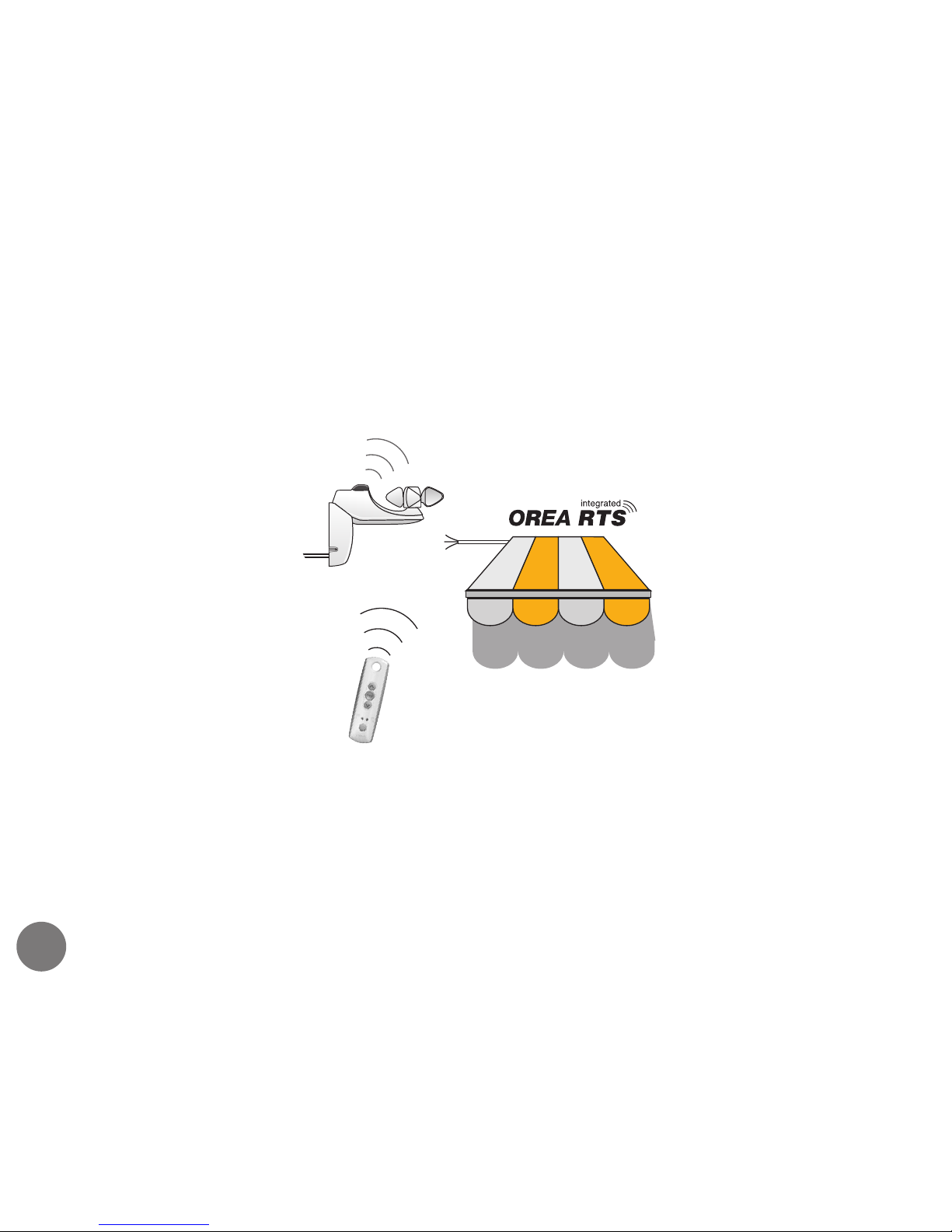
The Somfy RTS range of transmitters have a range of
200 metres in open space and 20 metres through two
concrete walls.
Types of installation
individual wireless control
4
Telis Soliris RTS Pure
Soliris sensor RTS
Page 5
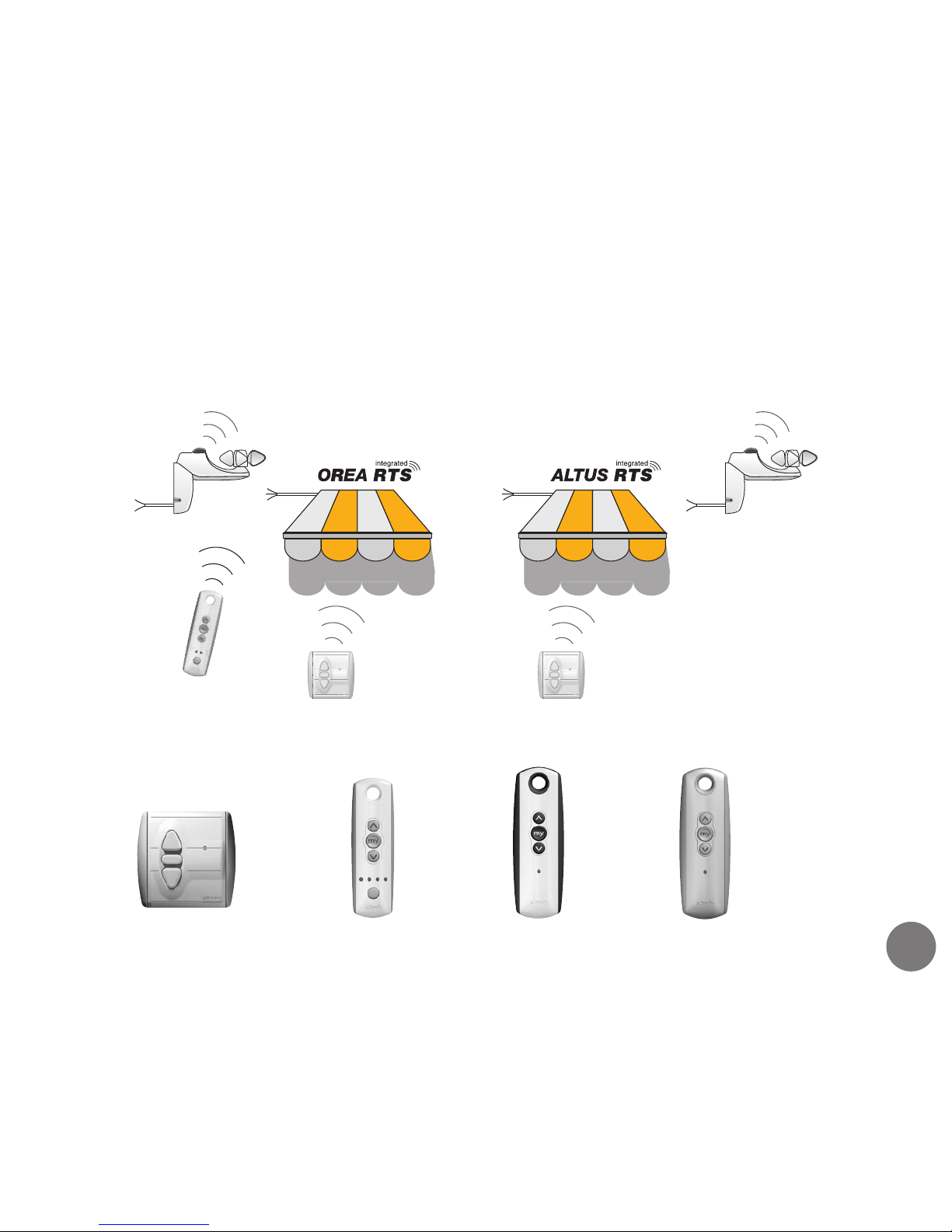
Telis RTS
Pure range
All of these control products are compatible with the Orea and Altus RTS motors
5
group & automatic controls
Centralis RTS
range
Telis RTS
Patio range
Telis RTS
Silver range
Types of installation cont’d
Page 6
6
Manual functions
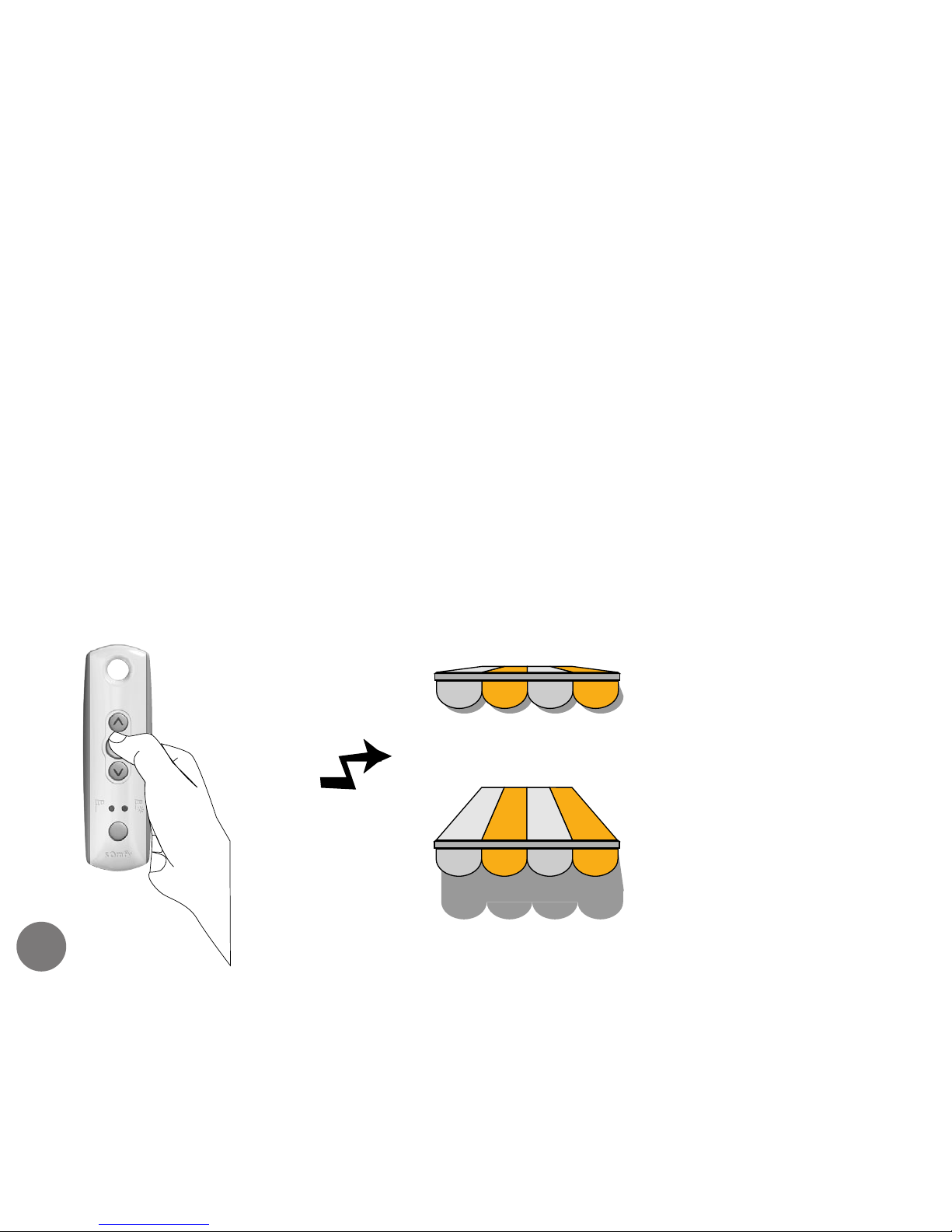
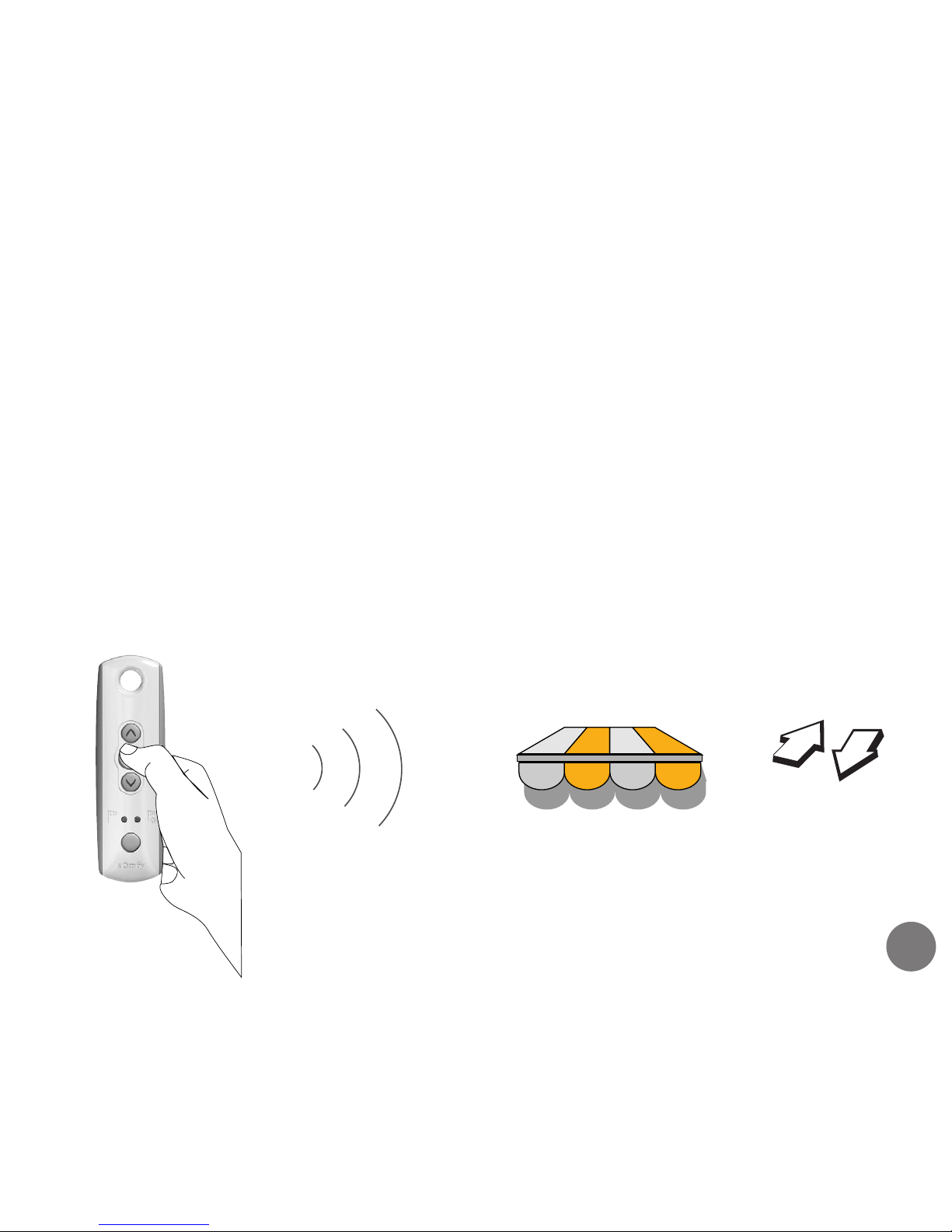
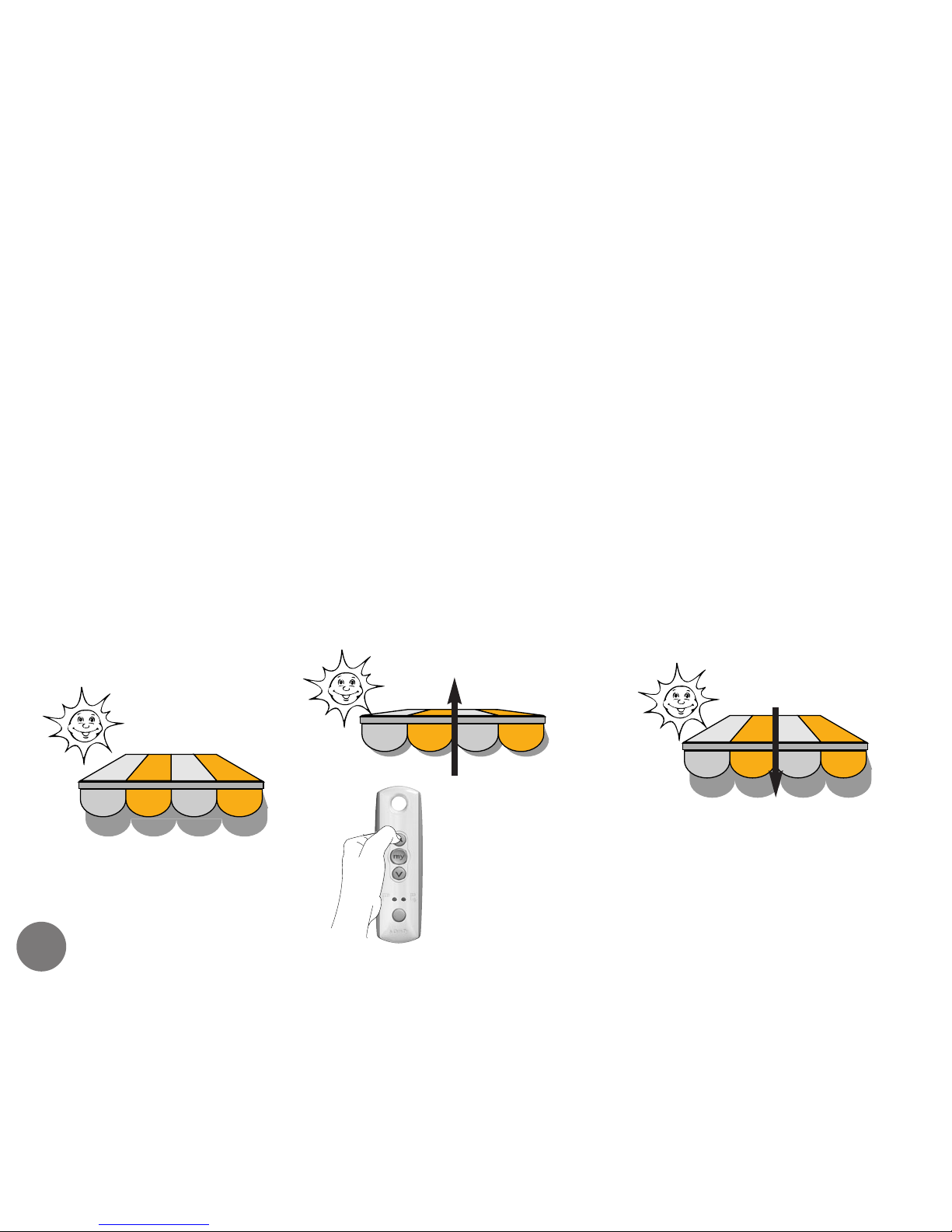
Briefly press any of the control buttons to operate the
awning.
Your wireless awning has been programmed so that it
will stop automatically when it reaches the fully open
or closed positions.
normal commands
Motor will stop once the
awning is fully retracted
Motor will stop once the
awning is fully extended
Page 7
7
It is possible to programme an intermediate position
that can be selected at any time to provide partial
shading.
Move the awning to the required position and press
the stop button. Programme the intermediate position
as follows;
intermediate position
Press the STOP
button for
more than 5
secs
The awning will double shunt
(moves up & down briefly) indicating
that the intermediate position has
been memorised by the motor
Manual functions cont’d
Page 8

8
Manual functions cont’d
using the intermediate ‘my’ position
Manually : When the awning is stationary, press the
stop button on the transmitter. The awning will move
automatically to the intermediate position.
Automatically : When the Soliris sensor registers bright
daylight it transmits an extend command. The awning
will move to the intermediate position only if the
intermediate position has been programmed.
deleting the intermediate position
S
elect the intermediate position as described above.
Press the STOP button for more than 5 seconds until
the awning does a double shunt. The intermediate
position has now been deleted.
Page 9
9
Adjusting controls
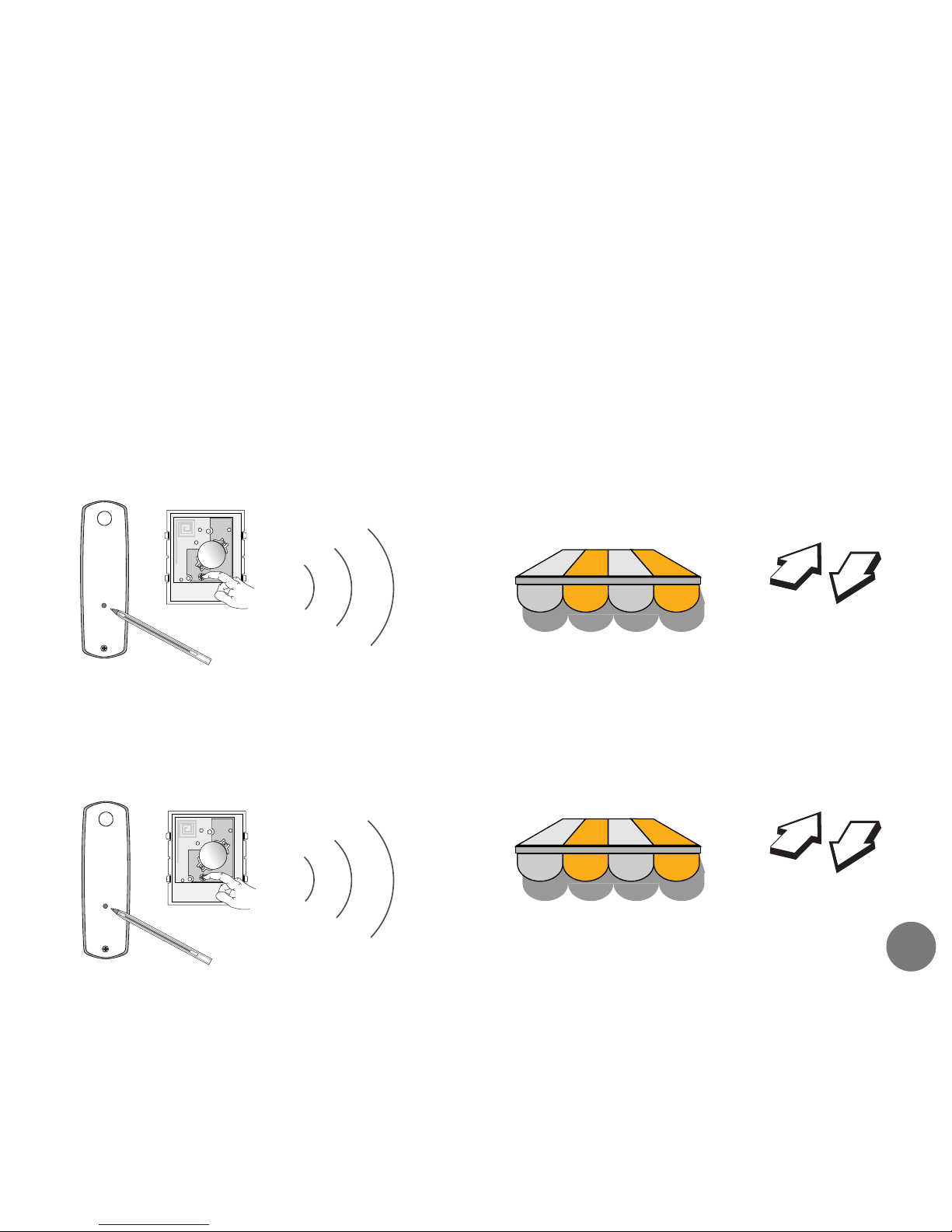
add or delete a control
P
ress the programming button on the back of the existing transmitter
for more than 2 seconds. The awning will double shunt.
Press the program button on the back of the new or existing
transmitter to add or delete the transmitter from the motor’s
memory. The awning will double shunt.
3V
LITHIUM
CR2430
+
3V
LITHIUM
CR2430
+
> 2 seconds
Page 10
10
Resetting the awning
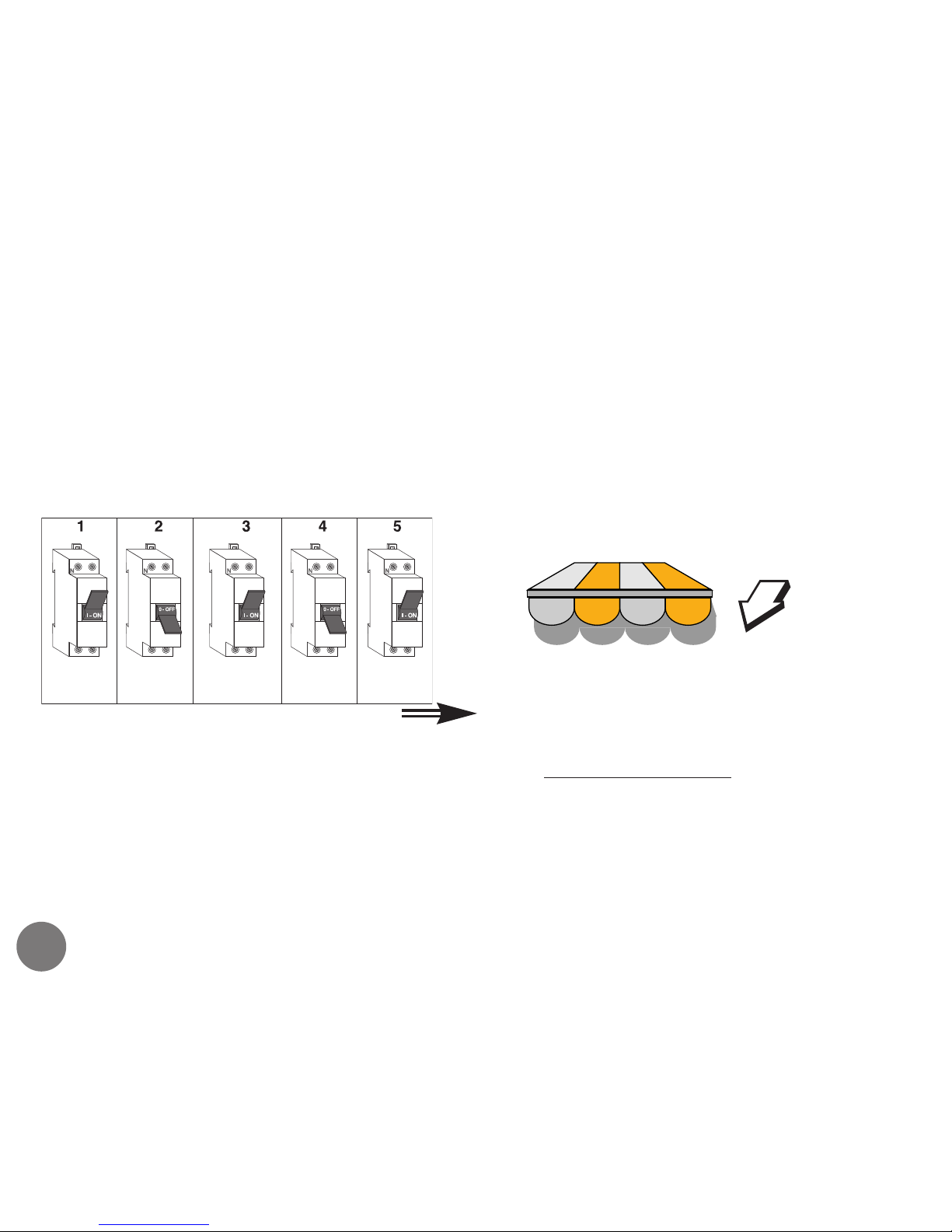
Do a double power cut as indicated in the diagram:
ATTENTION! If several motors are connected to the same power supply, they will also be reset.
In this case isolate any other motors that don’t require re-programming.
The awning will move for 5 seconds
indicating that the double power
cut has been recorded.The motor is
now i
n learning mode.
5 Secs
replacing a lost control
Motor
switched on
Power off
for 4 s
Power on
for 8 s
Power off
for 4 s
Power on
Page 11
11
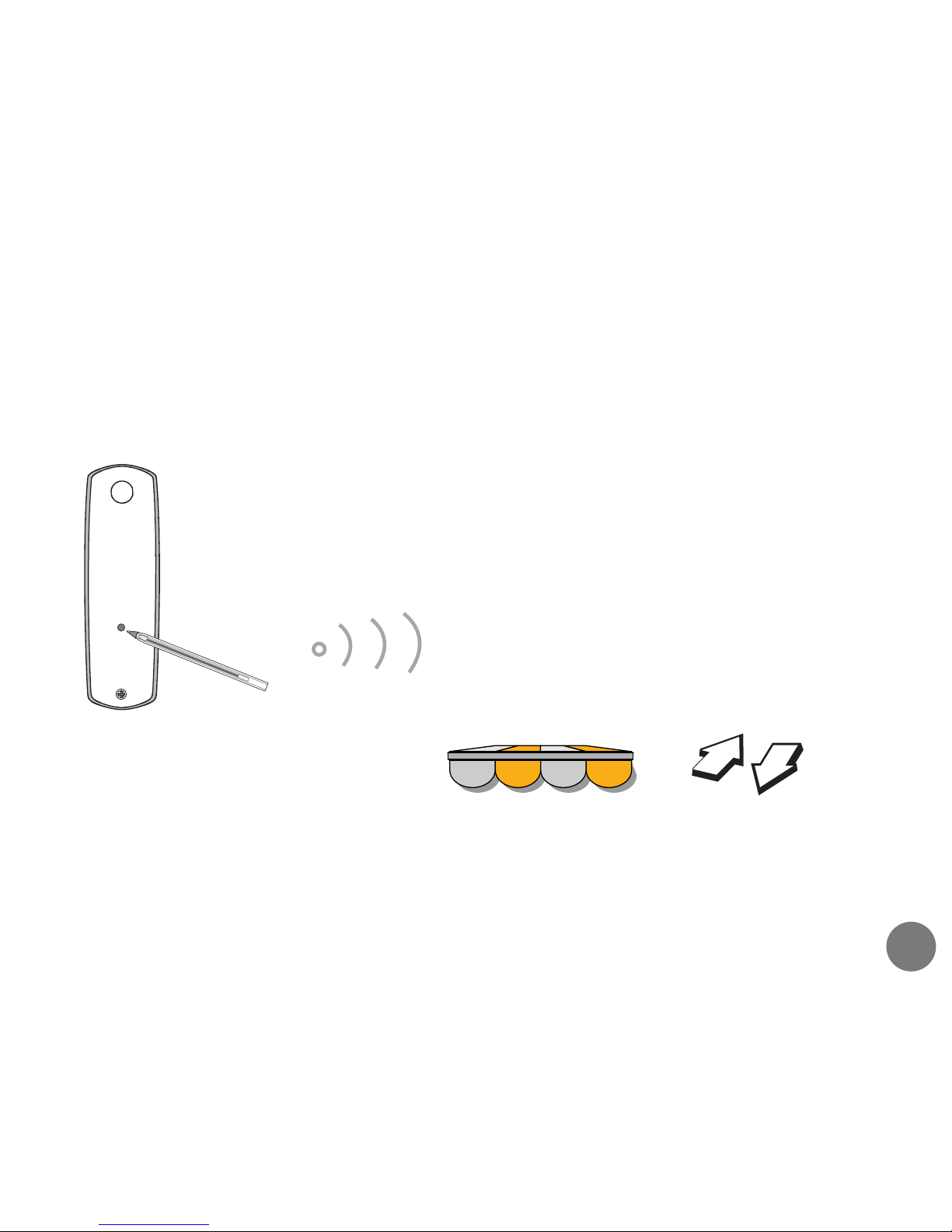
Press the programming
button on the back of
the transmitter for 2
seconds
The awning will double shunt indicating
that a new transmitter has been memorised
by the motor and the existing transmitter
erased from the motor’s memory
Resetting the awning cont’d
Continue with the following procedure once the awning has
stopped after 5 seconds (indicating that the double power cut
has been recorded).
Page 12
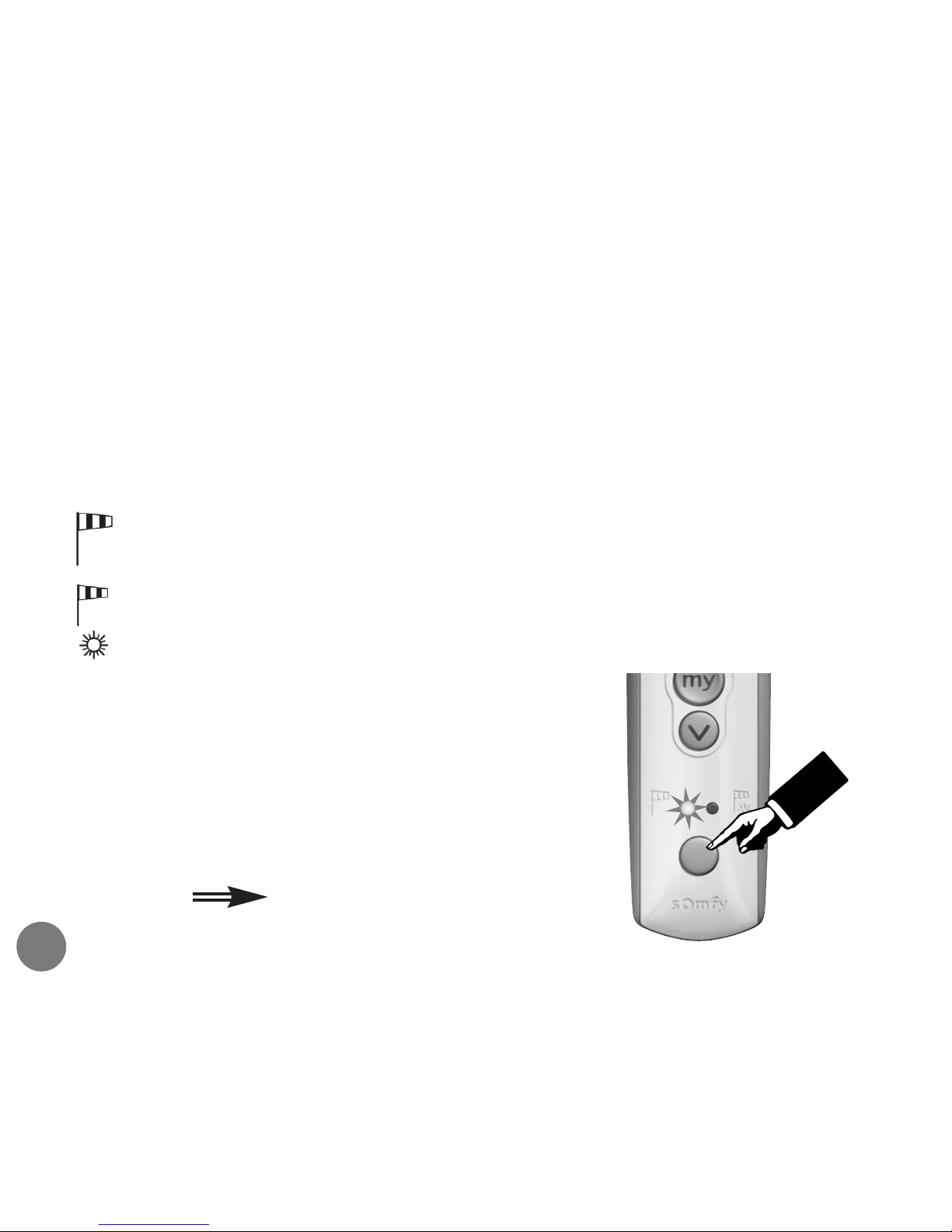
With the Telis Soliris RTS, it is possible to alter the operating mode of
your awning.
(wind only) : The awning will react to wind signals and
manual UP/DOWN/STOP commands.
(wind and sun) : The awning will react to sun and wind signals
and the manual UP/DOWN/STOP commands.
To identify which operating mode the
awning is in :
- Press briefly the round button on the
Telis Soliris transmitter and either one
of the two LED’s will light indicating
the operating mode.
Auto/manual configuration
12
The corresponding LED flashes.
Page 13
13
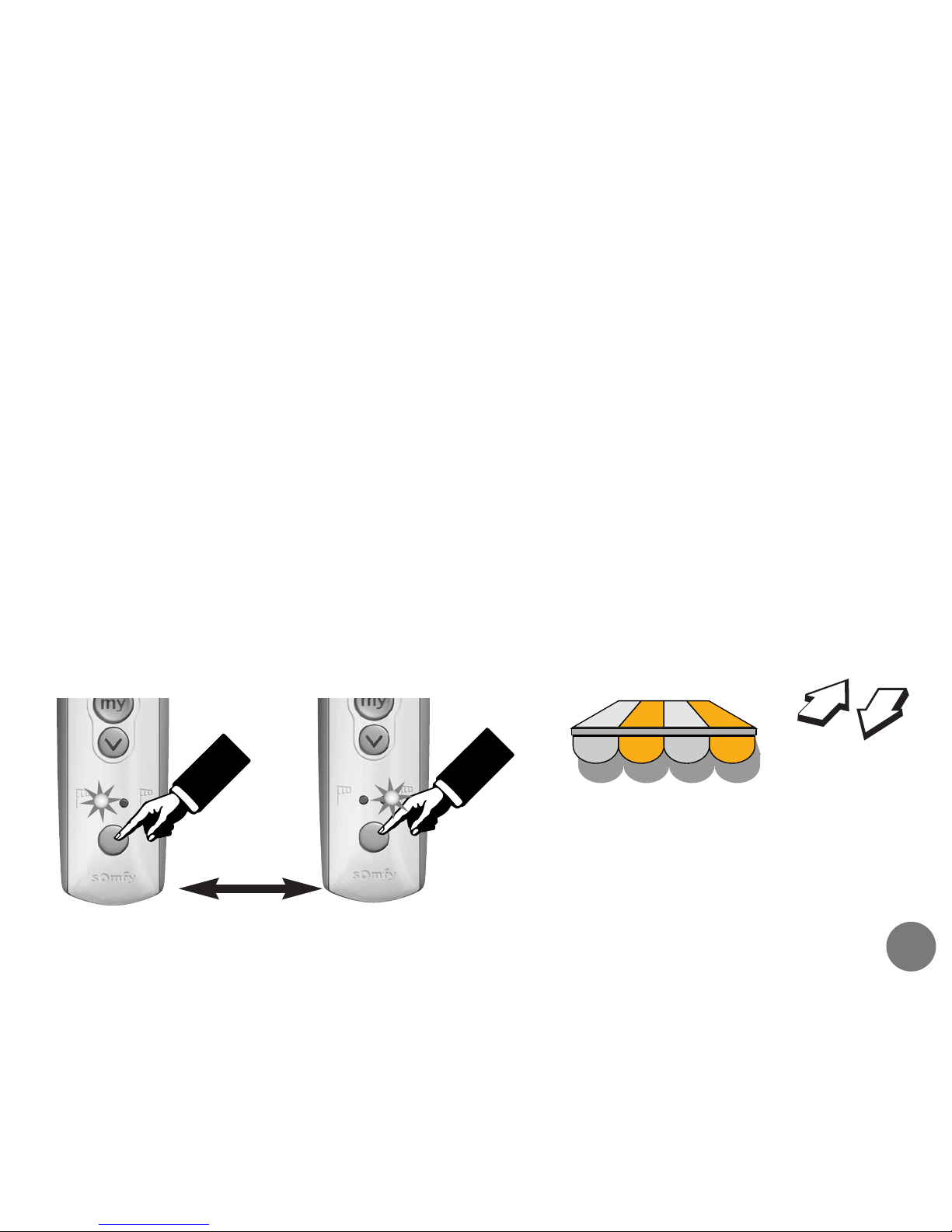
Changing the operating mode :
Press the round button of the Telis Soliris transmitter for 2 seconds.
This will switch the operating mode from sun and wind to wind only
or vice versa.
The LED corresponding to the present operating mode will light for
2 seconds, after which it will go out and the other LED will light. The
awning will double shunt, indicating that the operating mode has
changed.
2 Seconds
The awning moves briefly
(UP/DOWN) indicating that
the mode has been
changed.
Auto/manual configuration cont’d
Page 14
Automatic mode
14
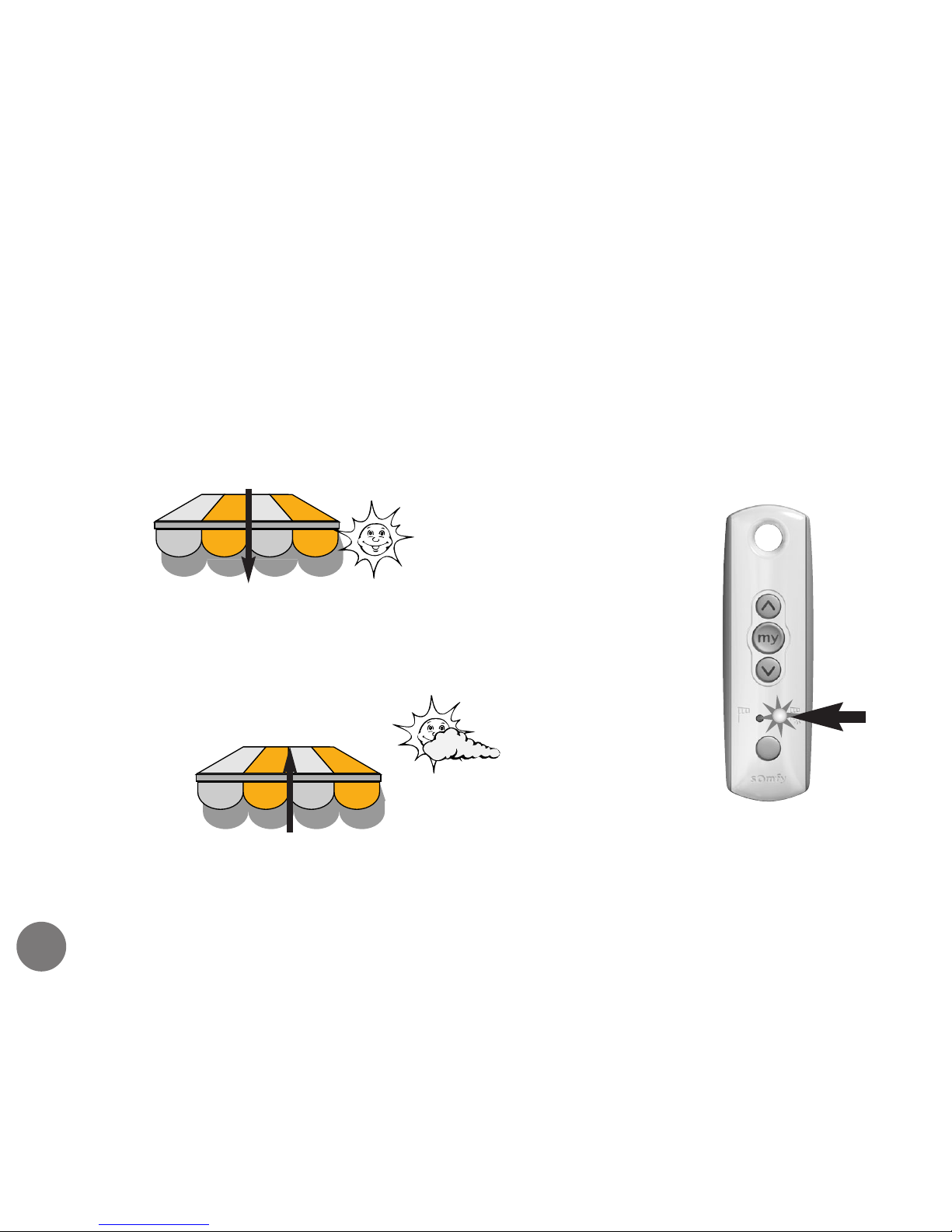
sun function
If the light level exceeds the sensor threshold level, the awning will
extend after 2 minutes.
after 2 mins
If the light level drops below the sensor threshold
level for between 15 to 30 minutes, the awning will
retract.
after 15 to
30 mins
The time delay for the awning to retract varies dependent on the length of time the sensor has registered light
levels above the threshold setting. i.e. the longer the awning has been automatically extended, the quicker it will
retract on time delay.
Page 15
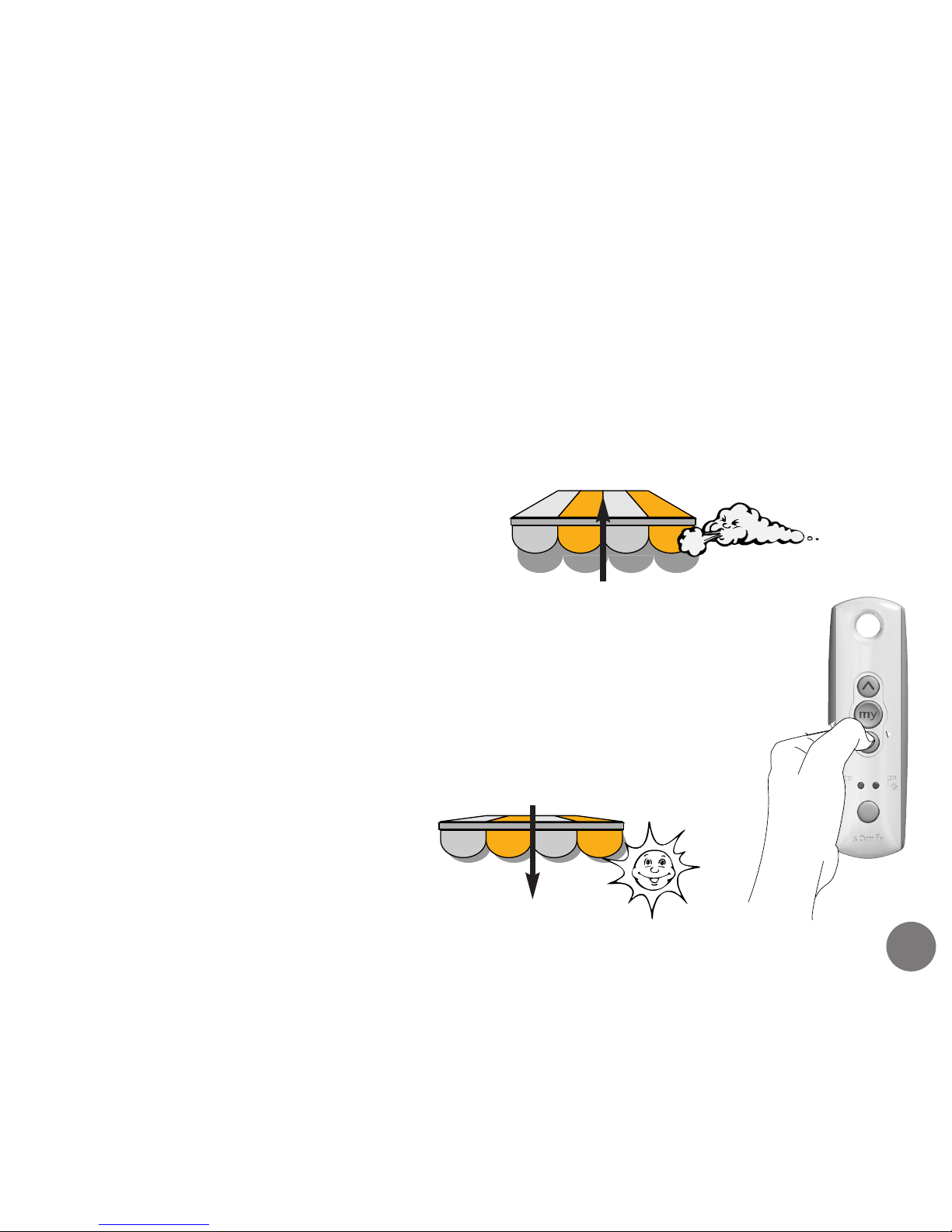
If the wind speed increases above the set wind threshold level, the
awning will retract after 2 seconds.
All other commands are inhibited
in order to protect your awning.
15
wind function
after 30 sec
after 12 min
Automatic mode cont’d
Once the wind speed has fallen below the set
wind threshold level, the awning may extend
automatically after 12 minutes (only if the light
level has exceeded the sensor threshold for the
duration of the delay) or you can extend the
awning manually after 30 seconds.
Page 16
16
Automatic mode cont’d
interrupting the automatic mode
If a manual command is given when the awning is in
automatic mode, i.e. you retract the awning after it
extended automatically, it will extend again automatically
within 15 minutes if the sun is still out.
Sun automatically
extends the awning
Awning will automatically
extend within 15 minutes
if the sun is still out
Manual
retract
command
Page 17
17
Sensor adjustment
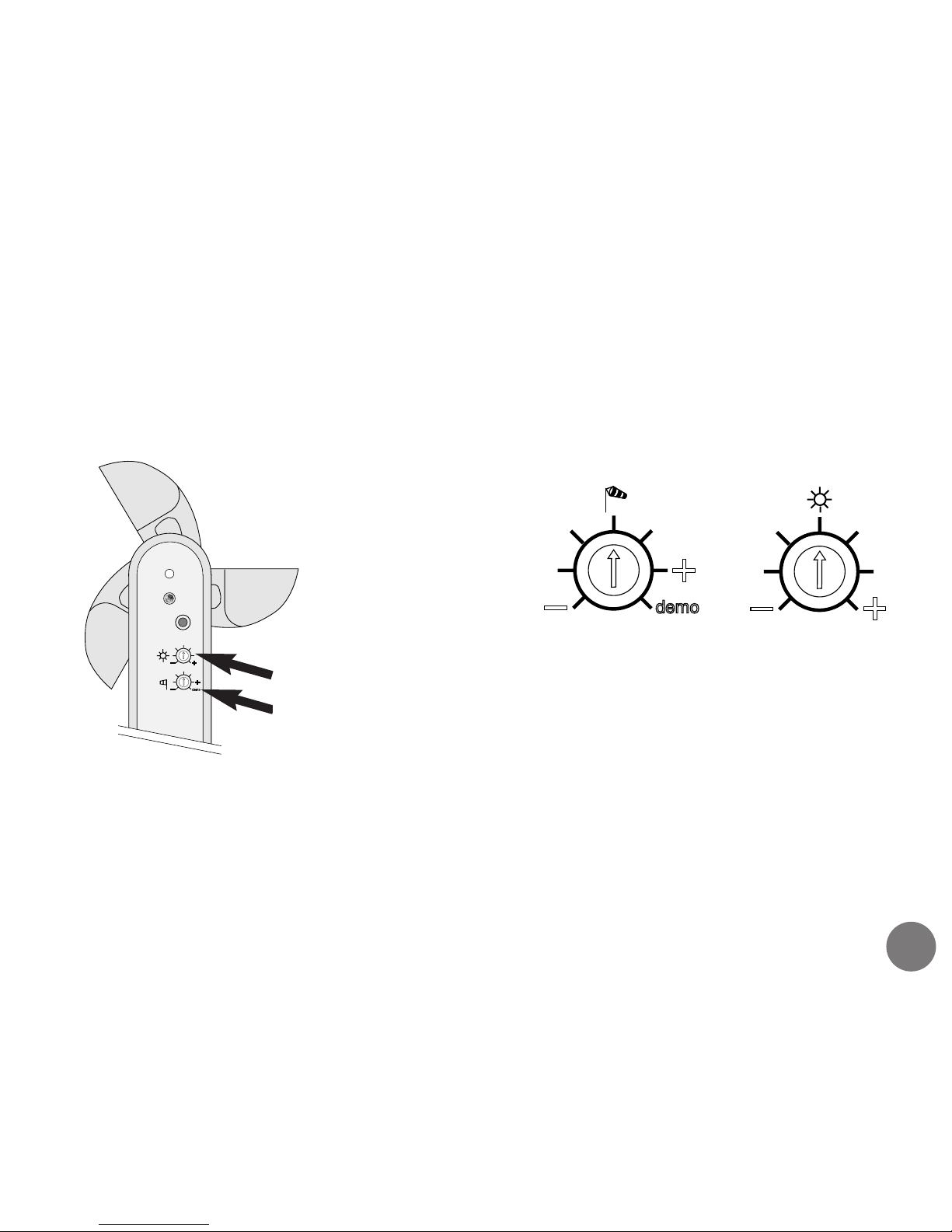
The light and wind threshold level adjusters can be
accessed beneath the sensor.
WIND : Turn the adjuster anti-clockwise to make the awning react to light
winds. Turn it clockwise to make the awning react to strong winds.
SUN : Turn the adjuster anti-clockwise to make the awning react to
less-intense sunlight. Turn it clockwise to make the awning react to brighter
sunlight. Do not turn the adjuster completely anti-clockwise as this will
override the sun sensor completely.
WARNING! Setting the wind threshold level for high wind speed may cause damage to your awning or
property. Consult your awning installer for recommended wind threshold settings.
progprog
Underside view
Sun
Wind
The demo setting reduces the
time delays and is used
during commissioning.
Page 18
Lighting control
operation of awning lights
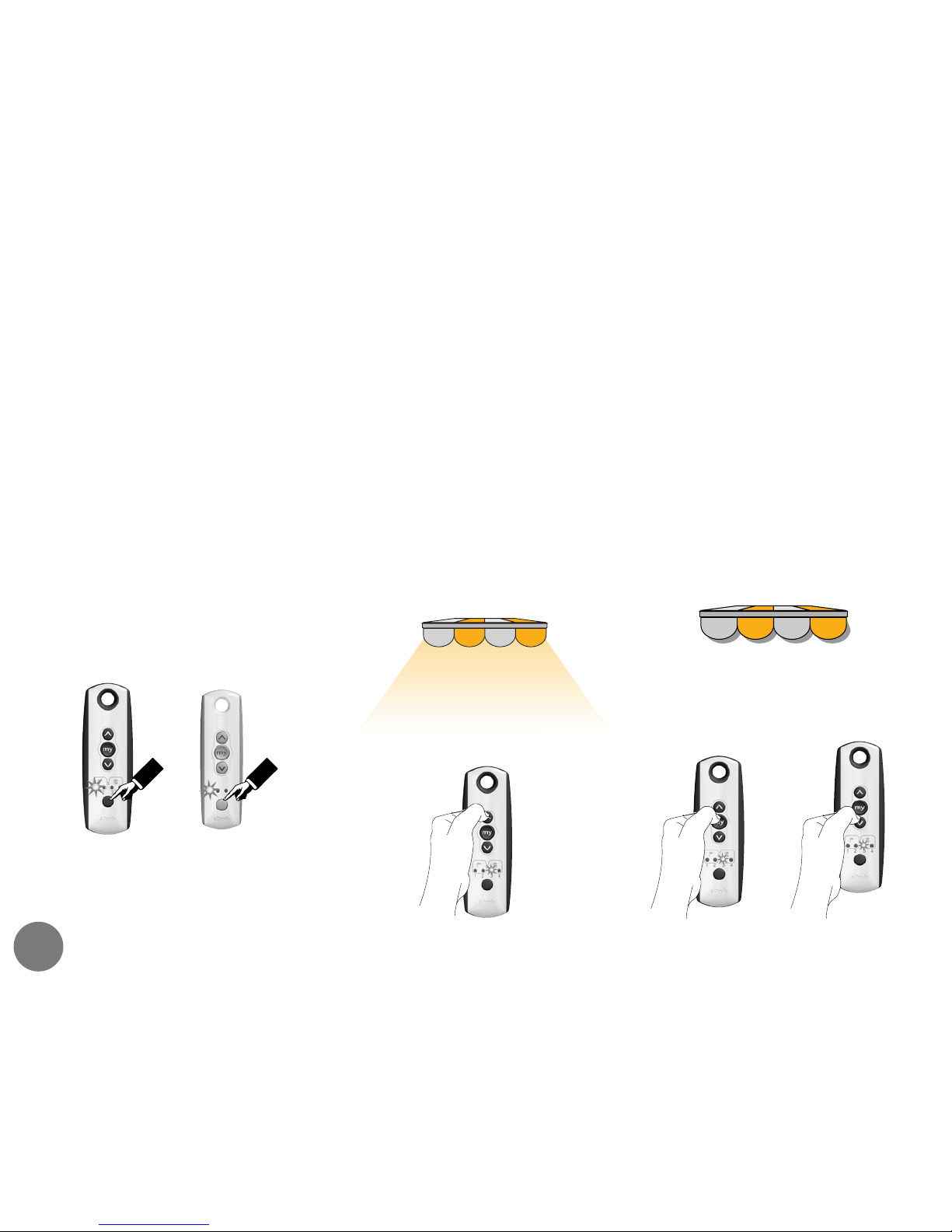
If your awning is fitted with a Somfy compatible lighting
system, they can be controlled with the Somfy range of
RTS transmitters.
Turn the lights on by
pressing the UP button
on the transmitter
Turn the lights off by
pressing the STOP or
DOWN button on the
transmitter
or
Select the appropriate channel
on your multi-channel or
lighting handset.
Patio
handset
with light
control
function
Telis
multichannel
handset
18
Page 19

Trouble shooting
The awning will not extend ?
Is it windy outside ?
It is possible that the wind sensor has activated to protect the awning.
Is the power on ?
Make sure all switches are in the on position and any fuses are OK.
Are the batteries in the control OK ?
Pure, Patio, Silver : If, whilst pressing any of the buttons, the LED does not
light, the battery has expired.
Centralis : If, whilst pressing any of the buttons there is a delay of 1 second
before the LED lights, the battery has expired.
Is the sun function switched on ?
Make sure the sun/wind function has been selected by referring to the Telis
Soliris RTS (refer to page 12/13).
Is the light level high enough ?
The light level outside may not be high enough to extend the awning. If
desired, the threshold setting may be adjusted (refer to page 17).
If problems still persist, please consult your installer.
19
Page 20

Somfy Ltd
Moorfield Road
Yeadon
West Yorkshire
LS19 7BN
www.somfy.co.uk
0605-5
 Loading...