

Page 1
Start
Understanding Sky Digital Satellite TV
Under
Digital Sa
Learn the trade secrets about satellite television
standing SKY
tellite TV
Page 2

Understanding Sky Digital Satellite TV
Under
DIGIT
standing SKY
AL
Sa
tellite
TV
Updated on
Written and compiled
by
Martin T. Pickering
Published by M.T. Pickering T/A SatCure
© Martin T. Pickering 2001
No part of this publication may be copied by any means, stored in a retrieval system
or transmitted in any form without the prior consent of the copyright holder.
First edition 1994.
Rewritten July 2001
Current version updated on January 25, 2006
Thanks are due specifically to:
Mike Hancox of Satellite Scene, Derby. for his help.
David Poole (deceased) of Davenham Satellites for his help and support.
Terry Boyd of Tardis Electronics.
The various manufacturers of satellite equipment, without whose help this book
would not have been possible.
ISBN 1-905964-00-5 -> ISBN 978-1-905964-00-0
page 2
Page 3

Understanding Sky Digital Satellite TV
Copyright
It takes years to gather the information for a book like this and weeks to
type it, check and recheck it.
Imagine how long it needed just to take the photographs, retouch them,
resize and crop them, compress them and position them on the pages for
your benefit.
It takes two minutes to steal a book like this.
But there's no need. It's FREE !!
Why am I giving it away for nothing ?
Because I'm hoping you might buy something from me.
Before you can buy, you need to understand what you are buying.
And there are additional books in this series which are not free (but
worth every penny).
This book is NOT for sale.
It may NOT be given away except from the SatCure or Cool Book Shop
site or an approved SatCure affiliate. If you paid for it or got it from
Ebay then it’s a pirate copy and may not be up to date.
I do my best to keep this up to date but if you find an error please email me.
http://www.satcure.co.uk
http://www.The-Cool-Book-Shop.co.uk
For information on satellite TV encryption and decoding methods, plus details of UK and European adult channels, click on the link below. Inside information on satellite and digital TV plus PC information centre
- upgrade and repair PCs:
http://www.satcure.co.uk/satinfo.htm
page 3
Page 4
Understanding Sky Digital Satellite TV
Understanding Sky Digital Satellite TV
Introduction
Most books about satellite TV are general references covering outdated
analogue systems. Such books are often full of mathematical equations
and technical explanations which even the time-served installer neither
uses nor understands.
This book is a MATHS-FREE ZONE. I promise you
that there is less maths in this volume than you
would need to count out your beer money!
You will find simple explanations of everything
you need to know. In fact you will probably
understand Sky digital satellite TV better than most
TV engineers by the time you’ve read this!
A complete description of how to install a satellite
system can be found in the NEXT booklet in this
series.
Note: this book does not contain any information about hacks, codes, cards, CAMs or computer software. Nor does our web site. I don’t know about these so please don’t ask. There is no Videoguard CAM available separately*. It’s part of the Sky Digibox mother board so you need a Sky Digibox if you want to receive Sky Digital programmes or UK “Free To View” programmes (not to be confused with “Freeview” terrestrial).
*Except the "Dragon CAM" but I have no information on this.
Join the SatCure FREE mailing list for monthly
reports about Satellite TV and similar subjects.
http://www.satcure.co.uk/mailshot.htm
page 4
Page 5

Understanding Sky Digital Satellite TV
How do I get a Digibox and card?
“OK , the bottom line: How do I get a Sky Digibox and card?”
You can buy a Sky Digibox etc. from any source - new or used - or you
can pay Sky to install everything at your UK address and supply the
viewing card. You may get a subsidised discount if your Digibox is connected to your phone line. Connection to a phone line is not mandatory
if you have only one Sky Digibox.
Sky viewing cards and FreesatFromSky cards come ONLY from Sky.
If you do NOT get your Digibox installed by Sky or by an Authorised
Sky Agent (ASA) then you have to phone Sky, giving your UK address,
and ask for "a second hand subscription". (This applies whether you
bought your Digibox new or used). Tel: 0870 240 4040
For a Freesat (FTV) card tel: 0870 606 1111 (no subscription required).
The subscription form will be sent to your UK address within (usually)
not more than 3 weeks. (They always say "it's in the post" but I've personally had to hassle them for weeks before the form arrived). Then you
complete the form, return it and Sky will send the viewing card to your
UK address. It would be a breach of contract to take the Sky viewing
card outside the UK. They are not even very happy about your taking it
to your holiday caravan in the UK so bear this in mind when discussing
anything with Sky. They will switch off your card if you breach contract.
If you have left this till the last minute, you might be better to get a local
satellite specialist to supply the Digibox. Ask them if they can organise
getting the card QUICKLY and getting it activated in your new Digibox,
if you have no dish installed.
Freeview or Free To View or Free To Air?
Everyone is confused by these terms but it's really quite simple.
Freeview
Nothing to do with satellite TV. You will need a terrestrial TV aerial in
the UK and a Freeview receiver. In good reception areas, any wideband
aerial and Freeview receiver should work (but depends on local conditions). In fringe reception areas the choice of aerial and receiver may be
critical. No viewing card is required. Viewing is free.
page 5
Page 6

Understanding Sky Digital Satellite TV
Can I receive Freeview at my location? Click here to find out:
http://www.satcure.co.uk/freeview.htm
Top Up TV
With a suitable terrestrial Freeview receiver and a TopUpTV viewing
card, it may be possible to watch additional programmes. Viewing currently costs around £8 per month.
Free To Air (FTA)
Means you can receive the programmes with a simple digital satellite
receiver and a suitable size of dish with LNB fitted and aligned. You
don't need an additional viewing card or Conditional Access Module
(CAM). In the case of FTA programmes broadcast from the satellites at
28.2 degrees East of south (28.2'E), you will NOT need a CAM or viewing card. You can use ANY Sky Digibox or any other Digital satellite
receiver. All BBC and ITV programmes are FTA. Viewing is free.
Free To View (FTV)
As above but you need a digital receiver and a suitable viewing card. In
the case of FTV programmes broadcast from the satellites at 28.2 degrees
East of south (28.2'E), you will need a Sky Digibox and suitable viewing
card to watch SKY3, CH4 and FIVE. All FTA programmes (BBC, ITV, etc.
can also be watched). At the time of writing, Freesat cards are available
for purchase for £20 from Sky.
Phone 08706 061111 to order one. If you have one, you will be able to
watch these programmes with ANY Sky Digibox). Note that a Freesat
card will NOT let you watch some other "free" programmes. For this,
you will need a Sky subscription card.
FreesatFromSky ("Freesat" is a BBC registered trademark)
BskyB launched a new marketing campaign on 22nd October 2004 in
which they will install a satellite dish and Sky Digibox with a card for a
one-off payment of £150. This is identical to the FTV system (above).
No phone connection is required but the Sky installer will connect the
phone line if it is easy to do so and IF you don't object. It is anticipated
that the installation might eventually be followed by upgrade offers to
receive additional pay channels. (But, to be honest, nobody really
knows!) Phone 08706 061111 to order a system or a card or simply a
brochure giving details.
page 6
Page 7
Understanding Sky Digital Satellite TV
Advertisement
The Ten Minute Web Site
You can have your own web site for just
£22 per year, including your own
personal web site address, no adverts,
unlimited email addresses, web email and
normal email, autoresponder, PHP and all
the other “extras” which are normally
charged for! These are all included.
You can even learn to create and upload
your own web site if you buy our simple
tutorial.
http://www.satcure.co.uk/tenminute.htm
Why would you want a web site? What would you do with it?
Has anyone ever asked you to send them a picture then had problems
decoding it when it arrived? Has anyone ever asked you to upload a
picture so they could see it? Do you have friends or relatives in another
country who would like to see your holiday snaps? Do you have a
hobby that you’d like to write about? Do you belong to a club that could
use its own web site to keep members up to date with events? Don’t you
wish you could put your “Christmas letter” with photos on a web page
where all your friends and relatives could see it, instead of posting
dozens of copies? Or how about a simple “Christmas Card” or
“Birthday Card” that you create yourself on a web page for your friend
to see? But maybe you are interested in making money on-line? Millions
of people are doing this via web sites and Ebay. But if you already sell
on Ebay you could double your sales by having a web site as well!
Our simple, low-cost tutorial shows you in just a few minutes how to
create and upload your own complete web site, with as many pages and
pictures as you want. Please click on the link for more information:
http://www.The-Cool-Book-Shop.co.uk
page 7
Page 8

Understanding Sky Digital Satellite TV
"Standard" Sky installation guideline
1 dish/LNB/bracket
4 bolts and nylon wall plugs
1 TS1 & ES1 socket and double adapter plug
2 'F' connectors
1 Set Top Box (Digibox and connections)
20m CT100/H109F double-shielded coaxial cable
10m 2pr telephone cable approx. 50p/m for each additional metre.
10x7mm coax clips
All cable to be surface mounted, no cavity drops, attic runs etc.
All additional bracketry costs £39.99 e.g. T+K and pole/patio mount.
Chimney lashing kits have been withdrawn so chimney installations are
only where possible/necessary and only drilled into double skinned
stacks. (And do you know what your chimney is?). Additional cable is
50p/m. All payment to be collected prior to start of installation.
Telephone cable should be under 10m from STB to BT socket. This is
50p/m. Extra cable is charged at the engineer's discretion but not
according to policy, just practice. Snotty customers may incur wrath and
get stuck with the bill, but it is more time and trouble to collect so you
probably won't be asked to pay unless it is a very long run. That may
involve the installer recommending that the customer attends to this
himself in certain circumstances. There are fixed procedures but not
practices; it is at the engineer's discretion. You may choose to fit your
own telephone line to a point near the TV, if it is a long way or involves
an awkward route. BT will do this for you 'at a price' (not cheap), or see
an electrician who should do it for a fair price and to a standard which is
better than the Sky installer's surface-mounted method.
Subcontractors have different operational guidelines.
SkyLink "remote extender" accessories are available that enable multiple
SkyLink operation. SKY don't install them but sub contractors may. Also
there is a bypass that enables existing distribution amps to be used to
carry the RF with the 9V feed for the SkyLink being looped round and
so enabling its use on one or more TVs but still allowing uncontrolled
viewing on other TVs. For example: SkyLink in main Bedroom and
uncontrolled SKY in two kids’ bedrooms with STB in main room.
page 8
Page 9

Understanding Sky Digital Satellite TV
See SatCure catalogue for “SkyLink” systems, including the popular
“SLXlink” and the dearer but more robust “DigiLink” version.
http://www.satcure.co.uk
You can add a phone prefix. The actual number may be held in the
viewing card. Multi digit phone prefixes are possible; they used to
require use of the sideways arrow keys to advance to the next digit, but
now accept direct entry (1470 is required if your number is withheld).
Digital phone lines present problems sometimes, as do some Highway connections. BT can cure this latter. Contact your telephone service provider before embarking onto Digital if in any doubt about your equipment. The SKY installer may well not know more than which end of the lead to put where. Use a “microfilter” for ADSL broadband.
Amstrad DRX100s are "class 1 devices" (not double-insulated) and
require an earth connection both for safety sake and to operate properly.
They won't detect a dial tone if the plug isn't earthing because of a cheap
plug board or on some PME (Protective Multiple Earth) wiring installations. You could run an earth from the case to, say, a radiator, which will
overcome this but don't! If you have this problem, you are at risk of
ELECTRICAL SHOCK and should rectify it IMMEDIATELY. Plug the
unit directly into a wall socket and, if in doubt, consult an electrician.
The telephone line is classed as a "Safety Hazard" because it could provide up to 50 volts dc and up to 75 volts ac while ringing tone is present.
For this reason you are advised not to touch it. However, you can buy a
double-adapter plug and extension "slave" socket. Simply position the
slave socket behind the TV then plug the adapter plug into the nearest
extension socket and plug the existing phone back into the adapter plug.
Note that all telephone equipment is marked with a REN number, the total of which must not exceed REN = 4, otherwise your phones might not ring or might ring only intermittently. The Digibox REN = 0.5 The Digibox will work OK without the phone connection. Although the B.I.B. contract obliges you to leave the phone connection plugged in, in practice this greatly increases the risk of damage. Would you go on holiday and leave anything plugged in when there's a risk of lightning? I'm sure I wouldn't. Lightning-induced surge up the telephone line is a very significant cause of Digibox failure. It can also cause serious damage.
page 9
Page 10

Understanding Sky Digital Satellite TV
So, given that, for safety sake, you should disconnect your Digibox when
you go away, you might as well take it with you in case your house is
burgled. And take the card for the same reason. And, since Sky may not
give you a rebate for going on holiday, you might as well use the service
for which you are paying! Can Sky defend their position when the Fire
Brigade and Police are continually pleading with people to think of safety issues and you have paid for the service? (Probably!)
If you have a problem that, despite everything, you cannot get on line to
order pay per view movies, you may have B.T.'s automatic exchange
based answerphone installed which goes by the name of "Callminder".
If you have then, when your exchange has a message waiting to be listened to, it "modulates" the dial tone with a second tone or more likely it
changes the cadence of the dial tone and inserts one second "pauses". In
both cases the Sky Digital receiver is unable to "hear" the dial tone and
will state that "no line is connected" even though you can dial out and
most computer modems will function too.
Naturally all will work every time a technician visits the house because
there are no messages waiting at that particular time !!
If you have no phone socket near your Digibox there’s a gadget available from SatCure which connects the phone line via two 13 Amp mains power sockets for convenience. See Wireless phone extender.
http://www.satcure.co.uk
Favourite channels
Press [services] [5] and select your (up to 50) favourite channels.
Now, while you are watching any programme, you can press [services]
to bring up the information banner. Pressing the "blue" button repeatedly will step through your favourite channels.
Remotely controlling the Digibox inside a cabinet
Our SmartEye or Digilink or tvLINK will work just fine. All you need to do is to plug it into the RF2 output of the Digibox and put the "eye" where you can see it, outside the cabinet. Set the RF2 voltage to "ON" in the menu and that's it. Make sure your cabinet is force-ventilated with a fan or fans, otherwise, in 12 months, you may be looking at the repair section! To remotely control other items you can use the tvLINK Plus or the wireless Powermid system or the wireless DigiEye system or the SmartEye and SmartBlaster.
page 10
Page 11

Understanding Sky Digital Satellite TV
The Sky Digital system requirements
A new or used Sky Digibox with internal modem, single LNB input,
Universal LNB, suitable dish aligned on 28.2 degrees east of due south,
optional telephone extension wire and socket, and Sky viewing card if
you subscribe (which includes free ITV, 2, CH4, FIVE viewing for UK
post codes). The dish used in the far north of England and in Scotland
has to be larger. As an alternative to the Sky viewing card, you can have
no viewing card and receive only the FTA "Free To Air" programmes or
you can buy a FTV* "Free To View" card. Note that you must have a cur-
rent UK television licence registered for the UK postcode. If your card is
not preprogrammed for your Digibox serial number then you will have
to phone Sky when you receive it, so that a signal can be sent via satellite to activate it. Do this in the UK to avoid problems. No other Digital
Receiver will get FTV or SKY programmes.
A cancelled Sky card usually still gets the 3 FTV channels but you can
order a FTV card from Sky for £20 as mentioned on a previous page.
Read the Sky subscription contract for terms and conditions.
Pin number for sky digiboxes
Default pin number for Sky cards is the last four digits. You must phone
BskyB with your serial number, version number and card number if you
change & lose the PIN. They will reset the PIN via satellite transmission.
The telephone connection
If you can't have - or don't want - a telephone connection, you can still
get the system installed but you will either have to pay the extra amount
that is normally subsidised by British Interactive Broadcasting (BIB) or
buy a new or used Digibox without the BIB contract. You will probably
not be able to use any of the Interactive Services and authorisation of
pay-per-view movies, change of PIN numbers and various other things
will have to be done by you by using the telephone in the normal way.
The telephone connection is NOT essential (except for “mirror subscriptions”). The Digibox will work perfectly well without it.
The telephone connection allows the Digibox to dial out. Whenever possible, this will usually happen during the night and it will not interr
an ongoing call but will wait until the line is free. The duration of the
call will be just a few seconds for booking a movie. It will occur when,
or some time after, you authorise a "Pay per View" movie. If you use the
upt
page 11
Page 12

Understanding Sky Digital Satellite TV
shopping, banking or Internet facilities then the call can last as long as it takes. Sky can send a satellite signal to tell your receiver to phone Sky. The Sky contract states that calls will be free unless one month's notice is given to you. The freefone numberthat is dialled by Sky's Digibox to upload and download data is 0800 7317929 at present (although “interactive” may be an 0845 or an 09 number - check your phone bill).
In theory, the Digibox could also accept an incoming call without your
telephone ringing. To do this is no great technical challenge. The modem
receives the incoming caller ID data before the first ring. The internal
software recognises the caller ID as belonging to (for example) Sky or
BIB and tells the modem to ground the ringer wire so no telephone in
the house can ring. The modem then accepts the call, data is exchanged
and the telephone line is released. All of this can happen within less
than 2 seconds - dependent on the amount of data to be transmitted.
Note: there is no suggestion that this is being done or can be done with
existing Digiboxes. But the technology exists to do it. In any case, if it
did happen, a "Callminder" would show the number on its display.
Sky installers don't (as a rule) connect the orange bell wire and so the
STB can't ground the line. Sky had a lot of BR (Bell Ringing) and BNR
(not ringing) pr
happenings to their telephone, so it was decided to drop this procedure.
Most of the (cheap and nasty) sockets and adapters, TS1 & ES1, now
have only two pins 2+5 anyway. However “Bell tinkling” can occur if
the Digibox dials out (pulse) and the orange wire is not connected!
(TS1 & ES1 are the socket and double adapter plug used to make up the
telephone extension lead). Some digiboxes affect computer modem
operation so you may need to disconnect the Digibox from the phone
socket while you use your computer modem. If you have ADSL you will
need a microfilter for the Sky Digibox, as well as for telephones and fax.
Sky don't charge for replacing cable, but may (should ) charge for cable
over 20m at 50p/m. Don't expect your Sky installer to climb into attics,
cellars or over roofs or conservatory to run your cable. They have strict
guidelines to adhere to and can provide only a "Standard Install" as laid
out in the contract. Go to an independent if you have special require-
ments or else lay cables yourself prior to the install date.
oblems with customers being driven spar
e by bizarre
page 12
Page 13
Understanding Sky Digital Satellite TV
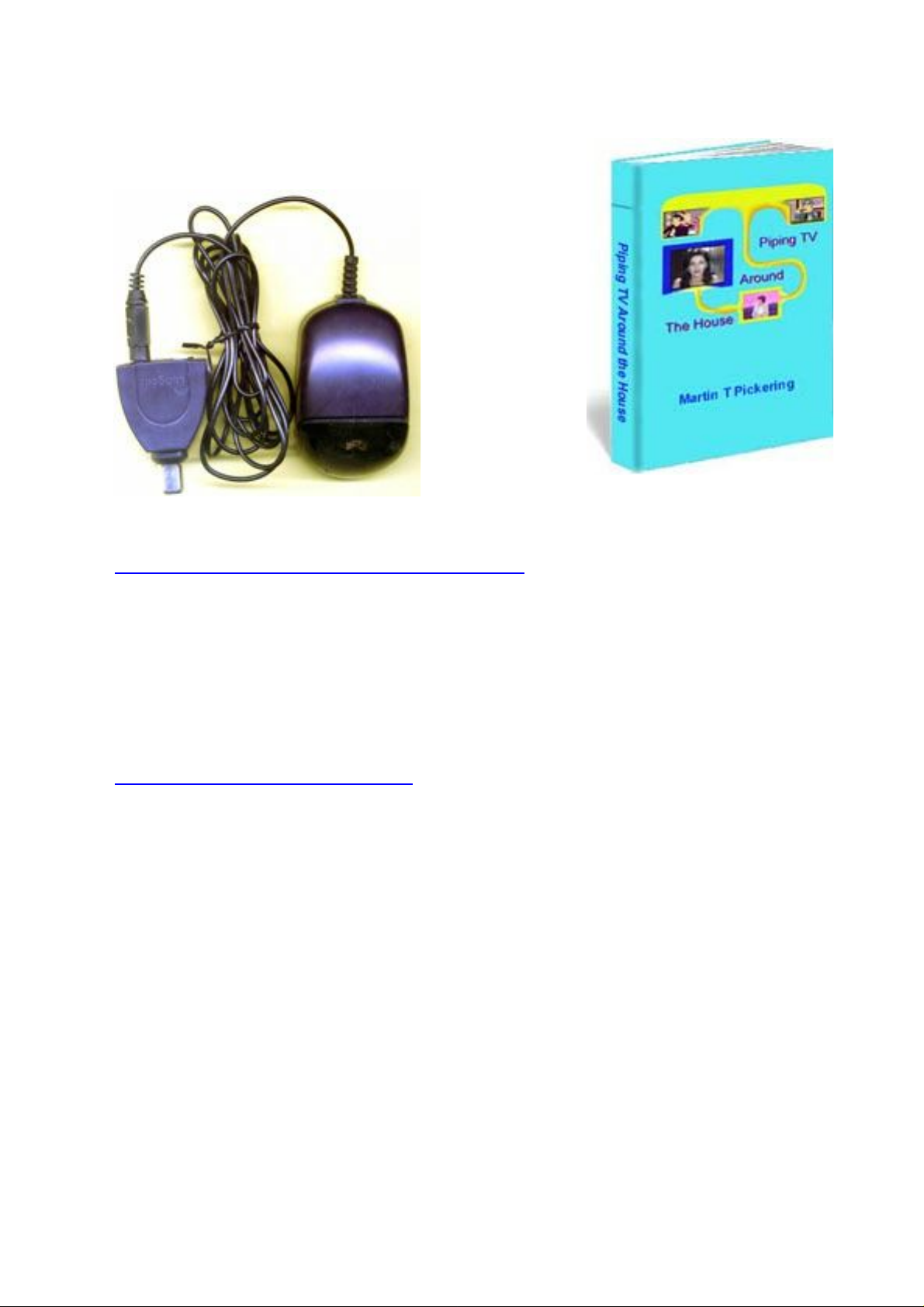
DigiLink “magic eye”
Connecting more than one TV
see my eBook
"Piping TV
Around the
House" for full
details. You can
extend your
remote control
by the methods
described on the previous page.
http://www.satcure.co.uk/book.htm
Any “SkyLink” requires 9 volts from the Digibox. The current must pass
through all connections to it. You should solder the tips of all TV plugs
that are in line with the “SkyLink”. You should also make sure that any
wall plates, splitters or amplifiers can pass the current (some wall plates
and amplifiers have blocking capacitors fitted!) See SatCure accessories
catalogue for suitable amplified splitters and wall plates.
http://www.satcure.co.uk
If the digibox detects a short circuit on the “SkyLink”, it will remove the
control voltage. One possible cause of a short circuit is that the RF2
Second Outlet Power Supply setting (in the RF Outlets screen) was
switched to 'On' prior to physical connection of the “SkyLink”.
To remedy this situation, proceed as follows. Turn Digibox on.
Press [services] 401 [select] without looking at the TV screen.
Select option 4, 'RF Outlets'.
Highlight the Second Outlet Power Supply setting and switch it to 'Off',
then highlight 'Save New Settings' and press the select button.
page 13
Page 14
Understanding Sky Digital Satellite TV
Check for correct installation and termination of the coaxial cable leading to the remote location. Also, check the “SkyLink” module itself and
the small cable leading from the “SkyLink” to the Remote Eye.
Finally, switch the Second Outlet Power Supply setting back to 'On',
then highlight 'Save New Settings' and press the select button.
More information about troubleshooting “SkyLink”
problems is available when you buy one from
SatCure. You’ll also find helpful notes in our book
“Piping TV Around the House”.
http://www.satcure.co.uk/book.htm
or
http://www.The-Cool-Book-Shop.co.uk
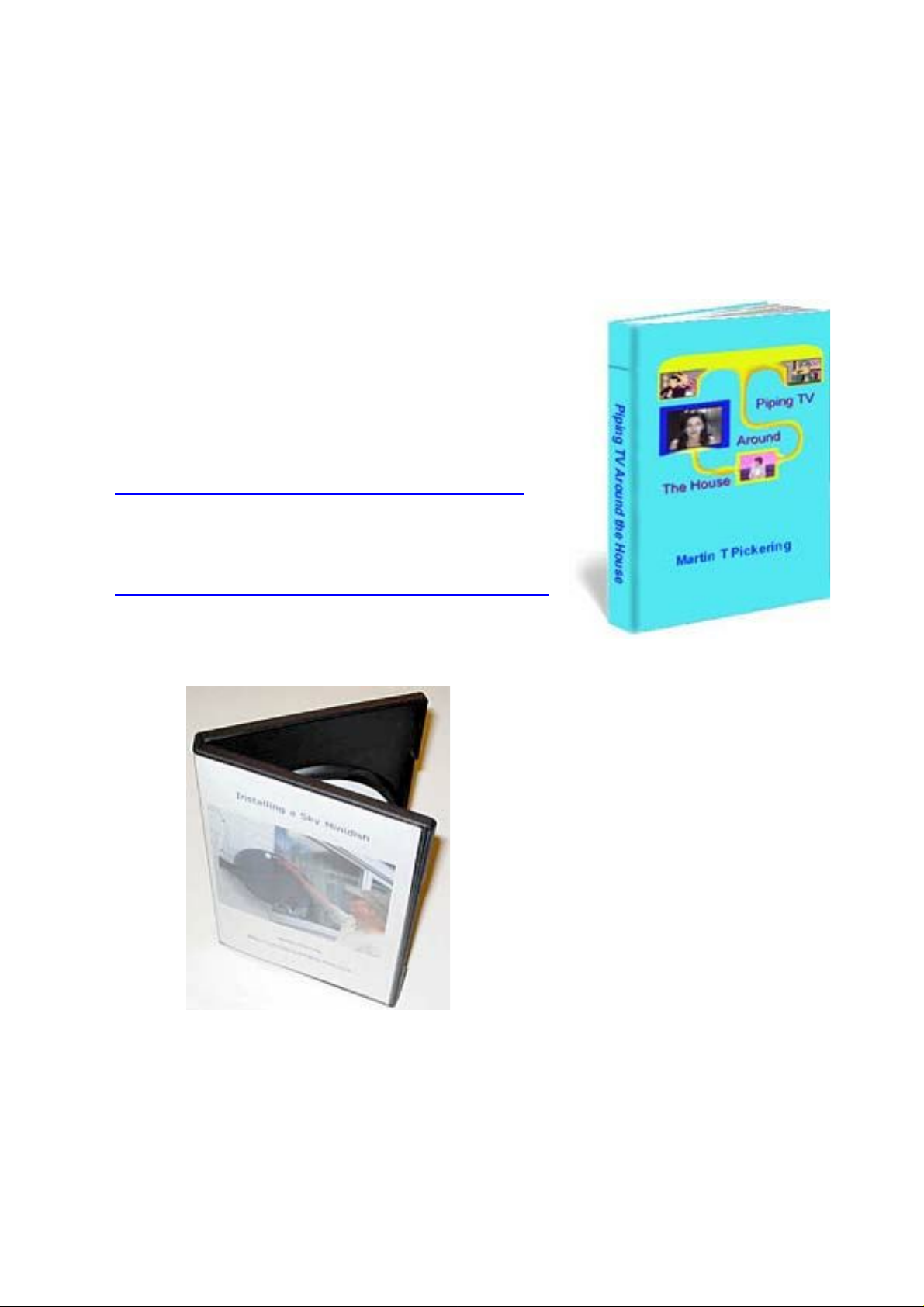
Installing a Sky Minidish
This is a movie on DVD.
In it, Martin shows you
everything you need to
know about installing a
Sky minidish in the UK.
Available from The Cool
Book Shop.
page 14
Page 15
Understanding Sky Digital Satellite TV
Using the remote control from another room
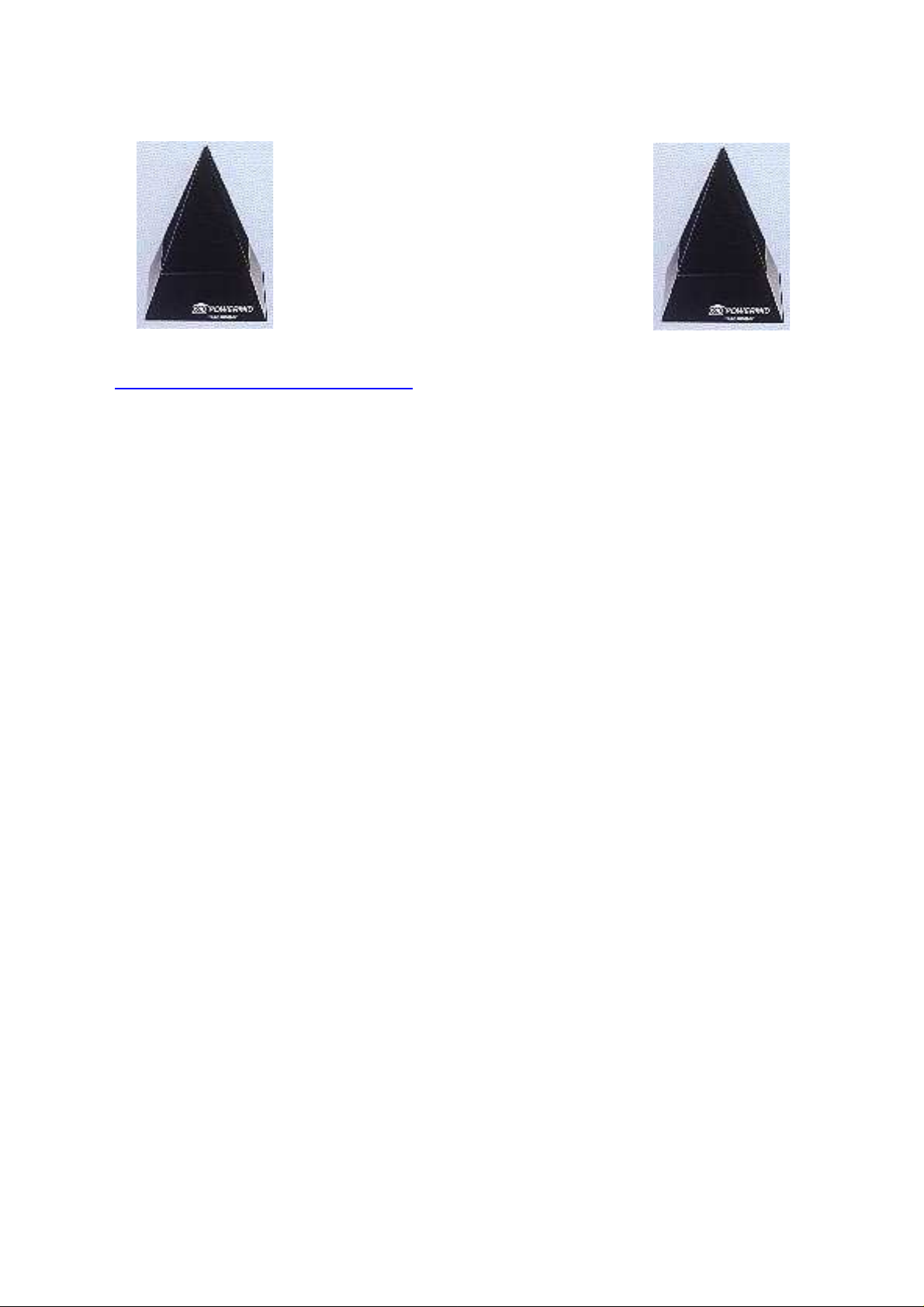
The best known "Remote Extender"
system is the "Powermid XL" which
comprises a transmitter and receiver, both in the shape of a pyramid.
The units are very small but each
needs to be plugged into a 230v mains power outlet.
http://www.satcure.co.uk
The units require no setting up. You simply plug them in and they work.
You point your normal remote control handset at the remote Powermid
"transmitter". It receives the infra-red pulses from your remote control
and transmits them via an aerial to the Powermid receiver. This unit
duplicates the original infra-red pulses.
It works with almost any remote control handset. So you can take your
VCR remote and your Digibox remote to bed with you and select the
programme or film that you want to watch on your bedroom TV. Or you
can simply use a "universal" remote control that works the basic functions of your VCR and your Digibox.
Disadvantages? Not many. The transmitting range is limited but, unless
you are lucky enough to live in a large mansion or a warehouse with
intervening metal walls, the system should work just fine.
If a nearby neighbour has a Powermid system and has the same type of
equipment as you (TV, VCR and especially a Sky Digibox) then you may
be surprised when the box changes channels by itself! I have never
known this happen but you could be unlucky if your houses are very
close together.
Remote extenders don't work with some cable TV boxes
It gets confusing because NTL has taken over Cable & Wireless but for a
long time it looked like C&W would take over Telewest. Anyway here
are the current cable boxes:-
C&W (now NTL) - DiTV1000
Telewest - Di1000T
NTL - Di4001
page 15
Page 16

Understanding Sky Digital Satellite TV
Here's the point I'm trying to make:The C&W and Telewest boxes use almost identical hardware although
the software differs. Both use an IRDA IR remote and a DOCSIS cable
modems.
The NTL box is completely different and uses a conventional remote
control and a DAVIC cable modem.
As for remote extenders you should be OK with an NTL box unless it is
NTL that was C&W. I do not know of any universal remotes or extenders that are capable of controlling the Telewest and C&W that was.
The follow explains the differences with the IRDA remotes.
The system used was chosen by our customers ( the network providers )
and is a high speed system that gives some "future proofing" of the
design . The system is designed for remote keyboard use ( Web browsing ) and to enable multiple handset to be used " simultaneously " as
required when playing games . This is because at some time in the near
future the network providers will offer these services .
"Normal" handsets use a system of modulating (switching on and off ) a
carrier signal. The normal frequency of the carrier being in the range of
35kHz to 60kHz.
The system used by Pace is based on the IRDA standard that has been
designed to enable computer peripherals to be linked without cables. (
This is not surprising as modern digital cable set top boxes contain a
powerful micro processing systems and the Pace boxes are the first to
also provide an integrated cable modem within the box.) The handset
data is transmitted as discrete pulses of IR - it is not carrier based. The
pulse rate is approximately 115kHz. The handsets have identification
keys / tabs that enable the receiver to identify the handset. Each key
sends a 7 byte package of data within 600uSec ( the same the time that it
taken to send only 1 or 2 bits of information with the normal system ).
This allows the data to be sent very quickly thus freeing time for a second handset to jump in . The receiver software also adds a time stamp to
the data to enable the games programmes to decide which handset
responded first. The system and protocols used are covered by patents.
If you need an IrDA compatible remote extender, order our DigiEye.
http://www.satcure.co.uk
page 16
Page 17
Understanding Sky Digital Satellite TV
Two Digiboxes in one room
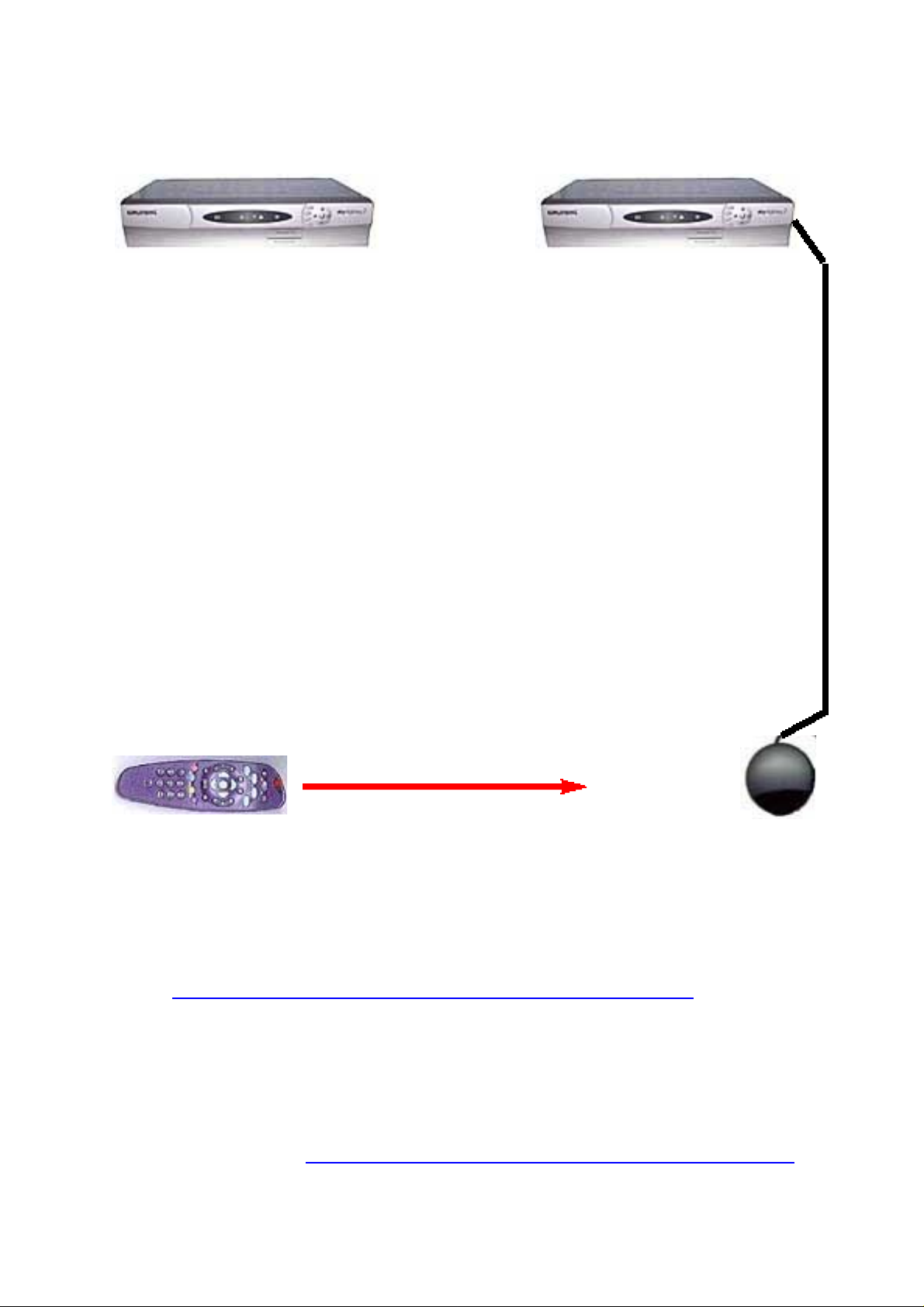
You can use a Sky-plus and a standard Digibox in the same room
because the remote control signals are different. However, if you want to
use two Digiboxes of the same type, you have a problem!
The best thing to do is to mask the infra-red sensor on the front panel of
one of the Digiboxes. Black PVC tape is ideal.
Now connect a DIGIlink or an SLXlink to the “RF Out 2” socket and set
the RF output voltage to ON. Position the “eye” of the “Link” as far
from the other Digibox as possible - preferably against a dark, matt
background so that the remote control invisible light is not reflected.
Wrap a piece of black card around the front end of the remote control to
limit its “beam width”. Now you should be able to point it at the
Digibox or the “link eye” to control your Digiboxes individually. The
degree of success will be determined by the colour of your walls, distance and ambient light levels. You may need to fit a “Link” to the other
Digibox, too.
Alternatively, you can install the Digiboxes inside a cupboard (well ventilated) and use the “Link” systems to control them in the same way.
Someone suggested polarised film (like polarised sunglasses) to separate the signals. We tried this but it didn't work. So take a look at this page:
http://www.satcure.co.uk/tech/remote_doubler.htm
You’ll find more information about “Link” systems in the eBook “Piping
TV Around the House”. We can also supply a cupboard “Link” for the
Grundig and Thomson “Freeview” box.
If you have a standard Sky Digibox and a Sky Plus, take a look at our
tvLink-Plus system
http://www.satcure.co.uk/tech/tvlink_plus.htm
page 17
Page 18

Understanding Sky Digital Satellite TV
The Digital interface socket
The 1394 digital interface socket is for use by authorised manufacturers
only. It is used for testing and uploading new software from a PC but
the software required to do this is written by (and copyright to) Sky and,
therefore, available only to manufacturers. SatCure has no information.
You will not need to use this socket because the internal software will be
upgraded by Sky from time to time overnight via satellite.
Recording a different programme
If you want to record a different programme from the one you are currently watching, you will have to record the normal terrestrial analogue TV signal or use a second Digibox (and 2nd smart card if required for that programme). Alternatively, you can buy a "Sky Plus" Digibox which has two tuner inputs. You will need a twin-output or quad-out- put LNB on the dish to allow two separate programmes to be tuned in at the same time. An internal Hard Drive in the Sky Plus box allows one programme to be recorded while another is watched. In addition, it allows "time shift viewing" so that you can press a button when you go to answer the door or the phone. When you return you can continue to watch the programme from where you left off.
If you can’t afford a Sky Plus Digibox, our “Phantom PVR” device lets your VCR record programmes automatically from your Digibox. Some Sky PPV movies are protected from being recorded by a "Macrovision" system which is built into all Digiboxes. You can buy a so-called "Macrovision Buster" box from various suppliers (not SatCure).
If you use two separate Digiboxes, each receiver will require its own subscription card, unless you are happy to watch only the free channels from one. Cards are not fully transferable between receivers. A card in the wrong receiver will allow you to watch some (not all) channels.
Viewers in Southern Ireland are a special case. If the Digibox and card are registered for Southern Ireland, the UK terrestrial programmes are not usually available, since residents of that country do not pay a UK TV licence fee. Likewise, Viewers in the UK may not watch Irish programmes unles they use a Digibox and card that were registered to an Irish address. (But BBC+ITV programmes are viewable by everyone).
page 18
Page 19
Understanding Sky Digital Satellite TV
Digibox compatibility
The Digibox has the capability to handle wide screen transmissions. It
does not use Nicam stereo. (Connect your TV using a Scart lead to get
stereo. Your TV will still indicate “mono”). Nicam is a stereo audio stan-
dard used for some analogue terrestrial transmissions and has nothing
to do with satellite TV. The Digibox uses MPEG-2 digital audio which
gives "near CD" quality stereo sound. It includes the normal Dolby
Prologic information whenever this is transmitted - usually with movies
- for centre, front, and rear speakers. Connect via the Phono sockets to your Dolby amplifier. “Dolby Digital 5.1” is output only from the “Sky+” Digibox and only with certain programmes - mostly movies.
Using an existing dish for Sky digital
The dish that was used for the original Analogue Sky transmissions will
be aligned on 19.2’E. You can either realign it on 28.2’E for Sky Digital or
else add a second LNB on an extension bracket and set that so it picks
up the signal from 28.2’E while the existing LNB still receives signals
from 19.2’E.
The LNB for Sky Digital will need to be a Universal LNB with high quality digital coaxial cable and must be accurately aligned on 28.2 degrees East of South. In most parts of the UK a 60cm dish works well even in heavy rain (80cm in Scotland).
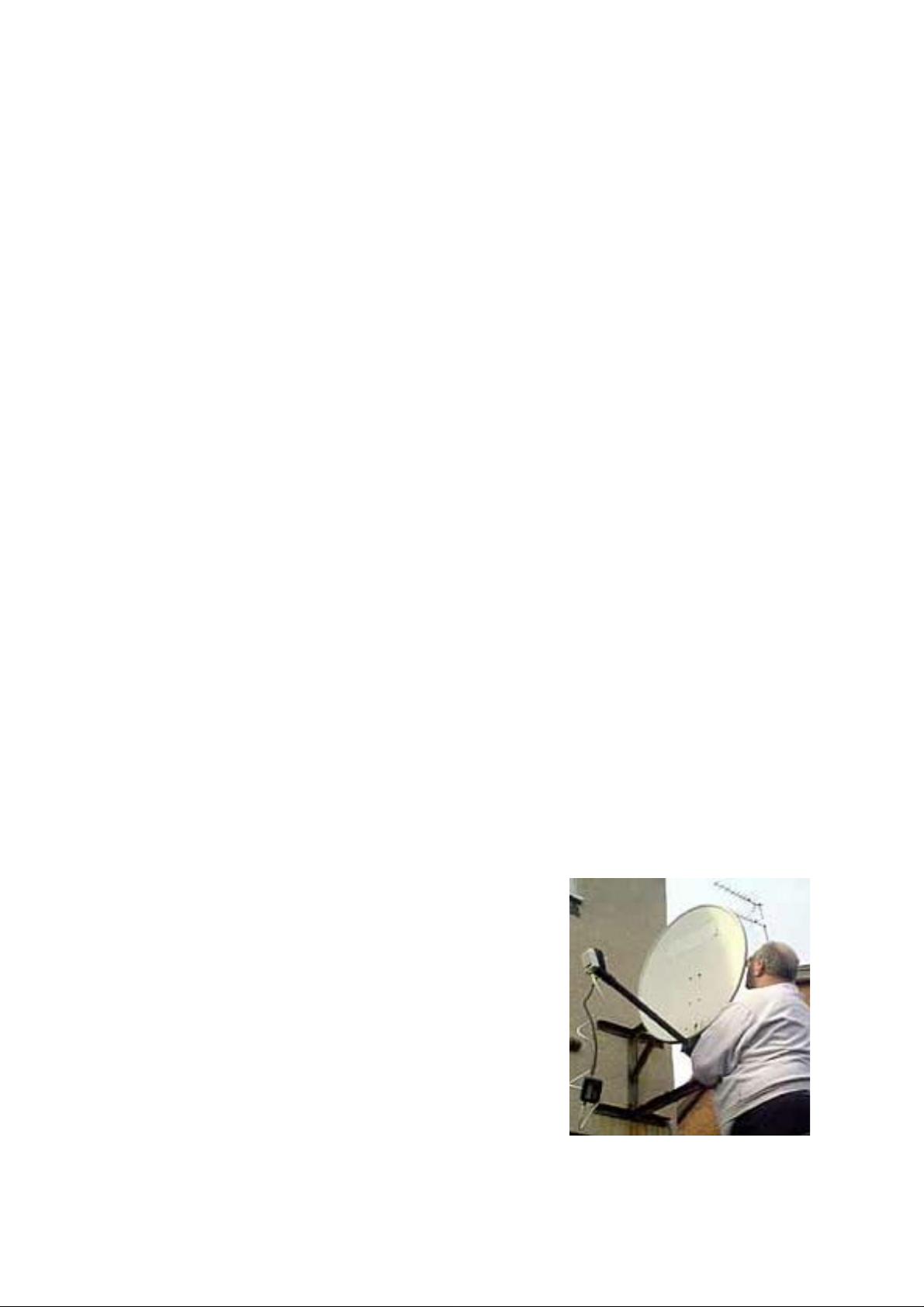
The picture shows an ancient solid white 60cm dish being realigned for Sky Digital. Note the SatCure satellite finder meter hanging from the LNB. The signal is monitored while the dish is moved. Note that this particular dish was mounted on 24 inch “T + K brackets“ because the original 19.2’E alignment was at exactly 90 degrees to the wall, which caused the roof overhang to obscure the satellite signal. For 28.2’E the LNB had to be rotated further from the wall so the overhang was no longer a problem.
If you use an old dish, ensure that it is not distorted or bent and that it is reasonably free
from rust. Oil all adjusting bolts and free them
off so the dish moves smoothly, otherwise you
won’t be able to make the fine adjustments during realignment.
page 19
Page 20
Understanding Sky Digital Satellite TV
Using an existing analogue system in addition
The best way to do this is to keep the two systems totally separate.
However you will need planning permission for two dishes (in theory).
In practice, if at least one dish is out of sight and/or you get on well
with your neighbours, then you won't need to apply for permission.
Another way is to use a 60cm or 80 cm dish with two LNBs on a bracket.
If your system is motorised you might be able
to use a twin-output Universal LNB to feed
both receivers. However, you should always
"park" your dish at 28.2E when not in use,
otherwise you could miss software upgrades
and other information (messages) broadcast
by Sky.
Full information about installing two or three
LNBs on a single dish (or a twin-output or
quad-output LNB) is given in our book
“Installing Sky Digital TV”.
http://www.satcure.co.uk/installing_sky_digital.htm
Live by the sea?
Those people who live near the sea, in Britain, know how quickly metal
objects corrode! A normal steel dish is a rusting heap in less than a year
and the rust doesn't improve the signal. An aluminium dish is better but
still acquires ugly white "psoriasis". Our answer is to offer you a Triax
fibreglass dish that won't corrode. See our catalogue for details.
OK, that’s covered the questions that most people ask. The rest of this
eBook will explain the history, the technical stuff and lots of useful
things that you probably didn’t know you could do!
page 20
Page 21

Understanding Sky Digital Satellite TV
Terms used in satellite TV
Analogue:.............Not digital. A signal composed of every possible
value.
Aerial: ...................(this is how we spell it in the UK) that bunch of metal
sticks on the roof.
Antenna:...............little pointy things on a bug (insect). Pl: antennae.
Arial: .....................A sans-serif computer font.
Ariel: .....................A gazelle. Also a biological washing powder. (It never
ceases to amaze me how many people report trouble
getting good pictures from their biological detergent!)
Channel:...............Normally refers to a specific frequency – often given a
discrete number – used to transmit one or more TV or
radio programmes or data.
Dead:.....................Please note that "dead" is defined as "no measurable
secondary voltages from the power supply". A "dead"
receiver will not light up or make a noise! I get a lot of
people wasting my time with false descriptions of
"dead" when they actually mean "no picture", "poor
picture", "scrambled picture", "no sound" or "ticking"
or "working perfectly but no front panel display" etc.
(I also have people write: "My receiver is not dead
because it keeps blowing fuses"! If it blew the main
protection fuse, it is dead, believe me!)
Decoder: ...............The box or internal circuit that unscrambles the pic-
tures on some analogue channels.
Digibox:................Any sort of digital receiver of which the Sky Digibox
is one example.
Digital:..................Not analogue. A signal comprising discrete elements
which reprresent either “zero” or “not zero”.
Dish:......................That non-flat thing that you point at the satellite.
Usually based on a parabolic curvature to act as a
focussing mirror to reflect signals into an LNB.
Disc::......................Flat circular object like a penny.
Engineer: ..............A person who has passed the examination to get a
Bachelor of Engineering (or Science) degree or similar.
Installer: ...............A person who probably hasn’t. :o)
page 21
Page 22

Understanding Sky Digital Satellite TV
Freeview...............UK digital terrestrial programmes received with a
suitable receiver and aerial (not a dish!)
FTA:.......................Free To Air. A programme you can watch with basic
equipment without paying a fee.
FTV:.......................Free To View. A programme you can watch with spe-
cialised equipment, often without paying a fee.
LNB: ......................The signal collector on the dish arm. Low Noise
Block-downconverter converts a block of frequencies.
Macrovision.........Refers to a method of adding a pulse to a video signal
to make it difficult to record a programme.
Martin:..................my name. Amazing how many people think it’s
"Mark", “Mike”, "Keith" (?) or "Martyn". It’s not.
PCB:.......................The Printed Circuit Board on which components are
mounted.
PIN: .......................Personal Identification Number or “password”.
Polarisation:.........Often referred to (incorrectly) as “polarity”. A method
of transmitting a signal so it doesn’t interfere with an
adjacent signal. Horizontal, vertical, or circular.
Polariser:...............An attachment that can alter the effective polarisation
of an incoming signal so the LNB can receive it.
PPV:.......................Pay Per View. You have to pay a fee before you can
watch a programme.
Program:...............Normally refers to a computer software application.
Programme:..........Normally refers to a televised show, movie, documen-
tary which you can see and/or hear on TV/radio.
PSU:.......................Power Supply Unit which may be part of the main
internal circuit board or may be a separate unit.
Receiver:...............The box that receives and selects the satellite TV
transmissions from the LNB. Note the correct spelling
RF Modulator: .....The module that you connect the TV aerial into and
picture signal out of. May be a separate unit.
Satellite:................the correct spelling for those transmitters above the
earth, some 22,000 miles away.
STB:.......................Set Top Box – a term used to refer to any sort of TV
accessory for receiving TV signals, Satellite signals or
Internet data. May be digital or analogue.
Transponder:........think of it as a transmitter and dish, bolted to the
satellite above the earth.
Tuner: ....................The internal module that you connect the LNB cable
to - usually with a screw "F" plug.
page 22
Page 23

Understanding Sky Digital Satellite TV
Satellite TV
In the early 1980s, a satellite TV system cost over a thousand pounds and
was strictly for the enthusiast. There was only a very limited amount of
English program material broadcast so much of the fun was in that
peculiar sport called “channel hopping” which is followed so
enthusiastically by men but seldom by women. If you change channel
every few seconds, it hardly matters that the commentary is in German,
French or Swahili!
Nowadays, Europe is well served by the Astra satellites which provide
hundreds of English language TV channels - mostly via a BskyB
subscription - and hundreds of channels in other languages which are
broadcast by Astra, Eutelsat and other satellites, too.
Most people fail to realise that there are also dozens of radio channels
broadcast, mostly in stereo, so you can connect your satellite receiver to
your Hi Fi system and listen to TV or radio channels in glorious stereo.
Better still, you can buy used satellite receivers which incorporate their
own stereo and surround-sound amplifiers which will complement your
existing Nicam stereo TV and video recorder, eg. SRD2000 and MSS1000.
Unfortunately, many of the channels broadcast by SKY on Astra use a
scrambling system which requires you to put a special plastic “Smart
Card” into a slot in the receiver. You must pay a subscription fee for the
card, and a “Pay per view” system is also in use, where you pay extra to
watch certain programmes (for example, football matches).
There are several channels which simply show movies; there are sports
channels, music channels, channels which concentrate on family
entertainment such as panel games and “soaps”; news channels;
channels for adults and cartoon channels for children; of course, if you
speak, or want to speak, a foreign language, there are plenty of those to
choose from, too, but not many in the UK "Sky" package. The Sky
Digibox is capable of receiving satellite broadcasts from other satellites
but it is not designed to do so in a user-friendly way. You must use the
“Add Channels” menu feature to store “bouquets” of “other channels”
(maximum of 50 other channels - but frequently much less than 50).
page 23
Page 24
Understanding Sky Digital Satellite TV
First the basics
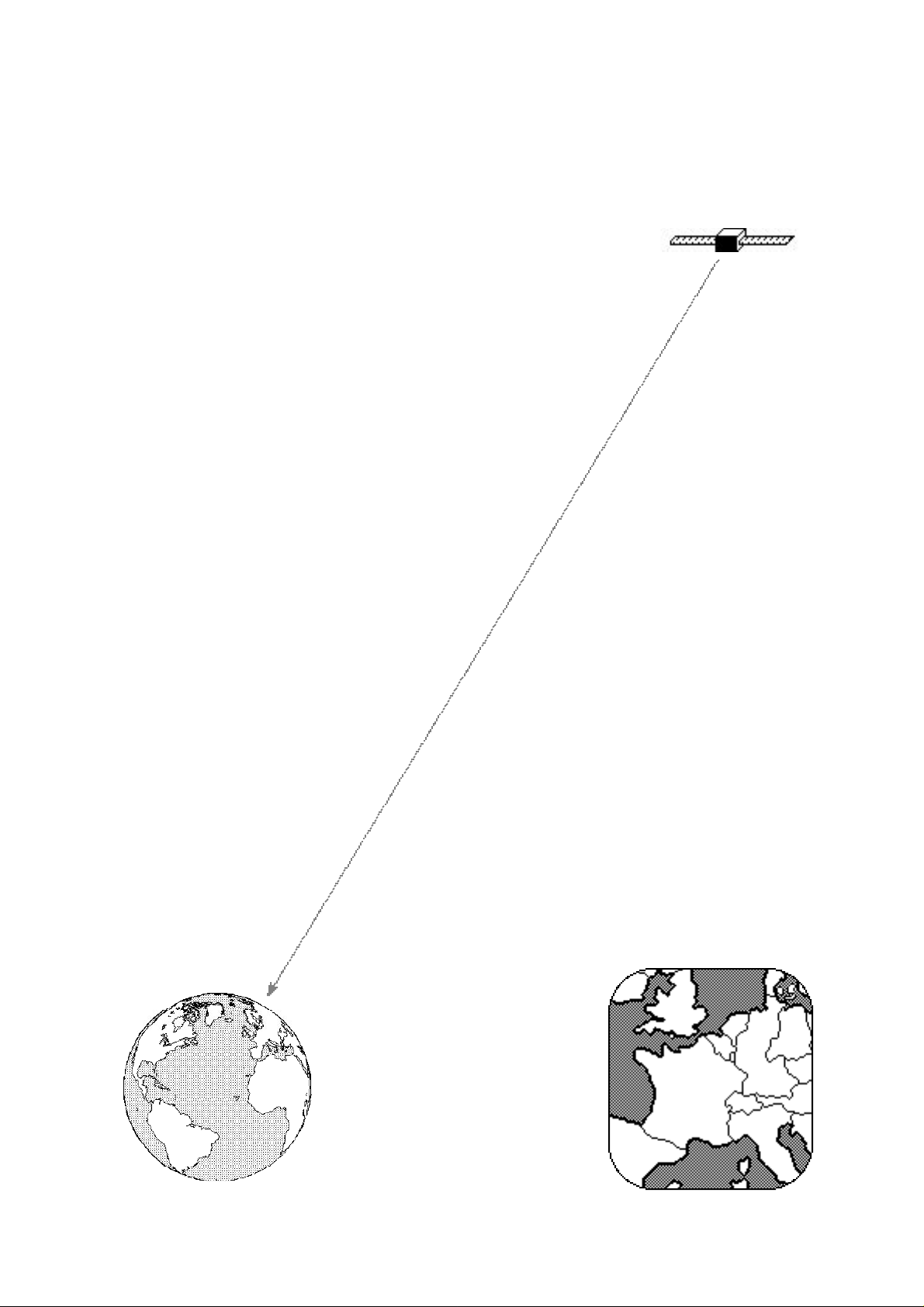
A satellite is a group of TV transmitters in a box, which is launched by
rocket and manœvred into position so it hangs above
the Equator about 36,000 kilometres from the Earth.
This position is called “geostationary”, which means that the satellite
travels around the Earth at such a speed that it remains in the same
relative position in the sky, as the Earth itself rotates.
Once a receiving dish is pointing at the satellite, therefore, the dish
should never need to be re-aligned because the satellite appears to be
fixed in place.
However, the initial alignment of the dish is extremely critical. You will
understand why when I tell you that most satellite transponders
broadcast with a power of just 45 - 65 Watts. Imagine pointing a
telescope at a 45 Watt light bulb which hangs in space 36,000 kilometres
(22,000 miles) away. Think you could see it?
The signal which reaches Earth is incredibly weak and it is amazing that
even a 35cm diameter dish will catch enough signal to give superb TV
pictures and sound from a digital transmission.
Each program is transmitted to the satellite from a huge dish on Earth.
The satellite then beams the transmission back to Earth using a unit
called a “transponder” (which is really another term for transmitting
dish and amplifier).
Some non-UK programs will seem weaker than Sky's because their
transponders are pointing towards their own
countries and we are on the edge
of their reception area or
“footprint”, as it is called.
Most EU transponder
footprints are centred on
Europe to give the widest
geographical coverage.
A typical footprint
page 24
Page 25

Understanding Sky Digital Satellite TV
Consequently, areas on the edge of the footprint will need to use a larger
dish than standard to compensate for the weaker signal in their areas.
Scotland will usually need a larger dish than southern England, for
instance. Scandinavia and southern parts of Europe will, too.
The “Astra” satellite transmissions actually come from several separate
satellites which are positioned so close to each other that the dish picks
up all their channels as if there were just one satellite. (Actually, they are
positioned within a cube of space whose side measures about 140
kilometres, so there is little chance of one satellite hitting another).
The number of Astra satellites has been increased since 1994 (when there were only three positioned at 19.2° East of South). In addition, with digital compression, the number of channels from a satellite can be multiplied by 5, since each transponder that carried one analogue programme can carry 5+ digital programmes. One programme can be broadcast on a dozen digital "channels" with each channel starting, say, fifteen minutes after the previous one. In that way, you can watch an entire film on one of the channels no matter what time you arrive home!
Why Digital?
Digital programmes are "compressed". I'll explain this in non-technical
language because it's useful to know how it works. My explanation isn't
technically accurate but it will serve to give you a good enough
understanding. You probably already know that a moving TV picture is
made up of a series of still picture "frames". Each frame is made up from
a number of horizontal “lines” which scan across the TV screen from left
to right, filling the "frame" from the top to the bottom. (A conventional
picture already contains some digital information. You can sometimes
see it as flickering dots or dashes at the top of the screen. This is the
"Teletext" information which is normally hidden out of sight). To convert
a TV film to digital, a computer looks at each picture frame in turn and
represents the coloured dots and brightness as a number code. In
addition, it can "compress" some of the code. For example, a red line
across the screen ........... can be represented as the number code for every
red dot which might be -05-05-05-05-05-05-05- 05-05 -05-05 as many
times as it takes to make the correct line length. But this is wasteful
because the same information can be represented as (the number of
dots) + (the colour). So our short line of red dots becomes [11][05], which
page 25
Page 26
Understanding Sky Digital Satellite TV
is a much shorter code. This is a simplified explanation of how a
coloured picture can be compressed using numeric values.
But simply compressing the picture information is not enough. The
"boffins" figured out a way to remove information so that even less code
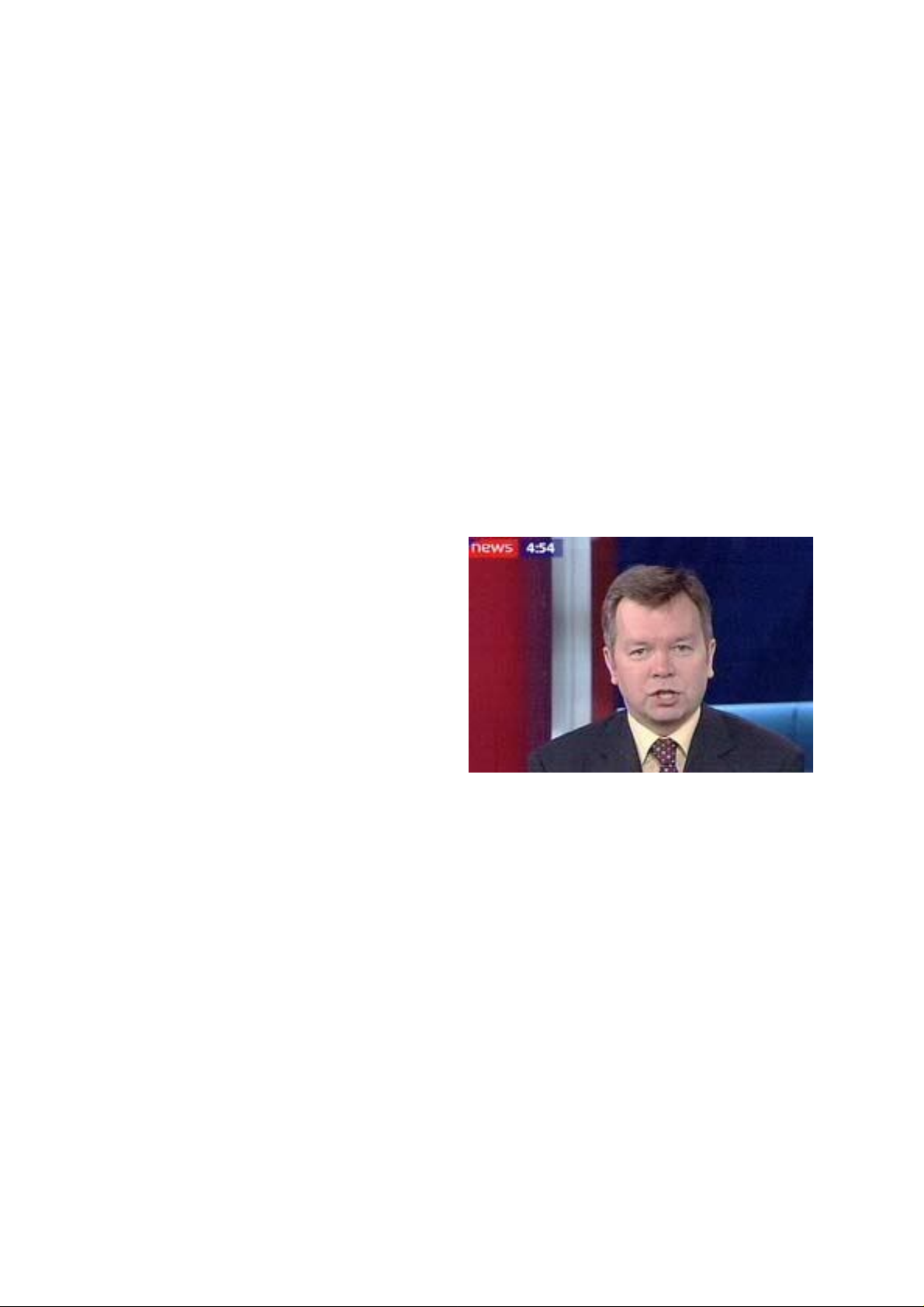
needs to be transmitted. Suppose you are watching a news reader. Most
of the time, the only parts of the picture which are moving are her eyes
and mouth. So the computer looks at the first picture frame, converts it
to digital code and "compresses" it in a similar way to the red line
explanation. Then it looks at the next picture frame and compares it
with the first. The news reader has started to open her mouth but
nothing else has moved. So the computer sends a code which means
"same as previous except at coordinates x-y substitute the following
code" and then gives the code for the new position of the dots that make
up the news reader's lips. And it does this for the next frame and the
next.
But even this isn't compressed
enough for the "boffins" so they
thought up another idea. The next
frame isn't transmitted at all!
That's OK because the Digital
Receiver also contains a computer.
It watches the code for each frame
and converts it into a pictur
frame is missing, it looks at the previous few frames and compares the
movements. Then it "predicts" what the next frame will look like and
guesses it. Normally you can't tell but very occasionally things go
wrong. For example, if the news reader moves to the right to pick up a
piece of paper then moves back again - if at the point when she begins to
move back, the frame is not transmitted, your Digibox will "predict" that
the news reader continues to move to the right. Worse, it may decide
that only her hair continues to move to the right. The result may be that,
just for one fiftieth of a second, the news reader moves left while her
hair stays still! These mistakes are usually so subtle that you won't even
notice.
e that you can watch. When it sees that a
So, the digital compression technique is not perfect but the resultant
pictures should be. When the Digibox computer "reconstitutes" a
page 26
Page 27

Understanding Sky Digital Satellite TV
picture, it will make a perfectly "clean" picture with no "sparklies", no "graininess", no colour faults, no "ghosting", no interference lines. If you see any of these effects, then they will usually be occurring after the Digibox has passed its picture out to your TV.
Multiplexing
Once compression is complete, a typical TV programme or film can be
broadcast in about one tenth of the time it takes normally. However, this
is of little use since you don't want to watch it ten times as quickly!
So the broadcasting computer combines the digital information of up to
ten different programmes (typicaly 5) by a process called "multiplexing".
Simply put, it mixes the data for ten programmes together in such a way
that the Digital receiver can pick out the data for the programme that
you want and reconstitute it into picture and sound. Oh yes, I forgot to
mention, the sound is also converted into digital information,
compressed, and mixed in with the rest of the data.
The end result is that each of the satellite's transponders receives a data
stream containing picture and sound for up to ten separate programmes
and retransmits this data stream or signal back to earth where your dish
can receive it. If the satellite has, say, sixteen transponders then it might
handle up to 80 programmes simultaneously. Add another satellite and
you can get 160 programmes. One big advantage is that it now costs
only one fifth of the price of transmitting an analogue programme
which required one transponder to itself. This opens the door for low
budget productions, religious programmes and the like.
Your Digital receiver works magic by picking out the specific frequency
of the transponder whose data stream contains the programme you
want to watch. Its internal computer takes the data for that one
programme out of the data stream and recombines it to give picture,
sound, teletext and other information as well. It works at incredible
speed to reconstitute each picture frame as well as the sound to go with
it, guessing at (roughly) every fourth frame and receiving a full frame
only (roughly) every ninth. When it gets it right, you'll have crystal clear
pictures and sound. If it gets it wrong, you'll get lip-synchronising
problems, strange picture effects and even complete loss of picture
(usually only when the signal is weak or interrupted). Sometimes, as
with a computer, you’ll have to remove the power to “reboot” it.
page 27
Page 28

Understanding Sky Digital Satellite TV
What does a dish do?
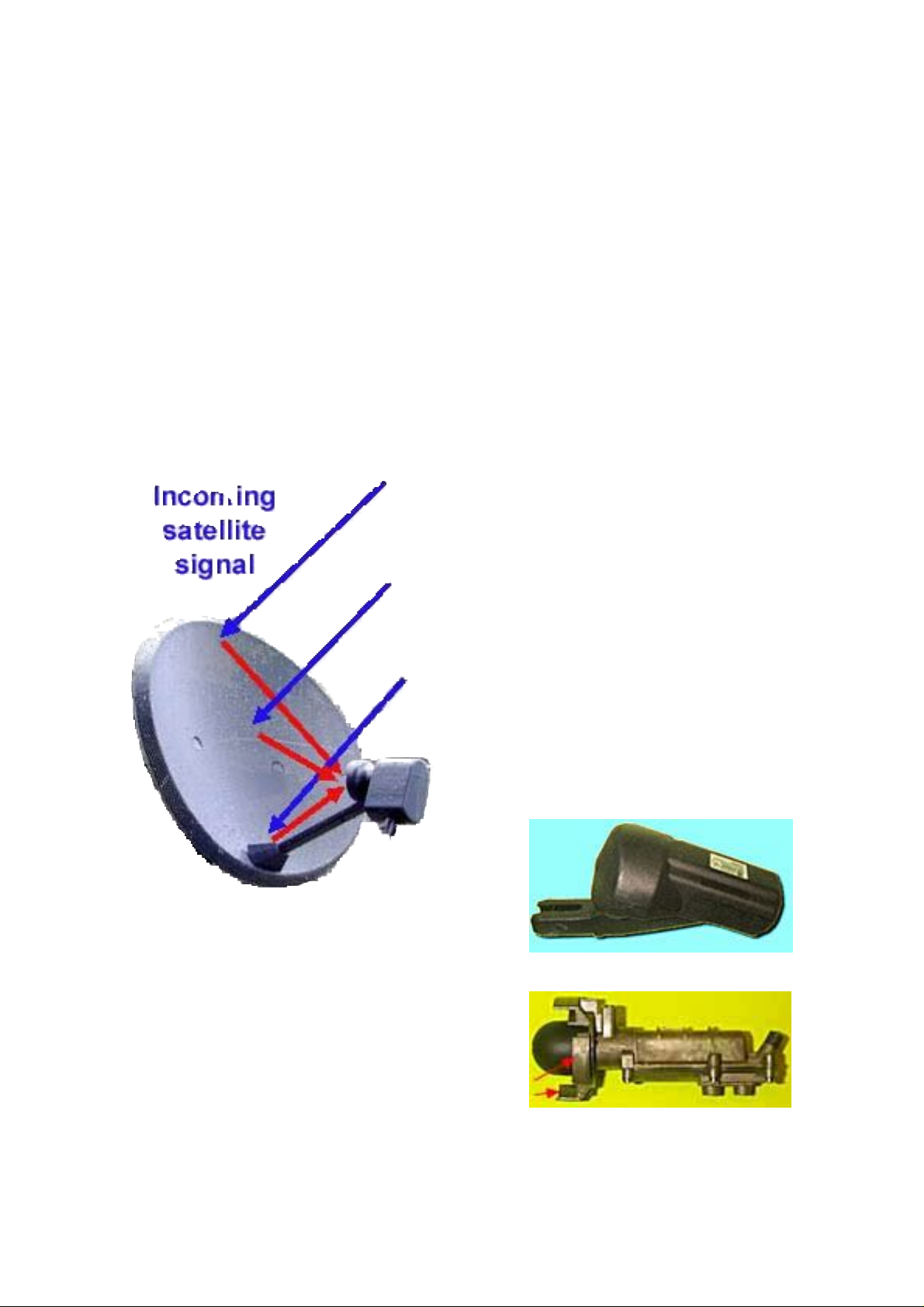
The dish collects the signal which is beamed down by the satellite and
focuses it onto the collection horn of a device called an “LNB”.
Clear dishes made from plastic with metal embedded inside are
available. The performance can be just as good as that of a metal dish.
Most dishes are pressed out of solid metal and, provided that the
pressing is accurate, this is still the most efficient dish to use.
However, a solid dish is not very pretty on a house wall and perforated
dishes with holes (so called “mesh” dishes) are more popular since they
do not present such an eyesore. Square, flat dishes are also available.
Two types of metal are used: steel and aluminium. Steel is heavier and
will rust unless the paint coating is exceptional. Aluminium is lighter
but more expensive. It is also prone to corrosion, if not protected by a
good paint coating, but the corrosion tends to be less severe and white,
not brown. Aluminium is softer than steel and bends more easily.
Plastic, steel or aluminium? – The choice is yours - unless you choose a
Sky minidish which is always steel (to minimise the cost).
An “offset focus dish” can be mounted almost vertically, close to a wall. The LNB is on an arm low down. A prime focus dish has to be angled upwards more and tends to be large-used mostly for motorised systems.
There are more exotic designs, too, at a much higher cost. You can buy a
transparent dish; a flat, square “dish”; a flat, circular “dish” which bolts
flat against the wall; a small, horn-shaped dish was also manufactured
at one time. See “Installing Sky Satellite TV” eBook for disguised dishes.
The choice is not easy and there are other considerations, too:-
Wider dishes have a narrower focal angle – that is to say, they focus on a smaller circle in the sky. Since satellites are positioned only about 3° apart, a focal angle of less than 3° is highly desirable in order to minimise interference which can cause strange effects on picture, sound or both – often on only one or two analogue channels. Digital channels may be lost completely. The wider the dish, the narrower the focal angle. But a narrow focal angle makes the dish alignment much more critical.
page 28
Page 29
Understanding Sky Digital Satellite TV
The LNB hornalso has a focal angle so, not only must it be clamped at the focal point of the dish, but the horn angle must wide enough to capture reflected signal from the whole of the dish but not so wide that it also collects unwanted interference from wall or sky behind the dish.
Most LNBs will fit most dishes but there are some LNBs and dishes
which may be used only in matched pairs. Beware apparent “bargain
buys”. LNBs designed for the Sky “minidish” are very special.
(You’ll find them in our on-line catalogue under “minidish LNBs)
This book can not guide you on which make of dish is best since only
you know your requirements and since dishes that are available now
may have changed in design by the time you read this. However, you
now know some of the questions to ask your local satellite specialist.
(A specialist satellite dealer is far more
likely to be able to advise about satellite
equipment choice, latest innovations and have
technical know-how than a high street shop).
Focal angle of LNB should be just
wide enough to catch the signals reflected from
the dish, both vertically and horizontally.
Just to prove the point, here is a "Universal"
LNB as used with a Sky "minidish".
The minidish is oval in shape, being
much wider than it is high.
Inside that plastic
rain cover is the
actual LNB. Note the difference in scalar
ring height (red arrows). The side
projections allow the LNB to focus on a
wide area in the horizontal plane, while
the top and bottom projections are longer
and focus the LNB on a narrower area in
the vertical plane. This LNB is designed
specifically for an oval dish and is likely to
give poor results with a dish that is roughly circular or, especially, a dish
that is taller than it is wide. (Never open the metal housing of an LNB you may destroy its tuning cavity and its hermetic seal).
page 29
Page 30
Understanding Sky Digital Satellite TV
What does an LNB do?
The letters LNB stand for Low Noise Block-downconverter.
In order to get the maximum number of
program channels transmitted in the
smallest possible frequency bandwidth
the channels are transmitted with
different polarisation. You don’t need to
understand what these terms mean;
simply accept that some signals have
“Vertical polarisation” and some have
“Horizontal polarisation”.
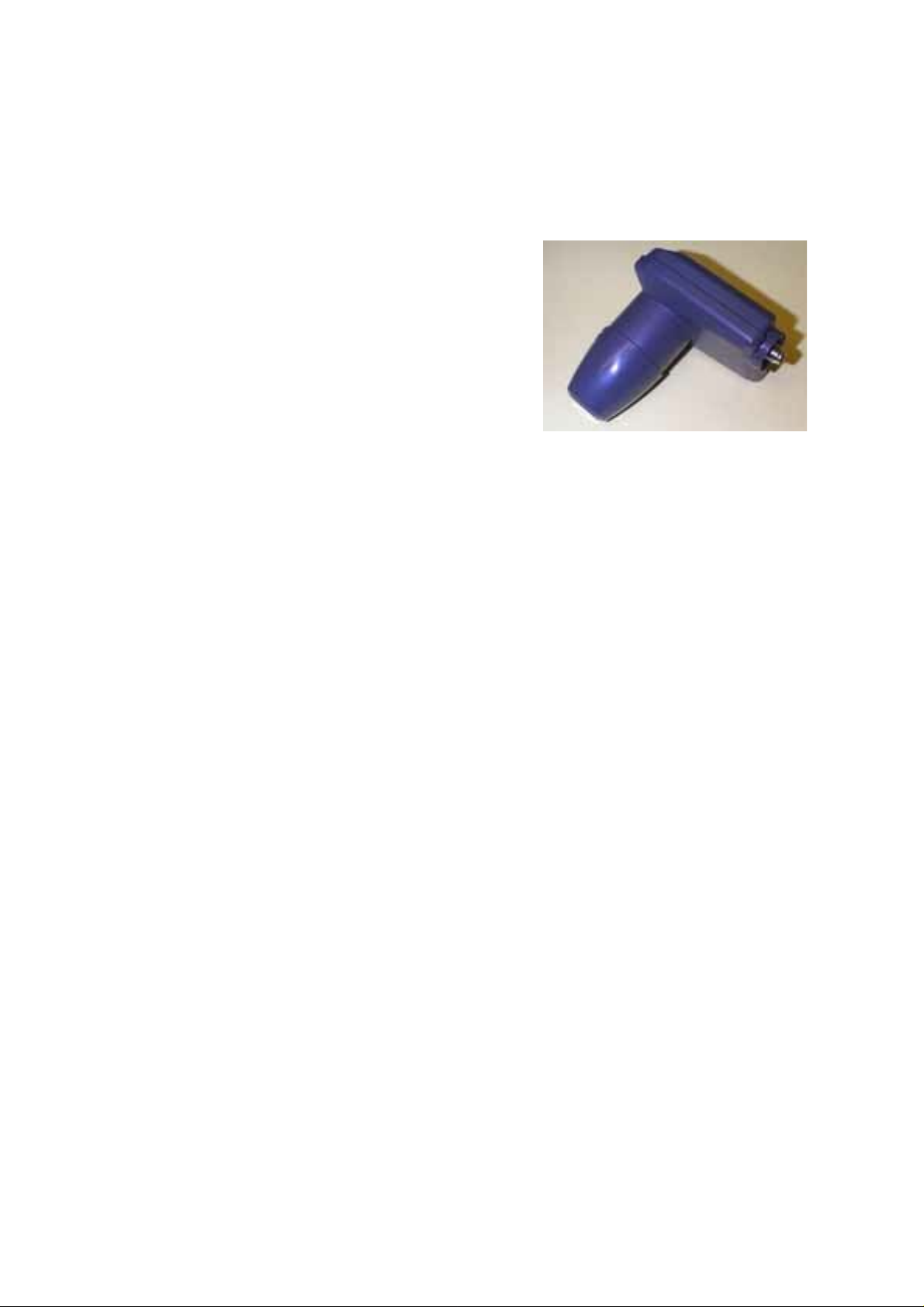
A good (obsolete) LNB is the "Alps" which doesn't have a "horn" in the normal sense. Instead, it uses a special plastic "nose cone" to focus the signals onto its internal antennae by "lens diffraction". This Alps LNB has a "typical" noise figure of 0.7dB, which is fine.
An LNB does several things: its horn focuses the reflected beam from
the dish down onto a tiny aerial inside the LNB. Actually, in a modern
“voltage switching” LNB there are two aerials – one for Horizontal and
one for Vertical signals. The signals go right through the thin plastic rain
cap on the horn and are received by the two aerials inside. These weak
signals are amplified by an electronic amplifier.
Now, these signals are very high frequency like those used by a
microwave oven (but much weaker!) and they will not pass well through
glass or metal. In fact they will not go down cable, either, so the final job
of the LNB is to convert them into a block of lower frequencies which
will go down a cable. Hence “Low Noise Block-downconverter”.
A typical transmission frequency used by the satellite would be 12000
MegaHertz - that's 12 GigaHertz.
(Never mind what it means. It’s just a big number). Now ordinary
television cable would be struggling to carry a signal of 1 GHz so 12
GHz is simply impossible. However, a better quality cable (called
“satellite” or “digital” cable by most installers!) will carry a signal of up
to 2 GHz, so we need to reduce the frequency below that limit.
page 30
Page 31

Understanding Sky Digital Satellite TV
Now for the most complicated mathematical sum in the whole book:–
What the LNB does is to subtract (for example) 10.6 GHz from the
satellite signal and pass the rest down the cable. For the example quoted
that would be 12 - 10.6 = 1.4 GHz, which is in the range that satellite
cable will carry (but not TV cable!) The LNB transmits all the channel
frequencies down the cable simultaneously as a "block", (hence its name)
having subtracted 10.6 from all of them. All the satellite receiver has to
do is to select the one individual frequency that you require.
To sum up, the LNB performs several functions, as follows:
• Collects very weak satellite signal reflected from the dish.
• Separates Horizontally- and Vertically polarised signals.
• Amplifies signal.
• Mixes signal with that produced by an internal oscillator.
• Subtracts the two frequencies and sends the difference
down the cable to the receiver at a much lower frequency.
The low band satellite channels span the range 10975MHz to 11750MHz.
If the LNB oscillator runs at 10,000 MHz, the cable will contain signals
from 975 to 1750MHz. The old Astra 1D channels spanned 10710 to
11750MHz. If the LNB oscillator runs at 9,750 MHz (“Enhanced LNB”),
the cable will contain signals from 960 to 2000 MHz. For each polarisation, all of the satellite program material which is broadcast is contained
within the block of down-converted signal — not just one program. It is
the job of the satellite receiver to separate each program from the block
of down-converted signals coming down the cable from the LNB.
LNB Noise Figures
The LNB has internal electronics which generate some unwanted
“noise” — random frequencies which can cause interference in the very
weak signals from the satellite. In order to minimise this interference,
the LNB “noise” must be as low as possible. The “Noise Figure” is
expressed in a unit called the deciBell (dB). Before 1990, a noise figure of
3.0dB was considered good. At the time of writing there are now inexpensive LNBs available with typical noise figures of 0.7dB and lower.
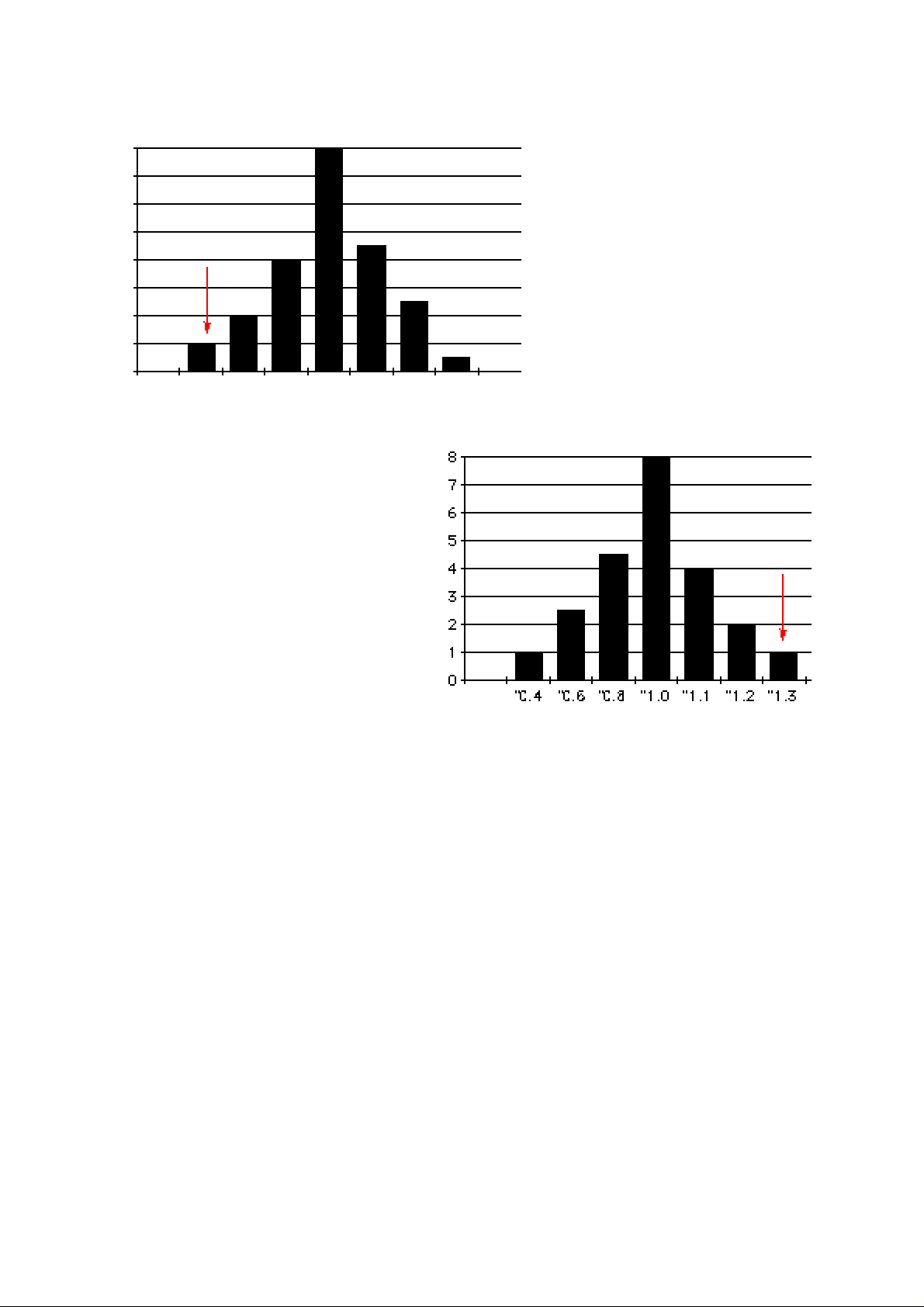
The charts show the manufacturing spread of noise figures for two different makes of LNB. The vertical scale represents thousands of units.
The horizontal scale represents noise in dBs.
page 31
Page 32
Understanding Sky Digital Satellite TV
8
7
6
5
4
3
2
1
0
"0.8"0.9"1.0"1.1"1.2"1.3"1.4"1.5"1.6
1
If you buy an apparently better
"1.0dB typical" LNB manufactured by the this company, right,
you might be unlucky and get a
1.3dB LNB. Buying an LNB can
be a risky business!
The left chart shows figures
for a “1.2dB typical” LNB.
The right chart below shows
a “1.0dB typical” LNB.
If you buy one of the thousands of "1.2dB typical" LNBs
manufactured by the this
company you stand a chance
of obtaining a noise figure
which is actually 1.0dB or
even 0.9dB.
If the noise figure is really critical
then purchase an LNB which
gives the actual test figures of
noise as it was measured at the factory. Even then the result is uncertain
because the practical noise figure depends on your cable and your
receiver to which it's connected!
If the satellite signal is very weak indeed, then the dish will also reflect
extraneous noise into the LNB. In this instance it will not matter how
low the noise figure of the LNB may be — there will always be noise
present on the signal. The only way to overcome the problem is to use a
larger dish. In most cases, you are wasting your money if you buy an
LNB of less than, say, 0.6dB. “The law of diminishing returns” applies size matters; in this case, dish size is more important than LNB noise.
The feed horn must collect signal reflected from the entire dish area to
achieve maximum gain. If the LNB is too close to the dish, some of the
signal reflected near the perimeter will be lost. However, if the LNB is
too far from the dish it will pick up noise from beyond the edge of the
dish which will swamp a weak signal.
page 32
Page 33
Understanding Sky Digital Satellite TV
As mentioned, previously, the LNB feed horn must be matched to the dish. If not, then similar problems can occur. If you use a Sky minidish with a standard LNB, or a minidish LNB with a standard dish, the performance may be adequate when the signal is strong but poor if the signal is weak.
So don't use a conventional LNB on a Sky minidish. (You might be
tempted to do this if you want a twin-output LNB - which will be discussed later.)
This discussion has dealt mainly with what was once the bog-standard
LNB, often called a “Marconi switching LNB”. This LNB will select
Horizontal polarisation channels when it receives 17 volts up the cable
from the satellite receiver and Vertical channels when it gets 13 volts.
Modern receivers are designed to provide 13 and 17 volts and also a 22
kiloHertz signal (just above the human audio hearing range) which tells
a “universal” LNB to switch to a higher frequency band.
Virtually ALL modern Digital receivers in the UK and Europe require a
“universal” LNB. (Digital receivers used in the USA may require a
different type of LNB).
Just for completeness, you might like to know that a universal LNB
oscillator produces 9.75 GHz for low band operation (22kHz switched
off) and 10.6GHz for high band (22kHz signal switched on).
Sky Digibox User Guide
This User Manual is the ideal solution if you've
bought a Sky Digibox without one.
Explains all the features of a Standard Digibox
including "secret" menus.
page 33
Page 34
Understanding Sky Digital Satellite TV
LNBs - summing up
All LNBs can receive analogue OR digital signals and convert them to
lower frequencies which can be fed down a coaxial cable. The LNB
doesn't care whether the signal is analogue or digital.
Early 13/17v "switching LNBs" had a 10 GHz internal oscillator and a fairly limited frequency range. Noise figures could be anywhere from
3.0dB down to 1.0dB.
Later 13/17v "switching LNBs" had a 9.75GHz internal oscillator and
were called "Enhanced" LNBs as they had a slightly wider frequency
range. Noise figures were typically 0.9dB.
The latest 13/17v universal "switching LNBs" have both a 9.75GHz
internal oscillator and a 10.6 GHz internal oscillator. The 10.6 is selected
by sending a low-level 22kHz signal up the cable to the LNB. Their
operational range stretches across both "low band" and "high band" to
include frequencies from 10.7 GHz to 12.75 GHz. Typical noise figure
will be 0.8dB down to 0.3dB (claimed).
These are called "Universal" LNBs and are the ones that
most digital satellite receivers need.
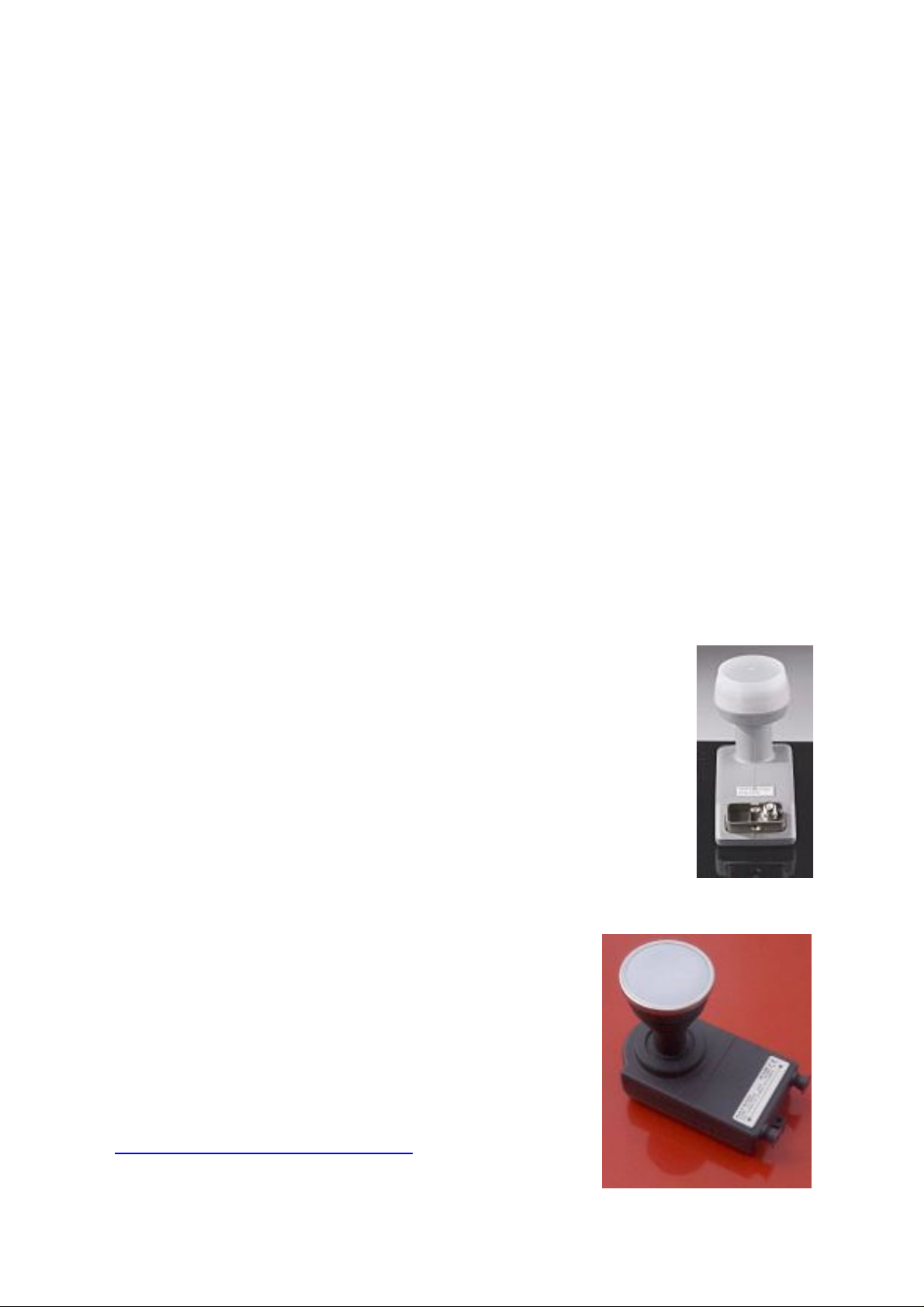
Here is a typical LNB made by California Amplifier. It's a
single-output, universal with a "typical" noise figure of
0.5dB.
Remember that a small increase in dish size has MUCH
more effect than a tiny reduction in LNB noise figure!
Here is a twin-output LNB made by Philips. It's a
universal with a "typical" noise figure of 0.8dB.
Each output is fully independent and can be
connected to a separate satellite receiver. For
example, you can use two Sky Digiboxes (but
you'll also need two subscription cards) or one
Sky-Plus Digibox. See LNBs at:-
http://www.satcure.co.uk
page 34
Page 35
Understanding Sky Digital Satellite TV
What kind of LNB is it ?
People with older LNBs keep asking me what sort of LNB they have. It's
easy to find out:-
Align your dish on the Astra satellite cluster at 19.2'E.
Set your analogue receiver LNB installation menu to 10.0 GHz (not
adjustable in older receivers so you can safely assume it's already fixed
on 10.0 GHz).
Now check the current listings for Astra at 19.2'E and select a program
at, say 11.244 GHz Horizontal. (This is currently "RTL shop")
If you see the correct programme when you tune your receiver to 11.244
GHz Horizontal then you have a 10.0 GHz LNB. If you find this programme 0.250 higher at 11.494 then you have a 9.75 GHz LNB
("enhanced") or maybe a 9.75/10.6 GHz LNB ("Universal").
The only way to determine whether an LNB is "universal" is to supply it
with a 22kHz "tone" and see if the picture disappears (it switches to
"high band"). However, most Universal LNBs are clearly marked either
"Universal" or "9.75/10.6" so, if yours is not marked, it probably is not a
“universal” LNB. These LNBs were not made for very long before Sky
Digital was born so, if your LNB predates 1998, it’s definitely not “uni-
versal”. If it's marked only "9.75" (Enhanced) or "10,0" it's not universal.
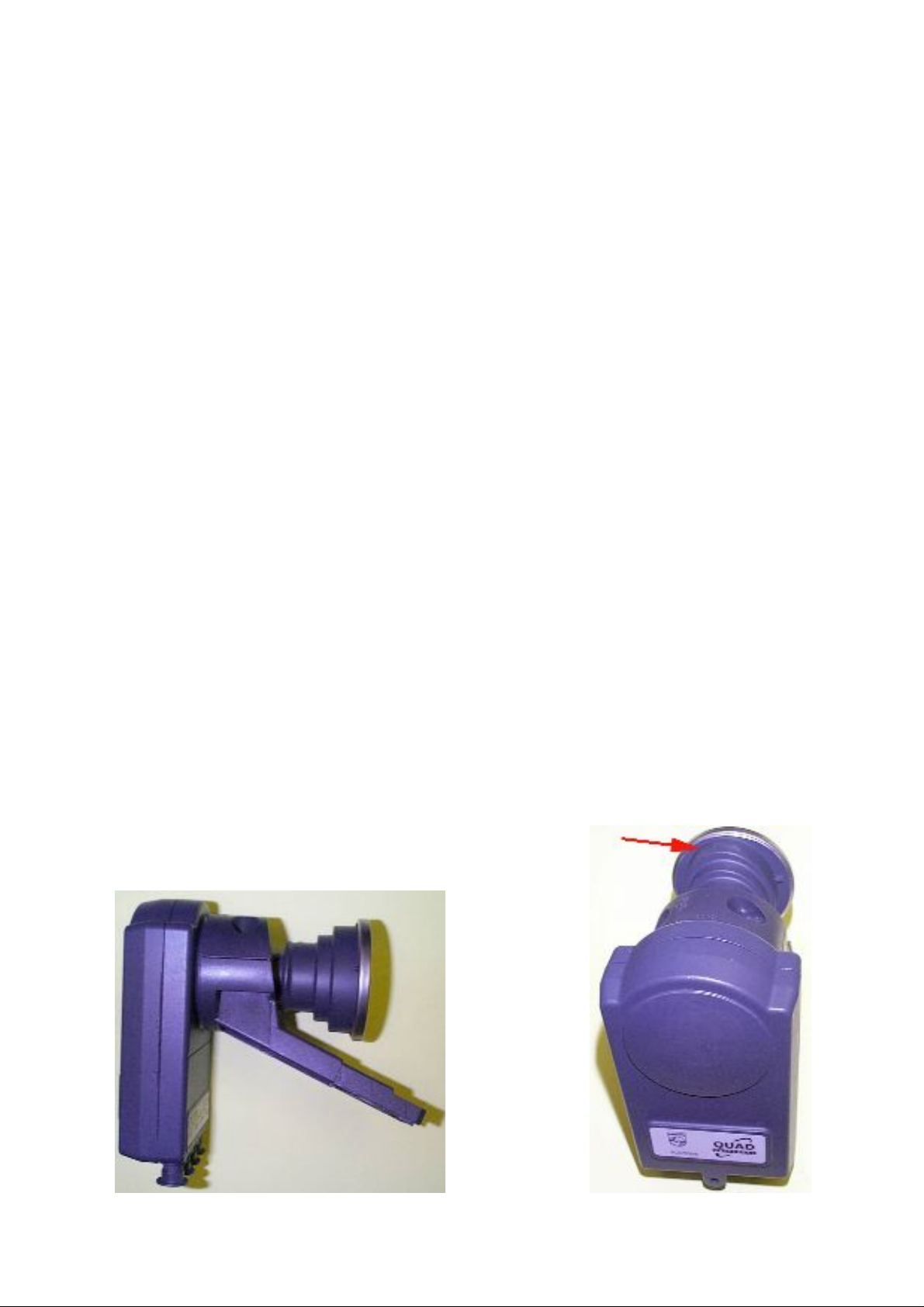
The Philips SC519QS/S Quad Output 0.7dB LNB
is a more modern LNB.
Designed for
the Sky
“minidish”
only. Arrow
shows oval
cam shaped
“scalar rings”
which focus
on the dish.
page 35
Page 36
Understanding Sky Digital Satellite TV
Encryption
The two popular analogue European transmission standards are called
“PAL” (which is also used for ordinary TV transmissions) and D2MAC
(which will give a better picture quality if used with a compatible TV).
I emphasise that these are transmission standards, not encryption.
SECAM (used mostly by France) is similar to PAL but uses a slightly
different colour encoding system. PAL signals were often scrambled by
the “Videocrypt™” system and D2MAC by the “Eurocrypt™” method.
Analogue encryption methods were changed quite frequently to combat
the constant problem of “hackers” and different decoders were needed
every few years. Very few encrypted analogue broadcasts are left now.
Sky Digital, however, uses an entirely different system. Several
programmes (typically five) are first converted to digital signals, then
encoded with the "Videogard" system and "multiplexed" together, then
compressed using "MPEG". A Sky Digital receiver ("Sky Digibox") has
internal circuits which decompress the signals, decode them and convert
them to a PAL-I signal which your UK TV can recognise. The Digibox
has a built-in CAM circuit ("Conditional Access Module") - other digital
receivers use a separate plug-in CAM. In addition, the Digibox CAM
circuit needs a smart card and, as a final security measure, each card is
programmed to "recognise" its own Digibox and will allow only a few
programmes to be viewed if it is put into a different Digibox. The only
separate CAM is the "Dragon CAM" but I have no information on this.
No need to employ an expert when you
can BE one! Our book “Installing Sky
Digital TV” gives you complete information about installing your dish, cable and
Digibox. Dish sizes for outside the UK are
discussed in a section crammed full of
reports from Expats living as far away as
Scandinavia, Israel and North Africa.
Find out what you need to buy and how to
install your dish safely. Bolt it up don’t
“screw it up”! Over 100 pages of info.
http://www.satcure.co.uk/installing_sky_digital.htm
page 36
Page 37
Understanding Sky Digital Satellite TV
Motorising the Digibox
The Symbol Rate is limited to just two choices
so you won't get many extra channels. In addition, the software is not really designed to
cope with a moving dish system and you
might suffer frequent "lock-ups" which will
require you to disconnect the mains power
from the Digibox. It's much better to leave the
Digibox as a separate system and buy a good
quality FTA digital receiver with a separate
motorised dish. Refer to our book:
“Installing a Motorised Satellite TV System”
Free To Air channels
The digibox is capable of receiving free-to-air (FTA) channels, provided
that the channel frequency is in the range 10.7 - 12.5 GHz and that the
symbol rate is either 27.5 or 22.0 Mbaud. You need a second dish or a
second LNB on the existing dish with LNB pre-aligned on the satellite of
your choice (or a motorised dish).
Programming "other satellite" FTA channels
You can add up to 50 "other" programmes but there is a problem. If the
last bouquet that you add contains more programmes than the limit of
50 allows, you will not add any of them. The easiest way to cope with
this at present is to buy a "learning" remote that has a "multifunction
sequence" button. You can teach this button ALL of the digibox key
presses needed to reprogram "other satellite" channels. Sneaky, huh?
Use the "Other" menu for motorised or multi LNB use
Normally there is no need for you to tune in satellite channels because
your Sky digibox tunes in all the available channels for you, including
new channels as they are added to Sky's Electronic Programme Guide.
Reception of Free To Air satellite signals is possible on your sky digibox
but only with the symbol rate of 27500 or 22000. This is due to the software used by Sky. The FEC is adjustable.
If you want to tune in other channels that ar
example foreign language channels, follow these steps:
e not listed in Sky guide, for
page 37
Page 38

Understanding Sky Digital Satellite TV
Press "services" on the Digibox remote control. The Services screens
appears on your TV.
Select the "System Setup" option. The System Setup menu appears on
your TV screen.
Select the "Add Channels" option. The Add Channels menu appears on
your TV screen.
Highlight "Frequency" and use the number keys to enter the transponder frequency.
Highlight "polarisation" and use the left or right arrow button to set the
polarisation for the transponder.
Highlight "Symbol Rate" and use the left or right arrow button to set the
symbol rate for the transponder.
Highlight "FEC" (Forward Error Correction) and use the left or right
arrow button to set the FEC for the transponder.
Highlight "Find Channels" and press select. The Sky digibox checks the
settings you entered and looks for any new channels in the "bouquet"
that has those settings.
The "New Channels" screen appears on your TV. This is a list of the
channels that your Sky digibox has found. You can select those you
want to add to the Other channels list.
To add each or any channel, highlight it, then press the "Store Channel"
(yellow) button.
When you have finished adding "Other Channels", press "select".
New channels are stored in the Other Channels listing, which you can
access from the Services menu. The digibox can store up to 50 such
channels. However, as the size of the operating system software increases with every “upgrade” there seems to be less space for “Add channels”.
page 38
Page 39

Understanding Sky Digital Satellite TV
LNB Local Oscillator settings
The LNB LO frequency can be adjusted between 9.75 and 10.75 but
should never need to be touched in practice.
22kHz signal
The 22kHz signal is automatically switched OFF if you select a frequency of 11.699 or less. You can switch it off permanently in the Installer
Setup menu under "LNB". Its function is to select “high band” by causing the universal LNB to use its 10.6 GHz internal oscillator.
DisEqC
Not supported by any Sky Digibox.
Secret menus/ handset codes
To access the Installer Setup Menu you press these handset buttons
without looking at the screen: (note that pressing the zero appears to do
nothing - but I told you not to look at the screen!)
[services] 4 0 1 [select]
The UHF channel for RF Out is also selected in this menu (the default
channel is 68).
UHF output tuning
The Default UHF channel is 68. If you want to change this press "services" then: 4 'System Setup' 0 1 select. This will bring you into the Installers menu. Select option 4, 'RF Outlets', to display the RF Outlets screen. Here, you choose an RF channel number between 21 and 69. To store the change you have made, highlight 'Save New Settings', then press the select button. Setting the UHF channel on top of a “Freeview” digital transmission will cause the Digibox to give “grainy pictures” from the RF outputs (but OK from scart of course).
Using the Sky Remote control Handset with a TV
The Sky remote control can work the basic functions of most (95 percent)
of the TV sets in the UK. Simply enter the 4 digit code given for your
model in the User Instructions. The handset will remember this for the
life of the battery and also for up to five minutes during battery swapping. If you have a very new TV model, make sure you have the latest
revision Sky remote (look inside the battery compartment for "Rev").
page 39
Page 40

Understanding Sky Digital Satellite TV
It will not work your VCR. However, a different “universal” remote is
available which works some VCRs:
The Sky remote control was designed to work with most TV sets. If it
cannot carry out the basic control functions (volume control, channel
change, Teletext access etc.), you may have to choose a different setup
code.
Note, however, that if you have a very old - or a very new - type of TV
set, the Sky remote may not be compatible with it. In such a case, you
will have to resort to the original remote to control the TV, and use the
Sky remote to control the digibox receiver only.
The latest information about Sky Digibox remote control codes can be
found at:
http://www.satcure.com/tech
http://www.satcure.co.uk
It is a large file so you may prefer to download it and read it off-line.
When looking for the code for your TV set, bear in mind that many TV
sets are “badged”. For example, a “Granada” TV could be made by any
one of several manufacturers such as “Philips”. Look at the labels on the
rear of your TV set for a clue. Also bear in mind my previous comment:
if your TV is too new or too old or too obscure (European import or
Turkish import like BEKO, or a plasma screen) then the code is probably
not available. If you can’t find the code, please do not bother to ask me!
I keep the file up to date. If the answer isn’t there, I haven’t got it.
Since September 2000, Skyguide allows you to do an A-Z programme search. A full explanation of this feature was given on p.37, Issue 5, Sept. 2000 of Sky magazine. This is the free magazine sent out monthly to Sky subscribers. When you first access the A-Z listings you are presented with the "A" programmes first. To view programmes beginning with M, you simply press the M button on the remote control.
Join the SatCure FREE mailing list for monthly
reports about Satellite TV and similar subjects.
http://www.satcure.co.uk/mailshot.htm
page 40
Page 41

Understanding Sky Digital Satellite TV
A review of the mk1 Sky-Plus Digital BSKYB3000 receiver from Pace.
To clear up the confusion surrounding this
box, you can watch one programme while
you record another. You can NOT watch two
programmes at the same time.
An existing Sky subscriber can buy a SkyPlus Digibox from an A.S.A. In addition,
Sky will charge £12 per month for the second smart card, which will get the same programmes that the first card
gets. BskyB say you MUST connect the Sky-Plus Digibox to a telephone
line. To record programmes costs another £10 per month unless you pay
for an expensive premium package.
The Sky-Plus Digibox has 2 Hard drives. One holds between 8-12 hours
recording. The second about 2 hours. This is the one used for time delay
when, say, the phone rings or somebody comes to the door. You simply
tell the Digibox to record. When you come back you press play and the
box runs the program from the point where it was interrupted and keeps
on recording so the entire program is time-shifted for you.
You will have choice how it records over previous recorded programmes. It puts up a menu on the screen so you can highlight pro-
grammes you want to keep and these will not be wiped off. You can also
set to it to auto which wipes off the oldest programme).
You will be able to transfer recorded programmes to video (not films).
You will also be able to use a timer function.
Sky are starting a new Box Office with the new box. The films will be
newer than the existing Box Office and you will have to "Download"
them to your Digibox. You "rent" these rather than the way you do now.
Sky allegedly have not decided yet whether to rent by the day or by the
number of viewings. Either way, the film will wipe itself after the hire
period. Also, the hire period does not begin until you start to watch it
for the first time. You can not transfer these to video.
You will be able to watch (Record) one Digital channel and watch another Digital channel as the box has two tuner modules. A twin output LNB
page 41
Page 42
Understanding Sky Digital Satellite TV
(minimum) is required but a QUAD output LNB will
be supplied as standard so you can feed TWO SkyPlus Digiboxes or ONE Sky-Plus and TWO standard
Sky Digiboxes (with additional cables required from
the LNB). Special twin “Shotgun” cable is available.
It is very thin and makes installation easier. See
accessories catalogue for cable:-
http://www.satcure.co.uk
The Programme planner will cover the whole month, and you are able
to set the record feature up to a month in advance.
The new boxes are not covered by the free box offer.
The new Digibox is a little bit (not much) smaller than a "normal" Pace
Digibox.
The Sky-Plus remote is the same size, but has five extra buttons (Forward, Stop, Rewind, Play and Pause) just below the down button. This remote does NOT normally* operate the standard Digibox, so both types of Digibox could be installed in the same room.
*There’s a button sequence that lets it operate a standard Sky Digibox.
Sky-Plus boxes have been available since September 2001.
The Sky-Plus comes with a quad-output LNB and adapters to fit it to
your standard minidish. It can not be fitted to any other type of dish
because the fitting is different and it is
designed to focus on a minidish shape
(much wider than its height). If you “bodge”
it on a standard dish, the results will be poor.
See my eBook for more details: “Installing
Sky Digital TV”.
Sky-Plus has an S-Video output socket and an optical output socket for Dolby Digital (5.1) which is used on some movies. No other Sky Digibox has Dolby Digital. A larger capacity Hard Drive can be fitted See
http://www.satcure.co.uk/tech
page 42
Page 43

Understanding Sky Digital Satellite TV
Digibox receives some digital terrestrial channels
It will receive only those which are rebroadcast via satellite. Currently
BBC1,2,3,4,7 etc. CH4, CH5, ITV1,2,3. Also several radio channels. The
Sky Digibox is NOT compatible with digital terrestrial transmissions
because, for good technical reasons, the transmission standard is different. To build a multi-standard box would be prohibitively expensive at
the present time. You will need a different box for the UK digital (was
ONdigital/ITVdigital) terrestrial channels.
BBC, C4, C5, ITV without a Sky digital sub
From July 10th 2003 the BBC programmes are no longer scrambled
(*except BBC Prime). This means that you don't need a card to watch all*
BBC programmes and ANY digital receiver should do if you can get a
signal in your area. Existing dark blue and yellow FTV cards should
continue to work until at least December 2005 and you can order a card
from BskyB for £20 in order to see CH4, 5 and SKY3 programme.
BBC1 and BBC2 programmes from different regions
The card is authorised to appoint the BBC channels according to your
post code area. The card is also linked to the serial number of the
Digibox. You are allowed one card per Digibox. From mid July 2003 you
can receive all BBC programmes without a card (except BBC Prime).
From November 1st, 2005, you can receive all ITV progs without a card.
Sky digital viewing card works in any Digibox, but ...
NOT for the premium channels for which the card is matched to one receiver. In order to use your existing card for premium channels on a different receiver, you will have to ask Sky to re-authorise the card while it is in the new Digibox. They will require various information including the Version Number and the serial number. A second hand (used) Digibox can be authorised in this way, either with an existing smart card or with a new card. A card previously used in a different Digibox will require re-authorising by phoning the number given previously. A card which has not been used for some weeks may take up to 48 hours before it begins to work or may need to be re-authorised if it’s still not working after being in the correct receiver for a day or two. Some new cards fail to work altogether. Ask for a replacement if this happens. If you need to use your card temporarily in another Sky Digibox, do not mention "temporary" or Sky won't do it! Just ask for the change then, later, phone and ask again for it to be changed.
page 43
Page 44
Understanding Sky Digital Satellite TV
Freeview(terrestrial digital gives BBC, ITV etc.)
You don’t need a dish, just a TV aerial. Read this
eBook for information about choosing and
installing a receiver.
http://www.The-Cool-Book-Shop.co.uk
You will need a terrestrial aerial and Freeview
receiver, since most Freeview programmes are not
broadcast by Sky.
Alternatively, you can buy a FTV (Free To View)
card for £20 from BskyB and use the Sky Digibox
to receive those programmes instead. See details of
this on a previous page.
Digital decoder
There is no such thing as a Sky Digital decoder. The nearest is the
"Dragon CAM" which still needs a Sky card. The Sky Digibox has its
own decoder (CAM) circuit built into the mother board.
BBC radio stations available from Astra at 28.2E
BBC radio is available as well as numerous other radio stations.
Foreign programmes from Astra at 28.2 degrees East of true South
CNE (Chinese), two Asian channels, Arabic “Al Jazeera” and several
others. You can also use your Digibox to receive programmes from other
satellites such as Eutelsat at 13'E and Astra at 19.2'E, but not easily.
See the coverage "footprint" of Astra2 satellites at 28.2E
http://www.ses-astra.com/satellites/footprints/
Note that the footprints are somewhat pessimistic. For Astra 2D see:
http://www.satcure.co.uk/2d/
Buying a second hand (used) Digibox
Try LOOT or Ebay
http://www.scoot2.co.uk
http://www.ebay.co.uk
Also see our on-line catalogue page 10 for sellers of used receivers:
http://www.satcure.co.uk
page 44
Page 45

Understanding Sky Digital Satellite TV
Digibox and Internet Access
You can buy the "OPEN" keyboard from BskyB, which will allow you to
send and receive e-mail messages but you will not have access to the
World Wide Web or to USENET News Groups. You will have access to
the "OPEN" shopping mall only.
Recording programmes
It is possible to set the Sky Digibox to remind. The Electronic Programme Guide allows you to set reminders on programmes that have not started. These are then listed in a personal programme guide. From there, they can be set to an automatic mode. Reminders cause a message to be displayed over the programme that you are watching for about 5 minutes. Automatic setting causes the Digibox to switch channel when the required programme starts. This mode also works with some modern VCRs and with our Phantom PVR device.
The Personal Planner concept is very good in theory but, at the time of
writing (August 2001), the software seems to contain errors, which result
in either no recording or a recording of a blank screen. Unfortunately,
although this doesn't happen every time, it happens often enough for the
facility to be useless unless you sit and watch what it's recording!
Personal Planner Calamities
Does anyone else have problems with the sky personal planner?
My brother selected a movie, Fled, shown on BBC CHOICE a few months ago,
and it came up with the reminder and everything, but it hasn't deleted itself
from the PP. When I press the yellow button to delete, it doesn't let me!
"THIS BOX OFFICE PROGRAMME HAS ALREADY BEEN VIEWED
AND CANNOT BE DELETED" or something like that.
I don't want to do a forced update because it went terribly wrong before, but is
there anything I could do to get rid of it otherwise?
Follow this sequence:
1. Remove viewing card
2. Reinsert it upside down (yes, really!)
3. Switch box off at mains
page 45
Page 46

Understanding Sky Digital Satellite TV
4. wait 30 secs. switch it back on
5. Give it 60 secs to generate listings then press sky to take the box out
of standby
6. Remove viewing card, then wait until "Insert card" message appears
7. Reinsert viewing card the correct way up.
VCR controls Digibox ?
If you are good with electronics you can build an interface module that
can intercept the codes from your VCR and convert them to codes which
will be recognised by the Digibox. See this web site for details:
http://website.lineone.net/~dezellis
Some recent VCRs can control the Digibox directly by means of infrared
codes - notably the NVHD675, NVHD685 and NV-HS960 from
Panasonic.
You can also buy a unit from us called a “Phantom PVR” which lets the Digibox “autoview” facility control the VCR. Some people prefer this to the SKY+ with its internal Hard Drive.
Stereo audio from the Digibox
Connect to your TV via Scart. If you want stereo sound in another room,
use a separate audio amplifier and connect it via one of those long
phono cables that you can buy from SatCure.
Use the RF connection just for the picture and mute the audio on the TV
while you listen to the stereo sound through the amplifier. You can get a
cheap stereo amp from places like Tandy (I think) or use a CD/Tape
player with an "Aux" input or use an Amstrad SRD2000 or a Pace
MSS1000 to get Dolby Prologic surround sound from the Digibox.
Dolby Prologic Surround Sound with Pace MSS1000:- Connect Digibox
scart to Pace AV scart, switch the Pace on and select AV.
Amstrad SRD2000 can also be used. These receivers can even be used as
Scart switching boxes with three or four inputs.
page 46
Page 47

Understanding Sky Digital Satellite TV
Scart AV functions
Most people, whose TV sets are connected to the digibox via Scart, are
puzzled by the way their system works. Problems relate particularly to
AV-select and wide screen functions. What is going on?
Some users are unaware of the functions that a Scart-connected digibox
can provide. A user may even come to believe that the unit is faulty.
The way that a Scart-connected digibox works is affected by the SCART
Control setting (at the Picture Settings screen of the System Setup
menu). If this setting is 'On' (the default), then, when the digibox is
brought out of standby, a control voltage will be sent from the digibox
on Scart pin 8 to the TV set. This will switch the TV set to its 'AV input
mode' - i.e. the TV will display whatever is being output by the digibox
and ignore its own tuner.
Now, you may not actually want to watch what is being output by the
digibox - for instance, you may want to watch terrestrial television,
while recording the digibox programme. In this case, you can press the
'tv' button on the Sky remote control to switch the TV out of its 'AV
mode' and then use the number buttons to select the terrestrial TV channel. If the 'tv' button on its own does not switch the TV out of its 'AV
mode', you should press the 'tv' button followed by the 'help' button. If
this still does not work, you will have to use the TV's original remote
control to switch the TV out of AV mode.
With regard to wide screen operation, again the way the digibox works
is affected by one of the system settings. If you have a wide screen TV
set, check that the Picture Format entry (at the Picture Settings screen of
the System Setup menu) is set to '16:9'. The digibox will then vary the
output on pin 8 of the TV Scart between 6 and 12 volts, dependent on
the type of programme being broadcast. If the digibox identifies a 16:9
programme, it will set pin 8 to 6 volts, which will switch the wide screen
TV to 16:9 operation. If the digibox identifies a 4:3 programme, it will set
pin 8 to 12 volts, which will switch the wide screen TV to 4:3 operation.
Note: The Digibox can output only one format at a time. This goes to
ALL outputs (Scart and RF). You can set the format to (say) 16:9 for location 1 and 4:3 for location 2. The Digibox will change the format to 4:3 if
(and only if) it receives a remote control signal via RF output 2. You will
need to use a “SkyLink” type remote extender at location 2.
page 47
Page 48
Understanding Sky Digital Satellite TV
If the digibox does not work as described above, check that the wide
screen TV set is in so called 'Autoswitching' mode (refer to the user
manual that came with the TV set). If it still does not work, check that
the Scart lead is connected properly. If necessary, replace the Scart lead.
For Scart leads and scart switching boxes, see the SatCure catalogue.
Many modern TV sets will accept the colour picture signals directly. To
achieve this, press SKY, Services, 1, 4, 1 and select video output = "RGB"
instead of "PAL" in the menu. This puts a signal on Scart pin 16 which
tells your TV set to accept the "Red, Green and Blue" colour signals
directly. The advantage is that these signals go direct to the TV instead
of first being processed by the Digibox RF modulator then processed
again by the TV aerial tuner, which degrades the picture quality.
Note: The RGB signal is always present on the TV scart along with the
CVBS signal, the TV is told which one to use by the status of pin 16, 0V
for PAL & 3V for RGB. If the scart control is turned off pin 16 is always
0V (PAL mode).
Picture Shift
However, some TV sets do not recognise the signal on Scart pin 16 (it's
only 4 volts) and some TV sets will shift the picture left because of an
incompatibility with synchronising pulses. This would be expensive or impossible to correct so TEST your new TV with a Digibox before parting with your cash! Applies especially to plasma screens.
For more information please see my
eBook "Piping TV Around the House".
http://www.satcure.co.uk/book.htm
page 48
Page 49
Understanding Sky Digital Satellite TV
Dish behind a window
I can guarantee that, at least once a month, somebody will ask me “can I
install the dish in my loft (roof space)?” or “can I install the dish behind
a window?” or “can I install my dish on a balcony?” or “can I buy a dis-
guised dish that doesn’t look like a dish?”
The answer is often “yes”.
Read my “Installing Sky Digital TV” eBook for
more information. See page 17 in on-line cata-
log.
The Digiglobe
Metronic dish
Pipe “dish”
Not sure how to use a multimeter?
You can buy this low-cost companion book
at
http://www.The-Cool-Book-Shop.co.uk
page 49
Page 50
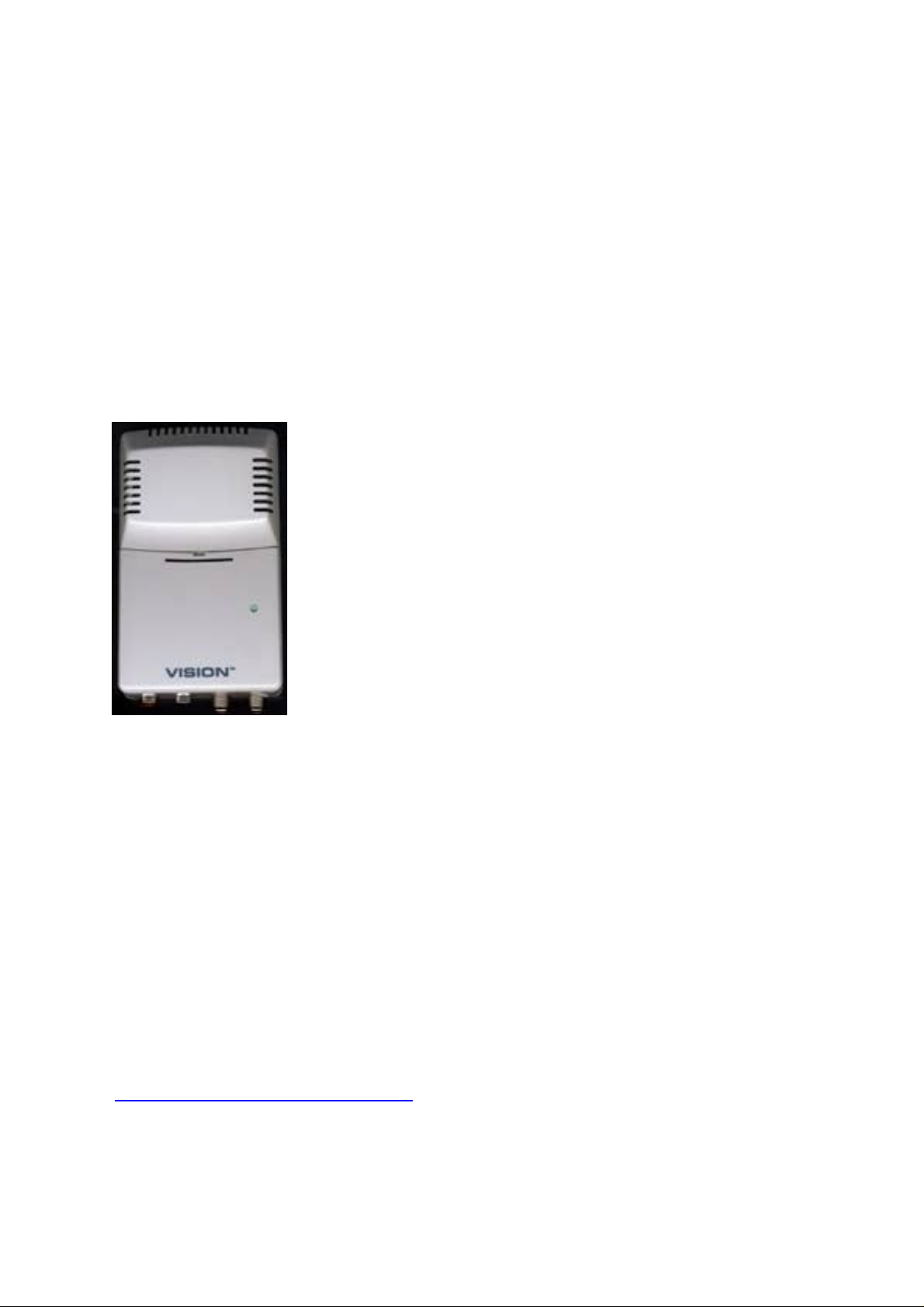
Understanding Sky Digital Satellite TV
Ordering pay-per-view programmes
Before you can order a pay-per-view (PPV) event, the viewing card has
to be activated in the digibox for this purpose. The procedure is initiated
by a ‘callback’ from the digibox to Sky. Upon successful completion of
the callback, Sky will send PPV authorisation to the viewing card, via
satellite. So, if you are experiencing difficulties with PPV, first contact
Sky to check the status of the viewing card.
RF Modulator
Some people call this a Scart to Aerial adapter. The function of an RF modulator is to convert video and audio signals to a UHF signal which is compatible with your TV aerial input. One sold by SatCure has the added bonus that you can select either PAL-i audio (UK) or PAL-g audio (Europe).
You may simply want a way of watching DVD
movies on a TV set that has no Scart input. An RF
modulator can do this (although an ordinary Video
Recorder can probably be pressed into service for
this).
Note that the audio will always be MONO from an RF modulator. You
can’t buy one that converts the audio to NICAM stereo. The picture will
never be better than a good analogue TV picture.
I get no audio from my Digibox
The Sky Digibox is designed for use in the UK where “PAL-I” transmission standard is used. It is not compatible with TV sets from other countries which may use PAL-G or PAL-BG. In this case you will need to use
a Scart lead or an external “Deluxe RF Modulator” connected to your
Digibox Scart socket. See catalogue for details:-
http://www.satcure.co.uk
page 50
Page 51

Understanding Sky Digital Satellite TV
Software version
It is good practice to check that the Digibox has the latest software if
you've bought it second hand or if it has been disconnected for some
time. At the System Setup menu (accessed from the Services menu),
select option 5, 'System Details'. The parameters that vary between software revisions are as follows:
Model Number
Operating System Version
EPG Software Version
Compare the details which appear on screen with the details from a
digibox which has recently undergone an over-the-air download.
Alternatively, contact the Manufacturer's Technical Department for latest version numbers.
Forcing a software download
Switch off the receiver at the mains wall socket. Press and hold the front
panel "backup" button and switch the mains power back on. Continue to
hold the button for 20 seconds or until the LEDs all light (depends on
the make/model). As soon as this happens, you'll see a message on the
screen (only if you have connected via the TV Scart). Leave the receiver
for at least 15 minutes to download the software via satellite.
Note that this will not work unless the receiver is getting a good signal!
(It can even cause damage if your Digibox is reporting a poor quality signal).
After a forced download you should switch the receiver off at the 230v
wall socket for ten seconds. Remove the card. Switch back on. Wait till it
asks for the card then insert it. This sequence is occasionally necessary to
solve problems caused by the download, although I don't know why!
Note that a software download will occasionally change user settings
back to factory standard (for example the UHF output channel to 68).
Locking out or removing one channel with a PIN
Can I exclude one or more programmes?
The "parental control" facility gives the option to lock a program if you
have software version 1.2S4F9, 3.3a.6 or newer. However, you can not
remove any programme from the Electronic Programme Guide listing.
page 51
Page 52

Understanding Sky Digital Satellite TV
S-Video from a Digibox
No S-VHS upgrade is available because BskyB would have to alter the
software. However, the ‘Sky Plus’ Digibox includes it, as do Grundig
Digiboxes with model numbers ending in “/2” and GDS2000 onwards.
Videoplus codes
Sky do not transmit any video plus information on digital so *no* VCR
can control a digibox direct from video plus codes. All the video plus
codes listed in magazines/news papers are for the analogue service
only. However, once set up, you can use the videoplus codes for recording, the video changing channel for you just before starting recording.
The only thing that doesn't work is that there is no PDC on Sky, so you
have to manually allow for any overruns etc.
There's now a few videos on the market that use the EPG from the digibox to operate the video to change the channels on the Digibox. Look at
the Panasonic and the Toshiba range. The JVC range includes an
infrared control that will change the channels (imitating the remote)
(although a free upgrade is needed for the newer digibox). Also look at
the “Phantom PVR” device sold by SatCure).
Symbol Rates
Two settings available: 27500 and 22000 - limited by the software.
Forward Error Correction
FEC settings of 1/2, 2/3, 3/4, 5/6, 7/8 are available.
Electronic Programme Guide
Each program provider probably pays* BskyB about 30,000 GB pounds
to have his programme included in BskyB's EPG. There is no way to do
this on one Digibox. Consequently, there's no way to add any channel to
your existing EPG line-up via the "ADD CHANNELS" option or into
your FAVOURITE channels.
*Apologies for the alliteration!
page 52
Page 53
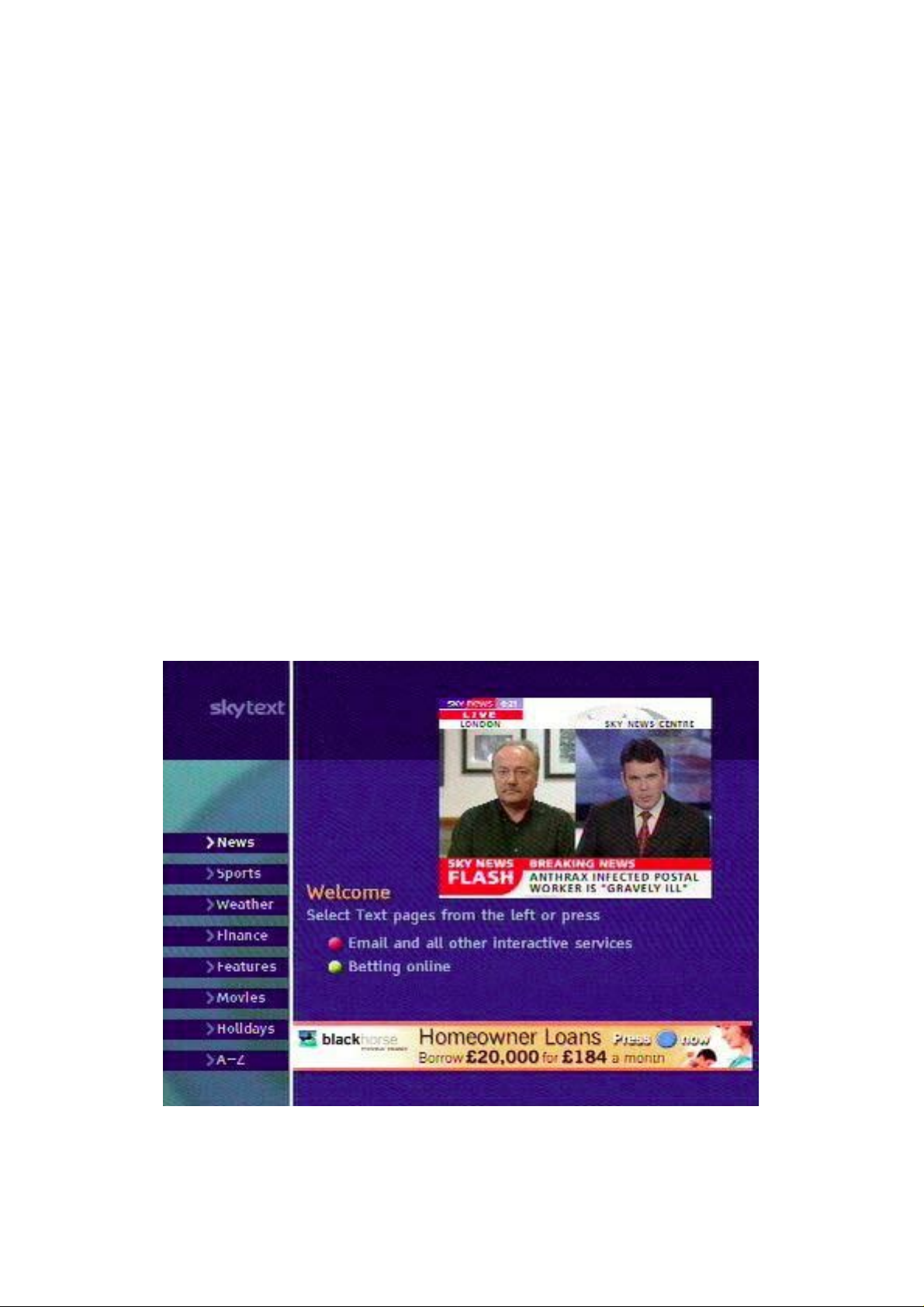
Understanding Sky Digital Satellite TV
True Teletext
You need a teletext TV set. Press the teletext button on your TV remote
control handset.
Sky Text
Do NOT do the above. Instead, press “Sky” then “text” on your DIGIBOX remote control handset. You do not need a teletext TV for this.
BBC Interactive Text (Available on Sky Digiboxes only)
Tune to any BBC Digital channel eg BBC1, BBC News 24. If you press
the text button on your Digibox Remote you will enter the BBC Digital
Interactive text service. The service is similar to Sky News interactive
and is a combination of Text and Graphics News Weather, etc. You can
navigate between pages of textual information, alongside the minimised
picture of your current channel on the right hand side. If you like BBC
you also have an alternative way of skipping between the BBC Digital
channels only. To exit the service press the text button again.
BBC regional programmes start at channel number 942 at present.
page 53
Page 54
Understanding Sky Digital Satellite TV
What dish size do I need?
For the UK up to Manchester the standard 45cm “minidish” will be OK
unless there is a very heavy rainfall. North of Manchester you should
use a 55cm dish and, in Scotland, from 60cm to 90cm.
For information about dish sizes and equipment required in fringe areas (Southern
Europe, North Africa and Scandinavia) read
my eBook: “Installing Sky Digital TV” which
you can order from:-
http://www.satcure.co.uk/book.htm
My Digibox is faulty
Are you sure? Many faults are caused by
the cable, connectors, dish and LNB. The
most sensible course of action is to test your
Digibox on a known good dish system.
Don’t simply guess or it could be an expensive mistake. Read my eBook “Repairing
Sky Digital Receivers”.
http://www.satcure.co.uk/book.htm
Some spare parts are available. See web site catalogue.
http://www.satcure.co.uk
To get your receiver repaired professionally, see:
http://www.satcure.co.uk/repairs.htm
page 54
Page 55
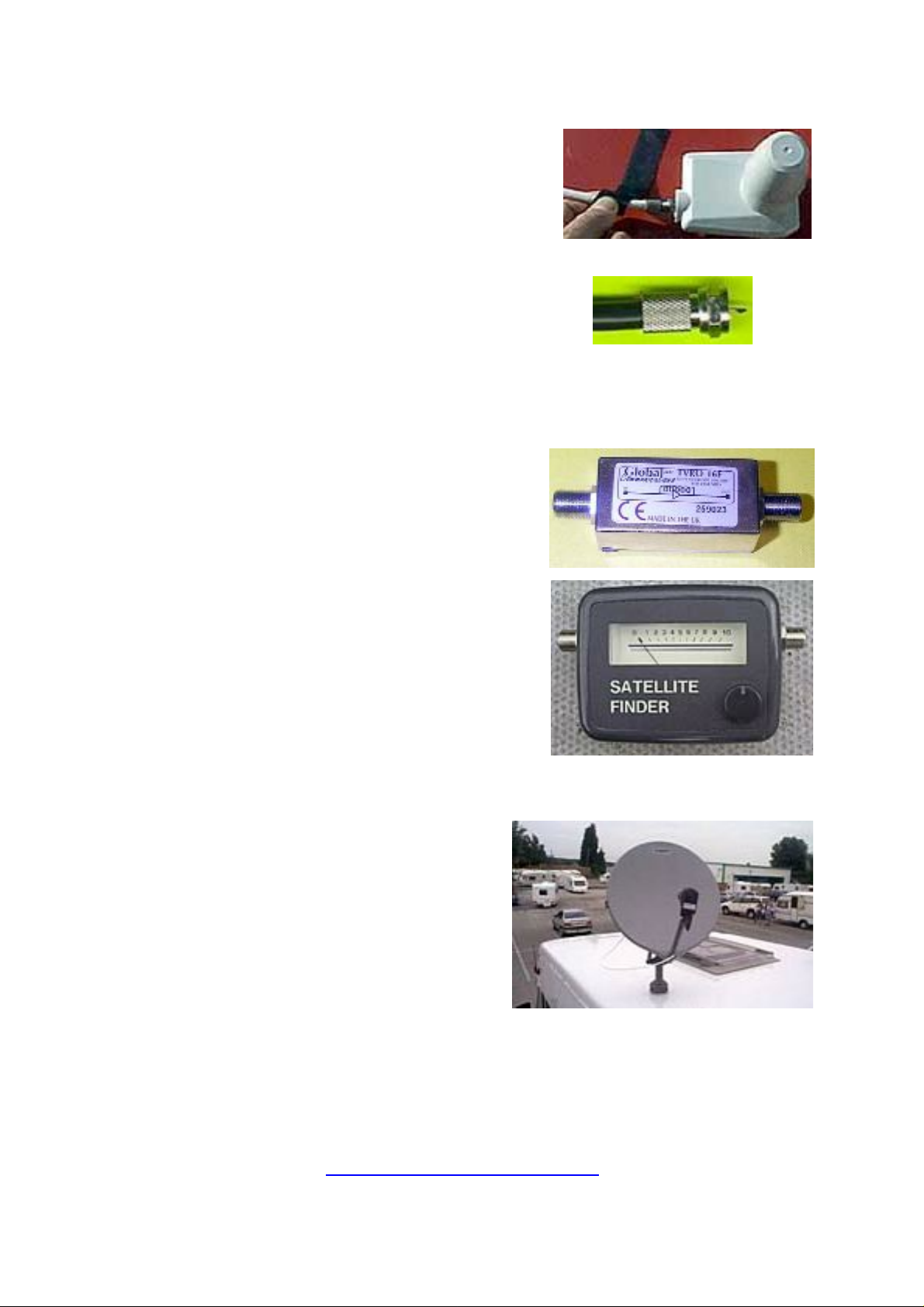
Understanding Sky Digital Satellite TV
Where can I buy ...?
Hardware
Dishes, poles, masts, brackets, LNBs, dish actuators (motors), TV Aerials
Connectors and Cable
‘F’ twist connectors, ‘F’ push-on adapters, cable connectors, TV aerial
plugs and sockets, wall plates, cable, twin cable, cable clips, hole grommets, telephone cables, self-amalgamating tape ...
Amplifiers
Satellite and TV, splitters, boosters, attenuators, LNB switches, Scart switches ...
Signal Meter
Satellite Signal dish-alignment Meter,
compass, ESR meter, multimeter
Remote Control Handsets
for Sky Digital, ONdigital, remote extender “TV Link”, “Digilink”,
“Powermid” wireless extenders ...
Caravan and motorhome
roof-mounting dishes, invertors, tripod,
audio equipment ...
Miscellaneous
Surge Protectors, Cooling fans, reed switches, soldering irons, screws
and hardware, power supply repair kits ...
SatCure !!!
http://www.satcure.com
page 55
Page 56

Understanding Sky Digital Satellite TV
Did you enjoy this FREE eBook?
Did you find it useful?
On the next few pages you’ll find details of other eBooks from SatCure.
If a FREE eBook is as good as this, imagine how good an eBook will be if
you buy it!
Visit our other information web sites:
http://www.marketingtips.uk.com
http://www.podcaststingers.com
http://www.glodark.com or http://www.glodark.co.uk
http://www.your-book.co.uk
http://www.satcure-focus.com
Visit our discussion forum to chat about TV problems, and other subjects:
http://www.satcure.com/forum.htm
page 56
Page 57
Understanding Sky Digital Satellite TV
The next eBooks in this series are
Installing Sky Digital TV
Essential reading if you want to move your
old system to a new house, install a brand
new Sky-Plus or standard system, fit a system to your house, motorhome, caravan or
narrow boat or use it in Europe, this eBook
answers your questions. What size dish,
what sort of cable, connectors, which receiver is best for outside the UK ... 110+ page
eBook filled with colour photographs and
easy-to-understand explanations.
Piping TV Around the House
How to connect your TV, video, satellite,
DVD and send the signals to TVs in other
rooms. An invaluable guide and reference
that explains UHF channel utilisation without unnecessary technical terms. Includes
sketches to show wiring methods.
Repairing Sky Digital Receivers
Not just a repair book!
Common problems and cures listed - many
of which you can fix yourself with only the
remote control handset or a soldering iron.
Plus lots of general repair information
including how to recognise various components.
Written in simple terms, this eBook also
gives the home user valuable advice on how
to prevent failure.
Read it NOW and save money in the future.
But, if the worst happens, read it anyway
because it will still save you money.
http://www.The-Cool-Book-Shop.co.uk
page 57
Page 58
Understanding Sky Digital Satellite TV
Installing a Motorised Dish
Everything you need to know about
installing a motorised satellite TV dish system for your analogue or digital satellite
receiver. Written in plain English with no
maths and a minimum of technical "jargon",
this eBook will lead you by the hand.
Discontinued (out of date).
A Beginner's Guide to Receiver Repair
Based on the original "Screwdriver Expert's
Guide to Satellite Receivers" this eBook
describes the basic components and a typical power supply with diagrams and explanations. Shows how to solder and describes
what to check and measure. It won't make
you an expert but, if you are capable of soldering in components supplied as a kit, it
will take you one step further so you understand why you are doing it and even help
you figure out other possible fault causes
and cures. If you buy a repair kit, you need
this eBook.
Sky Digital in Spain (and southern Europe)
Salvador spent weeks carrying out tests
with various LNBs and dishes. This eBook is
a report of his findings. What size of dish
and which LNB works best and why?
Complete with photographs including the
dishes, LNBs, the ground station where he
did the work and the equipment that he
used to analyse the signals. This eBook is
full of technical information but Salvador
writes in impeccable English with a style
that makes the eBook easy and interesting to
read. You can feel his excitement as he
reports on his findings! Absolutely invaluable for any expat in southern Europe.
http://www.The-Cool-Book-Shop.co.uk
page 58
Page 59

Understanding Sky Digital Satellite TV
Beginners Guide to Electronics FREE!
Easier to understand than anything you've
read previously! Martin has a knack of
explaining technical subjects in simple
language. Components covered include
resistors, diodes, transistors and
capacitors. As an example, it describes in
detail how to build a flashing LED circuit
on perforated stripboard ("Veroboard")
with a photograph of every stage. This is
NOT just another boring technical book
full of mathematical equations. You'll like
it! Ideal for everyone from the young
student to the retired lady looking for a
new hobby. And it's FREE!
Satellite Secrets - Installing Analogue
All about Analogue satellite TV
installations. Although Sky analogue
broadcasts ceased in September 2001, there
are still lots of programmes broadcast in
analogue. This eBook answers your
questions. What sort of dish, cable,
connectors, receivers. How to install.
Tricks of the trade. Money-saving advice.
... 112 page eBook filled with colour
photographs and easy-to-understand
explanations.
Each month Martin Pickering as "Jack
Armstrong" wrote a monthly "Satellite
Workshop" column for "Television
Servicing" magazine.
We've compiled some of the original,
unedited versions - that means they are
longer and funnier than the published
versions. They may contain errors or
stories which have never appeared in
print. They might also contain the odd
note to the editor!
http://www.The-Cool-Book-Shop.co.uk
page 59
Page 60
Understanding Sky Digital Satellite TV
The Freeview Bible
UK digital terrestrial TV is still a mystery
to a lot of people. If you’d like to find out
what receiver to buy, whether you’ll need a
new aerial and where to point it, then this
eBook will guide you.
Includes all sorts of information that you
didn’t know you needed!
Be Found
Want your own web site to be found? Want
to know why my web sites get thousands
of visitors every week? Why just one of my
sites attracts over 33,000 unique vistors
each month!
Read my eBooklet and you'll know as
much as I do!
My Living Story and Real Family Tree
Why and how you should start your
Personal Living Story and turn your family
tree upside down. It's easy with a computer and your descendants in the 21st century AD will have a Real Family Tree they
can be proud to be part of.
George Appleby calls his eBook "A radical
restructuring of family history and the
family tree for my plebeian descendants
with I.T.-wise offspring, post 2,000 AD"
George is an amateur writer but this eBook
is a real gem. He has turned genealogy on
its head and presented us with a new way
of looking at family history.
http://www.The-Cool-Book-Shop.co.uk
page 60
Page 61
Understanding Sky Digital Satellite TV
March in April (free eBook)
The average life expectancy of a rear gunner
during World War 2 was 6 months. My
father was just 20 when his aeroplane was
shot down into the sea and he lived to tell
the tale. This is the first part of a book that
he started to write about his experiences.
Sadly, the eBook will never be finished
because Tom Pickering died at age 80 in
December 2000 but the chapters he wrote
are fascinating. Includes pictures.
David's letters from France
These letters were found in an envelope in a
sideboard drawer. They had been tied with
a black ribbon many years ago and placed
there, out of sight and unread for 85 years.
Next to them was a small box containing a
few medals and underneath, folded neatly,
an old telegram. Read first-hand about "The
Great War" from a common soldier.
The Photographer’s Book of Smiles
This highly amusing eBook makes the Ideal
gift for any photographer.
Limericks and poems - each with a handdrawn illustration.
Written and illustrated by John Everett, professional writer and photographer.
http://www.The-Cool-Book-Shop.co.uk
page 61
Page 62
Understanding Sky Digital Satellite TV
Start your own writing business
Free eBook to help you start writing.
Companion eBook to “Color Psychology” (also free to download).
Writers Wanted!
You know the old saying: “everyone has a
book inside him/her”. Well it’s true.
And very often you’ve already written it
without knowing!
One of my first books was “The CB Eprom
Data Book”. This is a technical explanation
of how to convert a CB radio for use on the
Amateur Radio frequencies. It resulted
from an exchange of letters that I had with
a guy who lived in Ventnor, Isle of Wight.
He asked me various questions to which I
replied at length. After the sixth exchange
he wrote: “You should write a book.”
So I did. I compiled all the notes and
sketches and typed them into my BBC
Microcomputer. Whoa, but I’m giving all
my secrets! You can read about it in my
“Run Your Own Business” eBook.
But you can do the same. Have you ever
helped anyone by writing a letter? This
should answer the common question: “But
what can I write about?”
Anything that helps someone!
http://www.The-Cool-Book-Shop.co.uk
page 62
Page 63
Understanding Sky Digital Satellite TV
Make Money at Weekends
You don’t need much money to start up a
business. I did it with just £500. It’s possible to do it with a lot less. But it’s handy to
have at least some.
This eBook gives a lot of ideas about
scraping cash together in order to get start-
ed. “You need money to make money”.
Many people are tied down to full-time jobs. They are too busy working
to make extra money! All they can manage is to make enough to pay the
bills and have an occasional night out. But it is possible to break free
from this trap. I did it. You can, too. It needs just a little effort.
Make money as this little eBook describes and/or make money from
writing. I write magazine articles and get paid. Then I use the same text
to write books and booklets and get paid again! If you want to be lazy,
just send me your text and photos and let me put your eBook on my
web site. I’ll share the profits with you.
Or maybe you already have a successful business and want to advertise
it for free. OK, write some educational articles telling people how to use
your products. People buy things if they are told how easy they are to
use; just look at the “QVC” TV shop. You can do the same in writing.
Just type a little booklet and give it away for free. It’s advertising without cost. Thousands of people will download it and order stuff from
you. Darn! That’s another secret I’ve given away!
See our web sites at:
http://www.satcure.co.uk
http://www.your-book.co.uk
(UK Sky Digibox) and
(Analogue satellite and everything else)
http://www.satcure-focus.com
http://www.The-Cool-Book-Shop.co.uk e(Books)
(electronics, caravan/motorhome)
page 63
Page 64

Understanding Sky Digital Satellite TV
DVD Secrets
70 pages of information covering most pop-
ular models.
Details of simple modifications to play other
region DVDs
See list of models covered at the book shop:
http://www.The-Cool-Book-Shop.co.uk
New to our range is a number of humorous
eBooks such as “Why Chocolate is Better
than Sex.”
A Guide to Unix
and Mac OSX is
for Apple Mac
users
Plants Without Pain or Pesticides ia a
gardening eBook with a difference!
Sick of digging? This eBook is for you.
http://www.The-Cool-Book-Shop.co.uk
page 64
Page 65
Understanding Sky Digital Satellite TV
Not sure how to use a multimeter?
You can buy this low-cost companion book
at
http://www.The-Cool-Book-Shop.co.uk
The CB Eprom Data Book
Advanced CB Radio frequency modification
techniques by Martin Pickering B. Eng.
Eproms are often associated with modern
microcomputer technology and thought to
be equally as complex! However, far from
making life complicated, Eproms are as easy
to use as any other electronic component
and can make simple work of an otherwise
difficult circuit. Using simple language and
a good selection of diagrams, this book
explains how to make effective use of Eprom
technology in modern CB radios.
By covering a previously unexplained topic, this book will prove to be
an invaluable complement to the popular reference manual "The CB
PLL DATA BOOK" written by Lou Franklin.
This book is essential reading for anyone wanting to convert a CB radio
to work on the American "Novice" Band, or 10 meter Amateur Band. Of
course, once you understand the basic principles, you can figure out
how to get other bands, too!
http://www.The-Cool-Book-Shop.co.uk
page 65
Page 66

Understanding Sky Digital Satellite TV
eBook Frequently Asked Questions
Q. How do I buy an eBook?
A. Visit
or
http://www.satcure.com/book.htm
Q. What is an eBook?
A. "eBook" is actually a computer file which uses "Portable Document
Format" developed by Adobe. Almost all computers use a free program
called "Acrobat Reader" to view or print out these eBooks.
Q. How soon will you send my eBook?
A. We don't ever send eBooks. When you order an eBook you will
receive an automatic reply which contains the address of a web page
where you can download your eBook. Be sure to test with a FREE book
before paying for one!
http://www.The-Cool-Book-Shop.co.uk
Q. Can I send you a cheque or cash or other form of payment?
A. No. The system is automated. Processing a cash payment would cost
more.
Q. POSTAGE? In the "shopping cart" which "shipping zone" must I
choose?
A. Obviously there is no shipping charge for eBooks since you will
download them. But the shopping cart requires you to choose a destination zone or it won't work. So choose a zone and it will leave the shipping charge at ZERO unless you order something else that has to be
posted.
Q. Do you supply a printed version?
A. In most cases NO. It would be very expensive to print a minimum
quantity of, say, 1000 books (as required by most printing companies). In
addition, you'd have to pay shipping costs and you'd have to wait for
the post.
Q. Can I print my own copy?
A. Yes but it will use your ink and paper and remember that many of the
eBooks are over 60 pages long and include colour photos. It's better to
read it on-screen and print out specific pages if you need to refer to them
page 66
Page 67

Understanding Sky Digital Satellite TV
elsewhere. Some people occasionally experience problems in printing
from Adobe Acrobat Reader. Sometimes this can be solved by printing a
few pages at a time. Sometimes it's a problem with the computer, operating system, memory or printer driver. There is no support for the free
Acrobat Reader but you can usually get help from other users in the online discussion forum at the Adobe web site. Unfortunately, we can not
offer help with printing problems.
Q. So what's the advantage of a "eBook" over a printed copy?
• You can download it NOW if it's free and in just 30 minutes from now
if it isn't.
• You don't have to drive to town to get it or pay postage.
• A printed copy would sell for typically £19 to £29 plus postage (actually, a book with colour photos would cost a lot more). Most of the eBooks
are £8 or less (or FREE).
• An eBook takes up no shelf space and it's difficult to misplace it - but
if you do, just download another copy.
• An eBook is searchable - you can type in a word or phrase and find
every occurrence in an instant.
• An eBook can be updated frequently so the latest information is
always available.
• Every update can be downloaded FREE. You pay only once!
Q. How do I know when an eBook has been updated?
To find out about Satellite TV eBook updates, join the free monthly
satellite news letter from SatCure. Guaranteed to inform and amuse.
You can also look at the eBook revision dates on the eBook advert pages
on the web site. To download an update, simply go to the download
page that you were given originally by e-mail. If it is no longer available,
send us an e-mail request and be sure to include your proof of purchase.
Q. How can I be sure that I'll be able to download and read an eBook
after I've paid?
A. Download a FREE eBook first. If you have problems, get a friend to
try with his own computer. Some office systems have problems because
of security systems and "firewalls" so try using your home computer
instead. The files take no more than a few minutes to download with a
56k modem connection.
page 67
Page 68

Understanding Sky Digital Satellite TV
Q. How can I download an "eBook"?
A. Windows users should right-click on "Download" and select "save
target as". Be sure to select a suitable directory in which to save the PDF
file. Macintosh users should "option click" on "Download" (hold the
"option" or "alt" button while you click) and the PDF file will be saved in
the default download folder which you set in your browser preferences.
This description applies to Internet Explorer but other browsers operate
in a similar way.
Q. What do I do if I have download problems?
A. We are unable to assist you with Specific computer problems. Be sure
to download a FREE eBook first. If you can download that, then you
should have no problem in downloading every other eBook. Some computers use a "firewall" system which prevents downloads. If it gives you
problems, please turn it off while downloading. If you do have a specific
problem, please write to us with complete details of which eBook, the
download page URL, what you are doing and the exact error message(s)
that you see. If all else fails, ask a friend to do the download for you on a
different computer. Please do not send us a vague report such as "I can
not download the eBook" because this will not enable us to advise you.
Q. Can your "eBooks" carry a virus onto my computer or cause other
problems?
A. No.
Q. Can I copy my "eBook" onto another computer or send it by e-mail?
A. Yes, I can't stop you. But remember that each eBook is "watermarked"
with a secret code so I can trace where each copy came from. If you send
a copy to a friend, point this out to them and ask them to download
their own copy if they want to keep it. It is illegal to copy these eBooks even the free ones unless otherwise stated - and copyright law is much
easier to enforce than patent law. If I find an eBook copy on any web site
I can have that web site shut down within an hour. I guarantee this. I've
already done it twice. No ISP wants to get involved in a copyright lawsuit. They'll switch the site off and ask questions later. This applies to
responsible sites like Ebay, too. They'll cut you out right away.
page 68
Page 69

Understanding Sky Digital Satellite TV
Q. I'm not very technically minded. Are your books easy to understand?
A. Yes. I've been writing and publishing books for many years and people tell me that my writing style is easy to follow; technical matters are
explained in simple terms, often with some humour. I believe my readers!
Q. How can I be sure that the eBook will be useful and I'm not just wasting my hard-earned money?
A. My technical eBooks are full of information, ideas, examples and pictures, which have taken years to compile. All of this will help you to
learn about the subject so that you can understand the choices and possibilities available. Armed with this new knowledge and information,
you can make the best possible decision to get exactly what you want
and save money. There's always a good way and a bad way, a cheap
way and an expensive way. I want you to get the best at the lowest cost
and the best way to achieve that is to give you the knowledge to be able
to decide. It's important that you get what suits you and your family
and your house and not some pre-packaged system that never seems
quite right, despite what the salesman said. Lots of people ask me for
advice and I can give that, but I can't, ever, tell you what you need and
want. That's your personal choice and my eBooks allow you to make it.
In addition I give a money back guarantee!
If you are not absolutely convinced, when you have read it, that the eBook you
bought is worth every penny ... if you are not totally convinced that it will save
you time and hassle and cash ... simply write to me with proof of purchase and a
brief explanation of what was missing from the eBook (so I can improve it) and
I'll arrange a refund.
Can I afford to offer a money back guarantee? Well, time will tell. I know
there are a few total b*stards out there who will take pleasure in wasting
my time and ripping me off but I'm prepared to take the risk in order to
help those few people who genuinely can't use my eBooks and therefore
should not have to pay.
So feel safe to download a free eBook or buy an eBook. Safe in the
knowledge that you won't catch a virus and you won't get ripped off!
Q. What if I lose my eBook?
A. Send me a copy of your proof of purchase.
page 69
Page 70

Understanding Sky Digital Satellite TV
Q. Can I put a copy of your eBook on my web site?
A. No, my eBooks are protected by copyright law. I update my eBooks
frequently so if you provide a copy it will soon be out of date and cause
problems and complaints. Your ISP will not permit you to put copyright
material on their server. If they discover (or I tell them) they will close
your account immediately without question.
Q. Do you give a discount if I buy more than one eBooks?
Yes, we give a discount if you buy three or more. Please note that this
discount does NOT show up in the "Shopping Cart" but is processed on
our Sales Office computer. It will appear on your credit card statement
or on our invoice if you are posting payment.
Q. Where can I get a FREE PIRATE COPY of an eBook?
Pirate copies are illegal but you can probably find one on one of the file
sharing services such as Kazaa, Gnutella or Limewire. I've downloaded
quite a few and they were all at least two years out of date (look at the
revision date) and almost useless. If you'd like a more up to date free
pirate copy, please click here:
http://www.satcure.com/idisc
/. Please
DO add it to your Kazaa folder (or whatever) so that other people can
share it. I'd like these special pirate copies to be spread far and wide.
Please DO NOT share real copies because we DO prosecute under the
Copyright Act. You paid for your copy so why give it away? Please let
me earn money from my eBooks and I’ll be happy to update them (and
this one) for you and write more in future.
This eBook will be updated from time to time.
http://www.The-Cool-Book-Shop.co.uk
page 70
Page 71
Understanding Sky Digital Satellite TV
Advertisers
Around 50 people download a copy of this eBook each day!
You can advertise in this eBook at very reasonable rates.
Adverts should be relevant to satellite TV
Contact Martin for rates and details.
http://www.satcure.co.uk
Sky Digibox User Guide
This User Manual is the ideal solution if
you've bought a Sky Digibox without one.
Explains all the features of a Standard Digibox
including "secret" menus.
How to Install a Free Satellite TV System in the USA (and Canada)
This eBook deals with aspects of installing a
satellite TV system in the USA and Canada.
You can not receive UK (Sky) satellite TV anywhere in the USA because the UK satellites
(Astra-2) are below your horizon. However, you
CAN receive a few free English broadcasts and
a lot of free foreign broadcasts with a suitable
digital receiver, "universal" LNB and - in many
places - quite a small dish. If you are an "alien"
in the USA or Canada, this eBook is for you!
page 71
 Loading...