

Page 1
1. Introduction
• Browse the web,from the palm of your hand,anywhere wi-fi* is availble.
4. Package Contents
• 4.3”Primer Pocket X 1 • Mini-USB Cable X 1
• AC Power Adapter X 1
• Quickstart guide X 1
• Warranty card X 1
• eMusic gift card X 1
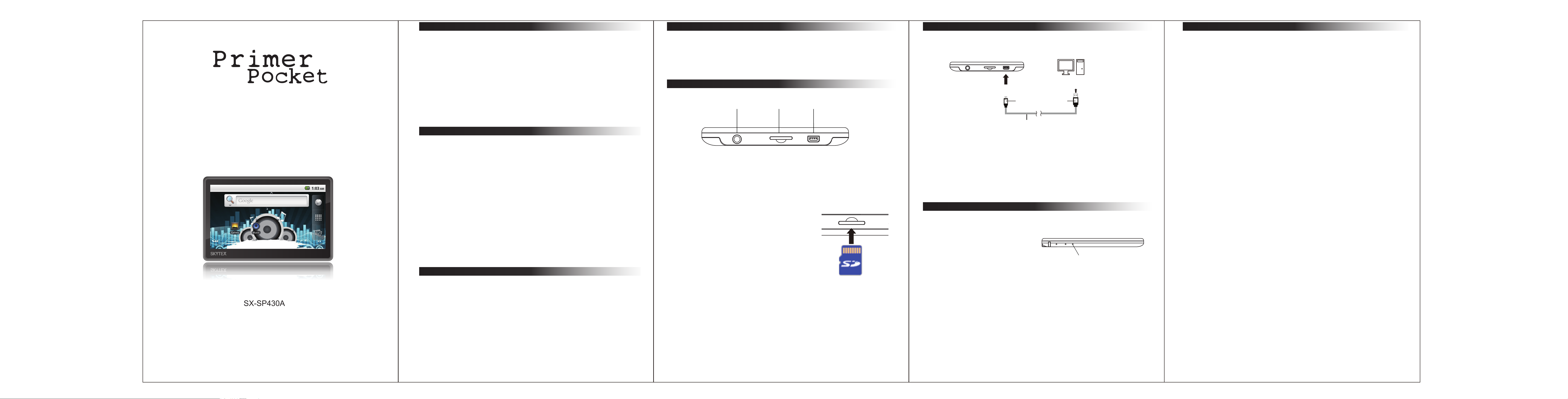
6. Part name and function
Primer Pocket
Computer
8. Troubleshooting
1. There is no sound in earphone.
• Please check there is no problem with the earphone connection.
Quick Start Guide
4.3”Primer Pocket
• Playback support for multiple audio and video formats,including mp3
and mp4.
• Multi-touch interface with pinch-to-zoom for an enjoyable touchscreen
exprience.
2. Features
• Operating System: Android2.2
• CPU:JZ4760B processors,Frequency 600MHz Support for
hardware 2D graphics acceleration.
• System Memory: DDR2 256MB
• Storage:Built-in flash memory 4GB
• External Storage:MicroSD card storage up to 16GB
• Multi-touch and G-sensor
• Headphone X 1
5. Micro SD Card Installation
Earphone
Micro SD
USB
Mini-USB
USB C
USB2.0 A Type
onnector
2. How to obtain Apps (Apks) .
• You can download via PC and side load apps, or you can download online directly
from the device and install. (for more details, please check our website)
3. The Primer pocket does not turn on .
• USB Connector:
Mini-USB:
to the USB interfaces into the Primer Pocket.
This USB connector connects
USB Cable
• Plug in the power adapter and try again
• If still does not turn on after battery is fully charged or while the device is
plugged in,please contact customer service/tech support.
4. Excess noise/distortion .
USB2.0 A Type: This USB connector connects
• Please check to see if the earphone plug is clean,dirt may cause noise or
distortion.
• Check that the audio file has not been damaged. Play other music files to see
if the issue is widespread. If the file is corrupt, delete it from the device.
When inserting the Micro SD card,
to the USB interfaces into a computer.
• USB Cable:
Connect the Primer Pocket and a computer.
gently insert the card into the
open slot (Please see image)
7. Charging
For contact information and/or troubleshooting, please visit our website at
“www.skytex.com”.
• LED Indicator:
SX-SP430A
• WiFi b/g/n for fast web browsing and downloads.
• 4.3” Full Color Widescreen, Resolution 480 x 272.
3. Specification
• Power Input: 5V 500mA
• Stock temperature: -20~60°C
• Operating temperature: 0~40°C
• Unit size: 115 x 78 x 12.5 mm
• System requirement:
- USB OTG Support Win7 / Vista / WinXP / 2003 / 2000
• One year limited Warranty on parts and labor
When removing the Micro SD card,
gently tap the card, it will pop out
automatially.
Charging: LED ON
Charged: LED OFF
LED Indicator
Using the AC Power Adapter.
Micro SD Card
- P1- - P2- - P3- - P4-
 Loading...