

Page 1

Manufacturer:SHENZHEN SYNERGY DIGITAL CO., LTD.
Address: 5/F,Block 5,Runheng lndustrial park,Fuyuan 1st Road,Fuyong,Baoan,Shenzhen,P.R.C
P.R.C
Product Name:MID
Model:SP736
Page 2
IMPORTANT NOTICES
This package may contain plasc bags or other
materials that pose a hazard to children. Be sure to
dispose of all packing materials aer opening.
To avoid damaging the screen, do not touch it with
excessive force or with any object other than your
finger. For best response, make sure your hands are
clean before using the touch Screen controls.
To avoid damage and data corrupon, do not remove a
memory card while data is being wrien to or read from
the card. As an example, do not remove a card while
playing a video or music fi
le stored on the card. The
available menu items are dependent on the unit. All
illustraons are for reference only.
The baery used in this tablet may present a fire or
chemical burn if misused. Don’t heat or incinerate the
tablet. Don’t leave it in a place subject to direct sunlight,
or in a car with windows closed. Don’t connect to a
power source from another manufacturer. This may
result in the risk of fire or electric shock.
Be especially cauous with applicaons that request
access to many funcons or to a significant amount of
y
our data. You are responsible for the results of
applicaons installed on your tablet.
The Tablet’s “mass storage mode” is compable
with many operang systems including: Windows® XP,
Vista, 7 or higher and Mac OS or Linux.
For recycling or disposal informaon about this product,
please contact your local authories or the Electronics
Industries Alliance: www.eiae.org.
SKYTEX is not responsible for any loss or damages
incurred from your access to third party content, Apps,
or services and expressly disclaims all warranes of any
kind.
Company Trademarks
SKYTEX lo
go is trademarks of SKYTEX TECHNOLOGY INC.
Android is a trademark of Google Inc. Use of this
trademark is subject to Google Permissions.
HDMI, the HDMI logo are trademarks or registered
trademarks of HDMI Licensing, LLC.
All other trademarks and logos are property of their
respecve owners unless indicated otherwise.
1
Customer Use Only:
Enter the model number of your tablet and save for future
reference.
Model #: _______________________________________
Serial #: ________________________________________
Page 3

SAFETY NOTICES
1. Read: and retain these instrucons for future
reference.
2. Warnings: on the product and User Guide
instrucons should always be adhered to.
3. Cleaning: Do not use liquid cleaners or aerosol
cleaners. Use a damp so cloth for cleaning.
4. Adapters: Use UL cerfied adapters recommended
by SKYTEX. Other adapters may be hazardous or void
your warranty.
5. Moisture & Water : Do not use near water such as
near bath tub, kitchen sink, laundry tub, or swimming
pool.
6. Ventilation : Should there be slots and openings in
the tabl
et, they are provided for venlaon to ensure
reliable operaon of and protecon from overheang.
These openings should never be blocked by placing the
product on a bed, sofa, rug, or other similar surface.
7. Power Sources: This tablet should be operated from
the type of power source indicated on the rang label.
Consult your product dealer or our website for more
informaon. For products intended to operate from
baery power or other sources, refer to the operang
instrucons.
8. Overloading: Do not overload wall outlets,
extension c
ords, or integral convenience receptacles as
this can result in a risk of fire or electric shock.
9. Object and Liquid Entry: Never put objects of any
kind on to or into this product through openings as they
may touch dangerous voltage points or short out parts
that could result in a fire or electric shock. Never spill
liquid of any kind on the product.
10. Servicing: Do not aempt to service this product
yourself as opening or removing covers may expose you
to dangerous voltage or other hazards and will void your
warranty. Refer all servicing to qualified se
rvice
personnel.
11. Damage Requiring Service: Unplug this product
from
the wall outlet and refer servicing to qualified service
personnel: a) when the power-supply is damaged; b) if
liquid has been spilled ; c) if the product has been
exposed to rain or water; d) if the product does not
operate normally; e) if the product has been dropped or
damaged in any way (voids warranty); f) when the
product exhibits a disnct change in performance.
12. Heat: The product should be kept away from heat
sources such as a radiator, heat register, sto
ve, or
other products that generate heat.
13. Replacement Parts: Unauthorized substuons
when service this product may result in fire, electric
shock, or other hazards. Make sure your service
technician has used parts specified by the manufacturer.
3
Page 4
CHARGING YOUR TABLET
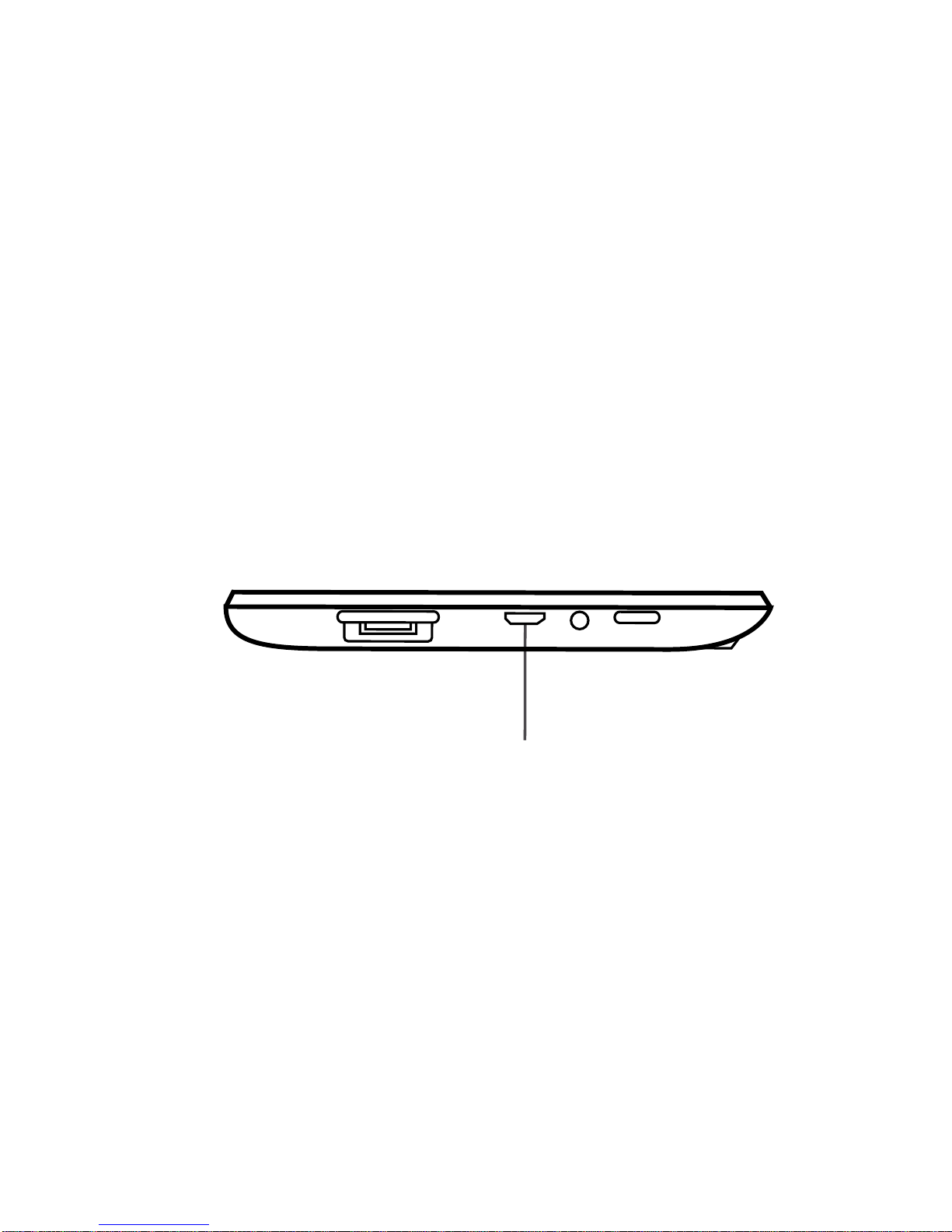
The tablet comes with a built-in rechargeable baery that should be charged fully prior to first use. Connect the AC
adapter to your Tablet via the DC input on the boom of the Tablet (illustrated below). Disconnect the Tablet when
its fully charged.
A full charge and discharge (15% or below) cycle is recommended to maximize the baery’s life and performance.
If the baery is completely drained please allow the Tablet at least 10-15 minutes to recharge prior to turning it on.
Note: When charging
the Tablet while powered OFF, the baery indicator appears momentarily. Although the baery
indicator disappears, the Tablet will connue to charge.
4
USB Input
Page 5
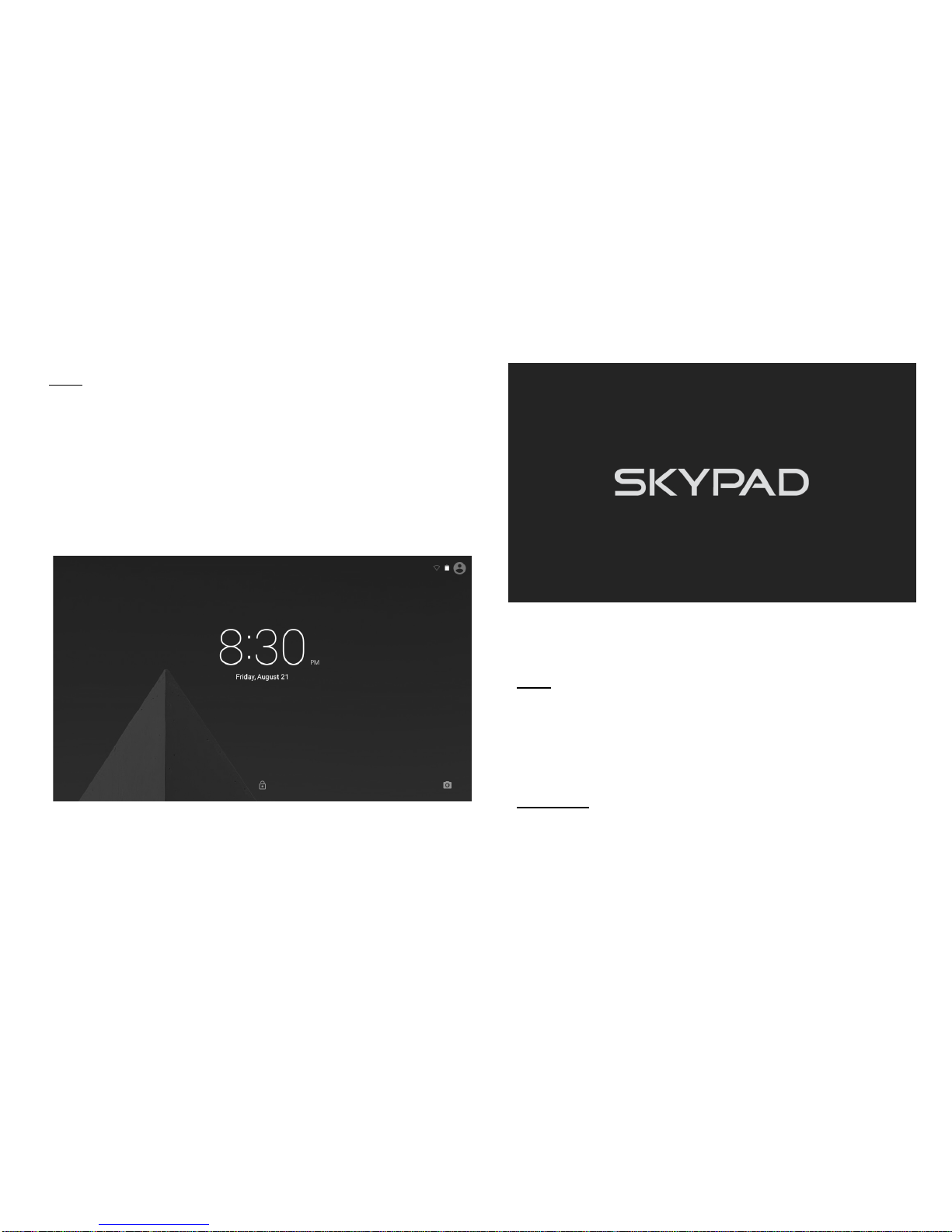
ON: Press and hold the Power buon unl the Tablet’s
loading screen appears. Once the lock screen appears,
unlock the Tablet by swiping your finger from the le
‘Unlock’ icon to the right ‘Unlock’ icon (illustrated below).
Should the display ‘Timeout’ (or go black) before you are
able to unlock the Tablet, press the Power buon for one
second to turn the display back on.
OFF:
Press and hold the Power buon unl the
Tablet opons appear. The opons will prompt you
to tap ‘OK’ to power the Tablet off or ‘Cancel’ to
return back to the Home screen.
STANDBY:
To enter Standby Mode, simply tap and
release the Power buon. To wake from Standby, tap
and release the Power buon.
POWER ON/OFF/STANDBY MODE
NOTE: Leaving the Tablet in Standby Mode when
not in use will result in baery drain. Switch the
Tablet off completely to conserve power between
charges.
5
Page 6

TROUBLESHOOTING
Symptom Soluon
My touchscreen is not responding.
How do I reset the tablet?
To reset, first make sure the power source is unplugged. Press and
hold the Power buon for 10 seconds and then plug the power source
back in. Press the Power buon for another 2-3 seconds.
To erase all data on the Tablet go to Sengs > Backup & reset >
Factory Data Reset. ALL DATA WILL BE LOST.
I inserted a MicroSD card. Where
are my les located?
Aer inserng the card, find your files in the “File Manager”
applicaon. Go to the App tray; open ‘File Manager’. Select the SD
card icon to access files.
For more updated FAQs and troubleshoong ps, visit us at www.skytex.com/support
My Wi-Fi says it’s ‘Disconnected’
after I attempt to connect?
The 'Disconnected' status means that the tablet is not connected to
any network. Make sure the correct password is entered when
connecng to your wireless network. This password could be on the
boom of the router or a password that was created by someone
when the Wi-Fi device was originally set up.
6
The battery drained completely and
now it won’t turn on…
Page 7

WARRANTY & SUPPORT
SKYTEX Technology Inc. warrants against defects in material and workmanship for a period of one year from original
purchase date when purchased from an authorized U.S. reseller/retailer by the original purchaser or is a consumer
who received the tablet as a gi. You must retain and provide the original bill of sale (or photocopy) as proof of
purchase in case the tablet requires service. Retain the original box and inner packaging to ship if necessary.
Your Responsibility
Warranty service shall be provided aer a return authorizaon number (RMA#) is provided to you by our customer
support representave. For one year, SKYTEX will provide at no charge, service repairs using new or replacement
parts. In certain cases your tablet may be replaced with a refurbished model that meets or exceeds factory
specificaons. Service provided or refurbished replacement is warranted for the duraon of the original warranty
period or 45 days, whichever is greater. Warranty extends to defects in materials or workmanship and does not
cov
er cosmec imperfecons, damage incurred during shipment to SKYTEX, misuse, accidental drops that crack the
screen, connecon to improper equipment, or repairs by an unauthorized party. Write the RMA number on the
package; include a copy of the store receipt and descripon of the issue with the product and serial number.
How to Obtain Warranty Service
If aer following the User Guide, should you find it necessary to contact Customer Support, email or call between
9am-5:30pm Mon-Fri (Pacific Time). Have your date of purchase, serial number, and a full understanding of the
issue ready for your representave. You are responsible for the transportaon costs and protecve packaging
associated with shipping the product to SKYTEX safely. Ship the tablet using a service that provides tracking
informaon.
Phone: (909) 869-7883 Email: [email protected] Website: www.skytex.com
Customer Support
Mon-Fri
day 9:00am-5:30pm
7
Page 8

This equipment has been tested and found to comply with the limits for a Class B
digital device, pursuant to part 15 of the FCC Rules. These limits are designed to
provide reasonable protection against harmful interference in a residential installation.
This equipment generates, uses and can radiate radio frequency energy and, if not
installed and used in accordance with the instructions, may cause harmful interference
to radio communications. However, there is no guarantee that interference will not
occur in a particular installation. If this equipment does cause harmful interference to
radio or television reception, which can be determined by turning the equipment off
and on, the user is encouraged to try to correct the interference by one or more of the
following measures:
• Reorient or relocate the receiving antenna.
• Increase the separation between the equipment and receiver.
• Connect the equipment into an outlet on a circuit different from that to which the
receiver is connected.
• Consult the dealer or an experienced radio/TV technician for help.
Caution: Any changes or modifications to this device not explicitly approved by
manufacturer could void your authority to operate this equipment.
This device complies with part 15 of the FCC Rules. Operation is subject to the
following two conditions: (1) This device may not cause harmful interference, and (2)
this device must accept any interference received, including interference that may
cause undesired operation.
The device has been evaluated to meet general RF exposure requirement. The device
can be used in portable exposure condition without restriction.
 Loading...