

Page 1
Who We Are
that is committed to creating
Contact Us
If you
professional support engineers
3320 W Valley HWY North Ste D108
Auburn WA
Customer Service:
Toll
Website:
Y6
Retain owner's manual for future reference
• SimPure
specializing in creating a better, healthier you through improved
filtration and purification technologies.
®
is a purification brand based in the United States,
• Back to nature with clean water and fresh air. SimPure
the philosophy of a 'minimalist lifestyle'
a simple, clean, and comfortable environment.
• SimPure
practical in appearance and functionality.
• SimPure
Stay simple, Stay pure.
require technical assistance, please contact our friendly
-Free Phone: +1-866-528-4572
®
designs products to be both smart, easy to operate, and
®
products care for you, your family, our planet.
, who will be pleased to assist you.
98001
www.simpurelife.com
®
promotes
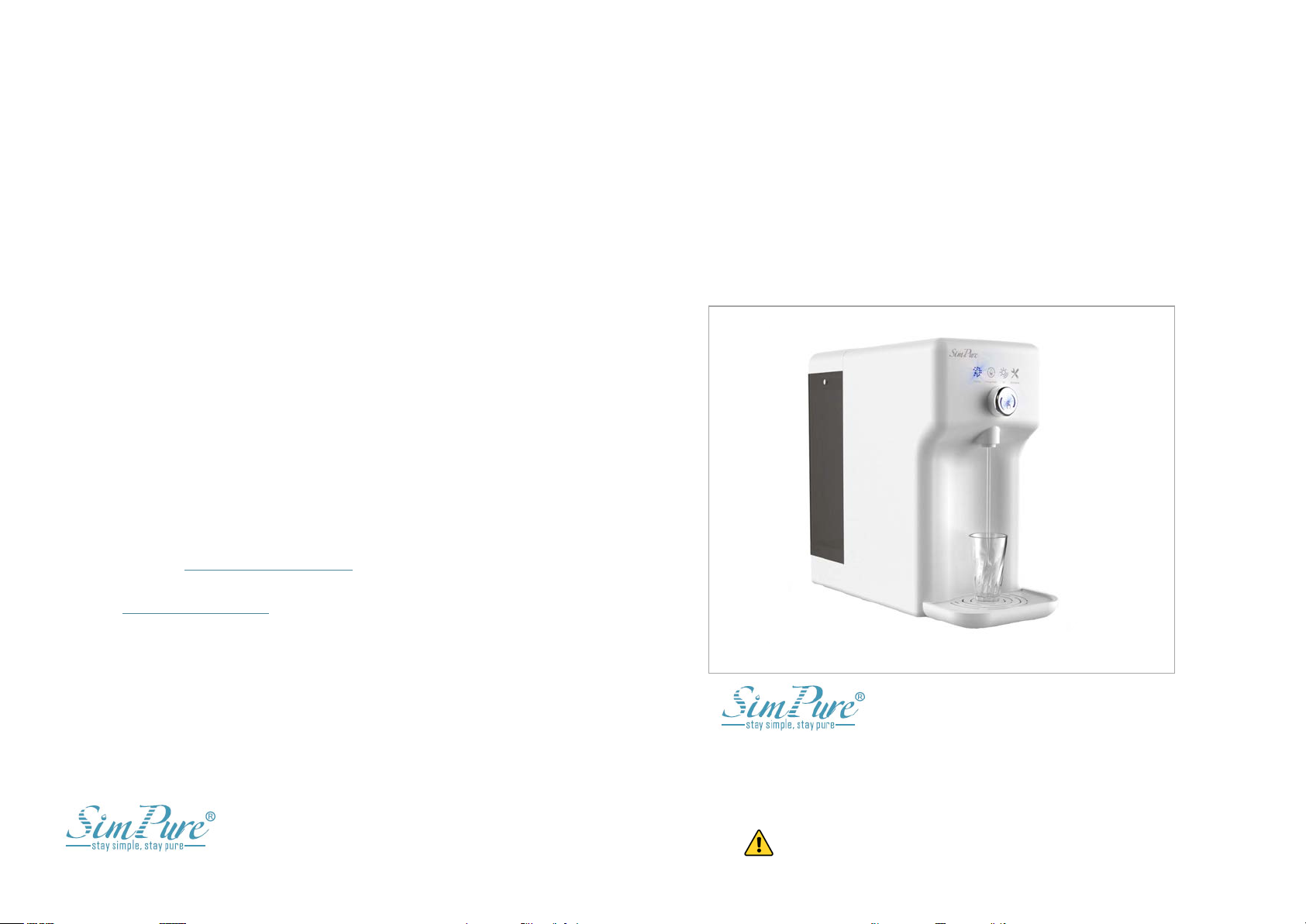
Y6 Countertop Water Purification System
Page 2
Operators and Maintenance Handbook
SimPure
Owners Handbook Manual Ref: MSRP
Revision
Date
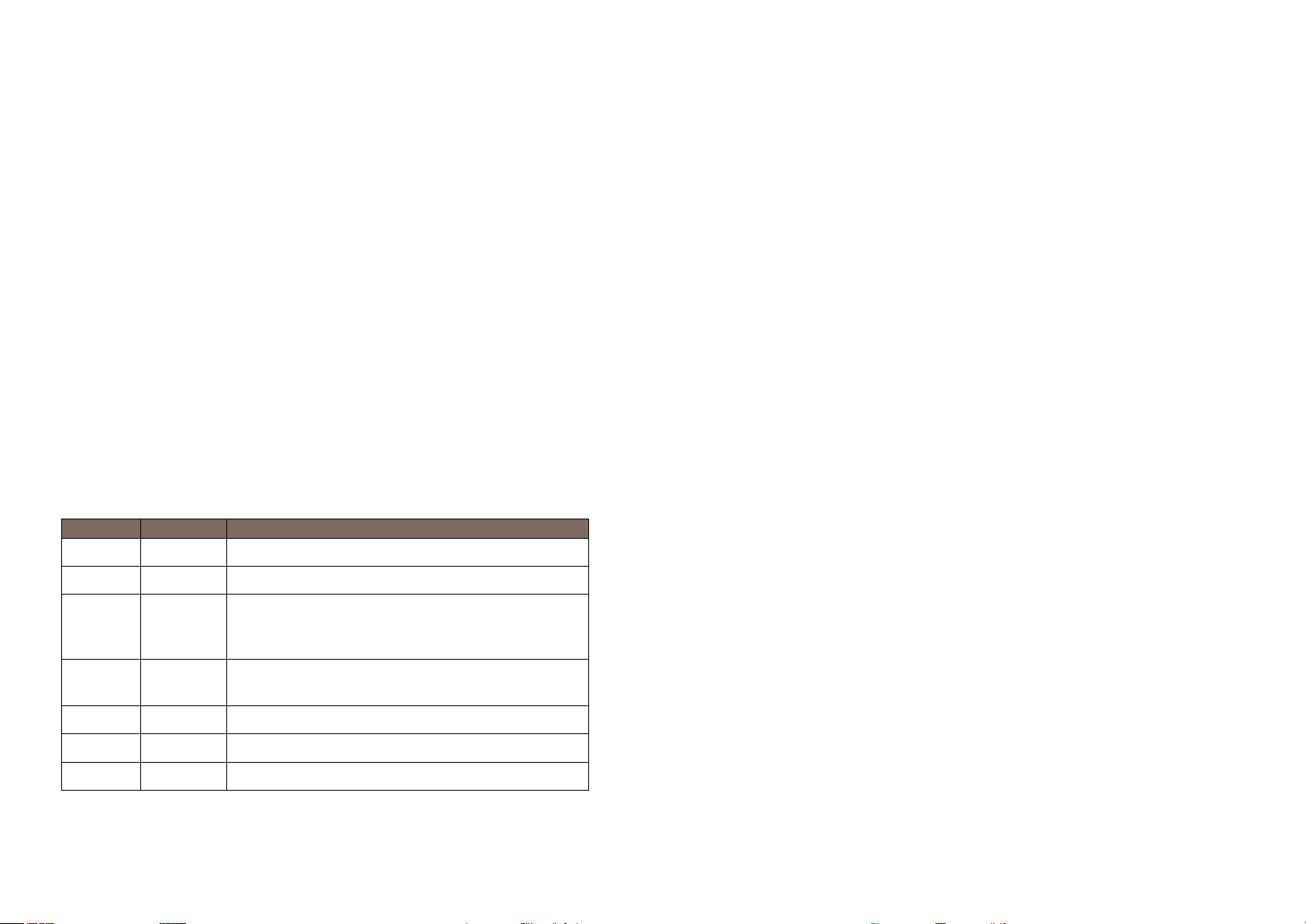
Description
01
01/2019
New document.
02
01/2020
Updated details.
03
06/2020
Improved manual design from customer feedback,
clarified details, added further instructions and
diagrams. Updated part number & descriptions
04
07/2020
Reformatted to A4, update contact details, minor
updates.
05
10/2020
Filter change update and minor updates.
06
10/2020
Flushing, internal tank filling & feed tank cleaning.
07
11/2020
Expanding on system flush requirements
Images used in this manual may not represent your actual product; they are a visual aid only.
Table of Contents
Overview
Getting Started
Installation Guide
Operational Guide
Our Products and Services
®
Y6 Countertop Water Purification System
.
-111L-06
................................................................................................................................ 1
.................................................................................................................... 2
Introduction .................................................................................................................... 2
Health and Safety .......................................................................................................... 3
Operating Guidelines .................................................................................................. 4
.............................................................................................................. 5
System Features ............................................................................................................ 6
Control and Display Panel ........................................................................................ 7
System Setup................................................................................................................... 8
System Flush ................................................................................................................... 9
Dispensing Purified Water .................................................................................... 11
.......................................................................................................... 12
Display Indicators ..................................................................................................... 13
Filter Replacement ................................................................................................... 14
Replacement Filter Part Number ....................................................................... 15
Feed Water Tank Cleaning ................................................................................... 15
Register your Product ............................................................................................. 16
Troubleshooting Guide ........................................................................................... 16
Warranty ........................................................................................................................ 19
......................................................................................... 20
Page 3
Overview
Getting Started
• Introduction
• SimPure® contact details
•
•
•
Installation Guide
• System Contents
• Features
•
•
• System flushing
• Dispensing Purified Water
Operation Guide
• Operation Guide
• Filter Replacement
•
•
Getting Started
The Y6 is a durable piece of equipment; it
will last for many years with proper care.
Reverse Osmosis (RO)
Ultra Violet (UV)
matter, and heavy metals, giving the water a much better taste.
1
2
Health & Safety
Warnings & Cautions
Operating Guidelines
Control & Display
Connecting up the System
Introduction
Thank you for purchasing the SimPure® Y6 Countertop Water Purification
System, delivering pure water to your home or office. Please refer to the
SimPure® website for the latest product information, including operator
manuals, videos, support materials, and where to purchase items.
This owner's handbook outlines the
installation, operation, and maintenance
requirements to sustain perfect product
performance.
The Y6 features different stages of filtration
incorporated into two cartridges and a UV
system to produce healthy, clean water for
your family
• Sediment removal
• Chlorine, Taste & odor removal
•
•
Troubleshooting Guide
Warranty
Customer Service: [email protected]
Toll-Free Phone: +1-866-528-4572
Website: www.simpurelife.com
Y6 can filter out impurities and particles from your water, such as sediment,
dirt, rust, chlorine, fluoride, odors, limescale, lead, viruses, bacteria, organic
Page 4
Health & Safety
SimPure
these units must b
detailed in this handbook
this water purification system.
Warnings and Cautions are provided; Failing to observe the
surroundings, or cause personal injury.
Operating Parameters
SimPure® Y6
Dependent on feed water type and temp.
4.4 fl. oz (130ml/min)
(2 Gallons/hrs. (7.8 L/hr.))
Dependent on feed water type and temp.
528 Gallons (2,000L)
Municipal potable/tap water or Well water
meeting government drinking water
standards
41-68℉ (5-20℃) ideal
110 Volts 60Hz AC
60 Watts
17.9 x 14.96 x 7.87 Inches
(455 x 380 x 200 mm)
7.9Ib (3.6kg)
1.3 Gal. (5.0L) Feed water Reservoir
0.4 Gal. (1.5L) Pure water Reservoir
< 500 ppm
e system
3
4
water that has been tested safe by a certified laboratory. Never use
®
products are designed with safety in mind. However, personnel using
e familiar with any potential dangers. All safety information
This product is not a toy; please keep children away from the
water purifier or use under adult supervision. Please keep packing
materials out of children's reach.
The system has been designed for indoor use only. Install the System
out of direct sunlight on a flat, level, dry, and secure surface at
ambient room temperature.
Do not move the system without first isolating the power supply
and draining the feed water tank.
This unit is for use with cold municipal tap water or potable well
hot water or unknown/unsafe sources of water.
To protect against fire, electric shock, and injury, do not immerse
power cords, plugs, or the appliance in water or any other liquid.
should be reviewed before installing and operating
Operating Guidelines
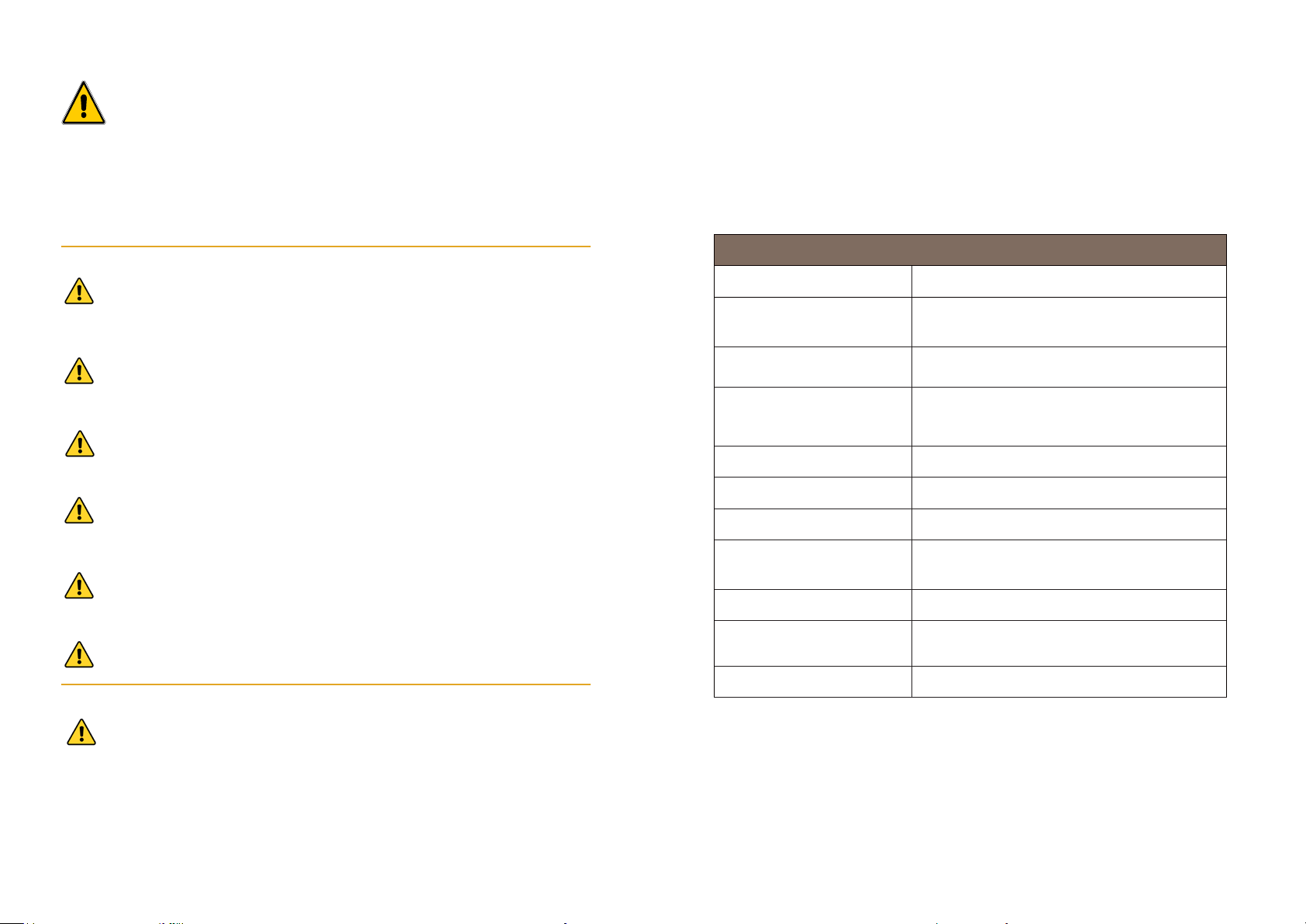
The following table lists the operating parameters for this product. Operating
this product outside these specifications may cause system performance issues
and may even lead to personal injury and void any warranty. Please contact
SimPure® for further advice and support.
Model
Production rate (up to)
Filter life expectance
Feed Water Type
Feed Water Temperature
Rated Voltage
Rated Power
Dimensions
Weight
System is damaged or missing, replace the items before use.
In case of malfunction, remove the power plug. If any part of the
instructions could damage the equipment, associated parts,
Storage Reservoirs
Feed Water TDS* level
* TDS = Total Dissolved Solids, the total weight of all solids dissolved in a given volume of water, expressed in units of mg per unit
volume of water (mg/L), also referred to as parts-per-million (ppm). With a SimP ure® TDS meter, you can easily compare th
outlet quality with your source wa ter to help monitor the system's performanc e.
Page 5
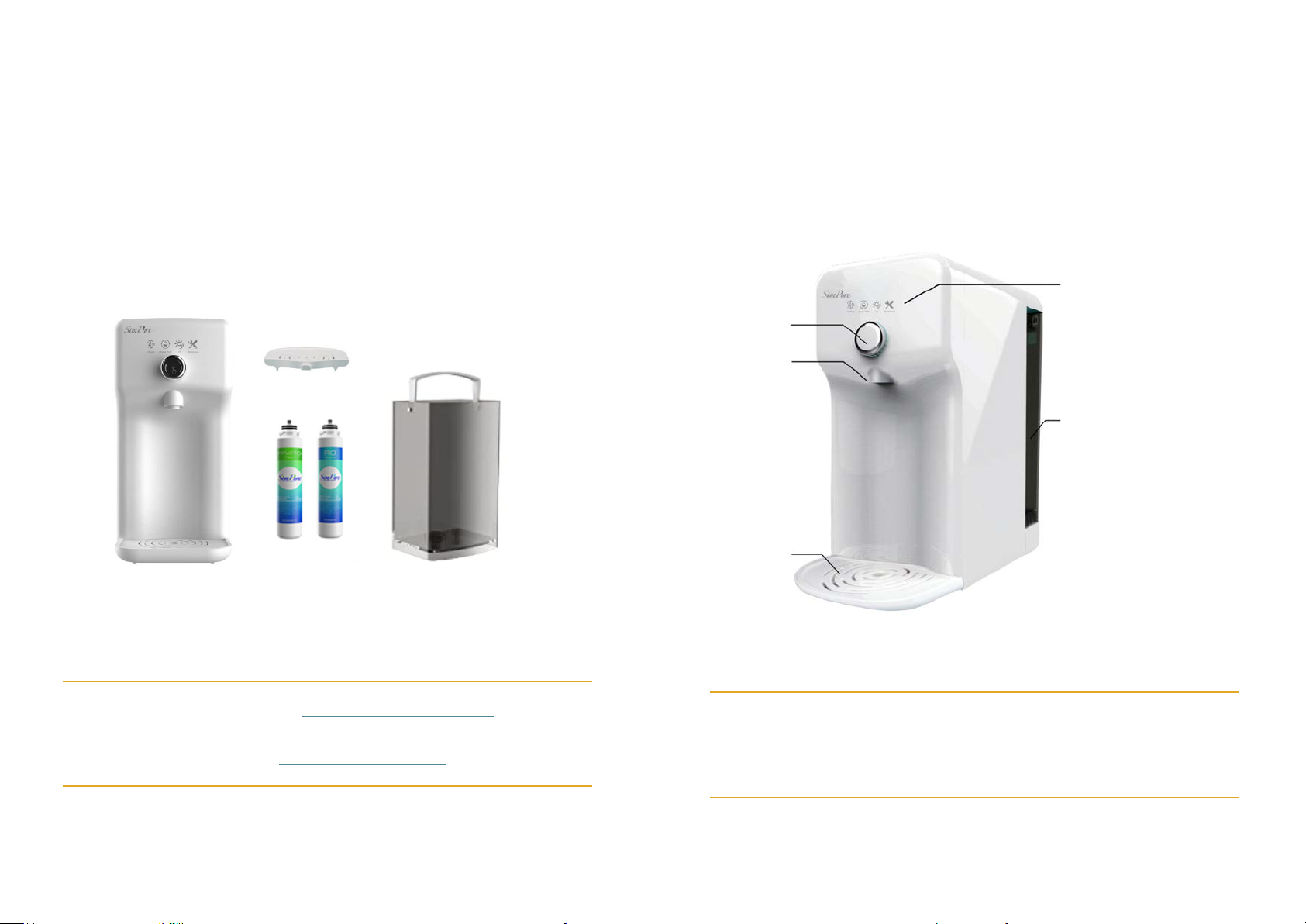
Installation guide
System Contents
Your SimPure
assembled, packaged
require
System
Compact design, no plumbing required, simply plug the
Countertop Water Purification System
potable (tap) water to be purified.
5
6
Drip tray
Feed Water
Tank
(5 Liters)
Y6
Purifier
Control Push
Button
Display
Panel
Drip tray
Water Outlet
Water Tank
(back)
Filters
(Pre-installed)
Features
SimPure® Y6
into an electrical outlet and fill with
Push the control button to dispense.
®
Y6 Countertop Water Purification System was carefully
, and shipped complete with all the parts you should
to get the system up and running.
Unsure about something? Is there a problem?
Please contact SimPure® through our website or toll-free number.
1.3 Gallons
Customer Service: [email protected]
Toll-Free Phone: +1-866-528-4572
Website: www.simpurelife.com
SimPure® products care for you,
Your family, our planet.
Stay simple, Stay pure.
Page 6
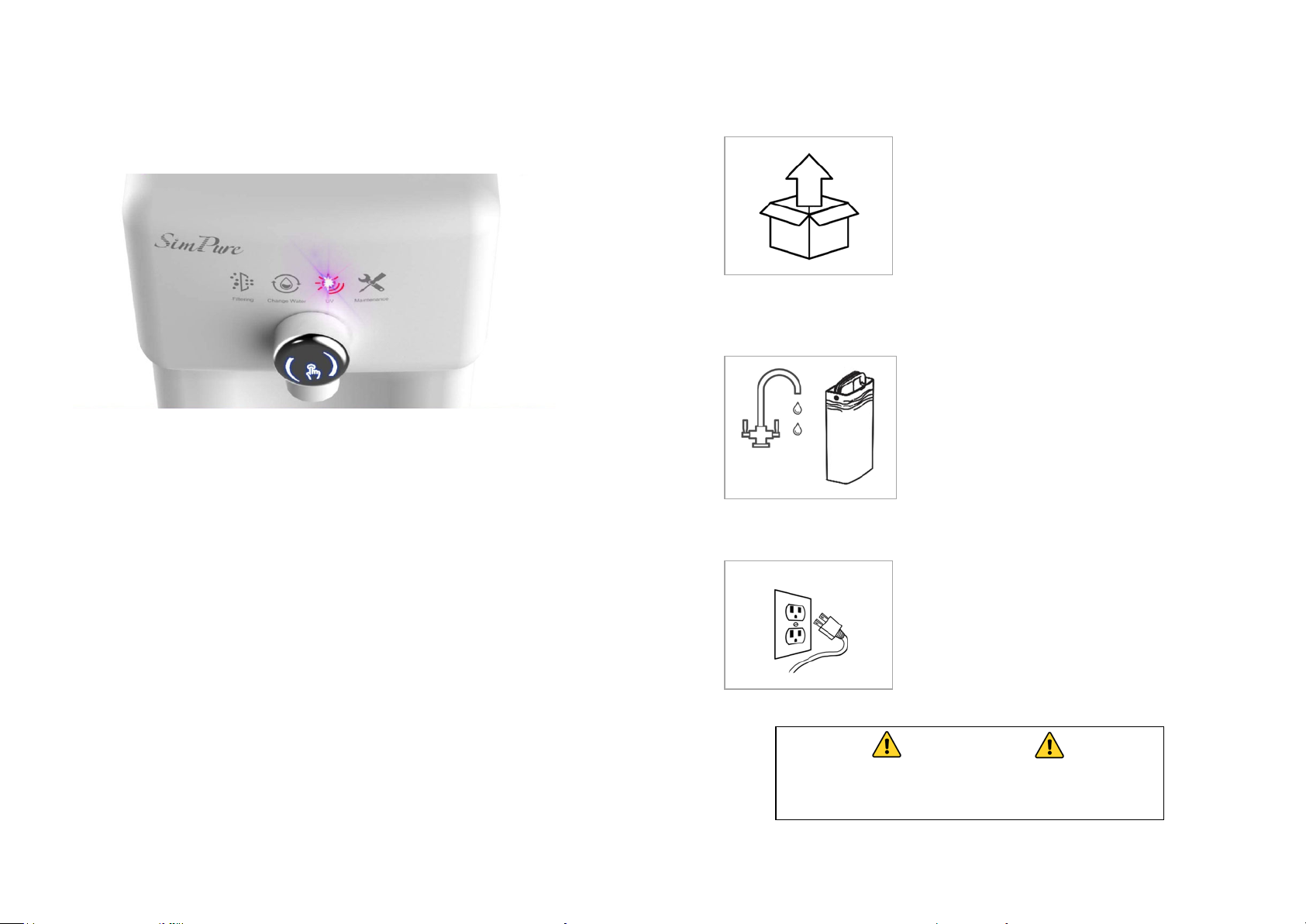
Control and Display Panel
Filtering
Indicates
Change Water
Indicates feed tank water
UV
Indicates the Ultraviolet light is operating
Maintenance
This i
Power
There
T
See Page
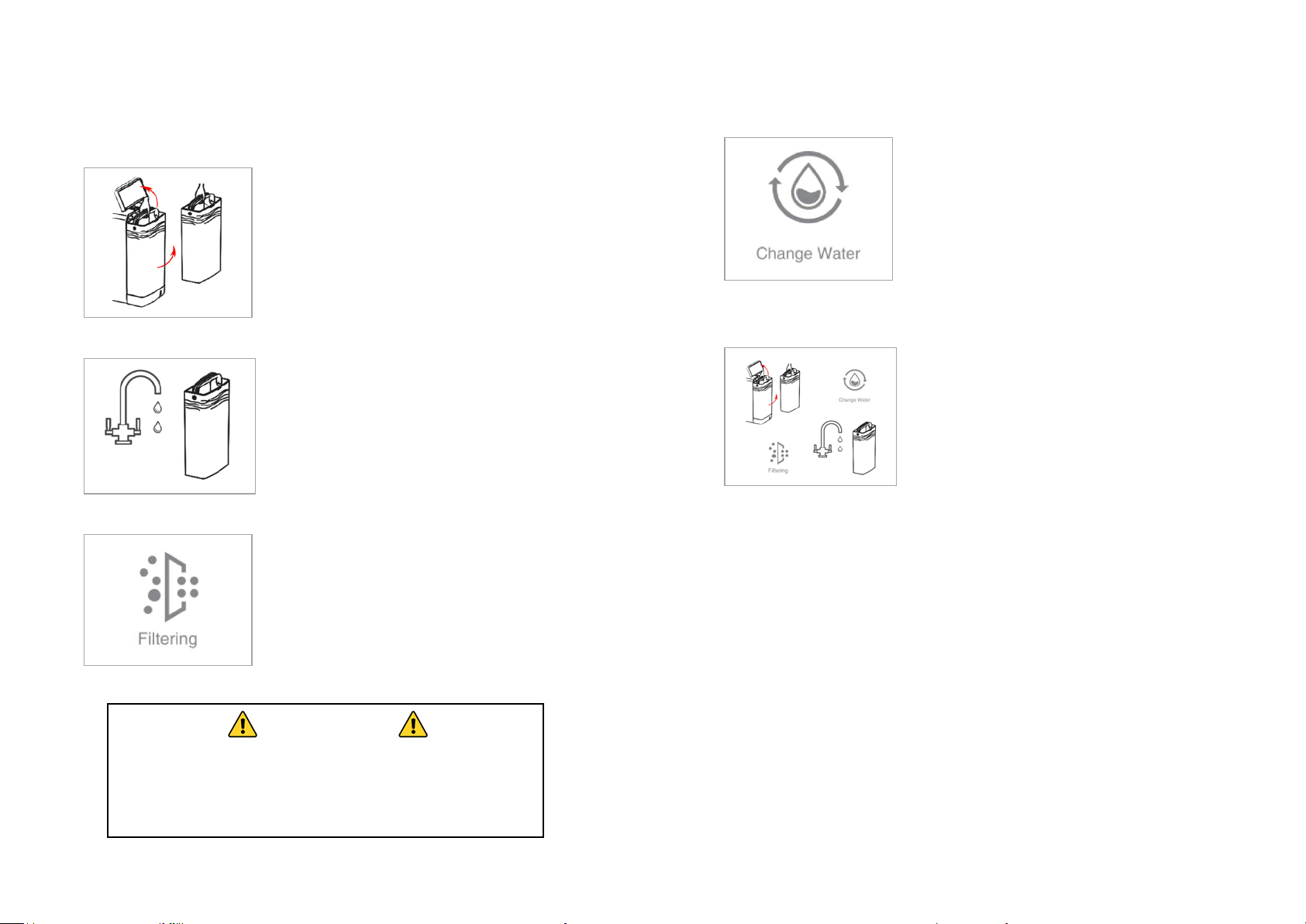
System Setup
Step
Unpacking- Choose a suitable countertop, flat,
secure, and out of easy reach of small children.
Place the drip tray under the outlet. Allow
plenty of space to remove the feed water tank.
The system
filter cartridges for your convenien
Step 2
Fill water tank- with fresh potable (tap)
water, be careful not to exceed the maximum
indicated on the side of the feed water tank.
Step
Turn the system on - Plug into an electrical
outlet. You should hear a beep. The system
will automatically start to refill the internal
pure water
the filtering indicator light turns off. Now
follow system flush instructions on page 9.
7
8
IMPORTANT
1
has already been loaded with the
ce.
he system enters a standby mode if not used for 1 hour.
purifier is filtering water.
needs to be discarded and refilled.
ndicates when filter cartridges require changing.
's no power switch; unplug the device should you need to turn it off.
12 for full detailed descriptions of each function
to control virus/germs.
water level. Carefully fit the feed water tank
back into the base of the purifier.
Note: Do not exceed the MAX. water level
3
tank. Wait up to 10 minutes until
DO NOT CONSUME THE WATER UNTIL
THE SYSTEM FLUSH HAS BEEN COMPLETED
Page 7
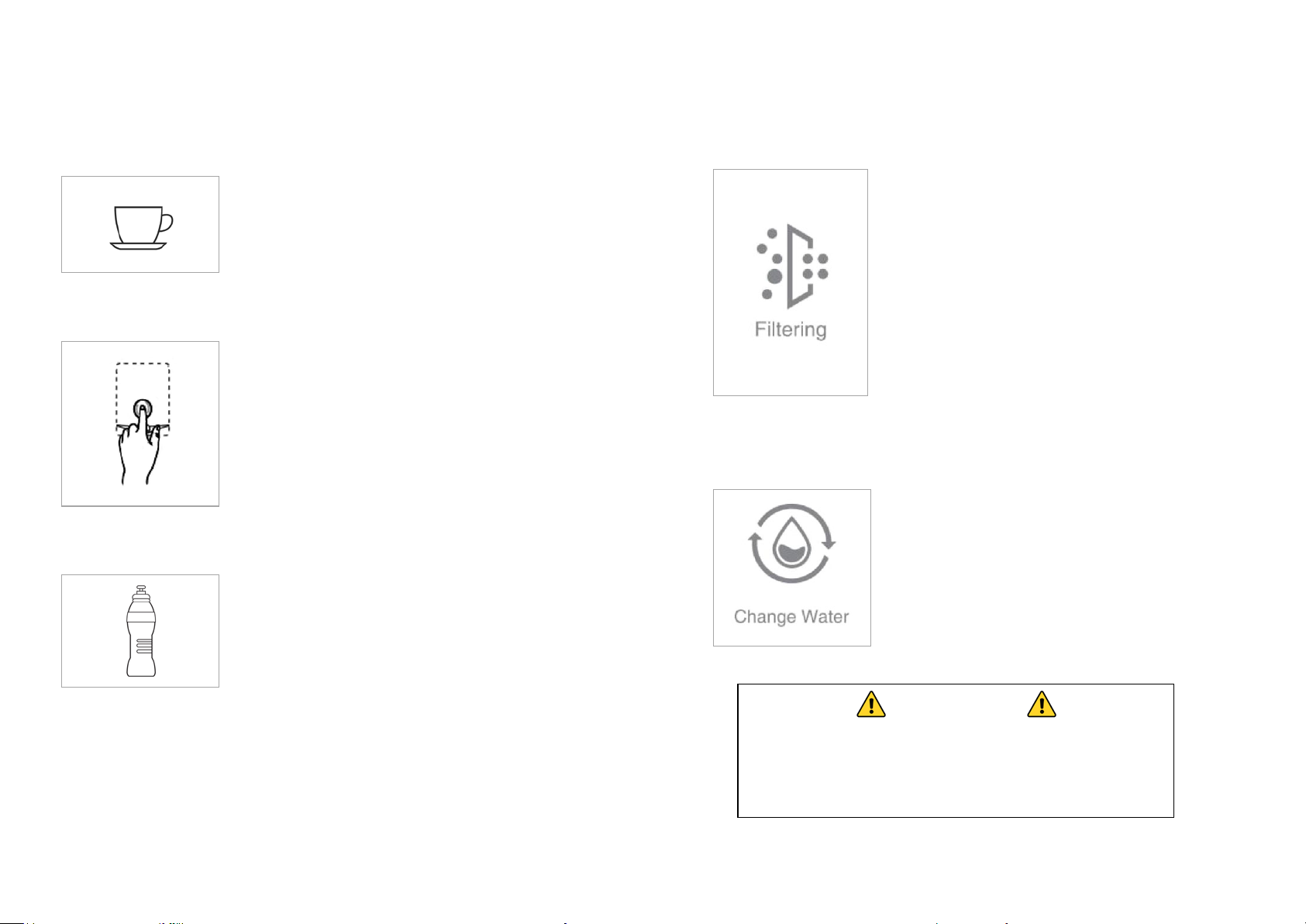
System Flush
Step
Remove water tank- Open the feed water
tank cover and lift out the water tank. You
must always remove the tank to refill. Do
not refill the tank on the system
shorten the RO membrane life
the output water quality.
Step
Fill water tank- Always discard any remaining
water from the feed tank. Refill with fresh
potable (tap)
Note:
indicated on the side of the feed water tank.
Step 3
Replace water tank - Carefully fit the feed
water tank back into the base of the
purifier
will automatically start to refill the internal
pure water
indicator light turns off
which means the inner tank is full.
Step
Dispense – Place a container 35 fl oz (1
Litre) or larger on the drip tray. Hold the
dispense button for 3 seconds, then release
to
complete, empty the water down the sink,
r
indicator light starts flashing.
Step
Repeat cycle- To complete the initial
system flush, complete these steps five
of purified water.
Further Flushing
Depending on your
repeat the system flush cycles. A total of ten times (13 Gallons) i
notice
dispensed water
your feed water source requiring fu
h the purifier to
improve the taste an
Note:
one week (7
recommended that you
one cycle to freshen the water
9
10
IMPORTANT
1
; this will
and affect
4
activate the 35 fl oz dispense mode; once
epeat this method until the change water
2
Do not exceed the MAX. water level
water to the MAX. level.
and close the cover. The system
ALWAYS REMOVE TANK FROM SYSTEM AND DISCARD
ANY REMAINING CONCENTRATE WATER BEFORE
REFILLING WITH FRESH CLEAN TAP WATER
DO NOT EXCEED THE MAXIMUM WATER LEVEL
tank. Wait until the filtering
(up to 10 mins)
5
times (6.6 gallons). This helps remove the
carbon fines and flushes the RO membrane
ready for use. After the 5th flush cycle, you
can dispense and enjoy a refreshing glass
feed water source and quality, you might need to
f you
a slight plastic smell, low water quality, or odor from the
(after the initial five flush cycles). This may be due to
rther flushing throug
d odor that may be present.
If the water in your feed tank has not been replaced for more than
days), or you have just replaced the filters it is
follow the above system flush instruction for
quality.
Page 8
IMPORTANT
Dispensing Purified Water
Step 01
Place a cup or glass on the drip tray of the
system under the dispense nozzle.
Step 02
Push the control button once, and the
system will dispense a cup of purified water
8.5 fl oz. (250ml) and stop automatically.
To manually stop dispensing
push the
Top Tip
When filling a drinking bottle or container,
simply hold the control button down for 3
seconds to automatically dispense 35 fl oz
(1 Liter). To manually stop
push the control button again.
Operational Guide
Flashing - The internal tank is empty; The water
purifier is filtering water to refill the internal 50 fl.
dispense.
Flashing – Feed tank water too low (≤1.25L)
Steady – Feed tank water is of low quality.
Action Required
the water needs to be
refilled
concentrate.
water and refit the feed tank to the purifier.
11
12
control button again.
water, simply
the flow, simply
Filtering Indicator Light
oz (1.5L) pure water tank. When the indicator light
is flashing, water cannot be dispensed. The
indicator light will turn steady after three (3)
minutes.
Steady – This signifies that the purifier is filtering
water and the internal tank has more than 12 fl. oz
(350mL) of pure water available. After 7-10 mins
the indicator light will go off; the internal tank is
full. Up to 50 fl oz (1.5L) is available for instant
Change Water Indicator Light
as the remaining water is
Refill with fresh potable (tap)
– Remove The feed tank as
discarded and
CONGRATULATIONS!
You have completed the installation!
ALWAYS REMOVE TANK FROM SYSTEM AND DISCARD
ANY REMAINING CONCENTRATE WATER BEFORE
REFILLING WITH FRESH CLEAN TAP WATER
DO NOT EXCEED THE MAXIMUM WATER LEVEL
Page 9
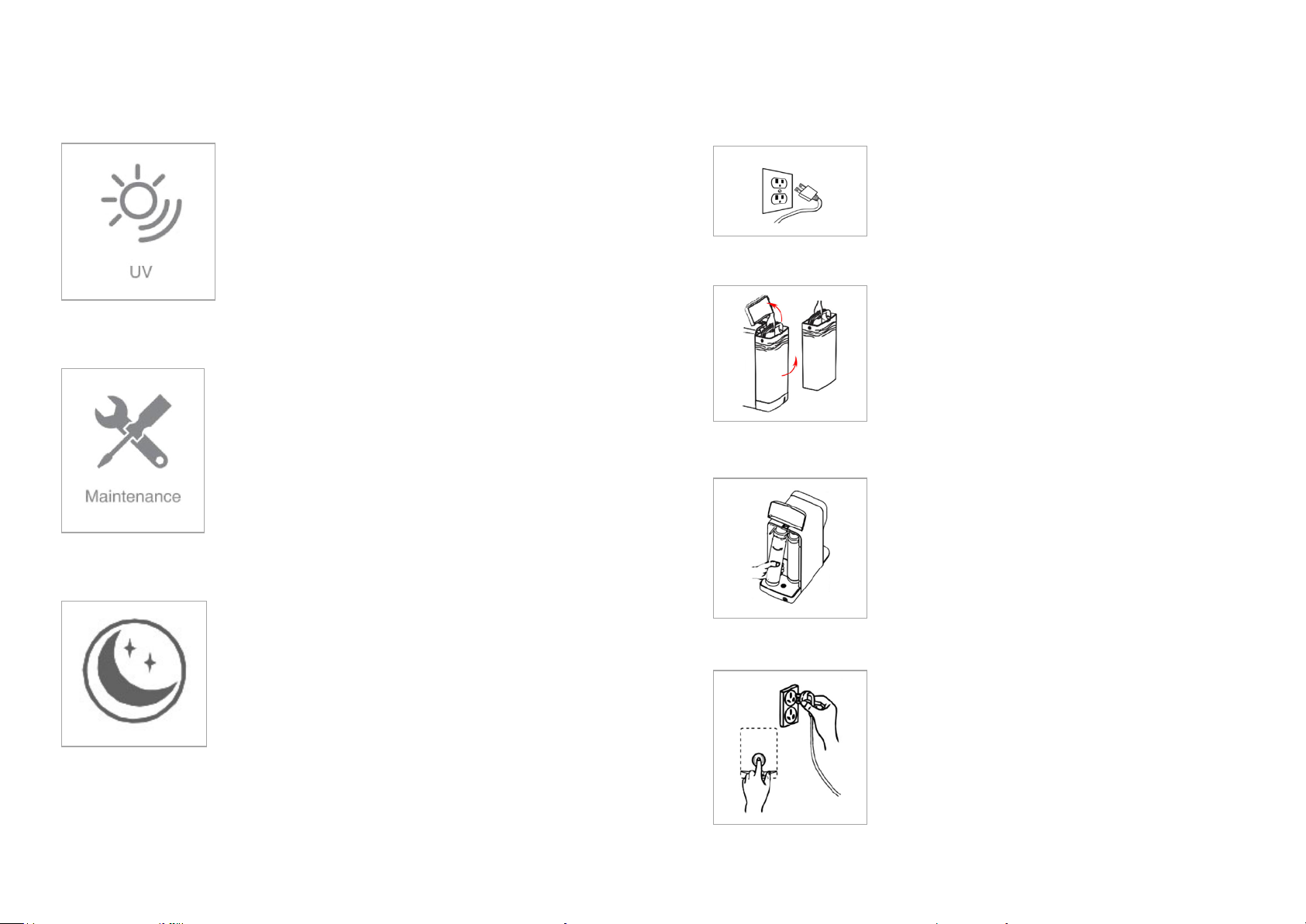
UV
Steady – Ultra Violet light is operating.
UV will function for the first hour after
starting up.
only
to help maintain microbial control of the
purified water.
Maintenance
Steady – Both filters are >90% exhausted
and will need to be replaced soon.
Flashing
of
Action Required
filters and replace
when the indicator starts flashing.
Standby mode
The system automatically enters a
standby mode if not used for 1 hour.
Wake the system by pushing the control
button.
Filter Replacement
Remove the power plug from the electrical
socket to turn the system off.
Open the feed water tank cover. Wait five (5)
seconds
(located behind the tank).
Lift each cartridge from the bottom towards you
and turn counterclockwise to remove.
cartridges (non-toxic).
Refill the feed water tank and fit back into the
purifier and close the cover.
cycle to freshen the water and rinse the new filters.
13
14
Indicator Light
One hour later, the UV light will
operate for 7 minutes every 53 minutes
Indicator Light
- The filters have reached the end
their life and are ≥100% exhausted.
– When steady, order new
both filters together
Step 1
Step 2
Lift out the tank, discard water, and place it in a
safe place.
You should now be able to see the filter cartridges
Step 3
Insert the new cartridge in the correct position,
turn clockwise until you feel a click.
Note: You can safely dispose of the exhausted
Step 4
Push and hold the control button while plugging the
system back into an electrical outlet; when you hear
three (3) beeps, the filters service life is reset.
Optional: Follow the System Flush (page 9) for one
Page 10
Filter Replacement Details
Signs, the filters might need replacing
circumstances occur:
Feed Water
When replacing the filters (every six months) or sooner if required, check the
feed water tank strainers, check valves
both clean and free from any obstructions
Replacement Filter Part Number
Part No.
Description
Replacement
Schedule (Months)
HEDPF2001_S15
PP+CB Filter Cartridge
6
HEDPF1001_S15
RO Membrane Cartridge
6
Note: Replace both cartridges as a pair (at the same time)
When it's time to refill the feed water tank, why not give your plants the tank
concentrate water instead of pouring it down the sink!
15
16
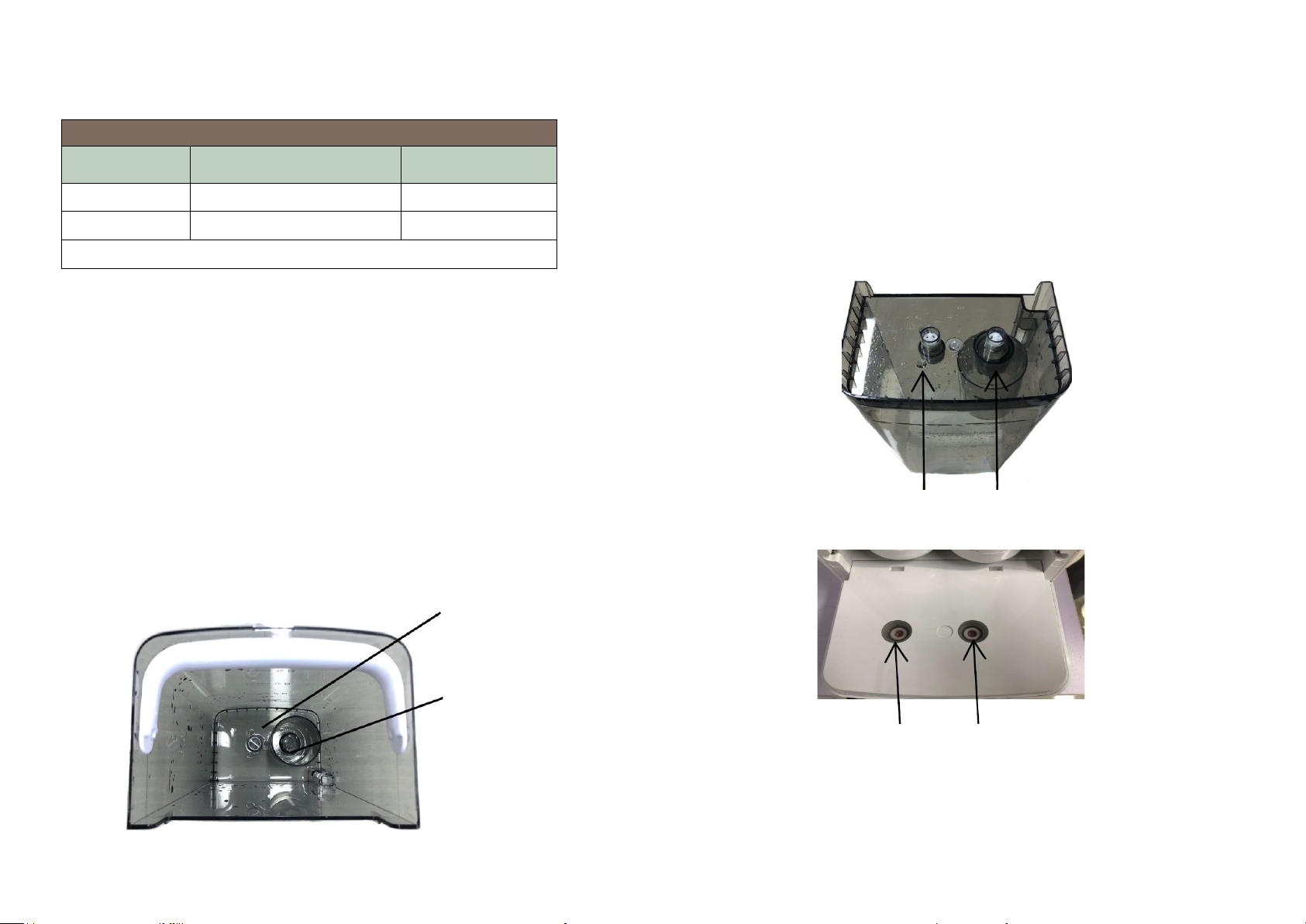
Check-valves Two (2) underneath feedwater tank
Check-valves Two (2) water purifier base
Strainer Filter
Diversion Sleeve
Tank Strainer and Sleeve Cleaning instructions
Remove the feed water tank and empty the water; located in the tank's bottom,
you will see the strainer and diversion sleeve; pull them both out. Clean the
parts under running water. Once clean, refit them and fill the tank with clean
water. Fit feed tank back into purifier ready for use.
Please note: When strainer filter blocks, it may take longer for the system to
purify feed water, or the system may not work at all. Clean the strainers
regularly to avoid any problems.
if one of the following
1. The purified water has dropped in quality, and the taste is not as good
as it used to be. Check to see if the TDS level has increased.
2. The purified water outlet flow-rate decreases prominently or may even
stop. Check the filters or membranes are not blocked.
Please note: Room or water temperature change can reduce the
purification process by as much as 30% between summer and winter.
3. The filter housing color fades or is covered by dirt.
Tank Cleaning
, and feed water tank check valves are
Top Tip:
Page 11
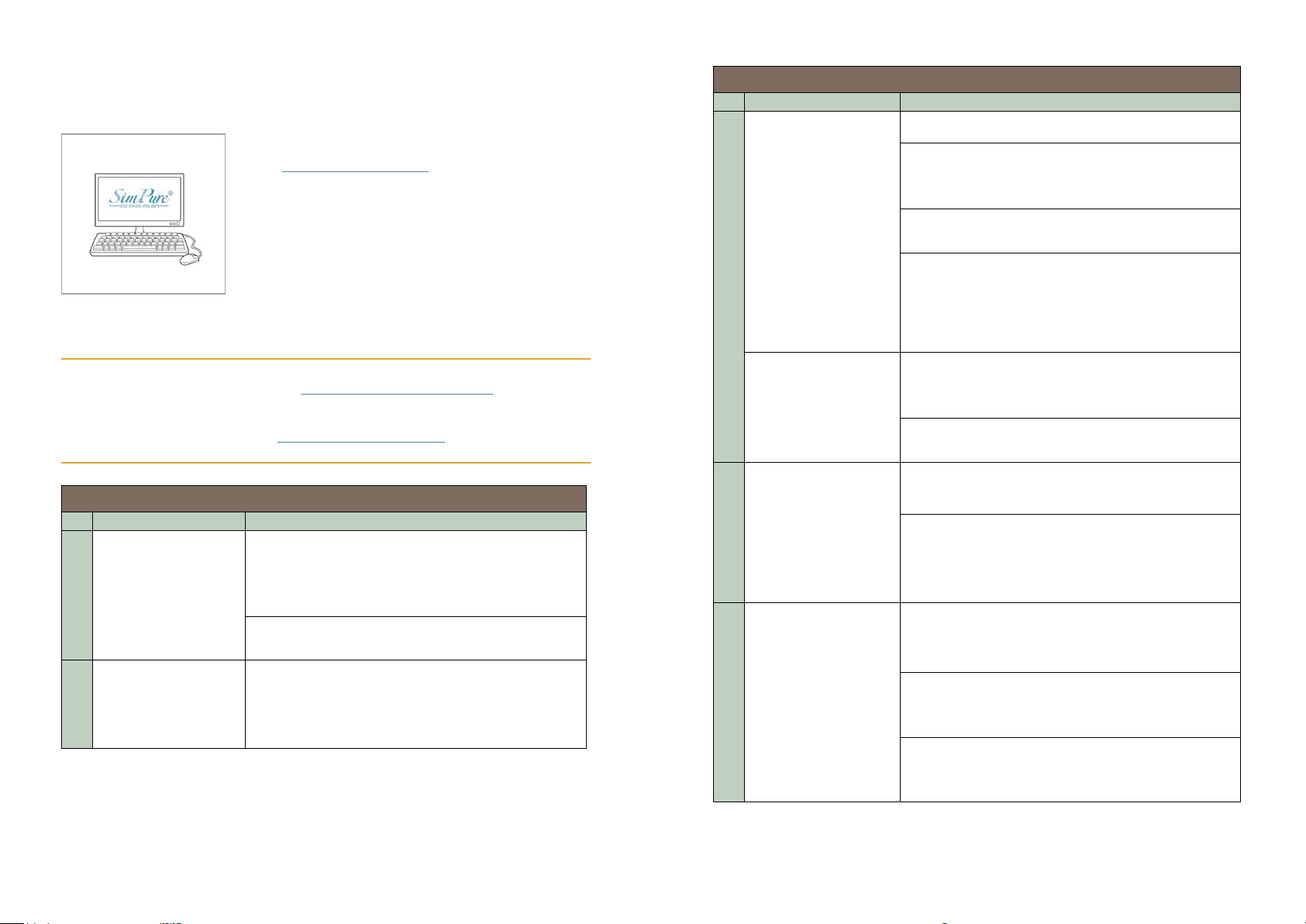
Register your Product
Please register for your product's warranty
on the www.simpurelife.com website.
You will also find further information on this
product and other
Sign up for our Newsletter to keep informed
about new products and available upgra
Troubleshooting Guide
Problem
Possible Solution
The Water purifier
panel dial
Plug the water purifier into the electrical outlet
and make sure the outlet switch is on (if
applicable). The purifier should beep once when
connecting to the power
Plug the purifier into a different electrical outlet
to check the outlet is working
All four indicators
are on at the same
time
There is a system fault. Unplug the unit from the
electrical outlet for 5 minutes, then reconnect.
Contact SimPure® customer service for advice if
the problem persists.
Troubleshooting Guide
Problem
Possible Solution
17
18
Feed Water tank cover open, close cover
The feed Water tank is not installed correctly,
check it's located onto the purifier base correctly
Customer Service: [email protected]
Toll-Free Phone: +1-866-528-4572
Website: www.simpurelife.com
will not turn on or
1
respond when
pressing the control
2
SimPure® products.
des.
The purifier does not
3
make purified water
The purifier doesn't
operate or respond
4
to the control button,
or lights don't
illuminate.
Water taste is poor
5
or has a strange
smell
Water Purifier makes
excessive noise
during operation
6
Note: The purifier
does make noise
when processing
water; this is normal.
Feed Water tank level too low, drain concentrate
and refill tank with freshwater
The internal pure water storage tank (non-feed
water tank) is empty, and the filtering indicator is
on. Wait 5-10 mins before dispensing water;
when the indicator light is off, the pure water tank
full.
System locked or stuck. Unplug the unit from the
electrical outlet for 5 minutes, then reconnect.
Hardware damage. Contact SimPure® customer
service for advice
If new purifier, then follow the system flush
instructions on page 9.
If the purifier has not been used for a long time or
the filters are exhausted, replace both filters and
dispense 1 gallon (4 Litres) of water to flush the
system.
The feed tank water level is very low. Empty the
feed water tank and refill with fresh potable (tap)
water
There's an air blockage in the water production
system. Open and close the feed water tank cover
to start 2 min. flush cycle.
Water quality is low; filters have blocked early
(before replacement schedule). Replace filter both
filters.
Page 12
Warranty
SimPure
purification systems will be free from defects in material and workmanship
under normal use and service for a period of 1 year. We will replace or repair
any part of the SimPure
operation due to faulty materials or workmanship within one year since the
date of the original purchase. Used replaceable filter cartridges and membranes
are excluded.
General Conditions
SimPure
its option, to replacement or repair of items covered by these warranties. Prior
to return or repair of covered items, the customer must obtain a return goods
authorization number from
with freight prepaid by the customer.
Damage to any part of this system because of misuse, misapplication,
negligence, alteration, accident, installation, or operation contrary to our
instructions, incompa
damage caused by freezing, flood, fire, or Acts of God are not covered by this
warranty. In all such cases, regular charges will apply. This limited warranty
does not include service to diagnose a cla
warranty is void if the claimer is not the original purchaser of the unit or if the
unit is not operated with certified safe potable municipal or well water. We
assume no warranty liability in connection with this system
specified herein. This warranty is in lieu of all other warranties, expressed or
implied, including warranties of fitness for a particular purpose. SimPure
liability hereunder shall not exceed the cost of the product. Under no
circumstanc
damages or for any other loss, damage
use, arising in connection with the installation or use or inability to use the
covered items. These warranties
Washington, USA, and may change at any time without notice.
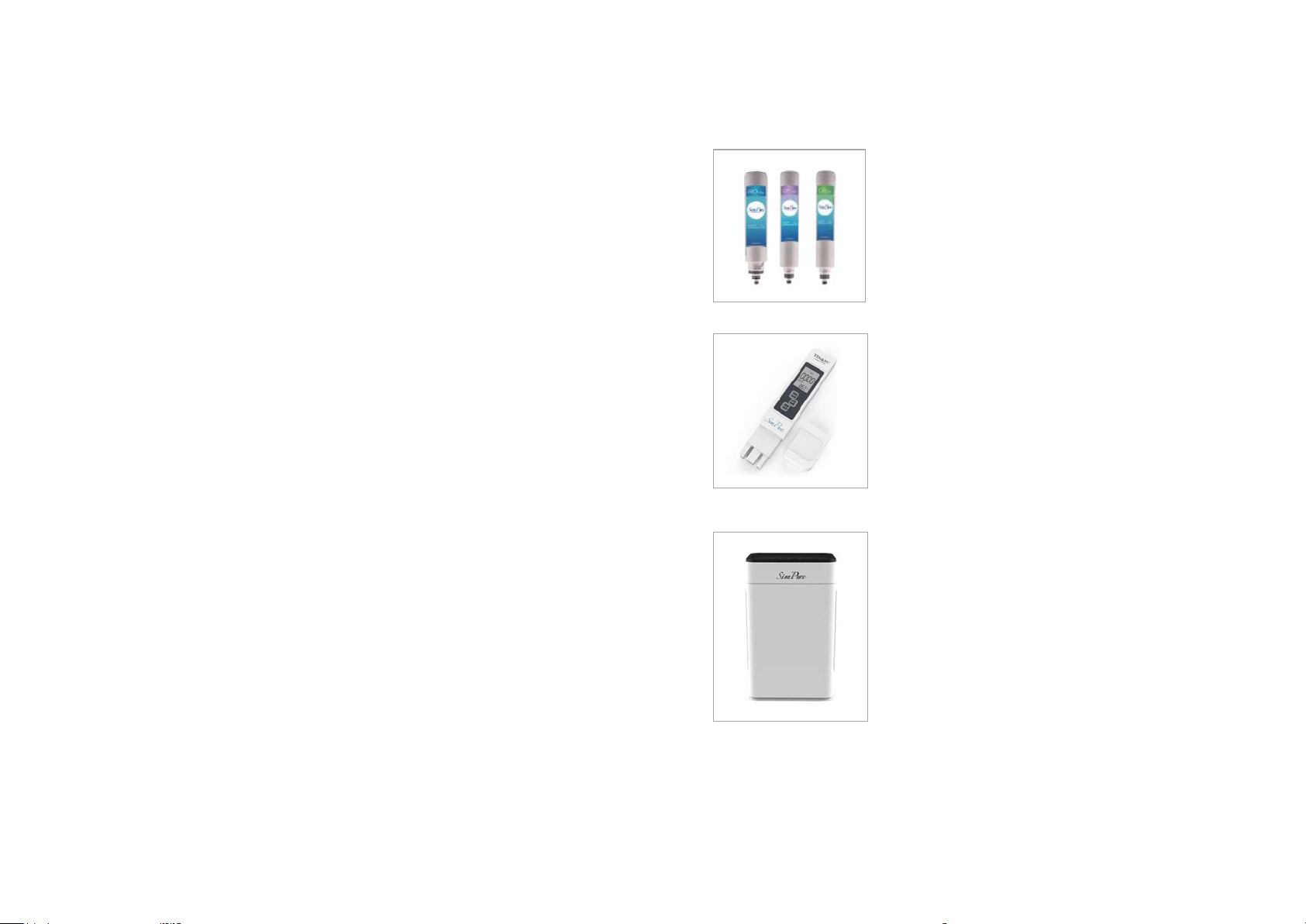
Our Products & Services
A full selection of consumable items to
maintain your SimPure® countertop water
SimPure® Test equipment helps monitor
your SimPure® water system's performance,
SimPure® products help to improve your life.
BPA Free Portable water bottle with filter.
19
20
®
warrants to the customer that its residential countertop water
®
purification systems that we find to be defective in
®
obligation to the customer under these warranties shall be limited, at
Consumables
purifier system well into the future are
available from SimPure® online or through
your local Distributor.
Tools & Accessories
SimPure® and, at SimPure® option, return the item
tibility with accessories not installed by SimPure®, or
imed malfunction in this unit. This
other than that
es will SimPure® be liable for any incidental or consequential
, or expense of any kind, including loss of
are governed by the laws of the state of
ensuring it's performing as expected.
Test your water today!
Products
Air Purifiers to improve the air you breathe
for your home and car.
Showerhead filters to improve your water
®
quality and care for your skin and hair.
 Loading...