

Page 1

A7600 Series_
SIMCom Wireless Solutions Limited
Building B, SIM Technology Building, No.633, Jinzhong Road
Changning District, Shanghai P.R. China
Tel: 86-21-31575100
www.simcom.com
LTE Module
AT Command Manual
Page 2

A7600 Series_AT Command Manual_V1.02
Document Title:
A7600 Series_AT Command Manual
Version:
1.02
Date:
2020.11.18
Status:
Released
GENERAL NOTES
SIMCOM OFFERS THIS INFORMATION AS A SERVICE TO ITS CUSTOMERS, TO SUPPORT
APPLICATION AND ENGINEERING EFFORTS THAT USE THE PRODUCTS DESIGNED BY SIMCOM.
THE INFORMATION PROVIDED IS BASED UPON REQUIREMENTS SPECIFICALLY PROVIDED TO
SIMCOM BY THE CUSTOMERS. SIMCOM HAS NOT UNDERTAKEN ANY INDEPENDENT SEARCH
FOR ADDITIONAL RELEVANT INFORMATION, INCLUDING ANY INFORMATION THAT MAY BE IN THE
CUSTOMER’S POSSESSION. FURTHERMORE, SYSTEM VALIDATION OF THIS PRODUCT
DESIGNED BY SIMCOM WITHIN A LARGER ELECTRONIC SYSTEM REMAINS THE RESPONSIBILITY
OF THE CUSTOMER OR THE CUSTOMER’S SYSTEM INTEGRATOR. ALL SPECIFICATIONS
SUPPLIED HEREIN ARE SUBJECT TO CHANGE.
COPYRIGHT
THIS DOCUMENT CONTAINS PROPRIETARY TECHNICAL INFORMATION WHICH IS THE PROPERTY
OF SIMCOM WIRELESS SOLUTIONS LIMITED COPYING, TO OTHERS AND USING THIS DOCUMENT,
ARE FORBIDDEN WITHOUT EXPRESS AUTHORITY BY SIMCOM. OFFENDERS ARE LIABLE TO THE
PAYMENT OF INDEMNIFICATIONS. ALL RIGHTS RESERVED BY SIMCOM IN THE PROPRIETARY
TECHNICAL INFORMATION, INCLUDING BUT NOT LIMITED TO REGISTRATION GRANTING OF A
PATENT, A UTILITY MODEL OR DESIGN. ALL SPECIFICATION SUPPLIED HEREIN ARE SUBJECT TO
CHANGE WITHOUT NOTICE AT ANY TIME.
SIMCom Wireless Solutions Limited
Building B, SIM Technology Building, No.633 Jinzhong Road, Changning District, Shanghai P.R. China
Tel: +86 21 31575100
Email: [email protected]
For more information, please visit:
https://www.simcom.com/download/list-863-en.html
For technical support, or to report documentation errors, please visit:
https://www.simcom.com/ask/ or email to: [email protected]
Copyright © 2020 SIMCom Wireless Solutions Limited All Rights Reserved.
www.simcom.com 1 / 440
Page 3

Version History
Version
Date
Chapter
Description
V1.00
2019.5.15
New version
V1.01
2019.5.20
5.2.9 AT+CGEQREQ
5.2.10 AT+CGEQMIN
Modify these commands
2019.5.22
9.2.9 AT+CNMI
14.2.1 AT+CHTPSERV
14.2.3 AT+CNTP
Modify these commands
2019.6.5
2.2.15 AT&W
2.2.16 ATZ
Modify these commands
2019.6.17
2.2.10 AT&V
9.2.4 AT+CSCA
9.2.6 AT+CSMP
8.2.4 AT+CPBW
8.2.5 AT+CNUM
5.2.14 AT+CGCLASS
14.2.1 AT+CHTPSERV
14.2.3 AT+CNTP
Modify these commands
2019.7.8
8.2.5 AT+CNUM
14.2.3 AT+CNTP
Modify these commands
2019.8.9
5.2.17 AT+CPING
Add this command
2019.8.9
2.2.8 ATI
2.2.14 ATX
2.2.18 AT+CGMM
2.2.19 AT+CGMR
4.2.2 AT+COPS
5.2.4 AT+CGACT
5.2.5 AT+CGDCONT
5.2.7 AT+CGTFT
5.2.9 AT+CGEQREQ
5.2.11 AT+CGEQMIN
12.2.1 AT+FSCD
13.2.1 AT+CFTRANRX
13.2.2 AT+CFTRANTX
Modify these commands
2019.12.11
4.2.2 AT+COPS
Modify this command
2019.12.25
8.2.5 AT+CNUM
Modify this command
2020.1.7
4.2.7 AT+CNMP
Modify this command
2020.3.6
5.2.11 AT+CGEQMIN
Modify this command
2020.3.11
4.2.7 AT+CNMP
Modify this command
A7600 Series_AT Command Manual_V1.02
www.simcom.com 2 / 440
Page 4

A7600 Series_AT Command Manual_V1.02
2020.3.23
15 AT Commands for TCPIP
16 AT Commands for HTTP(S)
17 AT Commands for FTP(S)
18 AT Commands for MQTT(S)
19 AT Commands for SSL
20 AT Commands for TTS
21 AT Commands for AMR
22 AT Commands for SFOTA
Add Chapter
15/16/17/18/19/21/22/23 and
reconstruct the chapters
2020.4.1
7 AT Commands for Call Control
Add Chapter 7 and reconstruct
the chapters
2020.4.10
8.2.5 AT+CNUM
Modify this command
2020.4.20
5.2.7 AT+CGTFT
Modify this command
2020.4.20
5.2.1 AT+CGREG
Modify this command
2020.4.20
4.2.2 AT+COPS
4.2.3 AT+CUSD
4.2.4 AT+CSSN
4.2.7 AT+CNMP
4.2.10 AT+CNSMOD
4.2.11 AT+CTZU
4.2.12 AT+CTZR
Modify these commands
2020.4.26
18.2.3 AT+CMQTTACCQ
18.2.8 AT+CMQTTCONNECT
18.2.9 AT+CMQTTDISC
18.2.10 AT+CMQTTTOPIC
18.2.11 AT+CMQTTPAYLOAD
18.2.14 AT+CMQTTSUB
18.2.16 AT+CMQTTUNSUB
18.2.17 AT+CMQTTCFG
Modify these commands
2020.4.26
12.2.5 AT+FSDEL
12.2.6 AT+FSRENAME
12.2.8 AT+FSMEM
12.2.9 AT+FSCOPY
Modify these commands
2020.4.26
10.2.10 AT+CFGRI
Modify this command
2020.4.26
10.2.11 AT+CURCD
Modify this command
2020.4.26
21.2.1 AT+CCMXPLAY
Modify this command
2020.4.27
3.2.4 AT+CSQDELTA
Modify this command
2020.4.16
12 AT Commands for File System
13 AT Commands for File
Transmission
Add Notes to these chapters
2020.4.29
10.2.10 AT+CFGRI
17.2.2 AT+CFTPSSTOP
17.2.9 AT+CFTPSPWD
17.2.14 AT+CFTPSPUT
17.2.15 AT+CFTPSSINGLEIP
17.2.17 AT+FTPSTYPE
Modify these commands
www.simcom.com 3 / 440
Page 5

A7600 Series_AT Command Manual_V1.02
2020.5.6
21.2.1 AT+CCMXPLAY
21.2.2 AT+CCMXSTOP
Modify these commands
2020.5.8
12.2 Detailed Description of AT
Commands for File System
Add description to this section
2020.5.11
3.2.1 AT+CFUN
3.2.3 AT+AUTOCSQ
3.2 4 AT+CSQDELTA
3.3.10 AT+CCLK
3.3.11 AT+CMEE
4.2.7 AT+CNMP
4.2.9 AT+CPSI
5.2.2 AT+CEREG
5.2.3 AT+CGATT
5.2.4 AT+CGACT
5.2.5 AT+CGDCONT
5.2.6 AT+CGDSCONT
5.2.8 AT+CGQREQ
5.2.9 AT+CGEQREQ
5.2.10 AT+CGQMIN
5.2.11 AT+CGEQMIN
5.2.15 AT+CGEREP
5.2.16 AT+CGAUTH
8.2.5 AT+CNUM
Modify these commands
2020.5.12
2.2.5 ATS0
2.2.21 AT+CSCS
6.2.4 AT+CPWD
6.2.7 AT+CRSM
19.2.2 AT+CCERTDOWN
19.2.12 AT+CCHOPEN
Modify these commands
2020.5.13
14.2.1 AT+CHTPSERV
14.2.2 AT+CHTPUPDATE
14.2.3 AT+CNTP
18.2.1 AT+CMQTTSTART
Modify these commands
2020.5.18
2.2.5 ATS0
9.2.1 AT+CSMS
9.2.2 AT+CPMS
9.2.3 AT+CMGF
9.2.5 AT+CSCB
9.2.7 AT+CSDH
9.2.9 AT+CNMI
9.2.10 AT+CGSMS
9.2.11 AT+CMGL
9.2.12 AT+CMGR
9.2.13 AT+CMGS
9.2.14 AT+CMSS
Modify these commands
www.simcom.com 4 / 440
Page 6

A7600 Series_AT Command Manual_V1.02
9.2.15 AT+CMGW
9.2.16 AT+CMGD
9.2.18 AT+CMVP
9.2.19 AT+CMGRD
2020.5.19
8.2.1 AT+CPBS
8.2.2 AT+CPBR
8.2.4 AT+CPBW
Modify these commands
.2020.5.19
6.2.11 AT+UIMHOTSWAPON
6.2.11 AT+UIMHOTSWAPLEVEL
Add these commands
2020.5.20
18 AT Commands for MQTT(S)
Modify this chapter
2020.5.20
3.2.11 AT+CMEE
4.2.4 AT+CSSN
4.2.6 AT+COPN
5.2.7 AT+CGTFT
5.2.15 AT+CGEREP
5.2.16 AT+CGAUTH
5.2.17 AT+CGPIN
8.2.5 AT+CNUM
17.2.16 AT+CFTPSSIZE
Modify these commands
2020.5.22
15.2.1 AT+NETOPEN
15.2.3 AT+CIPOPEN
15.2.5 AT+CIPRXGET
15.2.8 AT+CIPHEAD
15.2.9 AT+CIPSRIP
15.2.10 AT+CIPMODE
15.2.11 AT+CIPSENDMODE
Modify these commands
2020.5.26
21.AT Commands for Audio
Modify this chapter
2020.5.26
22.2.3 AT+CREC
Add this command
2020.5.27
17.2.16 AT+CFTPSSIZE
Modify this command
2020.5.28
5.2.1 AT+CGREG
5.2.2 AT+CEREG
Modify these commands
2020.5.29
6.2.2 AT+CPIN
6.2.3 AT+CLCK
6.2.4 AT+CPWD
Modify these commands
2020.5.29
12.2.9 AT+FSCOPY
13.2.1 AT+CFTRANRX
13.2.2 AT+CFTRANTX
Modify these commands
2020.5.29
18.2.9 AT+CMQTTDISC
Modify this command
2020.6.1
3.2.1 AT+CFUN
3.2.2 AT+CSQ
3.2.3 AT+AUTOCSQ
4.2.1 AT+CREG
4.2.3 AT+CUSD
4.2.5 AT+CPOL
4.2.11 AT+CTZU
Modify these commands
www.simcom.com 5 / 440
Page 7

A7600 Series_AT Command Manual_V1.02
4.2.12 AT+CTZR
2020.6.1
9.2.1 AT+CSMS
9.2.5 AT+CSCB
9.2.7 AT+CSDH
9.2.8 AT+CNMA
9.2.10 AT+CGSMS
9.2.11 AT+CMGL
9.2.13 AT+CMGS
9.2.16 AT+CMGD
9.2.18 AT+CMVP
Modify these commands
2020.6.2
21.2.1 AT+CCMXPLAY
Modify this command
2020.6.3
11.2.1 AT+CVALARM
11.2.2 AT+CVAUXS
11.2.3 AT+CVAUXV
11.2.6 AT+CMTE
11.2.7 AT+CPMVT
11.2.8 AT+CRIIC
11.2.10 AT+CBC
Modify these commands
2020.6.3
4.2.11 AT+CTZU
5.2.5 AT+CGDCONT
5.2.17 AT+CPING
8.2.2 AT+CPBR
Modify these commands
2020.6.3
16.2.8 AT+HTTPPOSTFILE
16.2.9 AT+HTTPREADFILE
Modify these commands
2020.6.4
12.2.3 AT+FSRMDIR
12.2.4 AT+FSLS
12.2.8 AT+FSMEM
12.2.9 AT+FSCOPY
13.2.1 AT+CFTRANRX
Modify these commands
2020.6.10
5.2.13 AT+CGPADDR
15.2.3 AT+CIPOPEN
15.2.6 AT+CIPCLOSE
15.2.9 AT+CIPSRI
Modify these commands
2020.6.19
All
V1.02
2020.6.28
21.2.3 AT+CREC
Modify this command
2020.6.28
17.2.14 AT+CFTPSPUT
Modify this command
2020.6.28
23.3 Summary of CME ERROR
codes
Modify this section
2020.6.29
17.2.16 AT+CFTPSSIZE
Modify this command
2020.6.29
19.2.7 AT+CCHSTART
Modify this command
2020.7.1
21.2.3 AT+CREC
Modify this command
2020.7.2
9.1 Overview of AT Commands for
SMS
Modify this section
2020.7.6
16.2.8 AT+HTTPPOSTFILE
Modify this command
www.simcom.com 6 / 440
Page 8

2020.7.10
23 AT Commands for GPS
Add this chapter
2020.7.10
10.2.2 AT&C
7.2.10 AT+CLIP
7.2.12 AT+COLP
2.2.11 ATV
2.2.13 ATQ
2.2.14 ATX
2.2.21 AT+CSCS
Modify these commands
2020.7.15
21.2.1 AT+CCMXPLAY
21.2.3 AT+CREC
Modify these commands
2020.7.21
16.2.8 AT+HTTPREAD
Modify this command
2020.8.11
12.2.1 AT+FSCD
12.2.2 AT+FSMKDIR
12.2.3 AT+FSRMDIR
13.2.1 AT+CFTRANRX
13.2.2 AT+CFTRANTX
3.2.10 AT+CCLK
5.2.2 AT+CEREG
5.2.4 AT+CGACT
4.2.6 AT+COPN"
4.2.4 AT+CSSN"
18.2.7 AT+CMQTTWILLMSG
5.2.16 AT+CGAUTH
3.2.2 AT+CSQ
3.2.3 AT+AUTOCSQ
3.2.5 AT+CPOF
3.2.6 AT+CRESET
3.2.7 AT+CACM
15.2.7 AT+IPADDR
15.2.10 AT+CIPMODE
3.2.12 AT+CPAS
15.2.2 AT+NETCLOSE
15.2.3 AT+CIPOPEN
15.2.4 AT+CIPSEND
15.2.6 AT+CIPCLOSE
15.2.15 AT+SERVERSTOP
15.2.16 AT+CIPACK
18.2.9 AT+CMQTTDISC
18.2.15 AT+CMQTTUNSUBTOPIC
4.2.2 AT+CGDCONT
3.2.8 AT+CAMM
3.2.9 AT+CPUC
5.2.4 AT+CGACT
4.2.2 AT+COPS
5.2.15 AT+CGEREP
Modify these commands
www.simcom.com 7 / 440
A7600 Series_AT Command Manual_V1.02
Page 9

A7600 Series_AT Command Manual_V1.02
10.2.3 AT+IPR
10.2.4 AT+IPREX
10.2.10 AT+CFGRI
23.2.8 AT+CGNSSNMEA
23.2.9 AT+CGPSNMEARATE
23.2.13 AT+CGNSSCMD
6.2.4 AT+CPWD
4.2.3 AT+CUSD
10.2.2 AT&C
3.2.12 AT+CPAS
7.2.20 AT+CMICGAIN
7.2.13 AT+VTS
7.2.14 AT+VTD
18.2.1 AT+CMQTTSTART
18.2.5 AT+CMQTTSSLCFG
13.2.1 AT+CFTRANRX
13.2.2 AT+CFTRANTX
23 AT Commands for GNSS
5.2.8 AT+CGQREQ
5.2.6 AT+CGDSCONT
20.2.1 AT+CTTS
20.2.2 AT+CTTSPARAM
7.2.20 AT+CMICGAIN
7.2.20 AT+COUTGAIN
19.2.1 AT+CSSLCFG
5.2.17 AT+CPING
15.2.17 AT+CDNSGIP
15.2.16 AT+CIPACK
15.2.6 AT+CIPCLOSE
2020.8.11
23.2.1 AT+CGNSSPWR
23.2.2 AT+CGPSCOLD
23.2.4 AT+HOT
4.2.9 AT+CPSI
5.2.7 AT+CGTFT
5.2.6 AT+CGDSCONT
Add these commands
2020.8.13
23.2.10 AT+CGPSFTM
Modify this command
2020.8.14
4.2.7 AT+CNMP
9.2.2 AT+CPMS
Modify these commands
2020.8.18
23.2.5 AT+CCONFSAVE
Delete this command
2020.8.18
15.2.4 AT+CIPSEND
Add a note
2020.8.19
20.2.1 AT+CTTS
Modify this command
2020.8.19
24.1 Overview of AT Commands for
GNSS
24.2.5 AT+CGNSSIPR
24.2.7 AT+CGNSSNMEA
Modify these sections
www.simcom.com 8 / 440
Page 10

A7600 Series_AT Command Manual_V1.02
24.2.8 AT+CGPSNMEARATE
2020.8.21
5.2.7 AT+CGTFT
5.2.5 AT+CGDCONT
Modify these commands
2020.8.24
4.2.9 AT+CTTSPARAM
Modify this command
2020.8.25
22 AT Commands for FOTA
Add this chapter
2020.8.25
5.2.4 AT+CGACT
Modify this command
2020.8.25
7.2.5 AT+CRC
9.2.20 AT+CMGSEX
Modify these commands
2020.8.31
3.2.13 AT+SIMEI
16.6.26 AT+HTTPREAD
Modify these commands
2020.9.1
25 AT Commands for WIFI
Add this chapter
2020.9.1
19.2.11 AT+CCHCFG
Modify this command
2020.9.2
16.2.7 AT+HTTPDATA
Modify this command
2020.9.2
17.4 Summary of Unsolicited Result
Codes
Add this section
2020.9.2
10.2.3 AT+IPR
10.2.4 AT+IPREX
Delete these commands
2020.9.3
5.2.13 AT+CGPADDR
Modify this command
2020.9.4
12.2.7 AT+FSATTRI
Modify this command
2020.9.7
4.2.4 AT+CSSN
4.2.8 AT+CNBP
Modify these commands
2020.9.8
16.2.8 AT+HTTPPOSTFILE
Modify this command
2020.9.11
22.2.2 AT+LFOTA
Add this command
2020.9.11
11.2.8 AT+CWIIC
11.2.8 AT+CRIIC
Modify these commands
2020.9.14
7.2.4 AT+CRLP
7.2.20 AT+CMICGAIN
7.2.21 AT+COUTGAIN
2.2.3 ATA
5.2.4 AT+CGACT
9.2.8 AT+CNMA
9.2.20 AT+CMGSEX
2.2.14 ATX
Modify these commands
2020.9.15
9.2.5 AT+CSCB
9.2.16 AT+CMGD
Modify these commands
2020.9.16
22.2.2 AT+LFOTA
Modify this command
2020.9.25
20.2.2 AT+CTTSPARAM
Modify this command
2020.9.25
16.2.3 AT+HTTPPARA
14.2.1 AT+HTPSERV
Modify these commands
2020.9.29
24.2.13 AT+CGNSSPORTSWITCH
Add this command
2020.10.10
16.2.6 AT+HTTPREAD
16.2.8 AT+HTTPPOSTFILE
Modify these commands
2020.10.15
18.2.15 AT+CMQTTUNSUBTOPIC
Modify this command
2020.10.20
16.2.6 AT+HTTPREAD
Modify these command
www.simcom.com 9 / 440
Page 11

A7600 Series_AT Command Manual_V1.02
18.2.17 AT+CMQTTCFG
2020.10.21
25.2.2 AT+CWSTASCANEX
Add this command
2020.10.29
12.2.9 AT+FSCOPY
Modify this command
2020.10.30
2.2.1 A/
Delete this command
2020.11.2
11.2.15 Unsolicited result codes
Modify this section
2020.11.2
16.2.3 AT+HTTPPARA
5.2.17 AT+CPING
16.2.8 AT+HTTPPOSTFILE
4.2.2 AT+COPS
4.2.8 AT+CNBP
7.2.8 AT+CCWA
7.2.2 AT+CHUP
7.2.11 AT+CLIR
22.2.2 AT+LFOTA
11.2.7 AT+CPMVT
5.2.14 AT+CGCLASS
15.2.4 AT+CIPSEND
15.2.5 AT+CIPRXGET
15.2.6 AT+CIPCLOSE
15.2.16 AT+CIPACK
15.2.17 AT+CDNSGIP
23.2.2 AT+CSCFOTA
Modify these commands
2020.11.3
18.2.9 AT+CMQTTDISC
19.2.13 AT+CCHCLOSE
10.2.6 AT+IFC
24.2.5 AT+CGNSSIPR
24.2.6 AT+CGNSSMODE
24.2.10 AT+CGPSINFO
25.2.1 AT+CWSTASCAN
25.2.2 AT+CWSTASCANEX
16.2.3 AT+HTTPPARA
20.2.1 AT+CTTS
22.2.1 AT+CFOTA
19.2.2 AT+CCERTDOWN
24.2.13 AT+CGNSSPORTSWITCH
Modify these commands
2020.11.7
17.2.3 AT+CFTPSLOGIN
17.2.12 AT+CFTPSPUTFILE
17.2.17 AT+CFTPSTYPE
17.2.18 AT+CFTPSSLCFG
21.2.3 AT+CREC
20.2.1 AT+CTTS
20.2.2 AT+CTTSPARAM
21.1 AT Commands for Aduio
15.2.4 AT+CIPSEND
24.2.1 AT+CGNSSPWR
Modify these commands
www.simcom.com 10 / 440
Page 12

A7600 Series_AT Command Manual_V1.02
7.2.12 AT+COLP
7.2.11 AT+CLIR
3.3.7 AT+CACM
3.3.8 AT+CAMM
4.2.9 AT+CPSI
5.2.14 AT+CGCLASS
15.2.15 AT+SERVERSTOP
24.2.13 AT+CGNSSPORTSWITCH
2020.11.13
15.2.18 AT+CSOCKSETPN
24.2.14 AT+CAGPS
Add these commands
2020.11.13
15.2.5 AT+CIPRXGET
15.2.3 AT+CIPOPEN
8.2.1 AT+CPBS
7.2.11 AT+VTS
7.2.12 AT+COLP
7.2.11 AT+CLIP
10.2.5 AT+ICF
9.2.20 AT+CMGSEX
6.2.3 AT+CLCK
6.2.4 AT+CPWD
23.2.1 AT+CAPFOTA
17.2.2 AT+CFTPSSTOP
9.2.9 AT+CNMI
9.2.12 AT+CMGR
6.2.7 AT+CRSM
Modify these commands
2020.11.15
24.2.13 AT+CGNSSPORTSWITCH
17.2.12 AT+CFTPSPUTFILE
17.2.18 AT+CFTPSSLCFG
20.2.2 AT+CTTSPARAM
4.2.9 AT+CPSI
15.2.18 AT+CSOCKSETPN
15.2.5 AT+CIPRXGET
9.2.12 AT+CMGR
Modify these commands
2020.11.16
3.2.10 AT+CCLK
9.2.8 AT+CNMA
16.2.4 AT+HTTPACTION
16.2.9 AT+HTTPREADFILE
15.2.14 AT+SERVERSTART
5.2.1 AT+CGREG
4.2.7 AT+CNMP
2.2.1 ATD
16.2.8 AT+HTTPPOSTFILE
3.2.4 AT+CSQDELTA
3.2.10 AT+CCLK
Modify these commands
www.simcom.com 11 / 440
Page 13

Contents
A7600 Series_AT Command Manual_V1.02
Version History
Contents
...............................................................................................................................................
Introduction
Scope of the document................................................................................................................................. 21
Related documents........................................................................................................................................ 21
Terms and Abbreviations...............................................................................................................................22
Definitions and Conventions.........................................................................................................................23
AT Interface Synopsis....................................................................................................................................24
.....................................................................................................................................
......................................................................................................................................
Interface Settings..........................................................................................................................24
AT Commands Syntax................................................................................................................. 24
Supported character sets............................................................................................................26
AT Commands According to V.25TER
Overview of AT Commands According to V.25TER..................................................................................27
Detailed Description of AT Commands for V.25TER................................................................................27
ATD Mobile originated call to dial a number..........................................................................28
ATA Call answer......................................................................................................................... 29
ATH Disconnect existing call....................................................................................................30
ATS0 Automatic answer incoming call...................................................................................30
+++ Switch from data mode to command mode.................................................................. 32
ATO Switch from command mode to data mode..................................................................32
ATI Display product identification information.......................................................................33
ATE Enable command echo.................................................................................................... 34
AT&V Display current configuration........................................................................................35
ATV Set result code format mode...........................................................................................36
AT&F Set all current parameters to manufacturer defaults................................................ 36
ATQ Set Result Code Presentation Mode.............................................................................37
ATX Set CONNECT Result Code Format............................................................................. 38
AT&W Save the user setting to ME........................................................................................ 39
ATZ Restore the user setting from ME...................................................................................40
AT+CGMI Request manufacturer identification....................................................................41
AT+CGMM Request model identification...............................................................................41
AT+CGMR Request revision identification............................................................................ 42
AT+CGSN Request product serial number identification....................................................43
AT+CSCS Select TE character set.........................................................................................44
AT+GCAP Request overall capabilities..................................................................................45
.......................................................................................
2
12
21
27
AT Commands for Status Control
Overview of AT Commands for Status Control..........................................................................................47
www.simcom.com 12 / 440
..............................................................................................
47
Page 14
A7600 Series_AT Command Manual_V1.02
Detailed Description of AT Commands for Status Control...................................................................... 47
AT+CFUN Set phone functionality..........................................................................................47
AT+CSQ Query signal quality..................................................................................................49
AT+AUTOCSQ Set CSQ report...............................................................................................50
AT+CSQDELTA Set RSSI delta change threshold...............................................................51
AT+CPOF Power down the module........................................................................................52
AT+CRESET Reset the module.............................................................................................. 53
AT+CACM Accumulated call meter........................................................................................ 53
AT+CAMM Accumulated call meter maximum..................................................................... 55
AT+CPUC Price per unit and currency table........................................................................ 56
AT+CCLK Real time clock management............................................................................... 57
AT+CMEE Report mobile equipment error............................................................................58
AT+CPAS Phone activity status.............................................................................................. 60
AT+SIMEI Set the IMEI for the module..................................................................................61
AT Commands for Network
Overview of AT Commands for Network.................................................................................................... 62
Detailed Description of AT Commands for Network.................................................................................62
AT+CREG Network registration.............................................................................................. 62
AT+COPS Operator selection..................................................................................................64
AT+CUSD Unstructured supplementary service data......................................................... 66
AT+CSSN Supplementary service notifications................................................................... 68
AT+CPOL Preferred operator list............................................................................................ 72
AT+COPN Read operator names........................................................................................... 74
AT+CNMP Preferred mode selection.....................................................................................75
AT+CNBP Preferred band selection.......................................................................................76
AT+CPSI Inquiring UE system information........................................................................... 79
AT+CNSMOD Show network system mode..........................................................................80
AT+CTZU Automatic time and time zone update.................................................................82
AT+CTZR Time and time zone reporting...............................................................................83
AT Commands for Packet Domain
Overview of AT Commands for Packet Domain........................................................................................86
Detailed Description of AT Commands for Packet Domain.................................................................... 86
AT+CGREG Network registration status............................................................................... 86
AT+CEREG EPS network registration status....................................................................... 88
AT+CGATT Packet domain attach or detach........................................................................90
AT+CGACT PDP context activate or deactivate.................................................................. 91
AT+CGDCONT Define PDP context.......................................................................................93
AT+CGDSCONT Define Secondary PDP Context...............................................................96
AT+CGTFT Traffic Flow Template...........................................................................................98
AT+CGQREQ Quality of service profile (requested).........................................................101
AT+CGEQREQ 3G quality of service profile (requested).................................................104
AT+CGQMIN Quality of service profile (minimum acceptable)....................................... 109
AT+CGEQMIN 3G quality of service profile (minimum acceptable)............................... 112
AT+CGDATA Enter data state................................................................................................116
AT+CGPADDR Show PDP address..................................................................................... 118
..........................................................................................................
.............................................................................................
62
86
www.simcom.com 13 / 440
Page 15
A7600 Series_AT Command Manual_V1.02
AT+CGCLASS GPRS mobile station class.......................................................................119
AT+CGEREP GPRS event reporting................................................................................... 121
AT+CGAUTH Set type of authentication for PDP-IP connections of GPRS................. 128
AT+CPING Ping destination address...................................................................................129
AT Commands for SIM Card
Overview of AT Commands for SIM Card................................................................................................132
Detailed Description of AT Commands for SIM Card............................................................................ 132
AT+CICCID Read ICCID from SIM card..............................................................................132
AT+CPIN Enter PIN.................................................................................................................133
AT+CLCK Facility lock............................................................................................................ 135
AT+CPWD Change password...............................................................................................136
AT+CIMI Request international mobile subscriber identity.............................................. 138
AT+CSIM Generic SIM access..............................................................................................139
AT+CRSM Restricted SIM access........................................................................................140
AT+SPIC Times remain to input SIM PIN/PUK.................................................................. 145
AT+CSPN Get service provider name from SIM................................................................145
AT+UIMHOTSWAPON Set UIM Hotswap Function On....................................................146
AT+UIMHOTSWAPLEVEL Set UIM Card Detection Level.............................................. 148
AT Commands for Call Control
Overview of AT Commands for Call Control............................................................................................150
Detailed Description of AT Commands for Call Control........................................................................ 150
AT+CVHU Voice hang up control..........................................................................................150
AT+CHUP Hang up call..........................................................................................................152
AT+CBST Select bearer service type.................................................................................. 152
AT+CRLP Radio link protocol................................................................................................155
AT+CRC Cellular result codes.............................................................................................. 156
AT+CLCC List current calls....................................................................................................158
AT+CEER Extended error report.......................................................................................... 160
AT+CCWA Call waiting........................................................................................................... 161
AT+CCFC Call forwarding number and conditions............................................................163
AT+CLIP Calling line identification presentation................................................................ 165
AT+CLIR Calling line identification restriction.....................................................................167
AT+COLP Connected line identification presentation.......................................................168
AT+VTS DTMF and tone generation....................................................................................170
AT+VTD Tone duration........................................................................................................... 171
AT+CSTA Select type of address..........................................................................................172
AT+CMOD Call mode............................................................................................................. 174
AT+VMUTE Speaker mute control....................................................................................... 175
AT+CMUT Microphone mute control....................................................................................176
AT+CSDVC Switch voice channel device...........................................................................177
AT+CMICGAIN Adjust mic gain............................................................................................ 178
AT+COUTGAIN Adjust out gain............................................................................................179
......................................................................................................
.................................................................................................
132
150
AT Commands for Phonebook
Overview of AT Commands for Phonebook............................................................................................ 181
www.simcom.com 14 / 440
..................................................................................................
181
Page 16
A7600 Series_AT Command Manual_V1.02
Detailed Description of AT Commands for Phonebook......................................................................... 181
AT+CPBS Select phonebook memory storage.................................................................. 181
AT+CPBR Read phonebook entries.....................................................................................183
AT+CPBF Find phonebook entries.......................................................................................184
AT+CPBW Write phonebook entry....................................................................................... 186
AT+CNUM Subscriber number..............................................................................................187
AT Commands for SMS
Overview of AT Commands for SMS........................................................................................................ 189
Detailed Description of AT Commands for SMS.....................................................................................190
AT+CSMS Select message service......................................................................................190
AT+CPMS Preferred message storage............................................................................... 191
AT+CMGF Select SMS message format.............................................................................193
AT+CSCA SMS service centre address.............................................................................. 194
AT+CSCB Select cell broadcast message indication........................................................195
AT+CSMP Set text mode parameters..................................................................................197
AT+CSDH Show text mode parameters..............................................................................198
AT+CNMA New message acknowledgement to ME/TA................................................... 199
AT+CNMI New message indications to TE.........................................................................201
AT+CGSMS Select service for MO SMS messages......................................................... 203
AT+CMGL List SMS messages from preferred store........................................................204
AT+CMGR Read message.................................................................................................... 209
AT+CMGS Send message.....................................................................................................213
AT+CMSS Send message from storage............................................................................. 214
AT+CMGW Write message to memory................................................................................215
AT+CMGD Delete message.................................................................................................. 217
AT+CMGMT Change message status.................................................................................218
AT+CMVP Set message valid period...................................................................................219
AT+CMGRD Read and delete message............................................................................. 220
AT+CMGSEX Send message............................................................................................... 222
AT+CMSSEX Send multi messages from storage............................................................ 223
...............................................................................................................
189
AT Commands for Serial Interface
Overview of AT Commands for Serial Interface................................................................................... 225
Detailed Description of AT Commands for Serial Interface................................................................225
AT&D Set DTR function mode...............................................................................................225
AT&C Set DCD function mode.............................................................................................. 226
AT+IPR Set local baud rate temporarily.............................................................................. 227
AT+IPREX Set local baud rate permanently.......................................................................228
AT+ICF Set control character framing................................................................................. 229
AT+IFC Set local data flow control....................................................................................... 230
AT+CSCLK Control UART Sleep..........................................................................................231
AT+CMUX Enable the multiplexer over the UART............................................................ 232
AT+CATR Configure URC destination interface................................................................ 234
AT+CFGRI Configure RI pin..........................................................................................235
AT+CURCD Configure the delay time and number of URC.................................... 236
www.simcom.com 15 / 440
........................................................................................
225
Page 17
A7600 Series_AT Command Manual_V1.02
AT Commands for Hardware
Overview of AT Commands for Hardware............................................................................................. 238
Detailed Description of AT Commands for Hardware..........................................................................238
AT+CVALARM Low and high voltage Alarm.......................................................................238
AT+CVAUXS Set state of the pin named VDD_AUX........................................................ 239
AT+CVAUXV Set voltage value of the pin named VDD_AUX......................................... 240
AT+CADC Read ADC value...................................................................................................241
AT+CADC2 Read ADC2 value..............................................................................................242
AT+CMTE Control the module critical temperature URC alarm......................................243
AT+CPMVT Low and high voltage Power Off.....................................................................244
AT+CRIIC Read values from register of IIC device nau8810.......................................... 246
AT+CWIIC Write values to register of IIC device nau8810.............................................. 247
AT+CBC Read the voltage value of the power supply..............................................247
AT+CPMUTEMP Read the temperature of the module............................................248
AT+CGDRT Set the direction of specified GPIO........................................................249
AT+CGSETV Set the value of specified GPIO...........................................................250
AT+CGGETV Get the value of specified GPIO..........................................................251
Unsolicited Result Codes..........................................................................................................................252
AT Commands for File System
Overview of AT Commands for File System..........................................................................................253
Detailed Description of AT Commands for File System......................................................................253
AT+FSCD Select directory as current directory................................................................. 254
AT+FSMKDIR Make new directory in current directory....................................................255
AT+FSRMDIR Delete directory in current directory...........................................................256
AT+FSLS List directories/files in current directory.............................................................257
AT+FSDEL Delete file in current directory.......................................................................... 258
AT+FSRENAME Rename file in current directory............................................................. 259
AT+FSATTRI Request file attributes.................................................................................... 260
AT+FSMEM Check the size of available memory..............................................................261
AT+FSCOPY Copy an appointed file................................................................................... 262
...................................................................................................
...............................................................................................
238
253
AT Commands for File Transmission
Overview of AT Commands for File Transmission............................................................................... 265
Detailed Description of AT Commands for File Transmission............................................................265
AT+CFTRANRX Transfer a file to EFS................................................................................265
AT+CFTRANTX Transfer a file from EFS to host.............................................................. 266
AT Commands for Internet Service
Overview of AT Commands for Internet Service.................................................................................. 269
Detailed Description of AT Commands for Internet Service...............................................................269
AT+CHTPSERV Set HTP server information..................................................................... 269
AT+CHTPUPDATE Updating date time using HTP protocol........................................... 270
AT+CNTP Update system time............................................................................................. 271
Command Result Codes.......................................................................................................................... 272
Description of <err> of HTP......................................................................................................272
Description of <err> of NTP......................................................................................................273
www.simcom.com 16 / 440
...................................................................................
.......................................................................................
265
269
Page 18
A7600 Series_AT Command Manual_V1.02
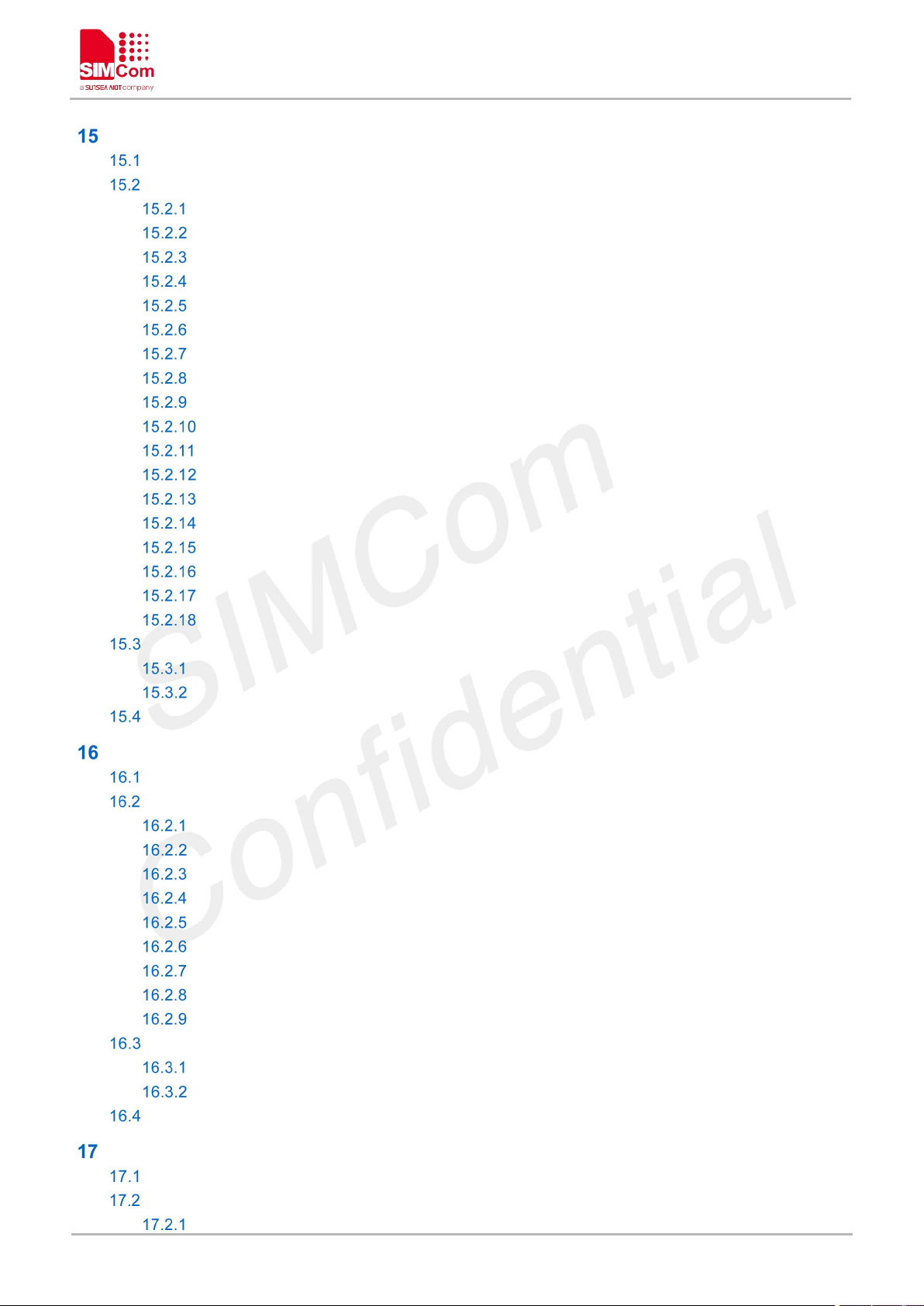
AT Commands for TCP/IP
Overview of AT Commands for TCP/IP..................................................................................................274
Detailed Description of AT Commands for TCP/IP.............................................................................. 274
AT+NETOPEN Start Socket Service....................................................................................274
AT+NETCLOSE Stop Socket Service..................................................................................276
AT+CIPOPEN Establish Connection in Multi-Socket Mode.............................................277
AT+CIPSEND Send data through TCP or UDP Connection............................................280
AT+CIPRXGET Set the Mode to Retrieve Data.................................................................283
AT+CIPCLOSE Close TCP or UDP Socket........................................................................ 285
AT+IPADDR Inquire Socket PDP address..........................................................................287
AT+CIPHEAD Add an IP Header When Receiving Data..................................................288
AT+CIPSRIP Show Remote IP Address and Port............................................................. 289
AT+CIPMODE Set TCP/IP Application Mode.............................................................291
AT+CIPSENDMODE Set Sending Mode.................................................................... 292
AT+CIPTIMEOUT Set TCP/IP Timeout Value............................................................ 293
AT+CIPCCFG Configure Parameters of Socket........................................................ 294
AT+SERVERSTART Startup TCP Sever.....................................................................296
AT+SERVERSTOP Stop TCP Sever........................................................................... 297
AT+CIPACK Query TCP Connection Data Transmitting Status..............................298
AT+CDNSGIP Query the IP Address of Given Domain Name................................299
AT+CSOCKSETPN Set active PDP context’s profile................................................300
Command Result Codes.......................................................................................................................... 302
Description of <err_info>...........................................................................................................302
Description of <err>....................................................................................................................303
Unsolicited Result Codes......................................................................................................................... 303
........................................................................................................
274
AT Commands for HTTP(S)
Overview of AT Commands for HTTP(S)...............................................................................................305
Detailed Description of AT Commands for HTTP(S)........................................................................... 305
AT+HTTPINIT Start HTTP Service....................................................................................... 305
AT+HTTPTERM Stop HTTP Service................................................................................... 306
AT+HTTPPARA Set HTTP Parameters value.................................................................... 306
AT+HTTPACTION HTTP Method Action............................................................................. 308
AT+HTTPHEAD Read the HTTP Header Information of Server Respons....................310
AT+HTTPREAD Read the response information of HTTP Server.................................. 311
AT+HTTPDATA Input HTTP Data.........................................................................................313
AT+HTTPPOSTFILE Send HTTP Request to HTTP(S)server by File...........................313
AT+HTTPREADFILE Receive HTTP Response Content to a file...................................315
Command Result Codes.......................................................................................................................... 316
Description of <statuscode>.....................................................................................................316
Description of <errcode>...........................................................................................................317
Unsolicited Result Codes......................................................................................................................... 318
AT Commands for FTP(S)
Overview of AT Commands for FTP(S)..................................................................................................319
Detailed Description of AT Commands for FTP(S).............................................................................. 319
AT+CFTPSSTART Start FTP(S)service.............................................................................. 319
.....................................................................................................
........................................................................................................
305
319
www.simcom.com 17 / 440
Page 19
A7600 Series_AT Command Manual_V1.02
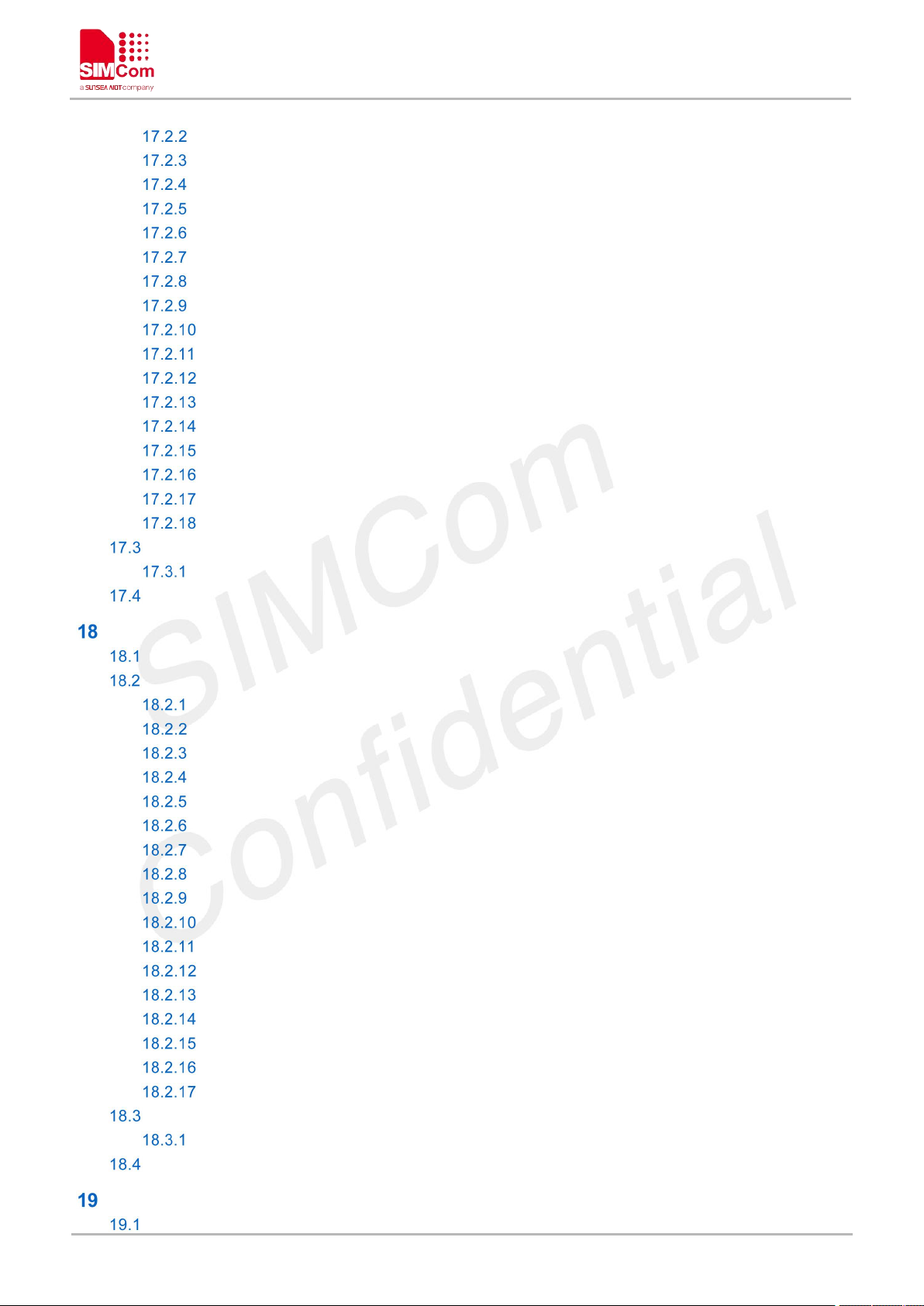
AT+CFTPSSTOP Stop FTP(S)Service................................................................................320
AT+CFTPSLOGIN Login to a FTP(S)server.......................................................................321
AT+CFTPSLOGOUT Logout a FTP(S)server.....................................................................322
AT+CFTPSLIST List the items in the directory on FTP(S)server....................................323
AT+CFTPSMKD Create a new directory on FTP(S)server..............................................325
AT+CFTPSRMD Delete a directory on FTP(S)server.......................................................326
AT+CFTPSCWD Change the current directory on FTP(S)server...................................327
AT+CFTPSPWD Get the current directory on FTP(S)server...........................................328
AT+CFTPSDELE Delete a file on FTP(S)server........................................................329
AT+CFTPSGETFILE Download a file from FTP(S)server to module.....................330
AT+CFTPSPUTFILE Upload a file from module to FTP(S)server.......................... 331
AT+CFTPSGET Get a file from FTP(S)server to serial port.................................... 332
AT+CFTPSPUT Put a file to FTP(S)server through serial port............................... 333
AT+CFTPSSINGLEIP Set FTP(S)data socket address type...................................335
AT+CFTPSSIZE Get the file size on FTP(S)server...................................................336
AT+CFTPSTYPE Set the transfer type on FTP(S)server.........................................337
AT+CFTPSSLCFG Set the SSL context id for FTPS session................................. 338
Command Result Codes.......................................................................................................................... 339
Description of <errcode>...........................................................................................................339
Unsolicited Result codes.......................................................................................................................... 340
AT Commands for MQTT(S)
Overview of AT Commands for MQTT(S)..............................................................................................341
Detailed Description of AT Commands for MQTT(S).......................................................................... 341
AT+CMQTTSTART Start MQTT service..............................................................................341
AT+CMQTTSTOP Stop MQTT service................................................................................342
AT+CMQTTACCQ Acquire a client.......................................................................................343
AT+CMQTTREL Release a client.........................................................................................345
AT+CMQTTSSLCFG Set the SSL context (only for SSL/TLS MQTT)...........................346
AT+CMQTTWILLTOPIC Input the topic of will message..................................................347
AT+CMQTTWILLMSG Input the will message...................................................................348
AT+CMQTTCONNECT Connect to MQTT server............................................................. 349
AT+CMQTTDISC Disconnect from server.......................................................................... 351
AT+CMQTTTOPIC Input the topic of publish message............................................353
AT+CMQTTPAYLOAD Input the publish message....................................................354
AT+CMQTTPUB Publish a message to server..........................................................355
AT+CMQTTSUBTOPIC Input the topic of subscribe message...............................356
AT+CMQTTSUB Subscribe a message to server..................................................... 358
AT+CMQTTUNSUBTOPIC Input the topic of unsubscribe message.....................360
AT+CMQTTUNSUB Unsubscribe a message to server........................................... 361
AT+CMQTTCFG Configure the MQTT Context.........................................................362
Command Result Codes.......................................................................................................................... 364
Description of <err>....................................................................................................................364
Unsolicited Result Codes......................................................................................................................... 365
....................................................................................................
341
AT Commands for SSL
Overview of AT Commands for SSL.......................................................................................................368
www.simcom.com 18 / 440
.............................................................................................................
368
Page 20
A7600 Series_AT Command Manual_V1.02
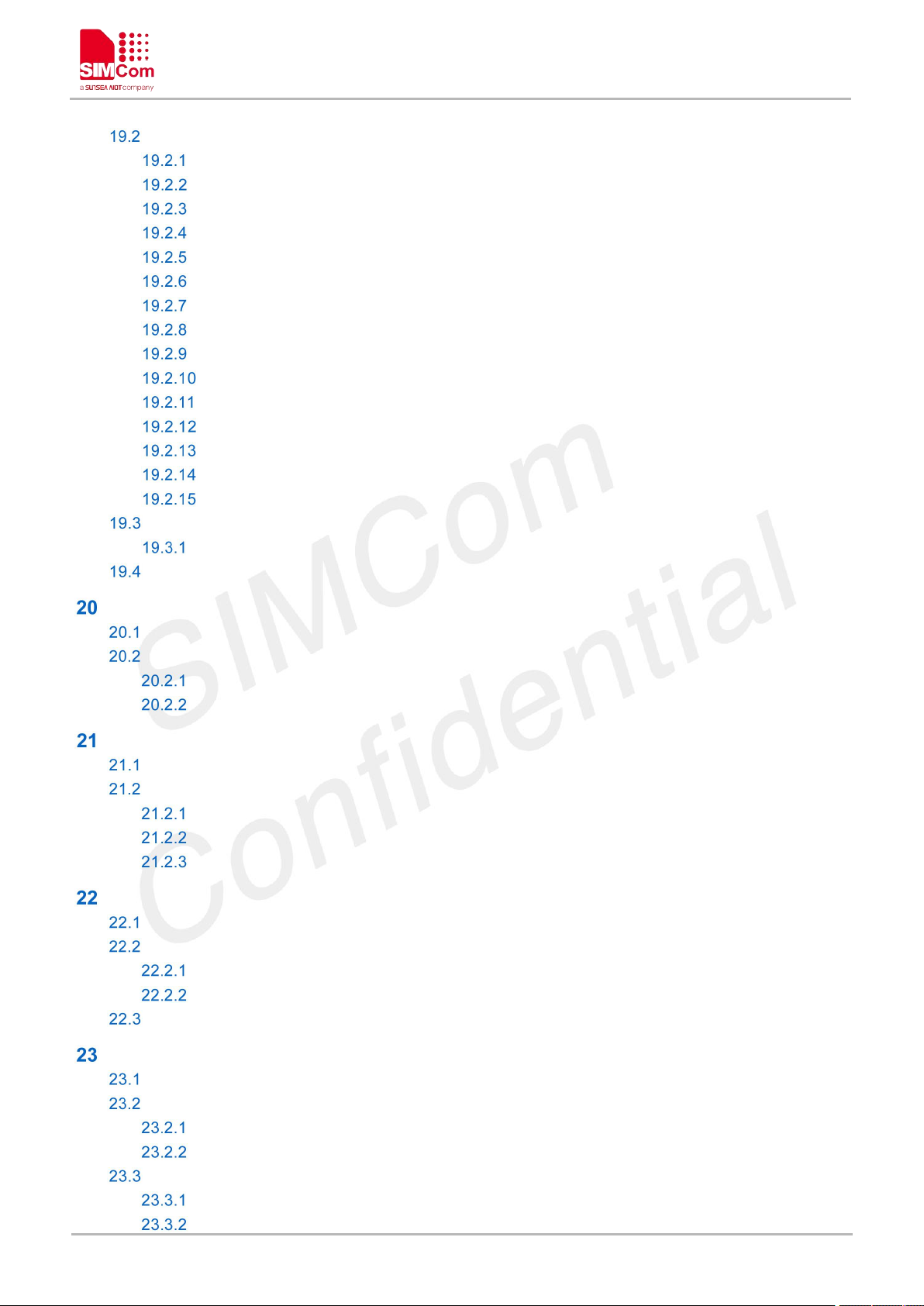
Detailed Description of AT Commands for SSL....................................................................................368
AT+CSSLCFG Configure the SSL Context.........................................................................368
AT+CCERTDOWN Download certificate into the module................................................373
AT+CCERTLIST List certificates...........................................................................................374
AT+CCERTDELE Delete certificates................................................................................... 375
AT+CCHSET Configure the report mode of sending and receiving data...................... 376
AT+CCHMODE Configure the mode of sending and receiving data..............................377
AT+CCHSTART Start SSL service....................................................................................... 378
AT+CCHSTOP Stop SSL service......................................................................................... 379
AT+CCHADDR Get the IPv4 address..................................................................................380
AT+CCHSSLCFG Set the SSL context....................................................................... 380
AT+CCHCFG Configure the Client Context................................................................382
AT+CCHOPEN Connect to server................................................................................383
AT+CCHCLOSE Disconnect from server....................................................................385
AT+CCHSEND Send data to server.............................................................................386
AT+CCHRECV Read the cached data that received from the server....................387
Command Result Codes.......................................................................................................................... 390
Description of <err>....................................................................................................................390
Unsolicited Result Codes......................................................................................................................... 391
AT Commands for TTS
Overview of AT Commands for TTS.......................................................................................................392
Detailed Description of AT Commands for TTS....................................................................................392
AT+CTTS TTS operation........................................................................................................392
AT+CTTSPARAM Set TTS Parameters.............................................................................. 394
AT Commands for Audio
Overview of AT Commands for Audio.................................................................................................... 396
Detailed Description of AT Commands for Audio................................................................................. 396
AT+CCMXPLAY Play audio file.............................................................................................396
AT+CCMXSTOP Stop playing audio file..............................................................................397
AT+CREC Record audio File.................................................................................................398
AT Commands for FOTA
Overview of AT Command for FOTA...................................................................................................... 401
Detailed Description of AT Command for FOTA...................................................................................401
AT+CFOTA Start FOTA service.............................................................................................401
AT+LFOTA Start Local Fota Service.................................................................................... 402
Unsolicited Result Codes......................................................................................................................... 403
AT Commands for SCFOTA
Overview of AT Commands for SCFOTA...............................................................................................405
Detailed Description of AT Commands for SCFOTA........................................................................... 405
AT+CAPFOTA Start / Close FOTA service..........................................................................405
AT+CSCFOTA Configure parameters and download upgrade package....................... 406
Command Result Codes.......................................................................................................................... 407
Command Result Report Codes..............................................................................................408
Description of <err>....................................................................................................................408
..............................................................................................................
..........................................................................................................
...........................................................................................................
.....................................................................................................
392
396
401
405
www.simcom.com 19 / 440
Page 21
A7600 Series_AT Command Manual_V1.02
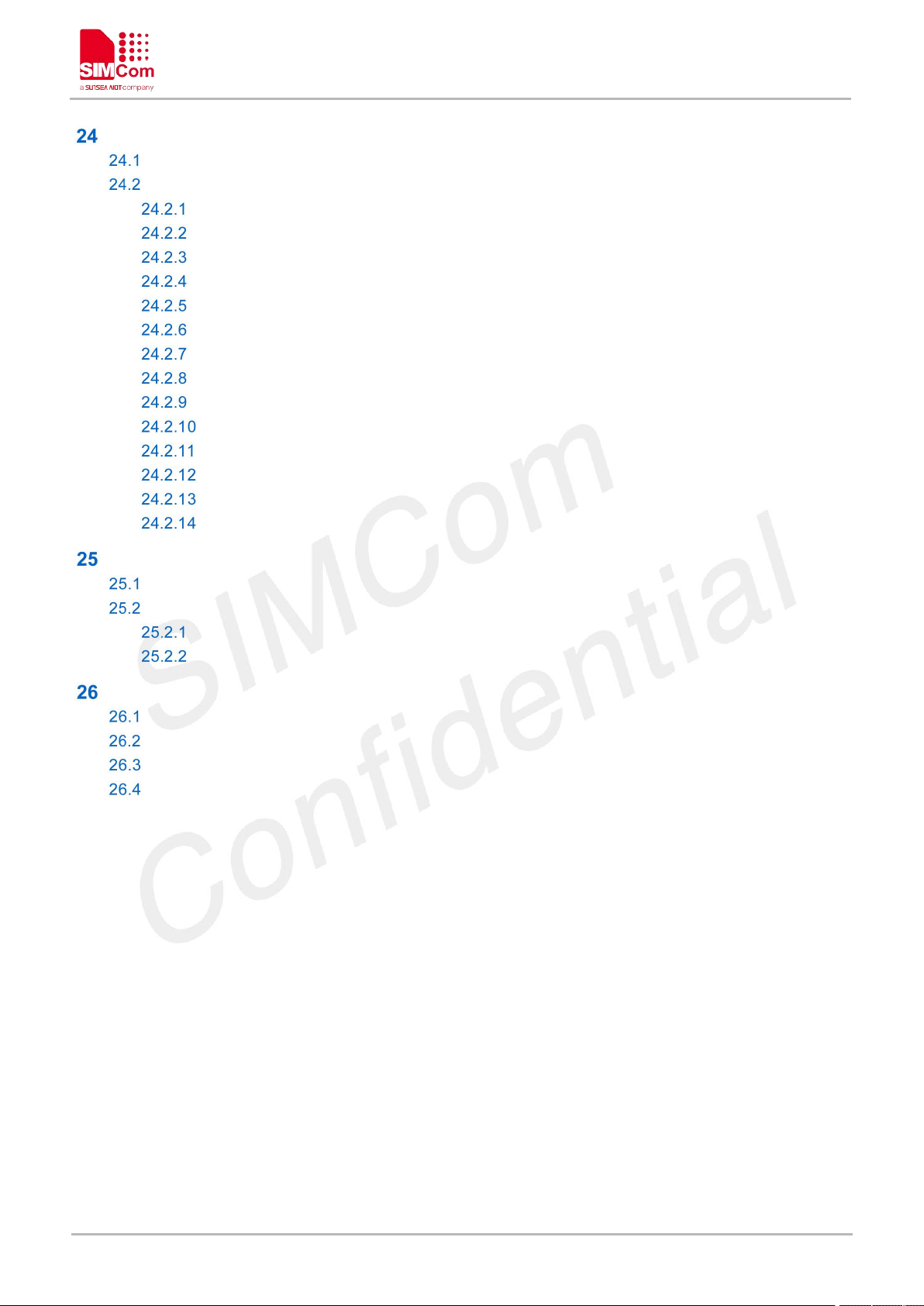
AT Commands for GNSS
Overview of AT Commands for GNSS................................................................................................... 410
Detailed Description of AT Commands for GNSS................................................................................410
AT+CGNSSPWR GNSS power control............................................................................... 410
AT+CGNSSTST Send data received from UART3 to NMEA port...................................411
AT+CGPSCOLD Cold start GPS.......................................................................................... 412
AT+CGPSHOT Hot start GPS............................................................................................... 413
AT+CGNSSIPR Configure the baud rate of UART3 and GPS module..........................413
AT+CGNSSMODE Configure GNSS support mode......................................................... 414
AT+CGNSSNMEA Configure NMEA sentence type..........................................................416
AT+CGPSNMEARATE Set NMEA output rate................................................................... 417
AT+CGPSFTM Start GPS test mode................................................................................... 418
AT+CGPSINFO Get GPS fixed position information.................................................419
AT+CGNSSINFO Get GNSS fixed position information...........................................421
AT+CGNSSCMD Send command to GNSS...............................................................422
AT+CGNSSPORTSWITCH Select the output port for NMEA sentence................423
AT+CAGPS Get AGPS data from the AGNSS server for assisted positioning.... 424
AT Commands for WIFI
Overview of AT Commands for WIFI...................................................................................................... 426
Detailed Description of AT Commands for WIFI...................................................................................426
AT+CWSTASCAN Scan WIFI network................................................................................ 426
AT+CWSTASCANEX Scan WIFI network extension command......................................427
..........................................................................................................
.............................................................................................................
410
426
Summary of ERROR Codes
Verbose Codes and Numeric Codes......................................................................................................430
Response String of AT+CEER.................................................................................................................430
Summary of CME ERROR Codes..........................................................................................................435
Summary of CMS ERROR Codes..........................................................................................................438
....................................................................................................
430
www.simcom.com 20 / 440
Page 22
A7600 Series_AT Command Manual_V1.02
THIS DOCUMENT IS A REFERENCE GUIDE TO ALL THE AT COMMANDS.
Introduction
Scope of the document
This document presents the AT Command Set for SIMCom A7600 Series, including A7600XX-XXXX,
A5360E and A7670X.
More information about the SIMCom Module which includes the Software Version information can be
retrieved by the command ATI. In this document, a short description, the syntax, the possible setting values
and responses, and some Examples of AT commands are presented.
Prior to using the Module, please read this document and the Version History to know the difference from
the previous document.
In order to implement communication successfully between Customer Application and the Module, it is
recommended to use the AT commands in this document, but not to use some commands which are not
included in this document.
Related documents
[1] A7600 Series_TCPIP_Application_Note
[2] A7600 Series_HTTP(S)_Application_Note
[3] A7600 Series_FTP(S)_Application_Note
[4] A7600 Series_MQTT(S)_Application_Note
[5] A7600 Series_SSL_Application_Note
[6] A7600 Series_AUDIO_Application_Note
You can visit the SIMCom Website for more information by the following link:
http://www.simcom.com
www.simcom.com 21 / 440
Page 23

A7600 Series_AT Command Manual_V1.02
Abbreviation
Description
AT
ATtention; the two-character abbreviation is used to start a command
line to be sent from TE/DTE to TA/DCE
DCE
Data Communication Equipment
DCS
Digital Cellular Network
DTE
Data Terminal Equipment
DTMF
Dual Tone Multi–Frequency
EDGE
Enhanced Data GSM Environment
EGPRS
Enhanced General Packet Radio Service
GPIO
General–Purpose Input/Output
GPRS
General Packet Radio Service
GSM
Global System for Mobile communications
HSDPA
High Speed Downlink Packet Access
HSUPA
High Speed Uplink Packet Access
I2C
Inter–Integrated Circuit
IMEI
International Mobile station Equipment Identity
IMSI
International Mobile Subscriber Identity
ME
Mobile Equipment
MO
Mobile–Originated
MS
Mobile Station
MT
Mobile–Terminated; Mobile Termination
PCS
Personal Communication System
PDU
Protocol Data Unit
PIN
Personal Identification Number
PUK
Personal Unlock Key
SIM
Subscriber Identity Module
SMS
Short Message Service
SMS-SC
Short Message Service Service Center
TA
Terminal Adaptor; e.g. a data card (equal to DCE)
TE
Terminal Equipment; e.g. a computer (equal to DTE)
UE
User Equipment
UMTS
Universal Mobile Telecommunications System
USIM
Universal Subscriber Identity Module
WCDMA
Wideband Code Division Multiple Access
FTP
File Transfer Protocol
HTTP
Hyper Text Transfer Protocol
Terms and Abbreviations
For the purposes of the present document, the following abbreviations apply:
www.simcom.com 22 / 440
Page 24

A7600 Series_AT Command Manual_V1.02
RTC
Real Time Clock
URC
Unsolicited Result Code
Definitions and Conventions
1. Definitions
For the purposes of the present document, the following syntactical definitions apply:
<CR> Carriage return character.
<LF> Linefeed character.
<…> Name enclosed in angle brackets is a syntactical element. Brackets themselves do not
appear in the command line.
[…] Optional subparameter of AT command or an optional part of TA information response is
enclosed in square brackets. Brackets themselves do not appear in the command line. If
subparameter is not given, its value equals to its previous value or the recommended
default value.
underline Underlined and defined subparameter value is the recommended default setting or
factory setting.
Parameter Saving Mode
NO_SAVE: The parameter of the current AT command will be lost if module is rebooted or current AT
command doesn't have parameter.
AUTO_SAVE: The parameter of the current AT command will be kept in NVRAM automatically and
take in effect immediately, and it won't be lost if module is rebooted.
AUTO_SAVE_REBOOT: The parameter of the current AT command will be kept in NVRAM
automatically and take in effect after reboot, and it won't be lost if module is rebooted.
AT&W_SAVE: The parameter of the current AT command will be kept inusersetting_save.nvm by
sending the command of "AT&W".Restore the previously saved value if module is rebooted by sending
the command of "ATZ"
Max Response Time
Max response time is estimated maximum time to get response, the unit is seconds.
2. Document Conventions
Generally, the characters <CR> and <LF> are intentionally omitted throughout this document.
www.simcom.com 23 / 440
Page 25
A7600 Series_AT Command Manual_V1.02
AT commands and responses in figures may be not following above conventions.
NOTE
If command response is ERROR, not list the ERROR response inside command syntax.
AT Interface Synopsis
Interface Settings
Between Customer Application and the Module, standardized RS–232 interface is used for the
communication, and default values for the interface settings as following:
115200bps, 8 bit data, no parity, 1 bit stop, no data stream control.
AT Commands Syntax
The "AT" or "at" or "aT" or "At" prefix must be included at the beginning of each command line (except A/
and +++), and the character <CR> is used to finish a command line so as to issue the command line to the
module. It is recommended that a command line only includes a command.
When Customer Application issues a series of AT commands on separate command lines, leave a pause
between the preceding and the following command until information responses or result codes are retrieved
by Customer Application, for Examples, "OK" is appeared. This advice avoids too many AT commands
are issued at a time without waiting for a response for each command.
The AT Command set implemented by A7600 Series is a combination of 3GPP TS 27.005, 3GPP TS 27.007
and ITU-T recommendation V.25ter and the AT commands developed by SIMCom.
In the present document, AT commands are divided into three categories: Basic Command, S Parameter
Command, and Extended Command.
1. Basic Command
The format of Basic Command is "AT<x><n>" or "AT&<x><n>", where "<x>" is the command name, and
"<n>" is/are the parameter(s)for the basic command which is optional. An Examples of Basic Command is
www.simcom.com 24 / 440
Page 26
A7600 Series_AT Command Manual_V1.02
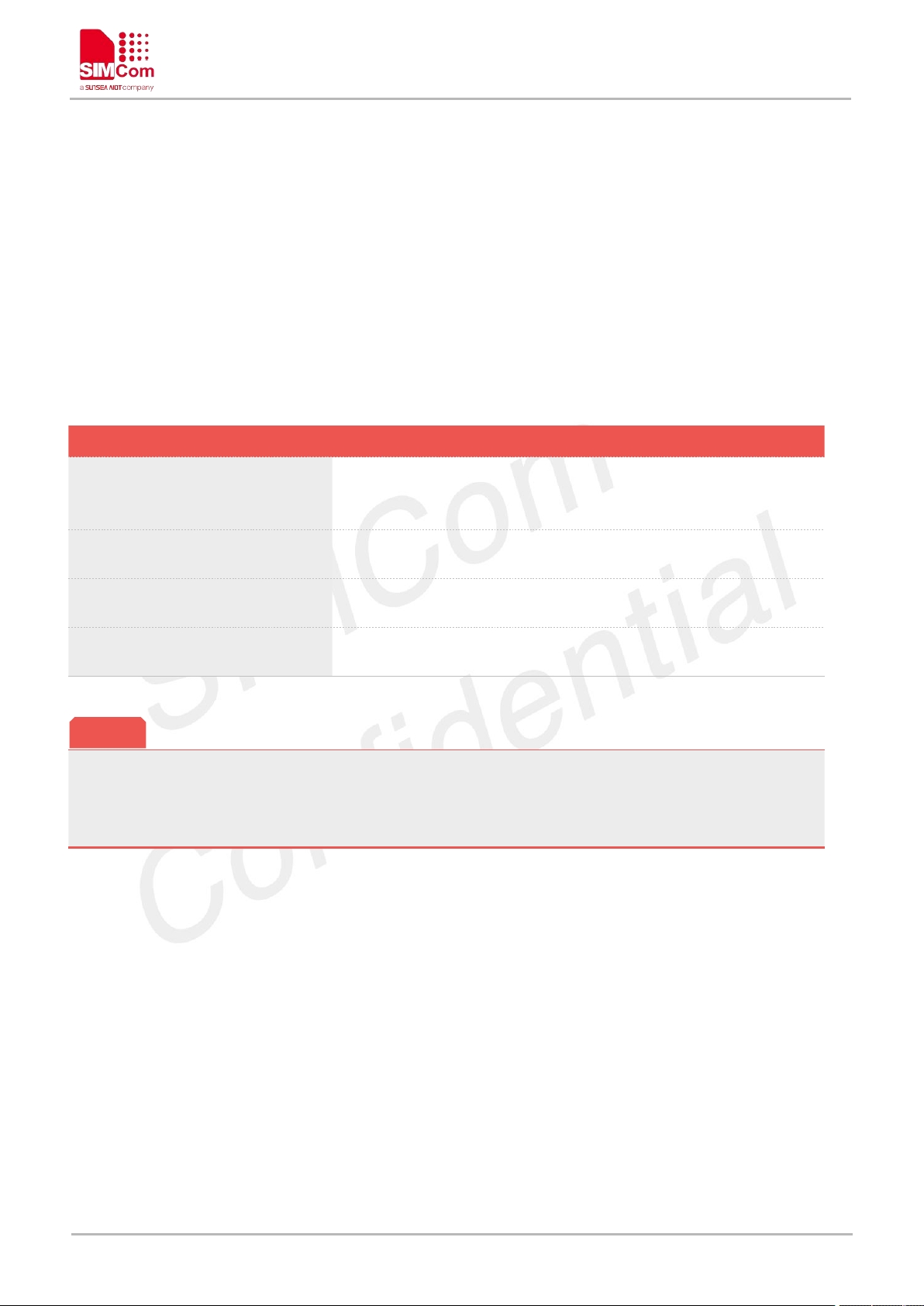
Table 1: Types of AT commands and responses
Test Command
AT+<x>=?
The mobile equipment returns the list of parameters and value
ranges set with the corresponding Write Command or by internal
processes.
Read Command
AT+<x>?
This command returns the currently set value of the parameter or
parameters.
Write Command
AT+<x>=<…>
This command sets the user-definable parameter values.
Execution Command
AT+<x>
The execution command reads non-variable parameters affected
by internal processes in the GSM engine.
The character "+" between the prefix "AT" and command name may be replaced by other character. For
Examples, using "#" or "$"instead of "+".
NOTE
"ATE<n>", which informs the TA/DCE whether received characters should be echoed back to the TE/DTE
according to the value of "<n>"; "<n>" is optional and a default value will be used if omitted.
2. S Parameter syntax
The format of S Parameter Command is "ATS<n>=<m>", "<n>" is the index of the S–register to set, and
"<m>" is the value to assign to it. "<m>" is optional; in this case, the format is "ATS<n>", and then a default
value is assigned.
3. Extended Syntax
The Extended Command has several formats, as following table list:
4. Combining AT commands on the same Command line
You can enter several AT commands on the same line. In this case, you do not need to type the "AT" or "at"
prefix before every command. Instead, you only need type "AT" or "at" the beginning of the command line.
Please note to use a semicolon as the command delimiter after an extended command; in basic syntax or S
parameter syntax, the semicolon need not enter, for Examples:
ATE1Q0S0=1S3=13V1X4;+IFC=0,0;+IPR=115200.
The Command line buffer can accept a maximum of 3071 characters (counted from the first command
without "AT" or "at" prefix). If the characters entered exceeded this number then none of the Command will
executed and TA will return "ERROR".
5. Entering successive AT commands on separate lines
When you need to enter a series of AT commands on separate lines, please Note that you need to wait the
final response (for Examples OK, CME error, CMS error)of last AT Command you entered before you
enter the next AT Command.
www.simcom.com 25 / 440
Page 27

A7600 Series_AT Command Manual_V1.02
Supported character sets
The A7600 Series AT Command interface defaults to the IRA character set. The A7600 Series supports the
following character sets:
GSM format
UCS2
IRA
The character set can be set and interrogated using the "AT+CSCS" Command (3GPP TS 27.007). The
character set is defined in GSM specification 3GPP TS 27.005.
The character set affects transmission and reception of SMS and SMS Cell Broadcast messages, the entry
and display of phone book entries text field and SIM Application Toolkit alpha strings.
www.simcom.com 26 / 440
Page 28
A7600 Series_AT Command Manual_V1.02
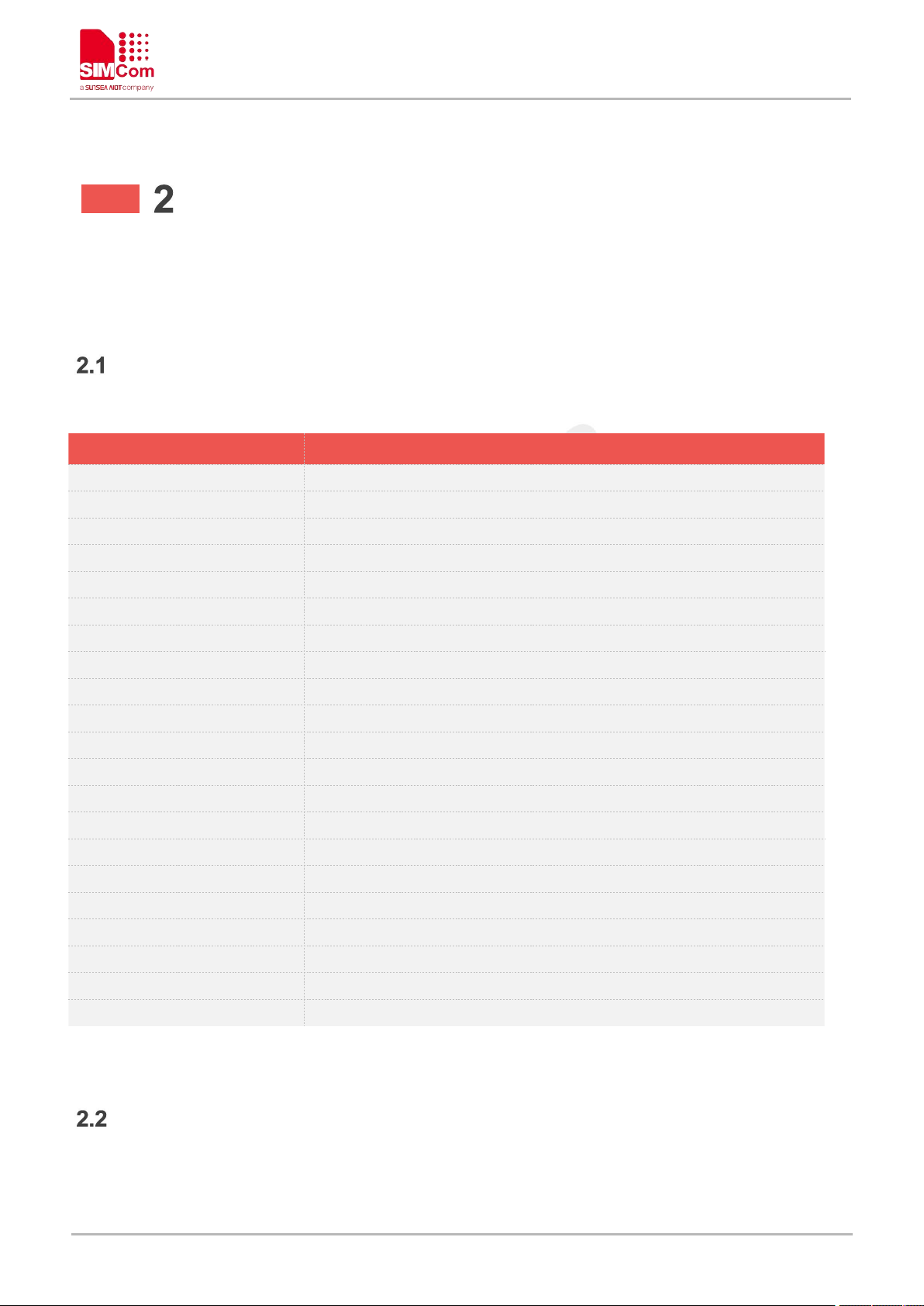
Command
Description
ATD
Mobile originated call to dial a number
ATA
Call answer
ATH
Disconnect existing call
ATS0
Automatic answer incoming call
+++
Switch from data mode to command mode
ATO
Switch from command mode to data mode
ATI
Display product identification information
ATE
Enable command echo
AT&V
Display current configuration
ATV
Set result code format mode
AT&F
Set all current parameters to manufacturer defaults
ATQ
Set Result Code Presentation Mode
ATX
Set CONNECT Result Code Forma
AT&W
Save the user setting to ME
ATZ
Restore the user setting from ME
AT+CGMI
Request manufacturer identification
AT+CGMM
Request model identification
AT+CGMR
Request revision identification
AT+CGSN
Request product serial number identification
AT+CSCS
Select TE character set
AT+GCAP
Request overall capabilities
AT Commands According to
V.25TER
Overview of AT Commands According to V.25TER
Detailed Description of AT Commands for V.25TER
www.simcom.com 27 / 440
Page 29

A7600 Series_AT Command Manual_V1.02
ATD Mobile originated call to dial a number
Execution Command
ATD<n>[<mgsm][;]
Response
Originate a voice call successfully:
OK
VOICE CALL:BEGIN
Originate a data call successfully:
CONNECT [<text>]
Originate a call unsuccessfully during command execution:
ERROR
Originate a call unsuccessfully for failed connection recovery:
NO CARRIER
Originate a call unsuccessfully for error related to the MT:
+CME ERROR: <err>
Parameter Saving Mode
-
Max Response Time
-
Reference
-
<n>
String of dialing digits and optionally V.25ter modifiers dialing digits:
0-9,*, #,+,A,B,C
Following V.25ter modifiers are ignored:
,(comma),T,P,!,W,@
Emergency call:
<n>
Standardized emergency number 112 (no SIM needed)
<mgsm>
String of GSM modifiers:
I Actives CLIR (Disables presentation of own number to called
party)
i Deactivates CLIR (Enable presentation of own number to called
party)
G Activates Closed User Group invocation for this call only
g Deactivates Closed User Group invocation for this call only
<;>
The termination character ";" is mandatory to set up voice calls. It must
not be used for data and fax calls.
<text>
CONNECT result code string; the string formats please refer ATX
ATD Mobile originated call to dial a number
This command is used to list characters that may be used in a dialling string for making a call or controlling
supplementary services.
Defined Values
www.simcom.com 28 / 440
Page 30
command.
<err>
Service failure result code string; the string formats please refer +CME
ERROR result code and AT+CMEE command.
Examples
ATD10086;
OK
VOICE CALL:BEGIN
1. Support several "P" or "p" in the DTMF string but the valid auto-sending DTMF after characters "P" or
"p" should not be more than 29.
2. Auto-sending DTMF after character "P" or "p" should be ASCII character in the set 0-9, *, #.
ATA Call answer
Execution Command
ATA
Response
1)For voice call:
OK
VOICE CALL: BEGIN
2)For data call, and TA switches to data mode:
CONNECT
3)No connection or no incoming call:
NO CARRIER
Parameter Saving Mode
-
Max Response Time
-
Reference
-
ATA
NOTE
A7600 Series_AT Command Manual_V1.02
ATA Call answer
This command is used to make remote station to go off-hook, e.g. answer an incoming call. If there is no an
incoming call and entering this command to TA, it will be return "NO CARRIER" to TA.
Examples
www.simcom.com 29 / 440
Page 31
A7600 Series_AT Command Manual_V1.02
OK
VOICE CALL: BEGIN
ATH Disconnect existing call
Execution Command
ATH
Response
If AT+CVHU=0:
VOICE CALL: END: <time>
OK
Parameter Saving Mode
-
Max Response Time
-
Reference
-
AT+CVHU=0
OK
ATH
VOICE CALL: END: 000017
OK
ATS0 Automatic answer incoming call
ATH Disconnect existing call
This command is used to disconnect existing call. Before using ATH command to hang up a voice call, it
must set AT+CVHU=0. Otherwise, ATH command will be ignored and "OK" response is given only.
This command is also used to disconnect PS data call, and in this case it doesn’t depend on the value of
AT+CVHU.
Examples
ATS0 Automatic answer incoming call
The S-parameter command controls the automatic answering feature of the Module. If set to 000, automatic
answering is disabled, otherwise it causes the Module to answer when the incoming call indication
(RING)has occurred the number of times indicated by the specified value; and the setting will not be stored
upon power-off, i.e. the default value will be restored after restart.
www.simcom.com 30 / 440
Page 32

A7600 Series_AT Command Manual_V1.02
Read Command
ATS0?
Response
1)
<n>
OK
2)
ERROR
Wite Command
ATS0=<n>
Response
1)
OK
2)
ERROR
Parameter Saving Mode
AT&W_SAVE
Max Response Time
-
Reference
-
<n>
000 Automatic answering mode is disable. (default value when
power-on)
001–255 Enable automatic answering on the ring number
specified.
ATS0=003
OK
ATS0?
000
OK
The S-parameter command is effective on voice call and data call.
If <n> is set too high, the remote party may hang up before the call can be answered automatically.
NOTE
Defined Values
Examples
www.simcom.com 31 / 440
Page 33
A7600 Series_AT Command Manual_V1.02
+++ Switch from data mode to command mode
Execution Command
+++
Response
OK
Parameter Saving Mode
-
Max Response Time
-
Reference
-
+++
OK
To prevent the +++ escape sequence from being misinterpreted as data, it must be preceded and
followed by a pause of at least 1000 milliseconds, and the interval between two ‘+’ character can’t
exceed 900 milliseconds.
ATO Switch from command mode to data mode
Execution Command
ATO
Response
1)TA/DCE switches to Data Mode from Command Mode:
CONNECT [<baud rate>]
2)If connection is not successfully resumed:
NO CARRIER
3)
ERROR
Parameter Saving Mode
-
NOTE
+++ Switch from data mode to command mode
This command is only available during a connecting PS data call. The +++ character sequence causes the
TA to cancel the data flow over the AT interface and switch to Command Mode. This allows to enter AT
commands while maintaining the data connection to the remote device.
Examples
ATO Switch from command mode to data mode
ATO is the corresponding command to the +++ escape sequence. When there is a PS data call connected
and the TA is in Command Mode, ATO causes the TA to resume the data and takes back to Data Mode.
www.simcom.com 32 / 440
Page 34
A7600 Series_AT Command Manual_V1.02
Max Response Time
-
Reference
-
ATO
CONNECT 115200
ATI Display product identification information
Execution Command
ATI
Response
Manufacturer: <manufacturer>
Model: <model>
Revision: <revision>
IMEI: <sn>
+GCAP: list of <name>s
OK
Parameter Saving Mode
-
Max Response Time
120000ms
Reference
-
<manufacturer>
The identification of manufacturer.
<model>
The identification of model.
<revision>
The revision identification of firmware.
<sn>
Serial number identification, which consists of a single line containing
IMEI (International Mobile station Equipment Identity)number.
<name>
List of additional capabilities:
+CGSM GSM function is supported
+FCLASS FAX function is supported
+DS Data compression is supported
+ES Synchronous data mode is supported.
Examples
ATI Display product identification information
This command is used to request the product information, which consists of manufacturer identification,
model identification, revision identification, International Mobile station Equipment Identity (IMEI)and overall
capabilities of the product.
Defined Values
www.simcom.com 33 / 440
Page 35
+CIS707-A CDMA data service command set
+CIS-856 EVDO data service command set
+MS Mobile Specific command set
Examples
ATI
Manufacturer: INCORPORATED
Model: A7600C
Revision: A7600C_V1.0
IMEI: 351602000330570
+GCAP: +CGSM,+FCLASS,+DS
OK
ATE Enable command echo
Execution Command
ATE[<value>]
Response
1)if format is right
OK
2)
ERROR
Parameter Saving Mode
AT&W_SAVE
Max Response Time
120000ms
Reference
-
<value>
0 Echo mode off
1 Echo mode on
ATE1
OK
ATE0
A7600 Series_AT Command Manual_V1.02
ATE Enable command echo
This command sets whether or not the TA echoes characters.
Defined Values
Examples
www.simcom.com 34 / 440
Page 36

A7600 Series_AT Command Manual_V1.02
OK
AT&V Display current configuration
Execution Command
AT&V
Response
1)
<TEXT>
OK
2)
ERROR
Parameter Saving Mode
-
Max Response Time
120000ms
Reference
-
<TEXT>
All relative configuration information.
AT&V
&C: 0; &D: 0; &F: 0; &W: 0; E: 1; Q: 0; V: 1; X: 0; Z: 0; S0: 0; S2: 43; S3: 13; S4: 10; S5: 8; S6: 2;
S7: 1; S8: 2; S9: 6; S10: 7; S11: 63; S30: 10; +FCLASS: 0; +IPR: 115200; +IPREX: 115200;
+CSCS: IRA; +CREG: 0; +CGREG: 0; +CEREG: 0; +CGDCONT:
(1,"IP","ctnet.mnc011.mcc460.gprs","10.13.204.244",0,0,,,,),(2,"IP","CMNET"); +CGDSCONT: ;
+CGEQMIN: (1,0,256000,256000,256000,256000,2,1520,"0E0,6E8,",3,150,0,0,0);
+CGQMIN:(1,3,4,5,1,1),(2,3,4,5,1,1); +CGEREP: (2,0); +CGCLASS: "A"; +CGACT: (1,1),(2,0);
+CGAUTH: (1,0),(2,0); +CPBS: "SM"; +CMEE: 2; +CFUN: 1; +CMGF: 0; +CSCA:
("+316540942000",145); +CSMP: 33,167,0,0; +CSDH: 0; +CPMS:
"SM",0,50,"SM",0,50,"SM",0,50;
OK
AT&V Display current configuration
This command returns some of the base configuration parameters settings.
Defined Values
Examples
www.simcom.com 35 / 440
Page 37
A7600 Series_AT Command Manual_V1.02
ATV Set result code format mode
Write Command
ATV[<value>]
Response
1)if <value>=0
0
2)If <value>=1
OK
Parameter Saving Mode
AT&W_SAVE
Max Response Time
-
Reference
-
<value>
0 Information response: <text><CR><LF>
Short result code format: <numeric code><CR>
1 Information response: <CR><LF><text><CR><LF>
Long result code format: <CR><LF><verbose
code><CR><LF>
ATV1
OK
In case of using This command without parameter <value> will be set to 1.
NOTE
ATV Set result code format mode
This parameter setting determines the contents of the header and trailer transmitted with result codes and
information responses.
Defined Values
Examples
AT&F Set all current parameters to manufacturer defaults
This command is used to set all current parameters to the manufacturer defined profile.
Every ongoing or incoming call will be terminated.
www.simcom.com 36 / 440
Page 38
AT&F Set all current parameters to manufacturer defaults
Execution Command
AT&F[<value>]
Response
OK
Parameter Saving Mode
-
Max Response Time
-
Reference
-
Defined Values
<value>
0 Set some temporary TA parameters to manufacturer defaults.
The setting after power on or reset is same as value 0.
default values
TA parameters
AT+CATR
AT+CNMP
AT+CTZU
AT+CVAUXV
VALUE
0
2
0
2850
AT&F
OK
List of parameters reset to manufacturer default can be found in Defined Values, factory default
settings restorable with AT&F[<value>].
ATQ Set Result Code Presentation Mode
Write Command
ATQ<n>
Response
1)If <n>=0:
OK
2)If <n>=1:
NOTE
A7600 Series_AT Command Manual_V1.02
Examples
ATQ Set Result Code Presentation Mode
Specify whether the TA transmits any result code to the TE or not. Text information transmitted in response
is not affected by this setting
www.simcom.com 37 / 440
Page 39
No Responses
Execution Command
ATQ
Response
1)Set default value:0
OK
2)
No Responses
Parameter Saving Mode
AT&W_SAVE
Max Response Time
-
Reference
-
Defined Values
<n>
0 DCE transmits result code
1 DCE not transmits result code
ATQ0
OK
ATQ
OK
ATX Set CONNECT Result Code Format
Write Command
ATX<VALUE>
Response
1)
OK
2)
ERROR
Execution Command
ATX
Response
1)Set default value:1
OK
2)
ERROR
Parameter Saving Mode
AT&W_SAVE
A7600 Series_AT Command Manual_V1.02
Examples
ATX Set CONNECT Result Code Format
This parameter setting determines whether the TA transmits unsolicited result codes or not. The unsolicited
result codes are <CONNECT><SPEED><COMMUNICATION PROTOCOL>[<TEXT>]
www.simcom.com 38 / 440
Page 40
Max Response Time
-
Reference
-
Defined Values
<value>
0 CONNECT result code returned
1,2,3,4 May be transmits extern result codes.
ATX1
OK
ATX
OK
AT&W Save the user setting to ME
Write Command
AT&W<value>
Response
1)
OK
2)
ERROR
Execution Command
AT&W
Response
1)Set default value: 0
OK
2)
ERROR
Parameter Saving Mode
-
Max Response Time
-
Reference
-
<value>
0 Save
Examples
A7600 Series_AT Command Manual_V1.02
AT&W Save the user setting to ME
This command will save the user settings to ME which set by ATE, ATQ, ATV, ATX, AT&C, AT&D, AT+IFC
and ATS0.After restarted, the value saved by AT&W must be restored by ATZ.
Defined Values
www.simcom.com 39 / 440
Page 41
A7600 Series_AT Command Manual_V1.02
AT&W0
OK
AT&W
OK
ATZ Restore the user setting from ME
Write Command
ATZ<value>
Response
1)
OK
2)
ERROR
Execution Command
ATZ
Response
1)Set default value: 0
OK
2)
ERROR
Parameter Saving Mode
-
Max Response Time
-
Reference
-
<value>
0 Restore
ATZ0
OK
ATZ
OK
Examples
ATZ Restore the user setting from ME
This command will restore the user setting from ME which set by ATE, ATQ, ATV, ATX, AT&C, AT&D and
ATS0.
Defined Values
Examples
www.simcom.com 40 / 440
Page 42
A7600 Series_AT Command Manual_V1.02
AT+CGMI Request manufacturer identification
Test Command
AT+CGMI=?
Response
OK
Execution Command
AT+CGMI
Response
<manufacturer>
OK
Parameter Saving Mode
-
Max Response Time
-
Reference
-
<manufacturer>
The identification of manufacturer.
AT+CGMI
INCORPORATED
OK
AT+CGMI=?
OK
AT+CGMM Request model identification
Test Command
AT+CGMM=?
Response
OK
AT+CGMI Request manufacturer identification
This command is used to request the manufacturer identification text, which is intended to permit the user of
the Module to identify the manufacturer.
Defined Values
Examples
AT+CGMM Request model identification
This command is used to requests model identification text, which is intended to permit the user of the
Module to identify the specific model.
www.simcom.com 41 / 440
Page 43

Execution Command
AT+CGMM
Response
<model>
OK
Parameter Saving Mode
-
Max Response Time
-
Reference
-
Defined Values
<model>
The identification of model.
AT+CGMM
A7600E
OK
AT+CGMM=?
OK
AT+CGMR Request revision identification
Test Command
AT+CGMR=?
Response
OK
Execution Command
AT+CGMR
Response
+CGMR: <revision>
OK
Parameter Saving Mode
-
Max Response Time
-
Reference
-
Examples
A7600 Series_AT Command Manual_V1.02
AT+CGMR Request revision identification
This command is used to request product firmware revision identification text, which is intended to permit
the user of the Module to identify the version.
Defined Values
www.simcom.com 42 / 440
Page 44
<revision>
The revision identification of firmware.
Examples
AT+CGMR
+CGMR: A35B01A7600C
OK
AT+CGMR=?
OK
AT+CGSN Request product serial number identification
Test Command
AT+CGSN=?
Response
OK
Execution Command
AT+CGSN
Response
<sn>
OK
Parameter Saving Mode
-
Max Response Time
-
Reference
-
<sn>
Serial number identification, which consists of a single line containing
the IMEI (International Mobile station Equipment Identity)number of
the MT.
AT+CGSN
351602000330570
AT+CGSN Request product serial number identification
A7600 Series_AT Command Manual_V1.02
This command requests product serial number identification text, which is intended to permit the user of the
Module to identify the individual ME to which it is connected to.
Defined Values
Examples
www.simcom.com 43 / 440
Page 45
A7600 Series_AT Command Manual_V1.02
OK
AT+CGSN=?
OK
AT+CSCS Select TE character set
Test Command
AT+CSCS=?
Response
+CSCS: (list of supported <chset>s)
OK
Read Command
AT+CSCS?
Response
+CSCS: <chset>
OK
Write Command
AT+CSCS=<chset>
Response
OK
or
ERROR
Execution Command
AT+CSCS
Response
Set subparameters as default value(IRA):
OK
Parameter Saving Mode
AUTO_SAVE
Max Response Time
-
Reference
-
<chest>
Character set, the definition as following:
"IRA" International reference alphabet.
"GSM" GSM default alphabet; this setting causes easily
software flow control (XON /XOFF)problems.
"UCS2" 16-bit universal multiple-octet coded character set;
UCS2 character strings are converted to
hexadecimal numbers from 0000 to FFFF.
AT+CSCS Select TE character set
Write command informs TA which character set <chest> is used by the TE. TA is then able to convert
character strings correctly between TE and MT character sets.
Read command shows current setting and test command displays conversion schemes implemented in the
TA.
Defined Values
www.simcom.com 44 / 440
Page 46

Examples
AT+CSCS="IRA"
OK
AT+CSCS?
+CSCS:"IRA"
OK
AT+CSCS=?
+CSCS: ("IRA","UCS2","GSM")
OK
AT+CSCS
OK
AT+GCAP Request overall capabilities
Test Command
AT+GCAP=?
Response
1)
OK
2)
ERROR
Execution Command
AT+GCAP
Response
1)
+GCAP: (list of <name>s)
OK
2)
ERROR
Parameter Saving Mode
-
Max Response Time
-
Reference
-
A7600 Series_AT Command Manual_V1.02
AT+GCAP Request overall capabilities
Execution command causes the TA reports a list of additional capabilities.
Defined Values
www.simcom.com 45 / 440
Page 47

<name>
List of additional capabilities.
+CGSM GSM function is supported
+FCLASS FAX function is supported
+DS Data compression is supported
+ES Synchronous data mode is supported.
+CIS707-A CDMA data service command set
+CIS-856 EVDO data service command set
+MS Mobile Specific command set
Examples
AT+GCAP
+GCAP: +CGSM,+FCLASS,+DS
OK
AT+GCAP=?
OK
A7600 Series_AT Command Manual_V1.02
www.simcom.com 46 / 440
Page 48
A7600 Series_AT Command Manual_V1.02
Command
Description
AT+CFUN
Set phone functionality
AT+CSQ
Query signal quality
AT+AUTOCSQ
Set CSQ report
AT+CSQDELTA
Set RSSI delta change threshold
AT+CPOF
Power down the module
AT+CRESET
Reset the module
AT+CACM
Accumulated call meter
AT+CAMM
Accumulated call meter maximum
AT+CPUC
Price per unit and currency table
AT+CCLK
Real time clock management
AT+CMEE
Report mobile equipment error
AT+CPAS
Phone activity status
AT+SIMEI
Set IMEI for the module
AT+CFUN Set phone functionality
Test Command
AT+CFUN=?
Response
+CFUN: (range of supported <fun>s),(range of supported <rst>s)
OK
AT Commands for Status Control
Overview of AT Commands for Status Control
Detailed Description of AT Commands for Status Control
AT+CFUN Set phone functionality
This command is used to select the level of functionality <fun> in the ME. Level "full functionality" is where
the highest level of power is drawn. "Minimum functionality" is where minimum power is drawn. Level of
functionality between these may also be specified by manufacturers. When supported by manufacturers,
ME resetting with <rst> parameter may be utilized.
www.simcom.com 47 / 440
Page 49

A7600 Series_AT Command Manual_V1.02
Read Command
AT+CFUN?
Response
1)
+CFUN: <fun>
OK
2)
ERROR
3)
+CME ERROR: <err>
Write Command
AT+CFUN=<fun>[,<rst>]
Response
1)
OK
2)
ERROR
3)
+CME ERROR: <err>
Parameter Saving Mode
NO_SAVE
Max Response Time
9000ms
Reference
3GPP TS 27.007
<fun>
0 minimum functionality
1 full functionality, online mode
4 disable phone both transmit and receive RF circuits
5 Factory Test Mode (The A7600's 5 and 1 have the same
function)
6 Reset
7 Offline Mode
<rst>
0 do not reset the ME before setting it to <fun> power level
1 reset the ME before setting it to <fun> power level. This value
only takes effect when <fun> equals 1.
AT+CFUN=?
+CFUN: (0-1,4-7),(0-1)
OK
AT+CFUN?
+CFUN: 1
OK
Defined Values
Examples
www.simcom.com 48 / 440
Page 50
A7600 Series_AT Command Manual_V1.02
AT+CFUN=1
OK
AT+CFUN=6 must be used after setting AT+CFUN=7. If module in offline mode, must execute
AT+CFUN=6 or restart module to online mode.
AT+CSQ Query signal quality
Test Command
AT+CSQ=?
Response
+CSQ: (range of supported <rssi>s),(range of supported <ber>s)
OK
Execution Command
AT+CSQ
Response
1)
+CSQ: <rssi>,<ber>
OK
2)
ERROR
Parameter Saving Mode
NO_SAVE
Max Response Time
9000ms
Reference
3GPP TS 27.007
<rssi>
0 -113 dBm or less
1 -111 dBm
2...30 -109... -53 dBm
31 -51 dBm or greater
99 not known or not detectable
<ber>
(in percent)
0 <0.01%
1 0.01% --- 0.1%
NOTE
AT+CSQ Query signal quality
This command is used to return received signal strength indication <rssi> and channel bit error rate <ber>
from the ME. Test command returns values supported by the TA as compound values.
Defined Values
www.simcom.com 49 / 440
Page 51
2 0.1% --- 0.5%
3 0.5% --- 1.0%
4 1.0% --- 2.0%
5 2.0% --- 4.0%
6 4.0% --- 8.0%
7 >=8.0%
99 not known or not detectable
Examples
AT+CSQ=?
+CSQ: (0-31,99),(0-7,99)
OK
AT+CSQ
+CSQ: 31,99
OK
AT+AUTOCSQ Set CSQ report
Test Command
AT+AUTOCSQ=?
Response
+AUTOCSQ: (range of supported<auto>s),(range of
supported<mode>s)
OK
Read Command
AT+AUTOCSQ?
Response
+AUTOCSQ: <auto>,<mode>
OK
Write Command
AT+AUTOCSQ=<auto>[,<mo
de>]
Response
1)
OK
2)
ERROR
Parameter Saving Mode
NO_SAVE
A7600 Series_AT Command Manual_V1.02
AT+AUTOCSQ Set CSQ report
This command is used to enable or disable automatic report CSQ information, when automatic report
enabled, the module reports CSQ information every five seconds or only after <rssi> or <ber> is changed,
the format of automatic report is "+CSQ: <rssi>,<ber>".
www.simcom.com 50 / 440
Page 52
Max Response Time
9000ms
Reference
Vendor
Defined Values
<auto>
0 disable automatic report
1 enable automatic report
<mode>
0 CSQ automatic report every five seconds
1 CSQ automatic report only after <rssi> or <ber> is changed.
NOTE: If the parameter of <mode> is omitted when executing write
command,<mode> will be set to default value.
AT+AUTOCSQ=?
+AUTOCSQ: (0-1),(0-1)
OK
AT+AUTOCSQ?
+AUTOCSQ: 0,0
OK
AT+AUTOCSQ=1
OK
AT+CSQDELTA Set RSSI delta change threshold
Test Command
AT+CSQDELTA=?
Response
+CSQDELTA: (list of supported <delta>s)
OK
Read Command
AT+CSQDELTA?
Response
1)
+CSQDELTA: <delta>
OK
Examples
A7600 Series_AT Command Manual_V1.02
AT+CSQDELTA Set RSSI delta change threshold
This command is used to set RSSI delta threshold for signal strength reporting.
www.simcom.com 51 / 440
Page 53

2)
ERROR
Write Command
AT+CSQDELTA=<delta>
Response
1)
OK
2)
ERROR
Execution Command
AT+CSQDELTA
Response
Set default value(<delta>=5)
OK
Parameter Saving Mode
NO_SAVE
Max Response Time
9000ms
Reference
Vendor
Defined Values
<delta>
Range: from 0 to 5.
AT+CSQDELTA=?
+CSQDELTA: (0-5)
OK
AT+CSQDELTA?
+CSQDELTA: 5
OK
AT+CSQDELTA
OK
AT+CPOF Power down the module
Test Command
AT+CPOF=?
Response
OK
Execution Command
Response
A7600 Series_AT Command Manual_V1.02
Examples
AT+CPOF Power down the module
This command is used to power off the module. Once the AT+CPOF command is executed, The module will
store user data and deactivate from network, and then shutdown.
www.simcom.com 52 / 440
Page 54
AT+CPOF
OK
Parameter Saving Mode
-
Max Response Time
9000ms
Reference
Vendor
Examples
AT+CPOF=?
OK
AT+CPOF
OK
AT+CRESET Reset the module
Execution Command
AT+CRESET
Response
OK
Test Command
AT+CRESET=?
Response
OK
Parameter Saving Mode
-
Max Response Time
9000ms
Reference
Vendor
AT+CRESET=?
OK
AT+CRESET
OK
AT+CACM Accumulated call meter
AT+CRESET Reset the module
A7600 Series_AT Command Manual_V1.02
This command is used to reset the module.
Examples
AT+CACM Accumulated call meter
This command is used to reset the Advice of Charge related accumulated call meter value in SIM file EF
www.simcom.com 53 / 440
ACM
.
Page 55

A7600 Series_AT Command Manual_V1.02
Test Command
AT+CACM=?
Response
1)
OK
2)
ERROR
Read Command
AT+CACM?
Response
1)
+CACM: <acm>
OK
2)
ERROR
3)
+CME ERROR: <err>
Write Command
AT+CACM=<passwd>
Response
1)
OK
2)
ERROR
3)
+CME ERROR: <err>
Execution Command
AT+CACM
Response
1)
OK
2)
ERROR
3)
+CME ERROR: <err>
Parameter Saving Mode
NO_SAVE
Max Response Time
9000ms
Reference
3GPP TS 27.007
<passwd>
String type, SIM PIN2.
<acm>
String type, accumulated call meter value similarly coded as <ccm>
under +CAOC.
AT+CACM=?
OK
AT+CACM?
Defined Values
Examples
www.simcom.com 54 / 440
Page 56
A7600 Series_AT Command Manual_V1.02
+CACM: "000000"
OK
AT+CACM="000000"
+CME ERROR: SIM PUK2 required
AT+CACM
+CME ERROR: SIM PIN required
AT+CAMM Accumulated call meter maximum
Test Command
AT+CAMM=?
Response
1)
OK
2)
ERROR
Read Command
AT+CAMM?
1)
+CAMM: <acmmax>
OK
2)
ERROR
3)
+CME ERROR: <err>
Write Command
AT+CAMM=<acmmax>[,<pas
swd>]
Response
1)
OK
2)
ERROR
3)
+CME ERROR: <err>
Execution Command
AT+CAMM
1)
OK
2)
ERROR
3)
+CME ERROR: <err>
Parameter Saving Mode
NO_SAVE
AT+CAMM Accumulated call meter maximum
This command is used to set the Advice of Charge related accumulated call meter maximum value in SIM
file EF
ACMmax.
www.simcom.com 55 / 440
Page 57
Max Response Time
9000ms
Reference
3GPP TS 27.007
Defined Values
<acmmax>
String type, accumulated call meter maximum value similarly coded as
<ccm> under AT+CAOC, value zero disables ACMmax feature.
<passwd>
String type, SIM PIN2.
AT+CAMM=?
OK
AT+CAMM?
+CAMM: "000000"
OK
AT+CAMM="000000"
+CME ERROR: SIM PIN required
AT+CAMM
+CME ERROR: SIM PIN required
AT+ CPUC Price per unit and currency table
Test Command
AT+CPUC=?
Response
1)
OK
2)
ERROR
Read Command
AT+CPUC?
Response
1)
+CPUC: [<currency>,<ppu>]
OK
2)
ERROR
Examples
A7600 Series_AT Command Manual_V1.02
AT+CPUC Price per unit and currency table
This command is used to set the parameters of Advice of Charge related price per unit and currency table in
SIM file EF
www.simcom.com 56 / 440
PUCT
.
Page 58
3)
+CME ERROR: <err>
Write Command
AT+CPUC=<currency>,<ppu
>[,<passwd>]
Response
1)
OK
2)
ERROR
3)
+CME ERROR: <err>
Parameter Saving Mode
NO_SAVE
Max Response Time
9000ms
Reference
3GPP TS 27.007
Defined Values
<currency>
String type, three-character currency code (e.g. "GBP", "DEM"),
character set as specified by command Select TE Character Set
AT+CSCS.
<ppu>
String type, price per unit, dot is used as a decimal separator. (e.g.
"2.66").
<passwd>
String type, SIM PIN2
AT+CPUC=?
OK
AT+CPUC?
+CPUC: "","0.000000"
OK
AT+CPUC="1","0.000000"
+CME ERROR: SIM PIN required
AT+ CCLK Real time clock management
Test Command
AT+CCLK=?
Response
OK
A7600 Series_AT Command Manual_V1.02
Examples
AT+CCLK Real time clock management
This command is used to manage Real Time Clock of the module.
www.simcom.com 57 / 440
Page 59

Read Command
AT+CCLK?
Response
+CCLK: <time>
OK
Write Command
AT+CCLK=<time>
Response
1)
OK
2)
ERROR
Parameter Saving Mode
NO_SAVE
Maximum Response Time
9000ms
Reference
3GPP TS 27.007
Defined Values
<time>
String type value; format is "yy/MM/dd,hh:mm:ss±zz", where
characters indicate year (two last digits), month, day, hour, minutes,
seconds and time zone (indicates the difference, expressed in
quarters of an hour, between the local time and GMT; three last digits
are mandatory, range (-47 to 48). E.g. 6th of May 2008, 14:28:10
GMT+8 equals to "08/05/06,14:28:10+32".
NOTE: 1. Time zone is nonvolatile, and the factory value is invalid time
zone.
2. Command +CCLK? will return time zone when time zone is
valid, and if time zone is 00, command +CCLK? will return "+00", but
not "-00".
AT+CCLK=?
OK
AT+CCLK?
+CCLK: "14/01/01,02:14:36+08"
OK
AT+CCLK="14/01/01,02:14:36+08"
OK
A7600 Series_AT Command Manual_V1.02
Examples
This command is used to disable or enable the use of result code "+CME ERROR: <err>" or "+CMS
www.simcom.com 58 / 440
AT+CMEE Report mobile equipment error
Page 60

A7600 Series_AT Command Manual_V1.02
AT+CMEE Report mobile equipment error
Test Command
AT+CMEE=?
Response
+CMEE: (list of supported <n>s)
OK
Read Command
AT+CMEE?
Response
+CMEE: <n>
OK
Write Command
AT+CMEE=<n>
Response
1)
OK
2)
ERROR
Execution Command
AT+CMEE
Response
OK
Note: Set default value
Parameter Saving Mode
NO_SAVE
Max Response Time
9000ms
Reference
3GPP TS 27.007
<n>
0 Disable result code,i.e. only "ERROR" will be displayed.
1 Enable error result code with numeric values.
2 Enable error result code with string values.
AT+CMEE=?
+CMEE: (0-2)
AT+CMEE?
+CMEE: 2
OK
AT+CMEE=2
OK
ERROR: <err>" as an indication of an error relating to the functionality of ME; when enabled, the format of
<err> can be set to numeric or verbose string.
Defined Values
Examples
www.simcom.com 59 / 440
Page 61

A7600 Series_AT Command Manual_V1.02
AT+CPAS Phone activity status
Test Command
AT+CPAS=?
Response
+CPAS: (list of supported <pas>s)
OK
Execution Command
AT+CPAS
Response
+CPAS: <pas>
OK
Parameter Saving Mode
-
Max Response Time
9000ms
Reference
3GPP TS 27.007
<pas>
0 ready (ME allows commands from TA/TE)
3 ringing (ME is ready for commands from TA/TE, but the ringer is
active)
4 call in progress (ME is ready for commands from TA/TE, but a
call is in progress)
AT+CPAS=?
+CPAS: (0,3,4)
OK
AT+CPAS
+CPAS: 0
OK
This command is same as AT+CLCC, but AT+CLCC is more commonly used. So AT+CLCC is
recommended to use.
NOTE
AT+CPAS Phone activity status
This command is used to return the activity status <pas> of the ME. It can be used to interrogate the ME
before requesting action from the phone.
Defined Values
Examples
www.simcom.com 60 / 440
Page 62

AT+SIMEI Set the IMEI for the module
AT+SIMEI Set the IMEI for the module
Test Command
AT+SIMEI=?
Response
OK
Read Command
AT+SIMEI?
Response
1)
+SIMEI: <imei>
OK
2)
ERROR
Write Command
AT+SIMEI=<imei>
Response
1)
OK
2)
ERROR
Parameter Saving Mode
AUTO_SAVE
Max Response Time
9000ms
Reference
Vendor
<imei>
The 15-digit IMEI value.
AT+SIMEI=?
OK
AT+SIMEI?
+SIMEI: 357396012183175
OK
AT+SIMEI=357396012183175
OK
This command is used to set the module’s IMEI value.
A7600 Series_AT Command Manual_V1.02
Defined Values
Examples
www.simcom.com 61 / 440
Page 63
A7600 Series_AT Command Manual_V1.02
Command
Description
AT+CREG
Network registration
AT+COPS
Operator selection
AT+CUSD
Unstructured supplementary service data
AT+CSSN
Supplementary service notifications
AT+CPOL
Preferred operator list
AT+COPN
Read operator names
AT+CNMP
Preferred mode selection
AT+CNBP
Preferred band selection
AT+CPSI
Inquiring UE system information
AT+CNSMOD
Show network system mode
AT+CTZU
Automatic time and time zone update
AT+CTZR
Time and time zone reporting
AT+CREG Network registration
Test Command
AT+CREG=?
Response
+CREG: (range of supported <n>s)
AT Commands for Network
Overview of AT Commands for Network
Detailed Description of AT Commands for Network
AT+CREG Network registration
This command is used to control the presentation of an unsolicited result code +CREG: <stat> when <n>=1
and there is a change in the ME network registration status, or code +CREG: <stat>[,<lac>,<ci>] when
<n>=2 and there is a change of the network cell.
Read command returns the status of result code presentation and an integer <stat> which shows whether
the network has currently indicated the registration of the ME. Location information elements <lac> and <ci>
are returned only when <n>=2 and ME is registered in the network.
www.simcom.com 62 / 440
Page 64

A7600 Series_AT Command Manual_V1.02
OK
Read Command
AT+CREG?
Response
1)
+CREG: <n>,<stat>[,<lac>,<ci>]
OK
2)
ERROR
3)
+CME ERROR: <err>
Write Command
AT+CREG=<n>
Response
1)
OK
2)
ERROR
3)
+CME ERROR: <err>
Execution Command
AT+CREG
Response
Set default value(<n>=0):
OK
Parameter Saving Mode
NO_SAVE
Max Response Time
9000ms
Reference
3GPP TS 27.007
<n>
0 disable network registration unsolicited result code.
1 enable network registration unsolicited result code +CREG:
<stat>.
2 enable network registration and location information unsolicited
result code +CREG: <stat>[,<lac>,<ci>].
<stat>
0 not registered, ME is not currently searching a new operator to
register to.
1 registered, home network.
2 not registered, but ME is currently searching a new operator to
register to.
3 registration denied.
4 unknown.
5 registered, roaming.
<lac>
Two byte location area code in hexadecimal format(e.g."00C3" equals
193 in decimal).
<ci>
Cell Identify in hexadecimal format.
GSM: Maximum is two byte.
Defined Values
www.simcom.com 63 / 440
Page 65

WCDMA: Maximum is four byte.
Examples
AT+CREG=?
+CREG: (0-2)
OK
AT+CREG?
+CREG: 0,1
OK
AT+CREG=1
OK
AT+CREG
OK
AT+COPS Operator selection
Test Command
Response
A7600 Series_AT Command Manual_V1.02
AT+COPS Operator selection
Write command forces an attempt to select and register the GSM/UMTS network operator. <mode> is used
to select whether the selection is done automatically by the ME or is forced by this command to operator
<oper> (it shall be given in format <format>). If the selected operator is not available, no other operator shall
be selected (except <mode>=4). The selected operator name format shall apply to further read commands
(AT+COPS?)also. <mode>=2 forces an attempt to deregister from the network. The selected mode affects
to all further network registration (e.g. after <mode>=2, ME shall be unregistered until <mode>=0 or 1 is
selected).
Read command returns the current mode and the currently selected operator. If no operator is
selected,<format> and <oper> are omitted.
Test command returns a list of quadruplets, each representing an operator present in the network.
Quadruplet consists of an integer indicating the availability of the operator <stat>, long and short
alphanumeric format of the name of the operator, and numeric format representation of the operator. Any of
the formats may be unavailable and should then be an empty field. The list of operators shall be in order:
home network, networks referenced in SIM, and other networks.
It is recommended (although optional)that after the operator list TA returns lists of supported <mode>s and
<format>s. These lists shall be delimited from the operator list by two commas.
www.simcom.com 64 / 440
Page 66

A7600 Series_AT Command Manual_V1.02
AT+COPS=?
1)
[+COPS: [list of supported (<stat>, long alphanumeric <oper>, short
alphanumeric <oper>, numeric <oper>[,<AcT>])s]
[,,(list of supported <mode>s),(list of supported <format>s)]]
OK
2)
ERROR
3)
+CME ERROR: <err>
Read Command
AT+COPS?
Response
1)
+COPS: <mode>[,<format>,<oper>[,<AcT>]]
OK
2)
ERROR
3)
+CME ERROR: <err>
Write Command
AT+COPS=<mode>[,<format
>[,<oper>[,<AcT>]]]
Response
1)
OK
2)
ERROR
3)
+CME ERROR: <err>
Parameter Saving Mode
NO_SAVE
Max Response Time
60S
Reference
3GPP TS 27.007
<mode>
0 automatic
1 manual
2 force deregister
3 set only <format>
4 manual/automatic
NOTE: if <mode> is set to 1, 4 in write command, the <oper> is
needed.
<format>
0 long format alphanumeric <oper>
1 short format alphanumeric <oper>
2 numeric <oper>
<oper>
string type,<format> indicates if the format is alphanumeric or
numeric.
Defined Values
www.simcom.com 65 / 440
Page 67

<stat>
0 unknown
1 available
2 current
3 forbidden
<AcT>
Access technology selected
0 GSM
1 GSM Compact
2 UTRAN
3 GSM w/EGPRS
4 UTRAN w/HSDPA
5 UTRAN w/HSUPA
6 UTRAN w/HSDPA and HSUPA
7 EUTRAN
8 UTRAN HSPA+
Examples
AT+COPS=?
+COPS: (2, "CHN-UNICOM", "UNICOM", "46001", 7),(1, "CHN-UNICOM", "UNICOM",
"46001", 2),(1, "CHN-UNICOM", "UNICOM", "46001", 0),(3, "CHINA MOBILE",
"CMCC", "46000", 7),(3, "CHN-CT", "CT", "46011", 7),(3, "CHINA MOBILE", "CMCC",
"46000", 0),,(0,1,2,3,4),(0,1,2)
OK
AT+COPS?
+COPS: 0,2,"46001",7
OK
AT+COPS=0,2,"46001",7
OK
AT+CUSD Unstructured supplementary service data
Test Command
AT+CUSD=?
Response
+CUSD: (range of supported <n>s)
A7600 Series_AT Command Manual_V1.02
AT+CUSD Unstructured supplementary service data
This command allows control of the Unstructured Supplementary Service Data (USSD). Both network and
mobile initiated operations are supported. Parameter <n> is used to disable/enable the presentation of an
unsolicited result code (USSD response from the network, or network initiated operation)+CUSD:
<m>[,<str>,<dcs>] to the TE. In addition, value <n>=2 is used to cancel an ongoing USSD session.
www.simcom.com 66 / 440
Page 68

A7600 Series_AT Command Manual_V1.02
OK
Read Command
AT+CUSD?
Response
+CUSD: <n>
OK
Write Command
AT+CUSD=<n>[,<str>[,<dcs>
]]
Response
1)
OK
2)
ERROR
3)
+CME ERROR: <err>
Execution Command
AT+CUSD
Response
Set default value(<n>=0):
OK
Parameter Saving Mode
NO_SAVE
Max Response Time
9000ms
Reference
3GPP TS 27.007
<n>
0 disable the result code presentation in the TA
1 enable the result code presentation in the TA
2 cancel session (not applicable to read command response)
<str>
String type USSD-string.
<dcs>
Cell Broadcast Data Coding Scheme in integer format (default 0).
<m>
0 no further user action required (network initiated USSD-Notify, or
no further information needed after mobile initiated operation)
1 further user action required (network initiated USSD-Request, or
further information needed after mobile initiated operation)
2 USSD terminated by network
4 operation not supported
5 network time out
AT+CUSD=?
+CUSD: (0-2)
OK
AT+CUSD?
+CUSD: 1
Defined Values
Examples
www.simcom.com 67 / 440
Page 69
A7600 Series_AT Command Manual_V1.02
OK
AT+CUSD=0
OK
AT+CUSD
OK
AT+CSSN Supplementary service notifications
Test Command
AT+CSSN=?
Response
1)
+CSSN: (list of supported <n>s),(list of supported <m>s)
OK
2)
ERROR
Read Command
AT+CSSN?
Response
+CSSN: <n>,<m>
OK
Write Command
AT+CSSN=<n>[,<m>]
Response
1)
OK
2)
ERROR
3)
+CME ERROR: <err>
AT+CSSN Supplementary service notifications
This command refers to supplementary service related network initiated notifications. The set command
enables/disables the presentation of notification result codes from TA to TE.
When <n>=1 and a supplementary service notification is received after a mobile originated call setup,
intermediate result code +CSSI: <code1>[,<index>] is sent to TE before any other MO call setup result
codes presented in the present document. When several different <code1>s are received from the network,
each of them shall have its own +CSSI result code.
When <m>=1 and a supplementary service notification is received during a mobile terminated call setup or
during a call, or when a forward check supplementary service notification is received, unsolicited result
code +CSSU: <code2>[,<index>[,<number>,<type>[,<subaddr>,<satype>]]] is sent to TE. In case of MT
call setup, result code is sent after every +CLIP result code (refer command "Calling line identification
presentation +CLIP")and when several different <code2>s are received from the network, each of them
shall have its own +CSSU result code.
www.simcom.com 68 / 440
Page 70

Parameter Saving Mode
NO_SAVE
Max Response Time
9000ms
Reference
3GPP TS 27.007
Defined Values
<n>
Parameter sets/shows the +CSSI result code presentation status in
the TA:
0 disable
1 enable
<m>
Parameter sets/shows the +CSSU result code presentation status in
the TA:
0 disable
1 enable
<code1>
0 unconditional call forwarding is active
1 some of the conditional call forwarding are active
2 call has been forwarded
3 call is waiting
5 outgoing calls are barred
<index>
Refer "Closed user group +CCUG".
<code2>
0 this is a forwarded call (MT call setup)
2 call has been put on hold (during a voice call)
3 call has been retrieved (during a voice call)
5 call on hold has been released (this is not a SS
notification)(during a voice call)
<number>
String type phone number of format specified by <type>.
<type>
Type of address octet in integer format; default 145 when dialing string
includes international access code character "+", otherwise 129.
<subaddr>
String type sub address of format specified by <satype>.
<satype>
Type of sub address octet in integer format, default 128.
AT+CSSN=?
+CSSN: (0-1),(0-1)
OK
AT+CSSN?
+CSSN: 1,1
OK
AT+CSSN=1,1
OK
A7600 Series_AT Command Manual_V1.02
Examples
www.simcom.com 69 / 440
Page 71

A7600 Series_AT Command Manual_V1.02
AT+CGEREP GPRS event reporting
Test Command
AT+CGEREP=?
Response
1)
+CGEREP: (list of supported <mode>s),(list of supported <bfr>s)
OK
2)
ERROR
Read Command
AT+CGEREP?
Response
1)
+CGEREP: <mode>,<bfr>
OK
2)
ERROR
Write Command
AT+CGEREP=<mode>[,<bfr>
]
Response
1)
OK
2)
ERROR
3)
+CME ERROR: <err>
Execution Command
AT+CGEREP
Response
1)
Set default value (<mode>=2,<bfr>=0):
OK
2)
ERROR
Parameter Saving Mode
NO_SAVE
Max Response Time
9000ms
Reference
3GPP TS 27.007
The write command enables or disables sending of unsolicited result codes, "+CGEV" from MT to TE in the
case of certain events occurring in the Packet Domain MT or the network. <mode> controls the processing
of unsolicited result codes specified within this command. <bfr> controls the effect on buffered codes when
<mode> 1 or 2 is entered. If a setting is not supported by the MT, ERROR or +CME ERROR: is returned.
Read command returns the current <mode> and buffer settings.
Test command returns the modes and buffer settings supported by the MT as compound values.
Defined Values
www.simcom.com 70 / 440
Page 72

A7600 Series_AT Command Manual_V1.02
<mode>
0 buffer unsolicited result codes in the MT; if MT result code buffer
is full, the oldest ones can be discarded. No codes are forwarded to
the TE.
1 discard unsolicited result codes when MT-TE link is reserved
(e.g. in on-line data mode); otherwise forward them directly to the TE.
2 buffer unsolicited result codes in the MT when MT-TE link is
reserved (e.g. in on-line data mode)and flush them to the TE when
MT-TE link becomes available; otherwise forward them directly to the
TE.
<bfr>
0 MT buffer of unsolicited result codes defined within this
command is cleared when <mode> 1 or 2 is entered.
1 MT buffer of unsolicited result codes defined within this
command is flushed to the TE when <mode> 1 or 2 is entered (OK
response shall be given before flushing the codes).
+CGEV: NW DETACH
The network has forced a PS detach. This implies that all active
contexts have been deactivated. These are not reported separately.
+CGEV: ME DETACH
The mobile termination has forced a PS detach. This implies that all
active contexts have been deactivated. These are not reported
separately.
+CGEV: NW CLASS <class>
The network has forced a change of MT class. The highest available
class is reported (see +CGCLASS). The format of the parameter
<class> is found in command +CGCLASS.
+CGEV: ME CLASS <class>
The mobile termination has forced a change of MT class. The highest
available class is reported (see +CGCLASS). The format of the
parameter <class> is found in command +CGCLASS.
+CGEV: NW PDN ACT
<cid>[,<WLAN_Offload>]
The network has activated a context. The context represents a
Primary PDP context in GSM/UMTS. The <cid> for this context is
provided to the TE. The format of the parameter <cid> is found in
command +CGDCONT.
<WLAN_Offload>: integer type. An integer that indicates whether
The events are valid for GPRS/UMTS and LTE unless explicitly mentioned.
For network attachment, the following unsolicited result codes and the corresponding events are defined:
For MT class, the following unsolicited result codes and the corresponding events are defined:
For PDP context activation, the following unsolicited result codes and the corresponding events are defined:
www.simcom.com 71 / 440
Page 73
A7600 Series_AT Command Manual_V1.02
traffic can be offloaded using the specified PDN connection via a
WLAN or not. This refers to bit 1 (E-UTRAN offload acceptability
value)and bit 2 (UTRAN offload acceptability value)in the WLAN
offload acceptability IE as specified in 3GPP TS 24.008 [8] subclause
10.5.6.20.
0 offloading the traffic of the PDN connection via a
WLAN when in S1 mode or when in Iu mode is not
acceptable.
1 offloading the traffic of the PDN connection via a
WLAN when in S1 mode is acceptable, but not
acceptable in Iu mode.
2 offloading the traffic of the PDN connection via a
WLAN when in Iu mode is acceptable, but not
acceptable in S1 mode.
3 offloading the traffic of the PDN connection via a
WLAN when in S1 mode or when in Iu mode is
acceptable.
AT+CPOL Preferred operator list
Test Command
AT+CPOL=?
Response
1)
+CPOL: (range of supported <index>s),(range of supported
<format>s)
OK
2)
ERROR
Read Command
AT+CPOL?
Response
1)
[+CPOL:
<index1>,<format>,<oper1>[<GSM_AcT1>,<GSM_Compact_AcT
1>,<UTRAN_AcT1>,<LTE_AcT1>][<CR><LF><CR><LF>
+CPOL:
<index2>,<format>,<oper2>[,<GSM_AcT1>,<GSM_Compact_AcT
1>,<UTRAN_AcT1>,<LTE_AcT1>]
[...]]]
OK
AT+CPOL Preferred operator list
This command is used to edit the SIM preferred list of networks.
www.simcom.com 72 / 440
Page 74

2)
ERROR
Write Command
AT+CPOL=<index>
[,<format>[,<oper>][,<GSM_
AcT1>,<GSM_Compact_AcT
1>,<UTRAN_AcT1>,<LTE_Ac
T1> ]]
NOTE: If using USIM card, the
last four parameters must set.
Response
1)
OK
2)
ERROR
3)
+CME ERROR: <err>
Parameter Saving Mode
NO_SAVE
Max Response Time
9000ms
Reference
3GPP TS 27.007
Defined Values
<index>
Integer type, the order number of operator in the SIM preferred
operator list.
If only input <index>, command will delete the value indicate by
<index>.
<format>
0 long format alphanumeric <oper>
1 short format alphanumeric <oper>
2 numeric <oper>
<operX>
String type.
<GSM_AcTn>
GSM access technology:
0 access technology not selected
1 access technology selected
<GSM_Compact_AcTn>
GSM compact access technology:
0 access technology not selected
1 access technology selected
<UTRA_AcTn>
UTRA access technology:
0 access technology not selected
1 access technology selected
<LTE_AcTn>
LTE access technology:
0 access technology not selected
1 access technology selected
AT+CPOL=?
+CPOL: (1-80),(0-2)
OK
A7600 Series_AT Command Manual_V1.02
Examples
www.simcom.com 73 / 440
Page 75
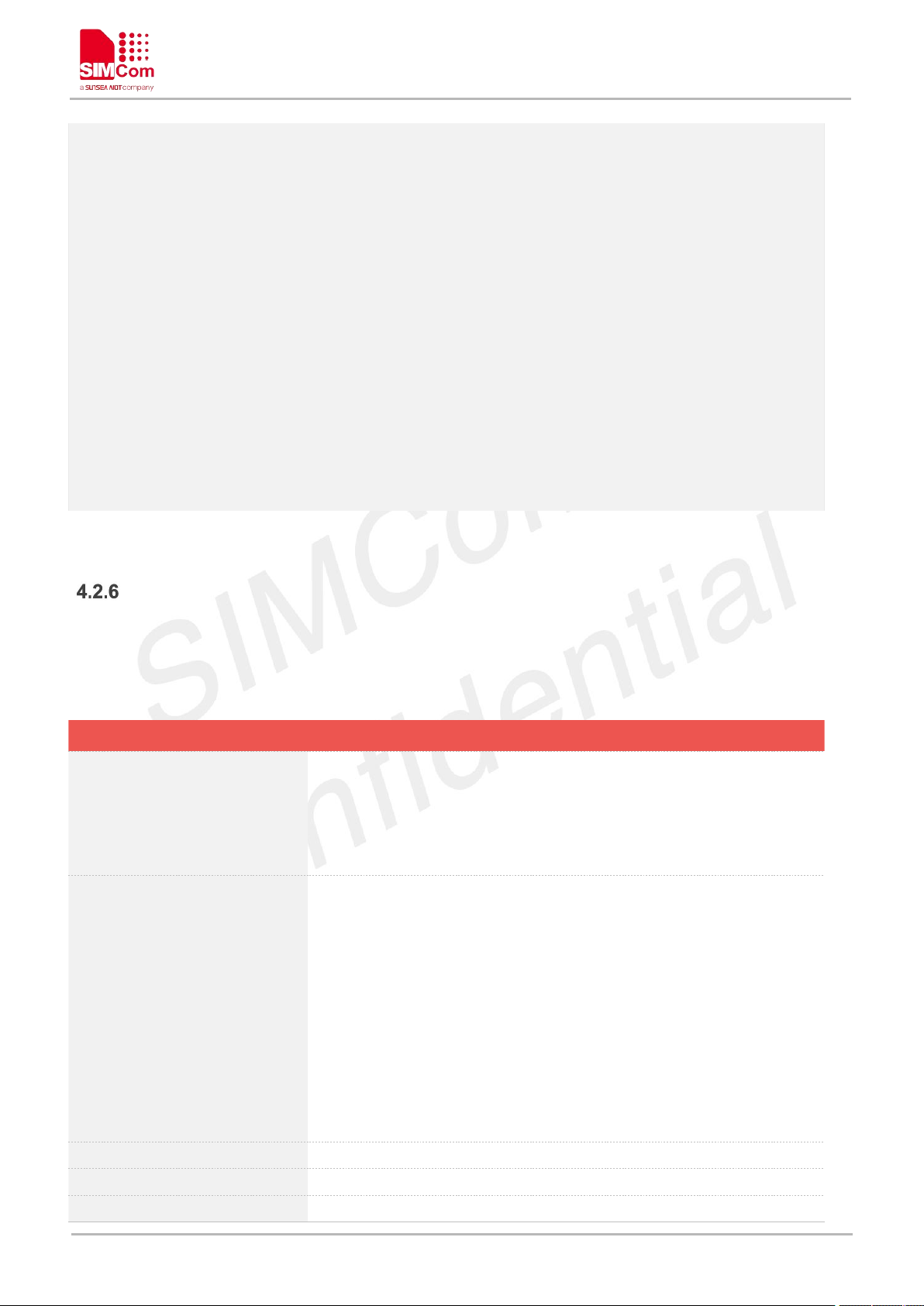
A7600 Series_AT Command Manual_V1.02
AT+CPOL?
+CPOL: 1,2,"46001"
+CPOL: 2,2,"46001"
+CPOL: 3,2,"46001",0,0,0,1
+CPOL: 4,2,"46009",0,0,0,1
+CPOL: 5,2,"46001",0,0,1,0
+CPOL: 6,2,"46009",0,0,1,0
OK
AT+CPOL=1,2,"46001"
OK
AT+COPN Read operator names
Test Command
AT+COPN=?
Response
1)
OK
2)
ERROR
Execution Command
AT+COPN
Response
1)
+COPN: <numeric1>,<alpha1>[<CR><LF><CR><LF>
+COPN: <numeric2>,<alpha2>
[...]]
OK
2)
ERROR
3)
+CME ERROR: <err>
Parameter Saving Mode
NO_SAVE
Max Response Time
9000ms
Reference
3GPP TS 27.007
AT+COPN Read operator names
This command is used to return the list of operator names from the ME. Each operator code <numericX>
that has an alphanumeric equivalent <alphaX> in the ME memory shall be returned.
www.simcom.com 74 / 440
Page 76
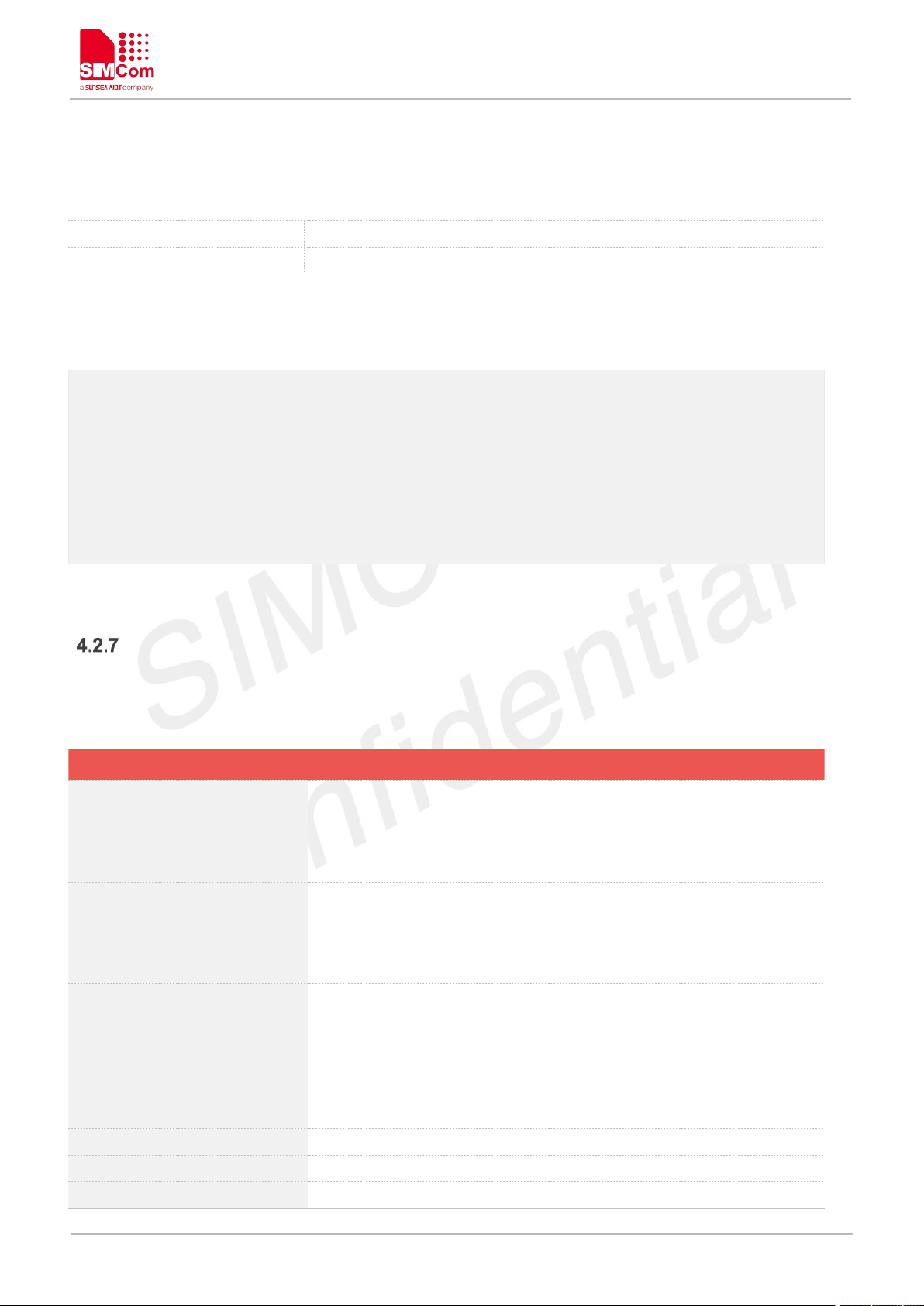
Defined Values
<numericX>
String type, operator in numeric format (see AT+COPS).
<alphaX>
String type, operator in long alphanumeric format (see AT+COPS).
AT+COPN=?
OK
AT+COPN
+COPN: "46000","CMCC"
+COPN: "46001","UNICOM"
……
OK
AT+CNMP Preferred mode selection
Test Command
AT+CNMP=?
Response
+CNMP: (list of supported <mode>s)
OK
Read Command
AT+CNMP?
Response
+CNMP: <mode>
OK
Write Command
AT+CNMP=<mode>
Response
1)
OK
2)If <mode> not supported by module, this command will return
ERROR.
ERROR
Parameter Saving Mode
AUTO_SAVE
Max Response Time
9000ms
Reference
3GPP TS 27.007
Examples
A7600 Series_AT Command Manual_V1.02
AT+CNMP Preferred mode selection
This command is used to select or set the state of the mode preference.
www.simcom.com 75 / 440
Page 77
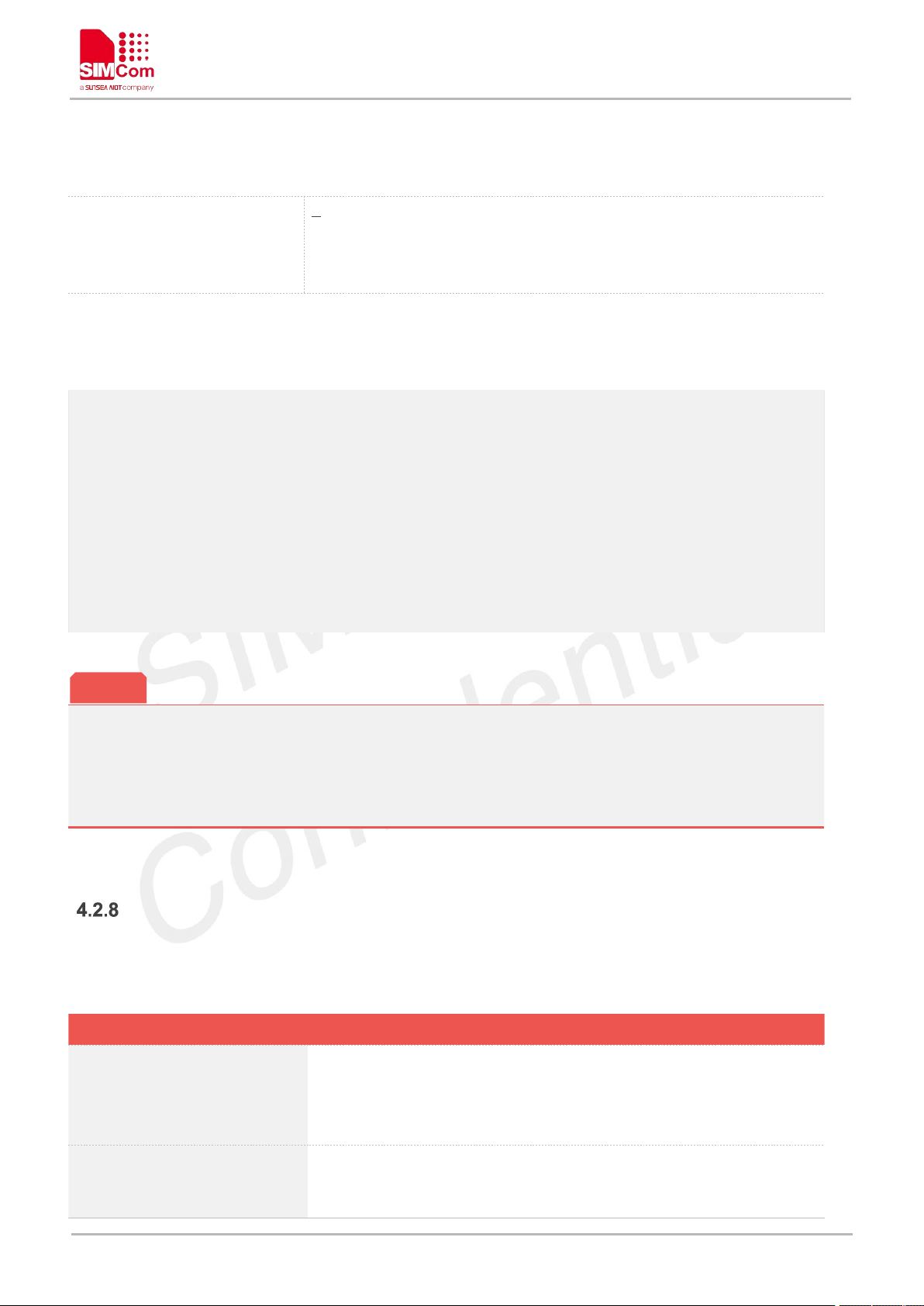
Defined Values
<mode>
2 Automatic
13 GSM Only
14 WCDMA Only
38 LTE Only
AT+CNMP=?
+CNMP: (2,13,14,38)
OK
AT+CNMP?
+CNMP: 2
OK
AT+CNMP=2
OK
1 The response will be returned immediately for Test Command and Read Command. The Max
Response Time for Write Command is 10 seconds.
2 The set value in Write Command will take efficient immediately;
AT+CNBP Preferred band selection
Read Command
AT+CNBP?
Response
+CNBP: <mode>[,<lte_mode>]
OK
Write Command
AT+CNBP=<mode>[,<lte_mo
de>]
Response
1)
OK
NOTE
Examples
A7600 Series_AT Command Manual_V1.02
AT+CNBP Preferred band selection
This command is used to select or set the state of the band preference.
www.simcom.com 76 / 440
Page 78

2)
ERROR
Parameter Saving Mode
NO_SAVE
Max Response Time
9000ms
Reference
3GPP TS 27.007
Defined Values
<mode>
64bit number, the value is "1" << "<pos>", then or by bit.
<pos>
Value:
0xFFFFFFFF7FFFFFFF Any (any value)
7 GSM_DCS_1800
8 GSM_EGSM_900
9 GSM_PGSM_900
16 GSM_450
17 GSM_480
18 GSM_750
19 GSM_850
20 GSM_RGSM_900
21 GSM_PCS_1900
22 WCDMA_IMT_2000
23 WCDMA_PCS_1900
24 WCDMA_III_1700
25 WCDMA_IV_1700
26 WCDMA_850
27 WCDMA_800
48 WCDMA_VII_2600
49 WCDMA_VIII_900
50 WCDMA_IX_1700
<lte_mode>
64 bit number, the value is "1" << "<lte_pos>", then or by bit.
NOTE: FDD(band1 ~ band32), TDD(band33 ~ band42)
<lte_pos>
Value:
0x000007FF3FDF3FFF Any (any value)
0 EUTRAN_BAND1(UL:1920-1980; DL:2110-2170)
1 EUTRAN_BAND2(UL:1850-1910; DL:1930-1990)
2 EUTRAN_BAND3(UL:1710-1785; DL:1805-1880)
3 EUTRAN_BAND4(UL:1710-1755; DL:2110-2155)
4 EUTRAN_BAND5(UL: 824-849; DL: 869-894)
5 EUTRAN_BAND6(UL: 830-840; DL: 875-885)
6 EUTRAN_BAND7(UL:2500-2570; DL:2620-2690)
7 EUTRAN_BAND8(UL: 880-915; DL: 925-960)
8 EUTRAN_BAND9(UL:1749.9-1784.9;
DL:1844.9-1879.9)
9 EUTRAN_BAND10(UL:1710-1770; DL:2110-2170)
A7600 Series_AT Command Manual_V1.02
www.simcom.com 77 / 440
Page 79

A7600 Series_AT Command Manual_V1.02
10 EUTRAN_BAND11(UL:1427.9-1452.9;
DL:1475.9-1500.9)
11 EUTRAN_BAND12(UL:698-716; DL:728-746)
12 EUTRAN_BAND13(UL: 777-787; DL: 746-756)
13 EUTRAN_BAND14(UL: 788-798; DL: 758-768)
16 EUTRAN_BAND17(UL: 704-716; DL: 734-746)
17 EUTRAN_BAND18(UL: 815-830; DL: 860-875)
18 EUTRAN_BAND19(UL: 830-845; DL: 875-890)
19 EUTRAN_BAND20(UL: 832-862; DL: 791-821)
20 EUTRAN_BAND21(UL:1447.9-1462.9; DL:
1495.9-1510.9)
22 EUTRAN_BAND23(UL: 2000-2020; DL: 2180-2200)
23 EUTRAN_BAND24(UL: 1626.5-1660.5; DL: 1525 -1559)
24 EUTRAN_BAND25(UL: 1850-1915; DL: 1930 -1995)
25 EUTRAN_BAND26(UL: 814-849; DL: 859 -894)
26 EUTRAN_BAND27(UL: 807.5-824; DL: 852 -869)
27 EUTRAN_BAND28(703-748; DL: 758-803)
28 EUTRAN_BAND29(UL:1850-1910 or 1710-1755;
DL:716-728)
29 EUTRAN_BAND30(UL: 2305-2315 ; DL: 2350 - 2360)
32 EUTRAN_BAND33(UL: 1900-1920; DL: 1900-1920)
33 EUTRAN_BAND34(UL: 2010-2025; DL: 2010-2025)
34 EUTRAN_BAND35(UL: 1850-1910; DL: 1850-1910)
35 EUTRAN_BAND36(UL: 1930-1990; DL: 1930-1990)
36 EUTRAN_BAND37(UL: 1910-1930; DL: 1910-1930)
37 EUTRAN_BAND38(UL: 2570-2620; DL: 2570-2620)
38 EUTRAN_BAND39(UL: 1880-1920; DL: 1880-1920)
39 EUTRAN_BAND40(UL: 2300-2400; DL: 2300-2400)
40 EUTRAN_BAND41(UL: 2496-2690; DL: 2496-2690)
41 EUTRAN_BAND42(UL: 3400-3600; DL: 3400-3600)
42 EUTRAN_BAND43(UL: 3600-3800; DL: 3600-3800)
AT+CNBP?
+CNBP: 0X0002000000400180,0X000001E200000095
OK
AT+CNBP=0X0002000000400180,0X000001E200000095
OK
Examples
www.simcom.com 78 / 440
Page 80

AT+CPSI Inquiring UE system information
AT+CPSI Inquiring UE system information
Read Command
AT+CPSI?
Response
1)If camping on a gsm cell:
+CPSI: <System Mode>,<Operation
Mode>,<MCC>-<MNC>,<LAC>,<Cell ID>,<Absolute RF Ch
Num>,<RxLev>,<Track LO Adjust>,<C1-C2>
OK
2)If camping on a wcdma cell:
+CPSI: <System Mode>,<Operation
Mode>,<MCC>-<MNC>,<LAC>,<Cell ID>,<Frequency
Band>,<PSC>,<Freq>,<SSC>,<EC/IO>,<RSCP>,<Qual>,<RxLev>,
<TXPWR>
OK
3)If camping on a lte cell:
+CPSI: <System Mode>,<Operation Mode>[,<MCC>-<MNC>,<TA
C>,<SCellID>,<PCellID>,<Frequency Band>,<earfcn>,<dlbw>,<
ulbw>,<RSRQ>,<RSRP>,<RSSI>,<RSSNR>]
OK
4)If no service:
+CPSI: NO SERVICE, Online
OK
5)
ERROR
Parameter Saving Mode
NO_SAVE
Max Response Time
9000ms
Reference
3GPP TS 27.007
<System Mode>
System mode, values: "NO SERVICE", "GSM", "WCDMA", "LTE"
<Operation Mode>
UE operation mode, values: "Unknown", "Online", "Offline", "Factory
Test Mode", "Reset", "Low Power Mode", "Flight Mode".
<MCC>
Mobile Country Code (first part of the PLMN code)
<MNC>
Mobile Network Code (second part of the PLMN code)
<LAC>
Location Area Code (hexadecimal digits)
This command is used to return the UE system information.
A7600 Series_AT Command Manual_V1.02
Defined Values
www.simcom.com 79 / 440
Page 81

A7600 Series_AT Command Manual_V1.02
<Cell ID>
Service-cell Identify.
<Absolute RF Ch Num>
AFRCN for service-cell.
<Track LO Adjust>
Track LO Adjust
<C1>
Coefficient for base station selection
<C2>
Coefficient for Cell re-selection
<Frequency Band>
Frequency Band of active set
<PSC>
Primary synchronization code of active set.
<Freq>
Downlink frequency of active set.
<SSC>
Secondary synchronization code of active set
<EC/IO>
Ec/Io value
<RSCP>
Received Signal Code Power
<Qual>
Quality value for base station selection
<RxLev>
RX level value for base station selection
<TXPWR>
UE TX power in dBm. If no TX, the value is 500.
<Cpid>
Cell Parameter ID
<TAC>
Tracing Area Code
<PCellID>
Physical Cell ID
<earfcn>
E-UTRA absolute radio frequency channel number for searching LTE
cells
<dlbw>
Transmission bandwidth configuration of the serving cell on the
downlink
<ulbw>
Transmission bandwidth configuration of the serving cell on the uplink
<RSRP>
Current reference signal received power in -1/10 dBm. Available for
LTE
<RSRQ>
Current reference signal receive quality as measured by L1.
<RSSNR>
Average reference signal signal-to-noise ratio of the serving cell
AT+CPSI?
+CPSI:
LTE,Online,460-01,0x230A,175499523,318,EUTRAN-BAND3,1650,5,0,21,67,255,19
OK
Examples
AT+CNSMOD Show network system mode
This command is used to return the current network system mode.
www.simcom.com 80 / 440
Page 82

A7600 Series_AT Command Manual_V1.02
AT+CNSMOD Show network system mode
Test Command
AT+CNSMOD=?
Response
+CNSMOD: (list of supported <n>s)
OK
Read Command
AT+CNSMOD?
Response
1)
+CNSMOD: <n>,<stat>
OK
2)
ERROR
3)
+CME ERROR: <err>
Write Command
AT+CNSMOD=<n>
Response
1)
OK
2)
ERROR
3)
+CME ERROR: <err>
Parameter Saving Mode
NO_SAVE
Max Response Time
9000ms
Reference
3GPP TS 27.007
<n>
0 disable auto report the network system mode information
1 auto report the network system mode information, command:
+CNSMOD: <stat>
<stat>
0 no service
1 GSM
2 GPRS
3 EGPRS (EDGE)
4 WCDMA
5 HSDPA only(WCDMA)
6 HSUPA only(WCDMA)
7 HSPA (HSDPA and HSUPA, WCDMA)
8 LTE
AT+CNSMOD=?
Defined Values
Examples
www.simcom.com 81 / 440
Page 83
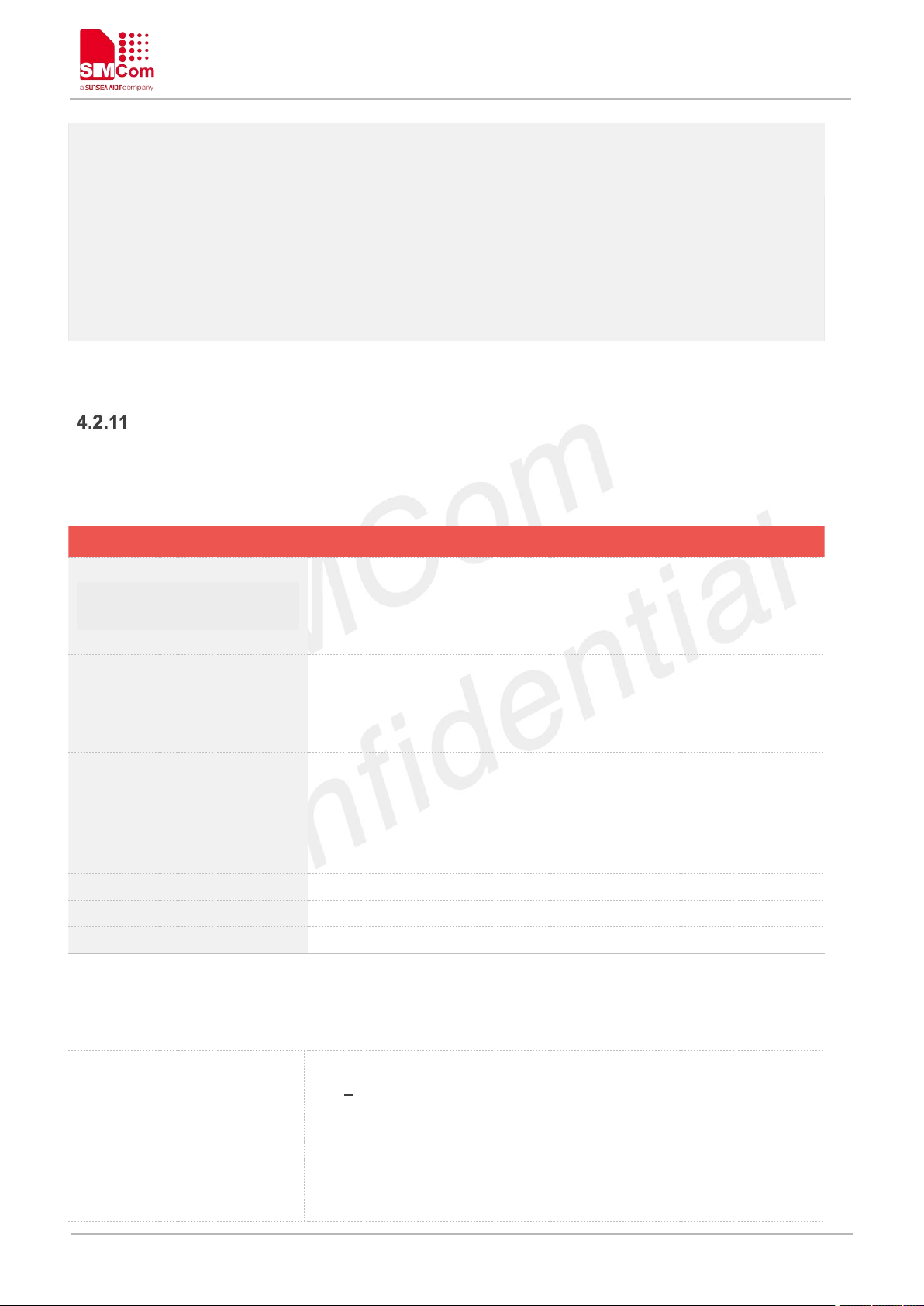
A7600 Series_AT Command Manual_V1.02
+CNSMOD: (0,1)
OK
AT+CNSMOD?
+CNSMOD: 0,8
OK
AT+CNSMOD=0
OK
AT+CTZU Automatic time and time zone update
Test Command
AT+CTZU=?
Response
+CTZU: (range of supported <on/off>s)
OK
Read Command
AT+CTZU?
Response
+CTZU: <on/off>
OK
Write Command
AT+CTZU=<on/off>
Response
1)
OK
2)
ERROR
Parameter Saving Mode
SAVE
Max Response Time
9000ms
Reference
3GPP TS 27.007
<on/off>
Integer type value indicating:
0 Disable automatic time zone update via NITZ (default).
1 Enable automatic time zone update via NITZ.
NOTE: 1. The value of <on/off> is nonvolatile, and factory value is 0.
2. For automatic time and time zone update is enabled
(+CTZU=1):
If time zone is only received from network and it isn’t equal
AT+CTZU Automatic time and time zone update
This command is used to enable and disable automatic time and time zone update via NITZ
Defined Values
www.simcom.com 82 / 440
Page 84
to local time zone (AT+CCLK), time zone is updated
automatically, and real time clock is updated based on local
time and the difference between time zone from network
and local time zone (Local time zone must be valid).
If Universal Time and time zone are received from network,
both time zone and real time clock is updated automatically,
and real time clock is based on Universal Time and time
zone from network.
Examples
AT+CTZU=?
+CTZU: (0-1)
OK
AT+CTZU?
+CTZU: 0
OK
AT+CTZU=0
OK
AT+CTZR Time and time zone reporting
Test Command
AT+CTZR=?
Response
+CTZR: (range of supported <on/off>s)
OK
Read Command
AT+CTZR?
Response
+CTZR: <on/off>
OK
Write Command
AT+CTZR=<on/off>
Response
1)
OK
2)
A7600 Series_AT Command Manual_V1.02
AT+CTZR Time and time zone reporting
This command is used to enable and disable the time zone change event reporting. If the reporting is
enabled the MT returns the unsolicited result code +CTZV: <tz>[,<time>][,<dst>]whenever the time zone is
changed.
www.simcom.com 83 / 440
Page 85

ERROR
Execution Command
AT+CTZR
Response
Set default value:
OK
Parameter Saving Mode
NO_SAVE
Max Response Time
9000ms
Reference
3GPP TS 27.007
Defined Values
<on/off>
Integer type value indicating:
0 Disable time zone change event reporting (default).
1 Enable time zone change event reporting.
+CTZV:
<tz>[,<time>][,<dst>]
Unsolicited result code when time zone received from network isn’t
equal to local time zone, and if the informations from network don’t
include date and time, time zone will be only reported, and if network
daylight saving time is present, it is also reported. For Examples:
+CTZV: 32 (Only report time zone)
+CTZV: 32,1 (Report time zone and network daylight saving
time)
+CTZV: 32,08/12/09,17:00:00 (Report time and time zone)
+CTZV: 32,08/12/09,17:00:00,1 (Report time, time zone and
daylight saving time)
For more detailed informations about time and time zone, please refer
3GPP TS 24.008.
<tz> Local time zone received from network.
<time> Universal time received from network, and the format
is "yy/MM/dd,hh:mm:ss", where characters indicate year
(two last digits), month, day, hour, minutes and seconds.
<dst> Network daylight saving time, and if it is received from
network, it indicates the value that has been used to
adjust the local time zone. The values as following:
0 No adjustment for Daylight Saving Time.
1 +1 hour adjustment for Daylight Saving Time.
2 +2 hours adjustment for Daylight Saving Time.
NOTE: Herein,<time> is Universal Time or NITZ time, but not local
time.
AT+CTZR=?
+CTZR: (0-1)
A7600 Series_AT Command Manual_V1.02
Examples
www.simcom.com 84 / 440
Page 86
A7600 Series_AT Command Manual_V1.02
OK
AT+CTZR?
+CTZR: 0
OK
AT+CTZR=0
OK
AT+CTZR
OK
The time zone reporting is not affected by the Automatic Time and Time Zone command AT+CTZU.
NOTE
www.simcom.com 85 / 440
Page 87
A7600 Series_AT Command Manual_V1.02
Command
Description
AT+CGERG
Network registration status
AT+CEREG
EPS network registration status
AT+CGATT
Packet domain attach or detach
AT+CGACT
PDP context activate or deactivate
AT+CGDCONT
Define PDP context
AT+CGDSCONT
Define Secondary PDP Context
AT+CGTFT
Traffic Flow Template
AT+CGQREQ
Quality of service profile (requested)
AT+CGEQREQ
3G quality of service profile (requested)
AT+CGQMIN
Quality of service profile (minimum acceptable)
AT+CGEQMIN
3G quality of service profile (minimum acceptable)
AT+CGDATA
Enter data state
AT+CGPADDR
Show PDP address
AT+CGCLASS
GPRS mobile station class
AT+CGEREP
GPRS event reporting
AT+CGAUTH
Set type of authentication for PDP-IP connections of GPRS
AT+CPING
Ping destination address
AT Commands for Packet Domain
Overview of AT Commands for Packet Domain
Detailed Description of AT Commands for Packet Domain
AT+CGREG Network registration status
This command controls the presentation of an unsolicited result code "+CGREG: <stat>" when <n>=1 and
there is a change in the MT's GPRS network registration status.
The read command returns the status of result code presentation and an integer <stat> which shows
Whether the network has currently indicated the registration of the MT.
www.simcom.com 86 / 440
Page 88

A7600 Series_AT Command Manual_V1.02
AT+CGREG Network registration status
Test Command
AT+CGREG=?
Response
+CGREG: (list of supported <n>s)
OK
Read Command
AT+CGREG?
Response
+CGREG: <n>,<stat>[,<lac>,<ci>]
OK
Write Command
AT+CGREG=<n>
Response
OK
Execution Command
AT+CGREG
Response
Set default value:0
OK
Parameter Saving Mode
NO_SAVE
Max Response Time
9000ms
Reference
3GPP TS 27.007
<n>
0 disable network registration unsolicited result code
1 enable network registration unsolicited result code +CGREG:
<stat>
2 there is a change in the ME network registration status or a
change of the network cell:
+CGREG: <stat>[,<lac>,<ci>]
<stat>
0 not registered, ME is not currently searching an operator to
register to
1 registered, home network
2 not registered, but ME is currently trying to attach or searching
an operator to register to
3 registration denied
4 unknown
5 registered, roaming
<lac>
Two byte location area code in hexadecimal format(e.g."00C3" equals
193 in decimal).
<ci>
Cell ID in hexadecimal format.
GSM: Maximum is two byte.
WCDMA: Maximum is four byte.
AT+CGREG=?
Defined Values
Examples
www.simcom.com 87 / 440
Page 89
A7600 Series_AT Command Manual_V1.02
+CGREG: (0-2)
OK
AT+CGREG?
+CGREG: 0,1
OK
AT+CGREG=1
OK
AT+CGREG
OK
AT+CEREG EPS network registration status
Test Command
AT+CEREG=?
Response
1)
+CEREG: (range of supported <n>s)
OK
2)
ERROR
Read Command
AT+CEREG?
Response
1)
+CEREG: <n>,<stat>[,<lac>,<ci>]
OK
2)
ERROR
Write Command
AT+CEREG=[<n>]
Response
1)
OK
2)
AT+CEREG EPS network registration status
The set command controls the presentation of an unsolicited result code +CEREG: <stat> when <n>=1 and
there is a change in the MT's EPS network registration status in E-UTRAN, or unsolicited result code
+CEREG: <stat>[,<tac>,<ci>[,<AcT>]] when <n>=2 and there is a change of the network cell in E-UTRAN;
in this latest case <AcT>,<tac> and <ci> are sent only if available.
The read command returns the status of result code presentation and an integer <stat> which shows
whether the network has currently indicated the registration of the MT. Location information elements
<tac>,<ci> and <AcT>, if available, are returned only when <n>=2 and MT is registered in the network.
www.simcom.com 88 / 440
Page 90

ERROR
3)
+CME ERROR: <err>
Execution Command
AT+CEREG
Response
1)
Set default value(<n>=0):
OK
2)
ERROR
Parameter Saving Mode
NO_SAVE
Max Response Time
9000ms
Reference
3GPP TS 24.008 [8]
Defined Values
<n>
0 disable network registration unsolicited result code
1 enable network registration unsolicited result code +CEREG:
<stat>
2 enable network registration and location information unsolicited
result code +CEREG: <stat>[,<tac>,<ci>[,<AcT>]]
<stat>
0 not registered, MT is not currently searching an operator to
register to
1 registered, home network
2 not registered, but MT is currently trying to attach or searching
an operator to register to
3 registration denied
4 unknown (e.g. out of E-UTRAN coverage)
5 registered, roaming
6 registered for "SMS only", home network (not applicable)
7 registered for "SMS only", roaming (not applicable)
8 attached for emergency bearer services only (See NOTE 2)
<tac>
string type; two byte tracking area code in hexadecimal format (e.g.
"00C3" equals 195 in decimal)
<ci>
string type; four byte E-UTRAN cell identify in hexadecimal format
<AcT>
A numberic parameter that indicates the access technology of serving
cell
0 GSM (not applicable)
1 GSM Compact (not applicable)
2 UTRAN (not applicable)
3 GSM w/EGPRS (see NOTE 3)(not applicable)
4 UTRAN w/HSDPA (see NOTE 4)(not applicable)
5 UTRAN w/HSUPA (see NOTE 4)(not applicable)
6 UTRAN w/HSDPA and HSUPA (see NOTE 4)(not applicable)
7 E-UTRAN
A7600 Series_AT Command Manual_V1.02
www.simcom.com 89 / 440
Page 91

Examples
AT+CEREG=?
+CEREG: (0-2)
OK
AT+CEREG?
+CEREG: 0,1
OK
AT+CEREG=1
OK
AT+CEREG
OK
If the EPS MT in GERAN/UTRAN/E-UTRAN also supports circuit mode services and/or GPRS
services, the +CREG command and +CREG: result codes and/or the +CGREG command and
+CGREG: result codes apply to the registration status and location information for those services.
AT+CGATT Packet domain attach or detach
Test Command
AT+CGATT=?
Response
1)
+CGATT: (list of supported <state>s)
OK
2)
ERROR
Read Command
AT+CGATT?
Response
1)
+CGATT: <state>
NOTE
A7600 Series_AT Command Manual_V1.02
AT+CGATT Packet domain attach or detach
The write command is used to attach the MT to, or detach the MT from, the Packet Domain service.
The read command returns the current Packet Domain service state.
www.simcom.com 90 / 440
Page 92

OK
2)
ERROR
Write Command
AT+CGATT=<state>
Response
1)
OK
2)
ERROR
3)
+CME ERROR: <err>
Parameter Saving Mode
NO_SAVE
Max Response Time
9000ms
Reference
3GPP TS 27.007
Defined Values
<state>
Indicates the state of Packet Domain attachment:
0 detached
1 attached
AT+CGATT=?
+CGATT: (0-1)
OK
AT+CGATT?
+CGATT: 1
OK
AT+CGATT=1
OK
AT+CGACT PDP context activate or deactivate
Test Command
AT+CGACT=?
Response
+CGACT: (list of supported <state>s)
A7600 Series_AT Command Manual_V1.02
Examples
AT+CGACT PDP context activate or deactivate
The write command is used to activate or deactivate the specified PDP context (s).
www.simcom.com 91 / 440
Page 93

A7600 Series_AT Command Manual_V1.02
OK
Read Command
AT+CGACT?
Response
+CGACT: [<cid>,<state>[<CR><LF>
+CGACT: <cid>,<state>[<CR><LF>
[...]]]
OK
Write Command
AT+CGACT=<state>[,<cid>]
Response
1)
OK
2)
ERROR
3)
+CME ERROR: <err>
4)PDP context has been activated:
CONNECT
5)PDP context has been deactivated:
NO CARRIER
Parameter Saving Mode
NO_SAVE
Max Response Time
9000ms
Reference
3GPP TS 27.007
<state>
Indicates the state of PDP context activation:
0 deactivated
1 activated
<cid>
A numeric parameter which specifies a particular PDP context
definition (see AT+CGDCONT command).
1…15
AT+CGACT=?
+CGACT: (0-1)
OK
AT+CGACT?
+CGACT: 1,1
OK
AT+CGACT=1,1
Defined Values
Examples
www.simcom.com 92 / 440
Page 94

A7600 Series_AT Command Manual_V1.02
OK
AT+CGDCONT Define PDP context
Test Command
AT+CGDCONT=?
Response
1)
+CGDCONT: (range of supported<cid>s),<PDP_type>,,,(list of
supported <d_comp>s),(list of supported <h_comp>s),(list of
<ipv4_ctrl>s),(list of <request_type>s)
OK
2)
ERROR
Read Command
AT+CGDCONT?
Response
1)
+CGDCONT:
<cid>,<PDP_type>,<APN>[[,<PDP_addr>],<d_comp>,<h_comp>,
<ipv4_ctrl>,<request_type>,<P-CSCF_discovery>,<IM_CN_Signa
lling_Flag_Ind>]<CR><LF>
+CGDCONT:
<cid>,<PDP_type>,<APN>[[,<PDP_addr>],<d_comp>,<h_comp>,
<ipv4_ctrl>,<request_type>,<P-CSCF_discovery>,<IM_CN_Signa
lling_Flag_Ind>]
OK
2)
ERROR
Write Command
AT+CGDCONT=<cid>[,<PDP
_type>[,<APN>[,<PDP_addr>
[,<d_comp>[,<h_comp>][,<ip
v4_ctrl>[,<request_type>]]]]]
]
Response
1)
OK
2)
ERROR
Execution Command
AT+CGDCONT
Response
1)
AT+CGDCONT Define PDP context
The set command specifies PDP context parameter values for a PDP context identified by the (local)context
identification parameter <cid>. The number of PDP contexts that may be in a defined state at the same time
is given by the range returned by the test command. A special form of the write command
(AT+CGDCONT=<cid>)causes the values for context <cid> to become undefined.
www.simcom.com 93 / 440
Page 95

OK
2)
ERROR
Parameter Saving Mode
AUTO_SAVE
Max Response Time
9000ms
Reference
3GPP TS 27.007
Defined Values
<cid>
(PDP Context Identifier)a numeric parameter which specifies a
particular PDP context definition. The parameter is local to the TE-MT
interface and is used in other PDP context-related commands. The
range of permitted values (minimum value=1)is returned by the test
form of the command.
1…15
<PDP_type>
(Packet Data Protocol type)a string parameter which specifies the type
of packet data protocol.
IP Internet Protocol
IPV6 Internet Protocol Version 6
IPV4V6 Dual PDN Stack
<APN>
(Access Point Name)a string parameter which is a logical name that is
used to select the GGSN or the external packet data network.
<PDP_addr>
A string parameter that identifies the MT in the address space
applicable to the PDP. This parameter will be omitted when PDP_type
is PPP type.
Read command will continue to return the null string even if an
address has been allocated during the PDP startup procedure. The
allocated address may be read using command AT+CGPADDR.
<d_comp>
A numeric parameter that controls PDP data compression, this value
may depend on platform:
0 off (default if value is omitted)
1 on
2 V.42bis
<h_comp>
A numeric parameter that controls PDP header compression, this
value may depend on platform:
0 off (default if value is omitted)
1 RFC1144
<ipv4_ctrl>
Parameter that controls how the MT/TA requests to get the IPv4
address information:
0 Address Allocation through NAS Signaling
1 on
<request_type>
integer type; indicates the type of PDP context activation request for
the PDP context, see 3GPP TS 24.301 [83] (subclause 6.5.1.2)and
3GPP TS 24.008 [8] (subclause 10.5.6.17). If the initial PDP context is
A7600 Series_AT Command Manual_V1.02
www.simcom.com 94 / 440
Page 96

A7600 Series_AT Command Manual_V1.02
supported (see subclause 10.1.0)it is not allowed to assign <cid>=0
for emergency bearer services. According to 3GPP TS 24.008 [8]
(subclause 4.2.4.2.2 and subclause 4.2.5.1.4)and 3GPP TS 24.301
[83] (subclause 5.2.2.3.3 and subclause 5.2.3.2.2), a separate PDP
context must be established for emergency bearer services.
NOTE 4: If the PDP context for emergency bearer services is the only
activated context, only emergency calls are allowed, see 3GPP TS
23.401 [82] subclause 4.3.12.9.
0 PDP context is for new PDP context establishment or for
handover from a non-3GPP access network (how the MT
decides whether the PDP context is for new PDP context
establishment or for handover is implementation specific)
1 PDP context is for emergency bearer services
2 PDP context is for new PDP context establishment
<P-CSCF_discovery>
integer type; influences how the MT/TA requests to get the P-CSCF
address, see 3GPP TS 24.229 [89] annex B and annex L.
0 Preference of P-CSCF address discovery not influenced by
+CGDCONT
1 Preference of P-CSCF address discovery through NAS
signalling
2 Preference of P-CSCF address discovery through DHCP
<IM_CN_Signalling_Flag_In
d>
integer type; indicates to the network whether the PDP context is for
IM CN subsystem-related signalling only or not.
0 UE indicates that the PDP context is not for IM CN
subsystem-related signalling only
1 UE indicates that the PDP context is for IM CN
subsystem-related signalling only
AT+CGDCONT=?
+CGDCONT: (1-15),"IP",,,(0-2),(0-1),(0-1),(0-2)
+CGDCONT: (1-15),"IPV6",,,(0-2),(0-1),(0-1),(0-2)
+CGDCONT: (1-15),"IPV4V6",,,(0-2),(0-1),(0-1),(0-2)
OK
AT+CGDCONT?
+CGDCONT: 1,"IP",""
OK
AT+CGDCONT=1,"IP","cnnet"
OK
AT+CGDCONT
OK
Examples
www.simcom.com 95 / 440
Page 97

A7600 Series_AT Command Manual_V1.02
AT+CGDSCONT Define Secondary PDP Context
Test Command
AT+CGDSCONT=?
Response
1)
+CGDSCONT: (range of supported <cid>s),(list of <p_cid>s for
active primary contexts),<PDP_type>,(list of supported
<d_comp>s),(list of supported <h_comp>s)
OK
2)
ERROR
Read Command
AT+CGDSCONT?
Response
1)
+CGDSCONT: [<cid>,<p_cid>,<d_comp>,<h_comp>
[<CR><LF>+CGDSCONT: <cid>,<p_cid>,<d_comp>,<h_comp>
[...]]]
OK
2)
ERROR
Write Command
AT+CGDSCONT=<cid>[,<p_
cid>[,<d_comp>[,<h_comp>]
]]
Response
1)
OK
2)
ERROR
Parameter Saving Mode
NO_SAVE
Max Response Time
9000ms
Reference
3GPP TS 27.007
<cid>
a numeric parameter which specifies a particular PDP context
definition. The parameter is local to the TE-MT interface and is used in
other PDP context-related commands. The range of permitted values
AT+CGDSCONT Define Secondary PDP Context
The set command specifies PDP context parameter values for a Secondary PDP context identified by the
(local)context identification parameter,<cid>. The number of PDP contexts that may be in a defined state at
the same time is given by the range returned by the test command. A special form of the set command,
AT+CGDSCONT=<cid> causes the values for context number <cid> to become undefined.
Defined Values
www.simcom.com 96 / 440
Page 98

A7600 Series_AT Command Manual_V1.02
(minimum value=1)is returned by the test form of the command.
NOTE: The <cid>s for network-initiated PDP contexts have values
outside the ranges activated by the +CGACT.
<p_cid>
a numeric parameter which specifies a particular PDP context
definition which has been specified by use of the +CGDCONT
command and activated by the +CGACT. The parameter is local to the
TE-MT interface. The list of permitted values is returned by the test
form of the command.
<PDP_type>
(Packet Data Protocol type)a string parameter which specifies the type
of packet data protocol.
IP Internet Protocol
PPP Point to Point Protocol
IPV6 Internet Protocol Version 6
IPV4V6 Dual PDN Stack
<d_comp>
a numeric parameter that controls PDP data compression (applicable
for SNDCPonly)(refer 3GPP TS 44.065 [61])
0 off
1 on (manufacturer preferred compression)
2 V.42bis
Other values are reserved.
<h_comp>
a numeric parameter that controls PDP header compression (refer
3GPP TS 44.065 [61] and 3GPP TS 25.323 [62])
0 off
1 RFC1144
2 RFC2507
Other values are reserved.
AT+CGDSCONT=?
+CGDSCONT: (2,3,4,5,6,7,8,9,10,11,12,13,14,15),(1),"IP",(0-2),(0-1)
+CGDSCONT: (2,3,4,5,6,7,8,9,10,11,12,13,14,15),(1),"PPP",(0-2),(0-1)
+CGDSCONT: (2,3,4,5,6,7,8,9,10,11,12,13,14,15),(1),"IPV6",(0-2),(0-1)
+CGDSCONT: (2,3,4,5,6,7,8,9,10,11,12,13,14,15),(1),"IPV4V6",(0-2),(0-1)
OK
AT+CGDSCONT?
+CGDSCONT:
OK
AT+CGDSCONT=4,2
+CME ERROR: operation not supported
Examples
www.simcom.com 97 / 440
Page 99

A7600 Series_AT Command Manual_V1.02
AT+CGTFT Traffic Flow Template
Test Command
AT+CGTFT=?
Response
1)
+CGTFT: <PDP_type>,(list of supported <packet filter
identifier>s),(list of supported <evaluation precedence
index>s),(list of supported <source address and subnet
mask>s),(list of supported <protocol number (ipv4)/ next header
(ipv6)>s),(list of supported <destination port range>s),(list of
supported <source port range>s),(list of supported <ipsec security
parameter index (spi)>s),(list of supported <type of service
(tos)(ipv4)and mask / traffic class (ipv6)and mask>s),(list of
supported <flow label (ipv6)>s),(list of supported <direction>s),(list
of supported <local address and subnet mask>s),(range of
supported <QRI>s),(list of supported <traffic_segregation>s)
[<CR><LF>+CGTFT: <PDP_type>,(list of supported <packet filter
identifier>s),(list of supported <evaluation precedence
index>s),(list of supported <source address and subnet
mask>s),(list of supported <protocol number (ipv4)/ next header
(ipv6)>s),(list of supported <destination port range>s),(list of
supported <source port range>s),(list of supported <ipsec security
parameter index (spi)>s),(list of supported <type of service
(tos)(ipv4)and mask / traffic class (ipv6)and mask>s),(list of
supported <flow label (ipv6)>s),(list of supported <direction>s),(list
of supported <local address and subnet mask>s),(range of
supported <QRI>s),(list of supported <traffic_segregation>s)
[...]]
OK
2)
ERROR
Read Command
AT+CGTFT?
Response
1)
+CGTFT: [<cid>,<packet filter identifier>,<evaluation precedence
index>,<source address and subnet mask>,<protocol number
AT+CGTFT Traffic Flow Template
This command allows the TE to specify a Packet Filter - PF for a Traffic Flow Template - TFT that is used in
the GGSN in UMTS/GPRS and Packet GW in EPS for routing of packets onto different QoS flows towards
the TE. The concept is further described in the 3GPP TS 23.060 [47]. A TFT consists of from one and up to
15 Packet Filters, each identified by a unique <packet filter identifier>. A Packet Filter also has an
<evaluation precedence index> that is unique within all TFTs associated with all PDP contexts that are
associated with the same PDP address.
www.simcom.com 98 / 440
Page 100

A7600 Series_AT Command Manual_V1.02
(ipv4)/ next header (ipv6)>,<source port range>,<destination port
range>,<ipsec security parameter index (spi)>,<type of service
(tos)(ipv4)and mask / traffic class (ipv6)and mask>,<direction>
[<CR><LF>+CGTFT: <cid>,<packet filter identifier>,<evaluation
precedence index>,<source address and subnet
mask>,<protocol number (ipv4)/ next header (ipv6)>,<source
port range>,<destination port range>,<ipsec security parameter
index (spi)>,<type of service (tos)(ipv4)and mask / traffic class
(ipv6)and mask>,<direction>
[...]]]
OK
2)
ERROR
Write Command
AT+CGTFT=<cid>[,[<packet
filter identifier>,<evaluation
precedence index>[,<source
address and subnet
mask>[,<protocol number
(ipv4)/ next header
(ipv6)>[,<destination port
range>[,<source port
range>[,<ipsec security
parameter index
(spi)>[,<type of service
(tos)(ipv4)and mask / traffic
class (ipv6)and
mask>[,<flow label
(ipv6)>[,<direction>]]]]]]]]]]
Response
1)
OK
2)
ERROR
Execution Command
AT+CGTFT
Response
OK
Parameter Saving Mode
NO_SAVE
Max Response Time
9000ms
Reference
3GPP TS 27.007
<cid>
a numeric parameter which specifies a particular PDP context
definition (see the AT+CGDCONT and AT+CGDSCONT commands).
<PDP_type>
(Packet Data Protocol type)a string parameter which specifies the type
of packet data protocol.
IP Internet Protocol
Defined Values
www.simcom.com 99 / 440
 Loading...