

Page 1
VCC3
Video Conference Cable Kit (3 ft)
User guide for the Shure Video Conference Cable (3 ft.)
Version: 3 (2019-K)
Page 2

Table of Contents
VCC3Video Conference Cable Kit (3 ft) 3
Shure Incorporated
VCC3 3
Included Components 4
2/5
Page 3
VCC3 Video Conference Cable Kit (3 ft)
VCC3
Shure Incorporated
The VCC3 (Video Conference Cable Kit) connects the analog block inputs and outputs of Shure microphone processors, in
cluding the IntelliMix P300 Audio Processor, ANIUSBMATRIX Audio Network Interface and ANI22BLOCK Audio Network In
terface, to leading Cisco codecs, including the SX and Room series.
®
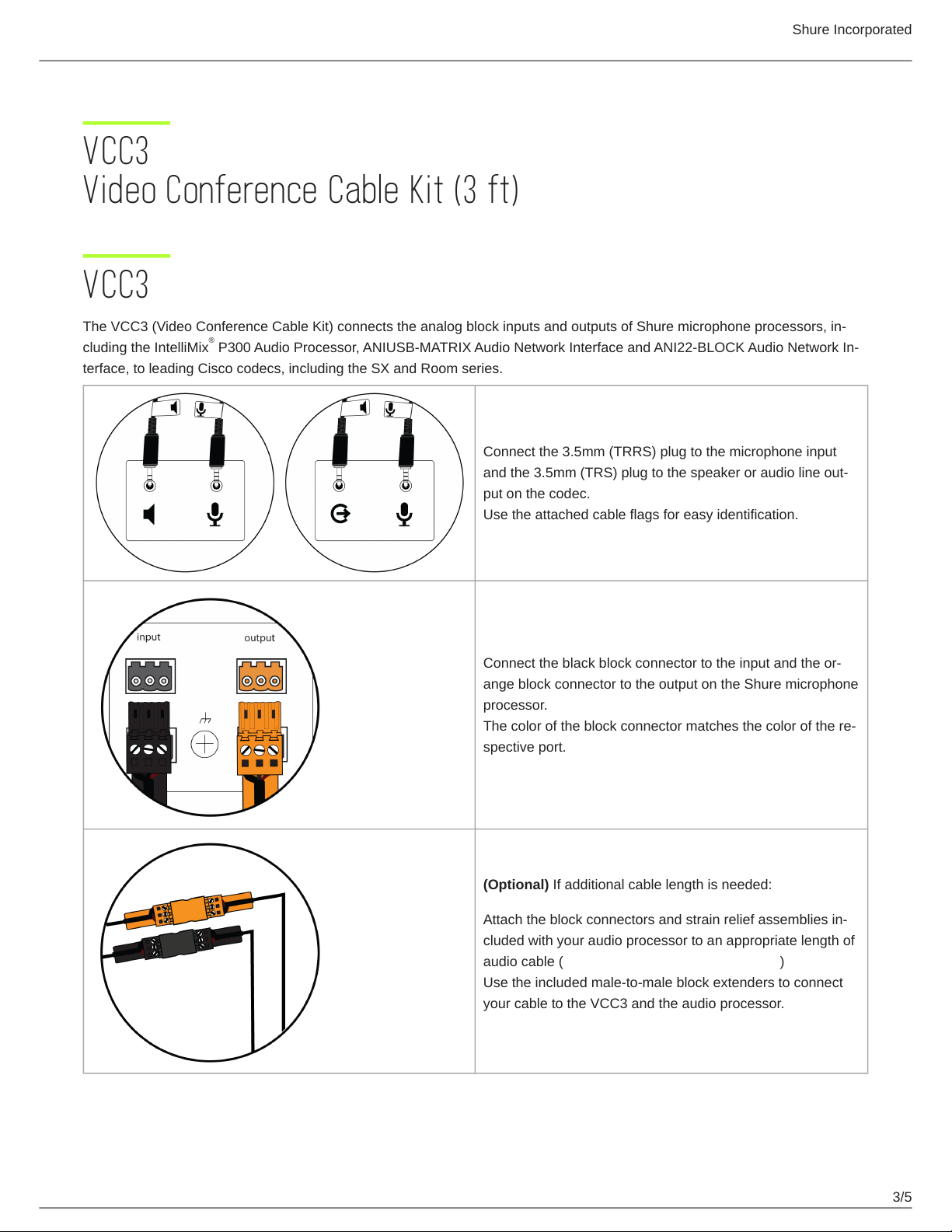
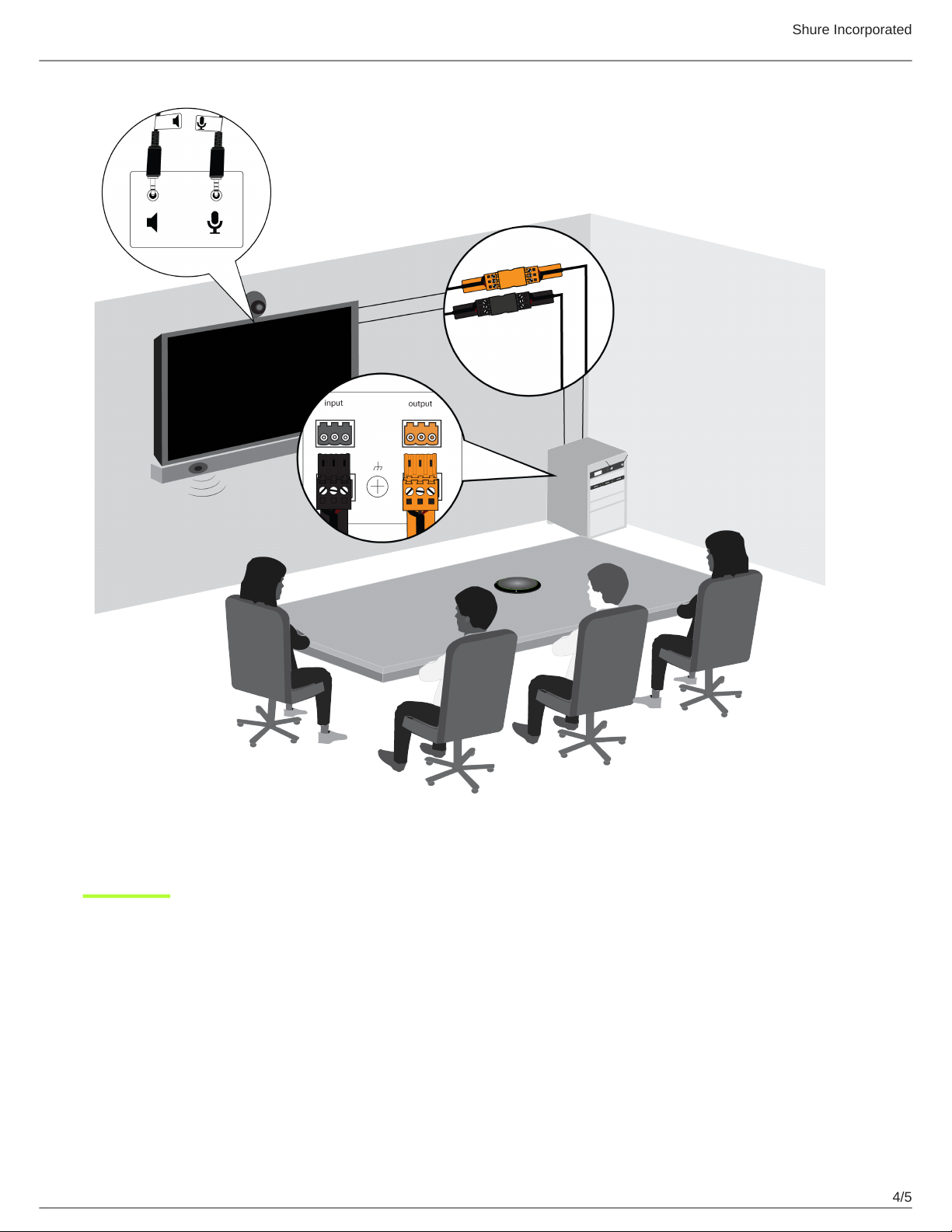
Connect the 3.5mm (TRRS) plug to the microphone input
and the 3.5mm (TRS) plug to the speaker or audio line out
put on the codec.
Use the attached cable flags for easy identification.
Connect the black block connector to the input and the or
ange block connector to the output on the Shure microphone
processor.
The color of the block connector matches the color of the re
spective port.
(Optional) If additional cable length is needed:
Attach the block connectors and strain relief assemblies in
cluded with your audio processor to an appropriate length of
audio cable (click here for assembly instructions)
Use the included male-to-male block extenders to connect
your cable to the VCC3 and the audio processor.
3/5
Page 4
Shure Incorporated
4/5
Page 5
Included Components
Shure Incorporated
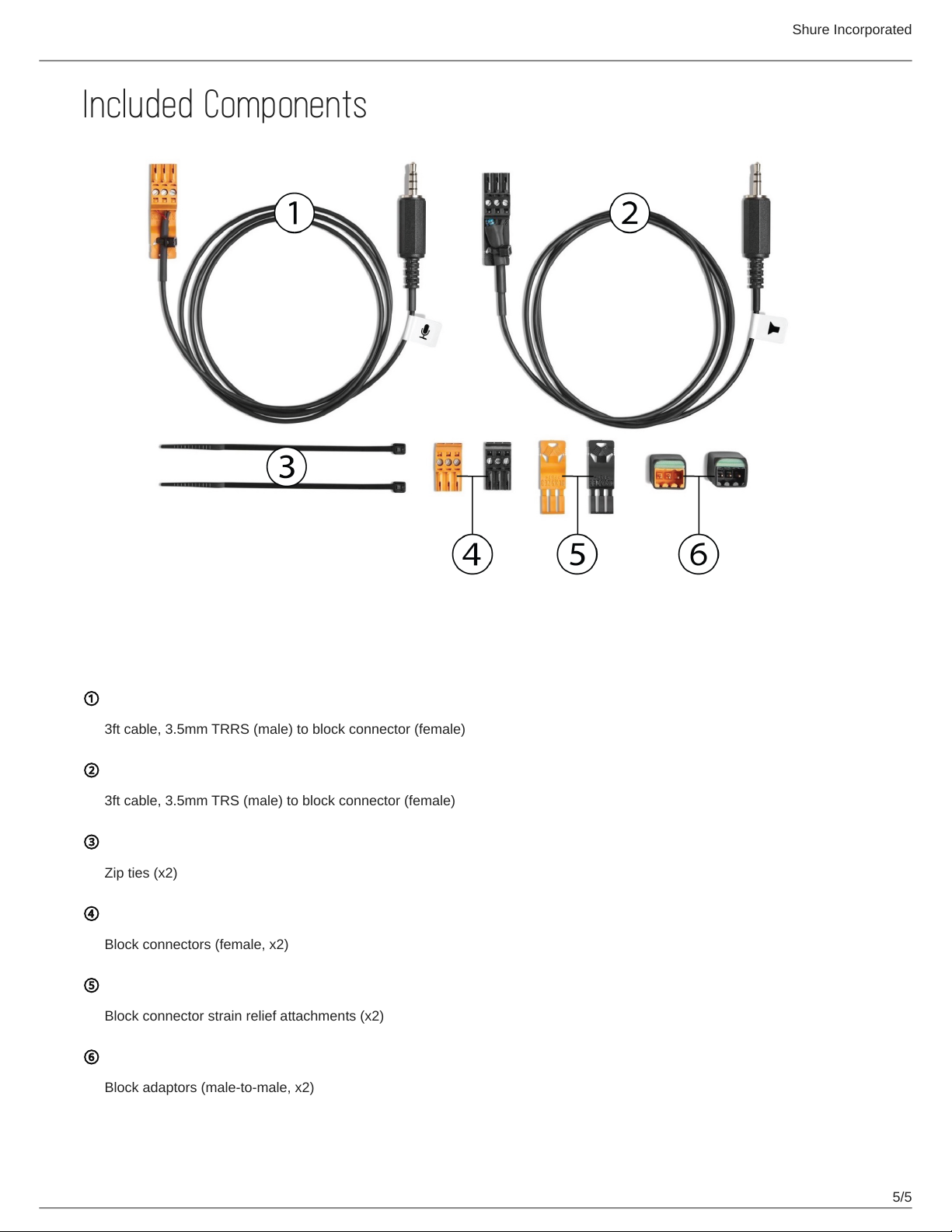
①
3ft cable, 3.5mm TRRS (male) to block connector (female)
②
3ft cable, 3.5mm TRS (male) to block connector (female)
③
Zip ties (x2)
④
Block connectors (female, x2)
⑤
Block connector strain relief attachments (x2)
⑥
Block adaptors (male-to-male, x2)
5/5
 Loading...