

Page 1
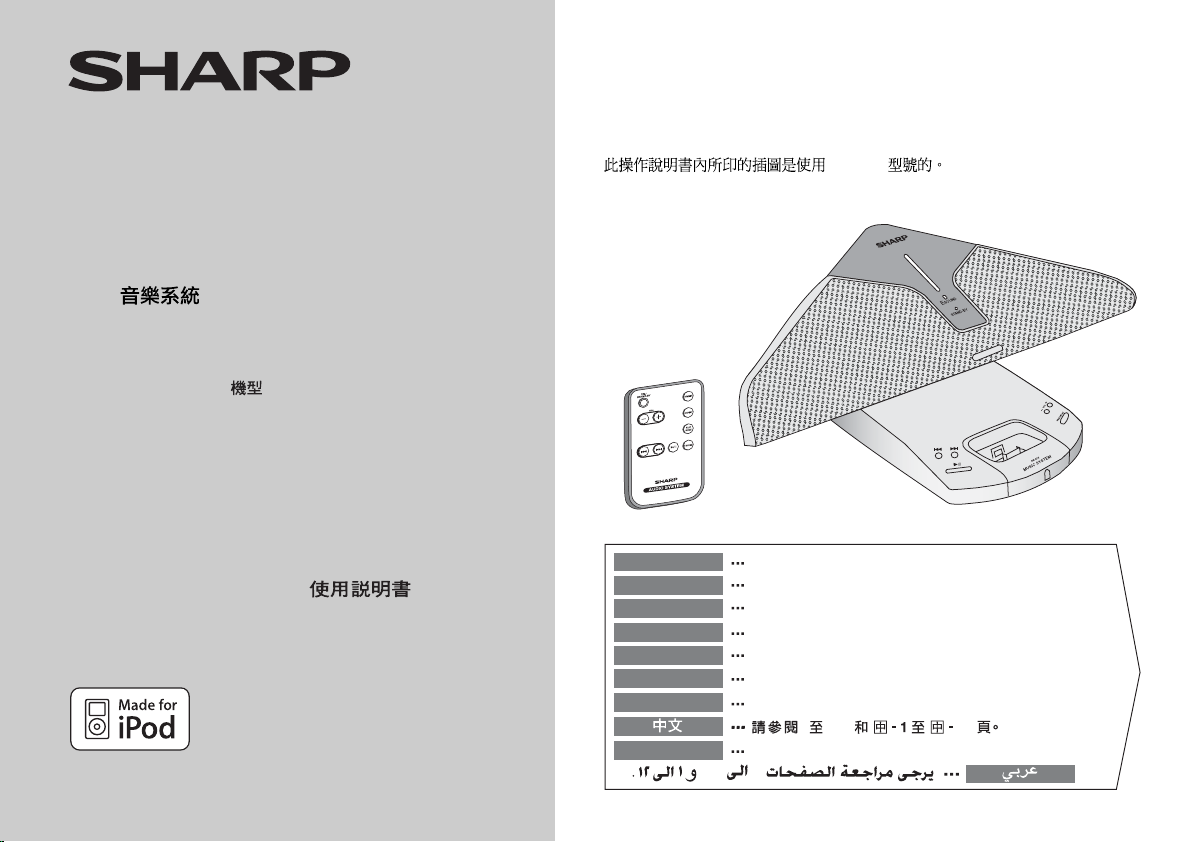
TSIS
E
ÄL
AKISUM
G
N
I
NAIPM
ZUM
TSIS
E
UM OT
KEI
M
ED AM
Ú
doPi
MODELL
MODÈLE
MODELO
MODELL
MODELLO
MODEL
MODELO
MODEL
DK-AP2
D
L
L
B
oPi RÜF METSYS-KISUM
d
d
OP LACISUM EMÈTSYS
LACISUM AM
AP
F GNING
Ö
L
ACIS
OV MEETSYS
O
oPi R
U
doPi AR
doPi R
doPi REP E
doPi R
i A
AP ACIS
R
doP
D
sA
s inoizartsulli eL
nidleebfa e
etapmat
ni neg
m ec snad seésilitu snoitartsulli se
e’d edo
nsivnaskurb anned i anredli
elläg gni
unam ots
euq ni
kiurbeg ezed
ela
z gni
zjiwnaas
2PA-KD
s ojenam ed launam etse ne saserpmi senoicartsuli sa
led no
.2PA-KD nepytlledom röf r
dreesabeg nji
ap oãs seõçarepo ed launam etsen sasserpmi seõçartsuli
.2PA-KD lledoM sad rüf dnis gnutielnasgnuneideB reseid ni negnudlibbA ei
.2PA-KD elèdom el ruop tnos iolpm
.2P
D oledom
A-K
m li rep onos inoizurtsi id
olledo
.2PA-KD ledom eht rof era launam noitarepo siht ni detnirp snoitartsulli ehT
.2PA-KD
edom 2PA-KD teh po
.l
.2PA-KD oledom o ar
doPi ROF METSYS CISUM
A
KD
-
BEDIENUNGSANLEITUNG
MODE D’EMPLOI
MANUAL DE MANEJO
BRUKSANVISNING
MANUALE DI ISTRUZIONI
(
2P
iPod is a trademark of Apple Inc.,
registered in the U.S. and other countries.
)
KB
GEBRUIKSAANWIJZING
MANUAL DE OPERAÇÃO
OPERATION MANUAL
DEUTSCH
FRANÇAIS
ESPAÑOL
SVENSKA
ITALIANO
NEDERLANDS
PORTUGUÊS
ENGLISH
viii i
Siehe Seiten i bis viii und D-1 bis D-12.
Se reporter aux pages i à viii et F-1 à F-12.
Consulte las páginas i a viii y S-1 a S-12.
Hänvisa till sidorna i till viii och V-1 till V-12.
Leggere le pagine i a viii e I-1 a I-12.
Raadpleeg de bladzijden i t/m viii en N-1 t/m N-12.
Favor consultar as páginas i a viii e P-1 a P-12.
12i Viii
Please refer to pages i to viii and E-1 to E-12.
Page 2
DK-AP2
DK-AP2(BK)
i
Page 3
DK-AP2
DK-AP2(BK)
ii
Page 4
DK-AP2
DK-AP2(BK)
iii
Page 5
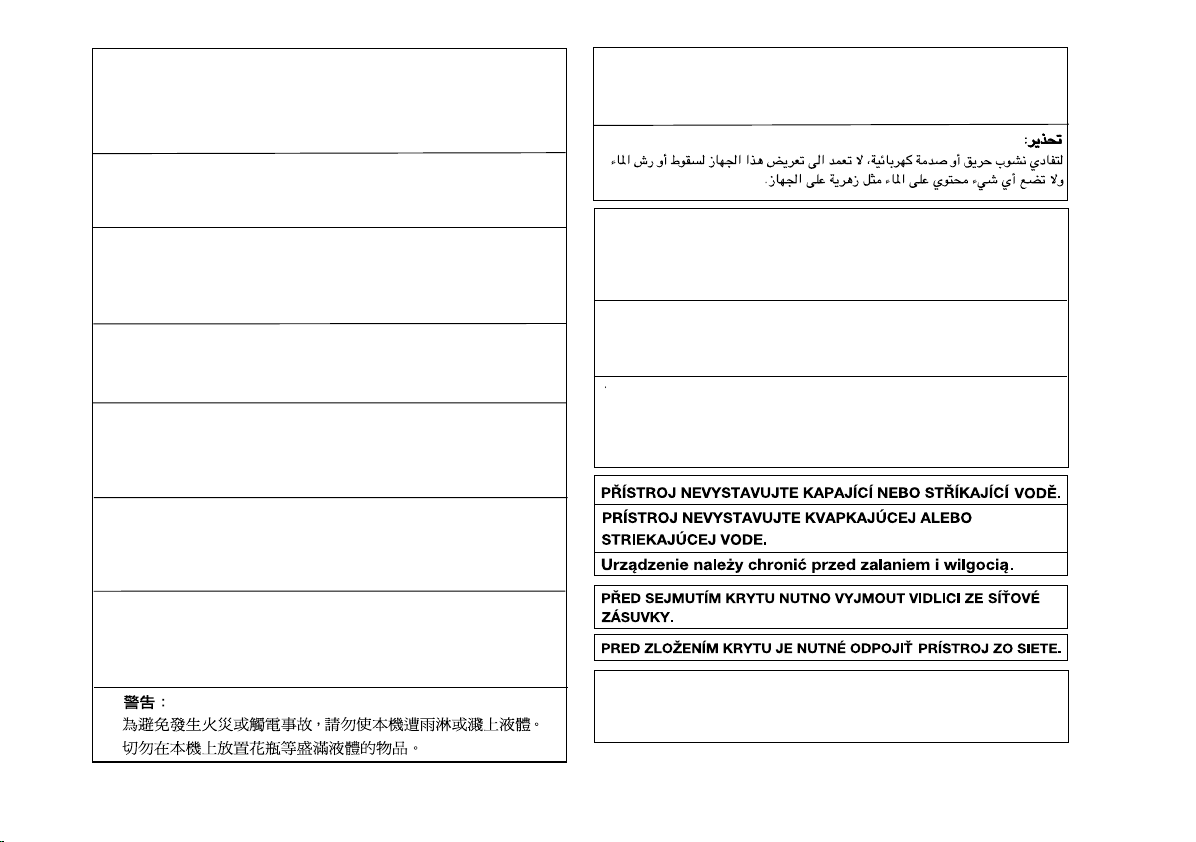
Vorsicht:
Das Gerät weder Tropf- noch Spritzwasser aussetzen.
Ansonsten besteht die Gefahr eines Brandes oder
elektrischen Schlages. Es dürfen keine mit Flüssigkeiten
gefüllten Gegenstände wie Vasen auf dem Gerät abgestellt
werden.
Attention:
Pour éviter un incendie ou une secousse électrique, mettre
l’appareil à l’abri de l’eau (éclaboussure, goutte). Ne pas poser
sur l’appareil un récipient contenant du liquide.
Advertencia:
Para evitar incendios y descargas eléctricas, no exponga
el aparato a goteo o salpicadura de líquidos. No deberán
ponerse encima del aparato objetos que estén llenos de
líquido, como por ejemplo un florero.
Varning:
Utsätt inte enheten för dropp eller stänk för att förhindra
brand eller elektriska stötar. Inga vätskefyllda föremål
såsom vaser får placeras på enheten.
Attenzione:
Per prevenire incendi o scosse elettriche, non fare
gocciolare nessun liquido sull’apparecchio e non bagnarlo.
Non collocarvi sopra nessun oggetto riempito d’acqua,
come per esempio vasi.
Waarschuwing:
Stel het toestel niet bloot aan druipend of spattend water
om brand en elektrische schokken te voorkomen. Met
vloeistoffen gevulde voorwerpen, zoals vazen, mogen niet
op het toestel geplaatst worden.
Cuidado:
Para evitar incêndio ou choque elétrico, não exponha este
aparelho a gotejamento ou salpicamento de água. Não
coloque objetos com água como, por exemplo, um vaso de
flores, em cima do aparelho.
Warning:
To prevent fire or shock hazard, do not expose this appliance to dripping or splashing. No objects filled with liquids,
such as vases, shall be placed on the apparatus.
Advarsel:
Til at forbygge ild og stød risiko, lad vaere med at undsaette
denne indretning for drypning eller overstaenkning. Der må
ikke anbringes nogen genstande fyldt med vand, som for
eksempel vaser, på dette apparat.
Advarsel:
For å unngå brann eller kortslutning, utsett ikke produktet for
vann eller fuktighet. Gjenstander som inneholder vaeske, feks.
en blomstervase, må ikke plasseres oppå apparatet.
Varoitus:
Älä vie laitetta sateeseen tai kosteisiin tiloihin. Jos laite on
kostunut, anna sen kuivua ennen kuin käytät sitä
verkkovirralla. Nestettä sisältäviä astioita kuten esim.
kukkamaljakoita ei saa asettaa laitteen päälle.
DENNA APPARAT ÄR ANSLUTEN TILL 230 V
VÄXELSTRÖM NÄR STICKPROPPEN ÄR INSKJUTEN I
VÄGGUTTAGET. FÖR ATT FULLSTÄNDIGT KOPPLA IFRÅN
APPARATEN, V.G. DRAG UT STICKPROPPEN.
DK-AP2
DK-AP2(BK)
iv
Page 6
DK-AP2
DK-AP2(BK)
v
Entsorgungsinformationen
A. Entsorgungsinformationen für Benutzer aus
Privathaushalten
1. In der Europäischen Union
Achtung: Werfen Sie dieses Gerät zur Entsorgung bitte
nicht in den normalen Hausmüll!
Gemäß einer neuen EU-Richtlinie, die die ordnungsgemäße
Rücknahme, Behandlung und Verwertung von gebrauchten
Elektro- und Elektronikgeräten vorschreibt, müssen
elektrische und elektronische Altgeräte getrennt entsorgt
werden.
Nach der Einführung der Richtlinie in den EU-Mitgliedstaaten
können Privathaushalte ihre gebrauchten Elektro- und
Achtung: Ihr Produkt
trägt dieses Symbol.
Es besagt, dass
Elektro- und Elektronikgeräte nicht mit
dem Haushaltsmüll
entsorgt, sondern
einem getrennten
Rücknahmesystem
zugeführt werden
sollten.
Elektronikgeräte nun kostenlos an ausgewiesenen
Rücknahmestellen abgeben*.
In einigen Ländern* können Sie Altgeräte u.U. auch
kostenlos bei Ihrem Fachhändler abgeben, wenn Sie ein
vergleichbares neues Gerät kaufen.
*)
Weitere Einzelheiten erhalten Sie von Ihrer
Gemeindeverwaltung.
Wenn Ihre gebrauchten Elektro- und Elektronikgeräte
Batterien oder Akkus enthalten, sollten diese vorher
entnommen und gemäß örtlich geltenden Regelungen
getrennt entsorgt werden.
Durch die ordnungsgemäße Entsorgung tragen Sie dazu
bei, dass Altgeräte angemessen gesammelt, behandelt
und verwendet werden. Dies verhindert mögliche
schädliche Auswirkungen auf Umwelt und Gesundheit
durch eine unsachgemäße Entsorgung.
2. In anderen Ländern außerhalb der EU
Bitte erkundigen Sie sich bei Ihrer Gemeindeverwaltung
nach dem ordnungsgemäßen Verfahren zur Entsorgung
dieses Geräts.
Für die Schweiz: Gebrauchte Elektro- und Elektronikgeräte
können kostenlos beim Händler abgegeben werden, auch
wenn Sie kein neues Produkt kaufen. Weitere
Rücknahmesysteme finden Sie auf der Homepage von
www.swico.ch oder www.sens.ch.
B. Entsorgungsinformationen für gewerbliche
Nutzer
1. In der Europäischen Union
Wenn Sie dieses Produkt für gewerbliche Zwecke
genutzt haben und nun entsorgen möchten:
Bitte wenden Sie sich an Ihren SHARP Fachhändler, der
Sie über die Rücknahme des Produkts informieren kann.
Möglicherweise müssen Sie die Kosten für die
Rücknahme und Verwertung tragen. Kleine Produkte
(und kleine Mengen) können möglicherweise bei Ihrer
örtlichen Rücknahmestelle abgegeben werden.
Für Spanien: Bitte wenden Sie sich an das vorhandene
Rücknahmesystem oder Ihre Gemeindeverwaltung,
wenn Sie Fragen zur Rücknahme Ihrer Altgeräte haben.
2. In anderen Ländern außerhalb der EU
Bitte erkundigen Sie sich bei Ihrer Gemeindeverwaltung
nach dem ordnungsgemäßen Verfahren zur Entsorgung
dieses Geräts.
Informations sur la mise au rebut correcte
A. Informations sur la mise au rebut à l'intention
des utilisateurs privés (ménages)
1. Au sein de l'Union européenne
Attention : si vous souhaitez mettre cet appareil au rebut,
ne le jetez pas dans une poubelle ordinaire!
Les appareils électriques et électroniques usagés doivent
être traités séparément et conformément aux lois en
vigueur en matière de traitement, de récupération et de
recyclage adéquats de ces appareils.
Suite à la mise en oeuvre de ces dispositions dans les
Etats membres, les ménages résidant au sein de l'Union
européenne peuvent désormais ramener gratuitement*
Attention : votre produit comporte ce
symbole. Il signifie
que les produits
électriques et électroniques usagés ne
doivent pas être
mélangés avec les
déchets ménagers
généraux. Un
système de collecte
séparé est prévu
pour ces produits.
leurs appareils électriques et électroniques usagés sur
des sites de collecte désignés.
Dans certains pays*, votre détaillant reprendra
également gratuitement votre ancien produit si vous
achetez un produit neuf similaire.
*) Veuillez contacter votre administration locale pour plus
de renseignements.
Si votre appareil électrique ou électronique usagé
comporte des piles ou des accumulateurs, veuillez les
mettre séparément et préalablement au rebut
conformément à la législation locale en vigueur.
En veillant à la mise au rebut correcte de ce produit, vous
contribuerez à assurer le traitement, la récupération et le
recyclage nécessaires de ces déchets, et préviendrez
ainsi les effets néfastes potentiels de leur mauvaise
gestion sur l'environnement et la santé humaine.
2. Pays hors de l'Union européenne
Si vous souhaitez mettre ce produit au rebut, veuillez
contacter votre administration locale qui vous renseignera
sur la méthode d'élimination correcte de cet appareil.
Suisse : les équipements électriques ou électroniques
usagés peuvent être ramenés gratuitement au détaillant,
même si vous n'achetez pas un nouvel appareil. Pour obtenir
la liste des autres sites de collecte, veuillez vous reporter à la
page d'accueil du site www.swico.ch ou www.sens.ch.
B. Informations sur la mise au rebut à l'intention
des entreprises
1. Au sein de l'Union européenne
Si ce produit est utilisé dans le cadre des activités de
votre entreprise et que vous souhaitiez le mettre au rebut :
Veuillez contacter votre revendeur SHARP qui vous
informera des conditions de reprise du produit. Les frais
de reprise et de recyclage pourront vous être facturés. Les
produits de petite taille (et en petites quantités) pourront
être repris par vos organisations de collecte locales.
Espagne : veuillez contacter l'organisation de collecte
existante ou votre administration locale pour les
modalités de reprise de vos produits usagés.
2. Pays hors de l'Union européenne
Si vous souhaitez mettre ce produit au rebut, veuillez
contacter votre administration locale qui vous renseignera
sur la méthode d'élimination correcte de cet appareil.
Page 7
Información sobre la eliminación
A. Información sobre eliminación para
usuarios particulares
1. En la Unión Europea
Atención: si quiere desechar este equipo, ¡por favor no
utilice el cubo de la basura habitual!
Los equipos eléctricos y electrónicos usados deberían
tratarse por separado de acuerdo con la legislación que
requiere un tratamiento, una recuperación y un reciclaje
adecuados de los equipos eléctricos y electrónicos usados.
Tras la puesta en práctica por parte de los estados
miembros, los hogares de particulares dentro de los
estados de la Unión Europea pueden devolver sus
Atención: su producto está marcado
con este símbolo.
Significa que los
productos eléctricos
y electrónicos usados no deberían
mezclarse con los
residuos domésticos generales. Existe un sistema de
recogida independiente para estos
productos.
equipos eléctricos y electrónicos a los centros de
recogida designados sin coste alguno *.
En algunos países* es posible que también su vendedor
local se lleve su viejo producto sin coste alguno si Ud.
compra uno nuevo similar.
*) Por favor, póngase en contacto con su autoridad local
para obtener más detalles.
Si sus equipos eléctricos o electrónicos usados tienen
pilas o acumuladores, por favor deséchelos por separado
con antelación según los requisitos locales.
Al desechar este producto correctamente, ayudará a
asegurar que los residuos reciban el tratamiento, la
recuperación y el reciclaje necesarios, previniendo de esta
forma posibles efectos negativos en el medio ambiente y
la salud humana que de otra forma podrían producirse
debido a una manipulación de residuos inapropiada.
2. En otros países fuera de la Unión Europea
Si desea desechar este producto, por favor póngase en
contacto con las autoridades locales y pregunte por el
método de eliminación correcto.
Para Suiza: Los equipos eléctricos o electrónicos pueden
devolverse al vendedor sin coste alguno, incluso si no
compra ningún nuevo producto. Se puede encontrar una
lista de otros centros de recogida en la página principal
de www.swico.ch o www.sens.ch.
B. Información sobre Eliminación para
empresas usuarias
1. En la Unión Europea
Si el producto se utiliza en una empresa y quiere desecharlo:
Por favor póngase en contacto con su distribuidor
SHARP, quien le informará sobre la recogida del
producto. Puede ser que le cobren los costes de
recogida y reciclaje. Puede ser que los productos de
tamaño pequeño (y las cantidades pequeñas) sean
recogidos por sus centros de recogida locales.
Para España: por favor, póngase en contacto con el
sistema de recogida establecido o con las autoridades
locales para la recogida de los productos usados.
2. En otros países fuera de la Unión Europea
Si desea desechar este producto, por favor póngase en
contacto con sus autoridades locales y pregunte por el
método de eliminación correcto.
Information om återvinning
A. Information om återvinning av elektrisk
utrustning för hushåll
1. EU-länder
OBS! Kasta inte denna produkt i soporna!
Förbrukad elektrisk utrustning måste hanteras i enlighet
med gällande miljölagstiftning och återvinningsföreskrifter.
I enlighet med gällande EU-regler ska hushåll ha
möjlighet att lämna in elektrisk utrustning till
återvinningsstationer utan kostnad.* I vissa länder* kan
OBS! Produkten är
märkt med symbolen ovan. Denna
symbol indikerar att
elektroniska produkter inte ska kastas i det vanliga
hushållsavfallet eftersom det finns ett
separat avfallshanteringssystem för
dem.
det även hända att man gratis kan lämna in gamla
produkter till återförsäljaren när man köper en ny
liknande enhet.
*) Kontakta kommunen för vidare information.
Om utrustningen innehåller batterier eller ackumulatorer
ska dessa först avlägsnas och hanteras separat i enlighet
med gällande miljöföreskrifter.
Genom att hantera produkten i enlighet med dessa
föreskrifter kommer den att tas om hand och återvinnas
på tillämpligt sätt, vilket förhindrar potentiella negativa
hälso- och miljöeffekter.
2. Länder utanför EU
Kontakta de lokala myndigheterna och ta reda på
gällande sorterings- och återvinningsföreskrifter om du
behöver göra dig av med denna produkt.
B. Information om återvinning för företag
1. EU-länder
Gör så här om produkten ska kasseras:
Kontakta SHARPs återförsäljare för information om hur
man går till väga för att lämna tillbaka produkten. Det kan
hända att en avgift för transport och återvinning
tillkommer. Mindre skrymmande produkter (om det rör sig
om ett fåtal) kan eventuellt återlämnas till lokala
återvinningsstationer.
2. Länder utanför EU
Kontakta de lokala myndigheterna och ta reda på
gällande sorterings- och återvinningsföreskrifter om du
behöver göra dig av med denna produkt.
DK-AP2
DK-AP2(BK)
vi
Page 8
DK-AP2
DK-AP2(BK)
vii
Informazioni per un corretto smaltimento
A. Informazioni sullo smaltimento per gli utenti
(privati)
1. Nell'Unione europea
Attenzione: Per smaltire il presente dispositivo, non
utilizzare il normale bidone della spazzatura!
Le apparecchiature elettriche ed elettroniche usate
devono essere gestite a parte e in conformità alla
legislazione che richiede il trattamento, il recupero e il
riciclaggio adeguato dei suddetti prodotti.
In seguito alle disposizioni attuate dagli Stati membri, i
privati residenti nella UE possono conferire
Attenzione: Il dispositivo è contrassegnato da questo simbolo, che segnala di
non smaltire le apparecchiature elettriche ed elettroniche insieme ai
normali rifiuti domestici. Per tali prodotti è previsto un
sistema di raccolta
a parte.
gratuitamente le apparecchiature elettriche ed
elettroniche usate a centri di raccolta designati*.
In alcuni paesi*, anche il rivenditore locale può ritirare
gratuitamente il vecchio prodotto se l'utente acquista un
altro nuovo di tipologia simile.
*) Per maggiori informazioni si prega di contattare
l'autorità locale competente.
Se le apparecchiature elettriche o elettroniche usate
hanno batterie o accumulatori, l'utente dovrà smaltirli a
parte preventivamente in conformità alle disposizioni locali.
Lo smaltimento corretto del presente prodotto contribuirà
a garantire che i rifiuti siano sottoposti al trattamento, al
recupero e al riciclaggio necessari prevenendone il
potenziale impatto negativo sull'ambiente e sulla salute
umana, che potrebbe derivare da un'inadeguata gestione
dei rifiuti.
2. In paesi che non fanno parte dell'UE
Se si desidera eliminare il presente prodotto, contattare
le autorità locali e informarsi sul metodo di smaltimento
corretto.
Per la Svizzera: Le apparecchiature elettriche o
elettroniche usate possono essere restituite
gratuitamente al rivenditore, anche se non si acquista un
prodotto nuovo. Altri centri di raccolta sono elencati sulle
homepage di www.swico.ch o di www.sens.ch.
B. Informazioni sullo smaltimento per gli utenti
commerciali
1. Nell'Unione europea
Se il prodotto è impiegato a scopi commerciali,
procedere come segue per eliminarlo.
Contattare il proprio rivenditore SHARP che fornirà
informazioni circa il ritiro del prodotto. Potrebbero essere
addebitate le spese di ritiro e riciclaggio. Prodotti piccoli
(e quantitativi ridotti) potranno essere ritirati anche dai
centri di raccolta locali.
Per la Spagna: Contattare il sistema di raccolta ufficiale o
l'ente locale preposto al ritiro dei prodotti usati.
2. In paesi che non fanno parte dell'UE
Se si desidera eliminare il presente prodotto, contattare
le autorità locali e informarsi sul metodo di smaltimento
corretto.
Informatie over verantwoorde verwijdering
A. Informatie over afvalverwijdering voor
gebruikers (particuliere huishoudens)
1. In de Europese Unie
Let op: Deze apparatuur niet samen met het normale
huisafval weggooien!
Afgedankte elektrische en elektronische apparatuur moet
gescheiden worden ingezameld conform de wetgeving inzake
de verantwoorde verwerking, terugwinning en recycling van
afgedankte elektrische en elektronische apparatuur.
Na de invoering van de wet door de lidstaten mogen
particuliere huishoudens in de lidstaten van de Europese
Unie hun afgedankte elektrische en elektronische
Let op: Uw product
is van dit merkteken
voorzien. Dit betekent dat afgedankte
elektrische en elektronische apparatuur niet samen met
het normale huisafval mogen worden
weggegooid. Er
bestaat een afzonderlijk inzamelingssysteem voor deze
producten.
apparatuur kosteloos* naar hiertoe aangewezen
inzamelingsinrichtingen brengen*.
In sommige landen* kunt u bij de aanschaf van een
nieuw apparaat het oude product kosteloos bij uw lokale
distributeur inleveren.
*) Neem contact op met de plaatselijke autoriteiten voor
verdere informatie.
Als uw elektrische of elektronische apparatuur batterijen
of accumulatoren bevat dan moet u deze afzonderlijk
conform de plaatselijke voorschriften weggooien.
Door dit product op een verantwoorde manier weg te
gooien, zorgt u ervoor dat het afval de juiste verwerking,
terugwinning en recycling ondergaat en potentiële
negatieve effecten op het milieu en de menselijke
gezondheid worden voorkomen die anders zouden
ontstaan door het verkeerd verwerken van het afval.
2. In andere landen buiten de Europese Unie
Als u dit product wilt weggooien, neem dan contact op
met de plaatselijke autoriteiten voor informatie omtrent
de juiste verwijderingsprocedure.
Voor Zwitserland: U kunt afgedankte elektrische en
elektronische apparatuur kosteloos bij de distributeur
inleveren, zelfs als u geen nieuw product koopt.
Aanvullende inzamelingsinrichtingen zijn vermeld op de
startpagina van www.swico.ch of www.sens.ch.
B. Informatie over afvalverwijdering voor
bedrijven
1. In de Europese Unie
Als u het product voor zakelijke doeleinden heeft gebruikt
en als u dit wilt weggooien:
Neem contact op met uw SHARP distributeur die u
inlichtingen verschaft over de terugname van het product.
Het kan zijn dat u een afvalverwijderingsbijdrage voor de
terugname en recycling moet betalen. Kleine producten
(en kleine hoeveelheden) kunnen door de lokale
inzamelingsinrichtingen worden verwerkt.
Voor Spanje: Neem contact op met de inzamelingsinrichting
of de lokale autoriteiten voor de terugname van uw
afgedankte producten.
2. In andere landen buiten de Europese Unie
Als u dit product wilt weggooien, neem dan contact op
met de plaatselijke autoriteiten voor informatie omtrent
de juiste verwijderingsprocedure.
Page 9

Informação sobre Eliminação de Produtos
A. Informações sobre a Eliminação de
Produtos para os Utilizadores (particulares)
1. Na União Europeia
Atenção: Se quiser eliminar este equipamento, não o
deve fazer juntamente com o lixo doméstico comum!
O equipamento eléctrico e electrónico deve ser tratado
separadamente e ao abrigo da legislação aplicável que obriga
a um tratamento, recuperação e reciclagem adequados de
equipamentos eléctricos e electrónicos usados.
Após a implementação desta legislação por parte dos
Estados-membros, todos os cidadãos residentes na
União Europeia poderão entregar o seu equipamento
Atenção: O seu produto está identificado com este símbolo. Significa que
os produtos eléctricos e electrónicos
não devem ser misturados com o lixo
doméstico comum.
Existe um sistema
de recolhas específi-
para estes pro-
co
dutos.
eléctrico e electrónico usado em estações de recolha
específicas a título gratuito*.
Em alguns países* o seu revendedor local também pode
recolher o seu equipamento usado a título gratuito na
compra de um novo equipamento.
*) Contacte as entidades locais para mais informações.
Se o seu equipamento eléctrico e electrónico usado
funcionar a pilhas ou baterias, deverá eliminálas em
separado, conforme a legislação local, e antes de
entregar o seu equipamento.
Ao eliminar este produto correctamente estará a contribuir
para que o lixo seja submetido aos processos de tratamento,
recuperação e reciclagem adequados. Desta forma é
possível evitar os efeitos nocivos que o tratamento
inadequado do lixo poderia provocar no ambiente e na saúde.
2. Em outros Países fora da UE
Se quiser eliminar este produto, contacte as entidades
locais e informese sobre o método correcto para
proceder à sua eliminação.
Na Suíça: O equipamento eléctrico e electrónico é aceite,
a título gratuito, em qualquer revendedor, mesmo que
não tenha adquirido um novo produto. Poderá encontrar
uma lista das estações de recolha destes equipamentos
na página da Web www.swicho.ch ou www.sens.ch.
B. Informações sobre a Eliminação de
Produtos para Utilizadores-Empresas
1. Na União Europeia
Se o produto for usado para fins comerciais e quiser
eliminá-lo:
Contacte o seu revendedor SHARP que irá informá-lo
sobre a melhor forma de eliminar o produto. Poderá ter de
pagar as despesas resultantes da recolha e reciclagem do
produto. Alguns produtos mais pequenos (e em pequenas
quantidades) poderão ser recolhidos pelas estações locais.
Na Espanha: Contacte o sistema de recolhas público ou
as entidades locais para mais informações sobre a
recolha de produtos usados.
2. Em outros Países fora da UE
Se quiser eliminar este produto, contacte as entidades
locais e informese sobre o método correcto para
proceder à sua eliminação.
Information on Proper Disposal
A. Information on Disposal for Users (private
households)
1. In the European Union
Attention: If you want to dispose of this equipment,
please do not use the ordinary dustbin!
Used electrical and electronic equipment must be treated
separately and in accordance with legislation that
requires proper treatment, recovery and recycling of used
electrical and electronic equipment.
Following the implementation by member states, private
households within the EU states may return their used
Attention: Your product is marked with
this symbol. It
means that used
electrical and electronic products
should not be mixed
with general household waste. There is
a separate collection system for
these products.
electrical and electronic equipment to designated
collection facilities free of charge*. In some countries*
your local retailer may also take back your old product
free of charge if you purchase a similar new one.
*) Please contact your local authority for further details.
If your used electrical or electronic equipment has
batteries or accumulators, please dispose of these
separately beforehand according to local requirements.
By disposing of this product correctly you will help ensure
that the waste undergoes the necessary treatment,
recovery and recycling and thus prevent potential
negative effects on the environment and human health
which could otherwise arise due to inappropriate waste
handling.
2. In other Countries outside the EU
If you wish to discard this product, please contact your
local authorities and ask for the correct method of
disposal.
For Switzerland: Used electrical or electronic equipment
can be returned free of charge to the dealer, even if you
don't purchase a new product. Further collection facilities
are listed on the homepage of www.swico.ch or
www.sens.ch.
B. Information on Disposal for Business Users
1. In the European Union
If the product is used for business purposes and you
want to discard it:
Please contact your SHARP dealer who will inform you
about the take-back of the product. You might be charged
for the costs arising from take-back and recycling. Small
products (and small amounts) might be taken back by
your local collection facilities.
For Spain: Please contact the established collection
system or your local authority for take-back of your used
products.
2. In other Countries outside the EU
If you wish to discard of this product, please contact your
local authorities and ask for the correct method of
disposal.
DK-AP2
DK-AP2(BK)
viii
Page 10

DK-AP2
DK-AP2(BK)
ENGLISH
Introduction
ENGLISH
Contents
Thank you for purchasing this SHARP product. To obtain the best
performance from this product, please read this manual carefully. It
will guide you in operating your SHARP product.
Accessories
Please confirm that only the following accessories are included.
Remote control 1 AC/DC adaptor 1
General Information
AC power lead 1 iPod adaptor 8
AC power lead 1
(for Saudi Arabia only)
Note:
The AC/DC adaptor may be different from the one in the drawing.
RADPAA039AWZZ (DK-AP2)
RADPAA036AWZZ (DK-AP2(BK))
Plug adaptor 1
(for Saudi Arabia only)
General Information
Precautions . . . . . . . . . . . . . . . . . . . . . . . . . . . . . . . . . . . . . . . . . . 2
Controls and indicators . . . . . . . . . . . . . . . . . . . . . . . . . . . . . 3 - 4
Preparation for Use
System connections . . . . . . . . . . . . . . . . . . . . . . . . . . . . . . . 5 - 6
Remote control . . . . . . . . . . . . . . . . . . . . . . . . . . . . . . . . . . . . 6 - 7
Basic Operation
General control . . . . . . . . . . . . . . . . . . . . . . . . . . . . . . . . . . . . . . . 7
iPod
Listening to the iPod . . . . . . . . . . . . . . . . . . . . . . . . . . . . . . 8 - 10
Advanced Feature
Enhancing your system . . . . . . . . . . . . . . . . . . . . . . . . . . . . . . . 11
References
Troubleshooting chart . . . . . . . . . . . . . . . . . . . . . . . . . . . . 11 - 12
Maintenance . . . . . . . . . . . . . . . . . . . . . . . . . . . . . . . . . . . . . . . . 12
Specifications . . . . . . . . . . . . . . . . . . . . . . . . . . . . . . . . . . . . . . . 12
Page
E-1
Page 11

Precautions
General
Please ensure that the equipment is
positioned in a well-ventilated area and
ensure that there is at least 10 cm (4") of free
space along the sides, top and back of the
equipment.
Use the unit on a firm, level surface free from
vibration.
Keep the unit away from direct sunlight,
strong magnetic fields, excessive dust,
humidity and electronic/electrical
equipment (home computers,
facsimiles, etc.) which generate
electrical noise.
Do not place anything on top of the unit.
Do not expose the unit to moisture, to temperatures higher than
60˚C (140˚F) or to extremely low temperatures.
If your system does not work properly, disconnect the AC power
lead from the wall socket. Plug the AC power lead back in, and
then turn on your system.
In case of an electrical storm, unplug the
unit for safety.
Do not use an external power supply other
than the 6V DC supplied with this unit as it
may be damaged.
SHARP is not responsible for damage due to improper use. Refer
all servicing to a SHARP authorised service centre.
10 cm (4")
DC IN 6V
10 cm (4")
SOUND
E
Y
B
ANDST
VIDEO
OUT
AUX IN
SOUND
E
AND-BY
ST
D
O
P
I
R
O
F
M
E
T
S
Y
S
C
I
S
U
M
DK-AP2
DK-AP2(BK)
ENGLISH
Hold the AC power plug by the head when
removing it from the wall socket, as pulling
the lead can damage internal wires.
The AC power plug is used as a disconnect
device and shall always remain readily
operable.
Do not remove the outer cover, as this
may result in electric shock. Refer internal service to your local SHARP service
facility.
D
O
P
I
R
O
F
M
E
T
S
Y
S
C
I
S
U
M
The ventilation should not be impeded by
VIDEO
OUT
DC IN 6V
AUX IN
covering the ventilation openings with
items, such as newspapers, tablecloths,
curtains, etc.
D
O
P
I
R
O
F
M
E
T
S
Y
S
C
I
S
U
M
No naked flame sources, such as lighted candles, should be
placed on the apparatus.
Attention should be drawn to the environmental aspects of battery
disposal.
This unit should only be used within the range of 5˚C - 35˚C
(41˚F - 95˚F).
The apparatus is designed for use in moderate climate.
Warning:
The voltage used must be the same as that specified on this unit.
General Information
Using this product with a higher voltage other than that which is
specified is dangerous and may result in a fire or other type of
accident causing damage. SHARP will not be held responsible for
any damage resulting from use of this unit with a voltage other than
that which is specified.
Volume control
The sound level at a given volume setting depends on speaker
efficiency, location, and various other factors. It is advisable to avoid
exposure to high volume levels. Do not turn the volume on to full at
switch on. Listen to music at moderate levels.
E-2
Page 12

DK-AP2
DK-AP2(BK)
Controls and indicators
ENGLISH
12
12
General Information
ESOUND
ESOUND
STAND-BY
STAND-BY
- VOL +
- VOL +
-BY
-BY
ON/STAND
ON/STAND
2
2
D
D
P
P
K
A
K
A
-
-
M
M
M
M
E
E
U
U
T
T
S
S
S
S
I
I
Y
Y
C
C
S
S
-
-
-
-
34 5 6 7 8 9
34 5 6 7 8 9
10
10
Top view
Reference page
1. Power Indicator . . . . . . . . . . . . . . . . . . . . . . . . . . . . . . . . . . 5, 7
2. E SOUND Indicator . . . . . . . . . . . . . . . . . . . . . . . . . . . . . . . . . 7
3. Skip Down Button . . . . . . . . . . . . . . . . . . . . . . . . . . . . . . . . 10
4. Play/Pause Button . . . . . . . . . . . . . . . . . . . . . . . . . . . . . . . . 10
5. Skip Up Button . . . . . . . . . . . . . . . . . . . . . . . . . . . . . . . . . . . 10
6. iPod Dock . . . . . . . . . . . . . . . . . . . . . . . . . . . . . . . . . . . . . . . . 9
7. Volume Down Button . . . . . . . . . . . . . . . . . . . . . . . . . . . . . . . 7
8. ON/STAND-BY Button . . . . . . . . . . . . . . . . . . . . . . . . . . . . . . 7
9. Volume Up Button . . . . . . . . . . . . . . . . . . . . . . . . . . . . . . . . . 7
10. Stand-by Indicator . . . . . . . . . . . . . . . . . . . . . . . . . . . . . . . . . 7
Side view
Reference page
1. DC Input Socket . . . . . . . . . . . . . . . . . . . . . . . . . . . . . . . . . . . 5
2. Auxiliary Input Socket . . . . . . . . . . . . . . . . . . . . . . . . . . . . . 11
3. Video Out Socket . . . . . . . . . . . . . . . . . . . . . . . . . . . . . . . . . . 5
E-3
VIDEO
OUT
DC IN 6V
AUX IN
2
1
3
Page 13

DK-AP2
DK-AP2(BK)
ENGLISH
1
1
2
6
7
The spec label (*)
The spec label illustration may be different from
the actual label used.
(*) Label is located at the bottom of the unit.
Bottom view
1. Battery Compartment . . . . . . . . . . . . . . . . . . . . . . . . . . . . . . 6
Reference page
3
8
9
4
10
5
Remote control
1. Remote Control Transmitter . . . . . . . . . . . . . . . . . . . . . . . . . 7
2. On/Stand-by Button . . . . . . . . . . . . . . . . . . . . . . . . . . . . . . . . 7
3. Volume Up and Down Buttons . . . . . . . . . . . . . . . . . . . . . . . 7
4. Skip Down Button . . . . . . . . . . . . . . . . . . . . . . . . . . . . . . . . 10
5. Skip Up Button . . . . . . . . . . . . . . . . . . . . . . . . . . . . . . . . . . . 10
6. Dimmer Button . . . . . . . . . . . . . . . . . . . . . . . . . . . . . . . . . . . . 7
7. Display Button . . . . . . . . . . . . . . . . . . . . . . . . . . . . . . . . . . . 10
8. Play Mode Button . . . . . . . . . . . . . . . . . . . . . . . . . . . . . . . . . 10
9. E SOUND Button . . . . . . . . . . . . . . . . . . . . . . . . . . . . . . . . . . 7
10. Play/Pause Button . . . . . . . . . . . . . . . . . . . . . . . . . . . . . . . . 10
Note:
Before using remote control, please remove plastic shield at battery
holder.
Remote
control
Plastic shield
Reference page
General Information
Battery holder
E-4
Page 14

DK-AP2
DC IN 6V
AUX IN
VIDEO
OUT
DK-AP2(BK)
ENGLISH
System connections
Make sure to unplug the AC power lead before any connections.
Connecting iPod to TV
iPod photo and 5th Generation iPod with photo and video can be
viewed by connecting to TV/monitor.
If the TV/monitor has a video input, connect it to the VIDEO OUT
socket at the side of the unit and set the TV Out on the iPod unit to
“On” position.
VIDEO
OUT
DC IN 6V
AUX IN
Using with the AC/DC adaptor
1
Plug the AC power lead into the AC/DC adaptor.
2
Preparation for Use
Plug the AC/DC adaptor cable into the DC INPUT socket on
the unit.
3
Plug the AC power lead into a wall socket and switch on the
power supply. The STAND-BY indicator turns red and when
the power is on, the POWER indicator turns blue.
Video cable
(not supplied)
To video
input socket
TV
AC/DC Adaptor Cable
2
DC INPUT Socket
(DC 6V)
AC Power Lead
1
VIDEO
OUT
DC IN 6V
AUX IN
3
AC/DC Adaptor
Wall Socket
(AC 110 - 240 V, 50/60 Hz)
Notes:
Unplug the AC/DC adaptor from the wall socket if the unit will not
be used for a prolonged period of time.
Connecting the AC/DC adaptor to the unit disconnects the
batteries.
Use only the supplied AC/DC adaptor. Using other AC/DC
adaptor may cause an electric shock or fire.
E-5
Page 15

Using with the batteries
Disconnect the AC/DC adaptor, and open the battery compartment.
1
2
Insert 4 “AA” size batteries (UM-3, R6 or similar) into the battery
compartment.
+
1
3
2
+
+
+
4
Caution:
Do not use rechargeable batteries (nickeI-cadmium battery, etc.).
Changing power source:
Turn off the unit before changing the power source. If the 6V DC power
supply is directly plugged in during power on, the unit may automatically
enter to stand-by mode. Press the ON/STAND-BY button again to turn on the
unit.
Remote control
“AA” size batteries (UM-3, R6 or similar) are not included.
Battery Insertion:
Slide in batteries
1111 and
3333. Then push batteries
2222 and
44
44
towards .
Battery removal:
Push batteries
sliding out batteries
3
Close the battery compartment.
4
The STAND-BY indicator will turn red.
Remove the batteries if the unit is not to be used for long period of time
to prevent battery leakage which may cause potential damage.
Battery replacement:
When batteries are low, sound becomes distorted and indicators will be
blinking. Reduce the volume level or replace the batteries with new ones.
2222 and
4444 towards and remove the batteries before
1111 and
3333.
Battery life:
Battery type ALKALINE (AA) (1.5 V)
Usage time Approx. 8 hrs.
Output 74 mW + 74 mW
Note:
Battery life may vary depending on the temperature, battery types and usage
conditions.
Precautions for battery use:
Installing the batteries incorrectly may cause the unit to malfunction.
Insert the batteries according to the direction indicated in the battery
compartment.
Remove the batteries if the unit is not to be used for long periods of time.
This will prevent potential damage due to battery leakage.
When using batteries, the brightness of all illumination light (indicators) is
reduced compared to using AC/DC adaptor.
Replace all old batteries with new ones at the same time.
Do not mix old and new batteries.
Batteries (battery pack or batteries installed) shall not be exposed to
excessive heat such as sunshine, fire or the like.
This product contains a CR Coin Lithium Battery which contains Perchlorate
Material – special handling may apply. California residents, see
www.dtsc.ca.gov/hazardouswaste/perchlorate/
1 Whilst pushing the locking tab towards the centre of the remote
2 Remove the old battery from the battery holder, insert the new
Precautions for battery use:
Caution:
DK-AP2
DK-AP2(BK)
ENGLISH
Battery installation
control, slide out the battery holder.
Back of remote control
Locking tab
battery and then slide the battery holder back into the remote
control.
Battery holder
Polarity (+) symbol
Battery type
Locking tab
Remove the battery if the unit will not be used for long periods of time.
This will prevent potential damage due to battery leakage.
Do not use rechargeable battery (nickel-cadmium battery, etc.).
Replace only with the same or equivalent type.
Installing the battery incorrectly may cause the unit to malfunction.
Danger of explosion if battery is incorrectly replaced.
Batteries (battery pack or batteries installed) shall not be exposed to
excessive heat such as sunshine, fire or the like.
Positive (+)
side up
E-6
Preparation for Use
Page 16

DK-AP2
DK-AP2(BK)
ENGLISH
Remote control (continued)
Notes concerning use:
Replace the battery if the operating distance is reduced or if the
operation becomes erratic. Purchase “CR 2025”, coin lithium
battery.
Periodically clean the transmitter on the remote control and the
sensor on the unit with a soft cloth.
Exposing the sensor on the unit to strong light may interfere with
operation. Change the lighting or the direction of the unit if this
occurs.
Keep the remote control away from moisture, heat, shock, and
vibrations.
Test of the remote control
Check the remote control after checking all the connections (see
pages 5 - 6).
Point the remote control directly at the remote sensor on the unit.
The remote control can be used within the range shown below:
Press the ON/STAND-BY button. Does the power turn on? Now, you
can enjoy the music.
General control
ESOUND
STAND-BY
- VOL +
Y
B
-
D
N
A
T
S
/
N
O
2
D
P
K
A
-
M
M
E
U
T
S
S
I
C
Y
S
-
-
To turn the power on
Press the ON/STAND-BY button to turn the power on. The POWER
indicator turns blue to indicate power on.
After use:
Press the ON/STAND-BY button to enter the power stand-by mode.
STAND-BY indicator turns red, and the POWER indicator goes off.
Preparation for Use
E-7
+
+
L
L
O
O
V
V
-
-
ND-BY
ND-BY
A
A
T
T
S
S
/
/
N
N
O
O
2
D
P
K
A
-
M
M
E
U
T
S
S
I
C
Y
S
Remote sensor
Volume control
Main unit and remote control operation:
Press the VOL (+ or –) button to increase or decrease the volume.
POWER indicator will be blinking when the volume reaches
maximum or minimum level.
Illumination light control
When the power is turned on, POWER and E SOUND indicator light
up. To dim on/off the light, press the DIMMER button on the remote
control.
Note:
DIMMER button on remote control does not work when using
batteries.
E SOUND control
Press the E SOUND button on the remote control. The E SOUND
indicator turns yellowish orange. You are now in the E SOUND
mode, where low bass and high frequency are automatically
adjusted according to the volume input.
To turn off E SOUND, press the E SOUND button again. The
E SOUND indicator will go off.
Page 17

Listening to the iPod
Supported iPod models:
iPod nano (software 1.0 above)
iPod photo (software 1.0 above)
iPod mini (software 1.2 above)
5th Generation iPod (software 1.0 above) (Dock connector
equipped Click Wheel model)
4th Generation iPod (software 3.0.2 above) (Dock connector
equipped Click Wheel model)
Caution:
Please update your iPod unit to the latest software version before
using it. Please visit Apple’s homepage to download the latest
version for your iPod.
Notes:
Once the iPod is connected to the unit it will begin charging when
AC/DC adaptor is used.
The iPod unit cannot be charged whilst the main unit use the
batteries as power supply.
iPod adaptor connection
Choose the iPod adaptor that fits your iPod. Your iPod will fit snugly
into the correct adaptor. If your iPod is not mentioned below, an iPod
adaptor may have been included with your iPod unit.
The number (3 - 10)
shows which iPod fits
iPod
Adaptor
No.
3 iPod mini 4GB & 6GB
4 4G iPod & U2 iPod 20GB
5 4G iPod 40GB
6 iPod photo & colour U2 iPod 20GB & 30GB
7 iPod photo 40GB & 60GB
6 iPod with colour display 20GB
7 iPod with colour display 60GB
8 iPod nano 2GB & 4GB
9 5G iPod & U2 iPod with video 30GB
10 5G iPod with video 60GB & 80GB
Notes:
iPod nano (Second Generation) is not compatible with the original
iPod nano dock adaptor.
If you have an iPod that does not have an iPod connector, you can
use an audio cable to connect it to the AUX IN socket.
iPod Description Capacity
7
DK-AP2
DK-AP2(BK)
ENGLISH
iPod
E-8
Page 18

DK-AP2
DK-AP2(BK)
ENGLISH
iPod
Listening to the iPod (continued)
To insert iPod adaptor
1. Insert the iPod adaptor into unit and connect your iPod.
iPod (bottom)
Dock connector
iPod adaptor
iPod
To remove iPod adaptor
Insert the tip of a screwdriver (“-” type, small) into the iPod adaptor
hole as shown and lift upward to remove.
iPod playback
Note:
Do not connect the Audio cable to AUX IN socket during iPod
playback. Otherwise, sound from the iPod will not be heard.
1 Press the ON/STAND-BY button to turn the power on.
2 Insert iPod unit in the iPod dock of main unit.
Press the / button if the iPod unit is in pause mode to
start playback.
E-9
iPod dock
iPod connector
- VOL +
AND-BY
ON/ST
D
2
K
P
-
A
M
U
S
M
I
C
E
T
S
S
Y
iPod adaptor
iPod
- VOL +
-BY
D
ON/STAN
2
D
K
P
-
A
M
U
M
S
I
E
C
T
S
S
Y
To disconnect iPod
Simply remove the iPod from the iPod dock. It is safe to do so even
during playback.
Page 19

Various iPod functions
iPod operation
The operation described below depend on the generation iPod you
are using.
Function Main unit Remote
control
Play Press in the pause
Operation
mode.
Caution:
Unplug all accessories for the iPod before inserting it into the iPod
dock.
DK-AP2
DK-AP2(BK)
ENGLISH
Pause Press in the playback
mode.
Skip up/
down
Press in the playback
or pause mode. If you
press the button in the
pause mode, press
the / button to
start the desired track.
Fast
forward/
reverse
Press and hold down
in the playback mode.
Release the button to
resume playback.
Display ____ iPod back light ON.
DISPLAY
Repeat ____ Press to toggle repeat
PLAY
MODE
mode.
Shuffle ____ Press and hold down
PLAY
MODE
to toggle shuffle
mode.
iPod
E-10
Page 20

DK-AP2
DK-AP2(BK)
ENGLISH
Enhancing your system
The connection lead is not included. Purchase a commercially
available lead as shown below.
Portable audio
player
Computer
To the line output socket
Listening to the playback sounds from portable
Advanced Feature
audio player, computer, etc.
1 Use an Audio cable to connect the portable audio player,
computer etc. to the AUX IN socket.
When using video equipment, connect the audio output to this
unit and the video output to a television.
2 Press the ON/STAND-BY button to turn the power on.
3 Play the connected equipment.
If volume level of the connected device is too high, sound
distortion may occur. Should this happen, lower the volume of
the connected device.
Note:
E-11
To prevent noise interference, place the unit away from the
television.
D
Audio cable
(not supplied)
Troubleshooting chart
Many potential problems can be resolved by the owner without
calling a service technician.
If something is wrong with this product, check the following before
calling your authorised SHARP dealer or service centre.
General
NI XUA
Remote control
OEDIV
TUO
V6 NI C
NI X
UA
iPod
Symptom Possible cause
When a button is
pressed, the unit does
Set the unit to the power stand-by
mode and then turn it back on.
not respond.
No sound is heard. Is the volume level set to “0”?
Symptom Possible cause
The remote control
does not operate.
Is the AC power lead of the unit
plugged in?
Is the battery polarity correct?
Is the battery dead?
Is the distance or angle incorrect?
Does the remote control sensor
receive strong light?
Symptom Possible cause
No sound is produced.
No image appears on
the TV/monitor.
The iPod is not playing.
The iPod is not properly connected
to the unit.
Is the AC power lead of the unit
plugged in?
The video cable is not properly
connected.
The TV/monitor’s input selection is
not properly set.
iPod will not charge. The iPod is not making full contact
with the iPod connector.
The main unit is using batteries as
power supply.
Page 21

Condensation
Sudden temperature changes, storage or operation in an extremely
humid environment may cause condensation inside the cabinet or on
the transmitter on the remote control.
Condensation can cause the unit to malfunction. If this happens,
leave the power on until normal playback is possible (about 1 hour).
Wipe off any condensation on the transmitter with a soft cloth before
operating the unit.
If trouble occurs
When this product is subjected to strong external interference
(mechanical shock, excessive static electricity, abnormal supply
voltage due to lightning, etc.) or if it is operated incorrectly, it may
malfunction.
If such a problem occurs, do the following:
1 Set the unit to the stand-by mode and turn the power on again.
2 If the unit is not restored in the previous operation, unplug and
plug in the unit, and then turn the power on.
Before transporting the unit
Remove the iPod from the unit. Then, set the unit to the power standby mode. Carrying the unit with iPod left docked might damage both
the unit and the iPod.
Maintenance
Cleaning the cabinet
Periodically wipe the cabinet with a soft cloth and a diluted soap
solution, then with a dry cloth.
Caution:
Do not use chemicals for cleaning (petrol, paint thinner, etc.). It
may damage the cabinet finish.
Do not apply oil to the inside of the unit. It may cause malfunctions.
Specifications
As part of our policy of continuous improvement, SHARP reserves
the right to make design and specification changes for product
improvement without prior notice. The performance specification
figures indicated are nominal values of production units. There may
be some deviations from these values in individual units.
General
Power source
Power
consumption
Output power
Speaker
Speaker maximum
input power
Speaker rated
input power
Output terminals
Input terminals
Dimensions
Weight
*This power consumption value is obtained when in the power
*stand-by mode.
DC IN 6V 2A: AC/DC adaptor
(AC 100 - 240 V ~ 50/60 Hz)
DC IN 3V [ “AA” size (UM/SUM-3, R6 or
HP-7) battery x 4]
Power on : 3.8 W
Power stand-by: 0.2 W (*)
Speakers:
RMS: 3.8 W (1.9 W + 1.9 W) (DIN 45 324)
1-way type speaker system
Speakers: 5 cm (2") - 6 ohms - Full Range
3.8 W/Channel
1.9 W/Channel
Video output: 1Vp-p
Auxiliary (audio signal):
500 mV/47 k ohms
Width: 380 mm (15")
Height: 157 mm (6-2/5")
Depth: 221 mm (8-7/10")
1.2 kg (2.65 lbs)
DK-AP2
DK-AP2(BK)
ENGLISH
References
E-12
Page 22

MEMORANDUM/MÉMORANDUM/MEMORÁNDUM/ANTECKNINGAR/ANNOTAZIONI/MEMORANDUM/MEMORANDO/ MEMO/
/
Page 23

MEMORANDUM/MÉMORANDUM/MEMORÁNDUM/ANTECKNINGAR/ANNOTAZIONI/MEMORANDUM/MEMORANDO/ MEMO/
/
Page 24

DK-AP2/ DK-AP2(BK)
MUSIC SYSTEM FOR iPod
U P
DOWN
 Loading...