

Page 1
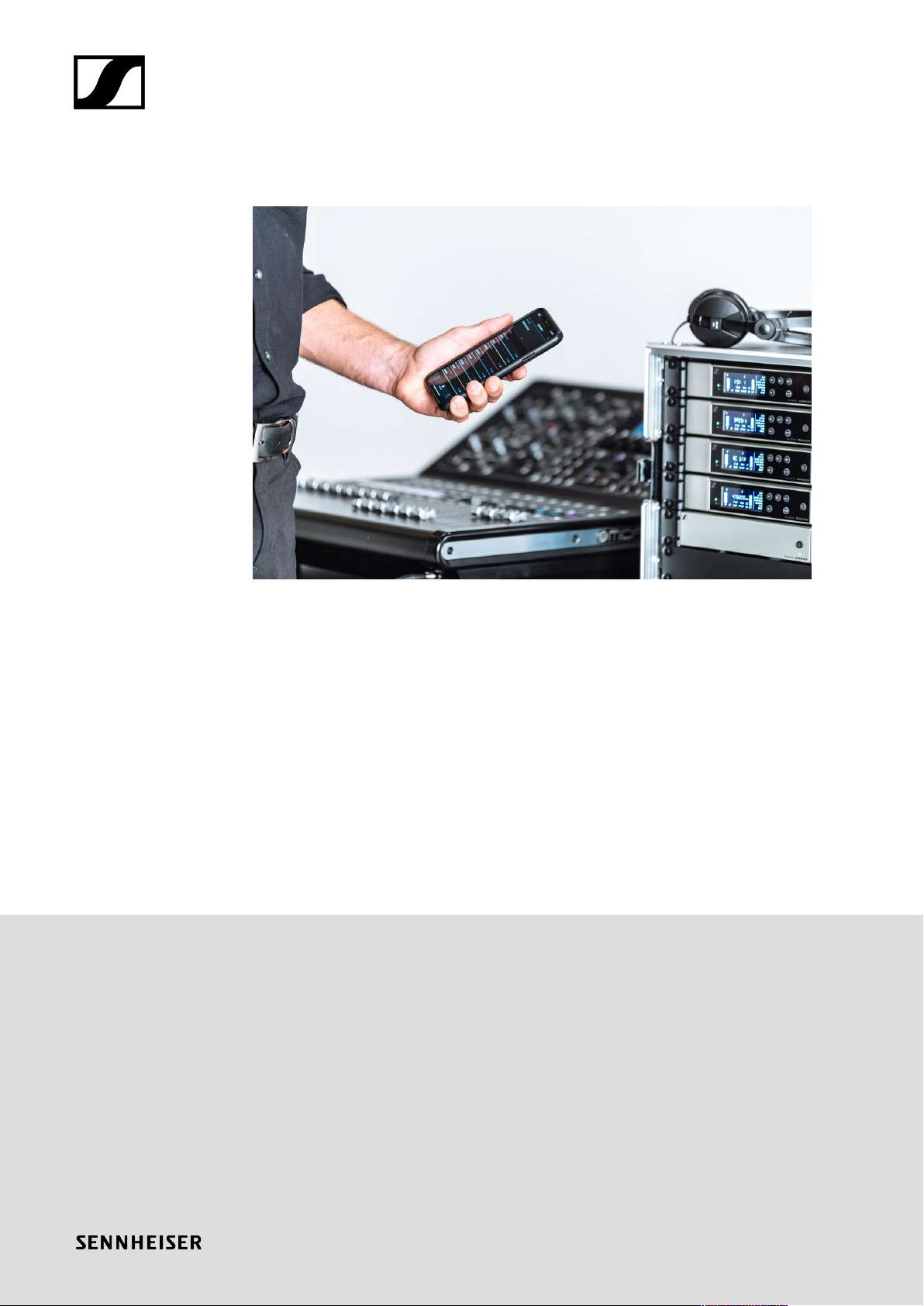
Evolution Wireless Digital
PDF export of the original HTML instructions
Evolution Wireless Digital v5.1 | 07/2024 | 587457
Page 2

Contents
1. Preface...........................................................................................................................................10
2. Product information..................................................................................................................... 11
Products of the EW-D series.................................................................................................. 11
EW-D EM rack receiver................................................................................................... 12
EW-D SKM-S handheld transmitter...............................................................................13
EW-D SK bodypack transmitter..................................................................................... 14
Sets available for the EW-D series........................................................................................16
EW-D ME2 SET | Lavalier Set.........................................................................................16
EW-D ME3 SET | Headmic Set.......................................................................................18
EW-D ME4 SET | Lavalier Set........................................................................................ 20
EW-D Cl1 SET | Instrument Set...................................................................................... 21
EW-D SK BASE SET | Base Set..................................................................................... 22
EW-D 835-S SET | Handheld Set.................................................................................. 24
EW-D SKM-S BASE SET | Base Set.............................................................................. 26
EW-D ME2/835-S SET | Combo Set............................................................................. 28
Products of the EW-DX series...............................................................................................30
EW-DX EM 2 rack receiver............................................................................................. 30
EW-DX EM 2 Dante rack receiver..................................................................................32
EW-DX EM 4 Dante rack receiver................................................................................. 33
EW-DX SKM | EW-DX SKM-S handheld transmitter................................................... 34
EW-DX SK | EW-DX SK 3-PIN bodypack transmitter..................................................36
Table stand EW-DX TS 3-pin | EW-DX TS 5-pin..........................................................38
Sets available for the EW-DX series.................................................................................... 40
EW-DX 835-S SET | Handheld Set................................................................................40
EW-DX MKE 2 SET | Lavalier Set.................................................................................. 42
EW-DX MKE 2-835-S SET | Combo Set........................................................................44
EW-DX SK-SKM-S BASE SET | Base Set......................................................................46
Products of the EW-DP series............................................................................................... 48
EW-DP EK portable receiver.......................................................................................... 49
EW-DP SKP plug-on transmitter....................................................................................50
Sets available for the EW-DP series..................................................................................... 51
EW-DP ME-2 | Lavalier Set............................................................................................. 51
EW-DP ME-4 | Lavalier Set............................................................................................ 53
EW-DP 835 | Handheld Set............................................................................................ 55
EW-DP ENG | Lavalier Set..............................................................................................57
Page 3

Smart Assist app.....................................................................................................................59
Accessories.............................................................................................................................. 60
BA 70 rechargeable battery and L 70 USB charger.................................................... 60
CHG 70N-C network-enabled charger.......................................................................... 62
EW-D ASA antenna splitter............................................................................................64
EW-D AB antenna splitter.............................................................................................. 65
Antennas........................................................................................................................... 66
Accessories for rack mounting...................................................................................... 70
Mounting accessories for EW-DP EK.............................................................................71
Cables for EW-DP EK...................................................................................................... 72
Color Coding Sets............................................................................................................ 73
Frequency ranges.................................................................................................................... 74
3. Instruction manual...................................................................................................................... 77
EW-D EM rack receiver.......................................................................................................... 78
Product overview..............................................................................................................78
Connecting/disconnecting the receiver to/from the power supply system.............81
Connecting antennas.......................................................................................................83
Outputting audio signals.................................................................................................85
Installing receivers in a rack..........................................................................................86
Switching the receiver on and off................................................................................. 89
Lock-off function.............................................................................................................. 90
Meaning of the LEDs....................................................................................................... 91
Displays on the receiver’s display panel...................................................................... 93
Buttons for navigating the menu................................................................................... 95
Opening the menu and navigating the menu items....................................................96
Using EW-D Color Coding Sets to label transmission paths....................................104
EW-D SKM-S handheld transmitter.................................................................................... 105
Product overview............................................................................................................105
Inserting and removing the batteries/rechargeable batteries................................. 107
Replacing the microphone module..............................................................................109
Using EW-D Color Coding Sets to label transmission paths..................................... 111
Switching the handheld transmitter on and off.......................................................... 112
Checking the battery status of the transmitter (Check function)............................. 113
Identifying the paired receiver (Identify function)...................................................... 114
Meaning of the LEDs...................................................................................................... 115
Establishing a connection to the receiver................................................................... 118
Muting the handheld transmitter..................................................................................119
Page 4

EW-D SK bodypack transmitter...........................................................................................120
Product overview............................................................................................................120
Inserting and removing the batteries/rechargeable batteries................................. 122
Connecting a microphone to the bodypack transmitter........................................... 124
Connecting an instrument or line source to the bodypack transmitter...................126
Using EW-D Color Coding Sets to label transmission paths.................................... 127
Changing the belt clip................................................................................................... 128
Switching the bodypack transmitter on and off.........................................................129
Checking the battery status of the transmitter (Check function)............................ 130
Identifying the paired receiver (Identify function)...................................................... 131
Meaning of the LEDs..................................................................................................... 132
Establishing a connection to the receiver.................................................................. 135
Muting the bodypack transmitter................................................................................ 136
EW-DX EM 2 rack receiver................................................................................................... 137
Product overview............................................................................................................138
Connecting/disconnecting the receiver to/from the power supply system........... 141
Connecting receivers in a network.............................................................................. 144
Connecting antennas..................................................................................................... 145
Outputting audio signals............................................................................................... 147
Installing receivers in a rack.........................................................................................149
Switching the receiver on and off................................................................................152
Lock-off function............................................................................................................ 153
Using the headphone output........................................................................................ 154
Meaning of the LEDs..................................................................................................... 155
Displays on the receiver’s display panel..................................................................... 157
Buttons for navigating the menu................................................................................. 165
Opening the menu and navigating the menu items.................................................. 166
Menu structure................................................................................................................167
Setting options in the menu......................................................................................... 168
System menu item......................................................................................................... 194
Updating the firmware of the receiver....................................................................... 206
EW-DX EM 2 Dante rack receiver.......................................................................................207
Product overview........................................................................................................... 208
Connecting/disconnecting the receiver to/from the power supply system........... 211
Connecting receivers in a network.............................................................................. 214
Connecting receivers in a Dante® network.................................................................215
Connecting antennas..................................................................................................... 221
Page 5

Outputting audio signals...............................................................................................223
Installing receivers in a rack........................................................................................ 225
Switching the receiver on and off............................................................................... 228
Lock-off function............................................................................................................ 229
Using the headphone output........................................................................................230
Meaning of the LEDs..................................................................................................... 231
Displays on the receiver’s display panel.................................................................... 233
Buttons for navigating the menu..................................................................................241
Opening the menu and navigating the menu items.................................................. 242
Menu structure...............................................................................................................243
Setting options in the menu.........................................................................................244
System menu item......................................................................................................... 270
Updating the firmware of the receiver........................................................................282
EW-DX EM 4 Dante rack receiver.......................................................................................283
Product overview........................................................................................................... 284
Connecting/disconnecting the receiver to/from the power supply system.......... 288
Connecting receivers in a network............................................................................. 289
Connecting receivers in a Dante® network................................................................ 290
Connecting antennas.....................................................................................................295
Outputting audio signals.............................................................................................. 298
Installing receivers in a rack........................................................................................ 300
Switching the receiver on and off............................................................................... 302
Lock-off function............................................................................................................303
Using the headphone output....................................................................................... 304
Meaning of the LEDs.................................................................................................... 305
Displays on the receiver’s display panel.................................................................... 307
Buttons for navigating the menu................................................................................. 314
Opening the menu and navigating the menu items...................................................315
Menu structure............................................................................................................... 316
Setting options in the menu..........................................................................................317
System menu item.........................................................................................................343
Updating the firmware of the receiver....................................................................... 355
EW-DX SKM | EW-DX SKM-S handheld transmitter........................................................ 356
Product overview........................................................................................................... 356
Inserting and removing the batteries/rechargeable batteries................................ 358
Replacing the microphone module............................................................................. 360
Switching the handheld transmitter on and off.........................................................362
Page 6

Checking the battery status of the transmitter (Check function)............................363
Identifying the paired receiver (Identify function).....................................................364
Meaning of the LEDs.....................................................................................................365
Establishing a connection to the receiver..................................................................368
Information on the handheld transmitter’s display................................................... 369
Buttons for navigating the menu..................................................................................371
Opening the menu and navigating the menu items.................................................. 372
Lock-off function............................................................................................................ 384
Configuring mute mode and muting the handheld transmitter (EW-DX SKM-S
only)................................................................................................................................. 385
Updating the firmware of the transmitter.................................................................. 387
EW-DX SK | EW-DX SK 3-PIN bodypack transmitter....................................................... 388
Product overview........................................................................................................... 389
Inserting and removing the batteries/rechargeable batteries................................. 391
Connecting a microphone to the bodypack transmitter...........................................393
Connecting an instrument or line source to the bodypack transmitter.................. 397
Changing the belt clip...................................................................................................399
Switching the bodypack transmitter on and off........................................................400
Checking the battery status of the transmitter (Check function)............................ 401
Identifying the paired receiver (Identify function).....................................................402
Meaning of the LEDs.................................................................................................... 403
Establishing a connection to the receiver..................................................................406
Information on the bodypack transmitter’s display.................................................. 407
Buttons for navigating the menu.................................................................................409
Opening the menu and navigating the menu items.................................................. 410
Lock-off function............................................................................................................ 423
Configuring mute mode and muting the bodypack transmitter.............................. 424
Updating the firmware of the transmitter.................................................................. 425
Table stand EW-DX TS 3-pin | EW-DX TS 5-pin............................................................... 426
Product overview........................................................................................................... 426
Inserting and removing the BA 40 rechargeable battery......................................... 428
Charging the table stand..............................................................................................429
Meaning of the LEDs..................................................................................................... 431
Connecting a gooseneck microphone........................................................................ 433
Switching the table stand on/off................................................................................ 434
Establishing a connection to the receiver..................................................................435
Muting the table stand................................................................................................. 436
Page 7

EW-DP EK portable receiver................................................................................................437
Product overview........................................................................................................... 438
Power supply..................................................................................................................440
Outputting audio signals.............................................................................................. 442
Mounting the receiver / mounting options................................................................ 443
Switching the receiver on and off............................................................................... 452
Meaning of the LEDs.....................................................................................................453
Displays on the receiver’s display panel.................................................................... 455
Buttons for navigating the menu................................................................................. 457
Opening the menu and navigating the menu items.................................................. 458
EW-DP SKP plug-on transmitter.........................................................................................468
Product overview........................................................................................................... 468
Power supply...................................................................................................................471
Using a microSD card................................................................................................... 473
Attaching an XLR microphone..................................................................................... 475
Connecting a lavalier microphone...............................................................................476
Switching the plug-on transmitter on and off............................................................ 477
Starting/stopping recording.........................................................................................478
MUTE mode.................................................................................................................... 479
Meaning of the LEDs.................................................................................................... 480
Establishing a radio link | Synchronizing the receiver and transmitter..........................484
Connecting to the EW-D EM receiver / synchronizing the EW-D EM.................... 485
Connecting to the EW-DX EM receivers / synchronizing the EW-DX EM.............. 487
Connecting to the EW-DP EK receiver / synchronizing the EW-DP EK..................489
L 70 USB charger...................................................................................................................491
Connecting/disconnecting the charger to/from the power supply system........... 491
Charging the rechargeable battery............................................................................. 492
CHG 70N-C charger.............................................................................................................. 494
Product overview........................................................................................................... 494
Connecting/disconnecting the charger to/from the power supply system.......... 496
Connecting a charger in a network............................................................................ 498
Cascading chargers...................................................................................................... 500
Charging the rechargeable battery............................................................................. 502
Power saving mode....................................................................................................... 504
EW-D ASA antenna splitter................................................................................................. 505
Product overview........................................................................................................... 505
Connecting/disconnecting the EW-D ASA to/from the power supply system......507
Page 8

Connecting receivers to the EW-D ASA.....................................................................508
Connecting antennas.................................................................................................... 509
Information on antenna amplifiers and cable lengths...............................................510
Configuring multi-channel systems..............................................................................511
Installing the EW-D ASA in a rack............................................................................... 513
Switching the EW-D ASA on and off...........................................................................514
AWM active directional antenna......................................................................................... 515
Product overview............................................................................................................515
Antenna setup.................................................................................................................518
Connecting the cable to the antenna..........................................................................519
Recommended cable lengths........................................................................................521
Installing and mounting the antenna.......................................................................... 522
Setting the gain..............................................................................................................529
GAIN LED........................................................................................................................530
Cleaning and maintenance................................................................................................... 531
4. Frequently asked questions.................................................................................................... 533
Radio and frequencies.......................................................................................................... 533
Audio....................................................................................................................................... 536
Usability.................................................................................................................................. 538
Accessories............................................................................................................................ 542
Smart Assist app...................................................................................................................544
5. Specifications............................................................................................................................546
System.................................................................................................................................... 546
EW-D EM rack receiver........................................................................................................548
EW-DX EM 2 rack receiver.................................................................................................. 549
EW-DX EM 2 Dante rack receiver.......................................................................................550
EW-DX EM 4 Dante rack receiver....................................................................................... 551
EW-D SKM-S handheld transmitter....................................................................................552
EW-DX SKM | EW-DX SKM-S handheld transmitter........................................................ 553
EW-D SK bodypack transmitter.......................................................................................... 554
EW-DX SK | EW-DX SK 3-PIN bodypack transmitter....................................................... 555
Table stand EW-DX TS 3-pin | EW-DX TS 5-pin............................................................... 556
EW-DP EK portable receiver................................................................................................557
EW-DP SKP plug-on transmitter receiver..........................................................................558
EW-D ASA antenna splitter................................................................................................. 559
EW-D AB antenna booster...................................................................................................562
AWM active directional antenna.........................................................................................563
Page 9

ADP UHF passive directional antenna (470 – 1075 MHz)................................................. 570
BA 70 rechargeable battery................................................................................................. 572
L 70 USB charger.................................................................................................................. 573
CHG 70N-C charger.............................................................................................................. 574
6. Contact.......................................................................................................................................576
Page 10

Evolution Wireless Digital
1. Preface
PDF export of the original HTML instructions
This PDF document is an automated export of an interactive set of HTML instructions.
It may be the case that not all contents and interactive elements are contained in the
PDF as they cannot be presented in this format. Furthermore, automatically generated
page breaks may cause coherent contents to be moved slightly. We can therefore only
guarantee the completeness of the information in the HTML instructions, and recommend
that you use these. You can find these in the download section of the website under
www.sennheiser.com/download.
10
Page 11
Evolution Wireless Digital
2. Product information
All information about the product and available accessories at a glance.
Products of the EW-D series
Sets available for the EW-D series
Products of the EW-DX series
Sets available for the EW-DX series
Products of the EW-DP series
Sets available for the EW-DP series
Smart Assist app
Accessories
Frequency ranges
Products of the EW-D series
For information about the available accessories, see Accessories.
For information about the available sets, see Sets available for the EW-D series.
For information about the frequency ranges, see Frequency ranges.
You can find technical specifications for the series and the individual products under
Specifications.
11
Page 12
| 2 - Product information
You can find information about starting up and operating the products under Instruction
manual.
EW-D EM rack receiver
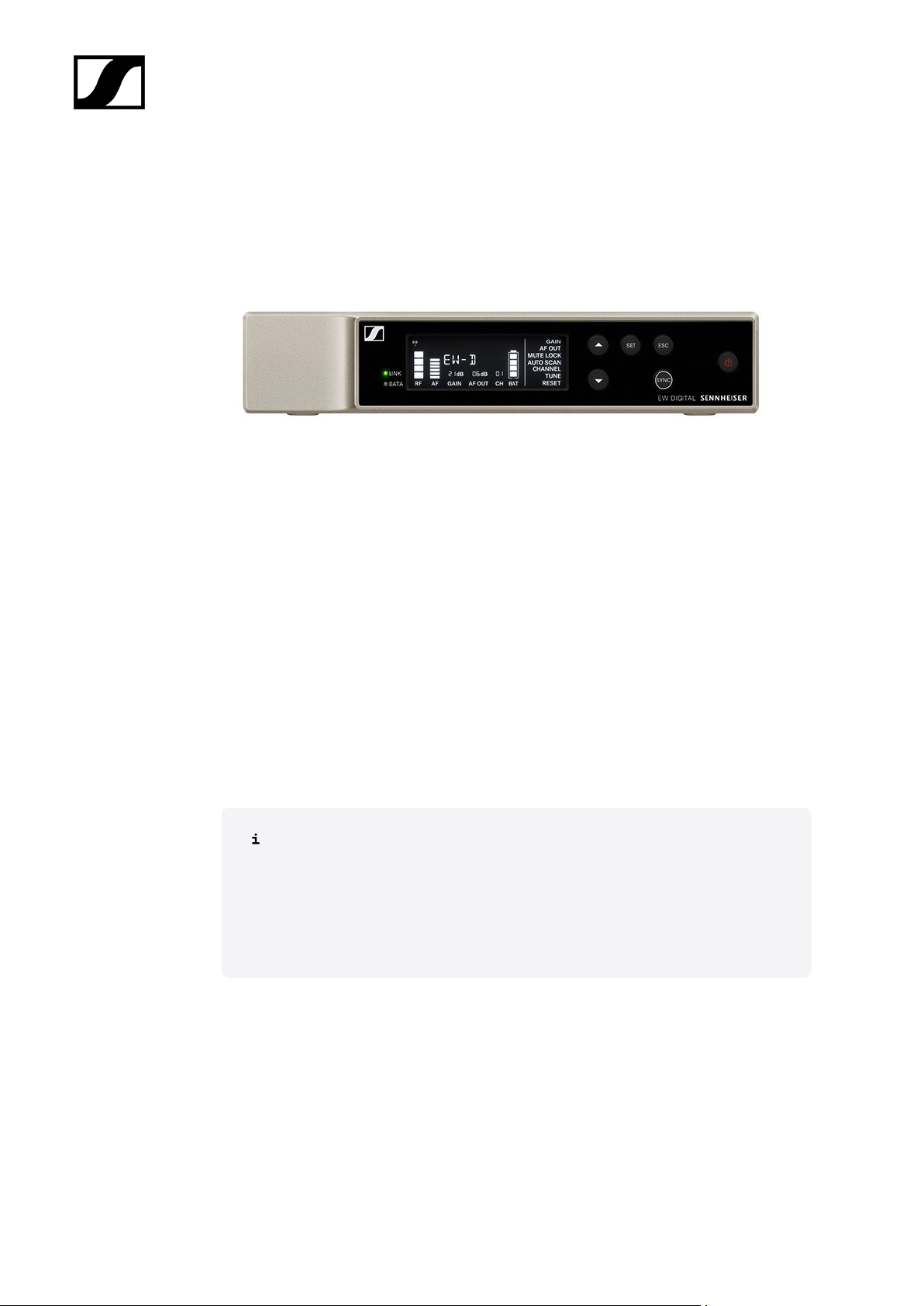
The EW-D EM rack receiver is available in the following versions:
EW-D EM (Q1–6) | 470.2 – 526 MHz | Art. no. 508800
EW-D EM (R1–6) | 520 – 576 MHz | Art. no. 508801
EW-D EM (R4–9) | 552 – 607.8 MHz | Art. no. 508802
EW-D EM (S1–7) | 606.2 – 662 MHz | Art. no. 508803
EW-D EM (S4–7) | 630 – 662 MHz | Art. no. 508804
EW-D EM (S7–10) | 662 – 693.8 MHz | Art. no. 508805
EW-D EM (U1/5) | 823.2 – 831.8 MHz & 863.2 – 864.8 MHz | Art. no. 508806
EW-D EM (V3–4) | 925.2 – 937.3 MHz | Art. no. 508808
EW-D EM (Y1–3) | 1785.2 – 1799.8 MHz | Art. no. 508809
You can find more detailed information about the EW-D EM in the following
sections:
• Startup and operation: EW-D EM rack receiver
• Specifications: EW-D EM rack receiver
12
Page 13
| 2 - Product information
EW-D SKM-S handheld transmitter
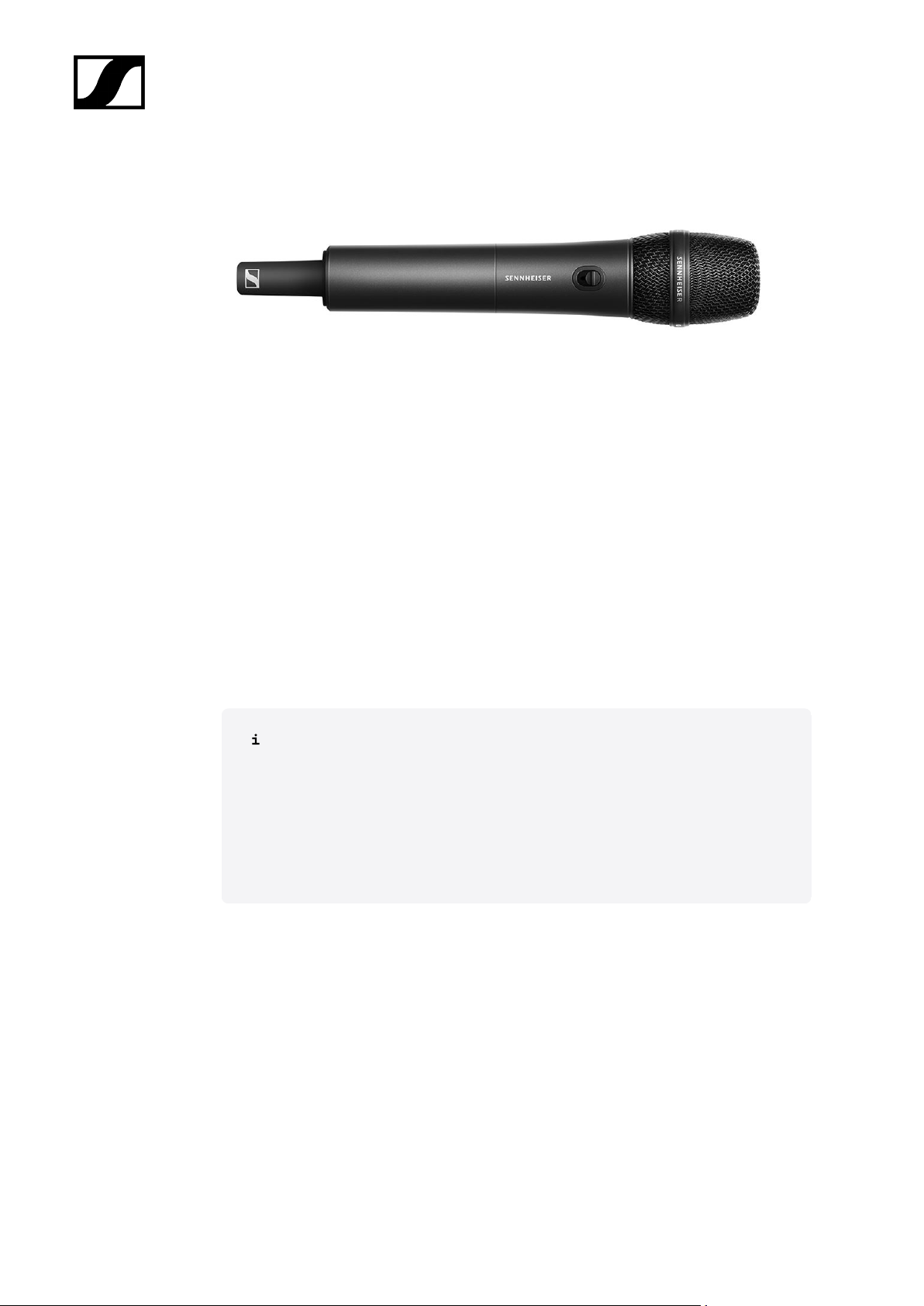
The EW-D SKM-S handheld transmitter is available in the following versions:
EW-D SKM-S (Q1–6) | 470.2 – 526 MHz | Art. no. 508790
EW-D SKM-S (R1–6) | 520 – 576 MHz | Art. no. 508791
EW-D SKM-S (R4–9) | 552 – 607.8 MHz | Art. no. 508792
EW-D SKM-S (S1–7) | 606.2 – 662 MHz | Art. no. 508793
EW-D SKM-S (S4–7) | 630 – 662 MHz | Art. no. 508794
EW-D SKM-S (S7–10) | 662 – 693.8 MHz | Art. no. 508795
EW-D SKM-S (U1/5) | 823.2 – 831.8 MHz & 863.2 – 864.8 MHz | Art. no. 508796
EW-D SKM-S (V3–4) | 925.2 – 937.3 MHz | Art. no. 508798
EW-D SKM-S (Y1–3) | 1785.2 – 1799.8 MHz | Art. no. 508799
You can find more detailed information about the EW-D SKM-S in the following
sections:
• Startup and operation: EW-D SKM-S handheld transmitter
• Specifications: EW-D SKM-S handheld transmitter
• Compatible microphone modules: Replacing the microphone module
13
Page 14
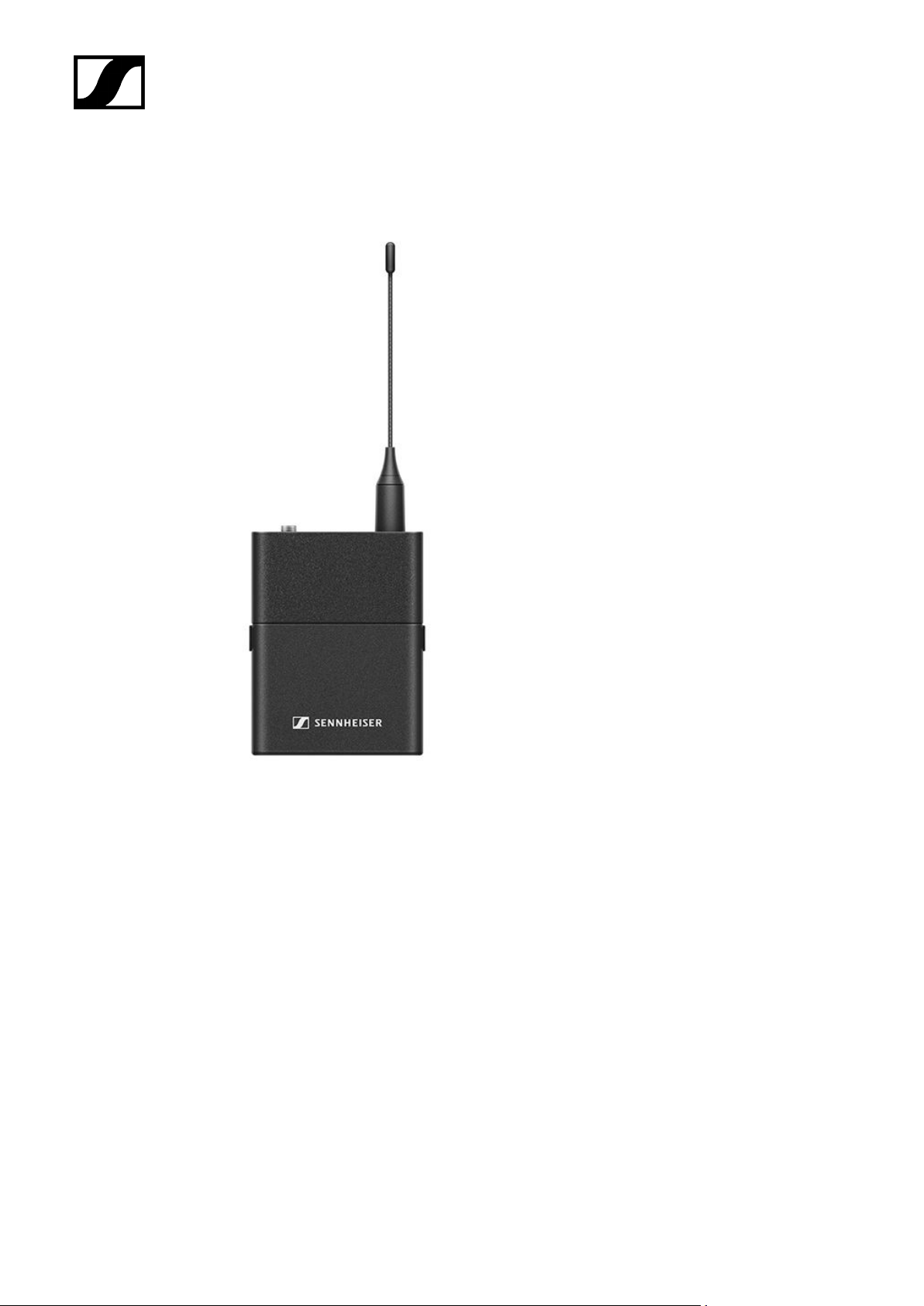
EW-D SK bodypack transmitter
| 2 - Product information
The EW-D SK bodypack transmitter is available in the following versions:
EW-D SK (Q1–6) | 470.2 – 526 MHz | Art. no. 508780
EW-D SK (R1–6) | 520 – 576 MHz | Art. no. 508781
EW-D SK (R4–9) | 552 – 607.8 MHz | Art. no. 508782
EW-D SK (S1–7) | 606.2 – 662 MHz | Art. no. 508783
EW-D SK (S4–7) | 630 – 662 MHz | Art. no. 508784
EW-D SK (S7–10) | 662 – 693.8 MHz | Art. no. 508785
EW-D SK (U1/5) | 823.2 – 831.8 MHz & 863.2 – 864.8 MHz | Art. no. 508786
EW-D SK (V3–4) | 925.2 – 937.3 MHz | Art. no. 508788
EW-D SK (Y1–3) | 1785.2 – 1799.8 MHz | Art. no. 508789
14
Page 15

| 2 - Product information
You can find more detailed information about the EW-D SK in the following
sections:
• Startup and operation: EW-D SK bodypack transmitter
• Specifications: EW-D SK bodypack transmitter
• Compatible microphones: Connecting a microphone to the bodypack
transmitter
15
Page 16
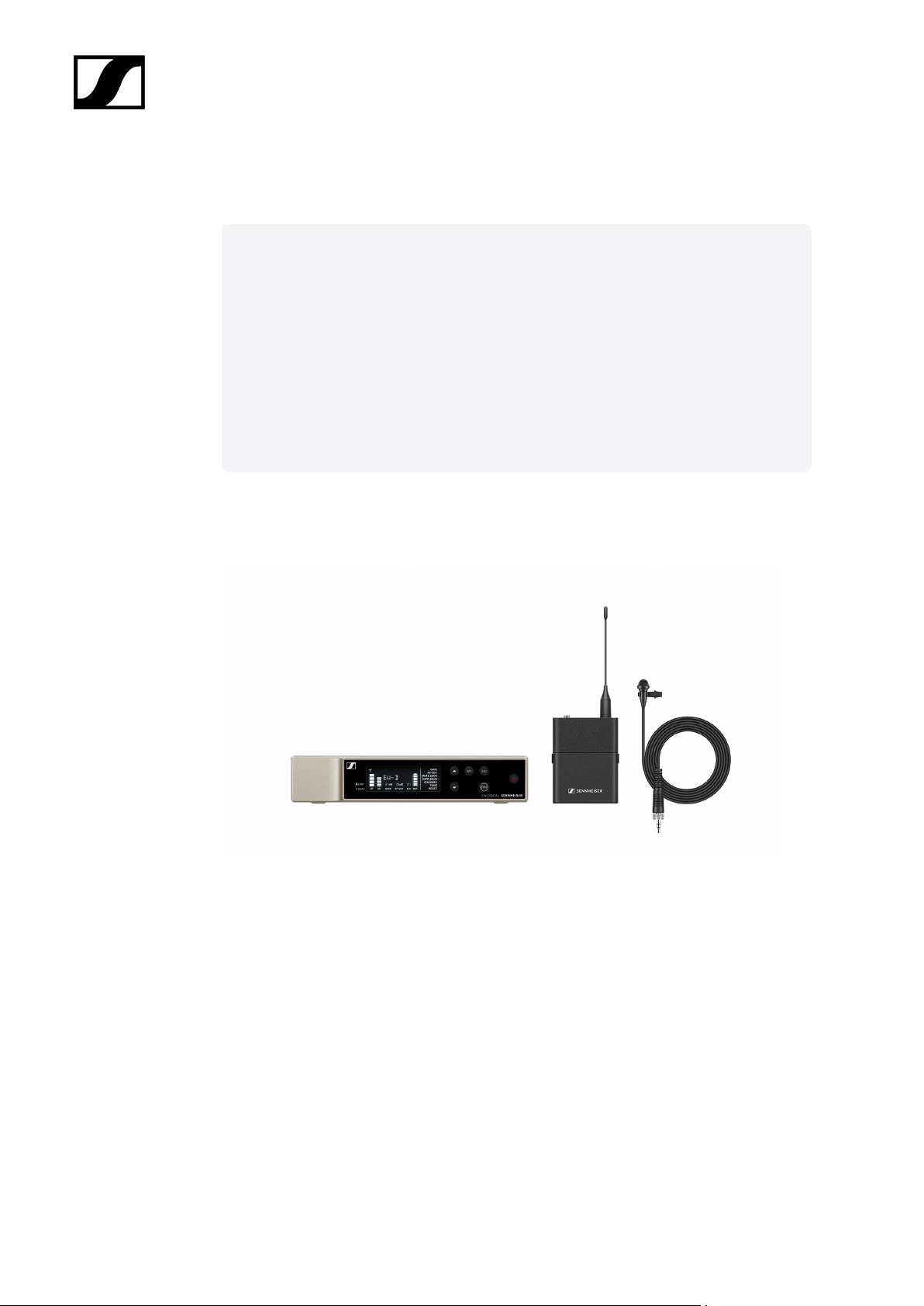
Sets available for the EW-D series
Related information
EW-D ME2 SET | Lavalier Set
EW-D ME3 SET | Headmic Set
EW-D ME4 SET | Lavalier Set
EW-D Cl1 SET | Instrument Set
EW-D SK BASE SET | Base Set
EW-D 835-S SET | Handheld Set
EW-D SKM-S BASE SET | Base Set
EW-D ME2/835-S SET | Combo Set
EW-D ME2 SET | Lavalier Set
| 2 - Product information
The set consists of the following components:
• EW-D EM rack receiver
• EW-D SK bodypack transmitter
• ME 2 lavalier microphone
The set is available in the following versions:
EW-D ME2 SET (Q1–6) | 470.2 – 526 MHz | Art. no. 508700
EW-D ME2 SET (R1–6) | 520 – 576 MHz | Art. no. 508701
EW-D ME2 SET (R4–9) | 552 – 607.8 MHz | Art. no. 508702
EW-D ME2 SET (S1–7) | 606.2 – 662 MHz | Art. no. 508703
16
Page 17

| 2 - Product information
EW-D ME2 SET (S4–7) | 630 – 662 MHz | Art. no. 508704
EW-D ME2 SET (S7–10) | 662 – 693.8 MHz | Art. no. 508705
EW-D ME2 SET (U1/5) | 823.2 – 831.8 MHz & 863.2 – 864.8 MHz | Art. no. 508706
EW-D ME2 SET (V3–4) | 925.2 – 937.3 MHz | Art. no. 508708
EW-D ME2 SET (Y1–3) | 1785.2 – 1799.8 MHz | Art. no. 508709
You can find more detailed information about the set in the following sections:
• Startup and operation: Instruction manual
• Specifications: Specifications
17
Page 18
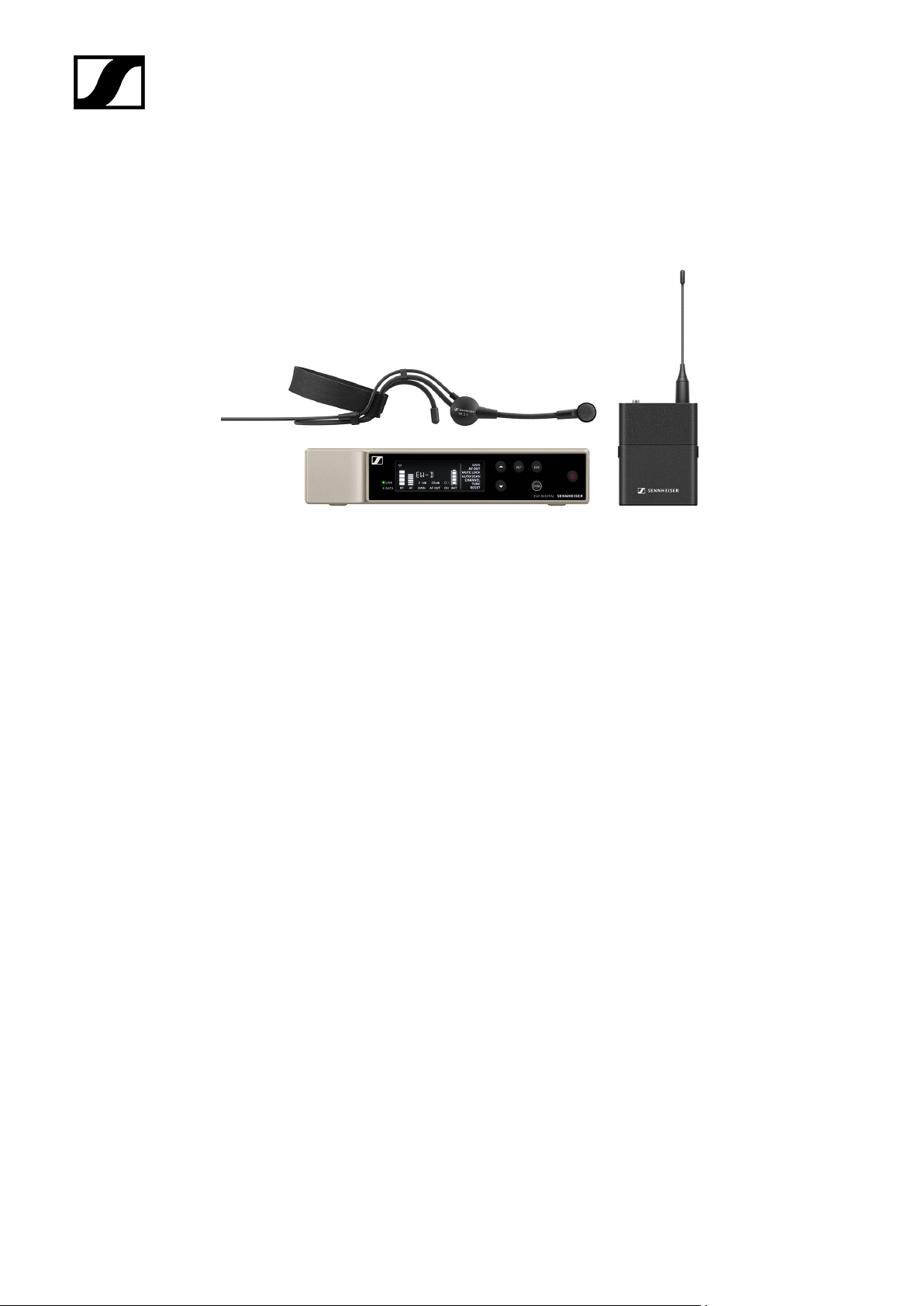
EW-D ME3 SET | Headmic Set
| 2 - Product information
The set consists of the following components:
• EW-D EM rack receiver
• EW-D SK bodypack transmitter
• ME 3 lavalier microphone
The set is available in the following versions:
EW-D ME3 SET (Q1–6) | 470.2 – 526 MHz | Art. no. 508710
EW-D ME3 SET (R1–6) | 520 – 576 MHz | Art. no. 508711
EW-D ME3 SET (R4–9) | 552 – 607.8 MHz | Art. no. 508712
EW-D ME3 SET (S1–7) | 606.2 – 662 MHz | Art. no. 508713
EW-D ME3 SET (S4–7) | 630 – 662 MHz | Art. no. 508714
EW-D ME3 SET (S7–10) | 662 – 693.8 MHz | Art. no. 508715
EW-D ME3 SET (U1/5) | 823.2 – 831.8 MHz & 863.2 – 864.8 MHz | Art. no. 508716
EW-D ME3 SET (V3–4) | 925.2 – 937.3 MHz | Art. no. 508718
EW-D ME3 SET (Y1–3) | 1785.2 – 1799.8 MHz | Art. no. 508719
18
Page 19

| 2 - Product information
You can find more detailed information about the set in the following sections:
• Startup and operation: Instruction manual
• Specifications: Specifications
19
Page 20
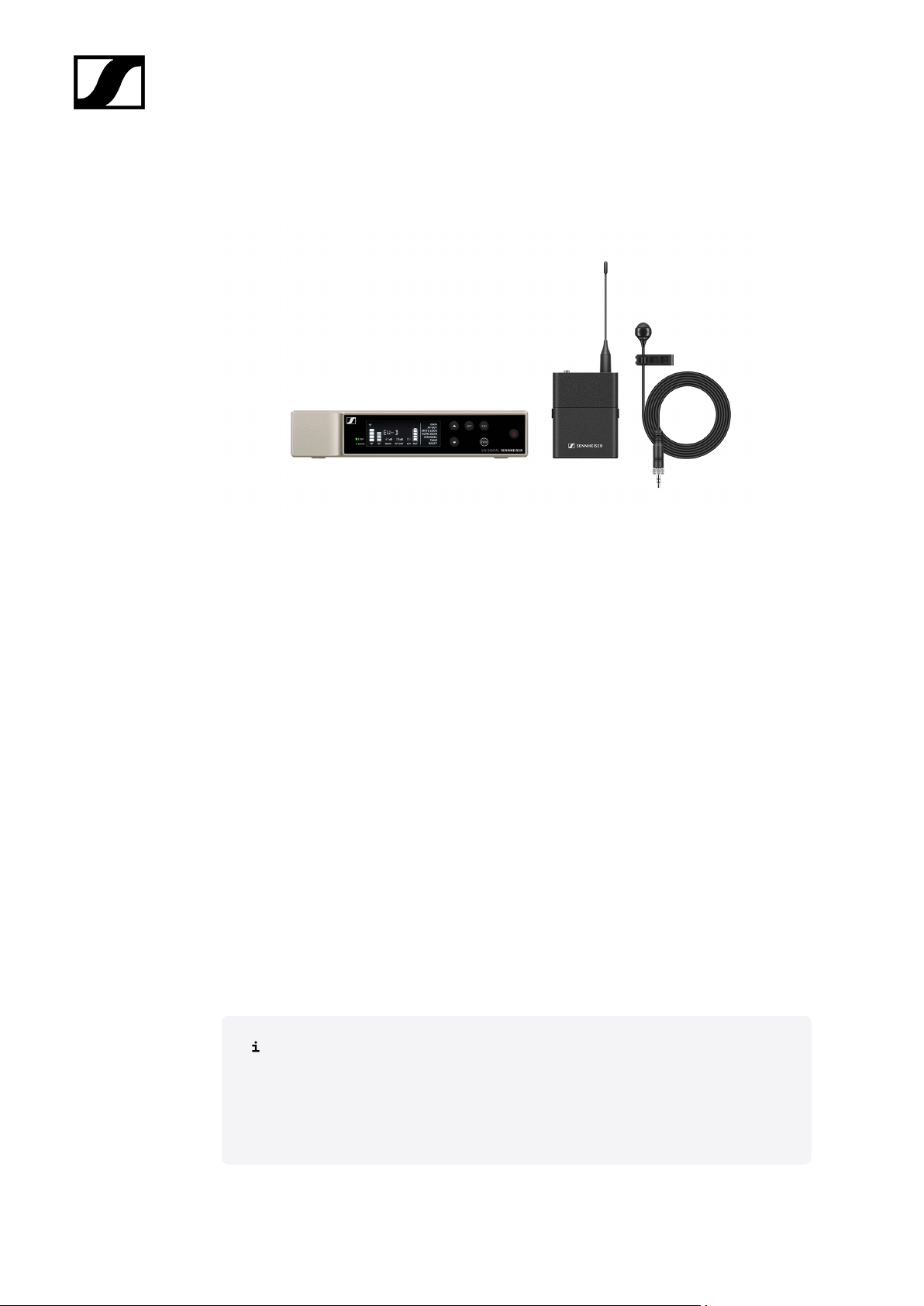
EW-D ME4 SET | Lavalier Set
| 2 - Product information
The set consists of the following components:
• EW-D EM rack receiver
• EW-D SK bodypack transmitter
• ME 4 lavalier microphone
The set is available in the following versions:
EW-D ME4 SET (Q1–6) | 470.2 – 526 MHz | Art. no. 508720
EW-D ME4 SET (R1–6) | 520 – 576 MHz | Art. no. 508721
EW-D ME4 SET (R4–9) | 552 – 607.8 MHz | Art. no. 508722
EW-D ME4 SET (S1–7) | 606.2 – 662 MHz | Art. no. 508723
EW-D ME4 SET (S4–7) | 630 – 662 MHz | Art. no. 508724
EW-D ME4 SET (S7–10) | 662 – 693.8 MHz | Art. no. 508725
EW-D ME4 SET (U1/5) | 823.2 – 831.8 MHz & 863.2 – 864.8 MHz | Art. no. 508726
EW-D ME4 SET (V3–4) | 925.2 – 937.3 MHz | Art. no. 508728
EW-D ME4 SET (Y1–3) | 1785.2 – 1799.8 MHz | Art. no. 508729
You can find more detailed information about the set in the following sections:
• Startup and operation: Instruction manual
• Specifications: Specifications
20
Page 21
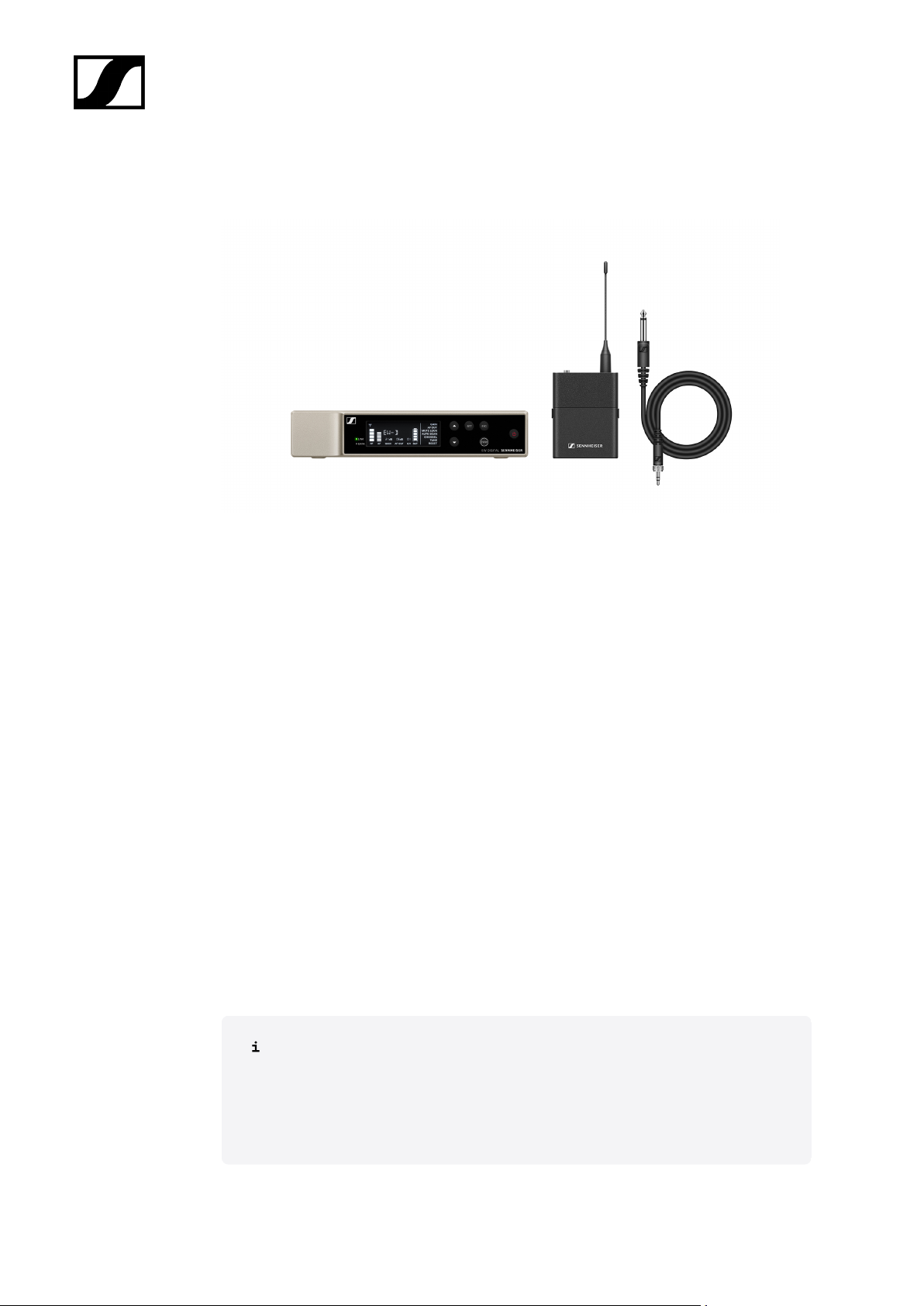
EW-D Cl1 SET | Instrument Set
| 2 - Product information
The set consists of the following components:
• EW-D EM rack receiver
• EW-D SK bodypack transmitter
• Cl 1 lavalier microphone
The set is available in the following versions:
EW-D Cl1 SET (Q1–6) | 470.2 – 526 MHz | Art. no. 508730
EW-D Cl1 SET (R1–6) | 520 – 576 MHz | Art. no. 508731
EW-D Cl1 SET (R4–9) | 552 – 607.8 MHz | Art. no. 508732
EW-D Cl1 SET (S1–7) | 606.2 – 662 MHz | Art. no. 508733
EW-D Cl1 SET (S4–7) | 630 – 662 MHz | Art. no. 508734
EW-D Cl1 SET (S7–10) | 662 – 693.8 MHz | Art. no. 508735
EW-D Cl1 SET (U1/5) | 823.2 – 831.8 MHz & 863.2 – 864.8 MHz | Art. no. 508736
EW-D Cl1 SET (V3–4) | 925.2 – 937.3 MHz | Art. no. 508738
EW-D Cl1 SET (Y1–3) | 1785.2 – 1799.8 MHz | Art. no. 508739
You can find more detailed information about the set in the following sections:
• Startup and operation: Instruction manual
• Specifications: Specifications
21
Page 22
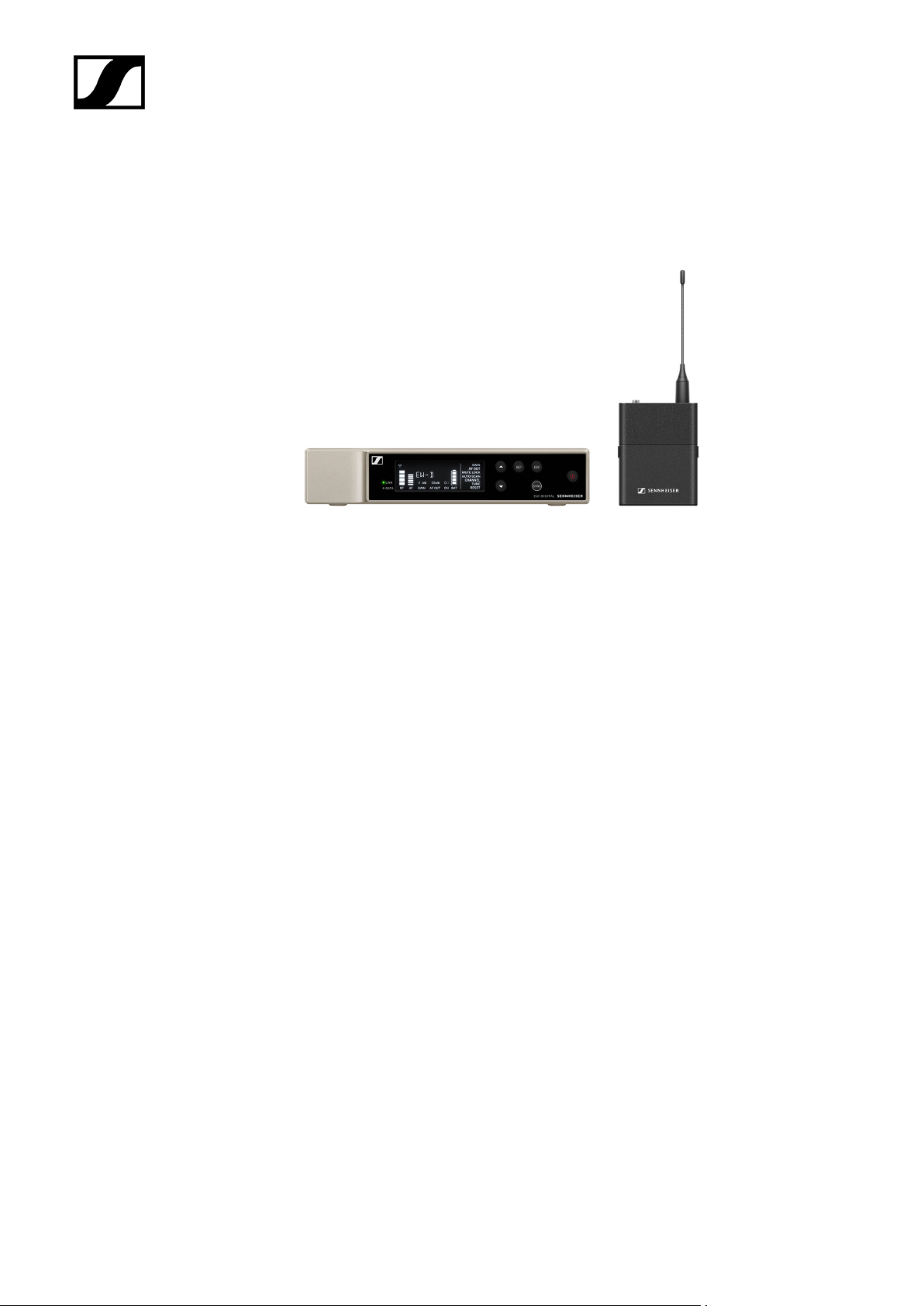
EW-D SK BASE SET | Base Set
| 2 - Product information
The set consists of the following components:
• EW-D EM rack receiver
• EW-D SK bodypack transmitter
The set is available in the following versions:
EW-D SK BASE SET (Q1–6) | 470.2 – 526 MHz | Art. no. 508740
EW-D SK BASE SET (R1–6) | 520 – 576 MHz | Art. no. 508741
EW-D SK BASE SET (R4–9) | 552 – 607.8 MHz | Art. no. 508742
EW-D SK BASE SET (S1–7) | 606.2 – 662 MHz | Art. no. 508743
EW-D SK BASE SET (S4–7) | 630 – 662 MHz | Art. no. 508744
EW-D SK BASE SET (S7–10) | 662 – 693.8 MHz | Art. no. 508745
EW-D SK BASE SET (U1/5) | 823.2 – 831.8 MHz & 863.2 – 864.8 MHz | Art. no. 508746
EW-D SK BASE SET (V3–4) | 925.2 – 937.3 MHz | Art. no. 508748
EW-D SK BASE SET (Y1–3) | 1785.2 – 1799.8 MHz | Art. no. 508749
22
Page 23

| 2 - Product information
You can find more detailed information about the set in the following sections:
• Startup and operation: Instruction manual
• Specifications: Specifications
23
Page 24
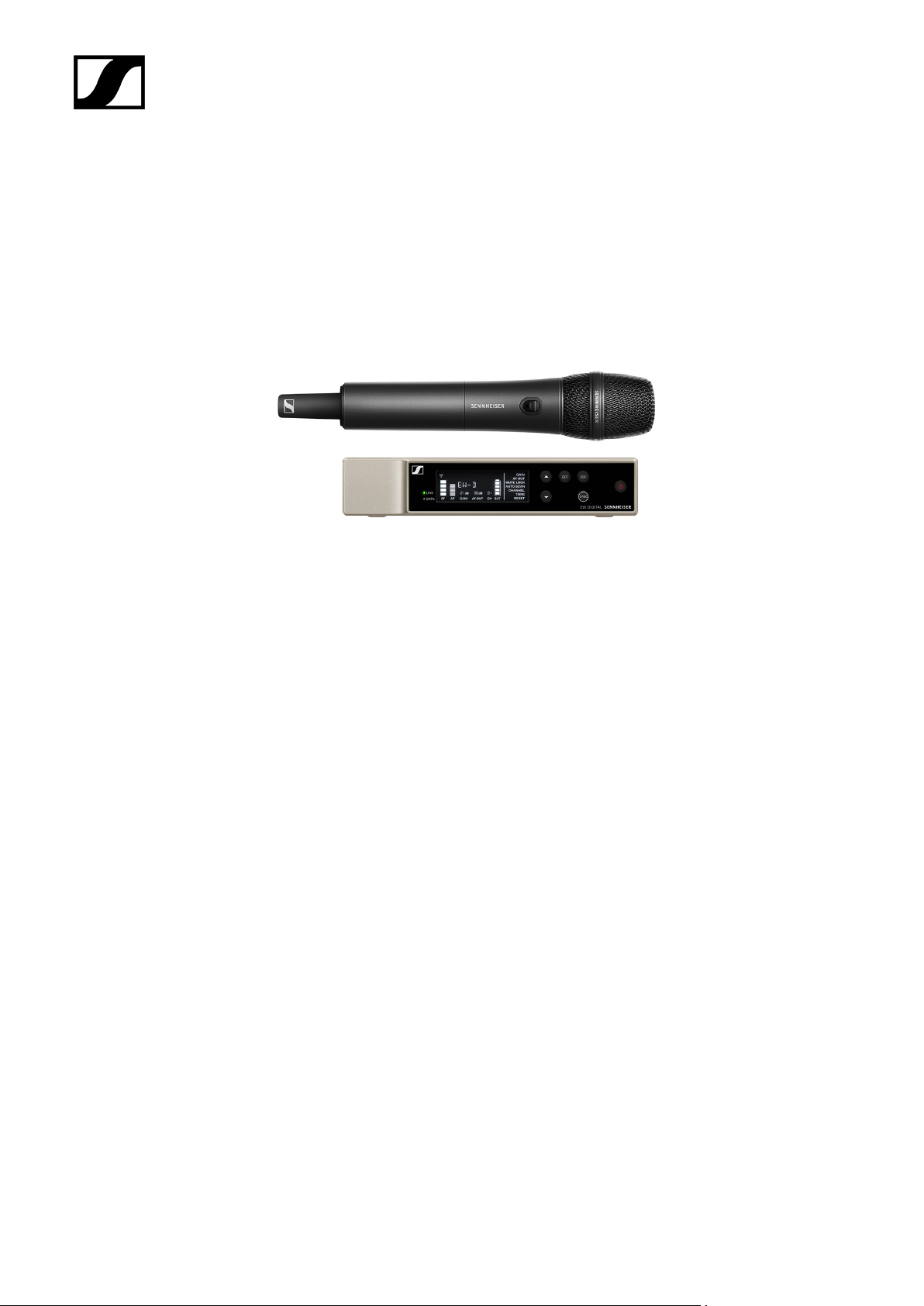
EW-D 835-S SET | Handheld Set
| 2 - Product information
The set consists of the following components:
• EW-D EM rack receiver
• EW-D SKM-S handheld transmitter
• MMD 835 microphone module
The set is available in the following versions:
EW-D 835-S SET (Q1–6) | 470.2 – 526 MHz | Art. no. 508750
EW-D 835-S SET (R1–6) | 520 – 576 MHz | Art. no. 508751
EW-D 835-S SET (R4–9) | 552 – 607.8 MHz | Art. no. 508752
EW-D 835-S SET (S1–7) | 606.2 – 662 MHz | Art. no. 508753
EW-D 835-S SET (S4–7) | 630 – 662 MHz | Art. no. 508754
EW-D 835-S SET (S7–10) | 662 – 693.8 MHz | Art. no. 508755
EW-D 835-S SET (U1/5) | 823.2 – 831.8 MHz & 863.2 – 864.8 MHz | Art. no. 508756
EW-D 835-S SET (V3–4) | 925.2 – 937.3 MHz | Art. no. 508758
EW-D 835-S SET (Y1–3) | 1785.2 – 1799.8 MHz | Art. no. 508759
24
Page 25

| 2 - Product information
You can find more detailed information about the set in the following sections:
• Startup and operation: Instruction manual
• Specifications: Specifications
25
Page 26
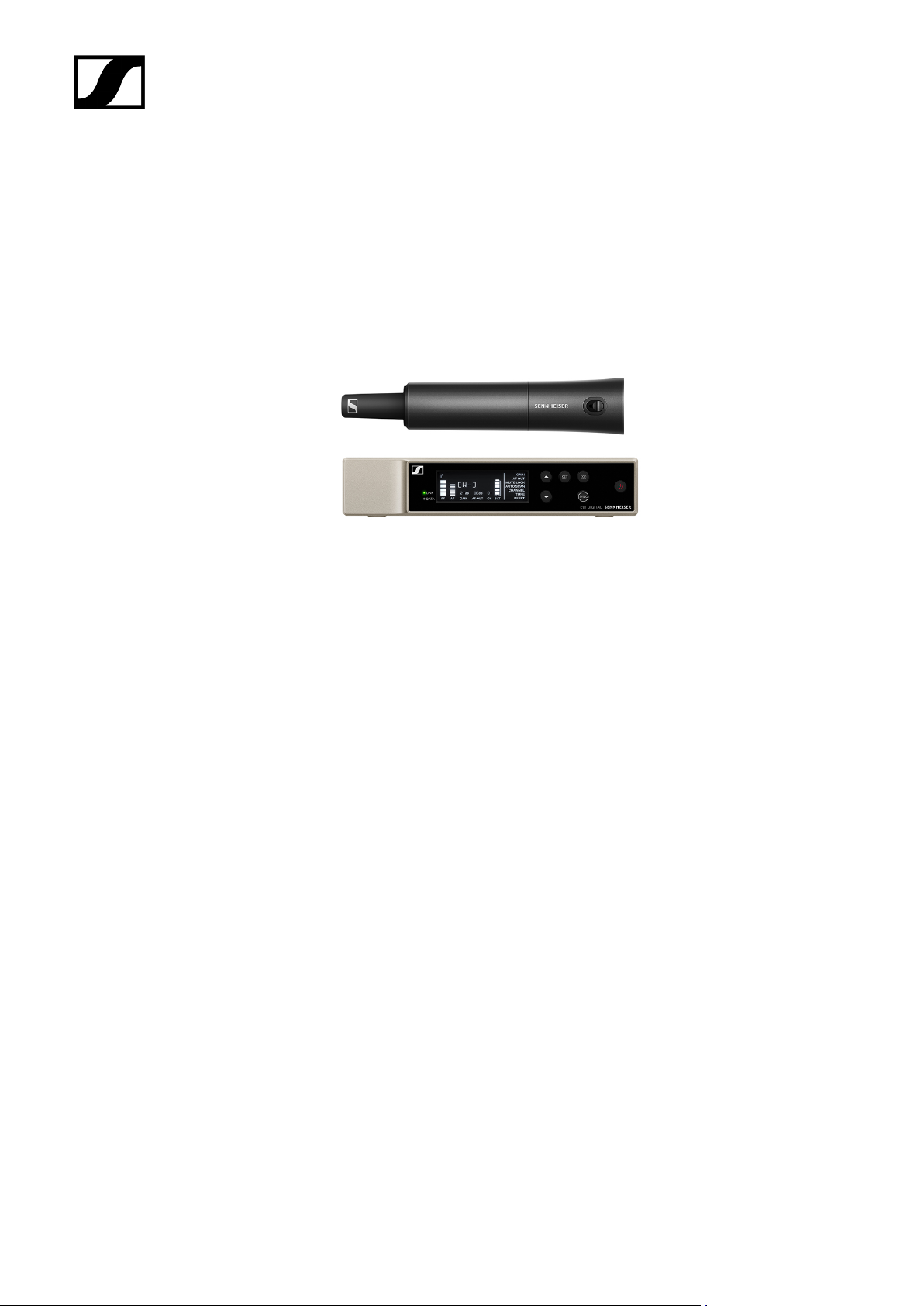
EW-D SKM-S BASE SET | Base Set
| 2 - Product information
The set consists of the following components:
• EW-D EM rack receiver
• EW-D SKM-S handheld transmitter
The set is available in the following versions:
EW-D SKM-S BASE SET (Q1–6) | 470.2 – 526 MHz | Art. no. 508740
EW-D SKM-S BASE SET (R1–6) | 520 – 576 MHz | Art. no. 508741
EW-D SKM-S BASE SET (R4–9) | 552 – 607.8 MHz | Art. no. 508742
EW-D SKM-S BASE SET (S1–7) | 606.2 – 662 MHz | Art. no. 508743
EW-D SKM-S BASE SET (S4–7) | 630 – 662 MHz | Art. no. 508744
EW-D SKM-S BASE SET (S7–10) | 662 – 693.8 MHz | Art. no. 508745
EW-D SKM-S BASE SET (U1/5) | 823.2 – 831.8 MHz & 863.2 – 864.8 MHz | Art. no. 508746
EW-D SKM-S BASE SET (V3–4) | 925.2 – 937.3 MHz | Art. no. 508748
EW-D SKM-S BASE SET (Y1–3) | 1785.2 – 1799.8 MHz | Art. no. 508749
26
Page 27

| 2 - Product information
You can find more detailed information about the set in the following sections:
• Startup and operation: Instruction manual
• Specifications: Specifications
27
Page 28
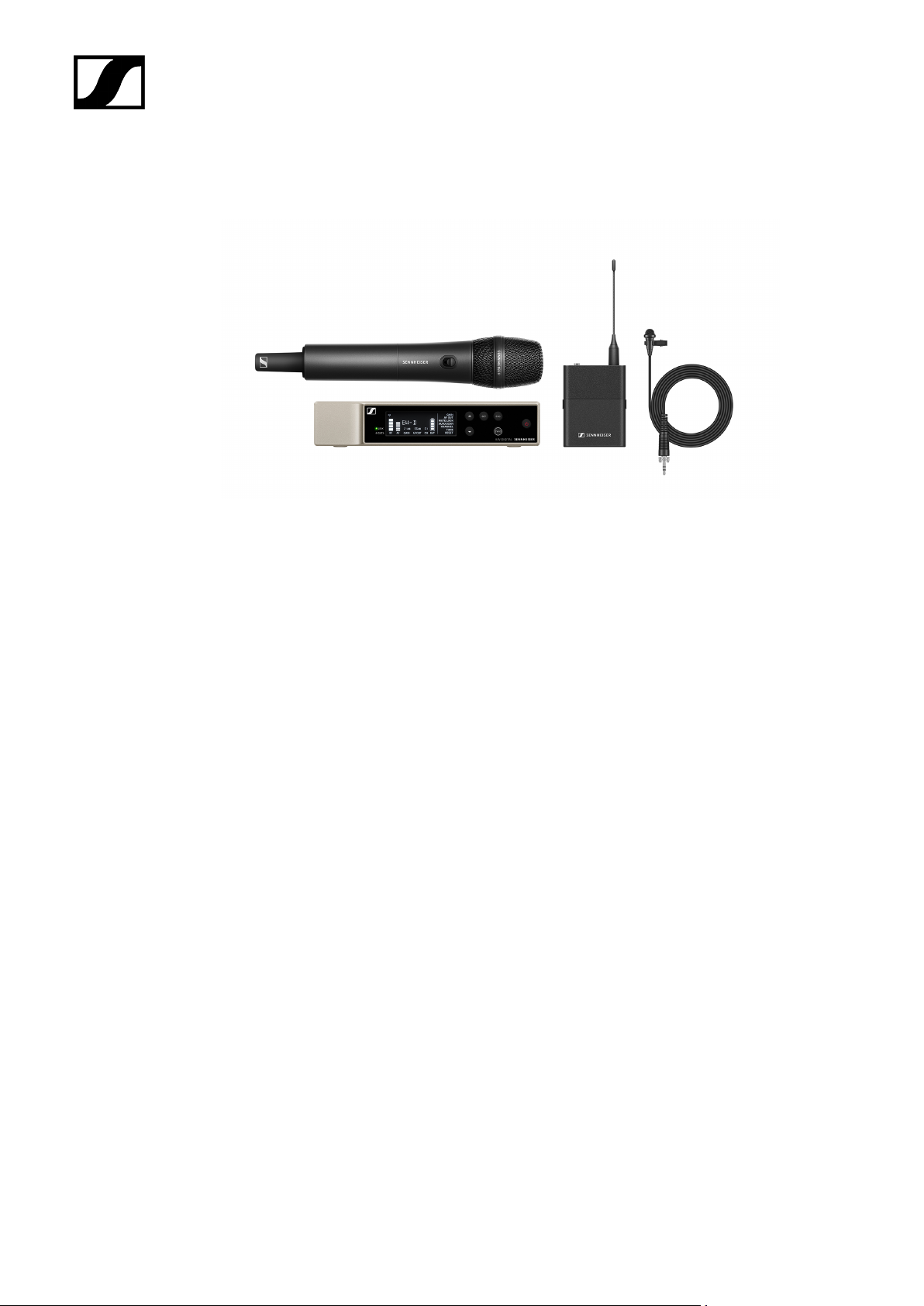
EW-D ME2/835-S SET | Combo Set
| 2 - Product information
The set consists of the following components:
• EW-D EM rack receiver
• EW-D SK bodypack transmitter
• EW-D SKM-S handheld transmitter
• ME 2 lavalier microphone
• MMD 835 microphone module
The set is available in the following versions:
EW-D ME2/835-S SET (Q1–6) | 470.2 – 526 MHz | Art. no. 508770
EW-D ME2/835-S SET (R1–6) | 520 – 576 MHz | Art. no. 508771
EW-D ME2/835-S SET (R4–9) | 552 – 607.8 MHz | Art. no. 508772
EW-D ME2/835-S SET (S1–7) | 606.2 – 662 MHz | Art. no. 508773
EW-D ME2/835-S SET (S4–7) | 630 – 662 MHz | Art. no. 508774
EW-D ME2/835-S SET (S7–10) | 662 – 693.8 MHz | Art. no. 508775
EW-D ME2/835-S SET (U1/5) | 823.2 – 831.8 MHz & 863.2 – 864.8 MHz | Art. no. 508776
EW-D ME2/835-S SET (V3–4) | 925.2 – 937.3 MHz | Art. no. 508778
EW-D ME2/835-S SET (Y1–3) | 1785.2 – 1799.8 MHz | Art. no. 508779
28
Page 29

| 2 - Product information
You can find more detailed information about the set in the following sections:
• Startup and operation: Instruction manual
• Specifications: Specifications
29
Page 30
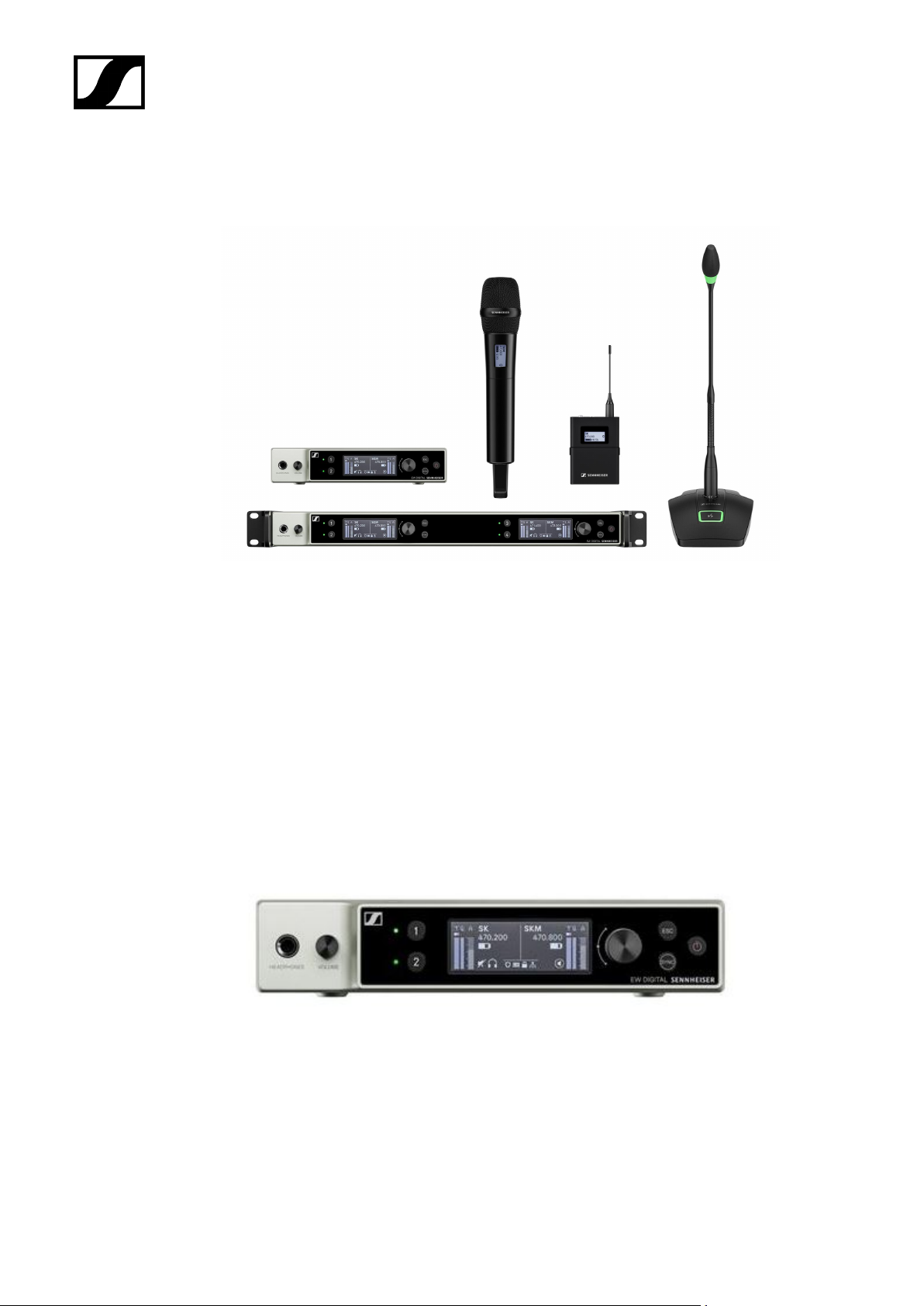
Products of the EW-DX series
| 2 - Product information
For information about the available accessories, see Accessories.
For information about the available sets, see Sets available for the EW-DX series.
For information about the frequency ranges, see Frequency ranges.
You can find technical specifications for the series and the individual products under
Specifications.
You can find information about starting up and operating the products under Instruction
manual.
EW-DX EM 2 rack receiver
The EW-DX EM 2 rack receiver is available in the following versions:
EW-DX EM 2 (Q1–9) | 470.2 – 550 MHz | Art. no. 509342
EW-DX EM 2 (R1–9) | 520 – 607.8 MHz | Art. no. 509343
EW-DX EM 2 (S1–10) | 606.2 – 693.8 MHz | Art. no. 509344
30
Page 31

| 2 - Product information
EW-DX EM 2 (S2–10) | 614.2 – 693.8 MHz | Art. no. 509347
EW-DX EM 2 (S4–10) | 630 – 693.8 MHz | Art. no. 509348
EW-DX EM 2 (U1/5) | 823.2 – 831.8 MHz & 863.2 – 864.8 MHz | Art. no. 509349
EW-DX EM 2 (V3–4) | 925.2 – 937.3 MHz | Art. no. 509351
EW-DX EM 2 (V5–7) | 941.7 – 951.8 MHz & 953.05 – 956.05 MHz & 956.65 – 959.65 MHz |
Art. no. 509352
EW-DX EM 2 (Y1–3) | 1785.2 – 1799.8 MHz | Art. no. 509355
You can find more detailed information about the EW-DX EM 2 in the following
sections:
• Startup and operation: EW-DX EM 2 rack receiver
• Specifications: EW-DX EM 2 rack receiver
31
Page 32
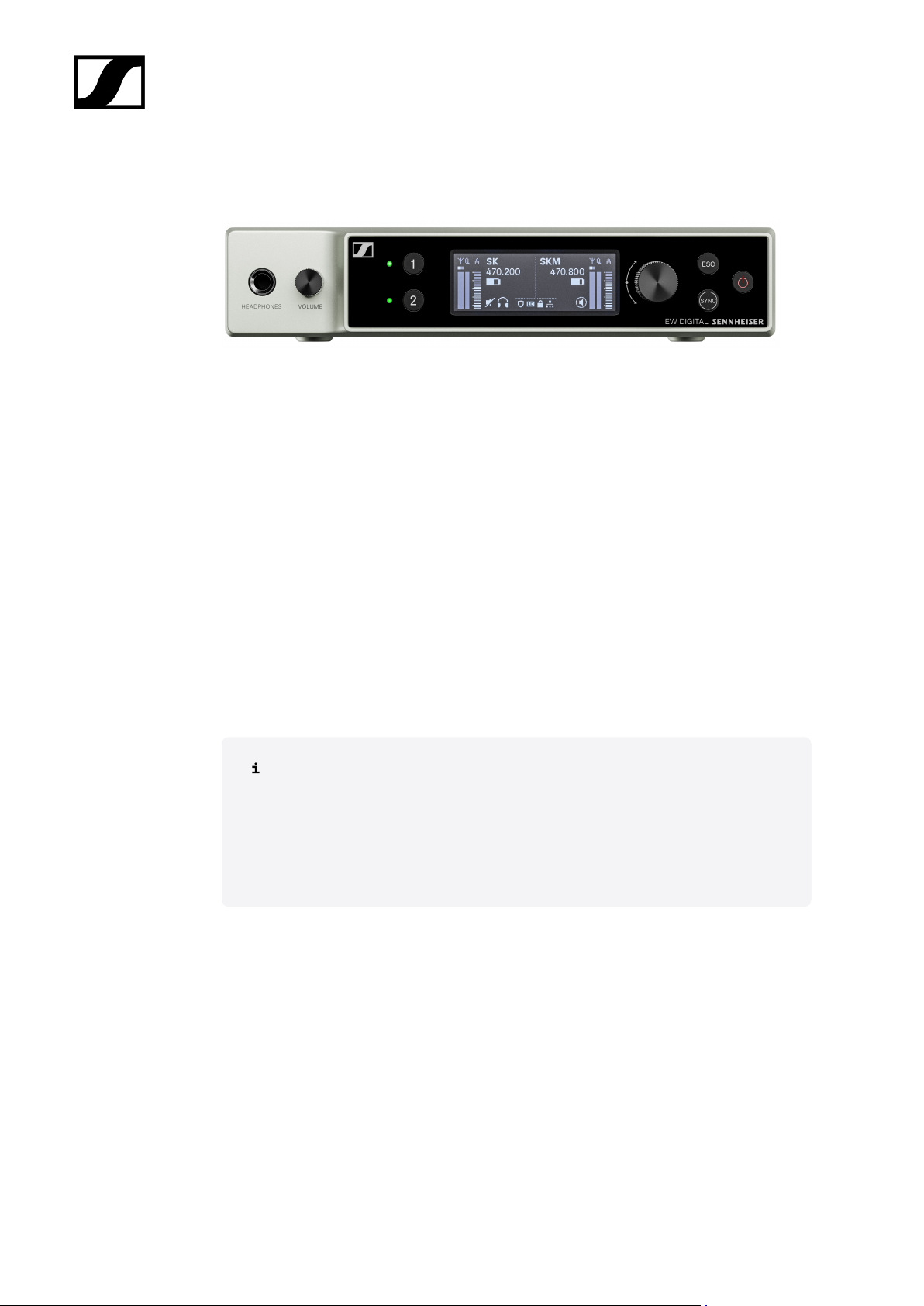
| 2 - Product information
EW-DX EM 2 Dante rack receiver
The EW-DX EM 2 Dante rack receiver is available in the following versions:
EW-DX EM 2 Dante (Q1–9) | 470.2 – 550 MHz | Art. no. 509356
EW DX EM 2 Dante (R1–9) | 520 – 607.8 MHz | Art. no. 509357
EW DX EM 2 Dante (S1–10) | 606.2 – 693.8 MHz | Art. no. 509358
EW DX EM 2 Dante (S2–10) | 614.2 – 693.8 MHz | Art. no. 509361
EW DX EM 2 Dante (S4–10) | 630 – 693.8 MHz | Art. no. 509362
EW-DX EM 2 Dante (U1/5) | 823.2 – 831.8 MHz & 863.2 – 864.8 MHz | Art. no. 509363
EW DX EM 2 Dante (V3–4) | 925.2 – 937.3 MHz | Art. no. 509365
EW-DX EM 2 Dante (V5–7) | 941.7 – 951.8 MHz & 953.05 – 956.05 MHz & 956.65 – 959.65
MHz | Art. no. 509366
EW DX EM 2 Dante (Y1–3) | 1785.2 – 1799.8 MHz | Art. no. 509369
You can find more detailed information about the EW-DX EM 2 Dante in the
following sections:
• Startup and operation: EW-DX EM 2 Dante rack receiver
• Specifications: EW-DX EM 2 Dante rack receiver
32
Page 33
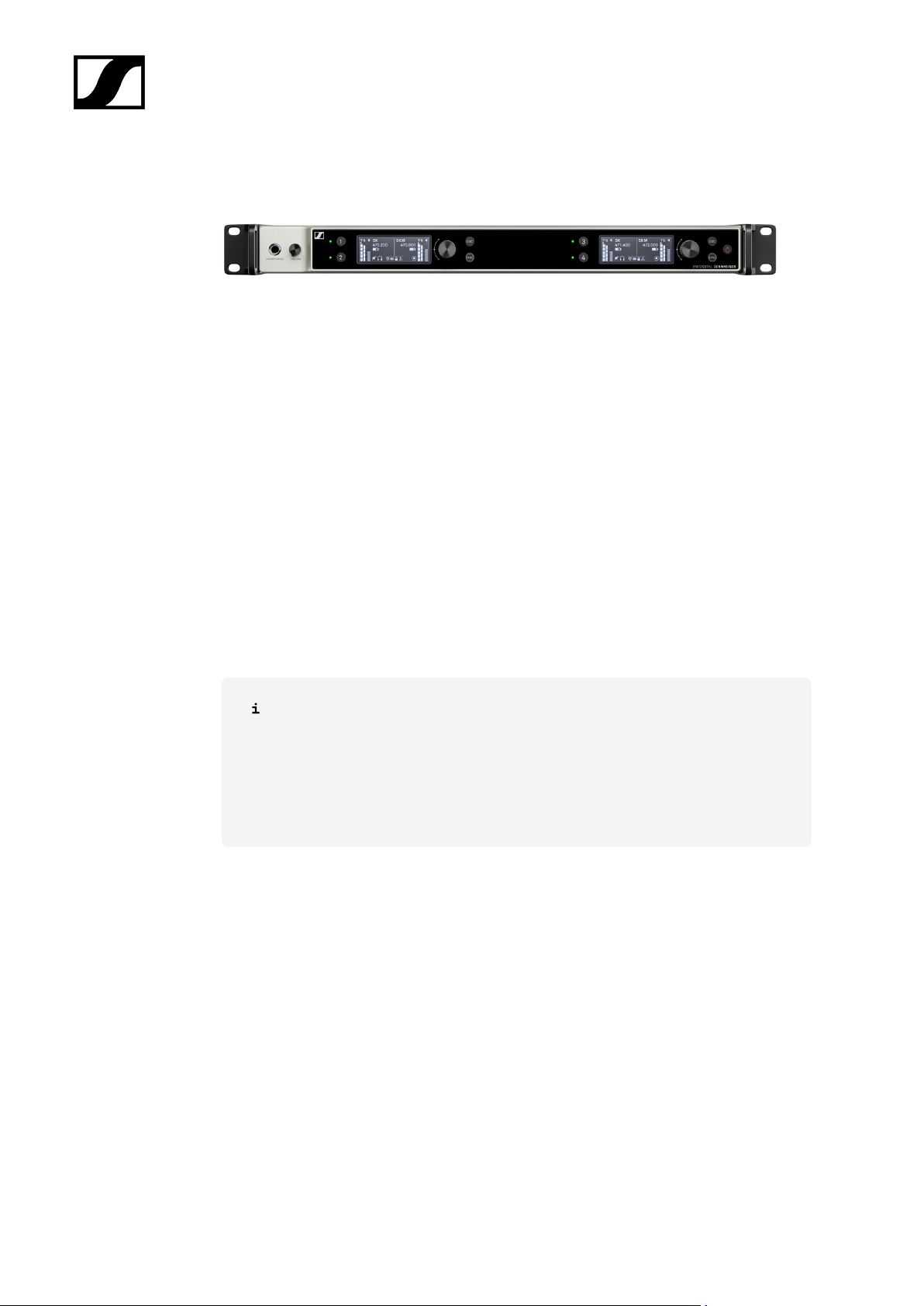
| 2 - Product information
EW-DX EM 4 Dante rack receiver
The EW-DX EM 4 Dante rack receiver is available in the following versions:
EW-DX EM 4 Dante (Q1–9) | 470.2 – 550 MHz | Art. no. 509370
EW DX EM 4 Dante (R1–9) | 520 – 607.8 MHz | Art. no. 509371
EW DX EM 4 Dante (S1–10) | 606.2 – 693.8 MHz | Art. no. 509372
EW DX EM 4 Dante (S2–10) | 614.2 – 693.8 MHz | Art. no. 509375
EW DX EM 4 Dante (S4–10) | 630 – 693.8 MHz | Art. no. 509376
EW-DX EM 4 Dante (U1/5) | 823.2 – 831.8 MHz & 863.2 – 864.8 MHz | Art. no. 509377
EW DX EM 4 Dante (V3–4) | 925.2 – 937.3 MHz | Art. no. 509379
EW-DX EM 4 Dante (V5–7) | 941.7 – 951.8 MHz & 953.05 – 956.05 MHz & 956.65 – 959.65
MHz | Art. no. 509380
EW DX EM 4 Dante (Y1–3) | 1785.2 – 1799.8 MHz | Art. no. 509383
You can find more detailed information about the EW-DX EM 4 Dante in the
following sections:
• Startup and operation: EW-DX EM 4 Dante rack receiver
• Specifications: EW-DX EM 4 Dante rack receiver
33
Page 34
| 2 - Product information
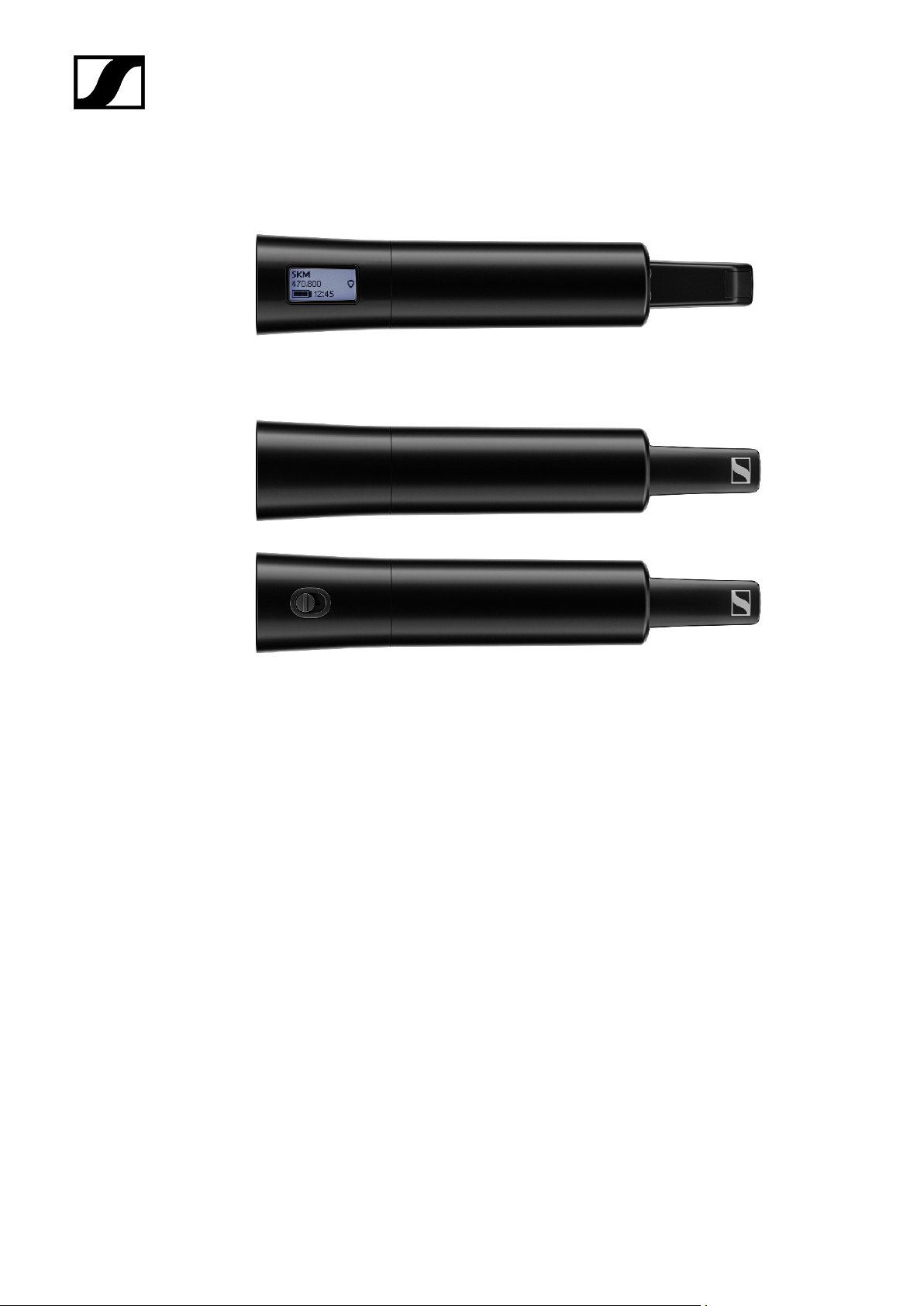
EW-DX SKM | EW-DX SKM-S handheld transmitter
Handheld transmitter without mute switch
The EW-DX SKM handheld transmitter without mute switch is available in the following
versions:
EW-DX SKM (Q1–9) | 470.2 – 550 MHz | Art. no. 509426
EW-DX SKM (R1–9) | 520 – 607.8 MHz | Art. no. 509427
EW-DX SKM (S1–10) | 606.2 – 693.8 MHz | Art. no. 509428
EW-DX SKM (S2–10) | 614.2 – 693.8 MHz | Art. no. 509431
EW-DX SKM (S4–10) | 630 – 693.8 MHz | Art. no. 509432
EW-DX SKM (U1/5) | 823.2 – 831.8 MHz & 863.2 – 864.8 MHz | Art. no. 509433
EW-DX SKM (V3–4) | 925.2 – 937.3 MHz | Art. no. 509435
EW-DX SKM (V5–7) | 941.7 – 951.8 MHz & 953.05 – 956.05 MHz & 956.65 – 959.65 MHz |
Art. no. 509436
EW-DX SKM (Y1–3) | 1785.2 – 1799.8 MHz | Art. no. 509439
34
Page 35

| 2 - Product information
Handheld transmitter with mute switch
The EW-DX SKM-S handheld transmitter with mute switch is available in the following
versions:
EW-DX SKM-S (Q1–9) | 470.2 – 550 MHz | Art. no. 509412
EW-DX SKM-S (R1–9) | 520 – 607.8 MHz | Art. no. 509413
EW-DX SKM-S (S1–10) | 606.2 – 693.8 MHz | Art. no. 509414
EW-DX SKM-S (S2–10) | 614.2 – 693.8 MHz | Art. no. 509417
EW-DX SKM-S (S4–10) | 630 – 693.8 MHz | Art. no. 509418
EW-DX SKM-S (U1/5) | 823.2 – 831.8 MHz & 863.2 – 864.8 MHz | Art. no. 509419
EW-DX SKM-S (V3–4) | 925.2 – 937.3 MHz | Art. no. 509421
EW-DX SKM-S (V5–7) | 941.7 – 951.8 MHz & 953.05 – 956.05 MHz & 956.65 – 959.65 MHz |
Art. no. 509422
EW-DX SKM-S (Y1–3) | 1785.2 – 1799.8 MHz | Art. no. 509423
You can find more detailed information about the EW-DX SKM and EW-DX SKM-
S in the following sections:
• Startup and operation: EW-DX SKM | EW-DX SKM-S handheld
transmitter
• Specifications: EW-DX SKM | EW-DX SKM-S handheld transmitter
• Compatible microphone modules: Replacing the microphone module
35
Page 36
| 2 - Product information
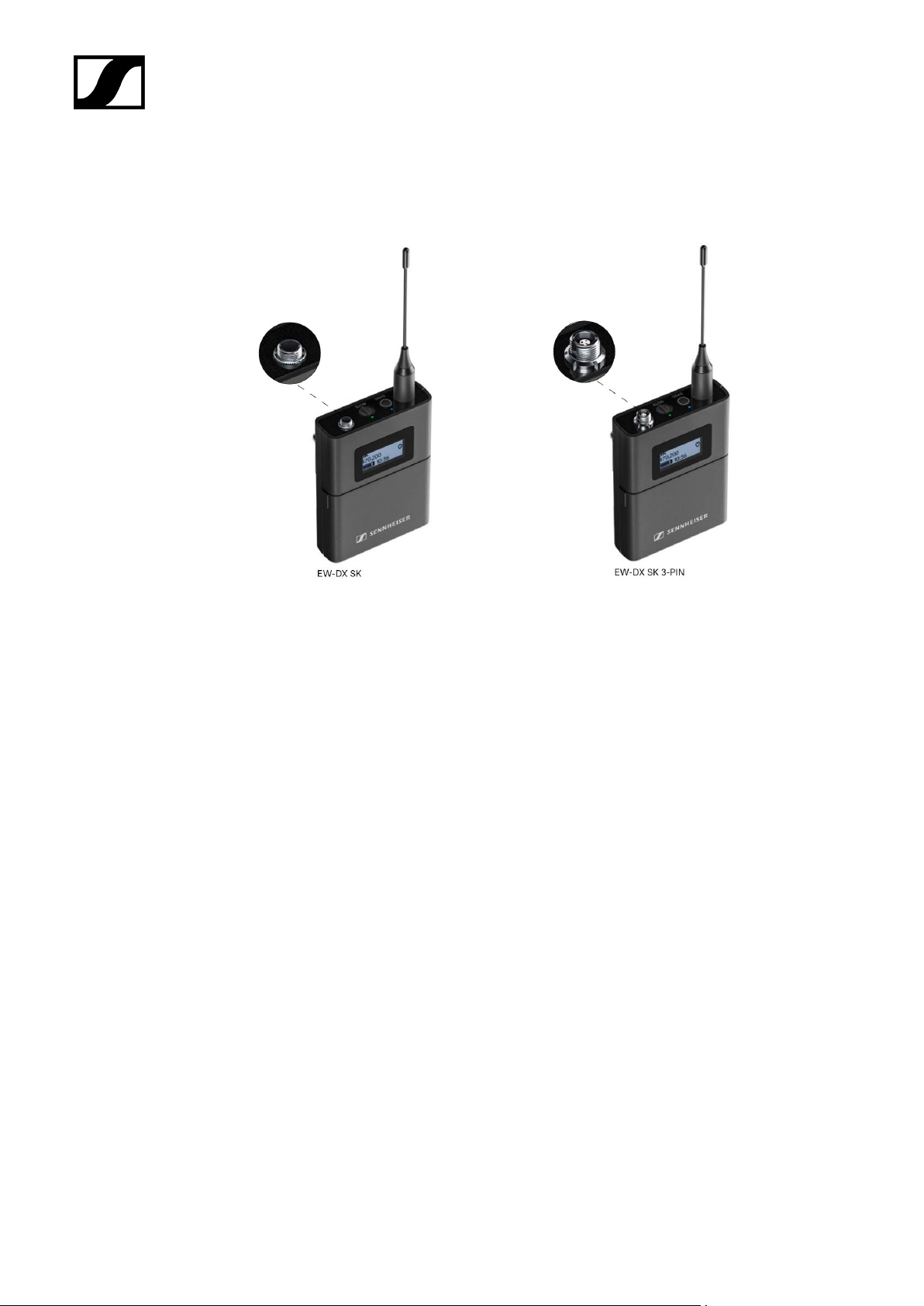
EW-DX SK | EW-DX SK 3-PIN bodypack transmitter
EW-DX SK bodypack transmitter
The EW-DX SK bodypack transmitter is available in the following versions:
EW-DX SK (Q1–9) | 470.2 – 550 MHz | Art. no. 509384
EW-DX SK (R1–9) | 520 – 607.8 MHz | Art. no. 509385
EW-DX SK (S1–10) | 606.2 – 693.8 MHz | Art. no. 509385
EW-DX SK (S2–10) | 614.2 – 693.8 MHz | Art. no. 509389
EW-DX SK (S4–10) | 630 – 693.8 MHz | Art. no. 509390
EW-DX SK (U1/5) | 823.2 – 831.8 MHz & 863.2 – 864.8 MHz | Art. no. 509391
EW-DX SK (V3–4) | 925.2 – 937.3 MHz | Art. no. 509393
EW-DX SK (V5–7) | 941.7 – 951.8 MHz & 953.05 – 956.05 MHz & 956.65 – 959.65 MHz | Art.
no. 509394
EW-DX SK (Y1–3) | 1785.2 – 1799.8 MHz | Art. no. 509397
EW-DX SK 3-PIN bodypack transmitter
The EW-DX SK 3-PIN bodypack transmitter is available in the following versions:
EW-DX SK 3-PIN (Q1–9) | 470.2 – 550 MHz | Art. no. 509398
36
Page 37

| 2 - Product information
EW-DX SK 3-PIN (R1–9) | 520 – 607.8 MHz | Art. no. 509399
EW-DX SK 3-PIN (S1–10) | 606.2 – 693.8 MHz | Art. no. 509499
EW-DX SK 3-PIN (S2–10) | 614.2 – 693.8 MHz | Art. no. 509403
EW-DX SK 3-PIN (S4–10) | 630 – 693.8 MHz | Art. no. 509404
EW-DX SK 3-PIN (U1/5) | 823.2 – 831.8 MHz & 863.2 – 864.8 MHz | Art. no. 509405
EW-DX SK 3-PIN (V3–4) | 925.2 – 937.3 MHz | Art. no. 509407
EW-DX SK 3-PIN (V5–7) | 941.7 – 951.8 MHz & 953.05 – 956.05 MHz & 956.65 – 959.65 MHz
| Art. no. 509408
EW-DX SK 3-PIN (Y1–3) | 1785.2 – 1799.8 MHz | Art. no. 509411
You can find more detailed information about the EW-DX SK and EW-DX SK 3-
PIN in the following sections:
• Startup and operation: EW-DX SK | EW-DX SK 3-PIN bodypack
transmitter
• Specifications: EW-DX SK | EW-DX SK 3-PIN bodypack transmitter
• Compatible microphones: Connecting a microphone to the bodypack
transmitter
37
Page 38
| 2 - Product information
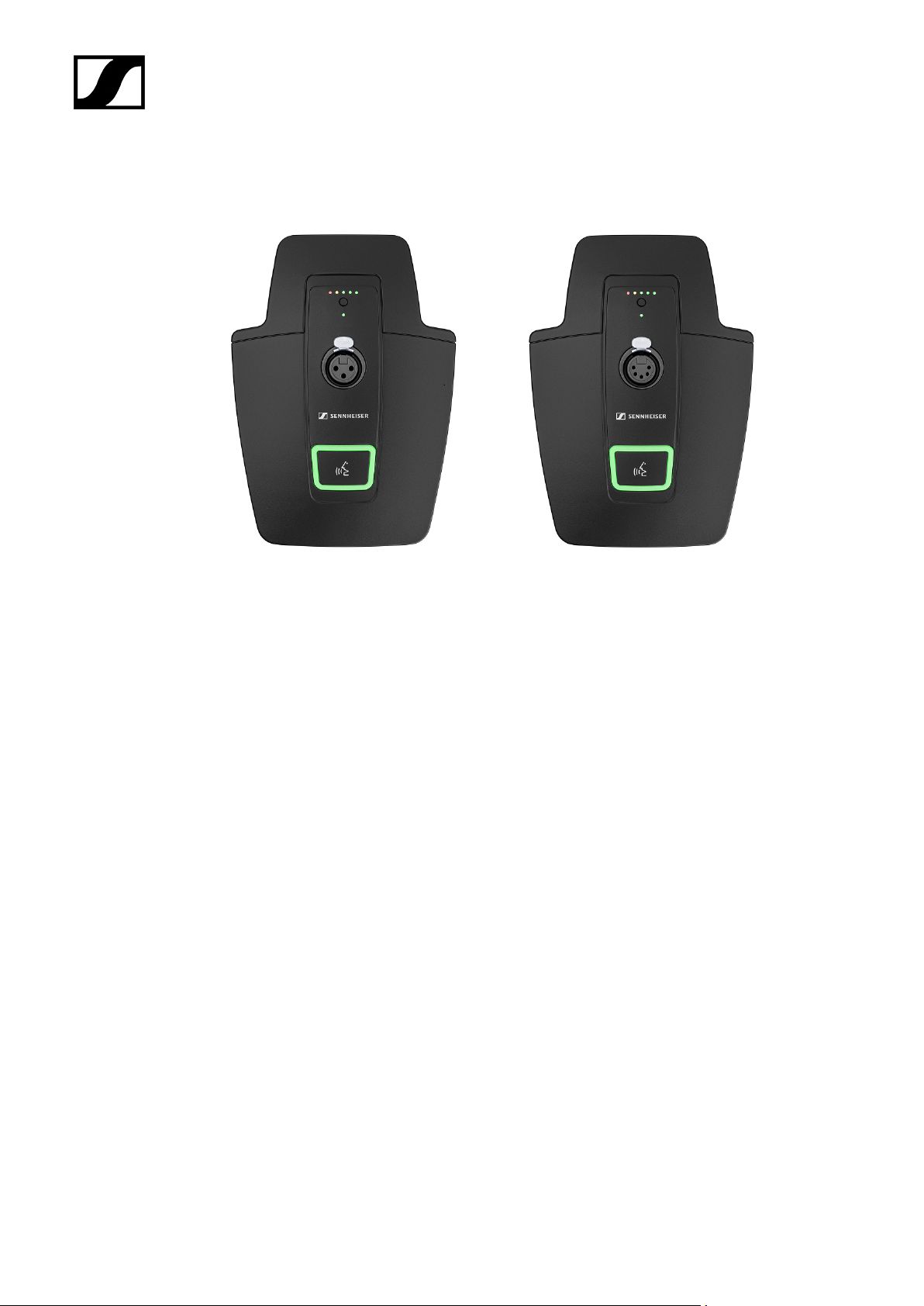
Table stand EW-DX TS 3-pin | EW-DX TS 5-pin
Table stand EW-DX TS 3-pin
The EW-DX TS 3-pin table stand is available in the following versions:
EW-DX TS 3-pin (Q1-9) | 470.2 – 550 MHz | Art. no. 509440
EW-DX TS 3-pin (R1-9) | 520 – 607.8 MHz | Art. no. 509441
EW-DX TS 3-pin (S1-10) | 606.2 – 693.8 MHz | Art. no. 509442
EW-DX TS 3-pin (S2-10) | 614.2 – 693.8 MHz | Art. no. 509445
EW-DX TS 3-pin (S4-10) | 630 – 693.8 MHz | Art. no. 509446
EW-DX TS 3-pin (U1/5) | 823.2 – 831.8 MHz & 863.2 – 864.8 MHz | Art. no. 509447
EW-DX TS 3-pin (V3-4) | 925.2 – 937.3 MHz | Art. no. 509449
EW-DX TS 3-pin (V5-7) | 941.7 – 951.8 MHz & 953.05 – 956.05 MHz & 956.65 – 959.65 MHz |
Art. no. 509450
EW-DX TS 3-pin (Y1-3) | 1785.2 – 1799.8 MHz | Art. no. 509453
Table stand EW-DX TS 5-pin
The EW-DX TS 5-pin table stand is available in the following versions:
EW-DX TS 5-pin (Q1-9) | 470.2 – 550 MHz | Art. no. 700191
EW-DX TS 5-pin (R1-9) | 520 – 607.8 MHz | Art. no. 700192
38
Page 39

| 2 - Product information
EW-DX TS 5-pin (S1-10) | 606.2 – 693.8 MHz | Art. no. 700193
EW-DX TS 5-pin (S2-10) | 614.2 – 693.8 MHz | Art. no. 700195
EW-DX TS 5-pin (S4-10) | 630 – 693.8 MHz | Art. no. 700196
EW-DX TS 5-pin (U1/5) | 823.2 – 831.8 MHz & 863.2 – 864.8 MHz | Art. no. 700197
EW-DX TS 5-pin (V3-4) | 925.2 – 937.3 MHz | Art. no. 700199
EW-DX TS 5-pin (V5-7) | 941.7 – 951.8 MHz & 953.05 – 956.05 MHz & 956.65 – 959.65 MHz |
Art. no. 700200
EW-DX TS 5-pin (Y1-3) | 1785.2 – 1799.8 MHz | Art. no. 700203
You can find more detailed information about the EW-DX TS in the following
sections:
• Startup and operation: Table stand EW-DX TS 3-pin | EW-DX TS 5-pin
• Specifications: Table stand EW-DX TS 3-pin | EW-DX TS 5-pin
• Compatible microphones: Connecting a gooseneck microphone
39
Page 40
Sets available for the EW-DX series
Related information
EW-DX 835-S SET | Handheld Set
EW-DX MKE 2 SET | Lavalier Set
EW-DX MKE 2-835-S SET | Combo Set
EW-DX 835-S SET | Handheld Set
| 2 - Product information
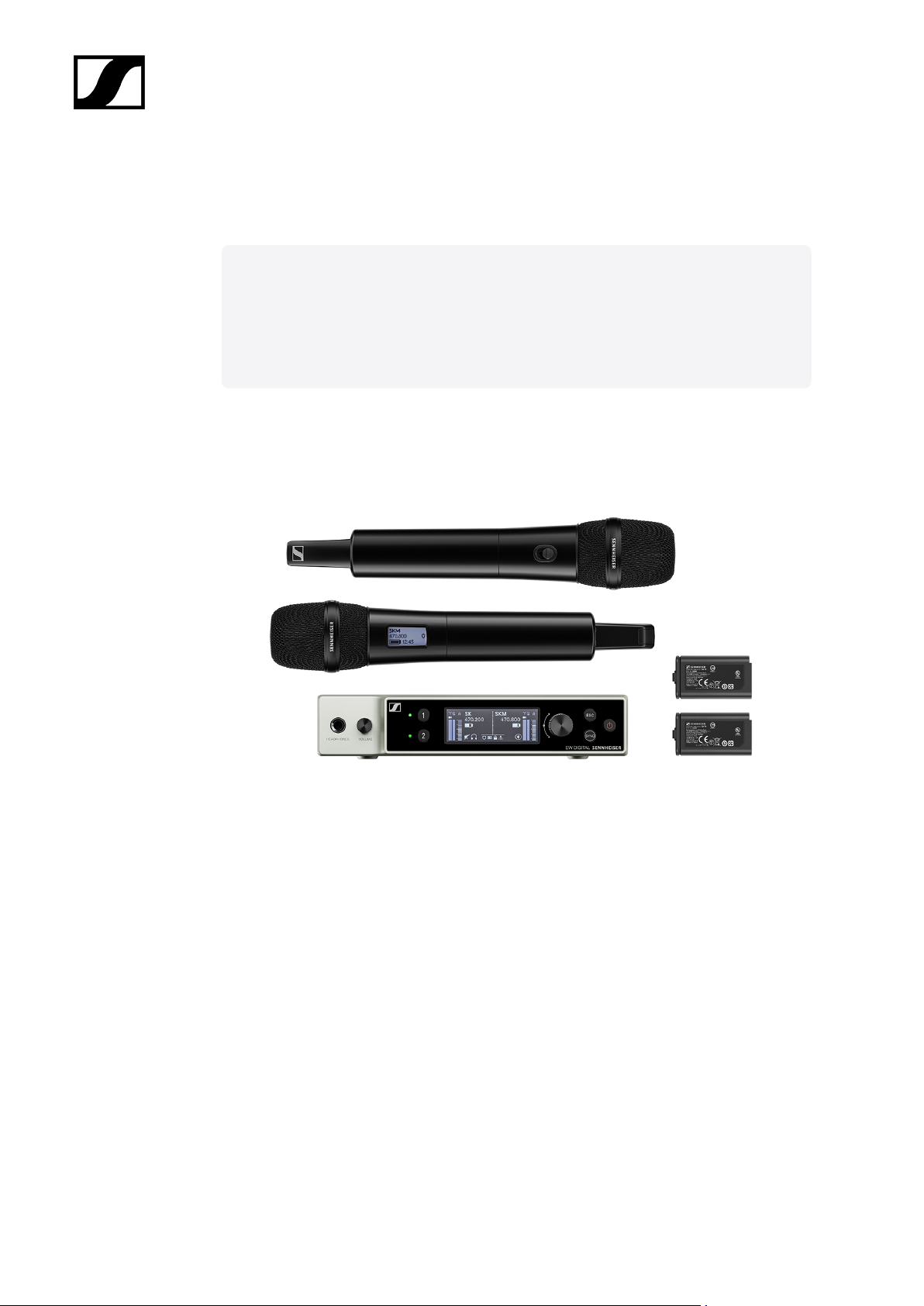
The set consists of the following components:
• EW-DX EM 2 rack receiver
• 2x EW-DX SKM-S handheld transmitters
• 2x MMD 835 microphone module
• 2x BA 70 rechargeable batteries
The set is available in the following versions:
EW-DX 835-S SET (Q1–9) | 470.2 – 550 MHz | Art. no. 509300
EW-DX 835-S SET (R1–9) | 520 – 607.8 MHz | Art. no. 509301
EW-DX 835-S SET (S1–10) | 606.2 – 693.8 MHz | Art. no. 509302
EW-DX 835-S SET (S2–10) | 614.2 – 693.8 MHz | Art. no. 509305
EW-DX 835-S SET (S4–10) | 630 – 693.8 MHz | Art. no. 509306
40
Page 41

| 2 - Product information
EW-DX 835-S SET (U1/5) | 823.2 – 831.8 MHz & 863.2 – 864.8 MHz | Art. no. 509307
EW-DX 835-S SET (V3–4) | 925.2 – 937.3 MHz | Art. no. 509309
EW-DX 835-S SET (V5–7) | 941.7 – 951.8 MHz & 953.05 – 956.05 MHz & 956.65 – 959.65
MHz | Art. no. 509310
EW-DX 835-S SET (Y1–3) | 1785.2 – 1799.8 MHz | Art. no. 509313
You can find more detailed information about the set in the following sections:
• Startup and operation: Instruction manual
• Specifications: Specifications
41
Page 42
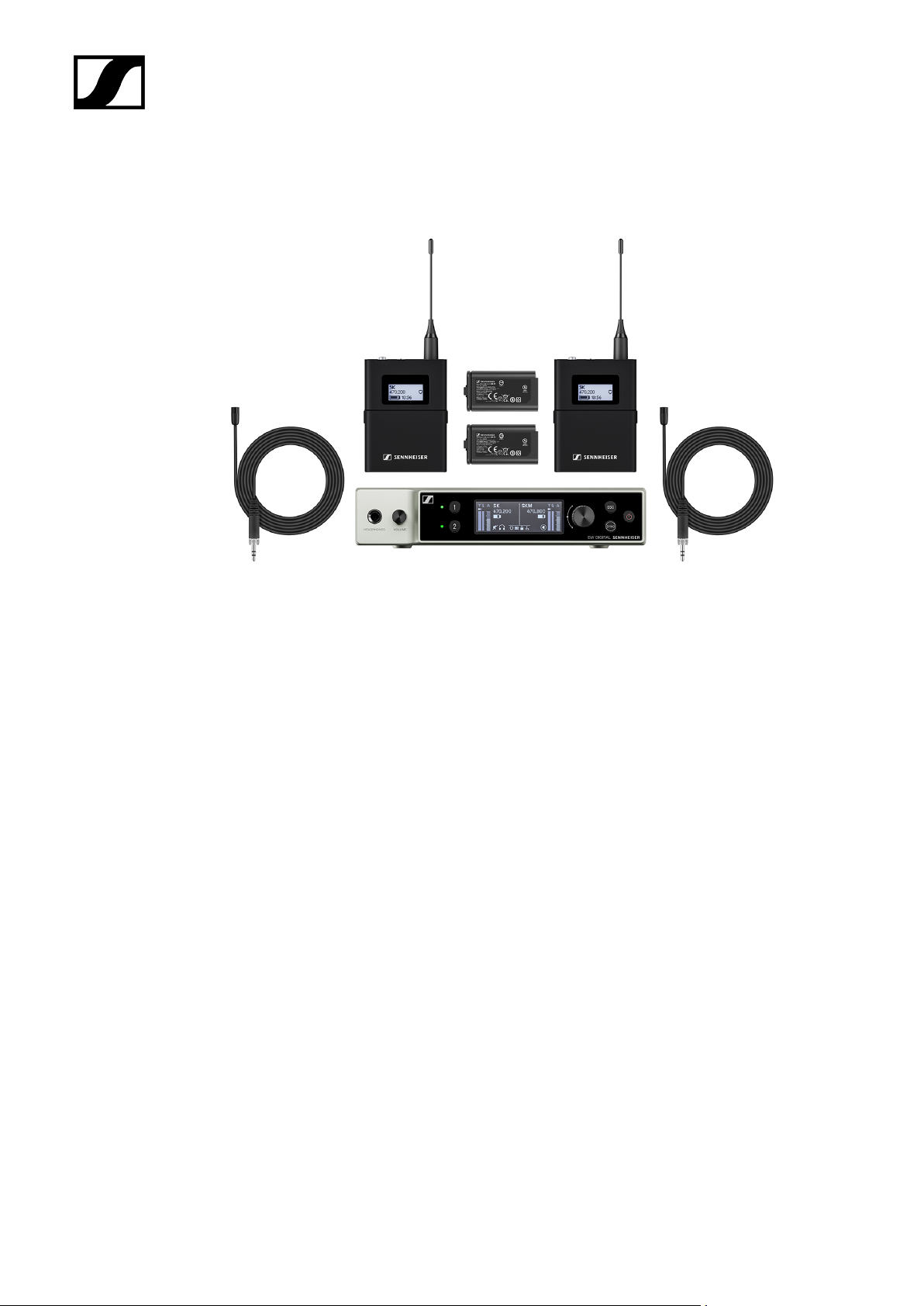
EW-DX MKE 2 SET | Lavalier Set
| 2 - Product information
The set consists of the following components:
• EW-DX EM rack receiver
• 2x EW-DX SK bodypack transmitter
• 2x MKE 2 lavalier microphone
• 2x BA 70 rechargeable batteries
The set is available in the following versions:
EW-DX MKE 2 SET (Q1–9) | 470.2 – 550 MHz | Art. no. 509314
EW-DX MKE 2 SET (R1–9) | 520 – 607.8 MHz | Art. no. 509315
EW-DX MKE 2 SET (S1–10) | 606.2 – 693.8 MHz | Art. no. 509316
EW-DX MKE 2 SET (S2–10) | 614.2 – 693.8 MHz | Art. no. 509319
EW-DX MKE 2 SET (S4–10) | 630 – 693.8 MHz | Art. no. 509320
EW-DX MKE 2 SET (U1/5) | 823.2 – 831.8 MHz & 863.2 – 864.8 MHz | Art. no. 509321
EW-DX MKE 2 SET (V3–4) | 925.2 – 937.3 MHz | Art. no. 509323
EW-DX MKE 2 SET (V5–7) | 941.7 – 951.8 MHz & 953.05 – 956.05 MHz & 956.65 – 959.65
MHz | Art. no. 509324
EW-DX MKE 2 SET (Y1–3) | 1785.2 – 1799.8 MHz | Art. no. 509327
42
Page 43

| 2 - Product information
You can find more detailed information about the set in the following sections:
• Startup and operation: Instruction manual
• Specifications: Specifications
43
Page 44
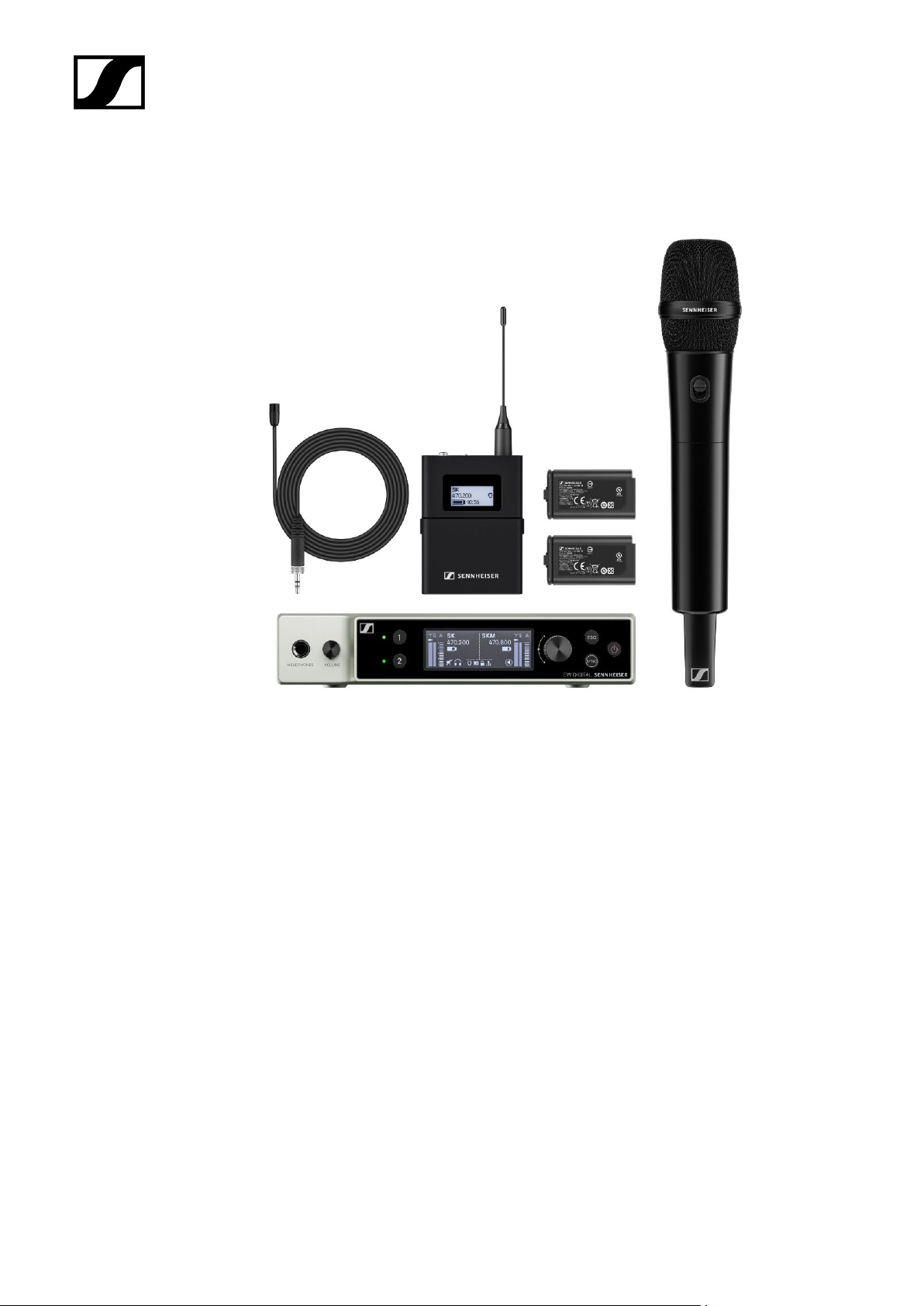
EW-DX MKE 2-835-S SET | Combo Set
| 2 - Product information
The set consists of the following components:
• EW-DX EM rack receiver
• 1x EW-DX SK bodypack transmitter
• 1x MKE 2 lavalier microphone
• 1x EW-DX SKM-S handheld transmitter
• 1x MMD 835 microphone module
• 2x BA 70 rechargeable batteries
The set is available in the following versions:
EW-DX MKE 2-835-S SET (Q1–9) | 470.2 – 550 MHz | Art. no. 509328
EW-DX MKE 2-835-S SET (R1–9) | 520 – 607.8 MHz | Art. no. 509329
EW-DX MKE 2-835-S SET (S1–10) | 606.2 – 693.8 MHz | Art. no. 509330
EW-DX MKE 2-835-S SET (S2–10) | 614.2 – 693.8 MHz | Art. no. 509333
EW-DX MKE 2-835-S SET (S4–10) | 630 – 693.8 MHz | Art. no. 509334
EW-DX MKE 2-835-S SET (U1/5) | 823.2 – 831.8 MHz & 863.2 – 864.8 MHz | Art. no. 509335
44
Page 45

| 2 - Product information
EW-DX MKE 2-835-S SET (V3–4) | 925.2 – 937.3 MHz | Art. no. 509337
EW-DX MKE 2-835-S SET (V5–7) | 941.7 – 951.8 MHz & 953.05 – 956.05 MHz & 956.65 –
959.65 MHz | Art. no. 509338
EW-DX MKE 2-835-S SET (Y1–3) | 1785.2 – 1799.8 MHz | Art. no. 509341
You can find more detailed information about the set in the following sections:
• Startup and operation: Instruction manual
• Specifications: Specifications
45
Page 46
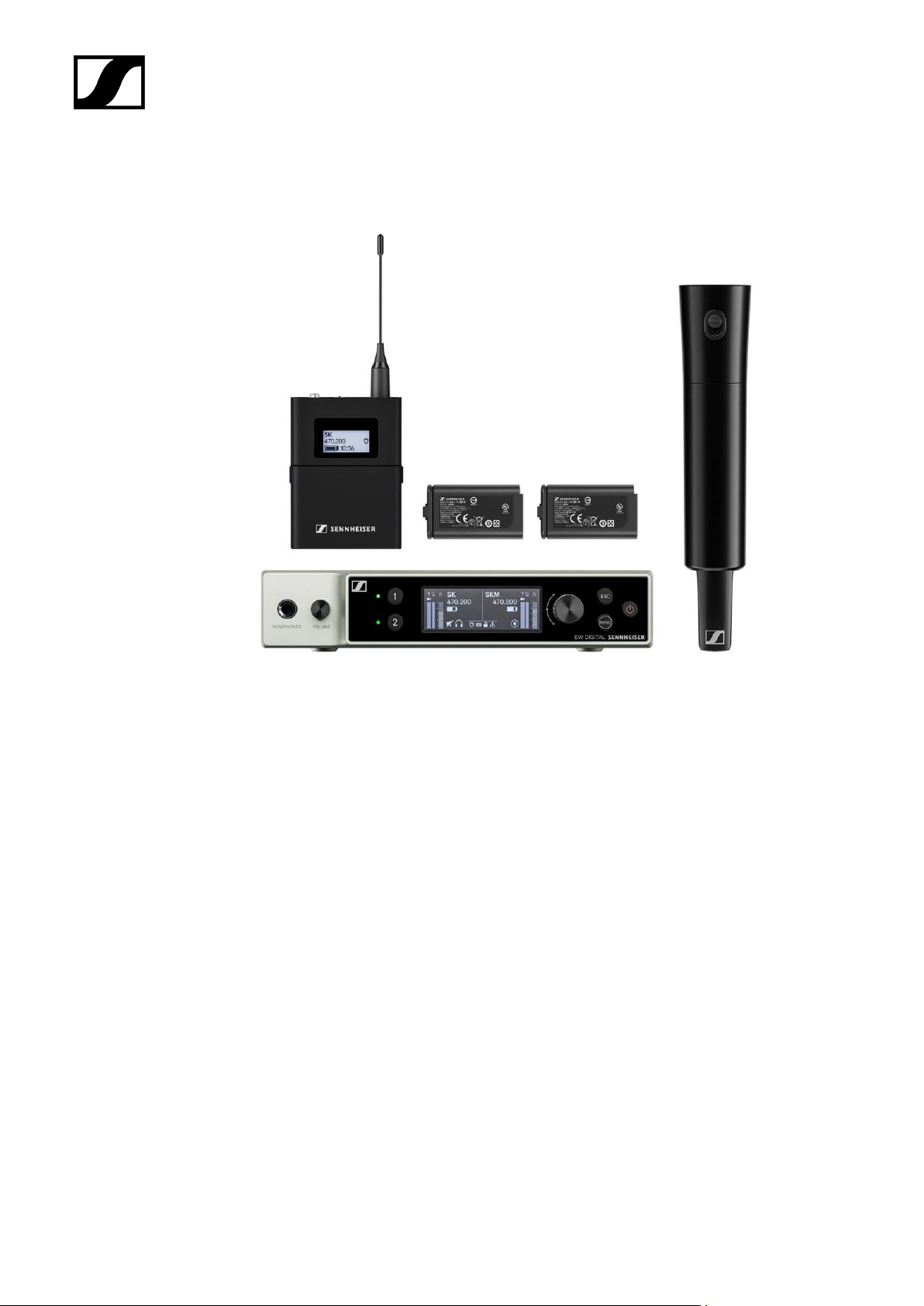
EW-DX SK-SKM-S BASE SET | Base Set
| 2 - Product information
The set consists of the following components:
• EW-DX EM rack receiver
• 1x EW-DX SK bodypack transmitter
• 1x EW-DX SKM-S handheld transmitter
• 2x BA 70 rechargeable batteries
The set is available in the following versions:
EW-DX SK-SKM-S BASE SET (Q1–9) | 470.2 – 550 MHz | Art. no. 509462
EW-DX SK-SKM-S BASE SET (R1–9) | 520 – 607.8 MHz | Art. no. 509463
EW-DX SK-SKM-S BASE SET (S1–10) | 606.2 – 693.8 MHz | Art. no. 509464
EW-DX SK-SKM-S BASE SET (S2–10) | 614.2 – 693.8 MHz | Art. no. 509467
EW-DX SK-SKM-S BASE SET (S4–10) | 630 – 693.8 MHz | Art. no. 509468
EW-DX SK-SKM-S BASE SET (U1/5) | 823.2 – 831.8 MHz & 863.2 – 864.8 MHz | Art. no.
509469
EW-DX SK-SKM-S BASE SET (V3–4) | 925.2 – 937.3 MHz | Art. no. 509471
EW-DX SK-SKM-S BASE SET (V5–7) | 941.7 – 951.8 MHz & 953.05 – 956.05 MHz & 956.65 –
959.65 MHz | Art. no. 509338
46
Page 47

| 2 - Product information
EW-DX SK-SKM-S BASE SET (Y1–3) | 1785.2 – 1799.8 MHz | Art. no. 509341
You can find more detailed information about the set in the following sections:
• Startup and operation: Instruction manual
• Specifications: Specifications
47
Page 48
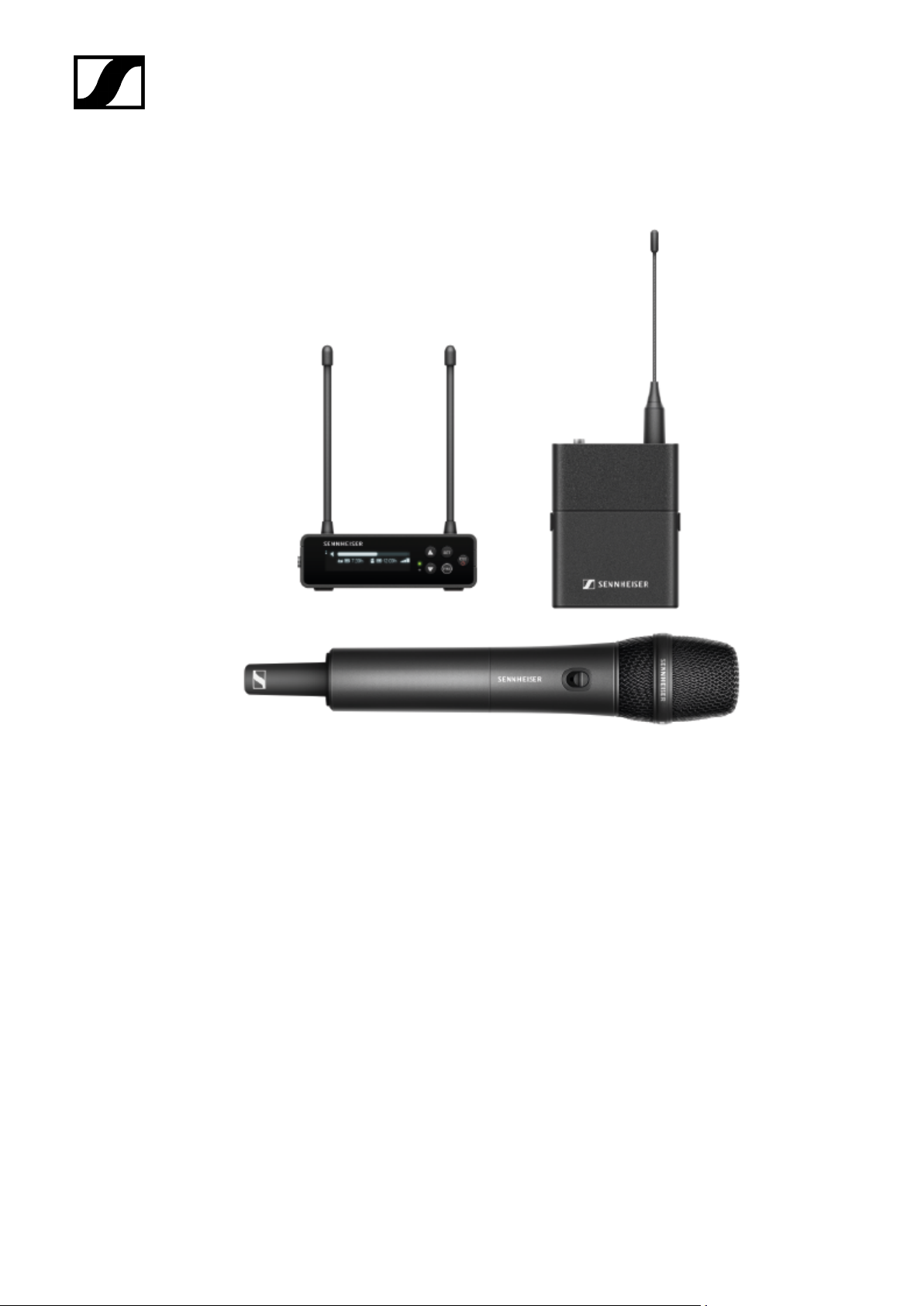
Products of the EW-DP series
| 2 - Product information
For information about the available accessories, see Accessories.
For information about the available sets, see Sets available for the EW-DP series.
For information about the frequency ranges, see Frequency ranges.
You can find technical specifications for the series and the individual products under
Specifications.
You can find information about starting up and operating the products under Instruction
manual.
48
Page 49
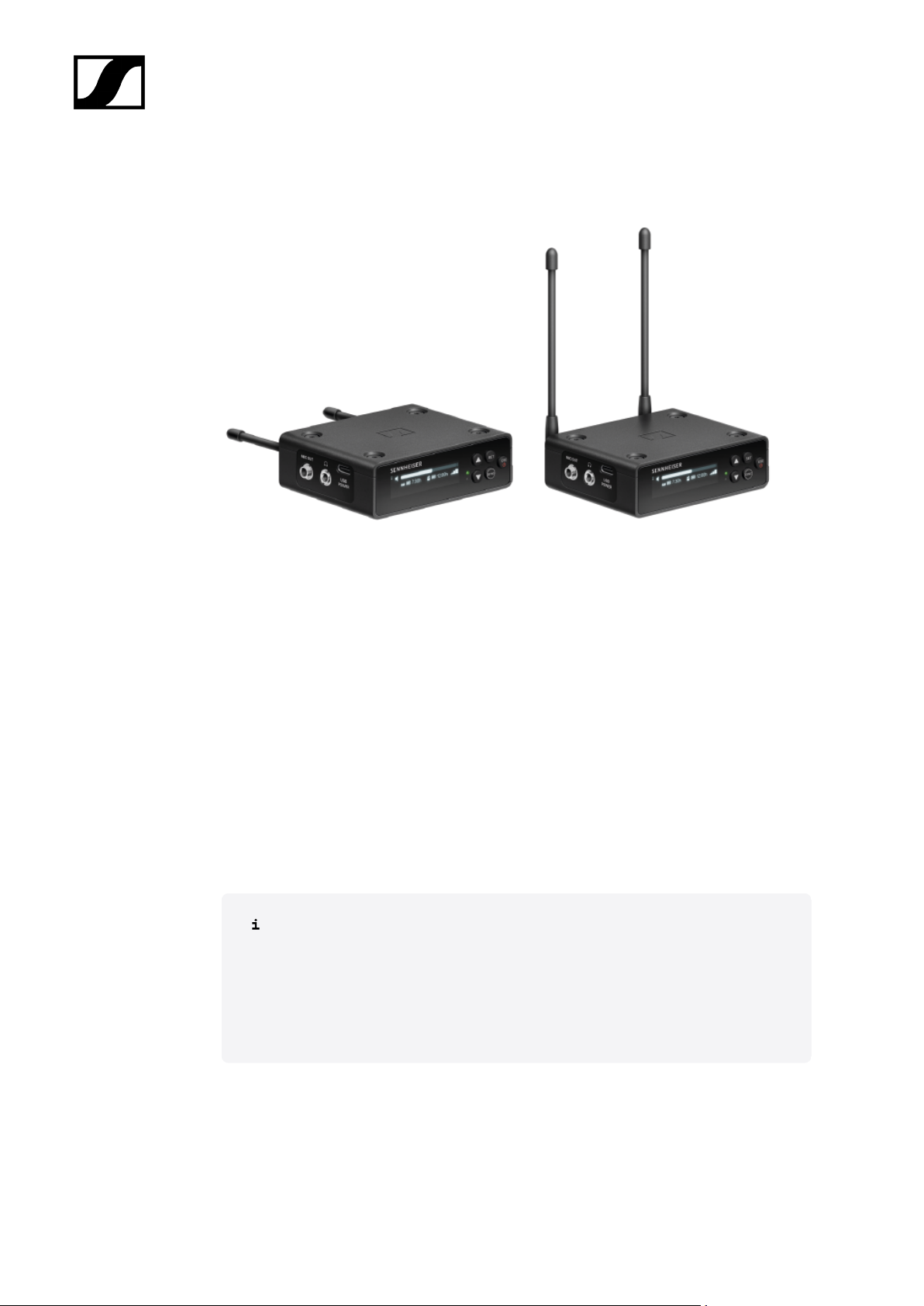
EW-DP EK portable receiver
| 2 - Product information
The EW-DP EK portable receiver is available in the following versions:
EW-DP EK (Q1–6) | 470.2 – 526 MHz | Art. no. 700050
EW-DP EK (R1–6) | 520 – 576 MHz | Art. no. 700051
EW-DP EK (R4–9) | 552 – 607.8 MHz | Art. no. 700052
EW-DP EK (S1–7) | 606.2 – 662 MHz | Art. no. 700053
EW-DP EK (S4–7) | 630 – 662 MHz | Art. no. 700054
EW-DP EK (S7–10) | 662 – 693.8 MHz | Art. no. 700055
EW-DP EK (U1/5) | 823.2 – 831.8 MHz & 863.2 – 864.8 MHz | Art. no. 700056
EW-DP EK (V3–4) | 925.2 – 937.3 MHz | Art. no. 700058
EW-DP EK (Y1–3) | 1785.2 – 1799.8 MHz | Art. no. 700059
You can find more detailed information about the EW-DP EK in the following
sections:
• Startup and operation: EW-DP EK portable receiver
• Specifications: EW-DP EK portable receiver
49
Page 50
| 2 - Product information
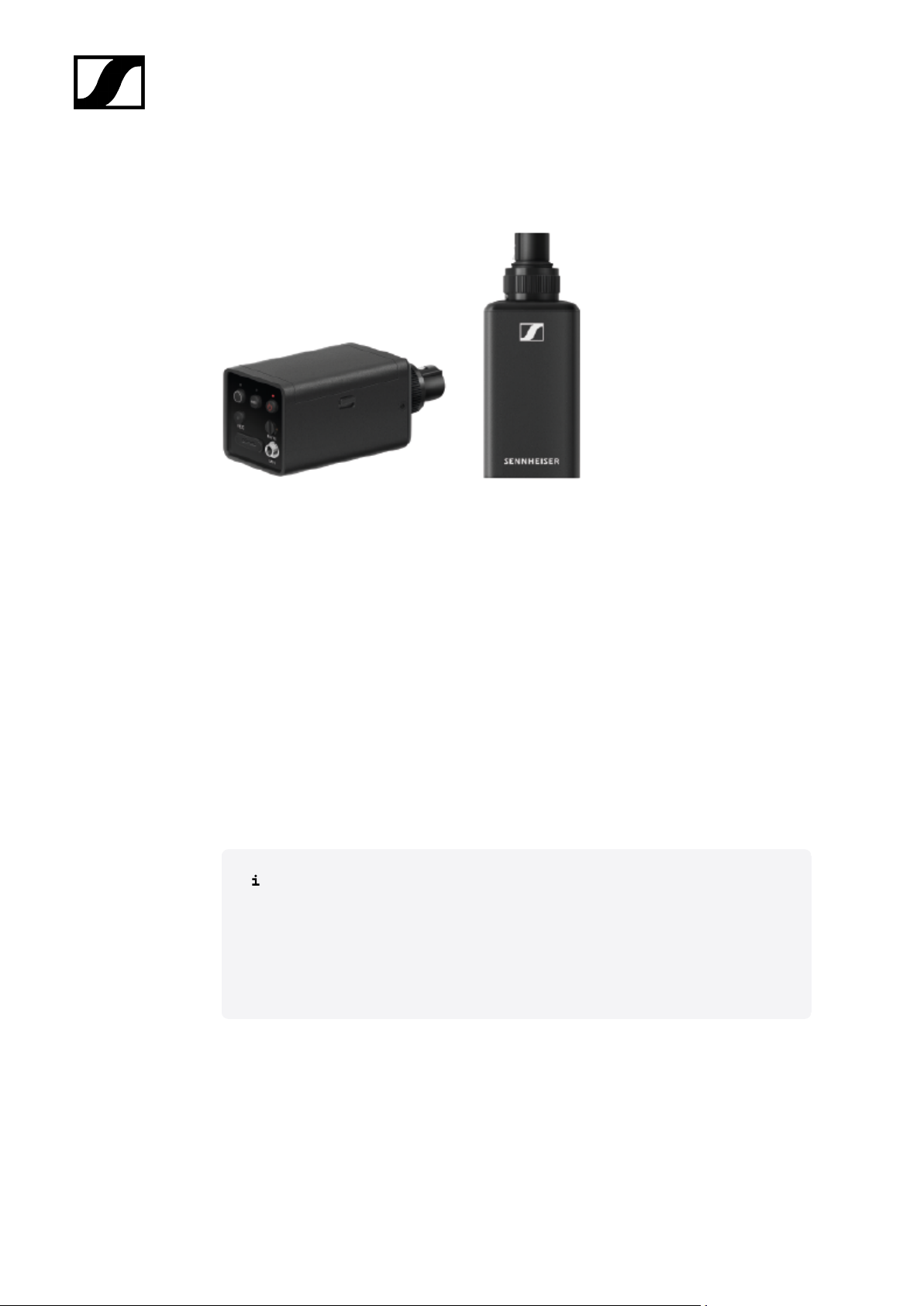
EW-DP SKP plug-on transmitter
The EW-DP SKP plug-on transmitter is available in the following versions:
EW-DP SKP (Q1–6) | 470.2 – 526 MHz | Art. no. 700080
EW-DP SKP (R1–6) | 520 – 576 MHz | Art. no. 700081
EW-DP SKP (R4–9) | 552 – 607.8 MHz | Art. no. 700082
EW-DP SKP (S1–7) | 606.2 – 662 MHz | Art. no. 700083
EW-DP SKP (S4–7) | 630 – 662 MHz | Art. no. 700084
EW-DP SKP (S7–10) | 662 – 693.8 MHz | Art. no. 700085
EW-DP SKP (U1/5) | 823.2 – 831.8 MHz & 863.2 – 864.8 MHz | Art. no. 700086
EW-DP SKP (V3–4) | 925.2 – 937.3 MHz | Art. no. 700088
EW-DP SKP (Y1–3) | 1785.2 – 1799.8 MHz | Art. no. 700089
You can find more detailed information about the EW-DP SKP in the following
sections:
• Startup and operation: EW-DP EK portable receiver
• Specifications: EW-DP SKP plug-on transmitter
50
Page 51
Sets available for the EW-DP series
Related information
EW-DP ME-2 | Lavalier Set
EW-DP ME-4 | Lavalier Set
EW-DP 835 | Handheld Set
EW-DP ENG | Lavalier Set
EW-DP ME-2 | Lavalier Set
| 2 - Product information
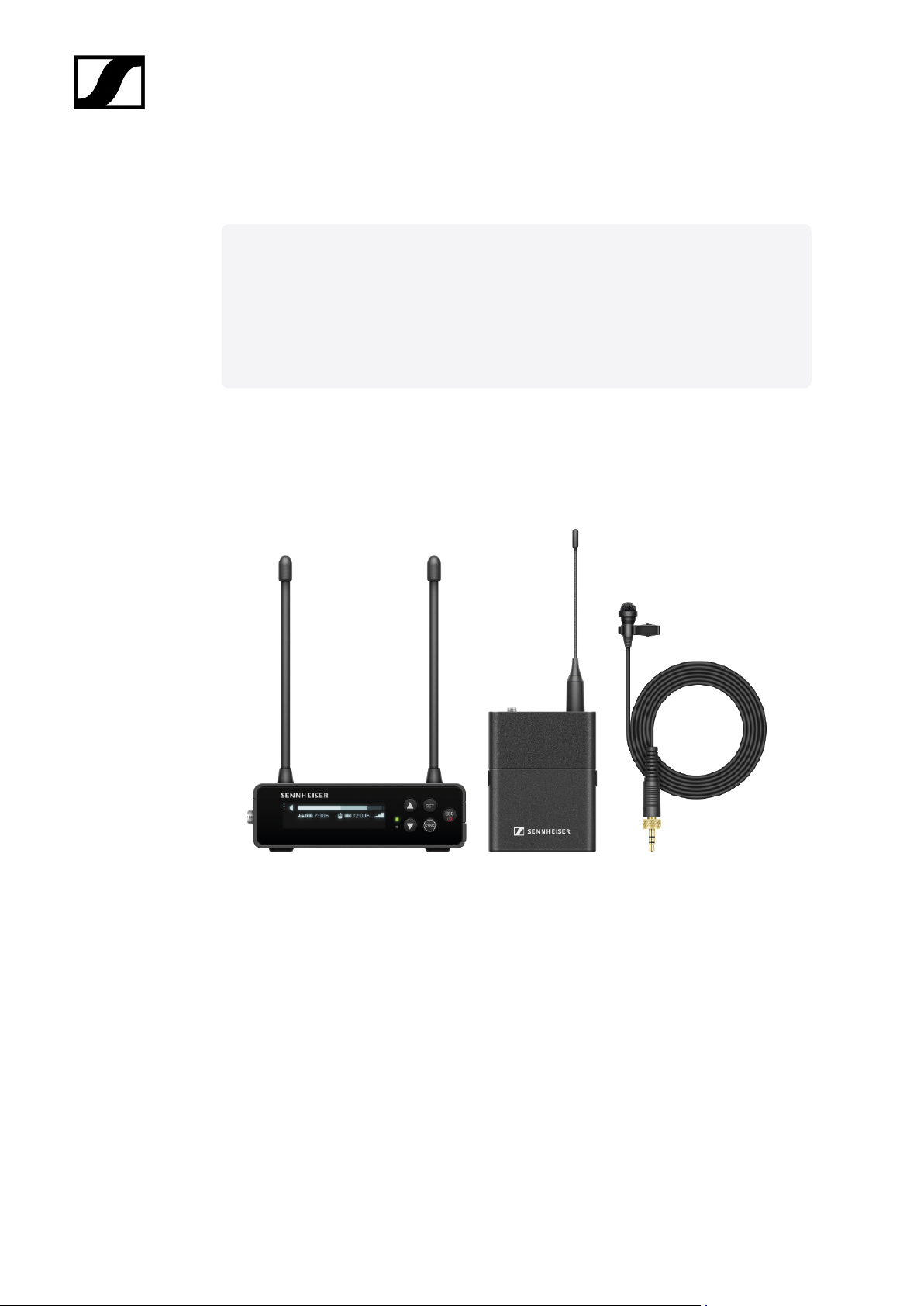
The set consists of the following components:
• EW-DP EK portable receiver
• EW-D SK bodypack transmitter
• ME 2 lavalier microphone
The set is available in the following versions:
EW-DP ME-2 SET (Q1–6) | 470.2 – 526 MHz | Art. no. 508710
EW-DP ME-2 SET (R1–6) | 520 – 576 MHz | Art. no. 508711
EW-DP ME-2 SET (R4–9) | 552 – 607.8 MHz | Art. no. 508712
51
Page 52

| 2 - Product information
EW-DP ME-2 SET (S1–7) | 606.2 – 662 MHz | Art. no. 508713
EW-DP ME-2 SET (S4–7) | 630 – 662 MHz | Art. no. 508714
EW-DP ME-2 SET (S7–10) | 662 – 693.8 MHz | Art. no. 508715
EW-DP ME-2 SET (U1/5) | 823.2 – 831.8 MHz & 863.2 – 864.8 MHz | Art. no. 508716
EW-DP ME-2 SET (V3–4) | 925.2 – 937.3 MHz | Art. no. 508718
EW-DP ME-2 SET (Y1–3) | 1785.2 – 1799.8 MHz | Art. no. 508719
You can find more detailed information about the set in the following sections:
• Startup and operation: Instruction manual
• Specifications: Specifications
52
Page 53
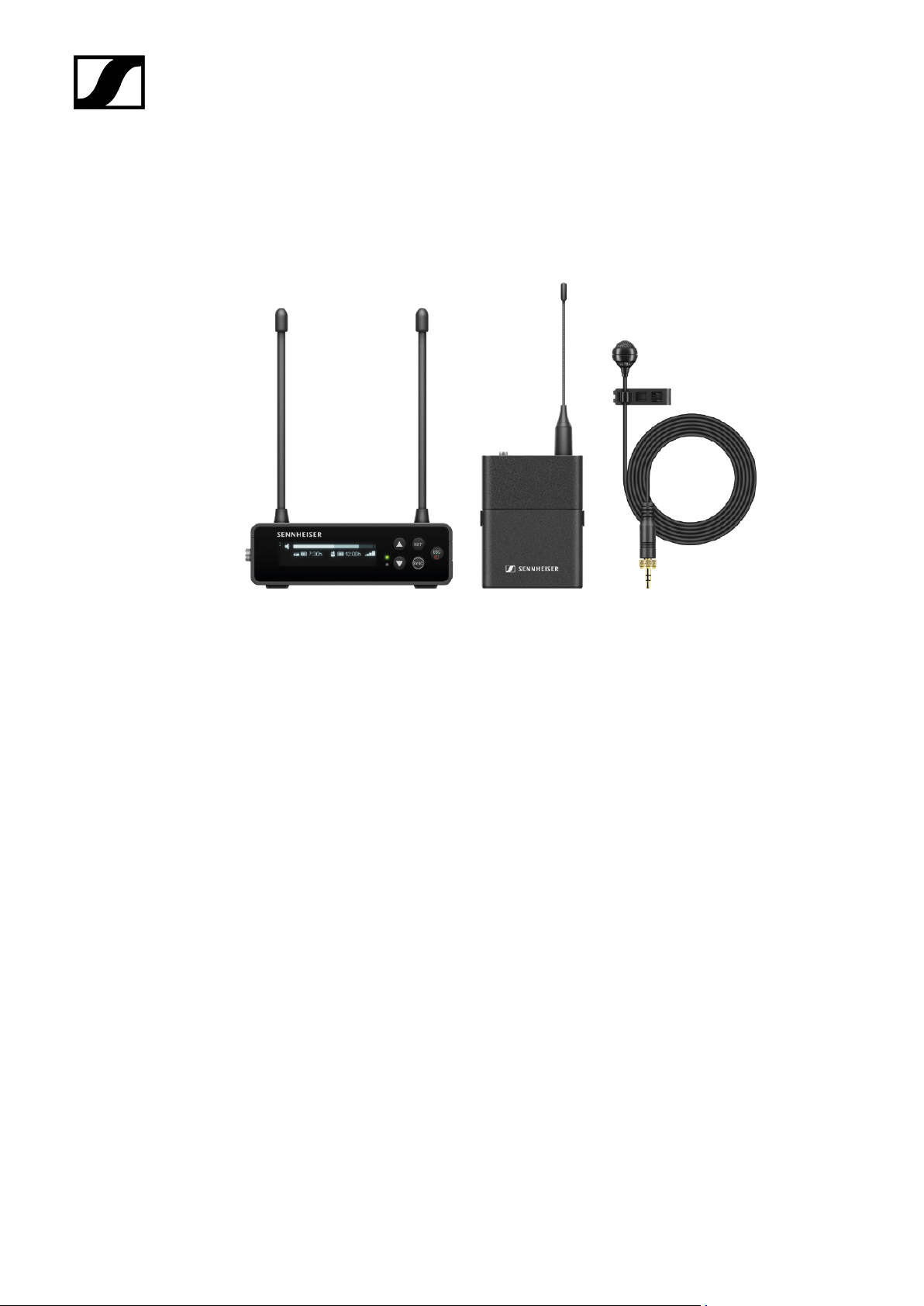
EW-DP ME-4 | Lavalier Set
| 2 - Product information
The set consists of the following components:
• EW-DP EK portable receiver
• EW-D SK bodypack transmitter
• ME 4 lavalier microphone
The set is available in the following versions:
EW-DP ME-4 SET (Q1–6) | 470.2 – 526 MHz | Art. no. 508720
EW-DP ME-4 SET (R1–6) | 520 – 576 MHz | Art. no. 508721
EW-DP ME-4 SET (R4–9) | 552 – 607.8 MHz | Art. no. 508722
EW-DP ME-4 SET (S1–7) | 606.2 – 662 MHz | Art. no. 508723
EW-DP ME-4 SET (S4–7) | 630 – 662 MHz | Art. no. 508724
EW-DP ME-4 SET (S7–10) | 662 – 693.8 MHz | Art. no. 508725
EW-DP ME-4 SET (U1/5) | 823.2 – 831.8 MHz & 863.2 – 864.8 MHz | Art. no. 508726
EW-DP ME-4 SET (V3–4) | 925.2 – 937.3 MHz | Art. no. 508728
EW-DP ME-4 SET (Y1–3) | 1785.2 – 1799.8 MHz | Art. no. 508729
53
Page 54

| 2 - Product information
You can find more detailed information about the set in the following sections:
• Startup and operation: Instruction manual
• Specifications: Specifications
54
Page 55
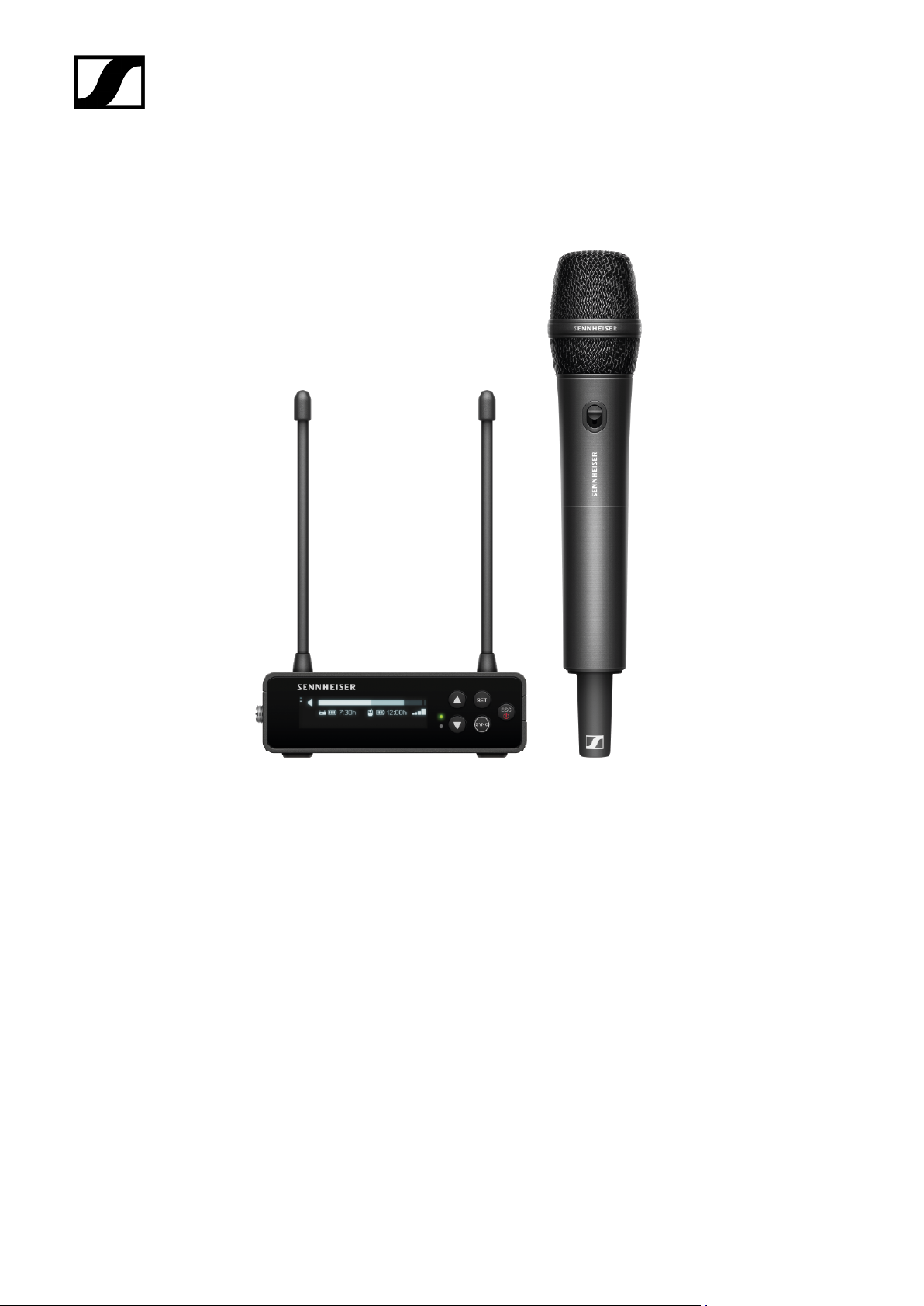
EW-DP 835 | Handheld Set
| 2 - Product information
The set consists of the following components:
• EW-DP EK portable receiver
• EW-D SKM-S handheld transmitter
• MMD 835 microphone module
The set is available in the following versions:
EW-DP 835 SET (Q1–6) | 470.2 – 526 MHz | Art. no. 508730
EW-DP 835 SET (R1–6) | 520 – 576 MHz | Art. no. 508731
EW-DP 835 SET (R4–9) | 552 – 607.8 MHz | Art. no. 508732
EW-DP 835 SET (S1–7) | 606.2 – 662 MHz | Art. no. 508733
EW-DP 835 SET (S4–7) | 630 – 662 MHz | Art. no. 508734
EW-DP 835 SET (S7–10) | 662 – 693.8 MHz | Art. no. 508735
55
Page 56

| 2 - Product information
EW-DP 835 SET (U1/5) | 823.2 – 831.8 MHz & 863.2 – 864.8 MHz | Art. no. 508736
EW-DP 835 SET (V3–4) | 925.2 – 937.3 MHz | Art. no. 508738
EW-DP 835 SET (Y1–3) | 1785.2 – 1799.8 MHz | Art. no. 508739
You can find more detailed information about the set in the following sections:
• Startup and operation: Instruction manual
• Specifications: Specifications
56
Page 57
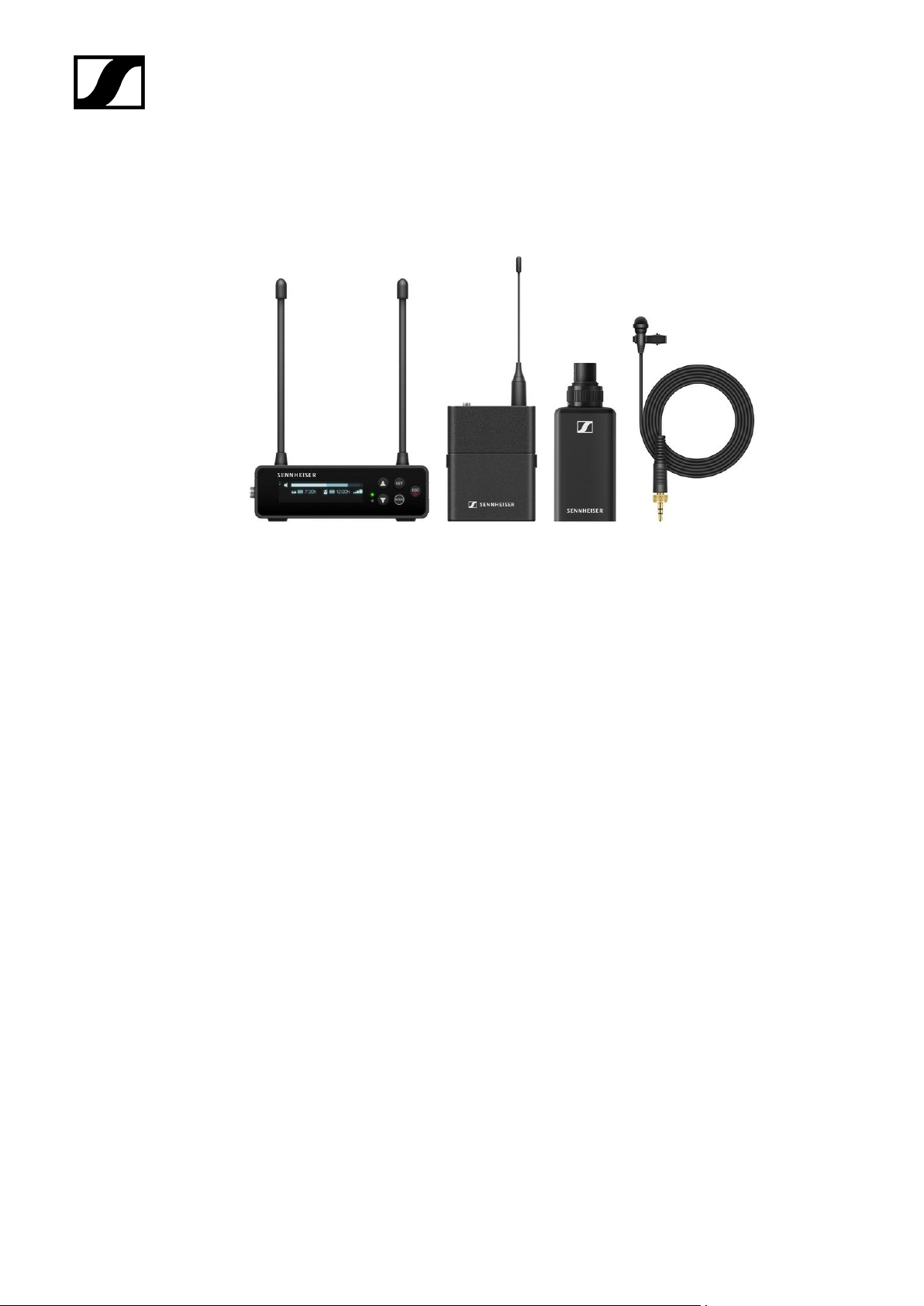
EW-DP ENG | Lavalier Set
| 2 - Product information
The set consists of the following components:
• EW-DP EK portable receiver
• EW-D SK bodypack transmitter
• EW-DP SKP plug-on transmitter
• ME 2 lavalier microphone
The set is available in the following versions:
EW-DP ENG SET (Q1-6) | 470.2 - 526 MHz | Art. no. 700040
EW-DP ENG SET (R1-6) | 520 - 576 MHz | Art. no. 700041
EW-DP ENG SET (R4-9) | 552 - 607.8 MHz | Art. no. 700042
EW-DP ENG SET (S1-7) | 606.2 - 662 MHz | Art. no. 700043
EW-DP ENG SET (S4-7) | 630 - 662 MHz | Art. no. 700044
EW-DP ENG SET (S7-10) | 662 - 693.8 MHz | Art. no. 700045
EW-DP ENG SET (U1/5) | 823.2 - 831.8 MHz & 863.2 - 864.8 MHz | Art. no. 700046
EW-DP ENG SET (V3-4) | 925.2 - 937.3 MHz | Art. no. 700048
EW-DP ENG SET (Y1-3) | 1785.2 - 1799.8 MHz | Art. no. 700049
57
Page 58

| 2 - Product information
You can find more detailed information about the set in the following sections:
• Startup and operation: Instruction manual
• Specifications: Specifications
58
Page 59
| 2 - Product information
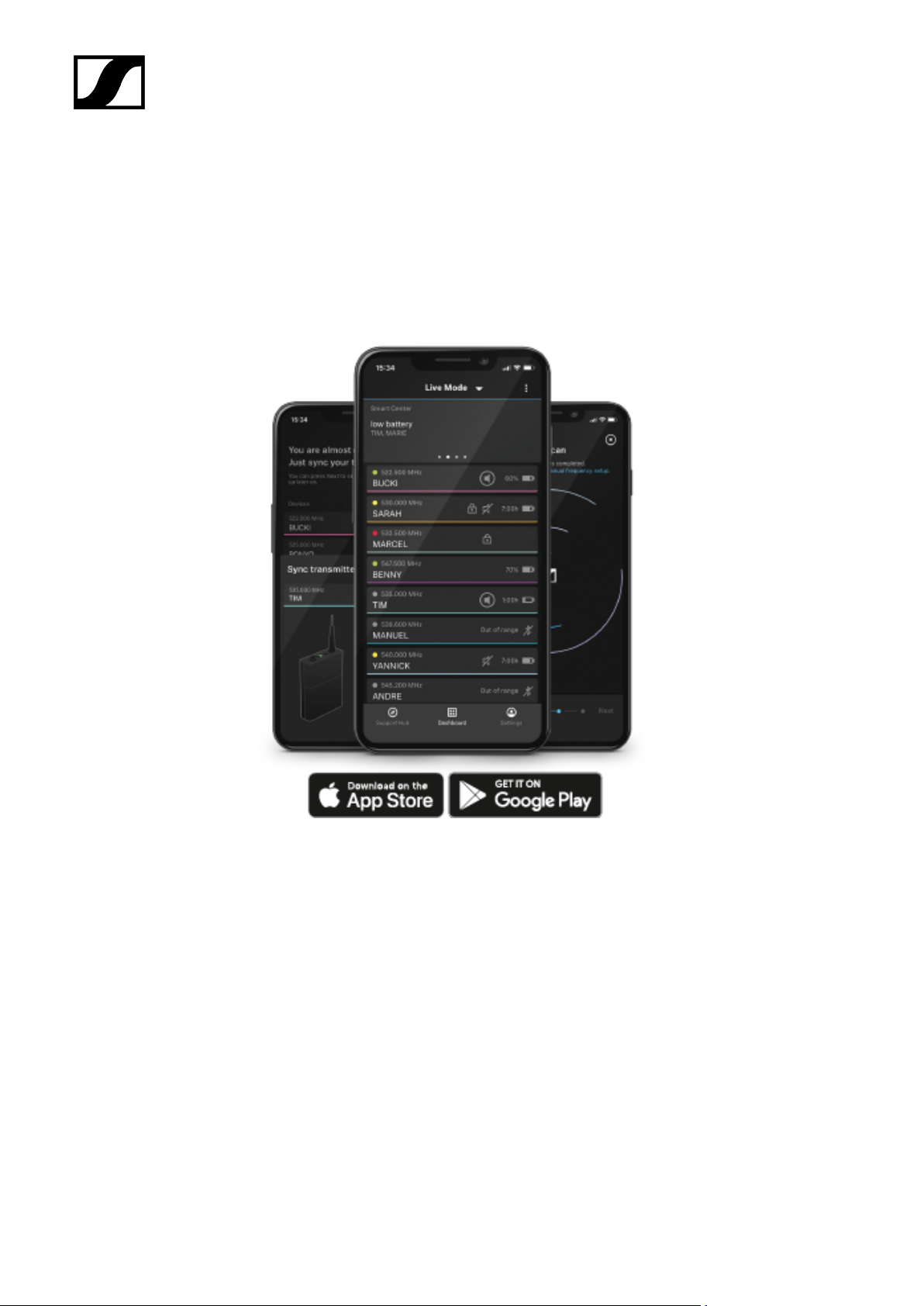
Smart Assist app
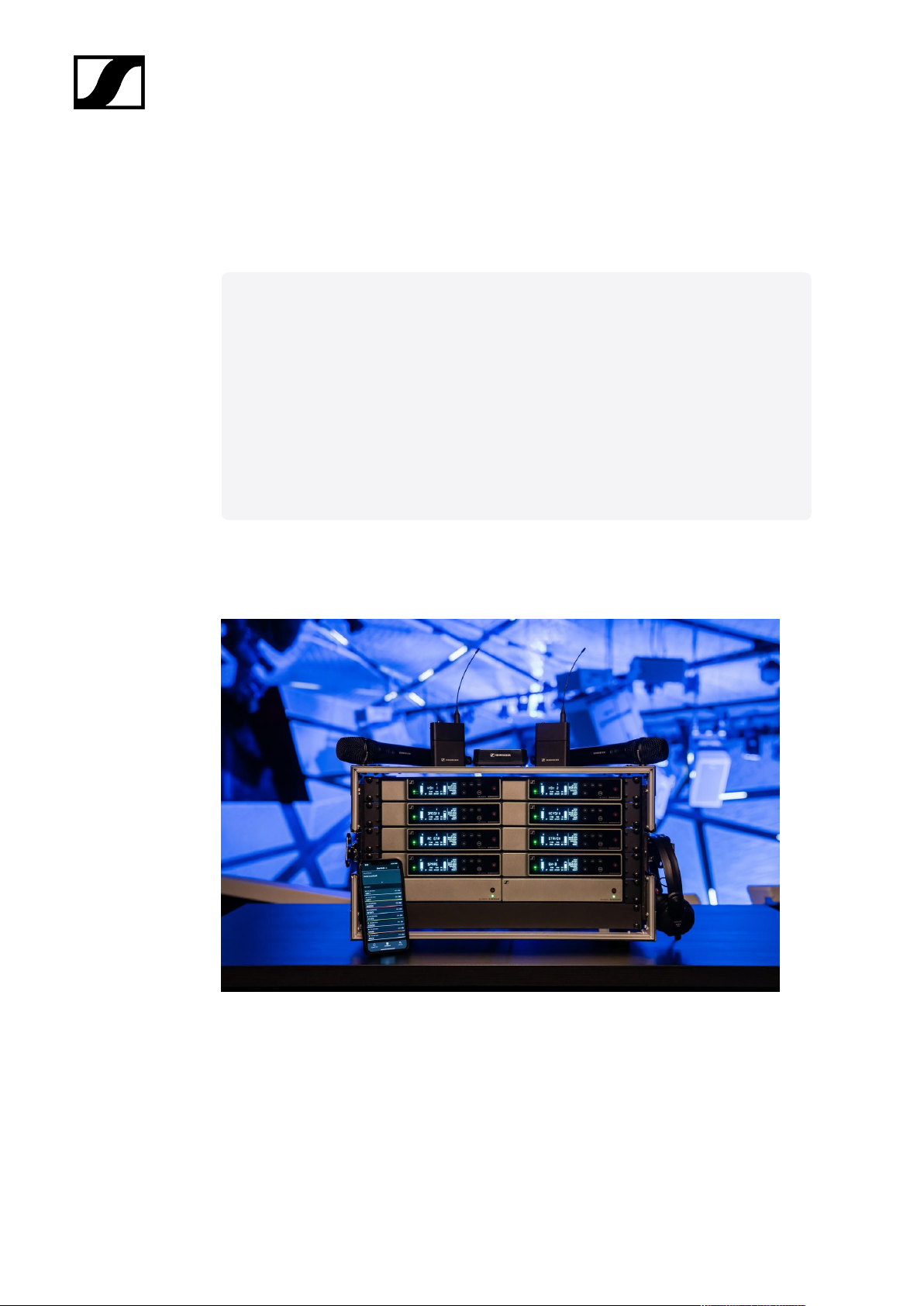
You can operate your products easily and intuitively using the Smart Assist app for iOS and
Android.
You can make all device settings in the app and access other functions that are not available
on the devices themselves.
The app offers you the following benefits:
• Use all products easily and intuitively
• Update the firmware of all devices
• Easily configure multi-channel systems with automatic frequency setup
• Assign names and color labels to wireless links
• Get tips and support
59
Page 60
Accessories
Related information
BA 70 rechargeable battery and L 70 USB charger
CHG 70N-C network-enabled charger
EW-D ASA antenna splitter
EW-D AB antenna splitter
Antennas
Accessories for rack mounting
Mounting accessories for EW-DP EK
Cables for EW-DP EK
Color Coding Sets
| 2 - Product information
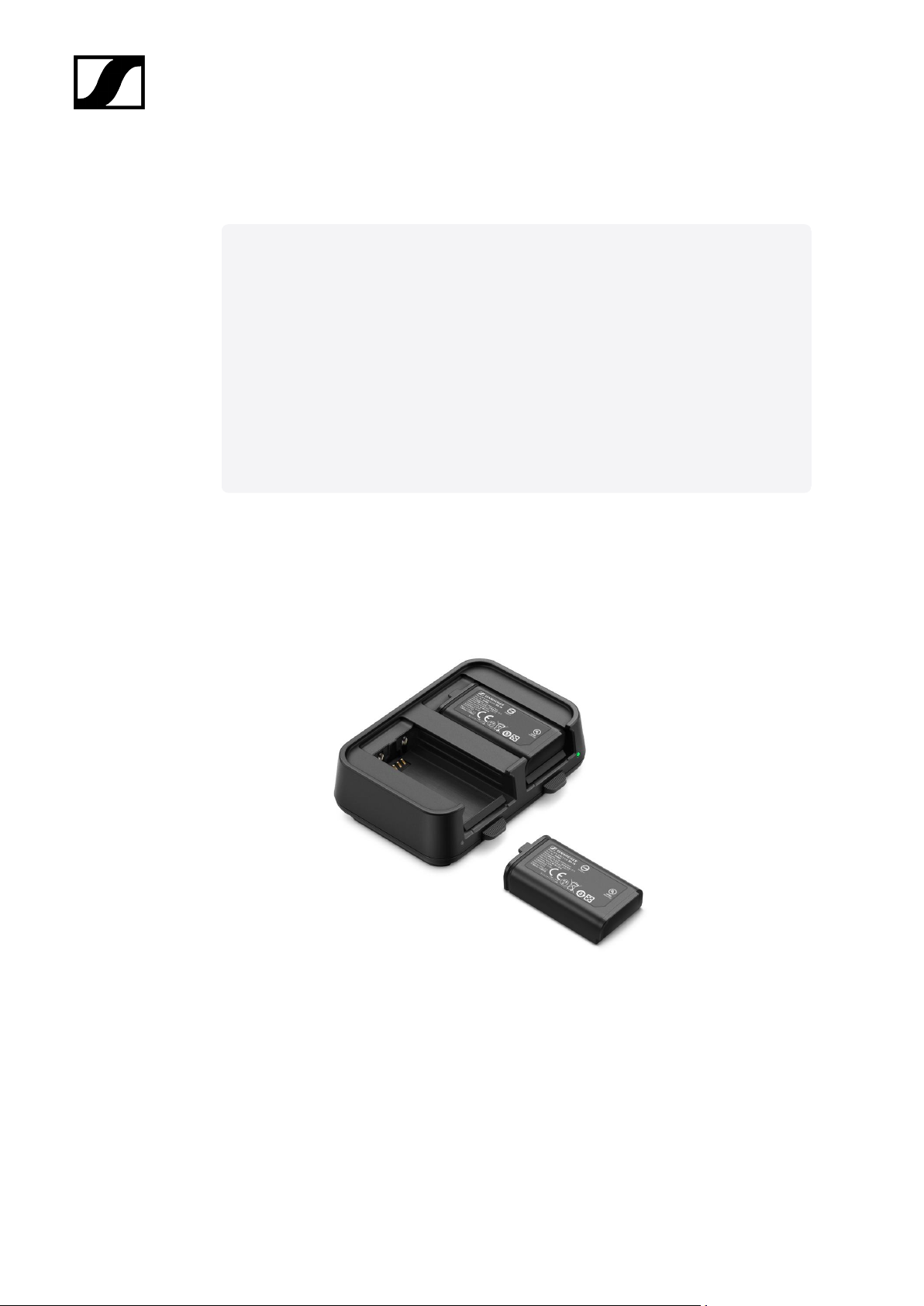
BA 70 rechargeable battery and L 70 USB charger
BA 70 | Rechargeable battery | Art. no. 508860
L 70 USB | Charger | Art. no. 508861
EW-D CHARGING SET | L 70 USB charger with two BA 70 rechargeable batteries | Art. no.
508862
60
Page 61

| 2 - Product information
You can find more detailed information about the BA 70 rechargeable battery and
the L 70 USB charger in the following sections:
• Startup and operation: L 70 USB charger
• Specifications: BA 70 rechargeable battery | L 70 USB charger
61
Page 62
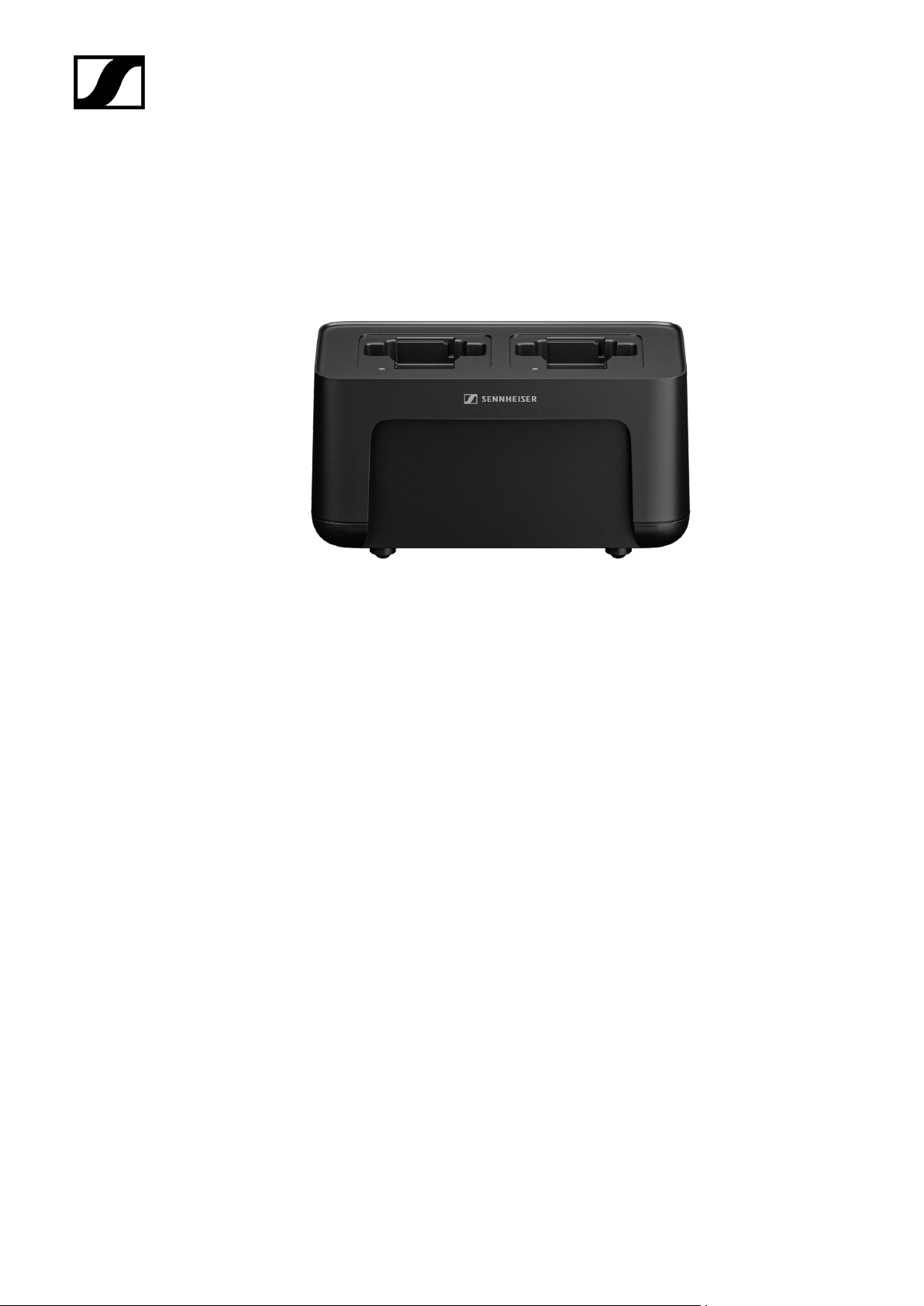
CHG 70N-C network-enabled charger
| 2 - Product information
CHG 70N-C | Charger | Art. no. 700332
62
Page 63
| 2 - Product information
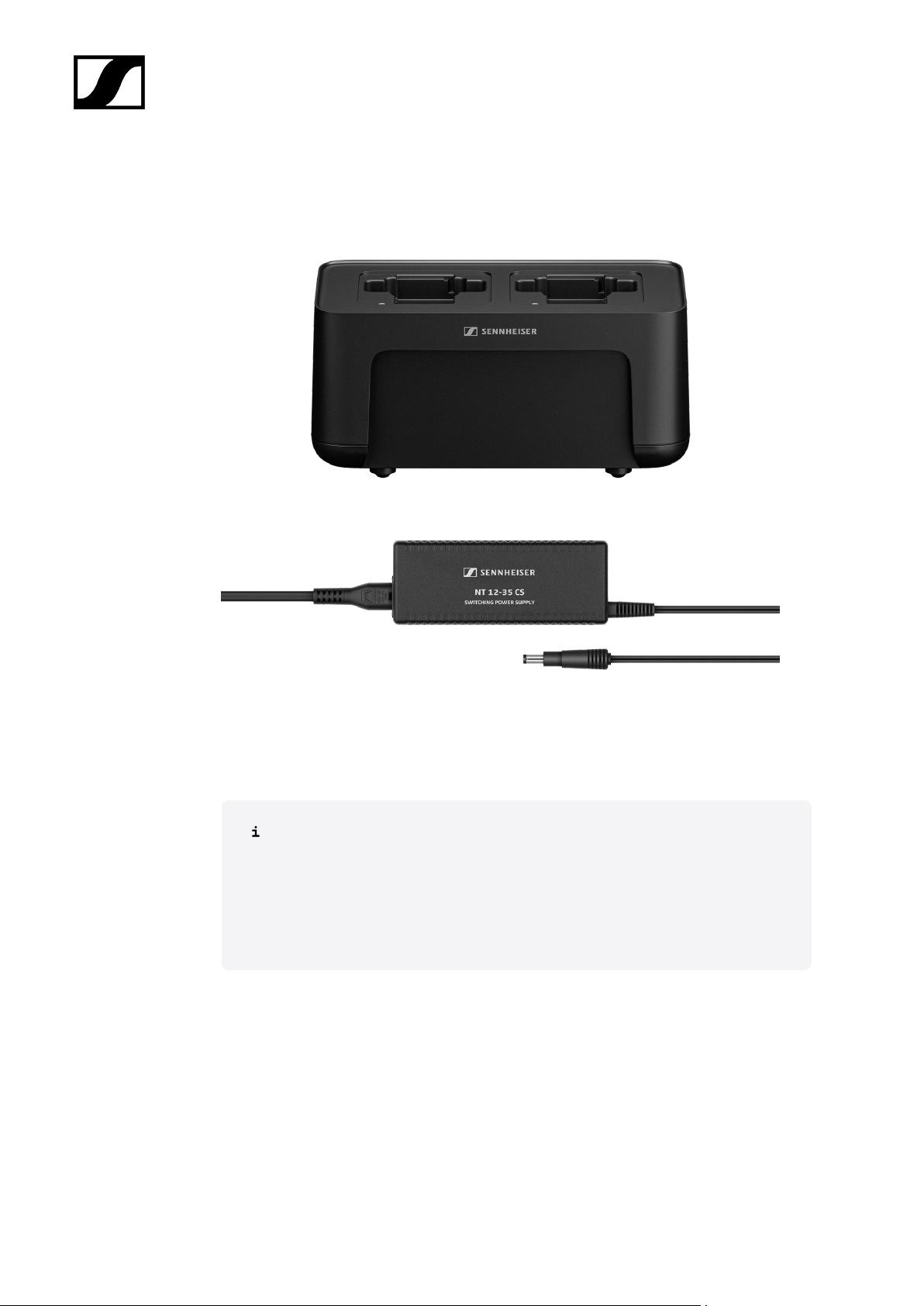
CHG 70N-C + PSU KIT | CHG 70N-C charger with NT 12-35 CS power supply unit | Art. no.
700333
You can find more detailed information about the CHG 70N-C in the following
sections:
• Startup and operation: CHG 70N-C charger
• Specifications: BA 70 rechargeable battery | CHG 70N-C charger
63
Page 64
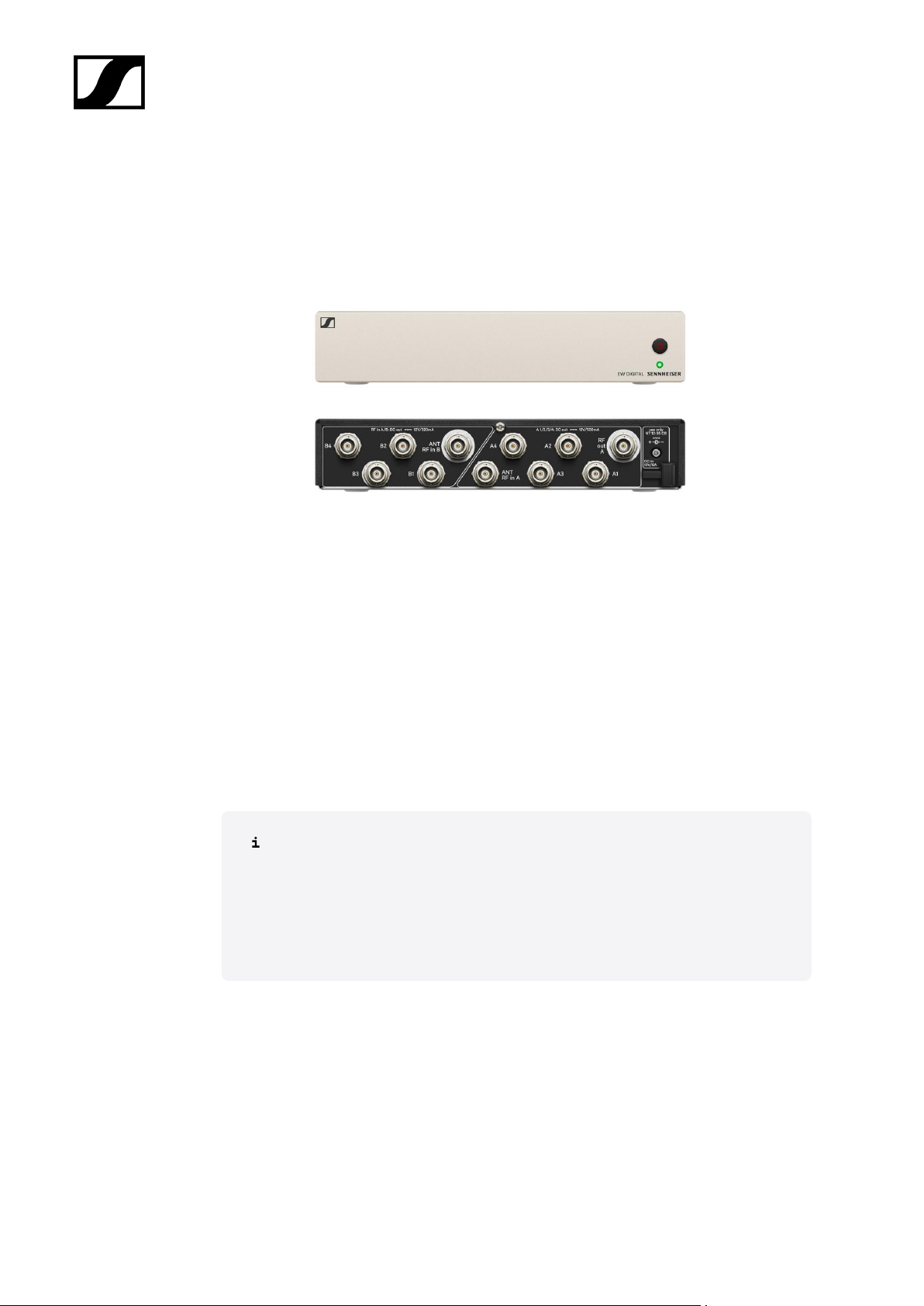
EW-D ASA antenna splitter
| 2 - Product information
EW-D ASA active antenna splitter
Product versions:
EW-D ASA (Q-R-S) | 470 – 694 MHz | Art. no. 508879
EW-D ASA CN/ANZ (Q-R-S) | 470 – 694 MHz | Art. no. 508998
EW-D ASA (T-U-V-W) | 694 – 1075 MHz | Art. no. 508880
EW-D ASA (X-Y) | 1350 – 1805 MHz | Art. no. 508881
You can find more detailed information about the EW-D ASA in the following
sections:
• Startup and operation: EW-D ASA antenna splitter
• Specifications: EW-D ASA antenna splitter
64
Page 65
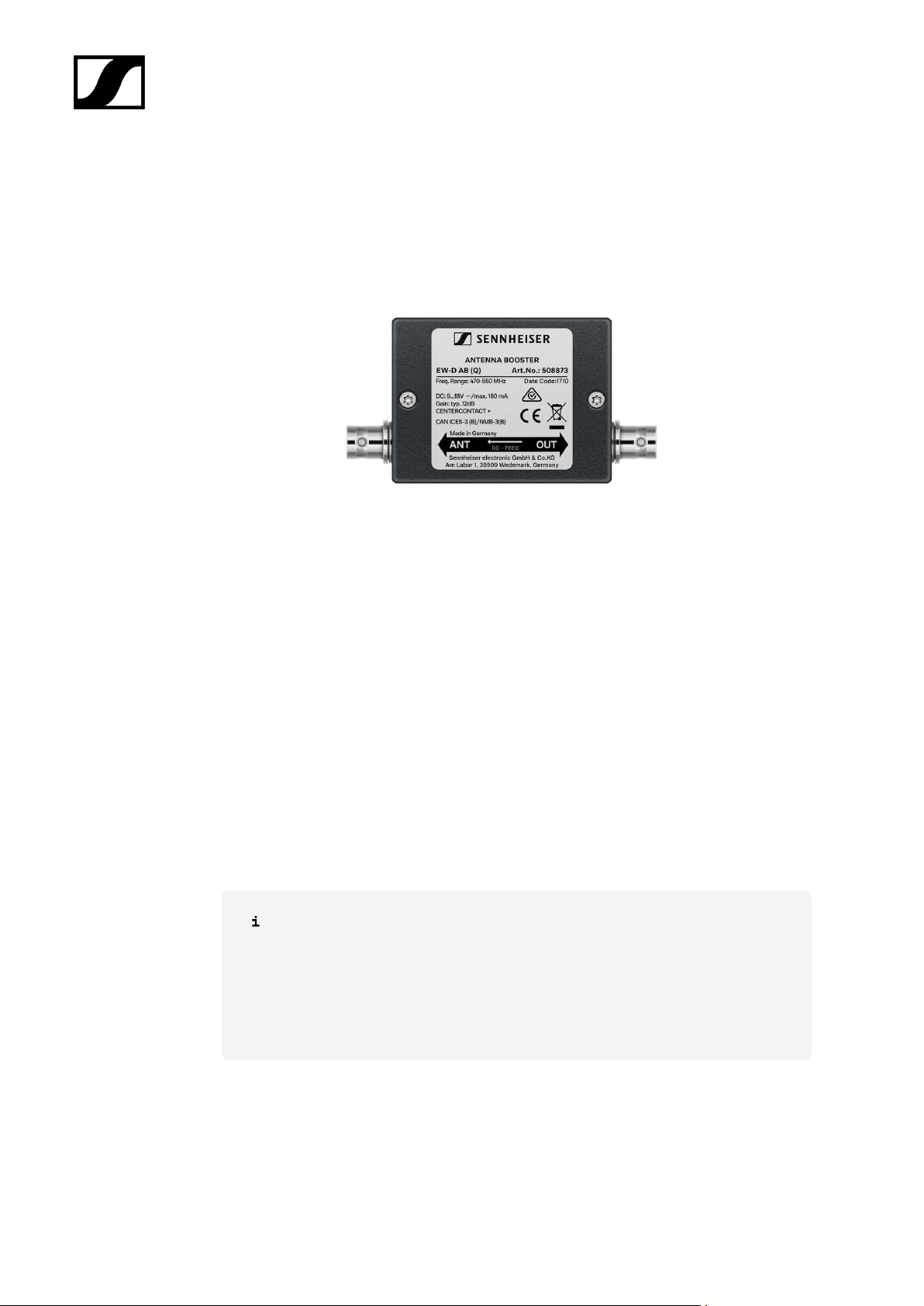
EW-D AB antenna splitter
| 2 - Product information
EW-D ASA active antenna splitter
Product versions:
EW-D AB (Q) | 470 – 550 MHz | Art. no. 508873
EW-D AB (R) | 520 – 608 MHz | Art. no. 508874
EW-D AB (S) | 606 – 694 MHz | Art. no. 508875
EW-D AB (U) | 823 – 865 MHz | Art. no. 508876
EW-D AB (V) | 902 – 960 MHz | Art. no. 508877
EW-D AB (Y) | 1785 – 1805 MHz | Art. no. 508878
You can find more detailed information about the EW-D AB in the following
sections:
• Use: Information on antenna amplifiers and cable lengths
• Specifications: EW-D AB antenna booster
65
Page 66
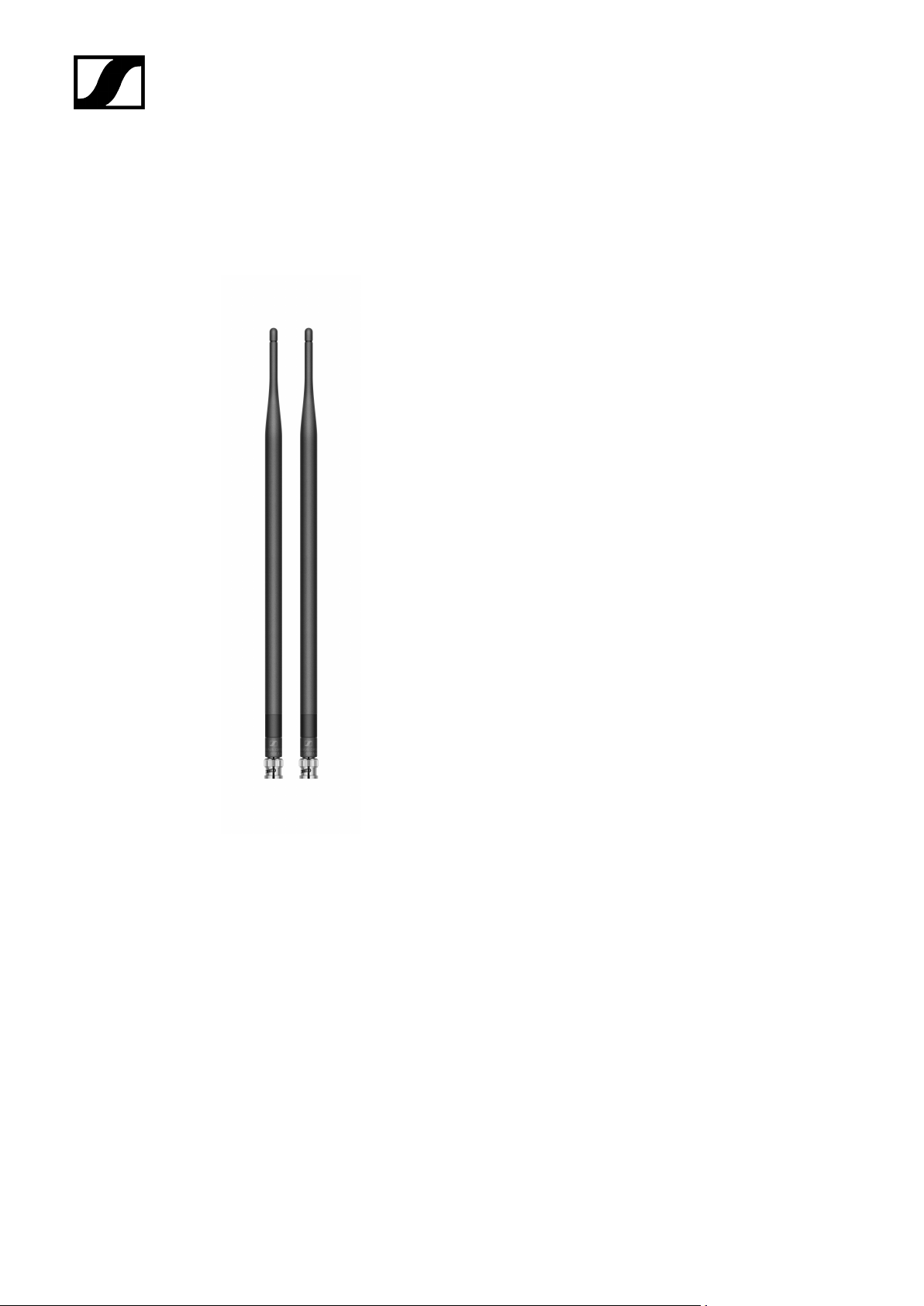
Antennas
Rod antennas
| 2 - Product information
Product versions:
Half Wave Dipole (Q) | 470 – 550 MHz | Art. no. 508868
Half Wave Dipole (R) | 520 – 608 MHz | Art. no. 508869
Half Wave Dipole (S) | 606 – 694 MHz | Art. no. 508870
Half Wave Dipole (U) | 823 – 865 MHz | Art. no. 508871
Half Wave Dipole (V) | 902 – 960 MHz | Art. no. 508966
Half Wave Dipole (Y) | 1785 – 1805 MHz | Art. no. 508872
66
Page 67
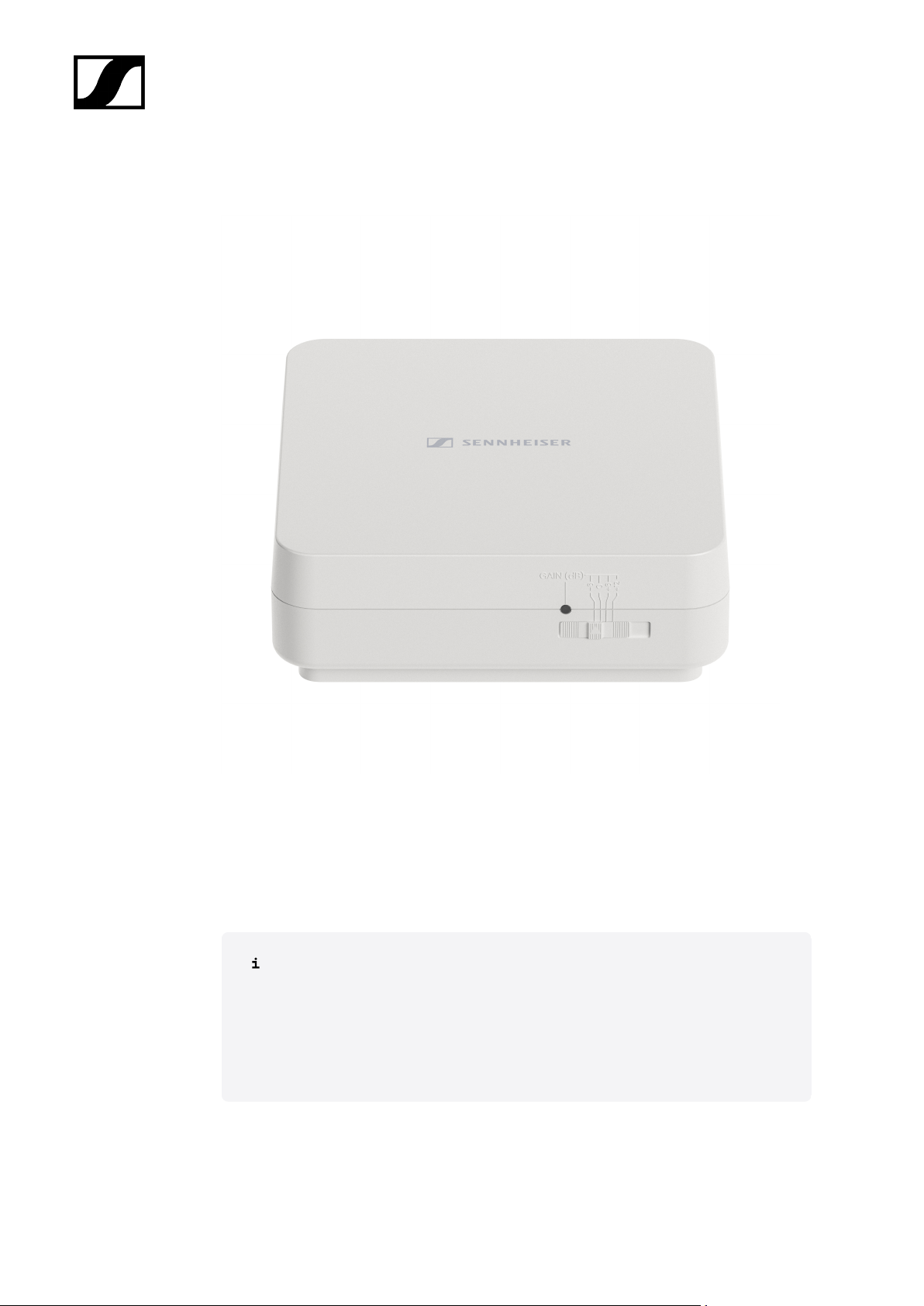
AWM active directional antenna
| 2 - Product information
Product versions:
AWM UHF I | 470 – 694 MHz | Art. no. 508865
AWM UHF II | 823 – 1075 MHz | Art. no. 508866
AWM 1G8 | 1785 – 1805 MHz | Art. no. 508867
You can find more detailed information about the AWM antenna in the following
sections:
• Startup and operation: AWM active directional antenna
• Specifications: AWM active directional antenna
67
Page 68
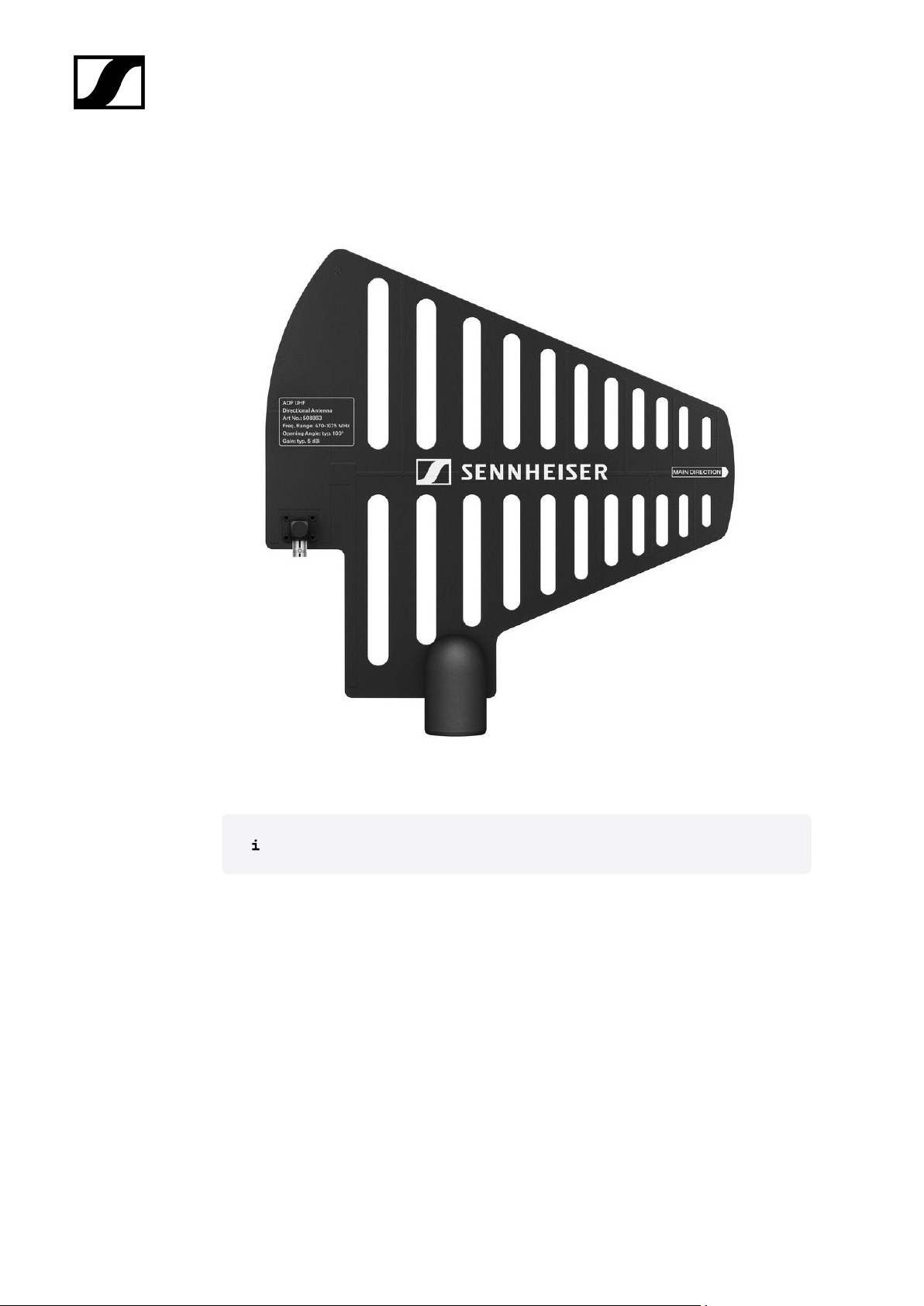
| 2 - Product information
ADP UHF passive directional antenna (470 – 1075 MHz)
ADP UHF | 470 – 1075 MHz | Art. no. 508863
Specifications: ADP UHF passive directional antenna (470 – 1075 MHz)
68
Page 69
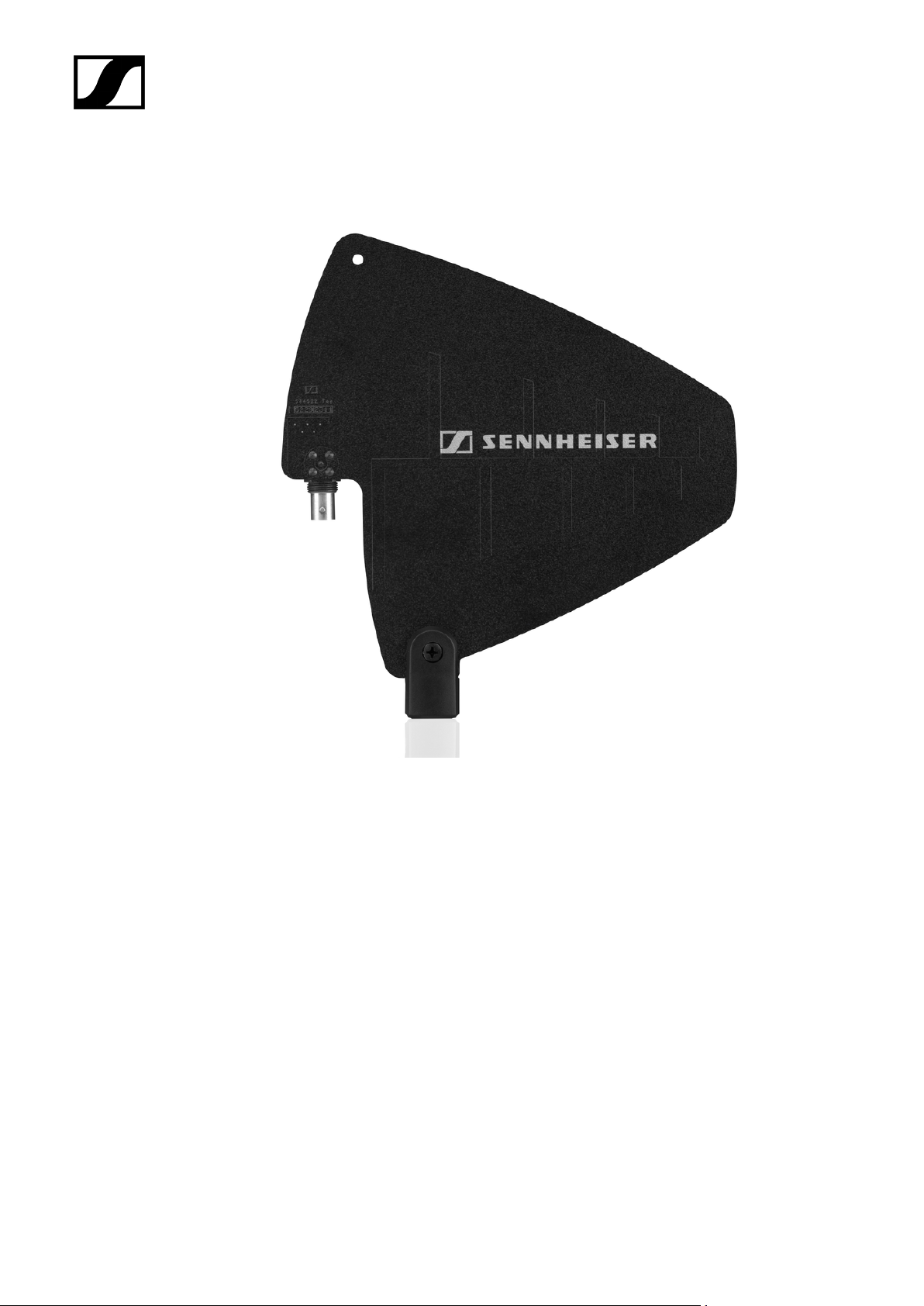
AD 1800 passive directional antenna
| 2 - Product information
AD 1800 | 1400 – 2400 MHz | Art. no. 504916
69
Page 70
| 2 - Product information
Accessories for rack mounting
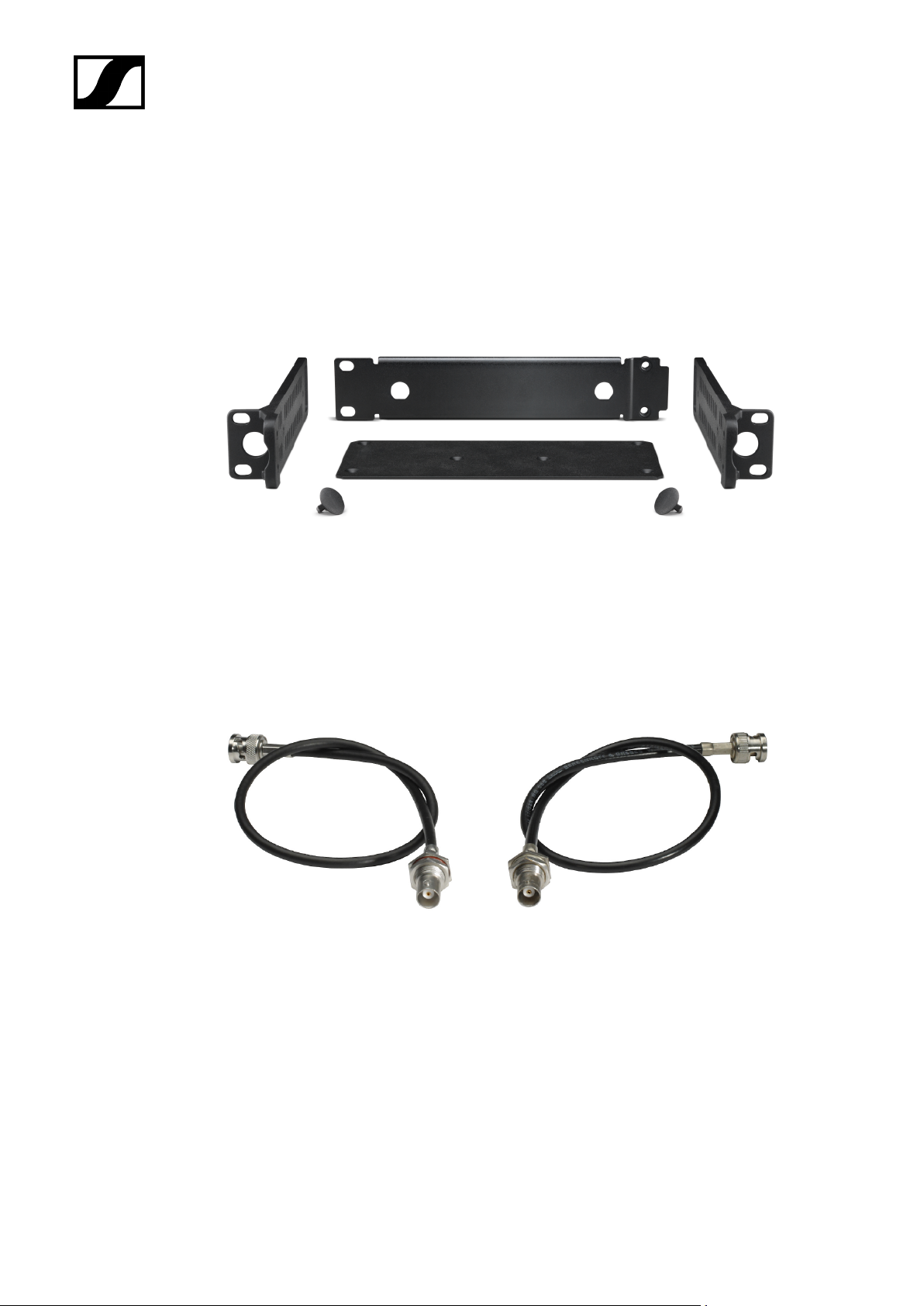
GA 3 rack mount kit
19" rack adapter for mounting the EW-D EM, EW-DX EM 2 or EW-D ASA in a 19" rack.
Art. no. 503167
AM 2 antenna front mount kit
Antenna front mount kit for installing antenna connections on the front of the rack when
using the EW-D EM, EW-DX EM 2 or EW-D ASA together with the GA 3 rack mount kit.
Art. no. 009912
70
Page 71
Mounting accessories for EW-DP EK
| 2 - Product information
Product versions:
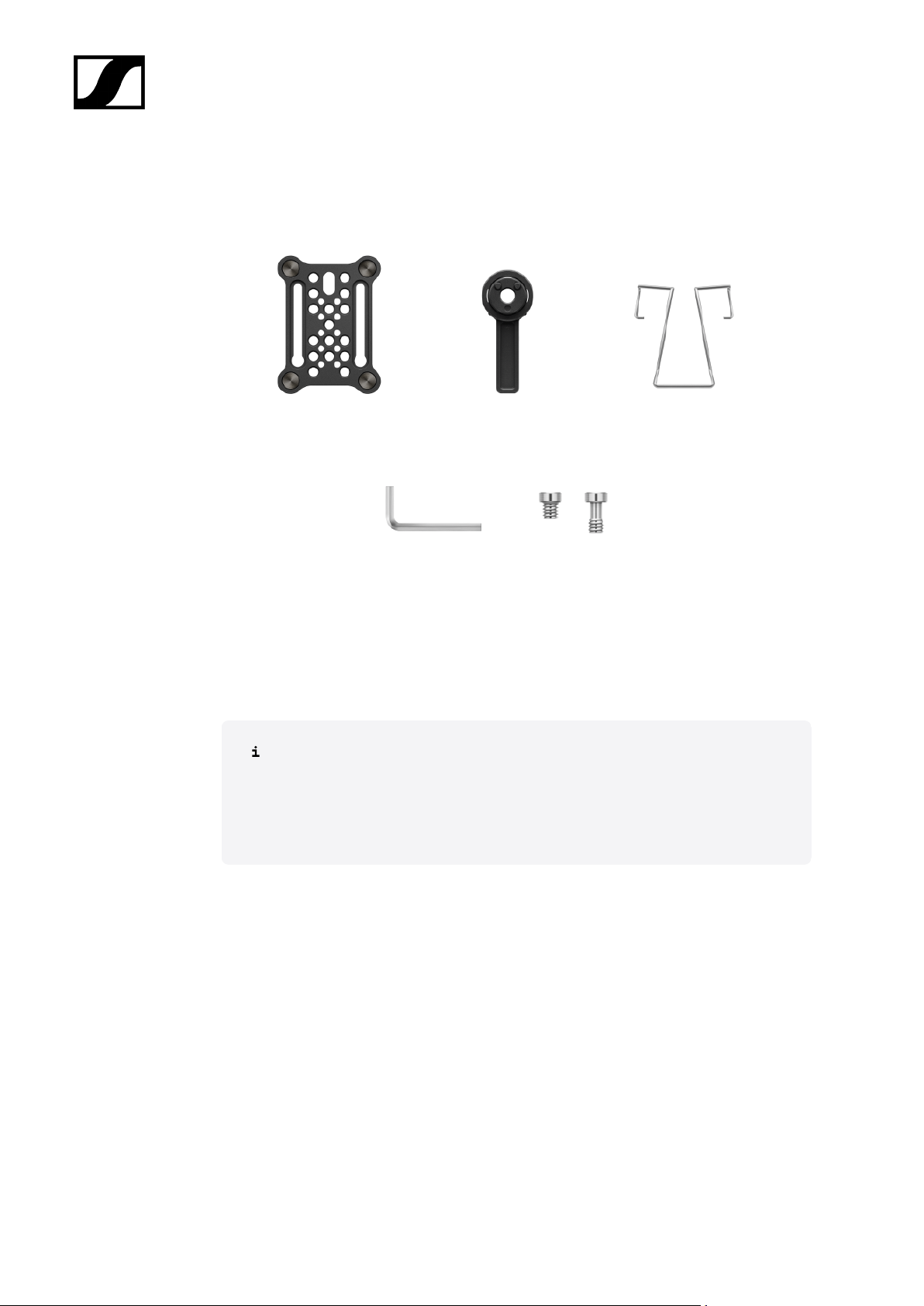
Mounting plate (single) | Art. no. 588188
Mounting plate set | Art. no. 700005
Mounting kit for attaching the EW-DP EK portable receiver to cameras, cages
or sound bags.
• Startup and operation: EW-DP EK portable receiver
71
Page 72

Cables for EW-DP EK
CL 35 | 3.5 mm jack cable | Art no. 586365
CL 35-Y | 3.5 mm Y-cable | Art. no. 700061
CL 35 XLR | 3.5 mm XLR cable | Art. no. 700062
| 2 - Product information
3.5 mm jack cable, 3.5 mm Y-cable and 3.5 mm XLR cable for connecting one or
more EW-DP EK units to a camera.
• Startup and operation: EW-DP EK portable receiver
72
Page 73
| 2 - Product information
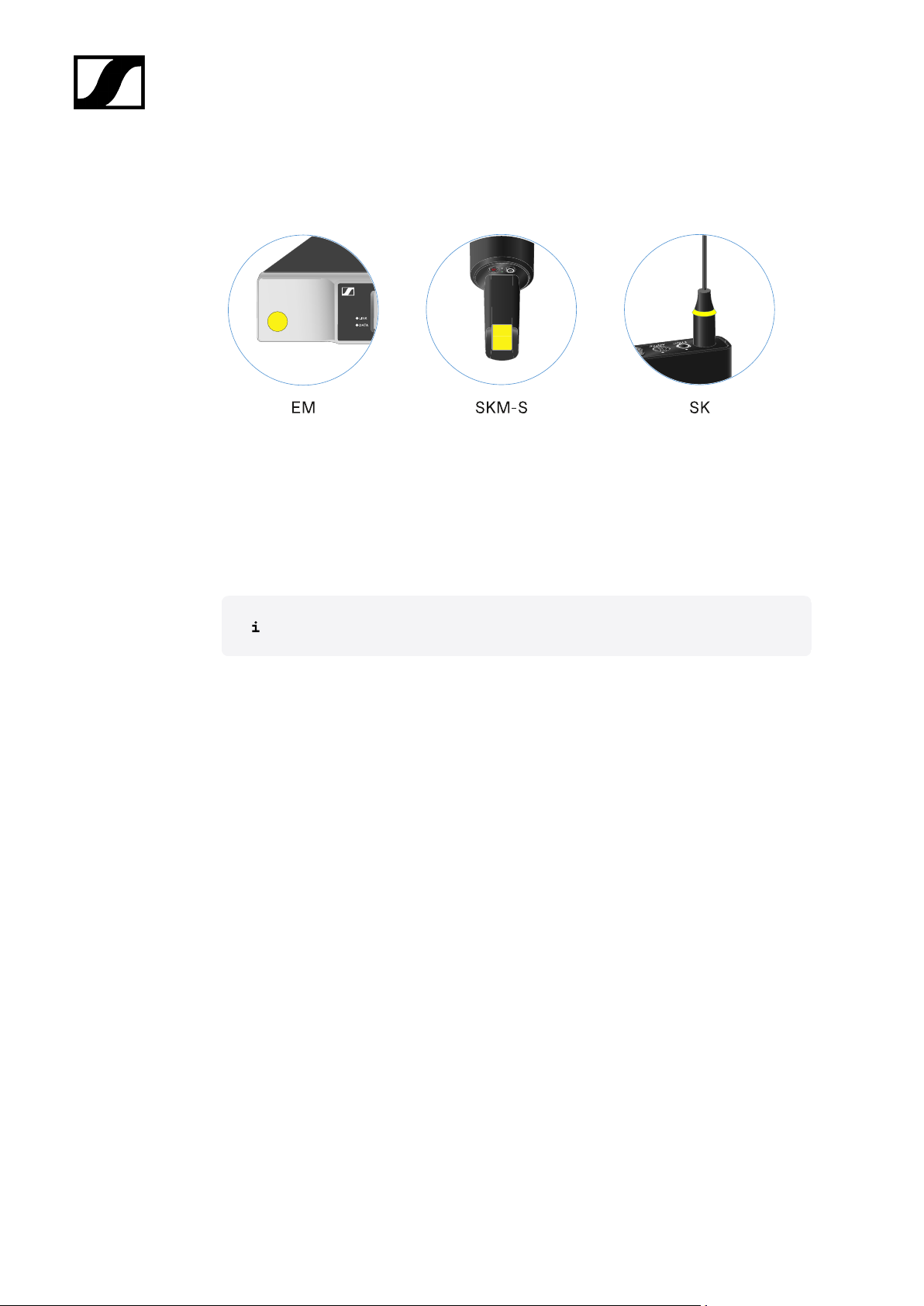
Color Coding Sets
EW-D COLOR CODING SET | For EM, SKM-S, SK | Art. no. 508989
EW-D SK COLOR CODING | For SK | Art. no. 508990
EW-D SKM COLOR CODING | For SKM-S | Art. no. 508991
EW-D EM COLOR CODING | For EM | Art. no. 508992
Using EW-D Color Coding Sets to label transmission paths
73
Page 74
Frequency ranges
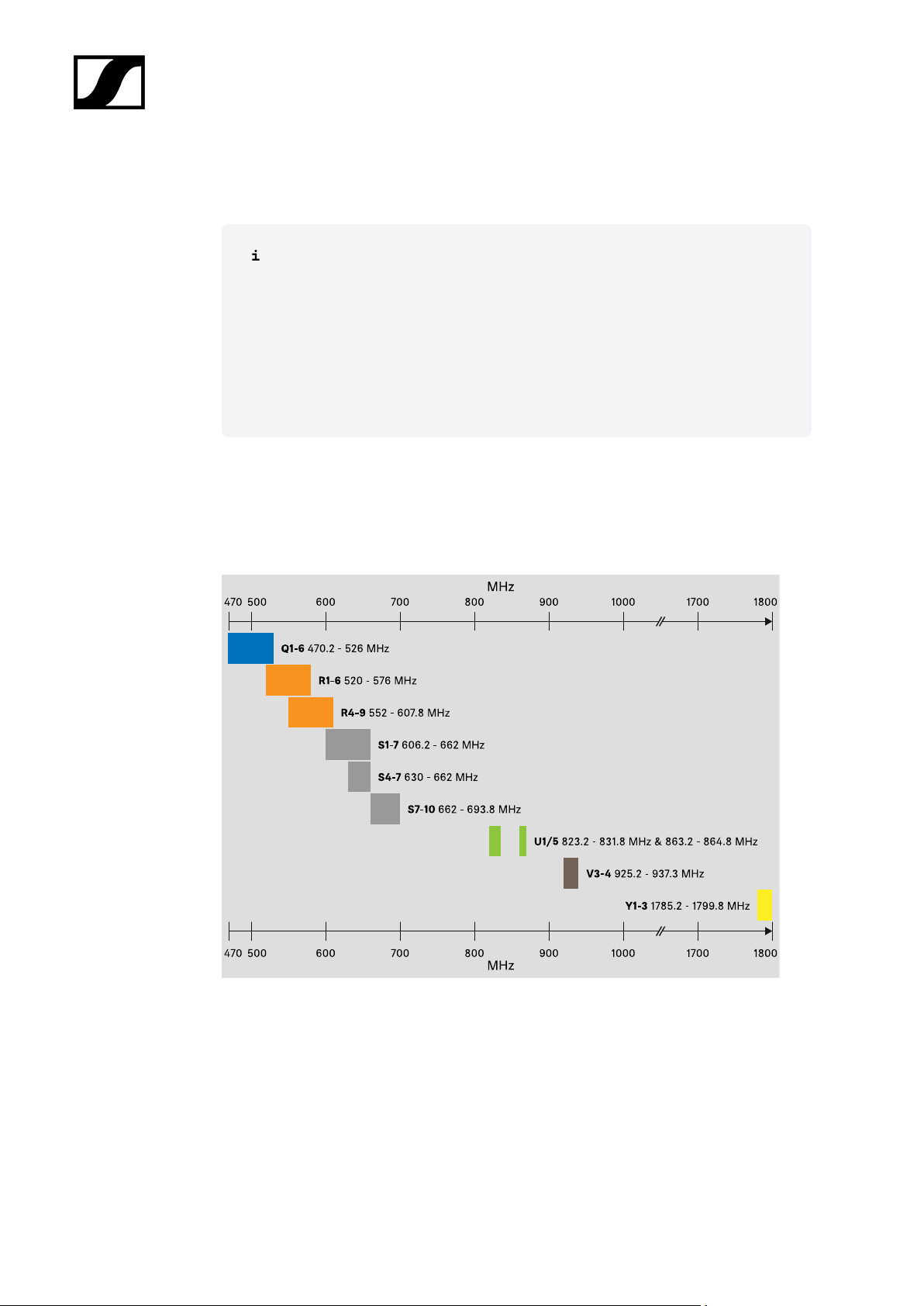
Frequency tables with the factory presets for all available frequency ranges can
be found in the download area of the Sennheiser website at:
sennheiser.com/download
• Enter EW-D, EW-DX or EW-DP in the search bar to show the frequency
tables.
EW-D | EW-DP
| 2 - Product information
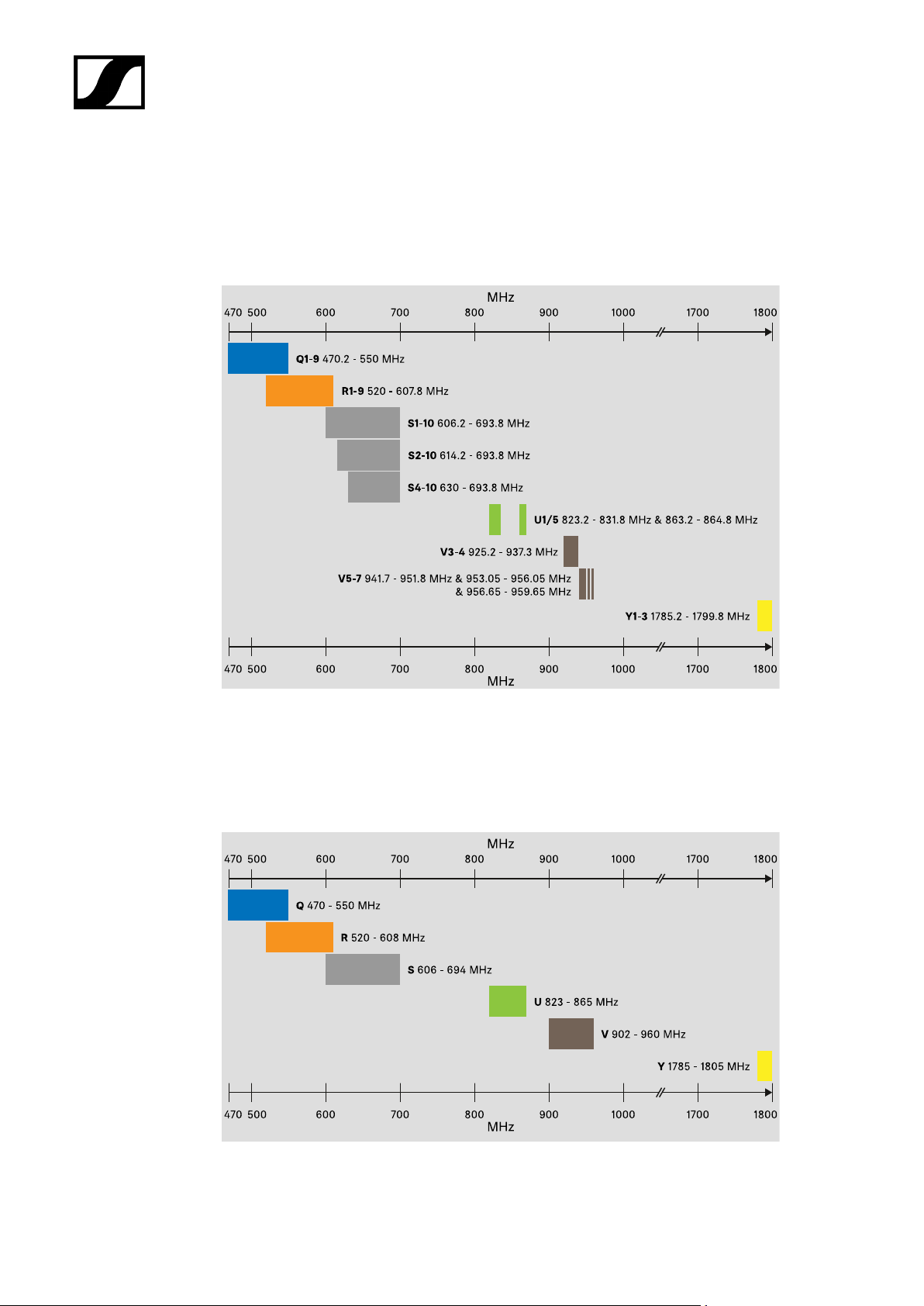
The products EW-D EM, EW-D SKM-S, EW-D SK, EW-DP EK and EW-DP SKP are available
in the following frequency ranges:
74
Page 75
| 2 - Product information
EW-DX
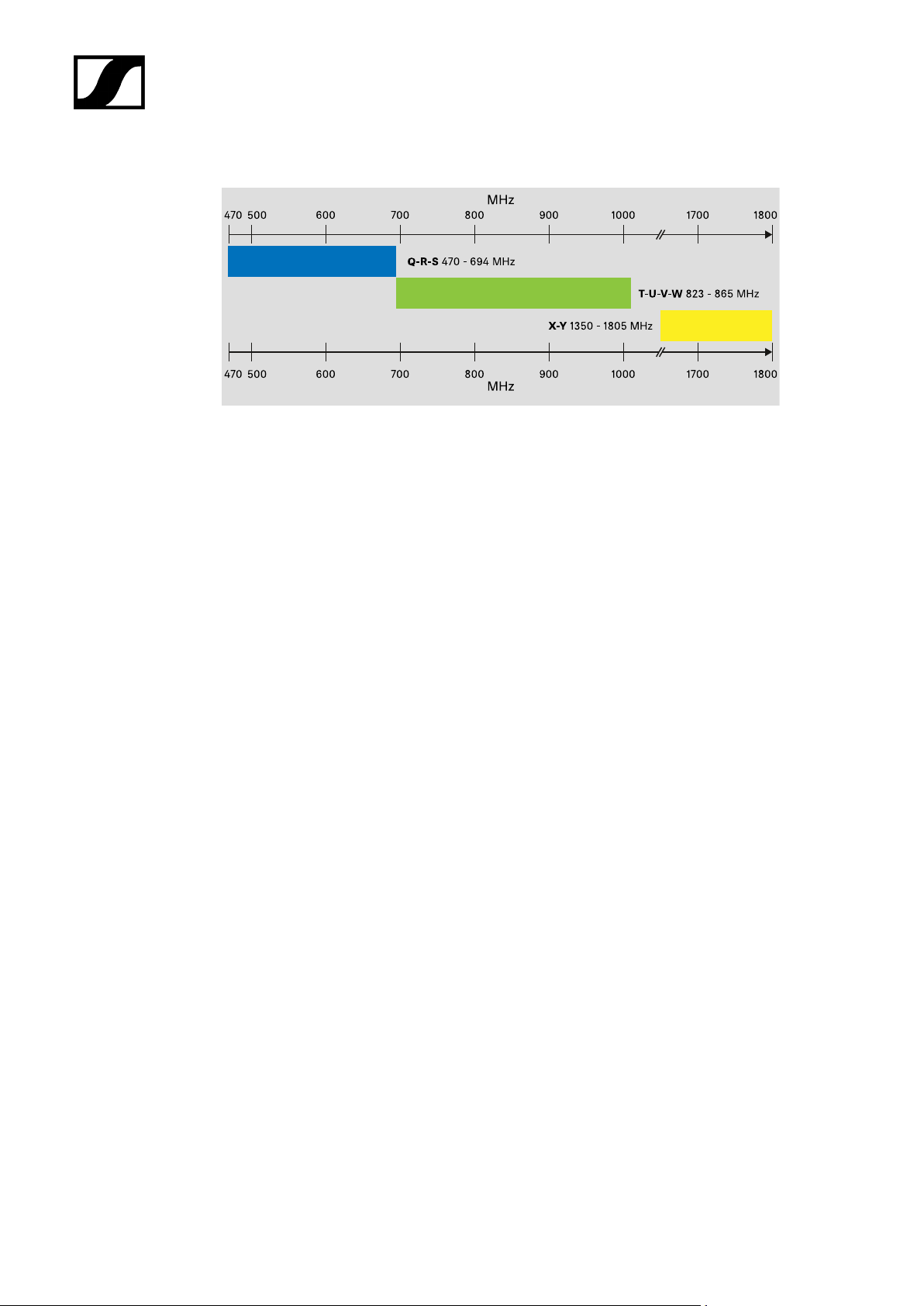
The products EW-DX EM 2, EW-DX EM 2 Dante, EW-DX EM 4 Dante, EW-DX SKM, EW-DX
SKM-S, EW-DX SK, EW-D SK 3-PIN, EW-DX TS 3-pin and EW-DX TS 5-pin are available in
the following frequency ranges:
Accessories
The EW-D AB antenna booster and the Half Wave Dipole rod antennas are available in the
following frequency ranges:
75
Page 76
| 2 - Product information
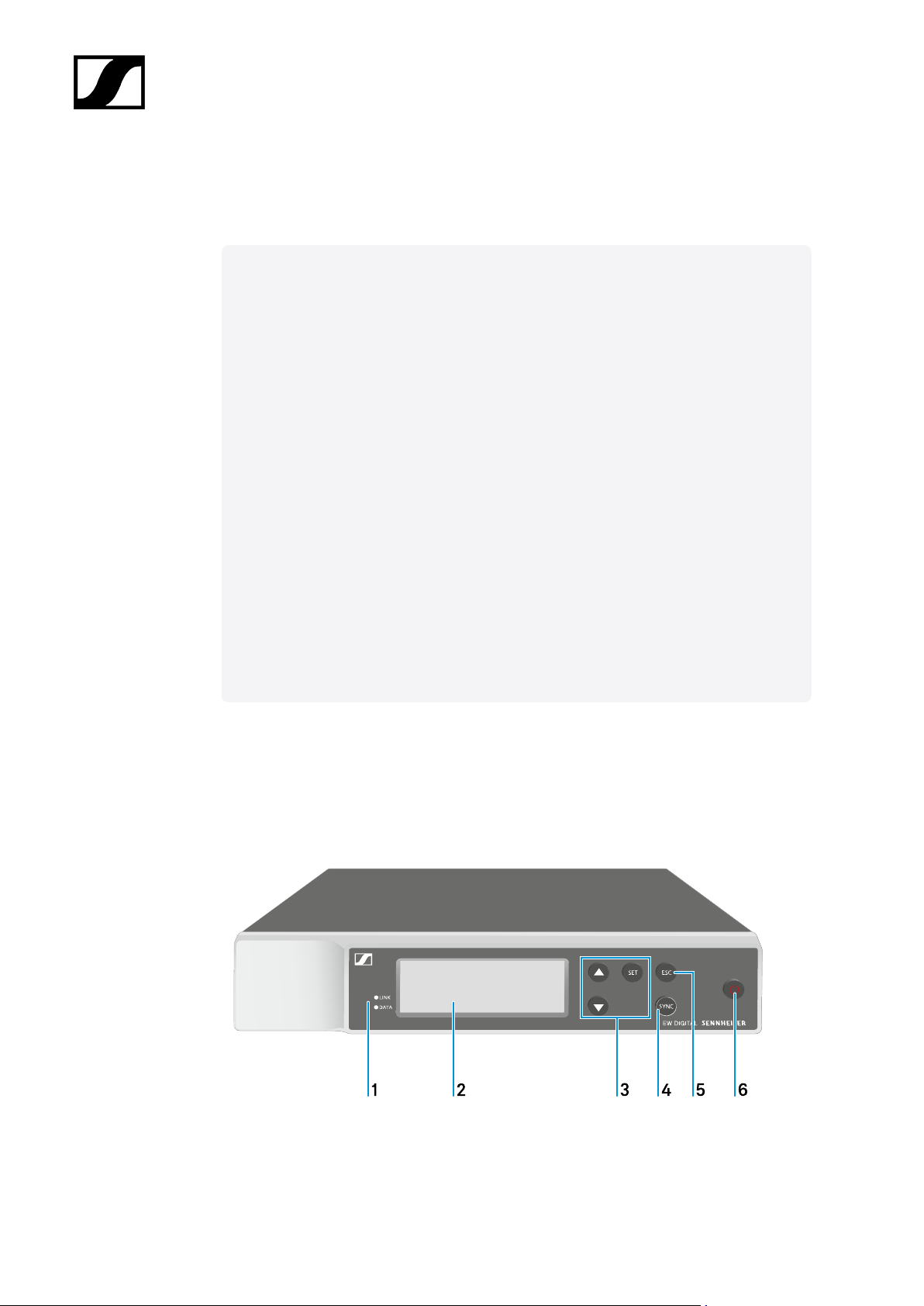
The EW-D ASA antenna splitter is available in the following frequency ranges:
76
Page 77

Evolution Wireless Digital
3. Instruction manual
Starting up and operating devices of the Evolution Wireless Digital series.
Products of the EW-D series
EW-D EM rack receiver
EW-D SKM-S handheld transmitter
EW-D SK bodypack transmitter
Products of the EW-DX series
EW-DX EM 2 rack receiver
EW-DX EM 2 Dante rack receiver
EW-DX EM 4 Dante rack receiver
EW-DX SKM | EW-DX SKM-S handheld transmitter
EW-DX SK | EW-DX SK 3-PIN bodypack transmitter
Table stand EW-DX TS 3-pin | EW-DX TS 5-pin
Products of the EW-DP series
EW-DP EK portable receiver
EW-DP SKP plug-on transmitter
Establishing a radio link and synchronizing devices / Compatibility between EW-D,
EW-DX and EW-DP
Establishing a radio link | Synchronizing the receiver and transmitter
Accessories
L 70 USB charger
CHG 70N-C charger
EW-D ASA antenna splitter
AWM active directional antenna
Cleaning and maintenance
Cleaning and maintenance
77
Page 78
| 3 - Instruction manual
EW-D EM rack receiver
Product overview
Connecting/disconnecting the receiver to/from the power supply system
Connecting antennas
Outputting audio signals
Installing receivers in a rack
Switching the receiver on and off
Lock-off function
Meaning of the LEDs
Displays on the receiver’s display panel
Buttons for navigating the menu
Opening the menu and navigating the menu items
GAIN menu item
AF OUT menu item
MUTE LOCK menu item
AUTO SCAN menu item
CHANNEL menu item
TUNE menu item
RESET menu item
Using EW-D Color Coding Sets to label transmission paths
Product overview
Front
78
Page 79
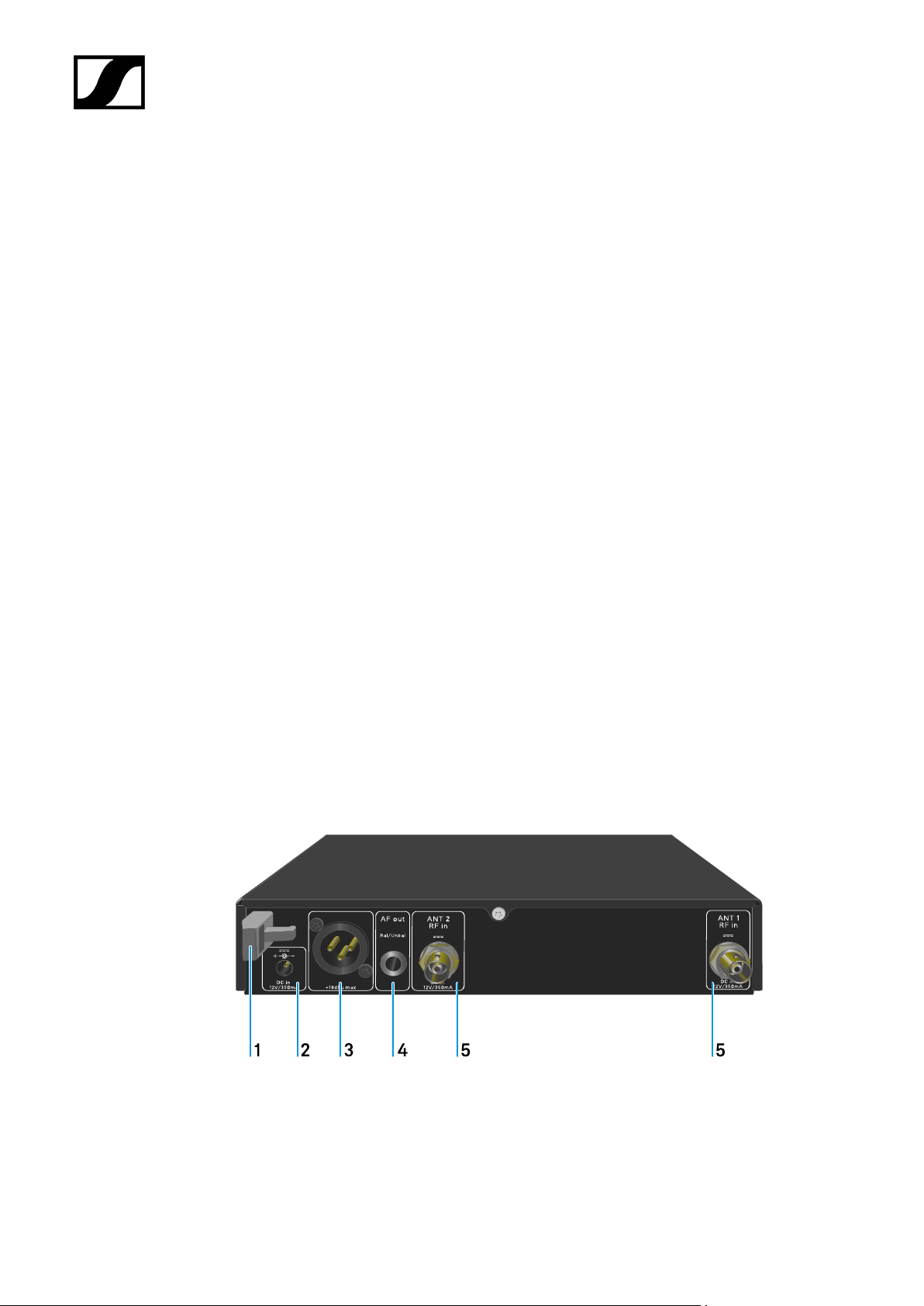
| 3 - Instruction manual
1 LINK and DATA LEDs to indicate connection status and Bluetooth status
• See Meaning of the LEDs
2 Display for status information and operating menu
• See Displays on the receiver’s display panel
3 UP/DOWN/SET menu buttons for navigating the operating menu
• See Buttons for navigating the menu
4 SYNC button
• See Establishing a radio link | Synchronizing the receiver and
transmitter
5 ESC button for canceling an action in the menu
• See Buttons for navigating the menu
6 ON/OFF button for switching the device on and off
• See Switching the receiver on and off
Back
79
Page 80

| 3 - Instruction manual
1 Strain relief for the connection cable of the power supply unit
• See Connecting/disconnecting the receiver to/from the power supply
system
2 DC in connection socket for the power supply unit
• See Connecting/disconnecting the receiver to/from the power supply
system
3 XLR-3 socket AF out Bal for audio output
• See Outputting audio signals
4 6.3 mm jack socket AF out Unbal for audio output
• See Outputting audio signals
5 BNC sockets ANT 1 RF in and ANT 2 RF in for antenna inputs
• See Connecting antennas
80
Page 81
| 3 - Instruction manual
Connecting/disconnecting the receiver to/from the power supply
system
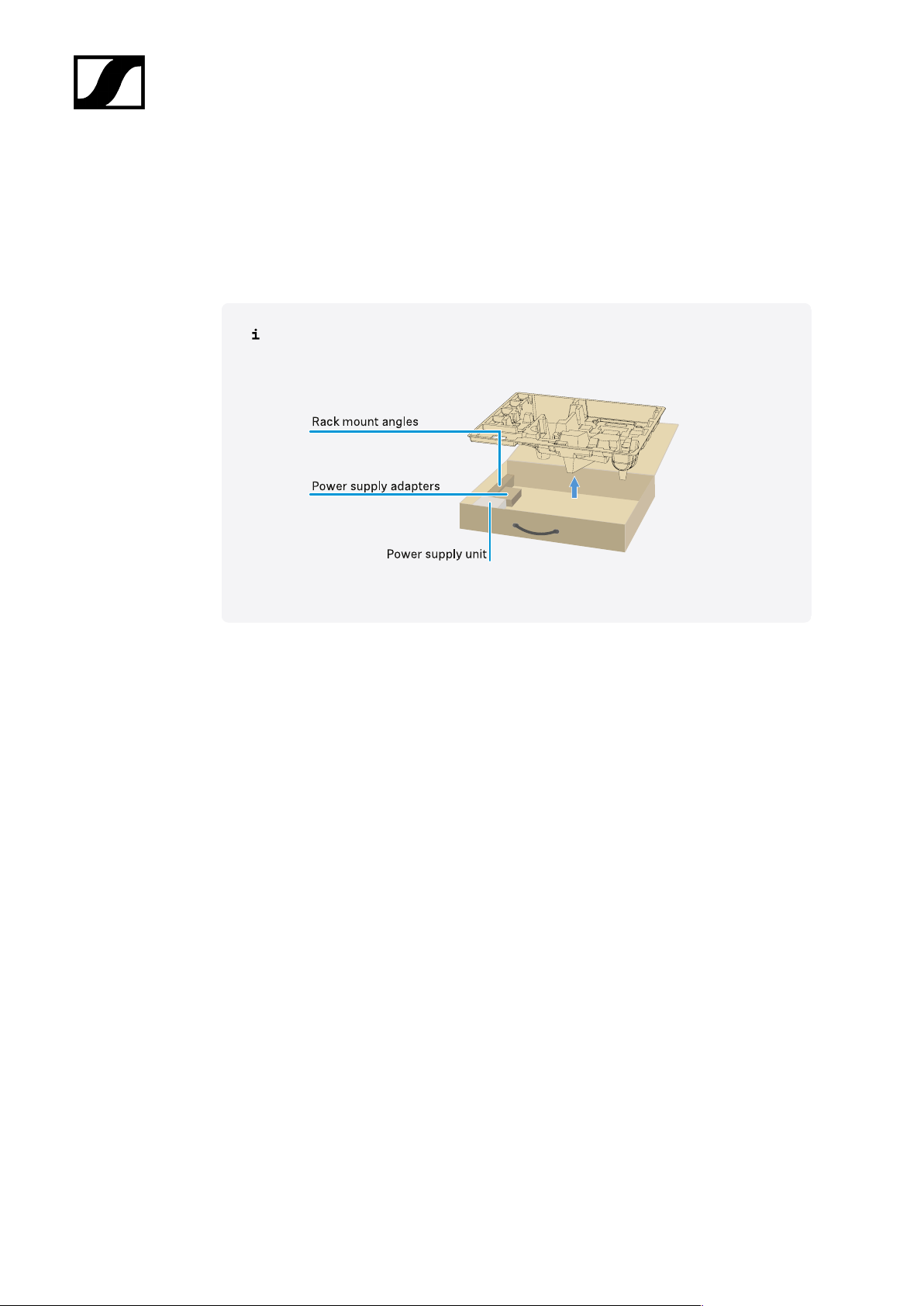
Use only the supplied power supply unit. It is designed for your receiver and ensures safe
operation.
You will find the power supply unit and the country adapters in the packaging
under the tray:
To connect the receiver to the power supply system:
▷ Insert the plug of the power supply unit into the DC in socket on the receiver.
▷ Pass the cable of the power supply unit through the strain relief.
81
Page 82
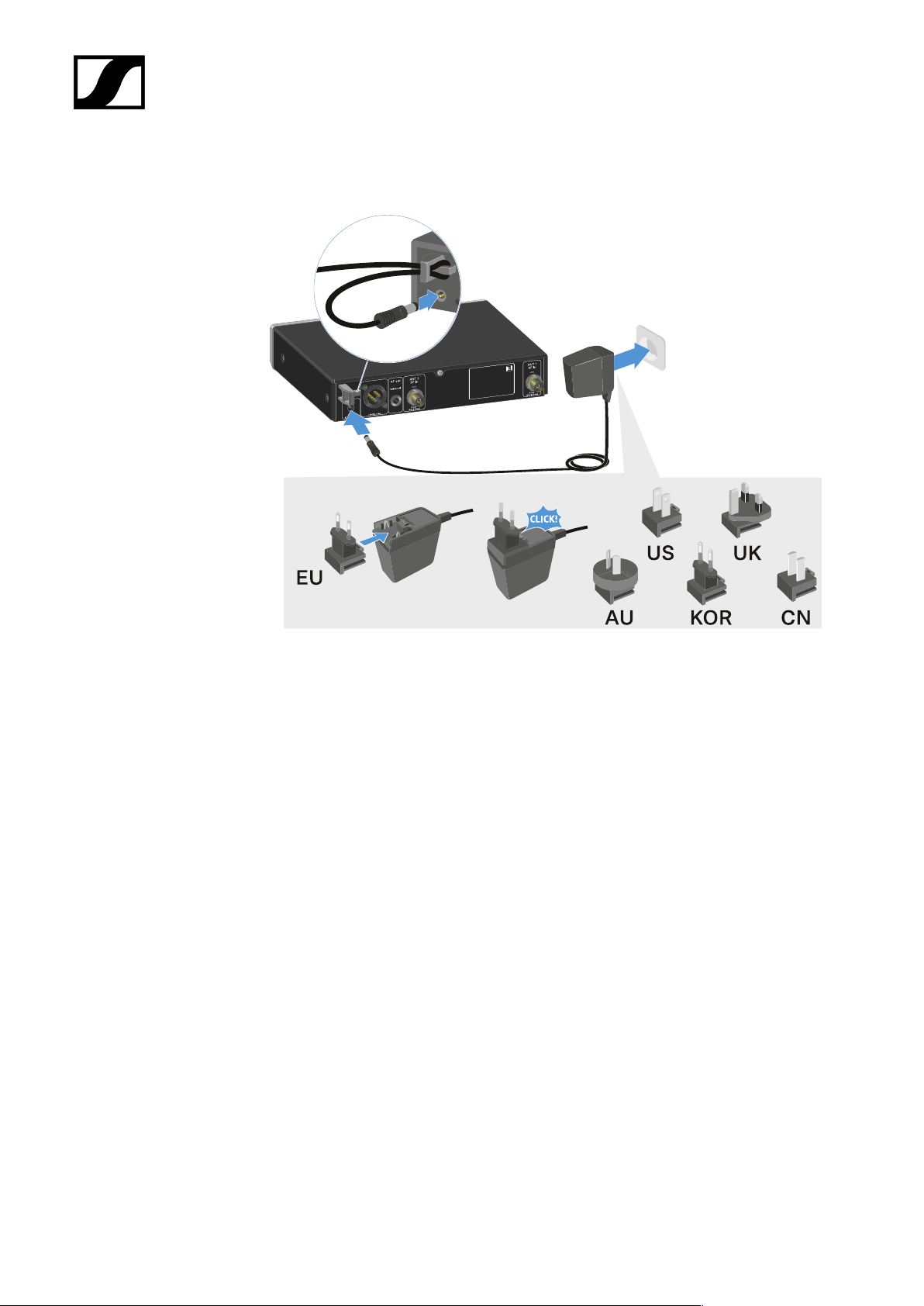
| 3 - Instruction manual
▷ Slide the supplied country adapter onto the power supply unit.
▷ Plug the power supply unit into the wall socket.
To completely disconnect the receiver from the power supply system:
▷ Unplug the power supply unit from the wall socket.
▷ Unplug the power supply unit from the DC in socket on the receiver.
82
Page 83
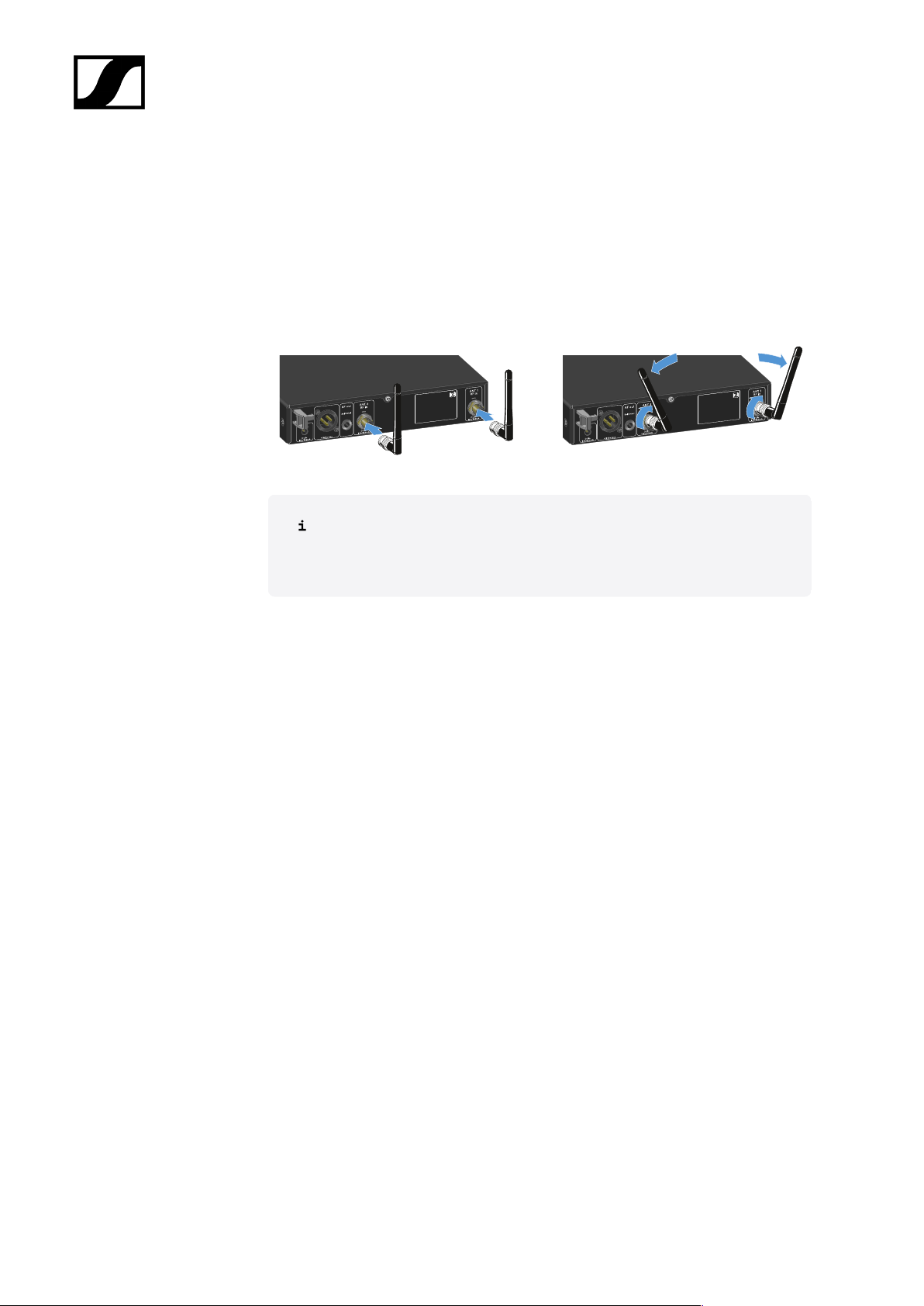
| 3 - Instruction manual
Connecting antennas
To connect the supplied rod antennas:
▷ Connect the antennas to the two antenna inputs on the receiver as shown in the
figure.
▷ Slightly angle the antennas to the left and right as shown in the figure.
If you are using more than one receiver, we recommend using remote
antennas and possibly the EW-D ASA antenna splitter (EW-D ASA
antenna splitter).
83
Page 84
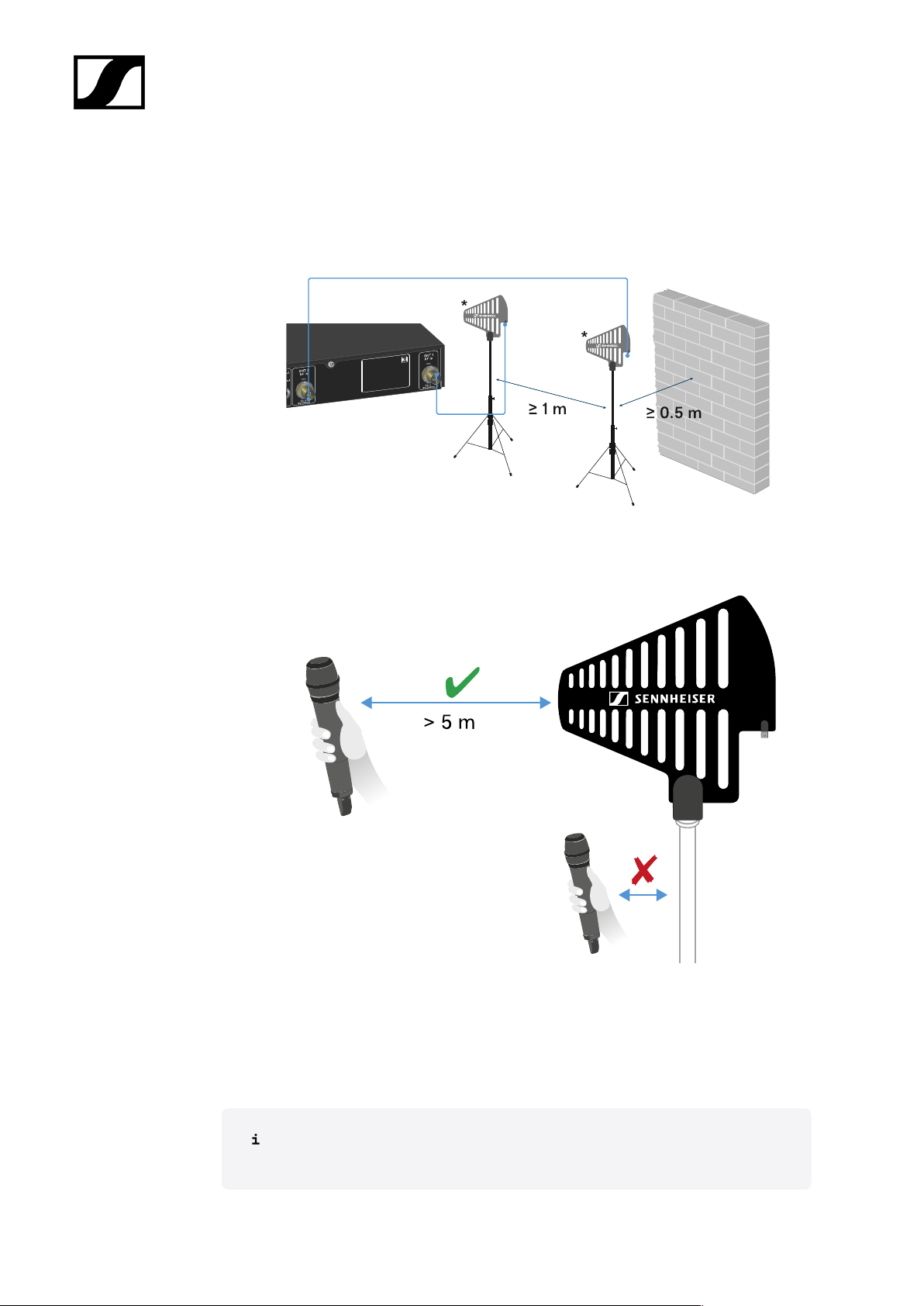
| 3 - Instruction manual
To connect remote antennas:
▷ Connect the antennas to the two antenna inputs on the receiver as shown in the
figure.
▷ Observe the specified minimum spacing.
▷ Observe the specified minimum spacing to the transmitters.
*Recommended antennas:
• ADP UHF | 470 – 1075 MHz
• AD 1800 | 1400 – 2400 MHz
If you are using more than one receiver, we recommend using remote antennas
and possibly the EW-D ASA antenna splitter (EW-D ASA antenna splitter).
84
Page 85
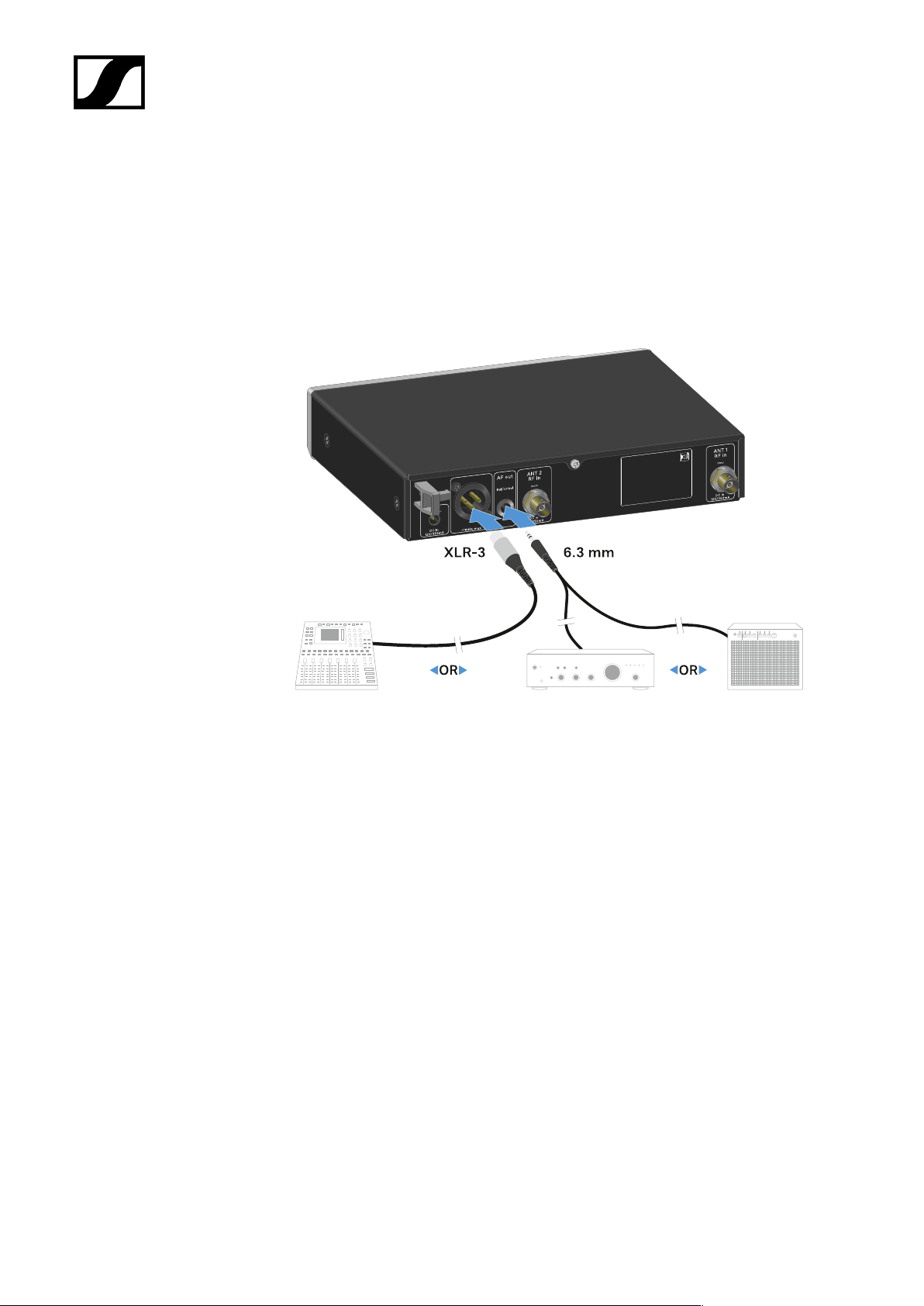
| 3 - Instruction manual
Outputting audio signals
The EW-D EM has a balanced XLR-3M output socket and an unbalanced 6.3 mm jack output
socket.
▷ Always use only one of the two output sockets.
To connect an XLR cable:
▷ Plug the XLR cable into the AF out Bal socket on the EW-D EM.
To connect a jack cable:
▷ Plug the jack cable into the AF out Unbal socket on the EW-D EM.
85
Page 86
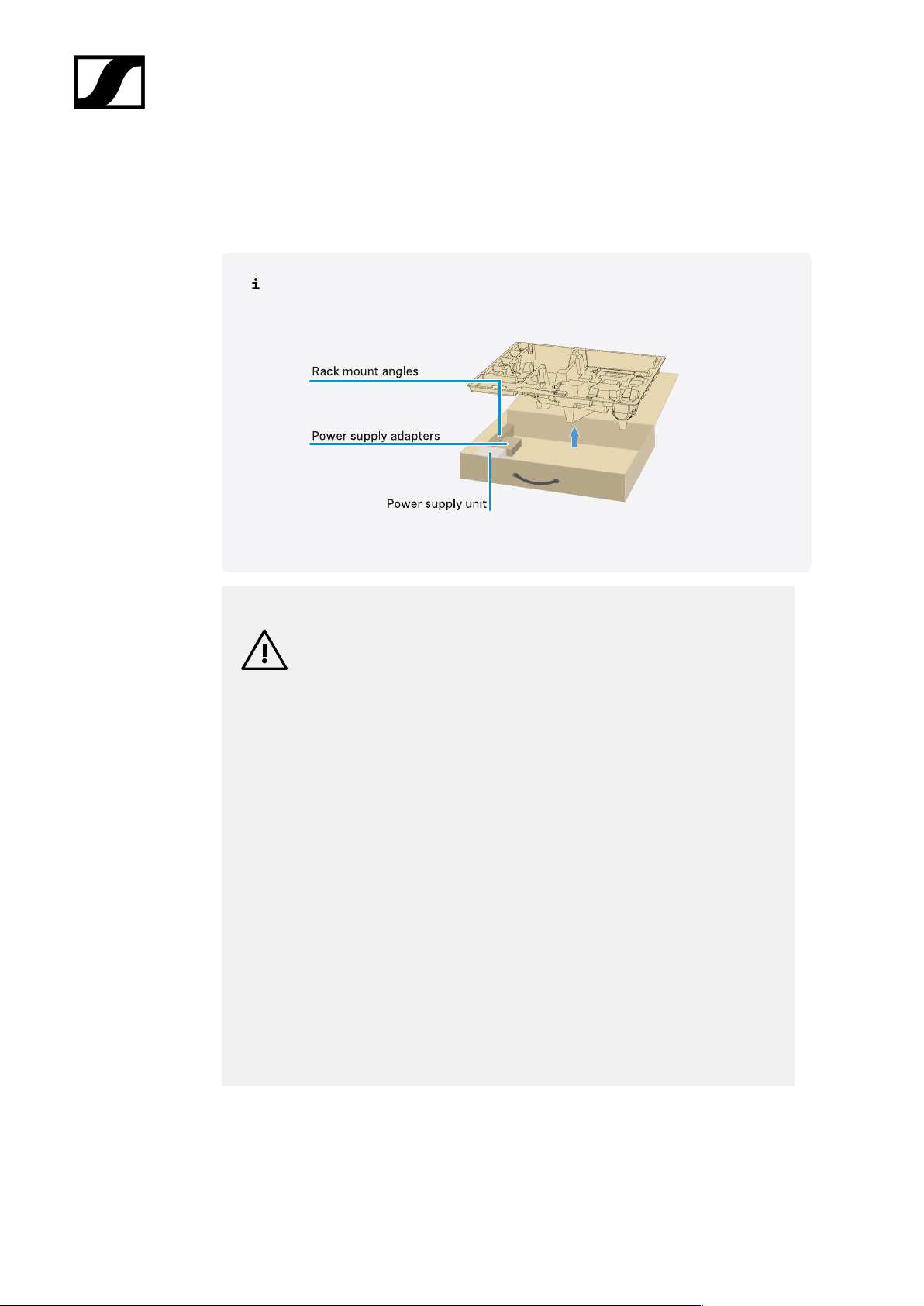
| 3 - Instruction manual
Installing receivers in a rack
Observe the following instructions when mounting the receiver in a rack.
The mounting brackets for installing the receiver in the rack can be found in the
packaging under the tray:
NOTICE
Rack mounting poses risks!
When installing the device in a closed 19" rack or multi-rack assembly,
please consider that, during operation, the ambient temperature, the
mechanical load and the electrical potentials will be different from those
of devices which are not mounted into a rack.
▷ Make sure that the ambient temperature within the rack does
not exceed the permissible temperature limit stated in the
specifications. See (Specifications).
▷ Ensure sufficient ventilation; if necessary, provide additional
ventilation.
▷ Make sure that the mechanical load of the rack is even.
▷ When connecting to the power supply system, observe the
information indicated on the type plate. Avoid overloading the
circuits. If necessary, provide overcurrent protection.
▷ When mounting in a rack, please note that intrinsically harmless
leakage currents of the individual power supply units may
accumulate, thereby exceeding the permissible limit value. As a
remedy, ground the rack via an additional ground connection.
86
Page 87
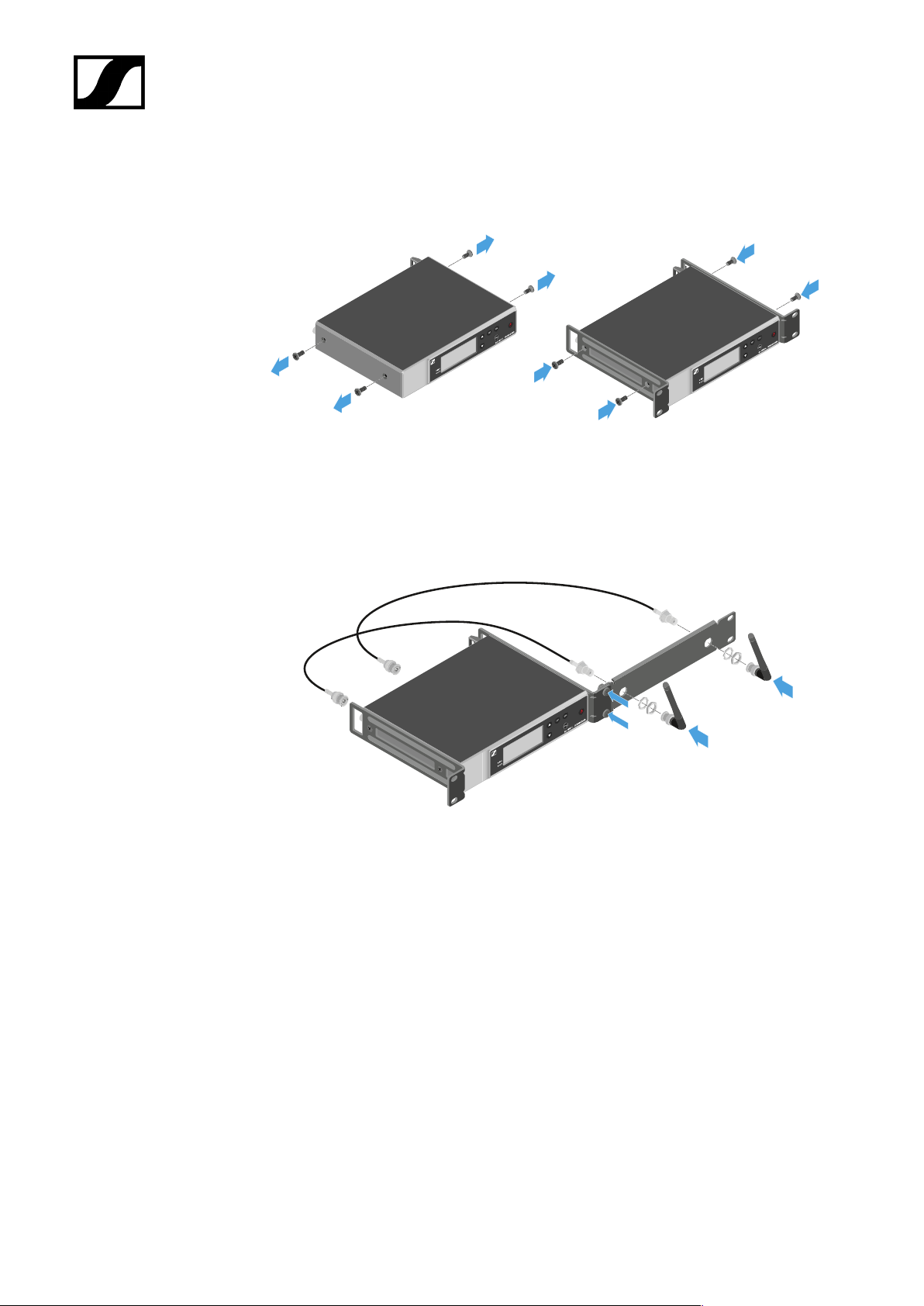
| 3 - Instruction manual
Mounting a single receiver in a rack:
▷ Connect the mounting brackets to the sides of the receiver as shown.
▷ Attach the front panel as shown.
▷ If desired, attach the antennas to the front panel as shown. This requires the optional
AM 2 antenna front mount kit (see Accessories for rack mounting).
87
Page 88
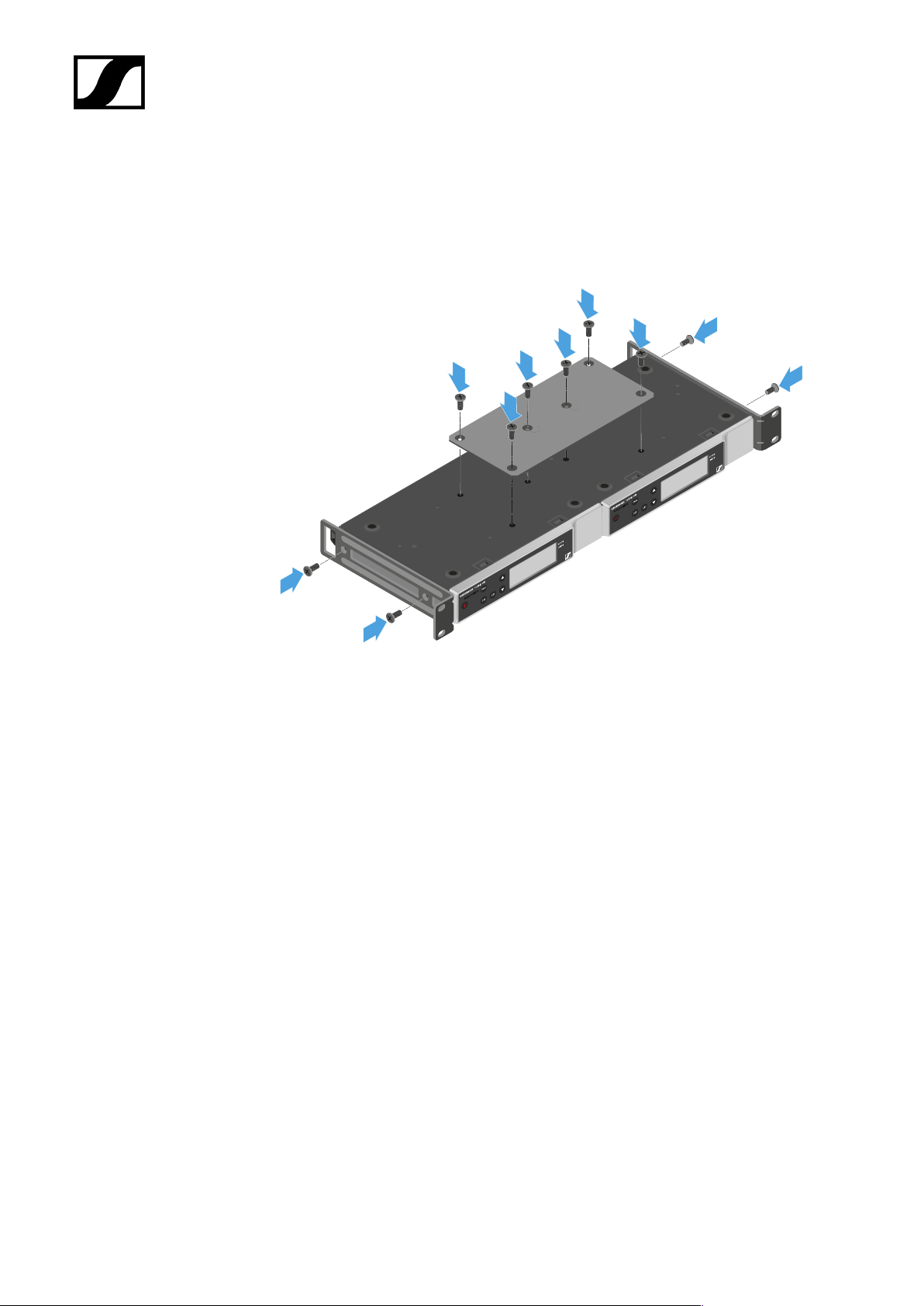
| 3 - Instruction manual
Mounting two receivers side by side in a rack
▷ Place both receivers upside down and side by side on an even surface.
▷ Tighten the jointing plate as shown.
▷ Attach the mounting brackets as shown.
88
Page 89
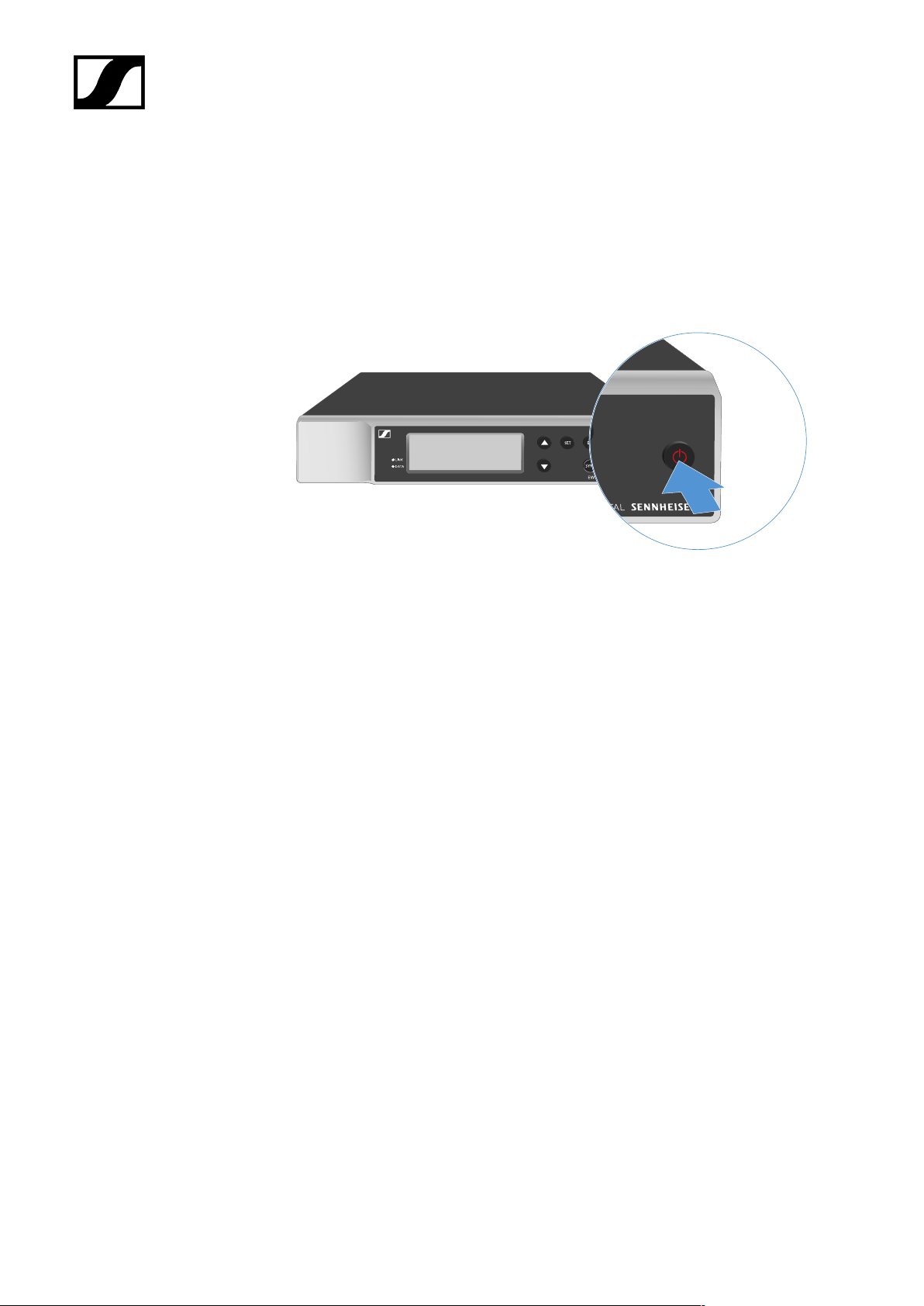
Switching the receiver on and off
To switch the receiver on:
▷ Short-press the ON/OFF button.
➥ The receiver switches on.
| 3 - Instruction manual
To switch the receiver to standby mode:
▷ If necessary, deactivate the lock-off function (see Lock-off function).
▷ Hold down the ON/OFF button until the display switches off.
To switch the receiver off completely:
▷ Disconnect the receiver from the power supply system by unplugging the power
supply unit from the wall socket.
89
Page 90

| 3 - Instruction manual
Lock-off function
To activate the key lock:
▷ Press the UP and DOWN buttons simultaneously.
➥ Key lock is activated and the lock icon is shown on the display.
To deactivate the key lock:
▷ Simultaneously press the UP and DOWN buttons again.
➥ Key lock is deactivated and the lock icon disappears from the display.
90
Page 91
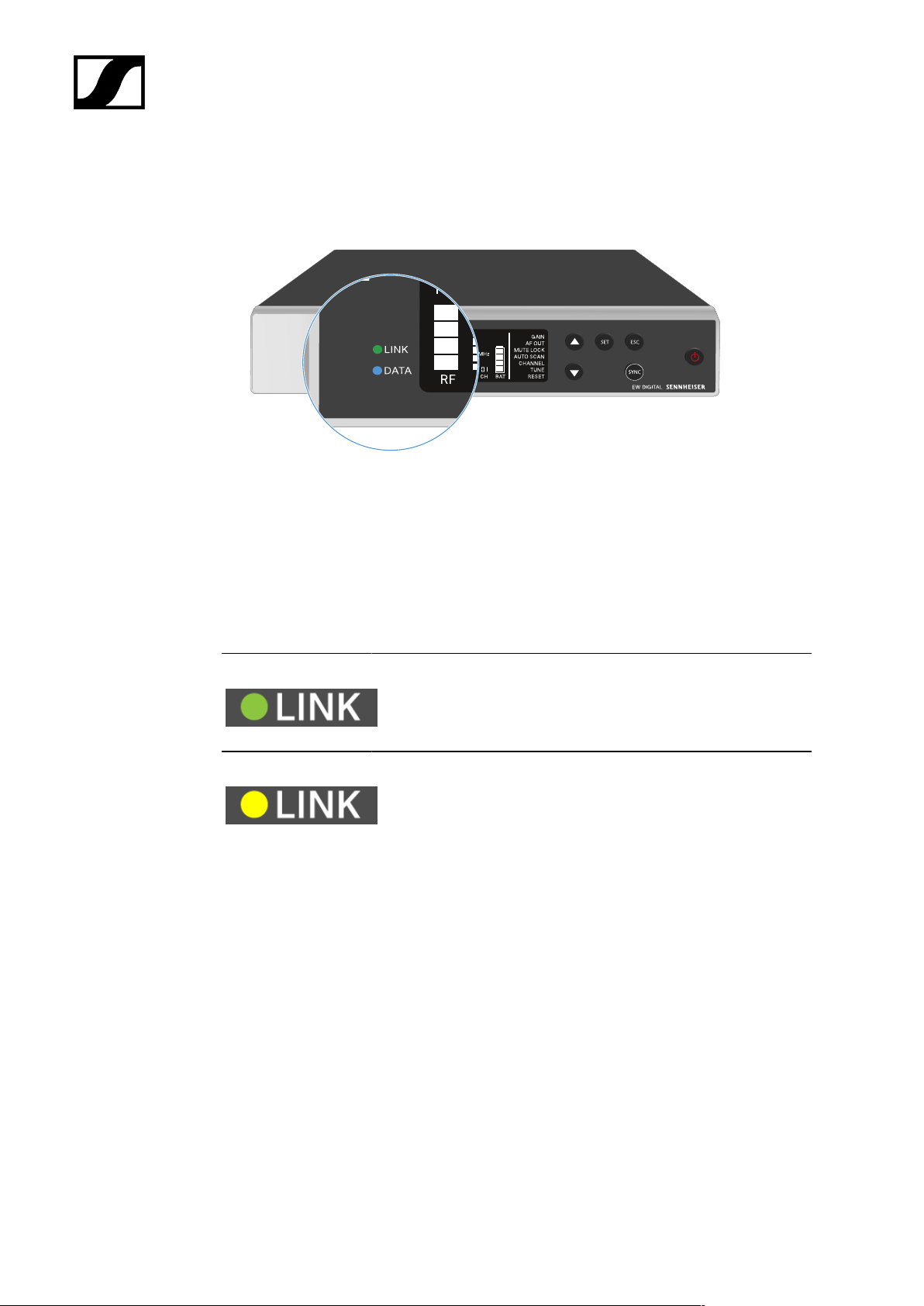
| 3 - Instruction manual
Meaning of the LEDs
The LINK and DATA LEDs on the front of the receiver can indicate the following information.
LINK LED
The LINK LED provides information about the status of the radio link between the transmitter
and receiver, as well as status information for the paired transmitter.
The LED is green:
• The link between the transmitter and receiver is established.
• The audio signal is active.
The LED is yellow:
• The link between the transmitter and receiver is established.
• The audio signal is muted.
91
Page 92
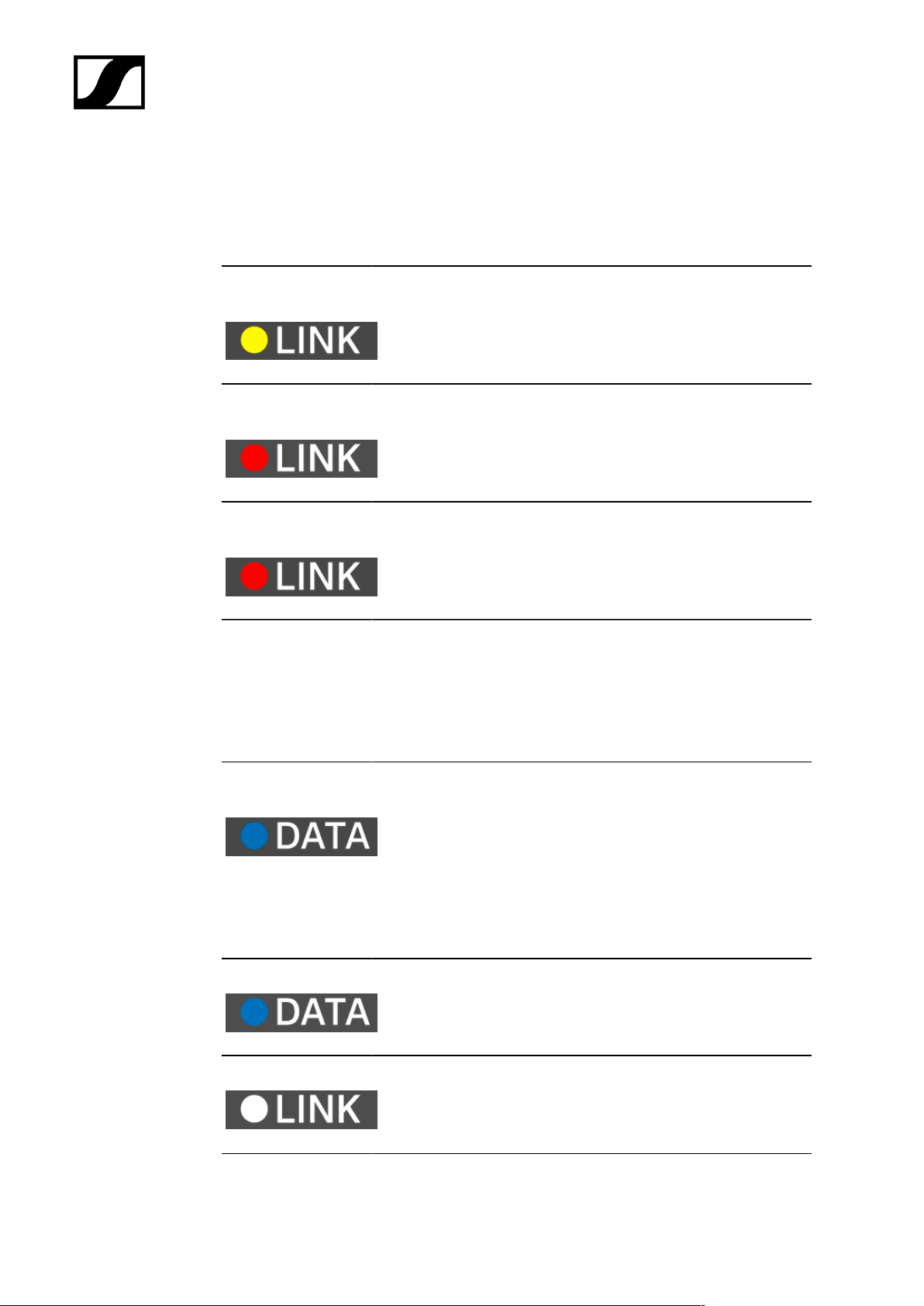
The LED is flashing
yellow:
The LED is
continuously red:
The LED is flashing
red:
| 3 - Instruction manual
or
• No microphone module is mounted on the SKM-S handheld
transmitter.
• The link between the transmitter and receiver is established.
• The audio signal is overdriven (clipping).
• No link between the transmitter and receiver.
• The battery/rechargeable battery in the paired transmitter is
low.
DATA LED
The DATA LED provides information on the receiver’s Bluetooth Low Energy link to the
Smart Assist app and on the synchronization of transmitters and receivers.
The LED is flashing
blue:
• The Bluetooth Low Energy link is being established
between the receiver and a smartphone or tablet with the
Smart Assist app.
or
• The receiver is being synchronized with a transmitter.
The LED is blue:
• The firmware is being updated.
The LED is off:
• Normal operation
• There is currently no active data link.
92
Page 93
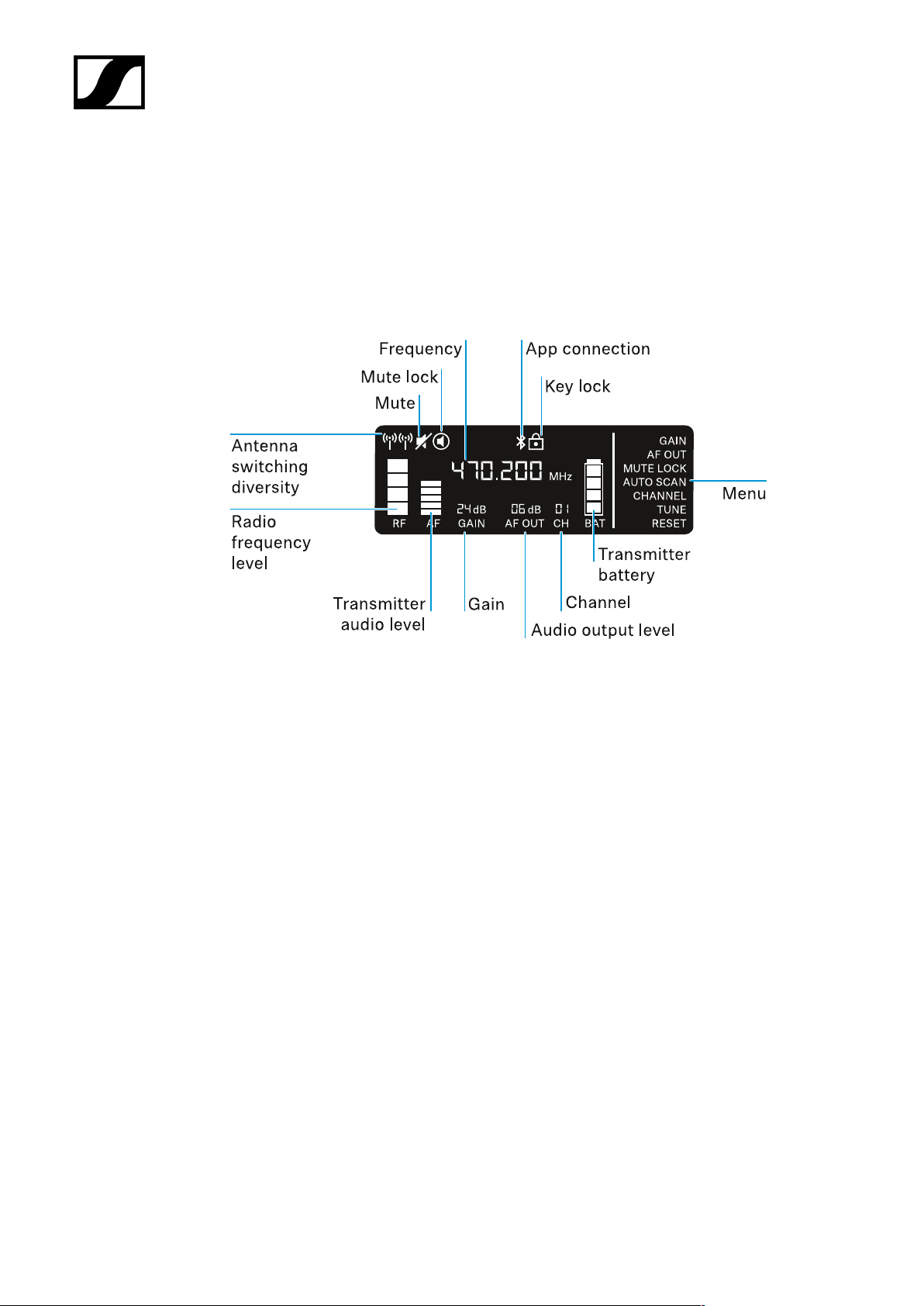
| 3 - Instruction manual
Displays on the receiver’s display panel
Status information such as frequency, reception quality, battery status and audio level is
shown on the display.
The display also shows the operating menu, which you can use to configure all of the settings
(see Buttons for navigating the menu).
Further information
Antenna switching diversity / radio level:
• Establishing a radio link | Synchronizing the receiver and transmitter
Mute / mute lock:
• MUTE LOCK menu item | Muting the handheld transmitter | Muting the bodypack
transmitter
Frequency:
• AUTO SCAN menu item | CHANNEL menu item | TUNE menu item
Connecting to the app:
• Smart Assist app
Lock-off function:
• Lock-off function
93
Page 94

| 3 - Instruction manual
Menu:
• Buttons for navigating the menu
Transmitter battery
• SKM-S: Inserting and removing the batteries/rechargeable batteries | SK: Inserting
and removing the batteries/rechargeable batteries
Channel:
• CHANNEL menu item
Audio output level:
• AF OUT menu item
Gain:
• GAIN menu item
Transmitter audio level:
• GAIN menu item
94
Page 95
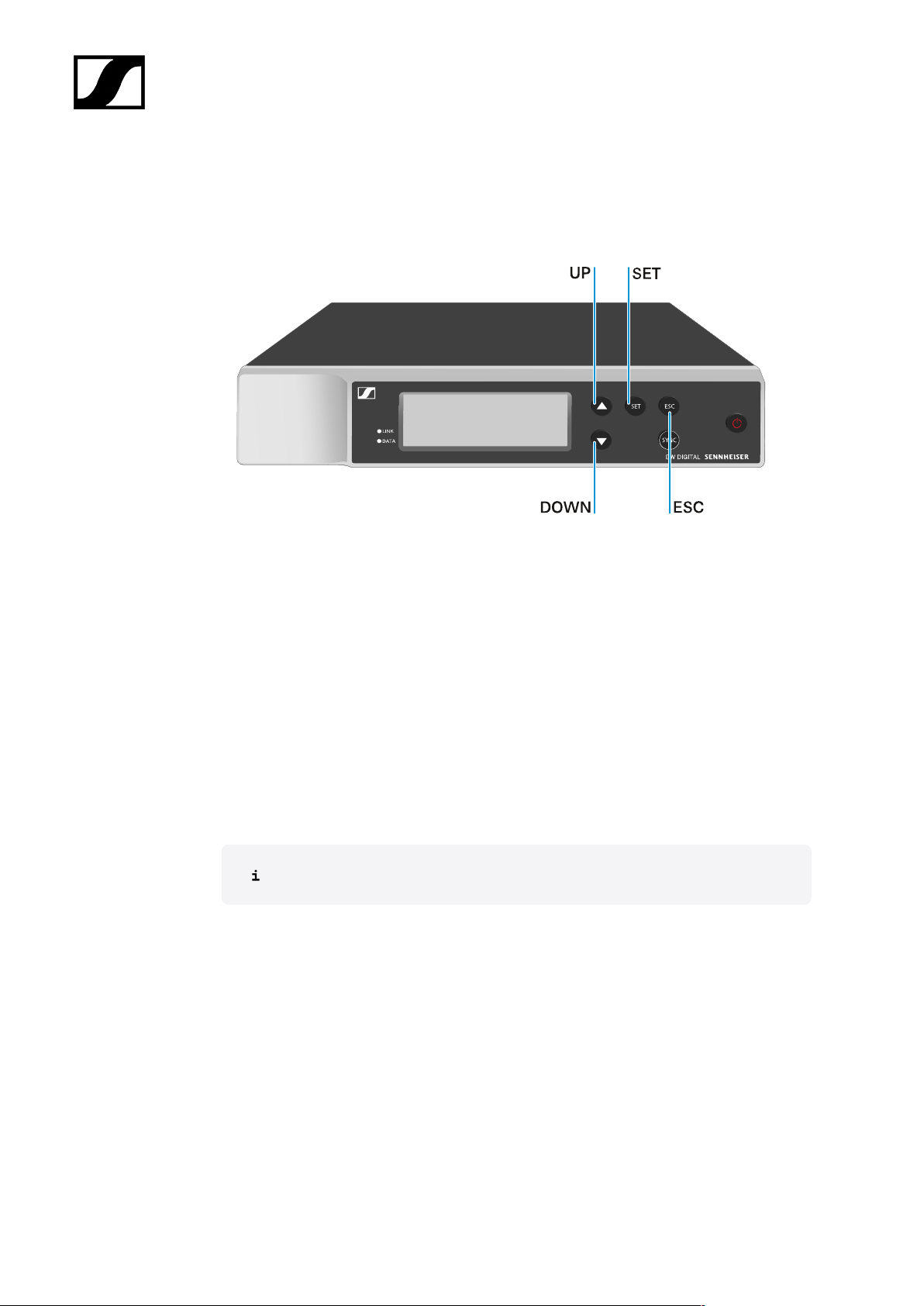
| 3 - Instruction manual
Buttons for navigating the menu
Use the following buttons to navigate through the receiver’s operating menu.
Press the SET button
• Open the menu
• Save settings in a menu item
Press the UP or DOWN button
• Changes to the previous or next menu item
• Changes the setting of a menu item
Press the ESC button
• Cancel input
Opening the menu and navigating the menu items
95
Page 96
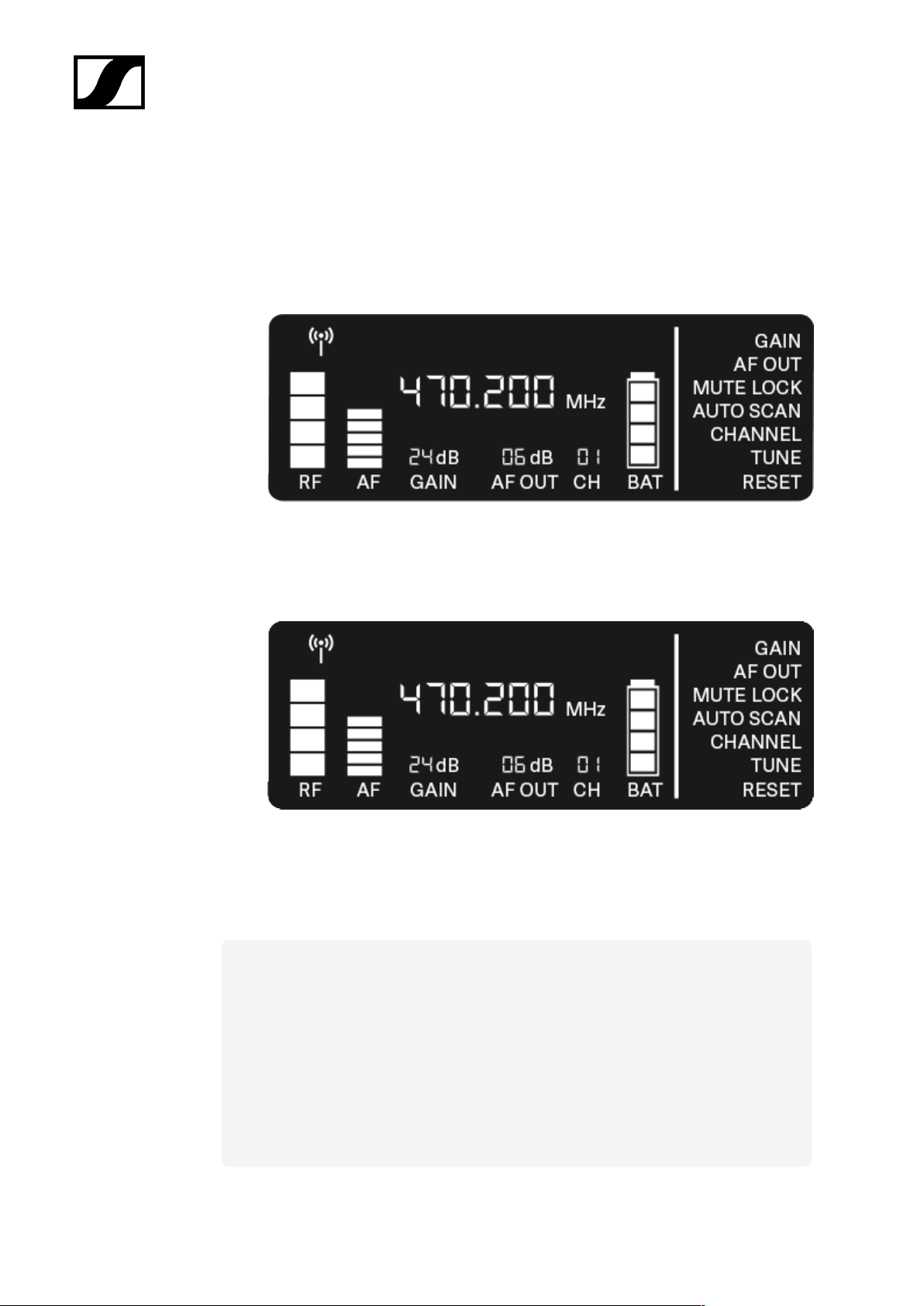
| 3 - Instruction manual
Opening the menu and navigating the menu items
To open the menu:
▷ Press the SET button.
➥ The first menu item GAIN flashes.
To navigate the menu items:
▷ Press the UP and DOWN buttons.
➥ The currently active menu item flashes.
To open a menu item:
▷ Navigate to the desired menu item until it flashes.
▷ Press the SET button to open the selected menu item.
Related information
GAIN menu item
AF OUT menu item
MUTE LOCK menu item
AUTO SCAN menu item
CHANNEL menu item
TUNE menu item
RESET menu item
96
Page 97
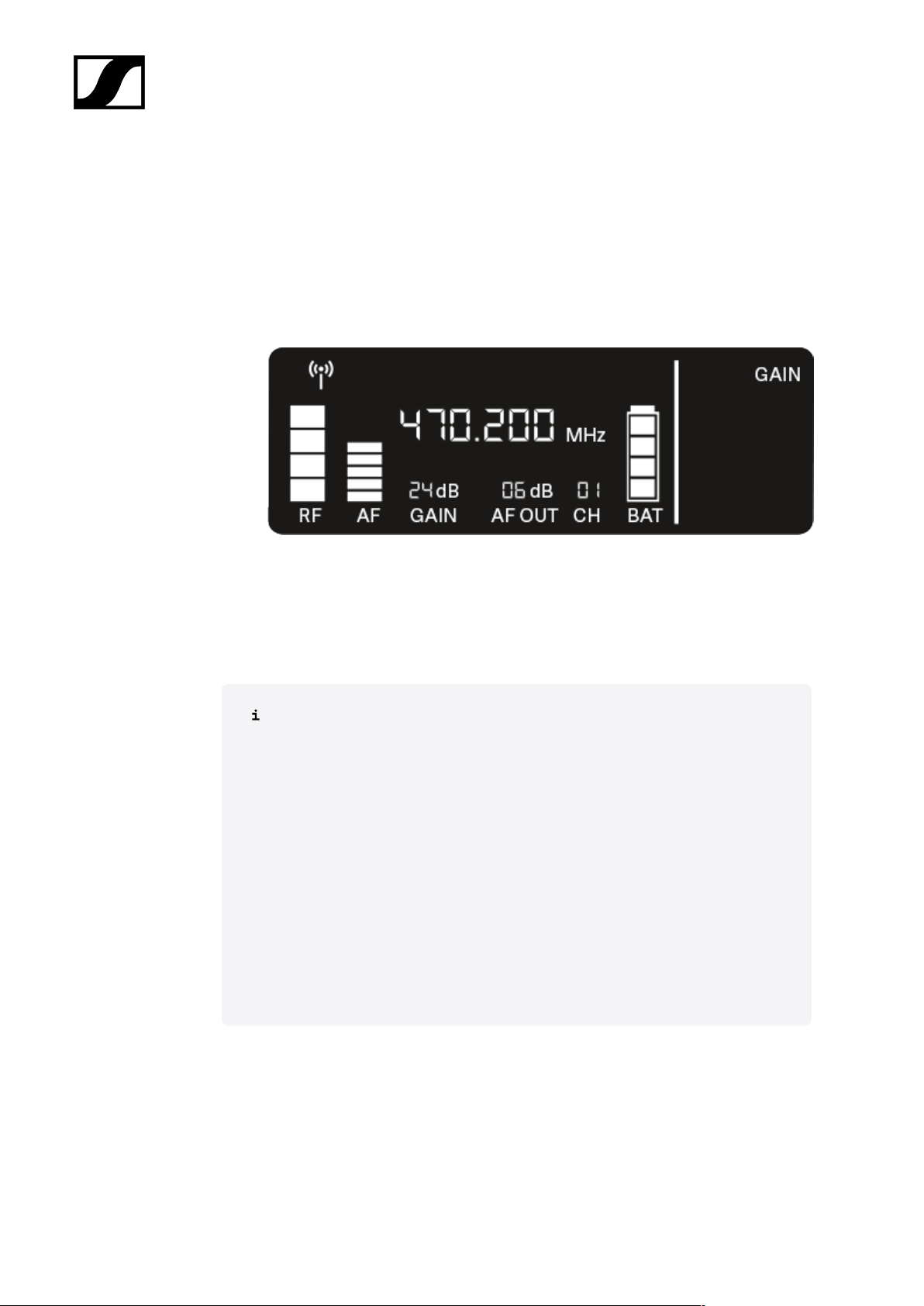
| 3 - Instruction manual
GAIN menu item
Under the GAIN menu item, you can set the level of the audio signal coming from the coupled
transmitter (e.g. vocals via EW-D SKM-S or guitar via EW-D SK).
▷ Open the GAIN menu item.
➥ The item flashes on the display as follows.
▷ Press the UP or DOWN button to adjust the value. Make sure that the level indicator
AF on the display is not too high.
➥ The LINK LED flashes yellow when the signal is overdriven.
▷ Press the SET button to save the set value.
Recommended settings for a unity gain link:
Unity gain refers to the configuration where the audio signal arriving at a device
leaves the device with the same level.
Example: If you are using an EW-D wireless link instead of a guitar cable, with
unity gain settings, the volume of the guitar in the guitar amplifier will be as high
as it would be if using a guitar cable.
Possible unity gain settings:
• AF Out 18 dB | Gain 27 dB
• AF Out 12 dB | Gain 33 dB
• AF Out 6 dB | Gain 39 dB
97
Page 98
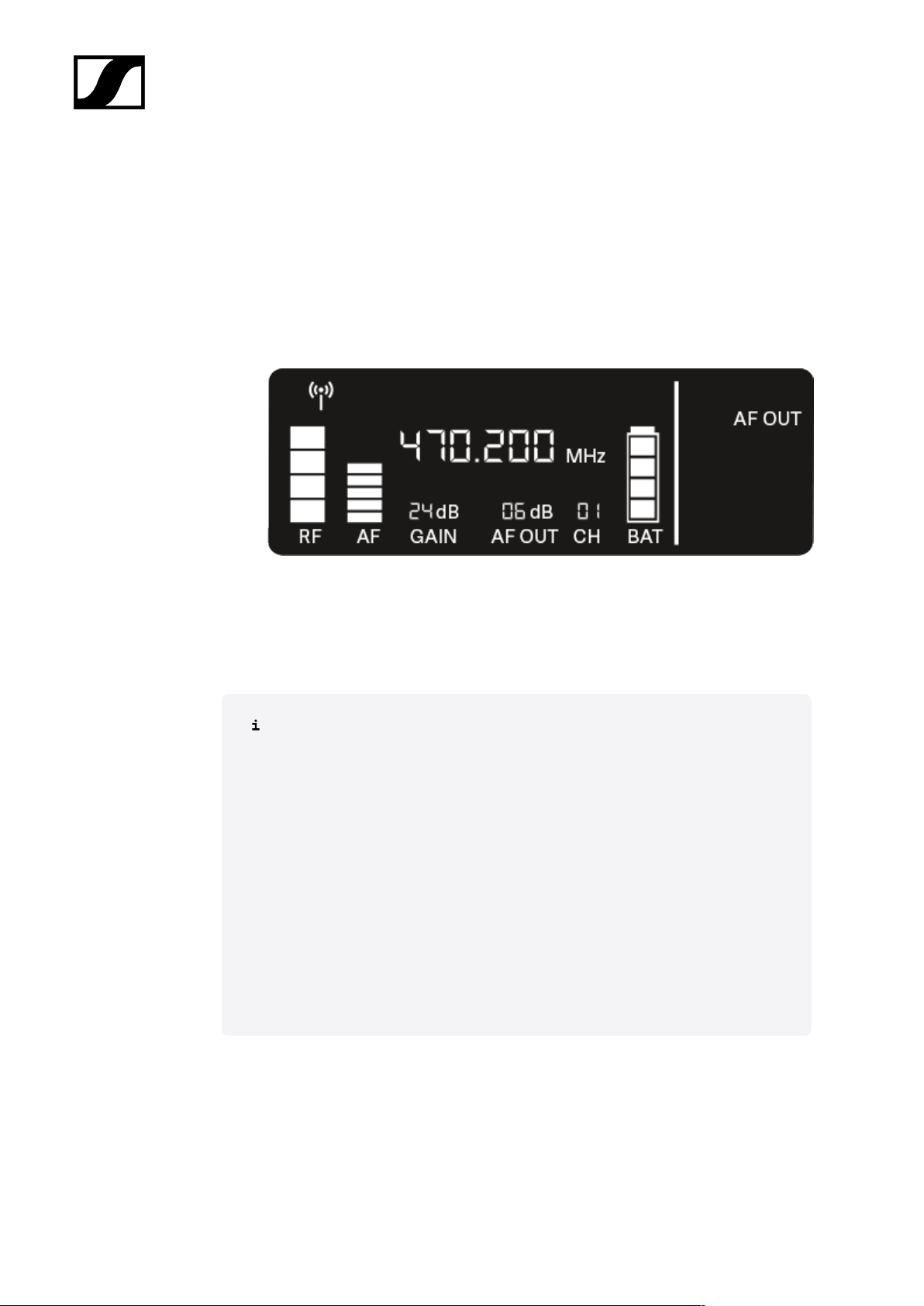
| 3 - Instruction manual
AF OUT menu item
Under the AF OUT menu item, you can set the level of the audio signal coming from the
receiver’s audio outputs (AF out Bal/Unbal). This audio signal can be output to a mixing
console or an amplifier, for example.
▷ Open the AF OUT menu item.
➥ The item flashes on the display as follows.
▷ Press the UP or DOWN button to adjust the value. Make sure that the signal in the
next device in the signal chain (e.g. mixing console, power amplifier, guitar amplifier,
etc.) is not overdriven.
▷ Press the SET button to save the set value.
Recommended settings for a unity gain link:
Unity gain refers to the configuration where the audio signal arriving at a device
leaves the device with the same level.
Example: If you are using an EW-D wireless link instead of a guitar cable, with
unity gain settings, the volume of the guitar in the guitar amplifier will be as high
as it would be if using a guitar cable.
Possible unity gain settings:
• AF Out 18 dB | Gain 27 dB
• AF Out 12 dB | Gain 33 dB
• AF Out 6 dB | Gain 39 dB
98
Page 99
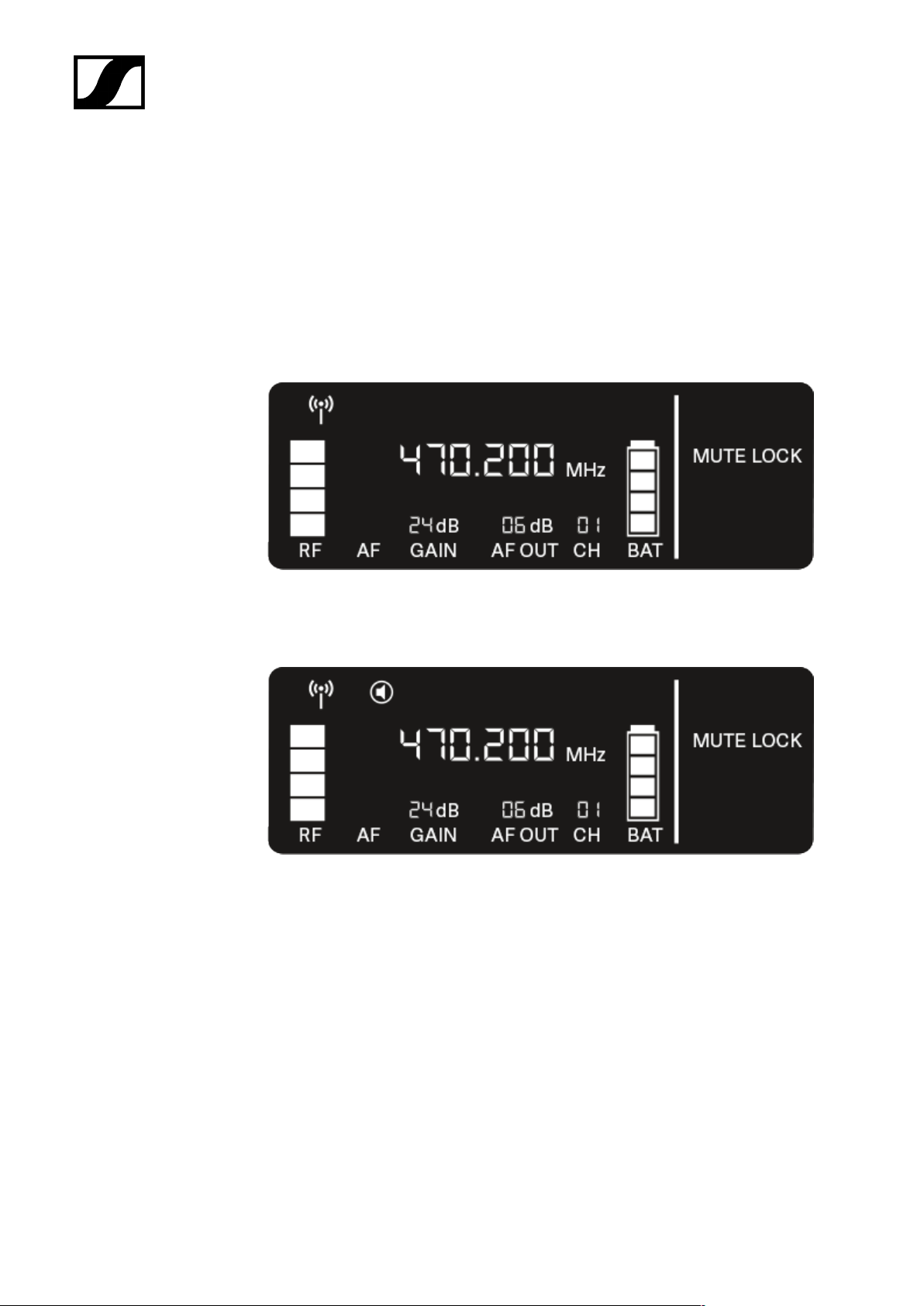
| 3 - Instruction manual
MUTE LOCK menu item
Under the MUTE LOCK menu item, you can disable the mute switch on the paired
transmitter.
The transmitter can then no longer be muted.
▷ Open the MUTE LOCK menu item.
➥ The item flashes on the display as follows.
▷ Press the UP or DOWN button to enable or disable the function.
➥ If the following icon appears on the display, the transmitter’s mute switch is
disabled.
▷ Press the SET button to save the set value.
99
Page 100
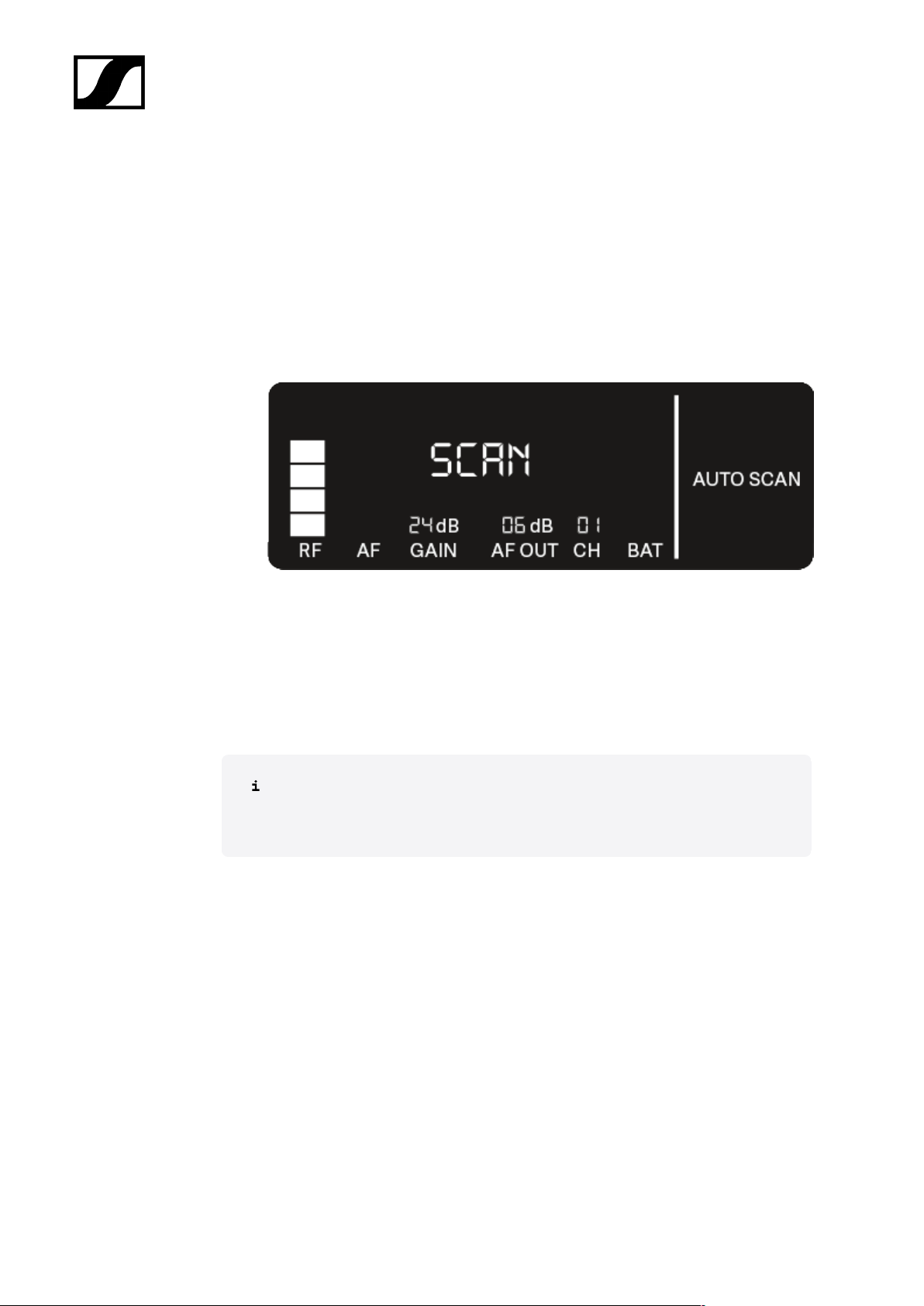
| 3 - Instruction manual
AUTO SCAN menu item
Under the AUTO SCAN menu item, you can perform an automatic frequency scan of your
area. This enables you to easily find and assign free radio frequencies.
The scan starts at the lowest frequency in the device’s frequency range.
▷ Open the AUTO SCAN menu item.
➥ The scan starts automatically. The next free frequency is shown on the display.
▷ Press the SET button to accept the displayed frequency.
Or
▷ Press the UP or DOWN button to display the next free frequency.
Or
▷ Press the ESC button to cancel the scan.
➥ The previous frequency remains unchanged.
If you have set a new frequency, you must still synchronize the receiver
with the transmitter to establish the radio link (see Establishing a radio link |
Synchronizing the receiver and transmitter).
100
 Loading...