

Page 1
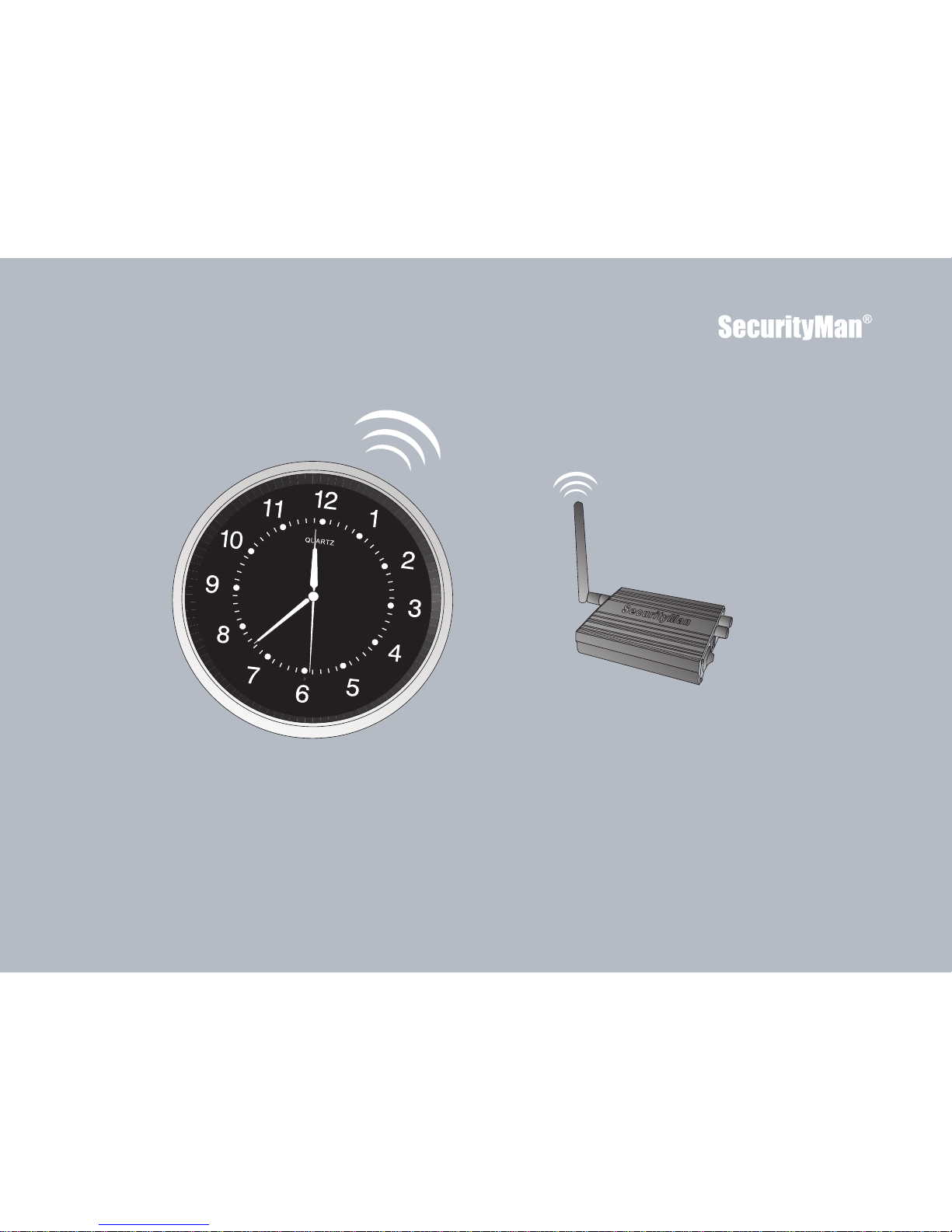
ClockCam User’s Manual
Wi-Fi Interfernece Free Wireless (900MHz)
Wireless Wall Clock Hidden Camera Kit
Page 2

Copyright Notice
FCC Information
This manual is furnished under license and may be used or copied only in
accordance with the terms of such license. Except as permitted by such
license, no part of this publication may be reproduced, stored in a retrieval
system, or transmitted, in any form or any means, electronic, mechanical,
recording, or otherwise, including translation to another language or format,
without the prior written permission of SecurityMan. The content of this
manual is furnished for informational use only, is subject to change without
notice, and should not be construed as a commitment by SecurityMan.
SecurityMan assumes no responsibility or liability for any errors or
inaccuracies that may appear in this book. All other product names,
trademarks and registered trademarks in this document are the properties
of their respective holders.
Notes on FCC’s “Consistent Statement of Information” This product meet
the requirements specified in Part 15 of FCC Regulation.
Page 3

SecurityMan warrants that this product will be free from defects in materials
and workmanship for a period of one year; otherwise, specified on the
product packaging. This limited warranty shall commence from the date of
purchase. SecurityMan Products warranty is not transferable and is limited
to the original purchaser. If the product is found to be defective then, as your
sole remedy and as the manufacturer's only obligation, SecurityMan will
repair or replace the product. This warranty shall not apply to products that
have been subjected to abuse, misuse, abnormal electrical or environmental
conditions, normal wear and tear or any condition other than what can be
considered normal use.
- Extend the distance between the equipment interfered and the product.
- Refer to dealers or experience
d radio electrician for help.
Warranty
Page 4

Operation rests with the following two conditions:
(1) The equipment should not cause any harmful interference.
(2) The equipment must receive and process any interference, including
any possible interference caused by operation mistakes.
After testing the product, we confirm that the camera complies with the
provision for class C digital equipment in the 15th part in FCC regulations;
and the r
eceiver complies with the limitations for class B digital equipment
in Part 15 of FCC regulation. The product generates, applies and emits
radio waves. It might cause harmful interferences to wireless communication
if not be installed and used following the description of the manual. The
product may cause interference in residential area, and the customer should
take remedies to eliminate the interference on their own costs.
If the product causes any harmful interference to wireless equipment
or disturbs the receiving of TV signals (it can be identified by turning on
and off the product), you can solve the trouble by following methods:
- Read just the product or put it in another place.
Page 5
This 900MHz wireless camera works at ISM band. It may cause interferences
with other wireless equipment that operates at the same band. Please turn
off one of the equipment to eliminate the interference.
Notice:
This 900MHz wireless camera will emit electromagnetic wave, just like other
wireless products. But the output power of the products is lesser than other
wireless products such as mobile phones. This 900MHz wireless camera
meets wireless frequency security standards and recommends indexes while
working. These standards and indexes are certificated by academic
organization and represent the cogitative research of the scientific workers
who continuously explore and annotate the involved fields. So we believe
that our products are safe for customers.
Product Assurance
Page 6

The liability of SecurityMan arising from this warranty and sale shall be
limited to a refund of the purchase price. In no event shall SecurityMan be
liable for costs of procurement of substitute products or services, or for any
lost profits, or for any consequential, incidental, direct or indirect damages,
however caused and on any theory of liability, arising from this warranty and
sale. These limitations shall apply not withstanding any failure of essential
purpose of any limited remedy.
Limitation of Liability
SecurityMan
4601 E. Airport Drive, Ontario, CA91761, USA
Tel: 888-977-3777 or 909-230-6668
Fax: 909-230-6889
Email: [email protected]
Website: http://www.securitymaninc.com
Copyright 2011by SecurityMan v1.0
Page 7

DO NOT use this product to violate one's privacy. Monitoring one's
private activities without consent is illegal and this product is not designed
and manufactured for these purposes.
DO NOT put this product near any medical equipment. Radio waves might
potentially cause breakdown of electrical medical equipment.This product
should be placed at least 1 foot away from any heart pacemaker. Radio
waves might potentially influence heart pacemaker and lead to respiratory
disturbance.
DO NOT use this product for any ille gal activities. SecurityMan shall not be
responsible for any consequences of illegal conducts made by
users.
Operating Restrictions
Please read the following messages to make sure whether your working
environment is suitable.
• Ensure there is enough space around the receiver for ventilation.
Conditions
Page 8

• The temperature should be kept between –10˚C and 50˚C (14˚F to 122
˚F).The relative humidity should remain from 20% to 80%.
• Avoid putting the product in places where occur might change rapidly
in temperature or humidity.
• Keep it dry, dustless and avoid exposure in it directly in sunlight.
• Keep product away from heat sources such as electric heater.
• Do not use the wireless camera near aggressive chemicals.
• Do not shake or stricken the product.
• In order to avoid inflammation or electric shock, this camera kit should
be kept away from exposure to rain or moist, and it shall not be put in
or near bath-rooms, washing pools, wash houses , moist basements,
or swimming pools, unless it is well shielded.
• In use of sockets set on walls or extension wires, attention should be
paid not to
exceed their load capabilities to avoid inflammation or
electric shock.
• Do not disassemble the product casings, other wise the internal sion
Warning:
Page 9

parts may get damaged, or personal injury caused.
• Switch off the power supply in thunder and lightning weather or when
not in use for long periods of time.
• Do not attempt to service the product yourself as opening or
removing covers may expose you to dangerous voltage or other
hazards. Refer all servicing to qualified service personnel.
Page 10

Table of Contents
Introduction
Applications
Features
Package Contents
Hardware Basic
Receiver
Wall-Clock Camera
Installation
Product Specifications
FAQ
1
1
2
3
4
4
5
6
13
14
Page 11

Thank you for choosing ClockCam. ClockCam is designed for users who want to
monitor their visitors, strangers, babysitters, and business activities. It includes
a wireless wall-clock hidden camera and a wireless receiver. Can be installed in
seconds, hassle free of running long video cable. Simply mount the clock at the
desired location, connect the power to the clock-camera, to receiver, and then
connect the receiver to a monitor for live view, or connect to a recorder for
recording. It is a great security product for homes and small businesses.
Note: Please read the entire user ’s m anual before operation.
Introduction
Applications:
1
1.Discreetly monitor with fully functional clock design.
2.Monitor childcare, know your children are safe for peace of mind.
3.Monitor your valuables, home, business, or office.
4.Wireless system, no troublesome cables.
Page 12

• Do-It-Yourself, easy to setup and use.
• Hidden wireless color camera built-in functional wall-clock.
• No interference from crowded 2.4GHz & 5.8GHz frequencies
including Wi-Fi (wireless network) devices.
• Video transmission goes up to 330ft clear line of sight or 100ft indoor.
• Add more wireless receivers (one channel, 900MHz) for multi rooms
monitoring (no multi cameras)
• Batter (AA) operated clock and lasts up to more than 1 year.
Features:
2
Page 13
3
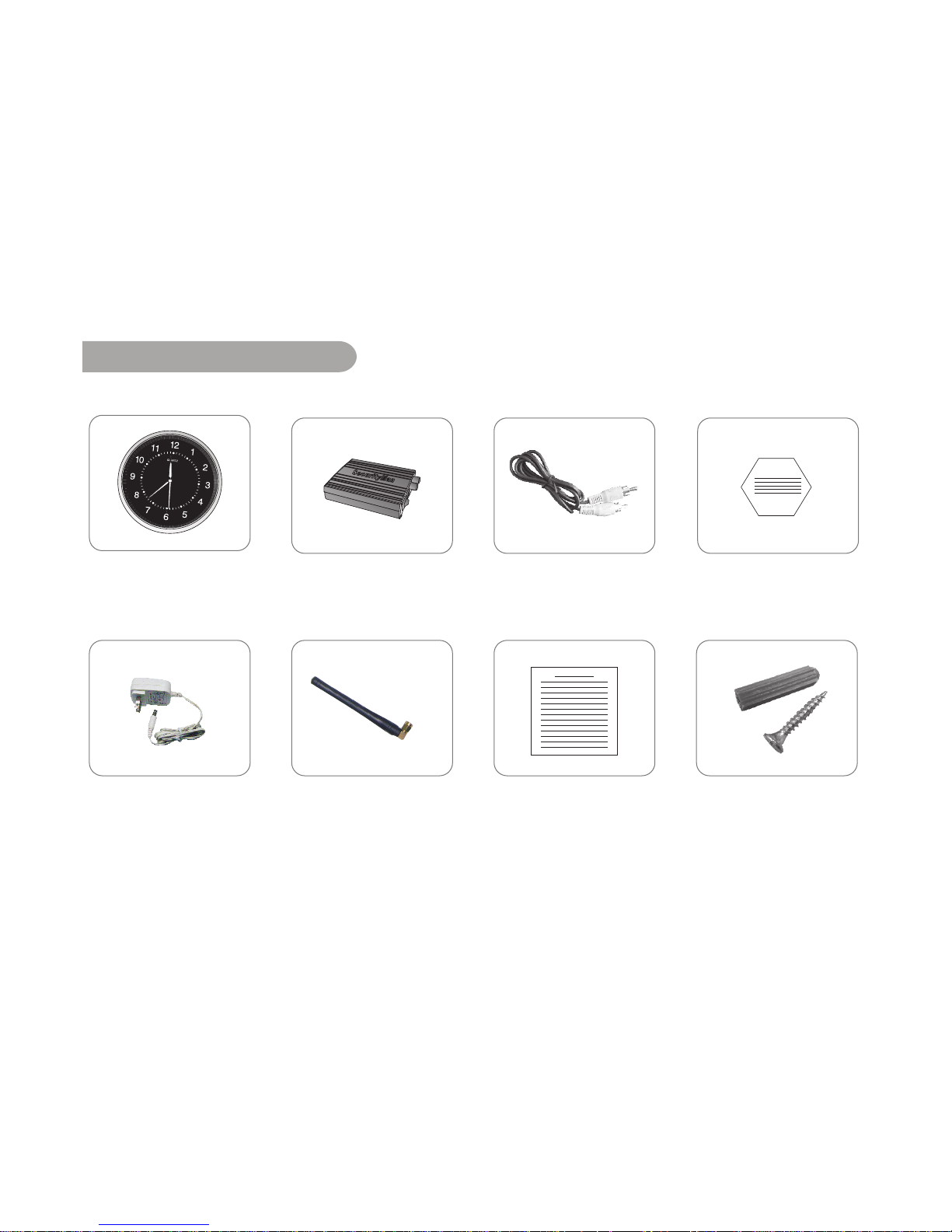
Package Contents
(G.W. 3.2 lbs)
Wall-C lock cam era
(C lockCam -T)
Wireless receiver
(C lockCam -R)
AV cable
(for receiver)
Power adapter X2
*All the ac cessories in order to prevail in kind!
Receiver antenna Us er manual
Warn ing sticker X2
Screw
Page 14
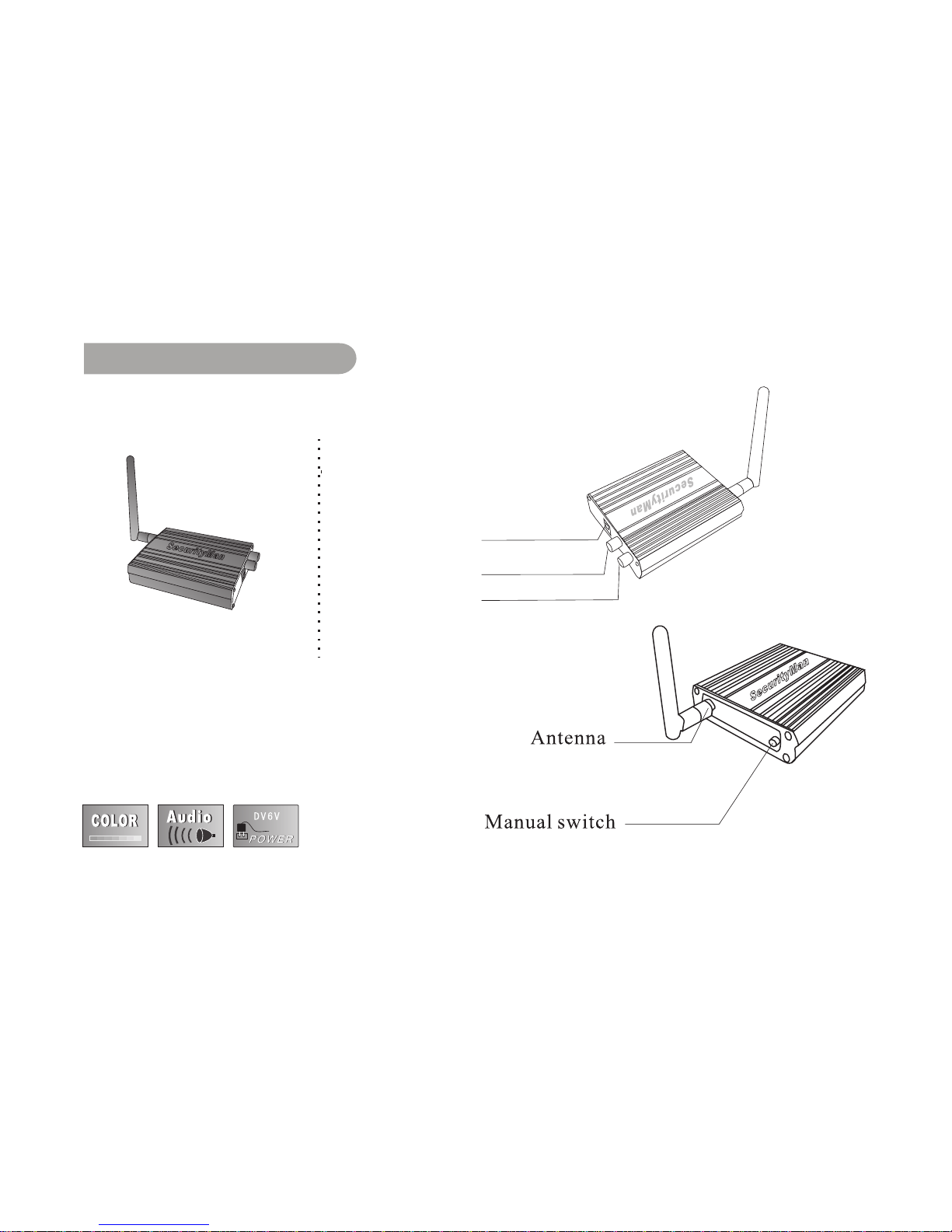
Receiver:
Hardware Basic
4
Power socket
Audio output
Video output
Page 15
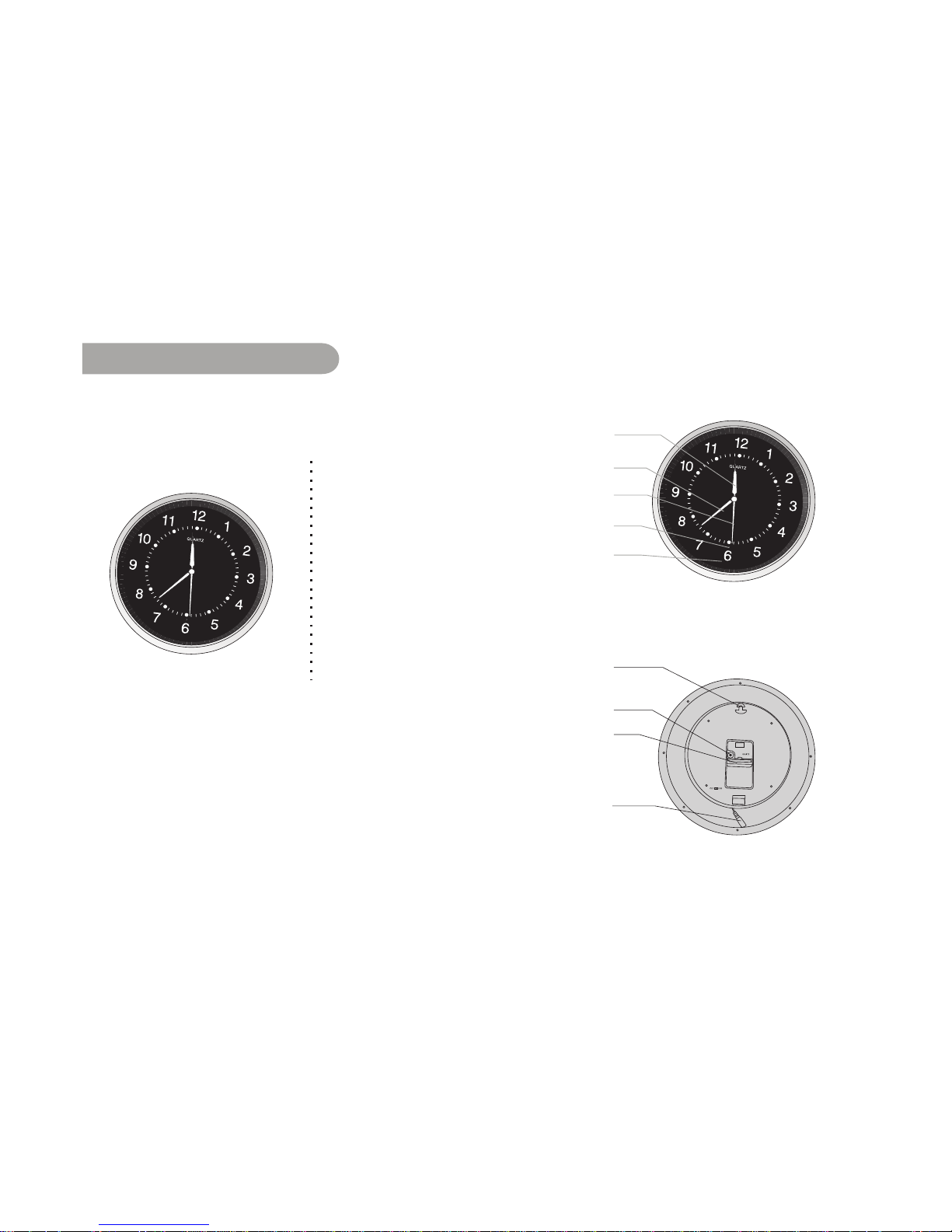
5
Wall-Clock Camera:
Hardware Basic
Ho ur h an d
Minu te hand
Secon d hand
Cam era
Clock
Clock adjuster turner
Power socket
Clock b attery comp artm en t
Mou nt hole
Page 16
6
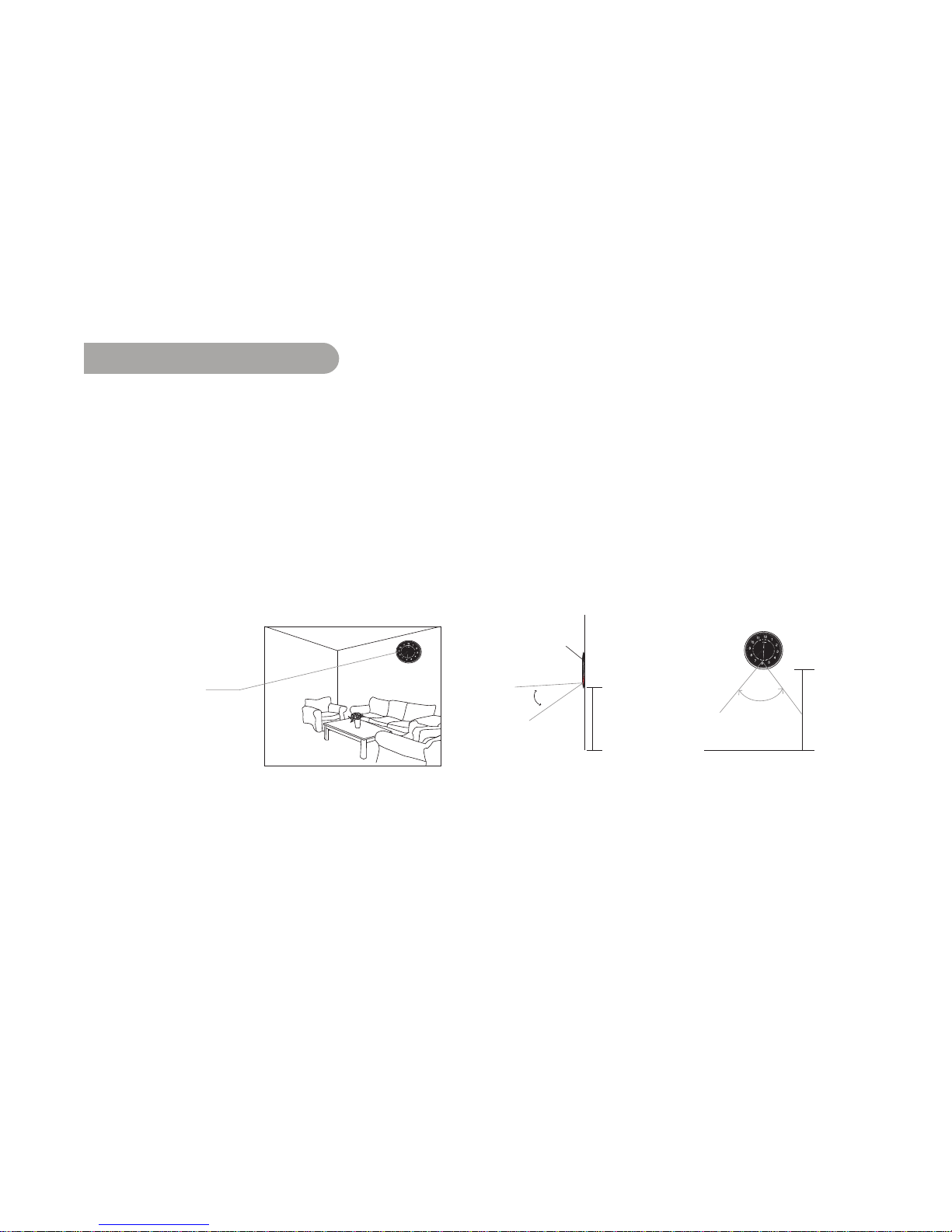
1. Find a desire location to mount the ClockCam. Recommended to install
6-7ft high above floor level in areas intended for surveillance. For better
viewing angle coverage, the hidden camera has a fixed 25 degree
downward angle by default. Estimated viewing coverage: Vertical 35° &
Horizontal 46° (as shown below )
Installation
Ho rizo n t al 4 6 °
6-7 ft high above
floo r level
Clo ck
6- 7 f t
Vertical 35°
3 5 °
Wal l
C
lo ck
6- 7 f t
Flo o r
4 6 °
Page 17
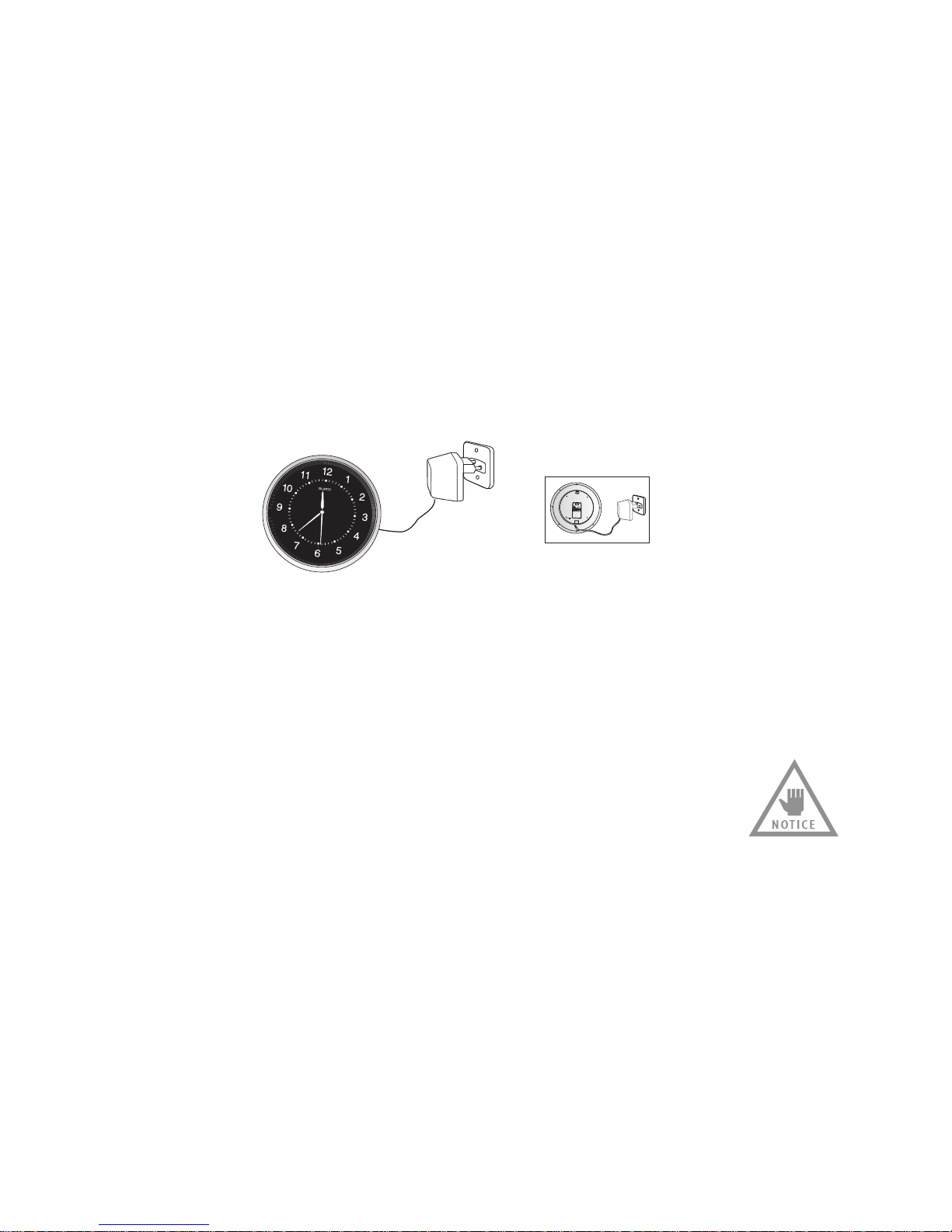
2. Connect the power adapter jack to the ClockCam power socket and plug
the other end into an electrical power outlet.
NOTE: If the image becomes black and white, please power cycle the
camera by unplugging the power to the wall-clock camera and then plug
them back in. Be sure to match the frequency between the wall-clock
camera and the receiver.
7
Page 18
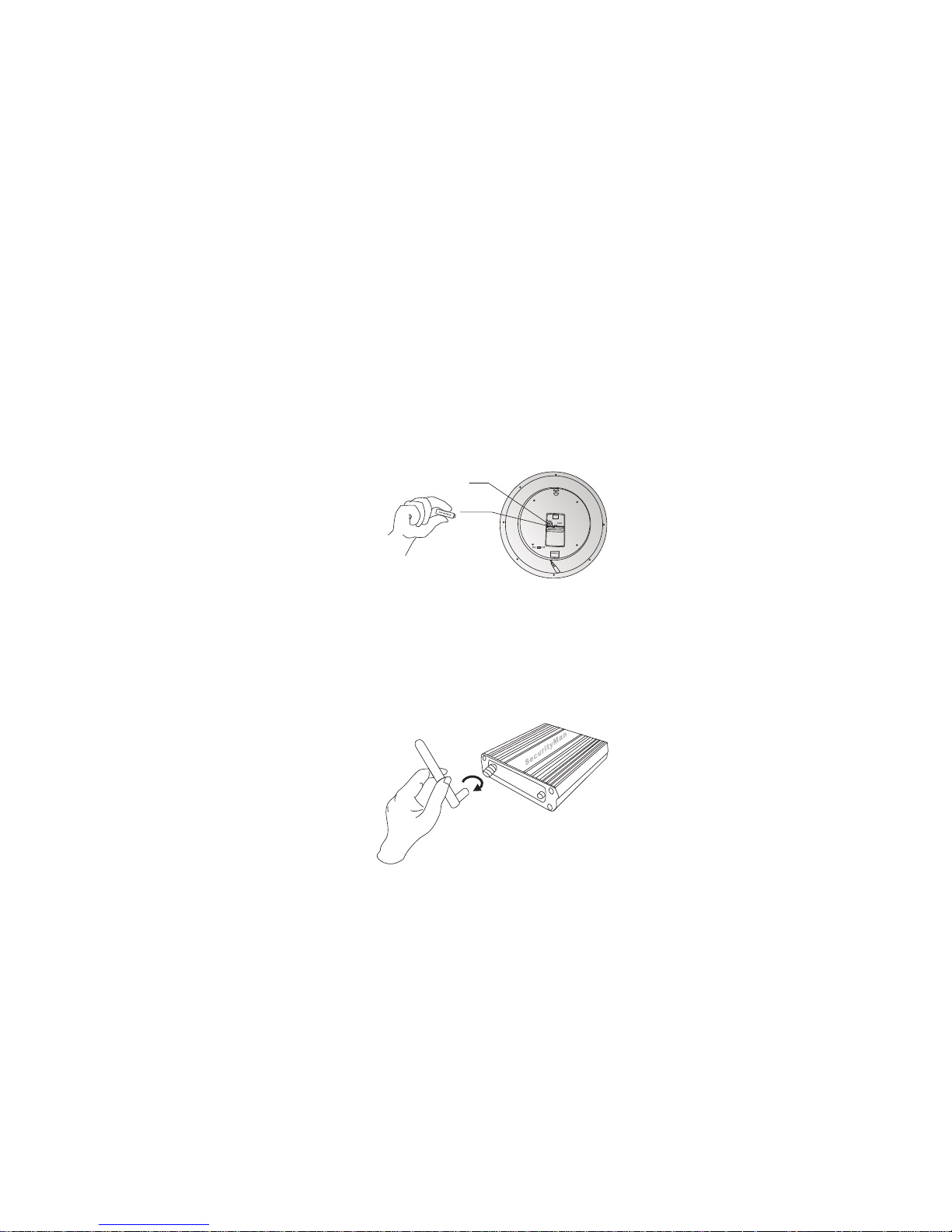
3. Insert an AA battery (not included) into the battery compartment located
on the back of the wall-clock. Adjust to current time by turning the clock
adjuster turne clockwise or counter-clockwise.
4. Connect the antenna to the receiver by turning it clockwise to secure,
as illustrated below.
Ad ju s t to curren t tim e
Insert AA b attery
no t in clu d ed )(
8
Page 19
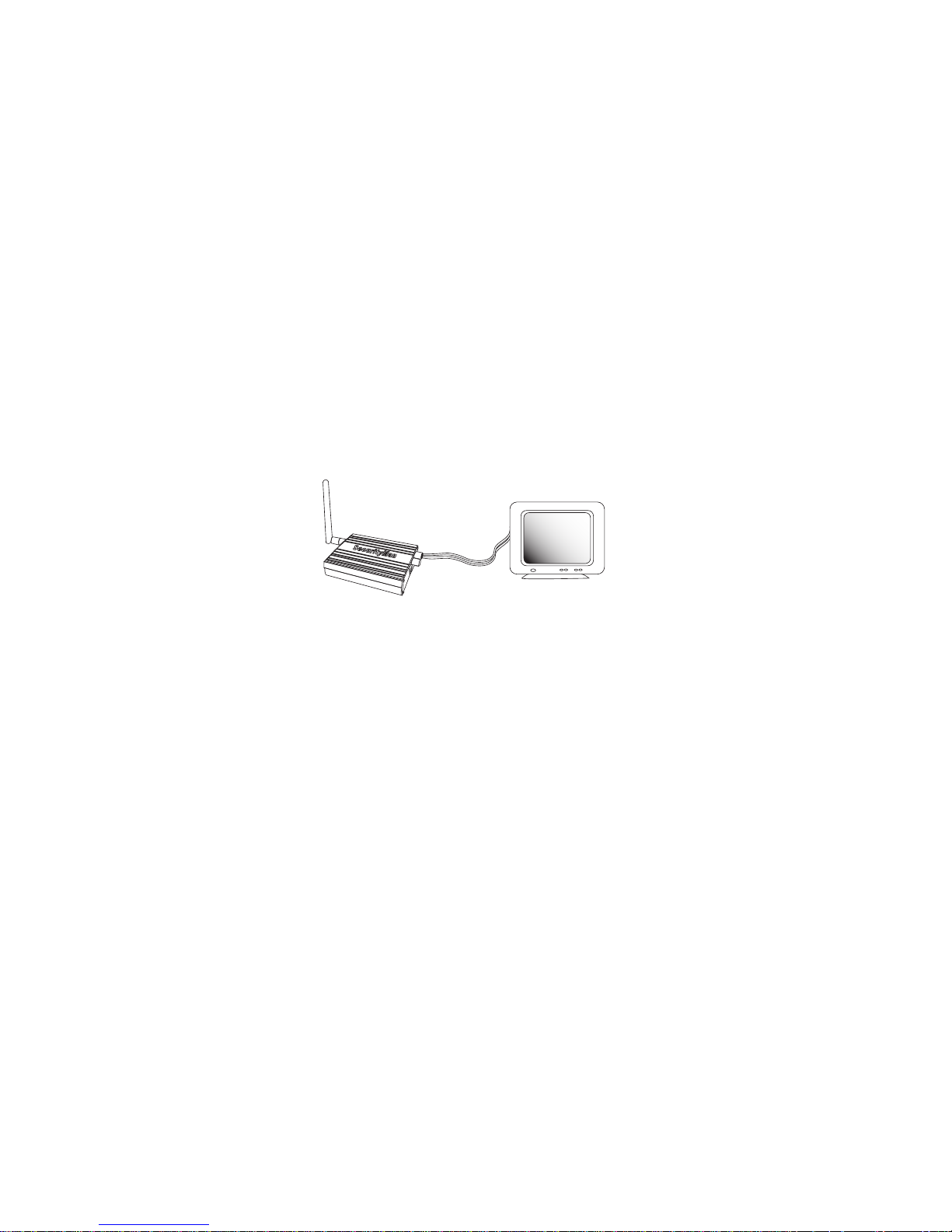
5. Connect the audio/video cable into the video output of the receiver.
Connect the other end of the A/V cable to the video input of a monitor/TV;
be sure to match the color codes, video (yellow to yellow) and audio (red
to red or white), as illustrated below.
9
NOTE: ClockCam does not support audio. However; the receiver support
other SecurityMan 900MHz wireless cameras with built-in microphone.
Page 20
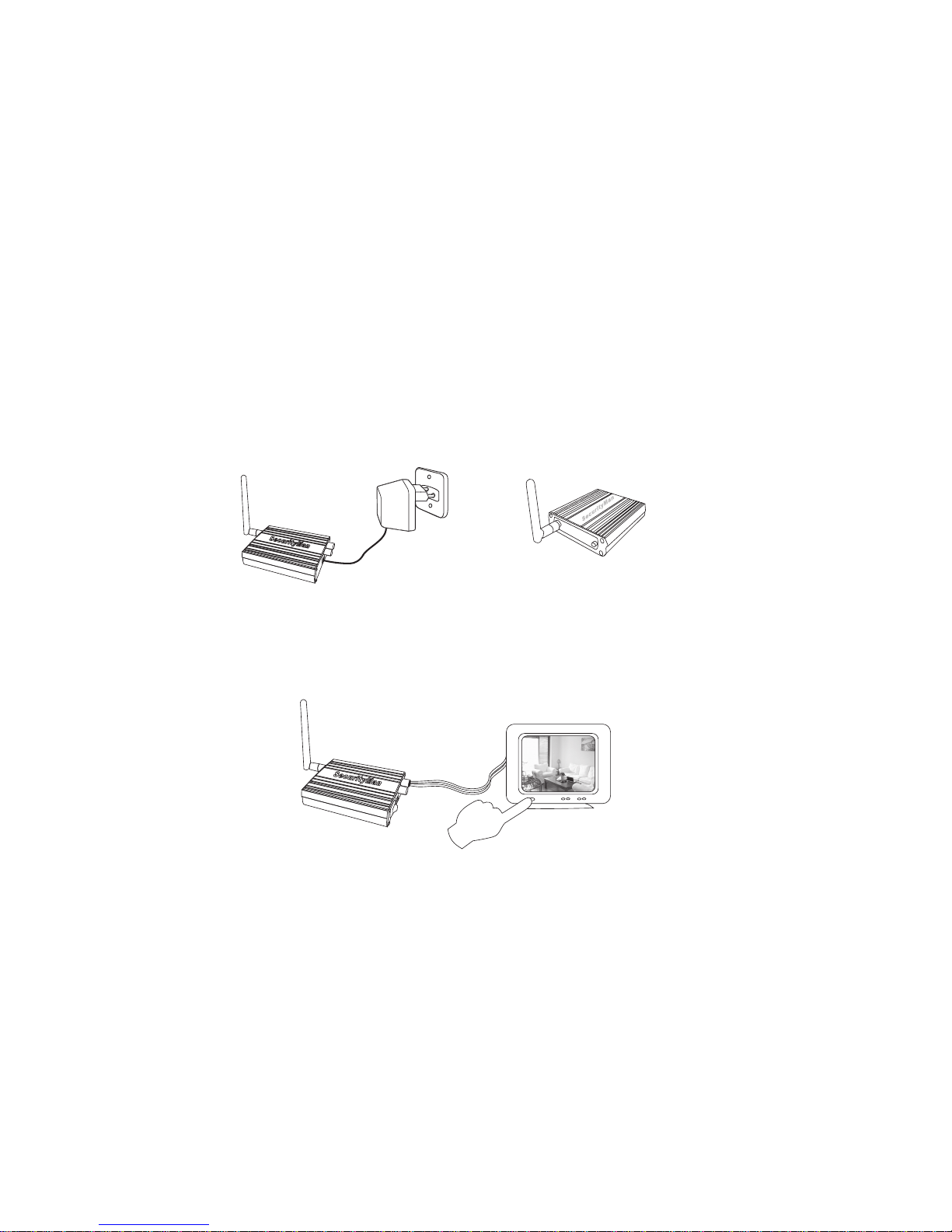
6. Plug in one end of the power adapter into the receiver and connect the
other end into an electrical outlet, as shown below. The red LED indicator
light on the receiver will come on.
7. Turn on the monitor/TV and change to AV or AUX mode, ie.
VIDEO1, VIDEO2, LINE1, LINE2.
10
Page 21

11
Product Specifications:
Wall-C lock C am era (C lockC am -T)
Im age Sens or
Effective Pixels
Trans m iss ion Frequency
Clock Ty pe
Dim ens ion / Shaft len gth
Op erating Tem perature
1/4-inch C MOS, C olor
510×492(NTSC )
FM, 900MHz (one channel, 906MHz)
Qu artz wall-clock
14.3” (Ø) x 1.75 ” (D) / 12 mm
14~122 degree Fahrenh eit
Clock : 1.5VDC (AA Battery, not included)
Cam era:AC100 ~2 40V, 6VDC 800 mA
Receiv er (ClockC am-R )
Vid eo Input/Outpu t
An ten na Typ e
Receiving Frequency
Dim ens ions
Power
1 RCA / 1 R C A
SMA (87dB msensitivity)
ISM, 900MHz (one channel, 906MHz)
4”x 3”x1”
AC100~240V, 6VDC 800mA
Vertical 35 ° ,Ho rizo ntal 4 6 °
View in g an gle
Po wer
Page 22
12
FAQ
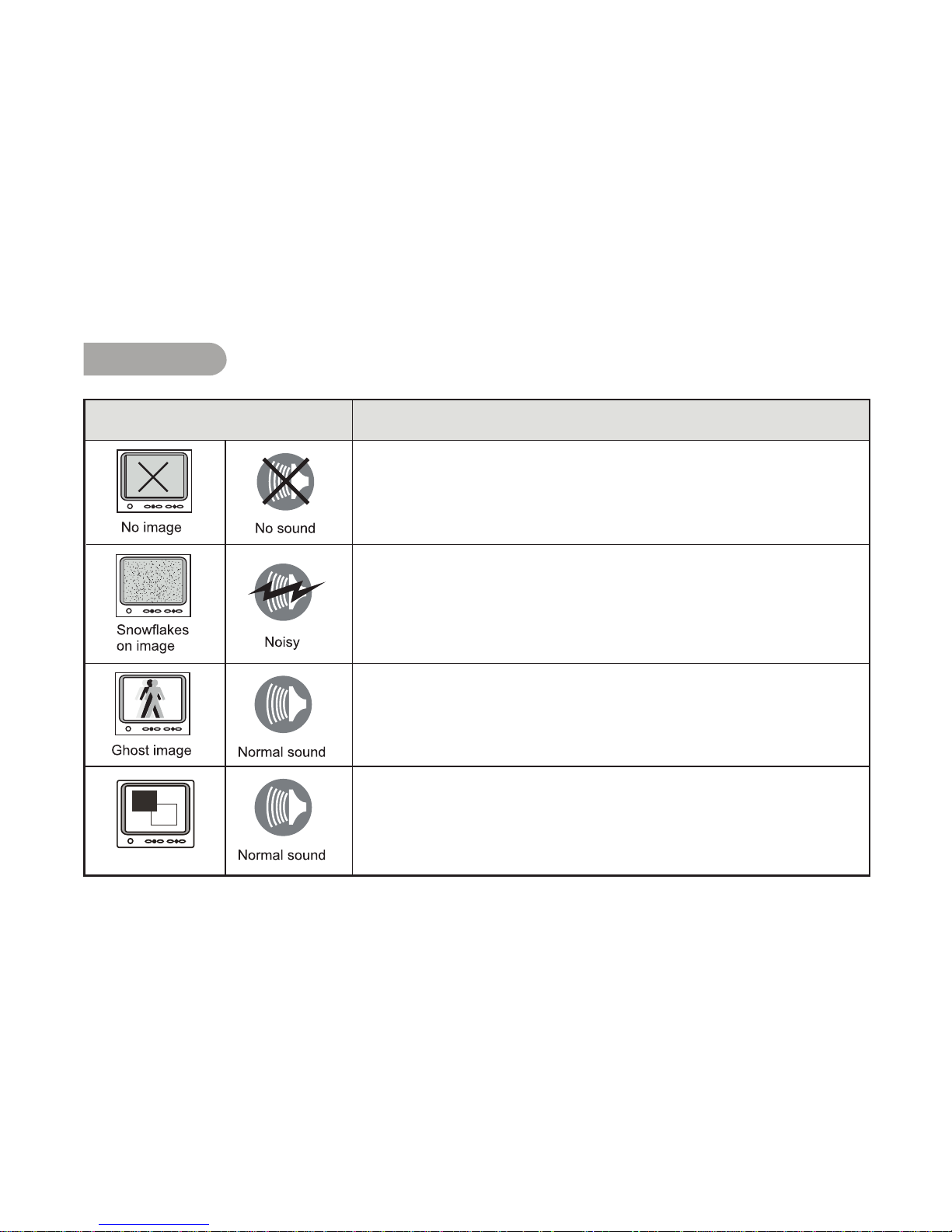
* Check whether camera / receiveer connected to power supplier,
and power on. Make sure that the A/V cable is connevted correctly.
* Check to make sure the TV (output) is the auxiliary mode.
WallClock camera does not have microphone for sound.
* Check if the channel of receiver is corresponding to camera;
* Check the distance and blocks.
* Interfered by other sources; Check the distance and blocks.
* Mismatching system of TV (monitor) and cameras, TV may not
support NTSC cideo format.
Abnormal Phenomena
No color
Raisons possibles / Solutions
Page 23

 Loading...