

Page 1

E/Pro
PROGRAMMING
REFERENCE
• CL408/412e
• CL608/612e
• M8400RVe
• M5900RVe
• M8459/60/85/90Se
• CT400/410, D508/D512
• M84Pro
• M10e
• XL400/410e
• LM408/412e
PN: 9001096C
Page 2

SATO America, Inc.
10350A Nations Ford Road
Charlotte, NC 28273
Main Phone: (704) 644.1650
Technical Support: (704) 644.1660
Technical Support Fax: (707) 644.1661
E-Mail: [email protected]
[email protected]
www.satoamerica.com
PN: 9001096C
Page 3

PRINTER REFERENCE TABLE
Each printer model (product) applicable to this document has been assigned a reference letter character and is
listed below. The Table Of Contents identifies specific commands and the products to which they apply.
• CL408/412e (A)
• CL608/612e (B)
• M8400RVe (C)
• M5900RVe (D)
• M8459/60/85/90Se (E)
• CT400/410, D508/D512 (F)
• M84Pro (G)
• M10e (H)
• XL400/410e (I)
• LM408/412e (J)
E/Pro Programming Reference PN: 9001096C
Page 4

TABLE OF CONTENTS
INTRODUCTION
About This Manual 1-2
Print Area Calculation 1-3
PROGRAMMING CONCEPTS
Programming Language 2-2
Selecting Protocol Codes 2-3
Using Basic 2-4
Print Position Commands 2-6
COMMAND CODE QUICK REFERENCE
A: <ESC>A Start Label (Applicable Product: A, B, C, D, E, F, G, H, I, J) 3-2
<ESC>~A Cut, Label (Applicable Product: A, B, C, D, E, F, G, H, I) 3-2
<ESC>~a Cut, Job (Applicable Product: A, B, C, D, E, F, G, H, I) 3-2
<ESC>~(NULL) Multiple Cuts (Applicable Product: A, B, C, D, E, F, G, H, I) 3-2
<ESC>~B Cut, Last (Applicable Product: A, B, C, D, E, F, G, H) 3-2
<ESC>AO Auto Online (Applicable Product: A, B, C, D, E, F, G, H, J) 3-2
<ESC>A1 Media Size (Applicable Product: A, B, C, D, E, F, G, H, J) 3-2
<ESC>A1 Media Size (Applicable Product: I) 3-2
<ESC>& Form Overlay, Store (Applicable Product: A, B, C, D, E, F, G, H, I, J) 3-2
<ESC>AR Standard Print Area (Applicable Product: A, B, C, D, E, G, H, J) 3-2
<ESC>&R Form Overlay, Recall (Applicable Product: A, B, C, D, E, F, G, H, I, J) 3-2
<ESC>&S Form Overlay, Store (Applicable Product: A, B, C, D, E, F, G, H, I, J) 3-3
<ESC>* Clear (Memory Card) (Applicable Product: A, B, C, D, E, F, G, H, I) 3-3
<ESC>* System Clear (Applicable Product: A, B, C, D, E, F, G, H, I) 3-3
<ESC>@ Offline/Pause (Applicable Product: A, B, C, D, E, F, G, H, I, J) 3-3
<ESC>A3 Start Point Correction (Applicable Product: A, B, C, D, E, F, G, H, I, J) 3-3
<ESC>AX Print Area Enlargement (Applicable Product: A, B, C, D, E, G, H, J) 3-3
B: <ESC>B Barcode, Ratio 1:3 (Applicable Product: A, B, C, D, E, F, G, H, I, J) 3-4
<ESC>BC CODE 93 Barcode (Applicable Product: A, B, C, D, E, F, G, H, I, J) 3-4
<ESC>BD Barcode, Ratio 2:5 (Applicable Product: A, B, C, D, E, F, G, H, I, J) 3-4
<ESC>BF Bookland (Applicable Product: A, B, C, D, E, F, G, H, I, J) 3-4
<ESC>BG CODE 128 Barcode (Applicable Product: A, B, C, D, E, F, G, H, I, J) 3-4
<ESC>BI UCC/EAN 128 (Applicable Product: A, B, C, D, E, F, G, H, I, J) 3-5
<ESC>BJ/BJD True Type Font, Store (Applicable Product: A, B, C, D, E, F, G, H, I) 3-5
<ESC>BJF Card, Format (Applicable Product: A, B, C, D, E, F, G, H, I) 3-5
<ESC>BJS Print Memory Card Status (Applicable Product: A, B, C, D, E, F, G, H, I) 3-5
<ESC>BJT True Type Font, Recall (Applicable Product: A, B, C, D, E, F, G, H, I) 3-5
<ESC>BK PDF 417 (Applicable Product: A, B, C, D, E, F, G, H, I, J) 3-6
<ESC>BP Postnet (Applicable Product: A, B, C, D, E, F, G, H, I, J) 3-6
<ESC>BQ QR Code (Applicable Product: A, B, C, D, E, F, G, H, I, J) 3-6
<ESC>BT Variable Ratio Barcodes (Applicable Product: A, B, C, D, E, F, G, H, I, J) 3-7
<ESC>BV Maxi Code (Applicable Product: A, B, C, D, E, F, G, H, I, J) 3-7
<ESC>BW Barcode Expansion (Applicable Product: A, B, C, D, E, F, G, H, I, J) 3-7
<ESC>BX Data Matrix Code (Applicable Product: A, B, C, D, E, F, G, H, I, J) 3-7
C: <ESC>C Repeat Label (Applicable Product: A, B, C, D, E, F, G, H, I, J) 3-8
<ESC>CC Card, Slot Specification (Applicable Product: A, B, C, D, E, F, G, H, I) 3-8
<ESC>CL CL/LF Deletion (Applicable Product: A, B, C, D, E, F, G, H, J) 3-8
<ESC>CS Print Speed (Applicable Product: A, B, C, D, E, F, G, H, I, J) 3-8
D: <ESC>D Barcode, Ratio 1:2 (Applicable Product: A, B, C, D, E, F, G, H, I, J) 3-8
<ESC>d/D~ Barcode, Human Readable Information (HRI) (Applicable Product: A, B, C, D, E, F, G, H, I, J) 3-8
<ESC>DC Data Matrix Code, Data (Applicable Product: A, B, C, D, E, F, G, H, I, J) 3-8
<ESC>$ Font, Vector (Applicable Product: A, B, C, D, E, F, G, H, I) 3-9
<ESC>$= Outline Font Print (Applicable Product: A, B, C, D, E, F, G, H, I) 3-9
E: <ESC>E Line Feed (Applicable Product: A, B, C, D, E, F, G, H, I, J) 3-9
<ESC>EJ Feed Specification (Applicable Product: I) 3-9
<ESC>EP Print End Position (Applicable Product: A, B, C, D, E, F, G, H, I, J) 3-9
<ESC>EU EAN/UCC Composite Symbol (Applicable Product: A, B, C, D, E, F, G, H, I, J) 3-9
<ESC>EX Memory Area Enlarge Specification (Applicable Product: A, B, C, D, E, F, G, H, I, J) 3-9
<ESC>EX0 Print Length Expansion (Applicable Product: A, B, C, D, E, F, G, H, I) 3-9
F: <ESC>F Sequential Numbering (Applicable Product: A, B, C, D, E, F, G, H, I, J) 3-10
<ESC>FW Printing, Lines & Boxes (Applicable Product: A, B, C, D, E, F, G, H, I, J) 3-10
E/Pro Programming Reference PN: 9001096C
Page 5

<ESC>FX Data Matrix Code, Sequential Number (Applicable Product: A, B, C, D, E, F, G, H, I, J) 3-10
G: <ESC>G Graphics, Custom (Applicable Product: A, B, C, D, E, F, G, H, I, J) 3-10
<ESC>GC BMP File, Recall (Applicable Product: A, B, C, D, E, F, G, H, I, J) 3-10
<ESC>GI Graphic, Store (Applicable Product: A, B, C, D, E, F, G, H, I, J) 3-11
<ESC>GM Graphics, BMP File (Applicable Product: A, B, C, D, E, F, G, H, I, J) 3-11
<ESC>GP Graphics, PCX File (Applicable Product: A, B, C, D, E, F, G, H, I, J) 3-11
<ESC>GR Graphic, Recall (Applicable Product: A, B, C, D, E, F, G, H, I, J) 3-11
<ESC>GT BMP File, Store (Applicable Product: A, B, C, D, E, F, G, H, I, J) 3-11
H: <ESC>H Horizontal Print Position (Applicable Product: A, B, C, D, E, F, G, H, I, J) 3-11
I: <ESC>I Divided Motion Specification (Applicable Product: I) 3-11
<ESC>ID Job Store ID (Applicable Product: A, B, C, D, E, F, G, H, I, J) 3-11
<ESC>IG Sensor Type Selection (Applicable Product: F) 3-11
J: <ESC>J Journal Printing (Applicable Product: A, B, C, D, E, F, G, H, J) 3-11
K: <ESC>K External Character Recall Text Flow (Applicable Product: A, B, C, D, E, F, G, H, I, J) 3-12
L: <ESC>L Character, Expansion (Applicable Product: A, B, C, D, E, F, G, H, I, J) 3-12
<ESC>LA Language (Applicable Product: A, B, C, D, E, F, G, H, I, J) 3-12
<ESC>LD User Download (Applicable Product: A, B, C, D, E, F, G, H, I, J) 3-12
<ESC>LF Online Feed (Applicable Product: A, B, C, D, E, F, G, H, J) 3-12
<ESC>LH Zero Slash (Applicable Product: A, B, C, D, E, F, G, H, I, J) 3-12
M: <ESC>M M Font (Applicable Product: A, B, C, D, E, F, G, H, I, J) 3-12
N:
<ESC>OA OA Font (Applicable Product: A, B, C, D, E, F, G, H, I, J) 3-12
O:
<ESC>OB OB Font (Applicable Product: A, B, C, D, E, F, G, H, I, J) 3-12
<ESC>OL Online (Applicable Product: A, B, C, D, E, F, G, H, I, J) 3-12
P: <ESC>P Character, Pitch (Applicable Product: A, B, C, D, E, F, G, H, I, J) 3-12
<ESC>( Reverse Image (Applicable Product: A, B, C, D, E, F, G, H, I, J) 3-12
<ESC>PC Printer Motion Register Specification (Applicable Product: A, B, C, D, E, F, G, H, I, J) 3-13
<ESC>PD Small Label Size Specification (Applicable Product: H) 3-13
<ESC>% Rotate, Fixed Base Reference Point (Applicable Product: A, B, C, D, E, F, G, H, I, J) 3-13
<ESC>PG EEPROM Setup (Applicable Product: A, B, C, D, E, F, G, H, I, J) 3-13
<ESC>PH Print Method, Thermal/Themal Transfer (Applicable Product: F) 3-13
<ESC>PI PCX File, Store (Applicable Product: A, B, C, D, E, F, G, H, I, J) 3-13
<ESC>PM Print Mode Selection (Applicable Product: F) 3-13
<ESC>PO Offset Specification (Applicable Product: F) 3-14
<ESC># Start Position Specification (Applicable Product: I) 3-14
<ESC>#E Print Darkness (Applicable Product: A, B, C, D, E, F, G, H, I, J) 3-14
<ESC>PR Character, Fixed Spacing (Applicable Product: A, B, C, D, E, F, G, H, I, J) 3-14
<ESC>PS Character, Proportional Spacing (Applicable Product: A, B, C, D, E, F, G, H, I, J) 3-14
<ESC>PY PCX File, Recall (Applicable Product: A, B, C, D, E, F, G, H, I, J) 3-14
Q: <ESC>Q Print Quantity (Applicable Product: A, B, C, D, E, F, G, I, J) 3-14
R: <ESC>RC Sheet Unit Cut Quantity (Applicable Product: H) 3-14
<ESC>RD Font, Raster (Applicable Product: A, B, C, D, E, F, G, H, I, J) 3-15
<ESC>RE Telegraphic Message End Specification (Applicable Product: H) 3-15
<ESC>RF Recall and Print of Font & Logo (Applicable Product: A, B, C, D, E, F, G, H, I, J) 3-15
<ESC>RI Label Size (Applicable Product: H) 3-15
<ESC>RM Mirror Image (Applicable Product: A, B, C, D, E, G, H, J) 3-16
<ESC>RP Reprint Configuration (Applicable Product: A, B, C, D, E, F, G, H, J) 3-16
<ESC>RS Sheet Sending Specification (Applicable Product: H) 3-16
<ESC>RT Label Size (Applicable Product: H) 3-16
<ESC>RW Sheet Unit Copy Quanitity (Applicable Product: H) 3-16
S: <ESC>S S Font (Applicable Product: A, B, C, D, E, F, G, H, I, J) 3-16
<ESC>/ Form Overlay, Recall (Applicable Product: A, B, C, D, E, F, G, H, I, J) 3-16
<ESC>/D Field, Recall (Applicable Product: A, B, C, D, E, G, H, I, J) 3-16
<ESC>/N Field, Store (Applicable Product: A, B, C, D, E, G, H, I, J) 3-17
T: <ESC>2D10 PDF417 of 2D Code (Applicable Product: A, B, C, D, E, F, G, H, I, J) 3-17
<ESC>2D12 Micro PDF417 of 2D Code (Applicable Product: A, B, C, D, E, F, G, H, I, J) 3-17
<ESC>2D20 Maxi Code of 2D Code (Applicable Product: A, B, C, D, E, F, G, H, I, J) 3-18
<ESC>2D30 QR Code (Mode 2) of 2D Code (Applicable Product: A, B, C, D, E, F, G, H, I, J) 3-18
<ESC>2D31 QR Code (Mode 1) of 2D Code (Applicable Product: A, B, C, D, E, F, G, H, I, J) 3-18
<ESC>2D32 Micro QR Code of 2D Code (Applicable Product: A, B, C, D, E, F, G, H, I, J) 3-19
<ESC>2D50 Data Matrix (ECC200) of 2D Code (Applicable Product: A, B, C, D, E, F, G, H, I, J) 3-19
<ESC>T Custom Designed Characters (Applicable Product: A, B, C, D, E, F, G, H, I) 3-19
<ESC>TP Test Printing (Applicable Product: A, B, C, D, E, F, G, H, I, J) 3-19
<ESC>2S Two-Color Print Range Specification (Applicable Product: F) 3-20
U: <ESC>U U Font (Applicable Product: A, B, C, D, E, F, G, H, I, J) 3-20
<ESC>_D Variable Data Specification (Applicable Product: H) 3-20
<ESC>_F Small Label Start (Applicable Product: H) 3-20
<ESC>_N Format Specification (Applicable Product: H) 3-20
E/Pro Programming Reference PN: 9001096C
Page 6

<ESC>_Q Print Quantity (Applicable Product: H) 3-20
V: <ESC>V Vertical Print Position (Applicable Product: A, B, C, D, E, F, G, H, I, J) 3-20
W: <ESC>WA Calendar Printing (Applicable Product: A, B, C, D, E, G, H, I, J) 3-20
<ESC>WB WB Font (Applicable Product: A, B, C, D, E, F, G, H, I, J) 3-21
<ESC>WD Copy Image Area (Partial Copy) (Applicable Product: A, B, C, D, E, F, G, H, I, J) 3-21
<ESC>WK Job Name (Applicable Product: A, B, C, D, E, F, G, H, I, J) 3-21
<ESC>WL WL Font (Applicable Product: A, B, C, D, E, F, G, H, I, J) 3-21
<ESC>WM (Applicable Product: F, J)
<ESC>WP Calendar Increment (Applicable Product: A, B, C, D, E, F, G, H, I, J) 3-21
<ESC>WS Work-Shift Print Information Specification (Applicable Product: E) 3-21
<ESC>WT Calendar Configuration (Applicable Product: A, B, C, D, E, F, G, H, I, J) 3-21
X: <ESC>XB XB Font (Applicable Product: A, B, C, D, E, F, G, H, I, J) 3-21
<ESC>XCL XCL Font (Applicable Font: I) 3-22
<ESC>XCS XCS Font (Applicable Font: I) 3-22
<ESC>XL XL Font (Applicable Product: A, B, C, D, E, F, G, H, I, J) 3-22
<ESC>XM XM Font (Applicable Product: A, B, C, D, E, F, G, H, I, J) 3-22
<ESC>XS XS Font (Applicable Product: A, B, C, D, E, F, G, H, I, J) 3-22
<ESC>X70 X70 Font (Applicable Font: I) 3-22
<ESC>X71 X71 Font (Applicable Font: I) 3-22
<ESC>X72 X72 Font (Applicable Font: I) 3-22
<ESC>X73 X73 Font (Applicable Font: I) 3-22
<ESC>X74 X74 Font (Applicable Font: I) 3-22
<ESC>X75 X75 Font (Applicable Font: I) 3-22
<ESC>X76 X76 Font (Applicable Font: I) 3-22
<ESC>X77 X77 Font (Applicable Font: I) 3-22
<ESC>XU XU Font (Applicable Product: A, B, C, D, E, F, G, H, I, J) 3-22
Y: <ESC>YE Label Specification (Applicable Product: F) 3-22
<ESC>YR Format, Recall (Applicable Product: A, B, C, D, E, F, G, H, I, J) 3-22
<ESC>YS Format, Store (Applicable Product: A, B, C, D, E, G, H, I, J) 3-23
Z: <ESC>Z Stop Label (Applicable Product: A, B, C, D, E, F, G, H, I, J) 3-23
<ESC>0 Replace Data (Partial Edit) (Applicable Product: A, B, C, D, E, F, G, H, I, J) 3-23
STANDARD COMMAND CODES
Control Commands 4-2
<ESC>A Start Label (Applicable Product: A, B, C, D, E, F, G, H, I, J) 4-2
<ESC>Z Stop Label (Applicable Product: A, B, C, D, E, F, G, H, I, J) 4-2
<ESC>Q Print Quantity (Applicable Product: A, B, C, D, E, F, G, I, J) 4-3
<ESC>ID Job ID Store (Applicable Product: A, B, C, D, E, F, G, H, I, J) 4-4
<ESC>WK Job Name (Applicable Product: A, B, C, D, E, F, G, H, I, J) 4-5
Modification Commands 4-6
<ESC>L Character, Expansion (Applicable Product: A, B, C, D, E, F, G, H, I, J) 4-6
<ESC>P Character, Pitch (Applicable Product: A, B, C, D, E, F, G, H, I, J) 4-7
<ESC>PR Character, Fixed Spacing (Applicable Product: A, B, C, D, E, F, G, H, I, J) 4-8
<ESC>PS Character, Proportional Spacing (Applicable Product: A, B, C, D, E, F, G, H, I, J) 4-8
<ESC>% Rotate, Fixed Base Reference Point (Applicable Product: A, B, C, D, E, F, G, H, I, J) 4-9
<ESC>F Sequential Numbering (Applicable Product: A, B, C, D, E, F, G, H, I, J) 4-10
<ESC>FW Print, Lines & Boxes (Applicable Product: A, B, C, D, E, F, G, H, I, J) 4-11
<ESC>( Reverse Image (Applicable Product: A, B, C, D, E, F, G, H, I, J) 4-12
<ESC>& Form Overlay, Store (Applicable Product: A, B, C, D, E, F, G, H, I, J) 4-13
<ESC>/ Form Overlay, Recall (Applicable Product: A, B, C, D, E, F, G, H, I, J) 4-14
<ESC>0 Replace Data (Partial Edit) (Applicable Product: A, B, C, D, E, F, G, H, I, J) 4-15
<ESC>WD Copy Image Area (Partial Copy) (Applicable Product: A, B, C, D, E, F, G, H, I, J) 4-16
<ESC>J Journal Printing (Applicable Product: A, B, C, D, E, F, G, H, J) 4-17
<ESC>RF Recall and Print of Font & Logo (Applicable Product: A, B, C, D, E, F, G, H, I, J) 4-18
<ESC>RM Mirror Image (Applicable Product: A, B, C, D, E, G, H, J) 4-19
<ESC>_D Variable Data Specification (Applicable Product: H) 4-20
<ESC>_F Small Label Start (Applicable Product: H) 4-21
<ESC>_N Format Specification (Applicable Product: H) 4-22
<ESC>_Q Print Quantity (Applicable Product: H) 4-23
<ESC>PD Small Label Size Specification (Applicable Product: H) 4-24
<ESC>RE Telegraphic Message End Specification (Applicable Product: H) 4-25
<ESC>RS Sheet Sending Specification (Applicable Product: H) 4-26
<ESC>2S Two-Color Print Range Specification (Applicable Product: F) 4-27
Print Position Commands 4-28
<ESC>A1 Media Size (Applicable Product: A, B, C, D, E, F, G, H, J) 4-28
<ESC>A1 Media Size (Applicable Product: I) 4-28
<ESC>H Horizontal Print Position (Applicable Product: A, B, C, D, E, F, G, H, I, J) 4-29
E/Pro Programming Reference PN: 9001096C
Page 7

<ESC>V Vertical Print Position (Applicable Product: A, B, C, D, E, F, G, H, I, J) 4-29
<ESC>PO Offset Specification (Applicable Product: F) 4-30
<ESC># Start Position Specification (Applicable Product: I) 4-31
<ESC>RI Label Size (Applicable Product: H) 4-32
<ESC>RT Label Size (Applicable Product: H) 4-33
Font Commands 4-34
<ESC>XM XM Font (Applicable Product: A, B, C, D, E, F, G, H, I, J) 4-34
<ESC>XS XS Font (Applicable Product: A, B, C, D, E, F, G, H, I, J) 4-34
<ESC>XU XU Font (Applicable Product: A, B, C, D, E, F, G, H, I, J) 4-34
<ESC>S S Font (Applicable Product: A, B, C, D, E, F, G, H, I, J) 4-34
<ESC>M M Font (Applicable Product: A, B, C, D, E, F, G, H, I, J) 4-34
<ESC>U U Font (Applicable Product: A, B, C, D, E, F, G, H, I, J) 4-34
<ESC>OA OA Font (Applicable Product: A, B, C, D, E, F, G, H, I, J) 4-34
<ESC>OB OB Font (Applicable Product: A, B, C, D, E, F, G, H, I, J) 4-34
<ESC>XB XB Font (Applicable Product: A, B, C, D, E, F, G, H, I, J) 4-35
<ESC>XL XL Font (Applicable Product: A, B, C, D, E, F, G, H, I, J) 4-35
<ESC>WB WB Font (Applicable Product: A, B, C, D, E, F, G, H, I, J) 4-35
<ESC>WL WL Font (Applicable Product: A, B, C, D, E, F, G, H, I, J) 4-35
<ESC>WM (Applicable Product: F, J)
<ESC>RD Font, Raster (Applicable Product: A, B, C, D, E, F, G, H, I, J) 4-36
<ESC>$ Font, Vector (Applicable Product: A, B, C, D, E, F, G, H, I, J) 4-37
<ESC>$= Outline Font Print (Applicable Product: A, B, C, D, E, F, G, H, I, J) 4-37
<ESC>XCL XCL Font (Applicable Product: I) 4-38
<ESC>XCS XCS Font (Applicable Product: I) 4-38
<ESC>X70 X70 Font (Applicable Product: I) 4-39
<ESC>X71 X71 Font (Applicable Product: I) 4-39
<ESC>X72 X72 Font (Applicable Product: I) 4-39
<ESC>X73 X73 Font (Applicable Product: I) 4-39
<ESC>X74 X74 Font (Applicable Product: I) 4-39
<ESC>X75 X75 Font (Applicable Product: I) 4-39
<ESC>X76 X76 Font (Applicable Product: I) 4-39
<ESC>X77 X77 Font (Applicable Product: I) 4-39
<ESC>K External Character Recall Text Flow (Applicable Product: A, B, C, D, E, F, G, H, I, J) 4-40
<ESC>T1 (Applicable Product: F, J) 4-40
<ESC>T2 (Applicable Product: F, J) 4-40
Barcode Commands 4-41
<ESC>B Barcode, Ratio 1:3 (Applicable Product: A, B, C, D, E, F, G, H, I, J) 4-41
<ESC>BD Barcode, Ratio 2:5 (Applicable Product: A, B, C, D, E, F, G, H, I, J) 4-41
<ESC>D Barcode, Ratio 1:2 (Applicable Product: A, B, C, D, E, F, G, H, I, J) 4-41
<ESC>D~<ESC>d (Applicable Product: F, J)
<ESC>BC CODE 93 Barcode (Applicable Product: A, B, C, D, E, F, G, H, I, J) 4-44
<ESC>BF Bookland (Applicable Product: A, B, C, D, E, F, G, H, I, J) 4-45
<ESC>BG CODE 128 Barcode (Applicable Product: A, B, C, D, E, F, G, H, I, J) 4-46
<ESC>BI UCC/EAN 128 (Applicable Product: A, B, C, D, E, F, G, H, I, J) 4-47
<ESC>BP Postnet (Applicable Product: A, B, C, D, E, F, G, H, I, J) 4-49
<ESC>BT Variable Ratio Barcodes (Applicable Product: A, B, C, D, E, F, G, H, I, J) 4-50
<ESC>BW Barcode Expansion (Applicable Product: A, B, C, D, E, F, G, H, I, J) 4-51
<ESC>EU EAN/UCC Composite Symbol (Applicable Product: A, B, C, D, E, F, G, H, I, J) 4-52
2D Code Commands 4-54
<ESC>BK PDF417 (Applicable Product: A, B, C, D, E, F, G, H, I, J) 4-54
<ESC>BQ QR Code (Applicable Product: A, B, C, D, E, F, G, H, I, J) 4-55
<ESC>BV Maxi Code (Applicable Product: A, B, C, D, E, F, G, H, I, J) 4-56
<ESC>BX Data Matrix Code (Applicable Product: A, B, C, D, E, F, G, H, I, J) 4-57
<ESC>DC Data Matrix Code, Data (Applicable Product: A, B, C, D, E, F, G, H, I, J) 4-58
<ESC>FX Data Matrix Code, Sequential Number (Applicable Product: A, B, C, D, E, F, G, H, I, J) 4-59
<ESC>2D10 PDF417 of 2D Code (Applicable Product: A, B, C, D, E, F, G, H, I, J) 4-60
<ESC>2D12 Micro PDF417 of 2D Code (Applicable Product: A, B, C, D, E, F, G, H, I, J) 4-61
<ESC>2D20 Maxi Code of 2D Code (Applicable Product: A, B, C, D, E, F, G, H, I, J) 4-62
<ESC>2D30 QR Code (Mode 2) of 2D Code (Applicable Product: A, B, C, D, E, F, G, H, I, J) 4-63
<ESC>2D31 QR Code (Mode 1) of 2D Code (Applicable Product: A, B, C, D, E, F, G, H, I, J) 4-63
<ESC>2D32 Micro QR Code of 2D Code (Applicable Product: A, B, C, D, E, F, G, H, I, J) 4-65
<ESC>2D50 Data Matrix (ECC200) of 2D Code (Applicable Product: A, B, C, D, E, F, G, H, I, J) 4-67
System Commands 4-68
<ESC>A1 (Applicable Product: F, J)
<ESC>CL (Applicable Product: F, J)
<ESC>CS Print Speed (Applicable Product: A, B, C, D, E, F, G, H, I, J) 4-68
<ESC>#E Print Darkness (Applicable Product: A, B, C, D, E, F, G, H, I, J) 4-69
<ESC>A3 Base Reference Point (Applicable Product: A, B, C, D, E, F, G, H, I, J) 4-70
E/Pro Programming Reference PN: 9001096C
Page 8

<ESC>AR Print Area, Standard (Applicable Product: A, B, C, D, E, G, H, J) 4-72
<ESC>AX Print Area Enlargement (Applicable Product: A, B, C, D, E, G, H, J) 4-72
<ESC>EP Print End Position (Applicable Product: A, B, C, D, E, F, G, H, I, J) 4-73
<ESC>~a Cut, Job (Applicable Product: A, B, C, D, E, F, G, H, I) 4-74
<ESC>~(NULL) Multiple Cuts (Applicable Product: A, B, C, D, E, F, G, H, I) 4-75
<ESC>~A Cut, Label (Applicable Product: A, B, C, D, E, F, G, H, I) 4-76
<ESC>~B Cut, Last (Applicable Product: A, B, C, D, E, F, G, H) 4-77
<ESC>EJ Feed Specification (Applicable Product: I) 4-78
<ESC>EX (Applicable Product: F, J)
<ESC>@ Offline/Pause (Applicable Product: A, B, C, D, E, F, G, H, I, J) 4-79
<ESC>OL Online (Applicable Product: A, B, C, D, E, F, G, H, I, J) 4-80
<ESC>AO Auto Online (Applicable Product: A, B, C, D, E, F, G, H, J) 4-81
<ESC>C Repeat Label (Applicable Product: A, B, C, D, E, F, G, H, I, J) 4-82
<ESC>PG EEPROM Setup (Applicable Product: A, B, C, D, E, F, G, H, I, J) 4-83
<ESC>PC Printer Motion Register Specification (Applicable Product: A, B, C, D, E, F, G, H, I, J) 4-83
<ESC>IG Sensor Type Selection (Applicable Product: F) 4-84
<ESC>PH Print Method, Thermal/Themal Transfer (Applicable Product: F) 4-85
<ESC>PM Print Mode Selection (Applicable Product: F) 4-86
<ESC>E Line Feed (Applicable Product: A, B, C, D, E, F, G, H, I, J) 4-87
<ESC>LD User Download (Applicable Product: A, B, C, D, E, F, G, H, I, J) 4-88
<ESC>RP Reprint Configuration (Applicable Product: A, B, C, D, E, F, G, H, J) 4-89
<ESC>LA Language (Applicable Product: A, B, C, D, E, F, G, H, I, J) 4-90
<ESC>CL CL/LF Deletion (Applicable Product: A, B, C, D, E, G, H, J) 4-91
<ESC>LH Zero Slash (Applicable Product: A, B, C, D, E, F, G, H, I, J) 4-92
<ESC>LF Online Feed(Applicable Product: A, B, C, D, E, F, G, H, J) 4-93
<ESC>TP Test Printing (Applicable Product: A, B, C, D, E, F, G, H, I, J) 4-94
<ESC>EX0 Print Length Expansion (Applicable Product: A, B, C, D, E, G, H, I, J) 4-95
<ESC>RC Sheet Unit Cut Quantity (Applicable Product: H) 4-96
<ESC>RP (Applicable Product: A, B, C, D, E, F, J)
<ESC>RW Sheet Unit Copy Quanitity (Applicable Product: H) 4-97
<ESC>YE Label Specification (Applicable Product: F) 4-99
Intelligent Commands 4-100
<ESC>I Divided Motion Specification (Applicable Product: I) 4-100
Graphic Commands 4-101
<ESC>G Graphics, Custom (Applicable Product: A, B, C, D, E, F, G, H, I, J) 4-101
<ESC>GM Graphics, BMP File (Applicable Product: A, B, C, D, E, F, G, H, I, J) 4-102
<ESC>GP Graphics, PCX File (Applicable Product: A, B, C, D, E, F, G, H, I, J) 4-103
OPTIONAL COMMAND CODES
Calendar Commands 5-2
<ESC>WA Calendar Printing (Applicable Product: A, B, C, D, E, G, H, I, J) 5-2
<ESC>WP Calendar Increment (Applicable Product: A, B, C, D, E, G, H, I, J) 5-3
<ESC>WT Calendar Configuration (Applicable Product: A, B, C, D, E, F, G, H, I, J) 5-4
Memory Card Commands 5-5
<ESC>CC Card, Slot for Use (Applicable Product: A, B, C, D, E, F, G, H, I) 5-5
<ESC>BJF Card, Format (Applicable Product: A, B, C, D, E, G, H, I) 5-6
<ESC>* Memory Card Clear (Applicable Product: A, B, C, D, E, F, G, H, I, J) 5-7
<ESC>* System Clear (Applicable Product: A, B, C, D, E, F, G, H, I, J) 5-8
<ESC>BJS Print Memory Card Status (Applicable Product: A, B, C, D, E, F, G, H, I) 5-9
<ESC>BJT True Type Font, Recall (Applicable Product: A, B, C, D, E, G, H, I) 5-10
<ESC>BJ/BJD True Type Font, Store (Applicable Product: A, B, C, D, E, F, G, H, I) 5-11
<ESC>YR Format/Field, Recall (Applicable Product: A, B, C, D, E, F, G, H, I, J) 5-12
<ESC>YS Format/Field, Store (Applicable Product: A, B, C, D, E, F, G, H, I, J) 5-13
<ESC>&R Form Overlay, Recall (Applicable Product: A, B, C, D, E, F, G, H, I, J) 5-14
<ESC>&S Form Overlay, Store (Applicable Product: A, B, C, D, E, F, G, H, I, J) 5-15
<ESC>GC BMP File, Recall (Applicable Product: A, B, C, D, E, F, G, H, I, J) 5-17
<ESC>GT BMP File, Store (Applicable Product: A, B, C, D, E, F, G, H, I, J) 5-18
<ESC>PY PCX File, Recall (Applicable Product: A, B, C, D, E, F, G, H, I, J) 5-19
<ESC>PI PCX File, Store (Applicable Product: A, B, C, D, E, F, G, H, I, J) 5-20
<ESC>GR Custom Graphic, Recall (Applicable Product: A, B, C, D, E, F, G, H, I, J) 5-21
<ESC>GI Custom Graphic, Store (Applicable Product: A, B, C, D, E, F, G, H, I, J) 5-22
<ESC>T Character, Custom Designed (Applicable Product: A, B, C, D, E, F, G, H, I, J) 5-23
<ESC>/D Field, Recall (Applicable Product: A, B, C, D, E, F, G, H, I, J) 5-24
<ESC>/N Field, Store (Applicable Product: A, B, C, D, E, F, G, H, I, J) 5-25
E/Pro Programming Reference PN: 9001096C
Page 9

BI-DIRECTIONAL COMMUNICATIONS
Introduction 6-2
General Configuration 6-2
Serial Interface 6-2
Receive Buffer 6-2
Data Transmission 6-2
Enquire & Response 6-3
Enquire (ENQ) 6-3
Cancel (CAN) 6-3
Print Job 6-3
Print Stop (DLE) 6-3
Print Start (DC1) 6-3
Obtain History Data (LW) 6-4
Release Return Error (SUB) 6-4
Printer Status (MG) 6-4
Counter Status (ME) 6-6
Sensor Status (SG) 6-6
Head Status (HC) 6-7
System Version Information (SB) 6-7
Memory Status (EB) 6-7
Format Overlay Status (FO) 6-8
Font Configuration (FG) 6-8
Interface Status (IG) 6-8
Interface Settings (H2) 6-9
Item Number Check 6-9
APPENDIX
Custom Characters & Graphics 7-2
Cutsom Designed Character Example 7-2
Custom Graphics Example 7-4
PCX Graphics Example 7-7
Custom Protocol Codes 7-8
Reference Tables 7-9
Table 1: Character Font Set (<ESC>XU) 7-9
Table 2: Character Font Set (<ESC>XS) 7-9
Table 3: Character Font Set (<ESC>XM) 7-10
Table 4: Character Font Set (<ESC>XB) 7-10
Table 5: Character Font Set (<ESC>XL) 7-11
Table 6: Character Font Set (<ESC>OA) 7-11
Table 7: Character Font Set (<ESC>OB) 7-12
Table 8: Parameter A & B Comparison (<ESC>RD) 7-12
Table 9: Character Font Set (<ESC>XCL/XCS) 7-13
Table 10: Character Font Set (<ESC>X70-77) 7-13
Table 11: Barcode Type (<ESC>B) 7-14
Table 12: Barcode Type (<ESC>BD) 7-14
Table 13: Barcode Type (<ESC>D) 7-15
Table 14: Code Table (<ESC>BC) 7-15
Table 15: Code Table (<ESC>BF) 7-16
Table 16: Code128 Data Values (<ESC>BG) 7-16
Table 17: Code Table (<ESC>BI) 7-17
Table 18: Code Table (<ESC>BP) 7-18
Table 19: Code Table (<ESC>BW) 7-18
Table 20: Code Table (<ESC>BW) 7-19
Table 21: Code Table (<ESC>BK) 7-19
Table 22: Character Size (<ESC>BK) 7-20
Table 23: Data Size (<ESC>BQ) 7-21
Table 24: Code Table (<ESC>BQ) 7-22
Table 25: Code Table (<ESC>BQ) 7-22
Table 26: Code Table (<ESC>BQ) 7-23
Table 27: Code Table (<ESC>BV) 7-24
Table 28: Format ID List (<ESC>BX) 7-24
Table 29: Code Table (<ESC>FX) 7-25
Table 30: Symbol & Data Quantity (<ESC>2D12) 7-26
Table 31: Code Table (<ESC>2D12) 7-27
Table 32: Code Table (<ESC>2D20) 7-28
E/Pro Programming Reference PN: 9001096C
Page 10

Table 33: Data Size (<ESC>2D30) 7-29
Table 34: Data Size (<ESC>2D31) 7-30
Table 35: Code Table (<ESC>2D32) 7-31
Table 36: Code Table (<ESC>2D32) 7-32
Table 37: Code Table (<ESC>2D32) 7-33
Table 38: Code Table (<ESC>2D50) 7-34
Table 39: Parameters (<ESC>AR/AX) 7-35
Table 40: Parameters (<ESC>PG) 7-36
Table 41: Parameters (<ESC>PG) 7-38
Table 42: Parameters (<ESC>PG) 7-39
Table 43: Parameters (<ESC>PG) 7-40
Table 44: Parameters (<ESC>PC) 7-42
Table 45: Parameters (<ESC>PC) 7-44
Table 46: Parameters (<ESC>PC) 7-45
Table 47: Parameters (<ESC>PC) 7-46
Table 48: Parameters (<ESC>LD) 7-47
Table 49: Parameters (<ESC>EX) 7-47
Table 50: Parameters (<ESC>AR) 7-48
Table 51: Parameters (<ESC>G) 7-48
Table 52: Reference (<ESC>YS) 7-49
Table 53: Parameters (<ESC>&S) 7-50
Table 54: Parameters (<ESC>GI) 7-50
Glossary 7-51
E/Pro Programming Reference PN: 9001096C
Page 11

Unit 1: Introduction
INTRODUCTION
• About This Manual
• Print Area Calculation
E/Pro Programming Reference
1-1 PN: 9001096C
Page 12

Unit 1: Introduction
ABOUT THIS MANUAL
This manual is laid out consistent with the product discussed and provides all of the information required for printer
programming.
This manual also incorporates the use of special information boxes. Examples of these boxes and the type of
information provided in each, are below.
WARNING: PROVIDES INFORMATION THAT, IF UNHEEDED, MAY RESULT IN
PRESONAL INJURY.
CAUTION: PROVIDES INFORMATION THAT, IF UNHEEDED, MAY
RESULT IN EQUIPMENT DAMAGE.
ATTENTION: Provides information that is deemed of special importance but
will not result in personal injusry or product damage if unheeded.
NOTE: Provides helpful hints to assist in performing the tasks at hand.
LCD DISPLAY: Provides the specific display that should be visible on the LCD at that
point.
A comprehensive Table Of Contents provided at the front of this manual facilitates rapid movement within. The
contents identify the different Units, Chapters, and Sections. Each references the page number of their
commencement and all printers applicable to each command identified. Each printer model is identified by an
assigned letter character that may be referenced on the page preceding the Table Of Contents.
The pages of this manual have embedded headers and footers to assist the user in identifying his or her exact
position within the manual. The header provides the unit number followed by its name. The footer identifies the
product on the left, the page number in the center, and the manual’s part number to the right side of the page.
Page enumeration is two-part with each separated by a hyphen. The first character set references the Unit and the
second identifies the page number. Page numbers begin with the numeral (1) one at the commencement of a new
unit and ascend sequentially.
E/Pro Programming Reference
1-2 PN: 9001096C
Page 13

Unit 1: Introduction
PRINT AREA CALCULATION
Many print applications may not require labels that fill the entire printable area of the printer. Therefore it is
important to understand how to calculate print size so that the printed image does not exceed the label size.
There are two axis to consider when calculating for print position; horizontal and vertical. The horizontal axis is
lateral positioning parallel with the print head and is measured from the right side of the media to the left. The
vertical axis is the label length from the front to its rear.
This juncture point of the horizontal and vertical axis is referred to as the Base Reference Point (or zero point) and
all measurement is incremental along those axis’ from there. The allowable ranges for these references is
dependent on the particular printer to accommodate different print widths and resolutions.
A1 COMMAND
The A1 command is the preferred method of configuring the printer for media size. If using media smaller than the
print head width, use this command to specify the media size and adjust the start position corresponding to that.
The backing paper must be included in media size considerations. This command would be as follows:
<A1>aaaaabbbb
a = Height of Label
b = Width of Label
NOTE: The valid ranges for each of the above may be found in the product
manuals.
A3 COMMAND
Before beginning to send code, one must perform some simple calculations to determine print positioning. Firstly,
determine the print resolution and maximum print width of the printer. This information is provided in the Technical
Data unit of the Operator Manual and Service Manuals.
The print resolution of the print head has a direct bearing on the “dots per inch” (DPI) of print density. The
corresponding formula for a 203 Resolution print head on a printer with 4.1 Maximum Print Width would be:
Resolution (DPI) x Maximum Printable Width (Linear Inches) =
Maximum Printable Width (Linear Dots)
203 (DPI) x 4.1 (Linear Inches) = 832 (Linear Dots)
Once this is done, one must calculate the label width in linear dots. That formula would be as follows for a 2 inch
wide label:
Resolution (DPI) x Label Width (Linear Inches) =
Label Width (Linear Dots)
203 (DPI) x 2.0 (Linear Inches) = 406 (Linear Dots)
Lastly, one must calculate the horizontal distance to offset printing to accommodate for the difference in size from
the printer’s maximum printable width to the label width. That formula would be as follows using the above
examples:
Maximum Printable Width (Linear Dots) - Label Width (Linear Dots) =
Print Offset (Linear Dots)
832 (Linear Dots) - 406 (Linear Dots) = 426 (Linear Dots)
In the above example, 426 would be the required command entry to reset the initial base reference point (or zero
point) to the new base reference point (or zero point) based on the label’s width.
Note that with each additional horizontal or vertical adjustment, the New Base Reference Point will always be
positioned relative to the last base reference point - not the Initial Base Reference Point. In other words, the only
way to return to the Initial Base Reference Point is to either use commands to reverse the prior commands, or to
E/Pro Programming Reference
1-3 PN: 9001096C
Page 14

Unit 1: Introduction
POWER
ON LINE
STATUS LABEL RIBBON
LINE
FEED
Print Head
LABEL
LABEL
Label Width
Label Length
Maximum Printable Width
Initial Base Reference Point
Print Offset
New Base Reference Point
delete all positioning commands to return the printer to its default state.
Figure 1-1, Print Area Calculation
E/Pro Programming Reference
1-4 PN: 9001096C
Page 15

Unit 2: Programming Concepts
PROGRAMMING
CONCEPTS
• Programming Language
• Selecting Protocol Codes
• Using Basic
• Print Position Commands
E/Pro Programming Reference
2-1 PN: 9001096C
Page 16

Unit 2: Programming Concepts
PROGRAMMING LANGUAGE
A programming language for a printer is a familiar concept to most programmers. It is a group of commands that
are designed to use the internal intelligence of the printer. The commands, which are referred to as SATO
Command Codes, contain non-printable ASCII characters (such as <STX>, <ETX>, <ESC>) and printable
characters. These commands must be assembled into an organized block of code to be sent as one data stream to
the printer, which in turn interprets the command codes and generates the desired label output. The programmer is
free to use any programming language available to send the desired data to the printer.
The printer command codes used are based upon “Escape” (1B hexadecimal) sequences. Typically there are four
types of command sequences:
<ESC>{Command}
These commands generally tell the printer to perform a specific action, like “clear the memory.”
<ESC>{Command} {Data}
Commands with this format tell the printer to perform a specific action which is dependent upon the following data,
like “print X labels”, where the value for X is contained in the data.
<ESC>{Command} {Parameter}
These commands set the operational parameters of the printer, like “set the print speed to 3.”
<ESC>{Command} {Parameter} {Data}
Some commands can contain both Parameter and Data elements, such as “print a Code 39 symbol containing the
data.”
E/Pro Programming Reference
2-2 PN: 9001096C
Page 17

Unit 2: Programming Concepts
SELECTING PROTOCOL CODES
Protocol codes are the special control characters that prepare the printer to receive instructions. For example, the
<ESC> character tells the printer that a command code will follow and the <ENQ> character asks for the printer
status.
There are two pre-defined different sets of Protocol Control codes to choose from. Each set is made up of six
special characters. The Standard Protocol Control codes are non-printable characters, and the Non-Standard
Protocol Control codes are printable characters. The Non-Standard set may be useful on host computers using
protocol converters or in an application where non-printable ASCII characters cannot be sent from the host.
This manual uses the Standard Protocol Control codes for all of the
examples. Alternately, the user may define and download a set of custom
Protocol Control Codes (see Appendix D).
PROTOCOL CODES
CONTROL
CHARACTER
STX 02 Hex 7B Hex = { Data start
ETX 03 Hex 7D Hex = } Data end
ESC 1B Hex 5E Hex = ^ Command Code to follow
ENQ 05 Hex 40 Hex = @ Get printer status, Bi-Com Mode
CAN 18 Hex 21 Hex = ! Cancel print job, Bi-Com mode
Off-Line 40 Hex 5D Hex = ] Take printer Off-Line
STANDARD
DSW2-7 OFF
NON-STANDARD
DSW2-7 ON
DESCRIPTION
E/Pro Programming Reference
2-3 PN: 9001096C
Page 18
Unit 2: Programming Concepts
USING BASIC
It may be useful to test your printer using a BASIC program on a PC or write your actual production programs in
BASIC. Whatever the reason, if working in BASIC, some of the following hints may be helpful.
Set the WIDTH of the output device to 255 characters to avoid automatically sending <CR> and <LF> characters
after every line. The command string should be continuous and uninterrupted by <CR> and/or <LF> commands.
The examples given in this manual are printed on separate lines because they will not fit on a single line and do not
contain <CR> and/or <LF> characters. If these characters are needed, they are explicitly noted by the inclusion of
<CR> and <LF> notations.
If using the printer’s RS232C interface, it is necessary to set the computer COM porton so the CTS and DSR
signals are ignored. Send OPEN “COM” statements as follows:
OPEN “COM1:9600,E,8,1,CS,DS”AS #1
This sets the host computer’s COM1 port RS232C communication parameters for 9600 baud, Even parity, 8 Data
bits, 1 Stop bit and directs the port to ignore the CTS and DSR control signals.
It may be desirable to assign the <ESC> character to a string variable to reduce keystrokes since this character is
often used.
The following two examples use Standard Protocol codes in BASIC.
PRINTING WITH THE PARALLEL PORT
5 REM CL612 Parallel Example Identifies the program as a CL612 parallel port print label.
The “REM” prevents this data from being sent to the
printer and is only displayed on the screen.
10 E$=CHR$(27) Sets the “E$” string as an <ESC> character
20 WIDTH “LPT1”,255 Sets the width of the output to 255 characters
30 LPRINT E$;"A"; Sends an “<ESC>A” command code to the LPT1 parallel
port
40 LPRINT E$;"H400";E$;"V100";E$;"XL1SATO"; Sends the data “SATO” to be to be placed 400 dots
horizontally and 100 dots vertically on the label and printed
in the “XL” font.
50 LPRINT E$;"Q1"; Instructs the printer to print one label.
60 LPRINT E$; “Z”; Tells the printer that the last commandhas been sent. The
printer can nowcreate and print the job.
E/Pro Programming Reference
2-4 PN: 9001096C
Page 19
Unit 2: Programming Concepts
PRINTING WITH THE RS232C PORT
5 REM CL612 Parallel Example Identifies the program as a CL612e RS232C port print
label. The “REM” prevents this data from being sent to the
printer and displays it only on the screen.
10 E$=CHR$(27) Sets the“E$”string as an <ESC>character.
OPEN “COM1:9600,N,8,1,CS,DS”AS #1 Opens the COM1 port for output and sets the parameters
as 9600 baud, No parity, 8 Data bits, 1 Stop bit and
instructs the port to ignore the CTS and DSR control
signals.
30 PRINT #1,CHR$ (2); Sends an <STX> (ASCII Code a decimal “2”) to the printer
instructing it to prepare to receive a message.
50 PRINT #1,E$;"A"; Sends an “<ESC>A” command code to Print Port #1
opened by statement 20 above.
60 PRINT#1, E$; "H400"; E$; "V100"; E$;
"XL1SATO"
Sends the data “SATO” to be placed 400 dots horizontally
and 100 dots vertically on the label and printed in the“XL”
autosmoothed font.
50 PRINT #1, E$;"Q1"; Instructs the printer to print a quantity of one label.
60 PRINT #1, E$; “Z”; Informs the printer that the last command has been sent
and printing can occur.
70 PRINT #1,CHR$ (3); Sends an <ETX> (ASCII Code decimal “3”) informs the
printer of message end.
Identifies the program as a CL612e RS232C port print
label. The “REM” prevents this data from being sent to the
printer and displays it only on the screen.
E/Pro Programming Reference
2-5 PN: 9001096C
Page 20

Unit 2: Programming Concepts
LABEL
Label Width
Label Length
PRINT POSITION COMMANDS
There are three methods using command codes to properly orient print images on a label. They are as follows:
MEDIA SIZE COMMAND
The Media Size Command (<ESC>A1) allows specification of the label width and length so the printer may
autmatically adjust itself relative to the command entry. However, the label size specified and the actual label size
must match.
EXAMPLE: <ESC>A1aaaaabbbb
a = Label Length
b = Label Width
Figure 2-1, Media Measurement
BASE REFERENCE POINT COMMAND
The Base Reference Point Command (<ESC>A3) establishes the zero point of the Horizontal and Vertical axis so
the distance may be calculated in dots from that point to the label’s edge. This command immediately follows the
Data Start Command.
EXAMPLE: Label Width = total dots - = 406 dots
New Base Ref Point = Max Print Width - Label Width
= (dot quantity) - (406 dots) = 426 dots
Issue Base Reference Point command <ESC>A3 after the data Start command.
<ESC>A<ESC>A3H0426V0001. . . . . .
E/Pro Programming Reference
2-6 PN: 9001096C
Page 21

Unit 2: Programming Concepts
HORIZONTAL OFFSET COMMAND
Allows print image orientation by combining a part of both methods above by establishing the media size and then
orienting it through base reference point adjustment.
EXAMPLE: A Printer with 8-dpmm:
Label Width = 2" x 25.4 mm/in x 8 dpmm = 406 dots
New Base Reference Point = Maximum Print Width - Label Width
= (832 dots) - (406 dots) = 426 dots
Each <ESC>H command would have the value “426” added to it to correctly position each field.
NOTE: The <ESC>A3 Base Reference Point command can also shift the
reference point in a negative direction (toward the outside edge of the label).
The Command Code subsection contains a sample label output for each command code. These samples reflect
how the printed information would appear on a 4.25 inch wide label.
If you want to test any of the sample label outputs and are using labels less than five inches in width, it is
recommended that the Base Reference Point command be added to the data stream to print the image onto the
label.
The addition of the Base Reference Point command to the data stream will help adjust the print. See the following
two examples or refer to the Base Reference Point command description.
EXAMPLE: <ESC>A
<ESC>H0050<ESC>V0100<ESC>L0303<ESC>XMSATO
<ESC>H0050<ESC>V0200<ESC>B103100*SATO*
<ESC>H0070<ESC>V0310<ESC>L0101<ESC>XUSATO
<ESC>Q1<ESC>Z
If using a 2 inch wide label, the entire image may not appear on the label. By adding the following Base Reference
Point command to the second line of the data stream, the base reference point will be changed, causing the image
to shift toward the inside of the printer where it can be printed on the narrower label.
EXAMPLE: M8400RVe data stream results in a 2 inch wide label:
<ESC>A
<ESC>A3H0406V0001
<ESC>H0050<ESC>V0100<ESC>L0303<ESC>XMSATO
<ESC>H0050<ESC>V0200<ESC>B103100*SATO*
<ESC>H0170<ESC>V0310<ESC>L0101<ESC>XUSATO
<ESC>Q1
<ESC>Z
The image is moved horizontally to the right 2 inches (406 dots) so that itcan be printed on a 2 inch wide label. For
more information, see the Base Reference Point command description.
E/Pro Programming Reference
2-7 PN: 9001096C
Page 22

Unit 3: Code Quick Reference
COMMAND QUICK
REFERENCE
• A through Z (all commands)
E/Pro Programming Reference
3-1 PN: 9001096C
Page 23

Unit 3: Code Quick Reference
COMMAND QUICK REFERENCE
INSTRUCTION DESCRIPTION
A Start Code. Begins all print jobs
~Aaaaa Cut, Label. Specifies the quantity of labels to print between each cut. It is independent of the
Quantity command.
aaaa = Quantity of labels between each cut
~aaaa Cut, Job. Cuts labels at a specified interval in a print job. Quantity of labels printed is equal
to the product of the quantity specified x the value of aaaa.
aaaa = Quantity of labels between each cut (0001 to 9999)
~(NULL) Multiple Cut Specification. Cuts a speciified quantity of times for a specified quantity of
labels resulting in one or more labels between each cut sequence.
a = Print quantity until cut (0 to 9999)
~B Cut, Last. Cuts any printed labels that remain in the printer.
AOa Auto Online. Allows the automatic online on power up setting to be enabled or disabled.
a = 0: Powers up in the online mode
1: Powers up in the offline mode
A1aaaabbbb Media Size. Specifies the label size.
aaaa = Label height in dots (0 to Vmax)
bbbb = Label width in dots (0 to Hmax)
A1aabbbccc Media Size. Specifies the label size for XL400/410e printers.
a = Label Type
0T: Tag Label
0T: Adhesive Label
b = Vertical Dimension in millimeters
025 to 300 Tag (XL400e)
019 to 300 Label (XL400e)
025 to 240 Tag (XL410e)
019 to 240 Label (XL410e)
c = Horizontal Dimension in millimeters
032 to 100 Tag (XL400/410e)
029 to 100 Label (XL400/410e)
& Store Form Overlay. Stores a specified label image in the printer’s volatile form overlay
memory.
AR Normal Print Length. This command resets the printer to the Standard print length (7
inches).
&Raa Form Overlay, Recall. Recalls a label image previously stored in Expanded Memory.
aa = Storage number (00 to 99)
E/Pro Programming Reference
3-2 PN: 9001096C
Page 24

Unit 3: Code Quick Reference
COMMAND QUICK REFERENCE
INSTRUCTION DESCRIPTION
&S,aa,bbbb,cccc Form Overlay, Store. Stores a label image in Expanded Memory.
aa = Storage number (00 to 99)
bbbb = Horizontal size of window to be stored (50 to Hmax)
cccc = Vertical size of window to be stored (50 to Vmax)
A(space)Z Form Feed. Feeds a blank tag or label.
*a,bbb Clear Memory Card. Stores a label image in Expanded Memory.
a = Memory section to be cleared.
G: SATO graphics file (001 to 999)
P: PCX graphics file (001 to 999)
F: Stored formats (001 to 999)
O: TrueType fonts, memory card (001 to 009)
R: BMP graphic file (001 to 999)
bbb = BMP graphic file (001 to 999)
*a System Clear. Stores a label image in Expanded Memory for the CT400/410 printers.
a = Clear Item
(blank): Single item receive, edit buffer
T: Foreign character registration area
&: Form overlay
X: All clear
@,nn...n Offline/Pause. Signals the printer to go offline after upon job completion.
nn...n = Optional message to be displayed on the LCD (max 32 characters).
A3H-aaaa-Vbbbb Base Reference Point. Establishes a new base reference point position for the current
label. Units of measurement are dots.
- = Optional character. If included, will shift reference point in negative
direction.
aaaa = Horizontal reference point
bbbb = Vertical reference point
AX Print Area Enlargement. This command sets the printer to the Expanded print length (14
inches). <ESC>EX0 is the recommended replacement.
E/Pro Programming Reference
3-3 PN: 9001096C
Page 25

Unit 3: Code Quick Reference
COMMAND QUICK REFERENCE
INSTRUCTION DESCRIPTION
Babbcccd Bar Codes. Prints a 1:3 ratio barcode.
a = 0: Codabar
1: Code 39
2: Interleaved 2 of 5 (I 2/5)
3: UPC-A/EAN-13
4: EAN-8
5: Industrial 2 of 5
6: Matrix 2 of 5
7: reserved
8: reserved
9: reserved
A: MSI
B: reserved
C: Code 93
D: reserved
E: UPC-E
F: Bookland
G: Code 128
H: SSCC/UCC128
bb = Number of dots (01 to 12) for narrow bar and narrow space
ccc = Bar height in dots (001 to 999)
d = SSCC only
0: No human readable text
1: Human readable at top
2: Human readable at bottom
BCaabbbccn...n CODE 93 Barcode. Prints a CODE 93 barcode.
a = Narrow bar width (01 to 12 dots)
b = Height of barcode (001 to 999 dots)
c = Digit quantity of data (01 to 99)
n = Print data
BDabbcccd Bar Codes. Prints a 2:5 ratio barcode, except for UPC, EAN, Code 93, Code 128 and SSCC
symbols, which are fixed width bar codes. For values a, bb, ccc and d see instructions for
Babbcccd.
For UPC/EAN bar codes, this command puts descender bars and humand readable text
below the symbol.
BFaabbbn...n Bookland. Prints a Bookland barcode.
a = Narrow bar width (01 to 12 dots)
b = Height of barcode (001 to 999 dots)
n = Print data
BGaabbn...n CODE 128. Prints a CODE 128 barcode.
a = Narrow bar width (01 to 12 dots)
b = Height of barcode (001 to 999 dots)
n = Print data
E/Pro Programming Reference
3-4 PN: 9001096C
Page 26

Unit 3: Code Quick Reference
COMMAND QUICK REFERENCE
INSTRUCTION DESCRIPTION
BIaabbbcn...n SSCC. Prints a SSCC barcode.
a = Narrow bar width (01 to 12 dots)
b = Barcode height (001 to 999 dots)
c = Barcode expository font specification
0: Without HRI
1: HRI available in upper part of barcode
2: HRI available in upper part of barcode
n = Barcode print data (17 digits fixed)
BJaa..abb..b
BJDcccccddddee...e
BJFaaaaaaaa Card, Format. Initializes the Memory Area and formats it for use. Should be preceded by the
BJS Print Memory Card Status. Reports the status of the currently active Memory Card to the
BJTaabbccddeefffgg..g True Type Font, Recall. Recalls a previously stored bit mapped TrueType font for use.
True Type Font, Store. Prepares the Expanded Memory to accept True Type font data.
aa...a = 40 byte font description
bb...b = 10 byte date field
ccccc = Memory Offset (hexadecimal)
dddd = Data size in bytes (max = 2000)
ee...e = Font data to be downloaded
Memory Area Select command for the memory area to be initialized.
aaaa....a = 8 character alphanumeric password
host by printing a status label.
aa = Font ID (01 to 99)
bb = Horizontal Expansion (01 to 12)
cc = Vertical Expansion (01 to 12)
dd = Reserved, always 00
ee = Character pitch (01 to 99)
E/Pro Programming Reference
ffff = Number of characters
gg...g = Data to be printed using font
3-5 PN: 9001096C
Page 27

Unit 3: Code Quick Reference
COMMAND QUICK REFERENCE
INSTRUCTION DESCRIPTION
BKaabbcddeeefffnn...n PDF417. Prints PDF417 2-D symbols.
aa = Minimum module dimension (03-09 dots). Will not print for values of 01,
02 or greater than 09
bb = Minimum module pitch dimension (04-240 dots). Will not print for values
of 01, 02, 03 or greater than 25
c = Security level (1-8)
dd = Code words per line (01-30). If 00 is specified for dd and ee, printer will
automatically optimize settings
ee = Rows/symbol (00 or 03). If 00 is specified for dd and ee, printer will
automatically optimize settings
fff = Number of characters to be encoded (0001-2700)
g = Not specified, standard PDF417
M: Micro PDF417
T: Truncated PDF417
nn...n = Data to be printed.
BPn...n Postnet. Prints Postnet bar codes.
n...n = 5 digit ZIP (Postnet-32 format)
6 digits (Postnet-37 format)
9 digit ZIP+4 (Postnet -52 format)
11 digit ZIP+4+DPC (Postnet-62, Delivery Point format)
BQ QR Code. Prints QR CODE of 2D code.
a = Error correction level
1: 7% high density
2: 15% standard
3: 30% high reliability
4: 25%
b = Concatenation mode
0: Normal Mode
1: Concatenation mode
c = Size of one side of cell (01 to 32)
d = Quantity of partitions by concatenation mode (01 to 16)
e = Sequential number partitioned by concatenation (01 to 16)
f = Concatenation mode parity data (00 to FF)
g = Character mode
1: Number Mode
2: Alphanumeric Mode
3: Binary Mode
E/Pro Programming Reference
h = Quantity of data (0001 to 7366)
n = Print data.
3-6 PN: 9001096C
Page 28

Unit 3: Code Quick Reference
COMMAND QUICK REFERENCE
INSTRUCTION DESCRIPTION
BTabbccddee Bar Codes. Variable Ratio. provides the ability to print a bar code with a ratio other than
those specified through the standard bar code commands (B, BD, and D).
a = Bar code option:
0: Codabar
1: Code 39
2: Interleaved 2 of 5
5: Industrial 2 of 5
6: Matrix 2 of 5
bb = Narrow space in dots (01-99)
cc = Wide space in dots (01-99)
dd = Narrow bar in dots (01-99)
ee = Wide bar in dots (01-99)
BVa,b,c, ddddddddd,eee,
f f f,gg..g
BWaabbb Bar Codes. Expansion. Works together with the BT command to specify an expansion factor
BXaabbccddeeefffghh Data Matrix. Data Format. Specifies the format of the Data Matrix 2-D symbology.
Maxicode. Prints 2-D Maxicode symbols per AIM I.S.S. specification.
a = Position of symbol within the set
b = Total number of symbols in the set
c = Mode
dd..d = 9 digit numeric Postal Code
eee = 3 digit numeric Country Code
f f f = 3 digit numeric Service Class
gg..g = Data, terminated by <ESC>
and the bar code height for the particular symbol being printed.
aa = Expansion factor by which the width of all bars and spaces is increased
(01 to 12)
bbb = Bar height by dot (004 to 999 dots)
aa = Format ID (01 to 06, If ECC200 is selected (bb=20) this field is ignored
bb = Error correction level (00, 05, 08,10,14, 20 or 200. All other values
processed as 00
E/Pro Programming Reference
cc = Horizontal cell size (03 to 12 dots/cell)
dd = Vertical cell size (03 to 12 dots per cell)
eee = Cells per line. Use 000 for optimized symbol
fff = Cell lines. Use 000 to optimize
g = Mirror image
0: Normal Print
1: Reverse Print
hh = Guide cell thickness (01 to 15) 01 indicates normal type
3-7 PN: 9001096C
Page 29

Unit 3: Code Quick Reference
COMMAND QUICK REFERENCE
INSTRUCTION DESCRIPTION
C Repeat Label. Prints a duplicate of the last label printed.
CCa Card, Slot for Use. Selects the memory area for all following expanded memory commands.
a = Memory Area 1
b = Memory Area 2
CLa CL/LF Deletion. Deletes the occurance of CR/LF characters in the data stream.
a = 0: Do not delete CR/LF
1: Delete CR/LF
CSa Print Speed Selection. Specifies a unique print speed in in./sec. through software for a
particular label.
a = Speed Range
Dabbcccn Barcode, Ratio 1:2. Prints a 1:3 ratio barcode.
a = Barcode Type
0: NW-7
1: CODE39
2: Interleaved 2 of 5
3: JAN/EAN-13 (fixed ratio)
4: JAN/EAN-8 (fixed ratio)
5: Industrial 2 of 5
6: Matrix 2 of 5
H: UPC-A (fixed ratio)
b = Narrow bar width (01 to 12 dots)
c = Barcode height (001 to 999 dots)
n = Barcode print data
d/D~n...n Barcode, Human Readable Information (HRI). Specifies the character type of human
readable information of barcode. May be used in conjunction with the preceding <ESC>D.
d = Character type specification
XU
XS
XM
XB
XL
OA
OB
HRI data
n = HRI print data
DCxx...x Data Matrix. Print Data. Prints data using Data Matrix format specified in BX Data Format
command.
xx...x = Data to be printed. Cannot exceed 500 characters.
E/Pro Programming Reference
3-8 PN: 9001096C
Page 30

Unit 3: Code Quick Reference
COMMAND QUICK REFERENCE
INSTRUCTION DESCRIPTION
$a,bbb,ccc,d Font, Vector. Specifies printing of the unique SATO vector font.
a = A: Helvetica Bold (proportional spacing)
B: Helvetica Bold (fixed spacing)
b = Font width (50 to 999 dots)
c = Font height (50 to 999 dots)
d = Font variation (0 to 9) as follows:
0: Standard
1: Standard open (outlined)
2: Gray (mesh) pattern 1
3: Gray (mesh) pattern 2
4: Gray (mesh) pattern 3
5: Standard, shadow 1
6: Standard, shadow 2
7: Standard mirror image
8: Italic
9: Italic open (outlined)
$=n Outline Font Print. Specifies the print of outline font.
n = Print data
Eaaa Line Feed. Provides the ability to print multiple lines of the same character size without
specifying a new print position for each line.
aaa = Number of dots (1 to 999) between the bottom of the characters on one
line to the top of the characters on the next line.
EJ Feed Specification. Enables forward and backward motion for cutting and printing.
EP Print End Position. Specifies the label stop position in the sensor valid mode.
EU
EAN/UCC Composite. Specifies the composite symbol of EAN/UCC.
a = 1D barcode symbology
01: RSS-14 (13 digits for 1D data)
02: RSS-14 Truncated (13 digits for 1D data)
03: RSS-14 Stacked (13 digits for 1D data)
04: RSS-14 Stacked Omni-directional (13 digits for 1D data)
05: RSS Limited (13 digits for 1D data)
07: UPC-A (11 digits for 1D data)
08: UPC-E (10 digits fixed for 1D data)
09: EAN13 (12 digits for 1D data)
10: EAN8 (7 digits for 1D data)
b = Minimum bar width (01 to 12 dots)
n = Data (Sum of 1D and 2D codes up to 120 digits)
EX Memory Area Enlarge Specification. Specifies the enlargement of the print area in the
vertical direction.
a
= 0: Internal memory slot number specification
EX0 Expanded Print Length. Expands the print length to 9999 dots.
E/Pro Programming Reference
3-9 PN: 9001096C
Page 31

Unit 3: Code Quick Reference
COMMAND QUICK REFERENCE
INSTRUCTION DESCRIPTION
Faaaabcccc ddee Sequential Numbering. Allows the printing of sequencing fields (text, bar codes) where all
incrementing is done within the printer.
aaaa = Number of times to repeat the same data (0001 to 9999)
b = Plus or minus symbol (+ for increments; - for decrements)
cccc = Value of step for sequence (001 to 9999)
dd = Quantity of digits for sequential numbering (01 to 99)
ee = Quantity of digits free for sequential numbering (01 to 99)
FWaabcccc Line. Prints a line. Units of measurement are dots.
aa = Line width
b = V: Vertical line
H: Horizontal line
cccc = Vertical line length
dddd = Horizontal line length
FXaaabcccdddeee Data Matrix. Sequential Numbering. Prints sequential numbered Data Matrix 2-D symbols.
aaa = Number of duplicate labels (001 to 999)
b = Increment or decrement
+: Increment
-: Decrement
ccc = Increment/decrement steps (001 to 999)
ddd = Sequential numbering start position (001 to 999) from left side
eee = Incremented data length (001 to 999). Measured from start position
Gabbbccc(data) Custom Graphics. Allows the creation and printing of graphic images using a dot-
addressable matrix.
a = Specifies format of data stream to follow
B: Binary
H: Hexadecimal
bbb = Number of horizontal 8 x 8 blocks
ccc = Number of vertical 8 x 8 blocks
data = Data to describe the graphic image
GCaaa BMP File, Recall. Recalls BMP graphic files stored in Expanded Memory.
E/Pro Programming Reference
3-10 PN: 9001096C
Page 32

Unit 3: Code Quick Reference
COMMAND QUICK REFERENCE
INSTRUCTION DESCRIPTION
GIabbbcccdddee...e Graphic, Store. Stores a graphic image in the memory card to be called later for printing on
a label.
a = Specifies format of data stream to follow
B: Binary
H: Hexadecimal
bbb = Number of horizontal 8 x 8 blocks
ccc = Number of vertical 8 x 8 blocks
ddd = Graphics storage number (001 to 999)
ee...e = Data to describe the graphic image
GMaaaaa BMP File. Downloads BMP file to the internal graphics image memory.
aaaaa = Quantity of bytes to download (max DOS file size is 32K)
GPaaaaa PCX File. Downloads PCX file to the internal graphics image memory.
aaaaa = Quantity of bytes to download (max DOS file size is 32K)
GRccc Graphic, Recall. Recalls for printing the graphic image stored by the GI command.
ccc = Storage number (001 to 999)
GTaaa,bbbbb, nn. . . n BMP File, Store. Stores BMP files in Expanded Memory.
aaa = Storage area number (001 to 999)
bbbbb = Size of BMP file in bytes
nn....n = Data
Haaaa Horizontal Position. Specifies a fieldís horizontal location across the width of the label from
the current base reference point. The units of measurement are dots.
I Divided Motion Specification. To issue a tag with a special marking so that it can easily be
divided on the stacker. Is applicable only to the XL400/410e printers.
a
= Divided motion type
1: Divided mark method
2: Separator method
IDaa Job ID Store. Stores the Job ID number.
aa = Job ID number assigned (01 to 99)
IGa Sensor Type Selection. Selects the sensor type.
a = 0: Reflective (Eye-Mark) sensor
1: Transmissive (See-Thru) sensor
2: Sensor not used
J Journal Print. Provides the ability to print text line by line. Fixed spacing between lines and
characters.
E/Pro Programming Reference
3-11 PN: 9001096C
Page 33

Unit 3: Code Quick Reference
COMMAND QUICK REFERENCE
INSTRUCTION DESCRIPTION
Kab90cc Custom Designed Characters, Recall. Recalls for printing a custom character stored by
the Tabcc(data) command.
a = 1: 16 x 16 matrix
2: 24 x 24 matrix
b = Indicates the format that data stream was stored
B: Binary
H: Hexadecimal
cc = Memory location where the character was stored. Valid locations are 21
to 52 or “!” to “R” in hex values.
Laabb Character, Expansion. Expands characters in both directions.
aa = Multiple to expand horizontally (01 to 12)
bb = Multiple to expand vertically (01 to 12)
LAa Language. Specifies the display language for the LCD.
a = 0: English
1: French
2: German
3: Spanish
4: Italian
5: Portugese
LDa,b,c,d,e,f,g,i,jj User Download. Downloads a user defined set of Alternate Protocol Command Codes.
LFa Online Feed. To enable or disable online label feed.
a = 0: Enables label feed when online
1: Disables label feed when online
LHa Zero Slash. Allows printing zeroes with or without a slash.
a = 0: Prints zeroes without a slash
1: Prints zeroes with a slash
M Font type. Specifies the 13W x 20H dot matrix font (includes descenders).
OA Font type. Specifies the OCR-A font.
OB Font type. Specifies the OCR-B font dot matrix.
OL Online. Changes the prter status from offline to online.
Paa Character Pitch. Designates the number of dots between characters.
aa = Number of dots between characters (01 to 99)
(aaaa,bbbb Reverse Image. Reverse image from black to white and vice versa. The units of measure
are dots.
aaaa = Horizontal length in dots of area to be reversed.
bbbb = Vertical height in dots of area to be reversed.
E/Pro Programming Reference
3-12 PN: 9001096C
Page 34

Unit 3: Code Quick Reference
COMMAND QUICK REFERENCE
INSTRUCTION DESCRIPTION
PCaa,bbPCF,a,........z Flash ROM Setup. Sets the default printer configuration in Flash ROM.
a
= Item number setting (F = setting of all items)
b-z
= Sets content
Appendix Reference Table XXXX for CT400/410 printer
Appendix Reference Table XXXX for all other printers
PD Small Label Size Specification. Specifies parameters relative to small label size. Only
applicable to the M10e printer.
a
= Vertical dimension (480 to 3600 dots)
b
= Horizontal dimension (480 to 1600 dots)
c
= Label size (00 to 99 dots)
d
= Multiple cut labels (01 to 99)
%a Rotate, Fixed Base Reference Point.
a = 0: Sets print to normal direction
1: Sets print to 90 degrees counter-clockwise
2: Sets print to 180 degrees rotated (upside down)
3: Sets print to 270 degrees counter-clockwise (90x CW)
PG EEPROM Setup. Sets the default printer configuration in EEPROM.
a-z
= Sets content
Appendix Reference Table 43 for CT400/410 printer
Appendix Reference Table 42 for XL408/410e printers
Appendix Reference Table 41 for M10e printer
Appendix Reference Table 40 for all other printers
PHa Print Method, Thermal/Thermal Transfer. Selects the thermal printing method.
a = 0: Thermal transfer printing
1: Direct thermal printing
PIaaa,bbbbb,cc...c PCX File, Store. Stores a PCX graphic file.
aaa = Storage number (001 to 999)
bbbbb = Number of bytes in the file to be stored
cc...c =
PMa Print Mode Selection. Selects desired backfeed operation.
a = 0: No backfeed, continuous operation
1: Tear-Off
2: Cut, backfeed after print
3: Cut, backfeed before print
4: Cut, no backfeed
7: Dispense, backfeed after print
8: Dispense, backfeed before print
E/Pro Programming Reference
3-13 PN: 9001096C
Page 35

Unit 3: Code Quick Reference
COMMAND QUICK REFERENCE
INSTRUCTION DESCRIPTION
POabcc Offset Specification. Specifies label stop position. Only applicable to the CT400/410
printers.
a = Offset specification
0: Cutter motion
1: Dispenser motion
2: Tear-Off motion
3: Continuous motion
b = Offset direction
+: Forward
-: Backward
c = Offset Distance (00 to 99 dots)
# Start Position Specification. Specifies the vertical print start position. Only applicable to the
XL400/410e printers.
a = Shift direction
+: Forward
-: Backward
b = Shift distance
XL400e: 000 to 400 dots
XL410e: 000 to 600 dots
#Ea Print Darkness. Specifies a new print darkness setting.
PR Fixed Font Spacing. Returns the printer to fixed character spacing mode.
PS Proportional Font Spacing. Places the printer in the proportional character spacing mode.
Will not work with U Font.
PYaaa PCX File, Recall. Recalls a PCX graphics file.
aaa = The storage number assigned to the file (001 to 999)
Qaaaaaa Print Quantity. Specifies the total number of labels to print.
aaaaaa = Total quantity of labels to print for the job (000001-999999)
RC Sheet Unit Cut Quantity Specification. Specifies the sheet cut quantity for small labels.
Only applicable to the M10e printer.
a = Number (01 to 99)
E/Pro Programming Reference
3-14 PN: 9001096C
Page 36

Unit 3: Code Quick Reference
COMMAND QUICK REFERENCE
INSTRUCTION DESCRIPTION
RDabb,ccc,ddd,nn...n Font Type. Specifies the internal AGFA raster fonts.
a = F: Specifies Futura font
P: Specifies CG Palcio font
S: CG Century Schoolbook font
G: CG Triumvirate Condenced font
V: CG Univers font
t: CG Times font
bb = 0: No character set
1: ISO 8859/1 Latin1
2: ISO 8859/2 Latin2
3: ISO 8859/9 Latin5
4: CP-737 DOSGreek
5: CP-885 DOS Cirillic
6: CP-864 DOSArabic
8: PC-850 Multilingal
ccc = Horizontal Size (16 to 999 dots or P08 to P72 point size)
ddd = Vertical Size (16 to 999 dots or P08 to P72 point size)
nn..n = Data to be printed
REa Telegraphic Message End Specification. Specifies the telegraphic message end relative to
small labels. Only applicable to the M10e printer.
a = Operates when ending
0: Discharge motion
1: Discharge motion + Cut motion
RFabn...n Recall and Print of Font & Logo. Calls and prints font and logo downloaded with Label
Gallery’s “GalleryMemMaster”.
a = Font ID number (01 to 99)
b = Print digit (1 to 9999)
n = Print data
RI Label Size Specification. Specifies label dimensions. Only applicable to the M10e printer.
a
= Sheet width (1500 to 3200 dots)
b
= Sheet length (480 to 3600 dots)
c
= Label width (0 to 60 dots)
d
= Label length (00 to 60 dots)
E/Pro Programming Reference
e
= Small label width (480 to 3200 dots)
f
= Small label length (480 to 3600 dots)
g
= Label width quantity (01 to 06)
h
= Label length quantity (01 to 07)
3-15 PN: 9001096C
Page 37

Unit 3: Code Quick Reference
COMMAND QUICK REFERENCE
INSTRUCTION DESCRIPTION
RMhvab Mirror Rotate. Prints mirror image of print data.
h
= Horizontal position start
1 to 0832 dots (CL408e / M8400RVe / M84Pro-2)
1 to 1248 dots (CL412e / M84Pro-3)
1 to 1216 dots (CL608e / M8460Se)
1 to 1984 dots (CL612e)
1 to 0896 dots (M5900RVe / M8459Se)
1 to 3200 dots (M10e)
1 to 1024 dots (M8485Se)
1 to 1344 dots (M8490Se)
1 to 2496 dots (M84Pro-6)
v
= Vertical position start
1 to 1424 dots (CL408e / M8400RVe / M84Pro-2)
1 to 2136 dots (CL412e / M84Pro-3)
1 to 1424 dots (CL608e / M8460Se)
1 to 2136 dots (CL612e)
1 to 1424 dots (M5900RVe / M8459Se)
1 to 3600 dots (M10e)
1 to 1424 dots (M8485Se)
1 to 2136 dots (M8490Se)
1 to 4272 dots (M84Pro-6)
a
= Horizontal range (8 to 9999)
b
= Vertical range (8 to 9999)
RPa Reprint Configuration. Specifies the setting of reprint.
a = Reprint setting
0: Normal (no reprint setting)
1: Reprint setting
RS Send Sheet Specification. Specifies paper delivery (feed operation) of marked unit (Eye-
mark, Gap) for small label. Only applicable to the M10e printer.
RTa Print Order Specification. Specifies the order or arrangement of small labels. Only
applicable to the M10e printer.
a = Print direction
0: Horizontal
1: Vertical
RWa Sheet Copy Quantity Specification. Specifies the qunatity of copies of each sheet of small
labels. Only applicable to the M10e printer.
a = Quantity (01 to 99)
S Font type. Specifies the 8W x 15H dot matrix font (includes descenders).
/ Form Overlay, Recall. Recalls the label image from the printer’s form overlay memory for
printing.
/Dbbc...c Field, Recall. To recall a field previously stored in in the memory card.
bb = Quantity of fields to be recalled (01 to 99)
cc...c = Data to be placed in field
E/Pro Programming Reference
3-16 PN: 9001096C
Page 38

Unit 3: Code Quick Reference
COMMAND QUICK REFERENCE
INSTRUCTION DESCRIPTION
/Nbb,cc Field, Store. To store a field in the memory card.
bb = Field number (01 to 99)
cc = Quantity of characters in the field
2D10 2D Code. Specifies PDF417 of 2D code.
a
= Minimum module width (01 to 09 dots)
b
= Minimum module height (01 to 24 dots)
c
= Security level (0 to 8)
d
= Quantity of data code words per line (01 to 30)
00: Automatic (width varies on data quantity specified)
e
= Quantity of lines per symbol (03 to 90)
00: Automatic (width varies on data quantity specified)
f
= Code type
0: Normal (if digit is omitted, the default is zero)
1: Truncated scale
m
= Data size (1 to 2681 bytes)
n
=Print data
2D12 2D Code. Specifies Micro PDF417 of 2D code.
a
= Minimum module width (01 to 09 dots)
b
= Minimum module height (01 to 24 dots)
c
= Quantity of data code words per line (1 to 4 columns)
d
= Quantity of lines per symbol (4 to 44 lines)
e
= Binary mode
0: Normal (if digit is omitted, the default is zero)
1: Binary
m
= Data size (0001 to 0366 bytes)
n
=Print data
E/Pro Programming Reference
3-17 PN: 9001096C
Page 39

Unit 3: Code Quick Reference
COMMAND QUICK REFERENCE
INSTRUCTION DESCRIPTION
2D20 2D Code. Specifies Maxi Code of 2D code.
a
=Mode
2: Delivery only (numeric)
3: Delivery only (Alphanumeric)
4: Standard symbol
6: Reader only
b
= Service class (001 to 999 numeric)
c
= Country code (001 to 999 numeric)
d
= Postal code
Mode 2 (0 to 999999999)
Mode 3 (000000 to 999999)
m
= Data size (1 to 138 bytes)
n
=Print data
2D30/2D31 2D Code. Specifies QR Code (Model 1 or Model 2) of 2D code.
a
= Error correction level
L: 7%
M: 15%
Q: 25%
H: 30%
b
= Cell size (01 to 32 dots)
c
= Data setting mode
0: Manual
1: Automatic
d
= Concentration mode
0: Normal
1: Concentration
e
= Quantity of partitions by concentration mode (01 to 16)
f
= Sequential number partitioned by concentration mode (01 to 16)
g
= Concentration mode parity data (00 to FF)
k
= Character mode
1: Numeric mode
2: Alphanumeric mode
3: Kanji mode
m
= Data size
2D30: Model 2 (1 to 2953 bytes)
2D31: Model 1 (1 to 486 bytes)
E/Pro Programming Reference
n
=Print data
3-18 PN: 9001096C
Page 40

Unit 3: Code Quick Reference
COMMAND QUICK REFERENCE
INSTRUCTION DESCRIPTION
2D32 2D Code. Specifies QR Code (Micro QR Code) of 2D code.
a
= Error correction level
L: 7%
M: 15%
Q: 25%
b
= Cell size (01 to 32 dots)
c
= Data setting mode
0: Manual
1: Automatic
k
= Character mode
1: Numeric mode
2: Alphanumeric mode
3: Kanji mode
m
= Data size (1 to 15 bytes, set when selecting binary)
n
=Print data
2D50 2D Code. Specifies Data Matrix (ECC200) of 2D code.
a
= Cell width (01 to 16 dots)
b
= Cell height (01 to 16 dots)
c
= Quantity of cells per line (000 fixed)
d
= Quantity of lines (000 fixed)
m
= Data size (1 to 3116 bytes, set when selecting binary)
n
=Print data
Specify 7EH, 00H when printing 00H
Specify 7EH, 7EH when printing 7EH
Tabcc(data) Store Custom Designed Characters. To create and store custom characters or images in
the printerís volatile memory. See Kab90cc to recall the character for printing.
a = 1: 16 x 16 matrix
2: 24 x 24 matrix
b = Specifies data stream format to follow
B: Binary
H: Hexadecimal
cc = Memory location to store the character. Valid locations are 21 to 52 or “!”
to “R” in hex values
(data) = Data to describe the character
TPa Test Print. Allows test labels to be printed via host command.
a = 0: Small user test print
1: Large user test print
2: Small factory test print
3: Large factory test print
E/Pro Programming Reference
3-19 PN: 9001096C
Page 41

Unit 3: Code Quick Reference
COMMAND QUICK REFERENCE
INSTRUCTION DESCRIPTION
2S Two-Color Print Range Specification. Specifies a two-color print range. Only applicable to
the CT400/410 printers.
a = Head lock
0: Left side
1: Right side
2: Both sides
b = Start vertical position (specify label vertical size in dots
c = End vertical position (specify label vertical size in dots
U Font type. Specifies a 5W x 9L dot matrix font (includes descenders).
_Daan...n Variable Data Specification. Specifies variable data for smal labels. Only applicable to the
M10e printer.
a
= Field number (01 to 99)
n
= Variable data
_F Smart Label Start Specification. To show the start of small label print specification. Only
applicable to the M10e printer.
_Nab Format Specification. Specifies small label format. Only applicable to the M10e printer.
a
= Field number (01 to 99)
b
= Data digit (01 to 99)
_Qab Label Print Number Specification. Specifies the print number for small labels. Only
applicable to the M10e printer.
a
= Print number (0001 to 9999)
b
= 0: Auto new line
1-9: Quantity of blank labels
Vbbbb Vertical P osition. Specifies a field’s vertical location down the length of the label from the
current base reference point. Units of measurement are dots.
WA (elements) Calendar Print. Prints the date and/or time field (up to 16 characters) from the printer’s
internal clock. Use slash to separate date elements and colon to separate time elements.
The calendar feature is a purchase option and will only be applicable to those printers so
ordered.
Elements = YY: 2 digit Year (00 to 99)
YYYY: 4 digit Year (1981 to 2080)
MM: Month (01 to 12)
DD: Day (01 to 31)
HH: 12 Hour (00 to 11)
hh: 24 Hour Clock (00 to 23)
mm: Minutes (00 to 59)
ss: Seconds (00 to 59)
TT: AM or PM
JJJ: Julian Date (000 to 366)
WW: Week (00 to 53)
ww: Week (01 to 54)
E/Pro Programming Reference
3-20 PN: 9001096C
Page 42

Unit 3: Code Quick Reference
COMMAND QUICK REFERENCE
INSTRUCTION DESCRIPTION
WBa Font Type. Specifies the 18W x 30L dot matrix font (includes descenders).
a = 0: Disables auto-smoothing of font
1: Enables auto-smoothing if expansion is greater than 3
WDHaaaaVbbbbXccccYddddCopy Image Area (Partial Copy). To copy an image to another location of the label.
aaaa = Horizontal position of the top left corner of image area
bbbb = Vertical position of the top left corner of image area
cccc = Horizontal length of image area
dddd = Vertical length of image area
WKnn...n Job Name. Stores the job name.
nn..n = Job name, up to 16 ASCII characters
WLa Font type. Specifies the 28W x 52L dot matrix font (including decenders).
a = 0: Disables auto-smoothing of font
1: Enables auto-smoothing if expansion is greater than 3
WPabbb Calendar Increment. To add a value to the printerís current date and/or time. Does not
change the printerís internal time setting. The calendar feature is a purchase option and will
only be applicable to those printers so ordered.
a = Y: Years
M: Months
D: Days
h: Hours
bbb = Numeric data: Week (00-99), Years (1-9), Months (01-99), Days (001-
999), Hours (001-999).
WSa Print Work Shift Information. Specifies the printing of work shift information (shift name,
start time, etc). Only applicable to the M8459/60/85/90Se printers.
a = Print content
1: Shift code
2: Printer use start time
3: Shift name
WTaabbccddee Calendar Set. To set the time and date of the printer’s internal clock.
aa = Year (00-99)
bb = Month (01-12)
cc = Day (01-31)
dd = Hour (00-23)
ee = Minute (00-59)
XBa Font Type. Specifies 48W x 48L dot matrix font (includes descenders).
a = 0: Disables auto-smoothing of font
1: Enables auto-smoothing if expansion is greater than 3
n = Print data
E/Pro Programming Reference
3-21 PN: 9001096C
Page 43

Unit 3: Code Quick Reference
COMMAND QUICK REFERENCE
INSTRUCTION DESCRIPTION
XCL Font Type. Specifies 48W x 36L dot matrix font (includes descenders). Only applicable to
the XL400/410e printers.
XCS Font Type. Specifies 32W x 24L dot matrix font (includes descenders). Only applicable to
the XL400/410e printers.
XLan...n Font Type. Specifies the 48W x 48H dot matrix font (includes descenders).
a = Smooting specificaiton
0: Smoothing disabled
1: Smoothing enabled
n = Print data
XM Font type. Specifies the 24W x 24H dot matrix font (includes descenders).
XS Font type. Specifies the 17W x 17H dot matrix font (includes descenders). Only applicable to
the XL400/410e printers.
X70 Font type. Specifies the 32W x 48H dot matrix font (includes descenders). Only applicable to
the XL400/410e printers.
X71 Font type. Specifies the 40W x 60H dot matrix font (includes descenders). Only applicable to
the XL400/410e printers.
X72 Font type. Specifies the 48W x 72H dot matrix font (includes descenders). Only applicable to
the XL400/410e printers.
X73 Font type. Specifies the 64W x 96H dot matrix font (includes descenders). Only applicable to
the XL400/410e printers.
X74 Font type. Specifies the 32W x 48H dot matrix font (includes descenders). Only applicable to
the XL400/410e printers.
X75 Font type. Specifies the 40W x 60H dot matrix font (includes descenders). Only applicable to
the XL400/410e printers.
X76 Font type. Specifies the 48W x 72H dot matrix font (includes descenders). Only applicable to
the XL400/410e printers.
X77 Font type. Specifies the 64W x 96H dot matrix font (includes descenders). Only applicable to
the XL400/410e printers.
XU Font type. Specifies the 5W x 9L dot matrix font (includes descenders).
YEa Label Specification. Temporarily specifies label specification. Only applicable to the CT400/
410 printers.
a = Label type
0: Adhesive label
1: Tag
YR,aaa/D,bb,cc...c Recall Format/Field. To recall a field from a format previously stored in the memory card.
aaa = Number of format to be recalled (001 to 999)
bb = Number of field to be recalled (01-99)
cc...c = Data to be placed in field
E/Pro Programming Reference
3-22 PN: 9001096C
Page 44
Unit 3: Code Quick Reference
COMMAND QUICK REFERENCE
INSTRUCTION DESCRIPTION
YS,aaa/Nbb,cc Store Format/Field. To store a field in a format in the memory card.
aaa = Format number (001 -999)
bb = Field number (01-99)
cc = Number of characters in the field
Z Stop Code. Ends all print jobs.
0 (zero) Replace Data (Partial Edit). Provides the ability to replace a specified area of the previous
label with new data.
E/Pro Programming Reference
3-23 PN: 9001096C
Page 45

Unit 4: Standard Command Codes
STANDARD
COMMAND CODES
• Control Commands
• Modification Commands
• Print Position Commands
• Font Commands
• Barcode Commands
• 2D Code Commands
• System Commands
• Memory Card Commands
• Intelligent Command
E/Pro Programming Reference
• Graphic Commands
4-1 PN: 9001096C
Page 46
CONTROL COMMANDS
START/STOP LABEL
Unit 4: Standard Command Codes
FUNCTION
FORMAT
EXAMPLE
OUTPUT
NOTES
For all print jobs, the Start command must precede the data and the Stop command must
follow. The print job will not run properly if these are not in place.
Start Command: <ESC>A
Stop Command: <ESC>Z
<ESC>A must precede data <ESC>Z must follow data.
<ESC>A
<ESC>H0001<ESC>V0100<ESC>WB1SATO
<ESC>H0130<ESC>V0200<ESC>B103150*SATO*
<ESC>H0170<ESC>V0360<ESC>L0202<ESC>S*SATO*
<ESC>Q1
<ESC>Z
This command does not result in printer output.
There is no output for these commands they are not accompanied by other label printing commands.
However, these commands must precede and follow each print job sent to the printer.
E/Pro Programming Reference
4-2 PN: 9001096C
Page 47

PRINT QUANTITY
Unit 4: Standard Command Codes
FUNCTION
FORMAT
EXAMPLE
OUTPUT
NOTES
To specify the total quantity of labels to print for a given print job.
<ESC>Qaaaaaa
aaaaaa = Total number of labels to print (1 to 999999)
Place just preceding <ESC>Z, unless <ESC>~ exists, then preceding that command. This
command must be present in every print job.
<ESC>A
<ESC>H0100<ESC>V0100<ESC>WB1SATO
<ESC>Q3
<ESC>Z
Three labels containing the data “SATO” will be printed.
To cancel a print job, turn off the printer or send the <ESC>CAN code if using the Bi-Com mode. MultiBuffer jobs can be cleared with the Clear Print Job (<ESC>*) and Memory command.
When used with the Sequential Numbering (<ESC>F) command, the Print Quantity value should be
equal to the total number of labels to be printed.
If a Print Quantity is not specified, the printer will not print a label.
For this command, leading zeroes do not have to be entered. The command “Q1” is equivalent to
“Q000001”.
E/Pro Programming Reference
4-3 PN: 9001096C
Page 48

JOB ID, STORE
Unit 4: Standard Command Codes
FUNCTION
FORMAT
EXAMPLE
OUTPUT
NOTES
To add an identification number to a job. The status of the job can then be determined using
the ENQ command in the Bi-Com status mode.
<ESC>IDaa
aa = Job ID assigned (00 to 99)
Place immediately following the <ESC>A in the job data stream.
<ESC>A
<ESC>ID01
<ESC>V200<ESC>H100<ESC>P0<ESC>$B,100,100,6
<ESC>$=SATOPRINTER
<ESC>Q2
<ESC>Z
This command does not result in printer output.
When status return is used on interface protocol, the specified Job ID Number can be set at the
telegraphic status. The status can confirmed by sending status request (ENQ).
Status return interface protocol is valid when status request (ENQ) is received during printing. At the
status return interface protocol,
E/Pro Programming Reference
4-4 PN: 9001096C
Page 49

JOB NAME
Unit 4: Standard Command Codes
FUNCTION
FORMAT
EXAMPLE
OUTPUT
NOTES
This command is to identify a particular job using a descriptive name.
<ESC>WKnnn. . . n
nn..n = Job Name assigned, up to 16 ASCII characters
Place immediately following the <ESC>A in the job data stream.
<ESC>A
<ESC>WKSATO
. . . Job . . .
<ESC>Z
This command does not result in printer output. The information is returned to the host upon
receipt of a Bi-Com status request.
Works only in Bi-Com 4 mode. The Job Name must be stored before Bi-Com status mode can be used.
If more than one Job Name is sent in a single job, i.e.
<ESC>A
<ESC>WKSATO
. . . . . . . . . .
<ESC>WKSATO AMERICA
. . . . . . . . .
The last name transmitted will be used.
E/Pro Programming Reference
4-5 PN: 9001096C
Page 50
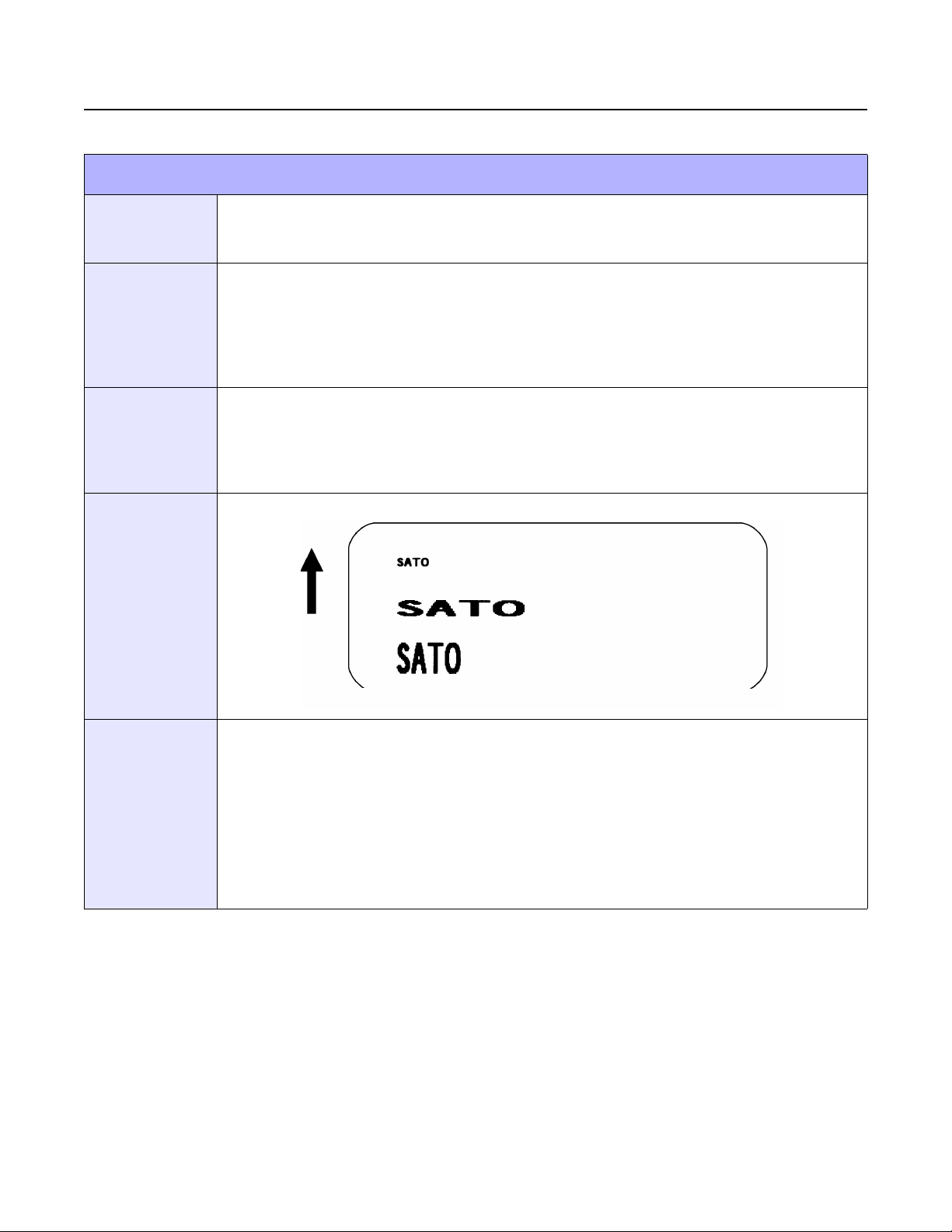
Unit 4: Standard Command Codes
MODIFICATION COMMANDS
CHARACTER, EXPANSION
FUNCTION
FORMAT
EXAMPLE
OUTPUT
To independently expand characters in both the horizontal and vertical directions. The
command allows enlargement of the base size of each font (except the vector font) up to 12
times in either direction.
<ESC>Laabb
aa = Multiple to expand horizontally (01 to 12)
bb = Multiple to expand vertically (01 to 12)
Place preceding the data to be expanded.
<ESC>A<ESC>H0100<ESC>V0100<ESC>XMSATO
<ESC>H0100<ESC>V0200<ESC>L0402<ESC>XMSATO
<ESC>H0100<ESC>V0300<ESC>L0204<ESC>XMSATO
<ESC>Q1
<ESC>Z
(4-1)
NOTES
E/Pro Programming Reference
Expanded characters are typically used with this command for added emphasis or for long distance
readability. This command will expand the following fonts: Fonts U, S, M, XU, XS, XM, OA & OB and
fonts WB, WL, XB and XL.
This command will also affect the following commands: Character Pitch Characters, Custom-Designed
The Character Expansion value is in effect for the current print job until a new expansion command is
specified.
The Line and Box command, if used within the data stream, may return all subsequent text to the
default expansion of 1 x 1. Therefore, either send the Character Expansion command before all printed
data, or send Line and Box commands last, preceding the Quantity (<ESC>Q) command.
4-6 PN: 9001096C
Page 51
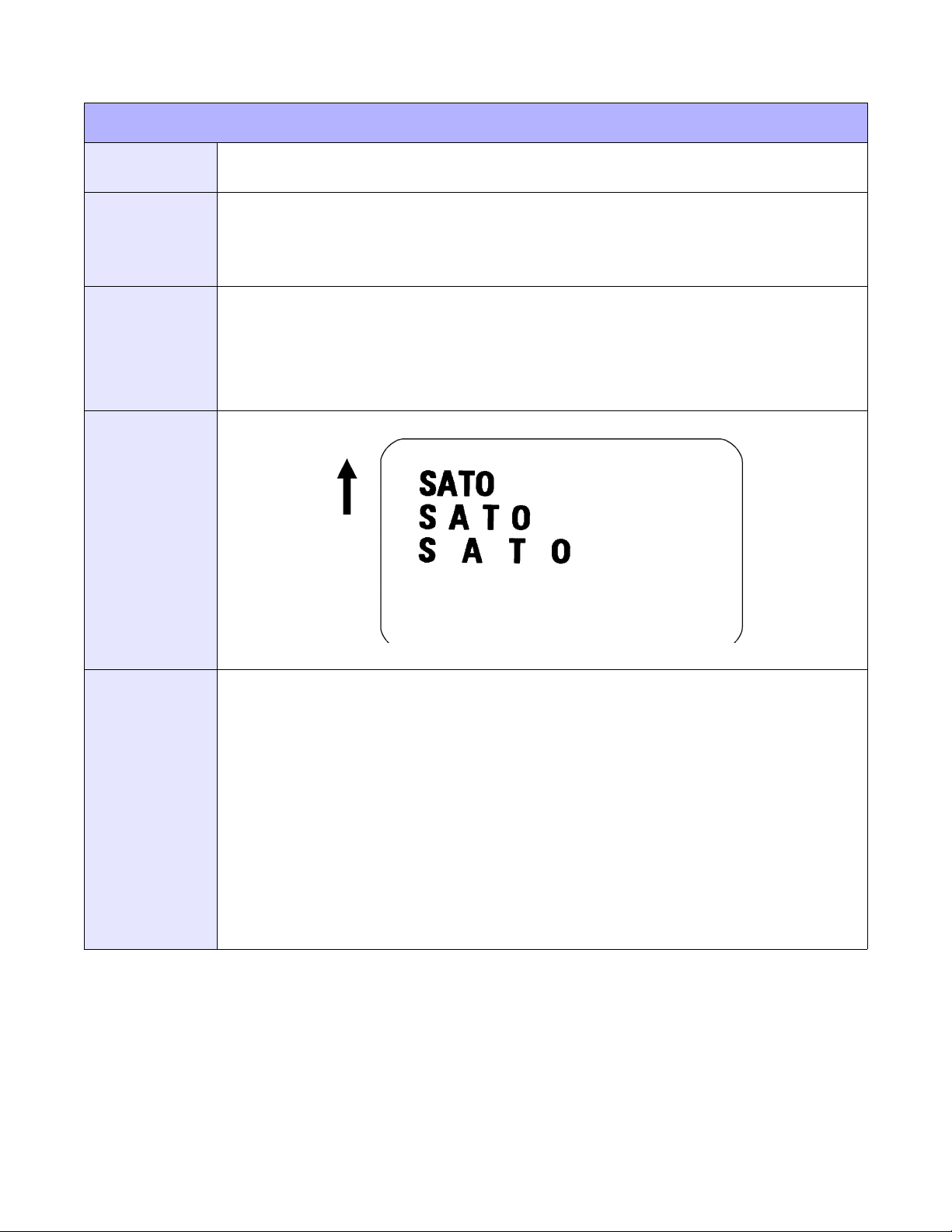
CHARACTER, PITCH
Unit 4: Standard Command Codes
FUNCTION
FORMAT
EXAMPLE
OUTPUT
To designate the amount of spacing (in dots) between characters. This command provides a
means of altering character spacing for label constraints or to enhance readability.
<ESC>Paa
aa = Number of dots between characters (00 to 99)
Place preceding the text to be printed.
<ESC>A
<ESC>H0025<ESC>V0075<ESC>L0202<ESC>XB1SATO
<ESC>H0025<ESC>V0175<ESC>L0202<ESC>P20<ESC>XB1SATO
<ESC>H0025<ESC>V0275<ESC>L0202<ESC>P40<ESC>XB1SATO
<ESC>Q1
<ESC>Z
(4-2)
NOTES
This command is affected by the <ESC>L Character Expansion command. The character pitch is
actually the product of the current horizontal expansion multiple and the designated pitch value.
Example:
<ESC>L0304
<ESC>P03
Pitch = (03) x (03) = 9 dots
To avoid confusion, you may want to include the <ESC>L Character Expansion command and this
command together in your program.
This command affects fonts U, S, M, XU, XS, XM, OA & OB, WB, WL, XB and XL, and the vector font.
Character Pitch will always revert to the default value unless it is specified before each new font
command in the data stream.
This command also affects Codabar, Code 39 and Industrial 2 of 5 bar codes.
E/Pro Programming Reference
4-7 PN: 9001096C
Page 52
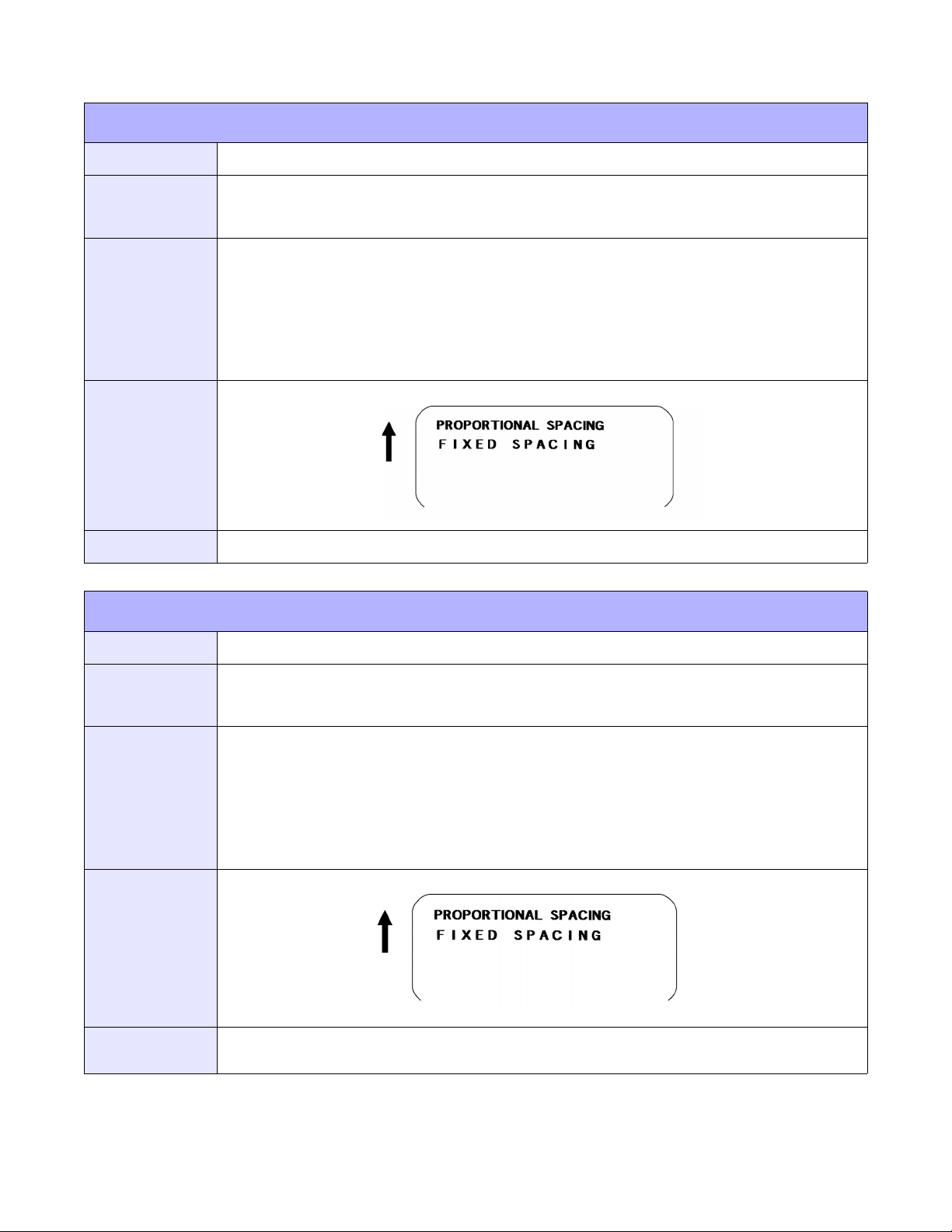
Unit 4: Standard Command Codes
CHARACTER, FIXED SPACING
FUNCTION
FORMAT
EXAMPLE
OUTPUT
NOTES
To reset proportional spacing and place the printer back to fixed spacing.
<ESC>PR
Place preceding the fixed space data.
<ESC>A
<ESC>H0100<ESC>V0050<ESC>PS
<ESC>L0202<ESC>XMPROPORTIONAL SPACING
<ESC>H0100<ESC>V0180<ESC>PR
<ESC>L0202<ESC>XMFIXED SPACING
<ESC>Q1
<ESC>Z
(4-3)
This command only works with proportionally spaced fonts: XU, XM, XS, XL and XB.
CHARACTER, PROPORTIONAL SPACING
FUNCTION
FORMAT
EXAMPLE
OUTPUT
NOTES
To specify the printing of proportional or fixed spacing for proportionally spaced fonts.
<ESC>PS Set to proportional spacing Reset to fixed spacing.
Place preceding the data to be proportionally spaced.
<ESC>A
<ESC>H0100<ESC>V0050<ESC>PS
<ESC>L0202<ESC>XMPROPORTIONAL SPACING
<ESC>H0100<ESC>V0180<ESC>PR
<ESC>L0202<ESC>XMFIXED SPACING
<ESC>Q1
<ESC>Z
(4-4)
Once this command is sent in the data stream, it is in effect until the end of the print job unless a reset
command is sent.
E/Pro Programming Reference
4-8 PN: 9001096C
Page 53
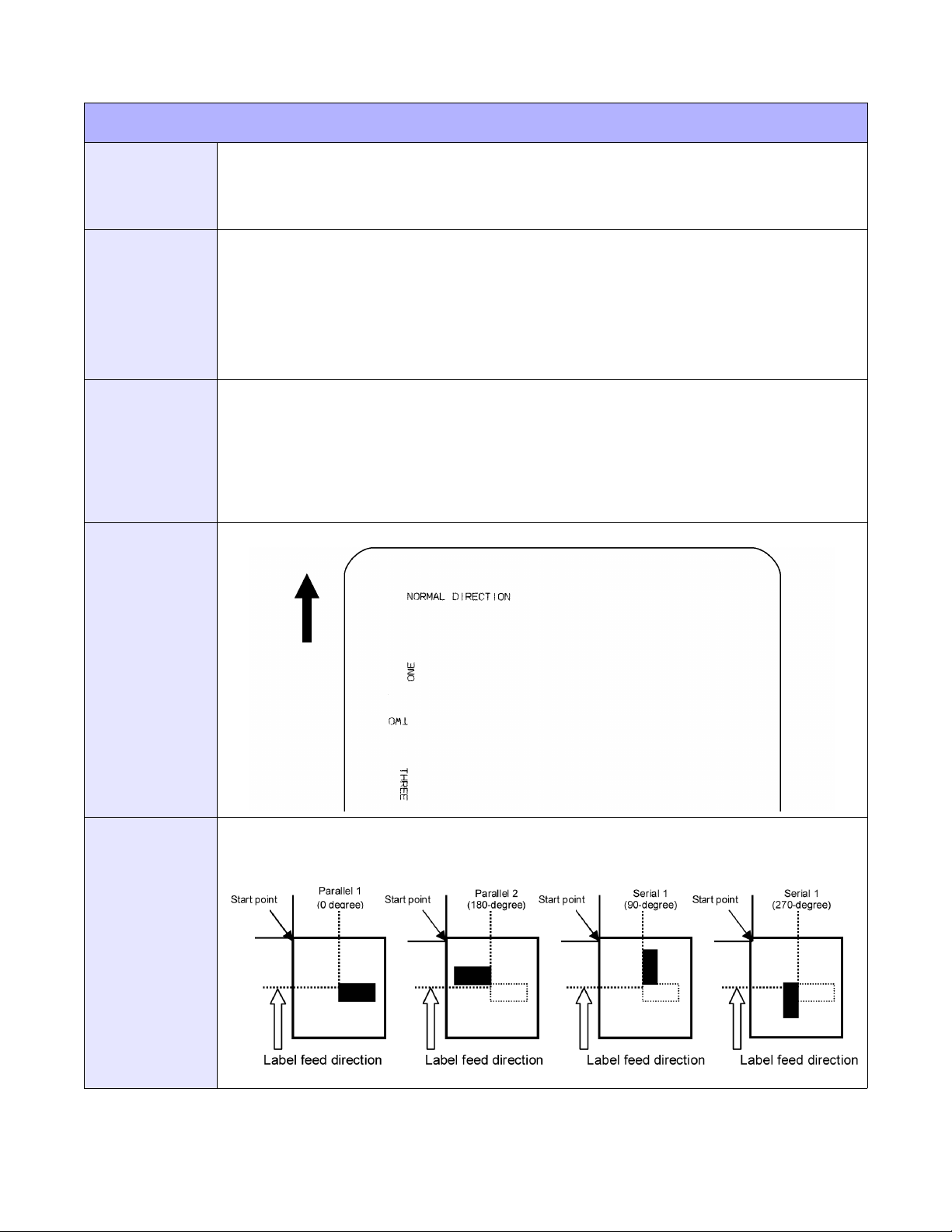
Unit 4: Standard Command Codes
ROTATE, FIXED BASE REFERENCE POINT
FUNCTION
FORMAT
EXAMPLE
OUTPUT
To rotate the print direction in 90° increments without changing the location of the base
reference point. The diagram below illustrates the use of the Rotate (<ESC>%) command.
Note that the entire print area is shown, but your label will probably not be as large as the
entire area.
<ESC>%a
a = 0: Sets print to normal direction
1: Sets print to 90°CCW
2: Sets print to 180° rotated (upside down)
3: Sets print to 270° CCW
Place preceding any printed data to be rotated.
<ESC>A
<ESC>%0<ESC>L0202<ESC>H0200<ESC>V0100<ESC>MNORMAL DIRECTION
<ESC>%1<ESC>H0200<ESC>V0300<ESC>MONE
<ESC>%2<ESC>H0200<ESC>V0400<ESC>MTWO
<ESC>%3<ESC H0200<ESC>V0500<ESC>MTHREE
<ESC>Q1
<ESC>Z
(4-5a)
NOTES
E/Pro Programming Reference
The specified values are valid until another Rotate (<ESC>%) command is received. Receipt of a Stop
Print (<ESC>Z) command will reset the setting to the default value.
(4-5b)
4-9 PN: 9001096C
Page 54
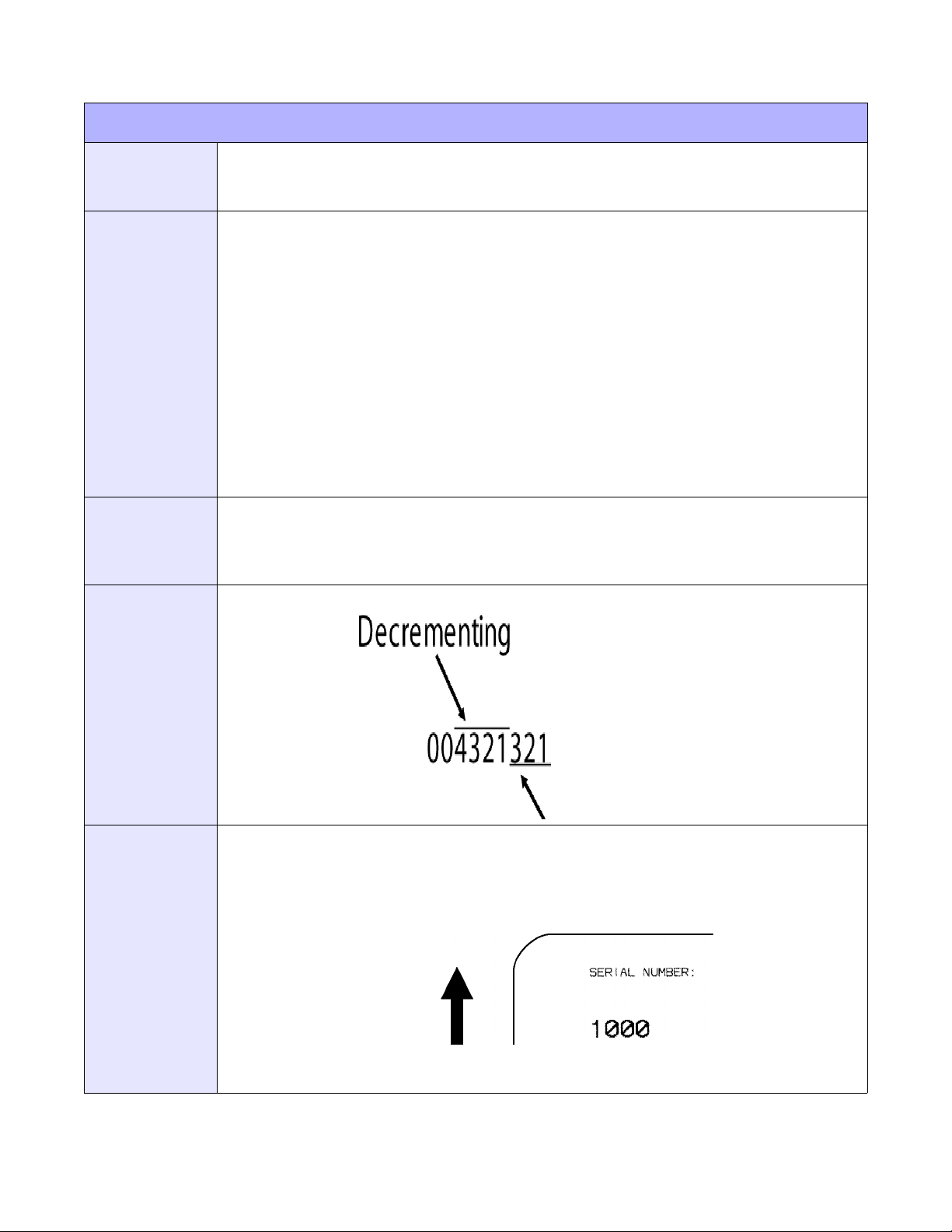
Unit 4: Standard Command Codes
SEQUENTIAL NUMBERING
FUNCTION
FORMAT
EXAMPLE
OUTPUT
To print sequential fields (text, bar codes) where all incrementing is done within the printer.
Up to eight different sequential fields can be specified per label. Sequencing is effective for
up to 99-digit numeric data within each field.
<ESC>Faaaabcccc,dd,ee,g
aaaa = Number of times to repeat the same data (0001 to 9999)
b = Plus or minus symbol (+ for increments; - for decrements)
cccc = Value of step for sequence (0001 to 9999)
dd = Sequential numbering digit quantity (01 to 99). The first character
starts after those exempted in ee. If digits are omitted, 8 is default
ee = Number of digits free from sequential numbering (0 to 99) starting with
the right most position. If digits are left out, the default is 0.
g = Count base 1 Decimal Count 2 Hexadecimal Base
Place preceding the starting value to be incremented or decremented.
<ESC>A<ESC>H0100<ESC>V0100<ESC>MSERIAL NUMBER:
<ESC>H0100<ESC>V0200
<ESC>F0001+0005
<ESC>L0202<ESC>M1000<ESC>Q2<ESC>Z
(4-6a)
NOTES
E/Pro Programming Reference
The value specified for Print Quantity should be equal to the number of different sequential values
desired multiplied by the number of repeats specified. Example: To print 2 sets each of numbers 10011025 on separate labels, we need 50 total labels.
<ESC>F001-001,04,03
(4-6b)
It is necessary to specify the print position for each sequential field on a label. Up to eight different
sequential fields can be specified per label. Alpha characters are ignored.
4-10 PN: 9001096C
Page 55
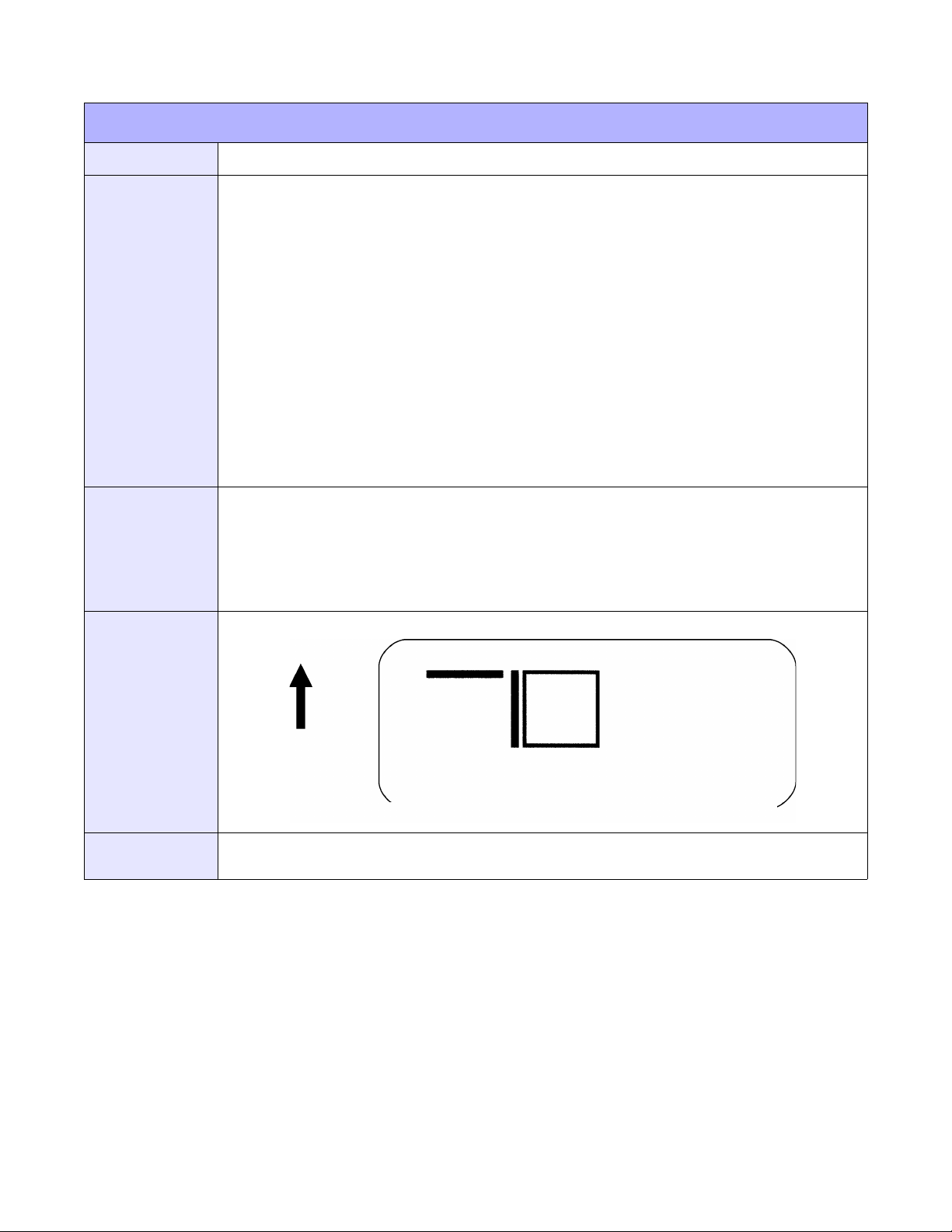
PRINT, LINES & BOXES
Unit 4: Standard Command Codes
FUNCTION
FORMAT
EXAMPLE
To print horizontal lines, vertical lines, and boxes as images on the label.
Line: <ESC>FWaabcccc
aa = Width of horizontal line in dots (01 to 99)
b = Line orientation H Horizontal line V Vertical Line
cccc = Length of line in dots
Box: <ESC>FWaabbVccccHdddd
aa = Width of horizontal side in dots (01 to 99)
bb = Width of vertical side in dots (01 to 99)
cccc = Length of vertical side in dots
dddd = Length of horizontal side in dots
Place following the necessary positioning commands.
<ESC>A
<ESC>H0100<ESC>V0100<ESC>FW20H0200
<ESC>H0320<ESC>V0100<ESC>FW20V0200
<ESC>H0350<ESC>V0100<ESC>FW1010H0200V0200
<ESC>Q1
<ESC>Z
OUTPUT
NOTES
(4-7)
It is recommended that all lines and boxes be specified in the normal print direction. Use the
<ESC>EX0 Expanded Print Length command for maximum label length.
E/Pro Programming Reference
4-11 PN: 9001096C
Page 56
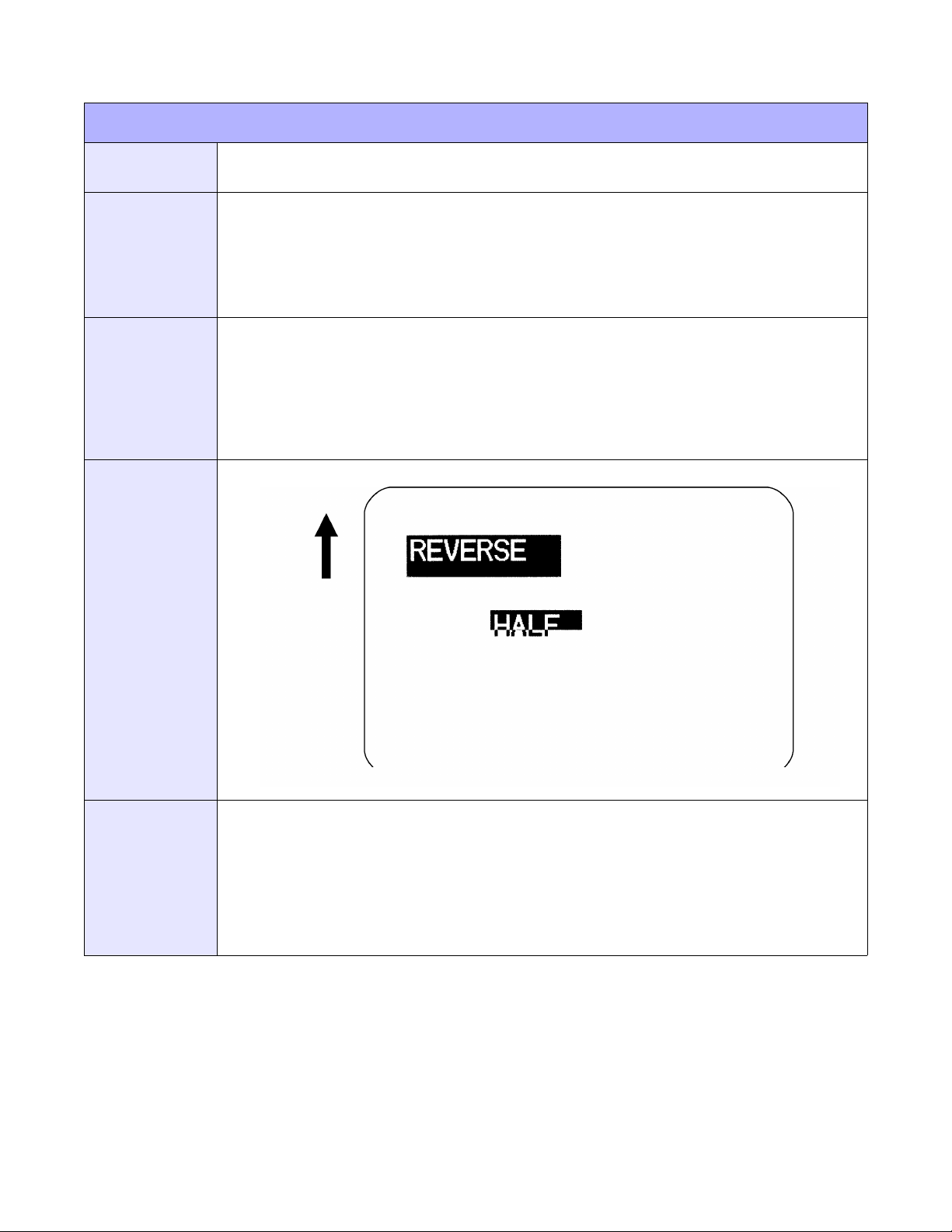
REVERSE IMAGE
Unit 4: Standard Command Codes
FUNCTION
FORMAT
EXAMPLE
OUTPUT
To reverse an image area from black to white and vice versa. Use the Print Position
commands (<ESC>H and <ESC>V) to locate the top left corner of the reverse image area.
<ESC>(aaaa,bbbb
a = Horizontal length in dots of reverse image area
b = Vertical height in dots of reverse image area.
Must be preceded by all other data and be placed just before <ESC>Q.
<ESC>A
<ESC>H0050<ESC>V0120<ESC>L0202<ESC>WB1REVERSE
<ESC>H0250<ESC>V0300<ESC>L0202<ESC>WB1HALF
<ESC>H0040<ESC>V0110<ESC>(370,100
<ESC>H0240<ESC>V0290<ESC>(220,47
<ESC>Q1
<ESC>Z
(4-8)
NOTES
E/Pro Programming Reference
A reverse image area is affected by the rotate commands. Therefore, always assume the printer is in
the normal print orientation when designing and sending the Reverse Image command.
If using reverse images with the form overlay, place this command before the Form Overlay command
in the data stream.
If the height and width to be reversed contains anything other than alphanumeric data, the area is not
printed.
If the values specified exceed the maximum ranges, the reverse image is not created.
4-12 PN: 9001096C
Page 57

Unit 4: Standard Command Codes
FORM OVERLAY, STORE
FUNCTION
FORMAT
EXAMPLE
OUTPUT
NOTES
To store a label image in the volatile form overlay memory. Only one label image may be
stored in this memory area at a time.
<ESC>&
Must be preceded by all other data and placed just before Stop (<ESC>Z) command.
<ESC>A
<ESC>H0100<ESC>V0125
<ESC>STHIS IS THE STORED IMAGE WITH A BARCODE
<ESC>H0100<ESC>V0165<ESC>B103100*12345*
<ESC>
<ESC>Z
This command does not result in printer output. It stores the label image in the overlay buffer.
Remember that this storage is volatile. Therefore, if the printer loses power, the overlay must be sent
again.
The overlay is recalled using the Form Overlay Recall (<ESC>/) command.
Form overlays do not have to be recompiled each time they are called to be printed and therefore may
result in much faster print output.
&
E/Pro Programming Reference
4-13 PN: 9001096C
Page 58
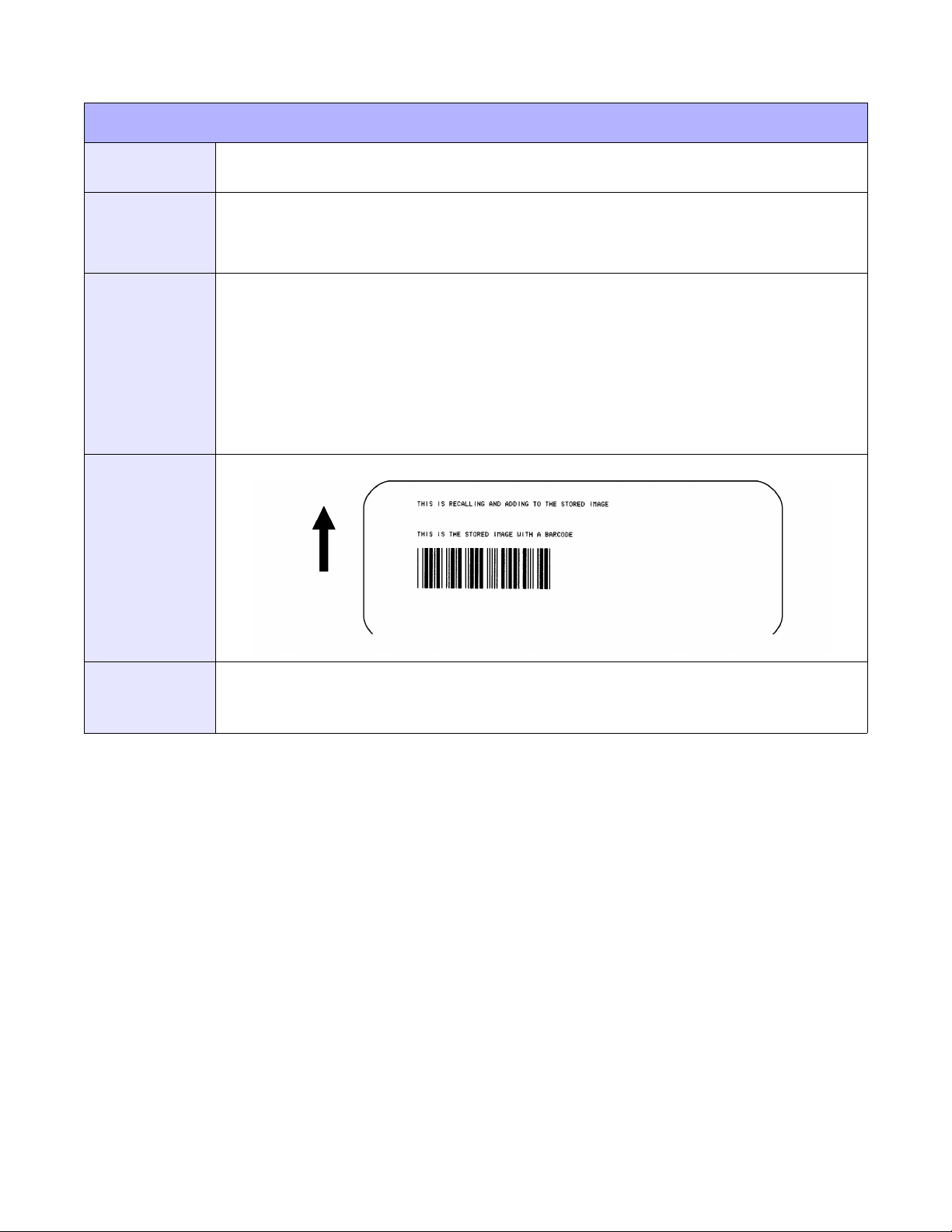
Unit 4: Standard Command Codes
FORM OVERLAY, RECALL
FUNCTION
FORMAT
EXAMPLE
OUTPUT
To recall the label image from the form overlay memory for printing. Additional or different
data can be printed with the recalled image.
<ESC>/
Must be preceded by all other data and placed just before Print Quantity (<ESC>Q)
command.
<ESC>A
<ESC>H01000<ESC>V0125
<ESC>STHIS IS THE STORED IMAGE WITH A BARCODE
<ESC>H0100<ESC>V0165<ESC>B103100*12345*
<ESC>&<ESC>Z
<ESC>A<ESC>H0100<ESC>V0050
<ESC>STHIS IS RECALLING AND ADDING TO THE STORED IMAGE<ESC>/
<ESC>Q1
<ESC>Z
(4-9)
NOTES
The overlay is stored using the Form Overlay Store (<ESC>&) command.
If this command is used with the Expanded Print Length (<ESC>EX0) command the Form Overlay
length cannot exceed 9999 dots.
E/Pro Programming Reference
4-14 PN: 9001096C
Page 59
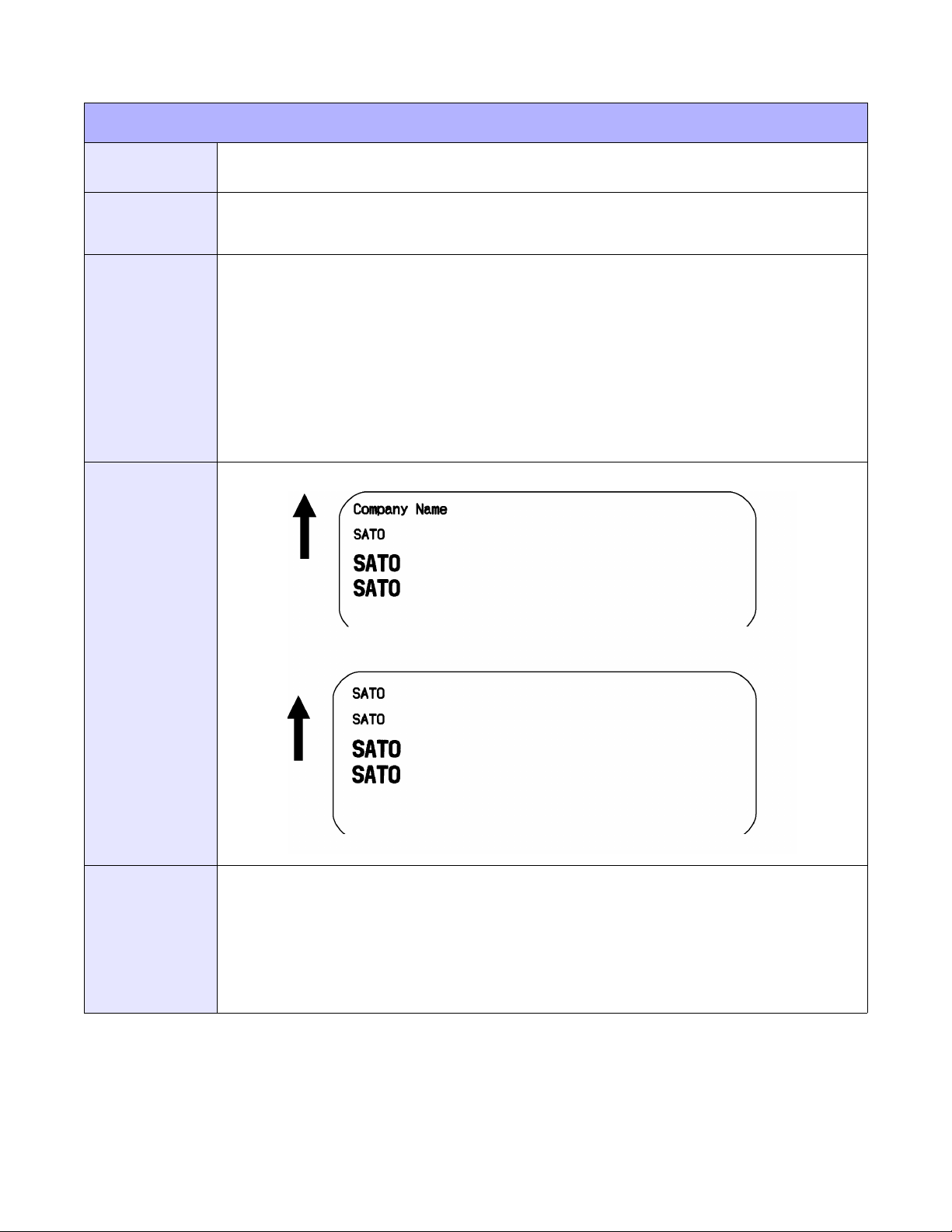
Unit 4: Standard Command Codes
REPLACE DATA (PARTIAL EDIT)
FUNCTION
FORMAT
EXAMPLE
OUTPUT
To replace a specified area of the previous label with new data. This command will cause the
previous label to print along with any changes specified within the current data stream.
<ESC>0 (<ESC>zero)
Must follow <ESC>A and precede all other print data
<ESC>A
<ESC>H0025<ESC>V0020<ESC>WB0Company Name
<ESC>H0025<ESC>V0085<ESC>WB1SATO
<ESC>H0025<ESC>V0150<ESC>WL0SATO
<ESC>H0025<ESC>V0215<ESC>WL1SATO
<ESC>Q1<ESC>Z
<ESC>A
<ESC>0<ESC>H0025<ESC>V0020<ESC>WB0SATO
<ESC>Q1
<ESC>Z
(4-10)
NOTES
E/Pro Programming Reference
Specify the exact same parameters for the image to be replaced as were specified in the original data
stream; including rotation, expansion, pitch, etc. This will ensure the new data will exactly replace the
old image. If the replacement data contains fewer characters than the old data, then the characters not
replaced will still be printed.
This command will not function if the power has been cycled off and back on since the last label was
printed.
Proportional Pitch text cannot be used with this command.
4-15 PN: 9001096C
Page 60
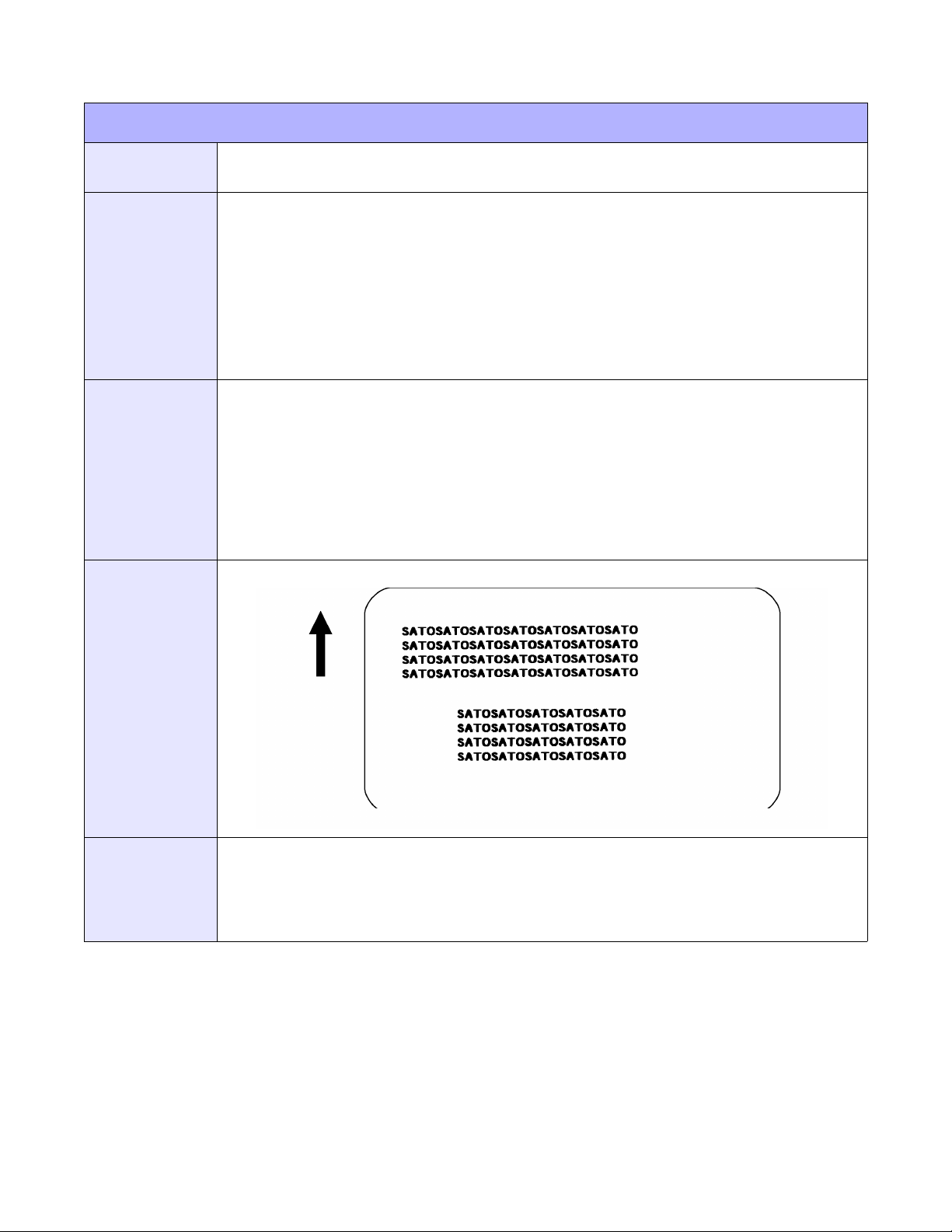
Unit 4: Standard Command Codes
COPY IMAGE AREA (PARTIAL COPY)
FUNCTION
FORMAT
EXAMPLE
OUTPUT
To copy an image from one location to another on the same label. This may be useful for
duplicating individual fields or entire sections of the label with only one command.
<ESC>WDHaaaaVbbbbXccccYdddd
aaaa = Horizontal position of the top left corner of the area
bbbb = Vertical position of the top left corner of the area
cccc = Horizontal length of the image area to be copied
dddd = Vertical length of the image area to be copied
Place anywhere within the data stream after specifying the location of the duplicate image.
<ESC>A
<ESC>H0050<ESC>V0050<ESC>E010<ESC>XM
SATOSATOSATOSATOSATOSATOSATO
SATOSATOSATOSATOSATOSATOSATO
SATOSATOSATOSATOSATOSATOSATO
SATOSATOSATOSATOSATOSATOSATO
<ESC>H0180<ESC>V0250<ESC>WDH0130V0050X0400Y0200
<ESC>Q1
<ESC>Z
(4-11)
NOTES
E/Pro Programming Reference
Use the Print Position (V and H) commands to locate the new area for the duplicate image.
Position of the new target area must not be inside the original image.
If you use the Rotate command; the V, H, X, and Y axis will be reversed.
If the reference area of the target image exceeds the print area, it will not be printed.
4-16 PN: 9001096C
Page 61
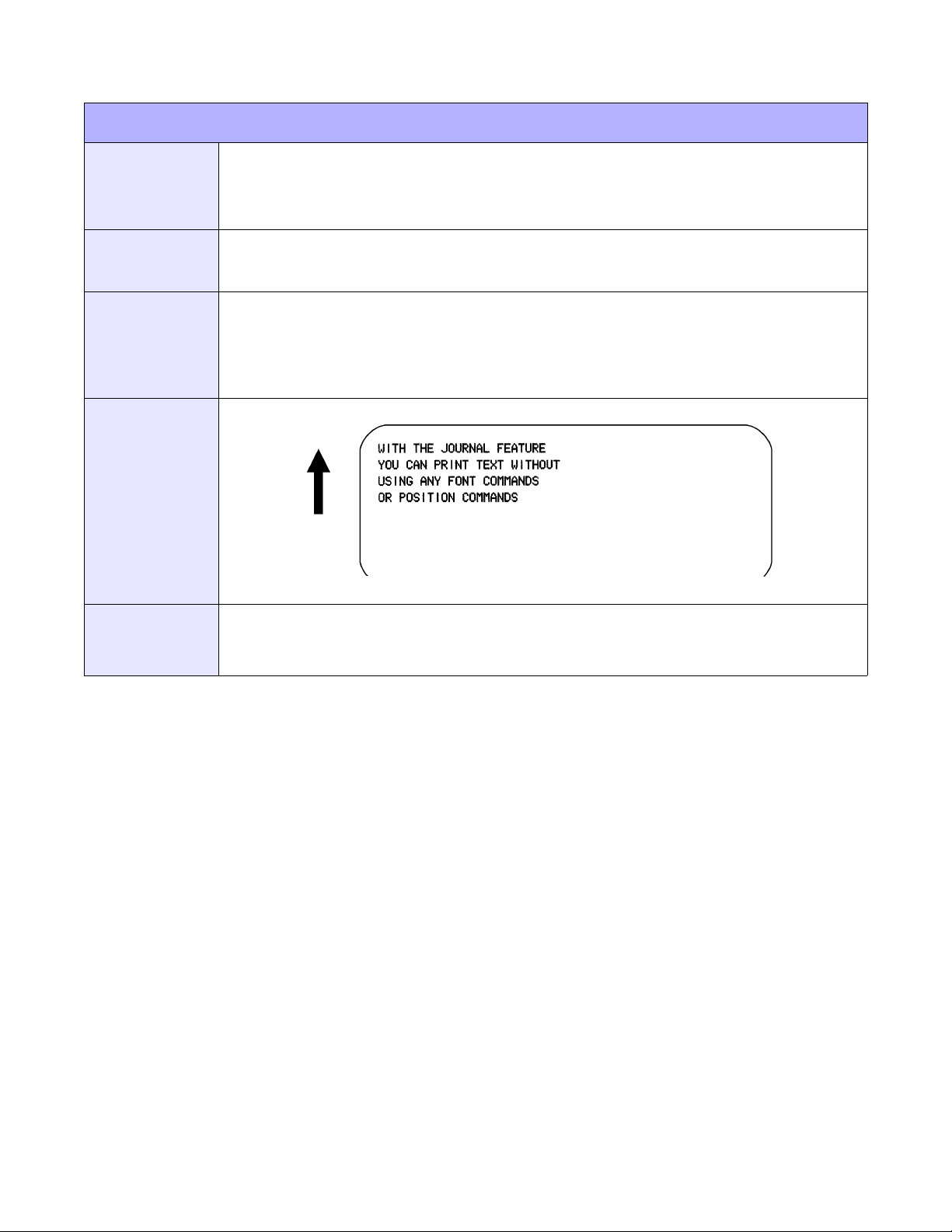
JOURNAL PRINTING
Unit 4: Standard Command Codes
FUNCTION
FORMAT
EXAMPLE
OUTPUT
To print text in a line by line format on a label. By specifying this command, you automatically
select Font XS with a Character Expansion of 2x2. You also establish a base reference point
of H2,V2. The character pitch is 2 dots and the line gap is 16 dots. Simply issue an ASCII
<CR> at the end of each text line.
<ESC>J
Place immediately following <ESC>A.
<ESC>A
<ESC>J WITH THE JOURNAL FEATURE YOU CAN PRINT TEXT WITHOUT USING ANY
FONT COMMANDS OR POSITION COMMANDS
<ESC>Q1
<ESC>Z
(4-12)
NOTES
Journal mode assumes a maximum label width. Otherwise, you may print where there is no label and
damage your print head.
It is effective only for the current print job.
E/Pro Programming Reference
4-17 PN: 9001096C
Page 62
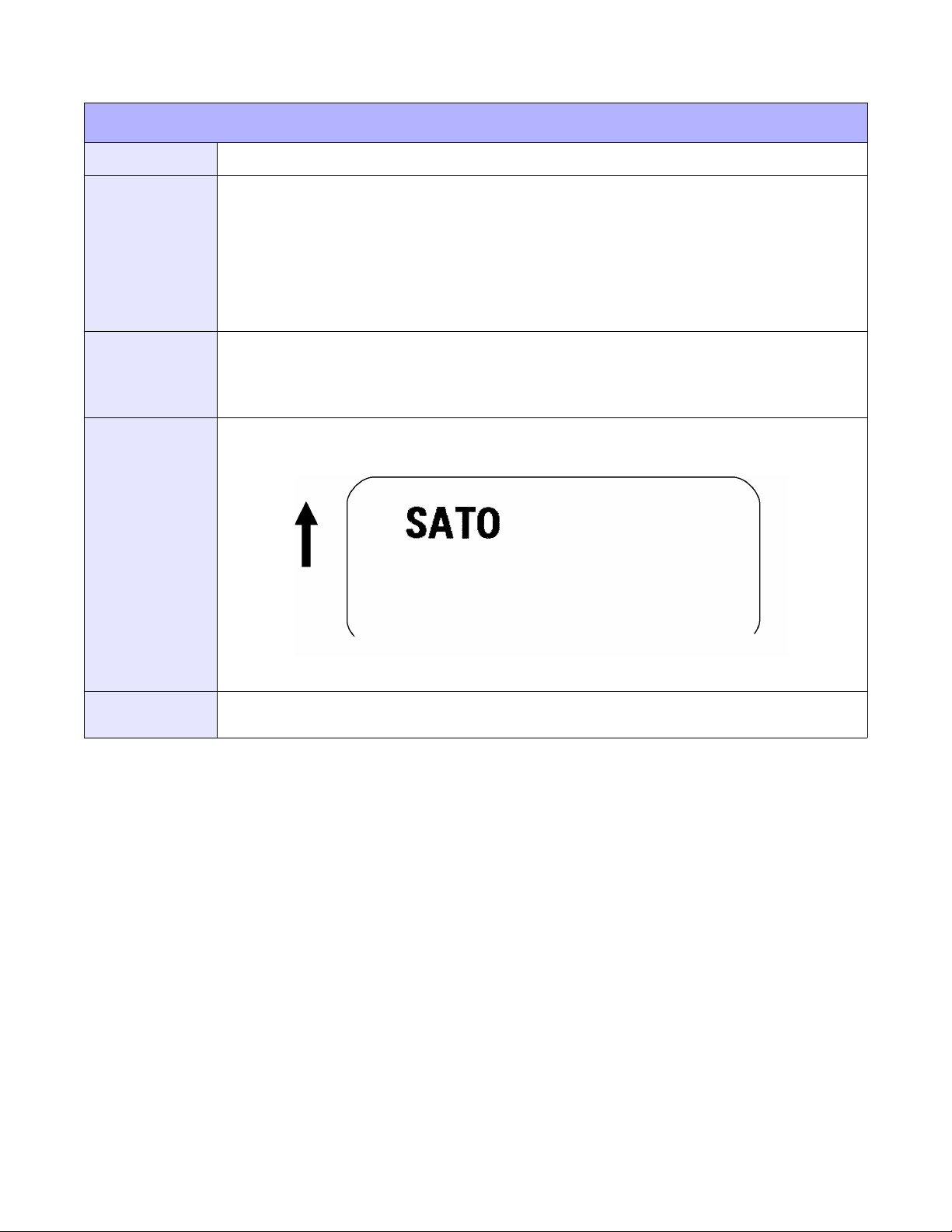
Unit 4: Standard Command Codes
RECALL AND PRINT OF FONT & LOGO
FUNCTION
FORMAT
EXAMPLE
OUTPUT
Prints the downloaded font or logo specified.
<ESC>RF
a = Font ID number (01 to 99)
b = Print digit (1 to 9999)
n=Print data
Place after <ESC>H but before <ESC>Q1.
<ESC>A
<ESC>H0100<ESC>V0100<ESC>RF020002,826B
<ESC>Q1
<ESC>Z
(4-13)
NOTES
Specify the value of Unicode for print data. When calling and printing a logo, specify Print digit: 0002,
Print data: <6B82>16. Note that <826B>16 is the value of Shift JIS code of L.
E/Pro Programming Reference
4-18 PN: 9001096C
Page 63
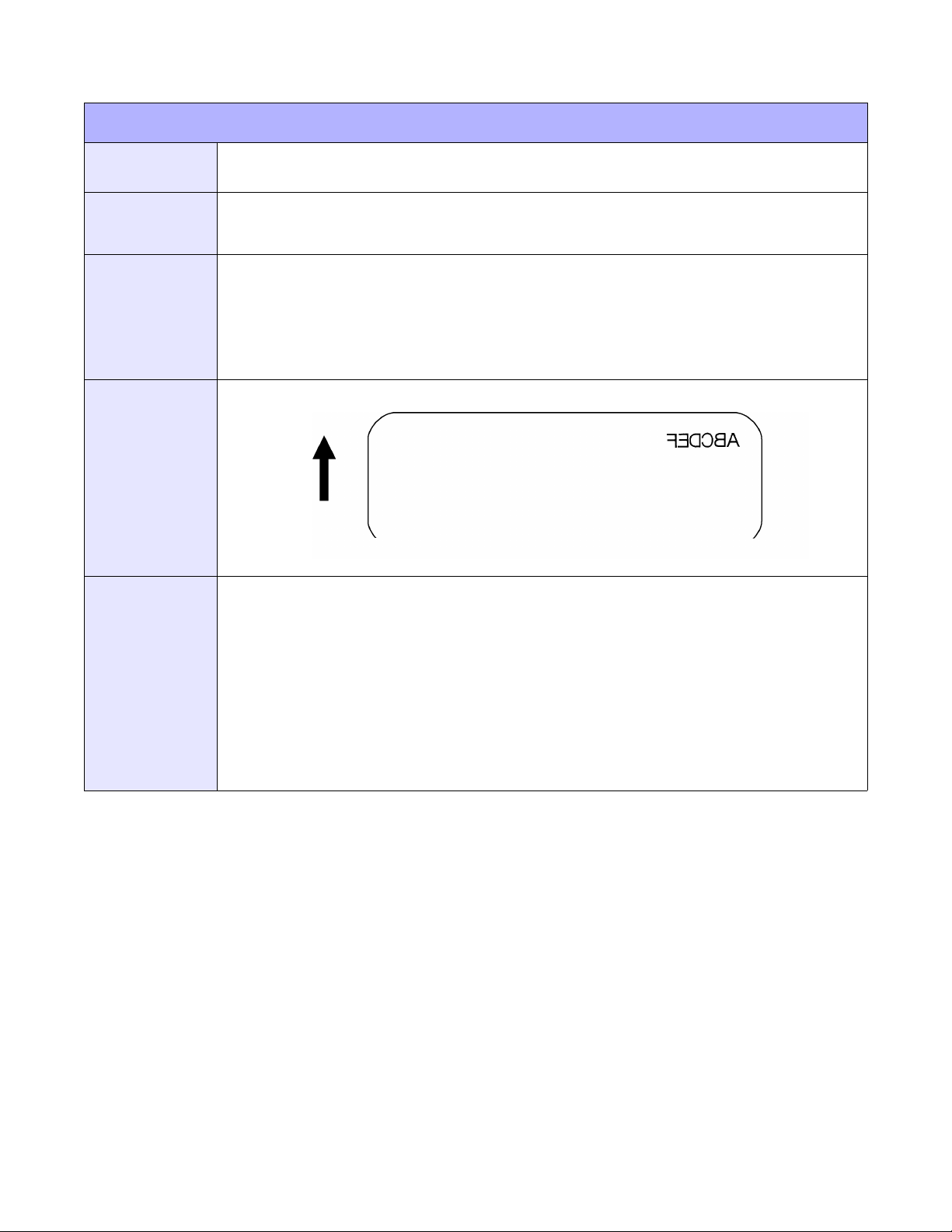
MIRROR IMAGE
Unit 4: Standard Command Codes
FUNCTION
FORMAT
EXAMPLE
OUTPUT
NOTES
To allow mirror image printing of data, such as on transparent labels to be applied to a glass
or other transparent surface.
<ESC>RM
Place after the label data.
Label #1
<ESC>A
<ESC>A1<ESC>H0100<ESC>V0050<ESC>XL0ABCDEF
<ESC>RM
<ESC>Q1
<ESC>Z
(4-14)
The <ESC>A1 Media defines the area to be mirrored.
This command can be used with the Rotate Fixed Base Reference Point (<ESC>%) command. Note
that the reference point rotation is dependent upon the location of the <ESC>% command in the data
stream.
This command should not be specified more than once in any single job.
This command cannot be used with commands requiring re-editing of the print area, such as
Sequential Numbering, Real time clock or Copy Image Area.
Any data outside the area defined by the Media Size (<ESC>A1) command is not mirrored the
command is treated as a command error. Any print job containing the <ESC>RM command and
without any print data will be treated as a command error.
E/Pro Programming Reference
4-19 PN: 9001096C
Page 64
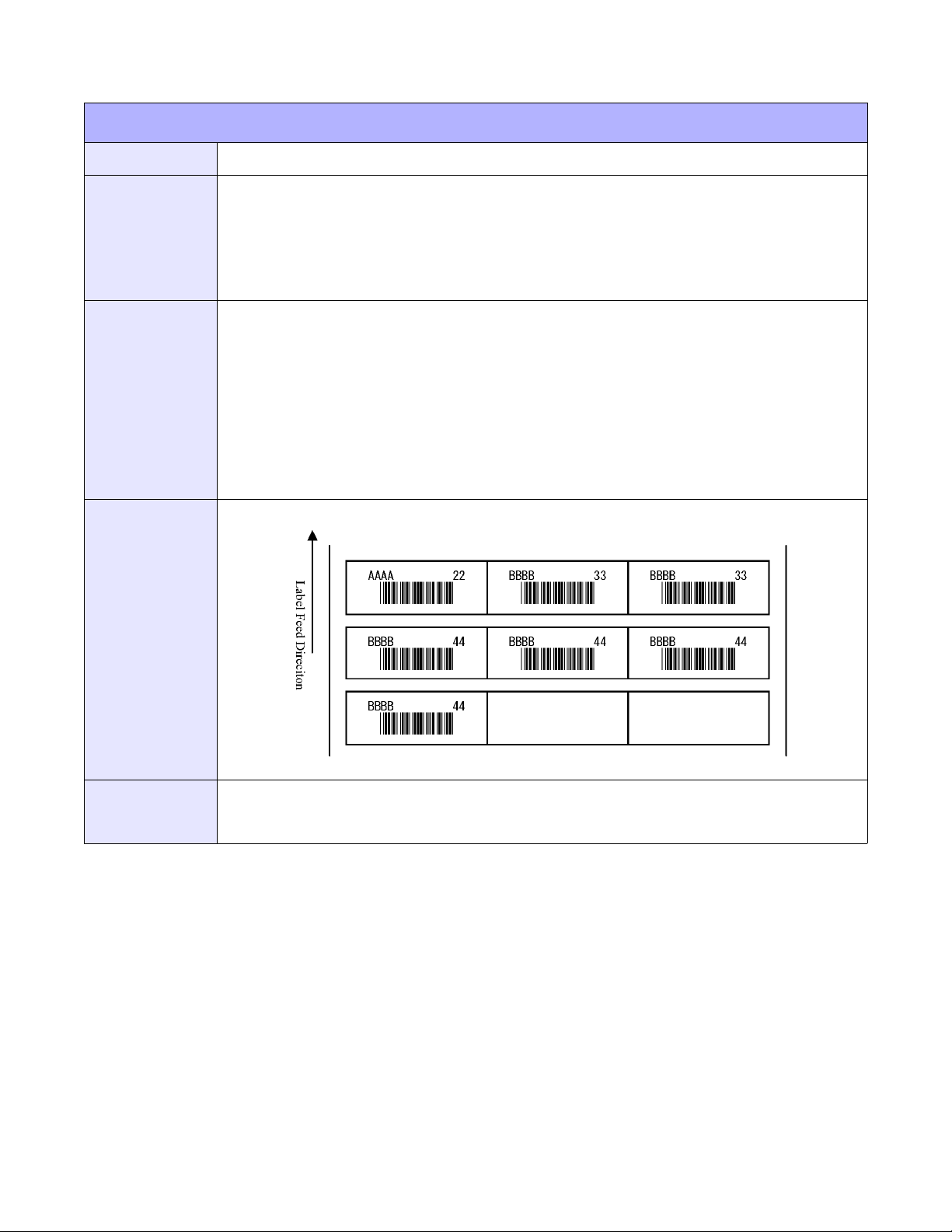
Unit 4: Standard Command Codes
VARIABLE DATA SPECIFICATION
FUNCTION
FORMAT
EXAMPLE
OUTPUT
Specifies variable data for small labels. Only applicable to the M10e printer.
<ESC>_Daa,nn...n
a = Field number (01 to 99)
n=Variable data
Place after <ESC>H and <ESC>V but before <ESC>Q.
<ESC>A
<ESC>A106363060<ESC>600,1020,0,0
<ESC>_F
<ESC>_N01,04<ESC>V100<ESC>H200<ESC>L0202<ESC>XMABCD
<ESC>_N02,07<ESC>V200<ESC>H200<ESC>L0202<ESC>B103200*11111*
<ESC>_N03,02<ESC>V100<ESC>H400<ESC>L0202<ESC>XM99
<ESC>_D01,AAAA<ESC>_D02,*22222*<ESC>_D03,22<ESC>_Q1
<ESC>_D01,BBBB<ESC>_D02,*33333*<ESC>_D03,33<ESC>_Q2
<ESC>_D02,*44444*<ESC>_D03,44<ESC>_Q4
<ESC>Z
(4-15)
NOTES
E/Pro Programming Reference
If Variable Data Specification <ESC>_D is omitted, the content specified under Format Specification
<ESC>_N will be printed. However, if variable data is specified from Variable Data Specification
<ESC>_D, it will continue to that content and printing.
4-20 PN: 9001096C
Page 65
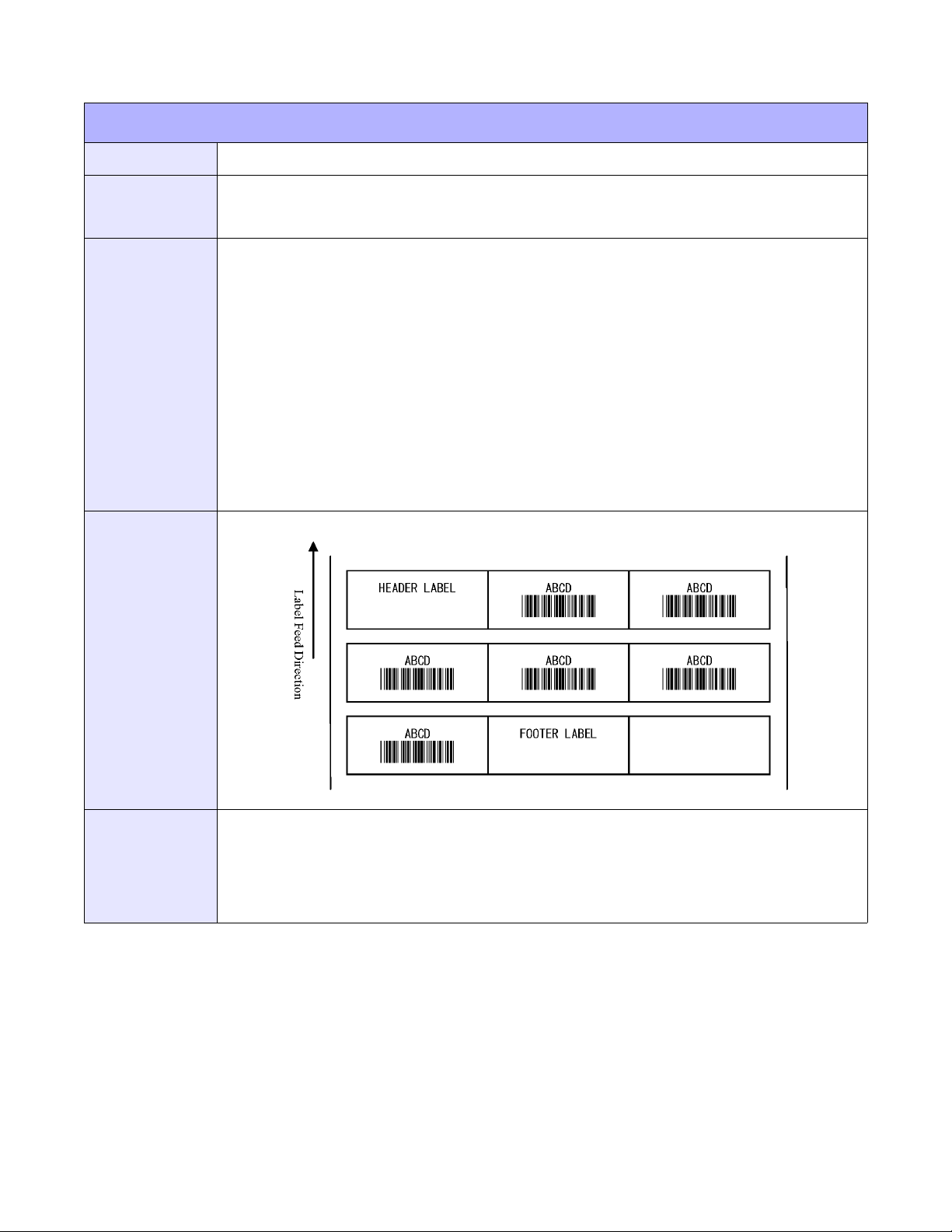
SMALL LABEL START
Unit 4: Standard Command Codes
FUNCTION
FORMAT
EXAMPLE
OUTPUT
To show the start of small label print specification. Only applicable to the M10e printer.
<ESC>_F
Place after <ESC>H and <ESC>V but before <ESC>Q.
<ESC>A
<ESC>A106363060
<ESC>PD,600,1020,0,0
<ESC>_F
<ESC>V100<ESC>H200<ESC>L0101<ESC>XMHEADER LABEL
<ESC>Q1
<ESC>_F
<ESC>V100<ESC>H200<ESC>L0202<ESC>EMABCD
<ESC>V200<ESC>H200<ESC>L0202<ESC>B103200*11111*
<ESC>Q6
<ESC>_F
<ESC>V100<ESC>H200<ESC>L0101<ESC>XMFOOTER LABEL
<ESC>Q1
<ESC>Z
(4-16)
NOTES
E/Pro Programming Reference
If there is a sequential number specification after <ESC>_F, the sequential numbers will be printed on
every small label.
Small label print quantityis specified under <ESC>_Q.
Do not specify registration specification from <ESC>_F onward. If specified, accurate print motion may
not be conducted.
4-21 PN: 9001096C
Page 66
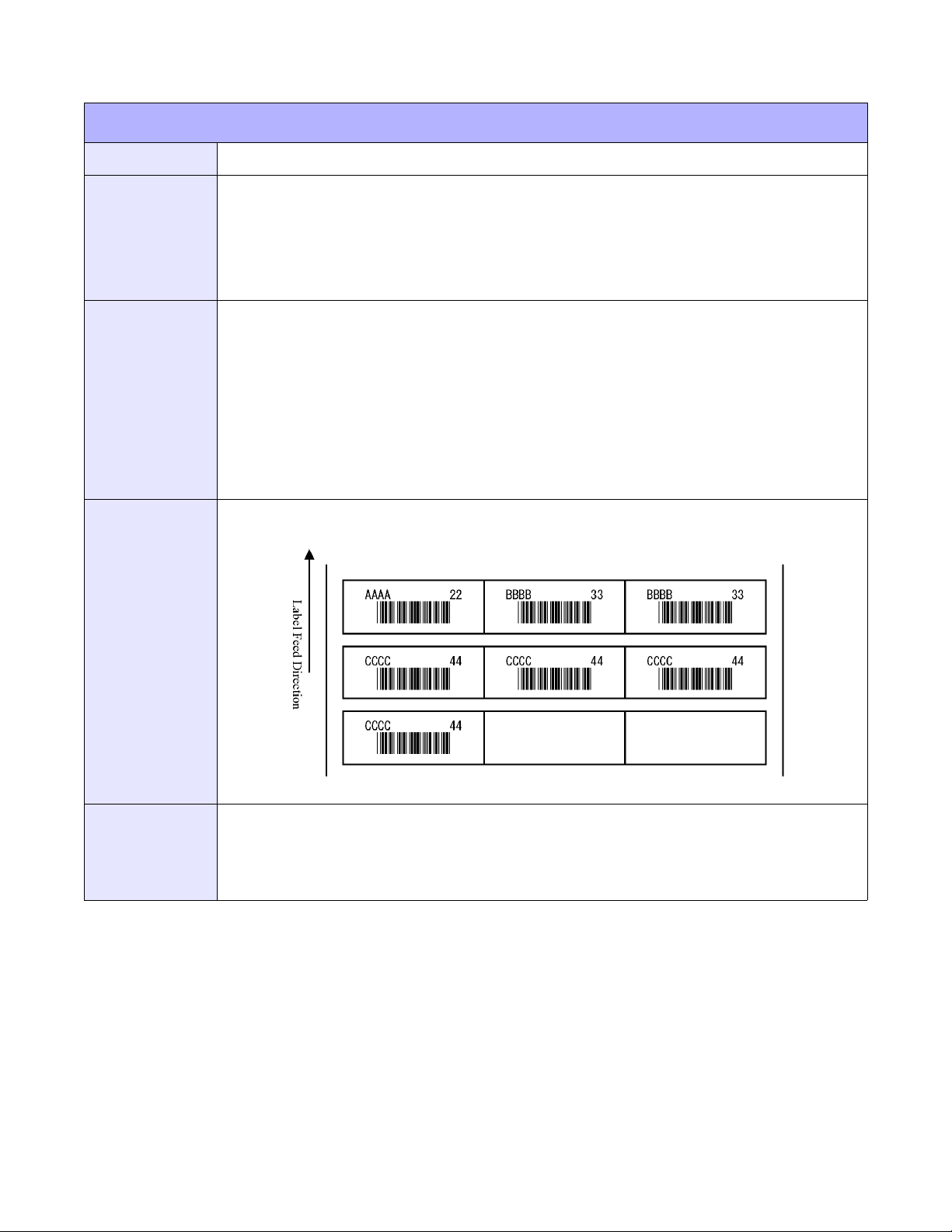
Unit 4: Standard Command Codes
FORMAT SPECIFICATION
FUNCTION
FORMAT
EXAMPLE
OUTPUT
Specifies small label format. Only applicable to the M10e printer.
<ESC>_N
a = Field number (01 to 99)
b = Data digit (01 to 99)
Place before <ESC>H and <ESC>V.
<ESC>A
<ESC>A1,06363060<ESC>PD,600,1020,0,0
<ESC>_F
<ESC>_N,01,04<ESC>V100<ESC>H200<ESC>L0202<ESC>XMABCD
<ESC>_N,02,07<ESC>V2 0 0<ESC>H 2 00<ESC> L 0202<ES C >B103200 * 11111*
<ESC>_N,03,02<ESC>V100<ESC>H400<ESC>L0202<ESC>XM22
<ESC>_D,01,AAAA<ESC>_D,02,*22222*<ESC>_D,03,22<ESC>_Q,1
<ESC>_D,01,BBBB<ESC>_D,02,*33333*<ESC>_D,03,33<ESC>Q,2
<ESC>_D,01,CCCC<ESC>_D,02,*44444*<ESC>_D,03,44<ESC>Q,4
<ESC>Z
(4-17)
NOTES
E/Pro Programming Reference
Only 1-D barcode characters can be specified under <ESC>_N.
Specify the small label print number with <ESC>_Q.
Do not specify command for registration after <ESC>_N. If specified, accurate print motion might not
be conducted.
4-22 PN: 9001096C
Page 67
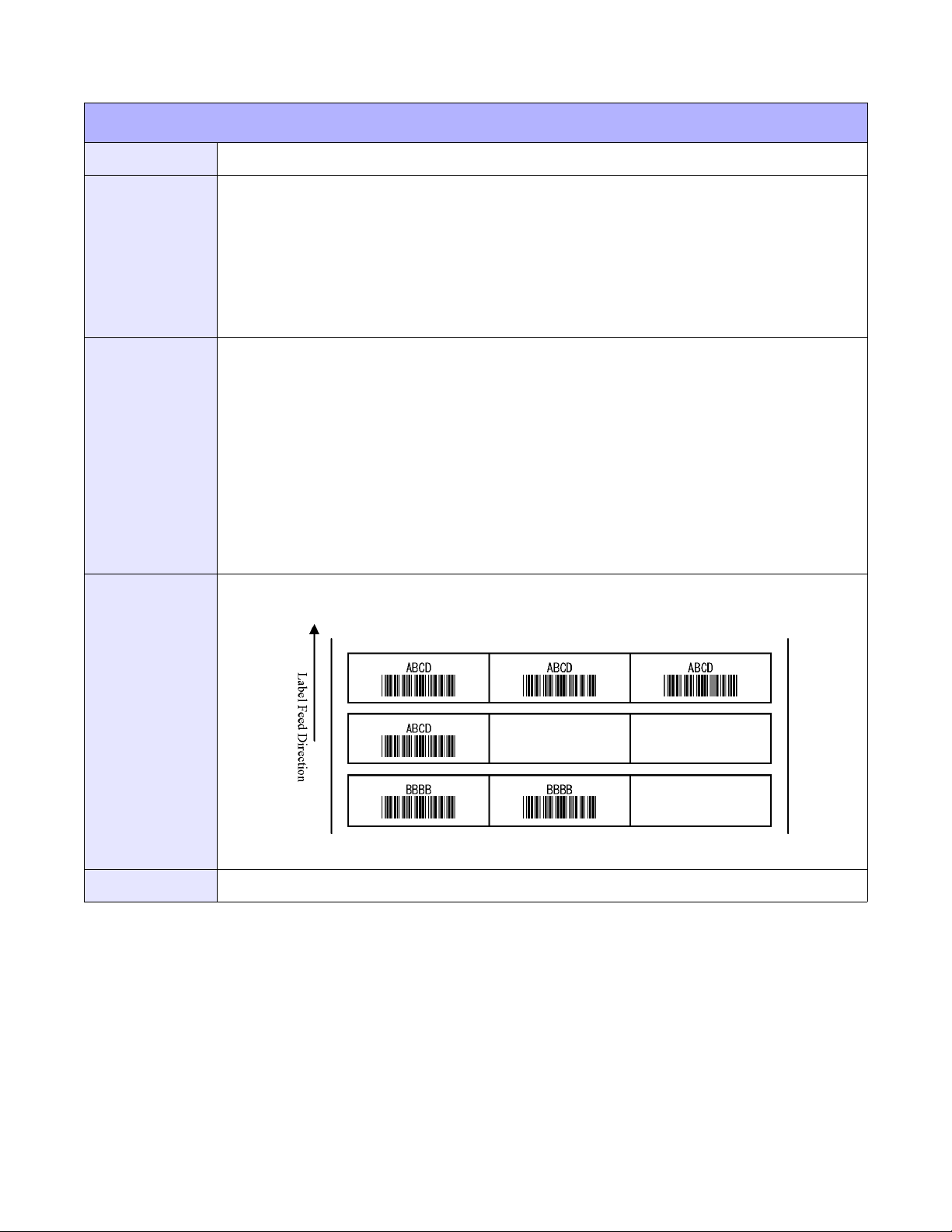
Unit 4: Standard Command Codes
LABEL PRINT QUANTITY
FUNCTION
FORMAT
EXAMPLE
OUTPUT
Specifies the print number for small labels. Only applicable to the M10e printer.
<ESC>_Q
a = Print quantity (0001 to 9999)
b = Blank label (omittable)
0: Auto new line
1-9: Blank label quantity
Place before <ESC>Z.
<ESC>A
<ESC>A106363060
<ESC>PD,600,1020,0,0
<ESC>_F
<ESC>V100<ESC>H200<ESC>P2<ESC>L0202<ESC>XMABCD
<ESC>V200<ESC>H200<ESC>P2<ESC>L0202
<ESC>B103200*11111*<ESC>_Q,4,2
<ESC>_F
<ESC>V100<ESC>H200<ESC>P2<ESC>L0202<ESC>XMBBBB
<ESC>V200<ESC>H200<ESC>P2<ESC>L0202
<ESC>B103200*22222*<ESC>_Q,2,1
<ESC>Z
(4-18)
NOTES
E/Pro Programming Reference
The print quantity of small label can bespecified under <ESC>_Q.
4-23 PN: 9001096C
Page 68
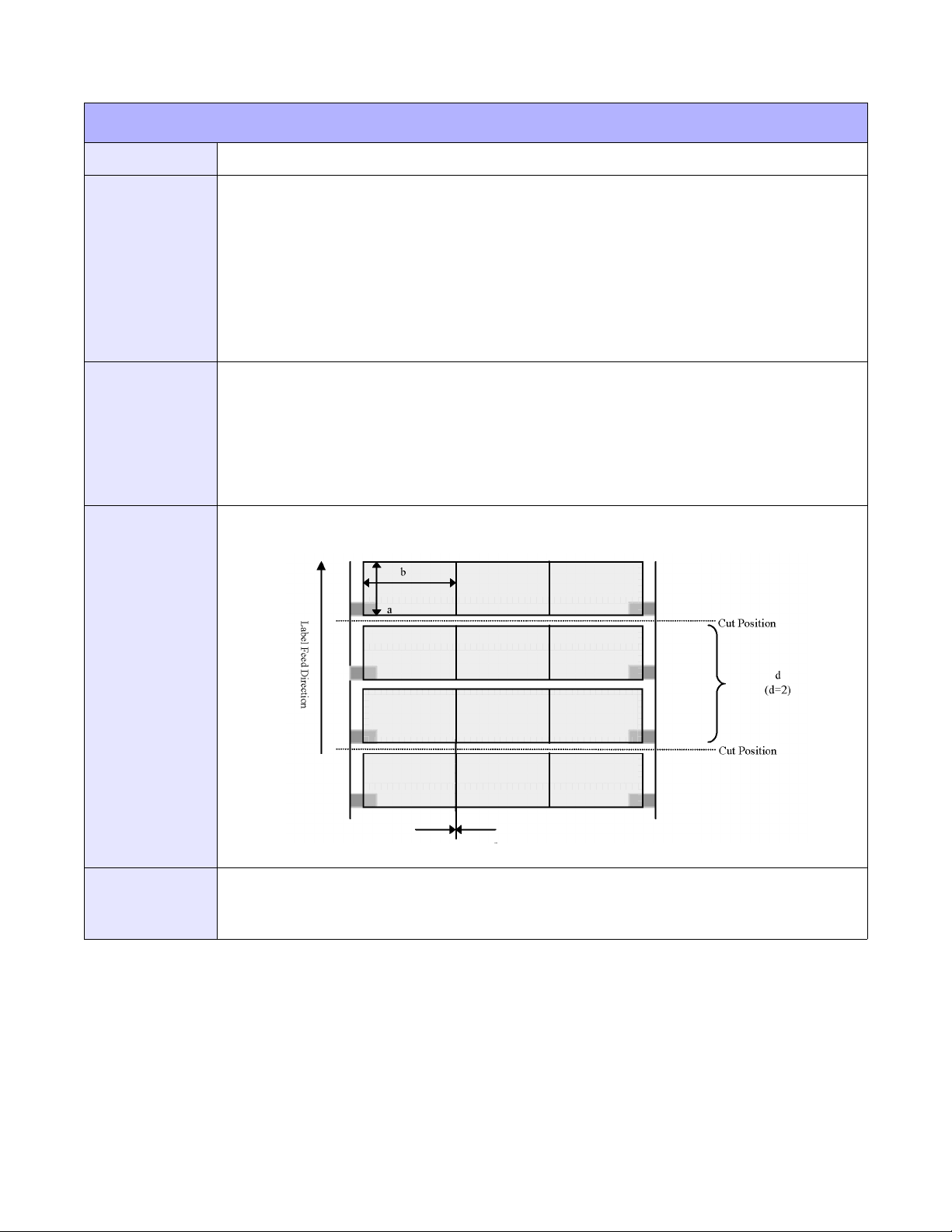
Unit 4: Standard Command Codes
SMALL LABEL SIZE SPECIFICATION
FUNCTION
FORMAT
EXAMPLE
OUTPUT
Specifies paramaters relative to small label size. Only applicable to the M10e printer.
<ESC>PD
a = Vertical dimension (480 to 3600 dots)
b = Horizontal dimension (480 to 1600 dots)
c = Label size (00 to 99 dots)
d = Multiple cut labels (01 to 99)
Place after the page size command.
Vertical dimension: 600, horizontal dimension: 1020, label size: 0, multiple cuts: 2.
<ESC>A
<ESC>A106363060
<ESC>PD,600,1020,0,2
<ESC>V100<ESC>H100<ESC>P2<ESC>L0202<ESC>XMABCD
<ESC>Q2
<ESC>Z
(4-19)
NOTES
E/Pro Programming Reference
If <ESC>PD is different from <ESC>A1, it becomes an error. The specification of <ESC>_N relates to
after small labels of <ESC>PD. Specification <ESC>_D is ignored.
From <ESC>PD, horizontal column lable numbers will be automatically calculated and printed.
4-24 PN: 9001096C
Page 69

Unit 4: Standard Command Codes
TELEGRAPHIC MESSAGE END SPECIFICATION
FUNCTION
FORMAT
EXAMPLE
OUTPUT
NOTES
Specifies the telegraphic message end relative to small labels. Only applicable to the M10e
printer.
<ESC>RE
a = Operates when ending
0: Discharge motion
1: Discharge motion + Cut motion
Place after <ESC>A but before <ESC>Z.
<ESC>A
<ESC>RE0
<ESC>Z
This command does not result in printer output.
After receiving <ESC>RE, the editing of horizontal row will be ended and will conduct feed motion. As
printing may end in the middle of the horizontal row label due to the print quantity, the label may result
in being blank.
The <ESC>RE command specifies telegraphic ending of small label at the printer driver and cannot be
combined with other standard commands.
The feed motion becomes “0” when the cutter feature is not available.
E/Pro Programming Reference
4-25 PN: 9001096C
Page 70

Unit 4: Standard Command Codes
SHEET SENDING SPECIFICATION
FUNCTION
FORMAT
EXAMPLE
OUTPUT
NOTES
Specifies paper delivery (feed operation) of marked unit (eye-mark, gap) for small label. Only
applicable to the M10e printer.
<ESC>RS
Place after <ESC>A but before <ESC>Z.
<ESC>A
<ESC>RS
<ESC>Z
This command does not result in printer output.
Only used for single items.
The <ESC>RS command specifies the small label sheet sending of eye-mark unit at the printer driver
and cannot be combined with other standard commands.
E/Pro Programming Reference
4-26 PN: 9001096C
Page 71
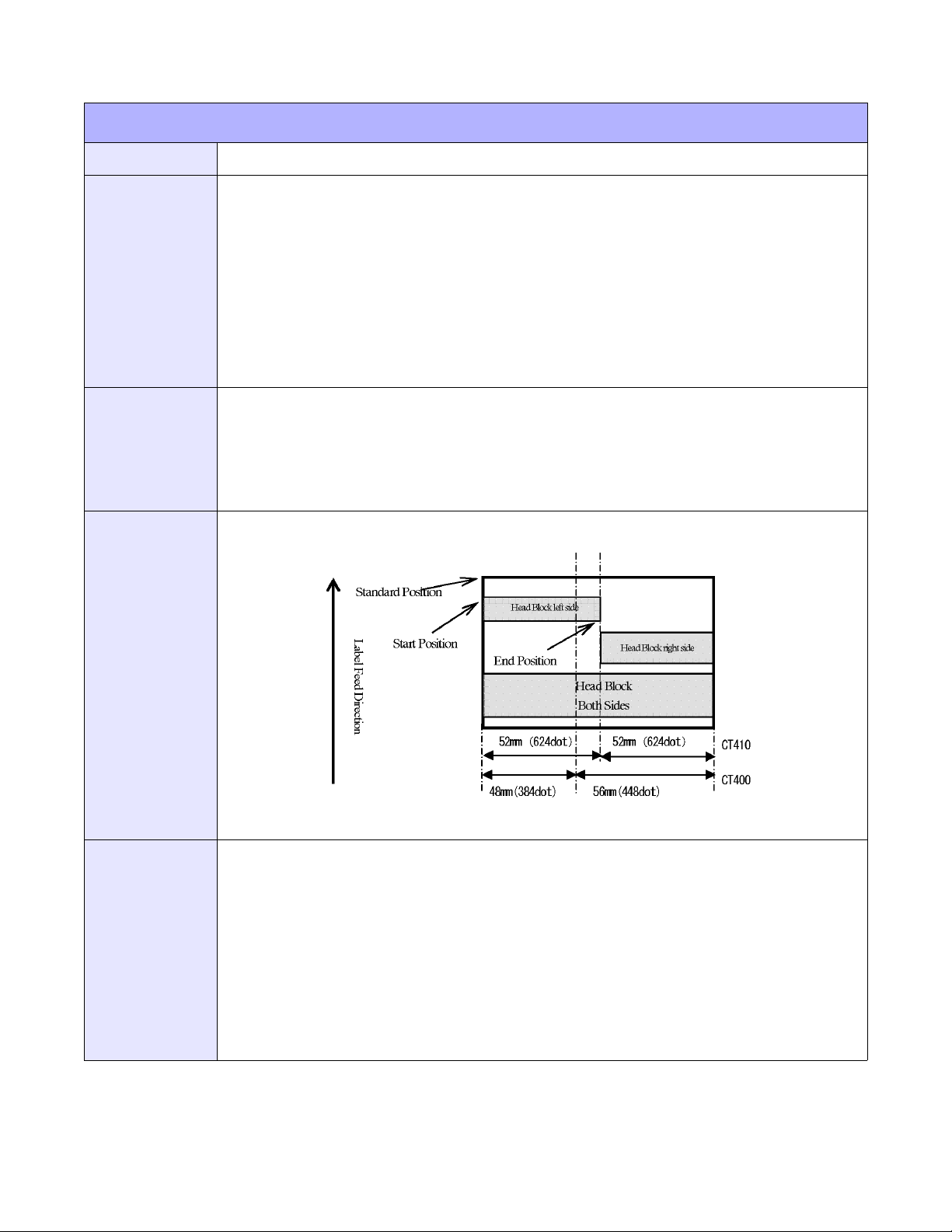
Unit 4: Standard Command Codes
TWO-COLOR PRINT RANGE SPECIFICATION
FUNCTION
FORMAT
EXAMPLE
OUTPUT
Specifies a two-color print range. Only applicable to the CT400/410 printers.
<ESC>2S
a = Head lock specification
0: Left side
1: Right side
2: Both sides
b = Start vertical position (specify label vertical size in dots)
c = End vertical position (specify label vertical size in dots)
Place before the quantity command.
<ESC>A
<ESC>A108000832
<ESC>V100<ESC>H200<ESC>P2<ESC>L0304<ESC>XMABCD
<ESC>2S2V0001Y0600
<ESC>Q2
<ESC>Z
(4-20)
NOTES
E/Pro Programming Reference
When <ESC>2S is used, also use the <ESC>A1 command.
Two-color print range can register to 10.
Print quantity will be influenced by print speed and print darkness.
Barcodes printed in two-color may not be clearly read by the scanner.
Use parameter “D” for print darkness <ESC>#E during two-color printing.
Black color printing cannot be performed inside of the block specified under <ESC>2S.
Two-color printing may not be clearly seen on the inner side of 2mm.
For CT400, the center position becomes closer to the left side from 4mm (32 dots) to the print head
center.
4-27 PN: 9001096C
Page 72
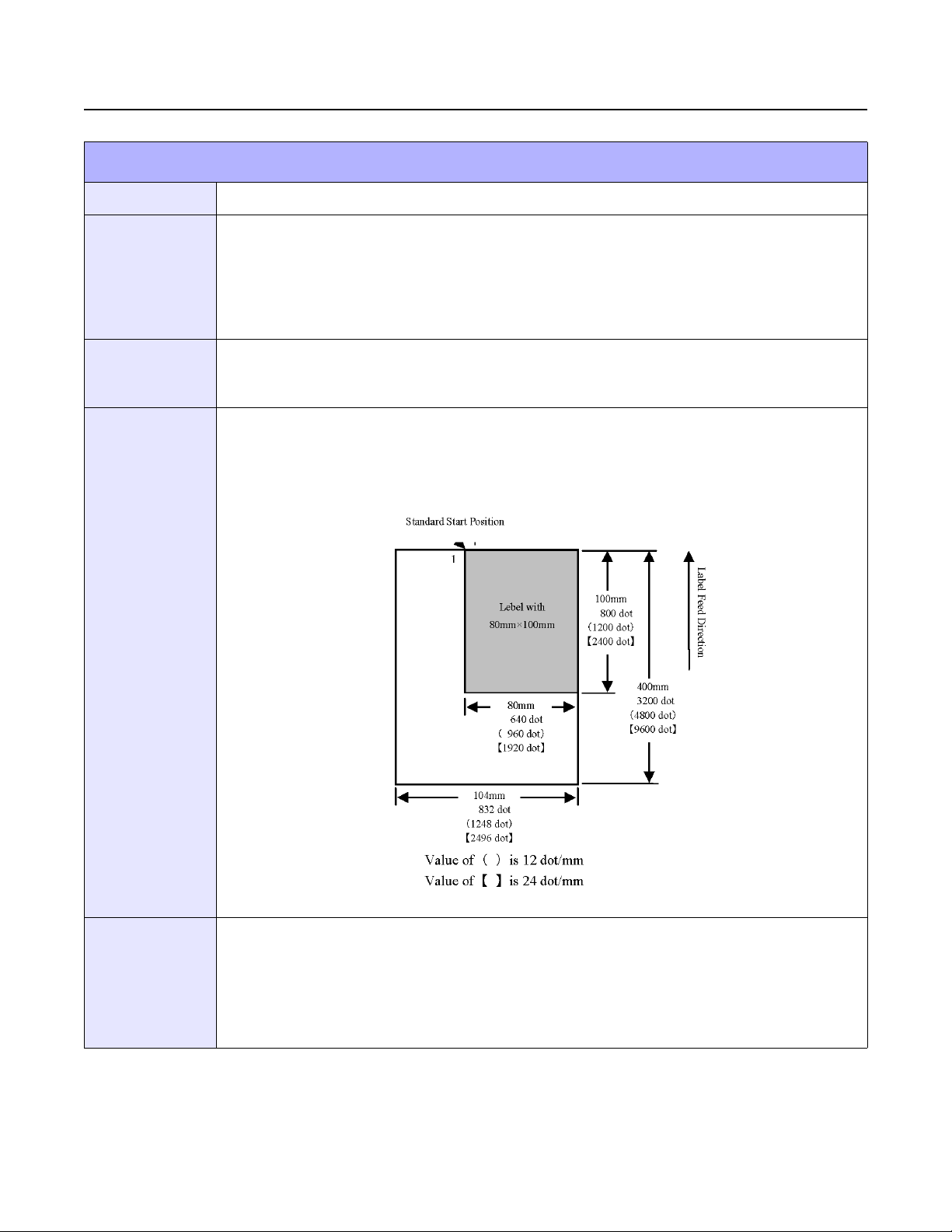
Unit 4: Standard Command Codes
PRINT POSITION COMMANDS
MEDIA SIZE
FUNCTION
FORMAT
INPUT
OUTPUT
To set the size of the media.
<ESC>A1aaaabbbb
aaaa = Label Height in dots (0 to Hmax)
bbbb = Label Width in dots (0 to Vmax)
Place in a separate data stream to the printer.
<ESC>A
<ESC>A108000640
<ESC>Z
This command does not result in printer output. It is used to automatically adjust the offset
values for the size of label being used. The sample command stream specifies a label 640
dots wide by 800 dots long in 203 DPI.
(4-21)
NOTES
E/Pro Programming Reference
The Base Reference point is always the on the right (looking at the front of the printer) side of the print
head. This command adjusts the Base Reference Point to correspond with the right edge of the loaded
media.
If the label size is changed, then this command must be respecified to center the print image on the
label.
All eight variables “aaaa” and “bbbb” must be included in this command.
4-28 PN: 9001096C
Page 73
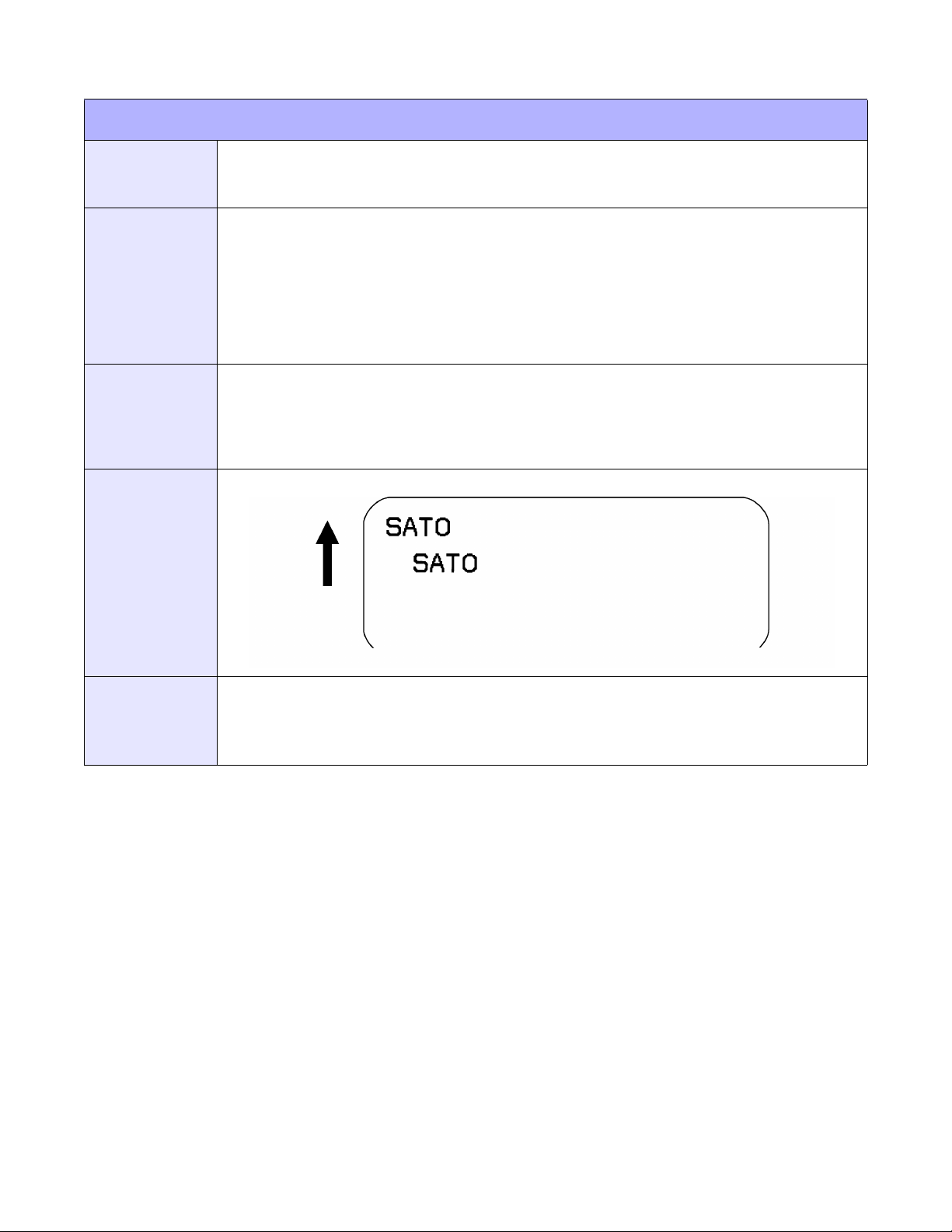
PRINT POSITION
Unit 4: Standard Command Codes
FUNCTION
FORMAT
EXAMPLE
OUTPUT
The Horizontal and Vertical commands specify the top left corner of a field or label, using the
current base reference point as an origin. They also establish a reference point for
subsequent fields until the next horizontal and/or vertical print position command is issued.
Horizontal Position: <ESC>Haaaa
Vertical Position: <ESC>Vbbbb
aaaa = Number of horizontal dots from base reference point (1 to Hmax)
bbbb = Number of vertical dots from base reference point (1 to Vmax)
Place preceding any print field description of lines/boxes, fonts, bar codes, or graphics.
<ESC>A
<ESC>H0025<ESC>V0050<ESC>L0303<ESC>MSATO
<ESC>H0100<ESC>V0150<ESC>MSATO
<ESC>Q2
<ESC>Z
(4-22)
NOTES
To expand the print length to the maximum limit, the Expanded Print Length (<ESC>EX0) command
must be used. If any part of an image is placed past maximum allowable dots across the label, that part
of the image will be lost.
Leading zeroes do not have to be entered - command “V1” is equivalent to “V0001”.
E/Pro Programming Reference
4-29 PN: 9001096C
Page 74

Unit 4: Standard Command Codes
OFFSET SPECIFICATION
FUNCTION
FORMAT
EXAMPLE
OUTPUT
NOTES
Specifies label stop position. Only applicable to the CT400/410 printers.
<ESC>PO
a = Offset specification
0: Cutter motion
1: Dispenser motion
2: Tear-Off motion
3: Continuous motion
b = Offset direction
+: Forward
-: Backward
c = Offset distance (00 to 99 dots)
Place after <ESC>A but before <ESC>Z.
<ESC>A
<ESC>PO3+08
<ESC>Z
This command does not result in printer output.
It’s not necessary to specify <ESC>PO for normal label print.
Specify this command when a proper gap is located.
E/Pro Programming Reference
4-30 PN: 9001096C
Page 75
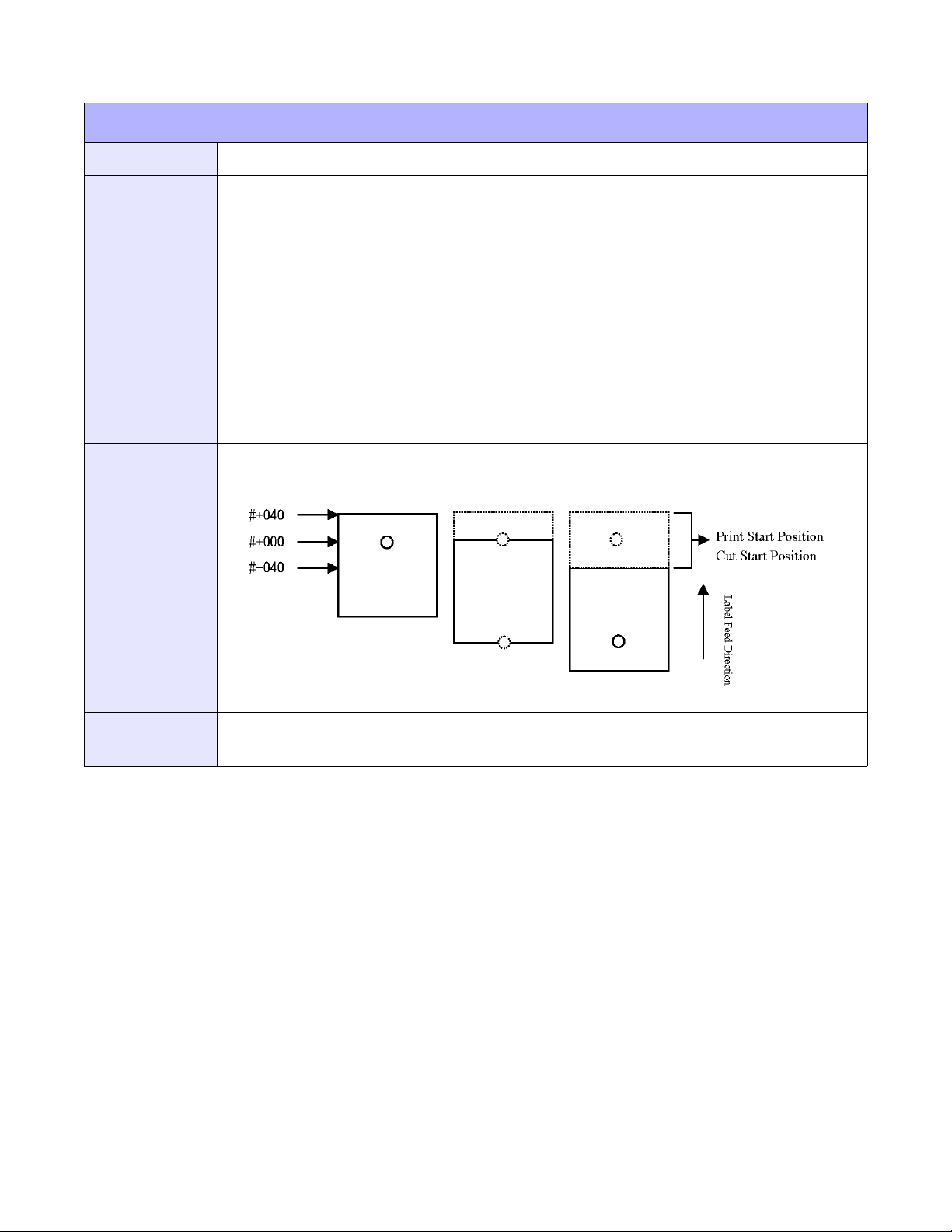
Unit 4: Standard Command Codes
START POSITION SPECIFICATION
FUNCTION
FORMAT
EXAMPLE
OUTPUT
Specifies the vertical print start position. Only applacable to the XL400/410e printers.
<ESC>#
a = Shift direction
+: Forward
-: Backward
b = Shift distance
XL400e: 000 to 400 dots
XL410e: 000 to 600 dots
Place after <ESC>A but before <ESC>Z.
<ESC>A
<ESC>#+040
<ESC>Z
(4-23)
NOTES
The cut start position for tags will be shifted together with the change of start position.
The <ESC># command is valid for specification of every label or tag type.
E/Pro Programming Reference
4-31 PN: 9001096C
Page 76
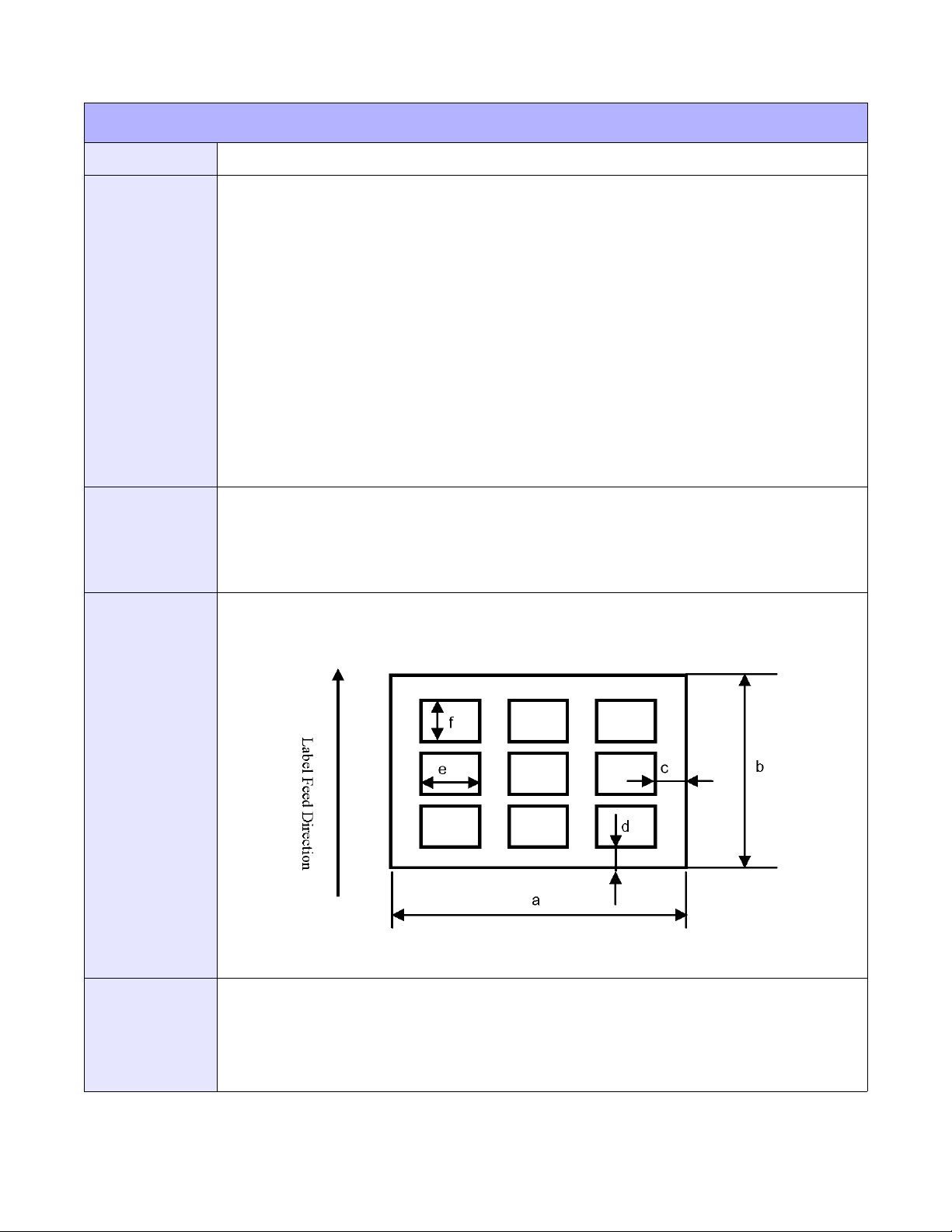
Unit 4: Standard Command Codes
LABEL SIZE SPECIFICATION
FUNCTION
FORMAT
EXAMPLE
OUTPUT
Specifies label dimensions. Only applicable to the M10e printer.
<ESC>RI
a = Sheet width (1500 to 3200 dots)
b = Sheet length (480 to 3600 dots)
c = Label width (0 to 60 dots)
d = Label length (00 to 60 dots)
e = Small label width (480 to 3200 dots)
f = Small label length (480 to 3600 dots)
g = Label width quantity (01 to 06)
h = Label length quantity (01 to 07)
Place immediately following <ESC>A.
<ESC>A
<ESC>RI2196,1236,24,36,0700,0400,03,03
<ESC>A112362196
<ESC>RW02
<ESC>Z
(4-24)
NOTES
E/Pro Programming Reference
Comand <ESC>RI data becomes error when different from <ESC>A1 specification.
The quantity of labels in the horizontal column will be automatically calculated and printed by <ESC>RI
command.
The <ESC>RI command sets information relating to label size at the printer driver and cannot be
combined with other standard commands.
4-32 PN: 9001096C
Page 77
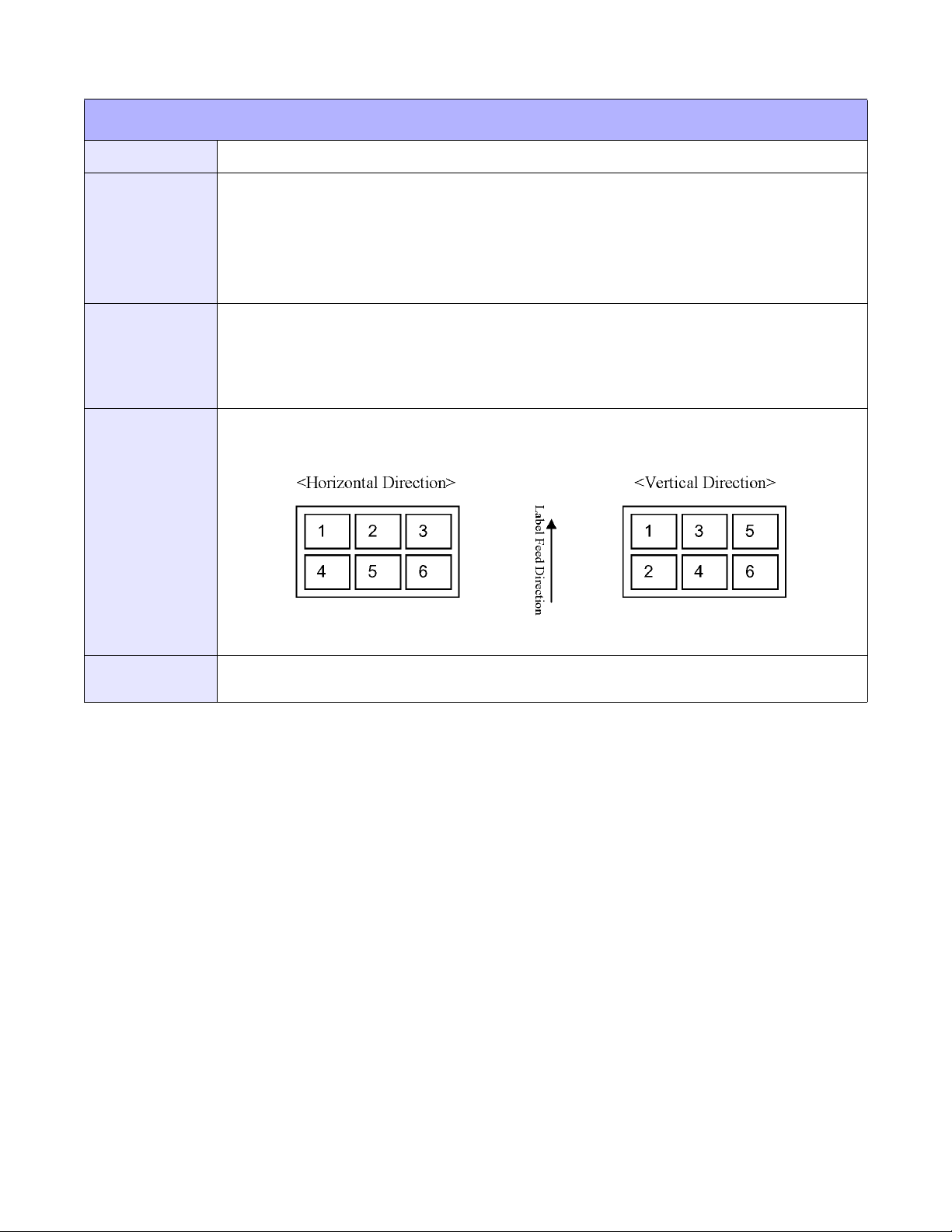
Unit 4: Standard Command Codes
LABEL SIZE SPECIFICATION
FUNCTION
FORMAT
EXAMPLE
OUTPUT
Specifies the order or arrangement of small labels. Only applicable to the M10e printer.
<ESC>RT
a = Print direction
0: Horizontal
1: Vertical
Place immediately following <ESC>A.
<ESC>A
<ESC>RT0
<ESC>RI3200,1200,00,00,1600,0600,02,02
<ESC>A!12003200
<ESC>Z
(4-25)
NOTES
Command <ESC>RT specifies label print order of small labels by the printer driver and cannot be
combined with other standard commands.
E/Pro Programming Reference
4-33 PN: 9001096C
Page 78
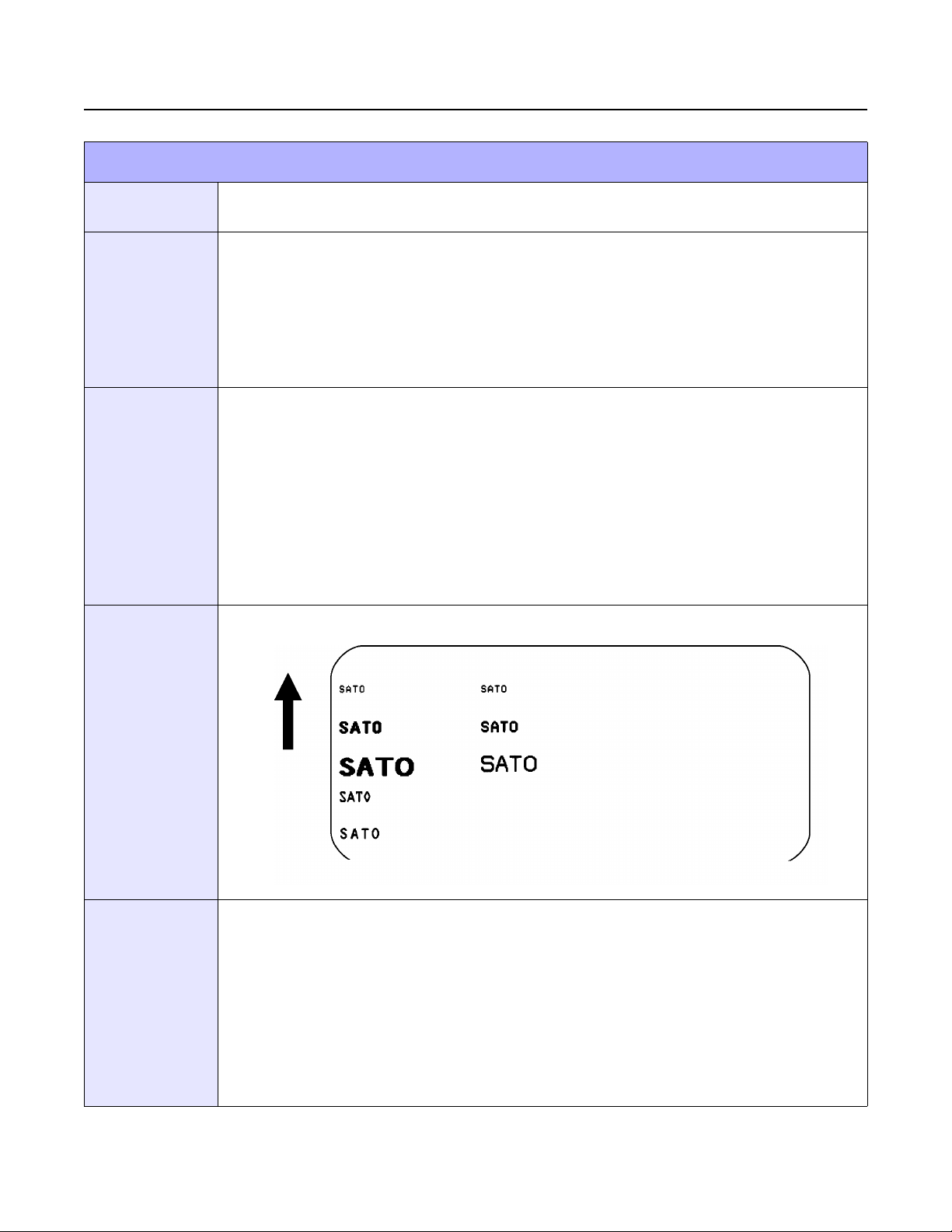
Unit 4: Standard Command Codes
FONT COMMANDS
FONTS: S, M, U, OA, OB, XB, XL, XS, XM, XU
FUNCTION
FORMAT
EXAMPLE
OUTPUT (4-26)
To print text images on a label. These are eight of the built-in fonts available on the printer.
All matrices include descenders.
Font XU: <ESC>XU Font U: <ESC>U
Font XS: <ESC>XS Font S: <ESC>S
Font XM: <ESC>XM Font M: <ESC>M
Font OA: <ESC>OA Font OB: <ESC>OB
Place preceding the data to be printed.
<ESC>A
<ESC>PS
<ESC>H0001<ESC>V0100<ESC>L0202<ESC>XUSATO
<ESC>H0001<ESC>V0175<ESC>L0202<ESC>XSSATO
<ESC>H0001<ESC>V0250<ESC>L0202<ESC>XMSATO
<ESC>H0001<ESC>V0325<ESC>L0101<ESC>OASATO
<ESC>H0001<ESC>V0400<ESC>L0101<ESC>OBSATO
<ESC>H0300<ESC>V0100<ESC>L0202<ESC>USATO
<ESC>H0300<ESC>V0175<ESC>L0202<ESC>SSATO
<ESC>H0300<ESC>V0250<ESC>L0202<ESC>MSATO
<ESC>Q1<ESC>Z
NOTES
E/Pro Programming Reference
Characters may be enlarged through the use of the Character Expansion command and character
spacing may be altered through the use of the Character Pitch command. The default is 2 dots
between characters. Custom characters or fonts may also be created - refer to Custom-Designed
Characters (<ESC>T) command.
It is recommended to use a spacing of 5 dots for OCR-A and 1 dot for OCR-B. The matrices for the OA
and OB fonts are scaled so that they will remain a constant size according to the OCR-A and OCR-B
specifications when printed on different resolution printers.
The proportionally spaced fonts XU, XS, XM, XL and XA can be printed with fixed spacing using the
Proportional Space (<ESC>PS) command.
Refer to Appendix: Reference Tables 1 through 7 for additional information.
4-34 PN: 9001096C
Page 79
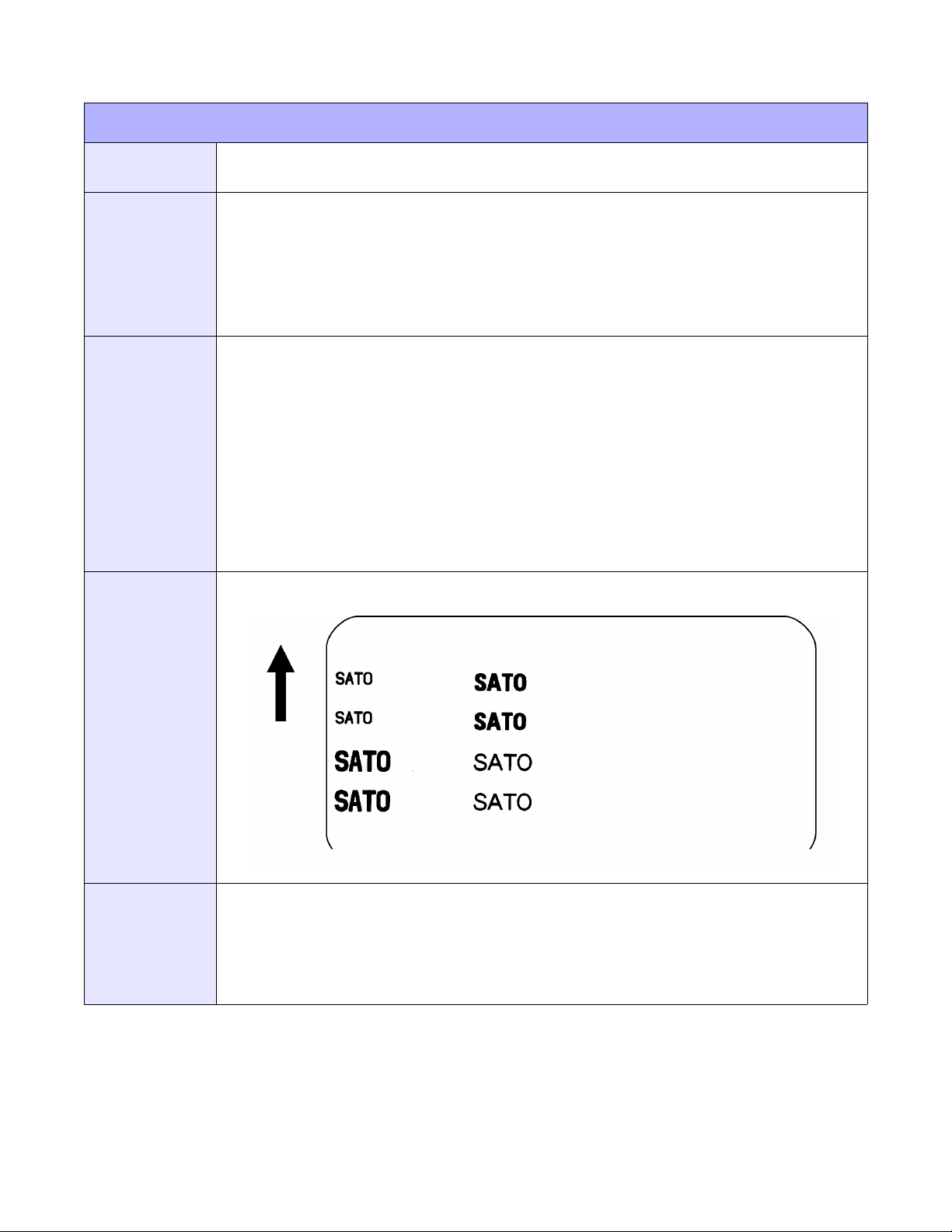
Unit 4: Standard Command Codes
SMOOTHING FONTS: WB, WL, XB, XL
FUNCTION
FORMAT
EXAMPLE
OUTPUT
To print text images on a label. These are the four auto-smoothing fonts available on the
printer.
Font WB: <ESC>WBa Font XB: <ESC>XBa
Font WL: <ESC>WLa Font XL: <ESC>XLa
a = 0: Disables auto-smoothing of font
1: Enables auto-smoothing of font (see notes below)
Place preceding the data to be printed.
<ESC>A
<ESC>PS
<ESC>H0100<ESC>V0100<ESC>WB0SATO
<ESC>H0100<ESC>V0185<ESC>WB1SATO
<ESC>H0100<ESC>V0270<ESC>WL0SATO
<ESC>H0100<ESC>V0355<ESC>WL1SATO
<ESC>H0300<ESC>V0100<ESC>XB0SATO
<ESC>H0300<ESC>V0185<ESC>XB1SATO
<ESC>H0300<ESC>V0270<ESC>XL0SATO
<ESC>H0300<ESC>V0355<ESC>XL1SATO
<ESC>Q1
<ESC>Z
(4-27)
NOTES
E/Pro Programming Reference
Auto-smoothing (when enabled) is only effective if the character expansion rate is at least (3) times in
each direction.
Characters may be enlarged through the use of the Character Expansion (<ESC>L) command.
Character spacing may be altered through the use of the Character Pitch (<ESC>A) command.
A font must be defined for each field to be printed. There is no default font.
4-35 PN: 9001096C
Page 80
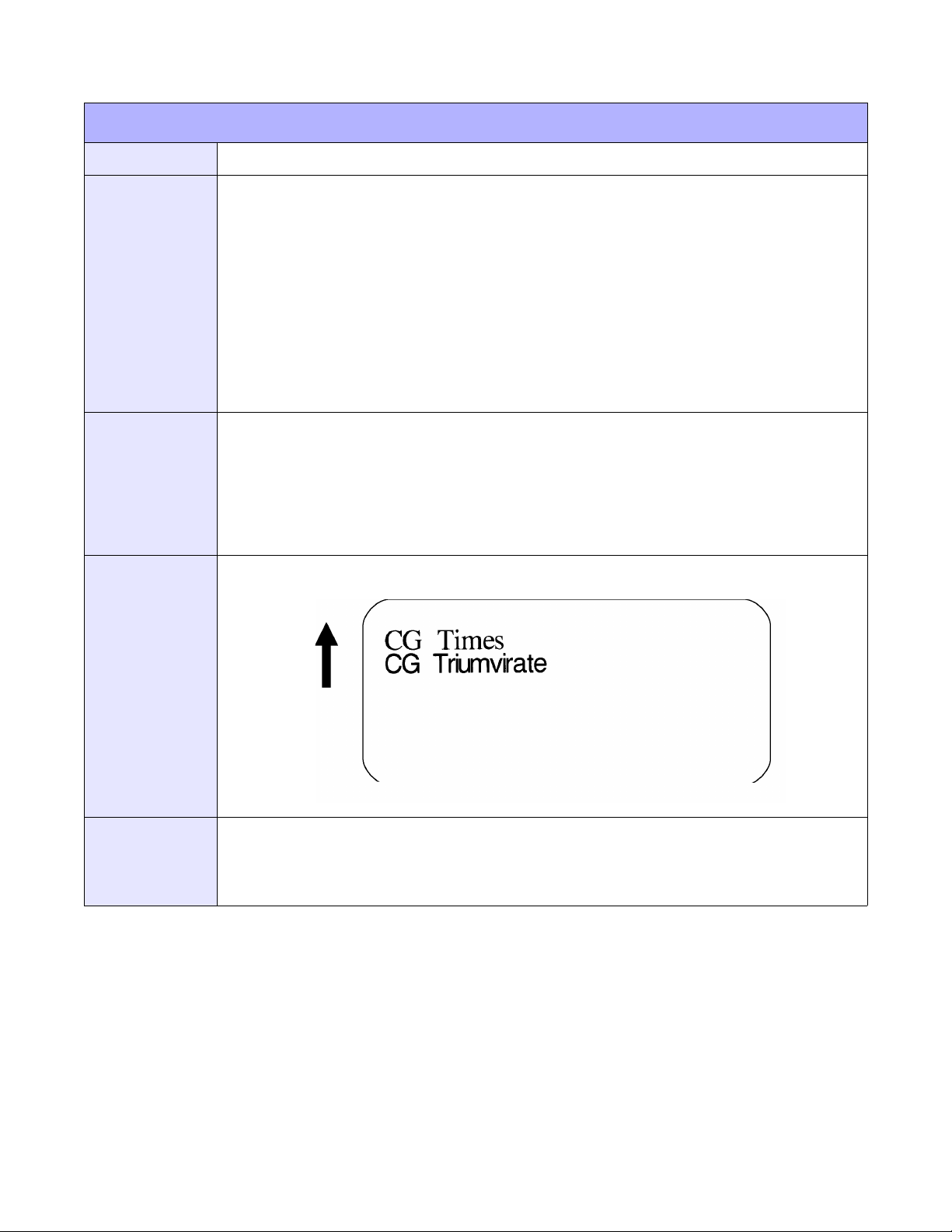
FONT, RASTER
Unit 4: Standard Command Codes
FUNCTION
FORMAT
EXAMPLE
OUTPUT
To print point size characters created using font definitions.
<ESC>A<ESC>RDabb,ccc,ddd,nn. . .n
a=A:Times
B: CG Triumvirate
bb = 00: Always
ccc = Horizontal size (4 - 999 dots or P02 - P99)
ddd = Vertical size (4 - 999 dots or P02 - P99)
nn..n = Data to be printed.
Place within the normal command stream.
<ESC>A
<ESC>V0100<ESC>H0100
<ESC>RDA00,P28,P28,CG Times
<ESC>V0200<ESC>H0100
<ESC>RDB00,075,075,CG Triumvirate
<ESC>Q1
<ESC>Z
(4-28)
NOTES
E/Pro Programming Reference
The “cccc” Horizontal Size and “dddd” Horizontal Size parameters can be entered either in dots or
points, but both parameters must use the same value types. If point size is used, the point size is
preceded by a “P”.
Refer to Appendix: Reference Table 8 for additional information.
4-36 PN: 9001096C
Page 81
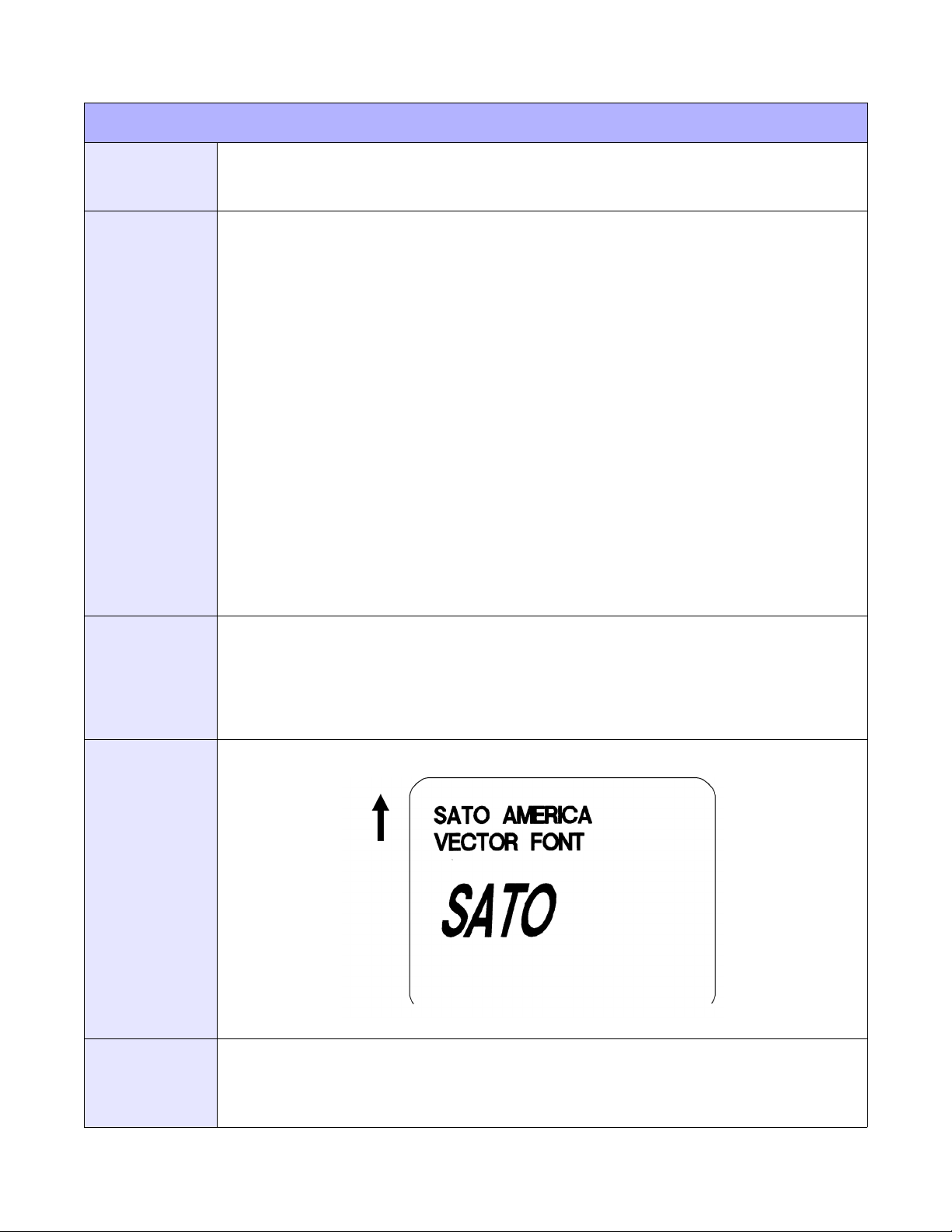
FONT, VECTOR
Unit 4: Standard Command Codes
FUNCTION
FORMAT
To specify printing of the unique SATO vector font. The vector font allows large characters to
be printed with smooth, round edges. Each character is made of a number of vectors (or
lines), and will require slightly more printer compiling time.
Specify Vector Font: <ESC>$a,b,c,d
Data for Vector Font: <ESC>$=(data)
a = A: Helvetica Bold (proportional spacing)
B: Helvetica Bold (fixed spacing)
b = Font width (50-999)
c = Font height (50-999 dots)
d = Font variation (0-9) as follows:
0: Standard
1: Standard open (outlined)
2: Gray (mesh) pattern 1
3: Gray (mesh) pattern 2
4: Gray (mesh) pattern 3
5: Standard open, shadow 1
6: Standard open, shadow 2
7: Standard mirror image
8: Italic 9 Italic open, shadow
Place immediately preceding the data to be printed.
EXAMPLE
OUTPUT
NOTES
<ESC>A
<ESC>H0100<ESC>V0100<ESC>$A,100,100,0
<ESC>$=SATO AMERICA
<ESC>H0100<ESC>V0200<ESC>$=VECTOR FONT
<ESC>H0100<ESC>V0350<ESC>$A,200,300,8<ESC>$=SATO
<ESC>Q1<ESC>Z
(4-29)
The Pitch command can be used with Vector fonts. If the font size designation is out of the specified
range, a default value of 50 is used.
The font width and height values include ascenders, descenders, and other space. A font must be
defined for each field to be printed. There is not a default font.
E/Pro Programming Reference
4-37 PN: 9001096C
Page 82

FONT: XCL, XCS
Unit 4: Standard Command Codes
FUNCTION
FORMAT
EXAMPLE
OUTPUT
NOTES
To print text on a label. Specifies dot matrix font including descenders. Only applicable to the
XL400/410e printers.
<ESC>XCL
<ESC>XCS
nn...n = Print data
XCL: 48 x 36 dots
XCS: 32 x 24 dots
Place immediately following the enlargement command <ESC>L.
<ESC>A
<ESC>V100<ESC>H200<ESC>P2<ESC>L0304<ESC>XCL,01234
<ESC>Q2
<ESC>Z
Prints fonts of the prescribed type.
XCL and XCS fonts allow setting of fixed Pitch with 34 types of care symbols each.
Refer to Appendix: Reference Table 9 for additional information.
E/Pro Programming Reference
4-38 PN: 9001096C
Page 83

Unit 4: Standard Command Codes
FONTS: X70, X71, X72, X73, X74, X75, X76, X77
FUNCTION
FORMAT
EXAMPLE
OUTPUT
NOTES
To print text on a label. Specifies dot matrix font including descenders. Only applicable to the
XL400/410e printers.
<ESC>X70, X71, X72, X73, X74, X75, X76, or X77
n=Print data
X70: 32 x 48 dots
X71: 40 x 60 dots
X72: 48 x 72 dots
X73: 64 x 96 dots
X74: 32 x 48 dots
X75: 40 x 60 dots
X76: 48 x 72 dots
X77: 64 x 96 dots
Place immediately following the enlargement command <ESC>L.
<ESC>A
<ESC>V100<ESC>H200<ESC>P2<ESC>L0304<ESC>X70,Y420
<ESC>Q2
<ESC>Z
Refer to Appendix: Reference Table for font examples.
The X70 through X77 fonts can be used in either Fixed Pitch or Proportional Pitch and can be set by
commands or through the printer’s LCD Advanced Mode.
Refer to Appendix: Reference Table 10 for additional information.
E/Pro Programming Reference
4-39 PN: 9001096C
Page 84

Unit 4: Standard Command Codes
EXTERNAL CHARACTER RECALL TEXT FLOW
FUNCTION
FORMAT
EXAMPLE
Specifies recall print specifications of vertical and horizontal text flow of external character
registered in printer memory. Commands k1 and k2 are for vertical recall and K1 and K2 are
for horizontal.
<ESC>K1, K2, k1, or k2
a = External specification mode
H: HEX character specification
B: Binary code specification
I: With smoothing function (HEX code)
C: With smoothing function (binary code)
J: With highlighting function (HEX code)
D: With highlighting function (binary code)
K: With smoothing & highlighting function (HEX code)
E: With smoothing & highlighting function (binary code)
b = JIS registration code
H, I, J, K: 9021 to 907F
B, C, D, E: 9021H to 907FH
Shift JIS registration code
H, I, J, K: F040 to F09E
B, C, D, E: F to F09EH
Place after <ESC>V and <ESC>H but before <ESC>Z.
Example with 24 x 24 external callout specification, HEX code data of JIS
<ESC>A
<ESC>T1H21
00FF . . . . . . . . . . FF00
<ESC>Z
OUTPUT
NOTES
<ESC>A
<ESC>V100<ESC>H200<ESC>K1H9021
<ESC>Q2
<ESC>Z
Example with 16 x 16 external callout specification, binary code data of Shift JIS
<ESC>A
<ESC>T2B<ESC>40
00FF . . . . . . . . . . FF00
<ESC>Z
<ESC>A
<ESC>V100<ESC>H200<ESC>k2B<ESC>90<ESC>40
<ESC>Q2
<ESC>Z
These commands do not result in visual printer output.
Re-register if normal printing is not conducted.
E/Pro Programming Reference
4-40 PN: 9001096C
Page 85

BARCODE COMMANDS
BAR CODES
Unit 4: Standard Command Codes
FUNCTION
FORMAT
To print bar code images on a label.
2:5 narrow/wide ratio: <ESC>BDabbcccdn...n
1:3 narrow/wide bar ratio: <ESC>Babbcccdn...n
1:2 narrow/wide bar ratio: <ESC>Dabbcccdn...n
a = 0: Codabar
1: Code 39
2: Interleaved 2 of 5 (I 2/5)
3: UPC-A / EAN-13
4: EAN-8
5: Industial 2 of 5
6: Matrix 2 of 5
7: reserved
8: reserved
9: reserved
A: MSI
B: reserved
C: Code 93
D: reserved
E: UPC-E
F: Bookland
G: Code 128
I: SSCC/UCC128
bb = Number of dots (01-12) for narrow bar and narrow space
ccc = Bar height in dots (001-999)
d = SSCC/UCC128 only. Not used for other bar code types
0: No human readable text
1: Human readable at top
2: Human readable at bottom
Place immediately preceding the data to be encoded.
E/Pro Programming Reference
4-41 PN: 9001096C
Page 86

BAR CODES
Unit 4: Standard Command Codes
EXAMPLE
Note: Carriage Returns and Line Feeds have been added to the command listing for clarity and should
not be included in the actual data stream.
<ESC>A
<ESC>H0025<ESC>V0025<ESC>B103100*CODE 39*
<ESC>H0155<ESC>V0130<ESC>XS*CODE 39*
<ESC>H0025<ESC>V0200<ESC>BD20210045676567
<ESC>H0075<ESC>V0310<ESC>XM45676567
<ESC>H0025<ESC>V0375<ESC>BD30215001234567890
<ESC>H0025<ESC>V0600<ESC>BD50210012345
<ESC>H0175<ESC>V0710<ESC>XS12345
<ESC>H0025<ESC>V0775<ESC>BD60210012345
<ESC>H0105<ESC>V0885<ESC>XS12345
<ESC>H0025<ESC>V0950<ESC>BA03100123455
<ESC>H0095<ESC>V1060<ESC>XS12345
<ESC>H0025<ESC>V1125<ESC>BC03100081234ABCD
<ESC>H0080<ESC>V1240<ESC>XS1234ABCD
<ESC>H0525<ESC>V0025<ESC>B002100A12345B
<ESC>H0565<ESC>V0135<ESC>XS12345
<ESC>H0475<ESC>V0200<ESC>BD303100123456789012
<ESC>H0525<ESC>V0375<ESC>BD4031001234567
<ESC>H0525<ESC>V0550<ESC>DE03100123456
<ESC>H0500<ESC>V0600<ESC>OB0<ESC>H0533<ESC>V0655<ESC>OB123456
<ESC>H0350<ESC>V0725<ESC>D30315009827721123
<ESC>L0101<ESC>H0320<ESC>V0800<ESC>OB0
<ESC>H0365<ESC>V0878<ESC>OB98277<ESC>H0505<ESC>V0878<ESC>OB21123
<ESC>H0665<ESC>V0760<ESC>BF0313021826
<ESC>H0680<ESC>V0730<ESC>OB21826
<ESC>H0425<ESC>V1125<ESC>D30315000633895260
<ESC>L0101<ESC>H0395<ESC>V1200<ESC>OB0
<ESC>H0440<ESC>V1278<ESC>OB06338<ESC>H0580<ESC>V1278<ESC>OB95260
<ESC>H0730<ESC>V1155<ESC>BF0314024<ESC>H0745<ESC>V1125<ESC>OB24
<ESC>H0325<ESC>V0950<ESC>BG03100>GAB>D789>C123456
<ESC>H0435<ESC>V1055<ESC>XSAB789123456<ESC>Q1<ESC>Z
E/Pro Programming Reference
4-42 PN: 9001096C
Page 87
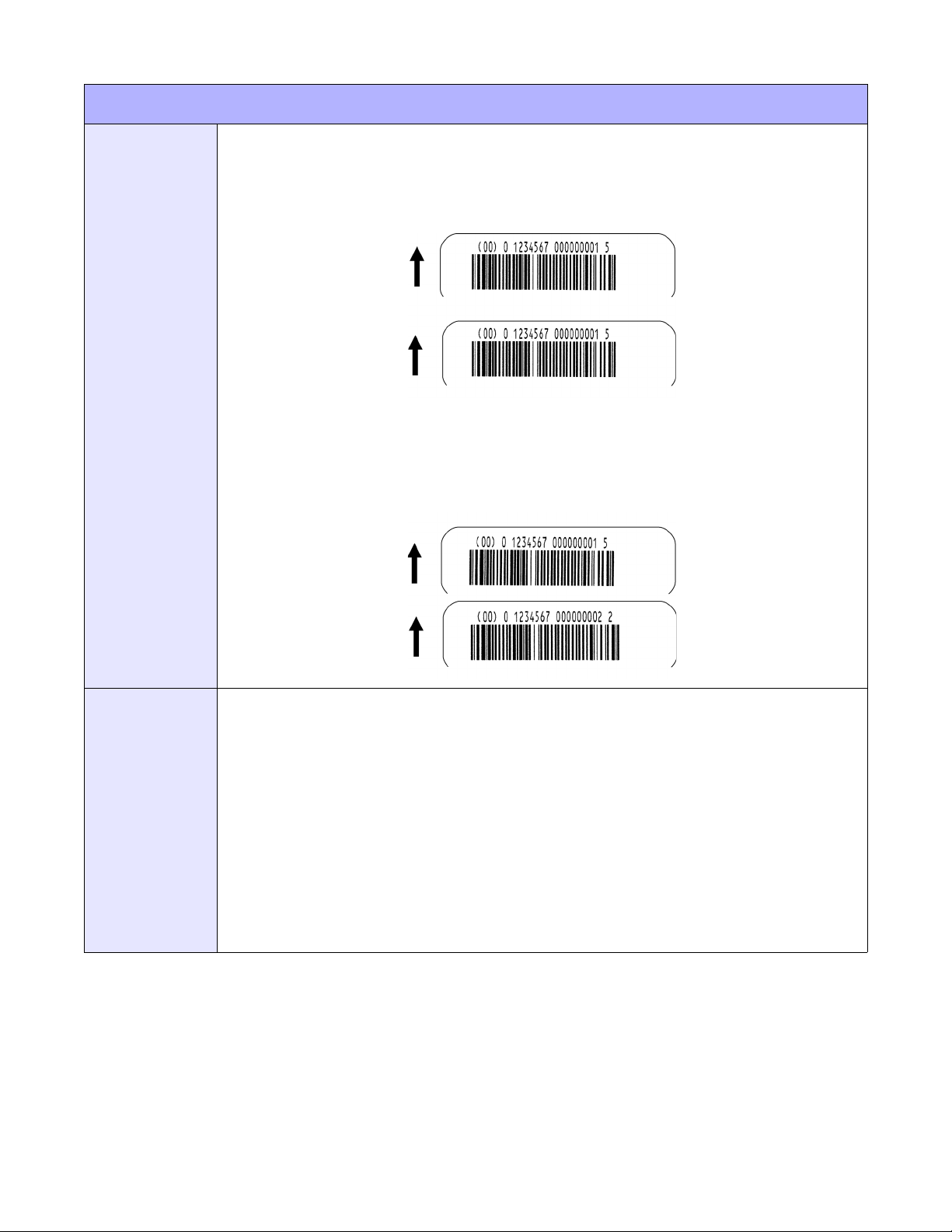
BAR CODES
Unit 4: Standard Command Codes
OUPUT
Without Incrementing:
<ESC>A<ESC>H0100<ESC>V0100
<ESC>BI104150101234567000000001
<ESC>Q2<ESC>Z
(4-31a)
With Incrementing:
<ESC>A<ESC>H0100<ESC>V0100
<ESC>F001+001<ESC>BI104150101234567000000001
<ESC>Q2<ESC>Z
(4-31b)
NOTES
UPC and EAN bar codes are not affected by the different types of narrow to wide ratios. Instead, the
<ESC>D command adds descender bars to these codes where needed to meet UPC specifications.
The <ESC>BD command puts desender bars and human readable text below the symbol.
The Code 128, UCC 128, MSI, and Code 93 bar codes are not affected by the narrow to wide ratios.
The Codabar, Code 39, Industrial 2 of 5, and Matrix 2 of 5 bar codes are affected by the Character
Pitch command. This command must be placed before the Bar Code command.
Because of their unique characteristics, two-dimensional (2D) symbols are covered separately.
For UCC128, the FNC1 code is automatically inserted and the Mod 10 and Mod 103 check digits are
automatically calculated. For the MSI bar code, the check digit is not automatically calculated.
The <ESC>D and <ESC>BD commands are not valid for the MSI, Code 128, Code 93, UPC-E,
Bookland, UCC128 and Postnet symbologies.
Refer to Appendix: Reference Tables 11, 12, and 13 for additional information.
E/Pro Programming Reference
4-43 PN: 9001096C
Page 88
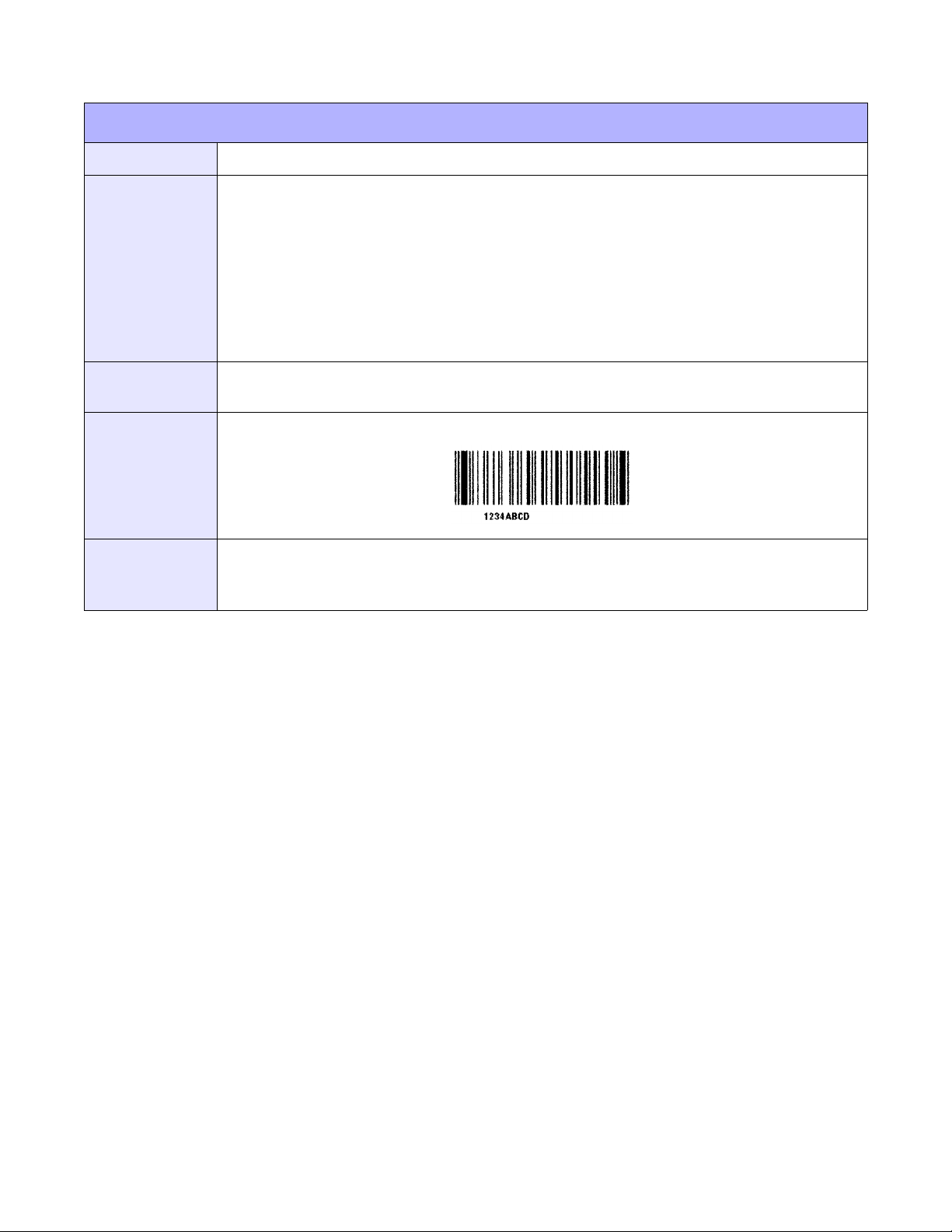
CODE 93
Unit 4: Standard Command Codes
FUNCTION
FORMAT
EXAMPLE
OUTPUT
NOTES
Specifies CODE93 barcode.
<ESC>BCaabbbccn~n
a = Narrow bar width (01 to 12 dots)
b = Barcode Height (001 to 999 dots)
c = Data Digit Number (01 to 99)
n = Print Data (barcode data)
Place anywhere after <ESC>V but before <ESC>Q.
<ESC>H0100<ESC>V0125<ESC>BC03100081234ABCD
<ESC>H0155<ESC>V0240<ESC>XS1234ABCD
(4-33)
The quantity of digit data and and input data must be equal. A command error will occur if the digit data
and input data are not equal.
Refer to Appendix: Reference Table 14 for additional information.
E/Pro Programming Reference
4-44 PN: 9001096C
Page 89
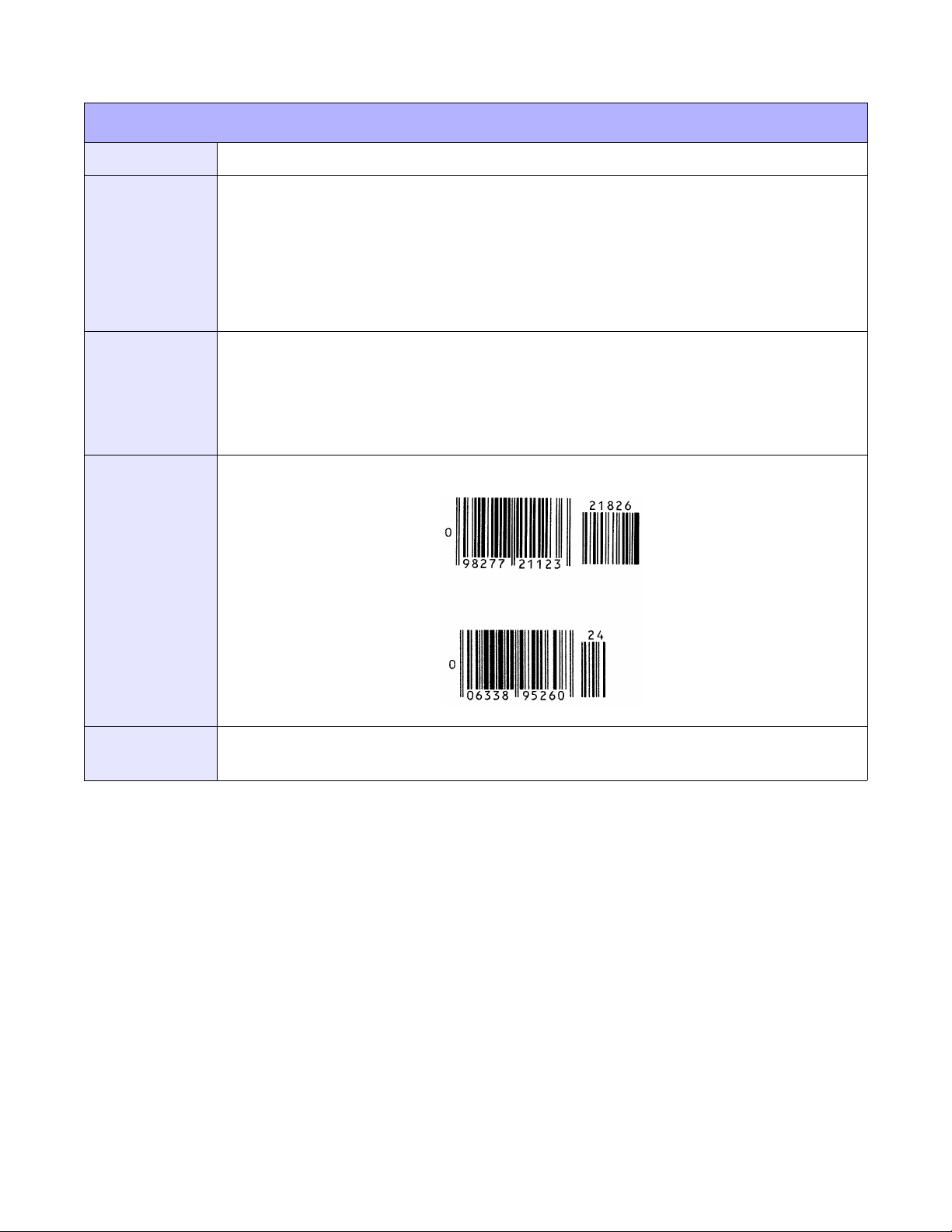
BOOKLAND
Unit 4: Standard Command Codes
FUNCTION
FORMAT
EXAMPLE
OUTPUT
Specifies Bookland barcode.
<ESC>BFaabbn~n
a = Narrow bar width (01 to 03dots)
b = Barcode Height (001 to 999 dots)
n = Print Data (numeric (0 to 9) 2 to 5 digits)
Place anywhere after <ESC>V but before <ESC>Q.
<ESC>H0325<ESC>V0725<ESC>D30315009827721123
<ESC>L0101<ESC>H0295<ESC>V0800<ESC>OB0
<ESC>H0340<ESC>V0878<ESC>OB98277
<ESC>H0480<ESC>V0878<ESC>OB21123
<ESC>H640<ESC>V0760<ESC>BF0313021826
<ESC>H655<ESC>V0730<ESC>OB21826
(4-34)
NOTES
E/Pro Programming Reference
Only numeric can be specified as print data. Refer to the attached table.
Refer to Appendix: Reference Table 15 for additional information.
4-45 PN: 9001096C
Page 90
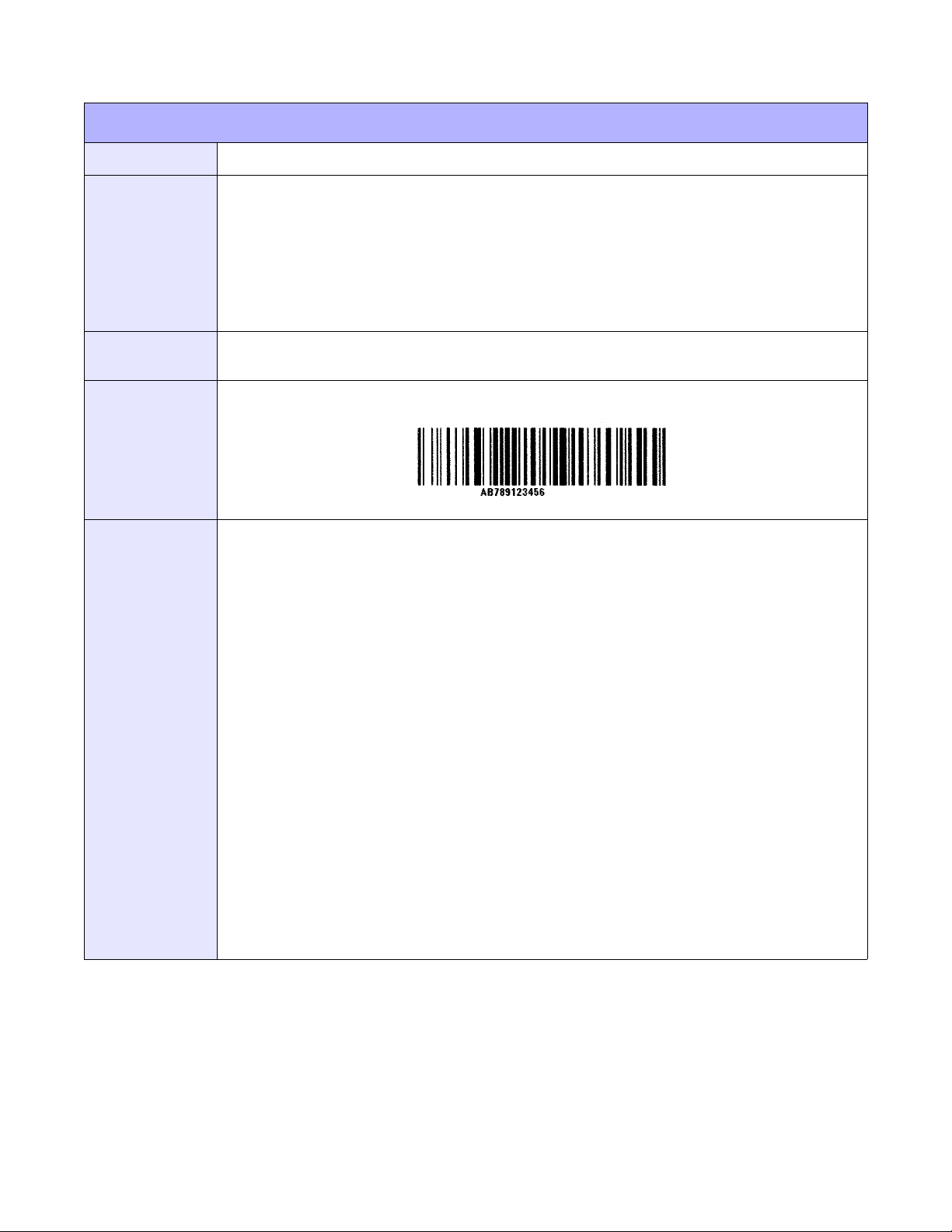
CODE128
Unit 4: Standard Command Codes
FUNCTION
FORMAT
EXAMPLE
OUTPUT
NOTES
Specifies CODE128 barcode.
<ESC>BGaabbbn~n
a = Narrow bar width (01 to 12 dots)
b = Barcode Height (001 to 999 dots)
n = Print Data (barcode data and subset shift codes)
Place anywhere after <ESC>V but before <ESC>Q.
<ESC>H0200<ESC>V0550<ESC>BG03100>GAB>B789>C123456
<ESC>H0310<ESC>V0665<ESC>XSAB789123456
(4-35)
Specify Start Code at the head of the data.
(1) Start Code A = <ESC>G
(2) Start Code B = <ESC>H
(3) Start Code C = <ESC>I
When using “Start Code C”, specify the print data in even numbered digits.
When the print data contains an odd number of digits, specify “Start Code A” or B” to change the first
character of the print data.
Examples:
1) 15 digits [123456789012345]
<ESC>B1<ESC>C23456789012345
2) 9 digits/Alphanumeric 6 digits [123456789ABC123]
<ESC>C12345678<ESC>B9ABC123
If using “Start Code C” to specify an odd numbered digit, “0” will be added to the end of the print data
before printing.
When a Start Code is omitted, data will be printed with “Start Code B”.
Shift codes are used to change the subset type within the barcode data. Shift codes:
E Subset A Shift Code
D Subset B Shift Code
C Subset C Shift Code
Refer to Appendix: Reference Table 16 for additional information.
E/Pro Programming Reference
4-46 PN: 9001096C
Page 91

SSCC/UCC128
Unit 4: Standard Command Codes
FUNCTION
FORMAT
EXAMPLE
Specifies SSCC (Serial Shipping Container Code) barcode.
<ESC>BIaabbbcn~n
a = Narrow bar width (01 to 12 dots)
b = Barcode Height (001 to 999 dots)
c = Barcode Expository Font Specification
0: Not Human Readable
1: Human Readable (upper part)
2: Human Readable (lower part)
n = Print Data
For barcode data, refer to the UCC/EAN128 code table. EAN128
(Barcode for Standard Carton ID) fixed 18 digits:
Identifier of a continuous code for freight packaging
Digit 1: Container type
Digits 2 to 8: Shipper identification
Digits 9 to 17: Container sequential numbering
Note that check digit is automatically added; therefore, specify data in
17 digits excluding check digit.
Place anywhere after <ESC>V but before <ESC>Q.
Without incrementing:
<ESC>A
<ESC>H0100<ESC>V0100<ESC>BI10415010123456000000001
<ESC>Q2
<ESC>Z
With incrementing:
<ESC>A
<ESC>H0100<ESC>V0100<ESC>F001+001
<ESC>BI104150101234567000000001
<ESC>Q2
<ESC>Z
E/Pro Programming Reference
4-47 PN: 9001096C
Page 92
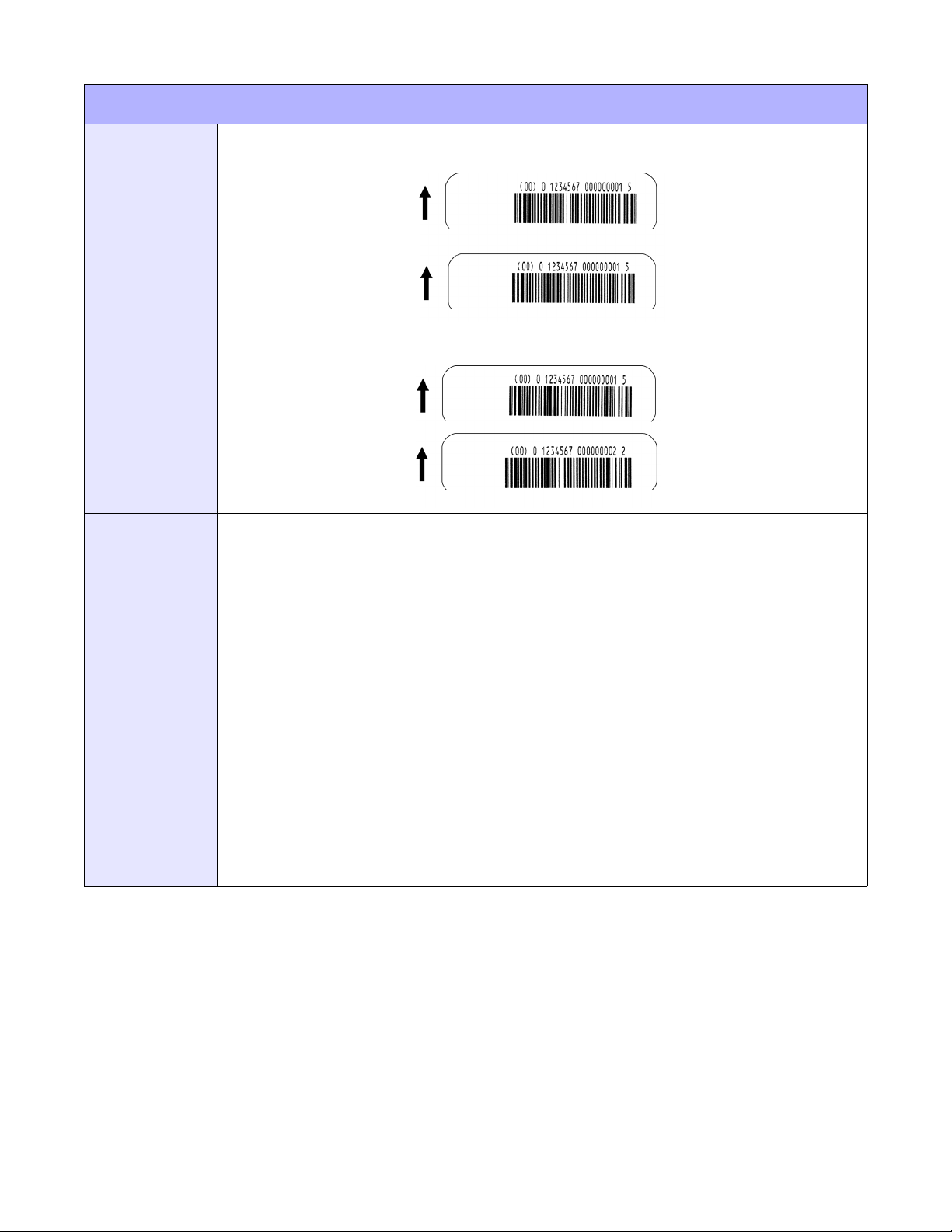
SSCC/UCC128
Unit 4: Standard Command Codes
OUTPUT
NOTES
Without incrementing:
(4-36a)
With incrementing:
(4-36b)
UCC128 code is exclusive to Standard Carton ID. When printing in EAN128, designed for the markets
in the medical, fresh food, or flowers and plants, use CODE128 Barcode <ESC>BG to specify print
data with application identification or separator that matches each specification.
Start character code, function character, end character code, and identification code (corresponds only
to “00”) are added automatically.
Modulus 10 check character and modulus 103 check character are automatically generated.
Sequential number of barcode data is available.
Line pitch between barcode and expository font is fixed at 10 dots.
If the width of expository font is wider than that of the barcode, it starts printing from the print start
position of barcode.
If the width of expository font is narrower than that of the barcode, expository font will be aligned to the
center of barcode for printing.
Prints expository font in OCR-B.
If the expository font is outside of the print area, it wil not be printed. When HRI is available, specify
Vertical Print Position (<ESC>V) and Horizontal Print Position (<ESC>H) in consideration of print of
expository font.
Refer to Appendix: Reference Table 17 for additional information.
E/Pro Programming Reference
4-48 PN: 9001096C
Page 93
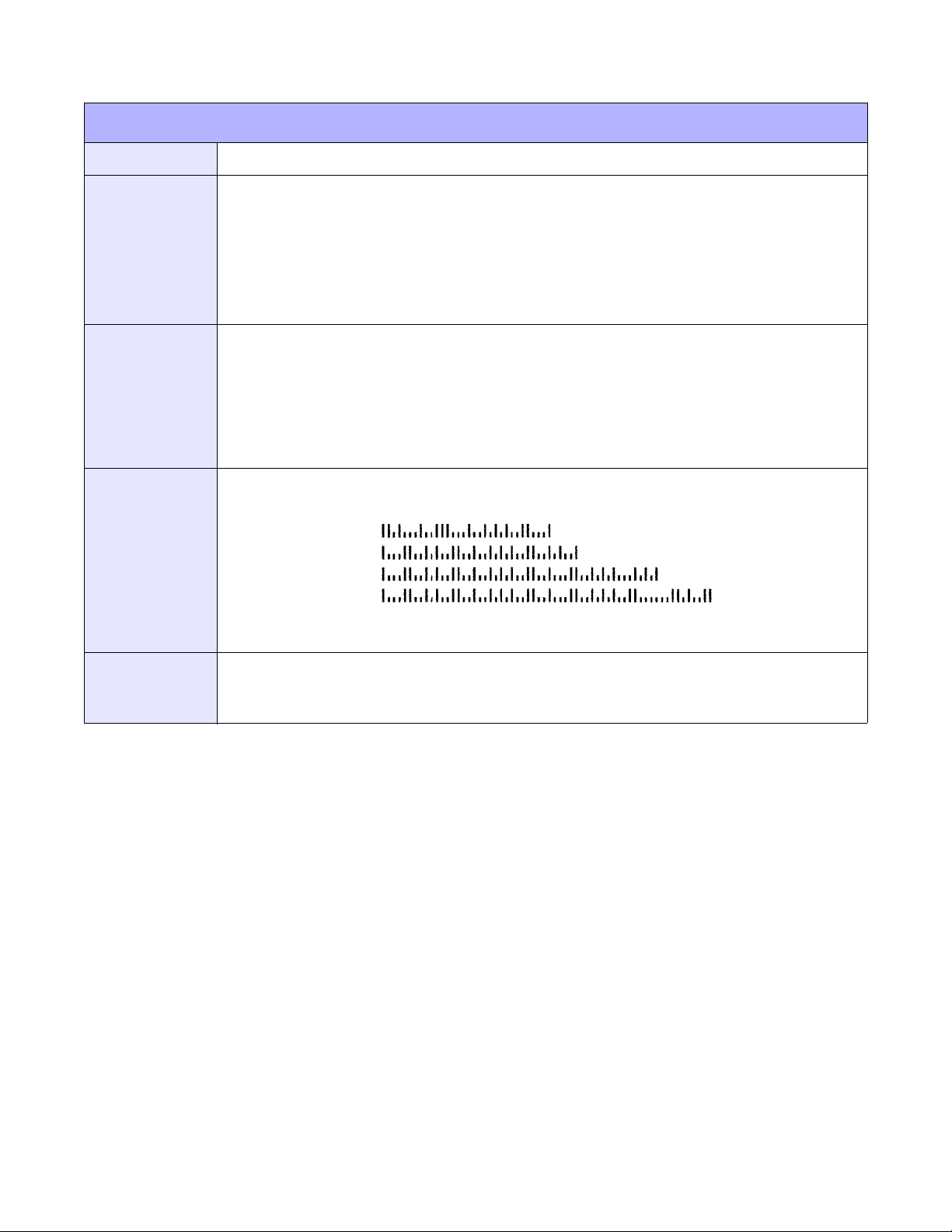
POSTNET
Unit 4: Standard Command Codes
FUNCTION
FORMAT
EXAMPLE
OUTPUT
To print Postnet bar codes.
<ESC>BPn...n
n...n = 5 digits (Postnet-32 format)
6 digits (Postnet-37 format)
9 digits (Postnet-52 format)
11 digits (Postnet-62, Delivery Point format)
Place immediately preceding the data to be encoded.
<ESC>A
<ESC>H0100<ESC>V0120<ESC>BP94089
<ESC>H0100<ESC>V0160<ESC>BP123456
<ESC>H0100<ESC>V0200<ESC>BP123456789
<ESC>H0100<ESC>V0240<ESC>BP12345678901
<ESC>Q1
<ESC>Z
(4-37)
NOTES
If the number of data digits does not match those listed, the command is ignored. Only numeric data
will be accepted.
Refer to Appendix: Reference Table 18 for additional information.
E/Pro Programming Reference
4-49 PN: 9001096C
Page 94
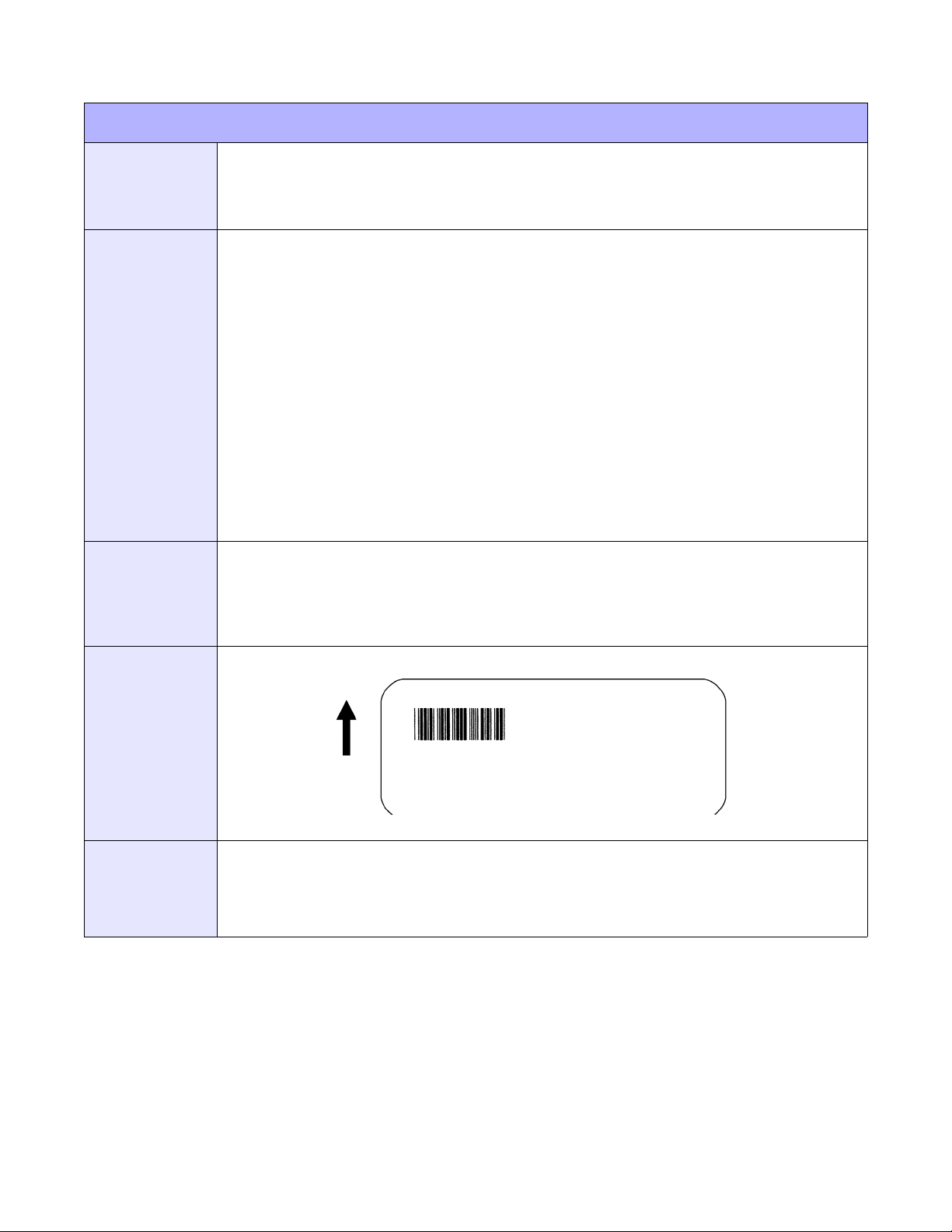
Unit 4: Standard Command Codes
VARIABLE RATIO BARCODES
FUNCTION
FORMAT
EXAMPLE
To print a bar code with a ratio other than those specified through the standard bar code
commands (B,BD, and D). This is done through individual control of each of the bar code
elements (bars, spaces) as shown above. Remember that this command only applies to the
five bar code types shown.
<ESC>BTabbccddee
a = Bar Code Symbol:
0: Codabar
1: Code 39
2: Interleaved 2 of 5
5: Industrial 2 of 5
6: Matrix 2 of 5
bb = Narrow space in dots (01 to 99)
cc = Wide space in dots (01 to 99)
dd = Narrow bar in dots (01 to 99)
ee = Wide bar in dots (01 to 99)
Place following the print position commands and preceding <ESC>BW.
<ESC>A
<ESC>H0050<ESC>V0050<ESC>BT101030103
<ESC>BW03100*1234*
<ESC>Q1
<ESC>Z
OUTPUT
NOTES
(4-38)
This command must be immediately followed by the Bar Code Expansion (<ESC>BW) command.
You may use only one variable ratio bar code per label.
If the data specified in this command is incorrect, the command is ignored and the ratio used will be
based on the previous setting.
E/Pro Programming Reference
4-50 PN: 9001096C
Page 95
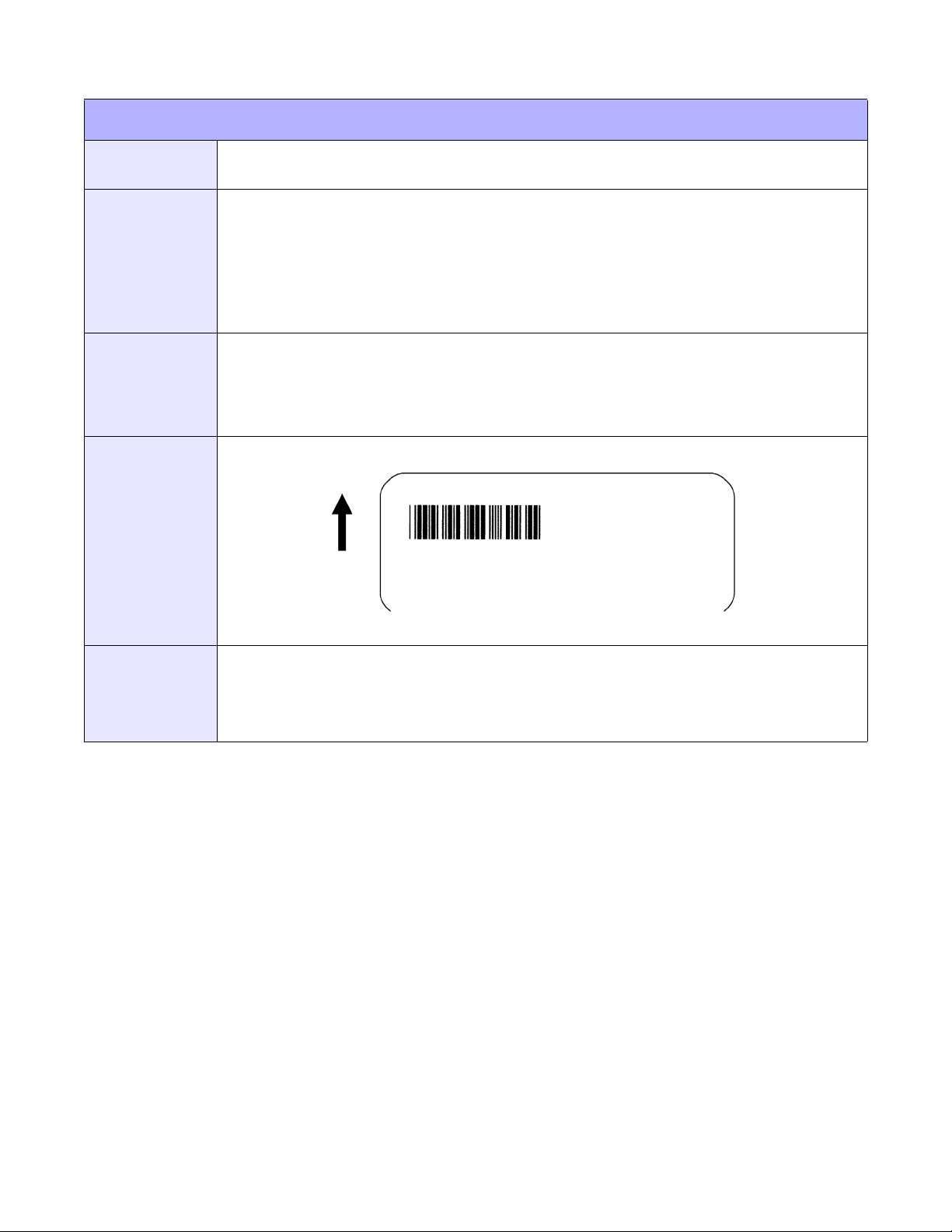
BARCODE EXPANSION
Unit 4: Standard Command Codes
FUNCTION
FORMAT
EXAMPLE
OUTPUT
This command works together with the <ESC>BT command to specify an expansion factor
and the bar code height for the particular symbol being printed.
<ESC>BWabbb
aa = Expansion factor by which the width of all bars and spaces will be
increased (01 to 12)
bbb = Bar height by dot (004 to 999 dots)
Place immediately following the <ESC>BT command and preceding data to be encoded.
<ESC>A
<ESC>H0050<ESC>V0050<ESC>BT101030103
<ESC>BW04100*1234*
<ESC>Q1
<ESC>Z
(4-39)
NOTES
This command must be preceded by the Variable Ratio Bar Codes (<ESC>BT) command.
The following bar codes will be affected by the Character Pitch command: Codabar, Code 39,
Interleaved 2 of 5, Matrix 2 of 5.
Refer to Appendix: Reference Tables 19 and 20 for additional information.
E/Pro Programming Reference
4-51 PN: 9001096C
Page 96
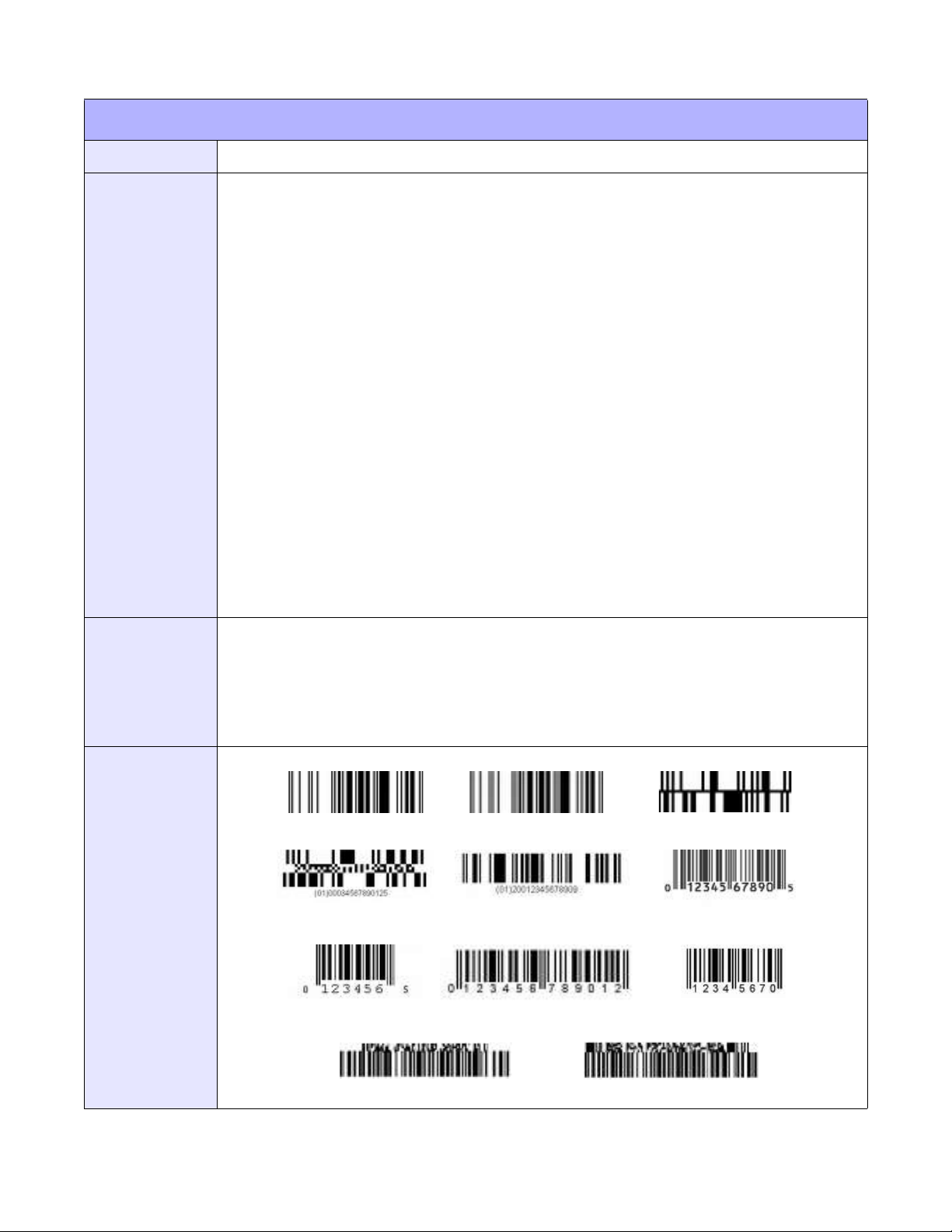
Unit 4: Standard Command Codes
EAN/UCC COMPOSITE SYMBOL
FUNCTION
FORMAT
This command specifies the composite symbol of EAN/UCC.
<ESC>EUaabbbn...n
a = 1D barcode symbology
Format 1
01: RSS-14
02: RSS-14 Truncated (13 digits maximum)
03: RSS-14 Stacked (13 digits maximum)
04: RSS-14 Stacked Omni-directional (13 digits maximum)
05: RSS Limited (13 digits maximum)
07: UPC-A (11 digits maximum)
08: UPC-E (10 digits fixed)
09: EAN13 (12 digits maximum)
10: EAN8 (7 digits maximum)
Format 2
11: UCC/EAN128 with CC-A/B (48 digits maximum)
12: UCC/EAN128 with CC-C (48 digits maximum)
b = Minimum bar width (01 to 12 dots)
c = Barcode height (001 to 500 dots, only applicable to Format 2)
n = Print data (sum of 1D and 2D codes up to 120 digits)
Between <ESC>A and <ESC>Z but following <ESC>H and <ESC>V.
EXAMPLE
OUTPUT
Example using RSS-14:
<ESC>A
<ESC>H100<ESC>V100
<ESC>EU0104036123456789011990102
<ESC>Q1
<ESC>Z
(4-40)
(01) (02) (03)
(04) (05) (07)
(08) (09) (10)
E/Pro Programming Reference
(11) (12)
4-52 PN: 9001096C
Page 97

Unit 4: Standard Command Codes
EAN/UCC COMPOSITE SYMBOL
NOTES
Both Formats
The parameter feature varies depending on 1D barcode symbology. The parameter for barcode height
is only designable for UCC/EAN128 (EU11, EU12).
The print data parameter can accept up to 120 digits for 1D and 2D data. For 2D data, when 1D
barcode symbology and alphanumeric are mixed, the designable data quantity may vary.
The entire composite symbol size changes depending on the specification of minimum bar width.
If the composite simbol exceeds the printable area, only the portion located within the area will print;
however, a scanner may occasionally read such a composite symbol.
If the value in 1D barcode symbology is not set to the data portion, the composite symbol will not print.
This command does not support the RSS Expand command.
Print of HRI cannot be designated with this command.
Rotation <ESC>% is available, but Enlargement <ESC>L is disabeld.
Format 2
Barcode height (c) is specified when Minimum Bar Width is “01”. For instance, if setting Minimum Bar
Width to 03 and Barcode Height is 100, the Barcode Height will be 300 dots.
To specifiy the print of composite symbol, delimit 1D and 2D data with “I” (7Ch). Use “#” (23h) to specify
FNC1 (GS) of CC-C for PDF417) as data.
E/Pro Programming Reference
4-53 PN: 9001096C
Page 98
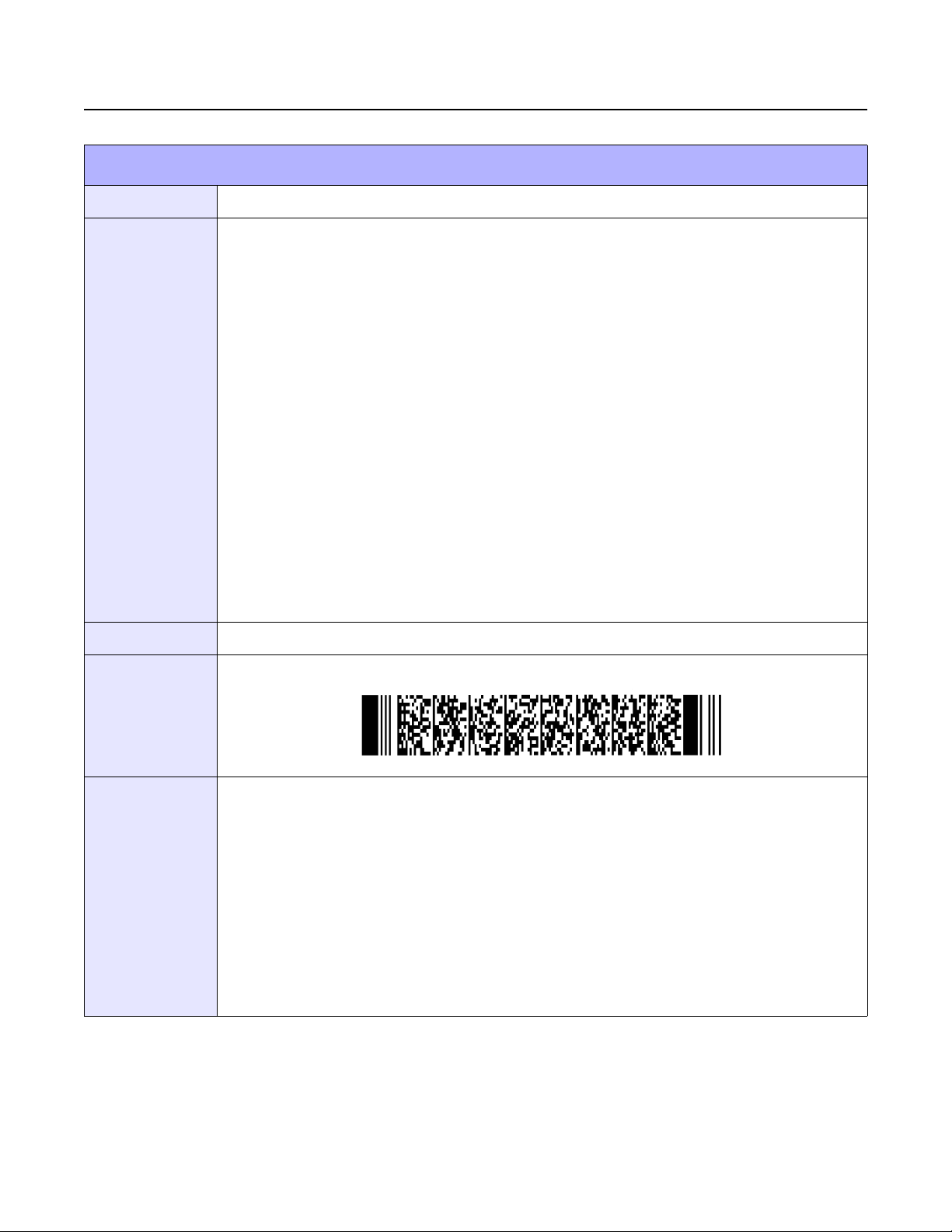
2D CODE COMMANDS
PDF417
Unit 4: Standard Command Codes
FUNCTION
FORMAT
EXAMPLE
Specifies PDF417 of 2D code.
<ESC>BKaabbcddeeffffg~g, h
a = Minimum Module Width (01 to 09 dots)
b = Minimum Module Height (01 to 24 dots)
c = Security Level (0 to 8)
d = Number of Data Code Words per Digit (01 to 30)
00: Automatic (width depnds on data number specified)
e = Digit Number per Symbol (03 to 90)
00: Automatic (height depends on data number specified)
f = Data Digit Number (0001 to 2681)
g = Print Data (data)
h = PDF Code Type
When omitted: PDF417
T: Truncated scale
M: Micro PDF
Place anywhere after <ESC>V but before <ESC>Q.
<ESC>V0100<ESC>H0100<ESC>BK0607400000021PDF417 PDF417 PDF417
OUTPUT
NOTES
(4-41)
The minimum module width can be set to 01 and 02; however, it may not read properly. 01, 02, and 03
are designable for minimum module height and may cause a reading problem.
If specifying “00” for Number of Data Code Words per Digit and Digit Number per Symbol, the size of
height to width (aspect ratio) will be at 1:2 based on the number of print data.
If increasing the security level, it is necessary to specify a higher value for Digit Number per Symbol or
Number of Data Code Words per Digit.
The maximum Digit Number of Data is 2681; however, it may vary depending on the specification of
minimum module size, security level, and print data type.
If the specification of parameter or number of data is not matching, printing will not be properly
performed.
Refer to Appendix: Reference Table 21 and 22 for additional information.
E/Pro Programming Reference
4-54 PN: 9001096C
Page 99
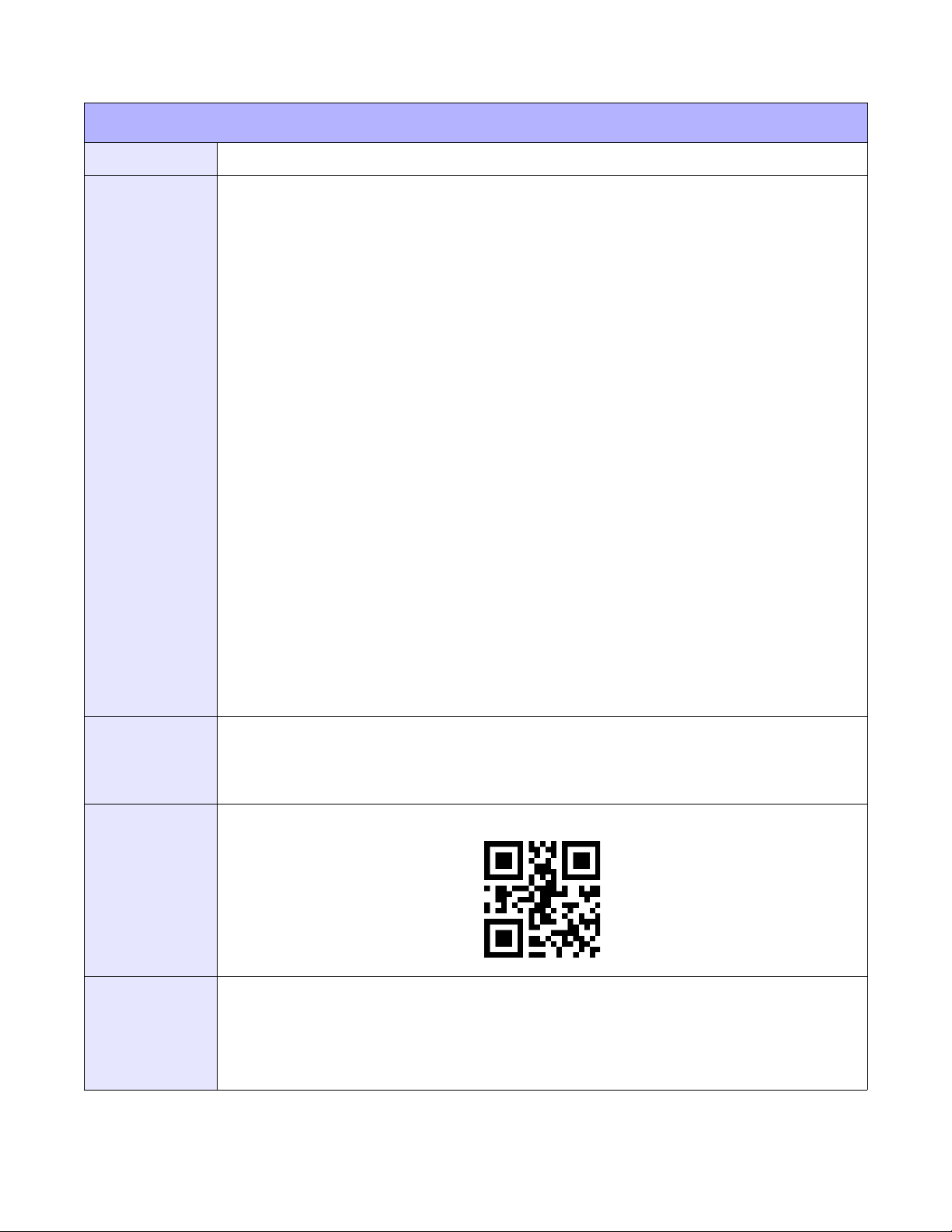
QR CODE
Unit 4: Standard Command Codes
FUNCTION
FORMAT
Specifies QR Code of 2D code.
<ESC>BQ (Manual setting)
<ESC>BQ (Auto setting)
a = Error correction level
1: 7% high density
2: 15% standard
3: 30% high reliability
4: 25%
b = Concentration mode
0: Normal mode
1: Concentration mode
c = Cell size (01 to 32)
d = Number of partitions by concentration mode (01 to 16)
e = Sequential number partitioned by concentration mode (01 to 16)
f = Concentration mode parity data (00 to ff)
g = Character mode
1: Number mode
2: Alphanumeric mode
3: Binary mode
EXAMPLE
OUTPUT
NOTES
h = Data number (0001 to 7366)
n=Data
Place anywhere after <ESC>V but before <ESC>Q.
<ESC>A
<ESC>H0100<ESC>V0100<ESC>BQ3010,112345
<ESC>Q1
<ESC>Z
(4-42)
Carry out XOR logic operation of all the partitioned print data of the QR code and then, specify this
operation data in hexadecimal character. This is referred to as “Parity Data”.
When the character mode is set to other than binary mode, it is not necessary to set the data number
parameter.
Refer to Appendix: Reference Tables 23, 24, 25, and 26 for additional information.
E/Pro Programming Reference
4-55 PN: 9001096C
Page 100
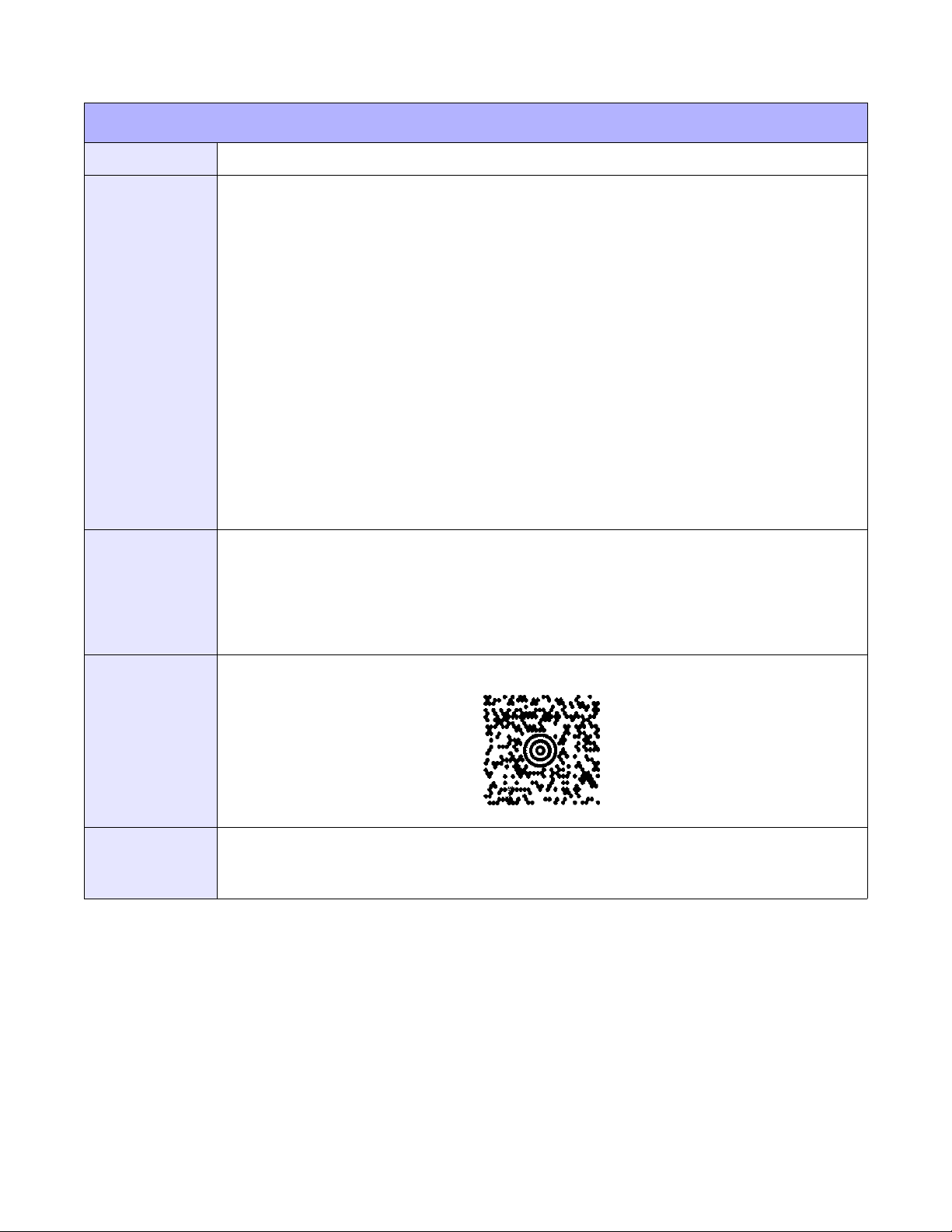
MAXI CODE
Unit 4: Standard Command Codes
FUNCTION
FORMAT
EXAMPLE
Specifies Maxi code of 2D code.
<ESC>BVa, b, c, ddddddddd, eee, fff, n~n
a = Position of Maxicode symbol within set (1 to 8)
b = Total quantity of Maxicode symbols within set (1 to 8)
c=Mode
2: for Mode 2 carrier message for domestic UPS shipments
3: for Mode 3 carrier message for international UPS shipments
4: standard symbol
6: for reader
d = Zip Code (9 digit postal code)
e = Country Code (001 to 999)
f = Service Class (001 to 999)
n = Data determined by <ESC>
Place anywhere after <ESC>V but before <ESC>Q.
<ESC>A<ESC>V0100<ESC>H0100
<ESC>BV1,1,2,123456789,840,001,[)<RS>01<GS>961Z01547089<GS>UPSN
<GS>056872<GS>348<GS>99999999<GS>001/005
<GS>029<GS>N<GS><GS>LENEXA<GS>KS<RS><EOT>
<ESC>Q1
<ESC>Z
OUTPUT
NOTES
(4-43)
For mode 2, specify up to 9 numeric digits; and for mode 3, specify fixed 6 digits (alphanumeric - use
English capital letters). “00H” cannot be specified for print data.
Refer to Appendix: Reference Table 27 for additional information.
E/Pro Programming Reference
4-56 PN: 9001096C
 Loading...