

Page 1
User Manual
EP-PA710
English (EU). 03/2015. Rev.1.0
www.samsung.com
Page 2

Table of Contents
Read me first
Getting started
4 Package contents
4 Device layout
Using the device
5 Using wireless charger
7 Checking the battery level
2
Page 3
Read me first
Please read this manual before using the device to ensure safe and proper use.
•
Descriptions are based on the device’s default settings.
•
Images may differ in appearance from the actual product. Content is subject to change
without prior notice.
Instructional icons
Warning: situations that could cause injury to yourself or others
Caution: situations that could cause damage to your device or other equipment
Note: notes, usage tips, or additional information
3
Page 4
Getting started
Package contents
Check the product box for the following items:
•
Device
•
Quick start guide
•
Wireless charging cover and travel adaptor sold separately.
•
The items supplied with the device and any available accessories may vary
depending on the region or service provider.
•
The supplied items are designed only for this device and may not be compatible
with other devices.
•
Appearances and specifications are subject to change without prior notice.
•
You can purchase additional accessories from your local Samsung retailer. Make
sure they are compatible with the device before purchase.
•
Use only Samsung-approved accessories. Using unapproved accessories may cause
the performance problems and malfunctions that are not covered by the warranty.
•
Availability of all accessories is subject to change depending entirely on
manufacturing companies. For more information about available accessories, refer
to the Samsung website.
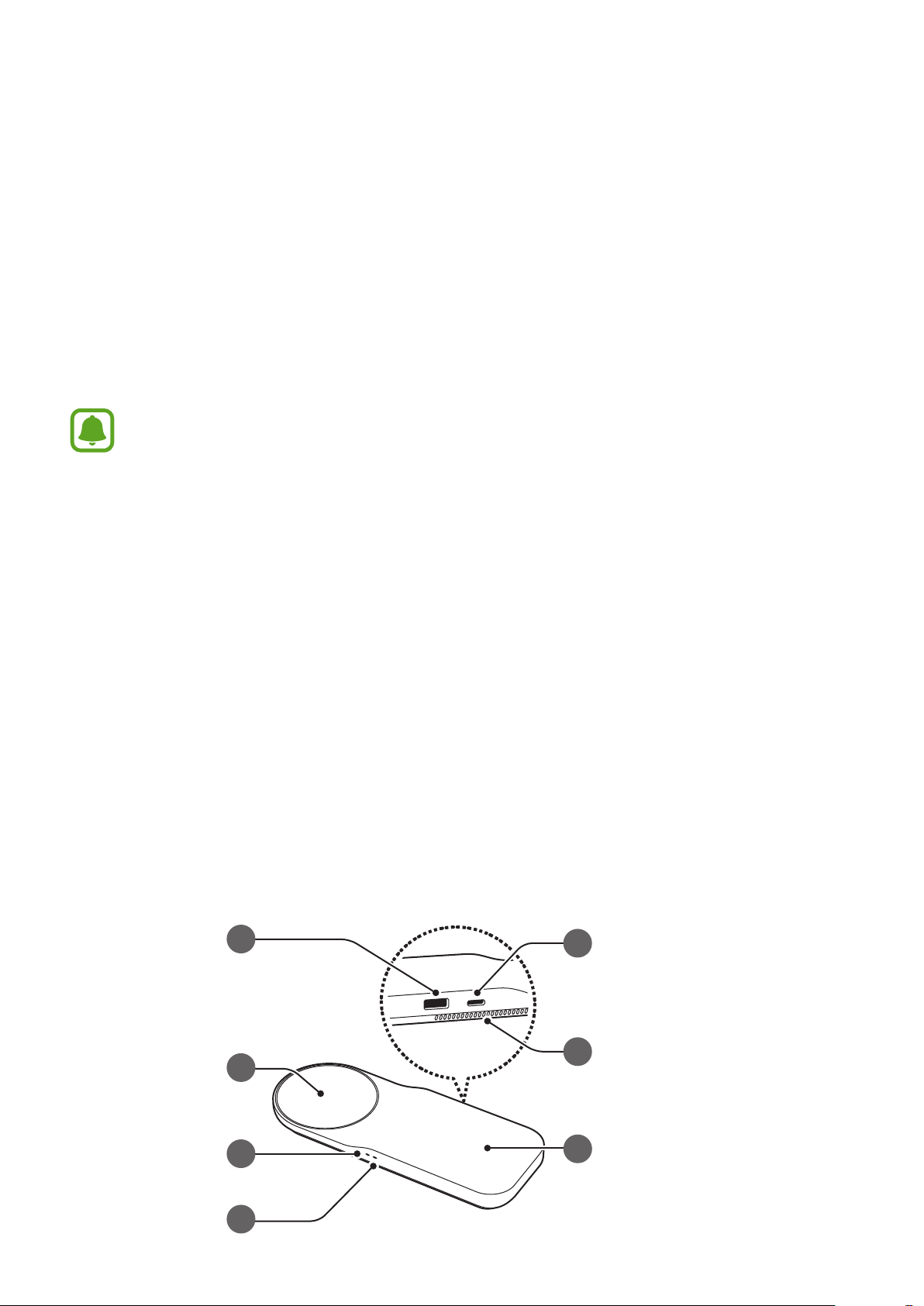
Device layout
a
b
e
f
c
d
g
4
Page 5
Device layout
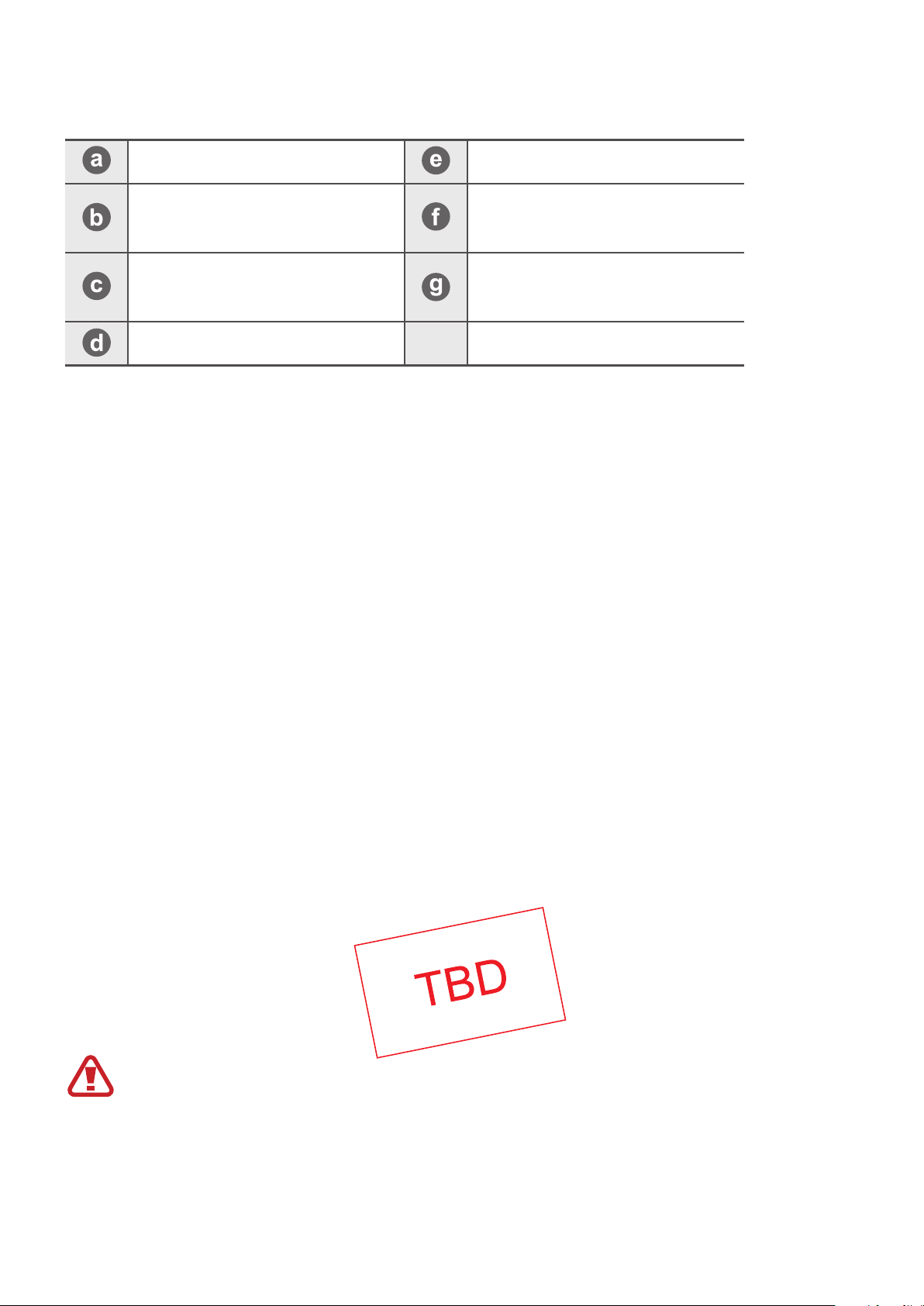
USB charger port Charger port
Wireless charging surface
(left)
Indicator light (left)
Indicator light (right)
Using the device
Fan vent
Wireless charging surface
(right)
Using wireless charger
Connect the wireless charger and a travel adaptor with a charging cable, and plug the
1
travel adaptor into an electric socket.
When the wireless charger is connected to the electric socket, the indicator light flashes
from blue to green to cyan, and then turns off.
Use only Samsung-approved travel adaptors (12 V/2.1 A). Unauthorised travel
adaptors may cause damage or the wireless charger may malfunction.
5
Page 6
Using the device
Connect the travel adaptor to the wireless charger. Then, place a supported mobile
2
device in the centre of the charging surface.
Do not place the wireless charging cover solely on the wireless charger. Doing so may
overheat the wireless charger and cause a fire. It may also result in serious burn or
device malfunction.
When the mobile device is fully charged, disconnect the travel adaptor from the wireless
3
charger.
•
Check the mobile device’s battery status using the charging icon displayed on the
screen.
•
Do not place any other object between the mobile device and the wireless charger.
The mobile device may not charge properly.
•
Charging a mobile device with the wireless charger in an area with a weak signal
may cause a significant drop in reception.
•
If you connect a travel adaptor to the mobile device during wireless charging, the
wireless charging feature is unavailable.
•
The wireless charger is compatible with WPC certified devices.
•
To save energy, unplug the travel adaptor when not in use. The travel adaptor does
not have a power switch, so you must unplug the travel adaptor from the electric
socket when not in use to avoid wasting power. The travel adaptor should remain
close to the electric socket and easily accessible while charging.
6
Page 7
Using the device
Checking the battery level
You can check the device’s charging status via the notification light.
Colour Status
→
Blue
Cyan
Blue When charging
Green When fully charged
Green →
When connecting to the power outlet
Cyan
Flashing blue When not charging properly due to a general error
Off When in Idle mode
•
If the indicator light is not working properly, reconnect the travel adaptor to the
wireless charger.
•
The indicator light’s colour may vary depending on the mobile device or the
wireless charging cover.
When charging with a travel adaptor (less than 12 V/2.1 A)
7
Page 8

Appendix
FCC Statement
This device complies with part 15 of the FCC Rules. Operation is subject to the
•
following two conditions: (1) This device may not cause harmful interference, and (2)
this device must accept any interference received, including interference that may
cause undesired operation.
•
Any changes or modifications (including the antennas) to this device that are not
expressly approved by the manufacturer may void the user’s authority to operate the
equipment.
FCC Radiation Exposure Statement
•
This equipment complies with FCC Radiation exposure limits set forth for an
uncontrolled environment. This equipment must not be co-located or operating in
conjunction with any other antenna or transmitter.
This equipment should be installed and operated with a minimum distance of 20 cm
between the radiator and your body.
IC Statement
•
This device complies with Industry Canada licence-exempt RSS standard(s).
Operation is subject to the following two conditions: (1) this device may not cause
interference, and (2) this device must accept any int erference, including interference
that may cause undesired operation of the device.
Le présent appareil est conforme aux CNR d'Industrie Canada applicables aux
•
appareils radio exempts de licence. L'exploitation est autorisée aux deux conditions
suivantes : (1) l'appareil ne doit pas produire de brouillage, et (2) l'utilisateur de
l'appareil doit accepter tout brouillage radioélectrique subi, même si le brouillage e st
susceptible d'en compromettre le fonctionnement.
IC Radiation Exposure Statement
•
This equipment complies with IC RF Radiation exposure limits set forth for an
uncontrolled environment. This device and its antenna must not be co-located or
operating in conjunction with any other antenna or transmitter.
This equipment should be installed and operated with a minimum distance of 20cm
between the radiator and your body.
Cet équipement est conforme aux limites établies par Industrie Canada en matière
•
d'exposition aux radiations dans un environnement non contrôlé. Cet équipement ne
doivent pas être colocalisés ou fonctionner en conjonction avec tout autre antenne
ou émetteur.
Cet équipement doit être installé et utilisé avec une distance minimale de 20 cm
entre le radiateur et votre corps.
8
Page 9

Copyright
Copyright © 2015 Samsung Electronics
This manual is protected under international copyright laws.
No part of this manual may be reproduced, distributed, translated, or transmitted in any form
or by any means, electronic or mechanical, including photocopying, recording, or storing
in any information storage and retrieval system, without the prior written permission of
Samsung Electronics.
Trademarks
•
SAMSUNG and the SAMSUNG logo are registered trademarks of Samsung Electronics.
•
All other trademarks and copyrights are the property of their respective owners.
 Loading...