

Page 1

15-193 1.fm Page 1 Monday, July 19, 1999 2:26 PM
OWNER’S MANUAL
3-in-One Easy Remote Control
Please read before using this equipment.
Cat. No. 15-1931
Page 2

y
y
y
15-193 1.fm Page 2 Monday, July 19, 1999 2:26 PM
FEATURES
Your RadioShack 3- in-One Easy Remo te Control can replace up to three infrared remote controls. You can use it to control your TV, VCR, or
cable converter. Unlike some universal remote
controls, your remote control is preprogram med
with the most commonly used commands and
does not have to learn its commands from the
original remote controls. All you have to do is tell
it which TV, VCR, or cable converter’s remote
controls you want to replace (by ent ering 3-digit
codes).
This manual includes a list of many manufacturers’ 3-digit codes for TVs, VCRs, and cable converters.
Your remote control’s features include:
Powerful Infrared Beam
— so you can operate
your remote-controlled devices from a greater
distance than with many of the original remote
controls.
Glow-in-the-Dark Ke
— some of the remote
s
control’s keys glow so you can see them even in
a dimly lit room.
Hand
Reference Label
— provides a convenient place for you to write down the manufacturers’ codes for your devices.
Convenient Ke
pad Design
— each key is posi-
tioned for easy operation.
Toll Free Support
your remot e con tr ol b y calling
You need four AAA batteries (not supplied)
Note:
— you can get expert help for
1-888-533-7135
.
to power your 3-in-One Easy Remote Control.
1998 Tandy Corporation.
©
Plug ’n Power and RadioShack are registered trademarks
X-10 is a registered trademark of X-10 (USA) Inc.
All Rights Reserved.
used by Tandy Corporation.
2
Need help? Call 1-888-533-7135
Page 3

15-193 1.fm Page 3 Monday, July 19, 1999 2:26 PM
CONTENTS
How the 3-in-One Works ............................... 4
Preparatio n ............... .......... ......... ................... 5
Installing Batteries ...................................... 5
Device Types ............ ......... .......... ......... ..... 6
Setting Up Your Remote Control ................ 6
Operation ................ ......... .......... ......... ............ 8
Punch-Through .......................................... 8
Turning Punch-Through Off/On .......... 8
Favorite Channel Scan .............................. 9
Clearing Favorite Channel Scan ....... 10
If You Have Problems .................................. 11
Manual Code Search ............................... 11
Determining the 3-Digit Code ........... 12
Troubleshooting ....................................... 12
Manufacturers’ Codes ................................. 13
Cable Converters ..................................... 13
Televisions ............................................... 15
TV/VCR Combinations ............................. 20
VCRs ........................................................ 21
Care and Maintenance ................................. 27
Specifications .............................................. 28
Need help? Call 1-888-533-7135
3
Page 4

y
15-193 1.fm Page 4 Monday, July 19, 1999 2:26 PM
HOW THE 3-IN-ONE WORKS
Your RadioShack 3-in-One Easy Remote Control
was designed to control the most commonly used
functions on your TV, VCR, and cable converter.
When you set up the remote control, its command
keys work like the keys on yo ur original remote
controls. For example, the remote control’s
key works like a key on your original remote control which might be labeled POWER ON/OFF.
PWR
Ke
P
PWR
, digit keys,
CH , CH ,
VOL , VOL ,
M, LAST
VCR, CBL. TV
SCAN
REC , PLAY ,
PAUSE ,
REW, STOP,
FF
Function
Used in setting up your
devices.
Operate the same as the corresponding keys on yo ur original remote control.
Used when you set up the
remote control to replace your
original remote controls. Also
used during normal operation
to tell the remote control
which device you want to control.
Used to scan through a list of
favorite channels.
Control VCR functions and
are used to select options and
navigate in your TV or cabl e
converter.
Notes:
• Whenever you use
REC
on the remote
control, you must press it twice. Th is safety
feature helps you avoid accidentally recording over tapes.
• The remote control might not be able to
4
duplicate some of your original remot e control’s seldom-used functions.
Need help? Call 1-888-533-7135
Page 5

15-193 1.fm Page 5 Monday, July 19, 1999 2:26 PM
PREPARATION
INSTALLING BATTERIES
Your remote control requires four AAA batteries
(not supplied) for power. For the best performance and longest life, we recommend alkaline
batteries such as RadioShack Cat. No. 23-555.
Cautions:
• Use only fresh batteries of the required size
and recommended type.
• Do not mix old and new batteries or different
types of batteries.
• Do not press any of the remote control’s
keys while installing batteries.
The remote control’s built-in memory back-
Note:
up saves any programmed codes for about a
minute after the batteries have been removed.
We recommend you have fresh batteries ready to
install as soon as you remove the old ones.
1. Press the battery compartment cover’s tab and lift off
the cover.
2. Place the batteries in the
compartment as indicated
by the polarity symbols (+
and
) marked inside.
–
3. Replace the cover.
When the remote c ontrol’s range decreas es or it
stops operating properly, replace the batteries.
Need help? Call 1-888-533-7135
5
Page 6

15-193 1.fm Page 6 Monday, July 19, 1999 2:26 PM
Cautions:
• Always remove old or weak batteries. Batteries can leak chemicals that can destroy electronic parts.
• Dispose of old batteries promptly and properly. Do not burn or bury them.
Do not place objects on top of the remote
Note:
control after you have installed the batteries. This
can press keys for an extended period of time and
reduce battery life.
DEVICE TYPES
You can use the remot e control’s dev ice key s to
control the following general types of devices:
TV
— TVs
VCR
— VCRs and TV/VCR combinations
CBL
— Cable converters
SETTING UP YOUR REMOTE
CONTROL
1. Refer to “Manufacturers’ Codes” on Page 13
and write down the codes for your original
remote controls on the supplied label.
Notes:
• Some manufacturers have several codes
• If you want to set up your remote control to
listed. Try each until you find the right one.
See “If You Have Problems ” on Pa ge 11 if
you cannot find the correct code.
control a combination TV/VCR (such as
Cat. No. 16-421 or 16-422), you m ust program the TV code for the TV functions
the VCR code for the VCR functions.
and
6
Need help? Call 1-888-533-7135
Page 7

15-193 1.fm Page 7 Monday, July 19, 1999 2:26 PM
2. Press the device key for the type of remote
you are replacing (
TV, VCR
, or
CBL
). The red
light blinks.
3. Hold down P until the red light blinks twice,
then enter the 3-digit code.
For example, to replace a TV’s remote control (manufacturer’s code 185), press
hold down
then press
until the red light blinks twice,
P
, and 5.
1, 8
When the red li ght blinks twice, the remote
control has accepted the code.
If the code you entered i s invalid, the
Note:
red light does not blink.
4. Point the remote control at you r device and
press
Your device should turn off (or
PWR.
on, if it was off).
TV
,
If the remote does not ope rate your device,
try the other codes listed in “Manufacturers’
Codes” on Page 13 for your brand of TV,
VCR, cable converter, or other device.
5. Repeat Steps 2–4 for additional devices.
Need help? Call 1-888-533-7135
7
Page 8

15-193 1.fm Page 8 Monday, July 19, 1999 2:26 PM
OPERATION
1. Press the device key for the device you want
to control, then point the remote control at
the device and press
on.
2. Repeat Step 1 for all other devices you want
to operate.
3. Press the appropriate device key and the
desired command keys.
The command keys on the remote
Note:
control work the same as the keys on the
original remote control; however, the labeling
might differ slightly.
4. To turn off the last device you selected, press
. To turn off other devices, press the
PWR
device key for the device you want to turn off,
then press
PWR
.
to tur n t he d e vi ce
PWR
PUNCH-THROUGH
The punch-through feature lets you alternately
control two different devices without pressing the
device keys for each one. Here’s how it works.
Not all of the remote control’s keys are u sed by
every device. For example, a TV is often the only
device that uses the volume keys. After you press
, then pre ss
TV
control to control the TV.
The punch-through feat ure mi ght not work
Note:
if the last two devices you selected have the same
(or similar) features. For example, most TVs and
some cable converters hav e channe l select keys
on their remote controls.
Turning Punch-Through Off/On
If your cable box or VCR has a volume control,
you might want to turn off punch-through so you
can use the cable box’s or VCR’ s volum e cont rol
, you can still use the volume
VCR
8
Need help? Call 1-888-533-7135
Page 9

15-193 1.fm Page 9 Monday, July 19, 1999 2:26 PM
to control the sound. To turn off punch-through,
hold down
press
until the red light blinks twice, then
P
and the device key.
9 9 3
If you want to control the volume through your cable box, press
before using the volume con-
CBL
trol. If you want to control the volume through your
VCR, press
before using the volume control.
VCR
To turn punch-through back on, hold down
the red light blinks twice, then press
9 9 3 VOL
until
P
FAVORITE CHANNEL SCAN
You can use your remote control to scan through
up to 10 of your favorite channels on your TV,
VCR, or cable box.
You can scan channels only for one device
Note:
(TV, VCR, or CBL) at a time. You cannot set up a
favorite channel list for another device until you
clear the existing list.
1. Press the device key for the device with the
channels you want to program (
). The red light blinks.
CBL
2. Hold down
then press
until the red light blinks twice,
P
.
9 9 6
TV, VCR
3. Enter the channel number of the first channel
you want to include i n your favorite channel
list. Then press
.
P
, or
.
Notes:
• Precede a single-digit number with a 0 —
for example, 01, 02, and so on.
Need help? Call 1-888-533-7135
9
Page 10
15-193 1.fm Page 10 Monday, July 19, 1999 2:26 PM
• If you enter a three-digit number, you do
not need to press
after entering the
P
number.
4. Repeat Step 3 for other channels (up to 10)
you want to include in your list. Then hold
down
until the red light blinks twice.
P
5. To scan through the favorite channel list,
press the device key for the device you want
to tune (
TV, VCR
, or
), then press
CBL
SCAN
The remote control repeatedly scans through
the favorite channel list, stopping on each
channel for about 3 seconds.
.
6. Press any key other than
SCAN
when you
see a channel you want to wat ch. Scanning
stops.
Clearing Favorite Channel Scan
You must clear the channels in your favorite
channel scan list if you want to change them.
1. Hold down
2. Press
light blin ks twice.
until the red light blinks twice.
P
, then hold down P unti l the red
9 9 6
10
Need help? Call 1-888-533-7135
Page 11
15-193 1.fm Page 11 Monday, July 19, 1999 2:26 PM
IF YOU HAVE PROBLEMS
MANUAL CODE SEARCH
If the 3-in-One Easy Remote Control does not operate your remote-controlled devices when you
first set it up, you might have to manually find the
correct code for your devices. You can t ry al l the
codes listed in “Manufacturers’ Codes” on
Page 13 for the brand of your device, or you can
follow these steps to search the remote control’s
entire library.
1. Manually turn on the device you want to set
up.
2. Press the corresponding device key (
, or
VCR
3. Hold down
then press
).
CBL
until the red light blinks twice,
P
, and 1. The red light blinks
9, 9
TV
twice again.
4. Aim the remote control at the device you
want to operate.
5. Repeatedly press
then the device key
PWR
for the device until it responds to the command.
6. When the dev ice responds to the com mand,
press
Note:
within 5 seconds to save the code.
P
If you do not press
within 5 seconds,
P
the remote control does not save the code.
• Because the remote control’s library has
so many codes, this procedure can take
several minutes.
• If your device turns off during the search,
but does not operate after you lock in the
code, begin the search again, pausing
longer between key presses.
,
If necessary, repeat these steps for each device.
Need help? Call 1-888-533-7135
11
Page 12

15-193 1.fm Page 12 Monday, July 19, 1999 2:26 PM
Determining the 3-Digit Code
After you set up your remote control using manual
code search, you can find which 3-digit co de the
remote control is set to by following these steps.
1. Press the device key you want to get the
manufacturer ’s code from, then hol d down
until the red light blinks twice.
9 9 0
2. Press
3. Press
red light blinks. This is the first digit of the 3digit code.
Note:
is a 0.
4. Repeat Step 3 twice to find the second and
third numbers of your 3-digit manufacturer’s
code, pressing
additional digit.
. The red light blinks twice again.
1
then count the number of times the
If the red light do es not b link, the d igit
2
and 3 respectively for each
P
TROUBLESHOOTING
If the remote control stops working after you have
successfully tested the control for each device, or
if you are unable to get the remote control to work
at all, check these things:
• Be sure you press the device key for the
device you want to control before you press
any other key.
• Confirm that your remote control de vices are
working properly by using the original remote
control or the manual controls.
• Replace the batteries.
• If some of the keys do not function for your
device, you might be able to find a better
device code.
Need help? Call 1-888-533-7135
12
Page 13

15-193 1.fm Page 13 Monday, July 19, 1999 2:26 PM
MANUFACTURERS’ CODES
The following list tells you which 3-digit codes to
enter to set up the remote control.
Notes:
• The remote control might not have every
command of your original remote controls.
• Use the supplied label to record the manu-
facturers’ codes for your remote-controlled
devices.
• A key on the remote control that has the
same name as a key on your original remote
control might have a slightly different function.
RadioShack
Manufacturer Code(s)
CABLE CONVERTERS
ABC 001, 003, 007, 01 1,
013, 01 4, 017
Antronix 022
Archer 022, 15 3 15-1285
022, 15 3 15-1287
Cable Star 056
Century 153, 618
Citizen 153, 315
Comtronics Eagle 008, 040
Contec 019
Daeryung 008
Eagle 008
Eastern 002
Focus 400
Funai 153
GC Electronics 056
Gemini 015
Gener al Instruments 003, 011, 014, 476
Hamlin 009, 020, 034, 259
Hitachi 00 3, 00 8, 011
Hytex 007
Jasco 153, 315
Cat. No.
Need help? Call 1-888-533-7135
13
Page 14

15-193 1.fm Page 14 Monday, July 19, 1999 2:26 PM
RadioShack
Manufacturer Code(s)
Cat. No.
CABLE CONVERTERS (Continued)
Jerrold 003, 011, 012, 014,
Millen ium 3 618
Memorex 525
Movie Time 063, 156
Novaplex 618
NSC 063
Oak 007, 01 9
Omega 015
Optimus 021 16-548
Panasonic 021, 107
Paragon 525
Philips 025, 15 3
Pioneer 144
Popular Mechanics 400
Pulsar 525
PVP 003
Quasar 525
Quest 020, 144
RCA 021
Regal 020
Regency 002, 020
Rembrandt 022, 153
Samsung 144
Scientific Atlanta 008, 01 7, 477
Sigma 019
Signal 011, 015
Signature 003, 011, 012, 014,
Sprucer 021, 144
Starcom 003, 014, 015
Stargate 015
Sylvania 001
Tandy 258
Telecaption 171
Teleview 063
Tempest 015
015, 47 6
021 16-631
476
Need help? Call 1-888-533-7135
14
Page 15

15-193 1.fm Page 15 Monday, July 19, 1999 2:26 PM
Manufacturer Code(s)
CABLE CONVERTERS (Continued)
Texscan 001
Tocom 012, 013
Toshiba 525
TV86 063
TV Comm 019
Unika 022, 153
United Artists 007
United Cable 003, 011, 014, 476
Univer s al 0 2 2, 056, 063, 15 3
U.S. Electronics 003, 008, 017, 476
Videowa y 250, 52 5
Viewstar 063, 258
Wal-Mart 400
Zenith 525
Zentek 400
TELEVISIONS
Action 00 3, 03 0, 01 9, 18 5
Admira l 016, 047, 093 , 16 5,
180
Aiko 092
Akai 030, 05 6, 14 5, 15 1
Amstr ad 0 3 9, 171, 177
Anam 055, 18 0
Anam National 055
AOC 003 , 01 9, 030 , 13 7,
185
Audiov ox 00 3, 09 2, 17 9, 18 0
Bell & How el l 016, 09 3, 15 4
Brokso nic 177, 179, 180, 236,
463
Candle 030, 046, 056, 18 6
Capeha rt 003, 017, 030 , 05 2,
178
Carver 054
Citize n 030, 03 9, 046 , 05 4,
056, 06 0, 092 , 18 0,
186, 280
Concerto 056
Contec 180, 185
RadioShack
Cat. No.
Need help? Call 1-888-533-7135
15
Page 16

15-193 1.fm Page 16 Monday, July 19, 1999 2:26 PM
Manufacturer Code(s)
TELEVISIONS (Continued)
Craig 171, 180
Crosley 020, 030, 054, 096,
171, 18 6, 187
Crown 039, 093, 180
Curtis Mathes 030, 039, 04 7, 0 54,
060, 15 4
Daewoo 019, 039, 092, 451
Daytron 019, 039, 056, 092
Eaton 060
Electr ohome 000, 039, 05 6, 1 50,
154, 18 5
Emerson 039, 177 , 178, 179 ,
180, 185, 23 6, 2 80,
282, 46 3,
Envision 0 30
Fisher 154, 159
Funai 171, 179, 180
Futuretech 180
GE 021, 027, 04 7, 0 51,
055, 135, 17 4, 1 78,
282, 45 1
Goldsta r 019, 030, 039, 056,
060, 17 8
Granada 145, 151, 178
Hallmar k 019, 178 , 179, 180 ,
236
Hitachi 039, 056, 145, 151
Ima 178, 179, 180, 236
Infinity 054
Inteq 017
JVC 053
Kamp 017, 019, 180, 185
Kawasho 019, 030, 185
KEC 180
KLH 180
Kloss 024, 030, 046
KTV 039, 180, 185, 280
Logik 016, 180, 236
Lotus 282
Luxman 056
RadioShack
Cat. No.
16
Need help? Call 1-888-533-7135
Page 17

15-193 1.fm Page 17 Monday, July 19, 1999 2:26 PM
RadioShack
Manufacturer Code(s)
Cat. No.
TELEVISIONS (Continued)
LXI 047, 054, 056 , 146,
MGA 030, 01 9, 150, 178
Magnas onic 030, 05 4, 093 , 15 6,
Magnav ox 020, 024, 030 , 05 4,
Marantz 030, 05 4
Matsui 039, 177
Megatr on 003, 047, 145 , 15 1,
Memorex 030 16-254
Midla nds 017, 039, 047 , 051,
Mitsub is hi 019, 09 3, 15 0, 178
MTC 01 9, 03 0, 05 6, 06 0
Multitech 179, 180
Naka mi ch i 154, 159
NAD 019, 05 6, 1 56, 16 6,
NEC 019, 03 0, 05 6
Nikko 03 0, 09 2, 178
Nyon 000
Okron 019
Omega 019
Onwa 180
Optimus 154 13-1283
Optonica 093, 165
Orion 019, 177, 178 , 180,
Panaso nic 05 1, 05 4, 05 5, 250
154, 15 6, 159
179
096, 18 6, 187
178
019 16-263
178 16-280
135
178
250 16-548
250 16-631
166 31-3031
166 31-3033
166 31-3038
236, 463
Need help? Call 1-888-533-7135
17
Page 18

15-193 1.fm Page 18 Monday, July 19, 1999 2:26 PM
RadioShack
Manufacturer Code(s)
Cat. No.
TELEVISIONS (Continued)
Penney s 019, 018, 02 1, 0 30,
Philc o 019, 020, 02 4, 0 30,
Philips 020, 054, 09 6, 1 86,
Pilot 019, 030, 05 1, 060 ,
Pioneer 055, 166
Portland 019, 039, 092
Proscan 047
Proton 039, 178
Pulsar 016, 017, 019, 092
Quasar 0 51, 055, 25 0
RadioShack 180 16-246A
RCA 018, 019, 047, 093,
Realistic 165 16-232
Sampo 0 30
039, 047, 05 1, 0 60,
135
054, 09 6, 186, 18 7
187
178
165 16-250
030 16-255
030, 17 8 16-256
165 16-260
030 16-265
030, 17 8 16-268
156 16-288
178 16-289
180 16-292
135, 17 4
165 16-233
039 16-234
165 16-235
165 16-235A
165 16-236
165 16-251
180 16-252
180 16-253
180 16-262
154 16-299
18
Need help? Call 1-888-533-7135
Page 19

15-193 1.fm Page 19 Monday, July 19, 1999 2:26 PM
Manufacturer Code(s)
TELEVISIONS (Continued)
Samsu ng 019, 030, 039 , 056,
060
Sansui 01 9, 03 0, 06 0, 16 5
Sanyo 146, 154, 15 9
Scott 019, 17 7, 178 , 17 9,
180, 236
Sears 047, 054, 0 56, 146,
154, 15 6, 159 , 17 8,
179
Sharp 03 9, 09 3, 16 5
Signat ure 016, 09 3, 1 54, 16 5,
178
Simpso n 0 3 0, 18 6, 18 7
Sony 000, 080
Sounde sign 178, 179, 18 0, 186
Spectr a co n 019, 03 0, 18 0
Squareview 17 1, 17 9, 18 0
SSS 0 1 9, 18 0, 23 6
Supre -Ma c y 039, 04 6, 18 6
Sylva nia 020, 024, 030 , 05 4,
096, 18 6, 187
Sympho nic 171, 17 9, 18 0
Tandy 03 9, 093, 165
Tatung 003, 05 1, 055
TEAC 154, 159
Technic s 051, 054, 05 5, 25 0
Techwo od 051, 055, 056, 25 0
T ech novo x 019 , 03 0, 051 , 05 5,
178
T ekn ika 016, 019, 0 39, 056,
060, 09 2, 150 , 17 9,
180, 186
Tera 178
Thomas 019, 03 9, 05 6, 17 8
TMK 056, 177, 178 , 18 0,
236
Toshiba 060, 15 4, 156
Tosonic 185
Totevision 039
Truetone 051, 05 5, 25 0
RadioShack
Cat. No.
Need help? Call 1-888-533-7135
19
Page 20

15-193 1.fm Page 20 Monday, July 19, 1999 2:26 PM
RadioShack
Manufacturer Code(s)
Cat. No.
TELEVISIONS (Continued)
Ultra 019, 039, 092, 45 1
Universal 021, 027, 047, 13 5
Vector Research 030
Victor 053
Video Concepts 186, 18 7
Vidtech 019, 178
Viking 046
Wards 016, 019 , 02 0, 0 21,
Weltron 019, 178
XR100 171, 179, 180, 236
Yamaha 019, 030
Y ork 030
Zenit h 0 16, 017, 09 2
Zonda 003
027, 030, 05 4, 0 93,
096, 165, 17 8, 1 79,
187
TV/VCR COMBINATIONS
Note:
These cod es are accessed through the VCR device
key. You might also need to use a TV code to control
volume.
Daewoo 278
Emerson 002, 294, 479
Funai 000
Goldstar 037
Harley-Davidson 000
Hitachi 000, 035, 042
Magnavox 000, 035
Magnin 037
Memorex 000 16-410
000 16-411
037 16-412
240 (TV: 060) 16-655
MGN 240
Optimus 000, 325 16-420
162, 45 4 (TV: 250) 16-421
162, 45 4 (TV: 250) 16-422
Orion 002, 479
20
Need help? Call 1-888-533-7135
Page 21

15-193 1.fm Page 21 Monday, July 19, 1999 2:26 PM
RadioShack
Manufacturer Code(s)
TV/VCR COMBINA TIONS (Conti nued)
Panaso nic 03 5, 16 2
Quasar 035, 162
RadioShack 037 16-415
000, 325 16-417
RCA 035, 048
Samsung 240
Shintom 000, 002, 479
Sympho nic 000
Totevision 037
Zenith 000
VCRs
Action 317
Aiwa 000, 03 7, 307 , 31 5,
406, 468
Akai 041, 06 1
Akiba 072
Akura 271
Alba 0 2 0, 209, 278, 29 5
Ambassador 020
Amstrad 000, 325
Anam 162, 24 0, 45 4
Anitech 072
Baird 000, 041, 10 4
Basic Line 020, 072
Beaumark 240
Bell & How el l 035, 04 8, 10 4
Brokso ni c 121, 184 , 2 11, 361,
479
Bush 072, 20 9, 278
Canon 035
Capehart 020
Carver 035, 081, 110
Craig 04 7, 072, 240, 27 1
Criterion 072
Crosley 0 3 5, 08 1
Crown 02 0, 07 2, 27 8
Curtis Mat he s 035, 060, 162
Cat. No.
Need help? Call 1-888-533-7135
21
Page 22
15-193 1.fm Page 22 Monday, July 19, 1999 2:26 PM
RadioShack
Manufacturer Code(s)
Cat. No.
VCRs (Continued)
Daewoo 020, 045, 278
Daytron 020, 278
Dynatech 000, 072, 240
Electr ohome 000, 037, 04 3, 0 61,
Emerson 000, 002 , 037, 061 ,
Fisher 046, 047 , 05 4, 066 ,
Funai 000, 072, 278
GE 060, 20 2, 035
Garrard 000
Go Video 232, 240
Goldstar 037, 038
Harley Davidson 000
Harman Kardon 038
Harwood 072
Hitachi 000, 041, 042
Jensen 041, 067
JVC 008, 041, 04 2
Kenwood 008, 038, 041, 046 ,
Lloyd 000, 038, 072, 240
Logik 000, 072
LXI 000, 037
Magnasonic 037, 240, 278
Magnavo x 035, 039, 08 1, 1 10,
Magnin 240
Marantz 0 35, 038, 08 1
Marta 037
Matsush ita 035, 162
MEI 035
Memorex 000 16-406
240
121, 184, 20 8, 2 09,
211, 278, 479
104
067
149
037 16-413
037 16-414
000 16-517
104 16-523
22
Need help? Call 1-888-533-7135
Page 23
15-193 1.fm Page 23 Monday, July 19, 1999 2:26 PM
RadioShack
Manufacturer Code(s)
Cat. No.
VCRs (Continued)
Memorex (continued) 037 1 6-524
104 16-525
104 16-526
046, 104 16-529
046, 104 16-530
048 16-531
240 16-533
037 16-534
104 16-536
048 16-618
104 16-619
104 16-620
048 16-622
104 16-623
035 16-705
307 16-706
MGA 043, 06 1, 173
Minolta 042
Mitsub is hi 043, 06 1, 17 3
Movie Walker 072
MTC 000, 240
Multitech 000, 072
NEC 008, 03 8, 04 1, 06 7
Nikko 037, 278
Optimus 104 13-1283
037 16-419
037 16-535
104 16-537
048 16-538
048 16-539
048 16-540
240 16-541
048 16-542
048 16-543
048 16-544
048 16-546
162, 454 16-547
Need help? Call 1-888-533-7135
23
Page 24
15-193 1.fm Page 24 Monday, July 19, 1999 2:26 PM
RadioShack
Manufacturer Code(s)
Cat. No.
VCRs (Continued)
Optimus (continued) 162, 454 16-548
046 16-600
046 16-601
104 16-617
037 16-624
104 16-625
048 16-627
048 16-628
162, 45 4 16-630
162, 45 4 16-631
Optonica 048, 062
Orion 002, 121, 18 4, 209 ,
Panasoni c 035, 08 1, 1 10 , 162,
Penney 035, 037, 04 2, 0 38,
Pentax 042
Philc o 035, 062, 081, 110
Philips 035, 06 2, 081, 110
Pilot 037
Portland 020
Pulsar 039, 046, 278
Quartz 046
Quasar 0 35, 081, 1 10 , 162,
RCA 035, 042, 048, 060,
Realistic 000 16-404
479
225, 45 4
240
454
149, 20 2
037 16-408
035 16-472
000 16-505
047 16-506
037 16-507
000 16-508
000 16-510
047 16-511
047 16-512
24
Need help? Call 1-888-533-7135
Page 25

15-193 1.fm Page 25 Monday, July 19, 1999 2:26 PM
RadioShack
Manufacturer Code(s)
VCRs (Continued)
Realistic (co ntinued) 047 16-513
240 16-514
047 16-515
047 16-516
047 16-518
000 16-519
104 16-520
104 16-521
000 16-522
104 16-563
062 16-610
048 16-611
048 16-612
047 16-613
047 16-614
047 16-615
048 16-616
104 16-617
035 16-651
047 16-652
048 16-653
062 16-700
048 16-701
048 16-702
000 16-703
000 16-704
Ricoh 034, 035
Runco 039
Samsun g 03 8, 04 5, 240
Sansui 00 8, 04 1, 06 7, 27 1
Sanyo 046 , 047, 054 , 06 6,
104, 240
Scott 045, 12 1, 184 , 21 0,
479
Sears 000, 037, 0 42, 046,
047, 05 4, 066, 104
Sharp 04 8, 06 2
Shintom 072
Cat. No.
Need help? Call 1-888-533-7135
25
Page 26
15-193 1.fm Page 26 Monday, July 19, 1999 2:26 PM
Manufacturer Code(s)
VCRs (Continued)
Shogun 240
Sony 032, 033, 034
STS 042
Sylvan ia 000, 035, 043, 081,
110
Symphonic 000, 325
T atu ng 000, 041, 048, 067,
081
TEAC 000, 041, 067
T echn ics 000, 035, 08 1, 1 10,
162, 45 4
Teknika 000, 035, 037
Thomas 000, 002, 035, 037
Tosonic 000
Toshiba 043, 045, 066
Totevision 037, 240
Ultra 020, 045, 278
Unitech 240
Vector Research 038
Victor 008, 067
Video Concepts 061
Videosonic 240
Videotronic 035
Viewmax 037, 000
Wards 000, 035 , 04 2, 0 47,
048, 062, 07 2, 1 49,
240
XR-100 0 000, 035, 072, 2 08,
240
Yamaha 038, 041
Y ork 000
Zenit h 0 32, 033, 03 4, 039
RadioShack
Cat. No.
26
Need help? Call 1-888-533-7135
Page 27
15-193 1.fm Page 27 Monday, July 19, 1999 2:26 PM
CARE AND MAINTENANCE
Your RadioShack 3-in-One Easy Remote Control
is an example of sup erior design and craftsmanship. The following suggestions will help you care
for your remote control so you can enjoy it for
years.
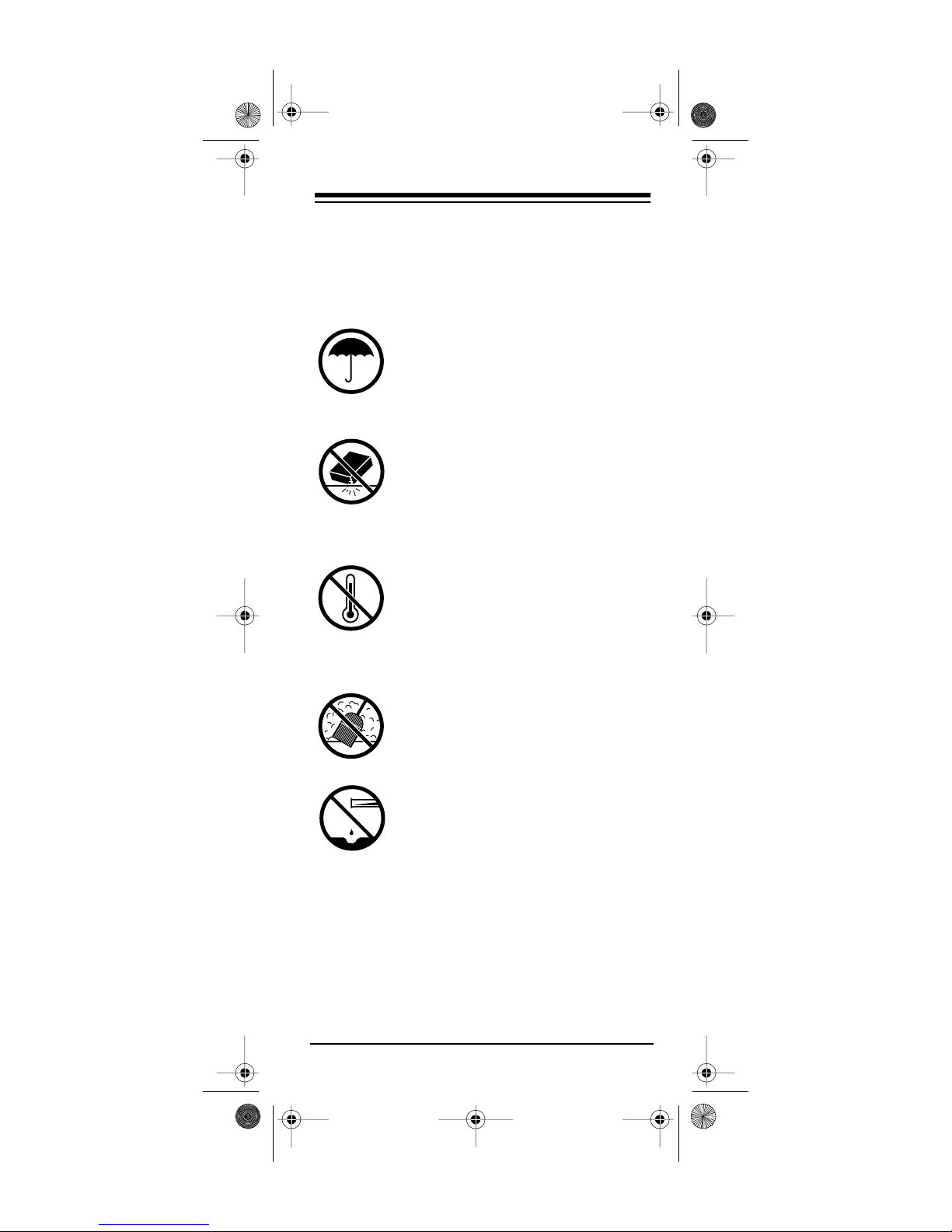
Keep the remote control dry. If it gets
wet, wipe it dry immediately. Liquids
might contain minerals that can co rrode the electronic circuits.
Handle the remote control gently
and carefully. Dropping it can d amage circuit boards and cases and
can cause the remote control to
work improperly.
Use and store the remote control
only in normal tem perature environments. Temperature extremes can
shorten the life of electronic devices,
damage batteries, and distort or melt
plastic parts.
Keep the rem ote control away from
dust and dirt, which can cause premature wear of parts.
Wipe the remote control with a damp
cloth occasionally to keep it looking
new. Do not use harsh chemicals,
cleaning solvents, or strong detergents to clean the remote control.
Modifying or tampering with the remote control’s
internal components can cause a malfunction and
invalidate your remote control’s warranty. If your
remote control is not performing as it should, take
it to your local RadioShack store for assistance.
Need help? Call 1-888-533-7135
27
Page 28
g
g
y
y
y
(b)
g
15-193 1.fm Page 28 Monday, July 19, 1999 2:26 PM
SPECIFICATIONS
Power ....................................... 4 AAA Batteries
IR Control Ran
Dimensions (HWD) ...... 1
e .............. 25 Feet (7.5 M) ±30º
1
8
¥ 113/
16
¥ 63/8 Inches
/
(28.2 ¥ 44.2 ¥ 128 mm)
Wei
ht (Without Batteries) ............ 2.3 oz. (84 g)
Specifications are t
var
. Specifications are subject to change and im-
pical; individual units might
provement without notice.
Limited Ninety-Day Warranty
This product is warranted by RadioShack against manufacturing defects in
material and workmanship under normal use for ninety (90) days from the
date of purchase from RadioShack company-owned stores and authorized
RadioShack franchisees and dealers. EXCEPT AS PROVIDED HEREIN, RadioShack MAKES NO EXPRESS WARRANTIES AND ANY IMPLIED WARRANTIES, INCLUDING THOSE OF MERCHANTABILITY AND FITNESS
FOR A PARTICULAR PURPOSE, ARE LIMITED IN DURATION TO THE DURATION OF THE WRITTEN LIMITED WARRANTIES CONTAINED HEREIN.
EXCEPT AS PROVIDED HEREIN, RadioShack SHALL HAVE NO LIABILITY
OR RESPONSIBILITY TO CUSTOMER OR ANY OTHER PERSON OR ENTITY WITH RESPECT TO ANY LIABILITY, LOSS OR DAMAGE CAUSED DIRECTLY OR INDIRECTLY BY USE OR PERFORMANCE OF THE
PRODUCT OR ARISING OUT OF ANY BREACH OF THIS WARRANTY, INCLUDING, BUT NOT LIMITED TO, ANY DAMAGES RESULTING FROM INCONVENIENCE, LOSS OF TIME, DATA, PROPERTY, REVENUE, OR
PROFIT OR ANY INDIRECT, SPECIAL, INCIDENTAL, OR CONSEQUENTIAL DAMAGES, EVEN IF RadioShack HAS BEEN ADVISED OF THE POSSIBILITY OF SUCH DAMAGES.
Some states do not allow the limitations on how long an implied warranty lasts
or the exclusion of incidental or consequential damages, so the above limitations or exclusions may not apply to you.
In the event of a product defect during the warranty period, take the product
and the RadioShack sales receipt as proof of purchase date to any RadioShack store. RadioShack will, at its option, unless otherwise provided b
law: (a)correct the defect by product repair without charge for parts and labor;
replace the product with one of the same or similar design; or (c) refund
the purchase price. All replaced parts and products, and products on which a
refund is made, become the property of RadioShack. New or reconditioned
parts and products may be used in the performance of warranty service. Repaired or replaced parts and products are warranted for the remainder of the
original warranty period. You will be charged for repair or replacement of the
product made after the expiration of the warranty period.
This warranty does not cover: (a) damage or failure caused by or attributable
to acts of God, abuse, accident, misuse, improper or abnormal usage, failure
to follow instructions, improper installation or maintenance, alteration, lightning or other incidence of excess voltage or current; (b) any repairs other than
those provided by a RadioShack Authorized Service Facility; (c) consumables
such as fuses or batteries; (d) cosmeti c d amage; (e) transportation, shippin
or insurance costs; or (f) costs of product removal, installation, set-up service
adjustment or reinstallation.
This warranty gives you specific legal rights, and you may also have other
rights which vary from state to state.
RadioShack Customer Relations, Dept. W,
100 Throckmorton St., Suite 600,
Fort Worth, TX 76102
We Service What We Sell
3/97
8A8N Printed in Hong Kong
 Loading...