

Page 1
QUDS
Wireless Quinetic Door Switch
Wireless Door Switch
Installation Instructions
Self Powered
No Radiation No Maintenance No Wiring
Wireless Door Switch Operation:
The Quinetic Wireless Door Switch can be
installed inside wardrobes, cabinets, cupboards etc
and is suitable for all door types.
The QUDS switches can be used with the standard
Quinetic receiving controllers.
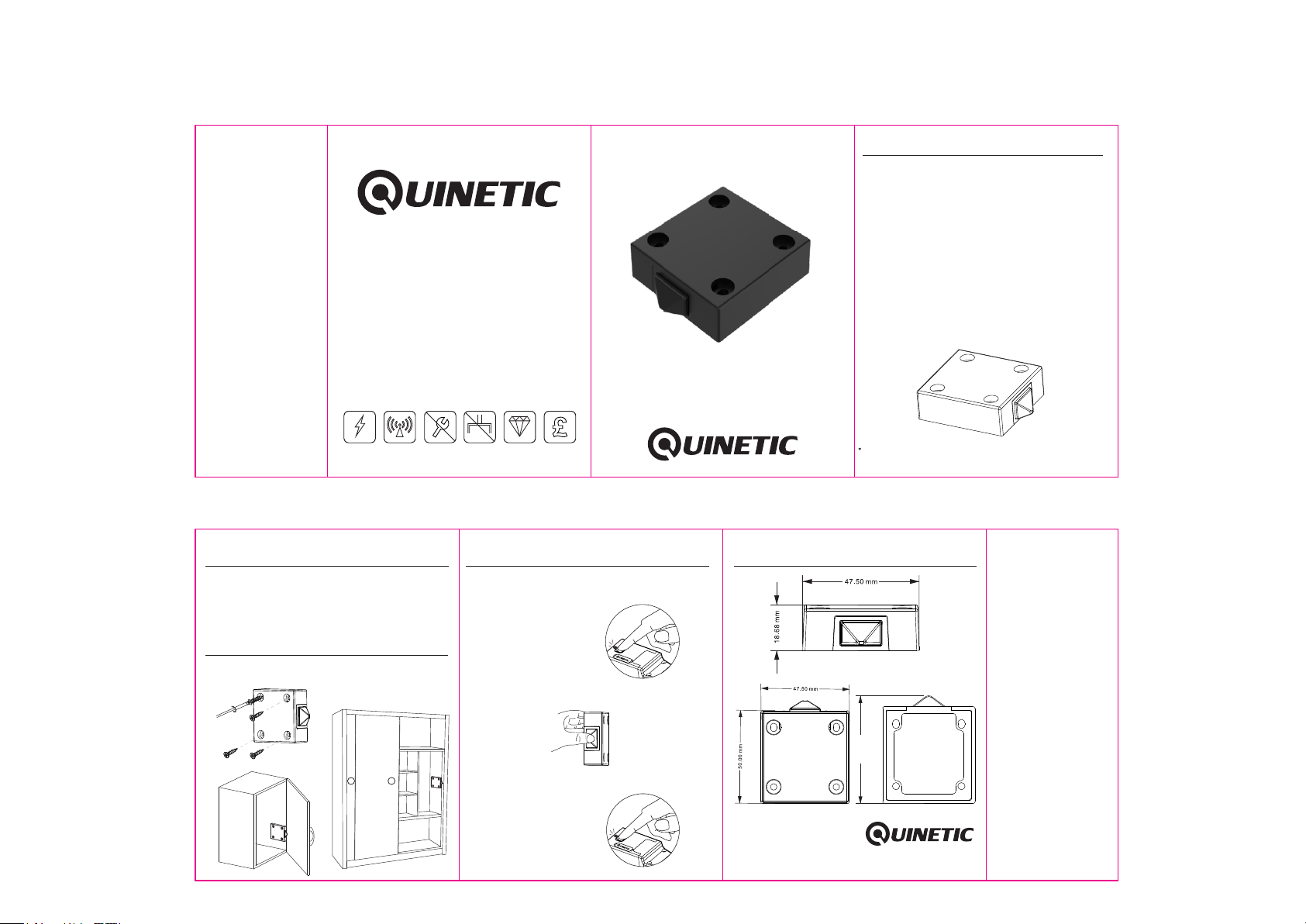
Installation Instructions:
1. Mount the wireless door switch on a flat surface
using screws (not included).
Read instructions carefully before installation
QUDS
Durable
Cost Saving
Wireless Door Switch Pairing Method:
1. Press the function button for 3 seconds and the
indicator light begins to flash slowly. Then release
the button.
Press for 3 seconds to enter
2. Briefly press the wireless sliding door contact switch
for 0.5 seconds.
program mode
Wireless Sliding Switch
Product dimensions:
Spec if ic at ions
Wireless Quinetic Door Switch
Technical Parameters:
Work Type: Push Type Button
Power Source: Micro energy acquisition and self
generating (no battery required)
Number of Keys: 1 (1 gang)
Control Distance*: 25m (indoor)
Work Frequency: 433Hz
Work Environment Temperature: -20
Control Method: Pairing with Quinetic Wireless Controller
Life Time: ≥100000 times
3 Year Warranty
Installation method: surface mounted with screws (not
included).
Dist ance co mes fro m Quine tic lab orato ry test r esult . The act ual dis tance i n pract ical
use mi ght var y due to en viron menta l diffe rence .
0 0
C ~ 55 C
3. To unpair the device, press and hold the function
button for 10 seconds.
Press for 10 seconds to
clear memory
55.55 mm
*For more informaon about pairing, instrucons and troubleshoot
please visit www.tlc-direct.co.uk website.
 Loading...