

Page 1
Tranzitone
for NI Kontakt 4 and 5
Tranzitone combines the sounds and features of a transistor organ, a string machine, and an
analogue-style synthesizer.
Tranzitone contains:
• Over 700 samples at 24-bit, 44.1khz quality
• An easy-to-use interface for comprehensive sound design
• A collection of preset NKI instruments
• A default NKI to use as a starting point for your own patches
The full version of Kontakt 4.2.3 or above is required. Tranzitone will not work with the free
Kontakt Player.
Page 2

Contents
Introducing Tranzitone............................................................................................................................ 3
Instrument structure ............................................................................................................................... 4
Signal flow ........................................................................................................................................... 5
Instrument interface: Registers .............................................................................................................. 6
Register controls ................................................................................................................................. 6
Delay and Reverb ................................................................................................................................ 7
Instrument interface: Envelope and Filters ............................................................................................ 8
Amplifier modules ............................................................................................................................... 8
Filter 1 ................................................................................................................................................. 9
Filter 2 ............................................................................................................................................... 10
Global LFO ......................................................................................................................................... 10
Instrument interface: FX ....................................................................................................................... 11
2
Leslie ................................................................................................................................................. 11
Chorus ............................................................................................................................................... 12
Phaser ............................................................................................................................................... 12
EQ ...................................................................................................................................................... 12
Delay ................................................................................................................................................. 13
Reverb ............................................................................................................................................... 13
Mod wheel configuration ................................................................................................................. 13
Pitch wheel configuration ................................................................................................................. 14
Instrument interface: Arpeggiator ........................................................................................................ 15
Global controls .................................................................................................................................. 15
Timing controls ................................................................................................................................. 16
Pitch controls .................................................................................................................................... 16
Rhythm controls ................................................................................................................................ 16
Instrument interface: Credits ................................................................................................................ 17
Presets ................................................................................................................................................... 18
A note on memory use.......................................................................................................................... 18
Feedback ............................................................................................................................................... 18
Licence agreement ................................................................................................................................ 19
© Copyright Precisionsound 2012 www.precisionsound.net
Page 3
Introducing Tranzitone
Thanks for purchasing Tranzitone!
Tranzitone expands the traditional transistor organ concept by adding powerful synthesiser
functions in Kontakt 4 and 5. It combines sampled transistors and analogue synth characteristics in
an intuitive instrument capable of producing organs, strings, and pads in a way impossible with
either a conventional synth or a classic transistor organ.
Instead of transistor switches, you have multiple drawbars with volume, pan, and detune; ADSR
envelopes; a Moog-style ladder filter; Leslie cabinet and rotating speaker; and much more.
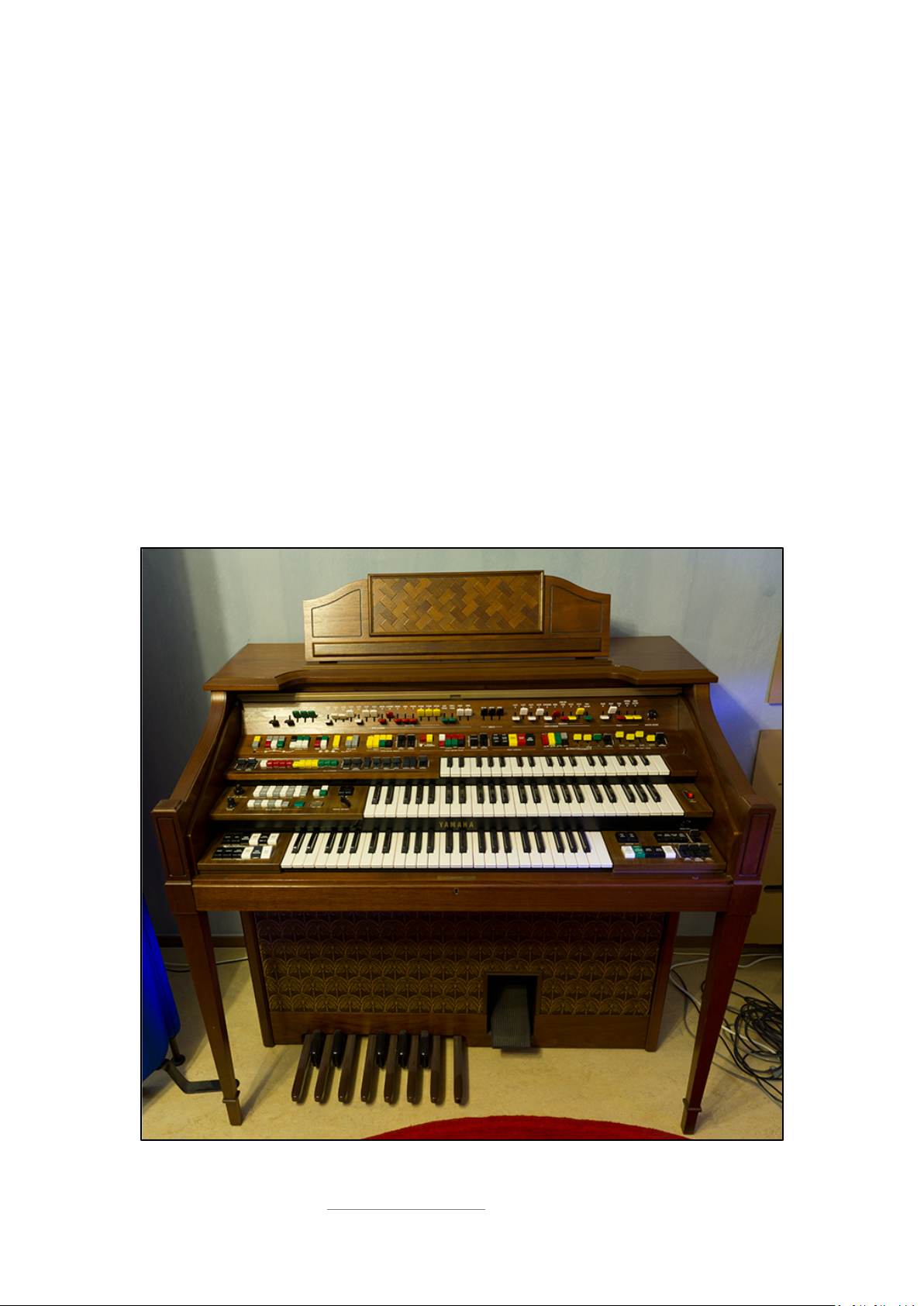
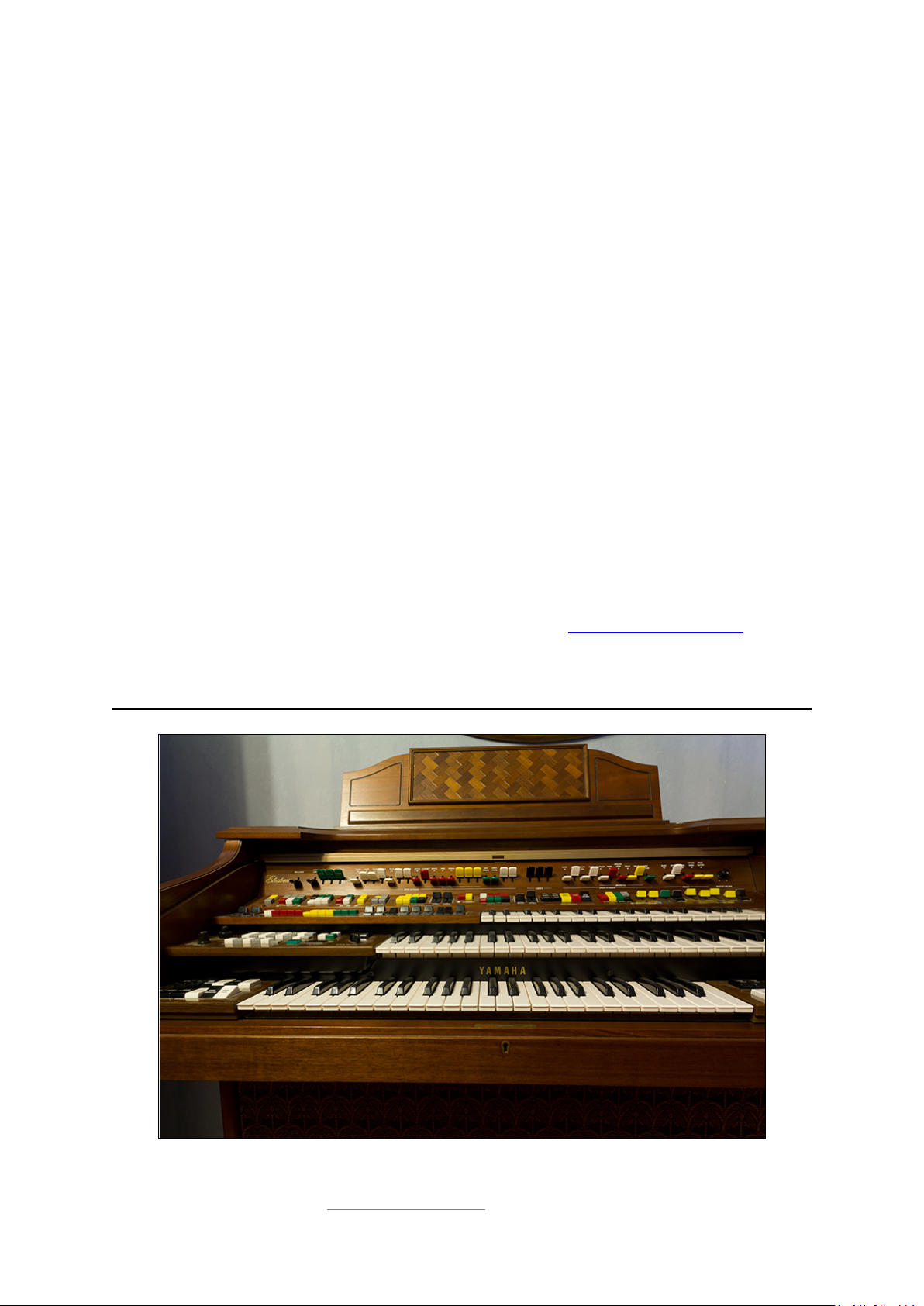
The multisampled registers of Tranzitone have their source in the flagship Electone D-85 organ by
Yamaha. Twenty-nine simultaneous registers, including five dedicated bass registers, allow you to
build up complex sound textures unlike anything else around.
Tranzitone is a perfect complement to other organ libraries for Kontakt like the “Vintage Organs” by
Native Instruments. Tranzitone is a unique hybrid between an organ, a string machine, and a virtual
analogue synthesizer.
3
The Yamaha Electone D-85 organ
© Copyright Precisionsound 2012 www.precisionsound.net
Page 4
Bass Manual section registers
Lower Manual section registers
Upper Manual section registers
Bass 16*
Flute 8
Flute 16
String 4*
Instrument structure
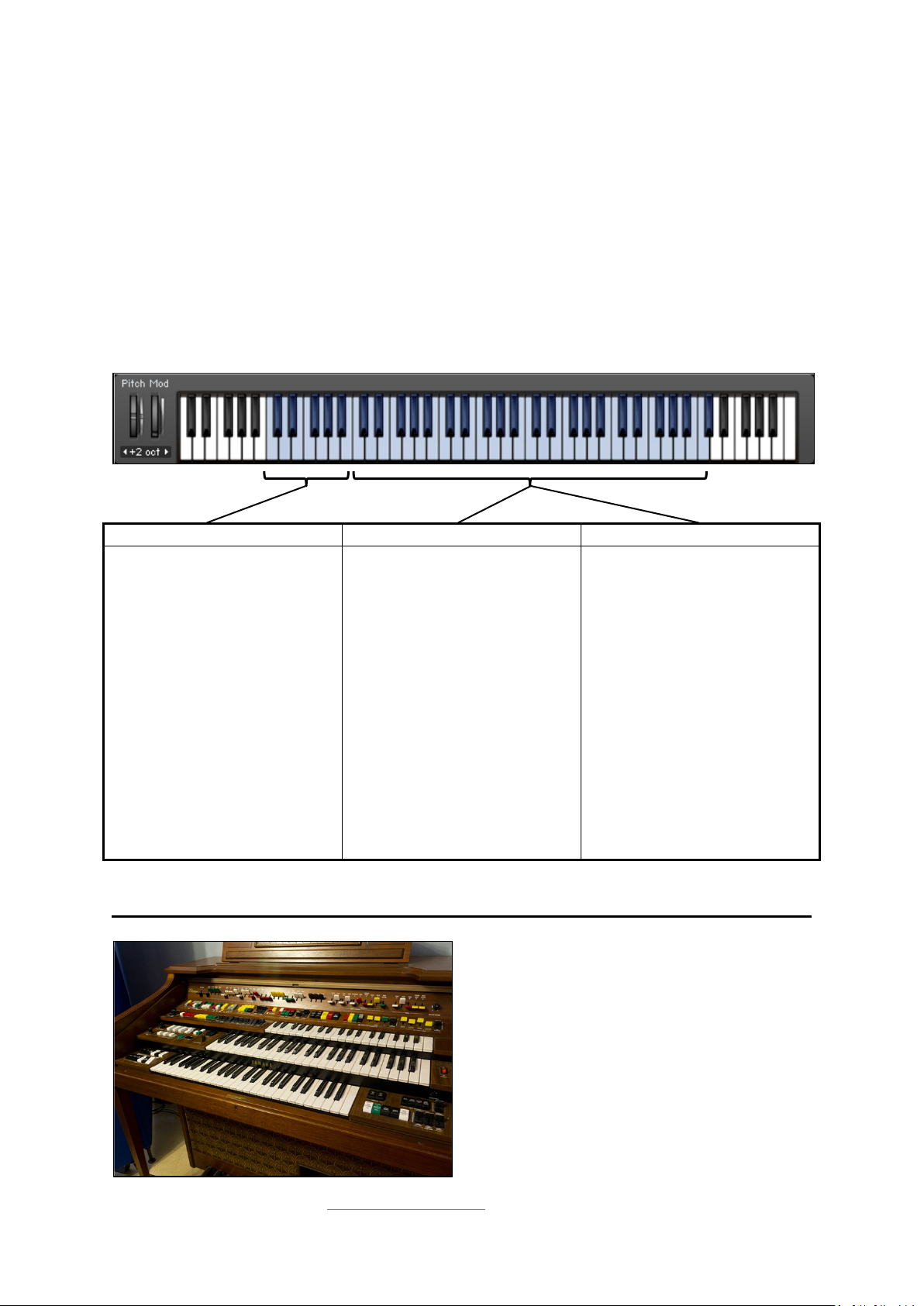
Tranzitone contains twenty-nine registers, which are divided into three sections and mapped across
the keyboard between C1 and C#6. The sections are Bass Manual (mapped from C1-B1), Lower
Manual (mapped from C2-C#6), and Upper Manual (also mapped from C2-C#6).
The registers can be soloed or played in any combination. Some of them also feature “symphonic
chorus”, a special effect sampled from the Electone organ that you can activate.
The picture below shows the mapping of the three sections, and the names of the registers in each
section. An asterisk next to a register shows that symphonic chorus is available for that register.
4
Bass 8*
Tuba 16*
String Bass 8*
Bass Guitar 8*
*Symphonic Chorus available
Flute 4
Flute 2 2/3
Flute 2
Horn 8
Diapason 8*
English Horn 8*
Cello 8*
Cello 4*
Flute 8
Flute 5 1/3
Flute 4
Flute 2 2/3
Flute 2
Flute 1
Brass 16*
Clarinet 16*
Brass 8*
Oboe 8*
Kinura 8*
String 16*
String 8*
The top row of switches on the Electone activate the
registers that we sampled for Tranzitone
© Copyright Precisionsound 2012 www.precisionsound.net
Page 5
LFO pitch
modulation
LFO volume
modulation
LFO filter
modulation
Signal flow
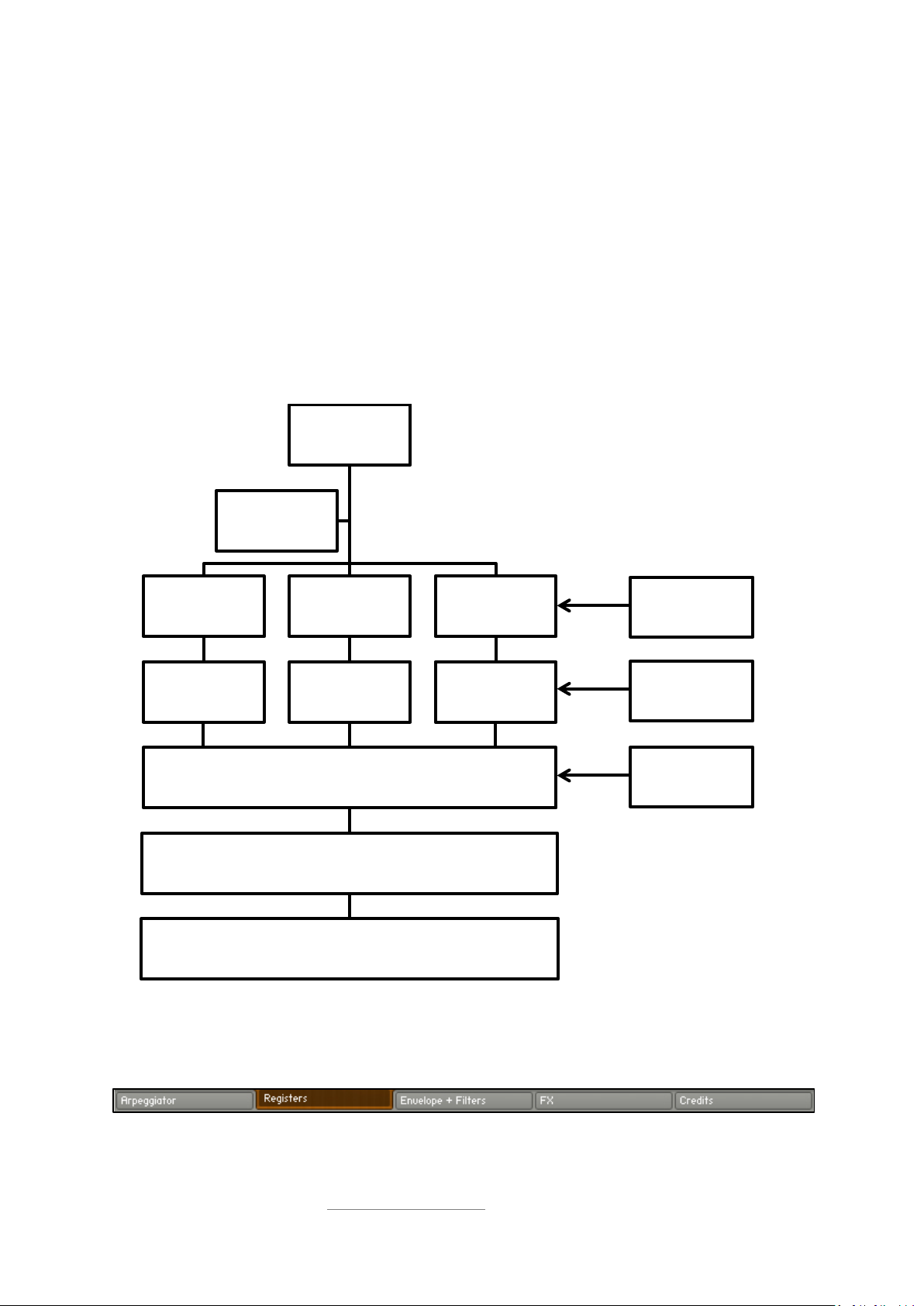
Once loaded in Kontakt, Tranzitone responds to notes played on your MIDI keyboard, either directly
or via a built-in arpeggiator. The signal from each section flows through an amplifier module,
containing a volume envelope specific to the section.
The combined signal from all sections then flows through two filters and several global effects that
you can enable or disable.
A global LFO (low frequency oscillator) can be used to modulate the pitch of the registers, the
volume of the amplifier modules, and the characteristics of the first filter.
This signal flow is shown in the picture below.
MIDI notes in
5
Arpeggiator
Bass Manual
registers
Bass Manual
envelope
Lower Manual
registers
Lower Manual
envelope
Filters
Effects
Sound out
Upper Manual
registers
Upper Manual
envelope
On the Tranzitone interface, this signal flow is represented left-to-right. You can switch between the
controls available for each part of the signal flow by clicking the rectangular buttons along the base
of the interface:
© Copyright Precisionsound 2012 www.precisionsound.net
Page 6
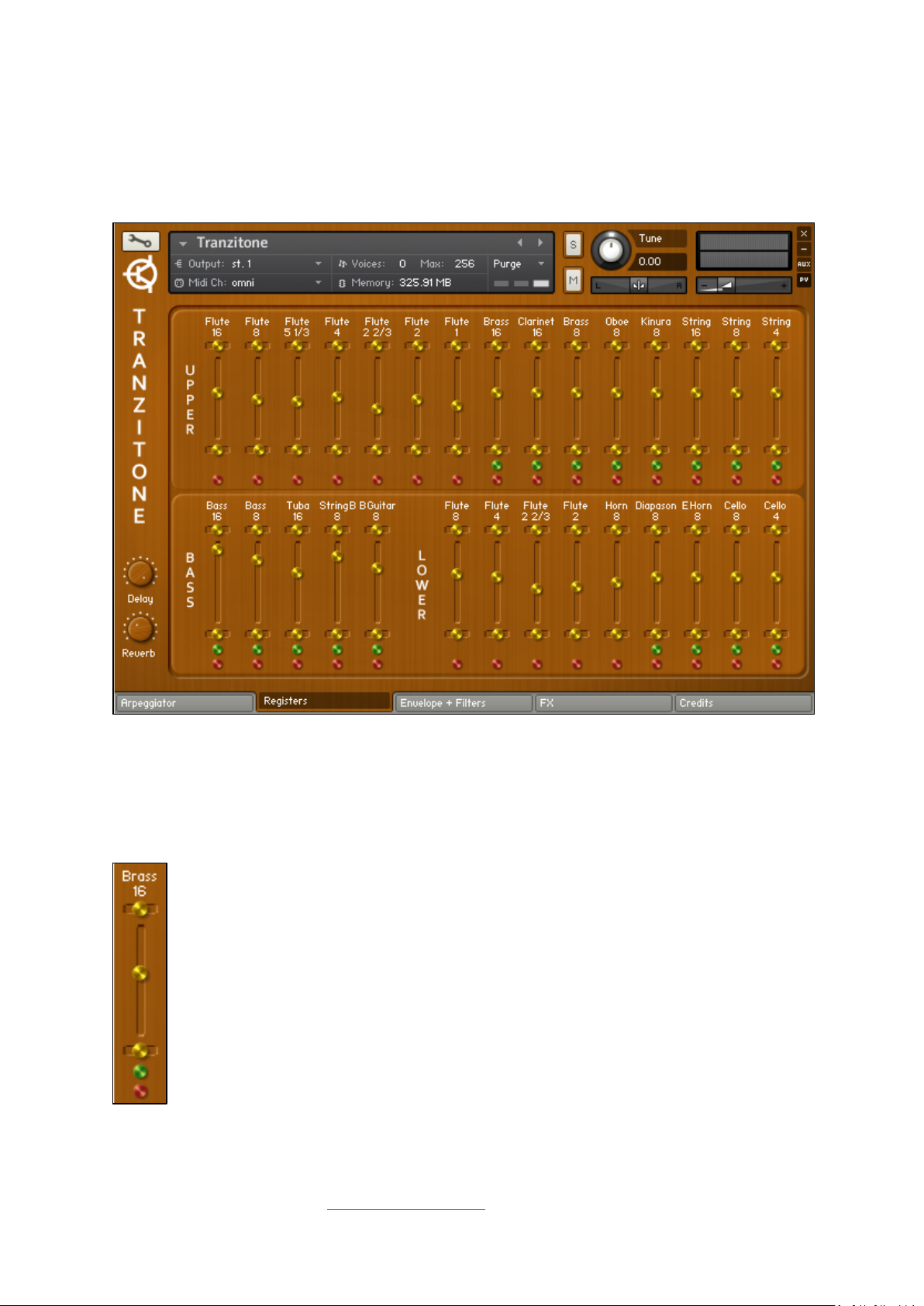
Instrument interface: Registers
Our tour of the instrument interface begins with the Registers page, because this is the heart of the
Tranzitone. It is shown in the screenshot below.
6
The fifteen registers in the Upper Manual section are located in the upper part of the interface. The
five Bass Manual registers are in the lower left, and the nine registers in the Lower Manual section
are in the lower right.
Register controls
The register name is shown first, followed by a small horizontal slider that controls the
stereo pan position of the register.
The large vertical slider controls the register’s volume.
The second small horizontal slider controls the fine-tuning of the register (-/+60 cents).
The green button activates symphonic chorus, if available for the register.
The red button switches the register on/off.
© Copyright Precisionsound 2012 www.precisionsound.net
Page 7
When symphonic chorus is activated, a different sample set is used for the register, featuring an
effect recorded from the source.
To reset the pan, volume, or tuning for a register, control-click or command-click the respective
slider.
In order to keep CPU usage reasonable when layering registers, we have configured the Tranzitone
with 64 notes of polyphony for each section of registers.
If all registers are switched off, Tranzitone will make no sound when MIDI notes are played.
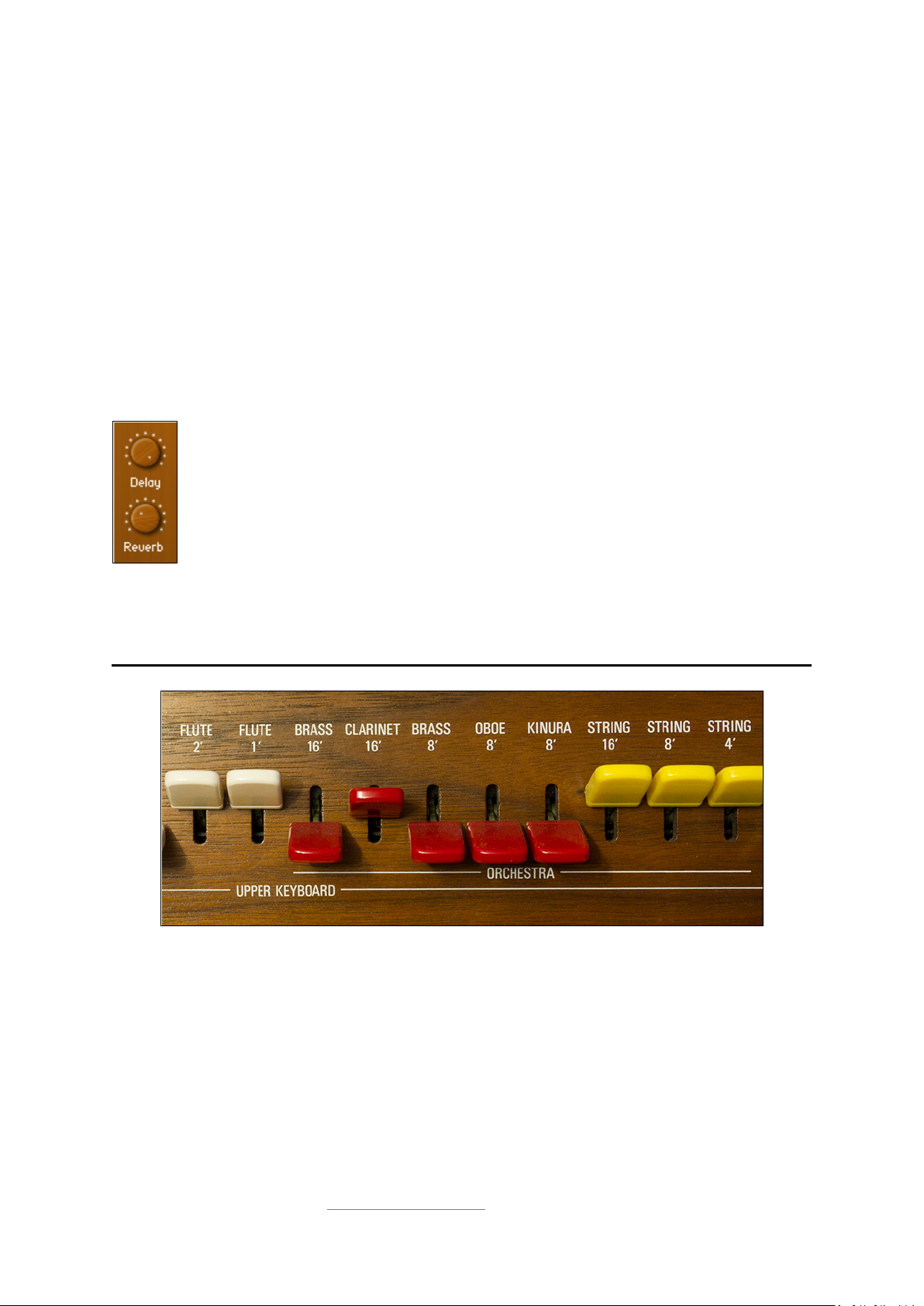
Delay and Reverb
To the left of the registers page are two wooden dials that adjust the level of delay and
reverb for the instrument.
To enable easy access, these dials exist on all five interface pages.
7
Turning a dial fully to the left switches off the respective effect. If the effect is off, turning
its dial to the right will switch it on.
Further control over delay and reverb parameters is possible on the effects page, described later in
this manual.
Some of the Upper Manual register switches on the Electone
© Copyright Precisionsound 2012 www.precisionsound.net
Page 8
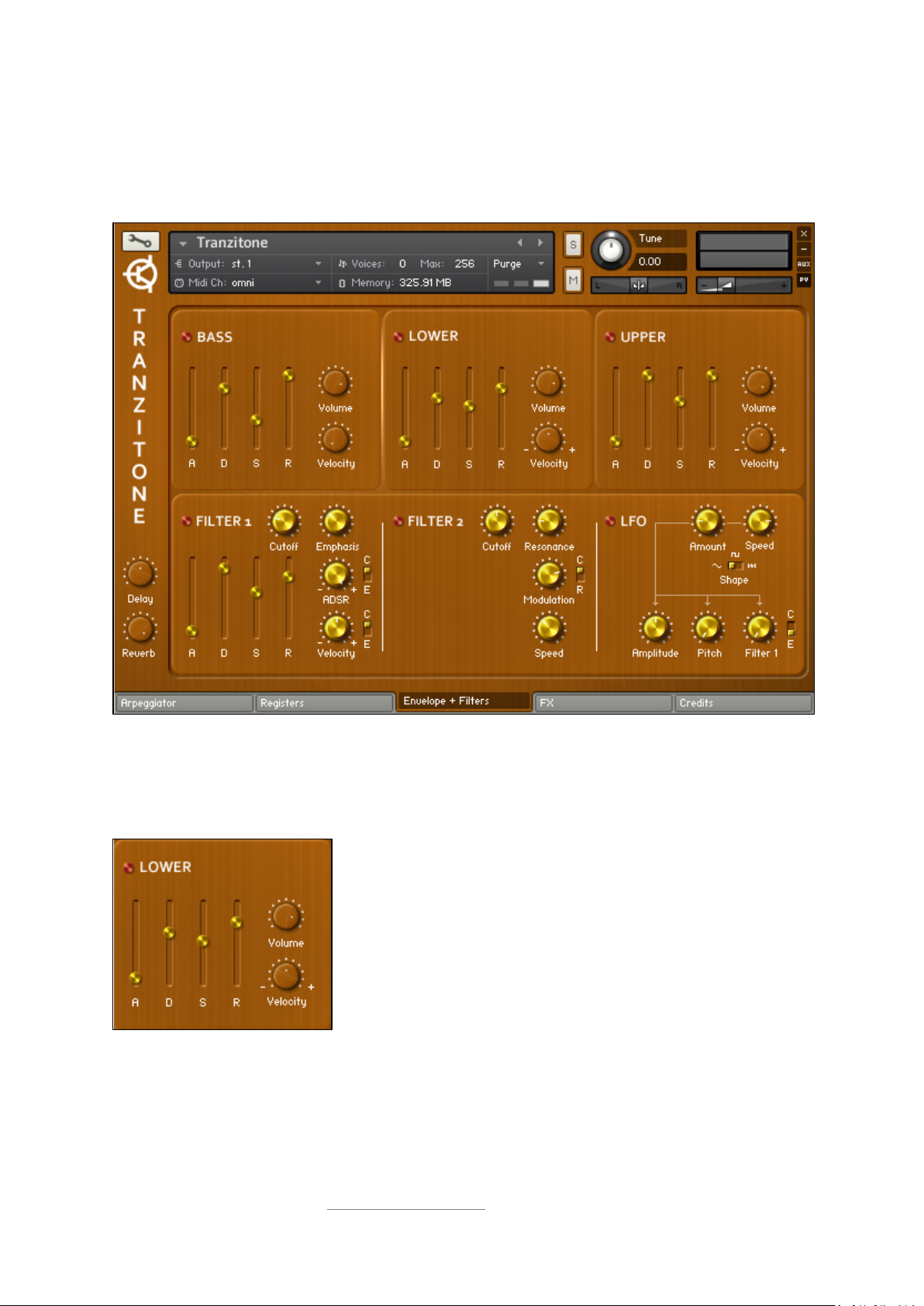
Instrument interface: Envelope and Filters
The signal from the active registers flows into amplifier modules for each section. These are shown
on the next page of the interface, together with controls for filters and the LFO.
8
Amplifier modules
For each section, you can shape the dynamics with an ADSR envelope, change the volume, and
adjust the velocity sensitivity (the relation between note volume and MIDI key pressure).
The red button next to the section name switches the section
on/off.
The sliders control the attack (A), decay (D), sustain (S), and release
(R) of the envelope for the section.
There are also dials for the section volume and velocity sensitivity.
These amplifier controls affect all the registers in their respective section. Volume differences
between registers, set on the Registers interface page, are preserved. In other words, the section
volume acts like a VCA master fader for a VCA group containing the registers in the section.
© Copyright Precisionsound 2012 www.precisionsound.net
Page 9
The velocity range for the Bass Manual section is between 0 - 100%.
The Lower and Upper Manual sections have velocity ranges of -/+100%. At negative values, note
volume will decrease when you play with greater pressure. This means that if you set one section to
-100%, and the other to +100%, you will have a velocity-sensitive crossfade between the sections.
If all sections are switched off, Tranzitone will make no sound when MIDI notes are played.
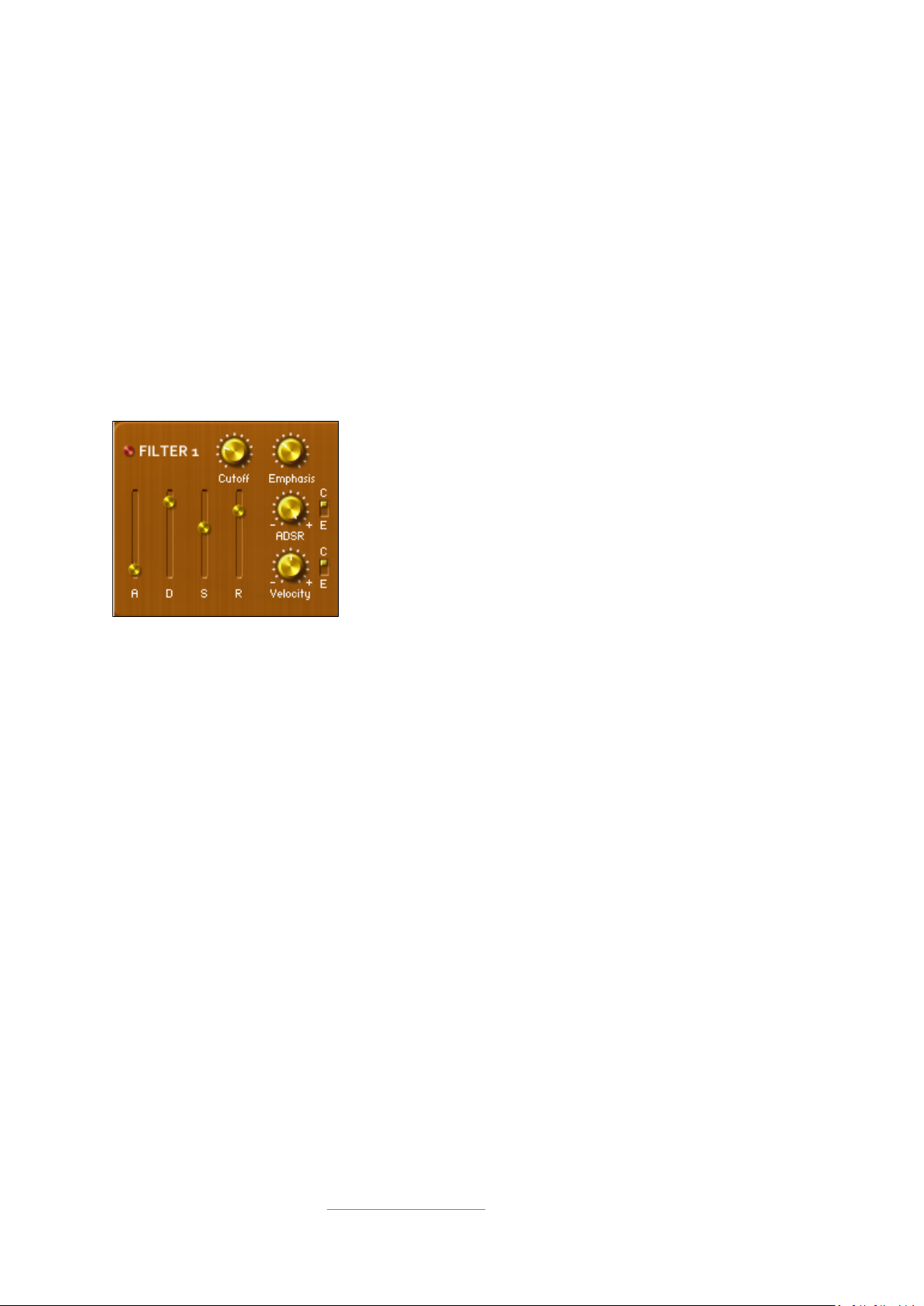
Filter 1
This is a Moog-style ladder filter that reduces high frequencies, and can add a resonant peak (the
emphasis) at the point where high frequencies are rolled off (the cutoff).
The red button switches the filter on/off.
The Cutoff and Emphasis dials control the frequency and intensity
of the filter.
9
The ADSR and Velocity dials control modulation of the filter, with
switches to set the targets of the modulators.
The four sliders control the attack, decay, sustain and release of
the filter’s envelope modulator.
Two modulators are available here—an envelope that can be shaped using the ADSR sliders, and
MIDI note velocity. You can change the extent to which these affect the filter by turning the dials
marked ADSR and Velocity.
Turning a dial to the left means that the respective modulator will decrease the value of the
modulation target. Turning a dial to the right will increase the value of the target. If a dial is at midpoint, the modulator will not affect the sound.
Each modulator can be switched between two possible targets using the switch next to the
corresponding modulator dial. The possible targets are the filter cutoff (C) and the filter emphasis
(E).
Filter 1 can also be modulated by the global LFO, described later in this manual.
© Copyright Precisionsound 2012 www.precisionsound.net
Page 10
10
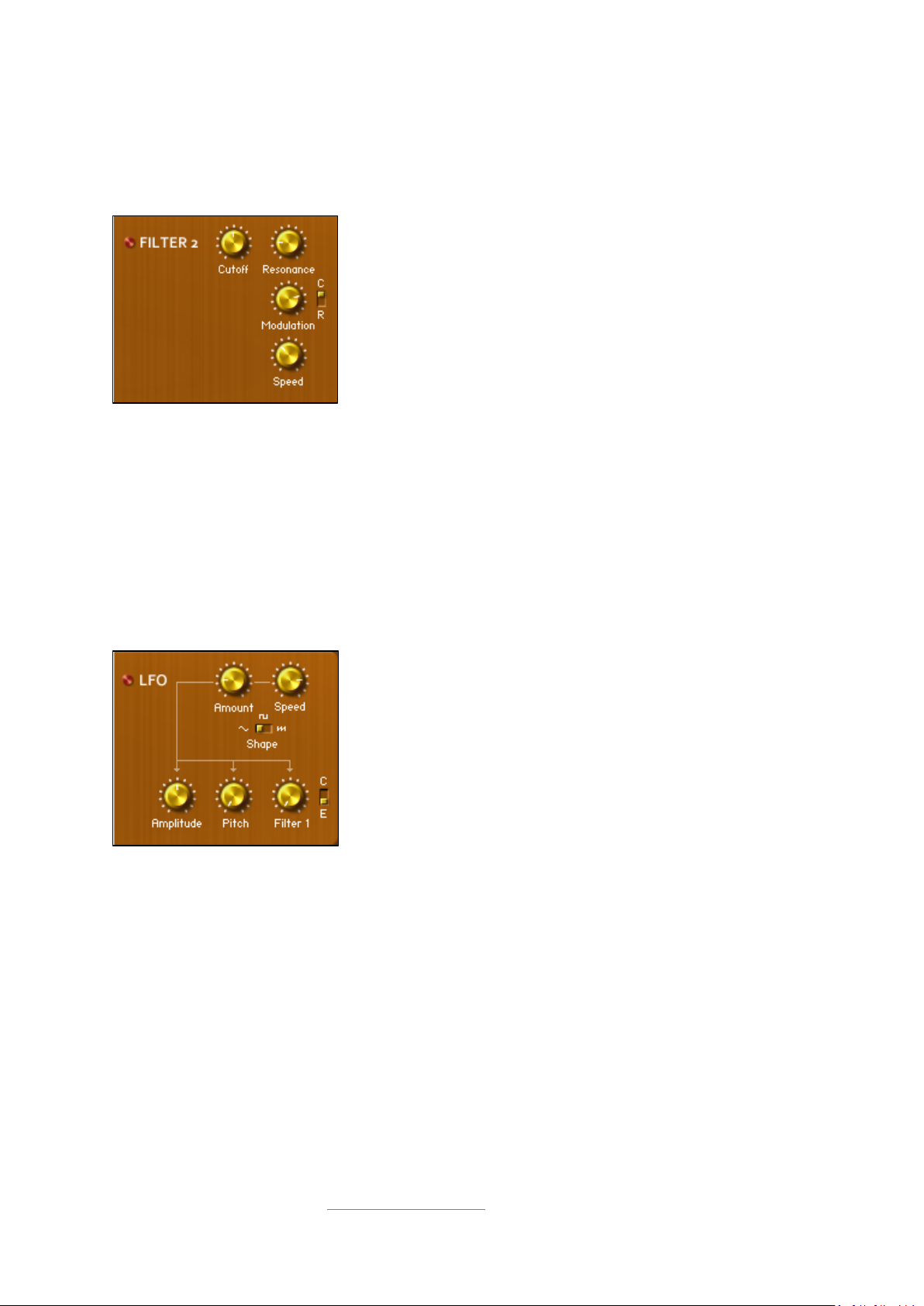
Filter 2
This is an all-pass filter that creates peaks and notches in the sound, relative to a certain frequency
(the cutoff) and to varying extremes (the resonance).
The red button switches the filter on/off.
The Cutoff and Resonance dials control the frequency and intensity
of the filter.
The Modulation dial controls the depth of the LFO, with a switch
to set its target.
The Speed dial controls the frequency of the LFO.
Filter 2 can be modulated by a dedicated LFO. This is sine-shaped and creates a smooth sweeping
effect when the Modulation dial is raised. The LFO modulator has two possible targets, selectable by
the switch next to its dial—the filter cutoff (C) or resonance (R).
Global LFO
This LFO is a modulator with multiple possible shapes and targets, and is different from the LFO
within Filter 2.
The red button switches the LFO on/off.
The overall depth of the LFO is set by the Amount dial. Its
frequency is controlled by the Speed dial.
The LFO’s shape can be switched between sine, rectangle and
sawtooth.
The effect of the LFO on each possible target is controllable
individually with the Amplitude, Pitch and Filter 1 dials and switch.
After setting its depth using the Amount dial, you can make the LFO modulate amplitude, pitch, and
Filter 1 to different extents by raising their respective dials.
The LFO can modulate either the cutoff (C) or emphasis (E) of Filter 1, selectable by the switch next
to the Filter 1 dial.
If the Amount dial is at zero, the LFO will have no effect, regardless of the positions of the
target dials.
© Copyright Precisionsound 2012 www.precisionsound.net
Page 11
Instrument interface: FX
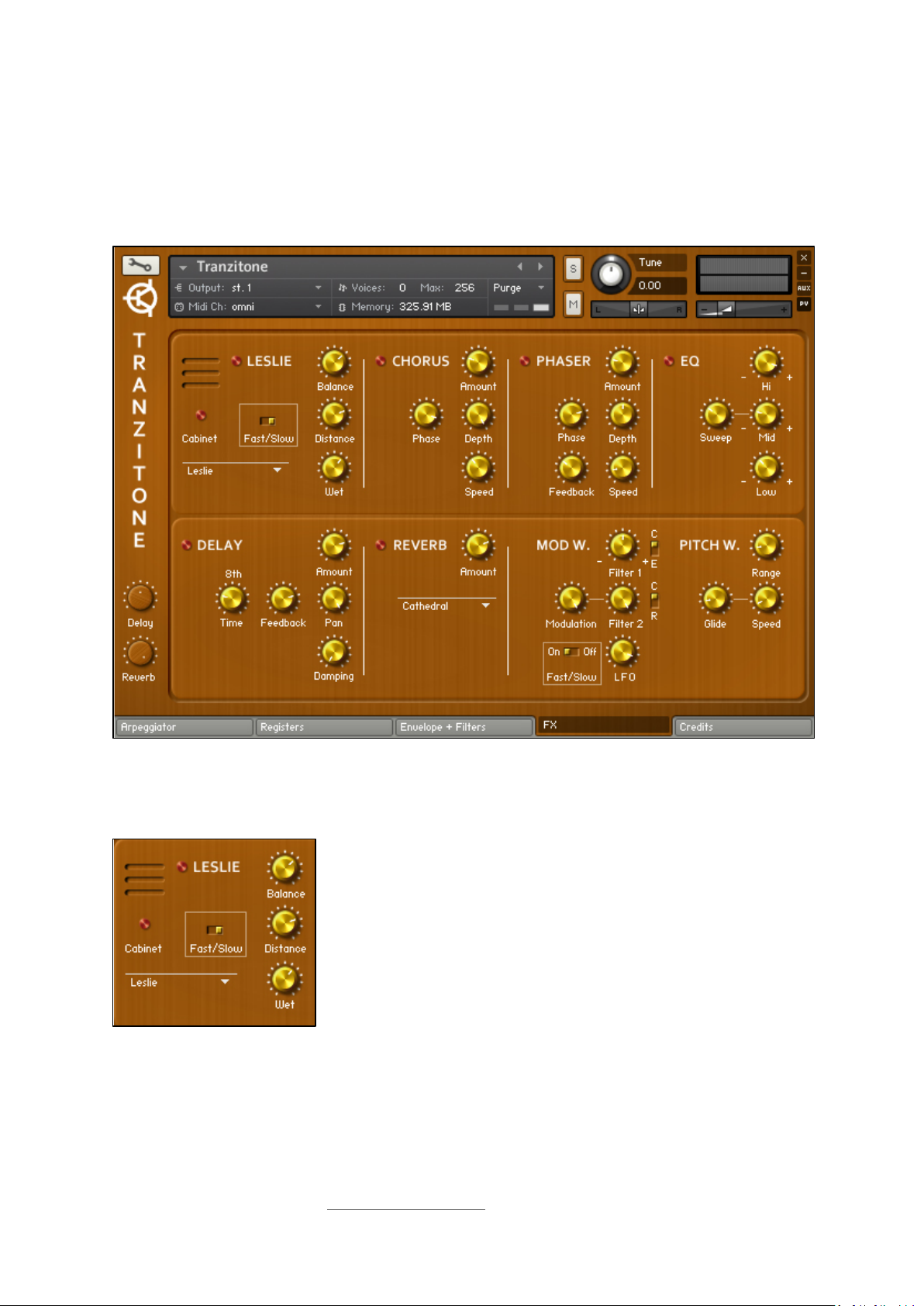
The signal flows from the section amplifier modules, via the filters if they are active, into a bank of
six effects that can be individually engaged and adjusted. These are shown on the next page of the
interface, together with controls for the modulation and pitch bend wheels.
11
Leslie
This is a cabinet and rotating speaker simulator.
The red button next to LESLIE switches the rotating speaker on/off.
The other red button switches the cabinet simulation on/off.
The Balance, Distance and Wet dials control the tone, stereo image
and volume of the rotator.
The speed of the rotator is controllable with the Fast/Slow switch.
The drop-down menu lets you change the simulated cabinet type.
The cabinet simulation can be used independently from the rotating speaker, by switching
the Leslie button off and the cabinet button on.
© Copyright Precisionsound 2012 www.precisionsound.net
Page 12
Chorus
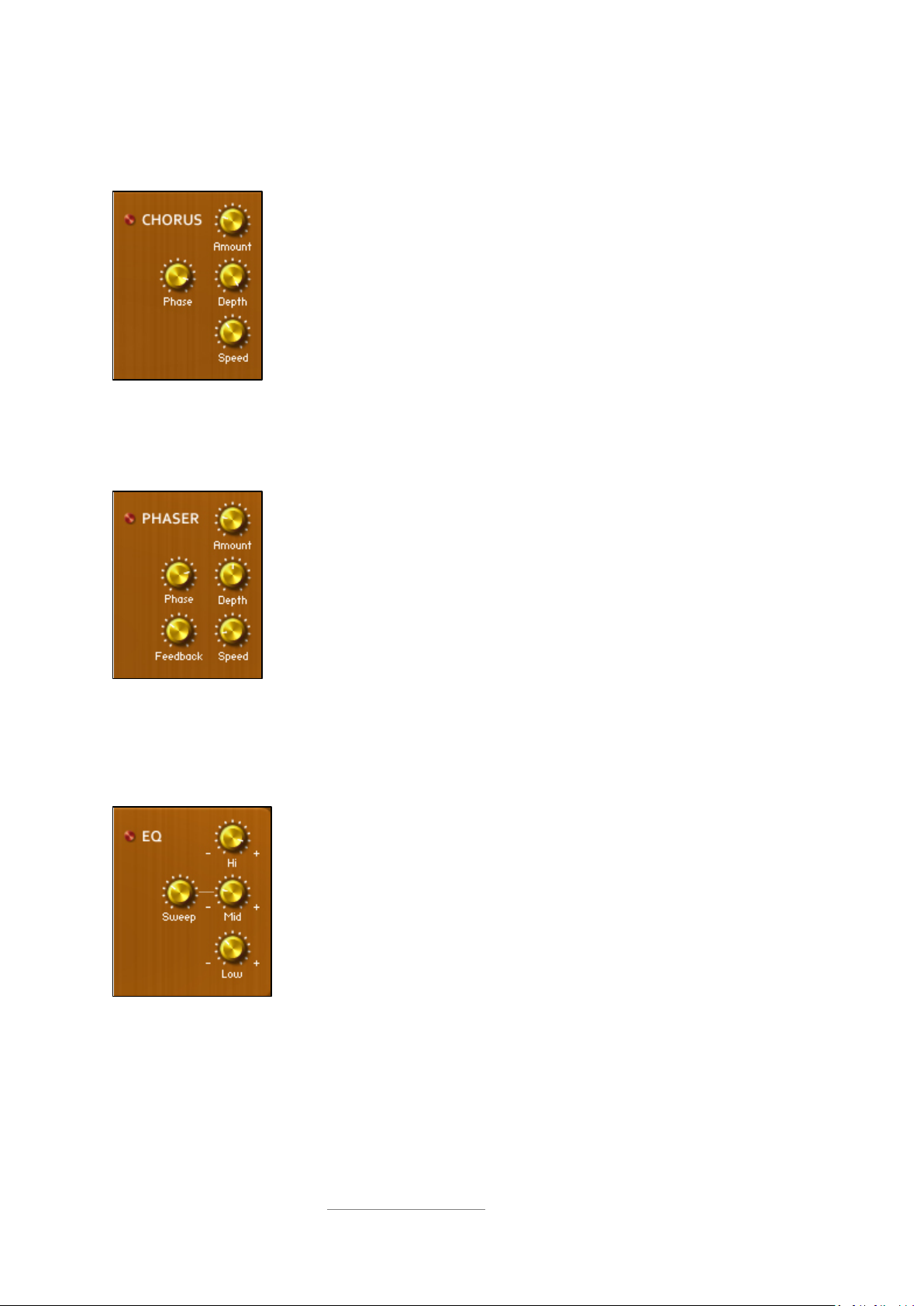
This doubles and thickens the sound.
The red button switches the chorus effect on/off.
The Amount dial controls the level of the chorus.
The intensity and frequency of the chorus are controllable by the Depth and
Speed dials.
The Phase dial fine-tunes the tone of the chorus by shifting it in time.
Phaser
This is a swirling all-pass filter, with a different character from Filter 2.
The red button switches the phaser effect on/off.
12
The Amount dial controls the level of the phaser.
The intensity of the phaser is controllable by the Depth and Feedback dials.
The Phase dial fine-tunes the tone of the phaser by shifting it in time.
The frequency of the phaser is controllable by the Speed dial.
EQ
This is a traditional equaliser with an adjustable mid-range frequency.
The red button switches the EQ on/off.
The Hi dial boosts or cuts around 12.5kHz.
The Mid dial boosts or cuts around a frequency set by the Sweep dial, which
ranges from 100Hz to 10.1kHz.
The Lo dial boosts or cuts around 32.1Hz.
© Copyright Precisionsound 2012 www.precisionsound.net
Page 13
Delay
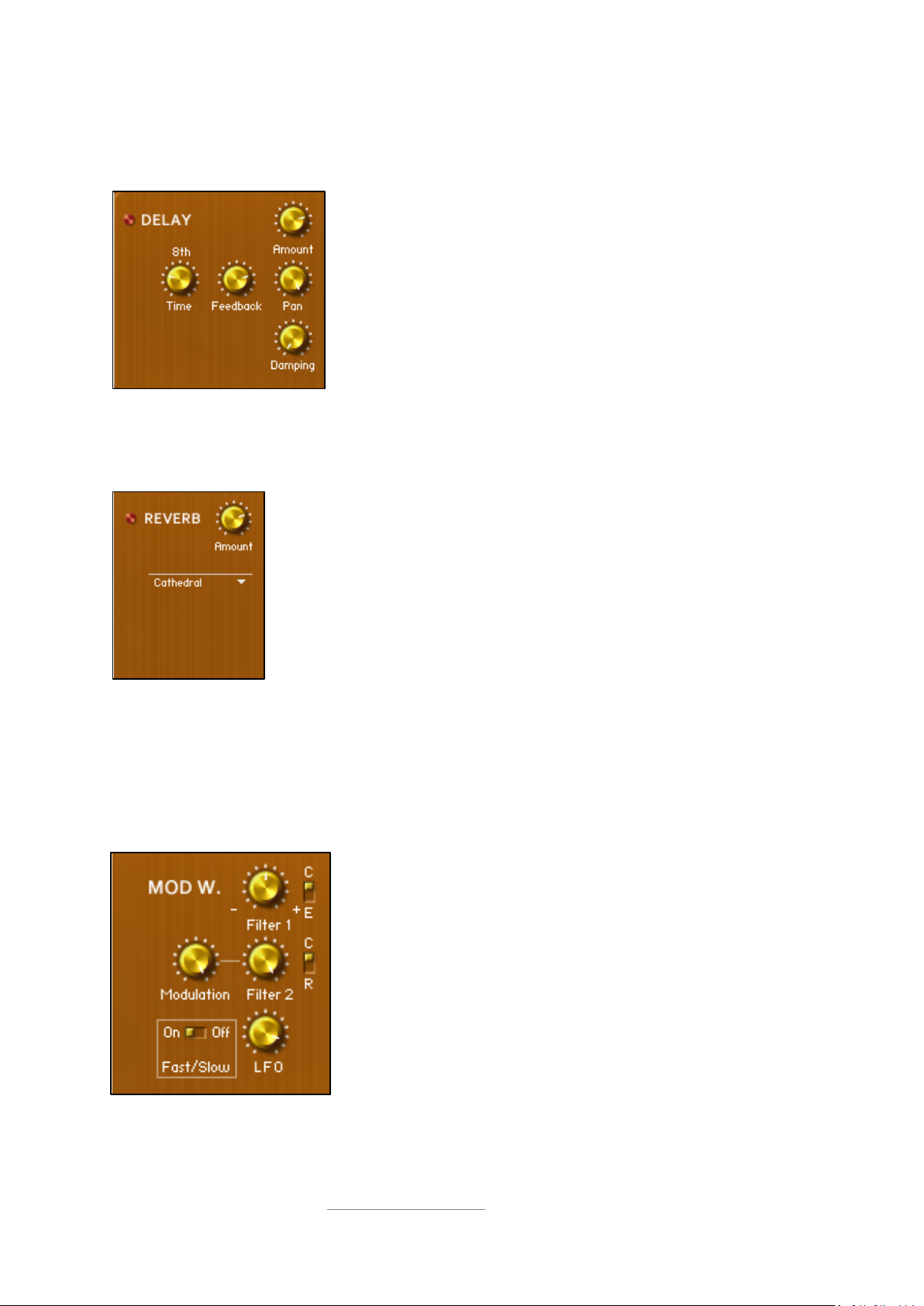
This is a tempo-synced delay effect.
The red button switches the delay on/off.
The Amount dial controls the level of the delay.
The rate of delay is shown above the Time dial, which controls it.
The stereo width and tone of the delay are controllable by the Pan
and Damping dials.
The Feedback dial controls the amount of times the delay repeats.
Reverb
This is a convolution-based reverb that simulates a range of spaces and devices.
The red button switches the reverb on/off.
13
The Amount dial controls the level of the reverb.
The drop-down menu lets you change the reverb type.
Reverb and delay can also be switched on by turning the wooden dials on the left of every
interface page. These work in addition to the Amount dials in the delay and reverb sections,
to provide further control over the effect levels.
Mod wheel configuration
The modwheel controls adjust the effect of the modulation wheel (MIDI CC1) on the sound.
The Filter 1 dial and switch control the effect of the modwheel on
either the cutoff (C) or emphasis (E) of Filter 1.
The Filter 2 and Modulation dials and switch control the effect of
the modwheel on either the cutoff (C) or resonance (R) of Filter 2,
and on the depth of Filter 2’s LFO modulator.
The LFO dial controls the modwheel’s effect on the amount of the
global LFO modulator.
The On/Off switch determines whether the modwheel will control
the speed of the Leslie rotator.
Remember that these dials do not directly change the instrument sound, but instead
determine how the modulation wheel changes the sound when it is raised.
© Copyright Precisionsound 2012 www.precisionsound.net
Page 14
Pitch wheel configuration
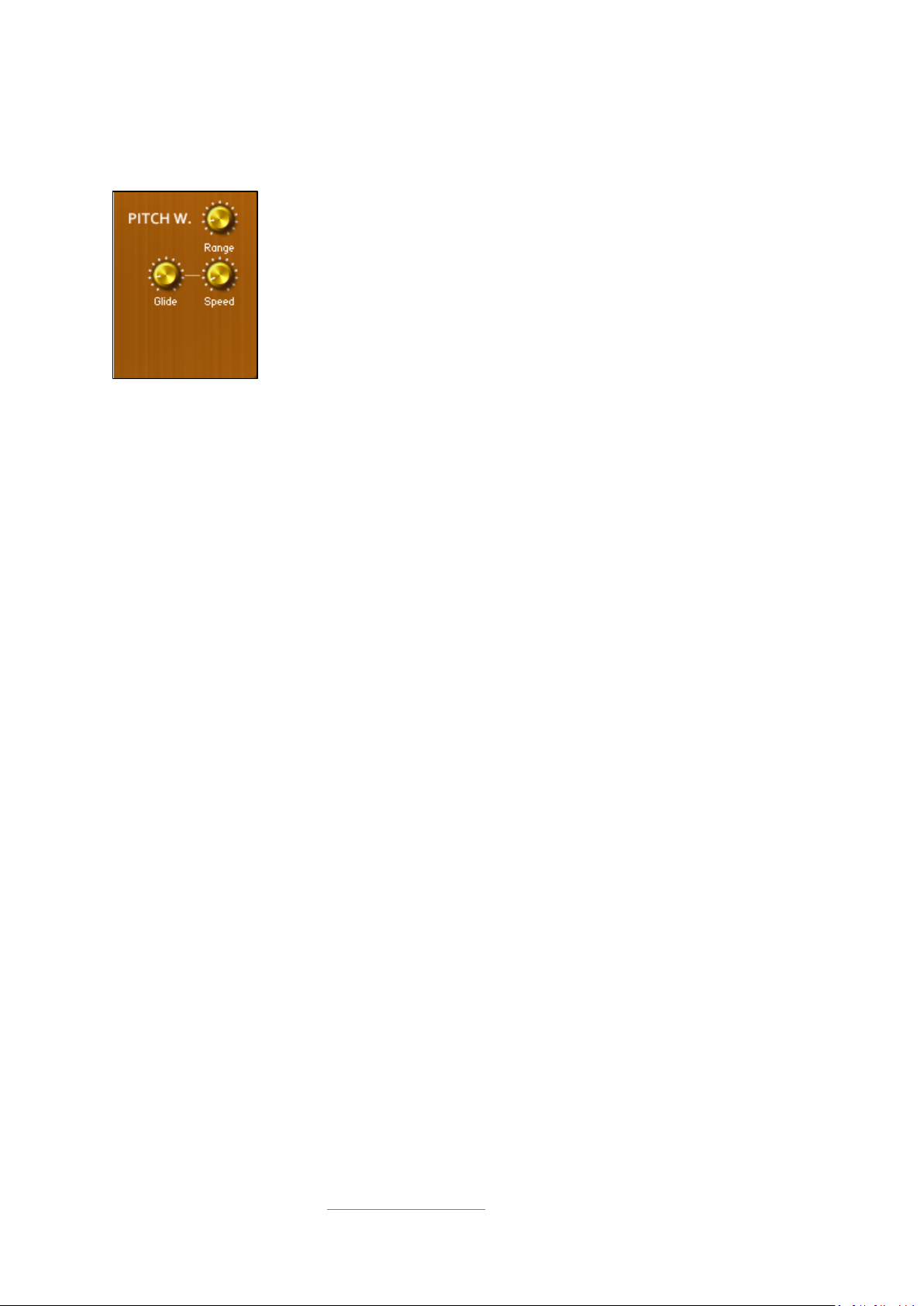
These dials adjust several parameters affecting the pitch of played notes.
The Range dial controls the effect of the pitch bend wheel, in semitone steps
from 0 to +/-12.
The Glide dial introduces portamento between consecutive notes. As the dial
is turned up, the portamento range increases.
The Speed dial controls the time it takes for the portamento to slide between
notes.
14
© Copyright Precisionsound 2012 www.precisionsound.net
Page 15
Instrument interface: Arpeggiator
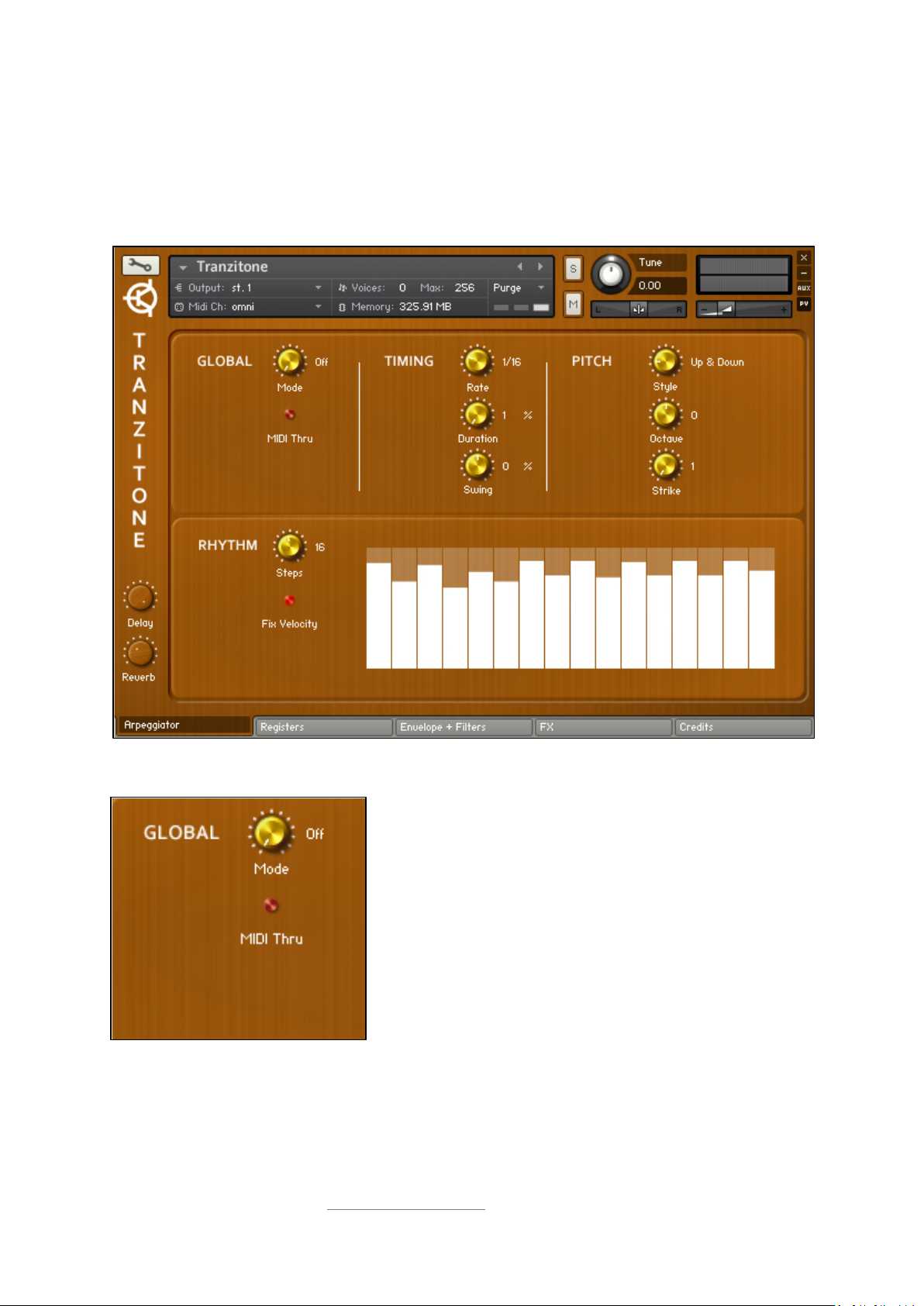
Now let’s return to the leftmost page of the interface. The arpeggiator can convert notes played on
your MIDI keyboard into sequences that are automatically locked to the tempo of your host
sequencer.
15
Global controls
The Mode dial switches the arpeggiator on/off. It also
provides ‘Hold’ and ‘Hold +-‘ modes.
‘Hold’ means that the arpeggiator will keep playing after you
release the keys.
‘Hold+-’ enables you to add notes to the arpeggio by pressing
further keys after the keys that started the arpeggio have
been released.
When MIDI Thru is on, played notes will sound as normal, in
addition to feeding the arpeggiator.
© Copyright Precisionsound 2012 www.precisionsound.net
Page 16
Timing controls
Pitch controls
16
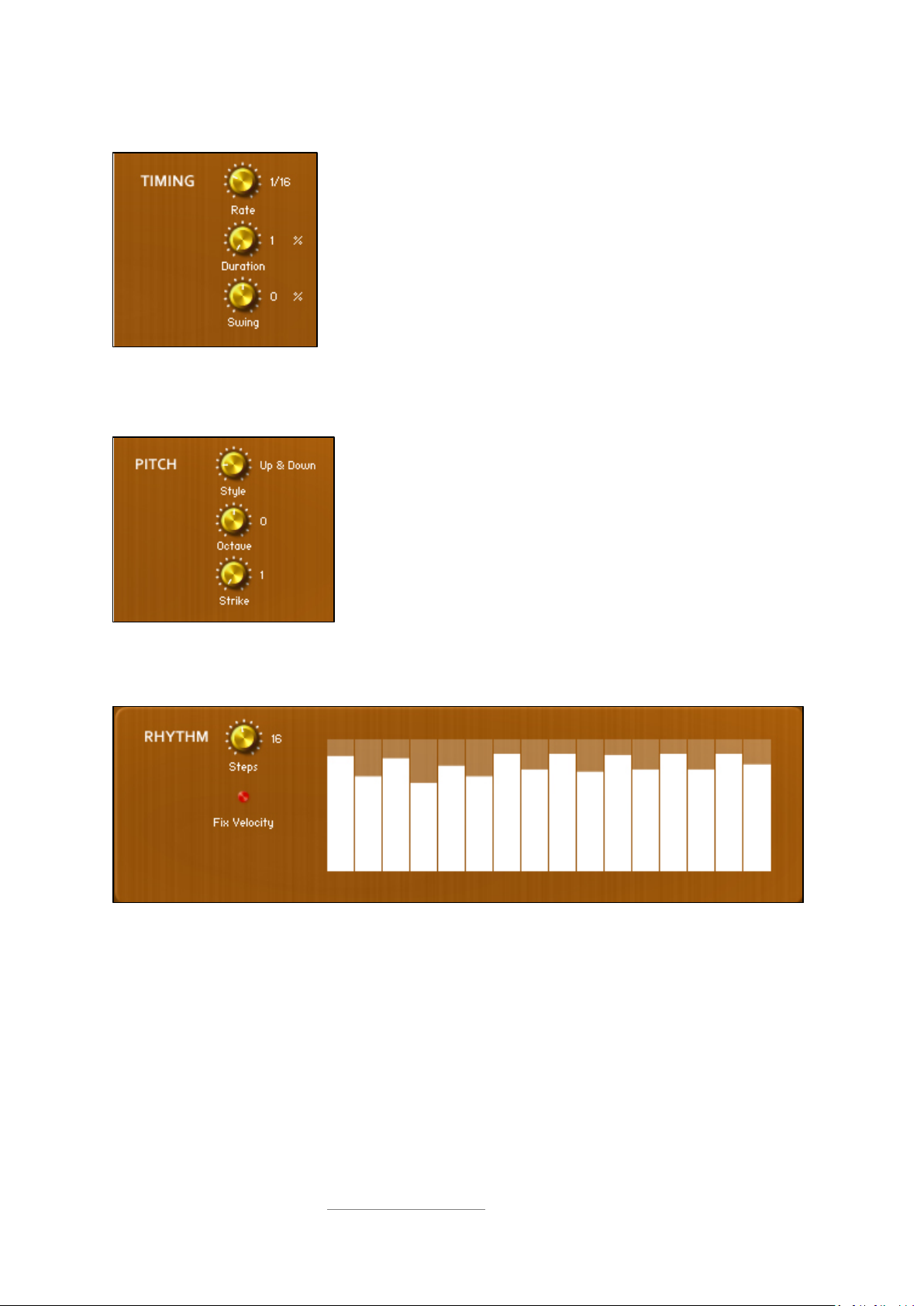
The tempo-synced speed of the arpeggiator is controlled by the Rate
dial, and its value is displayed to the right of the dial.
The Duration dial controls the length of each note in the arpeggio.
The Swing dial moves the notes in the arpeggio away from the beat.
At mid-point, the arpeggiator plays exactly on the beat.
The pattern created by the arpeggiator is controllable by the Style
dial.
The Octave dial controls the range over which the arpeggiator
notes are played.
The Strike dial sets the number of consecutive times that the
arpeggiator plays each note.
Rhythm controls
The Steps dial controls the length in notes of the arpeggiator’s pattern.
As the Steps dial is turned, the number of white bars shown on the right changes accordingly. Each
bar represents a note in the arpeggiator.
The height of each bar controls the velocity at which the corresponding note will be generated by the
arpeggiator.
The bars only affect the notes if Fix Velocity is switched on. If Fix Velocity is off, notes are
generated at the velocity with which they were played on your MIDI keyboard.
© Copyright Precisionsound 2012 www.precisionsound.net
Page 17
Instrument interface: Credits
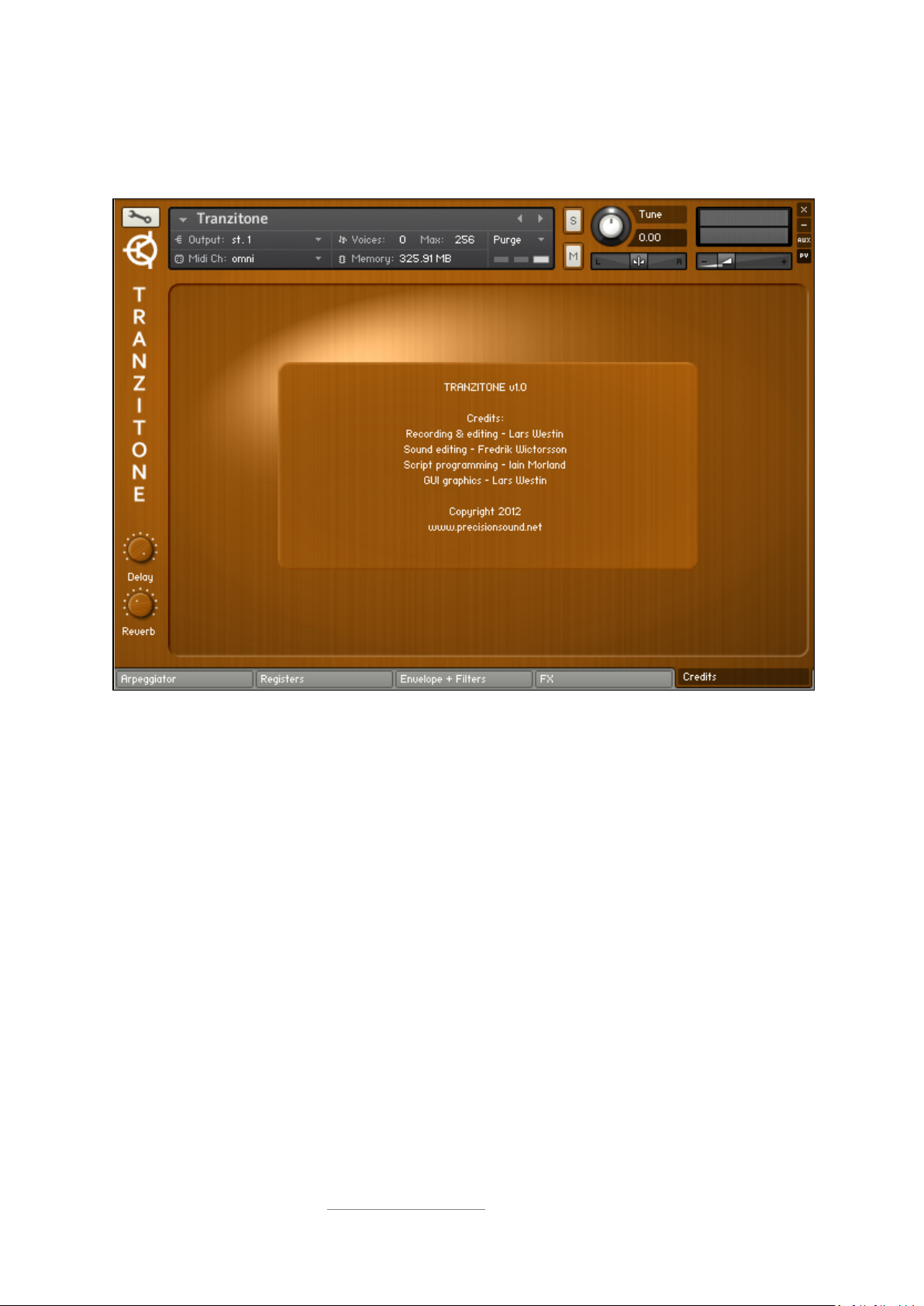
The final interface page shows the team who worked on Tranzitone.
17
Recording and editing by Lars Westin
Script programming by Iain Morland
The Tranzitone manual was written by Iain Morland, with photographs by Lars Westin.
Tranzitone includes impulses from the free Bricasti M7 library by Acousticas, used under license.
Sound editing by Fredrik Wictorsson
GUI graphics by Lars Westin
© Copyright Precisionsound 2012 www.precisionsound.net
Page 18
18
Presets
Alongside the default NKI instrument, you will find a folder named presets. This contains a collection
of Tranzitone instruments with registers, filters, and effects already tweaked by Precisionsound.
A note on memory use
Tranzitone loads into RAM (‘sampler mode’ in Kontakt). Kontakt also has a disk-streaming mode for
lower RAM usage (‘DFD’), but during testing we experienced some clicks in the sound when using
DFD mode. If you would like to conserve memory you can switch Tranzitone into DFD mode but
please be aware that the sound may glitch as a result.
To change the instrument into DFD mode, click the wrench icon next to the instrument header, open
the group editor and click the red button labelled ‘edit all groups’. Then in the source module, click
the drop-down menu that reads ‘sampler’ and change it to ‘DFD’. If you are unsure how to locate
these controls, please consult the Kontakt reference manual.
Feedback
We welcome your feedback on Tranzitone! You can write to us at [email protected].
© Copyright Precisionsound 2012 www.precisionsound.net
Page 19

19
Licence agreement
All content on CD/DVD-ROM and in downloadable SampleSets available from Precisionsound and
other resellers are licensed, not sold, to you, the single user. Precisionsound is the owner or master
licensee of the content.
The payment you make to purchase the SampleSets containing the content gives you the nonexclusive right to use the content in any music and/or audiovisual media production, such as a
soundtrack, music production, television show, live/playback show, advertisement,
computer/videogame.
The music demos are © Copyrighted and shows how different content from downloadable
SampleSets and CD/DVD-ROMs can be used. Any use of the demos found at Precisionsound’s
website or on a reseller’s website requires written permission from Precisionsound.
You may not distribute, sell, re-sell, lend, rent, lease, give away, sublicense, assign, or otherwise
transfer any of the content except as part of, and incorporated in a production.
You may not distribute the content, either in native format or reformatted, filtered, re-synthesized
or otherwise edited or treated, for use as samples, loops, multi-samples as programs or patches in a
sampler or sample playback unit. The content cannot be used as source playback from ROM or chip
sets or embedded in any chip set. Only the original purchaser has the right to use the content in
their production.
You will not spread unlock codes for downloaded SampleSets “*.exe/zip/rar” files to any other
person and you have to keep such codes confidential.
If you become aware of any unauthorized use or distribution of Precisionsound content, please
notify Precisionsound immediately via E-mail at [email protected]
Violation of this agreement will be pursued to the fullest extent of the law.
.
© Copyright Precisionsound 2012 www.precisionsound.net
 Loading...