

Page 1

APPLICATION NOTES
DSP ADAPTER BOARD
Page 2
1
DO000285.00 REV.01
ADAPTER BOARD FOR DIGIMOD3000PFCSU IPALMOD DSP-LITE
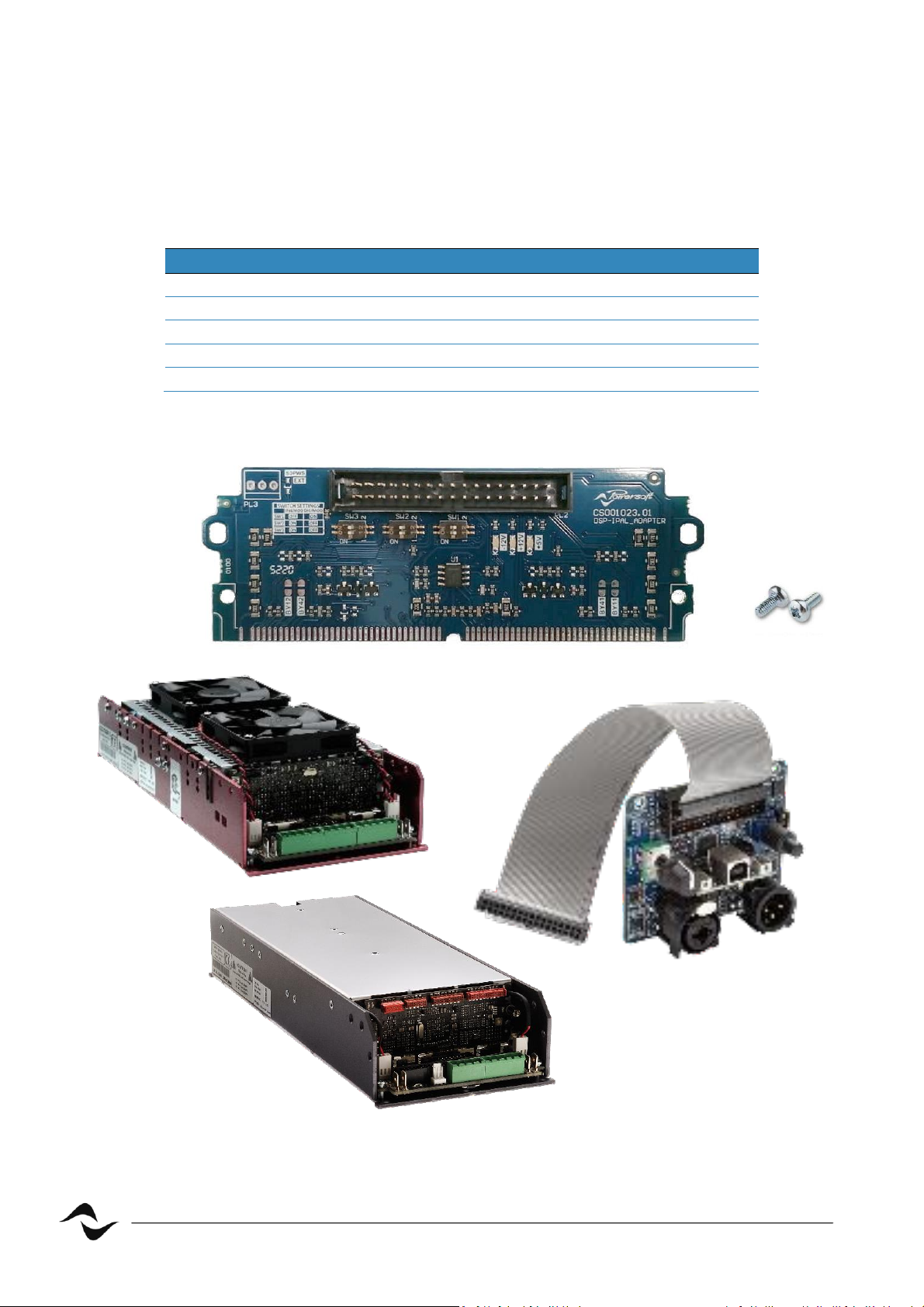
In this applicaon note is shown how to connect a DSP-Lite to a Digimod3000PFCSu or to an IpalMod
by the using an adapter board.
Bill of Materials
Code
Descripon
Number
SM001265.01
DSP Adapter Board
1
Screws M3x6
2
PF000193
IpalMod (alternave 1)
1
PF000192
Digimod3000PFC SU (alternave 2)
1
DSPLXXXX DSP-Lite
1
Table 1 – Bill of Materials
Figure 1 – Bill of Materials
Digimod3000PFC Su
Adapter Board
IpalMod
DSP-Lite
Screws M3x6
Page 3
2
DO000285.00 REV.01
Adapter Board Setup
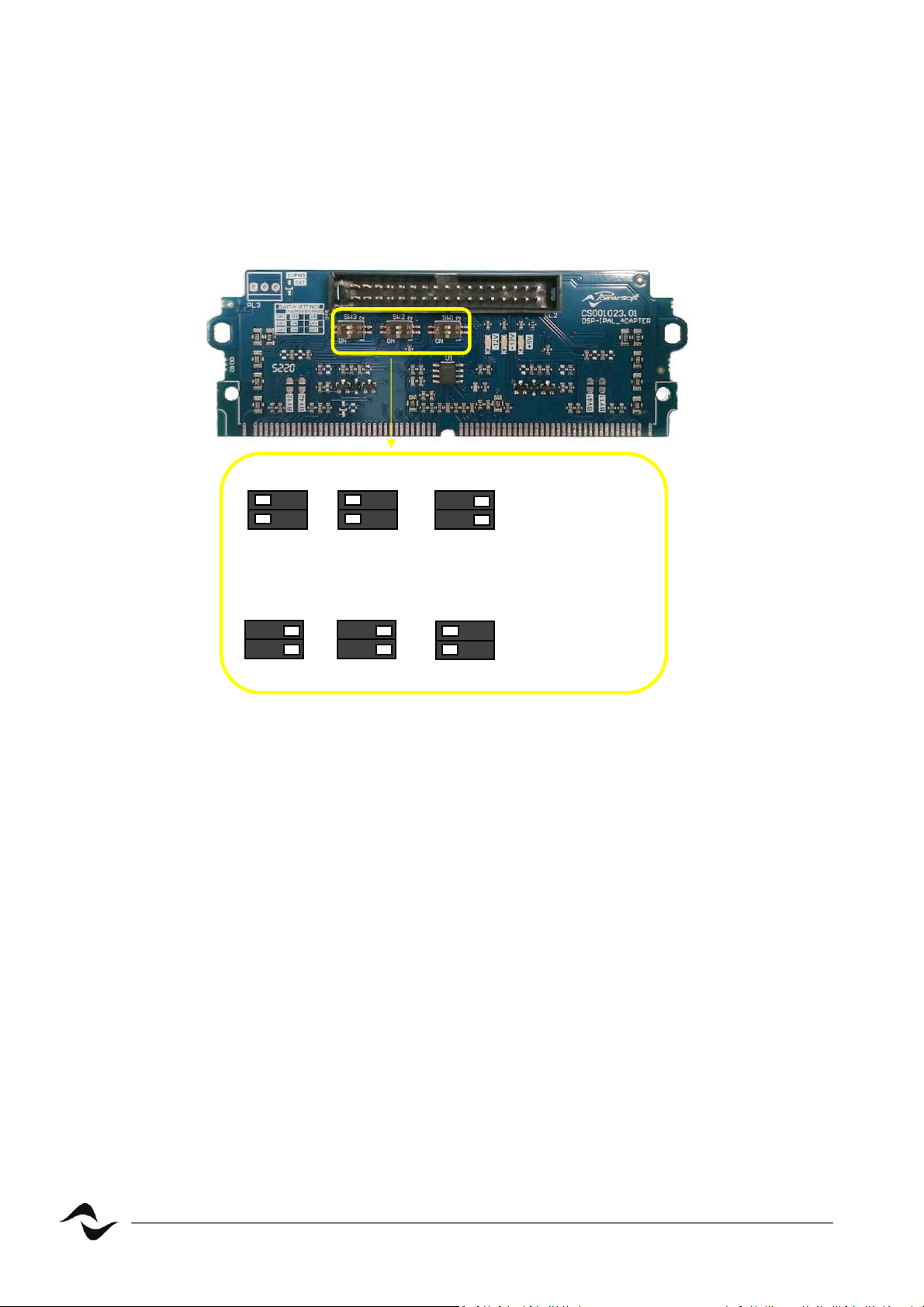
1) Setup dip switches of adaptor board as described in the following picture 2
and verify the presence of the resistance highlighted depending on the chosen
module.
Figure 2 – Adapter Board, dip switch conguraon for both Digimod Family and IpalMod
c
c
SW3
IpalMod
3000PFC
c
c
SW2
c
c
SW1
ON
ON
OFF
c
c
SW1
ON
c
c
SW2
OFF
c
c
SW3
OFF
Page 4
3
DO000285.00 REV.01
Module Setup
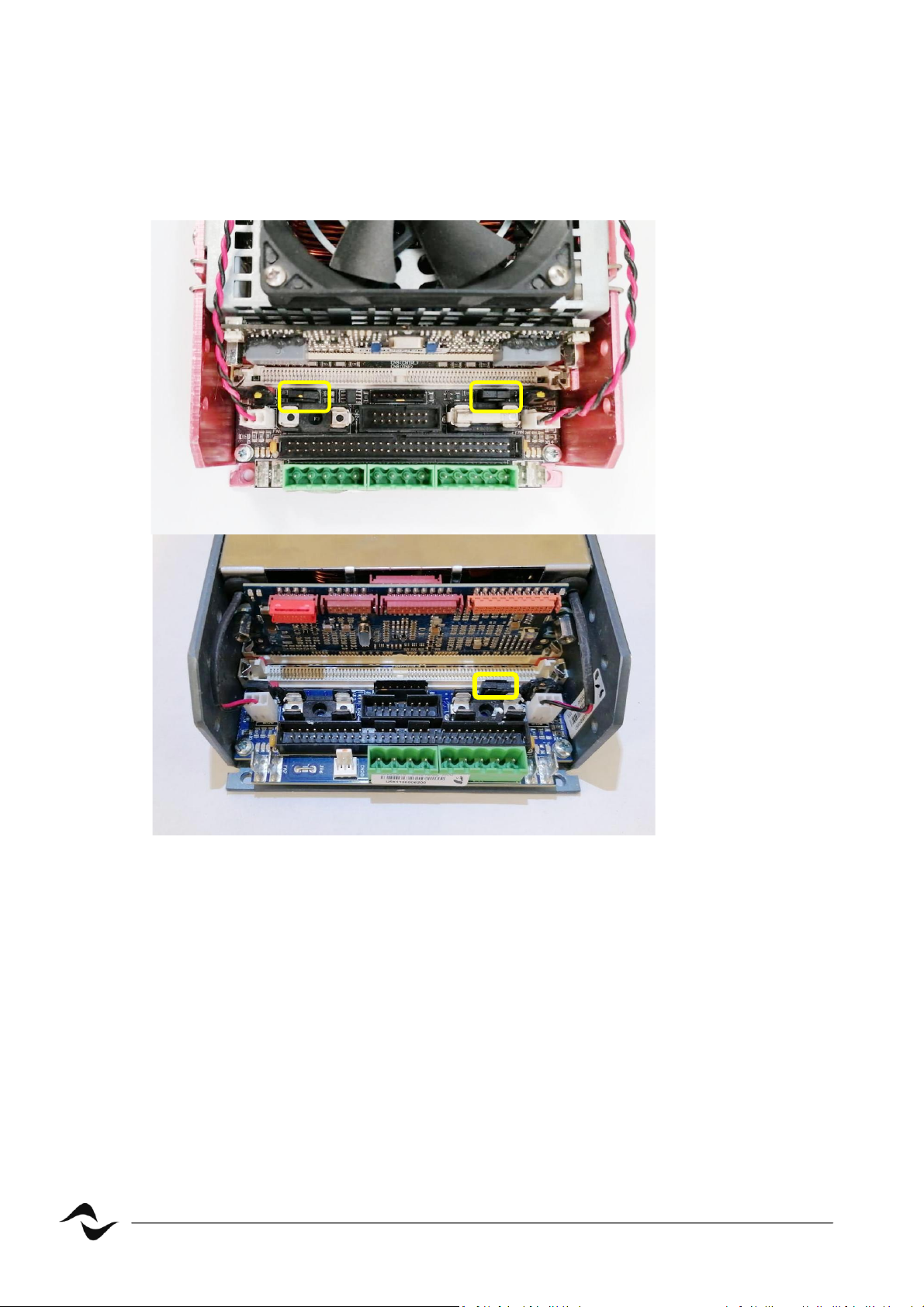
Make sure jumpers distribung signal, are inserted into the module as in the
picture 3.
Figure 3 – Jumpers distribung signal
3000PFC
IpalMod
Page 5
4
DO000285.00 REV.01
Armonia Plus Setup (only for IpalMod)
1) Inialize the IpalMod updang it to the latest rmware release by ProManager
Plus.
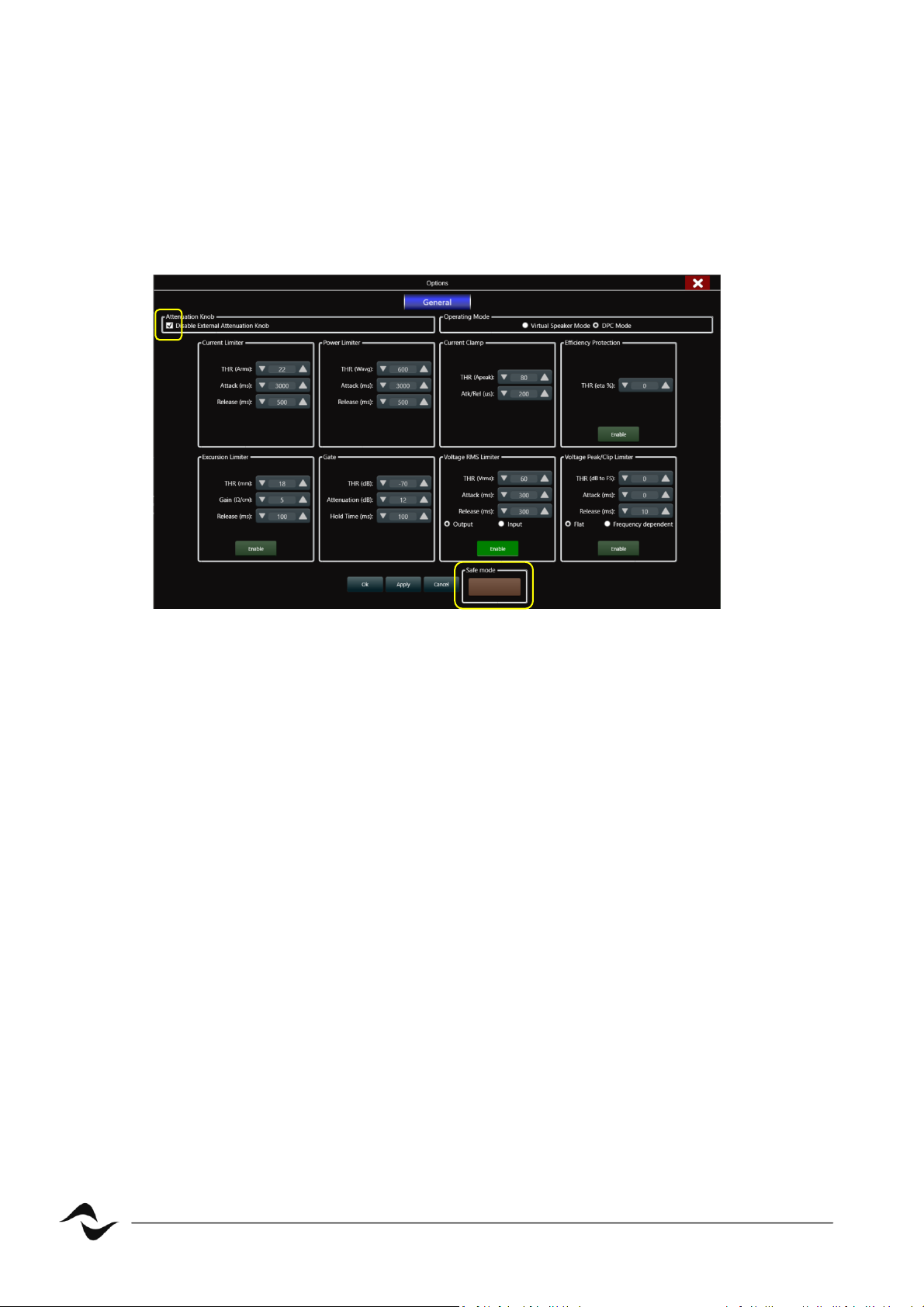
2) Connect it to ArmoniaPlus and disable the external potenometer
remembering to disengage the “safe mode” (picture 4).
Figure 4 – IpalMod,: disable aenuaon knob
Page 6
5
DO000285.00 REV.01
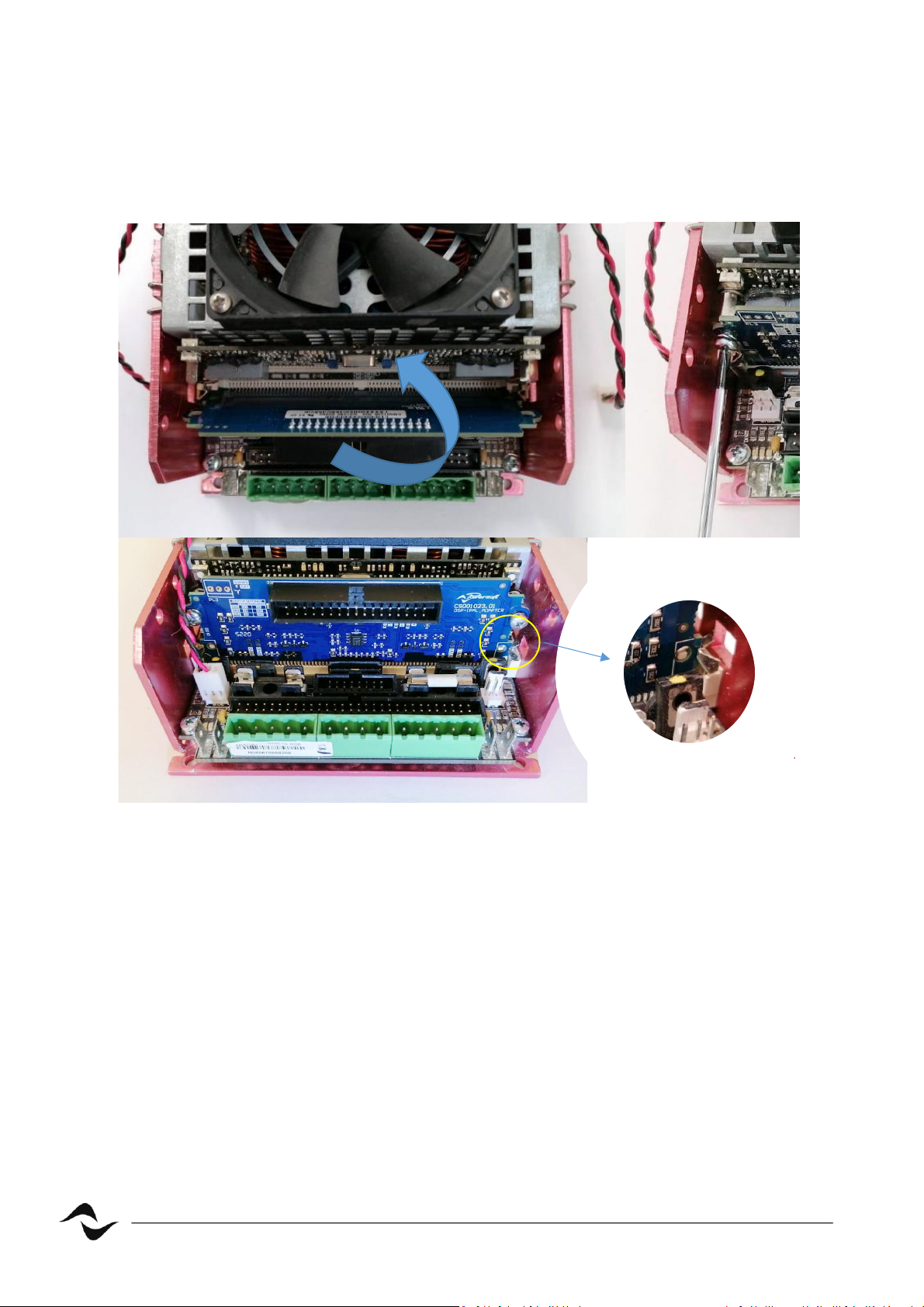
Adapter Board Inseron and connecon
Insert the adapter board into the spare SIMM connector of the chosen module,
move it into vercal posion and screw it to hexagonal stand os, making sure the
clips are well inserted.
Figure 5 – Adapter inseron
Page 7
6
DO000285.00 REV.01
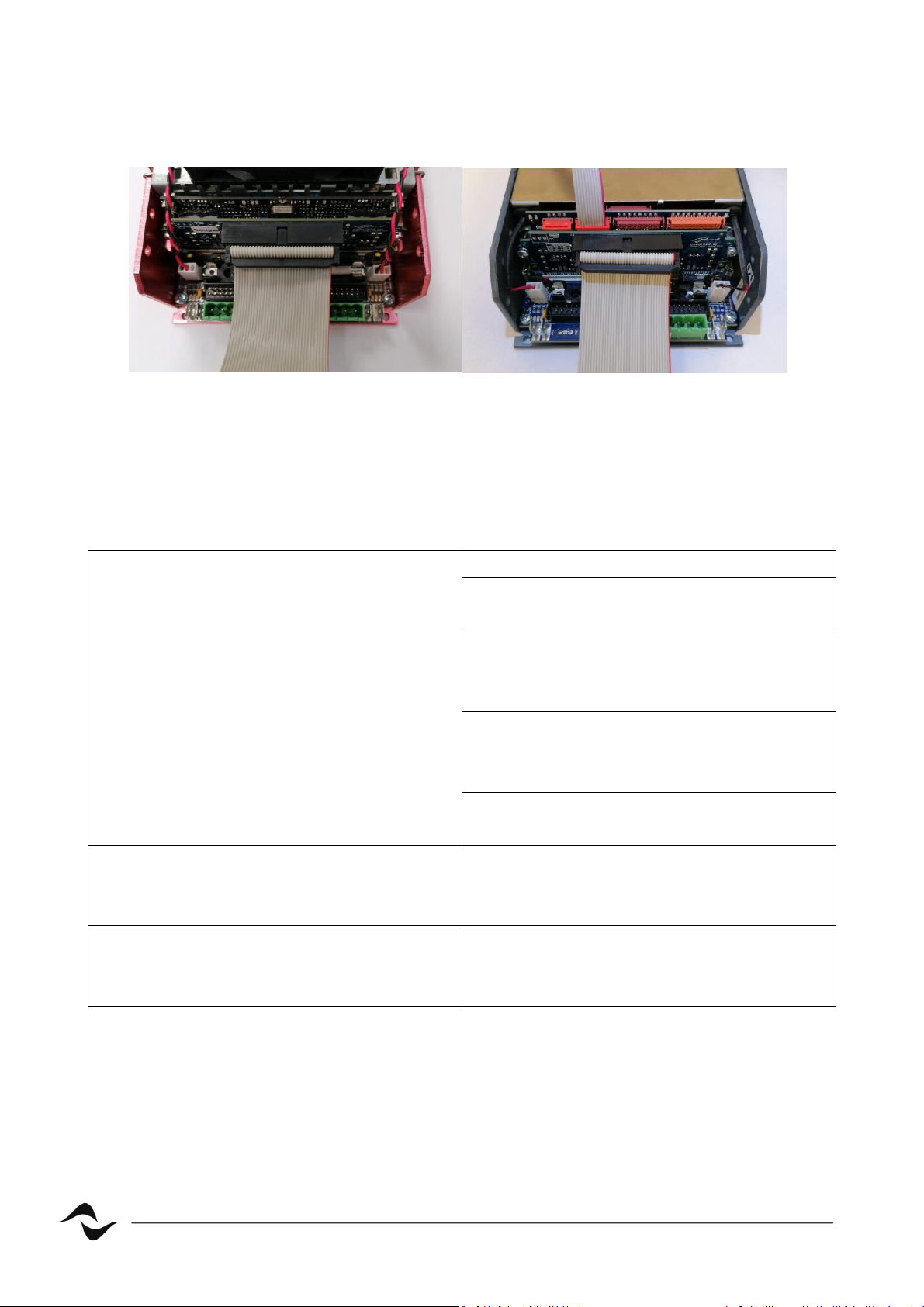
Insert the ribbon cable from DSP-Lite into the 34 poles connector of the adapter
board as in picture 6.
Figure 6 – Digimod3000PFC Su and IpalMod, Ribbon cable inseron
Trouble shoong
Audio doesn’t come up
Check up jumpers of gure 3
For IpalMod make sure you have
disabled external potenometer
Make sure you have correctly inserted
the board into the SIMM connector and
ribbon cable.
Make sure you have inialized DSP -Lite
by ProManagerPlus according to the
chosen module.
Make sure you have setup the dip
switches according to gure 2.
DSP-Lite doesn’t turn on
Make sure you have correctly inserted
the board into the SIMM connector and
ribbon cable.
IpalMod doesn’t supply any power to
speaker
Make sure you have disengaged the
“safe mode” aer having disable
external potenometer.
Page 8

7
DO000285.00 REV.01
Document Title: DSP ADAPTER BOARD
Reference: DO000285.00 REV.01
Powerso S.p.A
Via E. Con, 5 - Scandicci (Fi) 50018 - Italy
TELEPHONE: +39 055 7350230
For quesons about sales, applicaon and technical support, service, maintanance, and compliance,
please refer to the powerso website www.powerso.com
 Loading...