

Page 1
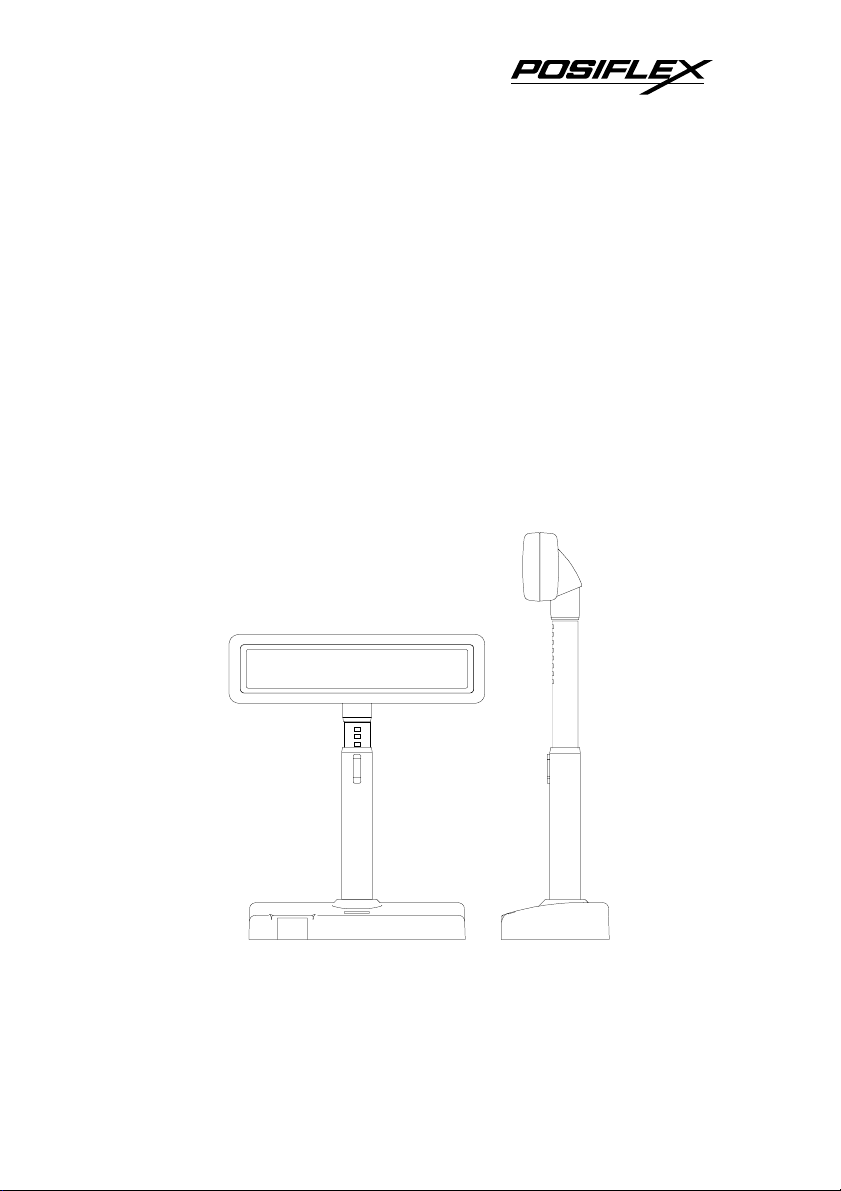
7100
PD- Series
7200
USER’S MANUAL
LCD CUSTOMER DISPLAY
Rev. : A1
Page 2
SOME IMPORTANT NOTES
FCC NOTICE
This equipment generates, uses, and can radiate radio frequency energy and, if not
installed and used in accordance with the instructions manual, may cause interference to
radio communications. It has been tested and found to comply with limits for a Class A
digital device pursuant to subpart J of Part 15 of FCC Rules, which are designed to provide
reasonable protection against interference when operated in a commercial environment.
Operation of this equipment in a residential area is likely to cause interference in which
case the user at his own expense will be required to take whatever measures to correct the
interference.
WARRANTY LIMITS
Warranty will terminate automatically when the machine is opened by any person
other than the authorized technicians. The user should consult his/her dealer for the
problem happened. Warranty voids if the user does not follow the instructions in
application of this merchandise. The manufacturer is by no means responsible for any
damage or hazard caused by improper application.
ABOUT THIS MANUAL
This manual assists the user to utilize the LCD customer display PD-7100 / 7200
series. Both series provide versatile font formats and support various instruction sets.
These series of products receive instructions in serial communication protocols and is
capable of entering pass through mode so that all instructions received pass on to next
connected serial device if properly configured.
The manufacturer of the PD-7100 / 7200 series heartily apologizes to the user for
reserving the right to change or to modify this manual without notice due to the rapid and
constant progress and improvement on science and technology. The user may always
obtain the most up to date information through any of our web sites:
http://www.posiflex.com.tw, http: //www.posiflexuk.com, http://www.posiflexusa.com.
All rights are strictly reserved. No part of this documentation may be reproduced,
stored in a retrieval system, or transmitted in any form or by any means, electronic,
mechanical, photocopying, or otherwise, without the prior written consent of Posiflex Inc.
the publisher of this documentation.
Copyright Posiflex Inc. 2005
TRADE MARKS AND SERVICE MARKS
POSIFLEX is a registered trademark of Posiflex Inc..
Other brand and product names are trademarks and registered trademarks and service
marks of their respective owners.
P/N: 19440900020
Page 3

TABLE OF CONTENTS
GENERAL
DESCRIPTION
Introduction · · · · · · · · · · · · · · · · · · · · · · · · · 1 - 1
Application · · · · · · · · · · · · · · · · · · · · · · · · · · 1 - 1
Special Features · · · · · · · · · · · · · · · · · · · · · · · 1 - 1
Description · · · · · · · · · · · · · · · · · · · · · · · · · · 1 - 2
Model Numbers · · · · · · · · · · · · · · · · · · · · · · · 1 - 2
ACCESSORIES
INSTALLATION
Signal Connection · · · · · · · · · · · · · · · · · · · · · · 3 - 1
Power Connection · · · · · · · · · · · · · · · · · · · · · · 3 - 1
Using Power Adaptor · · · · · · · · · · · · · · · · · · · 3 - 1
Using Power from PC · · · · · · · · · · · · · · · · · · · 3 - 1
Using Power from POS System · · · · · · · · · · · · · · · 3 - 3
Using printer power adaptor · · · · · · · · · · · · · · · · 3 - 3
Connect for Pass Through Operation · · · · · · · · · · · · · 3 - 3
After Powering Up · · · · · · · · · · · · · · · · · · · · · · 3 - 4
OPERATION
Displaying Data · · · · · · · · · · · · · · · · · · · · · · · · 3 - 4
Command Codes · · · · · · · · · · · · · · · · · · · · · · · 3 - 4
DIP Switch & Jumper Settings · · · · · · · · · · · · · · · · 3 - 5
On control board in display head · · · · · · · · · · · · · · 3 - 5
On I/O board in base · · · · · · · · · · · · · · · · · · · · 3 - 5
Serial Data and Self Test · · · · · · · · · · · · · · · · · · · 3 - 6
MECHANICAL SPECIFICATIONS
Mechanical Drawings · · · · · · · · · · · · · · · · · · · · · 4 - 1
Mechanical Function · · · · · · · · · · · · · · · · · · · · · 4 - 1
ELECTRICAL CHARACTERISTICS
Power ON/OFF Sequence · · · · · · · · · · · · · · · · · · · 5 - 1
Interface Signals · · · · · · · · · · · · · · · · · · · · · · · 5 - 1
· · · · · · · · · · · · · · · · · · · · · 1 - 1
· · · · · · · · · · · · · · · · · · · · · 2 - 1
· · · · · · · · · · · · · · · · · · · · 3 - 1
· · · · · · · · · · · · · · · · · · · · · · · 3 - 4
· · · · · · ·4 - 1
· · · · · 5 - 1
i
Page 4

Normal Operation Ratings · · · · · · · · · · · · · · · · · · 5 - 1
OPTICAL CHARACTERISTICS
Character Format · · · · · · · · · · · · · · · · · · · · · · 5 - 1
Fundamental Specification · · · · · · · · · · · · · · · · · · 5 - 2
ENVIRONMENTAL CHARACTERISTICS
· · · · · · · · · 5 - 1
· 5 - 2
ii
Page 5
I. GENERAL DESCRIPTION
A. Introduction
This documentation describes the features and requirements of the product
series of PD-7100 / 7200, a Liquid Crystal Display which is a wide customer
display. It displays alphanumerical characters in 2 lines of 20 large sized
characters and is able to display in 4 lines of 26 alphanumerical characters per
line to show more information at a time. In this series, there are also models
capable of displaying 2 lines of 10 oriental language characters per line in
addition to the standard displaying capability. The alphanumerical characters are
formed in a 8 x 16 dot matrix for 2 x 20 display and in a 6 x 8 dot matrix for 4 x
26 display, the oriental language characters are displayed in a format of 16 x 16
dot matrix.
Display Capacity
Display Characters
Character Format
B. Application
This unit may be used as a console display which provides alphanumeric
information that is easily readable in wide range of ambient light. It is ideal for
point-of-sale terminals, and a wide range of business and industrial equipment.
2 x 20 4 x 26 2 x 10
Alphanumerical Alphanumerical Oriental Language
8 x 16 6 x 8 16 x 16
C. Special features
• Large character font size with backlight for easy readability
• Large amount of information display
• 3 different power supply choices
• Support pass through function on UART interface
• Wide operating temperature range (0°C to 50°C)
• 3 User defined characters (16 x 16 dot)
• US-ASCII Character (8 x 16 or 6 x 8 dot)
• Chinese GB or BIG-5 Character (16 x 16 dot)
• RS-232C data interface
• Software self test
• Versatile power source
1 - 1
Page 6

D. Description
This LCD is a self-contained multiplexed unit which provides a simple
interface to a microprocessor system.
The display is available with one I/O connector for both the RS232
interfacing and the power supply.
This unit consists of a liquid crystal display cell and a minimal amount of
electronic hardware. All display characters and control codes can be accessed in
a 8-bit format. Primary complexity is contained within the microprocessor
software, which controls all display functions.
Data is entered serially at 9600 baud rate as default and can be changed to
19200 baud rate per jumper setting. The large characters are easily readable, and
provide comfortable short or long-term viewing.
E. Model numbers
Model Number PD-7100/7200 PD-7110/7210 PD-7120/7220
Character Format 8 x 16 or 6 x 8
Display Characters Alphanumerical
Display Capacity 2 x 20 or 4 x 26
Command Set Epson or Noritake
User-defined
Characters
Standard model numbers carry footnote in form of “/X” to indicate the
type of power adaptor. (ex. PD-7100/US)
A model number without such indication in purchase order will indicate
the PD and its signal cable only. A PD in this form can be applied with Posiflex
POS system.
For application with usual PC without power adaptor, please order the
power kit to supply the PD.
For application sharing power source with Posiflex POS printer, Please
order the special power cable 20863250900.
3 characters max. 3 characters max. 3 characters max.
16 x 16 or 8 x 16
or 6 x 8
GB-Chinese or
Alphanumerical
2 x 10 or 2 x 20 or
4 x 26
IEE or Epson or
Noritake
16 x 16 or 8 x 16
or 6 x 8
BIG-5-Chinese or
Alphanumerical
2 x 10 or 2 x 20 or
4 x 26
IEE or Epson or
Noritake
1 - 2
Page 7

II. ACCESSORIES
• User’s manual
• Pass through terminator (already plugged at bottom of PD)
• Signal cable 20863137210 (CCBLA-372) – a DB-9F to DB-9M RS232
cable 1.8 M
• Power source (one of the four below):
Power adaptor specified per country type
Power kit incl. power supply cable (inside PC) 39212001000
(CCBLA-141 on I/O plate) and power supply cable (to PD)
20863041100 (CCBLA-411)
Combined in the signal cable mentioned above when the PD is
connected to a Posiflex POS system
Power cable (20863250900) to share from printer power adaptor
2 - 1
Page 8

r
r
III. INSTALLATION
A. Signal connection
Connect the DB9 female connector of the signal cable CCBLA - 372 to
the COM port of the host computer or POS system and connect the DB9 male
connector of the signal cable CCBLA – 372 to the DB9 female connector in the
base of the PD.
B. Power connection
1. Using power adaptor
Please place the base of the PD-7100/7200 series on a horizontal surface.
Check that the power adaptor must meet the specification of the city power and
then plug the adapter into city power outlet. Prepare to turn on the power switch
at base of the PD.
2. Using power from PC
I/O Plate of
CCBLA-141
4 pin Telephone
Jack
4 pin Powe
CCBLA-141
1. Make sure the PC to supply power is turned off.
2. Open the case of PC according to its relevant manual.
connector
Switching Powe
Supply Unit
Inside view of
example PC
Install the cable
CCBLA-141 with I/O plate
in the power kit into the
hosting PC for obtaining
DC power as shown in the
left drawing. However, it is
absolutely important to
turn all the power off
before removing any case
or connecting any cable.
Followings are step-by-step
instructions for installing
this cable.
3 - 1
Page 9

3. Select one I/O plate position on rear window of PC to install the I/O
plate of CCBLA-141.
4. Select one set of large 4 pin connector from the switching power
supply unit of PC and connect the male 4 pin connector of CCBLA141 to the connector from power supply. Connect the female 4 pin
connector of CCBLA-141 to the I/O device of PC such as a HDD if
necessary.
5. Assemble the case of PC back.
Then referring to drawing below to complete the basic power and signal
cabling. Note the PC should remain OFF during the connection.
9 pin D connector
of CCBLA-372
Both to bottom
of PD
COM port (9 pin serial port)
4 pin Telephone
jack of CCBLA-141
4 pin Telephone plug of CCBLA-411
1. Connect the 4 pin telephone plug of CCBLA-411 to the 4 pin
telephone jack on the I/O plate of CCBLA-141 which has been
mounted as described above.
2. Insert the DC plug of CCBLA-411 into the jack at the bottom of the
base of PD in the same way as the power adaptor. Let the cables come
out of the bottom of PD7100/7200 series through the opening at the
back of base so that the PD can stand securely.
3. Now the user may turn on the PC and the PD for application unless the
user wants to use PD for pass through purpose.
Rear side of PC
3 - 2
Page 10

p
(
3. Using power from POS system
This super convenient power supply method applies only when connected
to a Posiflex POS system after proper setting for power in COM port. The power
connection is already done when the signal connection is completed.
4. Using printer power adaptor
Posiflex POS printer
+24 V DC
Power Cable
20863250900)
The PD-7100/7200 series can also be powered by the power adaptor
supporting a Posiflex POS printer by using a separately purchased specific
power cable (P/N: 20863250900). Follow steps below:
1. Check that the (+24 V DC) power adaptor plug matches the power socket.
But please always keep the insertion of the power adaptor into the power
socket as the very last step of the whole installation procedure.
2. Insert the 3 pin power connector from the +24 V DC power adaptor to the
“+24 V DC In” jack in the PD7000 connector area. Be sure to hear a click
to obtain a firm contact.
3. Insert either end of the power cable (20863250900) to “+24 V DC Out”
jack in the connector area and insert the other end to the power connector
of Posiflex POS printer if needed. Be sure to hear a click at each
connection to obtain a firm contact.
4. Now place the base on a horizontal surface and prepare to power on.
5. Please note that when DC power connection is used, there must be no
AC power connection at the bottom of the base cabinet on the PD7000.
+24 V DC Out
PD7000
+24 V DC In
Posiflex POS
Printer Power
Ada
tor (24 V DC)
C. Connect for Pass Through Operation
In this series the jumper settings are internally set to pass through mode,
while the PD is delivered with a COM port terminator on the 9 pin male
connector at the bottom of PD. In this way, the PD serves the non-pass-through
operation well. For pass through operation, the user has to merely remove this
COM port terminator and connect the pass through connected device in stead.
3 - 3
Page 11

Please reserve the COM port terminator in a safe place in case the non-passthrough operation would be required in the future.
D. After Powering Up
A firmware version as power on sign will appear on the screen for a while
and the emulation mode will appear for a while after the firmware version
display. Then a under-line cursor will appear at the left-most digit of the top row
for Noritake and IEE emulation mode and no cursor will appear for other
emulation modes. The installation is now completed.
IV. OPERATION
A. Displaying Data
All data in 8-bit format received can be classified into 2 categories as data
to display or command codes for the customer display unit to respond. For this
series, unless under pass through mode or as part of the command code, any byte
between and including <20>h and <FF>h is regarded as alphanumerical data to
display according to ASCII table (the <XX>h means the hexadecimal
expression). The command codes except the clear pass through flag command in
Noritake mode always start with a byte between and including <00>h and <1F>h.
For PD-7110/7120/7210/7220, the command codes follow the same rule as PD7100/7200, however, only those between and including <20>h and <7F>h are
taken as alphanumerical data to display according to ASCII table in 8 x 16
format. Any two bytes with the first byte between and including <80>h and
<FF>h are regarded as the expression for an oriental language character. When
these two bytes fall off the content of the valid oriental language code table, an
invalid character will be displayed.
B. Command Codes
For software command codes application. Please visit our web site
http://www.posiflex.com.tw
for details on software commands if required.
3 - 4
Page 12

C. Dip Switch & Jumper Settings
1. On control board in display head
Emulation mode (reach the switches from outside of back of the head)
SW2
SW1
OFF EPSON 2 X 20 NORITAKE 2 X 20
ON EPSON 4 X 26 IEE (CHINESE) 2 X 10
SW1
Push up to
switch on
RS232 protocol (Inside display head)
Short Open
JP1 19200, n, 8, 1 9600, n, 8, 1 (default)
OFF ON
SW2
2. On I/O board in base
Board layout
J1
Posiflex POS system power supply:
1 – 2 Short 3 –4 Short
JP1 +12 V DC for PST series (default) +5 V DC for TP series
Hardware handshaking control:
P4
S1
P1
RS232 In
JP2
3 - 5
CN1
1
RS232 Out
JP1
1
4
Page 13

1 –2 Short 2 –3 Short
-Busy status of PD sent
JP2
Note: There must be the pass through serial output device on the pre-
to host as CTS and
DSR at the same time
mounted pass through terminator connected to RS232 Out
the 9 pin serial pass through port when JP2 is set to 2 –3
Short. Otherwise, the host computer may get a faulty
condition in an attempt to write to this serial port.
-Busy status of PD sent to host CTS,
handshaking signal of pass through device
goes to host as DSR directly (default)
D. Serial Data and Self-test
Serial characters are received with data formatted as a 10-bit word. The
command set is structured to allow transmission of 8 data bits. The data rate is
default at 9600 baud per second and can be changed to 19200 baud per second as
described above. There is no parity bit and 1 stop bit. The level is RS-232C
start
(HEX). The test may be terminated by sending 1B-40 (HEX). The test sequence
is as follows
b0 b1 b2 b3 b4 b5 b6 b7
bit
Self-test is a very useful feature and can be activated by sending 1F-40
Clear screen, Cursor home.
a.
Vertical scroll mode test, show product ID and version.
b.
For PD-7100/7200, it enters Overwrite mode and displays 20
c.
characters of “A” followed by 20 characters of “B”.
For PD-7110/7210 and PD-7120/7220, it enters Horizontal scroll
mode test, and shows 20 CHINESE characters (addresses: B0A1,
B1A2, B2A3, ……, BEAF, BFB0, C0B1, ……, C3B4)
For PD-7100/7200, it enters Horizontal Scroll mode after clearing
d.
screen, then displays ASCII code font of current page from 21 to FF
(HEX).
For PD-7110/7210 and PD-7120/7220, it enters Wrap around mode
and shows ASCII code font from 21 to 7F (HEX).
Go to step a and repeat the test
e.
3 - 6
stop
bit
Page 14

V. MECHANICAL
SPECIFICATIONS
A. Mechanical Drawings
70.0
200.0
(Lowest height)
260.0
193.0
39.4
70.0
200.0
104.0
Stroke
36.8
60.3
70.0
104.0
304.0
(Max. height)
110.0
41.0
41.0
220.0
41.0
B. Mechanical Function
The pole of this customer display consists of 2 sections enabling
adjustment on the height of the pole. The total height of this display is dependent
on the pole adjustment, please refer to the drawings of last section The
difference between maximal and minimal height is 104 mm.
The display unit of this pole display can be rotated horizontally 359° and
can also be slid horizontally.
At the bottom of this display is a base where an on/off switch is and that
the signal/power cable from the host computer and the cable to the pass through
connected device can be connected to.
The signal/power cable length between the base and the host computer is
1.8 M. This pole display offers 2 tilt angles 14.5° / 30° from vertical position.
WARNING: If the user opens the pole display housing to make any change, all
the product warranty will be voided.
4 - 1
Page 15

VI. ELECTRICAL
CHARACTERISTICS
A. Power ON / OFF Sequence
There are no deleterious effects associated with power ON and OFF of this
display; however, rapid ON / OFF sequencing is not recommended. Neither data
nor power connectors should be connected / disconnected while power is applied.
B. Interface Signals
All logic signals abide by the following convention: logic “1” is a “High”,
logic “0” is a “Low”.
C. Normal Operation Ratings
Rated power dissipation: 3.75 W (max.)
VII. OPTICAL CHARACTERISTICS
A. CHARACTER FORMAT
LANGUAGE CHINESE ENGLISH & NUMERICAL
FORMAT 2 lines of 10 characters 2 lines of 20 characters
CHARACTER HEIGHT 17.2 mm 17.2 mm
CHARACTER WIDTH 16.75 mm 7.79 mm
CHARACTER SPACING 18.4 / 17.92 mm 18.4 / 8.96 mm
CHARACTER DESIGN 16 x 16 dot matrix 8 x 16 dot matrix
CURSOR INDICATOR Under bar Under bar
CHARACTER SET Chinese GB or BIG-5 ASCII
5 - 1
Page 16

B. FUNDAMENTAL SPECIFICATION
Number of display dot : 160 x 32
Effective display area : 179.15 (W) x 36.75 (H) mm
Dot size : 1.07 (W) x 1.10 (H) mm
LCD type : STN with backlight
Viewing angle : 80 degrees vertically, 60 degrees horizontally
Response time : 250 ms (typical)
VIII. ENVIRONMENTAL
CHARACTERISTICS
Operating temperature: 0 to +50 (°C)
Storage temperature: -20 to +70 (°C)
Relative humidity: (≤40°C) 0 to 95 % (non-condensing)
(≥40°C) Absolute humidity must be lower than the
humidity of 95% RH at 40°C
5 - 2
 Loading...