

Page 1
PlugInGuru.com
ModMate'MIDI'Effect'Plug-In'
'
ModMate is a FREE
MIDI effect plug-in
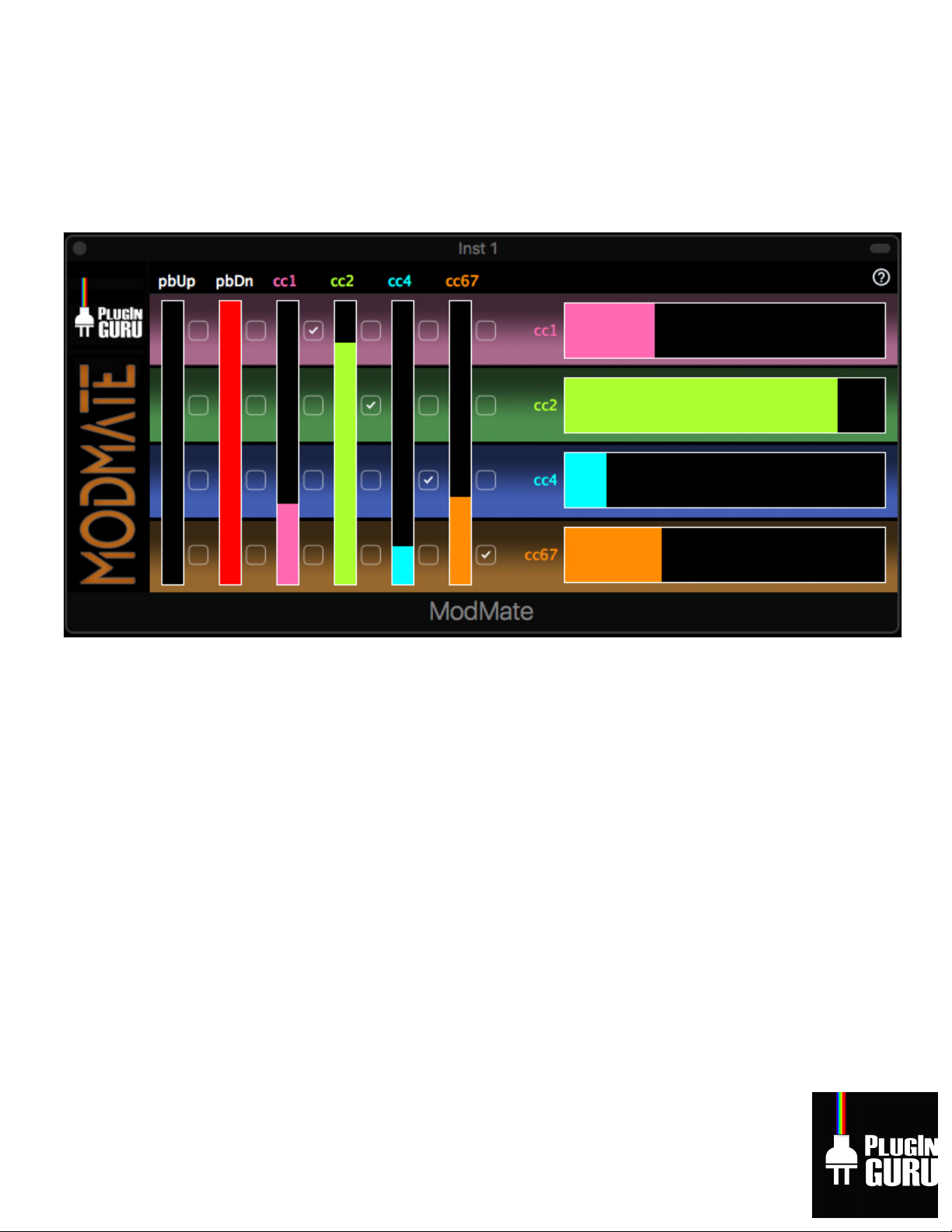
designed to 1) Display up to 4 MIDI CC#’s (MIDI
Continuous Controllers and flexibly re-route them to other MIDI CC#’s, 2) Allow you to
determine which controller controls up to the 4 MIDI CC#’s with the same single input (like
routing all 4 MIDI CC#’s that we use in our newer (2019) Omnisphere 2.5 libraries to the
Modulation Wheel or Pitch Bend) and 3) Let you input into your DAW 4 virtual faders for doing
complex automation without needing any additional hardware. We think using actual
hardware should be your eventual goal (moving 4 real faders is so much fun!) but this free MIDI
utility plug-in will hopefully help some of you that have not accomplished this goal, yet.
We have 2 unique libraries as of January 17th, 2019 – Beautifully Broken and
Airwave V3
–
both for Omnisphere 2.5 that use 4 MIDI CC’s to modify the Patches and Multis in real-time:
• CC#1 (mod wheel)
• CC#2 (breath controller)
• CC#4 (foot controller)
• CC#67 (soft pedal)
Page 2

For the very best experience, you should use a hardware MIDI controller which provides multiple
MIDI CCs, preferably in the form of physical or touch sliders (knobs are much harder to work
with in our opinion), as on the excellent Maschine JAM, or Sonic Logic 3 for iPad. For people
who are not yet ready or able to buy these very nice hardware MIDI systems, this simple plug-in
lets you at least get started by using just the standard controls available on nearly all MIDI
keyboards: pitch bend and mod wheel with ModMate!
About the ModMate PlugIn:
This is a MIDI Effect plug-in. It is not an audio effect plug-in. It is not an instrument plug-in. It
is only for seeing the MIDI Activity that your DAW is seeing.
While this Plug-In is available for PC or Mac, please make sure your DAW supports MIDI Effects
or you won’t be able to use ModMate.
If you find this free software useful, buying PlugInGuru libraries is the BEST WAY POSSIBLE to
say thank you for getting this to you! That way we both win – we get to pay our bills and you
get inspiring new sounds to be creative with!
Installing and using on a Mac
Audio Unit version: Copy the file
ModMate.component
to your
~/Library/Audio/Plug-
Ins/Components
folder. On recent versions of macOS,
you must log-out and then back in
again
(or restart your Mac) before the ModMate plug-in will show up in DAWs such as
Logic Pro
X
.
VST and VST3: If your DAW requires VST plug-ins, copy the
file
ModMate.vst
to
~/Library/Audio/Plug-Ins/VST
and/or the
file
ModMate.vst3
to
~/Library/Audio/Plug-Ins/VST3
, then restart your Mac before opening your
DAW.
Installing and using the VST versions on a Windows PC
Copy the appropriate
.dll
(VST2) or
.vst3
file to whatever folder your DAW uses to find plug-ins.
Windows DAWs vary a lot; refer to the manual for your specific DAW. If your DAW is 64-bit
(nearly all recent ones are), use a 64-bit version of the plug-in; use the 32-bit version only if
your DAW is an older 32-bit program.
Page 3
Note that ModMate is a
MIDI Insert Effect plug-in
, which needs to be connected so so it
processes the incoming MIDI data before it reaches any VSTi instrument plug-ins on the same
track, unlike regular audio-effect plug-ins are connected to the VSTs'
outputs
. Windows DAWs
all have different ways to set this up, and there are a few that don't support MIDI effects at all,
so please check the manual for your specific DAW.
• In Reaper, you simply have to ensure that
ModMate
comes first in whatever list of plug-
ins you put on a track.
• As far as I know, Cubase still does not support third-party VST MIDI Insert plug-ins. I
believe there is a more round-about way to achieve the same result; if anyone can
provide me with a relevant link, I will include it here.
Page 4
The ModMate Interface
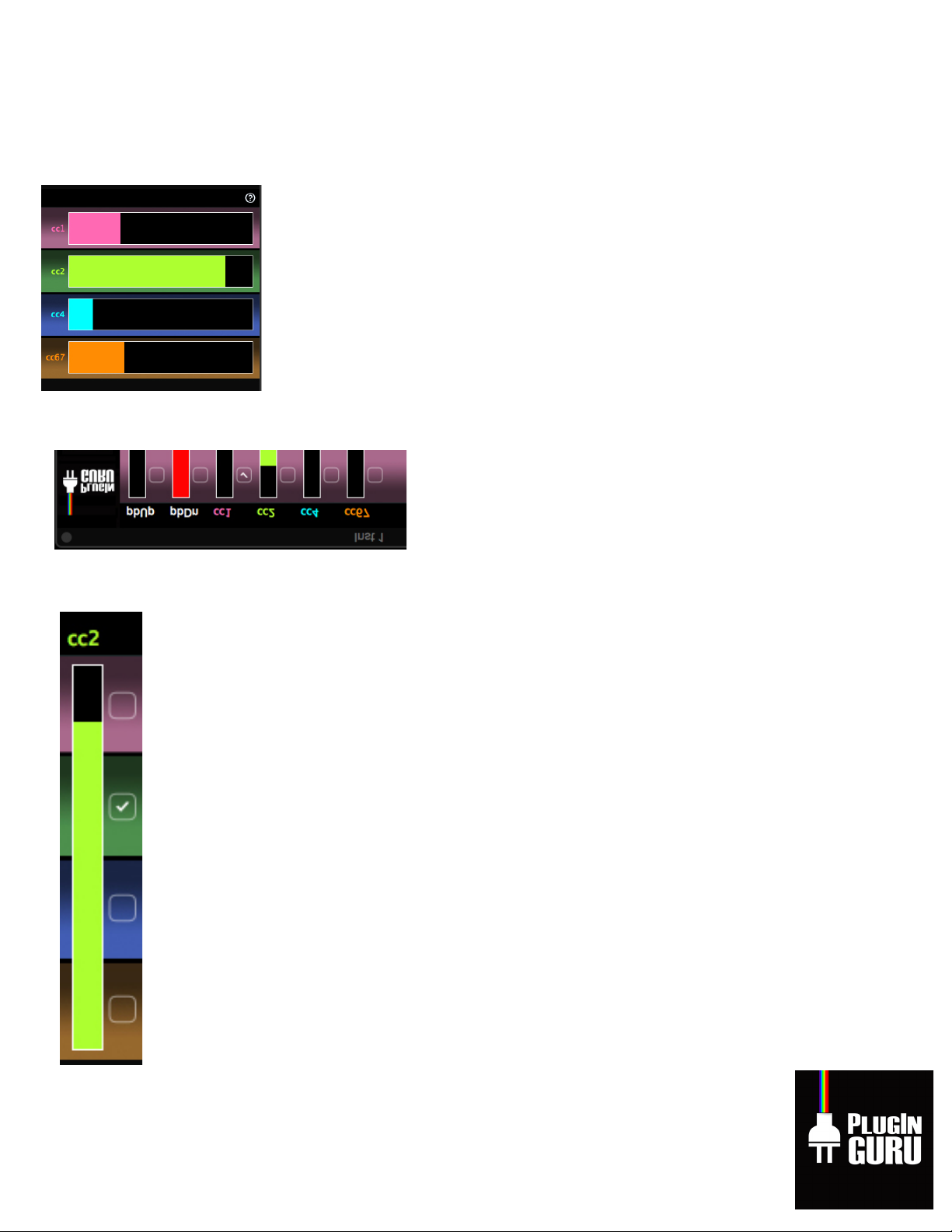
The four large rectangles on the right of the GUI show the output levels
for MIDI CC's 1, 2, 4, and 67 (top to bottom).
The six narrow vertical rectangles on the left show the
input levels (from your MIDI controller) for pitch-bend
up (pbUp), pitch-bend down (pbDn), and mod wheel
(modW), as well as MIDI CCs 2, 4, and 67 (ignore these
if your MIDI controller has only pitch and mod wheels).
To the right of each of these indicator strips are four checkboxes; checking any box
connects that input to the corresponding CC output. Try it; it's easier to use than to
explain.
If you don't check any of an input control's four destination boxes, the control's data
will be passed through the plug-in unchanged, so you can use that control normally.
If your DAW supports it, your selections on all the checkboxes can be saved as a
preset, and will normally be saved automatically as part of the track settings in a
saved project. This has been tested with the Mac AU version in
Logic Pro X
and with
the VST version in
Reaper 64-bit
.
Page 5

Advanced features
You can click/drag in any of the vertical indicators on the left, and the plug-in will
respond as though you had operated the corresponding input CC, and will generate CC output
messages for whichever output CCs are checked for that input. You can also click/drag in any
of the horizontal indicators on the right, and the plug-in will generate the corresponding
output CC messages.
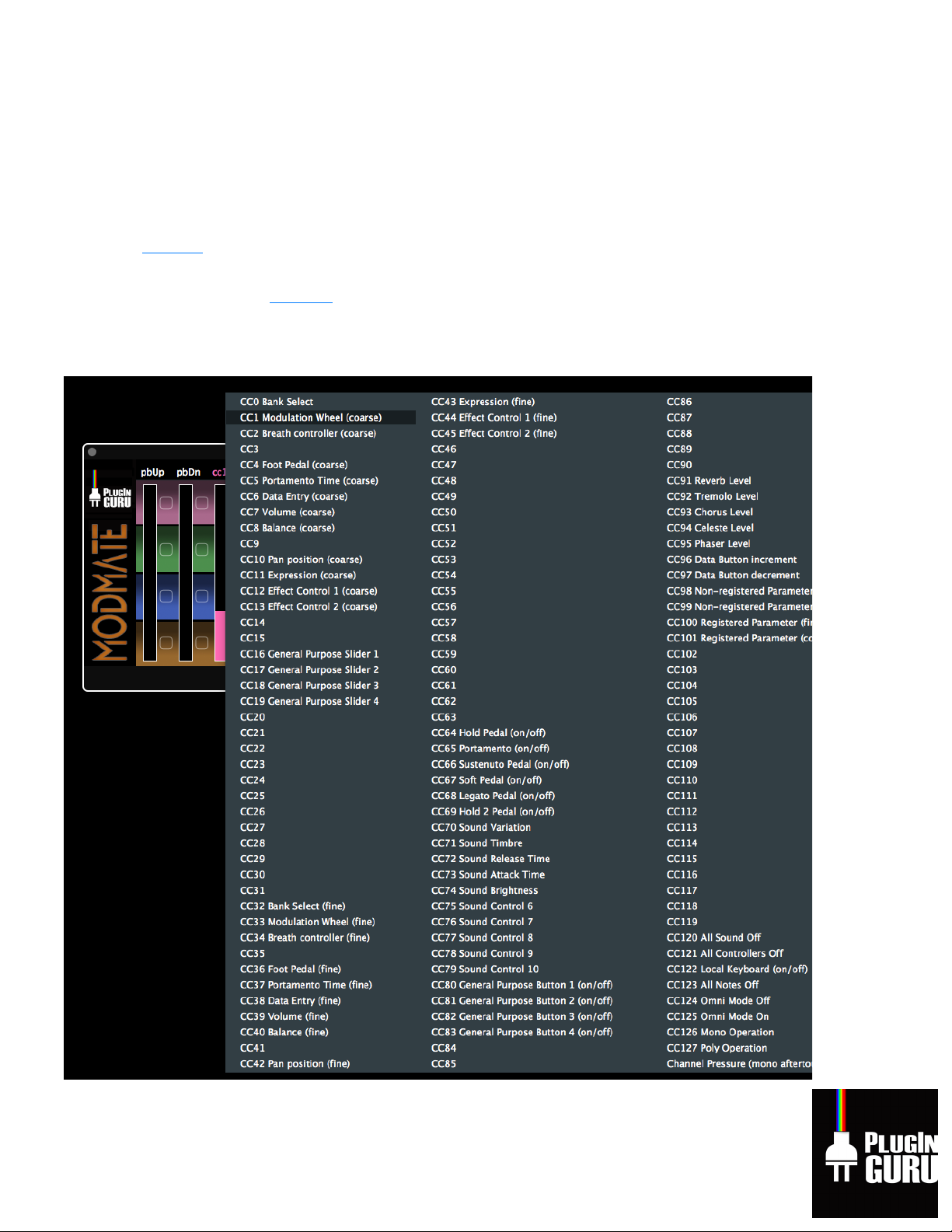
You can right-click or ctrl-click any colored slider labels to choose the CC number from
a list of standard controller names, e.g. "Breath Controller". You can also choose "Channel
Pressure (mono aftertouch" to map monophonic aftertouch (on input or output) as though it
were a MIDI CC.
Alternatively, you can double-click any of the
colored
slider labels (not
pbUp
or
pbDn
)
to change the corresponding MIDI CC number. You may type any number between 1 and 127;
you don't have to put "cc" at the start, but it's OK if you do. You must press *Enter* to confirm
the change.
If you have a MIDI controller with knobs or sliders pre-assigned to MIDI CC numbers other than
those used by the
library or plug-in you wish to control
, you'll want to change the
input
CC
numbers along the top of the plug-in window, to whatever CC's your controller outputs.
If you're using
ModMate
with a software instrument or library which is set up to respond to
MIDI CCs other than what the
Airwave V3
libraries use, you'll want to change the
output
CC
numbers to the left of each large horizontal indicator.
Once again, If your DAW supports it, your MIDI CC assignments can be saved/restored in
presets, along with the checkbox settings. Meaning you can have a preset for when you work
with Spitfire sample libraries and a preset for when you work with our Omnisphere libraries
saved in your DAW. Load up the “template” you need for what you’re trying to control.
We’re providing this and ModMate for FREE to support our awesome customers with tools that
make using our libraries easier and more enjoyable. This is released AS IS with no technical
support. You’re welcome to contact us via the PlugInGuru contact page but this plugin is
released “AS IS”. We assume no responsibility for any misuse of this software.
Page 6
Acknowledgements
VST
is a trademark and software of Steinberg Media Technologies GmbH, used under license.
This is
free, open-source
software licensed under the GNU GPL v3. Source code (excluding only
PlugInGuru branding graphics) available athttps://github.com/getdunne/showmidi.
This program is built with JUCE, also used under GPL v3.
 Loading...