

Page 1

Register your product and get support at
www.philips.com/welcome
Quick start guide
XL300
XL305
Page 2

Connect
1
1 2 3
Multi-handset version
only.
Page 3
Get started
2
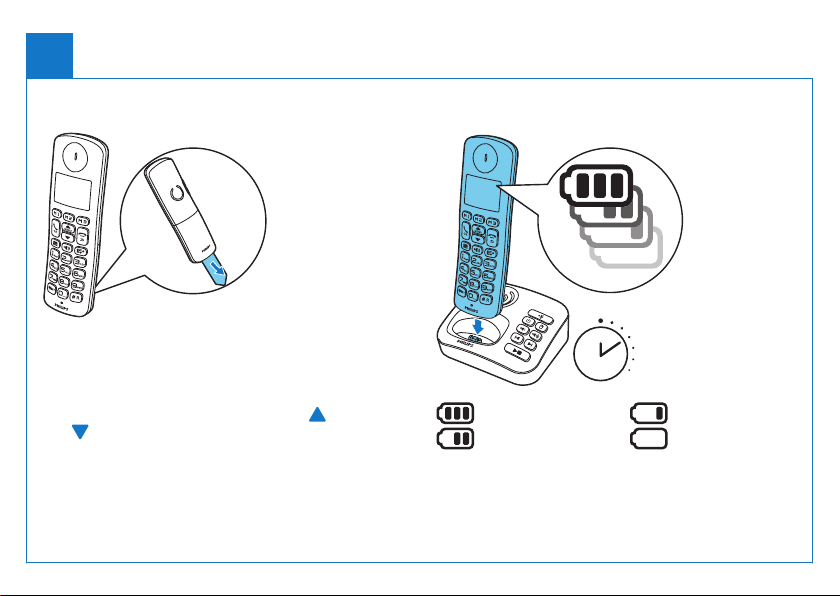
Congure your phone Charge your phone
1 When using your phone for the rst time, you see a
welcome message (country dependent).
2 Set the countr y and language if prompted.
3 Set the date and time.
• If the time is in 12-hour format, press
to select [AM] or [PM] (country dependent).
/MENU /
> 70%
70% - 40%
Flashing: low battery
Scrolling: charging in progress
Charge 8 hours
40% - 10%
< 10%
Page 4
Enjoy
3
Call
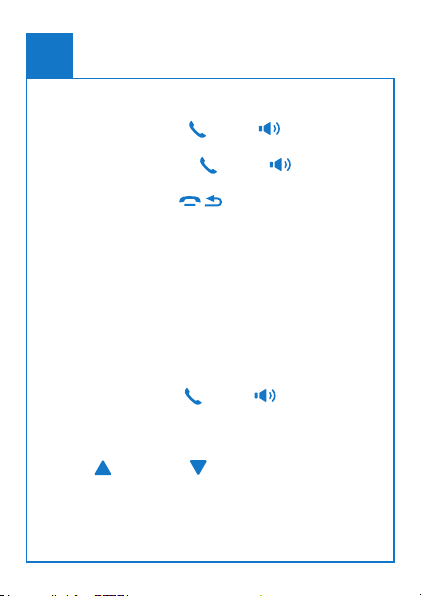
• To make a call, press /OK or and dial the
phone number.
• To answer a call, press /OK or when the
phone rings.
• To end a call, press
/
.
Adjust the earpiece volume
Press + or – on the left side of the handset to
increase/decrease the volume.
Set the direct keys
1 Enter the number, then press and hold M1, M2 or
M3.
2 Follow on-screen instructions.
3 To make a quick call from the record pre-saved in
the direct key, press /OK or , then press M1,
M2 or M3.
Add a contact in the phonebook
1 Press /MENU or .
2 Select [PHONEBOOK] > [ADD NEW].
3 Follow on-screen instructions.
Page 5
Telephone answering machine
(XL305 only)
4
Listen to recorded messages Record an announcement
1 Press /MENU or .
a
b
c
d
e
f
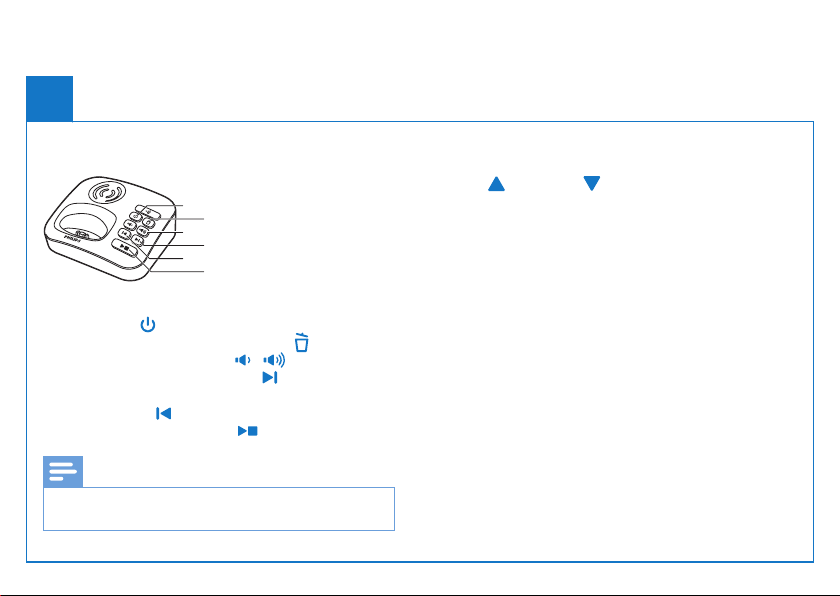
a
To turn the answering machine on or off in standby
mode, press .
b
To delete the current message, press .
c
To adjust the volume, press / .
d
To play the next message, press .
e
To play the previous message/replay the current
message, press .
f
To start/stop listening, press .
Note
• For more information, see the Telephone answering
machine section in the user manual.
2 Select [ANsW MAcHiNE] >
[ANNOUNcEMENt].
3 Follow on-screen instructions.
Page 6
Refer to the user manual that came with your
new phone or download the latest version from
www.philips.com/support.
When this crossed-out
wheeled bin symbol is
attached to a product it
means that the product
is covered by the European Directive
2002/96/EC.
2013 © WOOX Innovations Limited.
All rights reserved.
Philips and the Philips’ Shield Emblem
are registered trademarks of Koninklijke
Philips N.V. and are used by WOOX
Innovations Limited under license from
Koninklijke Philips N.V.
0168
QSG_XL300-305
05 90_EN_V2.0
WK13403
 Loading...