

Page 1
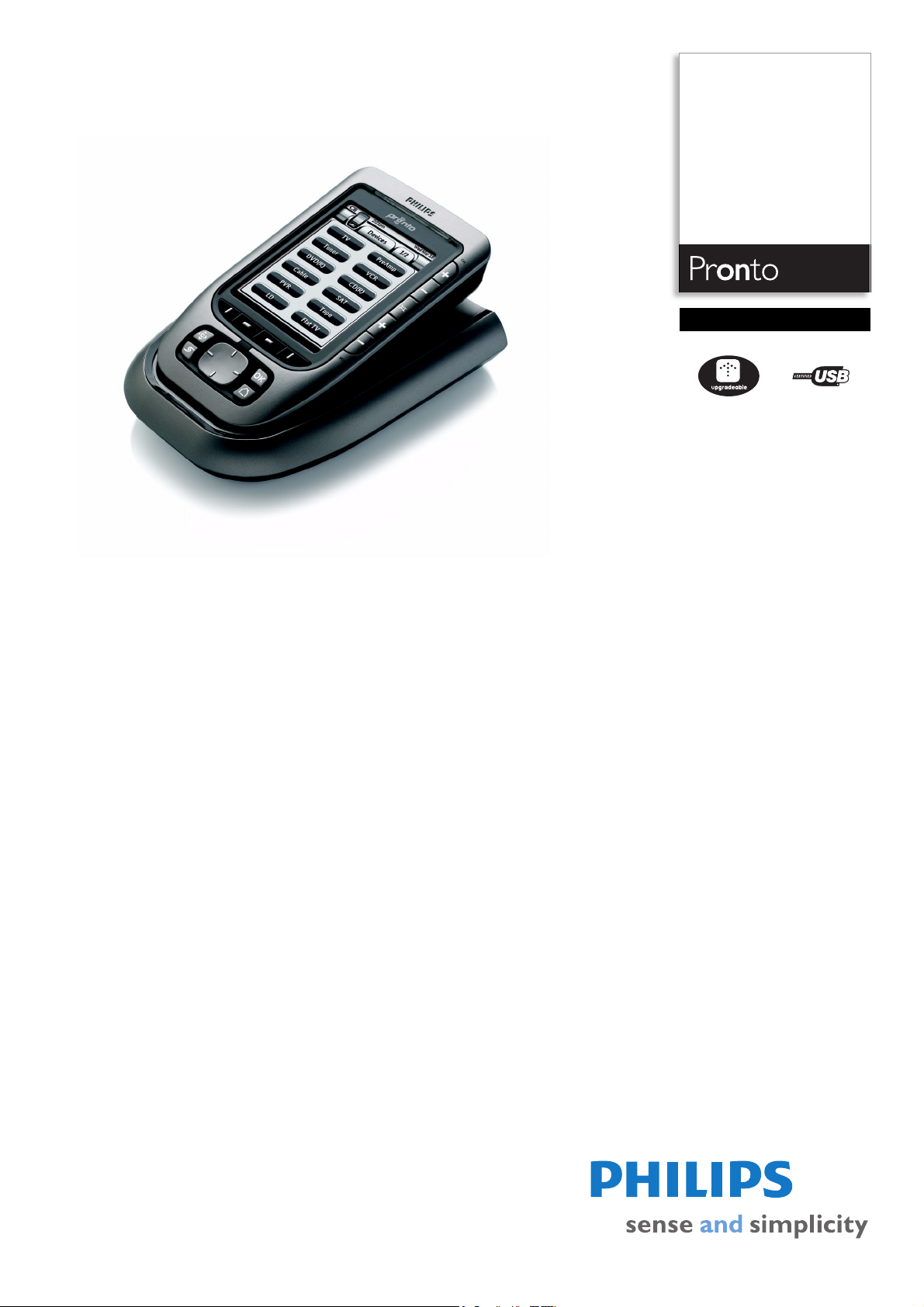
Philips Pronto
Home Theater Control
Panel
TSU3500
Clear performance,
powerful control
The Pronto control panel replaces a table full of remotes! The programmable, elegant unit
is compatible with virtually any brand of A/V equipment. The new high-contrast
monochrome display ensures an easy-to-read solution.
Single control solution for most devices & brands
• Extensive infrared code database for most devices & brands
• Convenient IR learning from another remote
• Radio frequency works through walls and from other rooms
• Additional functionality through future software upgrades
Fully customizable user interface
• High-contrast easy-to-read monochrome display
• Control multiple devices with a single touch
• PC software to create your own user interface
Great convenience
• LCD screen with backlighting for convenience in the dark
• Cursor keys simplify navigation through on-screen menus
• Settings and codes are retained when replacing the batteries
• Sensor reacts to ambient light to adjust backlighting
Page 2

Home Theater Control Panel
TSU3500/17
Specifications Product highlights
Picture/Display
• Backlight
• Diagonal screen size (inch): 3.8 inch
• Display colors: 16
• Resolution: 320 x 240 pixels
•Touch panel
• Backlight color: White
• Display screen type: LCD TFT
Infrared Capabilities
• Operating distance: 33 ft (10 m)
• Learning IR codes
• Learning frequency range: Up to 78 kHz and 455
kHz
• Transmitting LEDs: 4
• Universal IR code database
• Number of brands in database: Over 1100
RF Capabilities
• Adresses (ID's): 16
• Channels: 4
• Communication: 1-way
• Frequency (MHz): 418
Customization
• Editor application on PC: ProntoEdit NG
• On screen customization
• Full screen configurability
• Transparency
• Alpha-blending: No
• Macros: Up to 250 steps
Connectivity
• USB: USB 1.1
Convenience
• Automatic power off
• Clock with calendar
•Cursor key
• Gentle fade out of light
•Hard buttons
• Multi language: GB, D, F, E, NL
• Pick up sensor: No
• Programmable timers: 20
Dimensions
• Master carton quantity: 2
• Master carton weight: 3.8 kg
• Product dimension (WxDxH) inch: 3.6" x 1.1" x
6.0"
• Product weight (lb): 0.573
• Temperature range (operation): 41°F to 113°F
System Specifications
• CPU: Mitsubishi 16 bit
• Flash memory size: 4 MB
System Requirements
•CD-ROM drive
• Hard disk space: 75 MB
• PC OS: Windows 98 SE, 2000, ME, XP
• RAM memory: 64 MB
• USB: Free USB port
Accessories
• Batteries: Ni-MH battery pack
•Docking Station
•Printed User Guide
•USB cable
•User Guide on CD-ROM
• Warranty Card
Power
• Charging time: Max 3 hr
• Mains power: 120V
•
Universal IR code database
A universal IR code database refers to a library of infrared
codes built-in to a particular remote. This feature allows
a remote to control your equipment without needing to
learn individual signals. Select the correct infrared code
sets in the database for the devices you want to control,
to enable control of virtually every audio/video system
element on the market today – regardless of model or
brand.
Learning functionality
Learning functionality refers to the process through which
a remote control captures and stores infrared signals
from other remotes for later use. When device codes are
not included in the on-board database, they can always
be learned from the original remote, simply by pointing to
it.
Radio frequency
A radio technology that allows you to control components
not in direct line-of-sight, such as through walls or other
obstacles. There are two types of RF used in remote
controls: RF to component, and RF to infrared.
Future proof
To keep your device up to date and enhance its
functionality you can download new softwares that
become available. Connect the device to the Internet,
either directly or through a PC, and launch the upgrade
utility.
High-contrast display
High-contrast monochrome display includes special
technology to increase light output and contrast ratio.
Instead of traditional electrofoil backlighting, LEDs are
used to offer much higher light output. Contrast is
enhanced because of white backlight instead of the
traditional green backlight color. This results in much
improved readibility of the screen.
One-touch convenience
One-touch control allows you to perform multiple
commands with one press of a button via a macro. A
macro combines a string of pre-programmed commands
under one single button. Therefore, it simply takes one
button press to execute a series of functions.
PC software included
PC software is included in the box to customize the user
interface of the remote i.e. to create your own screens
and define a personal look. After installing the software,
and creating your user interface, download it to the
remote either via RS232, USB or wirelessly.
Backlight on screen
Backlighting is a feature that illuminates the LCD screen
or keypad for use in the dark. The two most common
types of backlighting include LED and electroluminescent
(EL). Remotes backlit with LEDs are typically bright but
uneven with a yellow or green color, while EL panels are
smooth with blue, white or green shades.
Cursor keys
Memory backup
All settings and learned codes are stored in non-volatile
memory which does not need power to function and store
codes and settings.
Issue date 2009-01-21
Version: 1.0.4
12 NC: 9082 100 80123
UPC: 0 37849 96657 0
© 2009 Koninklijke Philips Electronics N.V.
All Rights reserved.
Specifications are subject to change without notice.
Trademarks are the property of Koninklijke Philips
Electronics N.V. or their respective owners.
www.philips.com
Light sensor
Light sensor is a feature that automatically activates the
backlight when the ambient lighting reaches a certain
level.
 Loading...