

Page 1

Register your product and get support at
www.philips.com/welcome
SLV3110
master EN Wireless TV Link
Page 2

Page 3

Table of contents
1Important 4
1.1 Power requirements 4
1.2 Conformity 4
1.3 Recycling and disposal 5
1.4 Electric, Magnetic and
Electromagnetic Fields ("EMF") 5
1.5 Installation requirements 6
2 Your Wireless TV link 7
2.1 What’s in the box 7
2.2 Overview of the
Wireless TV link 7
3Getting started 9
3.1 Connect transmitter 9
3.2 Connect receiver 10
3.3 Enjoy 10
3.4 Install the remote control
blaster cord 11
3.5 Remove interference on TV2 11
4 Technical Data 12
5 Frequently asked
questions 13
6INDEX 16
Table of contents 3
Page 4

1Important
Take time to read this user manual before
you use your wireless TV link. It contains
important information and notes
regarding your wireless TV link.
1.1 Power requirements
• Connect the power adapters only to a
100-240V AC 50/60Hz power supply.
• The Electrical network is classified as
hazardous. The only way to power
down the charger is to unplug the
power supply from the electrical
outlet. Ensure that the electrical outlet
is always easily accessible.
!
!
Warning
To avoid damage or malfunction:
• Do not expose the wireless TV link to
excessive heat caused by heating
equipment or direct sunlight.
• Do not drop your wireless TV link or
allow objects to fall on your wireless
TV link.
• Do not use any cleaning agents
containing alcohol, ammonia, benzene,
or abrasives as these may harm the set.
• Do not use the product in places
where there are explosive hazards.
• Do not let small metal objects come
into contact with the product. This can
deteriorate audio quality and damage
the product.
• Active mobile phones in the vicinity
may cause interference.
• Do not open your product as you
could be exposed to high voltages.
• Do not allow the charger to come into
contact with liquids.
• Do not allow the TV link to come into
contact with liquids.
• Use only with provided power supply.
Manufacturer: Concord.
Model Name: CM-3AD09005.
• Power supply information for receiver
and transmitter
Input: AC100-240V/120mA,
50Hz/60Hz
Output: DC9V/500mA
About operating and storage
temperatures:
• Operate in a place where temperature
is always between 0 and
103ºF).
• Store in a place where temperature is
always between -10 and 70ºC (14 to
157ºF).
40ºC (32 to
1.2 Conformity
This product has been designed, tested
and manufactured according the
European R&TTE directive 1999/5/EC
Following this directive, this product can
be brought into service in the following
states:
Class identifier. This is a class 1 product.
We, Philips, declare that the product is in
compliance with the essential
requirements and other relevant
provisions of Directive 1999/5/EC. You
can find the Declaration of Conformity
on www.p4c.philips.com.
4 Important
Page 5
1.3 Recycling and disposal
Disposal instructions for old products.
The WEEE directive (Waste Electrical
and Electronic Equipment; 2002/96/EC)
has been put in place to ensure that
products are recycled using best available
treatment, recovery and recycling
techniques to ensure human health and
high environmental protection.
Your product is designed and manufactured
with high quality materials and components,
which can be recycled and reused.
Do not dispose of your old product in
your general household waste bin.
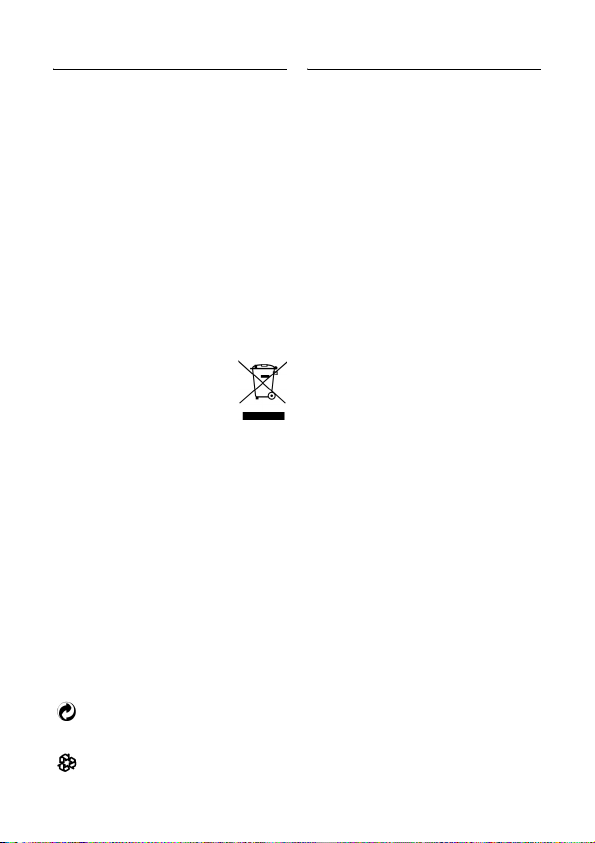
Inform yourself about the local
separate collection system for
electrical and electronic
products marked by this symbol:
Use one of the following disposal options:
1. Dispose of the complete product
(including its cables, plugs and
accessories) in the designated WEEE
collection facilities.
2. If you purchase a replacement
product, hand your complete old
product back to the retailer. He
should accept it as required by the
WEEE directive.
Packaging information:
Philips has marked the packaging with
standard symbols designed to promote
the recycling and appropriate disposal of
your eventual waste.
A financial contribution has been
paid to the associated national
recovery & recycling system.
The labelled packaging material is
recyclable.
Important 5
1.4 Electric, Magnetic and Electromagnetic Fields ("EMF")
1. Philips Royal Electronics Manufactures
and sells many consumer oriented
products which usually, as with any
electronic apparatus, have the ability
to emit and receive electro magnetic
signals.
2. One of Philips' leading Business
Principles is to take all necessary
health and safety precautions for our
products, to comply with all applicable
legal requirements and to stay well
within the EMF standards applicable at
the time of producing the products.
3. Philips is committed to develop,
produce and market products that
cause no adverse health effects.
4. Philips confirms that if its products are
handled properly for their intended
use, they are safe to use according to
scientific evidence available today.
5. Philips plays an active role in the
development of international EMF and
safety standards, enabling Philips to
anticipate further developments in
standardisation for early Integration in
its products.
Page 6

1.5 Installation requirements
The product transmits and receives radio
waves when it is switched on. The
product complies with the standards that
are defined for it.
As the product is based on RF
technology, the quality of the image can
be influenced by microwave ovens,
Bluetooth, Wifi etc.
Therefore the product can suffer from
the same kinds of interference as GSMs,
portable radios and other RF-based
products.
6 Important
Page 7

2 Your Wireless TV link
Congratulations on your purchase and welcome to Philips!
To fully benefit from the support that Philips offers, register your product at
www.philips.com/welcome.
2.1 What’s in the box
A. Transmitter
C. Power adapter (2x)
D. Remote control
B. Receiver
E. User manual
blaster cord
2.2 Overview of the Wireless TV link
Transmitter
Control and display elements
1Power light:
>green: on
2 On/off switch
3 Power input connector (DC 9V)
4 Remote control blaster cord port
5SCART cable
6 Wireless channel selection switch
> Find the CHANNEL switch on
4 available channels
Your Wireless TV link 7
Page 8

Receiver
Remote control blaster cord
Control and display elements
7Power light:
>green: on
8 On/off switch
9 Power input connector (DC 9V)
10 SCART cable
11 Wireless channel selection switch
> Find the CHANNEL switch on
4 available channels
12Connector
13Blaster light
8 Your Wireless TV link
Page 9

3 Getting started
3.1 Connect transmitter
1. Connect the video source to the
transmitter
a. Take the supplied transmitter (A).
Find the SCART cable that is
connecting the video source to the
TV1. Disconnect this SCART cable.
Note: The video source can be a satellite
receiver, a VCR, a DVD player or
recorder...
2. Connect TV1
Plug the SCART cable from TV1 into
the SCART connector of the
transmitter (A).
3. Connect the power adapter
a. Take the supplied power adapter
(C) to plug the connector into the
DC 9V power connector on the
transmitter (A).
b. Plug the adapter into the power
outlet.
c. The green LED on the front panel
should be on.
Note: If it is not the case, press the ON/
OFF switch on the back of the product.
4. Check that TV1 is working well
a. Switch on TV1
b. Check that TV1 is working well.
c. Switch on the connected video
source.
d. Check if TV1 shows the image of
the video source.
> The transmitter is connected
correctly.
5. Connect the remote control blaster
cord (D) to the IR socket.
• Please reference to "3.4 Install the
remote control blaster cord" to
have more information.
Getting started 9
Page 10

3.2 Connect receiver
Preparation
- Switch on the transmitter (A).
- Switch on the Video source.
- Take these items:
• Receiver (B)
• Power adapter (C)
• Remote control of the video
source
- Go to TV2.
1. Connect the receiver to the second
TV (TV2)
Plug the SCART cable of the receiver
(B) into the SCART port of TV2.
2. Connect the power adapter
a. Take the supplied power adapter
(C) to plug the connector into the
DC 9V power connector on the
Receiver (B).
b. Plug the adapter into the power
outlet.
c. The green LED on the front panel
should be on.
Note: If it is not the case, press the ON/
OFF switch on the back of the product.
3. Set the CHANNEL switch to the same
number that on the transmitter (A).
3.3 Enjoy
All the operations listed on 3.1 and 3.2
should have been done.
1. Switch on TV2.
2. Switch on the receiver (B).
3. Select the correct SCART input on
TV2.
4. Point the remote control of the video
source to the receiver (B).
5. Operate the video source with its
remote control.
6. Check if TV2 shows the image of the
video source.
> The receiver is connected
correctly.
10 Getting started
Page 11

Note: If the VCR or DVD recorder
records a television program, you watch
the recorded channel.
Note: How to watch a video source on
TV1?
Use your TV1 and your video source as
usual to watch a video source on TV1.
3.4 Install the remote control blaster cord
The remote control blaster cord
transmits IR signal to Source devices.
1. Switch off the transmitter (A).
2. Connect the remote control blaster
cord (D) to the IR socket.
3. Position the blaster light in front of the
video source. Just put it in front of the
IR sensor on the front panel.
Note: See the user manual of the video
source for the exact location of the IR
sensor on the front panel.
4. Switch on the transmitter (A).
5. If the IR control blaster is well
installed, you can use your remote
control to manage your video source.
3.5 Remove interference on TV2
When 3.1 and 3.2 are done, you may have
some interferences.
1. Find the CHANNEL switch on the
transmitter (A). There are 4 channels.
You may have to change the channels
in case of interferences.
2. Set the CHANNEL switch to a
different number on the transmitter
(A) in case of interferences.
3. Find the CHANNEL switch on the
receiver (B).
4. Set the CHANNEL switch to the same
number as on the transmitter (A).
Getting started 11
Page 12

4 Technical Data
Transmitter
System: RF (TV-LINK)
Modulation: FM
Weight: 0.292kg
Dimensions:120X182X40.2mm
Carrier Frequency: 2400~2470MHz
Channels: 4
Radiated Output Power: 10mW
Effective Transmission Range: 40m
Audio Input level: 2V
Video Input level: 1.1V
Power requirements: 9V/500mA
IR Extender Receiver
RF Frequency: 433.92MHz
Receiving Sensitivity: -90 ~ -98 dBm
IR carrier Frequency: 30~57kHz
IR LED Operation Range: 3m
Receiver
System: RF (TV-LINK)
Weight: 0.290kg
Dimensions:120X182X40.2mm
Playback frequency range:
2400~2470MHz
Channels: 4
Audio S/N ratio: 45dB (at 15m)
Video S/N ratio: 50dB (at 15m)
Audio Output level: 2V
Video Output level: 1.1V
Video Frequency Response:
50Hz~5.5MHz
>
=
Audio frequency response: 40Hz~15kHz
Power Requirements: 9V/500mA
IR Extender Transmitter
IR Frequency: 433.92MHz
RF Output Power: 7~9dBm
IR carrier Frequency: 30~57kHz
IR Sensor Operation Range: 7m
Temperature range
• Operation: Between 0 and 40ºC
(32 to 103ºF ).
• Storage: Between -10 and 70ºC
(14 to 157ºF).
Relative humidity
• Operation: Up to 90% at 40ºC
• Storage: Up to 90% at 40ºC
>
=
12 Technical Data
Page 13

5 Frequently asked
questions
www.philips.com/support
In this chapter, you will find the most
frequently asked questions and answers
about your product.
No image or wrong image on TV1
• Make sure the video source is
switched on.
• Make sure the video source is
connected to the transmitter (A).
• Make sure the transmitter (A) is
connected to TVI.
• Make sure the transmitter (A) is
switched on.
• Make sure SCART cables are firmly
inserted.
• Make sure the correct SCART input
on TVI is selected.
No image or wrong image on TV2
• Make sure SCART cables are firmly
inserted.
• Make sure the receiver (B) is
connected to TV2.
• Make sure both receiver (B) and
transmitter (A) are switched on.
• Make sure the video source is
switched on.
• Make sure the correct SCART input
on TV2 is selected.
• If the video source gives proper image
on TVI, make sure the video source
gives video signal in CVBS mode.
• Change the wireless channel that is
used for communication.
See “Remove interference on TV2” on
page 11.
• The receiver (B) is out of range of the
transmitter (A). The number of walls
and ceilings between the receiver (B)
and transmitter (A) restricts the
distance.
Interference in the image on TV2
• Slightly change the position of the
receiver (B) or the transmitter (A).
• Change the wireless channel that is
used for communication.
• See “Remove interference on TV2” on
page 11.
• The receiver (B) is out of range of the
transmitter (A). The number of walls
and ceilings between the receiver (B)
and transmitter (A) restricts the
distance.
The video sources do not respond to the
remote control commands from TV2
• Point the remote control directly to
the receiver (B).
• Replace the batteries of the remote
controls with new ones.
• Install the remote control blaster cord
(D).
See “Install the remote control blaster
cord” on page 11.
Note: The maximum operating distance
of the remote control is 7m.
Buzzing sound when you use the remote
control
• Slightly change the position of the
receiver or the transmitter until the
buzzing sound stops.
Frequently asked questions 13
Page 14

Black and white image with S-VHS VCR
(Super Video Home System Video/
Cassette/Recorder)
• Check if the SCART connector of the
S-VHS VCR gives signal in CVBS.
(Composite Video Broadcast Signal).
See its user manual.
14 Frequently asked questions
Page 15

Glossary
CVBS:
Video standard for showing colors on a
TV.
Easylink:
Gives a VCR or DVD recorder the
possibility to automatically take over the
preset programming of the TV.
RF technology:
Technology based on radio frequency,
used for wireless connections.
SCART:
Single connector to easily connect audio
and video equipment.
Glossary 15
Page 16

6 INDEX
C
Channel 11
Connect receiver
Connect transmitter
10
9
E
Enjoy 10
F
Frequently asked questions 13
G
Getting started 9
I
Interference 11
O
Overview of the Wireless TV link 7
R
Remote control blaster cord 11
T
Technical Data 12
W
What’s in the box 7
Y
Your Wireless TV link 7
16 INDEX
Page 17

© 2009 Koninklijke Philips Electronics N.V.
All rights reserved.
Reproduction in whole or in part is prohibited without
the written consent of the copyright owner.
Document number: 145- 131100102 (master EN)
Printed in China
 Loading...