

Page 1
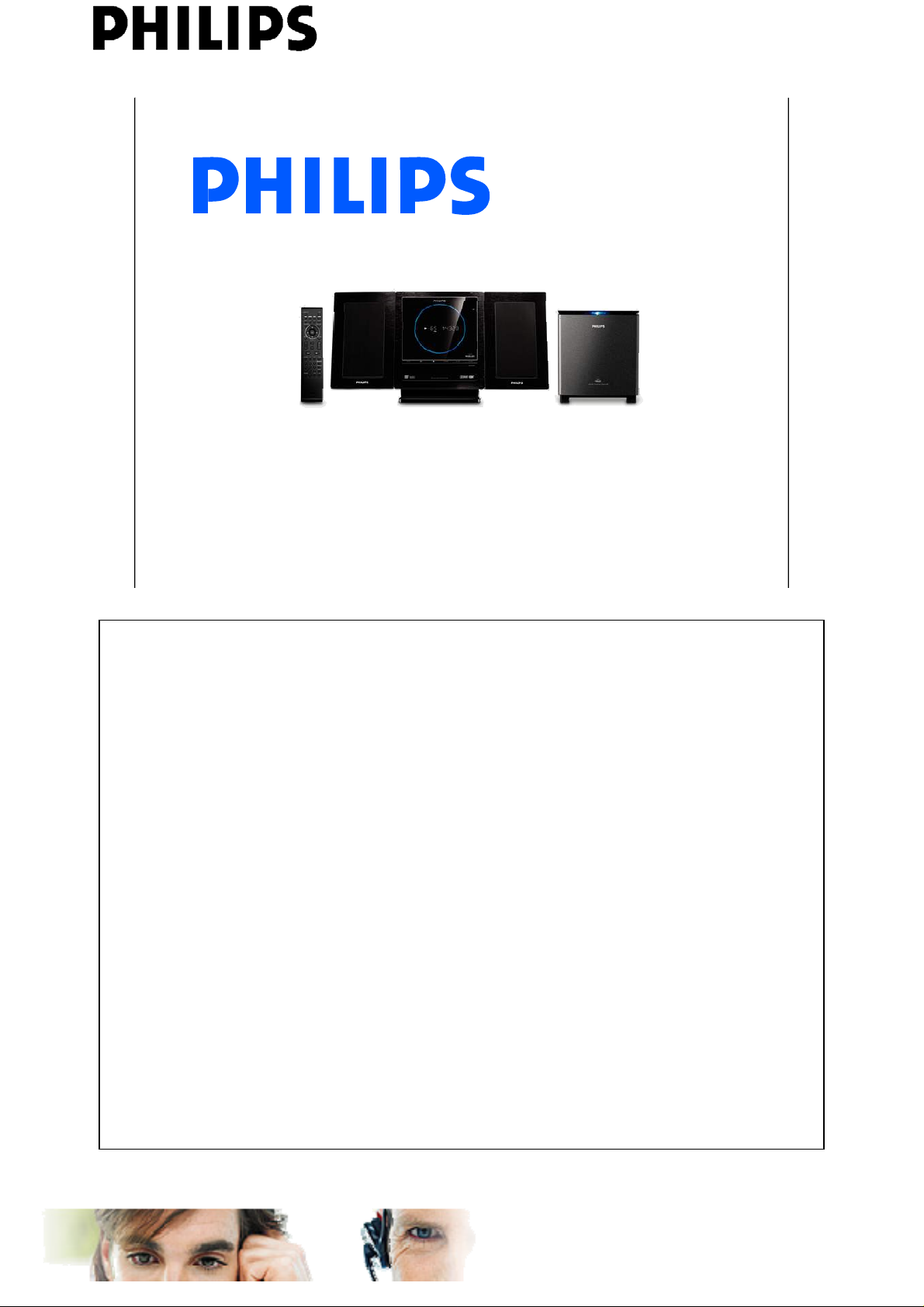
DVD Micro Theatre MCD289
Daniel Butigieg
Service Engineering & Training
<<MCD289>>
April 2008
PERSONAL NOTES:
PERSONAL NOTES:
AtYourService learning Centre
www.ayslearningcentre.philips.com
Page 2
<<MCD289>>
Welcome to the training session of the
DVD Micro theatre MCD289
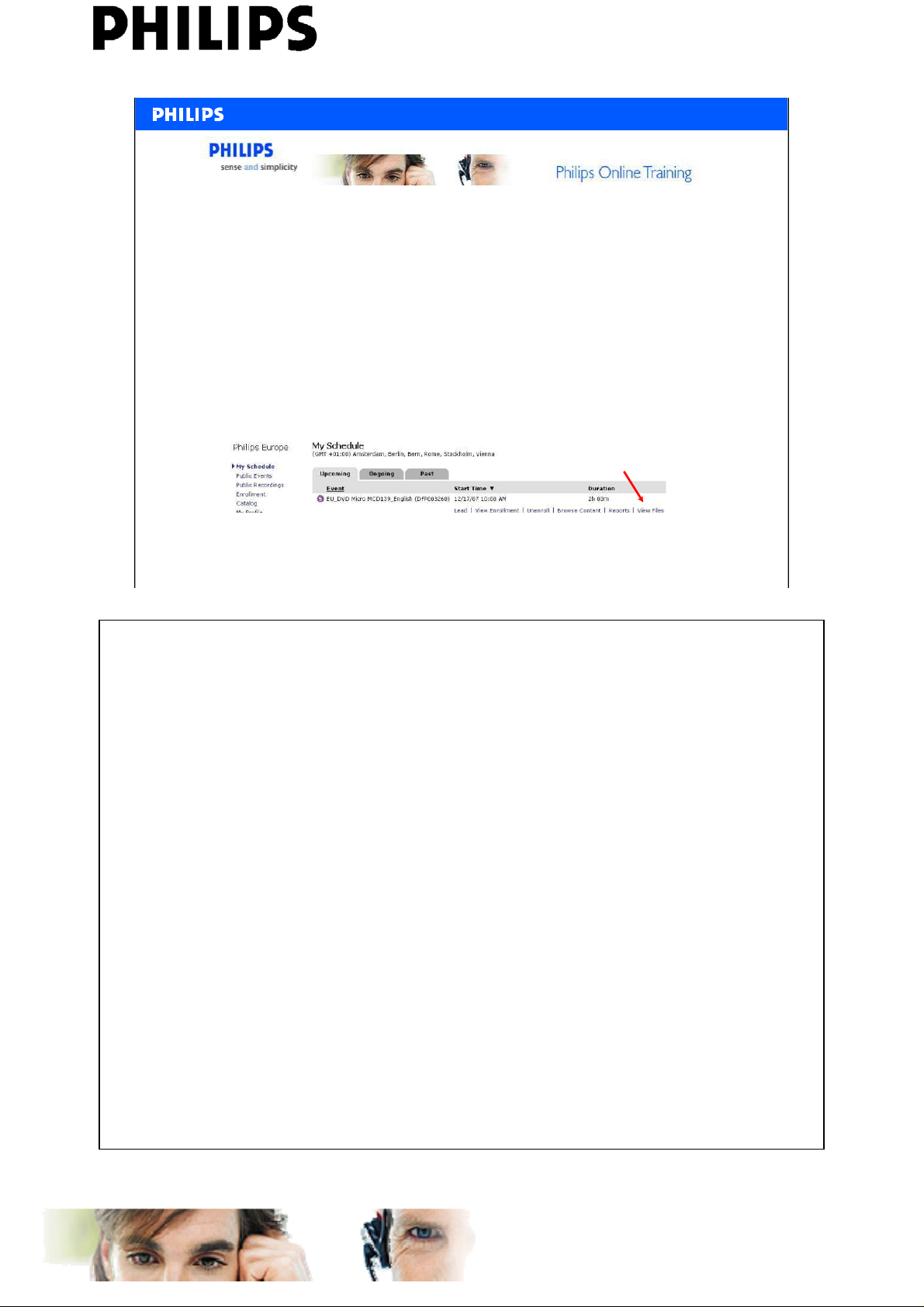
Before the session starts, please download the training
documents.
Go to My Schedule and select View Files.
It is advised to take notes during the training session.
Service Engineering & Training, D. Butigieg , April 2008
2
PERSONAL NOTES:
PERSONAL NOTES:
AtYourService learning Centre
www.ayslearningcentre.philips.com
Page 3
Summary
ONLINE training presentation
– MCD289 overview
– Service policy and variations
– Connectivity
– Mechanical chapter
• disassembly
• PCB location
– Electrical chapter
• Wiring diagram
• Block diagram
• VDF-CPU board
• Audio Mute diagram
• Subwoofer o verview
• Software version check and upgrade
<<MCD289>>
Service Engineering & Training, D. Butigieg , April 2008
3
PERSONAL NOTES:
PERSONAL NOTES:
AtYourService learning Centre
www.ayslearningcentre.philips.com
Page 4
General Overview
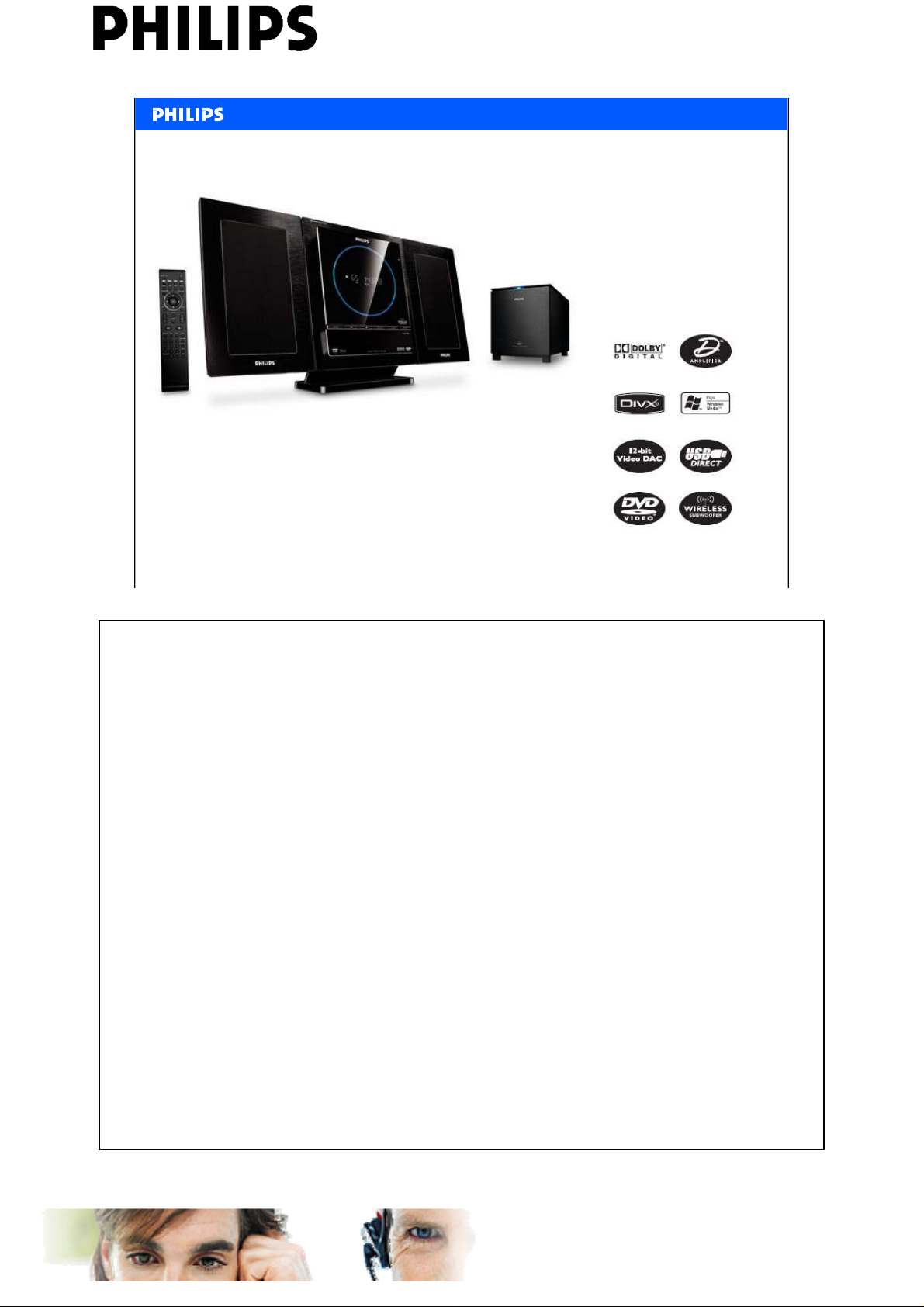
• Play DVD, DivX®, (S)VCD, MP3-CD, WMA-CD, CD(RW) & Picture CD
• Output Power: 2x20W RMS+ 60W
• Tuner Bands: FM Stereo – RDS - Station presets: 20
• Wireless Active subwoofer type
<<MCD289>>
Service Engineering & Training, D. Butigieg , April 2008
4
PERSONAL NOTES:
PERSONAL NOTES:
AtYourService learning Centre
www.ayslearningcentre.philips.com
Page 5
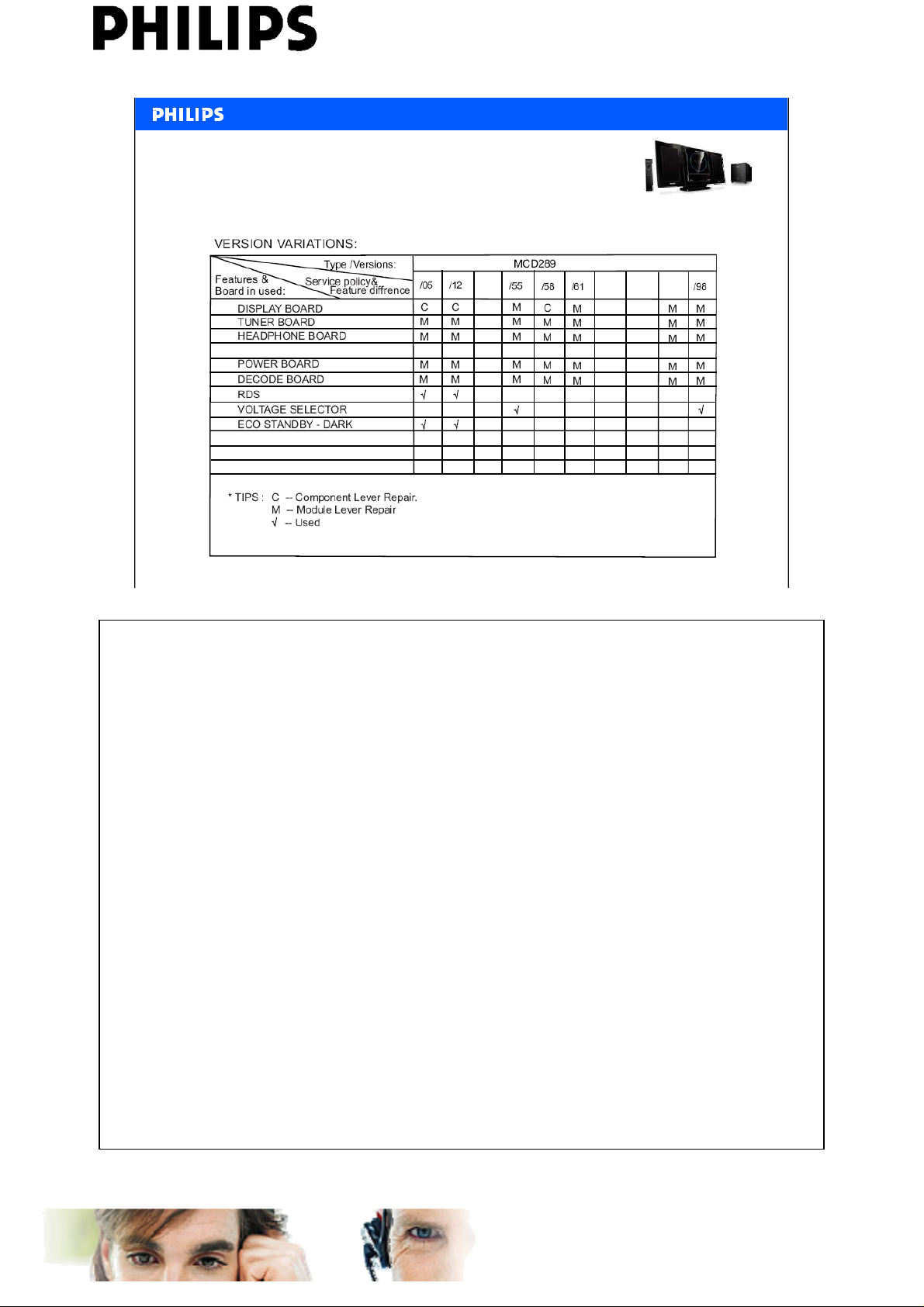
Service policy & variations
<<MCD289>>
Service Engineering & Training, D. Butigieg , April 2008
5
PERSONAL NOTES:
PERSONAL NOTES:
AtYourService learning Centre
www.ayslearningcentre.philips.com
Page 6
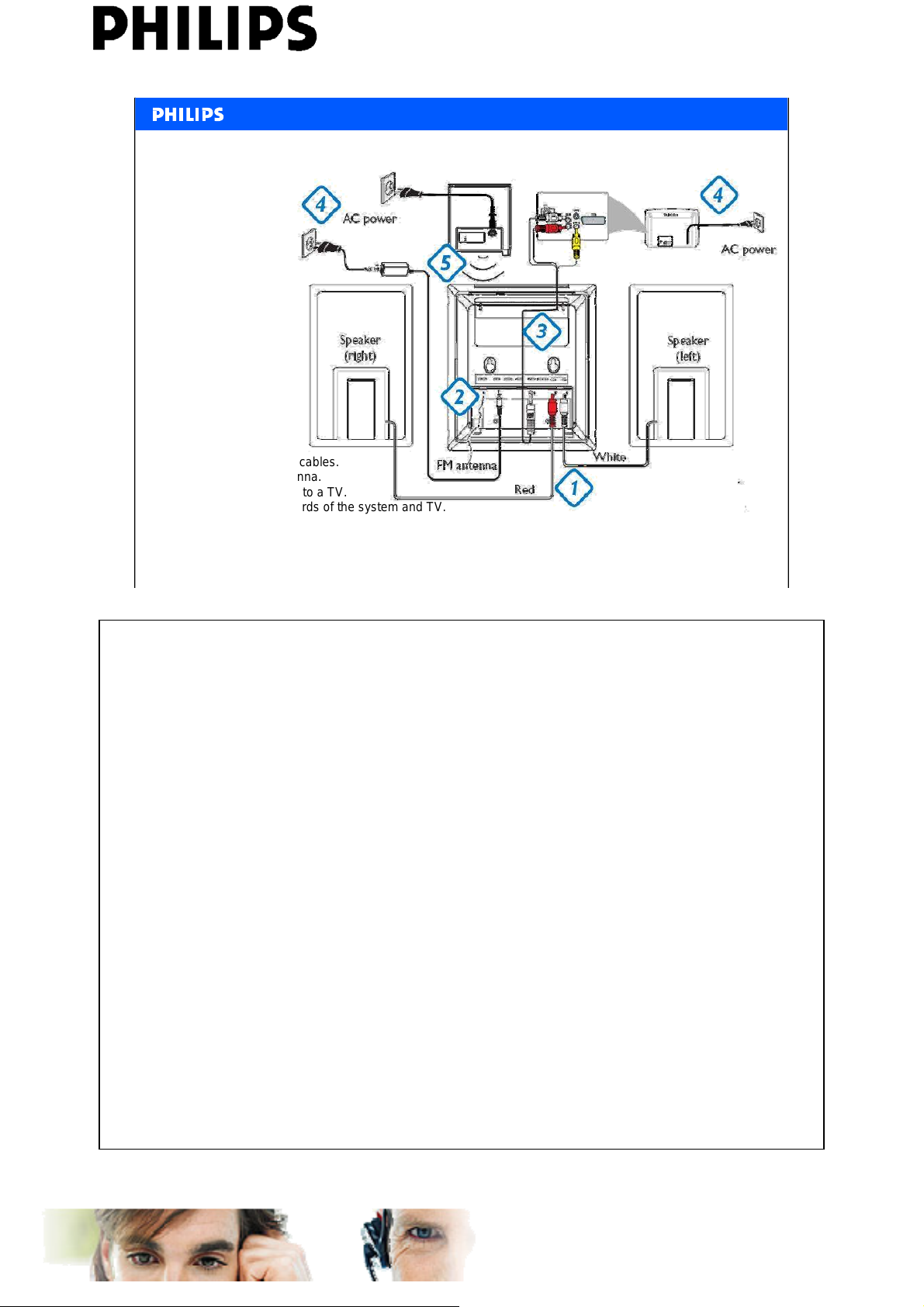
Connections
1. Connect the speaker cables.
2 .Connect the FM antenna.
3 .Connect the A/V cord to a TV.
4 .Connect the power cords of the system and TV.
5 .Power on both the main set and subwoofer.
➜ Wireless connection will set up automatically.
<<MCD289>>
Service Engineering & Training, D. Butigieg , April 2008
6
PERSONAL NOTES:
PERSONAL NOTES:
AtYourService learning Centre
www.ayslearningcentre.philips.com
Page 7
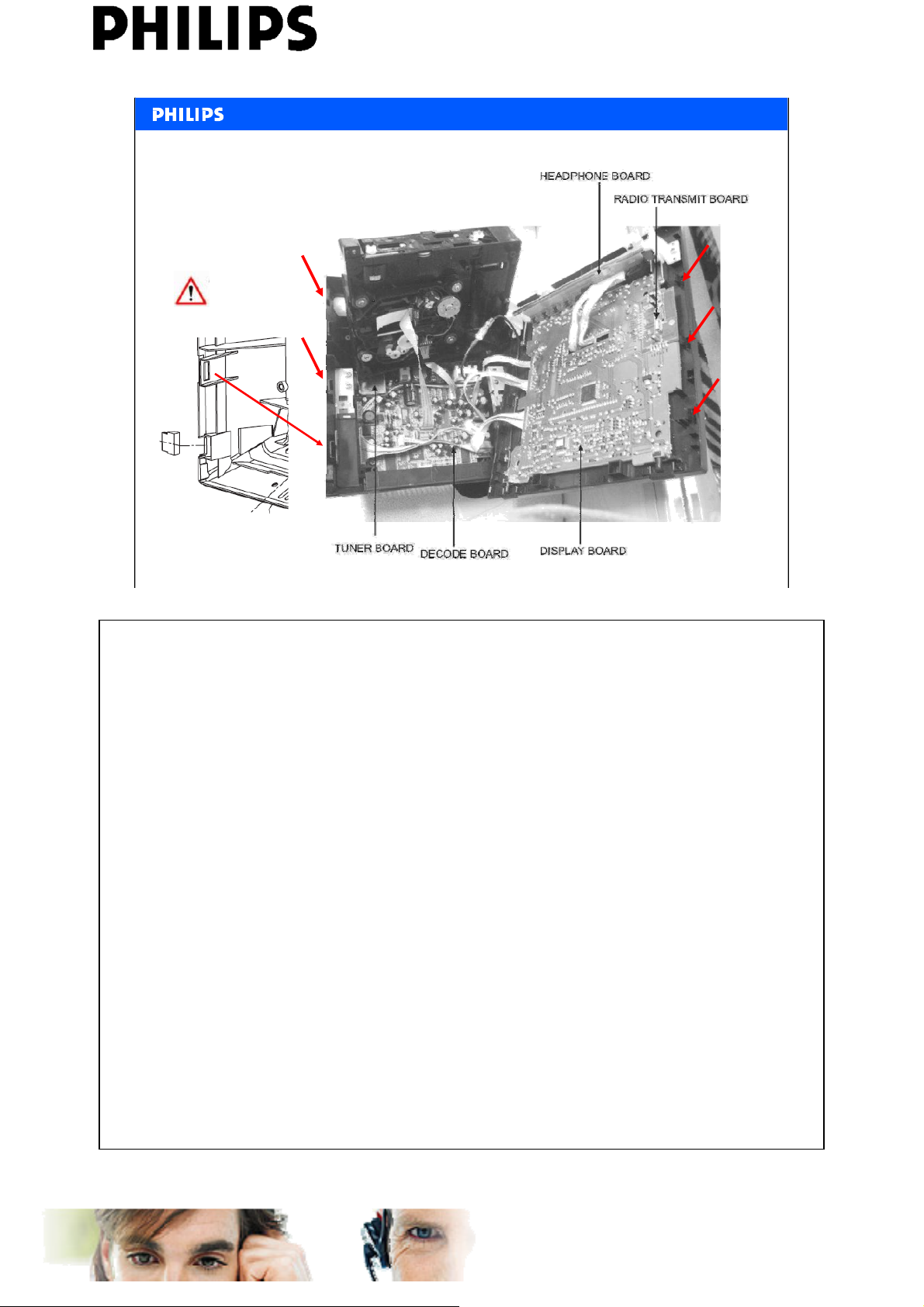
Disassemble procedure
See disassembly diagram on gage3.1 on Service Manual
Additional Information
to open the position lock
on both sides of the set
<<MCD289>>
Service Engineering & Training, D. Butigieg , April 2008
7
PERSONAL NOTES:
PERSONAL NOTES:
AtYourService learning Centre
www.ayslearningcentre.philips.com
Page 8
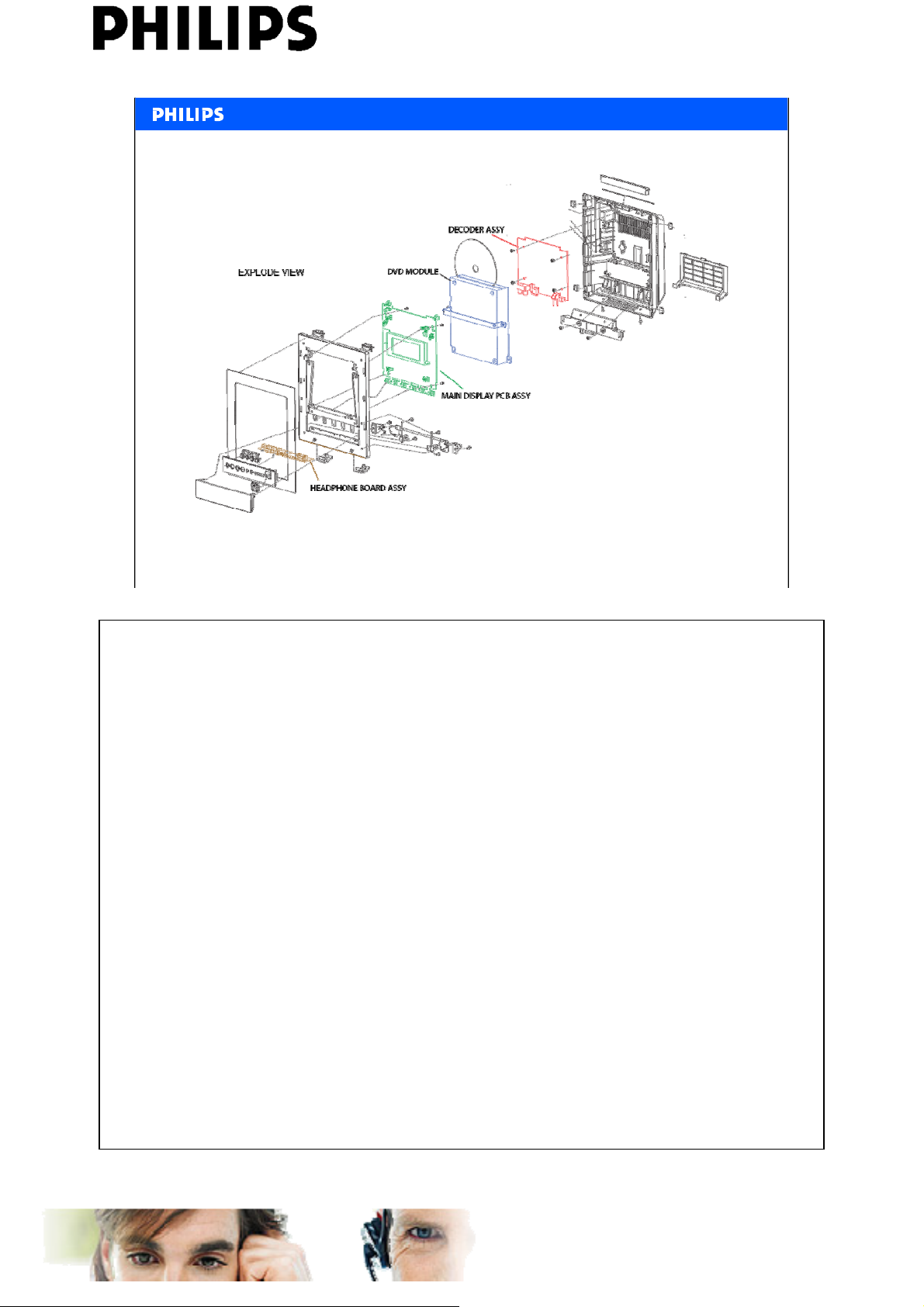
PCB Location
<<MCD289>>
Service Engineering & Training, D. Butigieg , April 2008
8
PERSONAL NOTES:
PERSONAL NOTES:
AtYourService learning Centre
www.ayslearningcentre.philips.com
Page 9
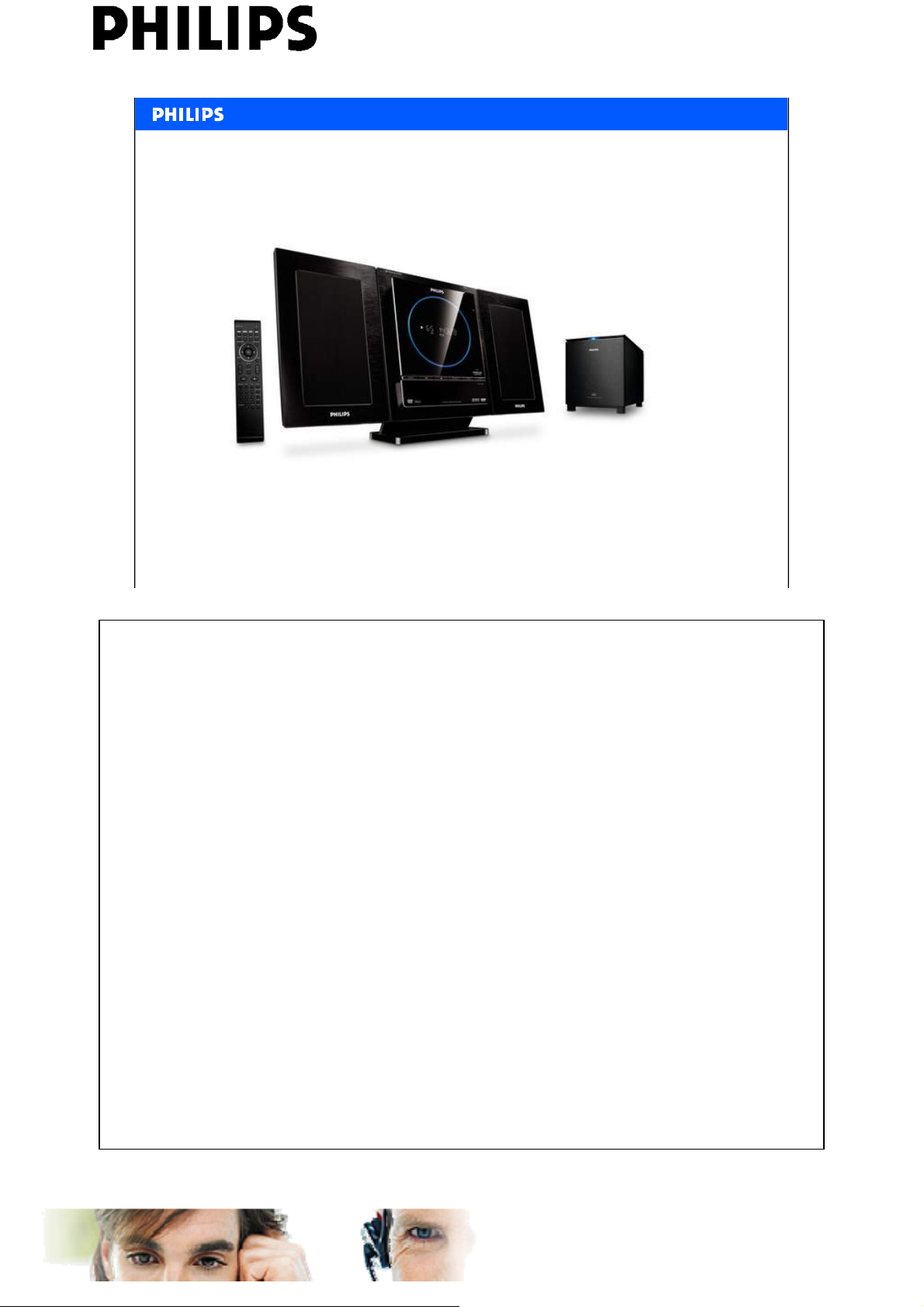
Electrical chapter
<<MCD289>>
Service Engineering & Training, D. Butigieg , April 2008
9
PERSONAL NOTES:
PERSONAL NOTES:
AtYourService learning Centre
www.ayslearningcentre.philips.com
Page 10
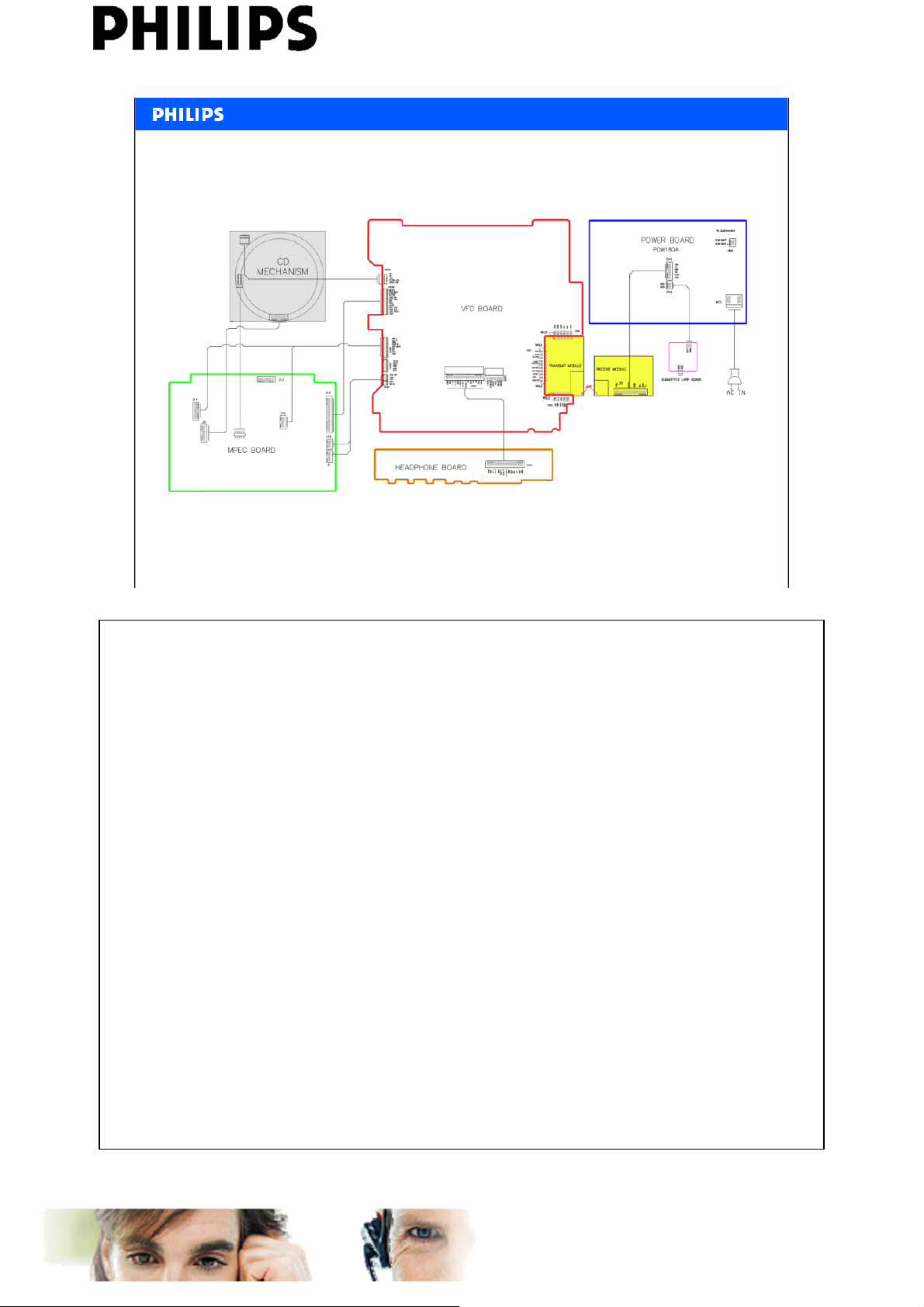
Wiring diagram
<<MCD289>>
Service Engineering & Training, D. Butigieg , April 2008
10
PERSONAL NOTES:
PERSONAL NOTES:
AtYourService learning Centre
www.ayslearningcentre.philips.com
Page 11
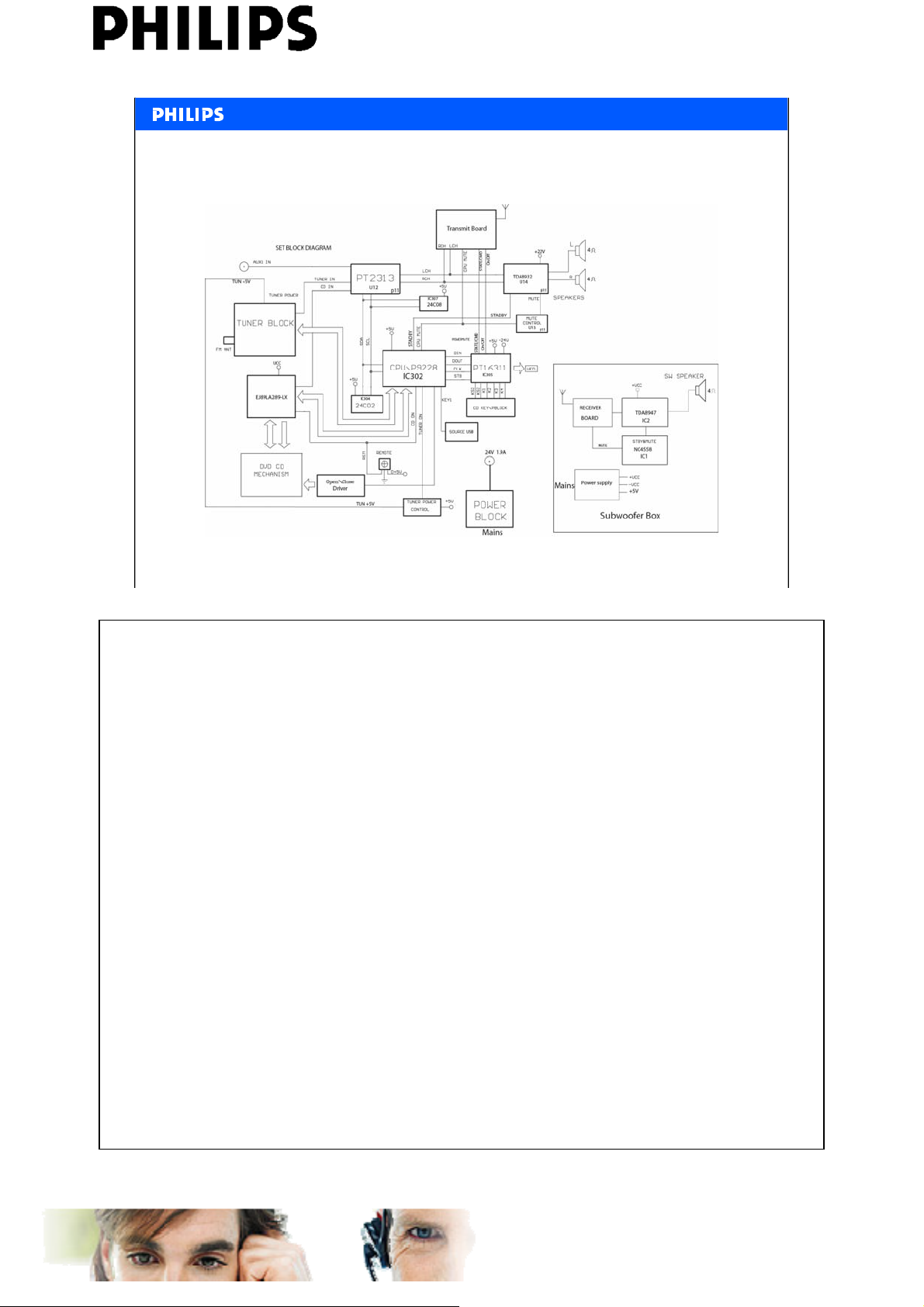
Block diagram
<<MCD289>>
Service Engineering & Training, D. Butigieg , April 2008
11
PERSONAL NOTES:
PERSONAL NOTES:
AtYourService learning Centre
www.ayslearningcentre.philips.com
Page 12
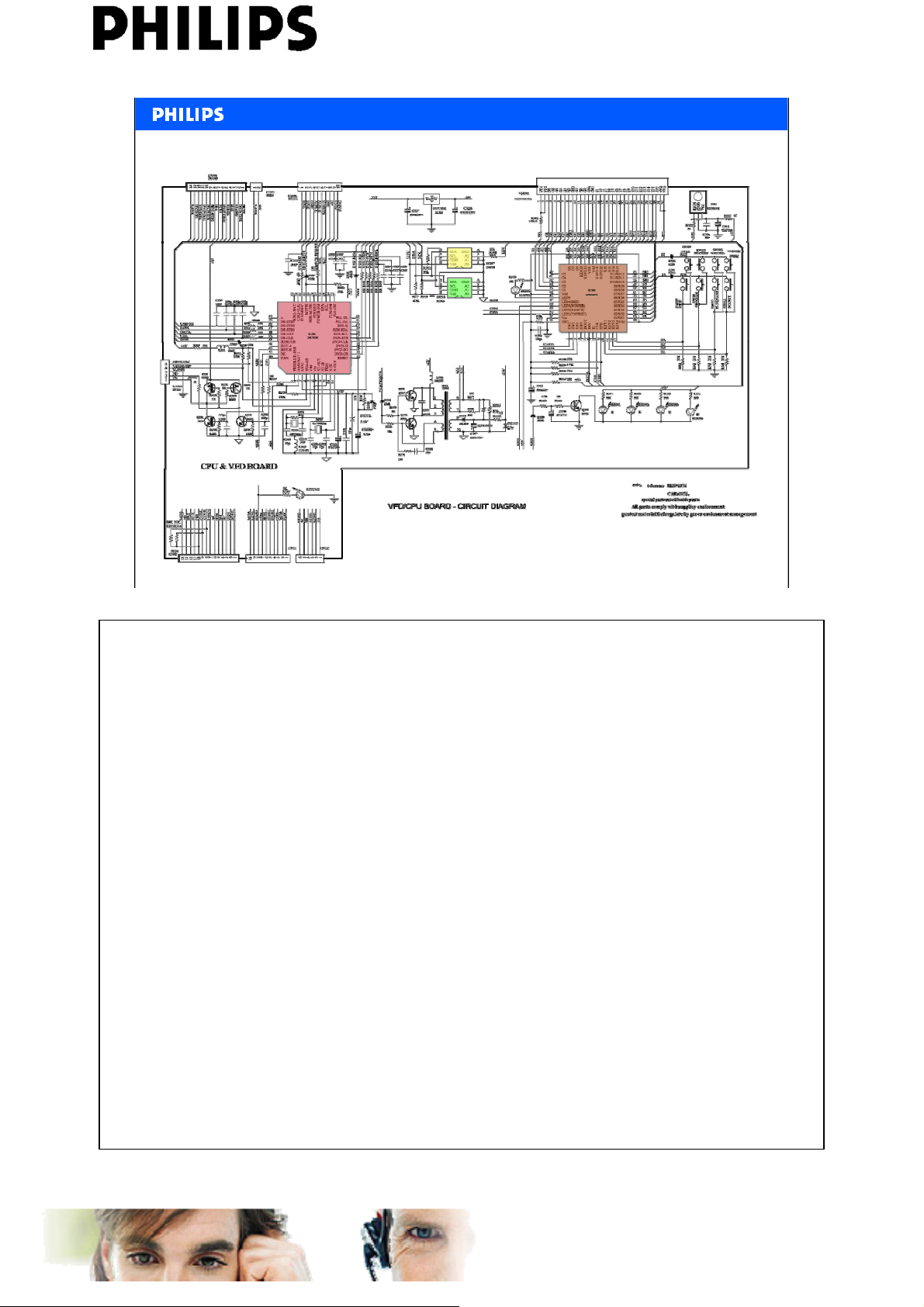
VFD CPU Board
<<MCD289>>
Service Engineering & Training, D. Butigieg , April 2008
12
PERSONAL NOTES:
PERSONAL NOTES:
AtYourService learning Centre
www.ayslearningcentre.philips.com
Page 13
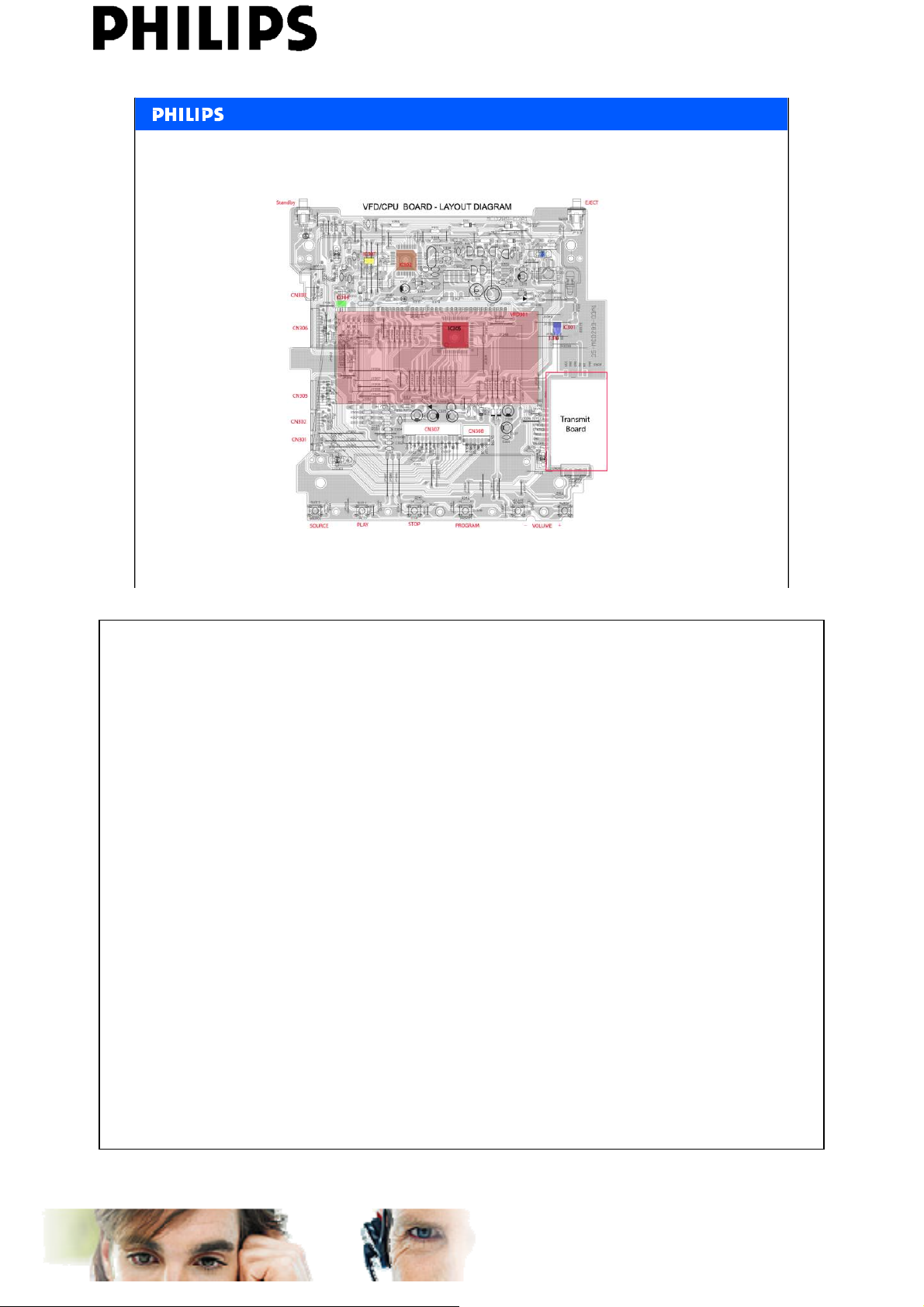
VFD CPU Board
<<MCD289>>
Service Engineering & Training, D. Butigieg , April 2008
13
PERSONAL NOTES:
PERSONAL NOTES:
AtYourService learning Centre
www.ayslearningcentre.philips.com
Page 14
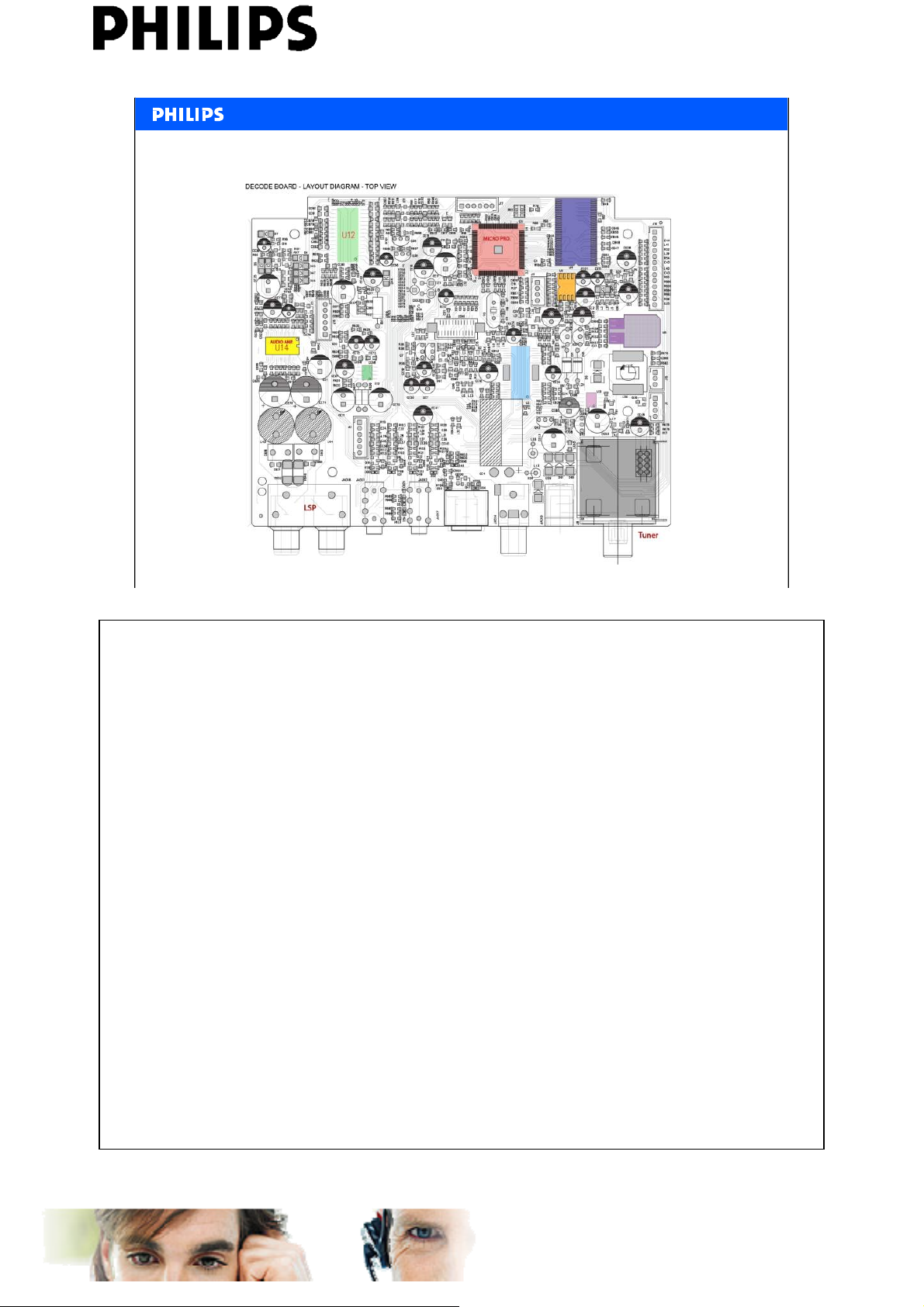
<<MCD289>>
DVD decoder - amplifier – input/output
Service Engineering & Training, D. Butigieg , April 2008
14
PERSONAL NOTES:
PERSONAL NOTES:
AtYourService learning Centre
www.ayslearningcentre.philips.com
Page 15
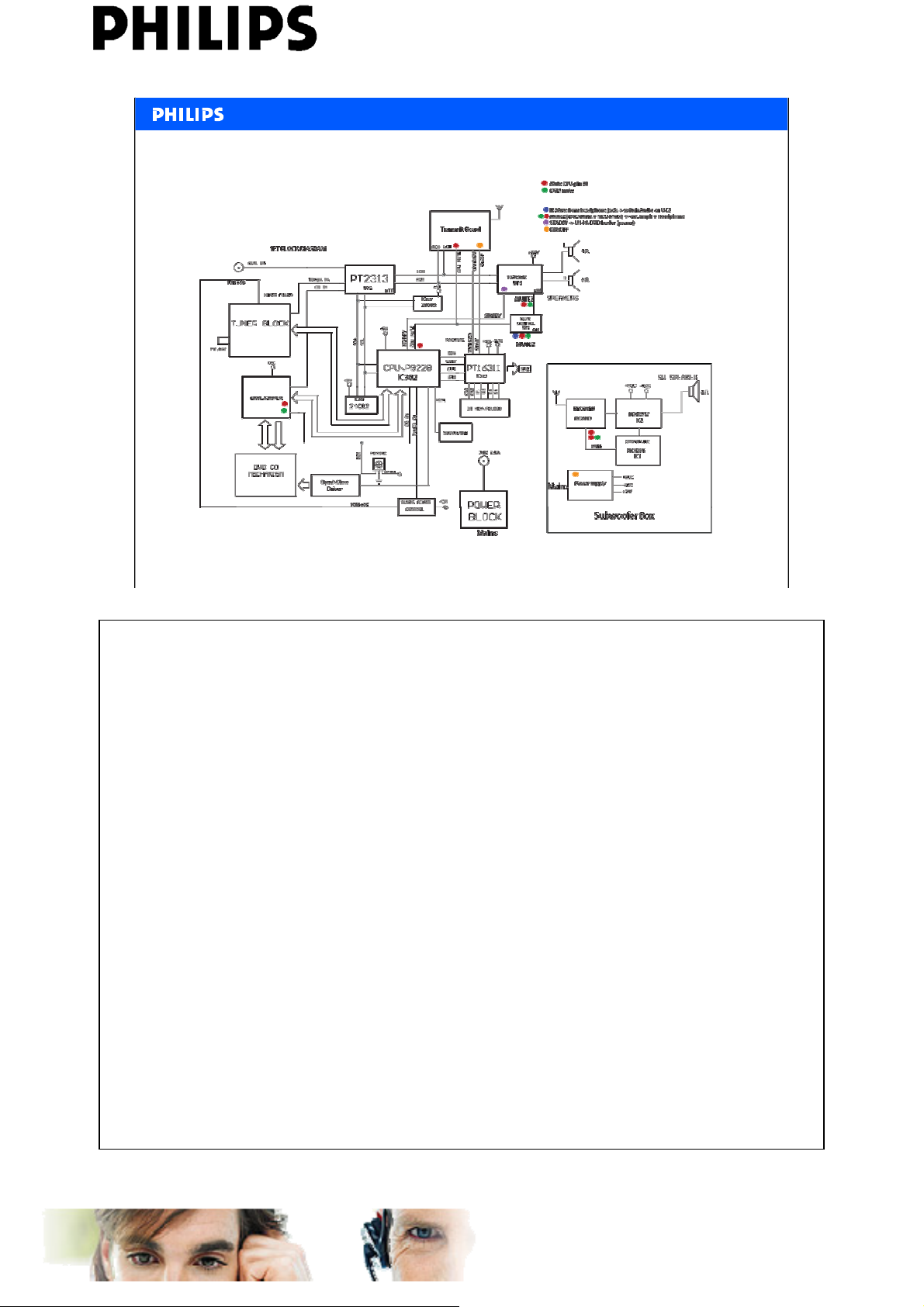
Audio Mute
<<MCD289>>
Service Engineering & Training, D. Butigieg , April 2008
15
PERSONAL NOTES:
PERSONAL NOTES:
AtYourService learning Centre
www.ayslearningcentre.philips.com
Page 16
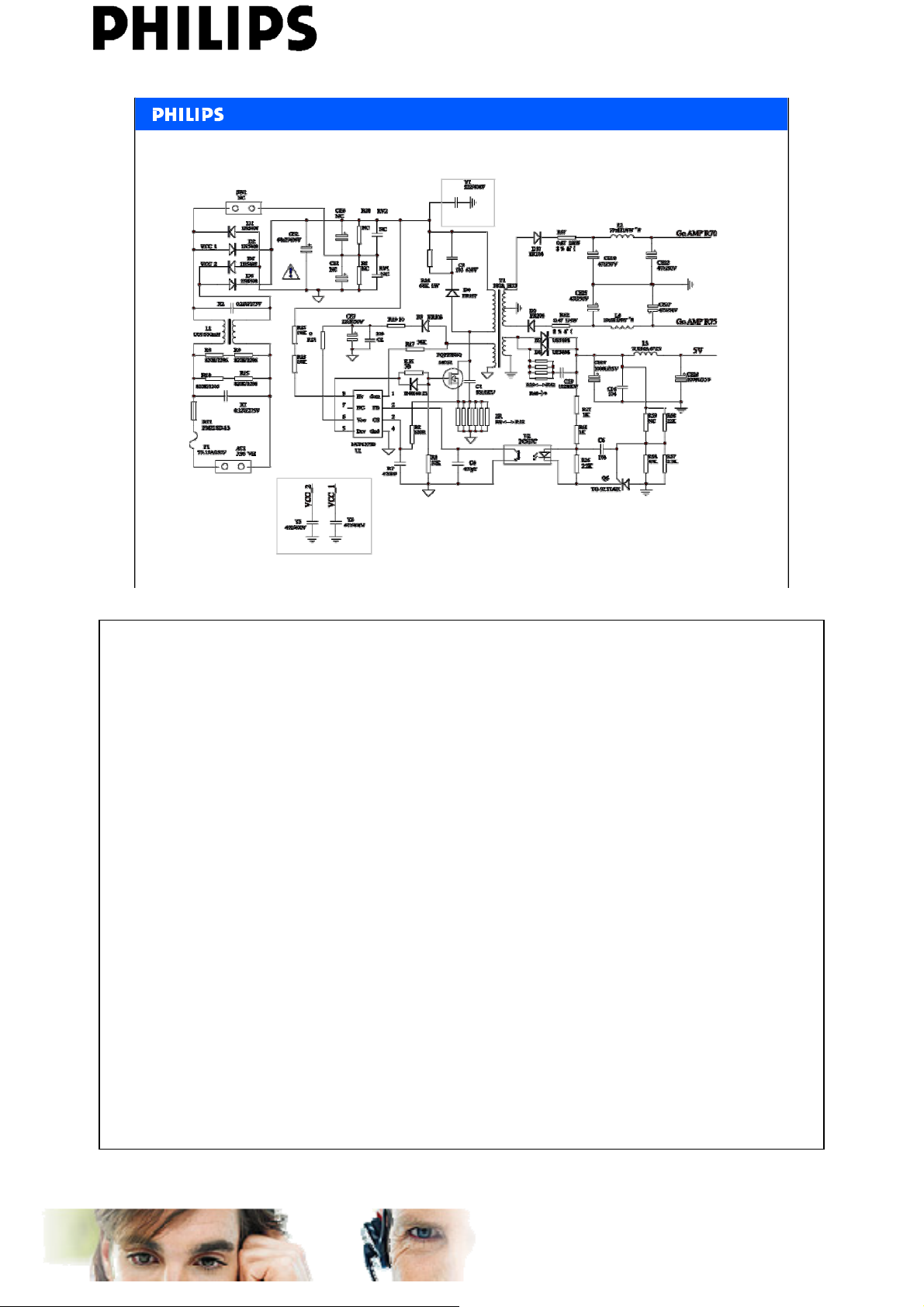
Subwoofer overview : Power supply
<<MCD289>>
Service Engineering & Training, D. Butigieg , April 2008
16
PERSONAL NOTES:
PERSONAL NOTES:
AtYourService learning Centre
www.ayslearningcentre.philips.com
Page 17
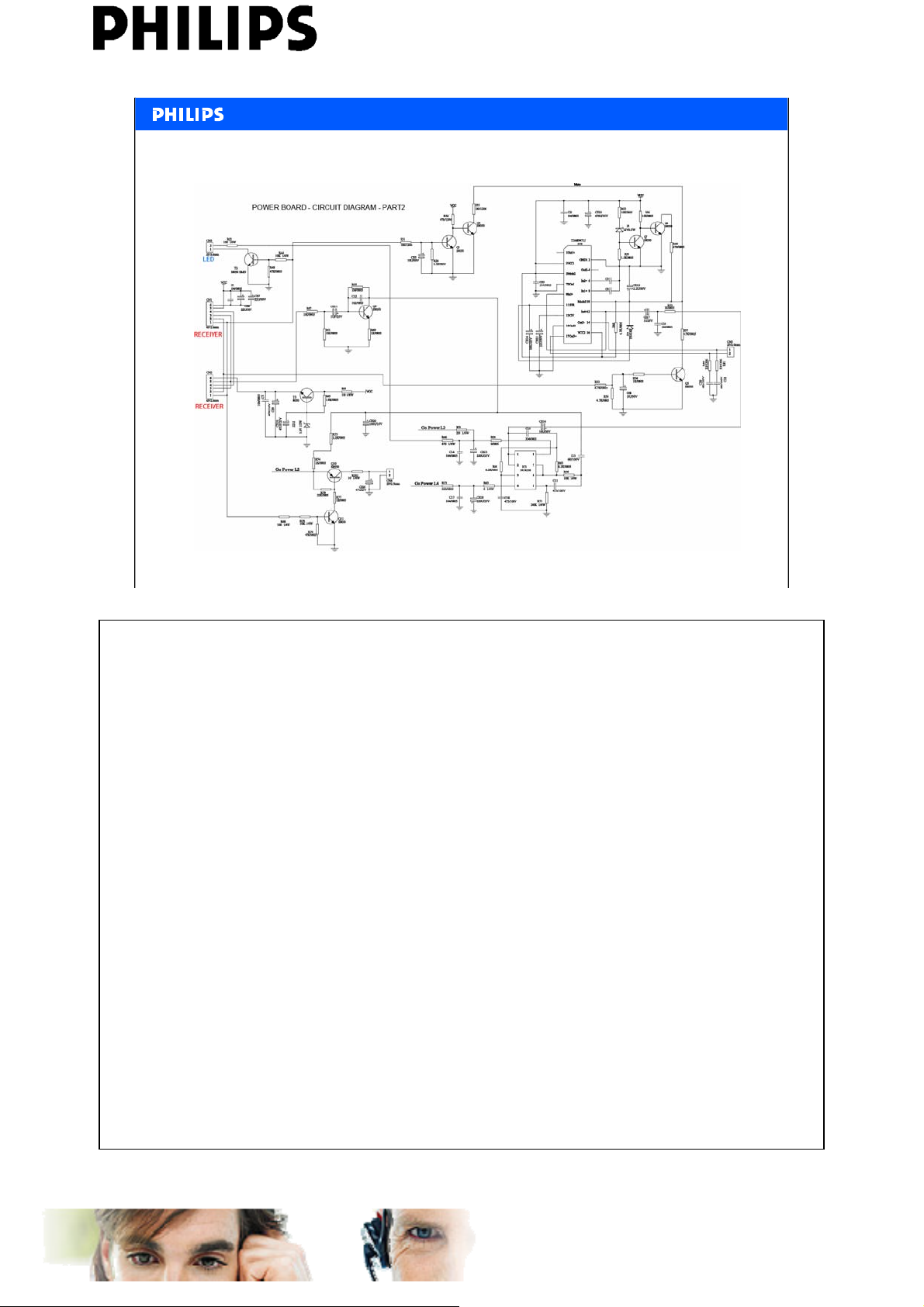
Subwoofer overview : Amplifier
<<MCD289>>
Service Engineering & Training, D. Butigieg , April 2008
17
PERSONAL NOTES:
PERSONAL NOTES:
AtYourService learning Centre
www.ayslearningcentre.philips.com
Page 18
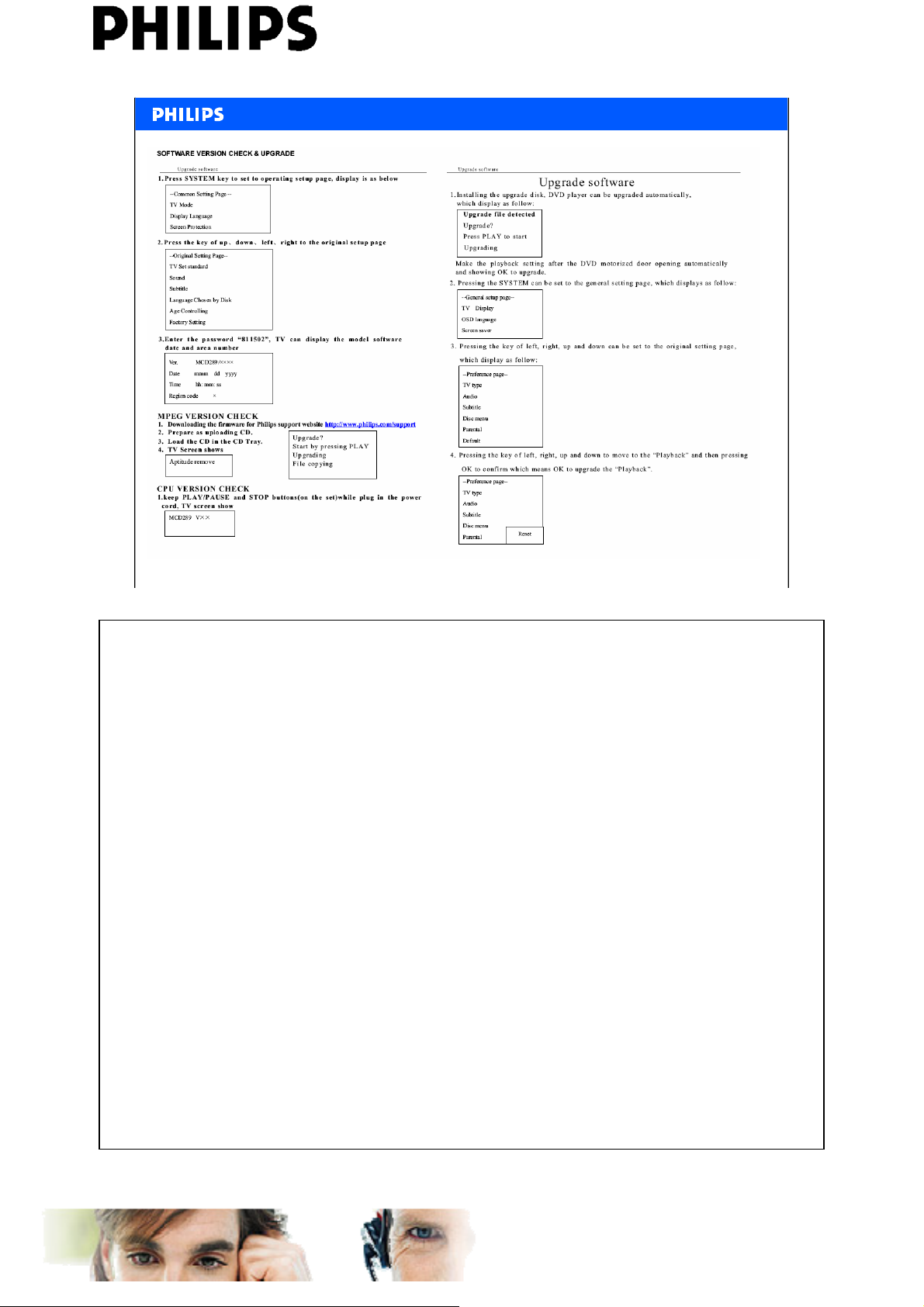
<<MCD289>>
Service Engineering & Training, D. Butigieg , April 2008
18
PERSONAL NOTES:
PERSONAL NOTES:
AtYourService learning Centre
www.ayslearningcentre.philips.com
 Loading...