

Page 1
Welcome and thank you
for selecting the Lifeline
Service!
The Lifeline Communicator
allows you to summon
assistance 24 hours a day by
simply pushing your Personal
Help Button. This Setup
Guide will walk you through 6
simple steps for activating your
Lifeline Service. If you have
any questions, please contact
Philips Lifeline.
Quick Setup Guide
Classic
Personal
Help Button
Slimline
Personal
Help Button
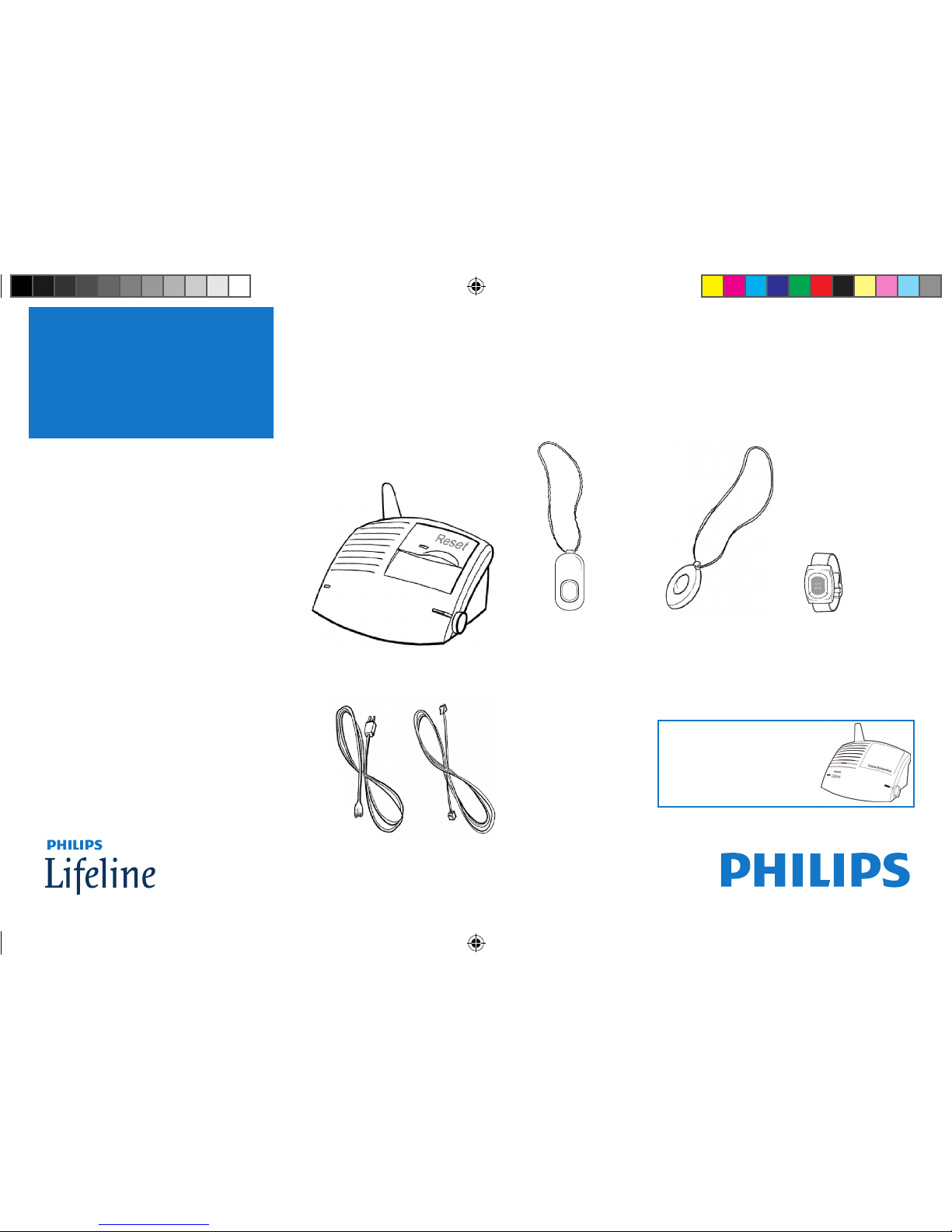
Power
cord
Phone
cord
Communicator
or or
AutoAlert
Personal
Help Button
Package Contents
Optional Accessory:
Voice Extension
0940487 6900 QuickStart 1.indd 1 10/1/10 12:29 PM
Page 2

In the area of the home where you spend most of your time – for large homes,
place the Communicator near the center of the home to ensure a greater range
Where there is an electrical outlet that is near a phone jack and not controlled
by a wall switch (it’s okay if a phone is already plugged into the jack)
Where there is a flat surface to put the Communicator on – avoid tablecloths
and padded surfaces because they can make it difficult for the Lifeline Personal
Response Associate to hear you
Away from sources of noise (television, radio, air conditioner, etc.)
Away from the refrigerator and microwave
2
Before you begin
Select a location for the Communicator
0940487 6900 QuickStart 1.indd 2 10/1/10 12:29 PM
Page 3
3
Before you begin
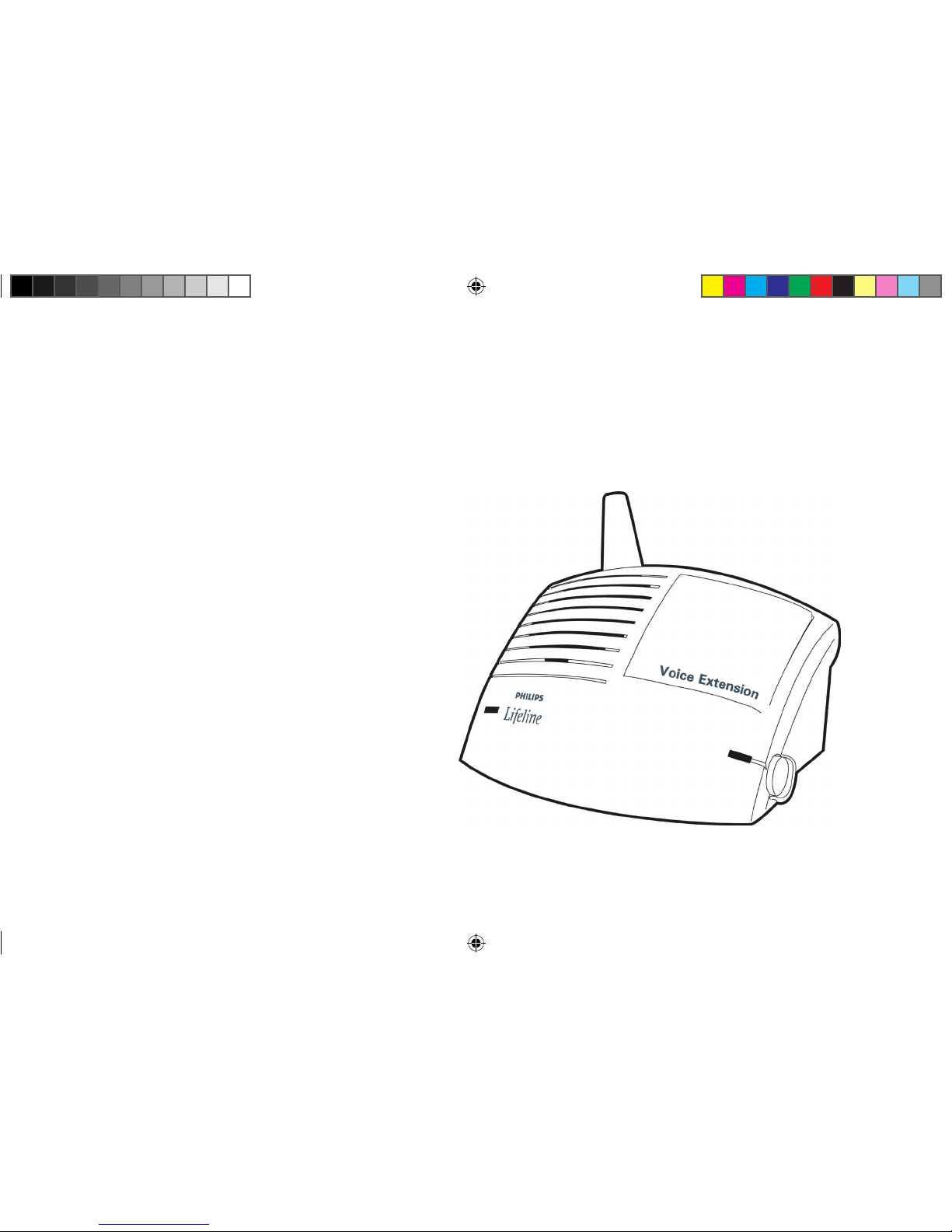
Optional Accessory: Voice Extension
If you do not have
a Voice Extension,
please proceed to page 11.
0940487 6900 QuickStart 1.indd 3 10/1/10 12:29 PM
Page 4

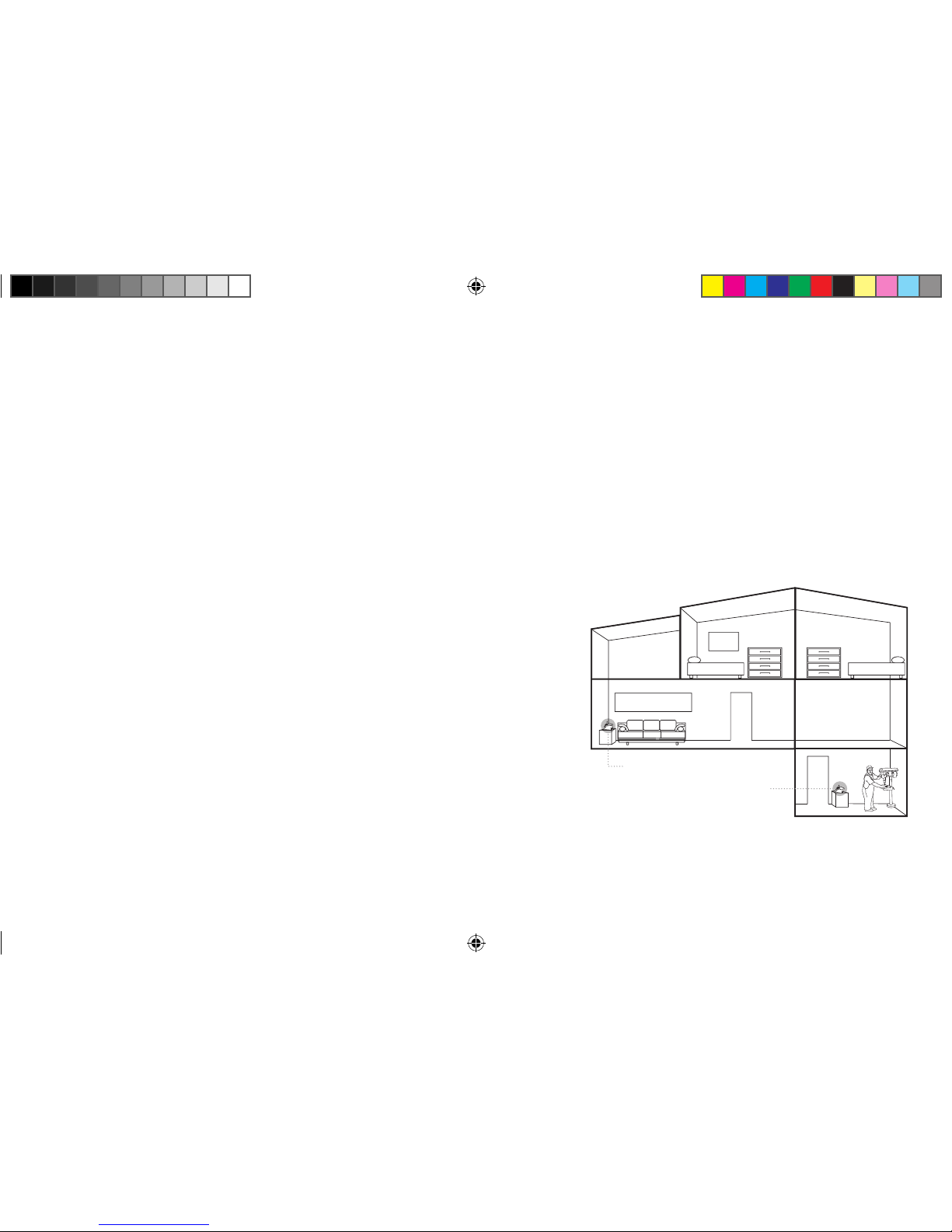
In a part of your home that is either a) more than 50 feet away from the base or
b) on another floor – typical locations for the Voice Extension are a second-floor
bedroom or the basement
On a flat, hard surface – avoid tablecloths and padded surfaces because they
can make it difficult for the Personal Response Associate to hear you
Near an electrical outlet (that is not controlled by a wall switch) and a phone jack
Away from sources of noise (television, radio, air conditioner, etc.)
Select a location for your Voice Extension
4
0940487 6900 QuickStart 1.indd 4 10/1/10 12:29 PM
Page 5
5
A source of loud noise (television, radio, etc.)
can interfere with your communication with the
Personal Response Associate. In cases when a
source of loud noise prevents voice
communication with the
Personal Response Associate,
Lifeline will still send help when
we receive your Help Call.
Note
Voice Extension
Communicator base
Multi-story home
0940487 6900 QuickStart 1.indd 5 10/1/10 12:29 PM
Page 6
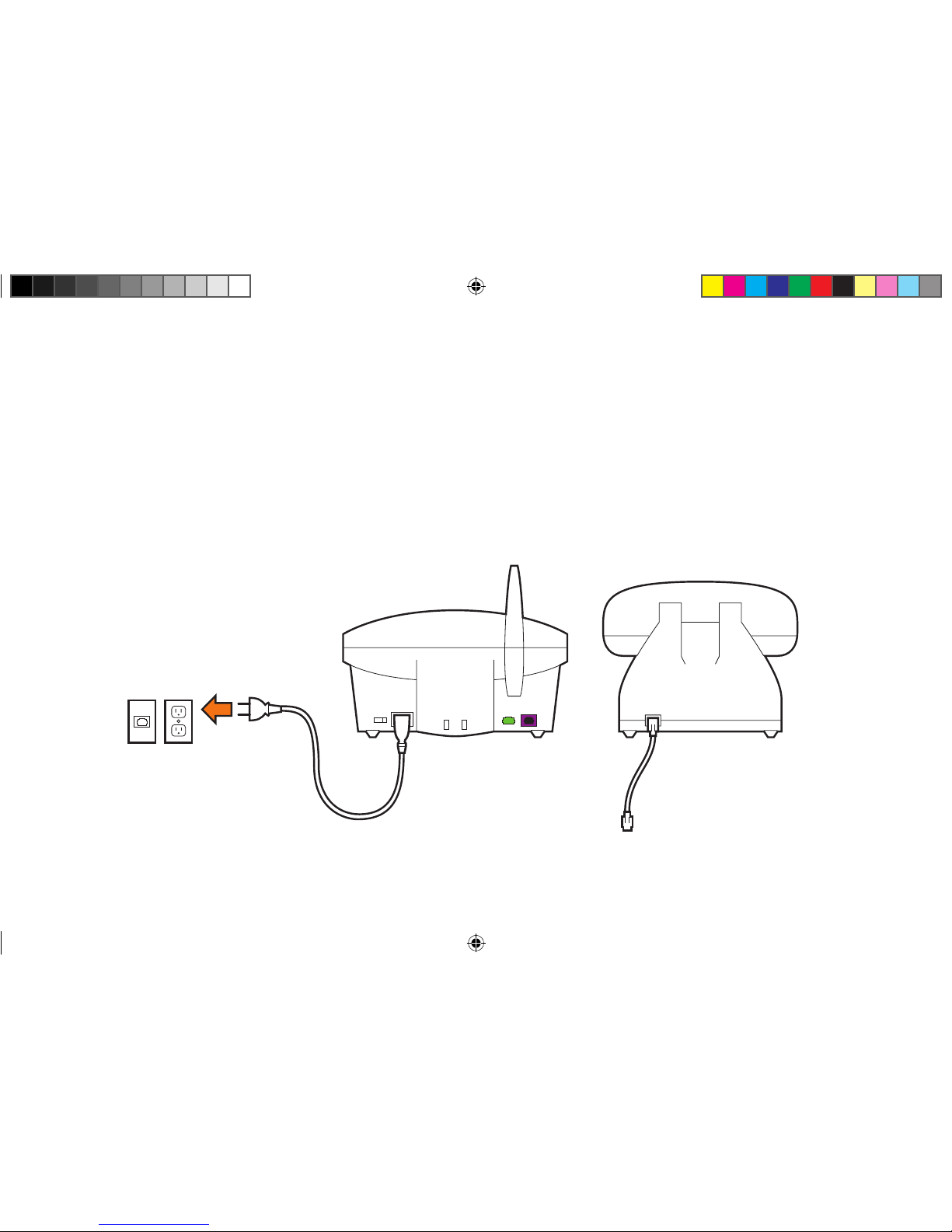
STEP 1: Voice Extension
Plug in the Voice Extension power cord
Plug the black power cord into an electrical outlet
NOT controlled by a wall switch.
Electrical
wall outlet
Power cord
Voice
Extension
Phone
6
0940487 6900 QuickStart 1.indd 6 10/1/10 12:29 PM
Page 7
7
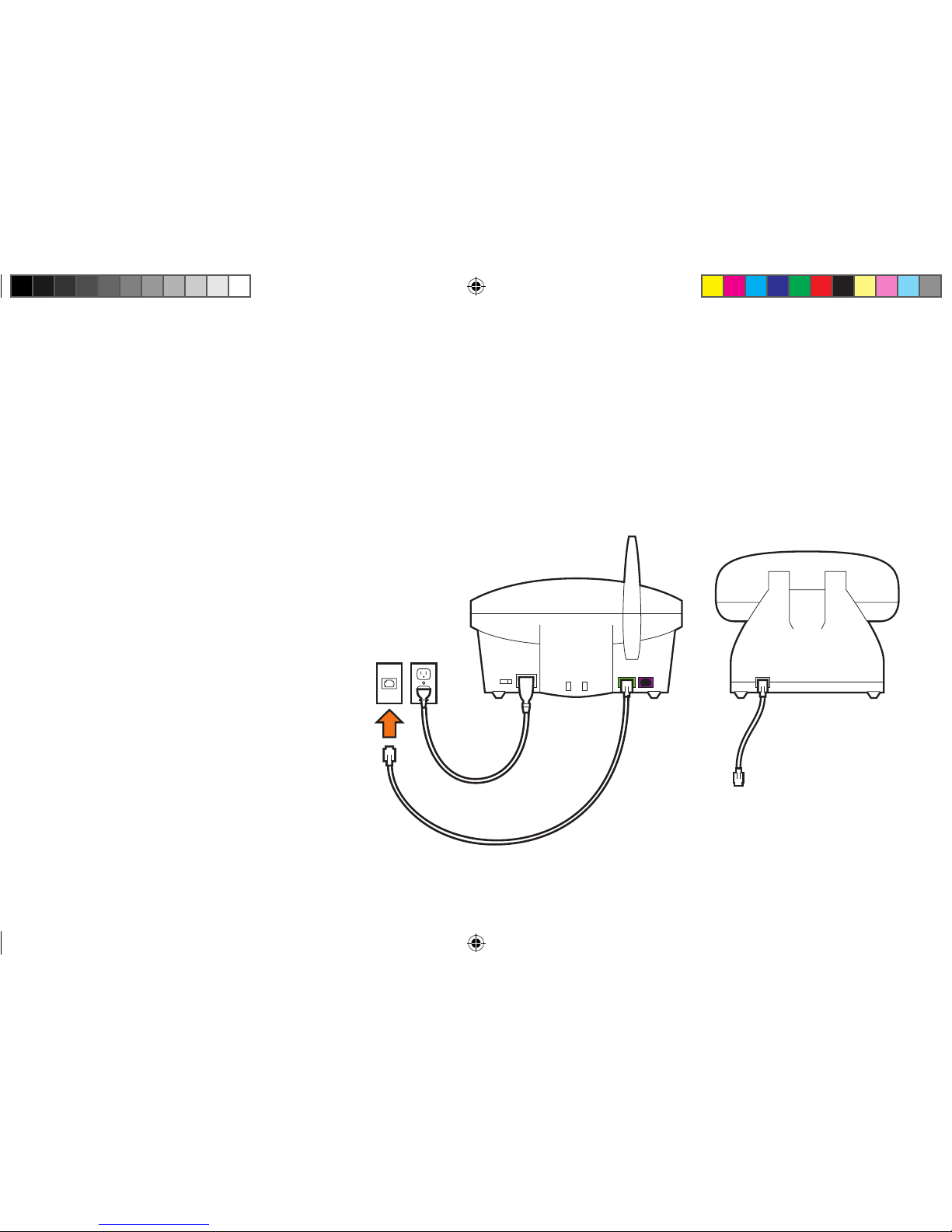
Plug the Voice Extension phone cord into a wall jack
Plug the phone cord into a phone jack on the wall. If you already have a
phone plugged into this jack, you will have to temporarily disconnect the
phone and reconnect it in the next step.
Phone
jack
Phone cord from Lifeline
Voice Extension
Phone
NOTE:
Your Voice Extension should
not be connected through your
telephone, a phone splitter,
an answering machine, or any
other device. These devices
should connect through your
Voice Extension’s auxiliary
phone jack.
0940487 6900 QuickStart 1.indd 7 10/1/10 12:29 PM
Page 8

8
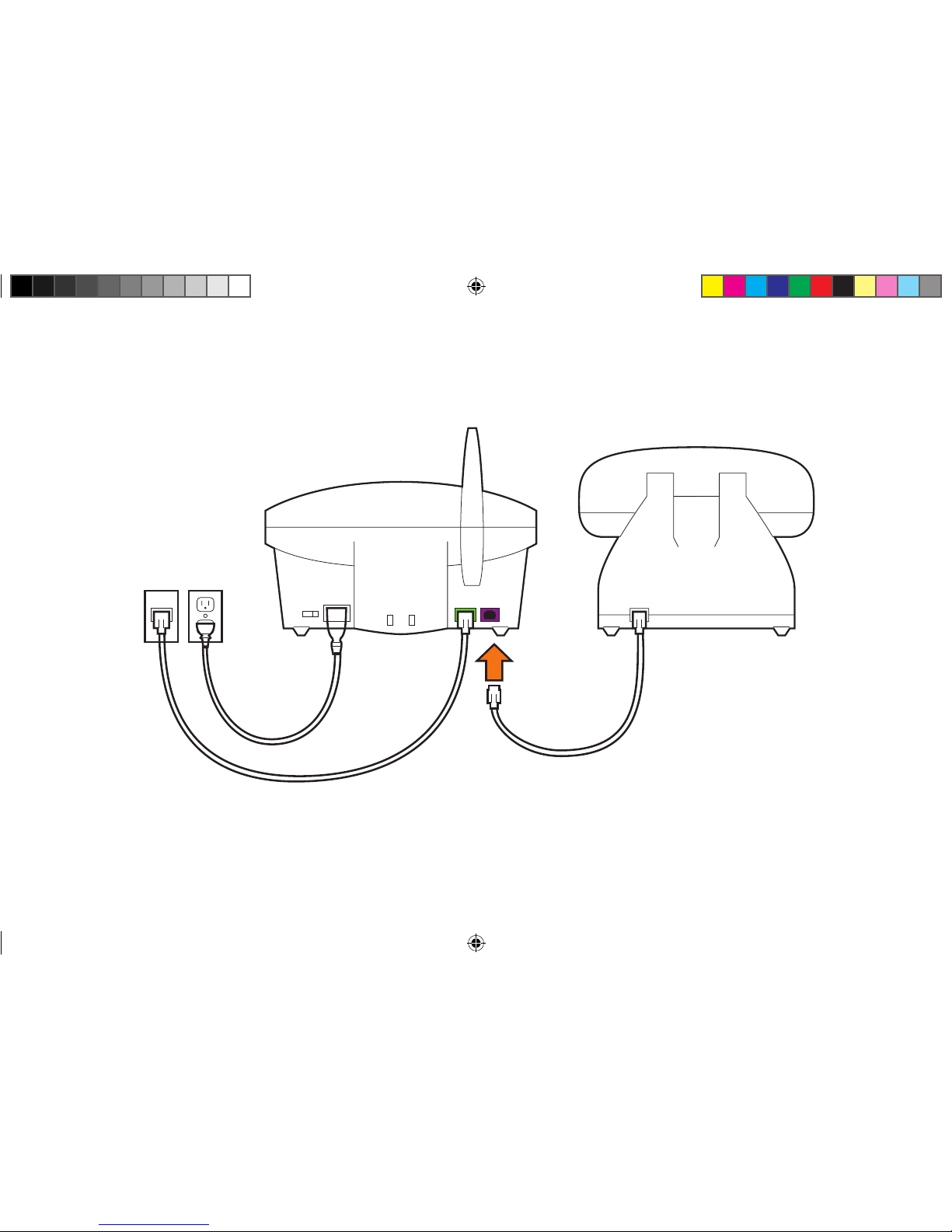
Connect your phone to the Voice Extension (optional)
If you did not disconnect your phone from the wall jack,
you may skip this step and go to the next step.
If you unplugged your phone from the wall jack during the
previous step, then plug the cord from your phone into the
purple jack at the back of the Voice Extension.
If you have completed this step correctly, you should hear
a dial tone on your phone.
0940487 6900 QuickStart 1.indd 8 10/1/10 12:29 PM
Page 9
9
From wall jack
Voice Extension
Phone
From your phone
0940487 6900 QuickStart 1.indd 9 10/1/10 12:29 PM
Page 10
10
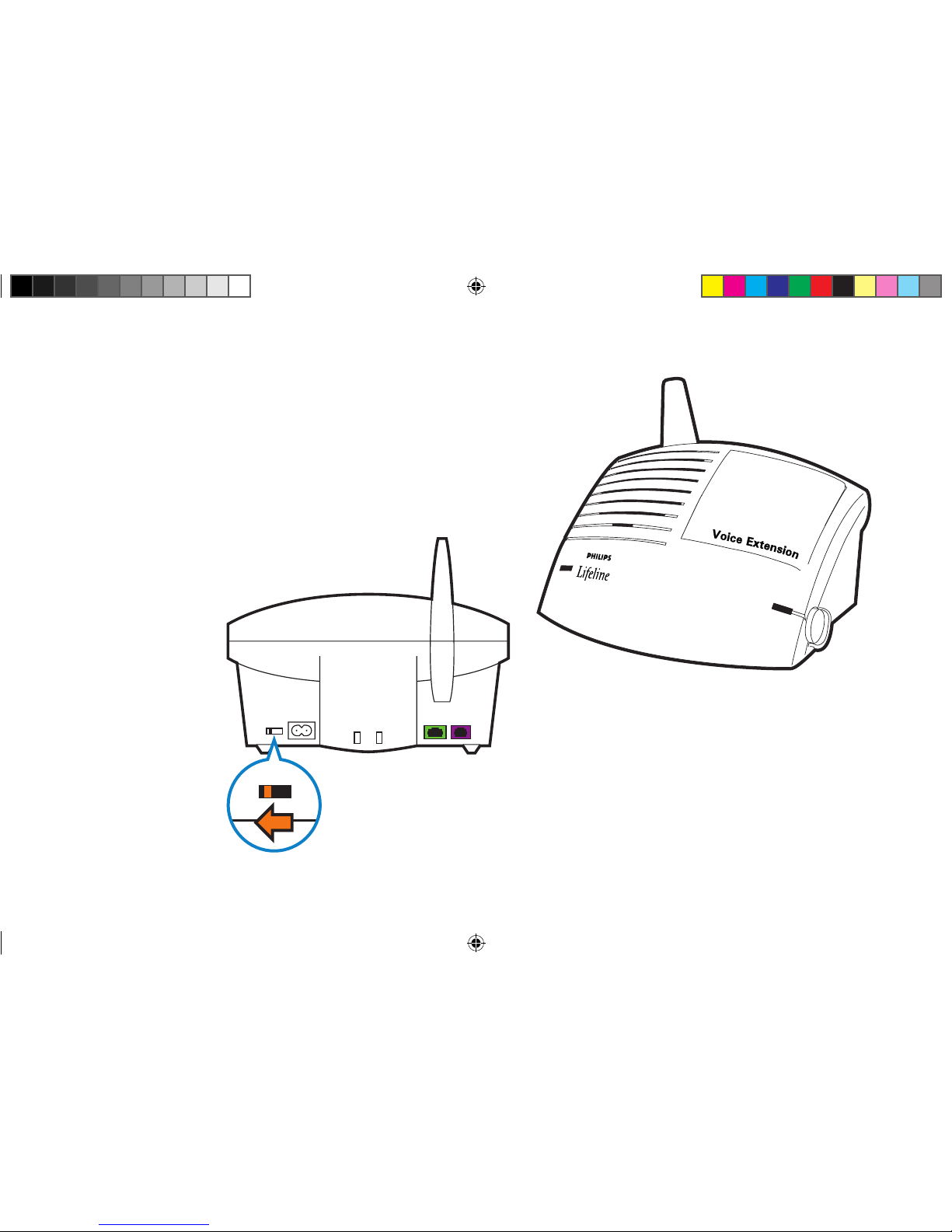
Slide the power switch on the back of the
Voice Extension to the ON position.
Turn on the Voice Extension
Voice Extension
ON OFF
0940487 6900 QuickStart 1.indd 10 10/1/10 12:29 PM
Page 11
11
A prerecorded voice will help guide you through the setup process using this Setup
Guide. After each step, you will press the blinking Reset Bar to move on to the next
instruction.
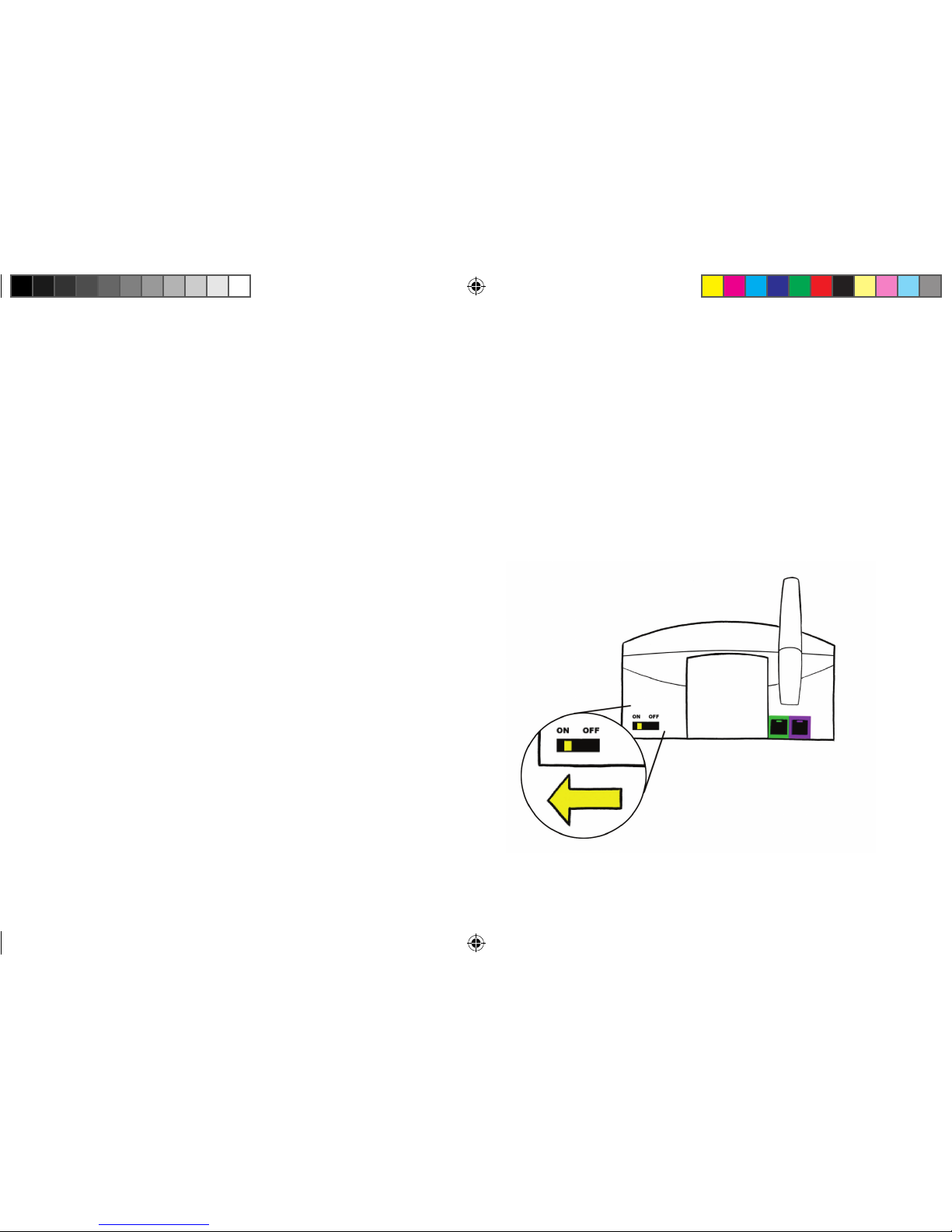
Slide the power switch on the back of the
Communicator to the ON position.
Use the volume control on the side of the
unit if the voice is too loud or too soft.
STEP 1: Communicator
Installing your Communicator
0940487 6900 QuickStart 1.indd 11 10/1/10 12:29 PM
Page 12

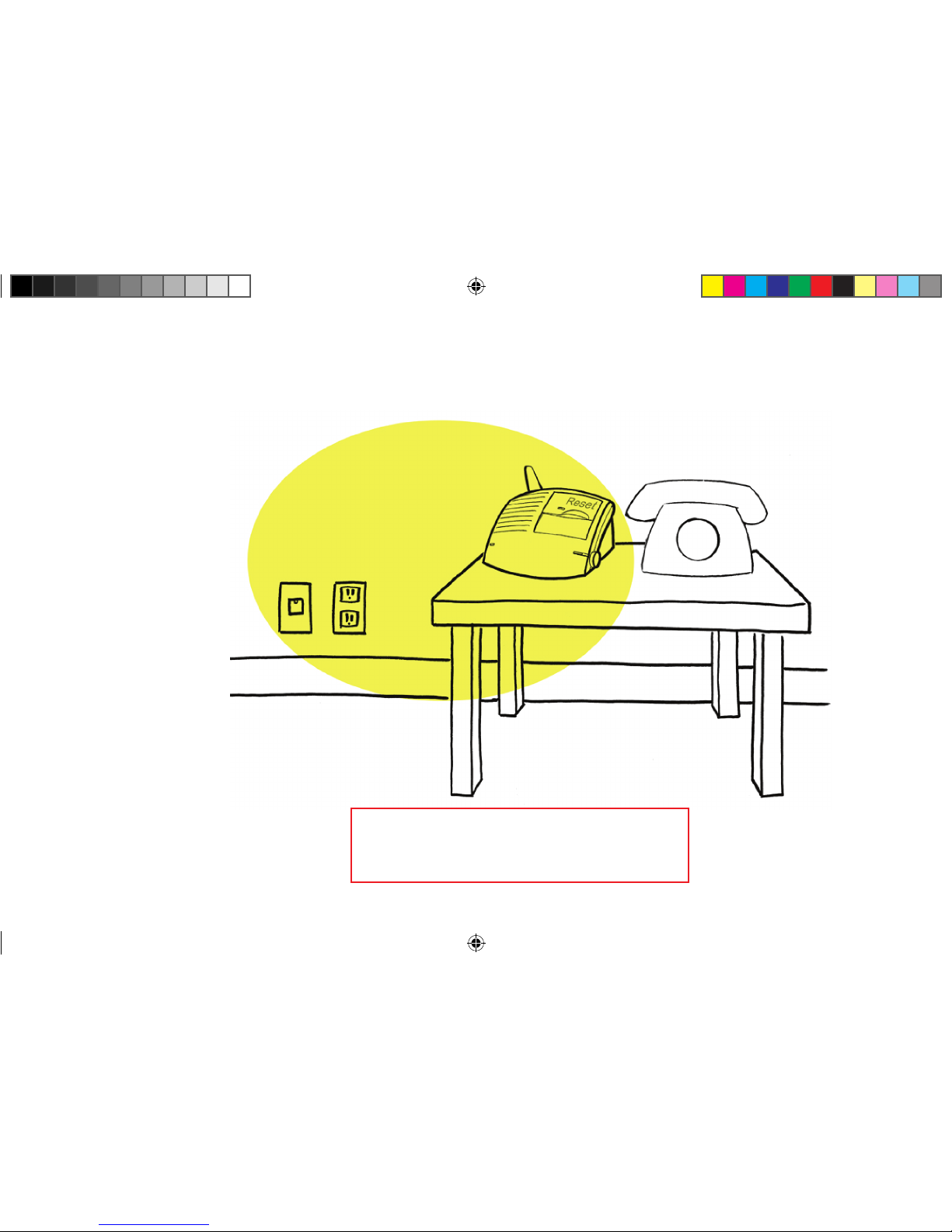
In the area of the home where you spend most of your time – for large homes,
place the Communicator near the center of the home to ensure a greater range
Where there is an electrical outlet that is near a phone jack and not controlled
by a wall switch (it’s okay if a phone is already plugged into the jack)
Where there is a flat surface to put the Communicator on – avoid tablecloths
and padded surfaces because they can make it difficult for the Lifeline Personal
Response Associate to hear you
Away from sources of noise (television, radio, air conditioner, etc.)
Away from the refrigerator and microwave
12
STEP 2: Communicator
Place the Communicator in the proper location
0940487 6900 QuickStart 1.indd 12 10/1/10 12:29 PM
Page 13
13
Communicator Phone
Press the blinking Reset Bar
when this step is completed.
Finding a proper location
Electrical
outlet
Phone
jack
0940487 6900 QuickStart 1.indd 13 10/1/10 12:29 PM
Page 14

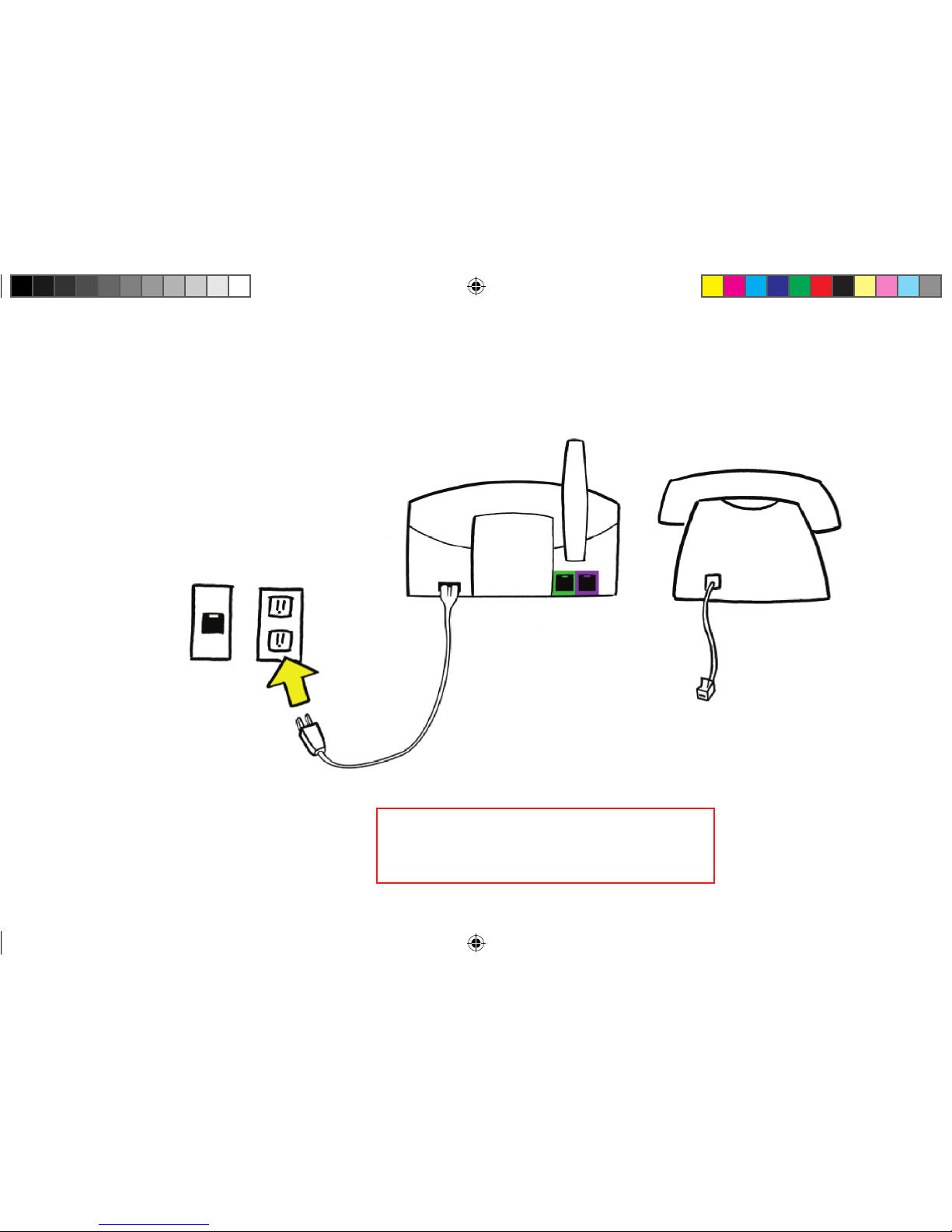
Plug the black power cord into an electrical outlet NOT controlled by a wall
switch.
When you have completed this step, the Communicator will say:
“Good. We detect power.”
14
STEP 3: Communicator
Plug in the power cord
0940487 6900 QuickStart 1.indd 14 10/1/10 12:29 PM
Page 15
15
Electrical
outlet
Communicator Phone
Power cord
Press the blinking Reset Bar
when this step is completed.
0940487 6900 QuickStart 1.indd 15 10/1/10 12:29 PM
Page 16

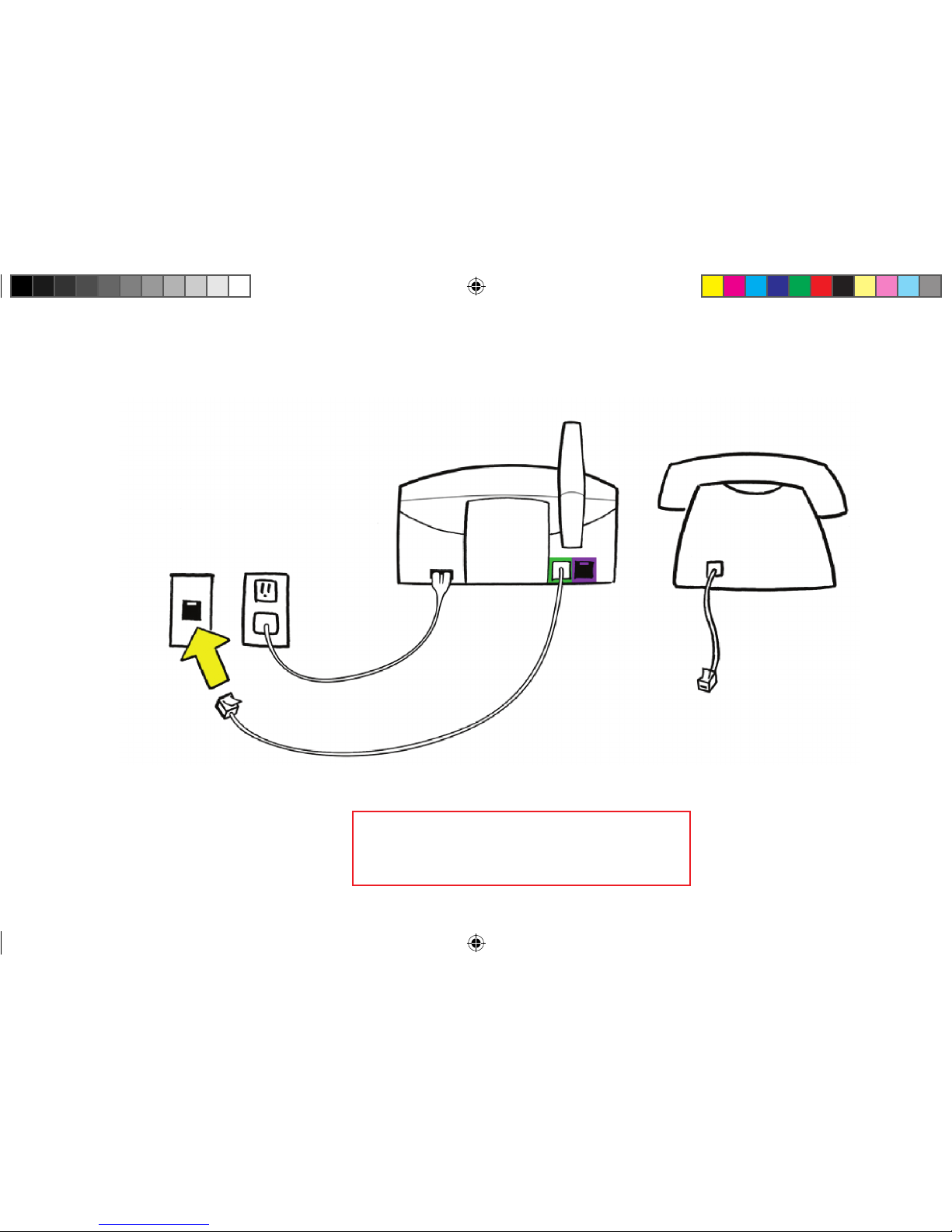
Plug the clear end of the phone cord supplied with the Communicator
into a wall jack.
If you already have a phone plugged into this jack, you will have to temporarily
disconnect this phone and reconnect it in the next step.
When you have completed this step, the Communicator will say:
“Good. Your Communicator is now plugged in.”
NOTE:
Your Lifeline unit should not be connected through your telephone, a
phone splitter, an answering machine, or any other device. These devices
should connect through your Voice Extension’s auxiliary phone jack.
16
STEP 4: Communicator
Plug the phone cord into a wall jack
0940487 6900 QuickStart 1.indd 16 10/1/10 12:29 PM
Page 17
17
Phone
jack
Communicator Phone
Phone cord
from Lifeline
Press the blinking Reset Bar
when this step is completed.
0940487 6900 QuickStart 1.indd 17 10/1/10 12:29 PM
Page 18

18
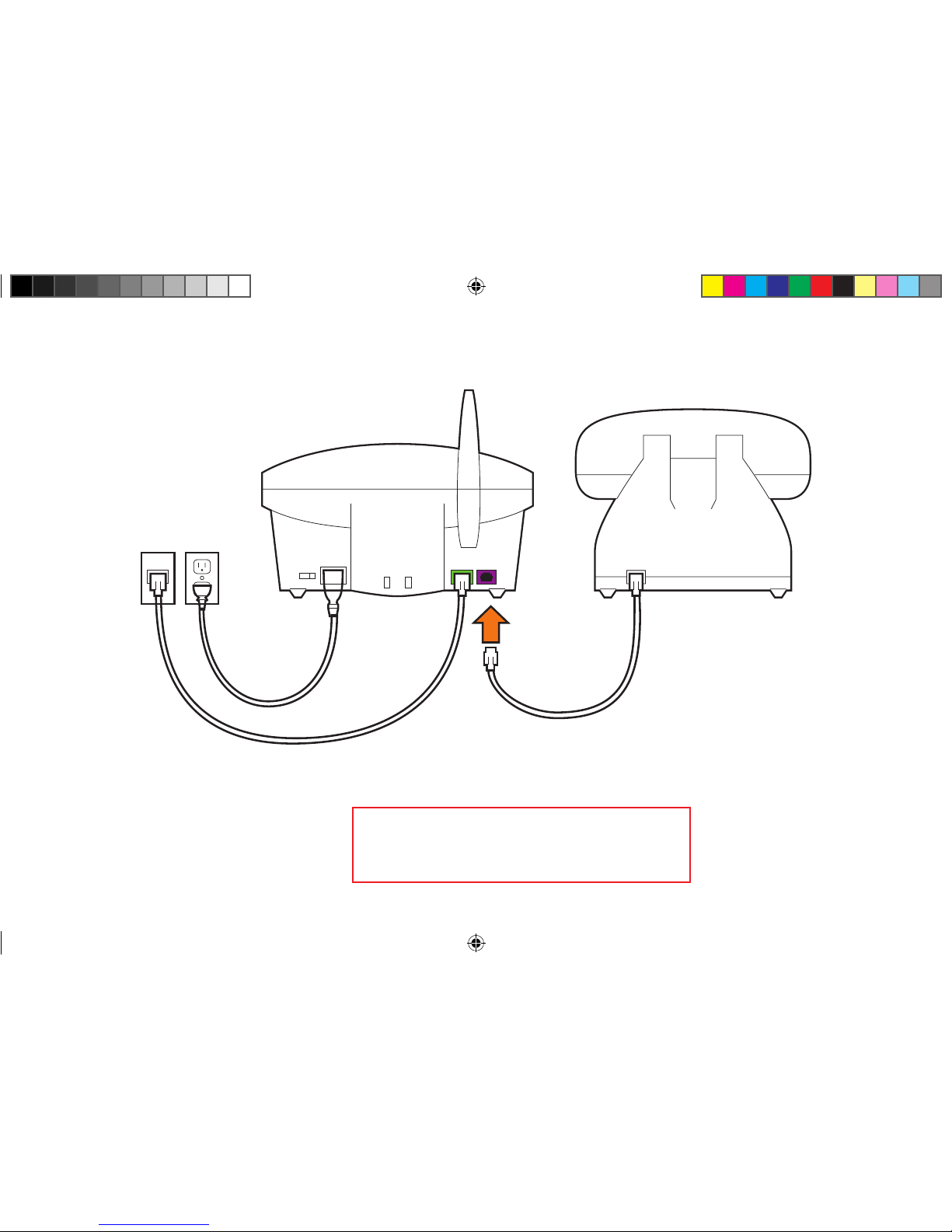
If you did not disconnect your phone from the wall jack, you may skip
this step and go to the next step.
If you unplugged your phone from the wall jack during the previous step,
then plug the cord from your phone into the purple jack on the back of
the Communicator.
If you have completed this step correctly, you should hear a dial tone
on your phone.
STEP 5: Communicator
Connect your phone to the Communicator (optional)
0940487 6900 QuickStart 1.indd 18 10/1/10 12:29 PM
Page 19
19
Press the blinking Reset Bar
when this step is completed.
From wall jack
Communicator
Phone
From your phone
0940487 6900 QuickStart 1.indd 19 10/1/10 12:29 PM
Page 20

The Communicator provides coverage inside your home and may provide coverage in the
area immediately outside (in the yard, etc.). The range test will show which areas will be
covered.
Place the waterproof Personal Help Button around your neck or on your wrist.
Press the blinking Reset Bar to start the range test. The Communicator will say:
“Begin the button range test.” Release the Reset Bar.
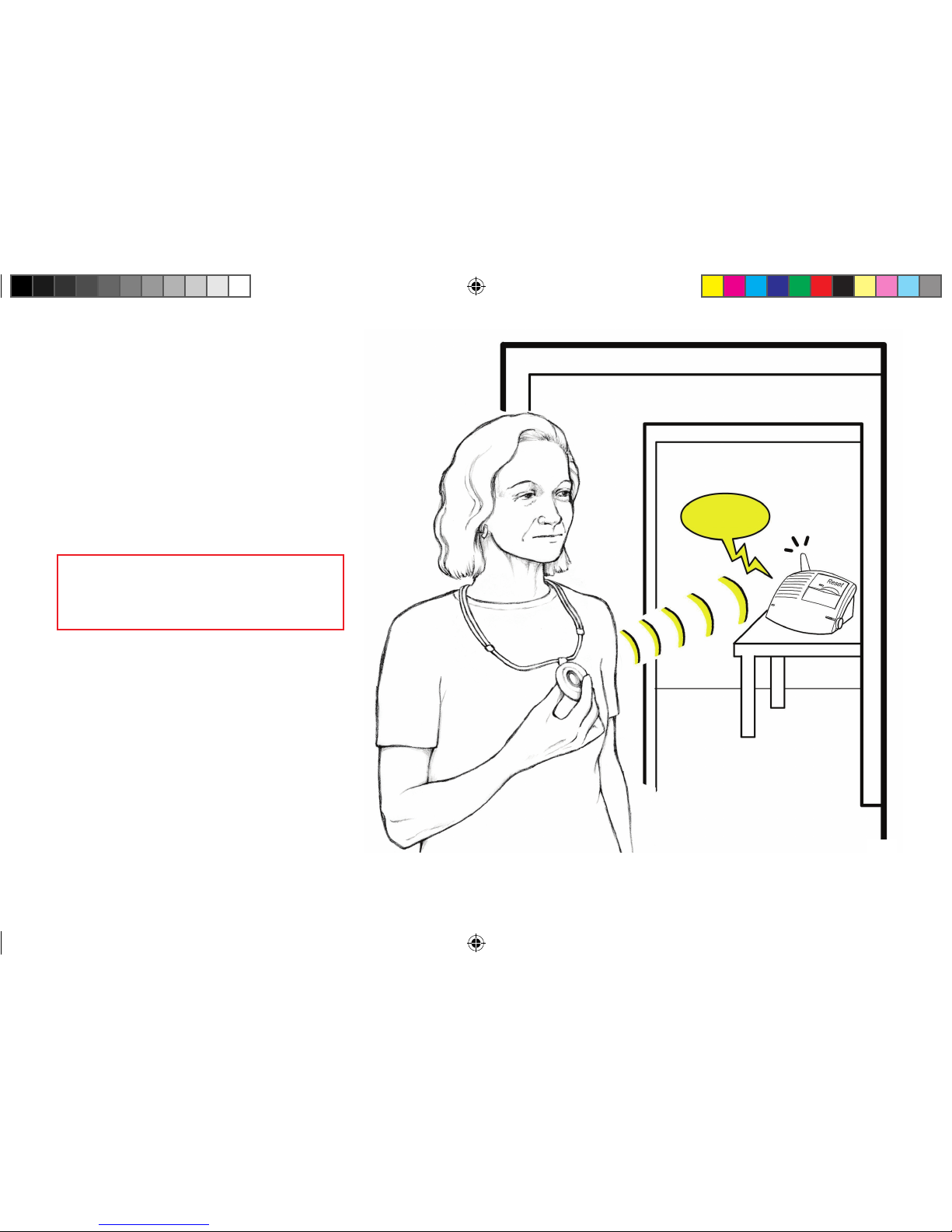
Walk around the home with the Personal Help Button.
In each room, push your waterproof Personal Help Button to see if the Communicator
responds with a “beep.” The “beep” indicates that the Help Button is within range
of the Communicator from that location, and it would be able to send a Help Call to
the Lifeline Response Center.
Continue moving around the home. Be sure to check the bathroom and all other rooms.
20
STEP 6: Communicator
Conduct a range test with your waterproof Personal Help Button
0940487 6900 QuickStart 1.indd 20 10/1/10 12:29 PM
Page 21
21
BEEP!
NOTE: In some cases, moving
the Communicator to another
location will improve its
coverage of the living areas.
Press the blinking Reset Bar
when this step is completed.
0940487 6900 QuickStart 1.indd 21 10/1/10 12:29 PM
Page 22
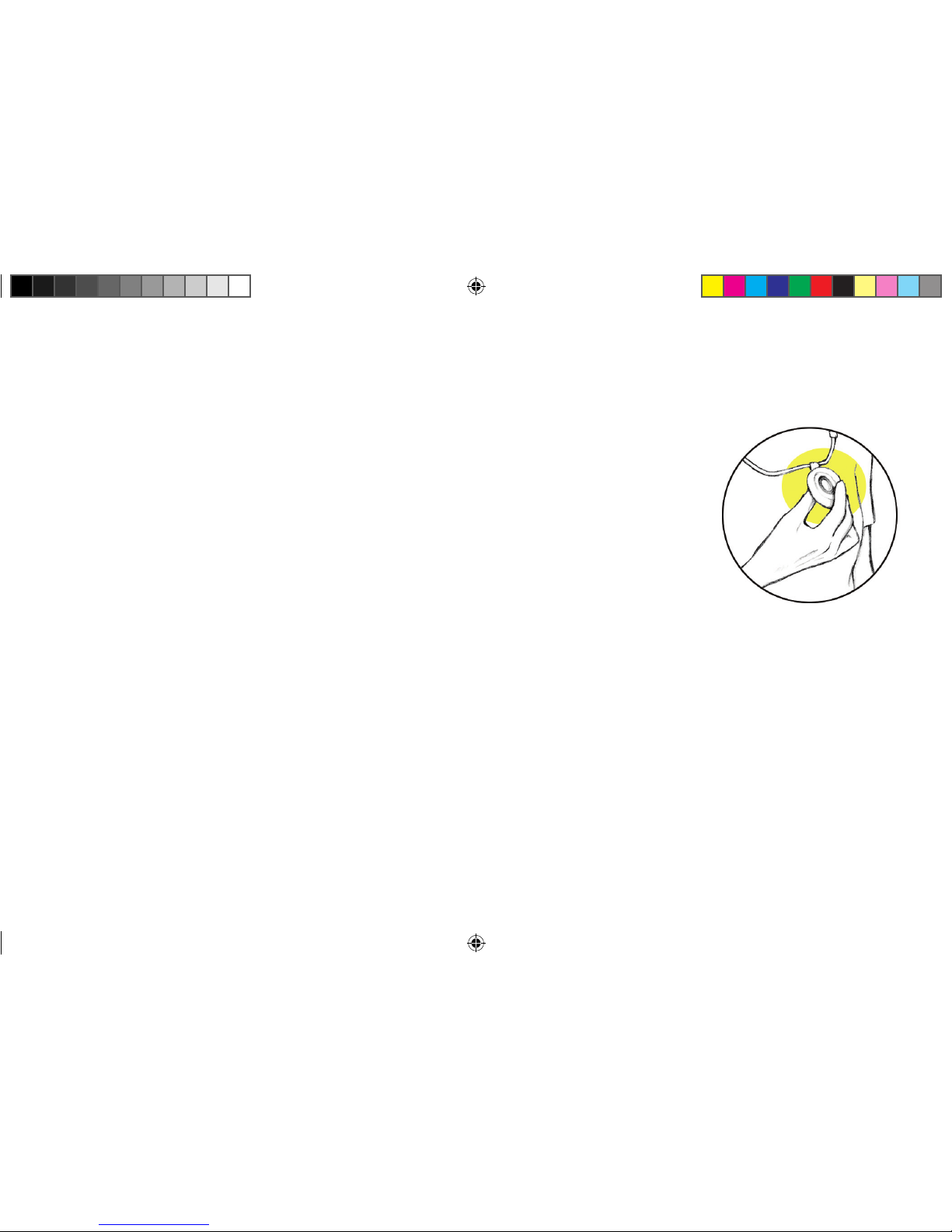
Make your first call to Lifeline by pushing your Help Button.
This will confirm that everything is working properly.
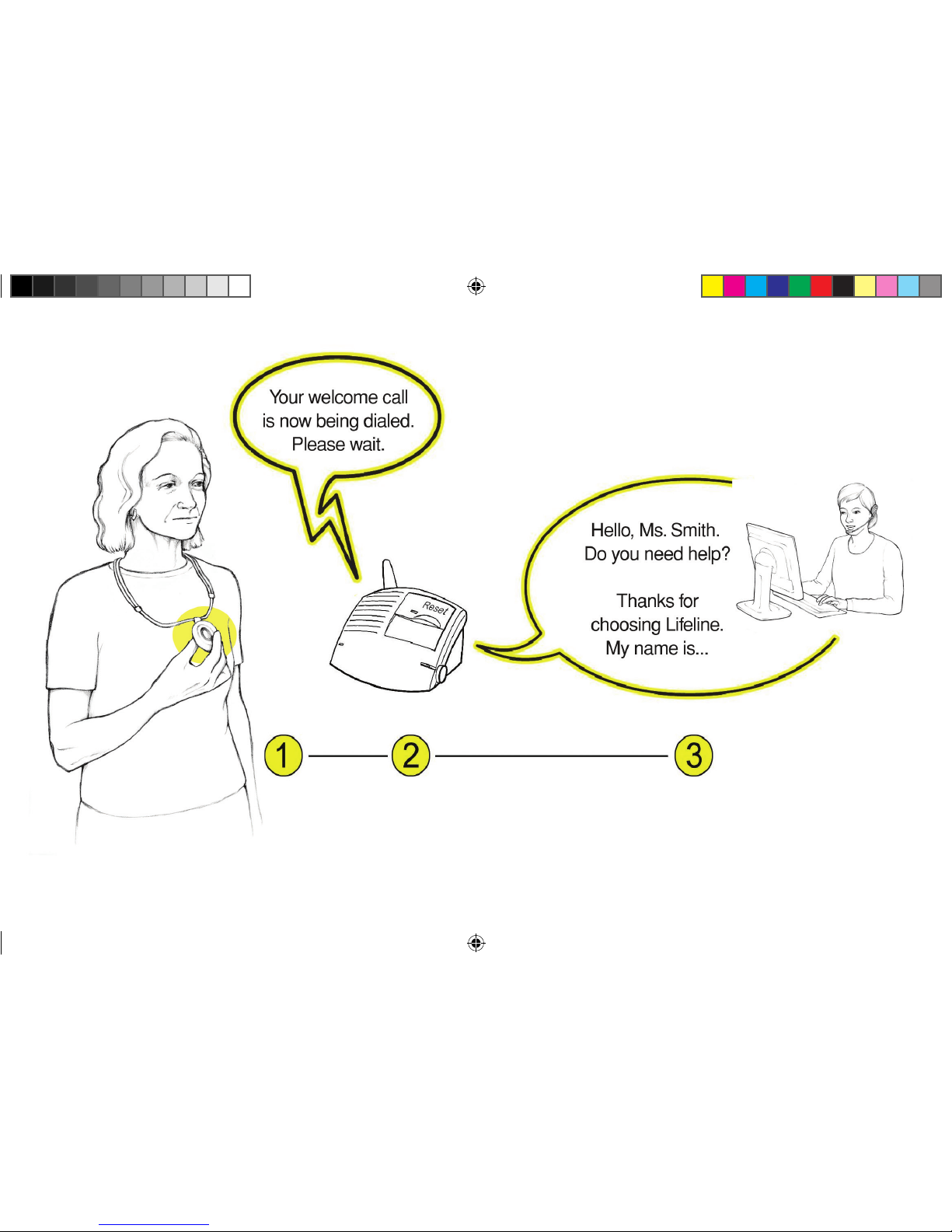
Push the waterproof Personal Help Button you are wearing.
The Communicator will respond with a “beep” and the message:
“Your welcome call is now being dialed. Please wait.” After your call has
been connected to Lifeline, your Communicator will announce: “Your call has
been connected; someone will be right with you.”
A specially trained Lifeline Personal Response Associate will quickly answer the call
and welcome you to the Lifeline Service. If you have any questions, the Personal
Response Associate can answer them for you.
22
STEP 7: Communicator
Call Lifeline with your Personal Help Button
0940487 6900 QuickStart 1.indd 22 10/1/10 12:29 PM
Page 23
23
0940487 6900 QuickStart 1.indd 23 10/1/10 12:29 PM
Page 24

Be sure to read your User’s Manual. It contains other important information
about your Lifeline Service.
Wear your waterproof Personal Help Button at all times, especially in the
shower and in bed.
Keep the Communicator cords away from heat and sharp edges. Also, make
sure that all cords are positioned away from areas where someone might trip
over them.
Do not use any attachment or accessory that is not intended for use
with this system.
24
i
Important safety information
0940487 6900 QuickStart 1.indd 24 10/1/10 12:29 PM
Page 25

25
Use caution when installing or modifying telephone lines.
Never install telephone wiring during a lightning storm.
Never touch bare telephone wires or terminals unless the telephone
line has been disconnected at the service box.
Unplug the Communicator from the wall outlet before cleaning.
See User’s Manual for cleaning instructions.
Before you switch telephone services, please contact Philips Lifeline.
i
Important safety information
0940487 6900 QuickStart 1.indd 25 10/1/10 12:29 PM
Page 26

Notes
26
0940487 6900 QuickStart 1.indd 26 10/1/10 12:29 PM
Page 27

Notes
27
0940487 6900 QuickStart 1.indd 27 10/1/10 12:29 PM
Page 28

Philips Lifeline
111 Lawrence Street
Framingham, MA 01702-8156
Tel: 1-800-451-0525
www.lifelinesystems.com
Philips Lifeline Canada
95 Barber Greene Road, Suite 105
Toronto, Ontario, Canada M3C 3E9
Tel: 1-800-387-8120
www.lifeline.ca
© 2010. All rights reserved.
Button signal range may vary due to environmental factors.
P/N 0940487, Rev. 04
0940487 6900 QuickStart 1.indd 28 10/1/10 12:29 PM
 Loading...