

Page 1
Quick start guide
FWD 20
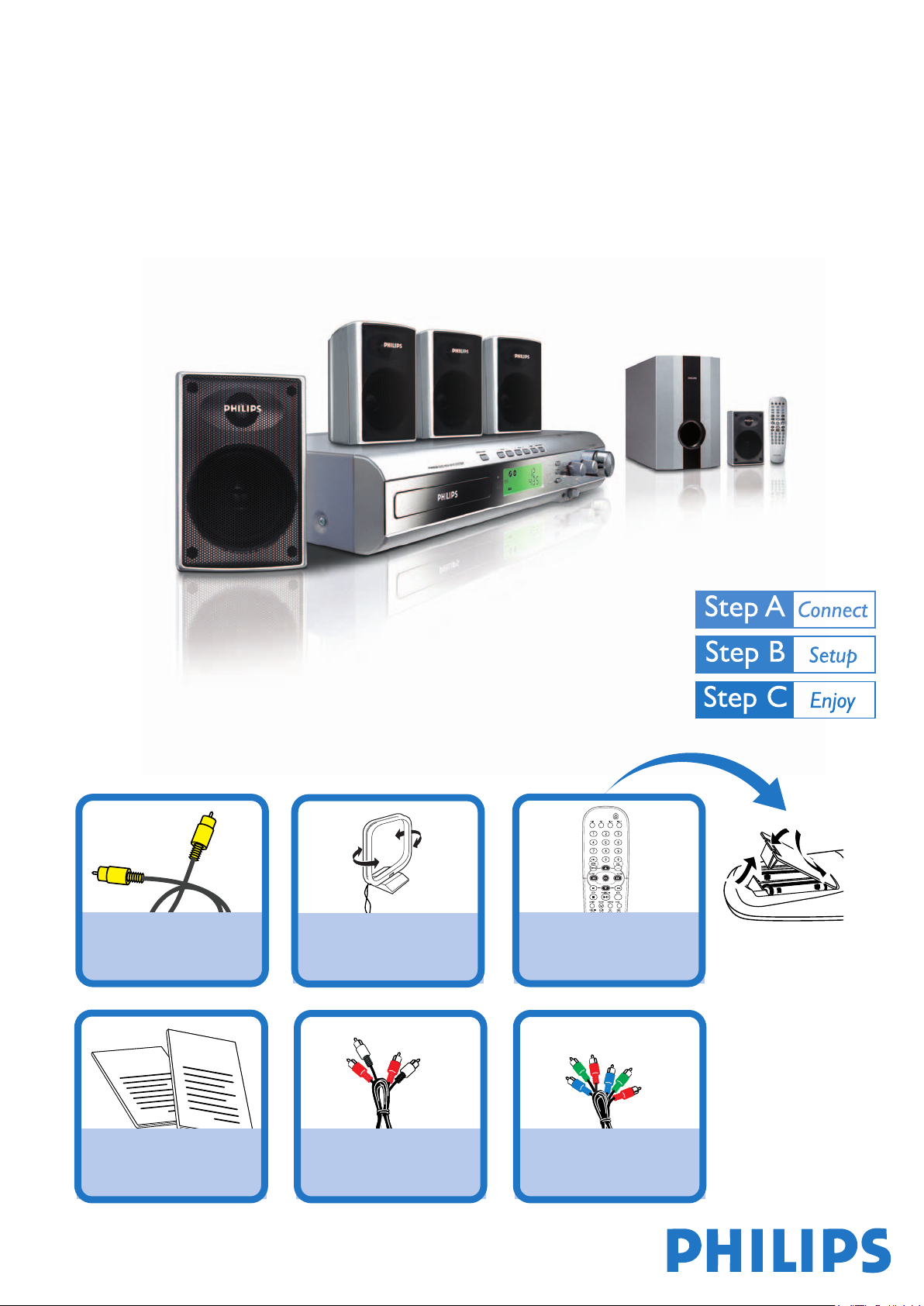
What’s in the Box?
You should find these items upon opening the box.
Composite Video Cable MW antenna Remote Control
2
1
Quick Start Guide
User Manual
Quick Start Guide
User Manual
Audio Cable Component video cables
/ANGLE
Page 2
1
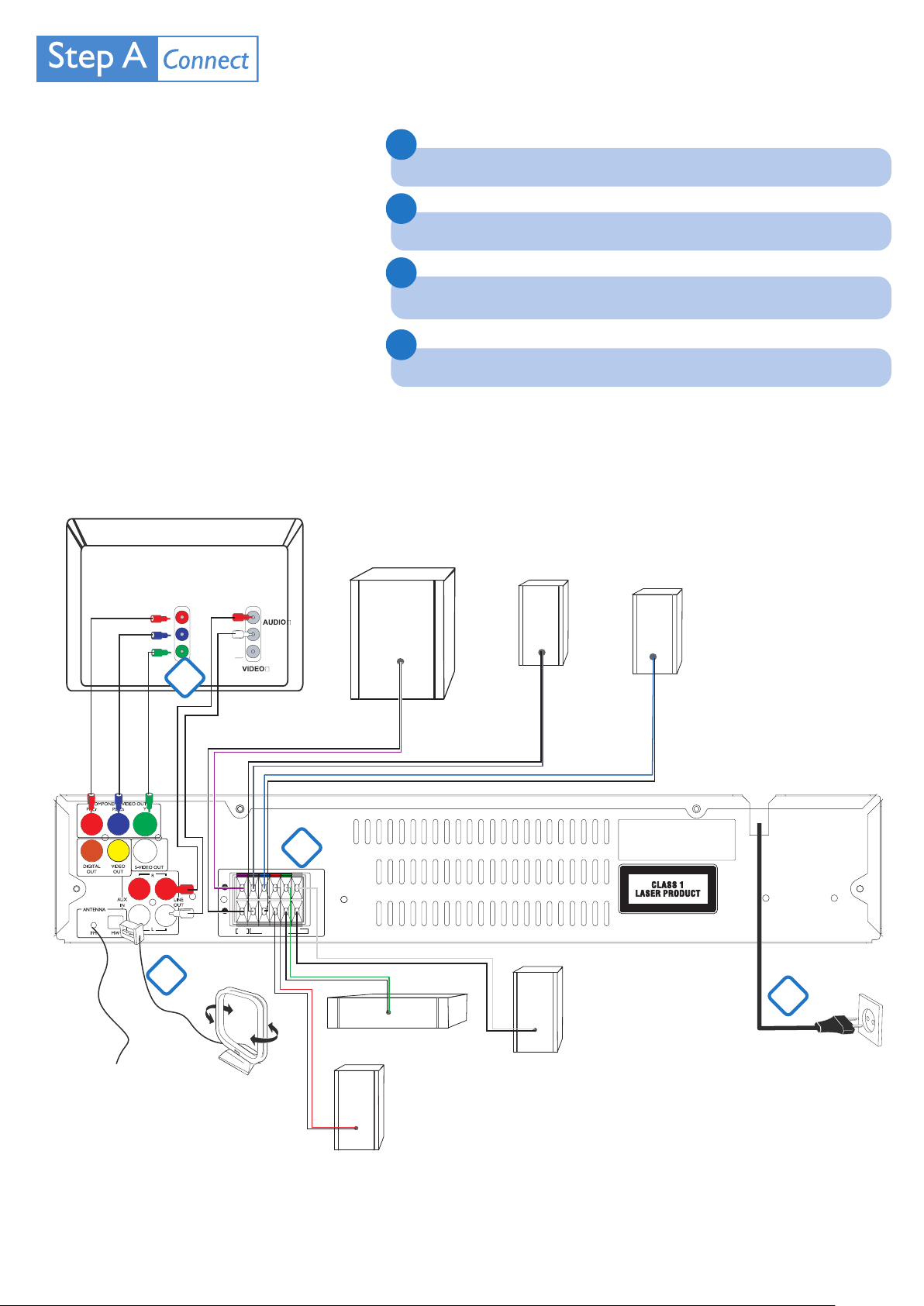
Connect the speaker and subwoofer cables.
Tips
– See the User Manual for other TV
connection options.
– It is unnecessary to connect the
FM pigtail antenna since it is fixed to
the main unit.
Television
Cr
Cb
Y
3
R
IN
L
IN
2
Connect the MW antenna.
3
Connect the composite video and audio cables to a TV.
4
Connect the power cords of the system and TV.
Subwoofer
Surround
speaker (right)
Surround
speaker (left)
FM wire
antenna
2
MW loop
antenna
SUB
SR SL FR C FL
(6 )
SPEAKER (4 )
1
4
Center speaker
Front speaker (left)
Front speaker (right)
AC power cord
Page 3
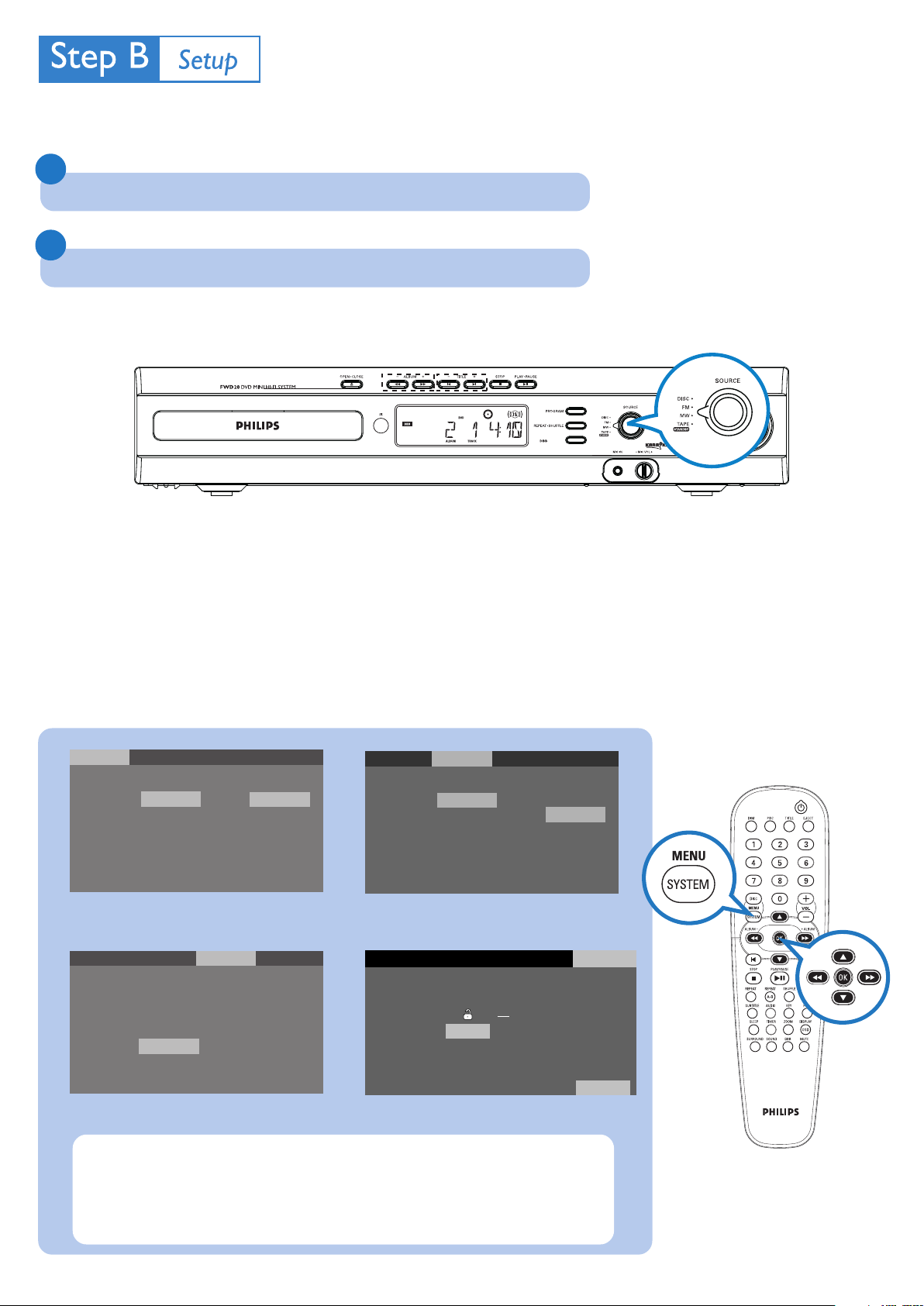
Setting up the TV
1
Turn the SOURCE control knob to select DISC.
2
Turn on the TV and set it to the correct Video In channel.
ON/OFF
Setting system menu options
Language
OSD Menu
Subtitle
Audio
Menu
Language
Digital Out
PCM 48KHz
Priority
Night Mode
Video
English
English
English
English
Video
PCM
Off
CD
Off
Audio Rating
English
Fran ais
Espa ol
Portugu s
Audio Rating
Language
TV Shape
TV System
Video out
Language
Password
Rating 8. Adult
Load Factory Reset
Video
4:3 LB
Auto
S-VIDEO
Video
Audio Rating
4:3 PS
4:3 LB
16:9
Audio
Rating
1.kid Safe
2.G
3.PG
4.PG-13
5.PG-R
6.R
7.NC-17
8. Adult
/ANGLE
Tip
See chapters "Preparations" and "DVD Menu Options" in the User
Manual for detailed descriptions.
Page 4
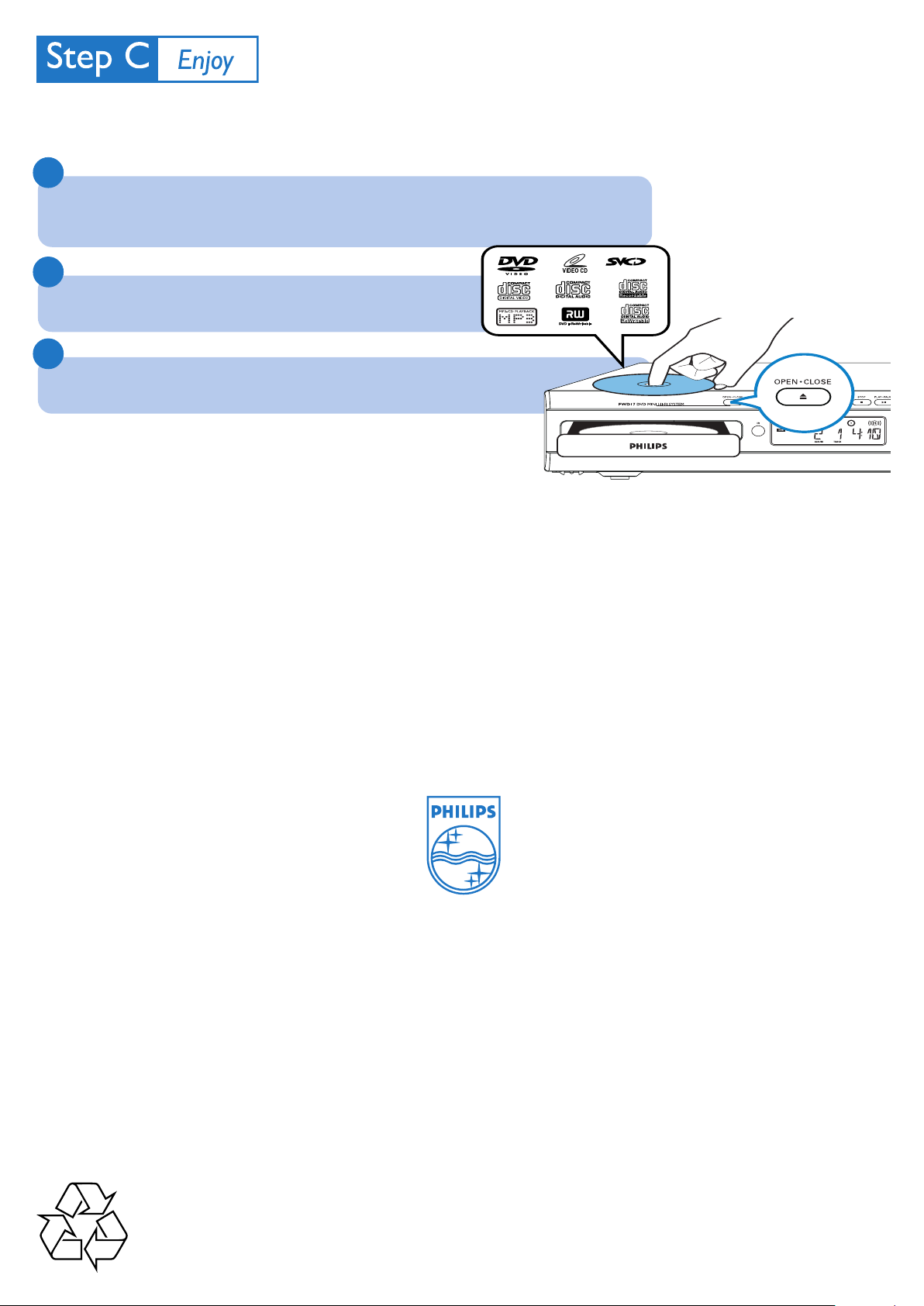
Playing a disc
1
Press OPEN•CLOSEç (or EJECT on the remote) to open the disc tray and load in a
disc, then press the same button again to close the disc tray.
➜ Make sure the label side of the disc is facing up.
2
Press PLAY/PAUSEÉÅ to start playback.
3
To stop playback, press STOP 9.
Tip
Detailed playback features and additional functions are described in the
accompany owner's manual.
2005 C Koninklijie Philips Electronics
N.V. All rights reserved.
http://www.philips.com
PDCC-JS/JW-0619
 Loading...