

Page 1

PHILIPS
DSS350 USB Digital Multimedia Speakers
Page 2

Return your Warranty Registration card today to
ensure you receive all the benefits youVe entitled to.
Once your Philips purchase is
registered, you're eligible to receive all
the privileges of owning a Philips
product
"-«•r » J| ^ T »• * . * * * - » * * _ J. _ I
So complete and return the Warranty
Registration Card enclosed with your
purchase at once. And take advantage
of these important benefits.
pi1
Know these
symbols
RISK OF ELECTRIC SHOCK
A
CAUnOM; TO REDUCE THE RISK OF ELECTRIC SHOCK, DO MOT
REMOVE COVER (OR BACK]. NO USER«ERViCEABLE PARTS
INSIDE. KFER SERVICING TO QUALinED SERVICE PERSONNEL.
This “bolt of lightning”
indicates uninsulated
A
may cause an electrical shock. For the
safety of everyone in your household,
please do not remove product
covering.
material within your unit
DO NOT OPEN
A
For Custonner Use
Enter below the Serial No. which is
located on the rear of the cabinet. Retain
this information for future reference.
Model No.
Serial No.
___________________________
____________________________
WARNING: to prevent
FIRE OR SHOCK HAZARD, DO
NOT EXPOSE THIS EQUIPMENT TO
RAIN OR MOISTURE.
CAUTION: To prevent electric
shock, match wide blade of plug to
The “exclamation point” calls
attention to features for
A
enclosed literature closely to prevent
operating and maintenance problems.
which you should read the
wide slot, and fully insert.
MAC5097
2
Page 3

Sii
English: This digital apparatus does not exceed the Class B limits for radio noise emis
sions from digital apparatus as set out in the Radio Interference Regulations of the Cana
dian Department of Communications.
Français: Cet appareil numérique n'émet pas de bruits radioélectriques dépassant les li
mites applicables aux appareils numériques de Classe B prescrites dans le Règlement sur
le Brouillage Radioélectrique édicté par le Ministère des Communications du Canada.
:ÍI|Ís|éIII|:S
iplÿSîgiSïis
83;:lt8lllai3C
México
lOM
Es necesario que lea cuidadosamente su instructivo de manejo.
PRECAUCION - ADVERTENCIA
r No abrir, riesgo de choque eléctrico |
ATENCION
Verifique que el voltaje de alimeotación
sea el requerido para su aparato
Para evitar el riesgo de choque eléctrico, no quite la tapa.
En caso de requerir servicio, diríjase al personal calificado,
Page 4
This product was designed and manufactured to
meet strict quality and safety standards. There are,
however, some installation and operation precautions
which you should be particularly aware of.
1. Read Instructions - All the safety and operating
instructions should be read before the appliance is
operated.
2. Retain Instructions - The safety and operating
instructions should be retained for future reference.
3. Heed Warnings - All warnings on the appliance
and in the operating instructions should be adhered to.
4. Follow Instructions - All operating and use
instructions should be followed.
5. Water and Moisture • The appliance should not
be used near water - for example, near a bathtub,
washbowl, kitchen sink, laundry tub, in a wet
basement or near a swimming pool, etc.
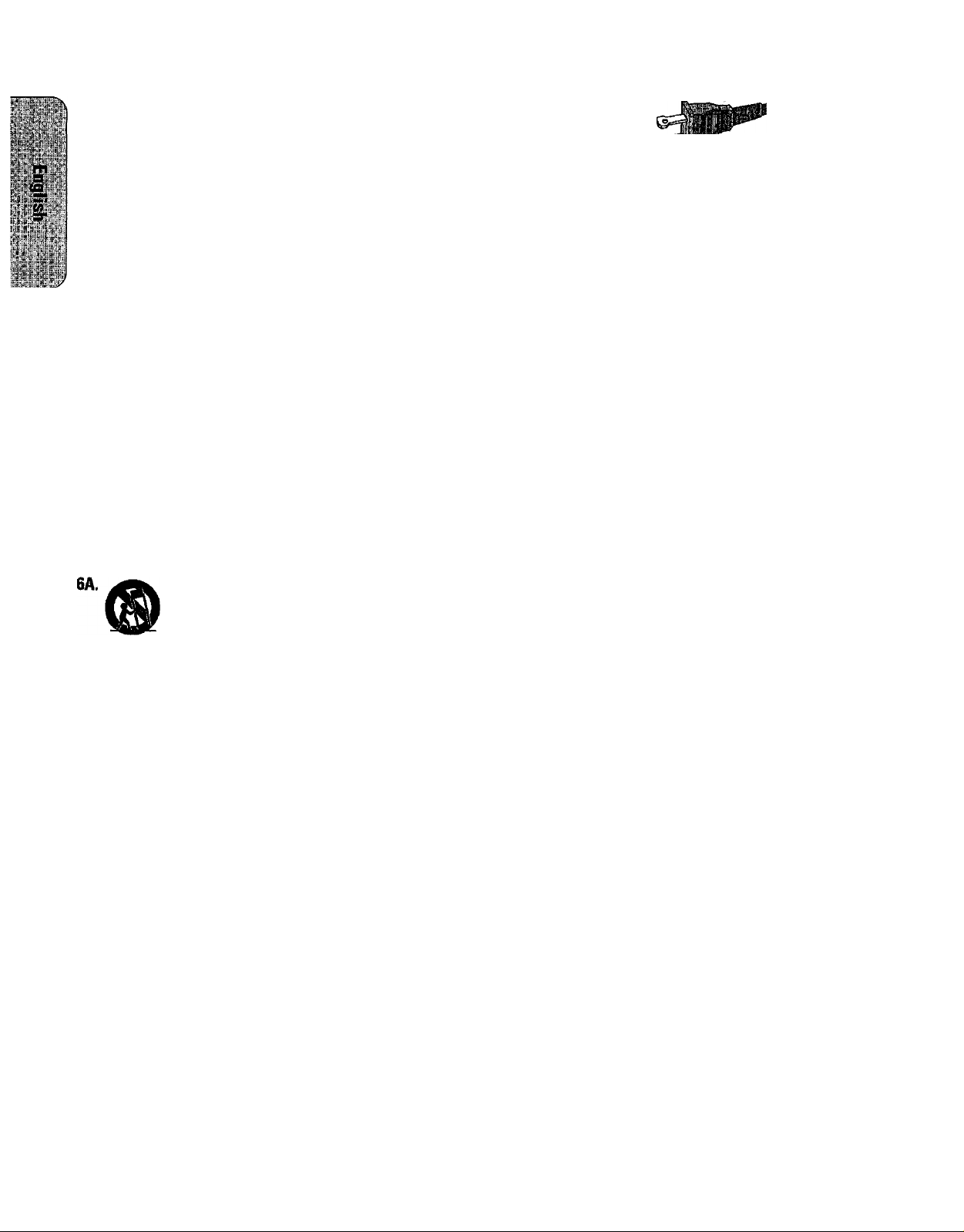
6. Carts and Stands - The appliance should be
used only with a cart or stand that is recommended
by the manufacturer.
An appliance and cart combination
should be moved with care. Quick
stops, excessive force, and uneven
surfaces may cause the appliance and
cart combination to overturn.
7. Wall or Ceiling Mounting - The appliance
should be mounted to a wall or ceiling only as
recommended by the manufacturer.
8. Ventilation - The appliance should be situated
so that its location or position does not interfere with
its proper ventilation. For example, the appliance
should not be situated on a bed, sofa, rug, or similar
surface that may block the ventilation openings; or,
placed in a built-in installation, such as a bookcase
or cabinet that may impede the flow of air through
the ventilation openings.
9. Heat - The appliance should be situated away
from heat sources such as radiators, heat registers,
stoves, or other appliances (including amplifiers) that
produce heat.
10. Power Sources - The appliance should be
connected to a power supply only of the type
described in the operating instructions or as marked
on the appliance.
11. Grounding or Polarization -
Precautions should be taken so
that the grounding or polarization
means of an appliance is not ®
defeated.
CAUTION ; To prevent electric shock, match
the wide blade of this plug to the wide slot, fully
insert. Do not use this (polarized) plug with an
extension cord, receptacle or other outlet unless the
blades can be fully inserted to prevent blade
exposure.
12. Power-Cord Protection - Power supply cords
should be routed so that they are not likely to be
walked on or pinched by items placed upon or
against them, paying particular attention to cords
and plugs, convenience receptacles, and the point
where they exit from the appliance.
13. Cleaning - The appliance should be cleaned only
as recommended by the manufacturer.
14. Power Lines - An outdoor antenna should be
located away from power lines.
15. Nonuse Periods - The power cord of the appli
ance should be unplugged from the outlet when left
unused for a long period of time.
16. Object and Liquid Entry - Care should be taken
so that objects do not fall and liquids are not spilled
into the enclosure through openings.
17. Damage Requiring Service - The appliance
should be serviced by qualified service personnel
when:
A. The power-supply cord or the plug has been
damaged; or
B. Objects have fallen, or liquid has spilled into
the appliance; or
C. The appliance has been exposed to rain; or
D. The appliance does not appear to operate
normally or exhibits a marked change in
performance; or
E. The appliance has been dropped, or the
enclosure damaged.
18. Servicing - The user should not attempt to
service the appliance beyond that described in the
operating instructions. All other servicing should be
referred to qualified service personnel.
91/8 EL 4562-1
Page 5

• V
LIMITED WARRANTY
DIGITAL SPEAKERS
One Year Exchange Warranty
This product must be shipped in for repair.
WHO IS COVERED?
You must have proof of purchase to exchange the product.
A sales receipt or other document showing that you
purchased the product is considered proof of purchase.
Attach it to this owner’s manual and keep both nearby.
WHAT IS COVERED?
Warranty coverage begins the day you buy your product.
For one year thereafter, a defective or inoperative product
will be replaced with a new, renewed or comparable
product at no charge to you. A replacement product is
covered only for the original warranty period. When the
warranty on the original product expires, the warranty on
the replacement product also expires.
WHAT IS EXCLUDED?
Your warranty does not cover:
* labor charges for installation or setup of the product,
adjustment of customer controls on the product, and
installation or repair of antenna systems outside of the
product.
* product repair and/or part replacement because of
misuse, accident, unauthorized repair or other cause
not within the control of Philips Consumer Electronics
Company.
* reception problems caused by signal conditions or
cable or antenna systems outside the unit
* a product that requires modification or adaptation to
enable it to operate in any country other than the
country for which It was designed, manufectured,
approved and/or authorized, or repair of products
damaged by these modifications.
* incidental or consequential damages resulting from the
product (Some states do not allow the exclusion of
incidental or consequential damages, so the above
exclusion may not apply to you.This includes, but is not
limited to, prerecorded material, whether copyrighted
or not copyrighted.)
* a product used for commercial or institutional
purposes.
WHERE IS EXCHANGE AVAILABLE?
You may exchange the product in all countries where the
product is officially distributed by Philips Consumer
Electronics Company. In countries where Philips Consumer
Electronics Company does not distribute the product, the
local Philips service organization will attempt to provide a
replacement product (although there may be a delay if the
appropriate product is not readily available).
BEFORE REQUESTING EXCHANGE...
Please check your owner’s manual before requesting an
exchange. Adjustments of the controls discussed there may '
save you a trip.
TO GET WARRANTY SERVICE IN U.S.A.,
PUERTO RICO OR U.S.VIRGIN ISLANDS...
If the Philips Digital Speakers requires repair during the
warranty period, contact the Philips Consumer Access
Center at 1 -800-835-3506 to verify the need for service
and to initiate the repair process.
EXCHANGING A PRODUCT IN CANADA...
Please contact Philips at:
1-800-661-6162 (French Speaking)
1-800-363-7278 (English Speaking)
(In Canada, this warranty is given in lieu of all other
warranties. No other warranties are expressed or implied,
including any implied warranties of merchantability or
fitness for a particular purpose. Philips is not liable under
any circumstances for any direct, indirect, special, incidental
or consequential damages, howsoever incurred, even if
notified of the possibility of such damages.)
REMEMBER...
Please record the model and serial numbers found on the
product below. Also, please fill out and mail your warranty
registration card promptly. It will be easier for us to notify
you if necessary.
MODEL#
SERIAL#
Consumer Access Center
1-800-835-3506
Philips Service Company, P.O. Box 555, Jefferson City,Tennessee 37760,(423) 475-8869
EL6270aT001 / MAC624 / 6-97
Page 6

______
C3
1
/
\
<1)
(
\
<D
(p^
'v\ V * 1 1
<!| K /
1 y \
\
/
LINE IN ‘ SUBWOOFER OUT
Page 7

INSTRUCTIONS FOR USE
Controls Installation
® POWER
switches the speakers on and to standby
(D DBB (Dynamic Bass Boost)
enhances the bass
(3) INCREDIBLE SURROUND
creates a surround sound effect
(J) 0
connect headphones (not supplied)
® VOLUME-/ +
adjusts the volume level (only works when
USB is connected)
(D SPEAKER OUT
connect the left speaker
® POWER IN
connect the supplied AC/DC adapter
(8) LINE IN
Connect the soundcard of your computer
when not using Windows 98 and USB. Can
also be used to connect analog volume
controlled appliances (e. g. CD player).
Note: If you are only using the UÑE IN jack, the
volume has to be adjusted with your
soundcard.
1 Windows 3.1 or a computer without USB
Connect the supplied plug cord to the LINE IN
jack of the right speaker and your soundcard.
Note: The volume has to be adjusted with
your soundcard.
or
Windows 95 and USB
• Connect the supplied plug cord to the
LINE IN jack of the right speaker and your
soundcard.
• Connect the USB cable to a USB port.
• Follow the instructions that come with the
supplied CD ROM to install the USB drivers
on your Windows 95 system. Do not use
the CD ROM when operating a Toshiba
Infinia!
or
Windows 98 and USB
Connect the USB cable to a USB port.
Note: If a soundcard is installed on your
Windows 98 system, follow the Windows
98 setup as described later on.
jsk:.
i-iS ^
vet
'WV
® SUBWOOFER OUT
connect an additional subwoofer
® USB
connect to a USB port
Important!
The supplied soñware is not compatible with
early versions of Toshiba's Infinia in-touch
modules, and that installing the software on a
Toshiba Infinia system will render the Infinia
system inoperable.
Connect the left speaker to the SPEAKER OUT
jack of the right speaker.
Connect the AC/DC adapter to the POWER IN
jack at the rear of the right speaker.
Connect the AC/DC adapter to a wall socket.
The voltage mentioned on the label of the
AC/DC adapter must match the local power
voltage.
Page 8

FOR USE liiMrat.
peration
1 Switch on the speakers using the POWER
button.
-► The power indicator goes on.
2 Adjust the sound using the VOLUME, DBB,
and INCREDIBLE SURROUND controls.
Details on operation
• The volume controls on the satellite speakers
can only be used if the USB is connected and
supported by the operating system.
• If the USB is connected, the speakers will
switch to standby while the computer is
turned off. When the computer is switched
on, the speakers will switch on too.
• Legacy DOS games do not support USB.
Sounds can only be played via a soundcard
that is connected to the LINE IN jack of the
speakers.
itiop^ 'i2ìÌì\H:l^
The speakers only work with the supplied power
supply. Any others may damage the speakers.
Do not expose the speakers to excessive heat
(caused by heating equipment or direct sunlight).
To reduce the risk of fire or electric shock, do
not expose this appliance to rain or moisture. If
fluid spills into the speakers, disconnect any
connections immediately and let the speakers
dry before reusing them.
You may clean the speakers with a soft, slightly
dampened lint-free cloth. Do not use any
cleaning agents as they may have a corrosive
effect.
If the speakers do not react to operations,
disconnect them from the power supply. Wait a
few seconds before reconnecting them.
The typeplate is located on the bottom of
the speakers.
Use the following procedure if a soundcard is
installed on your Windows 98 system. This
should enable audio playback via the USB.
1 Choose the Start button in the task bar.
2 Point to Settings and choose Control
Panel.
3 Double-click the Multimedia icon.
4 Select the Audio tab.
5 Under Preferred device, select Philips
USB Audio Device.
6 Select the Use only preferred device
check box on the bottom of the tab.
7 Choose the OK button.
Technical data
Power
2X15WRMSV1 kHz/2.7D/10%THD
FTC rated
2 X15 W /120-10.000 Hz/10 % THD
Frequency response
Power input
System
Driver
Dimensions
Weight....................................................4.8 kg/set
"±1 dB
Subject to change without notice.
................................
..................................
...........................
..........................
........................
4" woofer and 2" tweeter
275 x 140 x 187 mm
60-20,000 Hz
10.5V/1,600 mA
two-way bass reflex
Page 9

ipi:p
Ml
111
.
,rn
liBii
1WÉ
•y'
'• tt,,
' voli!
■:W-
j
I
.....
3p;
.
s ,
; -I
1
PHILIPS CONSUMER ELECTRONICS COMPANY
A Division of Philips Electronics North America Corporation
Knoxville, Tennessee 37914-1810, U.SA
3104 215 3601.1
Printed in Malaysia
73(- / 12.0S
 Loading...