

Page 1
Register your product and get support at
www.philips.com/welcome
HTR9900
AVR9900
© 2009 Koninklijke Philips Electronics N.V.
All rights reserved.
sgpjp_919/12/v2
2
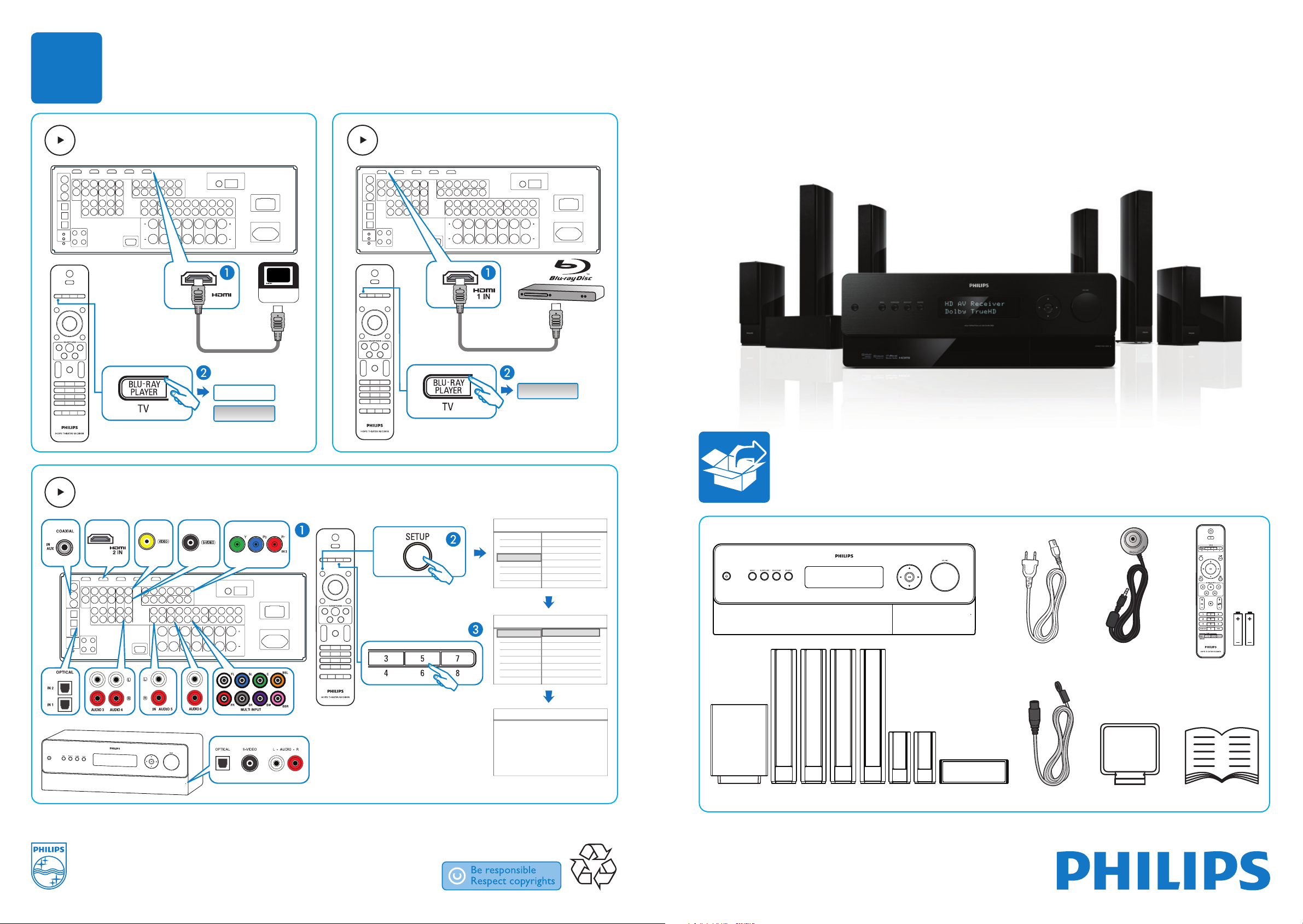
HDTV
MONITOR OUT
Blu-rayBlu-ray
TVTV
1x1x
2x2x
Y
Blu-rayBlu-ray
1x1x
3
CONNECTO
R
S
/
O
PEN
Settings menu
Listening Mode setup
Language setup
Speaker setup
Source setup
Trigger setup
Video setup
Source setup (Normal View)
Analog Audio : Audio 1
Digital Audio : HDMI 1
Source : 1
Name : Source 1
Source setup (Normal View)
Gain : 0dB
Video : HDMI 1
Trigger Out : None
Settings menu
Audio synch
Listening mode
Tone controls
Power cable
(2x for HTR9900)
Microphone
FM antenna cable
AM loop antenna
(for HTR9900 only)
TV
BLU-RA
OTHER DEVICES
CONNECTORS /OPEN
Page 2
1 2
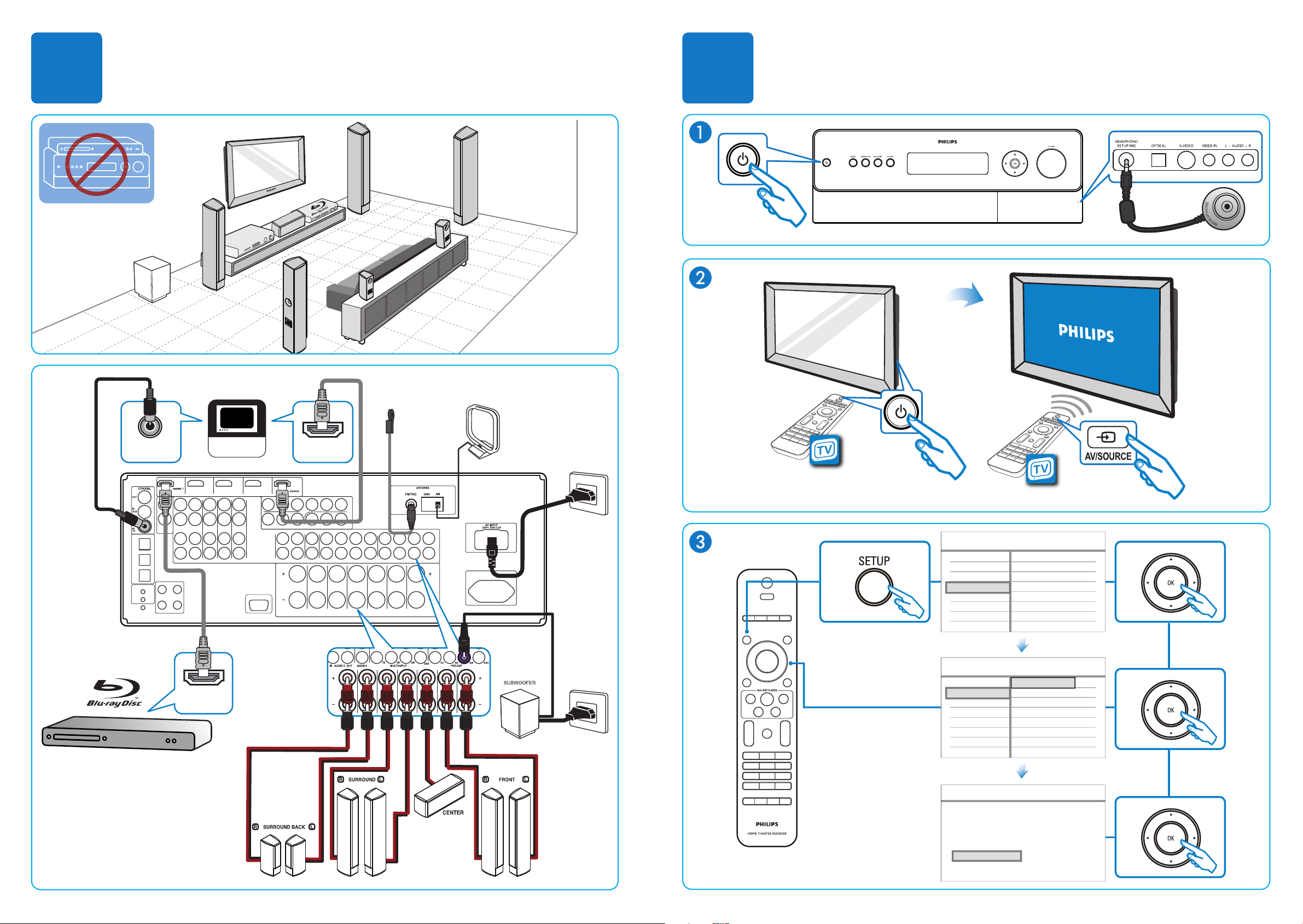
SURROUND
BACK LEFT
FRONT
RIGHT
SURROUND
RIGHT
SURROUND
LEFT
FRONT
LEFT
SURROUND
BACK RIGHT
SUBWOOFER
CENTER
RE
C
EIVER
CONNECTORS /OPEN
DIGITAL
AUDIO OUT
Blu-ray
IN
HDMI OUT
TV
MONITOR OUT
HDMI IN
FM ANTENNA
AM LOOP ANTENNA
Listening mode
Audio synch
Tone controls
Settings menu
Settings menu
Source setup
Speaker setup
Trigger setup
Listening Mode setup
Video setup
Language setup
SmartEQ
Speaker Configuration
Speaker Levels
Speaker Distance
SmartEQ
Please Connect the measurement microphone
to the HTR9900
Position the microphone in the main listening
position at ear height.
7.1
5.1
 Loading...