

Page 1
TC9465OI Rev. AC 4/06 ©2005 Paxar Americas, Inc. All rights reserved.
OPERATING INSTRUCTIONS
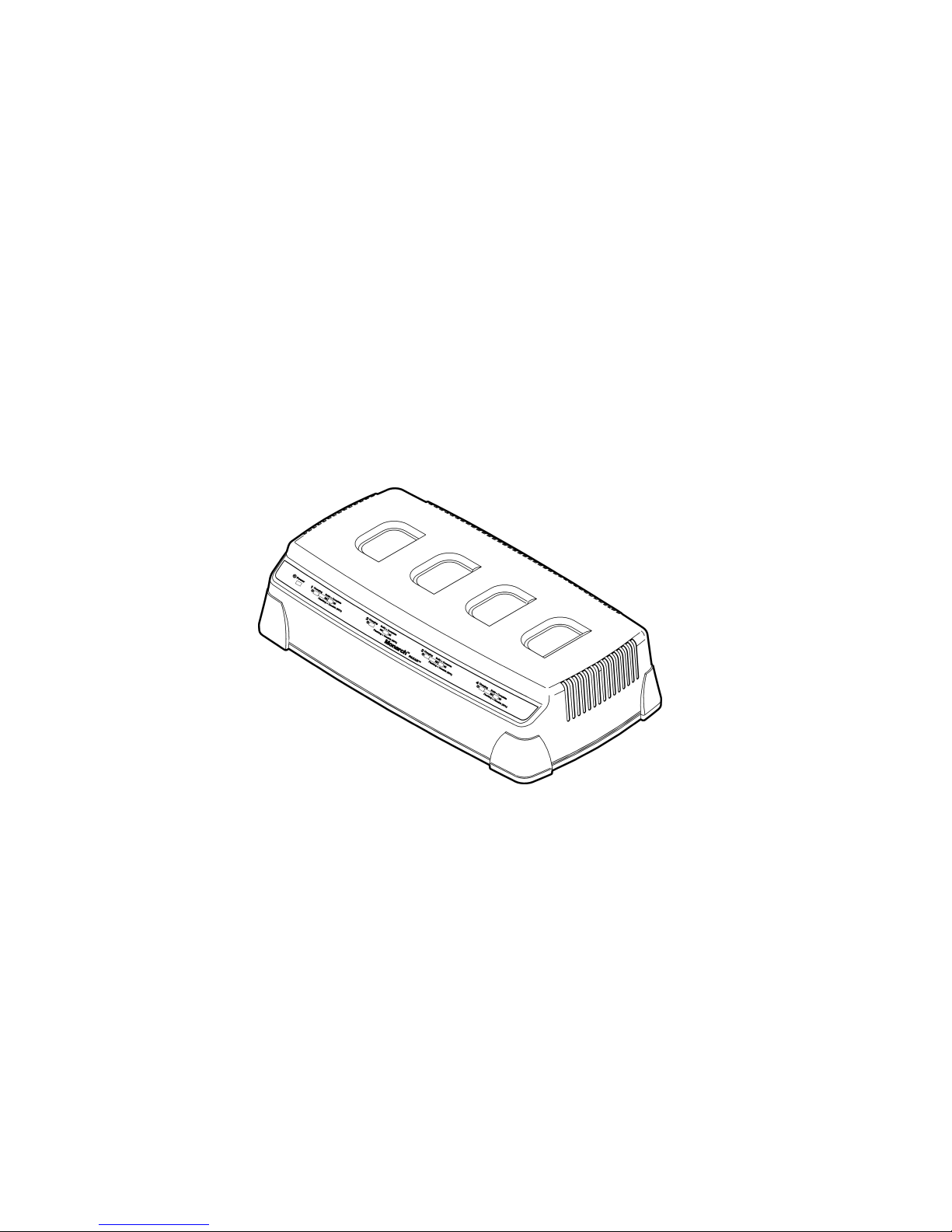
The Monarch® 9465™ Four-Station Battery Charger
charges from one to four 7.4V lithium-ion batteries for the
following printers:
♦ Sierra Sport2™ 9460™
♦ Sierra Sport3™ 9433™
♦ Monarch® Pathfinder® Ultra® Silver 6032™
♦ Monarch® Pathfinder® Ultra® Gold 6037™
♦ Monarch® Pathfinder® Ultra® Platinum 6039™
Note: You must charge a battery before using it.
WARNINGS
♦ Use only a Monarch-qualified battery.
♦ The battery could be damaged or explode if placed on
a different charger.
♦ Do not throw the battery in the trash. Dispose
according to your local regulations.
♦ Do not disassemble, short-circuit, heat above 80°C, or
incinerate the battery. It may explode.
♦ Follow the operating and storage limit specifications
listed at the end of these instructions. Otherwise, the
battery may permanently lose its charge capacity.
Page 2
2 Operating Instructions
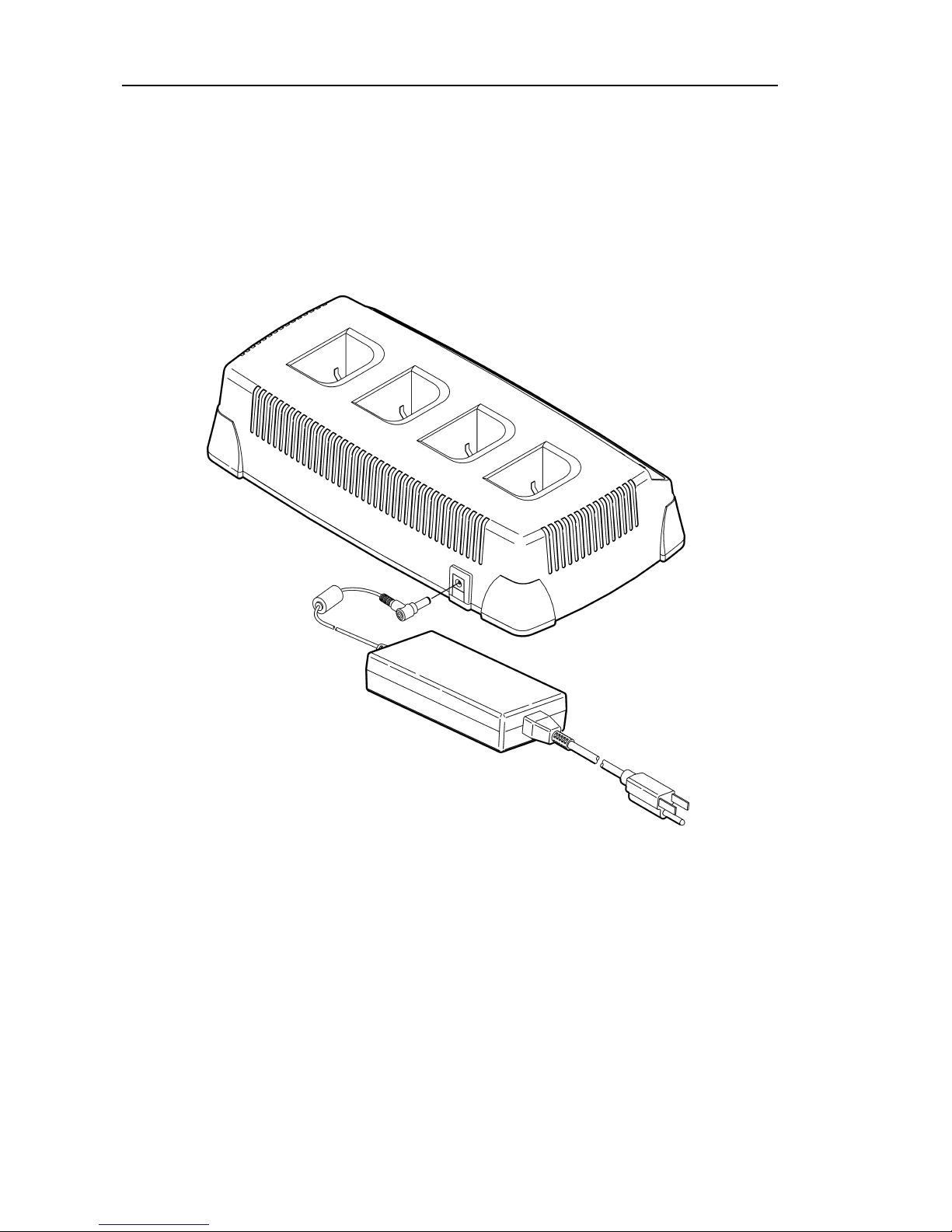
Connecting the Power Supply
To connect the power supply:
1. Plug one end of the power supply into a wall
electrical outlet.
2. Plug the other end of the power supply into the back
of the charger.
The Power LED is on when the charger is set up and
plugged in.
Page 3
Operating Instructions 3
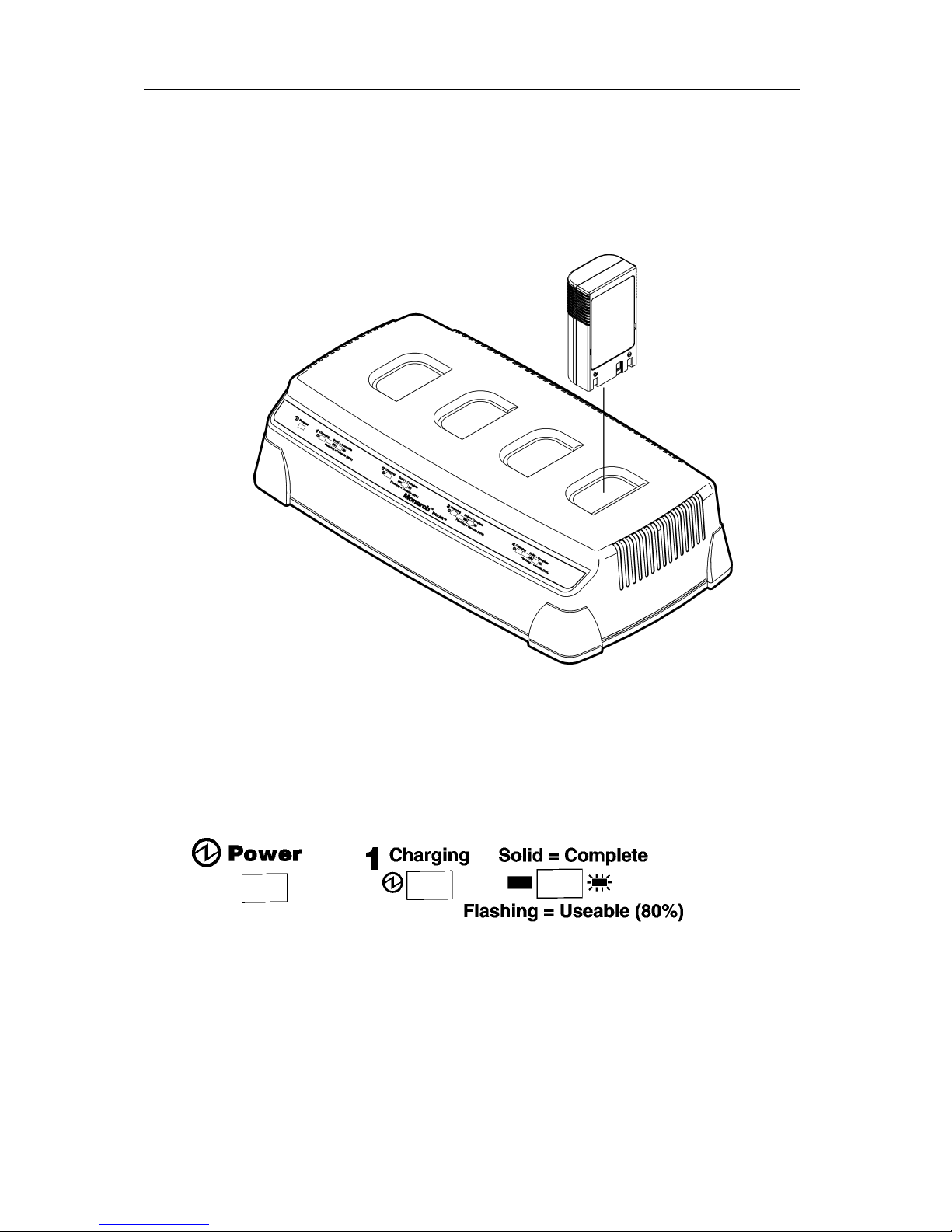
Charging a Battery
To charge a battery, insert the battery into the charger as
shown. Charging time can take up to three hours. It
takes approximately two hours to reach the 80% level
(where it is now usable). To reach 100%, it takes
approximately one hour more.
Reading the Display
Once the charger is plugged into an electrical outlet, the
Power LED is on (solid). There are four charging stations
and each has its own set of LEDs.
Charging LED – flashes when you insert the battery; is
solid while charging; and is off when charging is
complete.
Complete LED – flashes when the battery is 80% charged
and is solid when the battery is 100% charged.
Page 4

4 Operating Instructions
Troubleshooting
When an error occurs, the Charging and Complete LEDs
blink together. In this case, repeat the charging process.
If the error still occurs, repeat the process with a new
battery. If there is a problem after the second repeat
charge, call Service.
In between charges, remove the battery, wait for the
lights to stop flashing, then re-insert the battery.
Specifications
Operating Limits:
Temperature
32°F to 104°F (0°C to 40°C)
Humidity
5% to 90% non-condensing
Storage Limits:
Temperature
-40°F to 158°F (-40°C to 70°C)
Humidity
5% to 90% non-condensing
Charger
Length:
11.8” (300.0 mm)
Width:
6.25” (158.75 mm)
Height:
2.75” (70.0 mm)
Input:
12 to 16 VDC/50W
Weight:
4.55 lbs. (2.06 kg)
Power Supply
Input:
Universal switching power supply, 85 to
264 VAC, 50/60 Hz.
Output:
12 VDC/80W max
Visit www.paxar.com for sales, service, supplies,
information, and telephone numbers for our locations
throughout the world.
Toll Free:
1-800-543-6650 (In the U.S.A.)
1-800-363-7525 (In Canada)
 Loading...